


Relevance AI’s website doesn’t have an easy, straightforward explanation of what you’ll pay for their tool and what you’ll get for the price. With sources suggesting a starting price of ~$10,000 per year, let’s dive into whether the price is worth it in 2025.
In this guide, we’ll break down:
- Overview
- Relevance AI pricing
- What you get (and what you don’t) at each pricing tier
- How Relevance AI credits work — and what to watch out for
- Best alternatives to Relevance AI in 2025
- Why Lindy might be a better fit for your organization
We begin with a brief intro about Relevance AI.
What is Relevance AI?
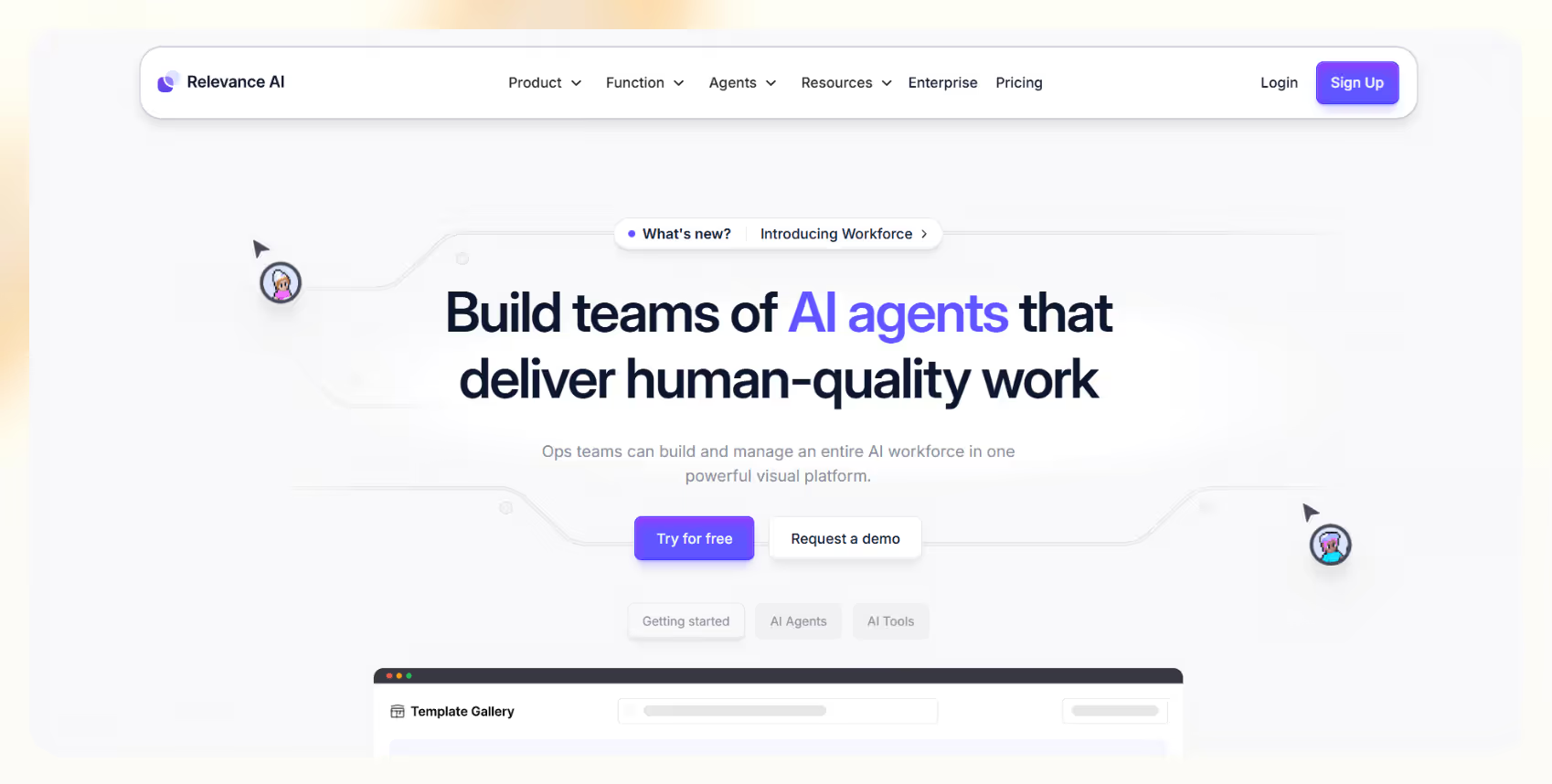
Relevance AI is a low-code agent builder that allows semi-technical users to build AI workflows without having to be fluent in programming.
You can centralize all the necessary information for your AI agents into the Knowledge storage. They can access and learn from it consistently. You can also connect Relevance AI agents to CRMs, databases, and apps from your tech stack using API integrations.
The tool comes with pre-built agents to make it easy to deploy. A few of them are:
- Business development representative (BDR) agent: Automates outreach, lead qualification, and meeting scheduling for sales teams
- Account research agent: Gathers, organizes, and analyzes company data for personalized sales engagement
- SEO agent: Assists in keyword research, content optimization, and SEO performance tracking
- Customer support agent: Handles FAQs, ticket routing, and customer queries across multiple channels
These features, AI agents, and other factors make Relevance AI valuable. You can create and scale customized workflows that suit your business needs without the hassle of writing code or hiring and training individuals. However, its pricing model is complex.
We break it down for better understanding.
Detailed breakdown of Relevance AI pricing
Relevance AI pricing has a simple tiered structure. The complexities start when you look at the extras — credits, knowledge storage, API integrations, credits per task, and so on. Instead of helping teams, this creates confusion.
Here’s a comparison table to make things easier:
Let’s understand each tier, its features, and ideal users.
Free tier
It's a free plan for beginners who want to explore building AI tools and agents without financial risk.
It includes 100 credits/day, access for 1 user, and 10MB of knowledge storage. Users can build using the low-code tool builder, share apps with a 1-click embed, and access different Large Language Models (LLMs).
However, the plan has very low daily credits, minimal storage, and a lack of support or bulk tool operations. It's most suited for individuals trying it out or students learning AI workflows.
Pro plan
At $19/month, the Pro plan is Relevance AI’s entry-level paid tier aimed at users who want to take AI apps into production at a small scale.
It offers 10,000 credits/month, 1 user seat, and a more generous 100MB of knowledge storage. You get features like bulk tool runs, scheduled tool runs, and chat support.
The limitations include no team collaboration features and moderate storage that could restrict more data-heavy workflows. This plan fits freelancers and solo founders looking to automate simple workflows or run small AI apps regularly.
Team plan
The Team plan is priced at $199/month. It's for small teams who want to collaborate while building and deploying agents.
It provides 100,000 credits/month, supports 10 users, and increases storage to 1GB of knowledge. You get access to premium integrations such as LinkedIn and WhatsApp, along with priority support.
The plan’s strengths lie in enabling real collaboration across teams, but storage could still become a bottleneck for large projects. It’s ideal for startups and fast-growing teams that need to scale their AI workflows with team access and external integrations.
Business plan
At $599/month, the Business plan targets organizations with more complex and larger-scale AI needs.
It offers 300,000 credits/month, unlimited users, and 5GB of knowledge storage. One of the standout features is the Multi-Agent System. It allows several agents to work together within the same workflow. Additional perks include an Activity Centre for monitoring workflows and a dedicated Slack channel for direct support.
This plan fits mid-to-large enterprises looking to coordinate multiple AI agents across business functions like sales, marketing, and customer support.
Enterprise plan
The Enterprise plan is fully custom-priced and tailored for businesses looking to deploy an entire AI workforce.
This plan offers customizable credits and storage to suit your use case. It also includes advanced features like Priority Support SLAs, advanced authentication options (SSO, RBAC), and multi-region support. Users also get Premier Support SLGs for guaranteed response times.
This plan suits global organizations with complex regulatory and security needs, needing white-glove onboarding, custom deployments, and 24/7 enterprise-grade support.
We’ve mentioned earlier that credits per task and extra costs make the pricing complex. Let’s see how.
Add-ons and extras
Credit consumption depends on workflow complexity — tasks using external LLMs or rich context inputs (like multi-step logic or large files) can deplete credits faster than expected. Users often report needing top-ups sooner than planned.
When you need to add credits, you can add 10,000 credits for $20. Adding storage for your knowledge storage will cost you $100/GB.
Let’s now decode how you use credits.
Understanding Relevance AI credits
When you execute a task with Relevance AI, you use credits. There’s a fixed credit usage and a variable credit usage. Your plan decides the fixed credit usage, and the task affects the variable credit usage.
First, we’ll see how your credit usage depends on your plans.
For every task executed:
- Free and Pro plan users consume 4 credits
- Team plan users consume 3 credits
- Business plan users consume 2 credits
Now, let’s see how variable credit usage works:
- If your task demands compute time, it’ll consume extra credits
- If your tasks demand a third-party LLM or tool:
- No credits are charged for the task, given that you provide your own API key for that tool
- If you don’t have the API key, you’ll be charged for the cost of the tool or the app + 20%
We know this is difficult to comprehend, so it’s best to clarify this with the sales team.
Does Relevance AI provide any discounts for long-term commitments?
If you're willing to commit to the entire year, the annual plans can benefit you. You get a flat 10% discount compared to monthly plans.
Even better, the annual plan comes with its benefits:
- You get 12 months of credits up front.
- If you run out of the credits, you can add more with top-ups.
- You can upgrade or downgrade at any time.
Are there any hidden costs with Relevance AI?
There aren’t any hidden costs as such. Relevance AI provides an outline of its pricing tiers and credit system, but deeper clarity on per-task costs, LLM usage, and knowledge storage add-ons often requires direct conversations with their sales team.
But be aware of the credits used per task, API costs, knowledge storage costs, and credit top-ups. It’s too much information to process, so we recommend contacting sales for a detailed and simplified breakdown.
What integrations does Relevance AI support?
Relevance AI hasn’t shared the full list of integrations on its website. They’ve mentioned a few of them. We’ve listed them below for you:
- HubSpot and Salesforce: Use AI agents to trigger even-based tasks and responses to new activity in your HubSpot CRM.
- Gmail and Outlook: Manage your inbox with AI –– scan, filter, and prepare responses to high-priority emails.
- Freshdesk: AI agents can take over customer support operations to make life easier for your team and customers.
- Zapier: Trigger actions across 7000+ apps when you integrate with Zapier.
- Zoom: Create, schedule, reschedule, or delete Zoom meetings automatically.
- WhatsApp: Handle your conversations with AI agents. It works like a Gmail integration.
- LinkedIn: AI will scan through hundreds of applicants, message connections, and find the right people.
- Slack: AI will send messages, notify teams, create new channels, and more.
- Notion: Let AI agents create new pages, scan within databases, update pages, and add comments.
If you want to integrate any other app, contact sales or sign up to check for a native integration. You can get APIs or webhooks if your app integration isn't supported natively.
Limited integrations and complex prices force you to think hard before investing. Next, we analyze Relevance AI’s value proposition.
Is Relevance AI worth the investment?
Relevance AI’s features make it super powerful for frugal teams. They can get a lot more done without spending time and money on hiring people and training them.
The ability to automate workflows and integrate AI agents with your tech stack may make Relevance AI valuable, depending on your specific business needs. It’s highly scalable –– you can add 50 AI agents instantly –– and optimize them to suit your business.
You can see positive user reviews on websites like G2. They’ve praised its ease of use, AI capabilities, versatility, and efficiency. Users have rated its features and automation as the most valuable.
It’s not all positive though.
Drawbacks
What holds Relevance AI back is the limited native integrations and unpredictable costs. Let’s first look at the lack of integrations.
Limited native integrations
The integrations list is short. If you want to connect an app outside the natively supported apps, you’ll need its API. Imagine the hassle of connecting 10 apps that Relevance AI doesn’t integrate with.
You have the option of using webhooks as well. And here’s where it gets complicated.
The promise that everything will just connect smoothly sounds great — but it’s far from reality for most teams. Setting up webhooks and API integrations requires technical skills and time. If your team cannot do it, you’ll need developer support to make the most out of Relevance AI.
If you want Relevance AI to connect an app for you without you providing its API, it comes at an extra cost. Suddenly, what looked like a predictable monthly bill starts climbing higher than you planned.
That brings us to another drawback –– cost.
Complex and unpredictable costs
We talked earlier about how your tasks consume credits and how that determines your monthly or yearly expenditure. It's complex, to say the least.
If you plan to automate tasks at scale, it’s crucial to estimate your total usage to choose the appropriate plan. Let’s say you went a bit overboard. You’ll have to buy extra credits to continue executing your workflows.
It’s not just the credits you have to worry about. If your AI agents need to process large documents, spreadsheets, or videos, you’ll quickly hit the knowledge storage limits. While storage costs alone may not break the bank initially, scaling up can get expensive fast — especially when combined with frequent API calls and webhook workarounds.
For example, if you’re on a lower-tier plan with 100 credits per day and each API action costs 4 credits, you’ll burn through your daily limit after just 25 actions. Running even moderately complex workflows could leave you paying for extra credits sooner than expected.
Relevance AI can work for you if you have a technical team who can help you work around the APIs, webhooks, and complex automation workflows that demand low-code work. For the rest of the teams, we suggest you look for alternatives.
That’s when Lindy comes into the picture.
{{templates}}
Lindy vs Relevance AI: A comprehensive overview
Lindy is the ideal Relevance AI alternative. It is also a no-code AI agent platform designed to help businesses automate complex workflows without the need for coding expertise.
Whether you’re building dynamic pricing workflows, automating outbound sales, or optimizing customer support operations, Lindy is a flexible, intuitive solution that you can tailor to your business needs.
You get a visual, drag-and-drop workflow builder, so users can easily design and deploy multi-step processes. Lindy supports conditional branching, real-time triggers, and integrations with popular tools like Salesforce, Gmail, HubSpot, Stripe, and more.
Key features
- Multi-agent collaboration: Multiple Lindy agents can collaborate, share knowledge, and execute complex tasks in parallel.
- Conditional workflows: Build advanced workflows that adapt automatically based on customer actions, CRM fields, or live data.
- Ready-to-use templates: Quickly deploy agents for tasks like dynamic pricing optimization, BDR outreach, and customer support.
- Native integrations: Lindy supports 50+ native business app integrations and can connect to other tools via APIs or webhooks, offering flexibility even for custom or niche apps.
Best for
- Businesses who want fast, no-code AI automation across multiple departments
- Teams that need dynamic workflows that scale easily with growth
- Organizations seeking AI-driven pricing, sales, and support without technical overhead
Pricing
Lindy offers a free plan with limited features. Paid plans start at $49.99/month for the Pro plan and $299.99/month for the Business plan.
You can explore the resources on the Lindy Academy page for a deeper dive into everything Lindy can automate.
Let’s look at a quick-glance comparison table:
Frequently asked questions
What factors should I consider when choosing an AI tool?
When evaluating an AI tool, key factors to consider include:
- Pricing Transparency: Understand how you’ll be billed — per credit, execution, or a flat subscription model.
- Ease of Use: Check if the platform offers a no-code or low-code interface that matches your technical skills.
- Scalability: Ensure the platform can handle increasing workloads, users, and complex workflows as your business grows.
- Integration Capabilities: Look for native integrations with the tools you already use to avoid expensive and complex API setups.
- Customization Flexibility: If you need workflows tailored to your business, choose a platform that allows easy customization without needing a developer.
How does Relevance AI’s customer support compare to others?
Relevance AI offers standard customer support across all plans and priority support features in its higher-tier business plans.
Users on premium plans can access a dedicated Slack channel and assigned customer success managers. While support is generally available, response times may vary based on your plan level. Enterprises typically receive faster, more personalized assistance.
When choosing any AI tool, it’s worth considering whether the level of support aligns with how critical the tool will be for your operations.
Can I switch between pricing tiers easily?
Yes, Relevance AI allows users to upgrade or downgrade between plans.
Upgrading is easy and unlocks additional features immediately. However, downgrading may be tricky and lead to restrictions, such as reduced storage, fewer agent executions, and access loss to some premium integrations.
We advise you to review what specific features you'll lose before switching to a lower-tier plan to avoid workflow disruptions. Always plan your downgrade carefully to ensure business continuity.
How does Relevance AI handle data privacy and security?
Relevance AI emphasizes enterprise-grade security standards. It is SOC 2 Type II and GDPR-compliant.
They encrypt the data at rest and in transit. Advanced security features like Single Sign-On (SSO) and Role-Based Access Control (RBAC) are available, particularly for Business and Enterprise users. These measures help companies manage sensitive customer information securely and meet compliance requirements.
We recommend you review the tool's privacy policies, data handling practices, and available security certifications before you integrate it into your workflows.
How frequently does Relevance AI update its features?
Relevance AI periodically releases new features, enhancements, and templates to improve platform usability. While iterative updates keep coming, platform enhancements or new functionalities may be rolled out less frequently. The team notifies users through release notes on Change Log or in-app updates.
If rapid innovation is a priority for your organization, you want to monitor how quickly the platform evolves relative to your business needs.
Can Relevance AI be customized to specific business needs?
Yes, Relevance AI provides flexibility for customization through its low-code tool builder and API access.
Businesses can create tailored agents, automate internal workflows, and integrate with external systems. However, achieving highly customized workflows requires technical knowledge, particularly for API-based integrations or complex multi-agent orchestration.
If you have the internal development resources or technical teams, you can take advantage of this flexibility effectively. If not, you may need external support.
Try Lindy: Your new AI agent — and way more
.avif)
While others focus on rigid workflows, Lindy’s conversational AI is engineered for adaptability, combining deep automation with intuitive usability. Steep pricing of Relevance AI coupled with potential drawbacks make Lindy an ideal choice.
Let Lindy agents duplicate themselves and do 100s of tasks at once — pooling knowledge, sharing data, and executing complex workflows faster and smarter than ever. That’s the power Lindy offers.
Here’s how Lindy goes the extra mile:
- Smarter workflow automation: Lindy automates sales, calling, and customer support workflows with intelligent agents built in minutes — no low-code barriers.
- 24/7 operational efficiency: Lindy agents work around the clock, ensuring they don't miss any lead, customer query, or task.
- Global readiness: With fluency in over 30 languages, Lindy helps businesses expand their reach effortlessly across international markets.
- Seamless platform integration: Embed Lindy into your website, CRM, or apps with a simple integration flow — no complex API work needed.
- Works alongside your tools: From Stripe to HubSpot, Lindy integrates smoothly with thousands of business tools to maximize your existing investments.
- Scales with your business: Whether it's handling a few workflows or running a fleet of agents, Lindy scales dynamically to match your evolving needs.
- Much more than just automation: Lindy offers a full suite of capabilities — from lead qualification to dynamic pricing optimization. Check out the full Lindy features list.
{{cta}}





%20(1).png)
%20(1).png)
.png)
.jpg)


.png)


