


How Do Chatbots Qualify Leads and Drive Sales?
Everett broke down how AI chatbots qualify leads, from behavior-based triggering and BANT questions to real-time lead scoring and routing prospects into the CRM.


Chatbots have changed how businesses handle lead qualification.
Skip forms, cold calls, or manual outreach. AI-powered bots can automatically identify which visitors are potential customers, and which ones aren’t worth your time.
This guide breaks down how chatbots qualify leads, what questions they ask, the data they collect, and how it all works together to improve conversion rates.
What’s the Role of Chatbots in Lead Generation?
Chatbots help you go beyond just collecting leads; they qualify them in real time.
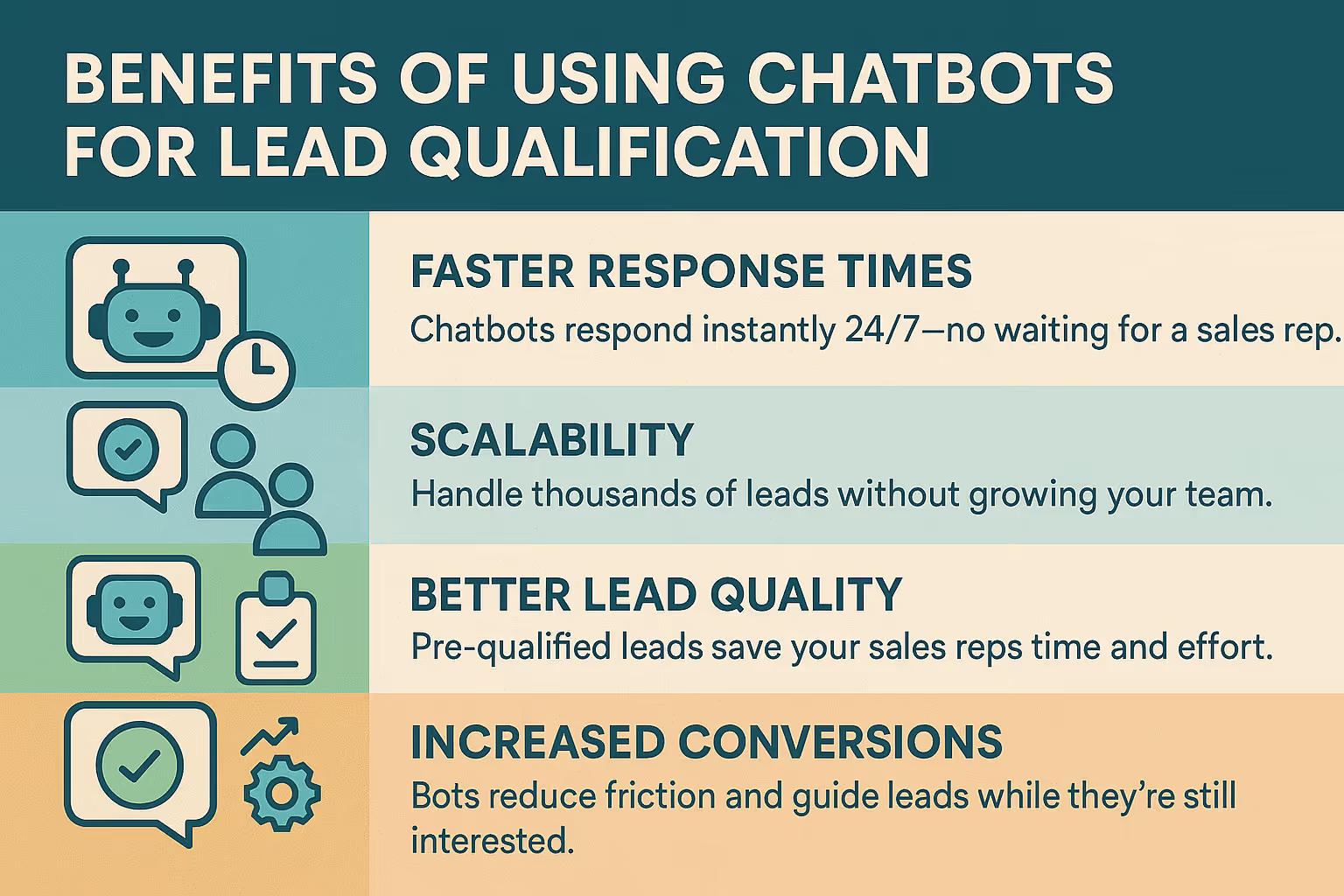
When someone visits your website, a chatbot can start a conversation, learn about their needs, and decide if they match your ideal customer profile (ICP). It does this by asking smart questions around common qualification factors like budget, decision-making authority, need, and timeline.
Instead of relying on static forms or delayed responses, chatbots act as automated SDRs, filtering out unqualified visitors and pushing high-potential leads into your sales pipeline instantly.
They don’t just gather contact details; they speed up the lead qualification process so your team can focus on the people most likely to buy.
How Do Chatbots Qualify Leads?
Chatbots aren’t just for answering FAQs anymore; they’ve become a core part of modern lead qualification.
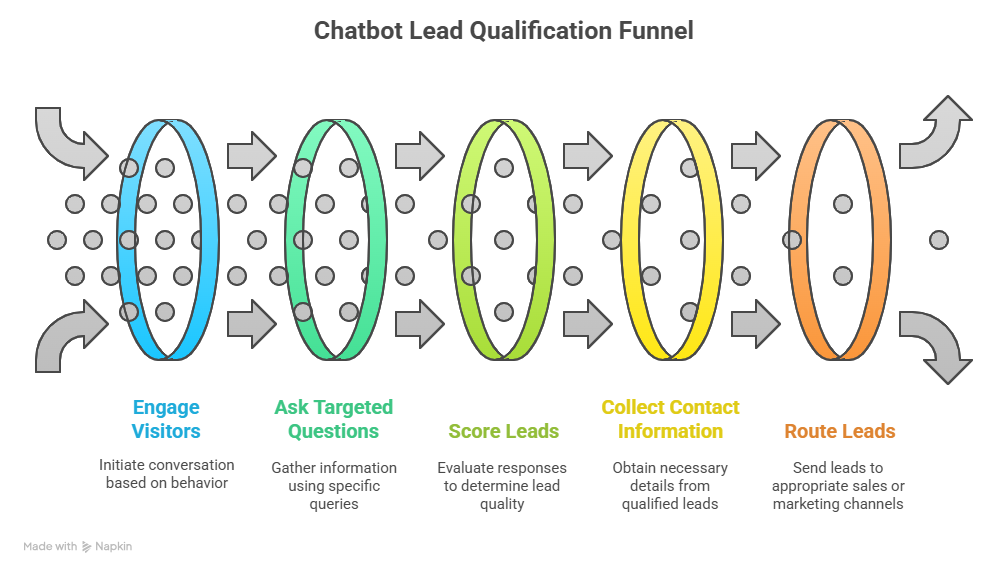
When set up correctly, they can handle the entire top-of-funnel screening process just like a trained sales development rep (SDR), but at scale and in real time.
Here’s what chatbots do to qualify leads:
1. They Engage Visitors at the Right Moment
The first job of a chatbot is to start the conversation, but timing is everything. A well-configured chatbot doesn’t just pop up on every page. It activates when someone shows intent, like spending time on your pricing page, returning to your site multiple times, or hovering near a CTA.
This kind of behavior-based triggering ensures the bot is talking to people who are more likely to be seriously evaluating your product.
For example, the chatbot could ask a potential customer: “Need help picking the right plan? I can ask a few quick questions to guide you.”
2. They Ask Targeted, Intent-Based Questions
Once the chat starts, the chatbot immediately moves into qualification mode. It asks specific questions tied to the lead scoring criteria your sales team already uses, usually based on frameworks like BANT (Budget, Authority, Need, Timeline) or your own ICP.
Here’s what that might look like:
- “What’s your role in the company?” → Helps determine decision-making power
- “Do you have a monthly budget allocated?” → Filters out low-potential leads
- “Are you using a similar tool today?” → Reveals pain points or switching intent
- “How soon are you planning to decide?” → Gauges urgency
What makes a great chatbot effective here isn’t just the questions; it’s the logic flow. Responses dictate what question comes next, creating a conversational experience that feels human, but is driven by data.
3. They Score Leads in Real Time
As the chatbot gathers this information, it evaluates the answers instantly. You can think of this as automated lead scoring running in the background.
Let’s say someone answers:
- Budget: Over $1,000
- Role: Marketing Director
- Timeline: Ready to buy this month
That’s a high-intent lead. The bot can tag them as sales-qualified (SQL) and flag them for immediate follow-up. If someone has no budget or is just “browsing,” they might be scored as a marketing-qualified lead (MQL) instead or filtered out entirely.
This kind of automated sorting helps your team prioritize the leads that matter most, without wasting time on unqualified traffic.
4. They Collect and Verify Contact Information
Once the chatbot confirms someone is a good fit, it moves to the next step: capturing contact details. At this point, the lead is already warmed up and engaged, so asking for an email or phone number feels natural, not forced.
It typically collects:
- Full name
- Work email (not personal Gmail or Yahoo accounts)
- Company name
- Optional: phone number, job title, LinkedIn profile
Advanced bots can also enrich and verify this info on the fly, checking domain names, pulling company data, or integrating with your CRM to avoid duplicates.
5. They Route the Lead to the Right Destination
The final step is getting the lead into the right hands. Based on their score and responses, the chatbot automatically determines what should happen next.
For example:
- Hot, sales-ready leads are pushed directly to a rep’s inbox, Slack, or CRM
- The chatbot can also offer to book a meeting on the spot using calendar integrations
- MQLs can be added to a nurture sequence or retargeting list
- Leads that don’t meet your criteria? The bot politely ends the conversation or offers educational content
All of this happens in seconds, with zero human intervention.
What Data Do Chatbots Use to Qualify Leads?
Besides answers to chatbot questions, some bots also use:
- Behavioral data: Pages visited, time on site, return visits
- Firmographic data: Company size, industry, location (via IP)
- CRM or third-party data: Lead status, past interactions, lead source
- Technographic data: Tools the lead is using (via integrations)
This helps personalize the conversation and improve qualification accuracy.
What Does Lead Qualification Look Like in Practice?
The real value of a chatbot isn't just in asking questions; it's in asking the right questions, to the right people, at the right time.
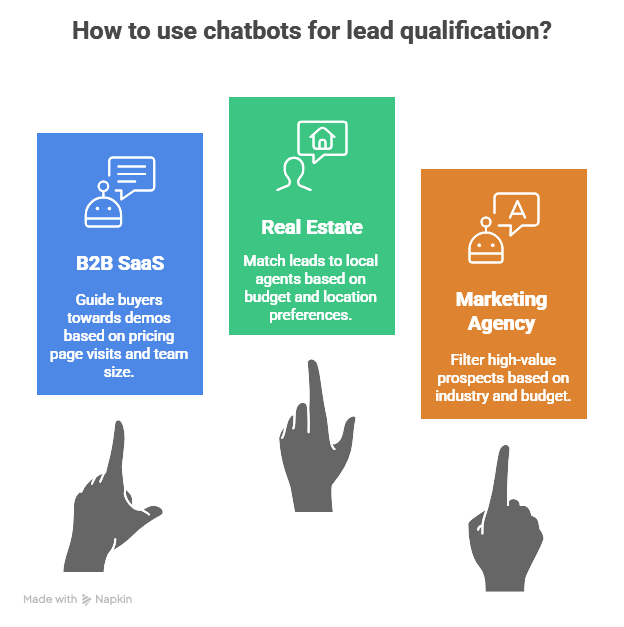
Let’s look at a few real-world scenarios to see how different businesses are using chatbots to qualify leads and move them closer to a sale.
1. B2B SaaS Website: Guiding Buyers Toward Demos
Imagine a visitor spends a few minutes browsing your pricing page. That’s a high-intent signal. A chatbot pops up and says:
“Hey there! Are you currently evaluating tools for your team?”
If the user clicks yes, the bot follows up with:
“How big is your team?”
Now, say the user answers “50+ employees.” That’s a great lead, likely a mid-market or enterprise buyer. Based on that, the bot immediately offers:
“Sounds like a good fit. Want to book a 20-minute demo with one of our product specialists?”
This not only captures the lead, it activates them when their interest is highest.
2. Real Estate Website: Matching Leads to Local Agents
On a real estate site, the chatbot takes on a different role. It greets the visitor with:
“Are you looking to buy or rent?”
Based on that answer, it branches off into a personalized flow:
- “What’s your budget range?”
- “Which location are you most interested in?”
- “Are you looking to move in the next 3 months?”
If the user meets the criteria (e.g., high budget, immediate need), the bot offers:
“Great! I’ll connect you with a local agent who specializes in [City Name]. Can I get your contact info?”
Here, the chatbot acts like a smart concierge, qualifying the lead and sending it to the right agent in seconds.
3. Marketing Agency: Filtering for High-Value Prospects
For service-based businesses like marketing agencies, chatbots help filter out unqualified leads before they ever reach your team.
Here’s how one agency uses theirs:
The bot starts by asking questions like:
“What industry are you in?”
“What’s your monthly advertising budget?”
If a user answers “eCommerce” and has a budget over $5,000, the chatbot responds with:
“Awesome. Let me show you a few eCommerce case studies we’ve worked on.”
Then, it nudges the visitor with:
“Want to schedule a strategy call to see if we’re a good fit?”
By pre-qualifying based on budget and industry, the agency ensures its sales team only speaks with leads that can afford and benefit from its services.
What You Can Learn From These
Across these examples, you’ll notice a pattern:
- The chatbot engages based on context (like browsing behavior)
- It asks 2-4 smart, qualifying questions
- It routes or converts the lead based on real-time responses
Whether you're a SaaS company, a service provider, or a local business, the goal is the same: get clear signals about who’s worth pursuing and take action right when the lead is warm.
Done right, this doesn’t just generate more leads. It gives you better leads, faster handoffs, and a much healthier sales pipeline.
What Does a Good Lead Qualification Chatbot Look Like?
To work well, your chatbot should:
- Use clear, non-intrusive language
- Ask 3-5 targeted questions max
- Offer real value (demo, resource, trial) in return
- Integrate with your CRM or calendar
- Trigger at the right time based on user behavior
How Lindy’s AI Chatbot Simplifies Lead Management
If you’re serious about qualifying leads at scale without overwhelming your sales team, Lindy’s Lead Management Chatbot is built for you.
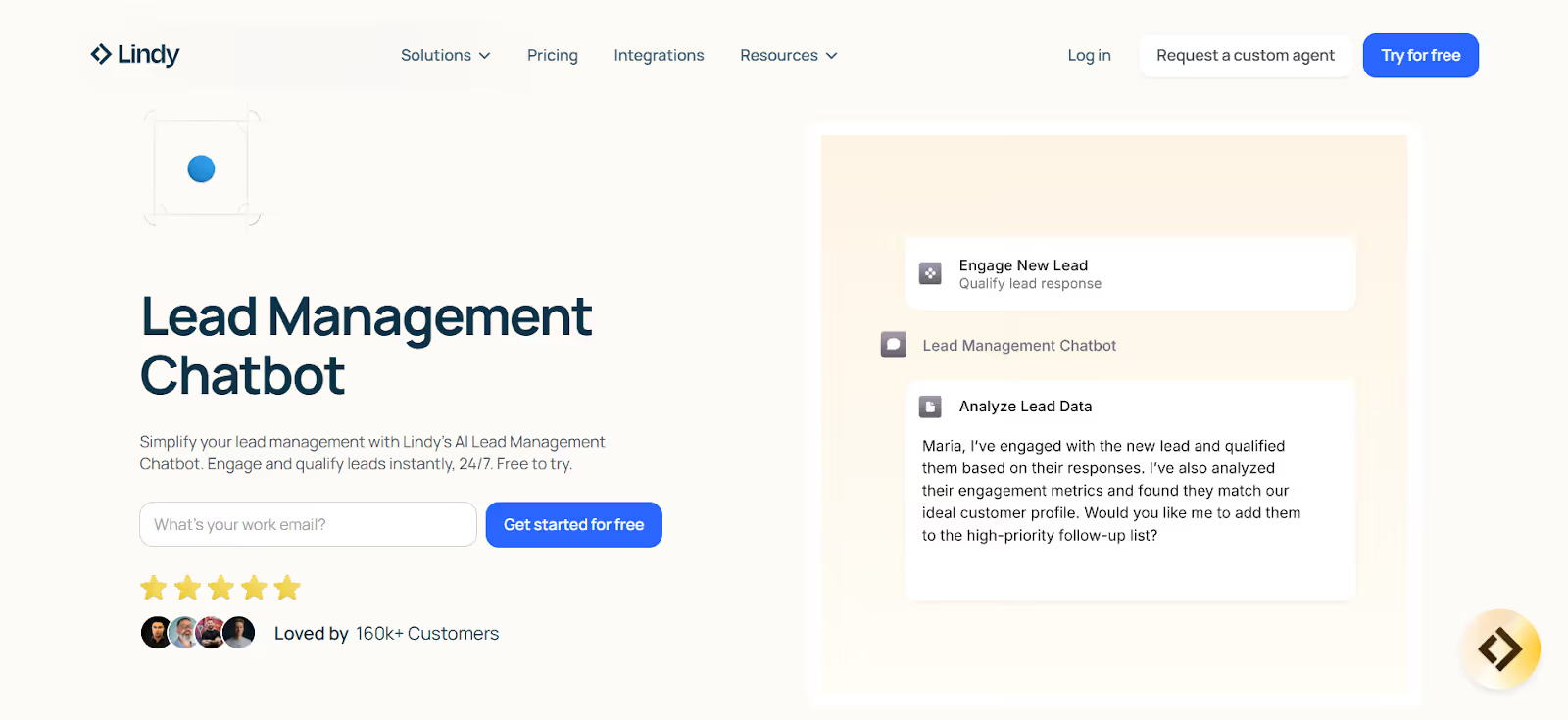
It’s not just another pop-up widget; it’s an AI-powered assistant that handles everything from the first conversation to handing off hot leads to your CRM. And it does this 24/7, whether your sales reps are online or not.
Here’s how it works:
1. Set It Up Once, Then Let It Run
You start by deploying Lindy’s chatbot on your website or inside your existing chat system. It’s designed to engage visitors the moment they show intent, like browsing your pricing page, returning to your site, or clicking through an email.
From there, Lindy takes over the conversation:
- Answers product questions
- Guides users to the right solution
- Starts the lead qualification process
No forms. No delays.
2. Engage and Qualify in Real Time
As leads interact with your site, Lindy’s chatbot uses pre-set logic to ask qualifying questions based on your ideal customer profile.
Think:
- “What’s your role?”
- “How soon are you looking to get started?”
- “What’s your monthly budget?”
It adapts based on the user’s answers, ensuring the conversation stays relevant and natural. By the end of the exchange, Lindy knows if someone is a high-potential lead… and what to do next.
3. Score, Segment, and Route Automatically
Lindy doesn’t just ask questions; it scores leads in real time using your criteria.
Let’s say someone matches your ideal profile. Lindy can:
- Automatically push them to your CRM
- Notify your sales team in Slack
- Or offer a calendar link to book a call on the spot
Lower-scoring leads? Lindy can add them to a nurturing sequence or retargeting list, no manual sorting required.
4. Personalized Nurturing That Doesn’t Stop at “Hello”
Unlike basic bots that end the chat after one interaction, Lindy can keep nurturing leads over time.
It tracks user behavior and past interactions, then follows up with personalized messages, content, or offers, like:
- Product recommendations
- Case studies based on their industry
- A timely nudge to book a demo
This keeps leads warm, even if they’re not ready to buy today.
5. All Synced to Your Workflow (CRM + 3,000+ Integrations)
Lindy integrates with all the tools your sales and marketing team already use, like:
…and over 3,000 more apps
This means your data flows seamlessly across your systems without lifting a finger. Every lead interaction is logged, scored, and ready for follow-up.
6. Track Performance With Real-Time Insights
You also get access to analytics that show you:
- Which chatbot flows are working best
- How many qualified leads you’re generating
- Where drop-offs are happening
- Lead quality trends over time
These insights help you tweak your chatbot logic and improve conversions continuously.
{{templates}}
Why Lindy is the Best for Lead Management & Qualification
Here’s how Lindy’s lead management chatbot can qualify leads faster and improve sales:
- 24/7 Lead Engagement – Never miss a qualified lead, even outside business hours
- Automated Lead Scoring – Focus sales time only on high-value opportunities
- Personalized Nurturing – Move leads down the funnel with smarter follow-ups
- CRM + Tool Integration – Sync everything, automate follow-up, reduce workload
- Real-Time Insights – Know what’s working, what’s not, and where to optimize
Whether you’re running a fast-growing startup or scaling an enterprise team, Lindy gives you a smarter, automated way to qualify leads and move them through your pipeline.
Try Lindy’s AI Lead Management Chatbot for FREE
{{cta}}
Frequently Asked Questions
How can you qualify a lead with ChatGPT?
You can use ChatGPT to ask structured questions that assess a lead’s budget, decision-making role, needs, and timeline. It scores responses instantly, identifies fit based on your criteria, and routes qualified leads to your CRM or sales team, making the qualification process fast and consistent.
How does a chatbot help in lead generation?
A chatbot starts conversations with website visitors, asks relevant questions to understand intent, and collects contact details. It filters out unqualified traffic, identifies high-potential leads, and sends them to sales, helping businesses engage more leads in real time and convert them faster.
How to qualify sales leads with AI?
AI qualifies leads by asking structured questions, analyzing responses, and scoring them in real time based on your sales criteria. It evaluates behavior, intent, and fit using predefined logic, then sends qualified leads to your CRM or reps for follow-up. This saves time and increases lead quality across your funnel.
What different programs offer chat features?
Popular platforms with chat features include Intercom, Drift, HubSpot, Tidio, Freshchat, Zendesk, and LiveChat. These tools help engage website visitors, answer questions, and qualify leads. Some focus on automation, while others support live agents. Many also integrate with CRMs and email tools to streamline your sales and support workflows.
What’s the best chatbot for lead generation?
Lindy is the best chatbot for lead generation if you want intelligent automation, CRM integration, and personalized follow-ups. It engages leads 24/7, qualifies them based on your criteria, scores them instantly, and routes them to sales. You can also connect it to your favorite tools and track performance in real time.
What is the best framework for chatbot lead qualification?
BANT is one of the most effective frameworks. It asks about budget, authority, need, and timeline to assess fit. Many teams also tailor it by adding criteria like job title, company size, or tech stack. The key is to align chatbot questions with how your sales team defines a qualified lead.
Can chatbots fully replace human SDRs?
No. Chatbots handle initial engagement and qualification, but human SDRs are still essential for building relationships, answering complex questions, and closing deals. Chatbots act as a first filter that saves time and scales outreach, while your sales team focuses on high-impact conversations that need human input.
How do chatbots improve conversion rates?
Chatbots reduce friction by instantly engaging visitors, answering questions, and guiding them through the next steps. They qualify leads on the spot and help capture contact details before interest fades. This creates faster response times and keeps your pipeline full of prospects who are actually ready to convert.
What should I offer after lead qualification?
Once someone qualifies, offer something valuable and action-focused, like a calendar link for a demo, a free trial, or a tailored proposal. This next step should move the lead deeper into your funnel and give your sales team a reason to follow up quickly while interest is still high.











Blog
Related Articles
.png)

.png)
%20(1).png)
.avif)
%20(1).png)
.png)
The AI assistant that runs your work life
Lindy saves you two hours a day by proactively managing your inbox, meetings, and calendar, so you can focus on what actually matters.
