


I’ve used Workato, Zapier, and Lindy to build everything from simple automations to multistep workflows, and one thing is clear: Lindy gives me the most control with the least complexity.
→ Workato is built for enterprise, but it’s bulky and pricey.
→ Zapier is great for no-code users, but it hits limits fast.
↳ Lindy combines the best of both – natural language commands, deep logic, and way more flexibility for growing teams.
In this guide, I’ll compare Workato vs. Zapier vs. Lindy across features, pricing, pros, and cons, and show you why Lindy is the best AI automation tool in 2025.
Workato vs. Zapier vs. Lindy: Quick Comparison
1. Workato – Best for Enterprise-Grade Integrations
What Does It Do?
Workato connects enterprise tools and automates complex workflows using a mix of no-code and low-code features. You can build integrations across departments like sales, HR, IT, and finance, and run them securely at scale.
Who Is It For?
Workato is built for mid-to-large enterprises with technical teams. It’s ideal if your business runs on systems like SAP, Salesforce, Workday, or NetSuite and you need precise control over workflows.

I’ve used Workato inside a healthcare tech team where HIPAA compliance was critical, and it handled real-time data syncs and integrations between our CRM, ticketing, and EHR systems without any reliability issues.
Workato gives teams enterprise-grade control over how their data flows. It offers 1,000+ pre-built connectors and lets developers build custom integrations for tools that aren’t officially supported. The “Recipes” feature makes it easy to deploy automations based on common enterprise scenarios.
The platform also includes Genie AI, which analyzes workflow data to recommend automation opportunities. I found this helpful for identifying which repetitive processes we could eliminate next.
Its biggest strength is flexibility. You can blend drag-and-drop logic with JavaScript, configure webhooks, manage on-premise integrations, and scale reliably across departments. It’s also one of the few tools I’ve used that supports real-time incident response in IT operations through native integrations and triggers.
However, there’s a learning curve, especially if you’re not familiar with API logic or scripting. You’ll likely need at least one technically capable person on your team to fully unlock Workato’s potential.
Workato doesn’t list pricing publicly, which usually means enterprise-level rates. For our team, the total monthly spend climbed into the thousands after scaling usage across multiple departments.
Pros
- Powerful low-code customization for developers
- HIPAA-compliant and enterprise-ready
- Real-time data processing
- Predictive suggestions via Genie AI
- Can run on-premise
Cons
- No free plan
- Learning curve for advanced features
- Pricing is complex and likely in the $1,000+/month range
Pricing
- Workato does not publish pricing.
- You’ll need to contact their sales team for a custom quote based on usage, features, and volume.
2. Zapier – Best for App-to-App Automations
What Does It Do?
Zapier connects your favorite web apps and automates routine tasks using simple trigger-action workflows called Zaps.
Who Is It For?
Zapier is best for individuals, freelancers, and small teams that want to automate repetitive tasks without code. If you live in Google Workspace, Airtable, or Slack, Zapier will save you hours every week.

I use Zapier to manage lead routing, send real-time updates to Slack, and log form submissions in Airtable. It took me less than 10 minutes to build a working multistep Zap without needing any help.
Zapier is perfect for app-to-app workflows that need to get up and running fast. It connects with over 7,000 apps, so if you’re using modern SaaS tools, there’s a good chance Zapier already supports them.
The automation builder is straightforward. You pick a trigger (like receiving a new Typeform entry), then define what happens next. You can create multistep Zaps, add filters, format data, and insert delays or schedules. Zapier also offers “Paths,” which let you build basic conditional logic without getting into complex trees.
Its newer AI features include Canvas for visually building Zaps and Agents that fetch or push data on your behalf. There’s also a chatbot-style interface that makes it easier to build workflows using natural language.
However, Zapier starts getting pricey once your workflows scale. If you need more than 2,000 tasks per month or want to manage multiple users, the cost stacks up fast.
And while it supports AI agents, you can’t choose your LLM. So, some high-context tasks like summarizing nuanced conversations or drafting long-form content may fall short.
Zapier is incredibly reliable and easy to deploy, but for teams needing AI-led decision-making or deep automation across tools, it starts to feel limited.
Pros
- Massive app library (7,000+)
- Beginner-friendly interface
- AI workflow builder and embedded agents
- Conditional logic and webhooks
- Pre-built templates for everything
Cons
- Gets expensive quickly at high volumes
- Limited control for complex workflows
- You can't choose your own LLM for AI agents
Pricing
- Free: 100 tasks/month (2-step Zaps only)
- Starter: $19.99/month – 750 tasks
- Professional: $49/month – 2,000 tasks
- Team: $69–$103.50/month – 50,000 tasks
- Enterprise: Custom pricing
3. Lindy – Best for AI-Powered Workflow Automation
What Does It Do?
Lindy lets you create AI agents called Lindies that run full workflows across apps, files, and teams. These agents automate everything from email responses to lead generation and CRM updates using real-time AI.
Who Is It For?
Lindy is for operations, sales, support, and HR teams that want to move beyond simple automations. If you need agents that work like virtual teammates that take care of writing, scheduling, syncing, reporting, Lindy is built for you.
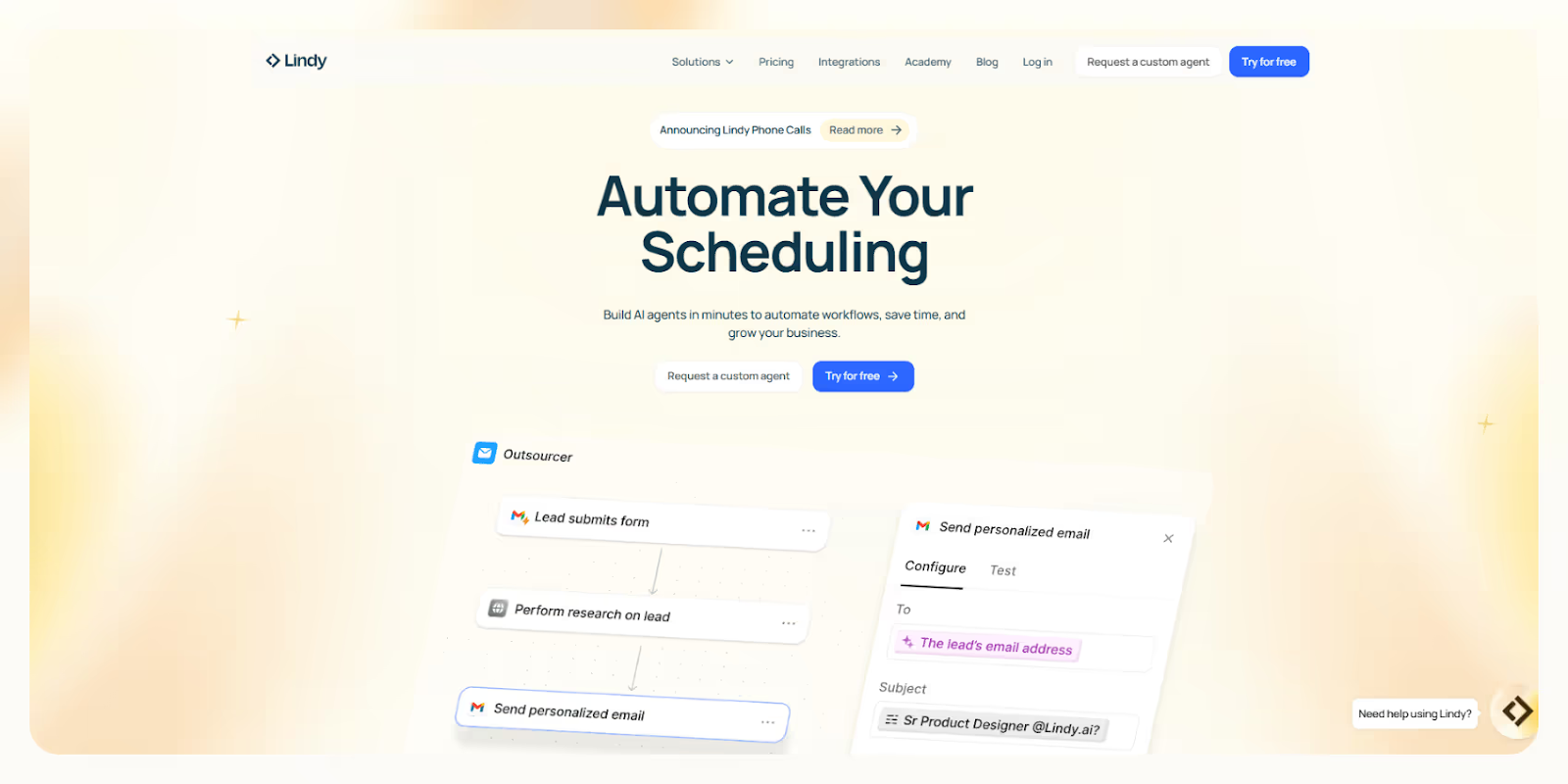
We built Lindy because we were tired of using platforms that just move data between tools. You can build a Lindy that joins Zoom meetings, summarizes the conversation, sends action items via Slack, updates Salesforce, and follows up with leads, all in one automated run.
Our platform supports 5,000+ integrations through Pipedream and Apify, so your Lindies can connect with almost anything, like web scrapers, APIs, databases, or your CRM stack. You can choose from a dozen different LLMs, like Gemini, Claude, or ChatGPT, depending on what your workflow needs.
Want a Lindy to clean up your inbox, respond to customers, summarize PDFs, and sync tasks to ClickUp? Done. You can do it using our drag-and-drop builder or just describe what you want in plain English.
You can complete 100s of tasks at once with Agent Swarms using the looping feature, where multiple Lindies can run tasks in parallel. This is useful for reporting, research, and sales outreach at scale.
Lindy adapts to how your team works. You don’t build automations one task at a time. You just tell your Lindy what needs to get done, and it handles it intelligently.
Need security? Lindy is HIPAA-compliant and supports AES-256 encryption, so it’s safe for use in healthcare, legal, and finance workflows. And if you ever get stuck, Lindy Academy offers step-by-step help for everything from your first agent to advanced flows.
If you’re looking for an AI-first platform that actually handles the full workload, not just triggers and actions, Lindy is for you.
Pros
- Fully customizable AI agents (with LLM choice)
- 400 free tasks/month
- Visual no-code builder + natural language prompts
- Pre-built templates and agent library
- Affordable at scale (5,000 tasks for $49/month)
Cons
- Slight learning curve for advanced flows
- Some templates are still evolving
- Requires API use for some niche tools
Pricing
- Free: 400 tasks/month
- Pro: $49/month – 5,000 tasks
- Add-ons: $10 per extra 1,000 credits
- Enterprise: Custom quote for 30,000+ tasks/month
{{templates}}
Workato vs. Zapier vs. Lindy: Which Tool Offers the Best Value?
Lindy offers the best value for money.
At $49/month, Lindy gives you 5,000 AI-powered tasks. That’s more than Zapier’s 2,000-task plan, and far below Workato’s enterprise pricing.
You also get access to agent customization, LLM selection, and AI-first automations that go beyond what Zapier or Workato can handle. Plus, Lindy’s free plan actually gives you enough headroom to build real workflows.
How to Choose the Right Automation Tool
Choose Workato if:
- You need HIPAA compliance or on-prem deployment
- Your workflows require custom APIs or scripting
- You're part of a large team handling high volumes of sensitive data
Choose Zapier if:
- You want a plug-and-play interface for common SaaS apps
- You’re automating simple form submissions, lead syncs, or alerts
- You want quick, no-code automation with a huge template library
Choose Lindy if:
- You need AI agents that write, think, decide, and act
- You want affordable, scalable automation with LLM options
- You’re ready to automate end-to-end workflows with one platform
Why Lindy Wins
Lindy is smarter, cheaper, and easier to scale.
While Workato is great for enterprises and Zapier is fast for app-to-app automations, Lindy brings full AI-powered agents to your business without breaking the bank.
- Launch fast with pre-built templates and get step-by-step help from Lindy Academy.
- Build AI agents that find leads, send emails, schedule meetings, and handle full workflows.
- 5,000 tasks for $49/month — more than Zapier offers, without Workato’s overhead.
- Choose your LLM (ChatGPT, Gemini, Claude, etc.)
- Automate complex workflows with drag-and-drop or prompts
- HIPAA-compliant and ready for sales, support, HR, legal, and more
Try Lindy for free and build your first AI agent today.
{{cta}}
Frequently Asked Questions
1. Can I build an automation for my medical or legal practice?
Yes. Workato and Lindy are HIPAA-compliant, making them suitable for medical workflows. Lindy also supports secure automation for legal teams, contract processing, and sensitive data management using AES-256 encryption.
2. Which platform is the most affordable for scaling?
Zapier is cheapest to start, but gets expensive fast. Lindy gives you 5,000 AI tasks for $49/month, which is far more scalable than Zapier’s $49/month for 2,000 tasks. Workato is significantly more expensive and targets enterprise budgets.
3 . Which platform is the best for small to medium businesses?
Lindy is the best fit for small to medium businesses that want real automation, not just task triggers. Unlike Workato, which is priced for enterprises, and Zapier, which gets expensive fast, Lindy gives you AI agents that handle emails, calls, research, summaries, and more, all without code and at a better price.
4. What if I don’t have coding knowledge?
You can use all three platforms without coding, but Lindy and Zapier are the most beginner-friendly. Lindy also supports natural language prompts and visual builders, making it easier to describe what you want instead of learning logic blocks.
5. Can Lindy replace both Zapier and Workato?
Yes, for most teams. Lindy can handle both simple workflows and complex, AI-powered automations like follow-ups, summaries, and triage. It’s more affordable than Workato and more intelligent than Zapier, with over 5,000 integrations and full LLM customization.
6. Can I migrate existing workflows from Zapier or Workato to Lindy?
Yes. You can rebuild or improve most Zapier or Workato workflows in Lindy using our pre-built templates or natural language prompts. In many cases, Lindy can combine multiple steps into a single AI agent, reducing complexity and setup time.
7. How technical do I need to be to use Lindy for business operations?
You don’t need technical skills to get started with Lindy. Just describe what you want your AI agent to do, and it builds the workflow. For more advanced use cases, you can use APIs or scrapers, but we also provide templates and walkthroughs via Lindy Academy.
8. Does Lindy support advanced triggers like time delays, conditions, or looping?
Yes. Lindy supports conditional logic, parallel task execution with Agent Swarms, time-based triggers, and looping actions. Whether you're automating follow-ups or sending reminders, you can build advanced workflows without writing a single line of code.
9. What kind of tasks can Lindy agents perform beyond emails and CRM updates?
Lindies can handle research, summarize calls and documents, route support tickets, monitor inboxes, clean and sync data, generate reports, qualify leads, and even call prospects. If a task can be described, it can likely be delegated to a Lindy.
10. Is Lindy secure enough for finance and legal workflows?
Yes. Lindy is HIPAA-compliant and uses AES-256 encryption to protect sensitive data. Whether you're automating contract reviews or syncing financial records, Lindy is built to meet the privacy, compliance, and security needs of regulated industries.





%20(1).png)
%20(1).png)
.png)
.jpg)


.png)


