13 AI Agents for Business in 2026 for Every Kind of Work
Everett tested 25+ AI agents, including CrewAI, Devin AI, and Sintra AI, weighing ease of setup, automation quality, and pricing to find the top 9.


I’ve been hands-on with some of the best AI agents for business. After using them, I soon realized something. You’d need dedicated tools for different tasks. An agent that’s great at sorting emails would struggle with support workflows. A tool built for developers would be overkill for everyday operations.
That became the problem I kept coming back to. There isn’t one AI agent that fits every use case. The best option depends on the work you want to hand off, the tools your team already uses, and how much setup you’re comfortable managing.
I’ve spent time comparing dozens of AI agents across operations, support, research, productivity, and technical workflows. I narrowed the list down to 13 of the best AI agents for business in 2026, grouped by where they fit best:
- Workflow automation
- Customer support and CRM
- Knowledge and business productivity
- Custom agent development
Let’s see how they compare, where each one stands out, and whom they make the most sense for.
13 AI agents for business in 2026: TL;DR
- Lindy: Best for sales, support, ops, and admin handoffs. Exploring top ai agents for business can help smaller teams automate these cross-departmental tasks efficiently.
- Zapier Agents: Best for cross-app actions and data handoffs. Analyzing practical ai agents examples can help teams understand how cross-platform automation optimizes daily workflows.
- Gumloop: Best for research, data, marketing, and operations.
- Fin: Best for customer questions and ticket resolution. Comparing conversational support tools can help organizations evaluate the best ai chatbots for businesses.
- Decagon: Best for high-volume customer service workflows.
- Salesforce Agentforce: Best for sales, service, and CRM actions. Teams looking to streamline revenue workflows can benefit from specialized ai agents sales solutions.
- ChatGPT Work: Best for research, admin and team workflows.
- Glean: Best for search and internal knowledge workflows.
- Manus: Best for research, slides, analysis, and browser work.
- Microsoft Copilot Agents: Best for Microsoft 365 workflow automation.
- Rasa: Best for support and regulated workflows.
- CrewAI: Best for custom multi-agent technical workflows.
- Devin AI: Best for custom development and bug fixes.
Next, let’s explore these AI agents in detail. I’ll begin with Lindy and discuss how it’s ideal for small and medium businesses that struggle to offload tasks across multiple domains. Reviewing different categories helps illustrate how these examples of ai agents can automate various business functions.
AI agents for workflow automation
1. Lindy: The AI teammate/AI agent for everyday business tasks
Lindy is more of an AI teammate than an AI agent. You can tag it in Slack like a human teammate and text it in plain English to handle tasks for you. You can also text Lindy in the web app.

Most small and medium businesses don’t have the technical resources or bandwidth to set up and manage complex AI agent tools. Lindy fits that niche of an AI assistant/agent for operators and non-technical users.
These are the three reasons why:
- Along with a text-based assistant-style interface and an AI teammate for Slack, you can describe a longer, multi-step task in plain English and adjust it afterwards.
- You can edit any workflow Lindy sets up from your instructions, step by step.
- There are 40+ ready-to-use skills, meaning you can set up Lindy for most tasks in under 10 minutes.

For most users, the home screen is enough to offload common emails, meetings, document processing, admin, and scheduling tasks. Just type what you want to get done, and Lindy will do it for you.
For example, ask Lindy to scan your inbox for incoming emails, notify you about the ones that need your attention, automatically draft a reply, and seek your approval before sending. If you haven’t integrated the apps needed to complete the task, Lindy will ask you to do it.
Lindy looks simple and intuitive while offering a ton of capabilities around email, meetings, scheduling, and app integrations. Just click on your credits counter on the bottom left to explore the customizations around them.
Emails
Once you connect your inbox, Lindy sorts incoming emails based on the labels and rules you set up. It can move non-essential emails to the junk folder and notify you about the ones that you need to check.

It lets you:
- Add custom labels and instructions for email sorting
- Set up time-sensitive alerts by connecting your phone
- Instruct it on how to write reply drafts
By default, the follow-up time is set to 2 days. You can easily change that to suit your preferences.
Meetings
Lindy can read your calendar and pull meetings, focus time, and other commitments automatically. It offers 4 core features around meetings:
- Daily brief to get you up to speed about your schedule
- Meeting prep that briefs you about the topics and agenda of the upcoming meeting
- Meeting recording where Lindy records, transcribes, and summarizes the meeting you attend
- Recap emails to all the meeting participants with the meeting summary

You can customize and toggle these on or off depending on the kind of setup you prefer.
Scheduling
Lindy pulls the occupied slots from your calendar and schedules meetings on your behalf based on your meeting preferences. You can adjust:
- Preferred meeting platform, like Google Meet or Zoom
- Maximum hours of meetings in a day
- Earliest and latest meeting times during a day
- Days of the week when you’re available for a meeting

All the preferences around email, meetings, and scheduling are already set up for maximum convenience if you don’t want to tinker with them yourself.
Integrations
Whenever you text Lindy to help you with a task, it first checks if it has access to the necessary apps required to execute that task. If not, it offers you a quick link to connect to that app within seconds.
Some teams may prefer to integrate all their apps beforehand. “Integrations” lets you manage all your apps and actions. You can see the existing ones and add new ones from the vast list of apps.
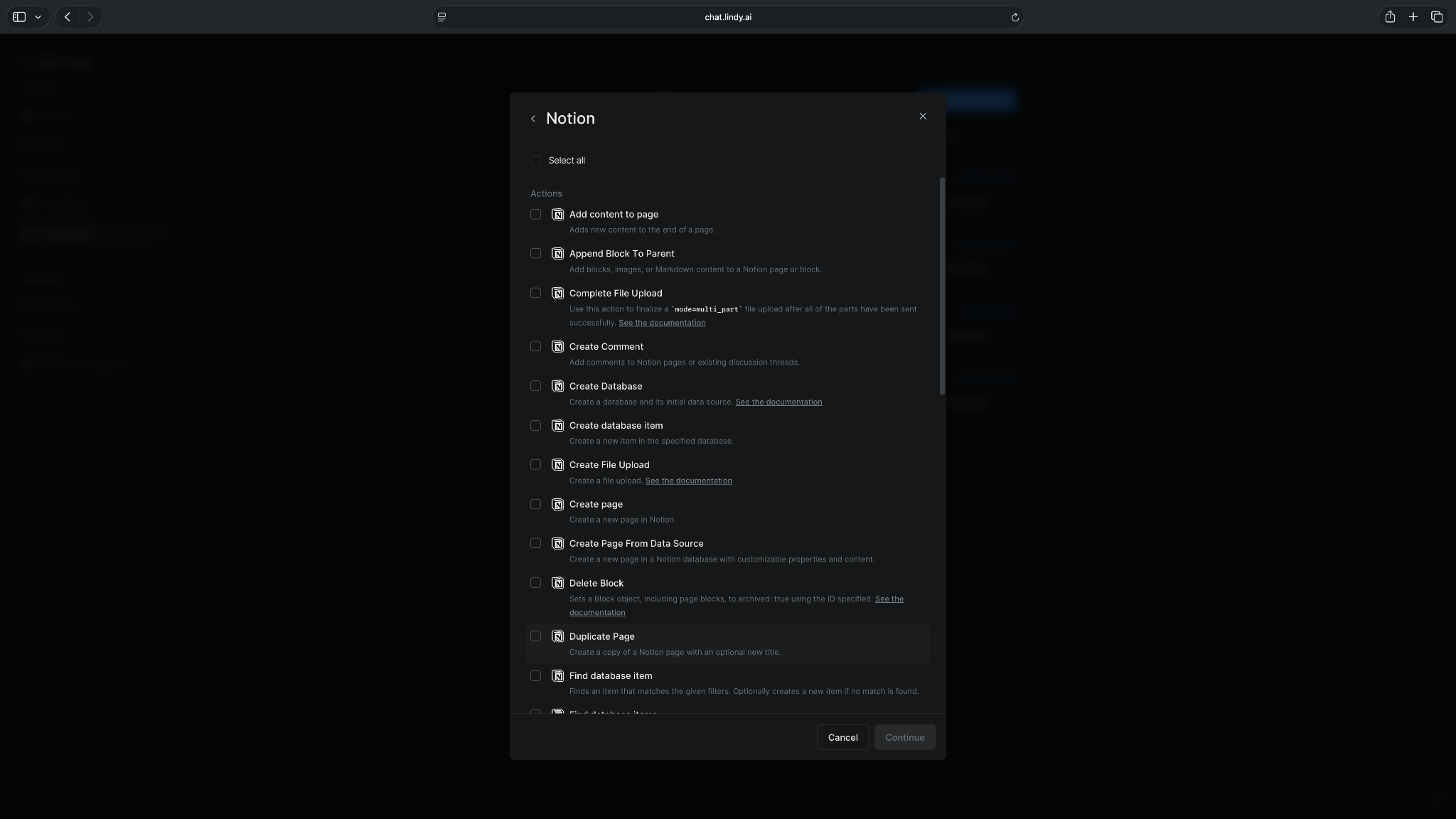
For example, you want to add Notion. Click the Notion app, select all the app actions you want Lindy to access, and hit Continue. It will then ask you to add your Notion account. Once you do that, your Notion app integration is ready.
It’s easy to get started with Lindy. Just log in with your email address, enter your card details, and start your 7-day free trial.
You only need to be mindful of two things: clarity of the instructions you text, and credit burn while setting up and fine-tuning complex, multi-step tasks.
Who it’s for
Lindy is for small and medium businesses that want an AI teammate inside Slack to handle everyday work without setting up complex agent workflows.
It’s a good fit for operators, founders, admin teams, sales, support, HR, and recruiting teams that need help with emails, meetings, scheduling, follow-ups, document processing, and routine handoffs.
Key features
- Text-based interface that’s more like an AI assistant
- AI teammate inside Slack that you can tag and chat with
- Editable multi-step workflows you can fine-tune after Lindy builds them
- Ask it to seek human approval for sensitive tasks
- SOC 2 Type II, GDPR, and PIPEDA compliant, with HIPAA support on Enterprise plans, ideal for regulated industries like healthcare and finance
- 1000+ app integrations that let you connect your business apps
Pros
- Easy to use and set up
- Quick to launch with ready-to-use skills
- Works well for meetings, scheduling, and email workflows
- Suits non-technical teams like admin, sales, human resources, and support
Cons
- Requires a trial-and-error approach to figure out the right workflow
- Credit burn climbs fast while you set up and fine-tune longer, multi-step tasks
What users say
Lindy has a 4.9-star rating on G2 from 171 reviews, with users frequently highlighting ease of use, intuitive setup, and time savings. The main drawbacks mentioned are credit limits, pricing, and a learning curve when setting up heavier workflows.

Pricing
- A 7-day free trial with all the features of the Plus plan
- Paid plans start from $29.99/user/month, billed monthly
{{templates}}
2. Zapier Agents: App-connected business workflows
Zapier Agents lets teams create AI agents that work across connected business apps. The main draw is Zapier’s app catalog. Agents can use business data, take action across your connected tools, and sit on top of existing Zaps, Tables, Forms, and other Zapier tools.
For example, you could have an agent qualify a new lead, update the contact in HubSpot, alert the right rep in Slack, and send a follow-up email without switching between four different apps.

Zapier Agents can work across 9,000+ apps, more than any other AI agent tool on the list.
Who it’s for
Zapier Agents suit teams that already use Zapier or have workflows spread across many SaaS tools.
Key features
- AI agents that can use live business data and take action across connected apps
- Access to Zapier’s automation platform, including Zaps, Tables, Forms, Canvas, MCP, and SDK
- Multi-step workflows with filters, paths, webhooks, AI fields, and conditional form logic
- Task-based pricing that applies across AI steps, code, SDK, and other Zapier usage
Pros
- 9,000+ app integrations for teams with messy SaaS stacks
- Works well for teams that want to add AI without rebuilding workflows inside Zapier
- Strong no-code foundation, with room to add more advanced logic through webhooks and SDK
Cons
- Task-based pricing can become hard to estimate when running longer workflows
- Not ideal for teams that need deep, custom agent behavior
What users say
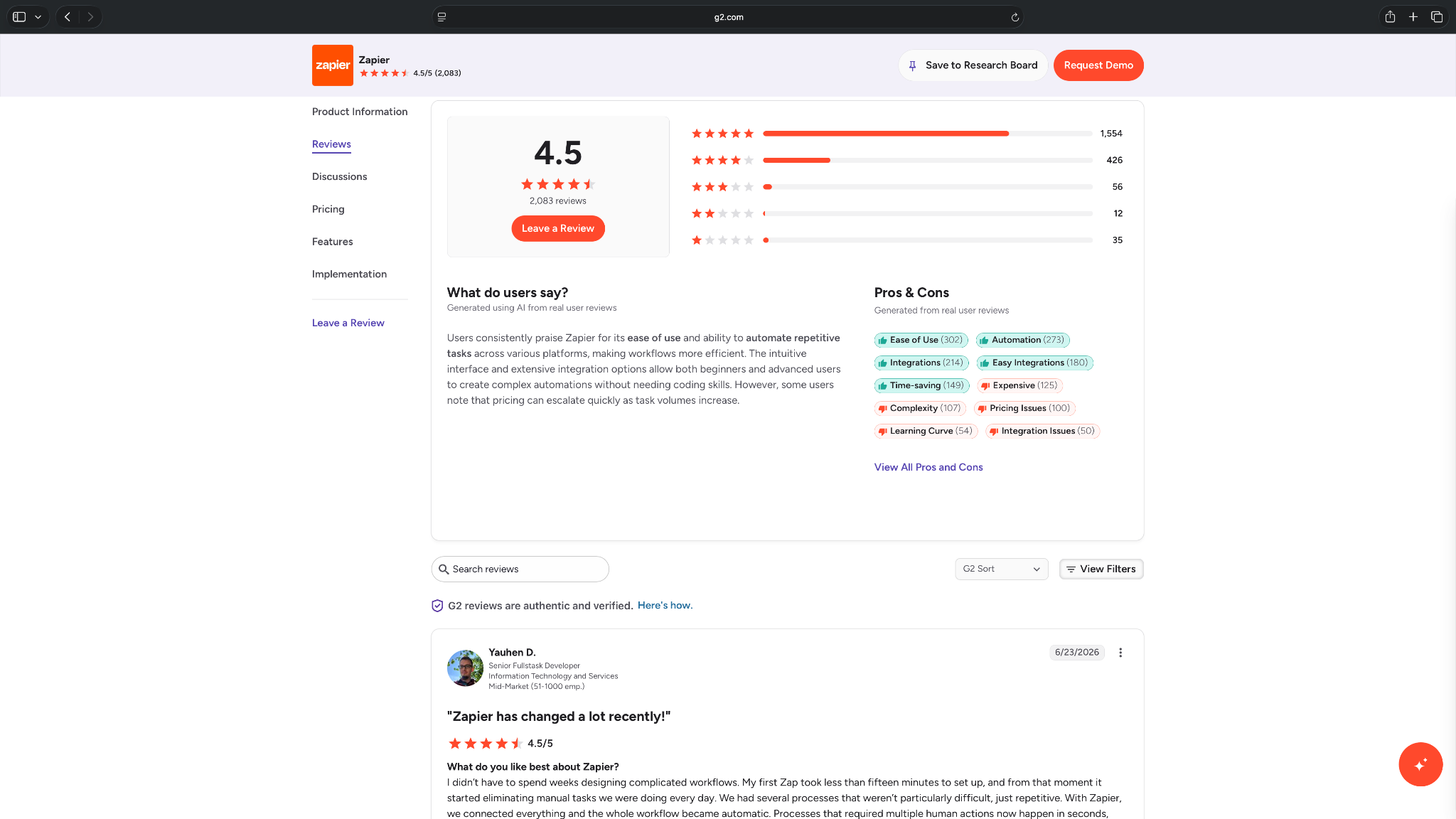
With a 4.5-star rating on G2 from 2,083 reviews, Zapier is clearly trusted for day-to-day automation. Reviewers often describe it as the tool that removes small, repetitive tasks from their workday.
The catch is that heavier workflows can make pricing harder to predict as task volume grows.
Pricing
- Free plan with 400 activities/month.
- Paid plans start from $50/month, billed monthly
3. Gumloop: Visual builder for AI workflows
Gumloop is an AI agent and automation builder for teams that want to create workflows visually. It lets users build agents with different AI models and integrations, while giving IT teams control over access.
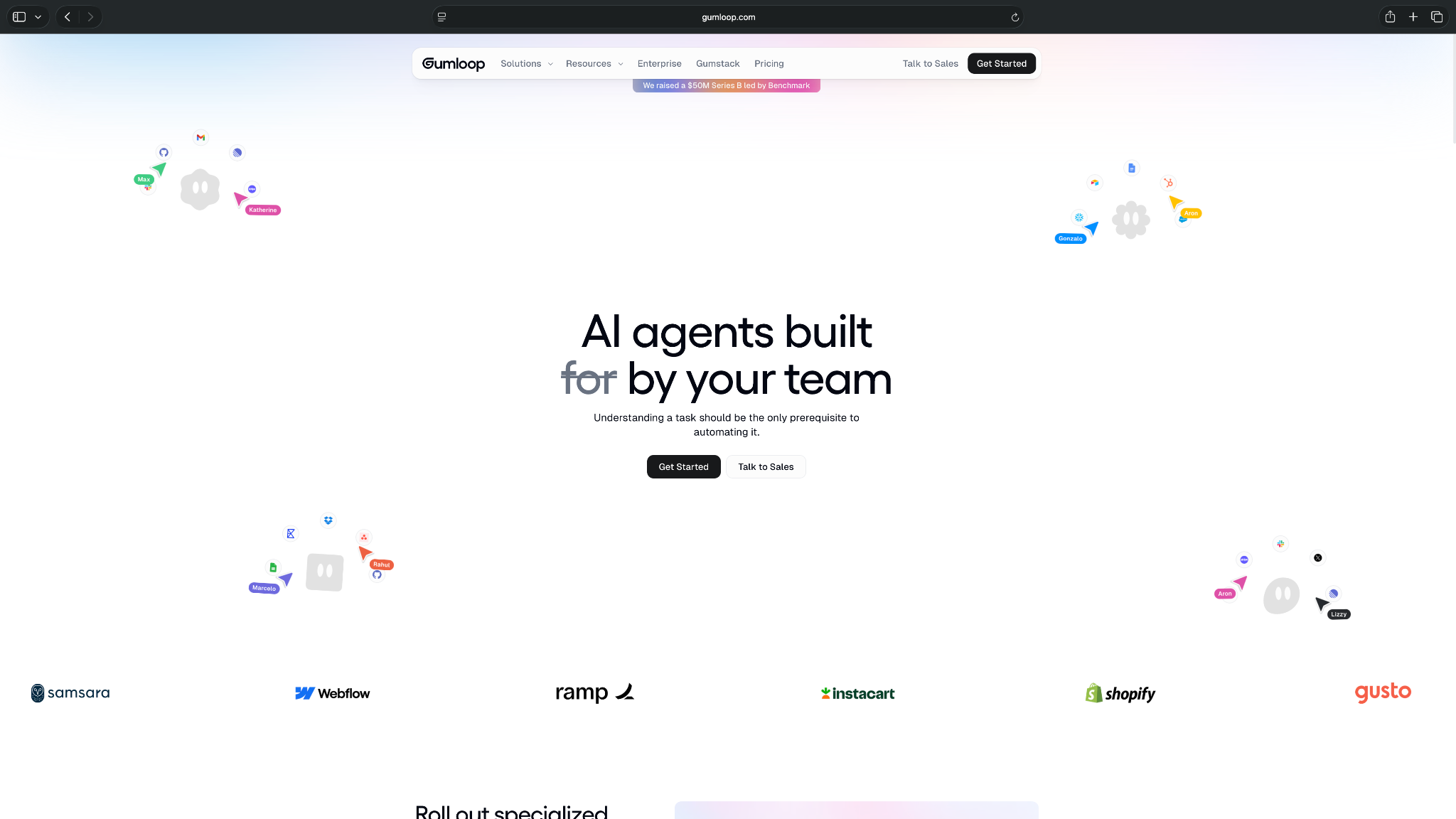
Gumloop describes its platform as a “multiplayer AI agent builder,” which makes it more team-focused than many lightweight agent tools.
Who it’s for
Gumloop is for ops, marketing, sales, and growth teams that want to build AI-powered workflows without writing code. It’s ideal for teams that don’t want to jump into developer frameworks like CrewAI, but want more flexibility than a standard automation tool. Finding the right no code ai agent builder depends on how much flexibility and custom logic your workflows require.
Key features
- Visual workflow builder for building AI workflows and agents
- Custom agents with tools, knowledge, and instructions
- Human-in-the-loop steps for reviewing outputs before agents continue
- Webhooks, workflow interfaces, hosted agent pages, code sandboxes, secrets vault, and Slack app support on paid or higher tiers
Pros
- Easier for non-technical teams than code-first agent frameworks
- More flexible than basic trigger-action automation when workflows need AI reasoning
- Useful for internal tools, research workflows, data enrichment, and repeatable ops tasks
Cons
- Need to be comfortable with workflow logic to build reliable agents
- More advanced admin, security, and governance features sit closer to enterprise use cases
What users say
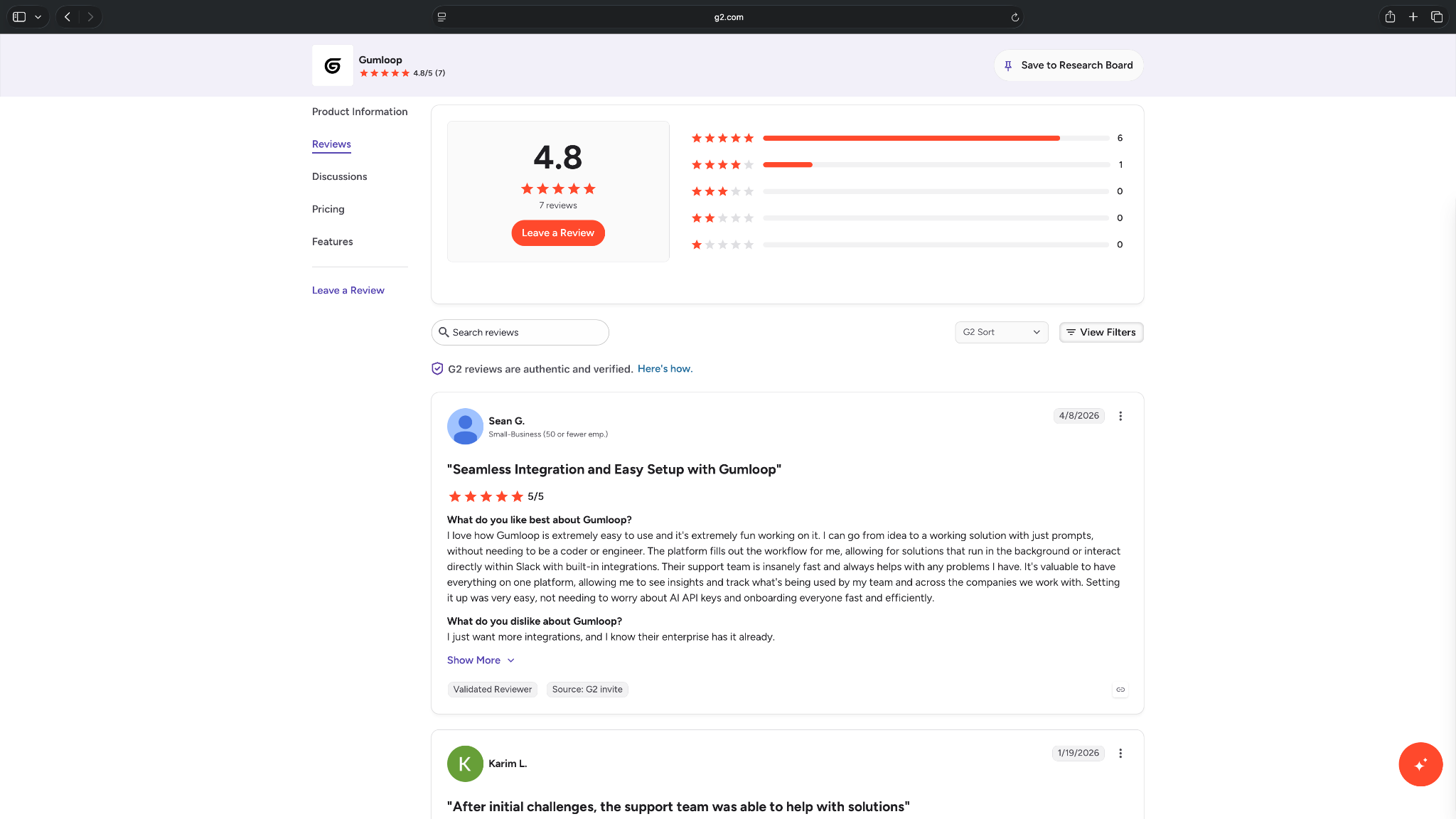
Gumloop has fewer user reviews across platforms like G2, Product Hunt, and Capterra, with a 4.8-star rating on G2 from 7 reviews. Early users praise the intuitive UI, fast support, and the ability to turn prompts into working workflows.
The clearest caution is maturity. Users mention setup friction, limited integrations, and the need for better agent feedback.
Pricing
- A 14-day free trial
- Paid plans start from $37/month, billed monthly
AI agents for customer support and CRM
4. Fin (Intercom): AI customer support at scale
Fin is an AI customer service agent built to answer questions, resolve support requests, and take actions on behalf of customers. It can work inside Intercom or sit on top of an existing helpdesk such as Zendesk or Salesforce.
Teams can train it on company knowledge, give it support policies to follow, and decide when a conversation needs a human.

With Fin Procedures, you can write a process in plain language, add rules and branching logic, and connect it to external systems.
For example, a customer asking for a refund could trigger a process that checks their order, applies your refund policy, updates the external system, and hands the conversation to a teammate if the request falls outside your rules.
Who it’s for
Fin is for support-heavy SaaS, ecommerce, fintech, and service businesses that get enough repetitive customer questions to make AI resolution worthwhile.
It makes the most sense for teams that already have a solid help center or knowledge base. Larger support teams can also use it for more involved requests where Fin needs to check customer data, follow company rules, take an action, and escalate exceptions.
Key features
- AI agent for resolving customer questions across chat, email, voice, WhatsApp, SMS, Slack, and social channels
- Knowledge sources including help center articles, internal content, PDFs, and webpages
- Fin Procedures for multi-step requests such as troubleshooting, order claims, and identity checks
- Support for more than 45 languages
Pros
- Fast to deploy for teams with an established support knowledge base
- Works with Intercom or existing helpdesks like Zendesk
- Strong testing, reporting, and conversation review controls
Cons
- Outcome-based pricing can become expensive at high volume
- Broader business automation is limited outside support
What users say
Fin has a 4.5-star rating on G2 from more than 3,900 reviews. Recent reviewers commonly praise its ease of setup, knowledge-base answers, and ability to reduce the number of conversations that reach human agents.

The biggest concern is cost. Fin charges for successful outcomes, so spending rises with the number of conversations it resolves. Some users also report cases where Fin gives an incorrect answer or doesn't follow escalation guidance as expected, which makes testing and human handoff rules important.
Pricing
- No free plan, only a 14-day free trial
- Paid plan starts at $49/month, which covers the first 50 outcomes, then $0.99/outcome after that
5. Decagon: Enterprise customer experience automation
Decagon is an AI agent platform for customer experience teams. It helps companies build, manage, and scale AI agents across support workflows.

Its main differentiator is Agent Operating Procedures, or AOPs, which let teams define agent workflows in natural language while keeping the logic structured enough for reliable execution.
A support team could use Decagon to verify a customer's account, check an order or subscription, follow the relevant policy, take an action in the connected system, and escalate the conversation when it falls outside the AOP.
Who it’s for
Decagon is for large support teams that handle high ticket volume across chat, email, voice, or other customer channels. It fits companies that want AI agents to resolve support issues, follow support policies, escalate edge cases, and turn customer conversations into operational insights.
Key features
- Agent Operating Procedures for defining customer support workflows in natural language
- AI agents for customer conversations across channels like chat, email, and voice
- Testing, QA, experiments, insights, reporting, and optimization tools
- Integrations and workflows for customer-facing industries like retail, travel, financial services, health and wellness, media, telecom, and technology
Pros
- Gives CX teams more control without depending on engineering for every change
- Better suited to complex, high-volume enterprise support operations
- Strong implementation support according to current user reviews
Cons
- Overkill for small teams with basic support volume
- No public pricing or a free plan is listed, making it hard to estimate costs
What users say
Decagon has positive feedback, with a 4.9-star rating on G2 from 19 reviews. Users call out fast answers, simple UI, smooth implementation, and hands-on support as the main reasons it works well.
A few users still note limits around customization, missing features, and usage constraints, so it’s worth checking fit before committing.

Pricing
- No free plan or trial listed
- Requires contacting sales for a detailed quote
6. Salesforce Agentforce: Salesforce-native AI agents
Salesforce Agentforce is an AI agent platform for building customer-facing and employee-facing agents inside the Salesforce ecosystem. Agents can work with CRM records, customer data, business rules, and connected systems to answer questions and take actions.

It makes the most sense for businesses already using Salesforce. A service agent, for example, can identify a customer, pull their account history, answer a billing question, update the case, and escalate it when human help is needed.
Agentforce also supports Agent Script, which combines natural-language instructions with conditions, variables, and defined sequences. That gives technical teams more control when an agent needs to follow strict business rules.
Who it’s for
Agentforce is best for mid-sized and enterprise teams already running sales, service, or other core workflows through Salesforce.
It can support customer service, sales, and internal employee workflows. Teams new to Salesforce may find the broader platform harder to justify because Agentforce gets much of its value from Salesforce data, objects, automations, and permissions.
Key features
- Agentforce Builder lets teams create, test, and refine agents with natural-language instructions and low-code controls
- Salesforce data grounding gives agents context from CRM records, Data Cloud, knowledge sources, and connected business data
- Agent actions and business logic let agents update records, trigger workflows, run prompts, and complete multi-step processes
- Teams can preview behavior, inspect agent decisions, troubleshoot workflows, and control how agents act with testing and guardrails
Pros
- Particularly strong fit for companies already invested in Salesforce
- Supports both low-code builders and developer-led implementations
- Can cover sales, service, and internal employee use cases
Cons
- Pricing can get difficult to forecast across credits, conversations, and licenses
- Advanced setups still need Salesforce admin or developer expertise
What users say
Agentforce has a 4.3-star rating on G2 with more than 1,000 reviews. Users often praise its connection to Salesforce data, low-code builder, and ability to automate work without moving information into another platform.

The recurring complaints are the learning curve and pricing complexity. Several reviewers also point out that agent quality depends heavily on clean Salesforce data and careful configuration, especially for more involved workflows.
Pricing
- Free to start, and includes Agentforce Builder, Prompt Builder, Agent Script, and other Agentforce tools
- Pay-per-action plan, with costs starting from $500/100,000 Flex Credits
- Agentforce add-ons start at $125/user/month
AI agents for knowledge and productivity
7. ChatGPT Work: Broad task execution from one prompt
ChatGPT Work is OpenAI’s feature for handling multi-step digital tasks. It can answer questions, use its own computer, browse the web, analyze files, and create outputs like spreadsheets, research summaries, and presentations.

OpenAI describes it as a bridge between research and action, with tools that help ChatGPT complete tasks from start to finish.
Who it’s for
ChatGPT Work is for small teams that want a flexible AI tool for research, planning, analysis, file work, and one-off business tasks. It’s useful when the work changes often and doesn’t fit neatly into a fixed workflow.
Key features
- Remote browser for web-based tasks like research, comparison, and data gathering
- File analysis for spreadsheets, documents, and other uploaded materials
- Output generation for ready-to-use assets like tables, reports, and presentations
- ChatGPT Work on every plan, with desktop-only access on Free and Go and full access from Plus up
Pros
- Flexible enough to handle many types of work from a natural language prompt
- Strong option for research, planning, analysis, and document-heavy tasks
- Easy to try because many users already know the ChatGPT interface
Cons
- Doesn’t suit repeatable business workflows that need stable triggers or app logic
- Sensitive or high-impact actions still need careful human review
What users say
ChatGPT has a 4.6-star rating on G2 from 2,713 reviews. Users value it for speed, brainstorming, writing, coding help, and quick answers across personal and work tasks.
The common complaint is accuracy. Outputs need a human check before they feed research, code, or business decisions.

Pricing
- Free plan with limited ChatGPT Work access on desktop
- Paid plans start from $25/user/month, billed monthly, for a minimum of 2 seats
8. Glean: Enterprise agents for company knowledge
Glean is an enterprise AI platform that connects company knowledge across documents, conversations, tickets, and business apps. Its AI agents can use that context to research questions, complete workflows, and take actions across connected systems.
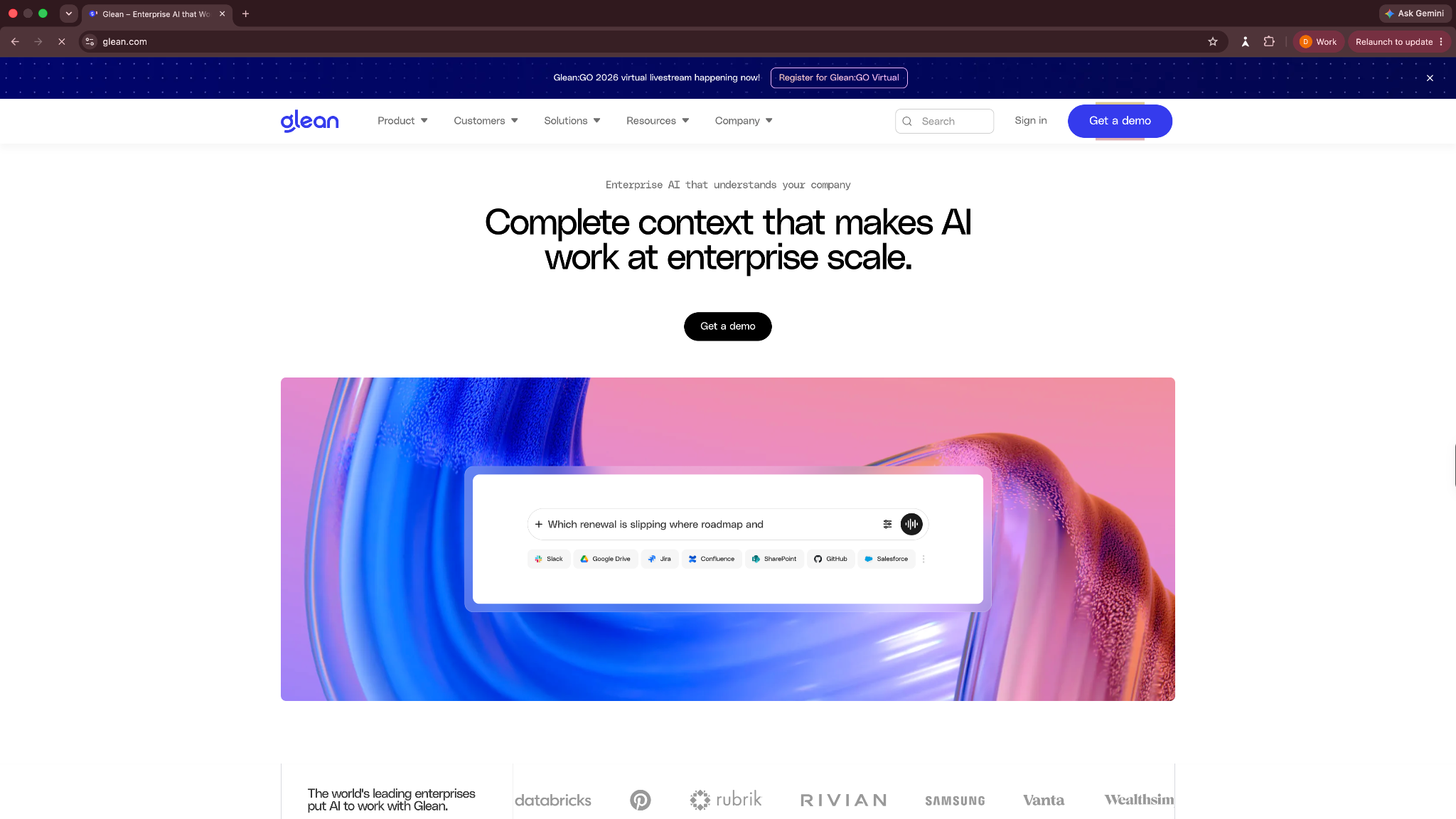
The biggest difference is how much context Glean can give an agent. It indexes company information from more than 275 app connectors while respecting the permissions already set in those systems. That makes it valuable when useful information is scattered across Slack, Google Workspace, Salesforce, Jira, Microsoft 365, and other apps.
Who it’s for
Glean is best for larger businesses with knowledge spread across multiple teams and software platforms. Organizations looking to streamline complex workflows across systems can evaluate how enterprise ai agents connect distributed organizational knowledge.
Key features
- Enterprise knowledge grounding gives agents permission-aware context from documents, tickets, conversations, code, and business systems
- No-code Agent Builder lets teams create agents with natural-language instructions, templates, branching, loops, and drag-and-drop steps
- Agent orchestration triggers agents from business events, routes work between agents, and connects workflows with external systems
- Agent governance and observability track usage, errors, agent behavior, permissions, and performance across deployments
Pros
- Helps companies with fragmented internal knowledge
- Respects existing permissions across connected data sources
- Gives non-technical and technical teams separate building options
Cons
- Enterprise focus makes it excessive for smaller teams
- No public pricing makes early cost comparison difficult
What users say
Glean has a 4.7-star rating from 296 reviews on G2. Reviewers frequently praise having one place to find information across company systems, along with the governance and search experience.

Its strengths depend heavily on having enough company knowledge to connect. Smaller organizations with a simple software stack may get less value from a platform built around enterprise-wide search, context, and agent deployment.
Pricing
- No free plan or trial
- Custom pricing that requires scheduling a demo
9. Manus: Autonomous multi-step work
Manus is a general-purpose AI agent that helps you execute tasks instead of only giving answers. It can create slides, build websites, design assets, develop apps, operate browsers, run research, and connect with tools like Slack and email.

Manus positions itself as an “action engine” for getting work done across tasks and workflows.
Who it’s for
Manus is for operators, founders, and advanced users who want an agent to take on broad tasks with less step-by-step guidance. It’s useful for projects like research, slide creation, website drafts, market analysis, browser-based work, and async task execution.
Key features
- General-purpose agent for executing open-ended work
- Browser operator for automating tasks in authenticated web apps and local browser sessions
- Wide Research for deeper research tasks
- Tools for slides, design, image generation, music generation, websites, apps, email, and Slack
Pros
- Suits broad, multi-step tasks where the user wants a finished output
- Covers more creative and operational task types than many business automation tools
- Browser operator gives users more control for web-based work than simple chat tools
Cons
- Credit usage can be hard to predict because it depends on task complexity
- Too open-ended for teams that need strict workflow controls, approval chains, and app-level governance
What users say
Manus has positive reviews around task completion, research, and turning loose ideas into action.
Users also flag some trust issues that are worth noting before you commit, especially around slow customer support, ambiguous billing, and performance that may vary depending on the task. The reviews justify its 4.4-star rating on Product Hunt.

Pricing
- Free plan with 1,000 credits + 300 credits refreshed daily
- Paid plans from $20/month, billed monthly
10. Microsoft Copilot Agents: Microsoft 365 native workflows
Microsoft Copilot Agents are agents built through Microsoft 365 Copilot and Copilot Studio. They help companies create agents that work with Microsoft 365 data, internal workflows, and external channels.

Microsoft says Copilot Studio lets teams connect agents to business data, create agents in natural language, and publish them across the channels employees and customers use.
Who it’s for
Microsoft Copilot Agents are for teams already using Microsoft 365, Teams, Outlook, SharePoint, and other Microsoft tools. They are relevant for companies that need internal agents with permissions, governance, and access to Microsoft business data.
Key features
- Internal agents through Microsoft 365 Copilot for licensed users
- Copilot Studio for building autonomous agents and publishing agents to external channels
- Pay-as-you-go and pre-purchase options through Copilot Credits
- Monitor data, react to conditions, and run workflows based on triggers, instructions, and guardrails
Pros
- Strong fit for Microsoft-heavy companies that want agents inside existing work tools
- Better governance than many lightweight agent tools
- Useful for internal workflows, employee self-service, knowledge access, and external customer-facing agents
Cons
- Pricing and licensing can be confusing because Microsoft 365 Copilot, Copilot Studio, Azure, and Copilot Credits all come into play
- Teams outside the Microsoft ecosystem may not get enough value to justify the setup
What users say
Microsoft Copilot Studio earns a 4.4-star rating on G2 from 156 reviews. Users like that it lowers the barrier to building custom copilots for teams already working inside Microsoft 365.
The common friction points are advanced customization, integration limits, and the extra technical knowledge needed for more complex workflows.

Pricing
- A free Copilot Studio trial, plus a separate $200 Azure credit if you open a free Azure account
- Microsoft 365 Copilot starts at $30/user/month, paid yearly
- Standalone Copilot Studio capacity packs are $200/pack/month for 25,000 Copilot Credits, with pay-as-you-go also available
AI agent platforms for custom development
11. Rasa: Custom conversational agents with more control
Rasa is a developer platform for building custom conversational AI agents for customer-facing and internal workflows. It combines LLM-based language understanding with structured business logic, so teams can control what an agent does without relying on the model to make every decision.
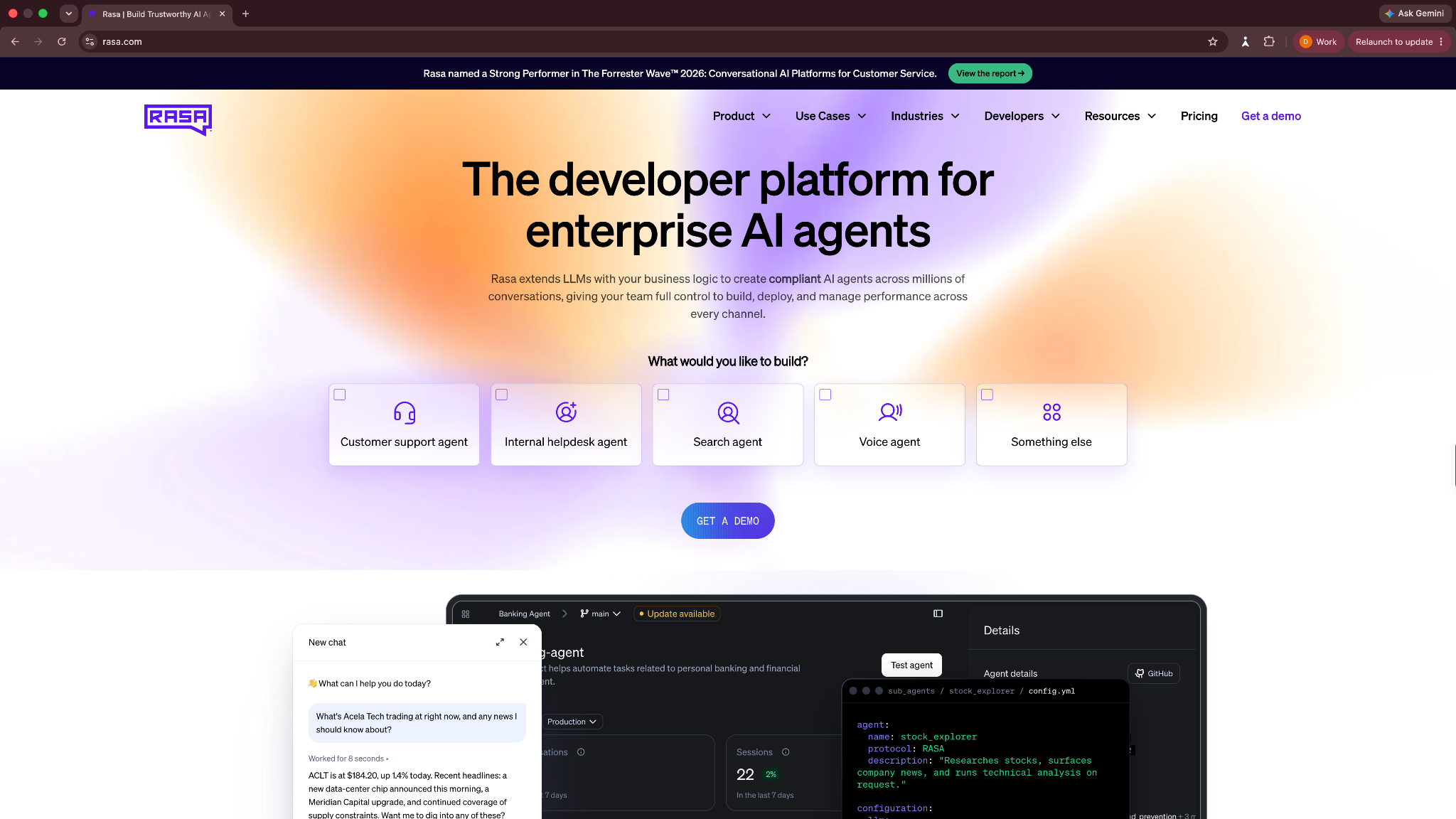
That makes Rasa a better fit for businesses with complex or regulated workflows than teams looking for a quick no-code agent. A banking support agent, for example, could understand a customer's request conversationally while following a fixed flow for identity checks, account access, and escalation.
Who it’s for
Rasa is best for enterprise engineering, CX, and platform teams building conversational agents that need strict business logic and deployment control.
It suits industries such as financial services, healthcare, insurance, telecom, and government, where an agent may need to handle long conversations without drifting away from company rules.
Key features
- CALM dialogue management separates language understanding from business logic to keep conversations flexible while controlling agent actions
- Structured Flows define data collection, API calls, conditions, and business rules for each task the agent can complete
- Rasa Studio and Pro give business users a visual builder while developers can work directly with code and custom components
- Flexible deployment and integrations support self-hosting, private cloud, managed deployments, voice, APIs, MCP, and A2A connections
Pros
- Strong fit for regulated and high-stakes customer workflows
- Gives businesses more predictable agent behavior at scale
- Can reduce unnecessary LLM usage for structured tasks
Cons
- Requires more technical expertise than no-code agent builders
- Too complex for simple support or internal workflows
What users say
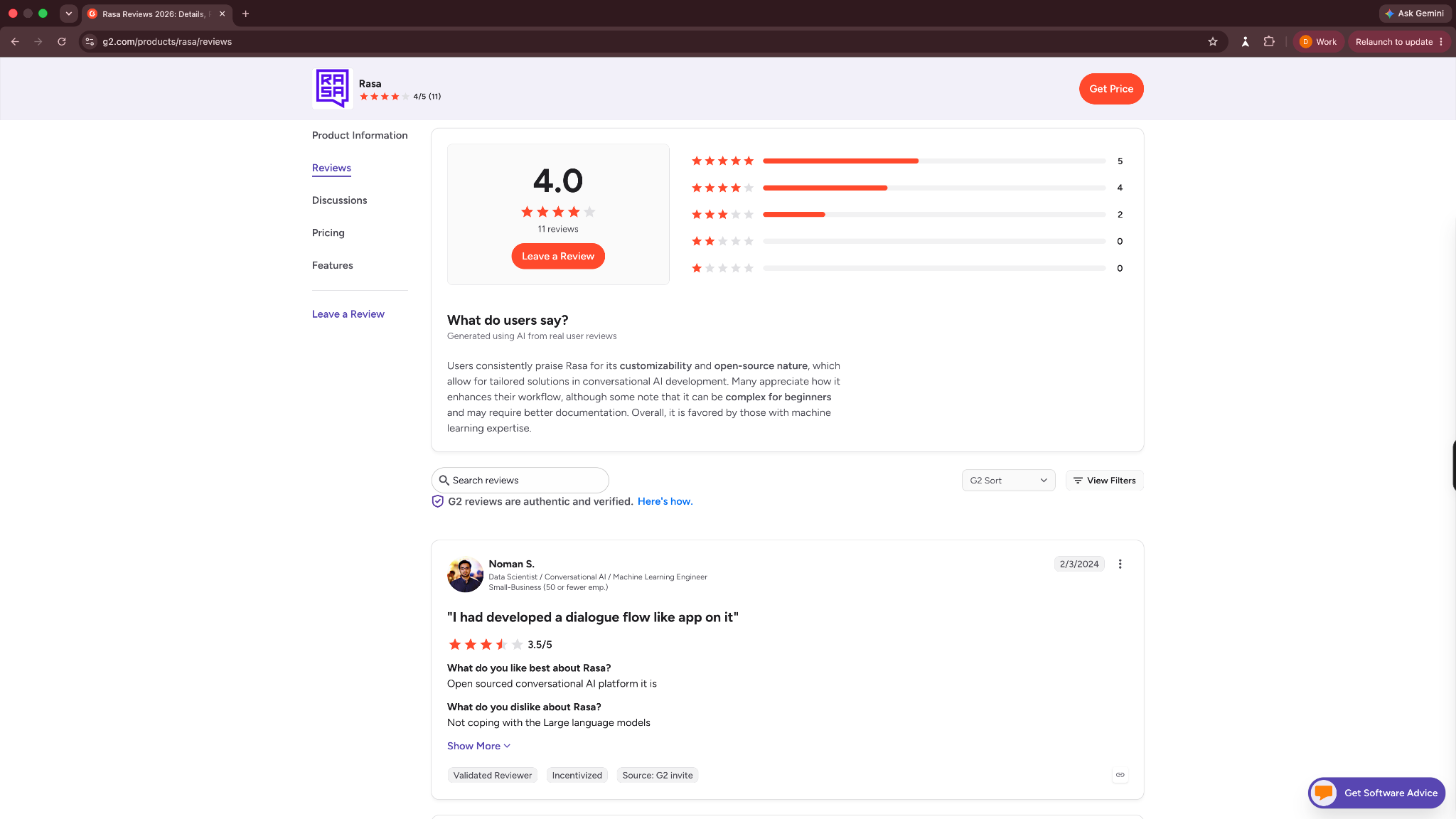
Rasa has a 4.0-star rating from 11 reviews on G2. Reviewers tend to praise its flexibility, integrations, and control over conversational behavior. The public review sample is small and mostly older, though, so I wouldn't treat the rating as a strong signal on its own.
Its biggest tradeoff is that you get more control, but you also take on more setup and technical ownership.
Pricing
- Free for one bot/company, with up to 1,000 external or 100 internal conversations per month
- Custom pricing for the full Rasa Platform, higher usage, security features, support, and deployment options
12. CrewAI: Custom multi-agent systems for business tasks
CrewAI is a framework and platform for building multi-agent workflows. It is built for technical teams who want agents with roles, tasks, tools, and workflows that work together.

CrewAI’s open-source framework focuses on autonomous collaboration through Crews and more controlled, event-driven automation through Flows.
Who it’s for
CrewAI is for developers, technical teams, and enterprises that want to build custom agent systems. It works well for teams creating research agents, coding agents, internal tools, data-processing flows, and production-grade agentic workflows.
Key features
- Crews for role-based agent collaboration
- Flows for event-driven workflow control
- Visual editor and AI copilot on the hosted platform
- GitHub integration, team management, RBAC, and support for triggers across business tools
Pros
- Gives technical teams more control than no-code agent builders
- Good fit for multi-agent workflows where each agent needs a specific role
- An open-source framework makes it easier to customize and self-host parts of the stack
Cons
- Requires technical expertise to get the most out of it
- Can take more engineering time because teams need to design, test, monitor, and maintain the agent workflow
What users say
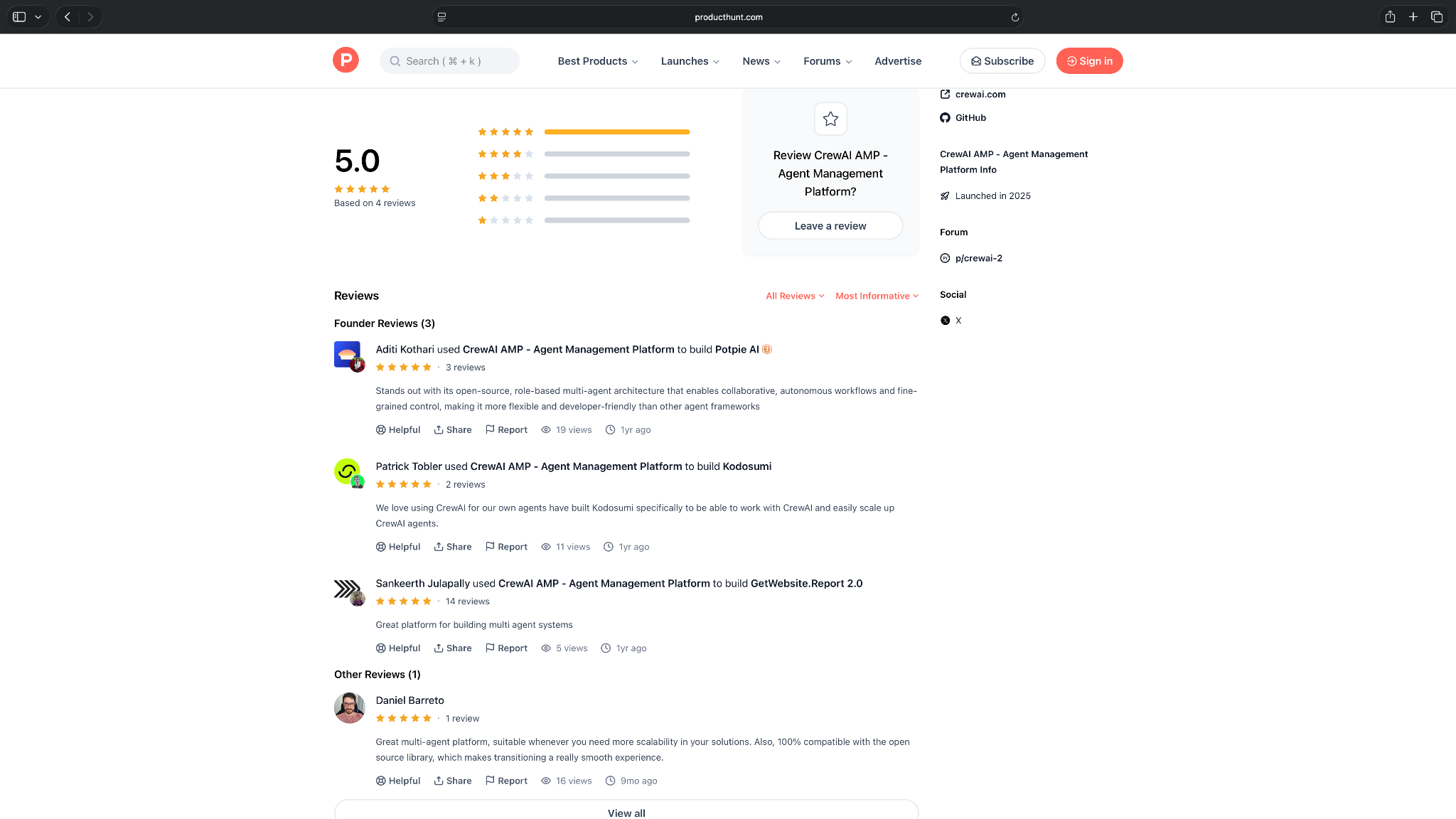
CrewAI has a 5.0-star rating on Product Hunt, though it’s based on only 4 reviews. The feedback is mostly from builders who value its open-source base, role-based agent setup, and flexibility for multi-agent systems.
The small review count is worth noting, but early users seem to like it for scalable developer-led agent workflows.
Pricing
- Free plan with 50 workflow executions/month
- Paid plans require contacting sales, as the pricing is custom
13. Devin AI: Fast software development
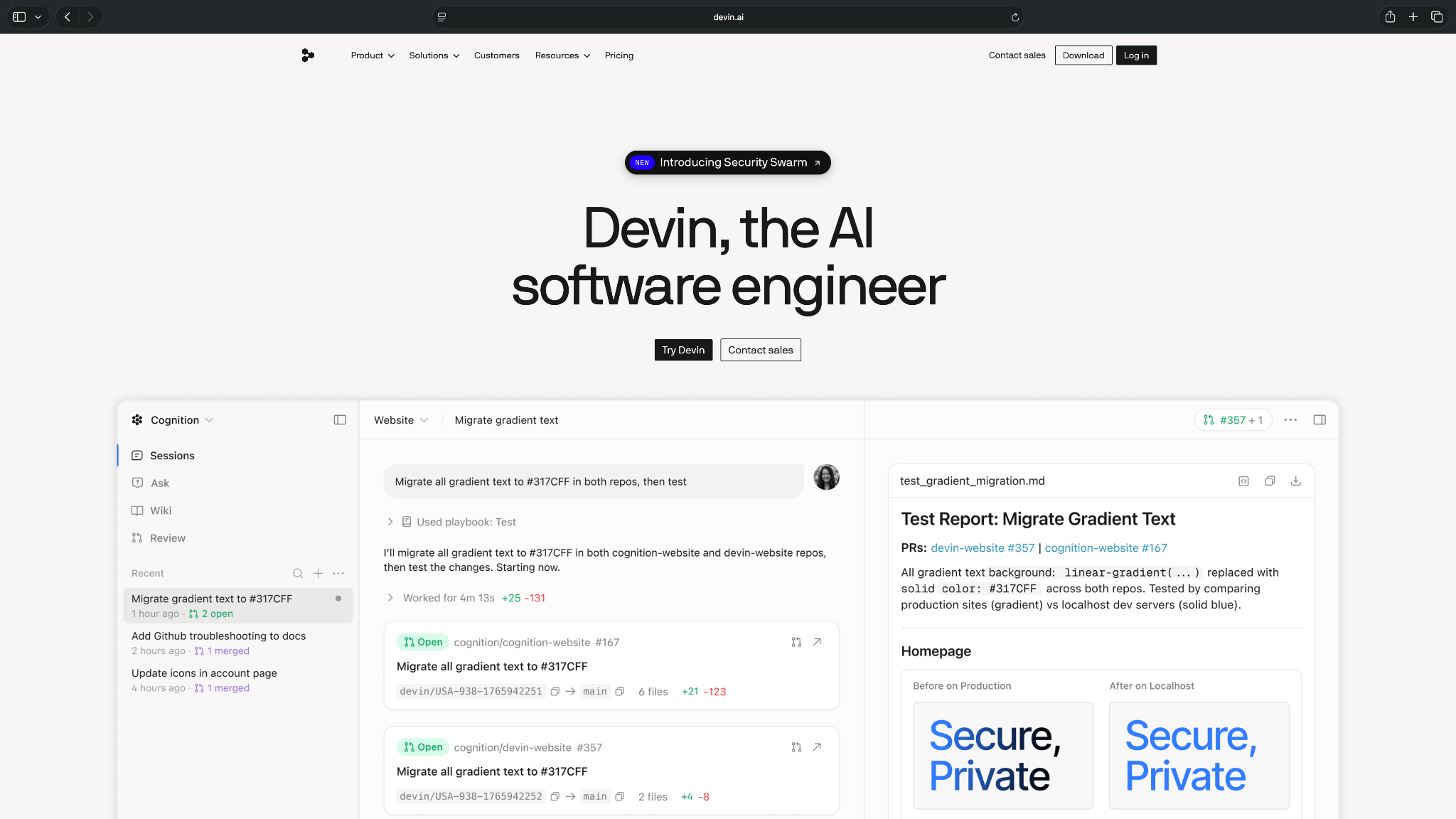
Devin is an AI coding agent for engineering teams. It can work on software tasks, collaborate inside repositories, and help developers build, test, and ship code. It’s an AI software engineer with parallel cloud agents for serious engineering teams.
Who it’s for
Devin is for developers, startups, and engineering teams that want help with implementation work, bug fixes, tests, repo tasks, and pull requests. It is most useful when a technical person can review the plan, inspect the code, and decide what gets merged. Tools like Devin represent a growing class of specialized software featured in roundups of the best work apps for developers.
Key features
- AI coding agent for planning and completing software engineering tasks
- GitHub integration that lets Devin create pull requests, respond to PR comments, and collaborate inside repositories
- Inline edits, tab completions, and access to stronger models on paid plans
- Parallel cloud agents for teams that want multiple agents working on engineering tasks
Pros
- Reduces time spent on smaller implementation tasks, bug fixes, and test writing
- Easier review and collaboration with GitHub integration
- Better fit for end-to-end engineering tasks than a code autocomplete tool
Cons
- Needs developer oversight for architecture decisions, security-sensitive code, and production changes
- Pricing can climb depending on the model, task size, complexity, and reasoning needs
What users say
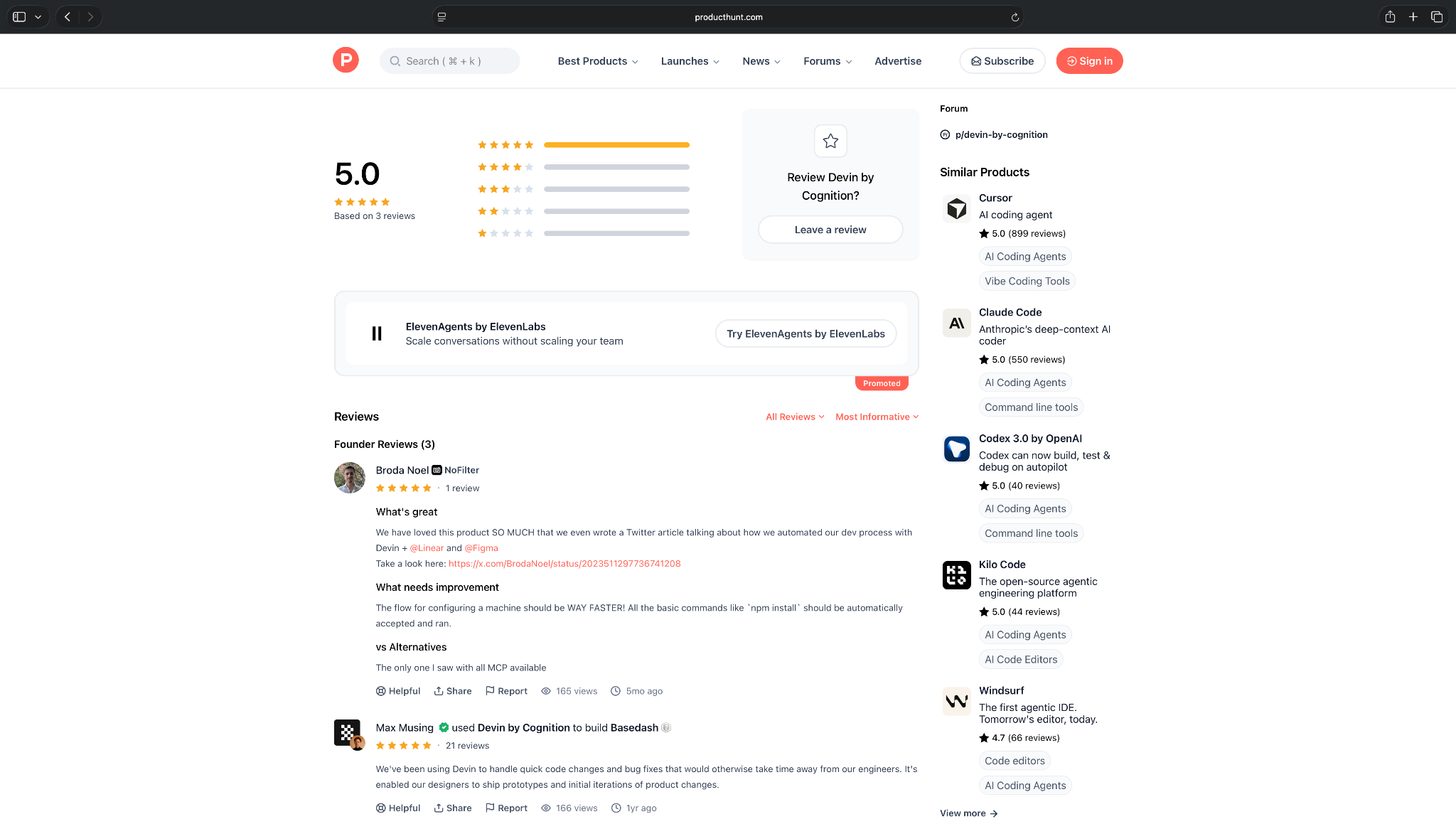
Devin has limited public review data, with 3 Product Hunt founder reviews and 4 Gartner reviews.
The positive feedback centers on saving engineering time for quick code changes, bug fixes, and small tweaks. The main caveat is setup speed, especially around configuring environments and getting basic commands to run automatically.
Pricing
- Free plan with a light quota and limited model availability
- Paid plans start from $20/month, billed monthly
13 AI agents for business in 2026: Quick comparison
| AI agent | What is does | Ideal use case | Setup effort | Ecosystem fit | Starting price |
|---|---|---|---|---|---|
| Lindy | AI teammate to hand off tasks | Sales, support, ops, and admin | Low | Mixed SaaS stacks and lean teams | $29.99/user/month |
| Zapier Agents | App-connected agent workflows | Cross-app actions and data handoffs | Low | Teams already using Zapier | $50/month |
| Gumloop | Visual AI workflow building | Research, data, marketing, operations | Low to medium | Flexible SaaS and data stacks | $37/month |
| Fin | AI customer support | Customer questions and ticket resolution | Low | Intercom or existing help desks | $49/month |
| Decagon | Enterprise support automation | High-volume customer service workflows | Medium | Large customer support teams | Custom pricing |
| Salesforce Agentforce | Salesforce-native business agents | Sales, service, and CRM actions | Low to medium | Salesforce CRM ecosystem | $500/100,000 Flex credits |
| ChatGPT Work | General-purpose team agents | Research, admin, knowledge, team workflows | Low | ChatGPT Business and connected apps | $25/user/month |
| Glean | Enterprise knowledge work | Search, research, internal knowledge workflows | Low to medium | Large enterprise knowledge stacks | Custom enterprise pricing |
| Manus | Autonomous multi-step tasks | Research, slides, analysis, browser work | Low | General web and productivity workflows | $20/month |
| Microsoft Copilot Agents | Microsoft 365 agent workflows | Productivity, knowledge, internal workflow automation | Low to medium | Microsoft 365 ecosystem | $30/user/month (billed yearly) |
| Rasa | Custom conversational agents | Support, service, regulated workflows | High | Engineering-led enterprise deployments | Custom pricing |
| CrewAI | Developer-built multi-agent systems | Custom multi-agent technical workflows | High | Developer and API-heavy stacks | Custom pricing |
| Devin AI | Quick coding work | Custom development with bug fixes | Medium to high | GitHub-based engineering and software development stacks | $20/month |
How to pick the right AI agent for your business
The right AI agent depends on the work you want it to handle, how much control you need, and how technical your team is.
A small sales team won’t need the same agent as an engineering team. A solo founder looking to automate follow-ups won’t evaluate tools the same way as an enterprise support team handling thousands of tickets.
So before you compare features, these are the factors I’d consider:
Match the tool to your team’s technical comfort
No-code tools work best for teams that want to build agents without developers. These usually use templates, visual builders, and simple setup flows. They’re better for sales, support, operations, recruiting, and admin-heavy teams.
Developer-focused platforms give you more control, but they also require more technical skill. Rasa and CrewAI, for example, make more sense when developers can build, test, and maintain custom agent workflows.
Get your team an AI agent they can set up, understand, and improve without turning every change into an engineering project.
Check what actions the agent can take
Look at what the agent can actually execute. Can it update records, send emails, search internal files, and create tasks? Can it open pull requests, escalate support tickets, trigger workflows, and ask for approval before taking important actions?
The more action-oriented your use case is, the more you should care about execution quality.
Review the ecosystem fit and app integrations
Most work happens across apps, so your AI agent should connect to the software your team already uses.
Also consider whether the agent gets more useful inside a particular ecosystem. Agentforce makes the most sense for Salesforce-heavy businesses. Microsoft Copilot Agents fit Microsoft 365. Fin works particularly well around customer support systems.
For broader automation, look for CRM, email, calendar, Slack or Teams, helpdesk, knowledge base, project management, and database integrations. APIs, webhooks, and custom actions also matter if you use niche software.
Look for control and approval settings
AI agents can make teams faster, but you still need control over what they can do. Features like human approvals, task logs, role-based permissions, guardrails, version history, and escalation rules are essential.
These matter most when agents handle customer messages, sensitive data, financial workflows, legal content, or production code. The higher the risk, the more oversight you need.
For low-risk tasks like summarizing notes, you can let the agent run freely. For high-risk tasks like issuing refunds, changing CRM stages, emailing prospects, or editing code, use approval steps.
Test how well it handles messy inputs
Before you commit, test the agent with messy inputs like incomplete emails, vague requests, duplicate records, unclear customer questions, long documents, or edge cases your team sees often.
A good AI agent should ask clarifying questions, recover from minor issues, and explain what it did.
{{cta}}
Compare pricing against usage, not only the starting plan
Most tools charge by seat. Others may charge by task, credit, workflow run, conversation, token usage, or compute time. A low starting price may still get expensive if the agent runs often or uses higher-cost models.
Before picking a tool, estimate:
- How many people will use it
- How many tasks or workflows it will run each month
- Whether it charges for AI model usage
- Whether calls, conversations, or workflow steps cost extra
- Which features are locked behind higher plans
Consider scalability early
Check whether the tool can handle multiple users, workflows, tasks, and data without getting messy. Look at team permissions, shared workspaces, monitoring, analytics, error handling, and admin controls.
Small teams don’t need enterprise complexity from day one. But they should still avoid tools that become hard to manage once more people start using them.
Evaluate support and onboarding
Good onboarding makes an AI agent much less daunting to adopt. Look for templates, documentation, tutorials, live support, community examples, and implementation help. It helps if your team is building business-critical workflows.
Review security, governance, and compliance
This one’s the final filter. Start with how the platform handles your data. Look for encryption, role-based access, SSO or multi-factor authentication, audit logs, data retention controls, and admin permissions.
If you work in a regulated industry like healthcare, finance, or legal, security and compliance like SOC 2 Type II, HIPAA, and PIPEDA are non-negotiable. European companies need GDPR compliance.
The more sensitive the data and actions your agents handle, the more closely you should review the platform’s security and governance controls before deployment.
Which AI agent tool should you choose for your business?
You should choose an AI agent depending on what you want it to do. Some agents help with everyday business workflows. Others handle customer support tasks, custom development work, or enterprise automation.
Use these scenarios to narrow your options:
Choose Lindy if you:
- Want an AI teammate you can text to manage inbox, meetings, scheduling, follow-ups, and daily admin tasks
- Run a small or medium business and need help getting routine work done without setting up complex AI agent tools
- Need AI to draft replies, send proactive updates, and ask for approval before handling sensitive tasks
Choose Zapier Agents if you:
- Already use Zapier and want to add AI agents to your existing automations
- Need agents that connect with a large number of SaaS tools
- Want to automate simple or moderately complex workflows across apps without building from scratch
Choose Gumloop if you:
- Want a visual builder for AI-powered workflows
- Need more flexibility than basic trigger-action automation
- Have ops, growth, sales, or marketing workflows that involve research, scraping, enrichment, routing, or reporting
Choose Fin if you:
- Run a customer support-heavy business with repeat questions
- Want AI to resolve tickets and follow support procedures
- Already use Intercom, Zendesk, or another helpdesk
Choose Decagon if you:
- Need AI agents for customer support at scale
- Handle high ticket volumes across chat, email, voice, or other support channels
- Want agents that follow support policies, escalate edge cases, process requests, and improve response times
Choose Salesforce Agentforce if you:
- Already run core workflows inside Salesforce
- Want agents that work with CRM data and actions
- Need sales, service, or employee-facing agents
Choose ChatGPT Work if you:
- Want one flexible AI tool for research, planning, analysis, and file-based work
- Need help with broad, one-off tasks rather than fixed recurring workflows
- Already use ChatGPT and want it to browse, use tools, and create finished outputs
Choose Glean if you:
- Have company knowledge spread across many business systems
- Need agents grounded in internal documents and conversations
- Want enterprise search, permissions, and agent governance
Choose Manus if you:
- Want an autonomous agent for multi-step tasks with less hand-holding
- Need help with research, slide creation, market analysis, website drafts, or browser-based work
- Prefer giving an agent a broader goal and reviewing the output later
Choose Microsoft Copilot Agents if you:
- Already use Microsoft 365 across your company
- Need agents that work inside Teams, Outlook, SharePoint, Word, Excel, or other Microsoft tools
- Care about enterprise permissions, governance, and internal data access
Choose Rasa if you:
- Have developers building custom conversational AI agents
- Need strict business logic and predictable agent behavior
- Want more deployment and architectural control than no-code platforms provide
Choose CrewAI if you:
- Have a technical team that knows how to build custom multi-agent systems
- Need agents with defined roles, tools, and responsibilities
- Want more control than no-code agent builders provide
Choose Devin AI if you:
- Want an AI agent for software development tasks
- Need help with bug fixes, tests, pull requests, repo tasks, or implementation work
- Have developers who can review the agent’s plan and code before anything ships
Skip AI agent tools entirely if you:
- Only need simple AI writing, summarization, or search
- Don’t have a clear workflow or task you want to automate
- Won’t spend time setting permissions, approvals, instructions, and quality checks
My final verdict
Each of these thirteen tools wins a different category, so my verdict comes down to what part of your business workflow you're handing off.
I’d recommend Lindy to small and medium businesses that want an AI teammate they can text or tag inside their Slack channels to handle everyday tasks. It’s the strongest fit for inbox management, meetings, scheduling, follow-ups, approvals, and repeat admin work that usually eats into the day.
Zapier Agents and Gumloop are better if you want app-connected workflows with more structure. ChatGPT Work is stronger for broad, open-ended tasks.
Pick Glean if your company knowledge is a mess. Agentforce is ideal for enterprises already deep into the Salesforce ecosystem. Manus makes more sense if you handle tasks like research, slide creation, market analysis, website drafts, or browser-based work.
Rasa, CrewAI, and Devin AI are for technical teams. Copilot Agents fit Microsoft-heavy companies that need governance and internal data access, while Decagon and Fin make more sense for enterprise support teams handling high ticket volume.
For everything else, the scenarios above will land you on the right tool faster than any ranking I could give you.
Here’s why you should try Lindy first among AI agents for business
For most small and medium businesses, the biggest hurdle is offloading routine work to AI without adding more setup complexity. You’re already short on resources, so if any tool can do that work effectively, it’s worth trying.
Lindy fits that brief well. You can text it in plain English, tag it inside your Slack channels, connect the apps you already use, ask it to seek approvals for sensitive tasks, and get help across your everyday tasks.
Try the Lindy free trial and see how much business work your AI teammate can take off your plate.
Frequently asked questions
What is an AI agent?
An AI agent is software that uses AI to understand a goal, plan the next steps, and take action with some level of autonomy.
It’s different from a basic AI chatbot. An AI agent can use tools, work across apps, process information, and complete multi-step business tasks like updating a CRM, drafting follow-ups, researching a topic, or handling support requests.
Which is the best AI agent in 2026?
The best AI agent in 2026 depends on what you need it to do, with Lindy leading the list for small and medium businesses that want a text-based AI teammate inside Slack for daily tasks.
ChatGPT Work works well for broad research and file work. Rasa is better for building custom conversational agents, while Decagon and Fin fit enterprise support teams.
What is the best AI agent for businesses?
Your team size, use case, and technical resources determine the best AI agent for your business. =
Lindy suits SMBs that need help with daily tasks, email, meetings, follow-ups, admin work, and more. Zapier Agents is useful for app-connected workflows, Gumloop fits teams that want a visual workflow builder, and Fin is better for enterprise support automation.
What are the best AI agents for personal use?
The best AI agents for personal use are tools that help with daily tasks, research, planning, and admin work.
ChatGPT Work is useful for research and file-based tasks. Manus can help with broader multi-step projects. Lindy works well if you want to text an assistant for repetitive personal tasks.
What is the 30 percent rule in AI?
The 30 percent rule in AI says humans should keep about 30 percent of the work, like judgment, oversight, and creative calls, while AI handles the repetitive 70 percent. It keeps productivity gains without losing human control.









