




Route incoming WhatsApp messages to the *right team member*
Lindy reads each WhatsApp message and sends it to the right person on your team.
End the WhatsApp bottleneck on a shared line
Skip the manual handoff on every message
Catch your biggest clients within minutes








Supercharge your WhatsApp with AI.
When WhatsApp messages come in from multiple customers or leads, figuring out who should handle each one takes time you don't have, and things slip through the cracks.
Lindy reads each incoming WhatsApp message, figures out what it's about, and automatically forwards it to the right team member based on rules you set.

Lindy pulls your Google Sheets data and turns it into a formatted weekly report.
Lindy watches your form and logs each new response as a row in Google Sheets.


See what Lindy can do for you
Sales WhatsApp messages reach the right rep
Lindy routes inbound WhatsApp messages to the right teammate, so sales inquiries reach a rep instantly instead of sitting in a shared inbox.

WhatsApp campaign replies find the right person
Lindy routes WhatsApp messages by topic, so campaign-driven WhatsApp inbound reaches the right marketer instantly.

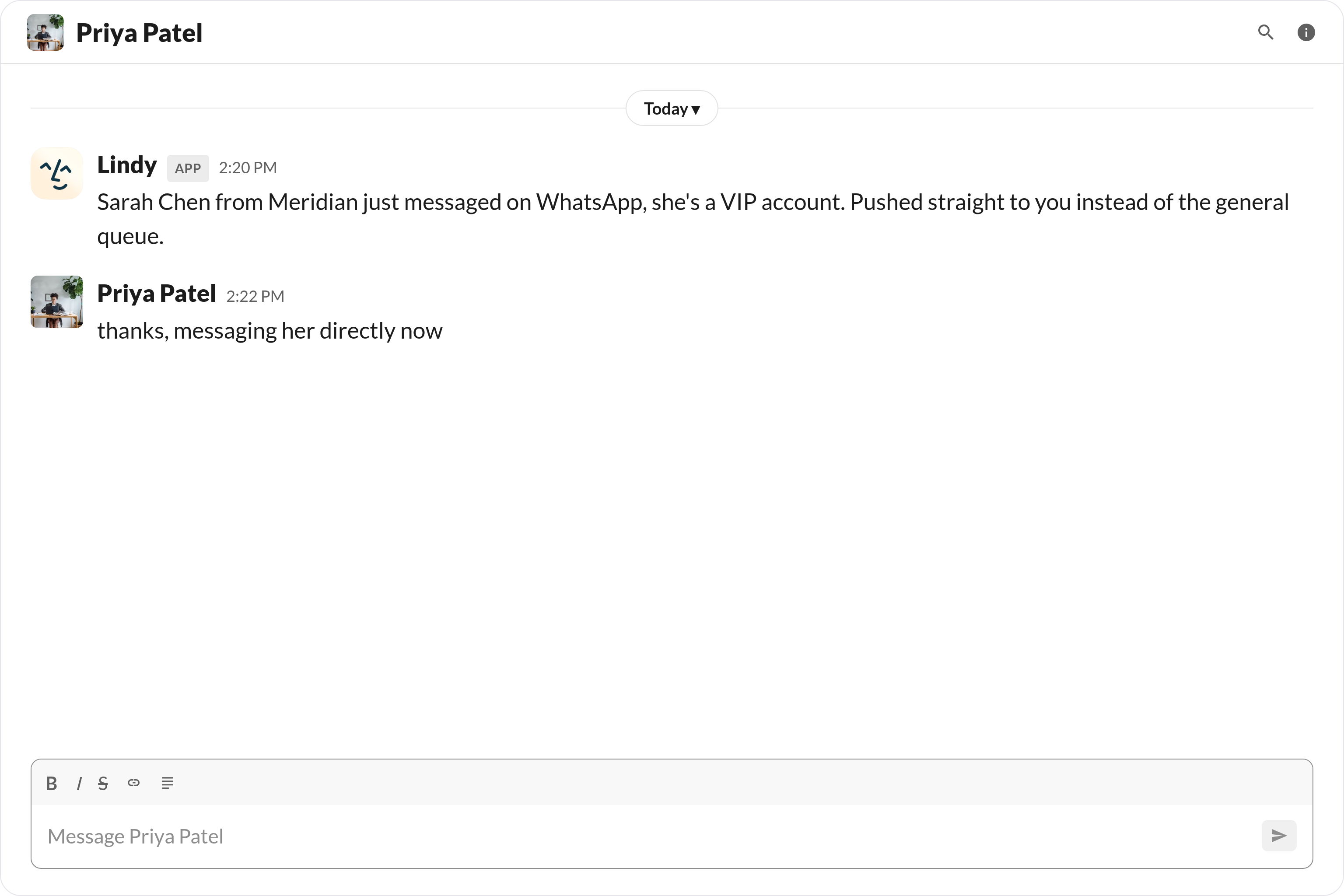
VIP WhatsApp messages reach your boss in Slack
Lindy routes WhatsApp messages from key contacts to your boss in Slack, so VIP messages never sit unread.

WhatsApp stops being a black hole
Lindy routes inbound WhatsApp messages to the right teammate, so messages stop disappearing into a shared inbox no one watches.

A single WhatsApp number that actually scales
Lindy routes WhatsApp messages to the right person, so customers can reach you through one number without it becoming chaos.

Summarise more than just Slack
Summarising Slack is just the start. Here's what else Lindy can do.

Lindy reads your inbox overnight and sends you a clean digest of what matters before you start your day.

After every call Lindy writes structured notes and sends you a summary so nothing gets lost.

Lindy reads your Zendesk or Intercom queue and delivers a daily overview of open issues and priorities.
Not sure if Lindy can do it? Just ask.
Text your question and Lindy replies with exactly what it can do for you. No account, no sign-up. Just send a message.
Try for freeMore ways to use Lindy
Plenty more in the library. Pick the next one that fits your day.

Lindy turns your meeting notes into clean summaries with decisions and next steps.

Lindy reads your Gmail threads and drafts replies that match how you write.

Lindy watches your Shopify store and pings your team the moment a new order arrives.

Lindy reads your top Slack channels and sends you a quick summary of what matters.

AI Agents for WhatsApp
When your WhatsApp is blowing up with messages from customers, partners, and leads all at once, manually sorting through them and figuring out who needs to handle what is a mess that slows everyone down.
Connect Lindy to WhatsApp and it can read each message as it comes in, tag it by topic or urgency, and ping the right person on your team so nothing gets ignored.

A skill shows you a real-world task Lindy can handle for you. It's there to inspire you and show what's possible, not a pre-built workflow you have to follow.
Yes. Sign up, connect the apps the skill needs, and you're ready to go. Most skills are up and running in minutes.
Lindy is your AI assistant. You tell it what you need in plain language and it takes care of the work, across your apps, on your schedule.
Each skill page lists exactly which apps are involved and whether they are required or optional. If you already use those apps, you're good to go.
No. Just tell Lindy what you want it to do and it figures out the rest. Skills are there to show you what's possible and get you started.
Almost certainly. Skills show what's possible, not what's limited. If you don't see what you need, just ask Lindy directly and it will figure it out.