ChatGPT Review 2026: I Paid for Free, Plus, and Pro
Marvin tested ChatGPT's Free, Plus, and Pro plans across three months of client work, weighing writing, coding, deep research, accuracy, memory, and pricing.


Four months ago, I was finishing a client proposal at 11 p.m. My ChatGPT Plus subscription had lapsed because I was trying to save $20 a month, and I figured the free plan would be enough.
Then ChatGPT stopped halfway through rewriting the executive summary. I'd used up the free plan's limited access to the better model, back before OpenAI made free text chats unlimited, and my client's deadline was 8 a.m. I finished the rest by hand, half-asleep and irritated that something this small had nearly cost me a client.
I re-subscribed to Plus that week. After that, I spent three months using Free, Plus, and Pro on the same kinds of client work, coding tasks, and research projects.
This review is what I learned about where ChatGPT Free holds up, when Plus is worth the price, and who Pro is really for.
ChatGPT Review: The short version
ChatGPT is still the most well-rounded AI assistant on the market. Writing, coding, research, images, and voice all live in one place, and the current GPT-5.6 model family handles multi-step reasoning noticeably better than it did a year ago.
G2 reviewers rate it 4.6 out of 5, and Capterra puts it at 4.4.
It still states incorrect things with total confidence, the free plan's limits bite at the worst possible moments, and the features that make it useful are locked behind Plus or Pro.
For most people doing real work with it, Plus at $20 a month is the plan that actually makes sense.
What is ChatGPT?
ChatGPT is OpenAI's AI chatbot, built on the company's GPT family of language models. As of 2026, it runs on GPT-5.6, launched in July. The current lineup includes three tiers:
- Sol, the flagship model for the hardest reasoning and coding work
- Terra, a balanced model tuned for everyday tasks
- Luna, the fastest and most cost-efficient of the three.
Pro subscribers also get access to Sol Pro, reserved for the most demanding, compute-heavy requests. You talk to it by typing or speaking, and "talking back" now covers writing, debugging code, analyzing spreadsheets, generating images, and browsing the live web for anything that's happened since its training data ended.
It's easy to forget how narrow this thing used to be. In 2022, it was a text box that answered questions and did nothing else.
Today it functions more like a junior analyst, a coding partner, and a researcher rolled into one interface, and that range is exactly why it's still the default AI tool for most people, even with real competition now from Claude and Gemini.
How I tested it
I tested ChatGPT as part of my normal workday across client work, research, and coding, well beyond isolated benchmark prompts. That included a few times when I trusted an answer too quickly and ended up spending extra time cleaning up the result.
I also read through hundreds of G2, Capterra, and Reddit reviews, plus ChatGPT's Trustpilot feedback, to spot patterns that showed up across real-world use and see how often the same experiences came up for other users.
ChatGPT pricing plans as of 2026
| Plan | Price | Best for | What you get |
|---|---|---|---|
| Free | $0/month | Occasional, low-stakes use | Unlimited everyday text chats on GPT-5.6 Luna, but limited uploads, image generation, voice, deep research, and memory |
| Go | $8/month | Frequent casual users | More messages, uploads, image generation, voice chats, and longer memory. Deep research and Codex remain limited, and it's the only paid tier with ads. |
| Plus | $20/month | Regular professional use | Advanced reasoning with GPT-5.6 Sol, expanded deep research, expanded uploads and memory, projects and scheduled tasks |
| Pro | From $100/month | Heavy daily or technical use | Pro-level reasoning with GPT-5.6 Sol Pro, 5x–20x more usage, unlimited and faster image creation, maximum deep research |
| Business | $25/user/ month | Teams | Shared workspace, admin controls, data excluded from model training by default |
| Enterprise | Custom | Large organizations | Dedicated support, admin and compliance controls, data excluded from training |
Which ChatGPT plan is right for you?
Plus, at $20 a month, for almost anyone doing paid work. Here's the full breakdown:
- Free if you check in with ChatGPT a few times a week for quick questions. The unlimited everyday text chats cover more ground than most people expect; you'll just hit walls fast on uploads, images, or deep research.
- Go ($8/month) if you're using it daily but casually. I didn't run this tier myself, but on paper you get more uploads and image generation without paying for the deeper reasoning model.
- Plus ($20/month) if you're doing real work with it: client writing, coding, research. This is the plan I've settled on, and it's the one I'd recommend to almost anyone using it professionally.
- Pro (from $100/month) if you're running heavy daily coding sessions or dozens of deep research reports a week and keep bumping into Plus's limits. Most people, myself included for most of these three months, never actually need it.
- Business or Enterprise if you're rolling it out to a team and need admin controls and data excluded from training by default.
What ChatGPT does well
Five areas kept coming up as I tracked my own usage over three months: writing, coding, research, images and data, and voice.
Each one earned its place in my daily workflow, but each also has a specific way it can burn you if you trust it a little too much. Here's where I actually lean on it, and where I've learned to double-check first:
Writing and editing
This is still where I get the most day-to-day value from ChatGPT. When I'm staring at a blank page for a client email or proposal, I use it to create a rough first pass, then heavily revise it. That process cuts my writing time by close to half on most days.
For me, that time savings matters more than anything on the feature list.
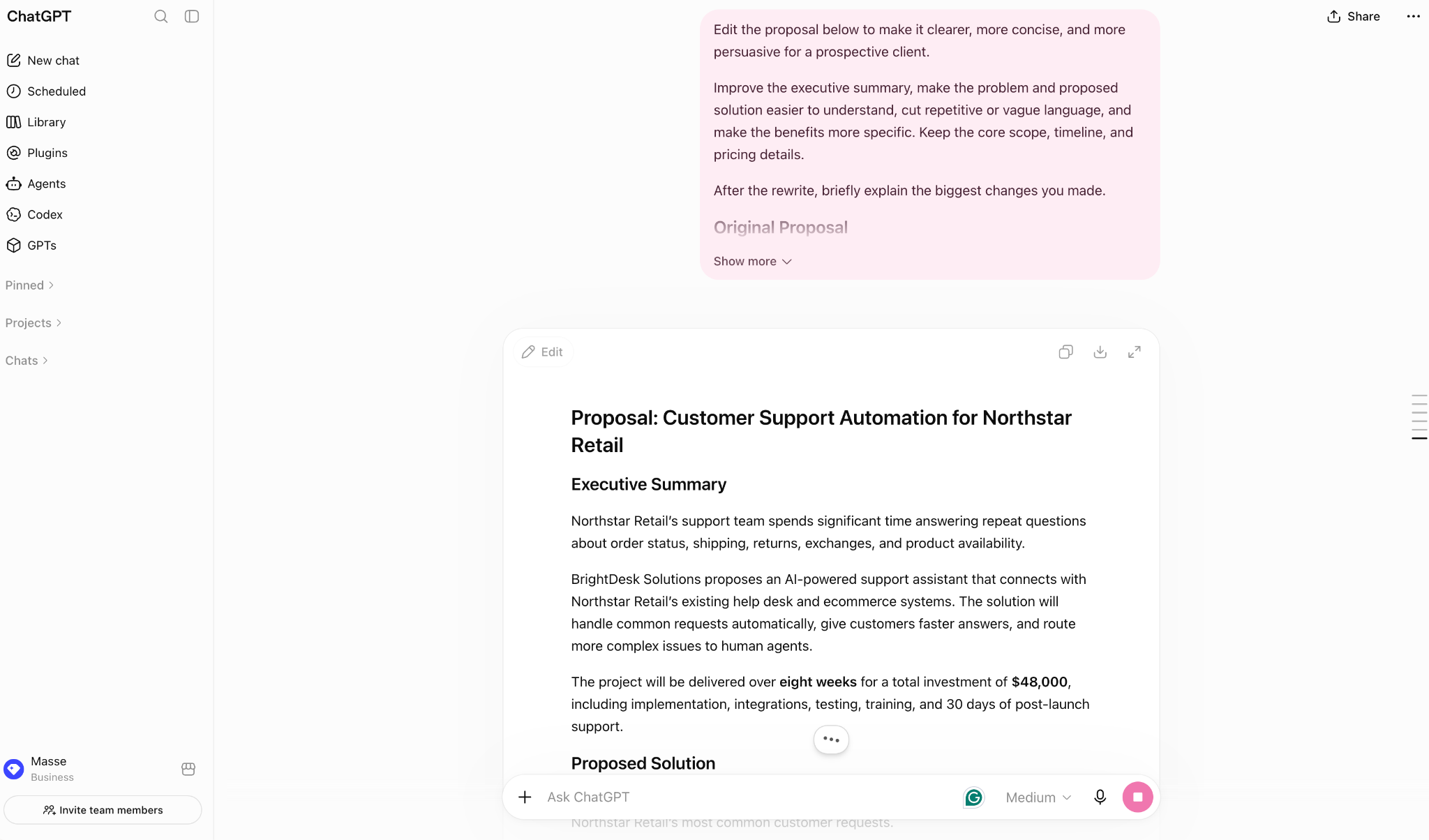
I've also learned to watch for what I call the “default AI voice.” Words like “unlock”, “dive”, and “tapestry” can make a draft feel generic and templated. Clear instructions help a lot.
I give ChatGPT my tone, paste in a few sentences I've written, and list the words I don't want it to use.
After doing this consistently, the first drafts began to sound much closer to my writing. I also saved those preferences in custom instructions, which means I don't have to repeat them every session.
Coding
I'm not a developer by training, but ChatGPT has helped me build small internal tools I couldn't have written myself two years ago. I've used it to create a script that pulls data from a spreadsheet and reformats it, plus a basic scraper for a research project.
It explains the code as you go, which I've found more useful for learning than simply getting a finished script.
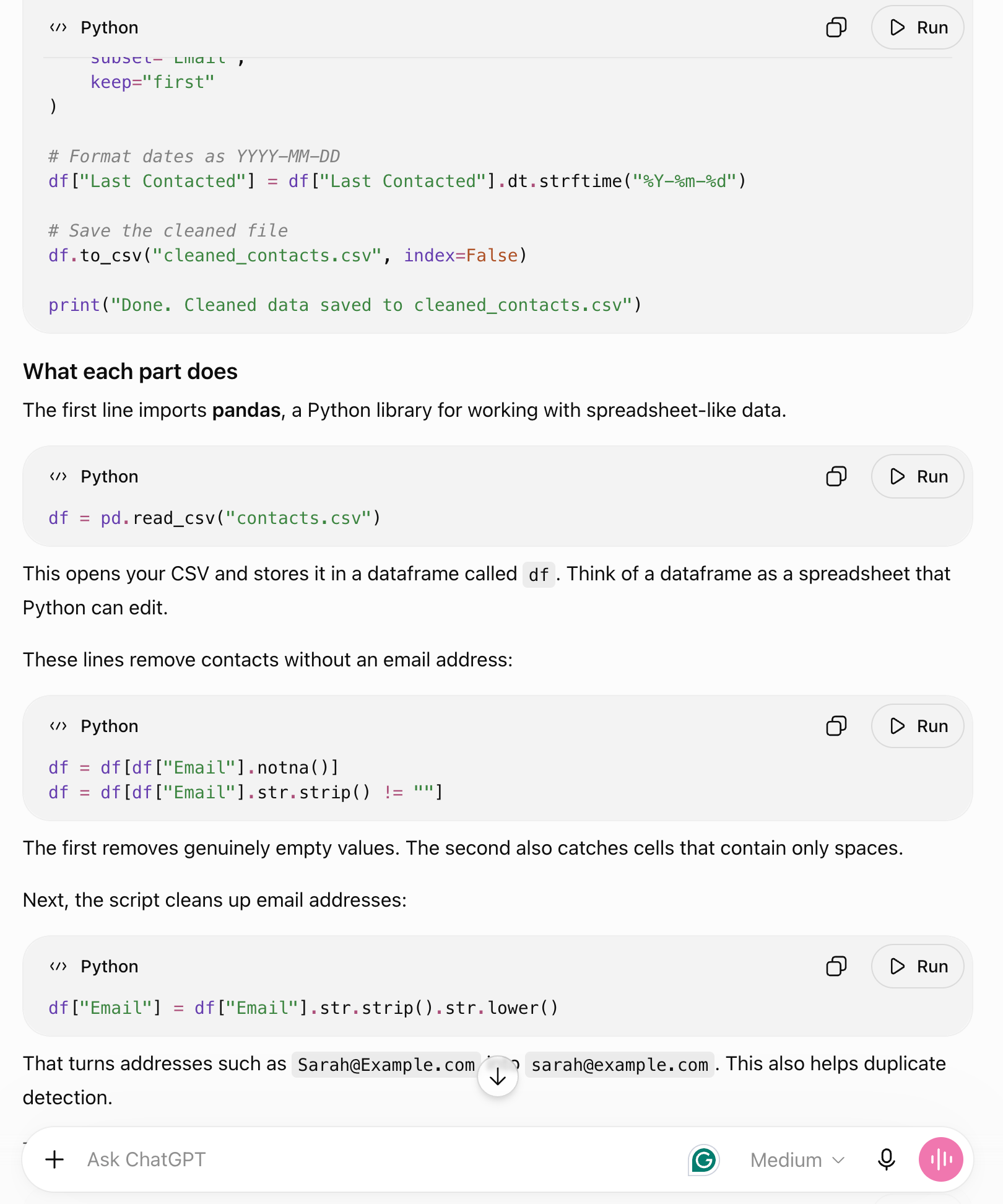
The confidence can be misleading, though. I once had a script fail silently for two days after ChatGPT told me the bug was fixed. I only caught it when the output started looking wrong.
Since then, I've tested every fix myself before letting the code touch real data. ChatGPT can get you surprisingly far with coding, but you still need to verify that the code actually does what it claims.
Deep research
Deep research is the single feature that's changed how I use ChatGPT the most. I give it a rough topic, answer a couple of clarifying questions, and come back twenty minutes later to a structured report with sources I can click through and verify, instead of the two hours I used to spend with fifteen browser tabs open and a half-finished doc.
I've used it for a meaningful chunk of the competitive research behind this very article.
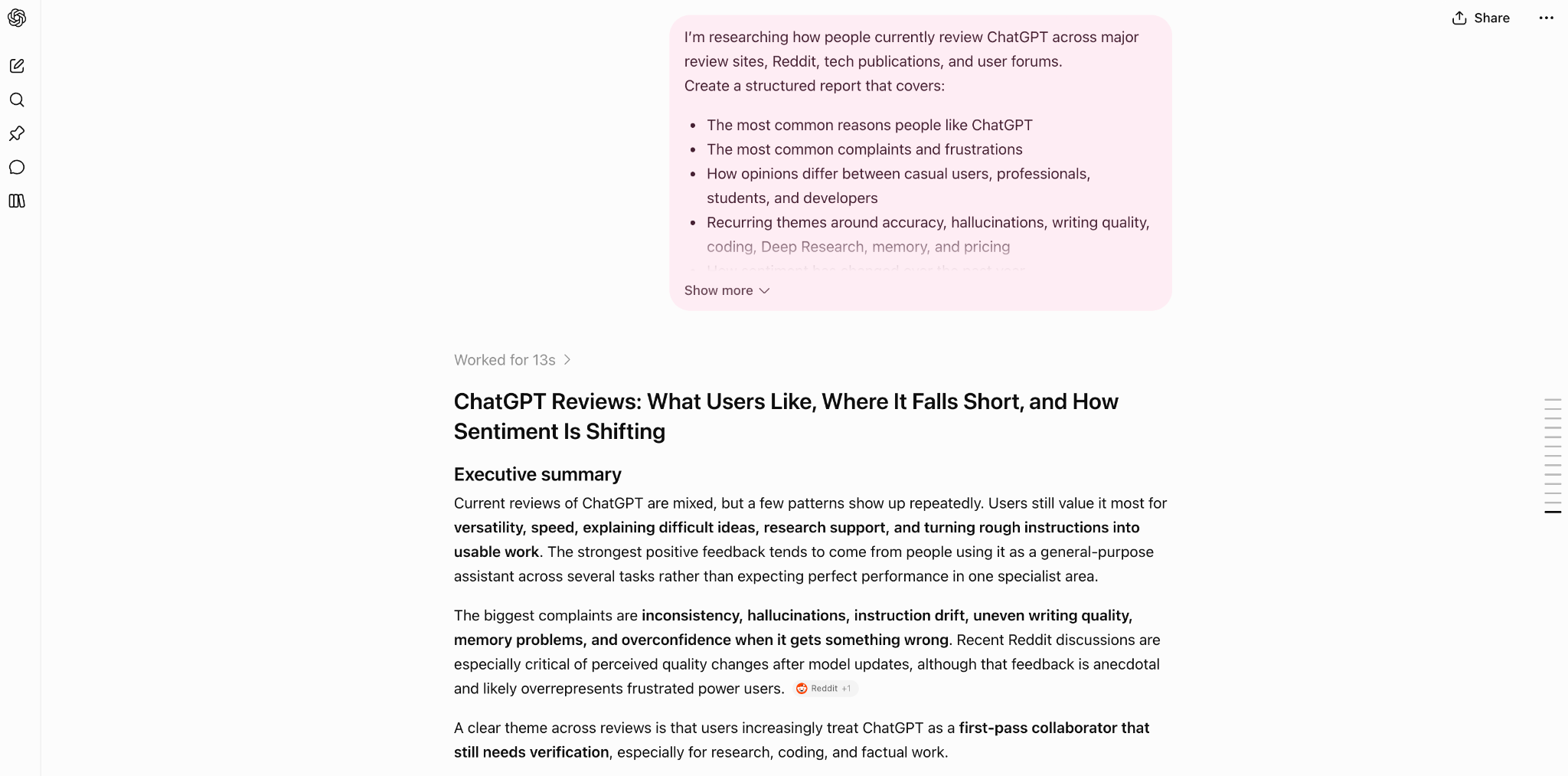
On broader topics, it sometimes trades depth for speed, handing me a more polished-sounding answer that's actually thinner than what I asked for.
When that happens, I've learned to just ask it to go deeper on one specific angle rather than starting the whole research process over.
Image generation and data analysis
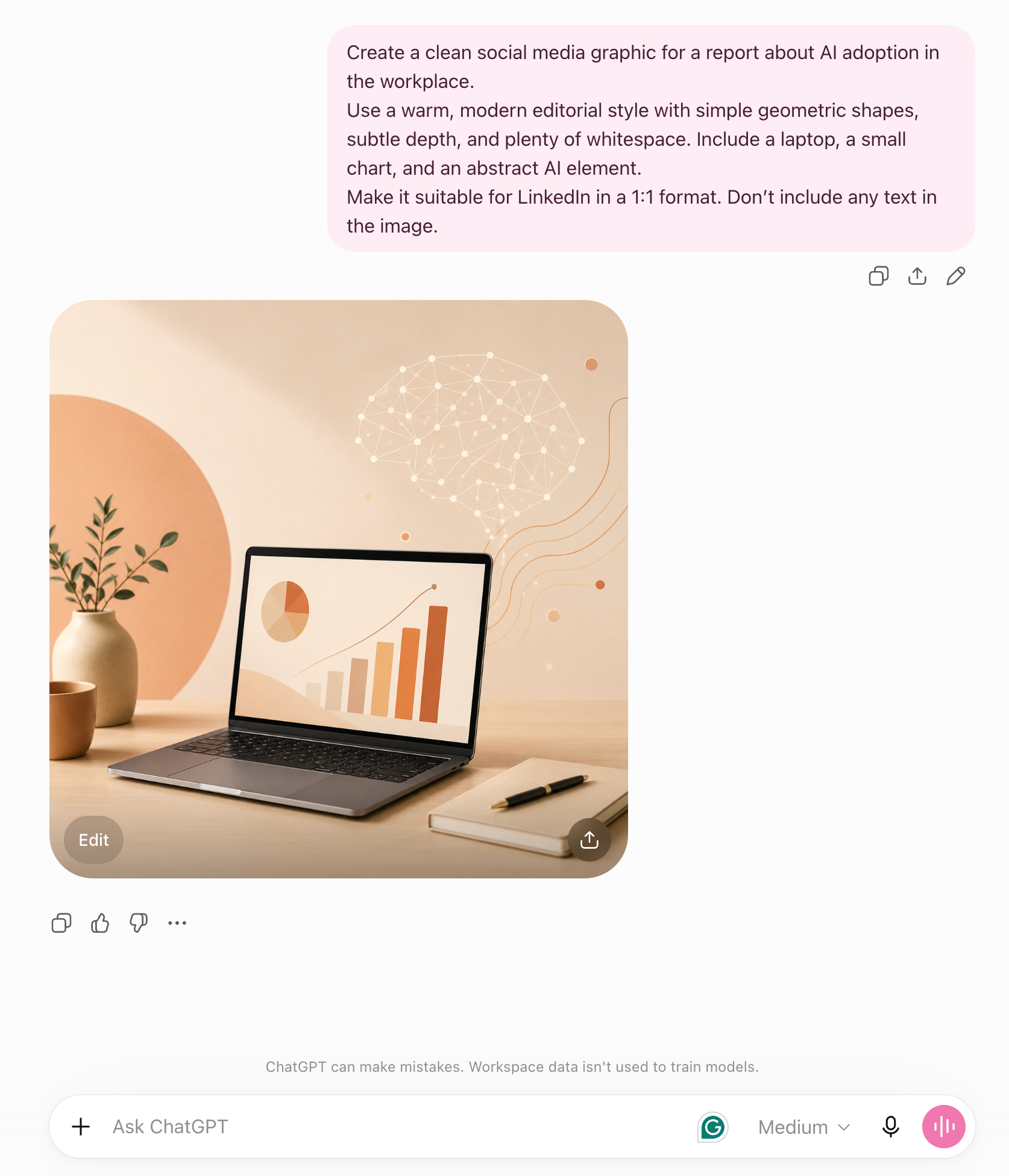
I now use ChatGPT's image tool more than any dedicated design tool, for quick assets, social posts, slide graphics, and rough mockups. Mostly because I can say make the background warmer instead of re-prompting from scratch every time.
For data, I've dropped in messy CSV exports and asked it to find the trends, and it writes and runs its own analysis rather than making me build a pivot table by hand.
Neither replaces a real designer or analyst for anything client-facing, but for a rough first pass on either, both save real time.
Voice mode and long-running tasks
I was skeptical about voice mode at first, but it's the one feature I never expected to keep using: I rehearse hard conversations with it, a pricing negotiation, a tricky performance review, before I have them for real.
The old standalone "Agent Mode" I used to rely on for multi-step tasks has actually been retired.
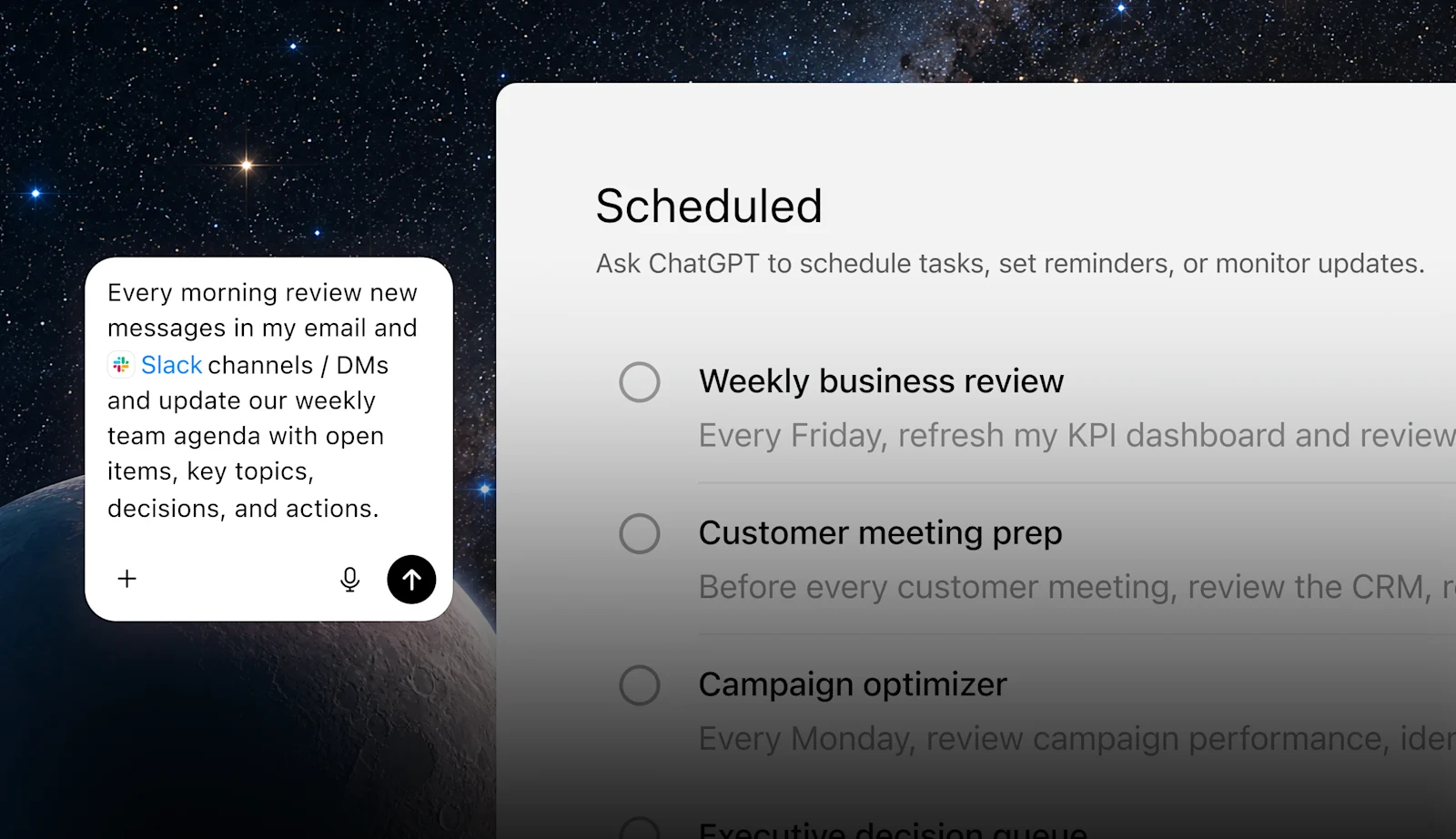
ChatGPT now splits into Chat for quick back-and-forth and Work for longer jobs and finished deliverables, plus Codex for code in the desktop app.
Inside Work, a cloud browser can complete supported tasks on public websites on its own. It's useful when it works, but I've also had it stall on a task that needed a login. The cloud browser won't type your password itself: you take over, sign in, and hand control back. It still can't handle payments at all.
What ChatGPT users commonly complain about
Across the reviews and threads I read on G2 and Reddit, three complaints came up over and over, and they lined up closely enough with my own experience that I'd take them seriously before subscribing.
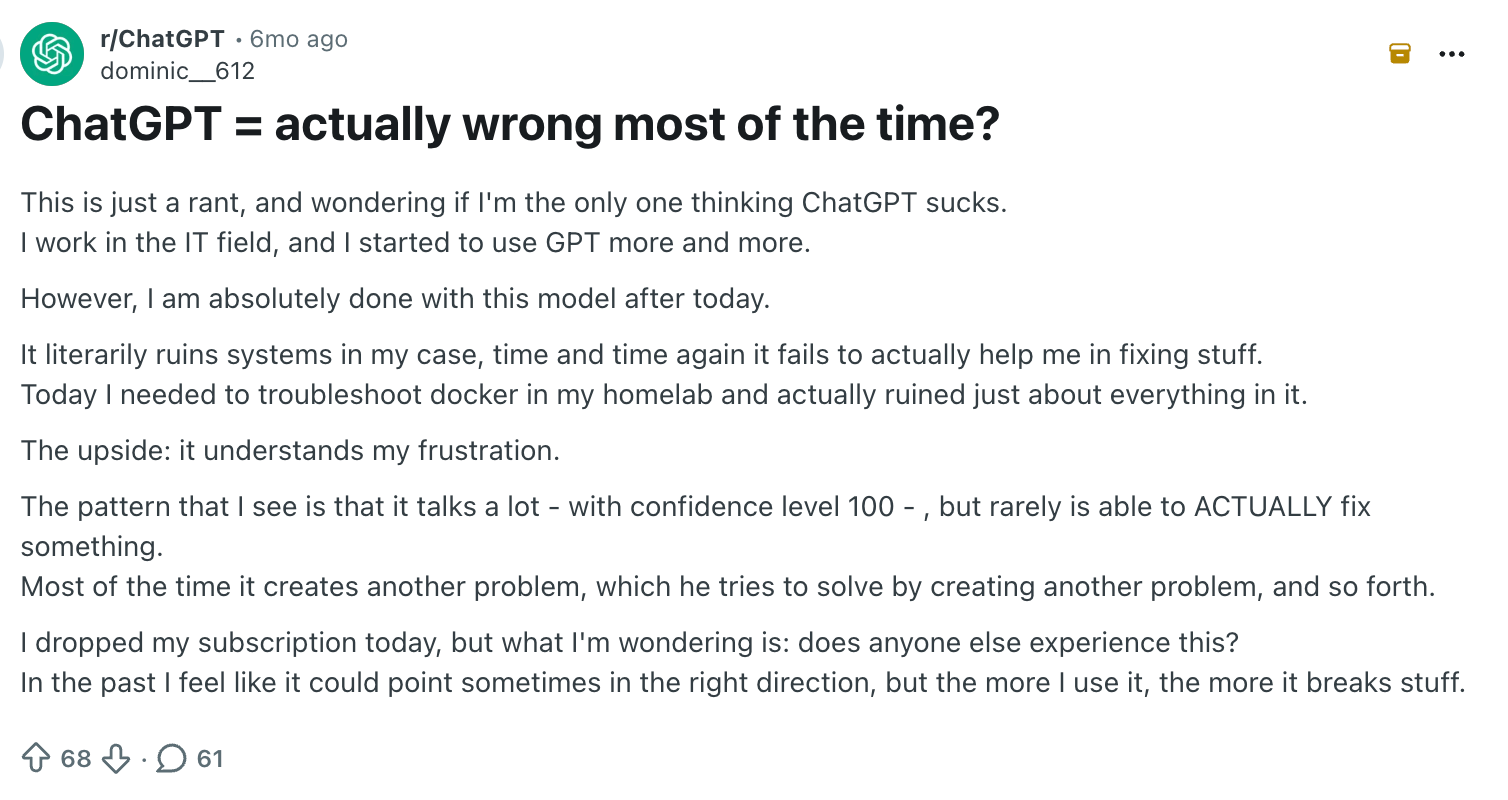
It's confidently wrong
A thread from Reddit describes getting answers stated as facts that turn out to be incorrect, especially on niche or highly specific topics, which tracks with my own coding experience above.
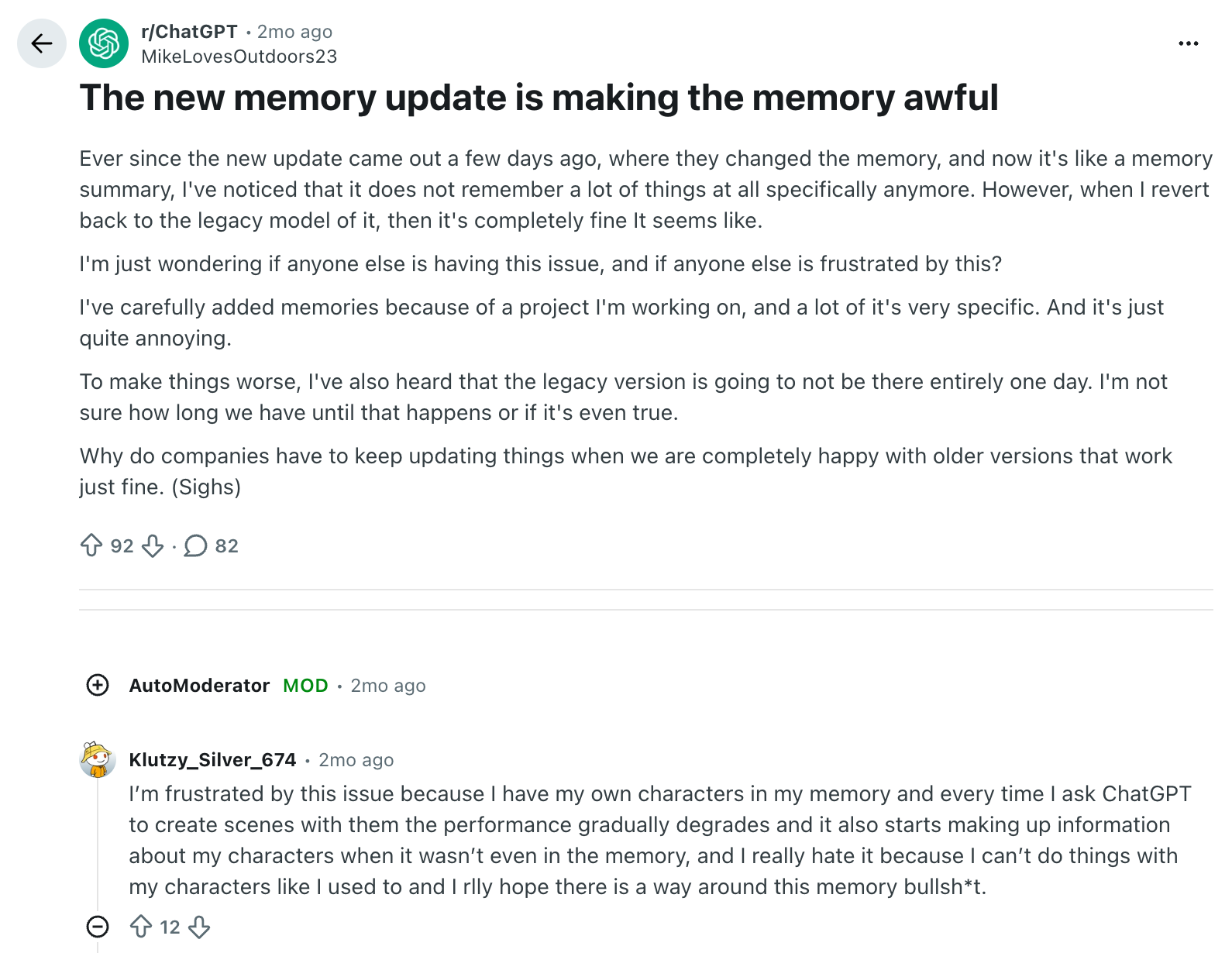
Memory doesn't always hold up
Users frequently describe it forgetting preferences or context they'd already given it. I still catch myself repeating instructions I was sure I'd already set.
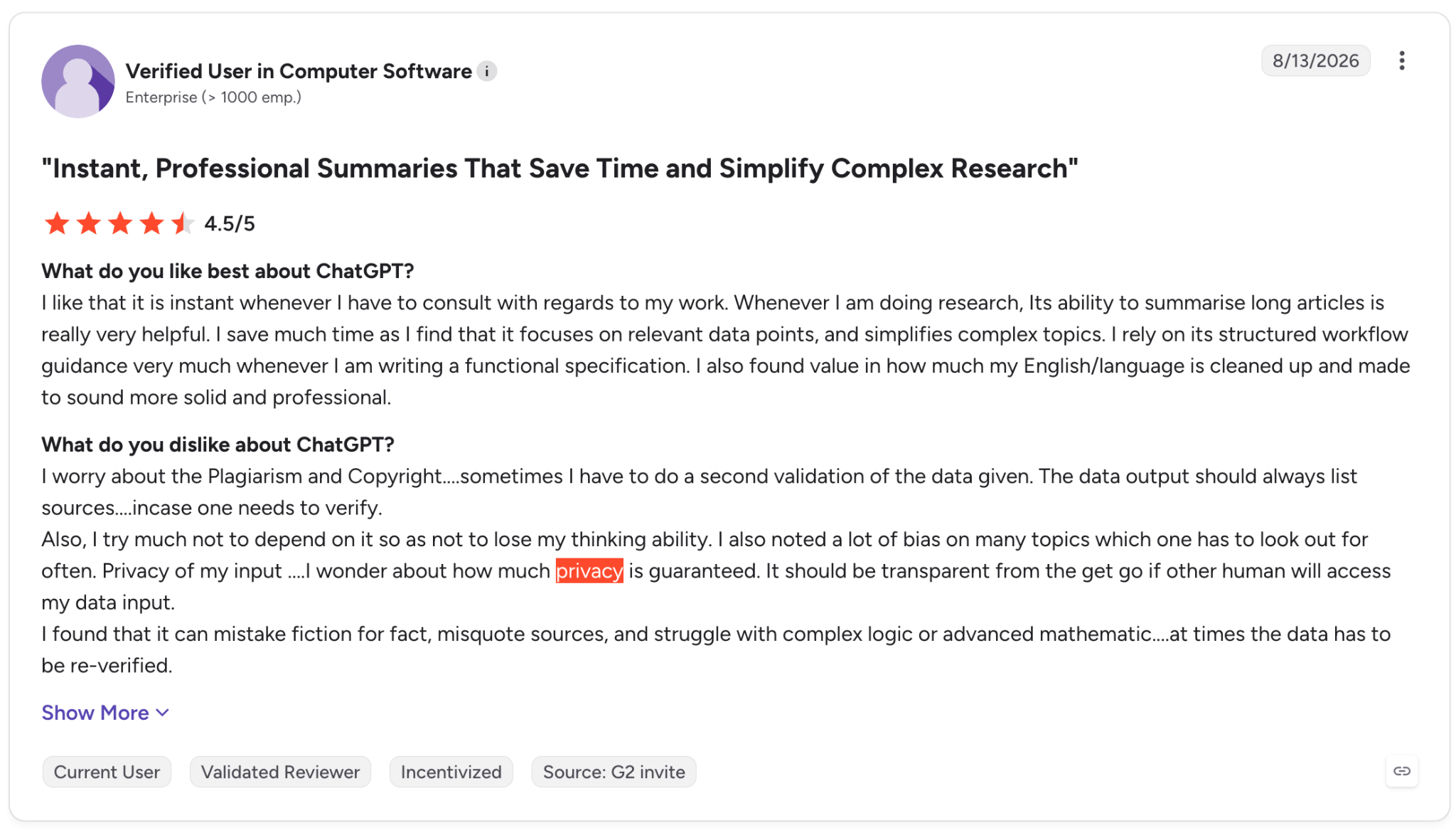
Privacy questions linger
Some reviewers stay uneasy about exactly how their data gets used, even with OpenAI's published data controls and opt-outs.
Why ChatGPT scores 4.6 on G2 and 1.6 on Trustpilot
Same product, wildly different scores. The gap comes down to who's rating it.
On G2, it sits around 4.6 out of 5 across 2,900-plus reviews, and on Capterra about 4.4 out of 5 across 300+ reviews, both from reviewers who list their job role and company size, which tracks with my own experience above.
But on Trustpilot, where the profile is unclaimed and the large majority of reviews are one star, ChatGPT sits at just 1.6/5 across more than 3,400 reviews. Trustpilot itself notes the sample is skewed here, since nobody was invited to review; people arrived to complain.
Both numbers are accurate. They're measuring two different groups of users.
If you're evaluating ChatGPT for professional work, the G2 and Capterra sentiment is the more relevant signal. If you're specifically worried about subscription billing or support responsiveness, it's worth skimming Trustpilot's complaints first.
{{templates}}
A personal ratings scorecard
Aggregate platform ratings only tell you so much. Here's my own scorecard after three months of daily use:
| What I tested | My score | Why |
|---|---|---|
| Ease of use | 9/10 | Nothing to learn; it works the moment you open it |
| Writing and editing | 9/10 | Best first-draft partner I've used, still needs a tone pass |
| Coding | 8/10 | Genuinely useful, but I verify every fix myself |
| Deep Research | 8/10 | Real-time savings on focused topics, thinner on broad ones |
| Accuracy and reliability | 6/10 | States wrong things with total confidence often enough to matter |
| Memory | 6/10 | Inconsistent between sessions, still repeats itself |
| Value for money, Plus | 8/10 | $20 removes the friction points that actually cost me time |
| Image generation | 8/10 | Saves real, measurable time, but doesn't replace a real designer |
| Data analysis | 7/10 | Same tradeoff as image generation, applied to messy CSV work |
| Voice mode | 7/10 | Genuinely useful, but narrow in scope |
That averages out to roughly 7.6/10 in my own testing, a notch below G2's crowd sentiment (4.6/5, or about 9.2/10) and well above Trustpilot's (1.6/5, or about 3.2/10).
My 7.6/10 lands much closer to G2 than Trustpilot, which fits what I found: strong for everyday work, with accuracy and memory pulling the score down.
Who is ChatGPT actually best for?
- Writers and marketers drafting content, headlines, and social copy who want a fast first pass, not a finished product handed to a client untouched.
- Product managers, founders, and ops teams who want to build small prototypes or scripts themselves.
- Researchers and analysts who would rather spend twenty minutes reviewing a deep research report than two hours manually cross-referencing sources.
- Anyone doing repetitive, low-stakes writing where a wrong detail costs nothing more than a quick correction before it goes out.
It's a weaker fit if you need guaranteed accuracy on the first try, or if you're hoping it will remember your ongoing priorities and act on them without you prompting it every time.
{{cta}}
How ChatGPT compares to Claude and Gemini
| Tool | Price | Best for |
|---|---|---|
| ChatGPT | $20/month (Plus) | Broadest toolset in one place, with writing, coding, research, images, and voice |
| Claude | $20/month, or $17/month billed annually (Pro) | Stronger at coding and long-form writing, with a more natural writing style |
| Gemini | $19.99/month (Google AI Pro) | Largest context window and a strong fit for Google Workspace users |
I use all three regularly enough to have opinions, and none of them wins outright.
ChatGPT is still the most well-rounded of the three: the broadest feature set in one place, image generation, voice, web browsing, deep research, and the biggest ecosystem of plugins and integrations.
Claude, in my experience, writes more naturally, with less of that "default AI voice" I mentioned earlier, and holds up better on genuinely hard coding and technical reasoning tasks.
Gemini's edge is Google Workspace: if your work already lives in Docs, Sheets, and Gmail, it slots in with less friction than the other two, and it handles longer documents without choking.
The honest answer to ChatGPT vs Claude vs Gemini depends on what you're actually doing with it, and for a lot of people, myself included, that means using more than one.
Not sold yet? We compared the top ChatGPT alternatives so you don't have to.
Is ChatGPT worth it in 2026?
For most people doing real work with it, yes.
Plus, at $20 a month is the plan I'd actually recommend, and it's the one I've stuck with ever since that 3 a.m. rewrite.
The free plan is useful for occasional questions, and its unlimited text chats go further than you'd expect, but it will bite you at an inconvenient moment the second you need to upload a document or run a deeper research task.
Pro, now starting at $100 a month, only earns its price if you're running dozens of deep research reports or heavy coding sessions every week; most people, myself included, will never actually need it.
The bigger caveat is the habit ChatGPT requires. You have to initiate every interaction, whether your inbox is piling up or a meeting starts in ten minutes. It works best when you remember to open the tab and give it something to do.
Try Lindy: An AI teammate that can act on its own
ChatGPT is still my go-to for writing, research, and open-ended work. Lindy is built more around ongoing work across Slack, email, calendar, and meetings, including tasks that can run without a fresh prompt each time.
I noticed the difference most with meeting prep. With ChatGPT, I usually bring in the context myself. Lindy can send a briefing before the meeting, including who I'm meeting and relevant context from previous conversations.
A few examples of what it can handle:
- Answer company questions: @mention Lindy in Slack to search connected meetings and tools, then return an answer with sources.
- Run scheduled updates: Meeting briefings, pipeline updates, and other recurring routines can arrive on a set schedule.
- Handle requests over text: You can send requests such as “reschedule my 2pm” or “follow up with Sarah if she doesn't reply by Thursday” through iMessage or SMS.
- Create finished outputs: Lindy can work through tasks that produce reports, decks, and files, dashboards included when it's set up as a skill.
- Follow admin controls: Admins can set each connected tool to always allow, require approval, or don't offer.
I use ChatGPT and Lindy for different parts of my workflow. ChatGPT handles much of my writing and exploratory work, while Lindy is more useful for recurring tasks that span the tools I already use.
FAQs
1. Is ChatGPT worth paying for in 2026?
For regular professional use, yes. Plus at $20 a month unlocks the deeper GPT-5.6 Sol model and expanded deep research and uploads, which is where most of the real value sits.
Casual users asking occasional questions can usually get by fine on the free plan, since text chats are now unlimited; it's the uploads and image generation that run out first.
2. Is ChatGPT actually accurate?
Mostly, but not reliably enough to skip checking its work. It handles well-known topics and common coding patterns well, but it will state incorrect information with complete confidence, especially on niche subjects, so verify anything you don't already know before you trust it.
3. Is ChatGPT safe to use with sensitive information?
For everyday tasks, yes. For sensitive client or company data, be a lot more careful. OpenAI publishes its data-handling policies and lets you opt out of training use in Data Controls, but Business and Enterprise plans offer stronger guarantees than consumer tiers.
4. What are the biggest negatives of ChatGPT?
ChatGPT's three biggest negatives are answers that are wrong but sound certain, memory that doesn't hold up between conversations, and open questions about how your data gets used.
On top of that, ChatGPT's reputation varies by platform: strong on G2 and Capterra, but notably weaker on Trustpilot, which is an unclaimed profile made up mostly of one-star complaints.
5. What's the difference between ChatGPT and an AI assistant like Lindy?
ChatGPT answers when you ask it something. Lindy acts without being asked, handling meeting prep and follow-ups in the background on its own. They solve genuinely different problems, and plenty of people, myself included, use both.
6. What should you never tell ChatGPT?
Anything covered by an NDA, passwords or API keys, health or financial records, and unreleased contract terms are the ones that come up most. If you're handling that kind of information regularly, Business or Enterprise's no-training-by-default guarantee matters more than any prompting habit.










