Voice.ai Review: Is Voice.ai Legit? Is It Worth Your Time?
Marvin reviewed Voice.ai's real-time voice changing and cloning features, testing Discord and Zoom compatibility, pricing, and privacy concerns for creators versus businesses.


People love Voice.ai for the fun effects, yet complain about billing issues, lag, or limited use outside streaming. So, we tested the tool and tried its AI voice generator. Discover how it works and where it makes sense to use.
What is Voice.ai and Is Voice.Ai Legit?
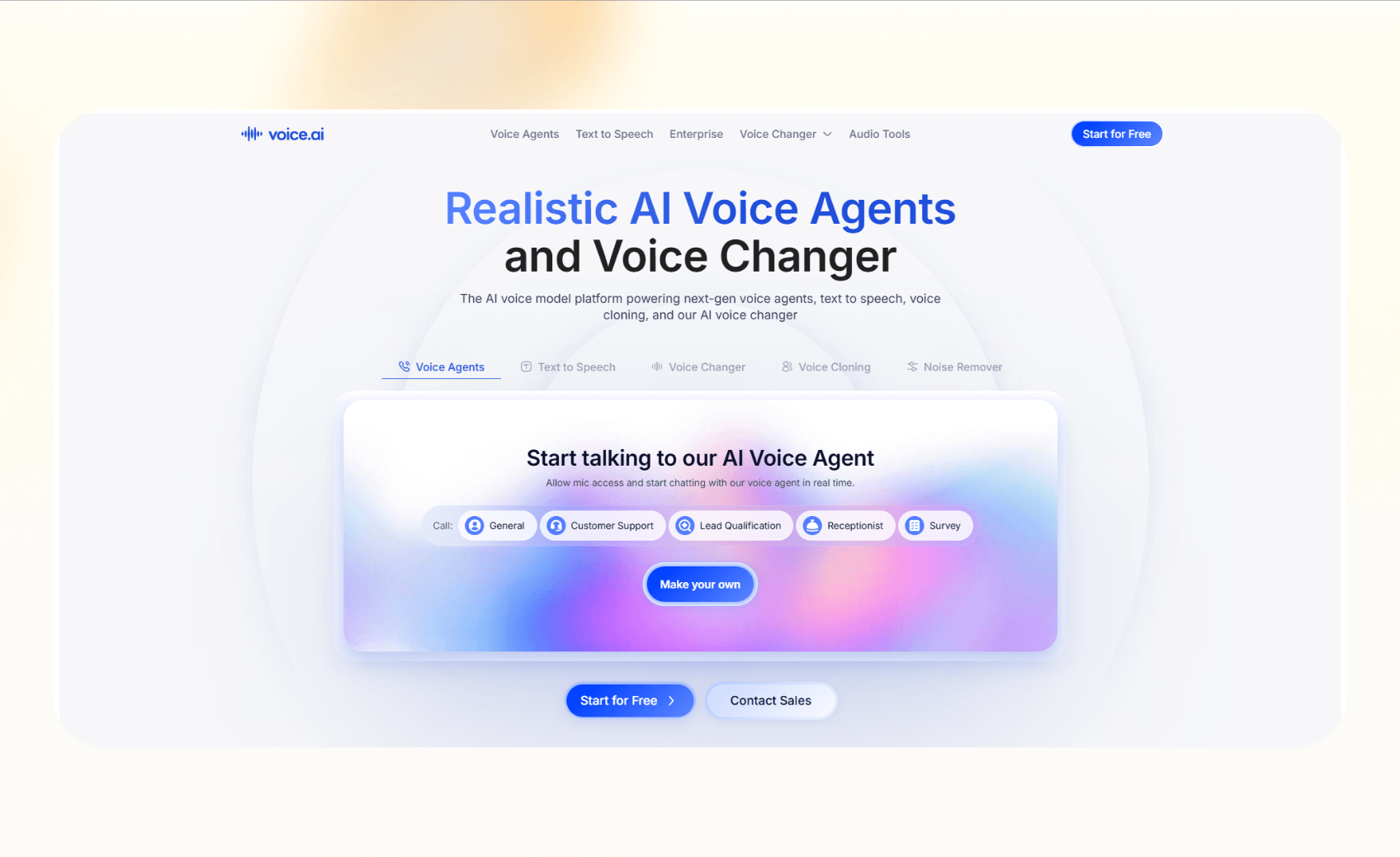
Voice.ai is an AI voice changer that lets you alter or clone your voice during calls, streams, or recordings. You install the desktop app, select a voice, and route it into apps like Discord, Zoom, or OBS. If you are looking for broader autonomous agent capabilities, reading a detailed manus ai review can help you evaluate other cutting-edge tools.
It also works as an AI voice generator with paid plans unlocking premium voices and custom cloning. It’s a fun tool for creators, but most of the Voice AI reviews highlight its limits for professional or business use. If you need conversational AI tools for customer interactions, consider exploring popular voiceflow alternatives instead.
Key features
Voice.ai’s features appeal to gamers, streamers, and creators who want more control over how they sound. Here’s what stands out:
- Real-time voice changing: The app routes your microphone through a virtual device, letting you change your voice instantly in Discord, Zoom, Twitch, or OBS. It's a popular feature among most users.
- Voice cloning and custom voices: Paid plans let you train and build custom voices, but the quality of these voices depends on your audio samples and hardware. This way, you can create unique identities for streaming or content.
- Community voice library: You get access to “Voice Universe”, their library of user-generated voices. You can browse, apply, or share them, making the platform feel like a free AI voice generator even without a subscription.
- Compatibility and performance: The software works on Windows and integrates indirectly with most communication or streaming apps through the virtual mic. However, the performance varies, especially on lower-end PCs.
How does Voice AI work?
Voice.ai works by installing a desktop app that creates a virtual microphone on your computer. When you speak, the software processes your voice, applies the chosen effect, and routes the altered output into apps like Discord, Zoom, or OBS.
Below is a step-by-step process:
- Download and install the Voice.ai app.
- Open the app and choose a voice from the library or create a custom one.
- In your meeting or streaming app, set the input device to “Voice.ai Virtual Cable.”
- Test your microphone to confirm the modified voice works in real time.
- Adjust settings for latency and audio quality based on your hardware.
For example, a streamer can join a Discord channel, select a celebrity-style voice, and broadcast it live while recording in OBS. It’s an easy way to experiment with different voices and effects.
If you’re looking for a tool that helps manage calls or automate business workflows like customer support or marketing operations, you might be curious about how Voice.ai stacks up against a platform like Lindy.
Let’s compare them for some clarity.
Voice AI vs Lindy: What’s the difference?
Voice.ai focuses on entertainment, giving gamers, streamers, and hobbyists a way to change or clone their voice. Lindy, on the other hand, lets teams create AI agents that handle calls, emails, and customer workflows.
Here’s how they stack up side-by-side:
| Factor | [Voice.ai](http://voice.ai) | [Lindy](https://www.lindy.ai/) |
|---|---|---|
| Primary use case | Voice effects and cloning for creative use | AI agents for calls, meeting notes, and CRM updates |
| Integrations | Works indirectly through a virtual mic in apps like Discord and Zoom | 4,000+ native connections with Google, Slack, HubSpot, Salesforce, and more |
| Safety & trust | Safety concerns around data collection, privacy, and billing | Transparent security standards, including SOC 2 and HIPAA compliance |
| Pricing | Starts free, paid plans from $30/month, billed monthly | Free plan, paid plans from $49.99/month, billed monthly |
| Long-term value | Limited to creative or casual scenarios | Automates business workflows with AI agents |
Voice.ai is for fun and anonymity. LindyAI voice agents for business outcomes like follow-ups or customer service. suits teams that want reliable
{{templates}}
Pros and cons of Voice AI
Knowing the strengths and weaknesses of Voice AI will help you decide if it fits your needs. Let’s see what works and where it falls short:
What works well
- Fun voice transformations that make streams or calls more engaging.
- A free tier that lets users test the app.
- A large library of community-created voices that keeps expanding.
- Simple setup for gamers and streamers using Discord, Zoom, or OBS.
Where it falls short
- Ongoing safety questions around privacy and billing complaints appear in Voice AI reviews.
- Limited utility as there are no direct business integrations.
- Performance issues such as lag or robotic output on mid-range PCs.
- Premium voices and cloning require a paid plan, and it doesn’t publish the pricing upfront.
Voice.ai works best when you want fun and casual use. If you need something reliable for calls or workflows, look for business-focused tools like Lindy or Synthflow. Developers building custom voice workflows can also explore vapi ai for automated phone agents and integrations.
Should you use Voice AI? Our take
Voice.ai is worth trying if your goal is entertainment. It delivers quick voice effects for Discord chats, livestreams, or creative projects. However, it does not replace professional AI calling tools.
You should skip it if you want reliability, compliance, or integrations with business apps. You’ll be better off with platforms that provide AI callers or AI customer service agents to handle workflows like follow-ups, booking, and CRM updates.
Who benefits the most from Voice AI
Voice.ai is for people who want creative audio experiences. Gamers and streamers use it to switch voices instantly. YouTubers and content creators apply it to roleplay or create unique characters. Podcasters and prank channels rely on it when they need variety without hiring extra voices.
Who should skip Voice AI
Voice.ai is not ideal for businesses that need AI call bots for follow-ups, outbound and inbound calling, AI note-taking, or automated CRM updates. Teams that need SOC 2, HIPAA, and other regulatory compliance should avoid Voice AI.
How to get started with Voice AI
You can set up Voice.ai in 7 easy steps. Here’s what to do:
- Create your Voice AI account and log in.
- Download and install the voice changer desktop app. There’s no app for macOS users, though.
- Open the app and select a voice from the library or build your own.
- In Discord, Zoom, or OBS, set your microphone input to “Voice.ai Virtual Cable.”
- Test your audio to confirm the effect works in real time.
- Adjust latency and quality based on your PC’s performance.
- If you uninstall, reset the mic input in each app to avoid errors.
Here’s a pro tip: Use Voice.ai on non-sensitive accounts until you’re comfortable with its privacy settings.
Voice AI best practices we wish we knew earlier
You’ll get the most out of your Voice AI subscription if you pay attention to setup and habits. Here are practices that help avoid frustration:
- Check app permissions: Make sure the mic input you share is the one you intend. This reduces confusion and chaos during calls or streams.
- Keep your original mic profile ready: Switch back quickly if latency or robotic output interrupts a call.
- Test voices before going live: Record short clips to find options that work best on your hardware.
- Download only from the official site: Third-party installers increase risk and show up in negative Voice AI reviews.
Common Voice AI mistakes and how to avoid them
People often make mistakes while using Voice AI, which can be dangerous, costly, or embarrassing. Here are the ones to avoid:
- Do not rely on Voice.ai for professional meetings where compliance matters.
- Do not forget to reset the mic input after uninstalling, which causes errors in Zoom or Discord.
- Never assume that you can use the community voices commercially without checking their licenses.
Our verdict on Voice AI
Voice.ai is fun and useful for creators who want quick voice effects for streams, podcasts, or casual calls. It works best as a free AI voice generator for light use, but it has limits when reliability and integrations matter.
For professional teams, they should choose a software that offers AI voice agents capable of handling calls, logging notes, and updating CRMs.
{{cta}}
Try Lindy, your AI voice assistant for sales, support, and calling tasks
Lindy is an affordable AI automation platform and a strong alternative to Zapier, Pabbly, and Make. It lets you build your own AI agents for loads of tasks.
You’ll find plenty of pre-built templates and loads of integrations to choose from. Businesses evaluating options for automated call handling can explore the best ai voice assistants to find the ideal fit.
Lindy helps automate your workflows with features like:
- Drag-and-drop workflow builder for non-coders: You don’t need any technical skills to build workflows with Lindy. It offers a drag-and-drop visual workflow builder.
- Create AI agents for your use cases: You can give them instructions in everyday language and automate repetitive tasks. For instance, create an assistant to find leads from websites and sources like People Data Labs. Create another agent that sends emails to each lead and schedules meetings with members of your sales team.
- 24/7 agent availability for async teams: You can set Lindy agents to run 24/7 for round-the-clock support, perfect for async workflows or round-the-clock coverage.
- Support in 30+ languages: Lindy’s phone agents support over 30 languages, letting your team handle calls in new regions.
- Personalized coaching from your sales calls: Lindy’s Meeting Coach adds AI to your sales calls with actionable insights. From objection handling to tone improvements, your reps get real-time feedback tailored to their unique skills and areas of growth.
- Role-play that adjusts to your reps in real time: Lindy simulates real conversations so reps can practice with dynamic, responsive role-play.
- AI Meeting Note Taker: Lindy joins meetings from Google Calendar. It records the conversation, creates transcripts, and writes structured notes in Google Docs. After the meeting, Lindy can send Slack or email summaries with action items and can even trigger follow-up workflows across apps like HubSpot and Gmail.
- Update CRM fields without manual entry: Instead of just logging a transcript, you can set up Lindy to update CRM fields and fill in missing data in Salesforce and HubSpot without manual input.
- Supports tasks across different workflows: Lindy handles website chat, lead generation, and content creation. You can create AI agents that help reduce manual work in training, content, and CRM updates.
- Cost-effective: Automate up to 40 monthly tasks with Lindy’s free version. The paid version lets you automate up to 1,500 tasks per month, which is a more affordable price per automation compared to many other platforms.
Try Lindy free and automate up to 40 tasks with your first workflow.
Frequently asked questions
Is Voice.ai safe to use?
Voice.ai is safe for casual use, but be aware of privacy and billing concerns reported by users. Antivirus scans sometimes flag it and users worry about how the app handles background mic access.
How much does Voice.ai cost?
Voice.ai costs $30/month for the Creators plan, billed monthly. You can only access the plans after you create an account and log in. You can start free and explore the tool without upgrading to any of the paid plans.
Can Voice.ai clone my voice?
Yes, Voice.ai can clone your voice if you provide enough audio samples. Paid tiers unlock this feature, but quality depends on your dataset and hardware.
Does Voice.ai work on Discord and Zoom?
Yes, Voice.ai works on Discord and Zoom by selecting the “Voice.ai Virtual Cable” as your input device. This makes it easy for gamers and streamers to change voices instantly.
Does Voice.ai store my recordings?
Voice.ai’s privacy policy lists audio data as collected, but it does not clearly state how long recordings are stored or whether they are reused.
Who should use Voice.ai?
Voice.ai is best for streamers, YouTubers, and creators who want variety in their content. It does not suit businesses that need compliance, structured follow-ups, or CRM updates.
What is the best AI tool for productivity beyond voice changing?
Lindy is one of the best AI tools for productivity as it lets you create AI voice assistants and agents. It also supports calls, follow-ups, and integrations with Slack, Google, and CRMs, making it ideal for workflow automation.










