Blog
AI in Sales
15 Most Powerful AI Sales Tools I Use for My Business in 2025

15 Most Powerful AI Sales Tools I Use for My Business in 2025

Flo Crivello
CEO
Lorem ipsum dolor sit amet, consectetur adipiscing elit. Suspendisse varius enim in eros.
Learn more
Jack Jundanian
Written by
Lindy Drope
Founding GTM at Lindy
Lorem ipsum dolor sit amet, consectetur adipiscing elit. Suspendisse varius enim in eros.
Learn more
Lindy Drope
Reviewed by
Last updated:
August 12, 2025
Expert Verified

After using tons of AI sales tools, the following 15 apps actually made the cut and helped me boost my business's sales in no time. From outreach to data analytics, I’ve mentioned a list of tools that covers the A to Z of sales. 

What are AI Sales Tools?

AI sales tools are software applications that use artificial intelligence to automate sales processes, analyze data, and provide insights to improve sales performance. These tools can help with various tasks, including lead generation, personalization, forecasting, and automating routine tasks. 

They can write sales emails, score leads based on intent, track calls, give suggestions during meetings, and even forecast revenue. Most of them plug into your CRM or email system and use AI to provide you with better insights and automation without you needing to do all the hard work.

For example, if you’re sending cold emails to a new list, an AI prospecting tool can find verified contacts, personalize your messages, and follow up automatically based on behavior. You just set it up and let the AI sales automation tools do their thing.

These AI-based sales tools are great for startups, growing sales teams, and even solo founders who want to scale their outreach without hiring a big team. They save time, reduce manual work, and improve accuracy across your sales process.

The 15 Most Powerful AI Sales Tools

  1. Lindy: Best AI Sales Assistant Software for End-to-End Task Automation
  2. HubSpot Sales Hub: Best AI Sales Software B2B Teams Can Scale With
  3. Salesforce Einstein: Best AI Add-On for Predictive Lead Scoring and Revenue Forecasting
  4. Clari: Best AI Sales Software for Real-Time Forecasting and Pipeline Visibility
  5. Gong: Best AI-Powered Sales Coaching and Conversation Analytics 
  6. Salesloft: Best AI Tool for Sales Engagement and Automated Deal Tracking
  7. Reply.io: Best AI for Sales Prospecting for Multichannel Sales Outreach
  8. Lemlist: Best AI Sales Tool for Personalized Cold Outreach
  9. Showpad: Best AI Content Management and Sales Enablement Platform
  10. Allego: Best AI Sales Tool for Real-Time Coaching and Content Performance
  11. Copy.ai: Best AI Sales Copy Generator for Cold Emails and Campaigns
  12. Saleshandy: Best AI Automation Tool for Cold Email Sequences
  13. Pipedrive: Best AI Sales CRM for Deal Management and Pipeline Automation
  14. Overloop.ai: Best AI Tool for Prospect Research and Personalized Outreach
  15. Clay: Best AI Tool for Sales Prospecting for Data Enrichment and Lead Discovery 

Top AI Tools for Sales Automation

1. Lindy: Best AI Sales Assistant Software for End-to-End Task Automation 

What does it do? Automates sales outreach, lead qualification, and CRM updates with AI-powered agents.

Who is it for? Founders and small to mid-sized sales teams wanting scalable, customizable automation without coding.

At Lindy, we built our platform to be one of the most practical solutions for automating sales workflows, especially when scaling without adding extra hires. Our no-code builder lets you easily create AI agents for cold outreach and follow-ups, mixing emails and SMS based on how leads engage. You can simply customize your workflow using a drag-and-drop interface. 

For inbound leads, you can deploy agents that qualify prospects through live conversations, take calls, ask pre-set questions, and book meetings directly into your calendar.

Meeting notes and call summaries sync directly into your CRM, ensuring every interaction from first contact to follow-up is logged without manual effort. Compared to tools like Pipedrive, which often need extra automation to achieve this level, Lindy handles it all out of the box.

Our real-time coaching feature monitors speech patterns during calls, flags missed steps, and provides performance breakdowns based on MEDDPICC and other sales frameworks. This feedback helps fine-tune discovery calls and improve pitch effectiveness.

What truly sets Lindy apart is how outreach, enrichment, scheduling, and CRM updates operate together in one platform. After some initial setup to configure CRM mapping and fallback conditions, everything runs smoothly in the background, freeing your team to focus on closing deals instead of juggling tools.

Lindy also offers the flexibility to switch between different AI models such as Claude, GPT, and Gemini. This lets you choose the model that best fits your workflow and preferences. 

Plus, if you want to get started quickly, our library of pre-built templates covers common use cases, so you can launch agents without starting from scratch.

Pros

  • Fine-grained permissions for agent access
  • Advanced logic and prompt chaining support
  • Lindy Academy for 24/7 access to tutorials and guides
  • Integrates with thousands of tools like Gmail, Salesforce, Notion, and Slack

Cons

  • Advanced workflows take time to test and configure
  • CRM field matching may need adjustments for custom pipelines

Pricing

  • Free: 400 tasks, 1M character knowledge base
  • Pro ($49.99/month): 5,000 tasks, 20M characters, phone automation
  • Business ($299.99/month): 30,000 tasks, advanced automation, priority support

{{templates}}

2. HubSpot Sales Hub: Best AI Sales Software B2B Teams Can Scale With

What does it do? Provides an all-in-one sales CRM with AI-driven lead scoring, workflows, and reporting.

Who is it for? B2B sales teams managing multiple brands or product lines needing centralized communication and insights.

HubSpot Sales Hub became my go-to when managing multiple brands with contact tracking, follow-ups, live chats, and reporting to run from one workspace. 

The built-in AI tools are surprisingly practical. After uploading a list of warm leads, the predictive lead scoring highlighted the ones that were most likely to close and suggested the next steps, gave deal insights, and even the best times to reach out. 

Setting up workflows was one of the biggest time-savers. I built sequences that handled everything from first-touch emails to follow-up reminders, and internal alerts kicked in automatically when deals reached certain stages, which helped the team stay on top of things.

When managing multiple brands, the multi-account feature kept things organized with each business unit having its own set of contacts, templates, and assets, so switching between product lines didn’t feel chaotic or messy.

With personalization, you can create custom deal stages, email snippets, and document templates tailored to the industries or personas you’re targeting, which keeps your messaging sharp while also saving you from rewriting the same stuff over and over.

Reporting is where HubSpot starts to shine for sales managers. The dashboards are fully customizable, so you can track things like pipeline health, deal velocity, rep performance, and conversion drop-offs in one view. It’s built to give clarity, not just more data.

If you’re comparing this to something like Lindy, the difference is clear. Lindy is focused on automation and agent workflows. HubSpot, on the other hand, is better suited as your central sales system where communication, tracking, and planning all live together. 

There is also a learning curve, especially if you’re on the Professional or Enterprise plan. But once it’s set up, it smooths out the day-to-day sales grind.

Pros

  • Integrated calling streamlines communication
  • Automatic lead rotation and assignment rules
  • Native tools for quotes, e-signatures, and payment links
  • Sandbox environment available for testing before going live

Cons

  • No monthly plans for Professional and Enterprise tiers
  • Some features, like advanced analytics or multi-touch attribution, need separate tools or paid upgrades

Pricing

  • Free: Basic CRM features
  • Starter ($15/month/seat): includes email tracking, scheduling, and automation
  • Professional ($100/month/seat) + $1,500 onboarding fee + annual commitment
  • Enterprise ($150/month/seat) + $3,500 onboarding fee + annual commitment

3. Salesforce Einstein: Best AI Add-On for Predictive Lead Scoring and Revenue Forecasting

What does it do? Adds AI-powered predictive lead scoring, forecasting, and content generation to Salesforce CRM.

Who is it for? Enterprises already using Salesforce seeking advanced AI customization and forecasting capabilities.

Einstein integrates directly with Salesforce setups and brings you predictions, lead scores, and smart recommendations without changing how your team operates. 

The predictive features helped a lot with prioritization. I used Einstein to score leads, flag churn risks, and highlight which deals had the highest conversion potential. If you’re working with large datasets or trying to narrow focus fast, this kind of built-in modeling makes a real difference. 

Einstein’s generative AI layer added even more value. Instead of writing follow-up emails from scratch or summarizing every call manually, the system could generate personalized, context-aware content by pulling directly from CRM records and past interactions. This saved time during pipeline reviews and gave reps a strong starting point for demos and emails.

If we take HubSpot Sales Hub, which works well for standard pipelines, Einstein gives you more control over forecasting and model customization, which is especially helpful when you’re managing larger or more complex sales structures.

With Agentforce, I set up AI agents to assist support reps who could summarize tickets, suggest resolutions, and even update knowledge base articles on their own. It trimmed down internal documentation work and helped the team focus on active tasks instead of writing summaries.

Everything runs from a central AI control panel, and here the platform starts to feel enterprise-ready. You can manage all active models, adjust prompts, and securely integrate external LLMs using Salesforce’s Trust Layer. 

If you’re working across multiple data systems or want to bring in your own AI models, the setup gives you room to experiment without security concerns.

No doubt, there’s a learning curve. Getting the most out of it does take time, especially if you’re tying together multiple products or data sources. But if your team’s already using Salesforce, Einstein turns it into a much smarter, more automated sales engine.

Pros

  • Custom GPT models can be trained on your proprietary data
  • Predictive scoring improves both B2B and B2C sales funnels
  • AI usage can be monitored and controlled with role-based access
  • Supports voice-based AI commands with mobile-friendly execution

Cons

  • Generative AI features require top-tier plans, which can be costly

Pricing

  • Salesforce Einstein GPT: Requires Salesforce Sales Cloud subscription. Billed annually only. Add-on is $50/user/month, not included in base plans. 

4. Clari: Best AI Sales Software for Real-Time Forecasting and Pipeline Visibility

What does it do? Delivers real-time sales forecasting, pipeline visibility, and risk alerts from CRM data.

Who is it for? Mid-market to enterprise teams focused on data-driven revenue forecasting and sales alignment.

Clari is designed to give real-time forecasting and pipeline visibility. It pulls data directly from your CRM, email, and calendar, and turns it into live insights that sales, marketing, and RevOps teams can use.

Forecasting accuracy was the first major shift. Instead of chasing updates from reps, you can see real-time changes in projected revenue, deal values, and pipeline stages. The AI engine behind it constantly analyzes patterns to show how deals are trending and where the risks are, and shows how confident you can be about hitting your targets. 

Clari’s Flow module helped track how deals were moving week after week. It flagged deals that were stalling, highlighted new pipelines coming in, and pointed out which ones needed attention right now. 

With the Groove add-on, Clari also captures every email, call, and meeting automatically. That activity data feeds into deal health analysis. If a high-value deal hasn’t been contacted in a while, it shows up flagged with a risk marker. 

There’s also a subtle but effective coaching layer that tracks talk time, buyer engagement, and whether reps are sticking to the sales playbook. For larger teams or new hires, this kind of visibility supports better training without needing a full-blown enablement program.

Where Clari shines is in team alignment, as everyone is working from the same numbers, whether it’s sales, marketing, finance, or leadership. The dashboards can be customized but the data stays consistent. 

Getting Clari set up took some coordination. Syncing with the CRM, defining key fields, and standardizing language across teams wasn’t plug-and-play. But once the foundation was laid, it started handling a lot of the work that was manually done, especially the stuff that usually slips through the cracks in fast-moving teams.

Pros

  • Supports multi-currency forecasting for global teams
  • API access enables custom reporting or integration with BI tools
  • Works well for businesses with long sales cycles or multi-threaded deals
  • Enterprise-level permission controls ensure data security and access flexibility

Cons

  • More suited for mid-market or larger teams
  • You need to go through sales to get a quote

Pricing

Clari does not list its pricing publicly.

5. Gong: Best Sales AI Powered Sales Coaching and Conversation Analytics

What does it do? Analyzes sales conversations for coaching insights and deals health via call, email, and meeting data.

Who is it for? Sales managers and reps aiming to improve conversation effectiveness and pipeline accuracy.

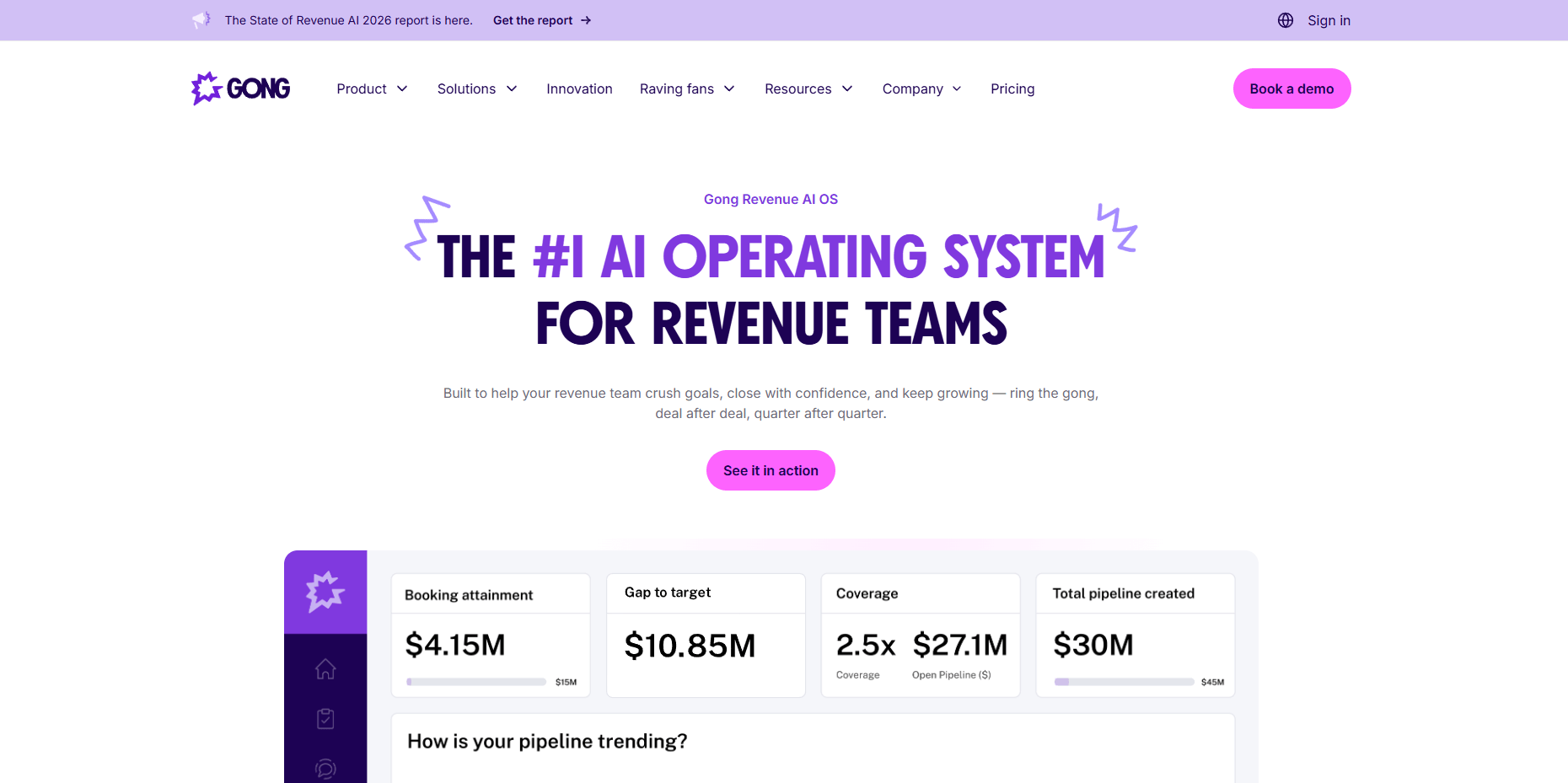
Gong captures insights directly from calls, emails, and meetings, giving you a live, unfiltered view of what happens in the deal cycle.

It runs on its data engine. Every Zoom call, email thread, or calendar invite gets captured and analyzed automatically. This alone cleaned up my CRM and saved hours every week. And gave me cleaner, more accurate data to work with.

Gong Forecast helps you get a sharper view of the deal's progress. During a test, it looked over 300 real signals like how responsive the buyer was, whether pricing came up, and if the right decision-makers were involved. 

The dashboard gave a clear picture of which deals were on track, which were risky, and which needed immediate attention. 

On the coaching side, Gong was a quiet but steady presence. It flagged missed discovery questions, weak pricing discussions, or patterns in how top reps handled objections. Managers got automatic alerts with coaching suggestions, which helped during 1:1s and onboarding sessions. 

If multiple prospects started pushing back on pricing or timing, Gong flagged it as a risk. These insights helped me shift my messaging and better prioritize follow-ups, especially at quarter-end when every conversation matters.

The setup was easy, but getting the full value took some effort. Custom trackers, team-wide adoption, and interpreting AI insights at scale required some upfront work. Once the team was onboard, though, Gong became a core part of how we ran pipeline reviews and planned the next steps.

Pros

  • Speeds new rep onboarding with access to top call recordings and best practices
  • Helps uncover why deals are stalling by surfacing hidden objections and lack of follow-up
  • Custom alerts notify sales leaders when high-value deals show signs of risk or go inactive

Cons

  • Pricing may be a barrier for startups or small teams
  • Requires reps to consistently use integrated channels (Zoom, email, calendar) to get full value

Pricing

Pricing details are provided through personalized quotes.

6. Salesloft: Best AI Tool for Sales Engagement and Automated Deal Tracking

What does it do? Automates sales engagement with adaptive multi-channel cadences and AI-powered research agents. 

Who is it for? Sales teams looking to streamline outbound prospecting and improve deal tracking.

Salesloft adds structure to outbound efforts with flexible, adaptive cadences. If someone replied, it paused. If a step was no longer needed, it skipped. This flexibility made prospecting a lot smoother and more predictable.

It didn’t spend time digging through LinkedIn or company sites; the Account Research Agent pulled key insights for me. I could see funding news, job changes, as well as account-level details, and this saved time and made first touches feel more personalized without much extra effort.

Sales calls were automatically recorded and transcribed. After each call, I could review how the conversation went, what objections came up, talk-to-listen ratios, and whether the rep asked the right questions. Those breakdowns were easy to share and became part of my coaching workflow.

On the deal side, you can use Salesloft’s forecasting tools to stay on top of pipeline health. It tracks engagement across all channels, not just calls, and uses that activity to flag deals that might be slipping. The forecasts felt grounded in what was happening. 

Salesloft offers a broader view across every touchpoint when compared to Gong, which leans more on conversation-level data. 

The AI-powered email suggestions are solid, too. They adjusted based on the prospect’s role, company size, and industry. That made it easier to personalize messages quickly without starting from scratch each time.

Overall, Salesloft filled in a lot of the operational gaps in my sales process. From prospect research and engagement to deal tracking and coaching, it kept everything moving in one system and let the team focus on selling instead of switching tools.

Pros

  • Quick scheduling and sync with external calendars
  • CRM integrations are smooth, keeping workflows clean and centralized
  • Multi-channel cadences adjust automatically based on engagement behavior
  • AI-powered research agents reduce time spent gathering account and buyer info

Cons

  • Notifications can be clunky at times
  • Cancellation requires a 60-day notice and a live call, which adds friction

Pricing

Contact Salesloft for customized pricing based on your needs.

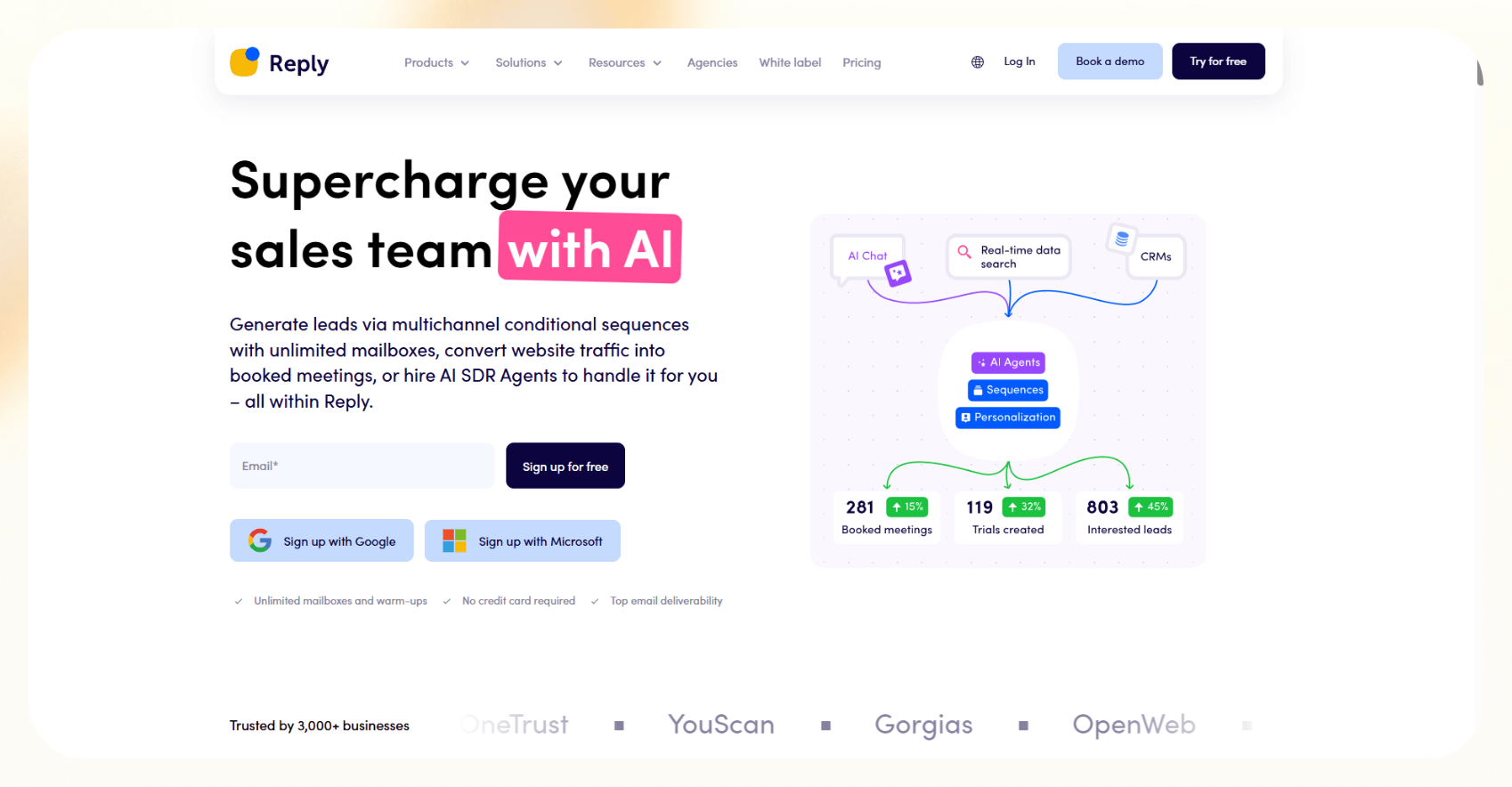
7. Reply.io: Best AI for Sales Prospecting for Multichannel Sales Outreach

What does it do? Creates personalized multichannel outreach sequences with AI SDR agents for follow-ups and meetings.

Who is it for? Growing sales teams wanting hands-free multichannel prospecting and reply management.

While using Reply.io, the sequence builder made it easy to create personalized flows that combined email, LinkedIn, and SMS from a single workspace. 

The AI sequence generator was a useful starting point. After entering a few details about the offer or target audience, it built an entire flow with subject lines, email copy, and follow-ups. It wasn’t generic either, as the messaging felt tailored enough to use with only minor tweaks. 

Once a campaign was running, Reply.io handled everything, from sending, tracking, and follow-ups to routing replies into a shared inbox. You can filter conversations, track engagement at each step, and automatically pause outreach once someone replies. 

Compared to some other AI sales tools, Reply.io puts more emphasis on maintaining email health, which pays off in consistency and inbox placement.

On the higher-tier plans, I tried their AI SDR agents, which responded to replies, handled objections, and booked meetings automatically. Used in a mid-market campaign, they followed through reliably without requiring daily oversight.

The analytics dashboard gave clear insights into what was working. You can track open and reply rates, link clicks, and conversions for each step in a cadence. It’s easy to test different subject lines or adjust timing based on performance.

The real power starts to show at the higher pricing tiers. That’s where Reply.io starts to replace manual outbound workflows with something faster, cleaner, and more scalable.

Pros

  • Unlimited contacts and mailbox scaling make it ideal for growing teams
  • Multichannel sequences keep outreach consistent across email, SMS, and LinkedIn
  • Built-in email warm-up and anti-spam tools improve deliverability and sender reputation
  • Chrome extension speeds up prospecting by connecting browsing directly to campaigns

Cons

  • AI-generated replies sometimes feel too generic
  • Managing high-volume campaigns across multiple users can quickly become messy

Pricing

  • Email Volume ($59/month): 50 live data credits, 1,000 active contacts/month, unlimited emails, basic CRM integration
  • Multichannel ($99/month/user): 10 mailboxes, 50 live data credits, advanced reporting, unlimited emails
  • Jason AI SDR (Starts at $500/month): Live contact search, AI personalization, AI-generated responses, and 24/7 operations 

8. Lemlist: Best AI Sales Tool for Personalized Cold Outreach

What does it do? Runs personalized cold outreach campaigns across email, LinkedIn, and phone with AI-assisted copy.

Who is it for? Sales teams scaling outbound outreach with a focus on personalization and deliverability.

Lemlist centralizes cold outreach with personalized multi-channel sequences. The sequence builder made it easy to set up multi-step flows using email, LinkedIn, and phone. You can personalize each step with custom text, dynamic images, and even build landing pages using Lemcal to include calendar links. 

AI support was built right into the campaign setup. I could draft subject lines and follow-up messages based on job roles and industries. The copy was strong enough to use as a starting point, especially when launching multiple campaigns. Some tweaking was required in tone and structure, but it sped things up.

With a database of over 450 million contacts and an integrated email finder, you get an option to filter by role, company size, tech stack, or region. The built-in email verifier helped reduce bounce rates, and verified leads could be dropped straight into active sequences. 

Deliverability was a priority, and Lemwarm handled that well. It slowly ramped up new inboxes, simulated real conversations, and helped keep the sender's reputation intact, which is especially useful when testing new domains or scaling up campaigns.

The reporting dashboard showed opens, replies, meetings booked, and even the performance of warm-up flows. Combined with inbox rotation, it gave visibility into what was working while minimizing risk to any one sender address.

Setup was quick, but accessing multichannel automation and CRM integrations requires upgrading to a higher-tier plan. Lemlist is ideal for teams actively scaling who want to keep their outreach targeted, personalized, and efficient, without micromanaging every detail.

Pros

  • Built-in warm-up and deliverability controls protect the sender's reputation
  • Chrome extension helps turn LinkedIn browsing into outreach without copy-paste
  • Keeps sales workflows unified across platforms like HubSpot, Salesforce, and Pipedrive

Cons

  • Not ideal for start-ups and small teams
  • Email account limits per user can be restrictive at higher volumes

Pricing

  • Email Pro ($69/month/user): Warm-up tools, CRM integrations, image personalization
  • Multi-Channel Expert ($99/month/user): LinkedIn + call automation, advanced support

9. Showpad: Best AI Content Management and Sales Enablement Platform

What does it do? Manages and delivers sales content while enabling AI-driven follow-ups and presentation coaching.

Who is it for? Sales enablement teams focused on content management and buyer engagement.

Showpad streamlines sales content management and delivery, reducing back-and-forth and preventing the wrong files from reaching prospects. Reps can organize content by industry, product, or deal stage. Its interactive tools enable building custom flows that are more engaging than static slides, especially when presenting to multiple stakeholders on a call.

Showpad Assist, the platform’s AI layer, took care of a lot of small but necessary tasks by drafting follow-up emails, suggesting next steps, and logging activity back to our CRM automatically. 

Tools like Lemlist or Reply.io focus more on top-of-funnel outreach, but Showpad added value during the mid-funnel, where deals are moving but still need momentum.

Shared Spaces is another handy feature, digital rooms where you can drop documents, videos, and relevant links for a prospect. I could see exactly when someone viewed a file, how long they spent on it, and what they clicked.

On the coaching side, PitchAI lets managers review recorded pitches and give feedback on tone, clarity, and delivery. It helped keep messaging consistent across the team and made onboarding smoother. 

Unlike Gong, which digs deep into call analytics, Showpad is more structured around presentation coaching and pitch alignment.

Also, some of the advanced features are locked behind the enterprise plan. Handling large PDF files with heavy visuals could feel a bit slow at times. But overall, the core experience was solid, reliable, and easy to roll out across teams.

Pros

  • Supports 30+ languages for global sales teams
  • Simplify compliance with detailed access controls
  • Speeds up content discovery with fast AI-driven search
  • Boosts buyer engagement with personalized content journeys

Cons

  • Lacks intuitive navigation 
  • Search feature gives inconsistent results and needs improvement

Pricing

Pricing information is available by contacting Showpad’s sales team.

10. Allego: Best AI Sales Tool for Real-Time Coaching and Content Performance

What does it do? Combines sales training, coaching, and content sharing with AI-driven learning recommendations.

Who is it for? Sales organizations prioritizing onboarding, coaching, and continuous learning.

Allego unifies sales training, coaching, and content sharing on one platform that reps can keep up with. The Content Hub quickly became my go-to space for decks, videos, battle cards, and internal training material. Everything was organized, searchable, and easy to keep updated. 

Enablement AI made the content feel more personal by recommending learning paths and resources based on each rep’s role and recent activity. 

For new hires, that meant faster onboarding. For experienced reps, it suggested relevant case studies or refreshers tied to their current deals. The recommendations felt timely and useful without being overwhelming.

You can also use Allego’s AI coaching tools to strengthen sales calls that analyse metrics like talk-to-listen ratio, objection handling, and pacing, then deliver feedback automatically. Managers could review key moments and send short coaching notes, cutting down on review time without sacrificing quality.

With the Digital Sales Rooms (DSRs), I built branded spaces for each account, packed with tailored content, demo clips, and proposals. When a prospect viewed or shared something, I got notified through the analytics dashboard, which helped us follow up at the right time with the right message.

While Showpad focuses more on content delivery and presentation coaching, Allego puts more weight on structured learning and long-term skill development. 

The only adjustment was getting everyone comfortable with the different modules. It’s a full-featured platform, so I rolled things out in phases. Once people got used to the workflow, it became a core part of how I trained, coached, and enabled the team.

Pros

  • Intuitive interface that’s easy for admins and reps to adopt
  • Frequent platform updates keep features aligned with modern sales needs
  • Simulations and video assignments keep onboarding and learning interactive
  • AI-powered content search saves time and improves sales messaging consistency

Cons

  • Features may overwhelm teams needing basic training
  • Slight learning curve, especially for those new to AI tools

Pricing

Offers custom pricing tailored to your team size and requirements.

11. Copy.ai: Best AI Sales Copy Generator for Cold Emails and Campaigns

What does it do? Generates AI-powered sales copy and personalized outreach templates for emails and campaigns.

Who is it for? Marketing and sales teams needing quick, relevant, and scalable copywriting.

Copy.ai accelerates sales copywriting with AI-powered templates and workflows. I used the GTM AI platform to build reusable workflows across both departments. Instead of manually writing every email or ad, this automated a lot of that using real-time data. 

The AI pulled in web-sourced insights, that too with citations, so that the content wasn’t just filler. This was especially useful when targeting fast-moving industries where timing and accuracy matter.

The brand voice feature made a noticeable difference. After uploading a few samples of the existing content, the AI started generating copies that sounded like us. It saved time on editing and helped keep messaging aligned across touchpoints.

For outbound sales, you can use the prompt library to build sequences tailored to different buyer personas. The messaging wasn’t generic as it referenced real company updates, market moves, or tech stacks, which made the outreach feel more relevant and less templated.

Collaboration was also smooth. I created shared folders for campaign drafts, ad variations, and sales messaging templates. Reps could reuse or refine what others had built, which helped the sales and marketing teams stay aligned without constantly starting from scratch.

It’s not a CRM or outreach tool itself, but it fits well into a larger sales AI stack. I used it alongside tools like Lemlist, Reply.io, and HubSpot Sales Hub to feed personalized copy into our sequences.

Some of the advanced controls, like switching between AI models or adjusting output formats, felt a bit complex at first. But once the templates and workflows were in place, using it day-to-day was fast, reliable, and easy to scale.

Pros

  • Web-sourced content keeps outreach current and relevant
  • Supports multilingual campaigns and SEO-driven workflows
  • Project folders and user seats make collaboration easy for teams

Cons

  • Not designed for direct outreach
  • No built-in plagiarism detection for sensitive or original long-form content

Pricing

  • Free: 1 seat, 2,000 words/month
  • Starter ($49/month): Unlimited words in chat, unlimited chat projects
  • Advanced ($249/month): 5 seats, 2k workflow credits/month, 15+ sales workflows

12. Saleshandy: Best AI Automation Tool for Cold Email Sequences

What does it do? Automates high-volume cold email campaigns with warm-up, tracking, and personalized follow-ups.

Who is it for? Email-first sales teams focused on volume and deliverability.

Saleshandy specializes in high-volume cold email campaigns with strong deliverability. The setup was simple. I connected my email account, uploaded a CSV of leads, and built out my first multi-step sequence in under an hour.

The campaign builder was clean and easy to work with. You can write multiple follow-up steps, set delays between them, and keep everything in one flow. Unlike some platforms that limit sequences or charge extra for longer cadences, Saleshandy allowed unlimited follow-ups even on the mid-tier plans.

Deliverability was a big focus, and that’s where Saleshandy stood out. It handled email warm-up automatically in the background and slowly ramped up sending volume by using a private warm-up network to simulate engagement. As a result, my open rates stayed consistently high, and spam flags were rarely an issue.

There is built-in lead sourcing, too. Since each lead comes with a verified email, you don't have to jump between prospecting and outreach tools to get a campaign off the ground.

Once things were live, the unified inbox helped manage replies across all connected accounts. It felt familiar, like a stripped-down Gmail but designed for outbound sales. This means you can snooze replies, flag leads, or move conversations around without switching tabs.

Saleshandy doesn’t try to be an all-in-one outreach platform as there are no LinkedIn automation or calling features. But if email is your primary channel, it focuses hard on doing that one thing well. 

If we compare it to Lemlist or Overloop, Saleshandy is more focused, more reliable, and better suited for teams that want to scale cleanly.

The only real drawback is the single-channel limitation. If you need LinkedIn steps or voice touchpoints in your sequence, this isn’t the one for you. But for email-first sales teams that care about volume, delivery, and workflow, Saleshandy nails the basics.

Pros

  • Unlimited follow-ups, even in non-enterprise plans
  • CRM and Zapier integrations make the handoff to sales smooth
  • Scales up to 300,000 emails per month without performance drops
  • Strong personalization with CSV variables and spam-safe copy assistant

Cons

  • No permanent free plan; just a 7-day trial with limited sends
  • UI is clean, but not as modern or intuitive as some newer platforms

Pricing

  • Outreach Starter ($36/user/month): 6,000 emails/month, 2,000 prospects, and 1,000 verification credits. Basic warm-up, personalization, and analytics included.
  • Outreach Pro ($99/user/month): 150,000 emails/month, 30,000 prospects, and 5,000 verification credits. Unlocks advanced analytics and API access.
  • Outreach Scale ($199/user/month): 240,000 emails/month to 60,000 prospects, and 10,000 verification credits. Adds white-label features.
  • Outreach Scale Plus ($299/user/month): 300,000 emails/month and 100,000 prospects, and a dedicated success manager.

13. Pipedrive: Best AI Sales CRM for Deal Management and Pipeline Automation

What does it do? Provides a visual CRM with AI-powered deal tracking, automation, and email productivity tools.

Who is it for? Small to mid-sized sales teams needing intuitive pipeline management and automation.

Pipedrive brings pipeline management into a visual, easy-to-use CRM. The visual pipeline was the first thing that clicked as I could drag and drop deals between stages, customize columns by product line, and set activity reminders without relying on memory.

The AI Sales Assistant worked quietly in the background. It flagged deals that had gone cold, suggested next steps, and even surfaced integration ideas that fit the way I worked. It didn’t overwhelm or distract, but just kept the rhythm going.

Email productivity was another area where Pipedrive helped. The built-in AI could generate reply-ready voice drafts, suggest quick responses, and even summarize long threads. It saved time, especially when juggling multiple conversations at once.

I also leaned into automation and set up workflows to send follow-up emails after calls, assign tasks when deals moved forward, and remind reps to log notes after meetings, which reduced the admin load and kept the CRM accurate without extra effort.

In comparison with Salesforce Einstein, Pipedrive felt refreshingly lightweight. It’s intuitive and easy to learn, and you can get real value out of it without a long onboarding period. 

The reporting features were more capable than I expected and could track deal velocity, close rates, and rep performance, then export charts or dashboards without needing a separate analytics tool. 

There is one limitation, though. Some of the more advanced AI features are only available on higher-tier plans. If you’re on Essential or Advanced, you’ll get the basics, but the real power of automation and smart suggestions comes in at the Professional or Power levels.

Pros

  • Strong mobile apps for selling on the go
  • Excellent data security and GDPR compliance
  • Scalable pricing plans for individuals to enterprises
  • Wide range of integrations and add-ons via the marketplace

Cons

  • The essential plan lacks email integration and automation, limiting CRM value
  • AI tools like summaries and suggested replies are only available in mid to top-tier plans

Pricing

  • Lite ($24/user/month): Lead, calendar, and pipeline management
  • Growth ($49/user/month): Unlocks email sync, live chat support, and forecast reports 
  • Premium ($79/user/month): Lead gen and routing, plus AI multi-email tools
  • Ultimate ($99/user/month): Advanced security and max usage limits

14. Overloop.ai: Best AI Tool for Prospect Research and Personalized Outreach

What does it do? Offers AI-driven prospect research combined with personalized multichannel outreach automation.

Who is it for? Mid-sized sales teams looking for AI-powered lead sourcing and hands-free outreach.

Overloop.ai offers AI-driven prospect research combined with personalized outreach. After defining our ideal customer profile, I generated a tailored list from its database of over 450 million contacts. The verified email finder helped reduce bounce rates, while the filters made it easy to narrow down prospects by specific roles, industries, or tech stacks.

Instead of just dropping in merge tags, Overloop’s AI scraped the prospect’s website, pulled key insights, and wrote messages that felt researched. It handled everything, from subject lines and body copy to LinkedIn messages, and I didn’t have to rewrite or adjust anything for it to sound intentional.

Campaigns ran across multiple channels. After setting up flows that included LinkedIn visits, connection requests, cold emails, and calls, Overloop automatically handled the timing and sequence shifts, adjusting based on how leads responded. 

While Lemlist also does multichannel well, Overloop leaned harder into AI-generated content and hands-free lead sourcing.

The built-in task manager was another small but helpful feature that automatically tracked engagement, logged actions, and created tasks when someone clicked but didn’t reply. 

Deliverability was handled quietly through Overloop’s built-in warm-up tools. They ran in the background and helped protect our domain reputation. I didn’t have to bring in a third-party warm-up tool just to get emails into inboxes.

There were a couple of limitations. Editing live sequences wasn’t always flexible and if I wanted to make mid-campaign changes, it often meant restarting or manually adjusting the flow. And it could lag slightly when filtering large datasets.

Pricing-wise, Overloop is positioned for mid-sized teams more than solo users. And without a free trial, getting started requires a bit of upfront trust. But if you’re running multichannel outreach and want strong AI support baked into the process, it delivers.

Pros

  • Easy-to-use interface and campaign builder
  • Integrates with major CRMs, Slack, Zapier, and more
  • Supports 80+ languages for global personalization at scale
  • Strong compliance (GDPR, CASA Tier 2 certified) for data protection

Cons

  • No free trial; only a money-back guarantee after signup
  • Pricing can be steep for small teams or early-stage startups

Pricing

  • Starter ($69/user/month): 250 prospects/month, 1 email account, basic integrations
  • Growth ($99/user/month): 500 prospects/month, 3 email accounts, HubSpot & Pipedrive sync

15. Clay: Best AI Tool for Sales Prospecting for Data Enrichment and Lead Discovery

What does it do? Automates lead sourcing, enrichment, and qualification with real-time data updates and personalization.

Who is it for? Sales teams need advanced data enrichment and research to improve outreach accuracy.

Clay automates lead sourcing and enrichment with real-time data updates. Instead of jumping between databases and enrichment tools, everything happened in one place in a fast, accurate, and fully automated way.

I started by setting filters like funding round, job title, tech stack, and location, and it pulled matching contacts from sources like LinkedIn, public filings, company databases, and other premium providers. 

Once the list was ready, Clay automatically filled in company info, job history, social links, and even website activity, updating it in real-time. There was no need to copy data between tools or plug gaps manually, as it was all there, ready to go before outreach even started.

Personalization was another strength. Every message felt like it had some real research behind it, even when I was reaching out to dozens of prospects a day. It was a step above traditional mail merges and more flexible than most built-in personalization tools from outreach platforms.

When compared to Overloop or Reply.io, which focus more on execution, Clay filled a clear top-of-funnel gap: finding the right people and giving you what you need to say the right thing.

There is a learning curve. Custom columns, formulas, and automation paths take a little time to understand, especially if you’re not familiar with spreadsheet-style logic. But once it’s up and running, the system works quietly in the background and saves hours of manual work.

One thing to note is that Clay uses a credit-based pricing model. If you’re running high-volume campaigns or pulling multiple data points per lead, those credits can burn quickly. For smaller teams, it’s worth keeping an eye on usage to avoid surprises.

Pros

  • Allows cross-team collaboration by sharing live lead views
  • Supports bulk enrichment without slowing down performance
  • Works well even for non-coders, thanks to a drag-and-drop interface

Cons

  • Clay is not a fully functional CRM
  • Outreach automation needs careful control to avoid overly aggressive messaging

Pricing

  • Free Plan: 1.2k credits/year, up to 100/search
  • Starter ($134/month): 24k credits/year, up to 2000 searches, AI/Claygent
  • Explorer ($314/month): 120k credits/year, up to 10,000 searches, webhooks
  • Pro ($720/month): 600k credits/year, up to 250,000 searches, CRM integration

{{cta}}

How To Use AI Sales Software To Boost Your Business

If you want to automate your entire outreach process, from lead research to follow-up emails, Lindy is one of the best AI sales tools to get started with. It does more than just help you send more emails. Lindy builds the entire flow for you, personalized and efficient, so your team can focus on the conversations that move deals forward.

Here’s how I’ve seen it work across different stages of the sales process:

  1. Automate your routine admin work: One of the first places AI makes a difference is with all the small but time-consuming admin tasks. Think of things like entering data into your CRM, scheduling follow-ups, writing quick email replies, or creating meeting summaries. Instead of doing this manually, AI tools can handle most of it for you in the background. It happens as you work, and the CRM stays up to date without effort.
  2. Qualify and prioritize leads more intelligently: With AI, you no longer have to rely on gut feeling to know which leads are worth pursuing. Most tools today analyze dozens of factors like industry, company size, buying signals, past engagement, and even job changes. They give you a clear, prioritized list of leads that match your ideal customer profile. 
  3. Write smarter, personalized outreach at scale: Personalization usually takes time, especially if you’re trying to mention a prospect’s company updates or tailor your pitch to their role. AI handles that workload by pulling in data from their website, LinkedIn, or previous interactions and using that to craft messages that feel personal.
  4. Forecast better and spot risky deals early: Every sales leader wants a clean forecast, but let’s face it, it’s often just a best guess. AI forecasting tools use actual sales behavior and engagement signals to calculate which deals are likely to close. They also flag deals that are stagnating or missing key steps. So instead of scrambling at the end of the month, you know weeks in advance which deals need attention. 
  5. Coach your reps without micromanaging: AI sales software can listen to sales calls, track how reps are doing, and even suggest ways to improve without you having to be on every call. It can show which reps are dominating the conversation, who’s skipping discovery questions, or which objections keep coming up. 
  6. Keep your CRM clean and up to date: CRMs are often messy. Half-filled fields, outdated contacts, missed updates, and it adds friction to everything. AI tools now make sure your CRM is always synced and cleaned. They auto-fill missing details, remove duplicates, and even enrich contacts with the latest data from public sources. 

The best part is that AI sales tools don’t just benefit your sales team; they improve how your whole company operates. Since these tools pull and push data across different platforms, your marketing and support teams stay in sync. 

How To Automate Your Outreach Strategy with AI

If you’re looking to automate your entire outreach process, from lead research to follow-up emails. Lindy is one of the best AI sales tools to get started with. It doesn’t just help you send more emails. It builds the whole flow for you, personalized and efficient, so your team can focus on conversations that move deals forward.

Here’s how you can use Lindy to build an AI-powered outreach strategy from the ground up:

  1. Find your ideal leads without hours of research: Lindy’s lead sourcing capabilities automatically pull prospects based on your target persona. Simply define job title, industry, or company size, and it generates a high-quality list in minutes. 
  2. Automate personalized email sequences at scale: Once your lead list is ready, Lindy crafts email sequences tailored to each contact. It’s not just basic templating; it pulls real time info from public sources to customize messages for the person’s company, role, and recent updates. You can adjust tone, length, and content, and review everything before it goes live.
  3. Get started quickly with pre-built templates and extensive integrations: Lindy offers a library of pre-built templates for common outreach workflows, so you don’t have to start from scratch. Plus, its smooth integration with popular CRMs and tools keeps your data connected and your process streamlined.
  4. Schedule multi-channel follow-ups effortlessly: Automate multi-step sequences across email, LinkedIn messages, and calendar invites. You decide the timing and frequency, and Lindy handles the rest in the background, no spreadsheets required.
  5. Reply to prospects with AI that sounds like you: Lindy offers smart reply suggestions that draft responses matching your voice and context. You can review or edit before sending, saving you valuable time when managing dozens of replies.
  6. Track performance and optimize instantly: Get clear insights on open rates, reply rates, meeting bookings, and more. If something isn’t working, Lindy recommends adjustments in subject lines, timing, or message structure; no data analyst or A/B testing expertise needed.

If you’re serious about scaling your outreach and saving hours every week, Lindy is a great starting point

Frequently Asked Questions (FAQs)

How do I choose the right AI sales tool for my business?

Start by understanding what part of your sales process needs the most help. Is it lead generation? Writing outreach emails? Tracking deals or forecasting revenue? Once you know what you need, look for tools that specialize in that area. Also, make sure the tool can connect with your existing CRM or email platforms and that it fits your team size and budget. Some tools offer free trials or starter plans, which are great for testing before committing.

What are the main benefits of using AI sales tools?

The biggest benefit is time savings. These tools automate routine tasks like sending follow-ups, writing emails, or scoring leads. They also help you reach the right people with more personalized messages, which improves conversion rates. On top of that, AI tools can analyze your pipeline and give recommendations to close deals faster. All of this adds up to better productivity and more sales.

Can AI sales tools integrate with my existing CRM or sales software?

Yes, almost all modern AI sales tools are built to integrate smoothly with popular CRMs like Salesforce, HubSpot, Zoho, and Pipedrive. This ensures your sales data stays in sync across platforms. You won’t have to enter things manually or switch between multiple tabs to follow up with a lead. Some tools even recommend the best integrations for your setup using AI.

Are AI sales tools suitable for small businesses or only for large enterprises?

They work for both. Many tools now offer flexible pricing and features that scale with your business. If you’re a solo founder or a small team, you can start with affordable plans that still include AI capabilities. As your business grows, you can upgrade to more advanced features like AI-powered SDRs, predictive analytics, or integrations with multiple platforms.

How secure is my data when using AI sales tools?

Most reputable tools take security seriously. They follow industry standards like GDPR compliance, data encryption, and secure login systems (like SSO). However, not all tools are equal. So it’s important to check their privacy policies, certifications (like SOC 2), and whether they store or access your customer data. Always go for tools that are transparent about how they handle your information.

Will AI sales tools replace human sales reps?

No, they won’t. These tools are meant to assist and not replace your sales team. Think of them as smart assistants. They take care of repetitive tasks like data entry, follow-up reminders, or drafting emails. This frees up your team to focus on what matters: building relationships, having real conversations, and closing deals. AI helps reps do more, not become less important.

How quickly can I see results after implementing an AI sales tool?

If set up properly, you could start seeing results within a few weeks. Many users notice faster lead responses, better engagement, and fewer missed opportunities almost immediately. Long-term results like improved sales velocity and higher close rates might take a month or two, depending on your sales cycle. The key is to onboard your team well and set clear goals from the beginning.

What types of tasks can AI sales tools automate?

There’s a wide range. Most tools can write and send emails, score and prioritize leads, schedule meetings, update CRMs, track buyer engagement, and even analyze sales calls for coaching insights. Some advanced tools also generate talking points, identify at-risk deals, and suggest the next best actions based on buyer behavior. This automation can save hours of manual work every week.

Do AI sales tools require technical expertise to set up and use?

Not really. Most are built for everyday salespeople and not just tech pros. They come with guided onboarding, drag-and-drop builders, pre-written templates, and support teams to help you set things up. That said, some advanced features like workflow automation or CRM integrations might need a bit of initial guidance, especially if your sales process is complex.

How do I measure the ROI of an AI sales tool?

To measure return on investment (ROI), track your numbers before and after using the tool. Look at metrics like how quickly leads respond, how many deals are being closed, how long your sales cycle takes, and how many tasks are being automated. You should also monitor your team’s productivity and how much manual work has been reduced. If you’re saving time and closing more deals, that’s your ROI right there.

About the editorial team
Flo Crivello
Founder and CEO of Lindy

Lorem ipsum dolor sit amet, consectetur adipiscing elit. Suspendisse varius enim in eros elementum tristique. Duis cursus, mi quis viverra ornare, eros dolor interdum nulla, ut commodo diam libero vitae erat. Aenean faucibus nibh et justo cursus id rutrum lorem imperdiet. Nunc ut sem vitae risus tristique posuere.

Education: Master of Arts/Science, Supinfo International University

Previous Experience: Founded Teamflow, a virtual office, and prior to that used to work as a PM at Uber, where he joined in 2015.

Lindy Drope
Founding GTM at Lindy

Lorem ipsum dolor sit amet, consectetur adipiscing elit. Suspendisse varius enim in eros elementum tristique. Duis cursus, mi quis viverra ornare, eros dolor interdum nulla, ut commodo diam libero vitae erat. Aenean faucibus nibh et justo cursus id rutrum lorem imperdiet. Nunc ut sem vitae risus tristique posuere.

Education: Master of Arts/Science, Supinfo International University

Previous Experience: Founded Teamflow, a virtual office, and prior to that used to work as a PM at Uber, where he joined in 2015.

Automate with AI

Start for free today.

Build AI agents in minutes to automate workflows, save time, and grow your business.

400 Free credits
400 Free tasks