Remind Team Members of Upcoming Deadlines via SlackSlack

Remind Team Members of *Upcoming Deadlines* via Slack

Lindy watches your deadlines and pings your Slack team before things are due.

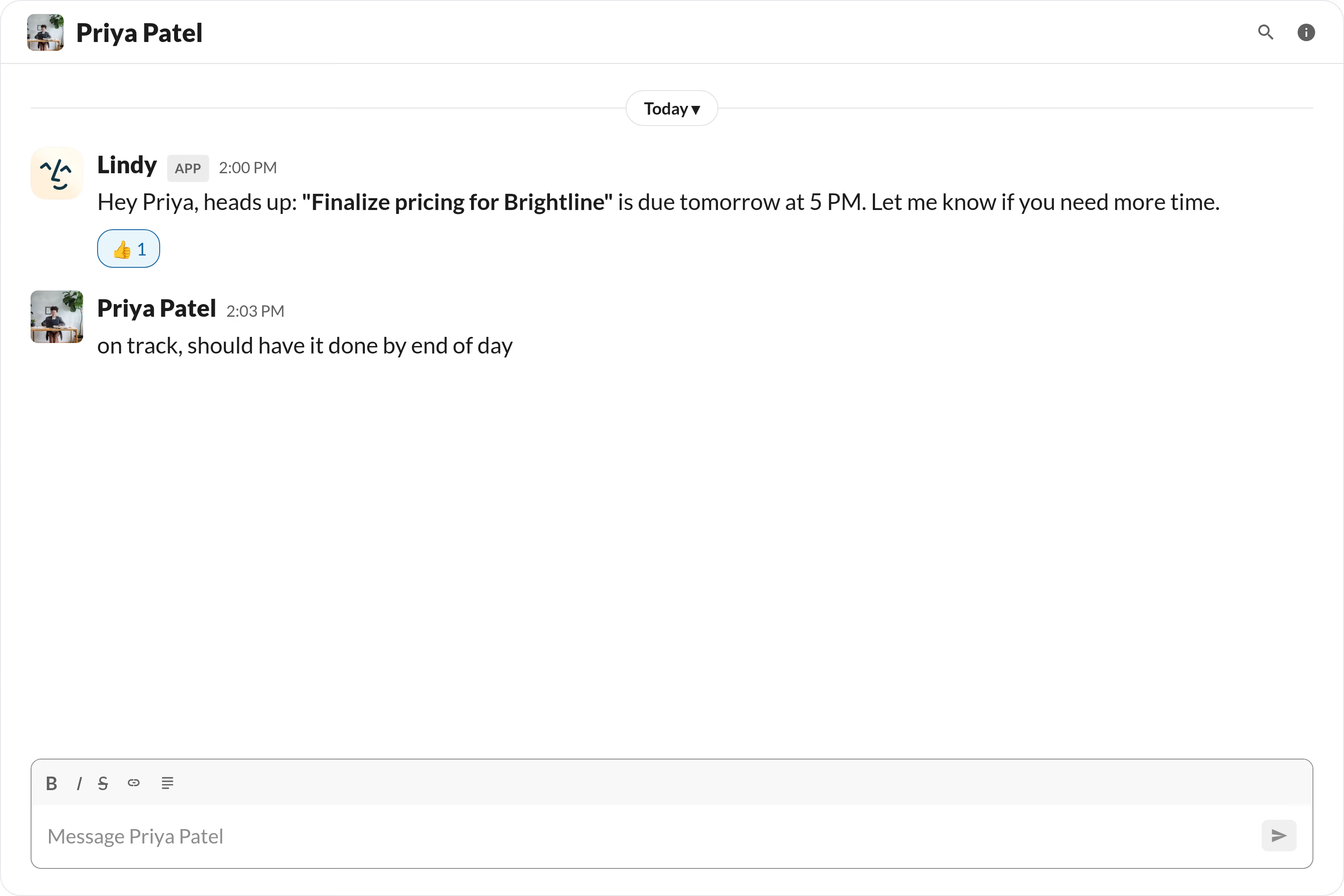
Ping the owner 24 hours before a task is due

Hit deadlines without playing project manager

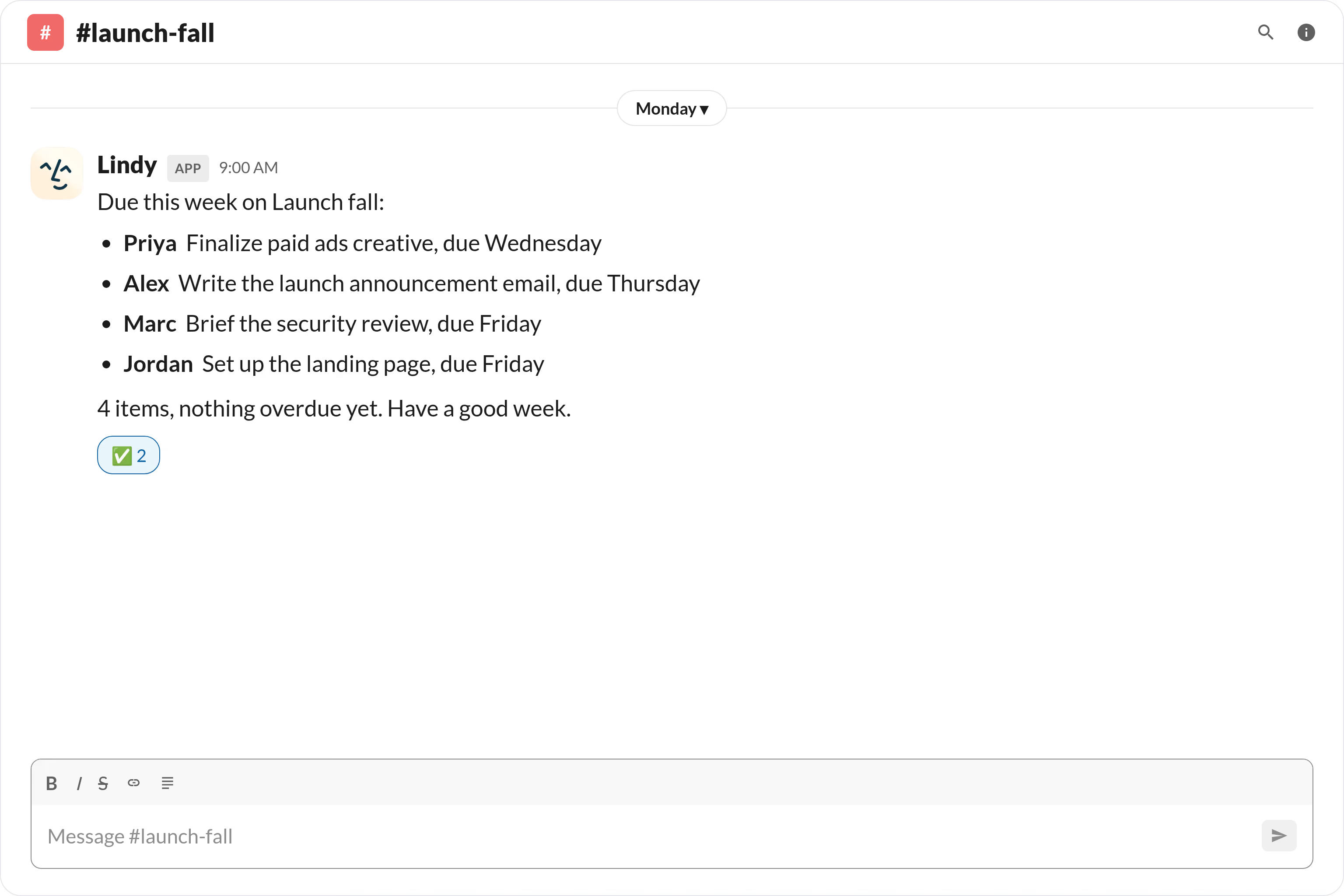
Send a Monday list of what's due this week

Start the week aligned on what's due

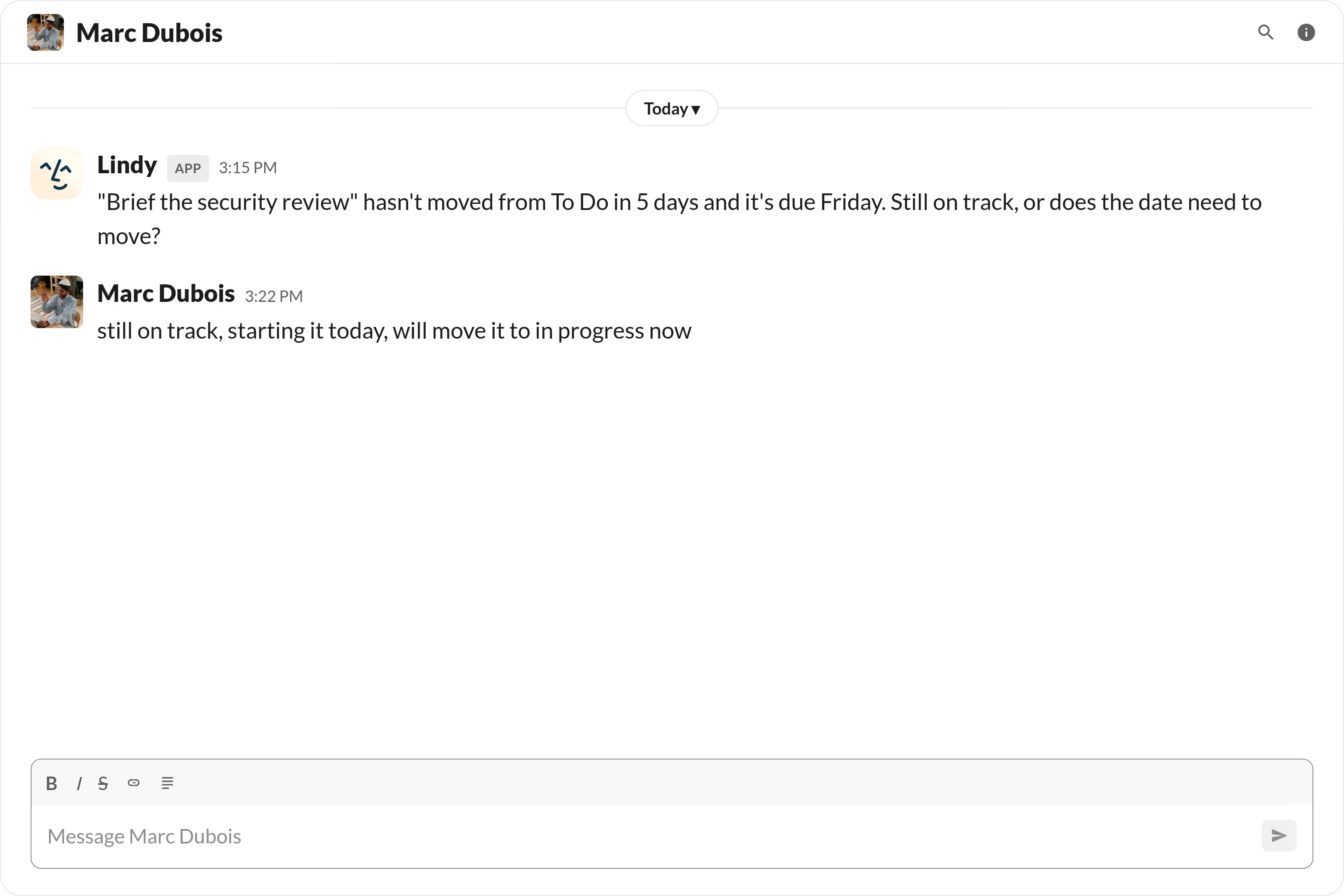
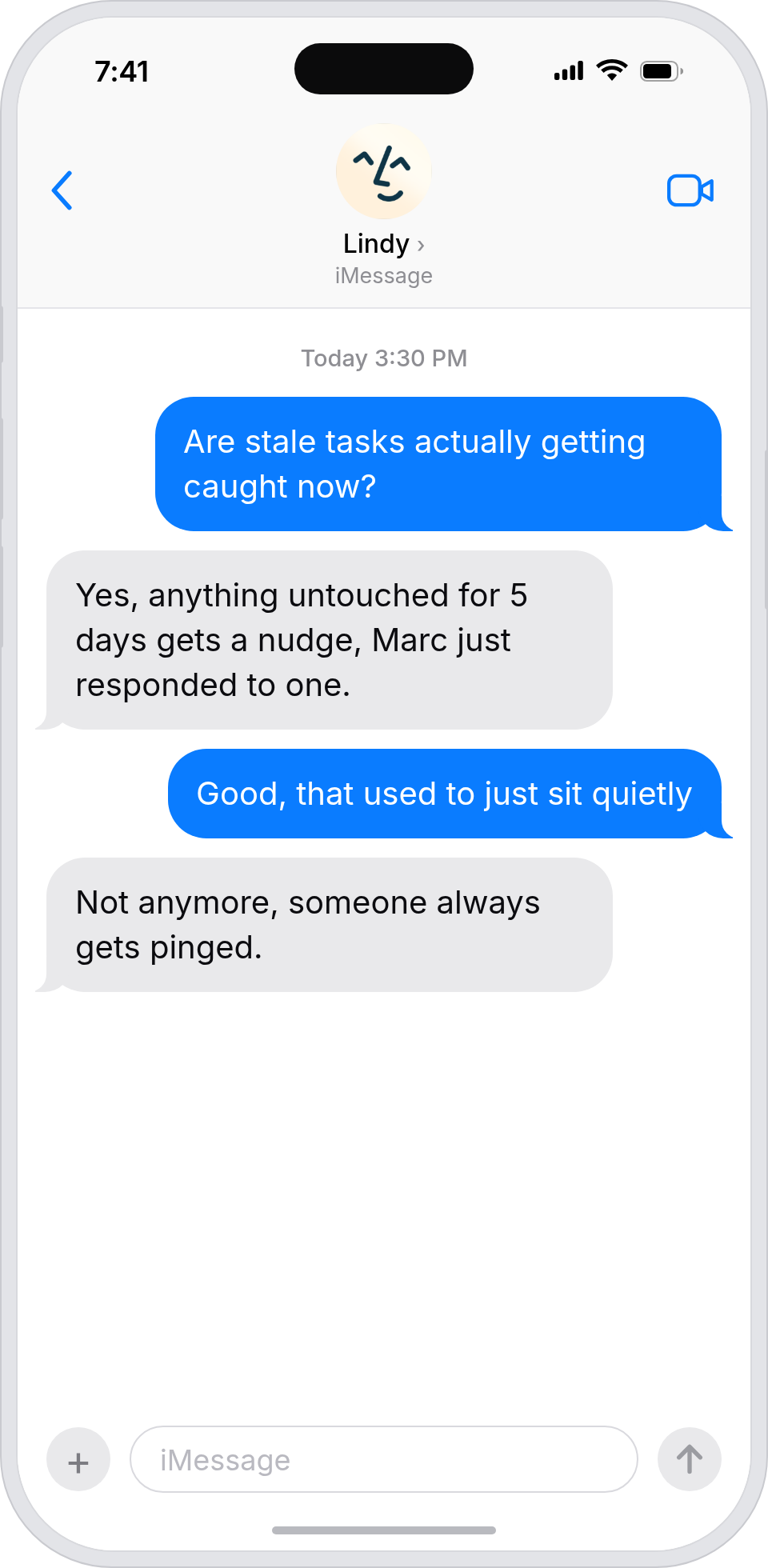
Nudge anyone with stale task statuses

Catch missed updates before the deadline
Trusted by 400,000+ professionals
Deedy
@deedydas
Greg Isenberg
@gregisenberg
Lenny Rachitsky
@lennysan
Chase Diamond
@ecomchasediamond
Andrew Wilkinson
@awilkinson
Hasan Toor
@hasantoxr
Deedy
@deedydas
Greg Isenberg
@gregisenberg
Lenny Rachitsky
@lennysan
Chase Diamond
@ecomchasediamond
Andrew Wilkinson
@awilkinson
Hasan Toor
@hasantoxr
Try Lindy for free
7-day free trial • Cancel anytime
Do more with Lindy

Supercharge your Slack with AI.

When deadlines are scattered across docs, boards, and calendars, it's easy for the whole team to lose track until someone's already behind.

Lindy monitors your upcoming deadlines and automatically sends your team a Slack message reminding them what's due and when, so nothing slips through the cracks.

Try for free
Notify Your Slack Channel When a Stripe Payment Fails

Lindy watches Stripe for failed payments and sends an alert straight to your Slack channel.

Escalate Urgent Intercom Tickets to the Right Person in Slack

Lindy watches Intercom for urgent tickets and pings the right person in Slack.

Send Scheduled Status Updates to a Specific Microsoft Teams Channel

Lindy sends scheduled status updates to your chosen Microsoft Teams channel automatically.

Alert Your Team in Slack When a HubSpot Deal Goes Cold

Lindy watches your HubSpot deals and pings Slack when one hasn't moved in a while.

Built for you

See what Lindy can do for you

Sales automation

Deadlines hit reps before they slip

Lindy pings reps in Slack 24 hours before a deadline, so proposals and follow-ups go out on time without a manager nudging.

Deadlines hit reps before they slip
Marketing automation

Launch deadlines hit before the launch date

Lindy reminds the campaign team in Slack before each deadline, so launch dates don't get rescued at the last minute.

Launch deadlines hit before the launch date
Admin automation

Stop being the deadline-reminder for the team

Lindy sends Slack reminders to teammates before deadlines, so you can step out of the role of human Asana ticker.

Stop being the deadline-reminder for the team
Workflow automation

Deadlines stop slipping silently

Lindy pings task owners in Slack ahead of every deadline, so the team hits dates without you reading project boards all day.
Deadlines stop slipping silently
Business automation

Deadlines get met without a CEO email

Lindy reminds task owners in Slack before deadlines, so the company hits its commitments without you chasing.

Deadlines get met without a CEO email
Do more with Lindy

Summarise more than just Slack

Summarising Slack is just the start. Here's what else Lindy can do.

Summarise my emails every morning

Lindy reads your inbox overnight and sends you a clean digest of what matters before you start your day.

Try this skill
Summarise my meeting notes automatically

After every call Lindy writes structured notes and sends you a summary so nothing gets lost.

Try this skill
Summarise my support tickets daily

Lindy reads your Zendesk or Intercom queue and delivers a daily overview of open issues and priorities.

Try this skill
Trusted by 400K+ prfoessionals

Not sure if Lindy can do it? Just ask.

Text your question and Lindy replies with exactly what it can do for you. No account, no sign-up. Just send a message.

Try for free
Thank you! Your submission has been received!
Oops! Something went wrong while submitting the form.
Built for Slack

AI Agents for Slack

Manually sending deadline reminders on Slack means you're constantly context-switching, and if you forget or get busy, your team just doesn't hear about it.

Once you connect Lindy to Slack, it can ping specific people or channels ahead of a deadline, follow up if no one has acknowledged the reminder, and adjust the timing based on how urgent the task is.

What is a Lindy skill?

A skill shows you a real-world task Lindy can handle for you. It's there to inspire you and show what's possible, not a pre-built workflow you have to follow.

Can I use a skill straight away?

Yes. Sign up, connect the apps the skill needs, and you're ready to go. Most skills are up and running in minutes.

What is Lindy

Lindy is your AI assistant. You tell it what you need in plain language and it takes care of the work, across your apps, on your schedule.

What apps do I need?

Each skill page lists exactly which apps are involved and whether they are required or optional. If you already use those apps, you're good to go.

Do I need to build anything?

No. Just tell Lindy what you want it to do and it figures out the rest. Skills are there to show you what's possible and get you started.

Can Lindy do something that is not listed as a skill?

Almost certainly. Skills show what's possible, not what's limited. If you don't see what you need, just ask Lindy directly and it will figure it out.

Triggers & Actions

Explore all Slack Triggers and Actions

Build exactly the workflow you need. Here's every trigger and action Slack supports.

Triggers
0
 triggers
Message Received
Fires when a new message is received in a Slack channel or direct message.
New Channel Created
Get notified when a new channel is created in your Slack workspace.
New Direct Message
Triggers when a new direct message is received in Slack.
New Interaction Events
Triggers when users interact with Slack app components like buttons or menus.
New Keyword Mention
Get notified when a specific keyword is mentioned in Slack channels.
New Message In Channels
Triggers when new messages are posted in selected Slack channels.
New Reaction Added
Triggers when a reaction emoji is added to a message in Slack channels.
New Saved Message
Triggers when a message is saved in Slack.
New User Added
Get notified when a new user is added to your Slack workspace.
New User Mention
Triggers when a specific user is mentioned or uses a keyword in Slack channels.
Actions
0
 actions
Add Emoji Reaction
Add an emoji reaction to a message in a Slack channel.
Approve Workflow
Send an approval request message with buttons to a Slack channel.
Archive Channel
Archive a Slack channel to prevent new messages while preserving its history.
Create A Channel
Create a new public or private channel in Slack.
Create Reminder
Create a scheduled reminder message in Slack with custom text and timing.
Delete File
Delete a file from your Slack workspace using its ID.
Delete Message
Delete a message from a Slack channel or conversation.
Find Message
Search for messages in Slack using a specific query.
Find User By Email
Find a Slack user in your workspace using their email address.
Get File
Retrieve information about a specific file stored in Slack.
Get Messages
List messages in a conversation from newest to oldest.
Invite User To Channel
Invite a user to join a Slack channel.
Kick User
Remove a user from a Slack channel or conversation.
List Channels
List public channels, private channels and DMs
List Files
List files shared in Slack channels, groups, or direct messages.
List Group Members
Get a list of members from a Slack user group.
List Members In Channel
Get a list of members from a Slack channel.
List Replies
Get replies to a specific message in a Slack conversation.
List Users
Retrieve a list of users from your Slack workspace.
Send Channel Message
Send a message to a public or private channel
Send Direct Message
Send a direct message to a user
Set Channel Description
Set or update the purpose description for a Slack channel.
Set Conversation Topic
Set the conversation topic
Set Status
Set your Slack status with custom text, emoji, and expiration time.
Update Groups Members
Add or remove users from a Slack user group.
Update Message
Update existing messages in Slack channels, groups, or direct messages.
Update Profile
Update a Slack user's profile information and settings.
Upload File
Upload a file to a Slack channel, group, or direct message.
Verify Slack Signature
Verify the authenticity of incoming requests from Slack using signature validation.