10 best AI agents for small businesses I actually tested in 2026
Lindy tested 16 AI agents including Tidio Lyro, Botpress, and Zapier for small businesses, ranking them on ease of setup, AI autonomy, and real-world value.


A friend of mine runs a six-person content agency with good clients and the kind of organized chaos that comes with a lean team. Last year, he told me he was spending close to three hours every day on follow-up emails, CRM updates, and scheduling before any actual client work even started.
That conversation stuck with me more than I expected.
So I spent the better part of two months testing 16 AI agents across customer support, sales, workflow automation, and internal ops, specifically for small business use cases.
I gave each one real tasks to handle because I wanted to see what happened once things got messy. Some stalled at the first handoff, some gave me half an answer and waited for instructions, and a few just completed the workflow end-to-end without me needing to intervene.
I shortlisted the 10 AI agents that performed best once real workflows were in place.
Here’s what I found.
The 10 best AI agents for small businesses at a glance
| Tool | Key strengths | Best use case |
|---|---|---|
| Tidio Lyro | Fast setup, Claude-powered responses, Lyro Smart Actions for order management | E-commerce and retail support |
| Botpress | Visual flow builder, autonomous nodes, multi-channel deployment | Custom chatbots on your own channels |
| Relevance AI | SDR workforce, multi-agent coordination, Claude Code integration | Sales outreach and lead research |
| HubSpot AI | Breeze Intelligence enrichment, CRM-native AI, Content Remix | Teams already living in a CRM |
| Zapier | 9,000+ app integrations, Copilot for no-code building, multi-step Zaps | Connecting apps without code |
| Notion AI | Meeting notes, Enterprise Search, database creation | Internal knowledge management |
| Slack AI | Thread summarization, channel recaps, natural language search | Team communication |
| Fireflies | Auto-transcription, AskFred assistant, CRM logging | Meeting notes and follow-ups |
| Reclaim | Smart task scheduling, focus time protection, conflict rescheduling | Scheduling and focus time |
| Brex | AI Audit agents, receipt auto-generation, accounting sync | Expense management |
What are AI agents?
An AI agent is a software assistant that can make decisions and complete tasks on its own. Unlike a basic chatbot that just replies to questions, an AI agent can plan steps, use tools, and handle work with very little human input.
Think of the difference this way.
A chatbot is like a fast librarian that answers whatever you ask, right when you ask it. An AI agent is closer to a junior employee who can pull your cold leads from last week, draft personalized follow-up emails, and send them, because you said: "handle the follow-ups."
This means your AI agent works across tools, runs sequences on its own, and completes tasks without needing you to babysit the process. To learn more about how companies deploy autonomous tools, explore common ai agents business applications in modern workflows.
How did I test AI agents for small businesses?
A good AI agent for small businesses does four things well. It is easy to set up without a developer, handles multiple types of work, integrates with the tools you already use, and starts proving its value within weeks rather than months.
Here is what I looked for:
- Works without technical setup: The agent should be usable by a non-technical founder or operator. If getting started requires writing code, building logic trees, or calling a solutions engineer, then it fails the small-business test right away.
- Covers multiple workflows: A tool that only handles customer support tickets or only sends cold emails forces you to buy four different tools to run your business. The best agents here handled at least two or three functions without you having to stitch things together manually.
- Integrates with tools small businesses already use: Gmail, Slack, HubSpot, Notion, Shopify. These are the tools most small teams already live in. If the agent doesn't connect to them cleanly, the friction kills adoption within a week. Pairing these automation tools with the best crm software for small business ensures your sales data stays organized automatically.
- Delivers value within weeks: Small businesses don't have time for long onboarding cycles. The agents that made this list showed clear, measurable output within the first few days of use.
I also spent some time on Reddit to see what real small business owners were saying about AI agents before finalizing the list. The r/Entrepreneur thread on this topic had over 130 comments.
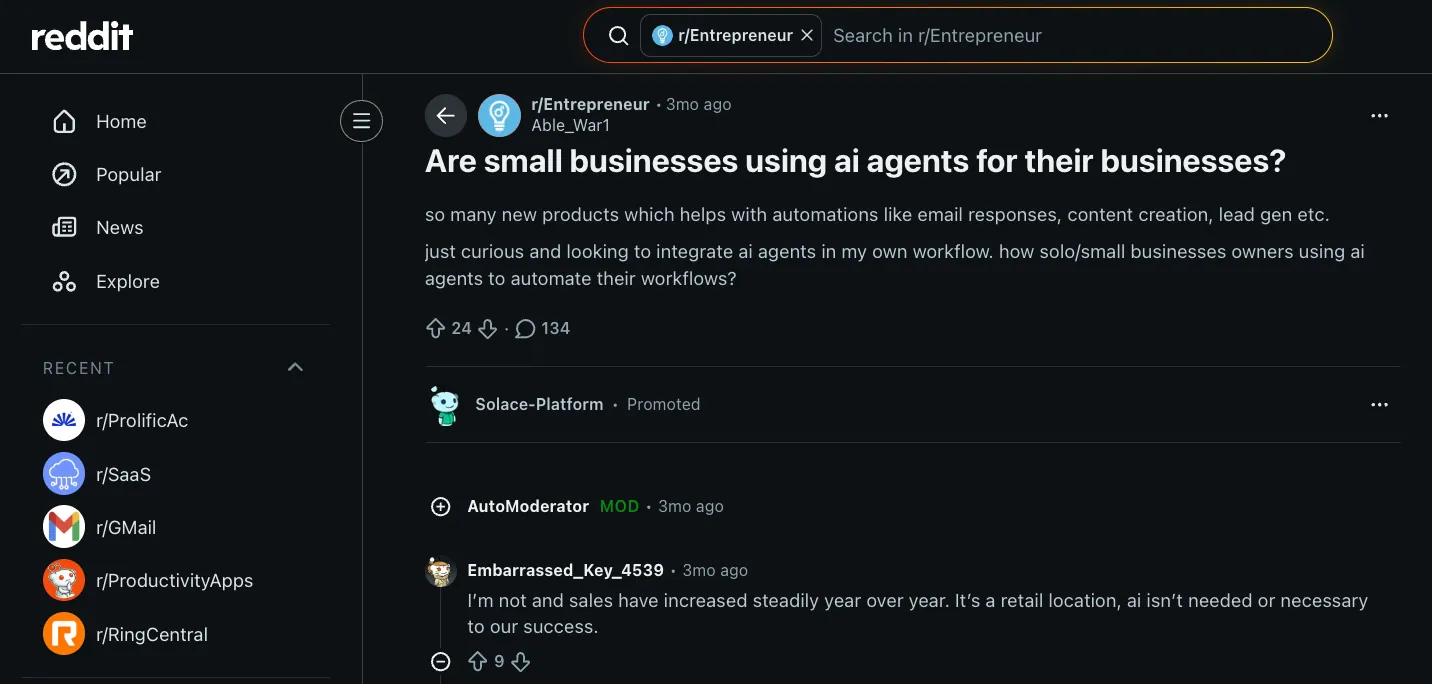
Some owners said AI had no place in their businesses and that their sales were growing just fine without it. Others pointed out that their teams were wasting hours every day on tasks a machine could handle in seconds, and no one was replaced when the work was automated.
The common thread was that the tools people stuck with were the ones that removed friction without adding new complexity. That helped me shortlist my final tools. Choosing the best ai business assistant comes down to selecting a tool that integrates smoothly into your daily operations.
Out of the 16 AI agents I tested for small businesses and solopreneurs, these six couldn't make it to the final list, and here's the reason why:
- Make has a powerful visual builder, but the learning curve is steeper than Zapier for non-technical teams. Once workflows get complex, they start to feel like a job in themselves.
- Intercom Fin had impressive resolution rates, but pricing jumps fast. It is built for companies with serious support volume, not a five-person team.
- Clay is excellent for lead enrichment, but expensive and complex enough that most small business owners would spend more time learning it than using it.
- Freshdesk Freddy AI has solid helpdesk features, but it never felt like an agent. It could suggest a reply or tag a ticket, but the actual work still landed back on a human. For a small team trying to reduce manual effort, that defeats the purpose.
- Drift (now Salesloft) is built for enterprise sales cycles. The pricing and feature set reflect that. Not the right fit here.
- Manychat is strong for WhatsApp and Instagram automation, but too narrow in scope to make this list as a general-purpose agent.
I also rated each tool across three things. How fast a non-technical founder can get it running, how much it handles on its own without someone stepping in, and whether the value it delivers is actually worth it for a small business.
Here’s what the rating looks like:
| Tool | Ease of setup | AI autonomy | SMB value |
|---|---|---|---|
| Tidio Lyro | 5/5 | 4/5 | 5/5 |
| Botpress | 3/5 | 4/5 | 4/5 |
| Relevance AI | 3/5 | 5/5 | 4/5 |
| HubSpot AI | 4/5 | 4/5 | 4/5 |
| Zapier | 5/5 | 3/5 | 4/5 |
| Notion AI | 4/5 | 3/5 | 3/5 |
| Slack AI | 5/5 | 2/5 | 3/5 |
| Fireflies | 4/5 | 3/5 | 3/5 |
| Reclaim | 4/5 | 3/5 | 3/5 |
| Brex | 3/5 | 3/5 | 2/5 |
The best AI agents for customer support
The best customer support AI agents do more than answer questions. They triage incoming requests, route conversations to the right person, and handle repeat queries around the clock so your team can focus on the problems that need a human touch.
For most small businesses, support is also the highest-return place to start because the volume is predictable and the cost of slow responses is immediate.
The common use cases:
- Routing complex issues to a live agent
- Checking order status and processing returns
- Answering FAQs and product questions instantly
- Following up with customers after ticket resolution
- Handling support across multiple channels from one place
Best AI agent for small business e-commerce and retail support
Tidio Lyro
Tidio Lyro is the AI agent built into Tidio's customer service platform. It answers customer questions from your own support content, handles order updates through Lyro Smart Actions, and hands the conversation to a human when it reaches its limits.
Who's it for: Small e-commerce stores and service businesses buried in repetitive customer questions. Built for teams of two to ten, where the founder is often the default support rep.
Pick this if: You run a Shopify store and your inbox fills up daily with order status checks and return requests that take an hour to clear before anything else gets done.

Key features:
- Smart escalation: When Lyro cannot answer a question from its knowledge base, it creates a support ticket or routes the conversation to a live agent based on the rules you define.
- Order management via Lyro Smart Actions: Lyro checks order statuses, modifies shipping addresses for unfulfilled orders, and initiates returns without pulling a human into the conversation.
- Knowledge-based learning: Lyro trains on your website, FAQ pages, and support docs in under 10 minutes, then improves over time by learning from human agent responses it could not handle.
- Lyro Guidance controls: You set the exact conditions for escalation, such as high-value customers or sensitive topics, so handoffs happen on your terms rather than at random.
Why did I pick it?
Setup took under 10 minutes. I pasted a product FAQ and a returns policy doc, and it was handling test conversations within the hour.
The replies also did not sound robotic. Since Lyro runs on Claude from Anthropic, the responses felt conversational rather than scripted.
When I tested it with a multi-part question about a delayed order and a size exchange, it retained context throughout the conversation and responded with a single, clean answer instead of triggering two separate ticket threads.
Using Lyro Guidance, I could set the tone, response style, and escalation rules before anything went live. That matters because most businesses want replies that still sound on-brand. You decide what the agent handles on its own and when it should hand the conversation to a human.
You’ll also notice a Build and Integrate feature on Tidio’s feature set.
In practice, that means Lyro is not limited to Tidio’s own chat widget. You can connect it to tools like Zendesk, Intercom, or Salesforce, or use the API to build custom workflows around your existing support setup instead of replacing everything from scratch.
What could improve?
The analytics are thin. There is no way to track where conversations drop off or build a proper support funnel. You also have to choose between Lyro and rule-based flows, rather than running both together in the same widget, which can be limiting if your current support setup relies on a mix of AI and scripted automation. At higher traffic volumes, per-conversation pricing also adds up pretty quickly.
Pricing
Tidio's monthly pricing for Lyro AI Agent + Tidio Help Desk starts at $29/month on the Starter plan, which includes 100 billable conversations, live chat, basic analytics, and operating hours. It is a reasonable entry point for a store getting started with AI support.
Tidio AI Features & Lyro AI Agent Explained
Best AI agent for small business chatbots on your own channels
Botpress
Botpress is a platform for building conversational AI agents in a visual builder. You build an agent once and deploy it to your website, WhatsApp, Slack, and other channels.
Who's it for: Founders and small teams who have hit the ceiling of plug-and-play support tools and need an agent that can handle branching logic, pull live data mid-conversation, and deploy across multiple channels from a single build.
Pick this if: You have tried simpler chatbots but keep running into situations where the conversation breaks because the tool cannot handle conditional routing or connect to your own data in real time.

Key features:
- Visual flow builder: Drag-and-drop nodes with full if-then logic, unlimited variables, and custom JavaScript execution for teams that need precise control over every conversation path.
- Autonomous nodes: The LLM determines the order of operations mid-conversation, handling intent detection, API calls, and conditional routing without you pre-scripting every branch.
- Multi-channel deployment: Build once and deploy the same agent across your website, WhatsApp, Slack, Telegram, and Microsoft Teams without rebuilding for each channel separately.
- Multi-LLM support: Lets you switch between different underlying AI models (like OpenAI's GPT, Anthropic's Claude, or Google's Gemini) based on your budget and speed needs.
Why did I pick it?
Botpress is a bot builder that does not talk down to developers or pretend that non-technical users do not exist. You get a visual drag-and-drop interface, as well as the freedom to build more advanced AI workflows when you need more control.
I built a customer support router using an Autonomous Node. It identified the user's intent, made an API call to check the order status, and routed the conversation accordingly. There was no pre-scripted branching from my end. The LLM decided the sequence on its own.
Botpress’s knowledge bases handle unstructured content, such as FAQs and PDFs, while tables store structured data for real-time lookups, such as order status or user records, mid-chat.
Think of a small SaaS company running a support agent on their website.
When a user asks, "How do I export my data?" the agent pulls the answer from a Knowledge Base built on help docs and FAQs. Now, when that same user asks "What plan am I on?" the agent queries a Table connected to their CRM, finds the row with that user's account details, and reads back the answer in seconds.
Same conversation, two different systems working behind the scenes. Once you know the difference, your agent responds well to both types of questions instead of giving empty answers when it can't find the right info.
What could improve?
Once I moved beyond basic text replies, Botpress started opening into variables, linked workflows, and custom code blocks pretty fast. Though the complexity kicked in almost immediately, I liked the control that Botpress gave me. If you are not technical, there is a learning curve before you start feeling comfortable.
Analytics are also simple on the lower plans. You get traffic numbers, but no visibility into where conversations break down or what percentage of users drop off before resolution.
Pricing
Botpress starts free with 100 conversations and no overage charges. It is enough to build and test a real use case before committing to anything.
The Plus plan is $189/month billed monthly ($150/month billed annually) for 250 conversations a month and adds unlimited agents, WhatsApp, white-label webchat, and live chat support. That is where most small businesses running a production support agent will land.
Build a Customer Support Chatbot in 10 Minutes (Botpress Tutorial)
The best AI agents for sales and lead management
Sales is where AI agents are most useful fast for small businesses because the tasks are high-value but painfully repetitive. Research a prospect, write an email, log it in the CRM, and follow up three days later. Most founders do this manually, which means it either does not happen consistently or it eats hours that should go elsewhere.
The common use cases:
- Qualifying inbound leads against your ICP
- Writing personalized outreach emails at scale
- Following up with prospects who have not responded
- Researching and enriching leads from LinkedIn or Apollo
- Logging interactions and updating CRM records automatically
A specialized platform for AI sales agents can handle these repetitive workflows end to end.
Best AI agent for small business sales outreach and lead research
Relevance AI
Relevance AI is a no-code platform for building teams of AI agents. Each agent owns one step of a workflow, such as sourcing leads, researching prospects, or drafting outreach, and passes its work to the next.
Who's it for: Sales teams and founders spending too much time on research, prospecting, and CRM updates who want to hand that work to an AI without writing a single line of code.
Pick this if: You are running outbound manually and want a system where an agent can research a lead, write the email, and log everything in your CRM without you touching each step.

Key features:
- No-code agent builder: Build agents by describing what you want in simple words through Invent, or use the visual canvas to set triggers, assign tasks, and define how agents hand off to each other.
- Pre-built agent templates: Clone ready-made agents for lead research, outbound writing, or content creation and adapt them to your workflow without building from scratch.
- Outbound and lead enrichment: Agents pull LinkedIn data, score leads against your ICP criteria, and push qualified contacts to your CRM without manual steps between each action.
- Broad integrations via MCP: Connects to HubSpot, Salesforce, Apollo, Gmail, Slack, and 1,000+ other apps, with Model Context Protocol support that gives a single connection access to an entire system.
Why did I pick it?
Once I got familiar with Relevance AI, I started using the SDR workforce feature, which basically lets you set up a team of AI agents. A lead sourcer finds the contacts, a researcher builds context on each prospect, a copywriter drafts the email based on that research, and a sender handles delivery. Each agent owns one step and passes what it has learned to the next.
But then, when you are working with multiple agents, the chances of them fumbling through a workflow are high. So, I tested this with a B2B outreach sequence targeting SaaS founders.
Based on the criteria I gave, the lead sourcer gathered the contacts. Then the researcher agent filled in the context, things like the person’s role, company size, and what the company had been up to recently. So by the time the copywriter stepped in, it already knew who it was talking to. The entire thing felt like managing a micro team of AI agents.
Even the emails felt far less generic because of that. Instead of opening with another “hope you’re doing well,” it referenced an actual product launch or something the company had recently announced.
I also like how the agents keep notifying you about what's working. They test different angles, and the whole system works together rather than hierarchically.
And if you already use Claude, the Claude Code plugin will also come in handy. You can build, test, and deploy agents directly from your IDE, so you don't have to switch between tools to get something live.
What could improve?
Your output quality drops the moment your instructions are vague or not precise. I ran a lead qualification sequence twice with slightly different prompts and got different scoring logic each time. So if you're a non-technical person, know that writing detailed prompts will help you out. Otherwise, Relevance AI might seem overwhelming.
Integrations are broad but not always deep. Google Sheets and Notion now come with pre-built tool steps (26 for Sheets and 33 for Notion), but anything those steps don't cover still means setting up an authenticated API call yourself.
Pricing
Relevance AI lacks pricing transparency, only featuring an Enterprise plan. You can start with a free trial to check the basic features. However, to understand the full cost of using the platform at a larger scale, you usually need to book a demo and discuss your team’s needs first.
4 Specialized AI Agents Handling 100+ Leads: The Complete Architecture
Best AI agent for small businesses already living in a CRM
HubSpot AI
HubSpot AI, branded Breeze, is the set of AI tools and agents built into HubSpot's CRM. It enriches records, drafts outreach, scores deals, and repurposes content using the customer data your team already keeps in HubSpot.
Who's it for: Small teams and founders already using HubSpot who want AI built into their existing workflow rather than a separate tool to manage alongside it.
Pick this if: Your team lives in HubSpot every day and you want AI that researches prospects, drafts outreach, and preps meeting briefs without ever leaving the platform.

Key features:
- Breeze Intelligence enrichment: Automatically fills CRM gaps by pulling from a database of over 200 million buyer and company profiles, adding details like industry, revenue, and buying signals without manual research.
- Deal scoring and prioritization: AI-powered deal scores flag which opportunities are at risk and which ones need immediate attention, so reps spend time where it counts.
- Breeze Prospecting Agent: Researches accounts and drafts personalized outreach emails for rep review, drawing on the full CRM history and recent account activity before writing a single line.
- Conversation intelligence: Analyzes call recordings and transcripts to surface insights, track key terms, and answer specific questions about how customer conversations are going.
Why did I pick it?
Let's say you run a small SaaS business with five people. Everyone is already in HubSpot. Here is what changes when you turn the AI on.
A new lead fills out your demo form. HubSpot already has company data from its enrichment database, so the form automatically hides fields it does not need to request. The lead sees two fields instead of six. Your conversion rate goes up before you do anything.
By the time that lead lands in your CRM, Breeze has already pulled their company profile, recent news, and buying signals. The Prospecting Agent drafts an outreach email using that context. The quality is not always top-notch, but a single review would do the job.
I like how your sales rep, content person, and support lead can all work in the same CRM without switching between five different tools (which saves you some extra bucks).
The content side gets interesting too, especially if your team is small.
Publish one solid blog post, and Content Remix can spin it into multiple social posts, landing pages, and short video clips. Again, this saves you the hassle of curating content to suit the algorithms of different social media platforms. But don't expect much traffic if your content lacks value.
For forecasting, the AI looks at your recent closed deals and gives you a realistic upper and lower range for the quarter ahead. That alone removes a lot of the guesswork from planning.
What could improve?
The credit system is genuinely confusing. Breeze agents are billed in credits on top of your plan price, and HubSpot does not make it easy to forecast your monthly spend. The Prospecting Agent alone costs 100 credits per outreach recommendation, which adds up fast.
Small teams on entry-level plans also lose access to live support entirely, leaving community forums and documentation as the only options when something breaks.
Pricing
HubSpot is free for up to two users, covering basic CRM tools across sales, marketing, and service. The Starter plan starts at $20/seat/month billed monthly ($7/seat/month with an annual commitment) and is where most small teams land when they need more room.
The AI features are a separate layer. Breeze agents run on a credit system billed on top of your plan. If you want the full picture before committing, Marketing Hub Professional starts at $890/month billed monthly ($800/month with an annual commitment) and includes 3 core seats, at which point most advanced AI features are unlocked.
The Official HubSpot Breeze AI Tutorial
The best AI agents for workflow automation
Automation follows a fixed set of rules you define upfront. An agent makes decisions on its own when conditions change. For small businesses, that difference matters because your workflows are rarely as predictable as a flowchart assumes.
The common use cases:
- Building logic-based flows without writing code
- Triggering multi-step sequences from a single action
- Handling approvals and notifications across your team
- Connecting apps that do not talk to each other natively
- Moving data between tools without manual copy-pasting
Best AI agent for small businesses connecting apps without code
Zapier
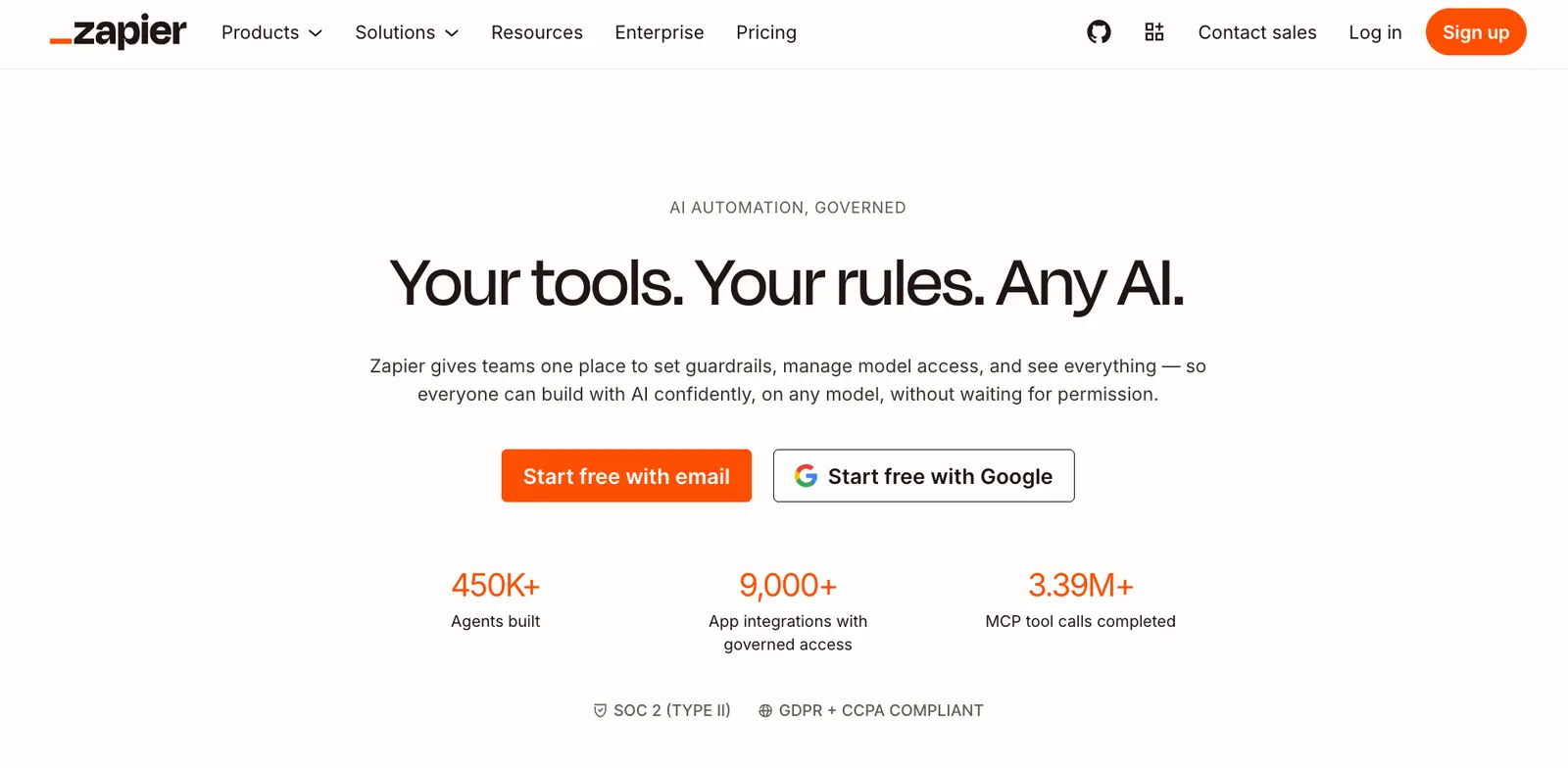
Zapier is a no-code automation platform that connects more than 9,000 apps. Its AI features, including Copilot and AI agents, sit on top of the multi-step workflows (called Zaps) it's known for.
Who's it for: Solopreneurs, freelancers, and small teams spending too much time on copy-paste work between apps that do not talk to each other natively.
Pick this if: You want to stop manually moving data between tools like Google Sheets, Slack, Gmail, and your CRM and get it done in an afternoon without touching a single line of code.
Key features:
- Zapier Copilot: Describe the automation you want in plain English, and the AI suggests the structure, identifies the apps involved, and maps the fields between them automatically.
- Multi-step Zaps: A single trigger cascades into unlimited actions across different apps, so one new form submission can update your CRM, send a Slack message, and trigger a follow-up email simultaneously.
- 9,000+ app library: The largest integration library on the market, covering everything from core business tools like HubSpot and Google Drive to AI models like OpenAI and niche industry software.
- Filters and Paths: Filters stop a Zap from running unless specific conditions are met, while Paths let a single trigger branch into multiple different outcomes based on the data it receives.
Why did I pick it?
Zapier is a tool that connects your apps and makes them interact with each other. You choose a trigger, something happening in one app, and then tell Zapier what should happen somewhere else when that event occurs. That chain is called a Zap.
So if someone fills out a form on your website, Zapier can instantly create a contact in your CRM, notify your sales rep in Slack, and log the lead in a spreadsheet without you having to manually move anything around. One action kicks off the whole chain.
A friend of mine runs a small custom home decor business, mostly kitchen projects and apartment interiors.
For the longest time, his mornings were weirdly repetitive. He would wake up, open his inquiry form, copy customer details into HubSpot, check which deliveries were delayed, then message his team one by one about what needed attention. That stack ate about two hours every morning before he could touch a real project.
He eventually built a lead intake flow using Zapier Interfaces.
Now, when someone submits a project inquiry, an AI agent checks the details, reviews the budget range, scores the lead, and pings the sales team in Slack only if it is worth jumping on quickly. Everything else is automatically sorted into HubSpot in the background.
He set up another workflow tied to Asana for deliveries.
If an order status changes or a delay is logged, the customer automatically receives an update email. No one on the team has to stop what they are doing just to send a “quick update” message anymore.
What could improve?
Zaps break when the apps they connect to update their APIs. Fixing them means going into the Activity tab, finding the error, and reconnecting manually. If the issue is buried in a Formatter step trying to extract a specific piece of text, it can take multiple attempts to get it right.
The AI Agents also cannot be embedded on a website for customer-facing use, which limits how you can deploy them. And multi-step logic is locked behind the paid plan, so the free tier quickly runs out of useful functionality.
Pricing
Zapier is free for up to 100 tasks per month, which is enough to test a handful of simple automations before committing.
The Professional plan costs $29.99/month billed monthly ($19.99/month billed annually) and offers multi-step Zaps, premium apps, and webhooks. That is where most small businesses doing real automation work will land. The Team plan starts at $103.50/month billed monthly ($69/month billed annually) and adds shared Zaps and folders for up to 25 users.
Learning Zapier in 2026: AI Automation for Beginners
Other AI agents that work well for small businesses
AI agents for small businesses go well beyond lead management, sales outreach, and customer support. You can use them to protect your calendar, keep your team's knowledge searchable, capture every decision made on a call, and keep company spending in check without a finance hire. To compare top tools across these categories, explore our guide to the best ai agents available today.
{{templates}}
Best AI agent for small business internal knowledge management
Notion AI
Notion turns your existing workspace into an active assistant that creates pages, summarizes documents, extracts decisions from meeting notes, and answers questions across your entire knowledge base.
Who's it for: Small teams that already document everything in Notion and want the AI layer to do more than store information.
Pick this if: Your team spends time hunting through old docs for answers that should take ten seconds to find. Implementing this type of ai for business streamlines internal documentation and boosts daily productivity.

Key features:
- AI Meeting Notes: Transcribes conversations and automatically extracts summaries, key decisions, and action items after every call.
- Document summarization: Generates custom summaries of any page or database with a single command using AI blocks.
- Enterprise Search: Finds answers across your Notion workspace and connected apps like Slack and Google Drive instantly.
- Database and page creation: Builds entire databases, pages, and charts on your behalf based on plain English instructions.
A Beginner's Guide to Notion Agents
Best AI agent for small business team communication
Slack AI
Slack is a team communication tool that keeps all your business conversations in one place. Its AI tools let you search through everything, summarize long threads, and catch up on what you missed without reading through every message.
Who's it for: Small teams that run most of their communication through Slack and lose time digging through old threads for decisions or context.
Pick this if: Your team has been in Slack for over a year and the institutional knowledge buried in those conversations is basically unsearchable.

Key features:
- Thread summarization: Condenses long discussions into a quick overview with one click directly from the thread.
- Channel recaps: Delivers an automated morning summary of what you missed in specific channels overnight.
- Natural language search: Ask questions in plain English and get answers cited back to the source messages.
- Cross-app search: Extends to connected tools, such as Google Drive and GitHub, when Enterprise Search is enabled.
Slack School | Meet Slackbot, your AI Agent for Work
Best AI agent for small business meeting notes and follow-ups
Fireflies
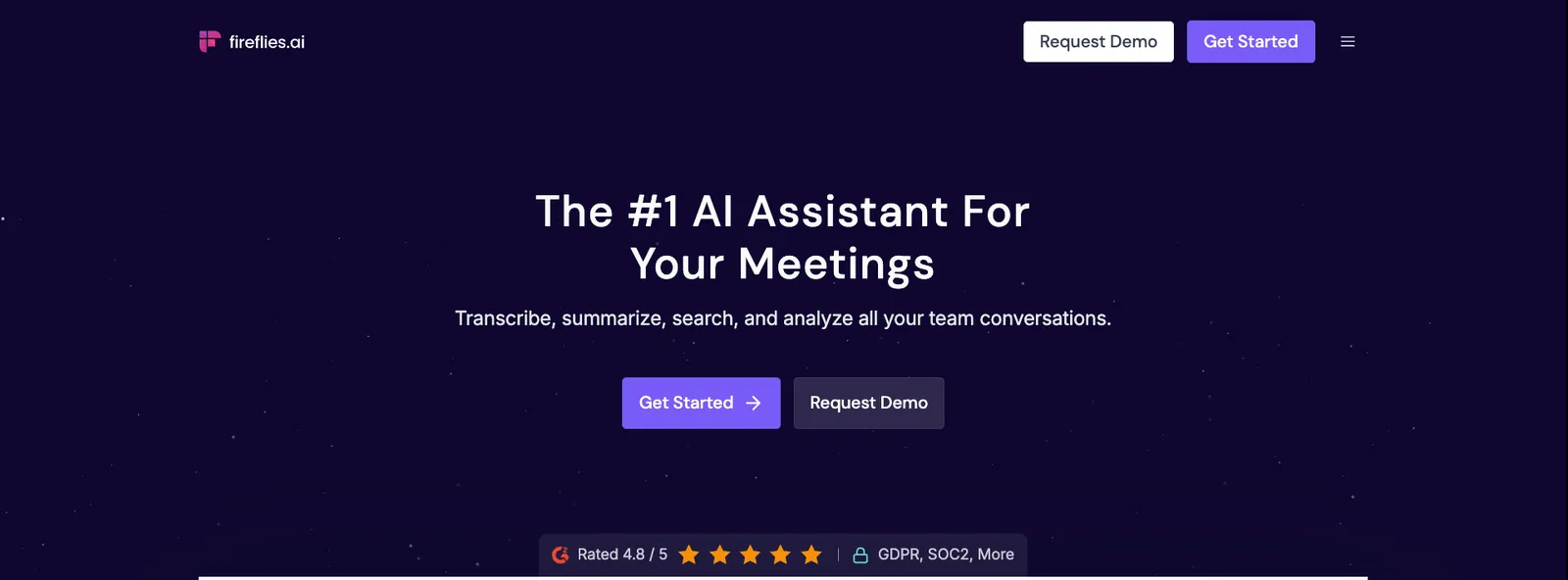
Fireflies automatically joins your calls on Zoom, Google Meet, and Teams, records and transcribes them, and lets your team query the content afterward through a conversational assistant called AskFred.
Who's it for: Small teams running a lot of client calls where action items and decisions regularly get lost after the call ends.
Pick this if: You finish a call, forget half of what was agreed, and spend ten minutes writing up notes that should have written themselves.
Key features:
- Automatic recording and transcription: Joins scheduled calls across Zoom, Google Meet, and Teams without manual setup each time.
- AskFred: Query any meeting after the fact by asking questions like "Who owns this action item?" and get instant answers from the transcript.
- CRM logging: Pushes call notes, summaries, and action items directly into HubSpot or Salesforce records without manual entry.
- Botless recording: Captures in-person meetings or calls without a bot joining via the Chrome extension or mobile app.
Fireflies AI Overview 2026: Automate Meeting Notes, Transcription & More | Full Product Demo
Best AI agent for small business scheduling and focus time
Reclaim
Reclaim is an AI scheduling tool that automatically finds time for your tasks, protects focus blocks on your calendar, and reschedules around conflicts without you moving things manually.
Who's it for: Founders and solo operators managing their own calendars who consistently end up with no time left for actual work because meetings take over.
Pick this if: You add tasks to a list every Monday and they stay there untouched because your calendar never has a clear window for them.

Key features:
- Smart task scheduling: Finds flexible time blocks before deadlines and slots tasks automatically based on your priorities.
- Focus time protection: Defends heads-down work blocks against meeting overruns and keeps them intact as your day changes.
- Conflict rescheduling: Proactively moves tasks and events when something new is added or a meeting runs long.
- Habits: Creates recurring routines like admin work or deep work that flex around your schedule instead of breaking every week.
Agentic AI for your calendar ✨ Reclaim.ai 2.0 demo
Best AI agent for small business expense management
Brex
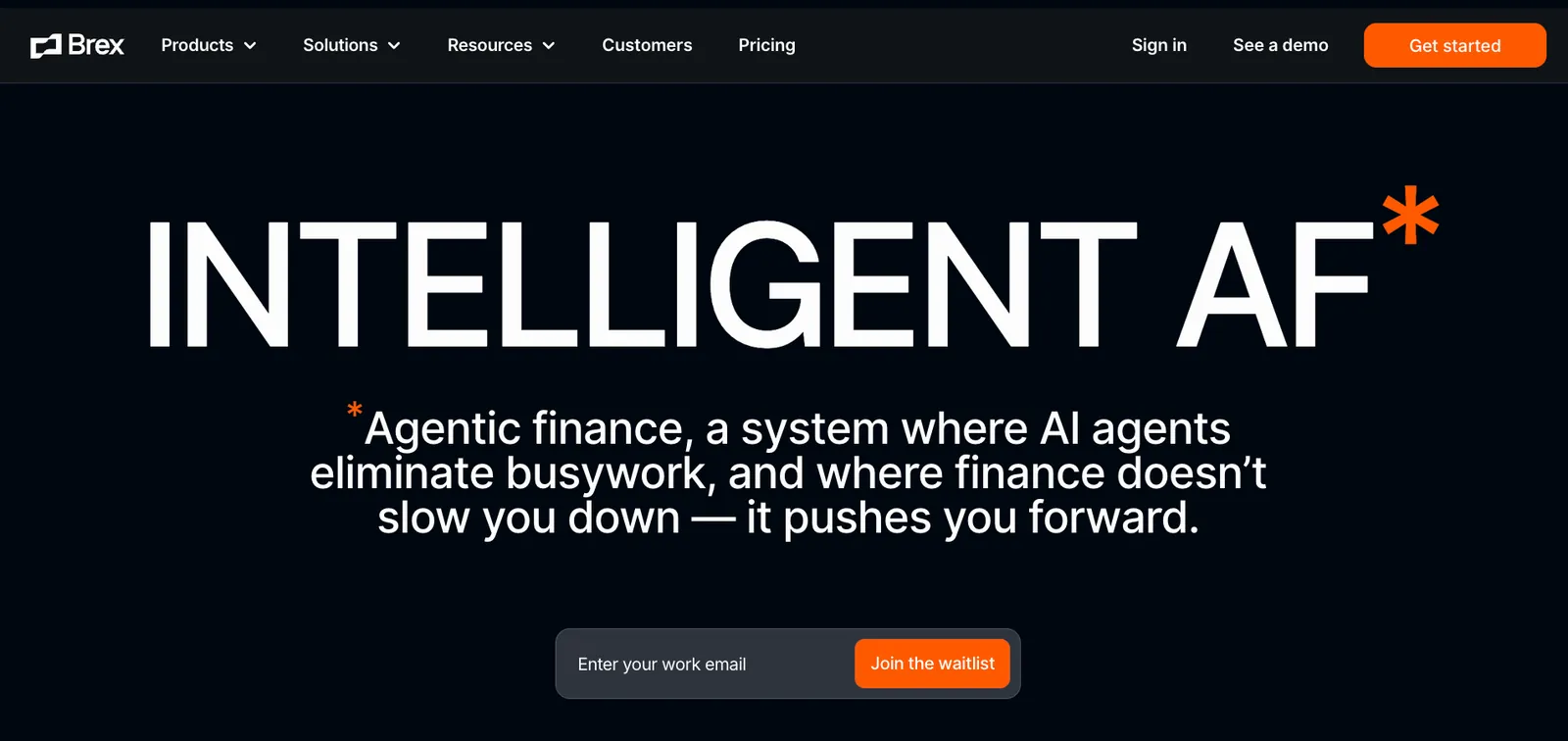
Brex is a corporate card and spend management platform with an AI feature that monitors expenses, auto-approves in-policy spending, matches receipts, and syncs everything to your accounting software.
Who's it for: Small businesses and startups that want tighter control over company spending without a finance person manually reviewing every transaction.
Pick this if: Your team submits expenses in batches at month-end, and reconciling them takes a full day that nobody has.
Key features:
- AI Audit agents: Monitor company spending around the clock, flag policy violations, and automatically approve low-risk transactions without manual review.
- Receipt auto-generation: Uses card network data to generate receipts for thousands of merchants and matches uploaded photos to transactions via OCR.
- Policy assistant: Answers employee questions like "Can I expense this?" in real time, so spending decisions happen correctly before the purchase.
- Accounting sync: Two-way native integration with NetSuite and QuickBooks, mapping expenses to the correct general ledger codes automatically.
Mercury vs Brex: Which Corporate Card & Platform Is Right for You?
{{cta}}
Which AI agent is actually right for your small business: My take
None of these tools covers everything. Every one of them is good at something specific, and the moment you stretch it past that, it starts dropping context, missing handoffs, or producing output you have to redo.
A tool built for sales outbound is not going to manage your calendar. A meeting transcription tool is not going to qualify your leads. You will likely need more than one, and that is fine, as long as you are deliberate about which gaps you are actually filling.
Here is the short version:
- Tidio Lyro, if you're drowning in support tickets on a Shopify or e-commerce store
- Botpress, if you need a fully custom agent deployed across multiple channels with branching logic
- Relevance AI, if you want a coordinated team of agents handling outbound without an extra hire
- HubSpot AI, if your team already lives in HubSpot and wants AI baked directly into the CRM
- Zapier, if you want your apps to stop requiring manual data entry between them
- Notion AI, if your team's knowledge is scattered across docs that nobody can find when they need them
- Slack AI, if you live in Slack and spend too much time digging through old threads for answers
- Fireflies.ai, if you finish every call and immediately forget half of what was agreed
- Reclaim.ai, if your to-do list never gets touched because your calendar is always overbooked
- Brex, if the month-end expense reconciliation is a full-day project that nobody wants to do
If you want something that handles multiple parts of your day without stacking tools, text Lindy what you need. For example, 'draft follow-ups for last week's demo no-shows and book check-ins for the ones who reply' and Lindy handles the whole sequence in your voice.
Put Lindy to work in your small business today
Lindy is an AI teammate that lives in Slack, and you can also text it to get work done. Tell it what you need in plain English, and it handles it across your inbox, calendar, CRM, and more.
Here’s what that looks like in practice:
- Get answers instantly: Text Lindy to pull information from your email, calendar, or CRM without digging through tabs.
- Send emails and follow-ups automatically: Ask Lindy to draft, personalize, and send outreach and handle replies.
- Take meeting notes and share summaries: Lindy joins meetings, writes structured notes, and follows up afterward.
- Update your CRM without manual entry: After a call, Lindy logs notes and automatically fills in missing fields.
- Find and qualify leads in minutes: Tell Lindy your ideal customer profile and get curated lead lists ready for outreach.
- 1,000+ app integrations: Lindy connects with the tools you already use, so everything stays in sync.
FAQs
What is the best AI agent for small businesses?
The best AI agent for small businesses depends on what you need most. For customer support, Tidio Lyro is hard to beat. For sales outbound and lead management, Relevance AI stands out. For connecting your apps without code, Zapier is the fastest way to get started. Most small businesses end up using two or three, depending on where they feel the most friction.
How much do AI agents for small businesses cost?
AI agents for small businesses range from free to a few hundred dollars per month. Most entry-level plans start between $20 and $50 per month. Tools like Zapier and Botpress have free tiers for basic use. Costs scale with usage volume, number of seats, or credits consumed.
Can AI agents replace employees at a small business?
No, AI agents cannot entirely replace employees at a small business. They handle repetitive, rule-based work well, but anything requiring judgment, relationships, or creative thinking still needs a person. Think of them as tools that free your team from low-value tasks so they can focus on the work that actually moves the business forward.
What is the difference between an AI chatbot and an AI agent?
An AI chatbot answers questions, whereas an AI agent takes action. A chatbot tells you how to process a refund. An AI agent checks the order, initiates the refund, and updates your CRM without you having to do anything. The difference is whether the tool responds or actually does the work.
How long does it take to set up an AI agent for a small business?
Setting up an AI agent for a small business can take anywhere from ten minutes to a few days, depending on the tool. Tidio Lyro and Zapier can handle real tasks within an hour. Botpress and Relevance AI take longer if you want complex custom workflows. Most teams see results within the first week.
Is Lindy good for small businesses?
Lindy is a strong fit for small businesses that want a single AI assistant to handle multiple parts of their day. Text Lindy to manage your inbox, schedule meetings, update your CRM, or follow up with leads. It connects with 1,000+ apps and works 24/7 without requiring any workflow setup. Lindy has a free plan with $50 in credits that last 7 days (no credit card required), and the Team plan starts at $29.99/user/month.









