6 Best AI Phone Assistants I Tested in 2026
Marvin tested six AI phone assistants including Google Gemini, ChatGPT, and Siri, evaluating voice quality, task completion, and app integration for daily workflows.
.avif)

For years, I spoke to my AI phone assistant slowly and clearly. It’s great at setting a timer or updating me on the weather. The second I asked it to do something real, like grab the address off my calendar and text the client that I was running late, it did weird stuff like set a reminder that only said "client."
However, the category has now improved. Some phone assistants can now draft emails, pull calendar details, research contacts, and handle tasks across several apps. The useful ones act on the request instead of giving you another answer.
I spent six weeks testing 11 assistants across personal and professional workflows. I compared voice quality, follow-up handling, app access, and whether each assistant could finish the task.
These are the 6 AI phone assistants that earned their place on the list.
6 best AI phone assistants: TL;DR
- Google Gemini: Best for Android and Google Workspace users
- ChatGPT: Best for brainstorming and conversations on the go
- Lindy: Best for getting work done through a text
- Siri: Best for iPhone and Apple device users
- Perplexity: Best for live research with cited sources
- Microsoft Copilot: Best for Microsoft 365 professionals
What is an AI phone assistant?
An AI phone assistant is software on your phone that understands natural language requests and takes action based on them. In 2026, that means a lot more than setting timers or checking the weather. The better ones can schedule meetings, summarize emails, draft replies, make calls on your behalf, and answer complex questions without you having to open a single app. Understanding the capabilities of modern ai phone agent software makes it easier to choose the right tool for your specific needs.
There are two different types worth knowing:
- OS-native assistants like Siri and Google Gemini are built into your device's hardware and operating system. They're deeply connected to your phone's core functions: contacts, calls, settings, navigation, and smart home controls.
- Standalone AI apps like Lindy, ChatGPT, and Perplexity work independently of the OS. You install them separately, and their strength is task execution and conversation.
The right choice depends on what you need. If you want to control your phone, manage smart home devices, or navigate hands-free, a native assistant is a better fit. If you want to get work done through your phone, handle emails, manage your calendar, or run tasks across multiple apps, a standalone AI assistant will go further. Most people end up using both. Understanding these distinctions makes it much easier to select the best digital assistant software for your personal workflow.
How I tested these AI phone assistants
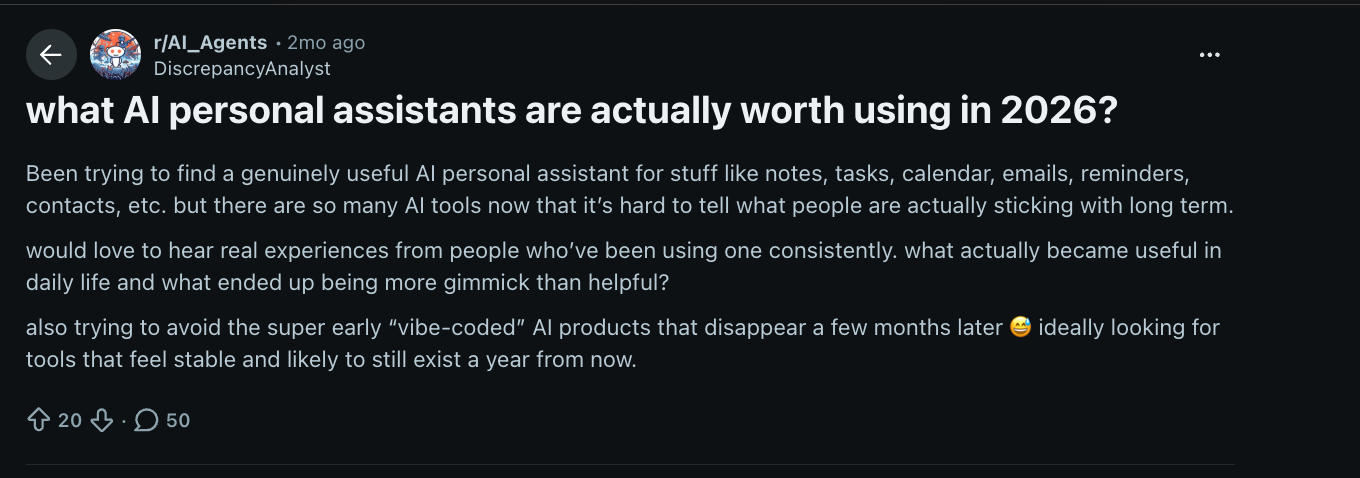
Two months ago, a Reddit user named DiscrepancyAnalyst posted in r/AI_Agents asking which AI personal assistants are "actually worth using in 2026," specifically calling out the wave of vibe-coded products that look good in a demo and disappear six months later. The thread got 50 replies. Most of them named different tools.
That question is harder to answer than it looks. I tested eleven tools total. Five didn't make this list: Meta AI, Grok, Amazon Alexa+, Samsung Bixby, and Claude.
Some were too desktop-focused to qualify as phone-first. Others handled one task well but fell apart outside it. A few weren't consistent enough across conditions to recommend. The six that made it earned it.
Here's exactly what I looked at:
- Voice and conversation quality: Did the assistant hold context across a multi-turn conversation, or did every follow-up question feel like starting over? I tested this with real scheduling back-and-forth, live research sessions, and step-by-step instructions where losing the thread meant failing the task. Comparing audio performance across the best AI voice assistant options shows which ones handle multi-step tasks through speech.
- Task completion: The line that matters isn't smart versus not smart. It's whether the assistant answered or acted. I tested each tool across email drafting, calendar management, web research, and call handling, specifically looking at how many extra steps each one required.
- Device and app integration: A phone assistant that can only help you inside its own app isn't really a phone assistant. I tested whether actions crossed app boundaries, booking a meeting from inside an email thread, pulling calendar context into a research query, and whether the integration felt native or bolted on.
- Response speed: Measured subjectively across LTE, Wi-Fi, and real-world noisy conditions. Speed matters most in the moments when typing isn't practical. A two-second delay is fine at a desk. It's a dealbreaker mid-commute.
- Pricing transparency: I checked what changes between free and paid tiers, whether the upgrade is worth it for a daily user, and whether the pricing page requires a second tab to decode.
1. Google Gemini: Best AI phone assistant for Android users
Who it's for: Android users who run their day through Gmail, Google Calendar, Google Drive, and Google Docs. Gemini is built into the same ecosystem you're already working in, which is the whole point.
Pick this if: Your work life lives inside Google, and you want one assistant that can reach across all of it without switching apps.
Key features
- Google ecosystem integration: Gemini connects directly with Calendar, Maps, YouTube, Gmail, and Drive. You can ask it to navigate, create events, set reminders, and pull up documents without leaving the app you're in.
- Deep Research: Pulls from multiple web sources and your Google Drive files to compile detailed reports. Useful when you need context fast and don't have time to tab between sources.
- Gemini Live: A hands-free voice conversation mode that stays active across longer exchanges. It handles follow-up questions without losing context, which makes it practical for brainstorming or working through a problem while commuting.
- Large context window: Handles up to a million tokens in a single session, so you can paste in lengthy contracts, reports, or email threads and work with the full document rather than summaries.
- Creative tools: Lyria handles AI-generated music, Nano Banana Pro handles image and video creation, and Veo 3.1 supports video and audio output. More built-in than most phone assistants carry.
Why did I pick it
I was watching a seminar on agentic AI on YouTube, hit pause, and asked Gemini to summarize what I'd just watched. A few seconds later, I had structured notes, still inside YouTube, still on my phone.
That's what separates Gemini from the other assistants on this list. It's woven into apps you're already opening, so the assist happens inside the flow rather than pulling you out of it.
The same goes for Maps. You can ask conversational questions mid-navigation without breaking the flow. Image generation works from the mobile app, too. Most of what Gemini does on desktop is available on your phone, unlike the other assistants on this list.
What could improve
Gemini is strong inside Google Workspace. Outside it, the advantage disappears. If you're not already in the Google ecosystem, this is a less obvious choice than it looks. The mobile experience also needs work. Editing and image handling were buggy enough that I switched back to desktop for anything beyond basic queries.
Pricing
Gemini has a free plan that includes access to the Gemini app, Deep Research, Gemini Live, and Google Flow with limited credits. Google AI Plus costs $4.99/month and doubles usage by adding Gemini to Gmail, Docs, and Vids.
2. ChatGPT: Best AI phone assistant for conversations and brainstorming
Who it's for: Anyone who needs a capable general-purpose assistant across writing, research, problem-solving, and brainstorming. ChatGPT works well across both personal and professional use without requiring you to switch between specialized tools for each task.
Pick this if: You want one assistant that handles most things well, and you want it available the moment you unlock your phone.
Key features
- Advanced Voice Mode: A full spoken conversation mode that keeps context across the exchange, understands follow-up questions, and responds in natural speech. Built for hands-free use while commuting, walking, or between meetings.
- Projects and memory: Retains preferences, context, and instructions across sessions. You can set up separate projects for different clients or topics, and ChatGPT carries that context forward without you having to re-explain it each time.
- Vision and camera input: Point your phone's camera at a document, diagram, whiteboard, or product, and ask ChatGPT about it directly. Useful for quick analysis without typing out a description.
- Deep Research: Pulls from multiple web sources to compile structured, detailed reports. Available from the mobile app for longer research tasks that need more than a quick answer.
- Image generation: ChatGPT Images 2.0 works from the mobile app. Give it a specific direction, and it returns clean output fast. Noticeably better than earlier versions at following instructions on style and format.
Why did I pick it
Most of my ChatGPT use on my phone happens in the gaps. A ten-minute commute where I need to think through a client response. A walk where I want to work out the structure of something before I sit down to write it. Advanced Voice Mode handles both without me having to touch the screen.
What makes it work specifically on a phone is how little setup each conversation needs. I was prepping for a tricky client call during a cab ride. I opened the app, described the situation out loud, and had a back-and-forth about how to approach it in under five minutes.
Projects carry across devices too. My friend built one around his fitness routine, workout plans, progress notes, and preferred schedule. He checks it on his phone right before the gym. That's the kind of low-friction daily use that doesn't make tech headlines but is probably why most people keep the app installed.
What could improve
ChatGPT is strong for thinking through problems and drafting, but it's not reliable for fact-checking. If it gives you a statistic or summarizes a report, verify it before you use it. The free plan is fine for occasional use, but message limits and restricted model access mean daily users will outgrow it quickly.
Pricing
ChatGPT has an ad-supported free plan with limited access. Go costs $8/month but includes ads and lacks advanced reasoning and Deep Research. Plus is $20/month and is the first tier to remove ads and unlock the full feature set, including GPT-5.5, Advanced Voice, and Deep Research.
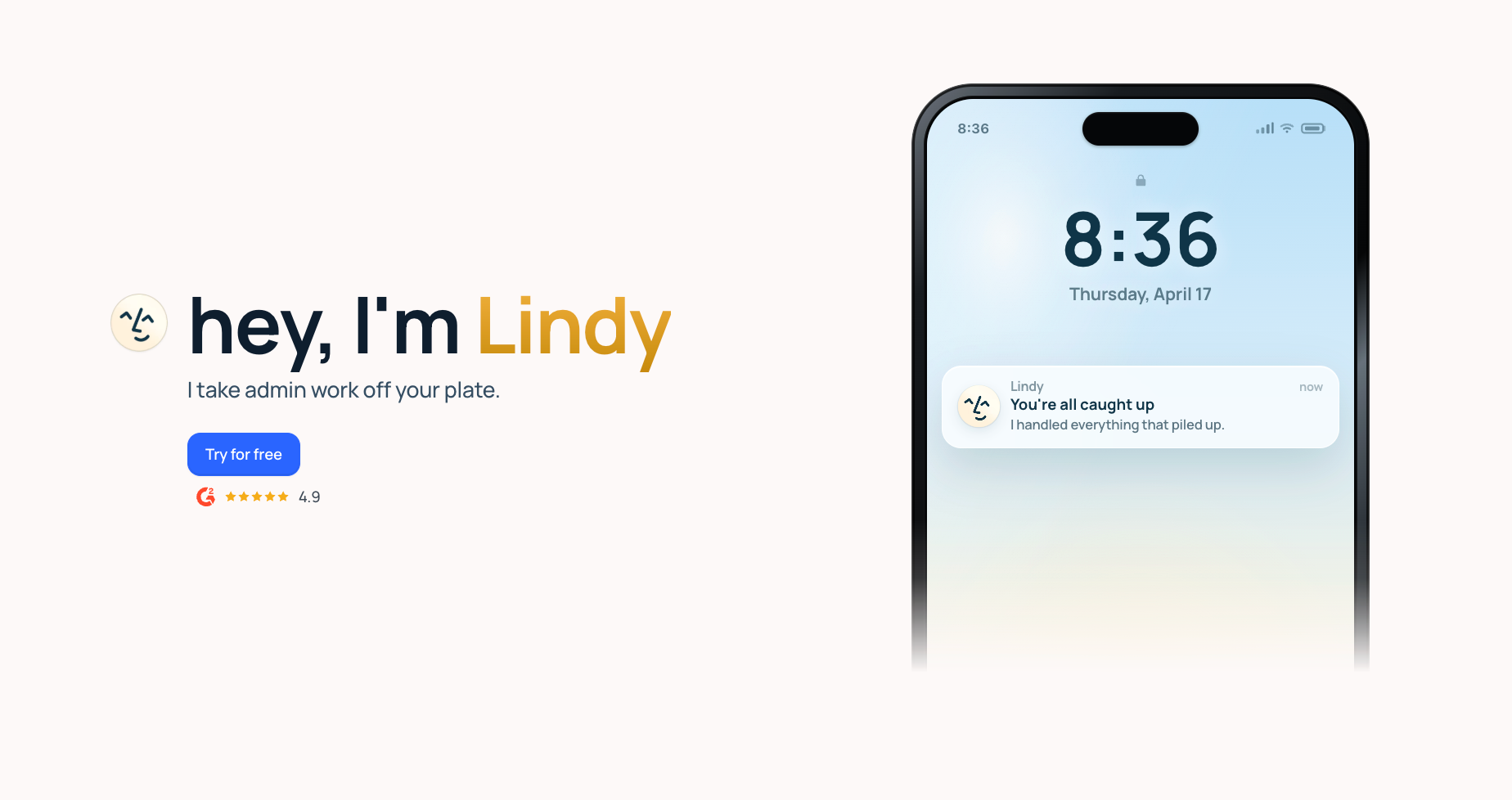
3. Lindy: Best AI phone assistant with iMessage integration
Who it's for: Founders, operators, and small teams whose mornings start in the inbox and afternoons disappear into meetings. Lindy handles the full admin layer across scheduling, notes, follow-ups, and email triage, all accessible from a text.
Pick this if: You want one assistant that preps you before meetings, captures notes, and sends follow-ups, and you want all of it accessible from your phone without opening a separate app.
Key features
- Meeting prep on demand: Ask Lindy to brief you before a call. It pulls context from past emails and previous meeting notes and delivers a summary of who you're meeting with and what was discussed last time.
- Autonomous email drafting: Lindy writes replies in your voice based on past interactions. You review and send. Nothing goes out until you approve it.
- Meeting notes and follow-ups: Lindy joins your call on Zoom, Google Meet, or Teams, records everything, tracks speakers, and structures notes in real time. Action items are ready before you close the tab.
- Daily briefings by text: Set a morning briefing, and Lindy texts you your calendar, important emails, and upcoming tasks. You arrive knowing what needs your attention before you've touched your inbox.
- Hundreds of integrations: Connects with Gmail, Slack, Salesforce, HubSpot, Google Calendar, Notion, and hundreds more. The more it connects, the less you manually move information between systems.
- Enterprise-grade security: Lindy is SOC 2 Type II, HIPAA, and GDPR compliant, so your data stays protected across every integration.
Why did I pick it
Every other tool on this list requires you to open an app. Lindy lives in your text thread, in the same place you're already reading messages.
The difference shows up fast. While commuting to a meeting, you text, "Brief me on my 2 pm." By the time you reach the office, you have a summary of the contact's background, the last email you sent them, and what came up on the previous call. Ten seconds of input.
The voice note capability covers the moments when typing isn't practical. Send a voice note on a walk, ask Lindy to reschedule a conflicting call, and follow up with the other person. It handles both.
The more you use Lindy, the better it understands your preferences, priorities, and communication style. Feedback works the same way it would with a colleague. Tell it that the draft was too formal, or that it should always CC someone on a certain type of email. It adjusts.
What could improve
The first few days take some deliberate setup. Lindy works best once you've told it what to delegate and given it enough context about how you work. The Plus plan also limits you to two inboxes, so heavier users will need Pro for full coverage.
Pricing
Lindy offers a free trial. The Plus plan starts at $49.99/month and covers inbox management, meeting scheduling, note-taking, and meeting prep. Pro is $99.99/month for 3x the usage. Max is $199.99/month for the heaviest workloads. Enterprise pricing is custom.
{{templates}}
4. Siri: Best AI phone assistant for iPhone users
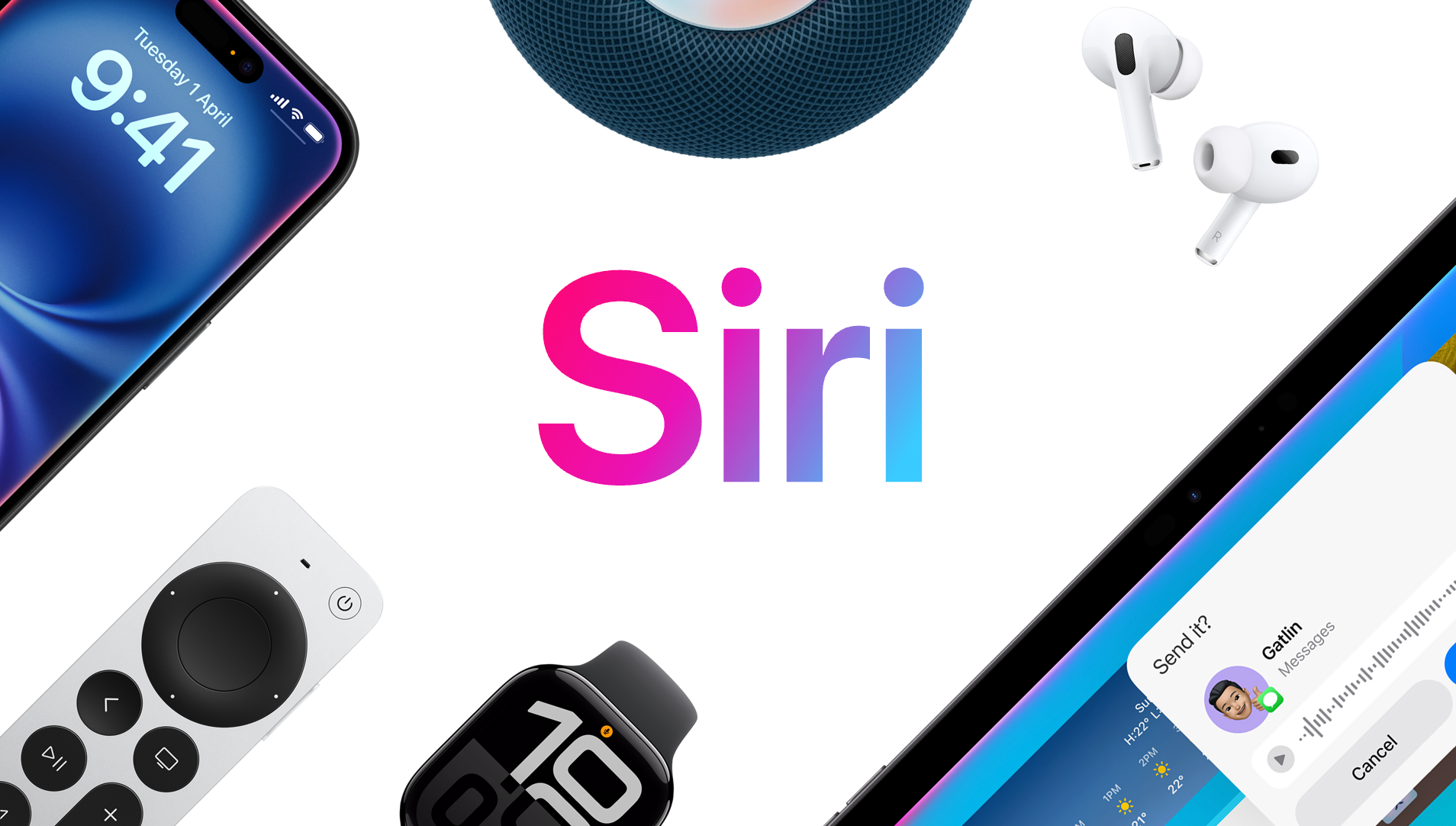
Who it's for: iPhone users who want an assistant baked directly into their device. Siri handles the things that matter most on a phone: calls, navigation, messages, reminders, and controlling your phone without touching it.
Pick this if: You're in the Apple ecosystem and want an assistant that works across your iPhone, Apple Watch, AirPods, and Mac without setting anything up.
Key features
- Personal context understanding: Siri AI can search across your messages, emails, and photos to find what you need, and extends this to third-party apps when developers integrate with Spotlight. Ask it to find the restaurant a friend texted you about, and it goes and looks for it.
- On-screen awareness: Siri AI can answer questions about what's on your screen. If you're reading an email about a meeting and want to add the location to Maps, you don't need to copy anything.
- Dynamic Island access: iPhone users can swipe down from the Dynamic Island to start a conversation with Siri AI and get an in-depth answer, without pressing a button or saying a word.
- World knowledge: Siri AI can use broad world knowledge to retrieve up-to-date information from the web on virtually any topic and continue the conversation in a back-and-forth.
- Cross-device continuity: Works across iPhone, Apple Watch, AirPods, iPad, and Mac. A reminder set on your watch shows up everywhere. A message drafted by Siri on your phone syncs instantly.
Why did I pick it
I've gone from Mac M1 to Mac M5, and somewhere along the way, Siri stopped being a feature I used occasionally and became part of how I work. Not because it's the most capable assistant on this list, but because it's the one I reach for without thinking.
I'm in a meeting, and someone mentions a name I don't recognize. I ask Siri quietly through my AirPods without picking up my phone. My watch buzzes before a call, and I tell Siri to pull the last email from that contact. It all works within the Apple stack.
The new Siri AI, announced June 8, raises the ceiling significantly. Personal context understanding and onscreen awareness move it from a voice shortcut into something closer to an actual assistant. That said, Siri AI is currently in developer testing and will arrive as a beta for users later this year. What's available right now is still the previous version, which remains best in class for device control.
What could improve
The current version of Siri still falls short on complex queries and multi-step tasks compared to ChatGPT or Gemini. It's excellent for device interaction and quick lookups, but it's not the assistant you want for drafting, research, or working through a decision.
Siri AI changes this picture, but it isn't in users' hands yet. If you're buying a phone now, the full Siri AI experience is still a few months away.
Pricing
Siri is free and built into every iPhone, iPad, Apple Watch, Mac, and AirPods. No subscription required.
5. Perplexity: Best AI phone assistant for real-time research
Who it's for: Analysts, researchers, and professionals who spend a chunk of their day finding, verifying, and cross-referencing information. Perplexity doesn't make you do that work manually.
Pick this if: You want an assistant that gives you sourced answers rather than confident-sounding ones you have to fact-check yourself.
Key features
- Cited answers on every query: Every response links directly to its sources. You can tap through and verify any claim from your phone before you use it, which matters when the stakes are higher than a casual lookup.
- Voice assistant with full app access: On iOS, Perplexity integrates with your apps as a layer on top of your device, letting you get answers without navigating between apps and services. On Android, it can be set as your default assistant and activated by swiping from the bottom-left corner or holding the power button.
- Perplexity Computer on mobile: The same orchestration engine from desktop, now on your phone. Kick off a complex research task while commuting, and the finished output is waiting when you sit down at your desk. It runs in the background across up to four tasks at once.
- Model Council: Available on Max, this polls Claude, GPT, and Gemini simultaneously on the same question. Where all three agree is your answer. Where they diverge tells you where the topic is unsettled.
- 400+ app integrations via MCP: Connects to Gmail, Slack, Salesforce, Google Drive, and more. On the Samsung Galaxy S26, Perplexity is baked into the OS at the system level, with "Hey Perplexity" voice activation and access to native apps such as Notes, Calendar, and Gallery.
Why did I pick it
I was on my phone looking into the SaaS project management space before a meeting. I asked Perplexity to pull a competitive overview. What came back wasn't a paragraph of general claims. It was a structured breakdown with sources attached to each point, including a flag where the data was thin. I could tap through and verify anything before walking into the room.
That reliability changes how you use it on a phone, specifically. You're not just asking questions. You're doing real research in the gaps between things. The Action Button shortcut on iOS is fast enough to fit into those moments without breaking your flow.
A student I know uses it the same way for research papers. Every claim comes back with a source already attached. She's not chasing citations after the fact. She's building her argument and her bibliography at the same time.
What could improve
Pro users get a limited monthly allocation of Sonar API credits. Multi-step research and complex Computer tasks burn through them faster than basic search. If you use it heavily, Max at $200/month is the more honest tier to plan around.
Pricing
Perplexity has a free plan for basic use. Pro costs $20/month and covers most professional research workflows. Max runs $200/month and includes higher credit limits, full Model Council access, and priority access to Perplexity Computer.
6. Microsoft Copilot: Best AI phone assistant for Microsoft 365 users
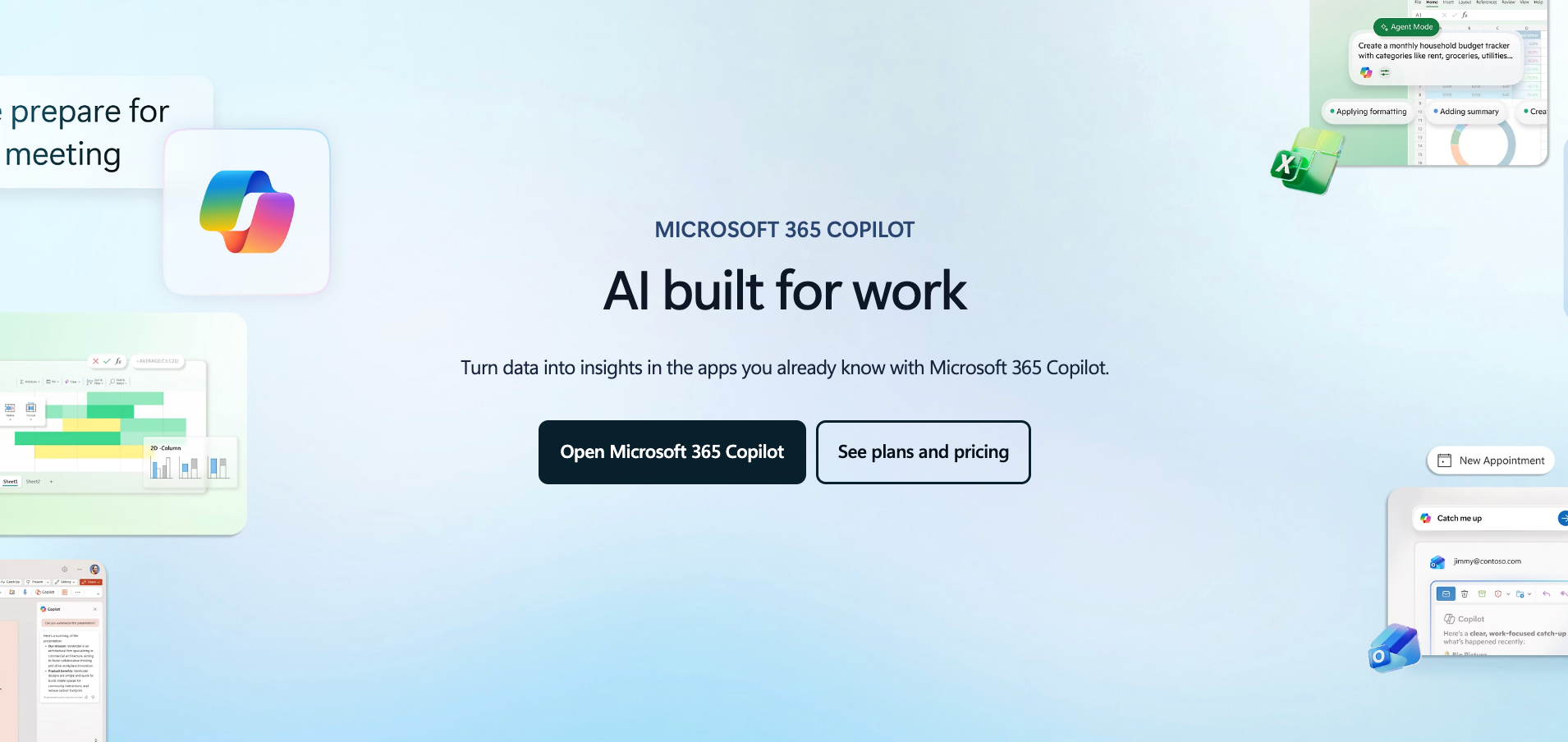
Who it's for: Professionals and teams working inside Microsoft 365, specifically Outlook, Teams, Word, Excel, and SharePoint. Copilot works best when your organization is already running on Microsoft infrastructure.
Pick this if: You spend most of your day inside Teams and Outlook and want an assistant that can reach into your organization's files, emails, and meetings without you switching context.
Key features
- Organizational context on your phone: Copilot pulls from your emails, calendar, and company files to answer questions directly. Ask it to find something from an old thread, and it surfaces the relevant message rather than a list of search results.
- Teams meeting summaries: Copilot captures discussions during Teams calls and converts them into structured notes, summaries, and follow-up actions. These are accessible from your phone as soon as the meeting ends.
- Cross-app drafting: Start in an email, turn the outcome into a Word draft, then use that as a base for a PowerPoint outline. All within the Microsoft 365 app on your phone, without copying between tools.
- iOS widget and action button: Copilot can be added as a home screen widget or mapped to the Action Button on iPhone, giving you quick access to Copilot Chat without opening the full app.
- Copilot Pages: Lets you and your team refine AI-generated content together, with edits visible in real time. Accessible on mobile for teams reviewing shared documents on the go.
Why did I pick it
I was heading into a client call and hadn't had time to review the thread. I pulled up Copilot on my phone, asked it to summarize the last two weeks of email on that account, and had a clean briefing before I walked in. That kind of lookup, where the answer lives somewhere inside a pile of organizational data, is where Copilot separates itself from a general-purpose assistant.
The Teams summary on mobile is useful too. A meeting ends, I'm already on my way somewhere else, and the structured notes are sitting in the app by the time I check. Nothing to transcribe, nothing to chase down.
What could improve
Copilot is useful inside the Microsoft ecosystem and noticeably less so outside it. If your organization isn't on Microsoft 365, the core value proposition doesn't transfer.
The pricing structure is the other problem. Individual plans, business plans, studio plans, annual versus monthly, and new versus existing customer tiers. It takes effort to figure out what you're buying before you can sign up.
Pricing
Copilot has a free tier with basic AI chat. Individual access starts at around $9.99/month through Microsoft 365 Personal. Business plans bundle Microsoft 365 with Copilot, starting at $18/user per month, billed annually. Enterprise pricing is custom.
{{cta}}
AI phone assistant use cases
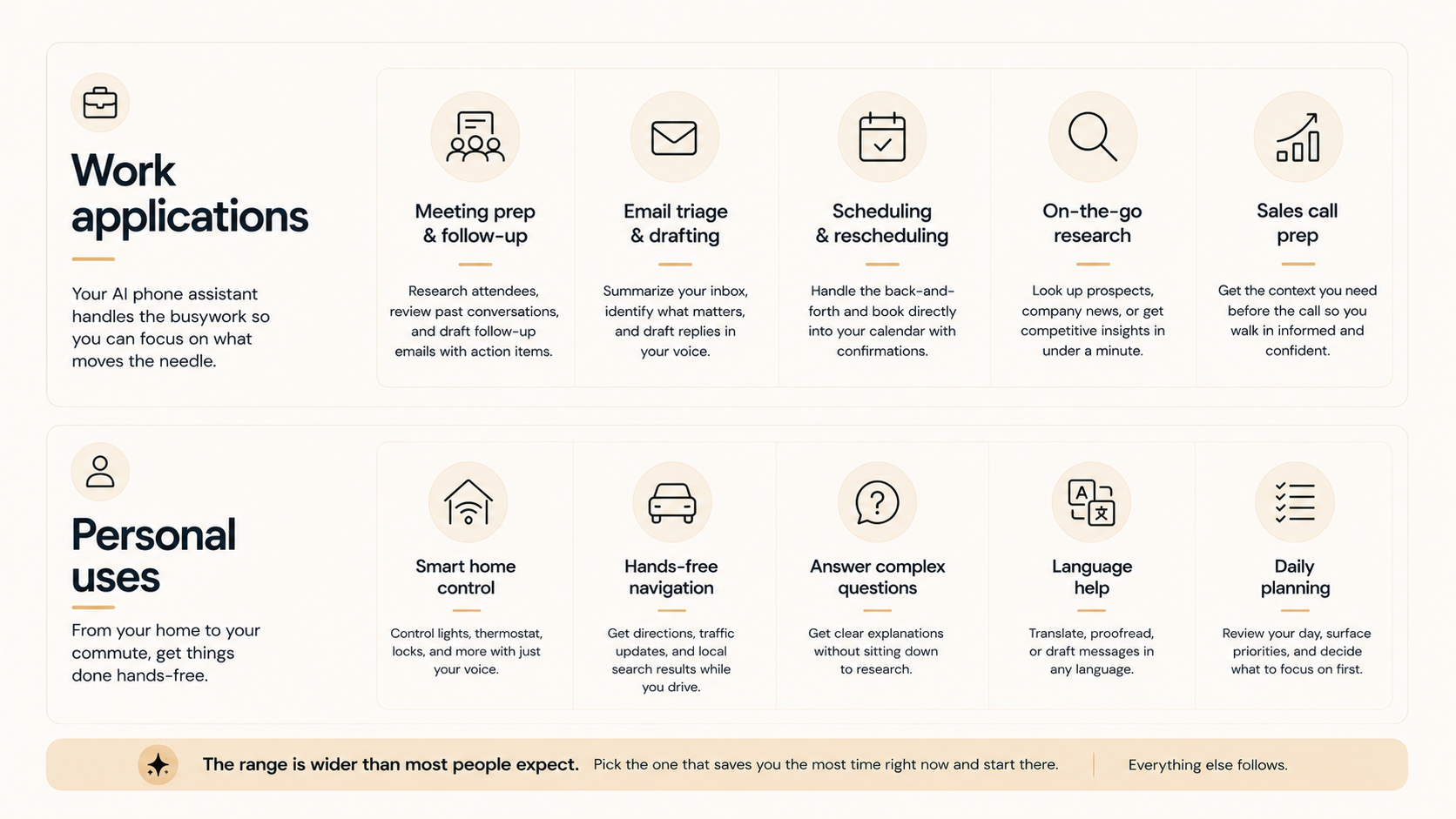
The range is wider than most people expect. Meeting prep, inbox triage, scheduling, research before a sales call, smart home control, hands-free navigation, and daily planning. Pick the one that costs you the most time right now and start there. Everything else follows.
Work applications
- Meeting prep and follow-up: Ask your assistant to pull your agenda, research attendees, and surface what was discussed last time before a call. After the meeting, have it draft a follow-up email with action items while the conversation is still fresh.
- Email triage and drafting: Summarize an overloaded inbox on your commute and identify what actually needs a reply. Ask your assistant to draft responses in your voice so you're reviewing and sending rather than writing from scratch.
- Scheduling and rescheduling: Hand off the back-and-forth of finding a time that works. Lindy handles the exchange and books directly into your calendar, including sending confirmations to the other person.
- On-the-go research: Look up a prospect, pull recent news on a company, or get a quick competitive overview before walking into a room. Perplexity and Lindy both handle this from your phone in under a minute.
Personal uses
- Smart home control: Siri and Gemini connect directly to your lights, thermostats, and locks. Useful when your hands are full, or you're already in bed.
- Hands-free navigation and local search: Ask your assistant for the nearest coffee shop, current traffic conditions, or the best route while driving. No screen tapping required.
- Answering complex questions: Ask ChatGPT or Perplexity to explain something complicated while you're doing something else. A question you'd normally need to sit down and research can get answered on a walk.
- Language help: Translate a message, proofread something written in a second language, or draft a reply to a foreign-language email. Useful for anyone regularly communicating across languages.
- Daily planning: Ask your assistant to show you your day, surface what needs attention, and help you decide what to tackle first. A two-minute check-in at the start of the day can reorder your priorities without opening five different apps.
How to choose an AI phone assistant: My take
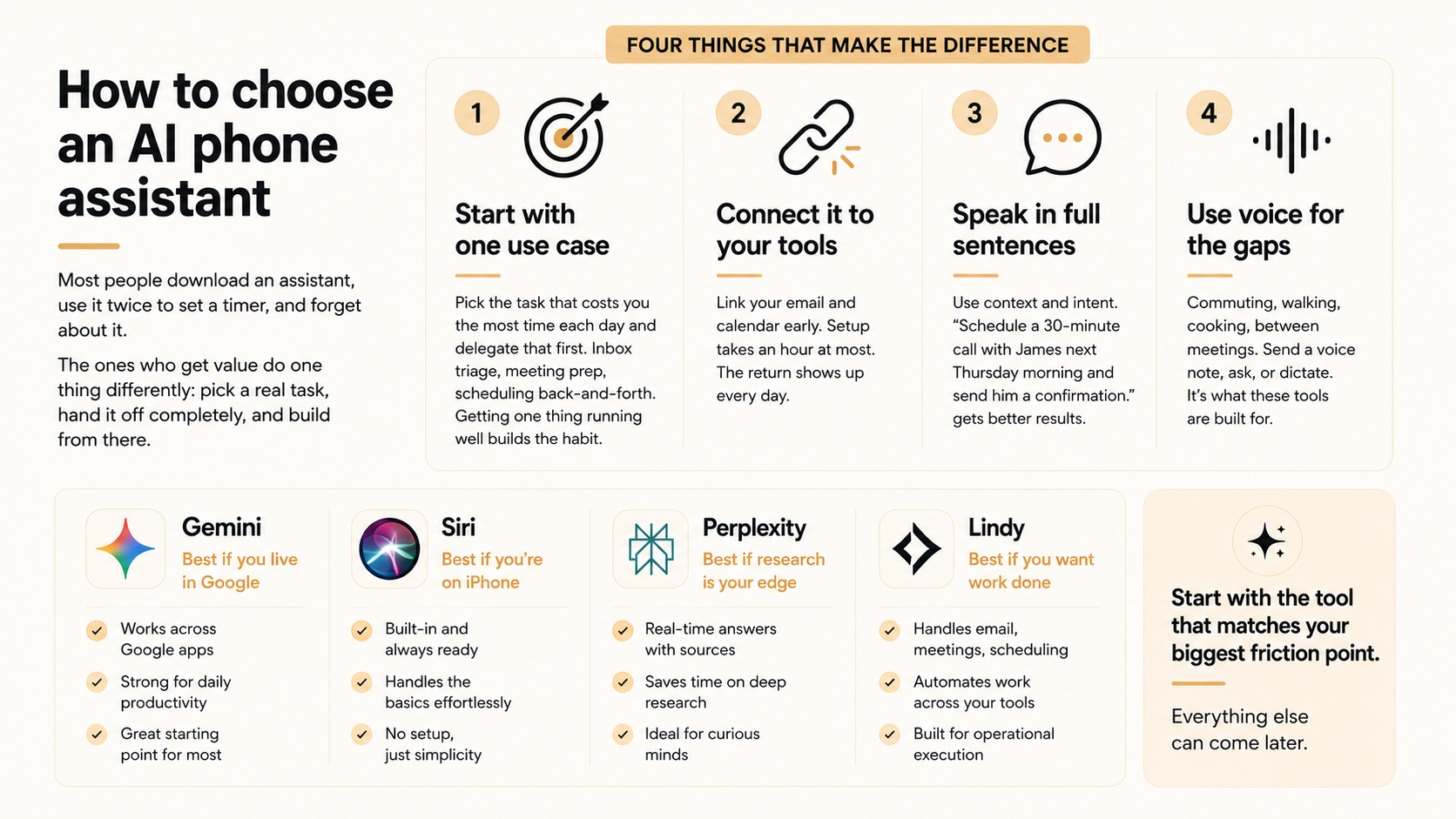
Plenty of people download one of these tools, use it twice to set a timer, and forget about it. The ones who get value from them do one thing differently. They pick a real task, hand it off completely, and build from there.
Four things that make the difference:
- Start with one use case: Pick the task that costs you the most time each day and delegate that first. Inbox triage, meeting prep, scheduling back-and-forth. Getting one thing running well builds the habit faster than trying to change everything at once.
- Connect it to your tools before you need it: Assistants like Lindy become noticeably more useful once linked to your email and calendar. The setup takes an hour at most. The return shows up every day after.
- Speak in full sentences: These tools understand context and intent. "Schedule a 30-minute call with James next Thursday morning and send him a confirmation" gets better results than "set a meeting Thursday." The more specific the request, the less back-and-forth it takes.
- Use voice for the gaps: Commuting, walking between meetings, cooking. Send a voice note, ask a question out loud, dictate a reply. The tools on this list are built for those moments.
The best AI phone assistant is the one that fits how you work. If your day runs through Google, Gemini is the obvious starting point. If you're on an iPhone and want something that works without setup, Siri handles the basics well. If research is a core part of your job, Perplexity saves you real time.
And if you want an assistant that handles operational work across email, meetings, and scheduling, Lindy is built for exactly that. Start with the tool that matches your biggest friction point. Everything else can come later.
Start managing your phone like a professional with Lindy
Each assistant on this list is good at something. Siri controls your iPhone, Gemini reaches into Google, Perplexity surfaces sourced answers, and ChatGPT thinks through problems with you.
But if what you're after is an assistant that takes actual work off your plate, from email to scheduling to follow-up calls, the gap between those tools and Lindy is meaningful. Lindy is built for the operational layer of work. You text it the way you'd text a colleague, and it handles the rest.
Here's what that looks like in practice:
- Manages your inbox: Triages, summarizes, and drafts replies in your voice from inside your text thread.
- Handles your calendar: Schedules, reschedules, and sends invitations across your connected tools.
- Joins your meetings: Records, summarizes, and extracts action items so you can stay present instead of taking notes.
- Works from your phone by text or voice: Accessible via iMessage, SMS, or voice note.
- Hundreds of app integrations: Lindy connects with the tools you already use, so everything stays in sync.
Frequently asked questions
What is the best AI phone assistant?
The best AI phone assistant depends on what you need it to do. Siri is the most integrated option if you're on an iPhone and want deep device control. Gemini makes the most sense if your day runs through Google. Perplexity is the strongest pick when sourced research matters. And if you want an assistant that handles actual work across email, meetings, and scheduling, Lindy is built specifically for that job.
What can an AI phone assistant do?
AI phone assistants can handle a wide range of tasks depending on the tool. On the device side, they set reminders, make calls, navigate, and control smart home features. On the work side, the more capable ones draft emails, schedule meetings, take meeting notes, prep you before calls, triage your inbox, and research contacts or companies.
Is there a free AI phone assistant?
Yes. Several AI phone assistants offer free access. Siri is free and built into every Apple device. Google Gemini has a free plan for Android users. ChatGPT has a free tier with limited message access. Perplexity offers a free plan for basic research. Lindy offers a free trial so you can test it across your real workflows before committing to a paid plan.
What is the difference between Siri and AI phone assistants like Lindy?
Siri is an OS-native assistant built into Apple's hardware. It controls your phone, integrates with Apple apps, and handles device-level tasks such as calls, reminders, navigation, and smart home controls. Lindy is a standalone assistant built for work tasks. It integrates with your email, calendar, CRM, and other business tools, and handles tasks like inbox management, meeting notes, scheduling, and follow-ups.
What AI phone assistant works best for Android?
Google Gemini is the strongest option for Android users. It is built into the operating system and connects directly with Google Calendar, Gmail, Maps, and other Google apps. Perplexity is also worth considering on Android, where it can be set as your default assistant and activated through gesture navigation or the home button.










