ChatGPT Plans & Pricing 2026: Free to Pro $500 Compared
Michelle compared all six ChatGPT plans, from Free to Pro 500, against Claude and Gemini, weighing model access, usage limits, team controls, and API token rates.


A while back, I nearly missed a client deadline because I'd let my ChatGPT subscription lapse to save $20 a month. That turned me into someone who pays attention to these plans now, or so I thought.
Then a contractor asked me to help set up her account, and I almost signed her up for Business, since that's the plan built for teams. Turns out Business has a two-seat minimum; she's a solo freelancer, so it was never actually an option for her. I hadn't looked closely enough to catch that.
That's when I mapped out ChatGPT pricing properly, plan by plan. Below is what all six cost in 2026, what you actually get at each one, and which tier is worth your money.
ChatGPT plans and pricing at a glance
Feature-by-plan table
What's changed recently
If you read a ChatGPT pricing guide from even a few months ago, parts of it are already wrong. A few things worth knowing before the rest of this makes sense:
- Pro 500 launched on September 29 at $500/month, the only Pro tier with Ultrafast. At the same time, new Pro 200 subscriptions started getting a lower usage allowance, while existing Pro 200 subscribers keep their old allowance through October 29, 2026.
- GPT-6 arrived in September. GPT-6 Astra, OpenAI's new top model, launched on September 3 for Plus, Pro, Business, and Enterprise. GPT-6 Sol and GPT-6 Luna followed on September 22, and GPT-6.1 Sol on September 29. For now, the Sol and Luna models run in ChatGPT Work and Codex, not in regular chat.
- GPT-5.6 launched on July 9, replacing the old model naming with three named tiers: Sol (flagship), Terra (everyday), and Luna (fastest, cheapest).
- A second Pro tier appeared at $100/month, giving Pro-level access at a lower usage allowance than the existing $200 tier.
- ChatGPT Work shipped, an agent built for longer, multi-step jobs. It arrived alongside a new desktop app that pulls Chat, Work, and Codex into one place, replacing the standalone Codex app.
- Business was repriced to $25/user per month, or $20/user per month billed annually, down from $30 and $25.
Free ($0/month)
The Free plan gives you plenty to work with. Text chats are unlimited and run on GPT-5.6 Luna, and the desktop app adds GPT-6 Luna in Work and Codex. The limits appear more often with uploads, image generation, voice, and deep research, where usage is capped.
Free makes sense if you use ChatGPT a few times a week for questions, drafting, or brainstorming and don't rely much on files or images.
Go ($8/month)
For $8/month, Go gives you higher limits across messages, uploads, images, voice, and memory. Go is the right pick if extra capacity is the thing you keep running out of.
One thing to know before you pick it: OpenAI notes that Go may include ads. It's the only paid tier that does.
Stepping up to Plus buys more than capacity. It adds the GPT-6 models, including GPT-6 Astra, along with GPT-5.6 Sol, lifts Go's caps on deep research and Codex, and unlocks Sites and record mode.
Plus ($20/month): Is it worth it?
Yes, for most people who use ChatGPT for real work. Plus is the first tier with the GPT-6 models: GPT-6 Astra, OpenAI's most capable model, plus GPT-6.1 Sol, GPT-6 Sol, and GPT-6 Luna (the Sol and Luna models currently run in ChatGPT Work and Codex, not regular chat). It also keeps GPT-5.6 Sol, while GPT-5.6 Sol Pro stays locked to Pro. You also get expanded deep research, expanded uploads and memory, and access to scheduled tasks, custom GPTs, and Sites.
ChatGPT Work also widens out at this tier, from desktop-only on Free and Go to desktop, web, and mobile.
Terra, the middle model, is not in the regular chat picker at all. It lives in Work and Codex instead. Free and Go users get Terra there by default; Plus and up can choose between Sol, Terra, and Luna in both places.
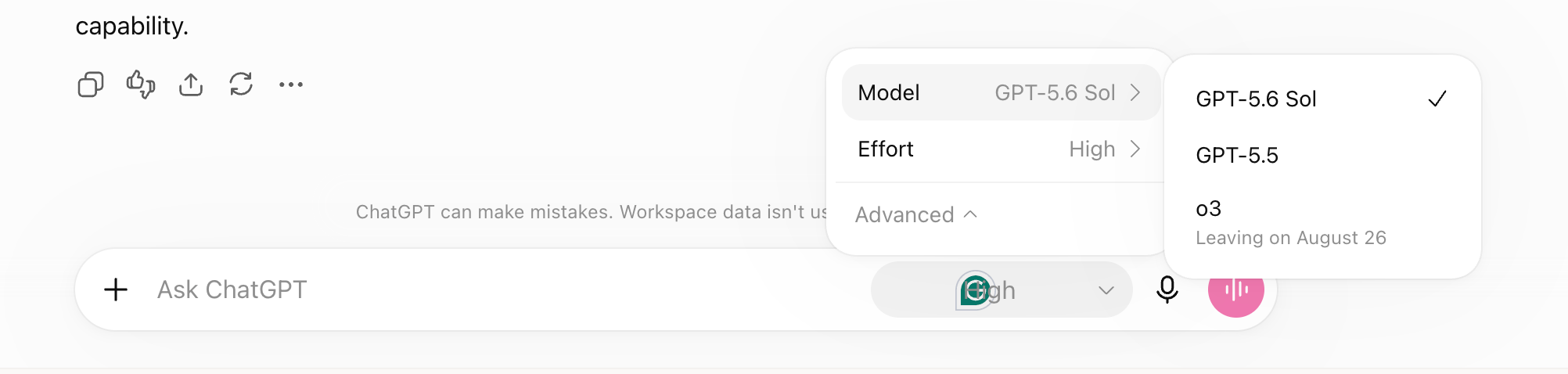
The $20 price hasn't moved in three years, even as the model behind it has changed several times over. That puts Plus in the same $20-a-month band as Claude Pro, Google AI Pro ($19.99), and Perplexity Pro, without ever going up despite several GPT generations passing through it.
If you use ChatGPT most days for actual work rather than occasional questions, this is the plan. ChatGPT is one of 17 AI platforms we tested this year, and it's held up well against the field.
Pro ($100, $200, or $500/month): Which tier is worth it?
OpenAI gives all three Pro tiers the same main capabilities, including Pro models, Codex, deep research, image generation, memory, and file uploads. What changes is how much you can use them, and whether you get Ultrafast.
Pro 200 includes more usage than Pro 100, and Pro 500 includes the most. Pro 500 is also the only tier with Ultrafast, which you select in the model picker. It uses your included allowance first, then draws on credits.
One change to know about: new Pro 200 subscriptions now come with a lower usage allowance than before. If you already had Pro 200, you keep your previous allowance through October 29, 2026. After that it moves to the new allowance, and the price stays $200.
I'd base the choice on your own usage history.
If Plus has stopped you mid-task several times recently, the $100 tier is a sensible place to start. The $200 tier makes more sense for people who already know they burn through heavy usage. Pro 500 only earns its price if you need Ultrafast or keep running out on Pro 200. You can move between tiers from Settings → My Plan if your needs change.
Business and Enterprise: Pricing for teams
For teams, Business costs $20 per user per month on annual billing or $25 per user per month on monthly billing. The two-seat minimum makes the practical starting price $40-$50 per month.
Business brings in the controls companies tend to care about once several people are using ChatGPT, including SAML SSO, admin management, SOC 2 Type 2 compliance, Slack and Google Drive connectors, and business data excluded from training by default.
Enterprise uses custom pricing and is sold directly through OpenAI. It adds controls such as data residency across ten regions, SCIM provisioning, custom retention policies, and 24/7 SLA-backed support.
When I walked a five-person team through this decision, the no-training-on-data policy ended up carrying more weight than the seat price.
OpenAI also discounts both team plans for qualifying nonprofits: Business standard seats drop to $10 per user per month billed monthly ($8 billed annually), and larger nonprofits can get up to 75% off Enterprise through sales.
Verified US K-12 educators also get free ChatGPT for Teachers access through June 2027.
How ChatGPT pricing compares to Claude and Gemini
Where ChatGPT gets interesting is the power tier. All three companies have landed on the same shape up there too: a $100/month option and a $200/month option above it, priced around usage multipliers rather than new features, not a coincidence given how closely OpenAI and Anthropic have been shadowing each other's pricing moves this year. ChatGPT has since added a third tier on top, Pro 500 at $500/month, which adds Ultrafast rather than just more usage.
The practical difference comes down to what each plan gives you. Claude Pro is a strong fit for coding and long-form writing, while Google AI Pro offers a much larger context window for working through very long documents. ChatGPT is broader, combining Deep Research, image generation, voice, and Work in the same product.
How to pay less for ChatGPT
You can usually spend less by matching the plan to what you actually use. Here are a few ways to cut the cost:
- Stay on Free until you actually hit a limit. Text chats are unlimited now, and most people outgrow Free because of upload or image caps.
- Try Go before Plus. At $8/month, it already includes scheduled tasks. Plus is more about access to the GPT-6 models, custom GPTs and higher limits.
- Use nonprofit pricing if you qualify. Verified 501(c)(3)s pay $10/user/month on Business monthly or $8/user/month annually.
- Check education discounts. Verified U.S. K-12 educators get ChatGPT for Teachers free through June 2027, while universities can license ChatGPT Edu.
- Bill annually when it makes sense. Business drops from $25 to $20/user/month with annual billing.
- Test higher tiers for a month. You can downgrade or cancel and keep access through the end of the current billing cycle.
{{templates}}
Which plan is right for you?
Most people land on Plus, but the right tier depends on how hard you use it. Here's the short version, by how you actually use ChatGPT:
- Free if you check in a few times a week for quick questions and don't need to upload or share images often.
- Go if you use it every day but don't want to spend more than $8/month.
- Plus if you're doing real work with it, writing, coding, research. This is the plan for almost anyone using ChatGPT professionally.
- Pro $100 if you can point to specific moments that actually stopped you this month.
- Pro $200 only if $100 wasn't enough, never as a first purchase.
- Pro $500 only if you need Ultrafast or Pro 200 still runs out.
- Business if you're rolling it out to a team and want training excluded from your data by default.
- Enterprise if you need data residency, SCIM, or compliance guarantees a per-seat plan can't offer.
If nothing here feels like the right fit, it's worth looking at other ChatGPT alternatives before you commit to a plan. If you want to see how ChatGPT stacks up against the wider field, we ranked the best AI chatbots after testing them.
API pricing, in full
API usage is billed separately from ChatGPT subscriptions. Your monthly ChatGPT plan doesn't include API credits, and API spend doesn't cover access to ChatGPT.
API pricing is based on tokens, and you pay separately for what goes in and what comes out.
GPT-6 Luna runs $0.10 per million input tokens and $0.50 per million output. GPT-6.1 Sol is $2 in, $10 out. GPT-6 Astra, the top model, is $10 in, $50 out. The older GPT-5.6 Sol is still available at $4 in, $20 out. Output is where most real spending lands.
Standard API rates per 1M tokens, short context.
For most people choosing a ChatGPT plan, this won't affect the monthly price. API costs mainly matter if you're building OpenAI models into your own product or workflow.
So, is ChatGPT worth paying for?
For most people using ChatGPT regularly for work, Plus at $20/month is the sweet spot, and it's the plan I've stuck with since that mix-up with my contractor's account.
Everything else in the ChatGPT pricing lineup covers an edge case on one side of it or the other: Free and Go if you're lighter than that, Pro if Plus keeps stopping you, Business and Enterprise once it's more than just you.
For a closer look at how it performs in everyday use, our Claude vs ChatGPT comparison covers speed, writing quality, coding, and where each one falls short.
{{cta}}
FAQs
1. How much is ChatGPT per month?
Free is $0. Go is $8. Plus is $20. Pro is $100, $200, or $500 depending on the usage tier you pick. Business is $25 per user per month, or $20 billed annually, with a two-seat minimum. Enterprise is custom.
2. Is ChatGPT Plus worth $20 a month?
Yes, for anyone using it regularly for real work. It's the first tier that unlocks the GPT-6 models, including GPT-6 Astra, plus expanded deep research, uploads, and memory. The price hasn't changed in three years despite several model generations passing through it.
3. What's the difference between ChatGPT Free and Plus?
Free gives you unlimited text chats but caps uploads, images, voice, and deep research, and outside the desktop app it doesn't include the GPT-6 models or GPT-5.6 Sol.
Plus removes most of those caps and adds the GPT-6 reasoning models, plus scheduled tasks, custom GPTs, and Sites.
4. Can I cancel my ChatGPT subscription anytime?
Yes. Cancel whenever you like, and your plan stays active until the current billing cycle ends. You won't be charged again after that.
5. Is there a student discount for ChatGPT?
Not for individuals. Verified US K-12 educators get ChatGPT for Teachers free through June 2027, and universities can get ChatGPT Edu for their campus, but those are institutional plans, not individual student discounts.









