12 Best Conversational AI Platforms: Tested by Type (2026)
Marvin tested 20 conversational AI platforms, comparing Google Dialogflow CX, IBM watsonx Orchestrate, and Intercom's Fin AI for enterprise and support teams.


Every conversational AI platform I tried looked effortless in the demo. Then setup began. One needed two Google Cloud services the guide never mentioned, another assumed I had an engineering team on standby, and half the pricing pages sent me straight to sales.
That was the pattern. These platforms promised quick deployment, but that turned into weeks of setup, integrations, and vendor calls.
I spent four months testing 20 platforms across sales, support, and internal operations. I compared deployment time, pricing, scope, and integration depth, then grouped the 12 worth considering by type.
These are the platforms I’d shortlist, depending on what you’re trying to build.
12 conversational AI platforms to start with: TL;DR
- Google Dialogflow CX: Best for enterprise contact-center teams on Google Cloud
- IBM watsonx Orchestrate: Best for enterprises managing AI agents at scale
- Rasa: Best for enterprises that need full on-premise control
- Paradox: Best for high-volume recruiting teams
- Kasisto: Best for banks and credit unions
- Dragon Copilot: Best for healthcare documentation teams
- Intercom Fin: Best for high-volume customer support teams
- Zendesk AI: Best for teams already using Zendesk
- Cognigy: Best for enterprises building complex voice and chat agents
- Lindy: Best for founders and small teams without technical resources
- ChatGPT: Best for general-purpose AI task
- Claude: Best for complex reasoning and research
What is a conversational AI platform?
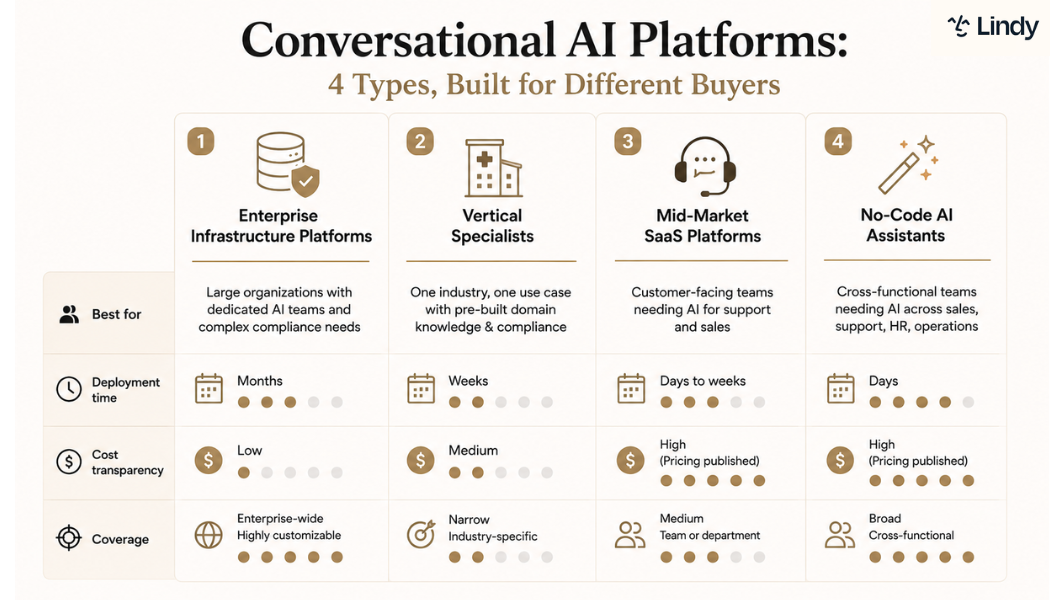
A conversational AI platform lets businesses build, deploy, and manage AI-powered conversations at scale, across text, voice, and messaging channels. Gartner describes them as products that combine generative models, NLP, and dialog management under one roof. That's accurate. Deploying a modern conversational ai assistant allows companies to automate these multi-channel customer interactions seamlessly.
Here’s where most buyers lose the thread:
- Standalone chatbots are single-channel, rule-based tools that follow fixed conversation flows. They don't use machine learning. They don't carry context between turns. A chatbot is often built on a platform, but a platform is not a chatbot.
- AI assistants like ChatGPT, Claude, and Gemini are excellent productivity tools for individual users, but they aren't built for business deployment. They lack the native helpdesk integrations, management controls, and reporting businesses need to operate at scale.
- Custom LLM deployments are developer infrastructure built directly on model APIs. Maximum control, but they require an engineering team to build and maintain. No out-of-the-box capability here. For teams evaluating voice-first developer platforms, exploring vapi ai alternatives software can help identify tools with easier setup. Organizations looking for turnkey voice solutions can deploy a pre-configured ai call bot to handle incoming phone traffic.
That difference matters more than most buyers realize before they start shopping. Understanding these distinctions is especially critical when evaluating ai sales automation platforms to ensure your revenue teams get full workflow capabilities.
How I tested these conversational AI platforms
I tested each platform against real tasks, the kind that show up in an actual workday. Customer support queries, lead qualification flows, internal ops handoffs, and clinical documentation for the tools built for healthcare. If you are looking specifically to automate support teams, see our analysis of the best customer service chatbots software.
I connected them to live systems where I could, skipped the vendor demos, and ran the harder conversations instead. If a tool added steps instead of removing them, it didn't make the list.
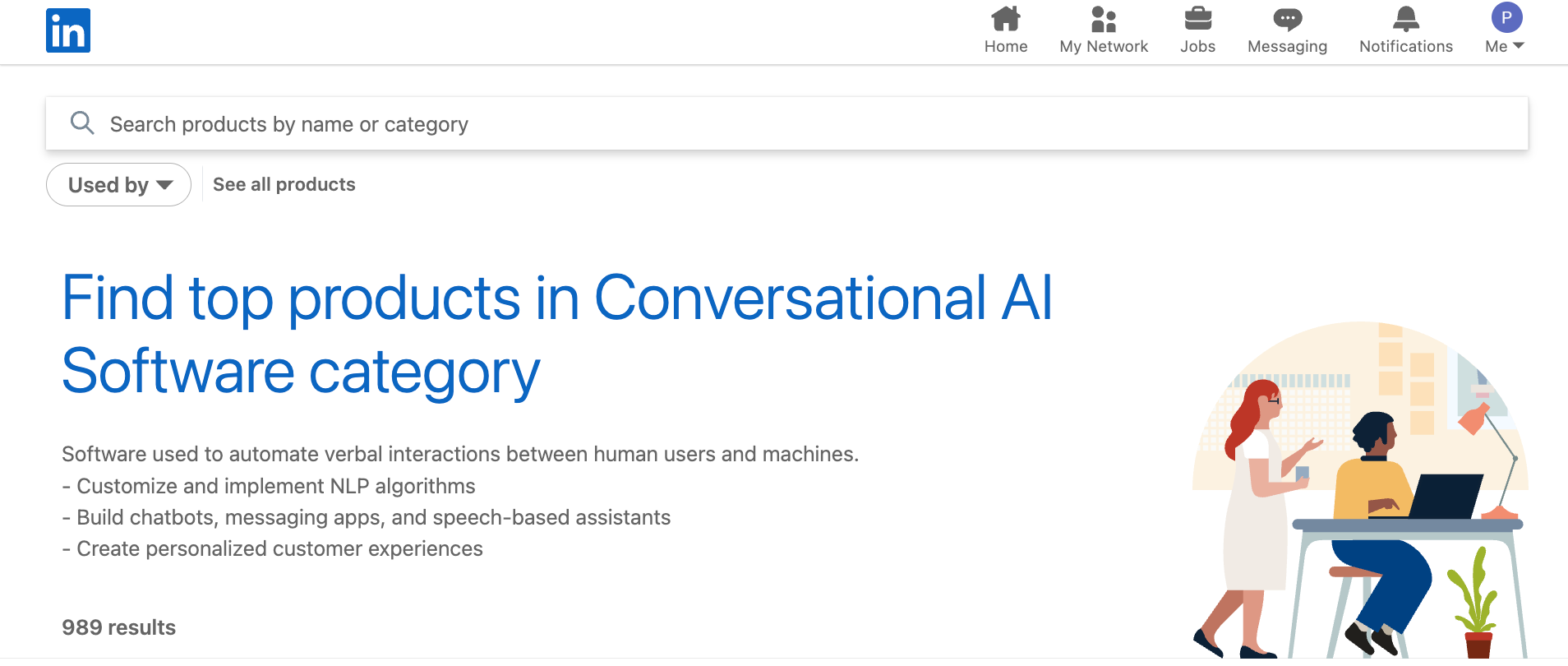
I also went through LinkedIn’s Conversational AI category. From there, I checked posts from operations and support leads who had deployed these tools, as well as YouTube tutorials covering more complex setups. You learn more about a platform's real complexity from a thirty-minute implementation walkthrough than from any vendor demo.
Beyond direct testing, four factors shaped the final list:
- Ease of deployment: How close was the actual setup to the vendor's description? Tools that required significantly more time or technical resources than advertised were penalized. Rasa's setup took considerably longer than the documentation suggested.
- Pricing predictability: Does the cost stay manageable as usage grows? Entry-level pricing that compounds quickly at volume is not affordable pricing. Several platforms looked reasonable at the entry level but scaled aggressively past 5,000 monthly interactions.
- Coverage depth vs. breadth: A platform that handles one use case well often beats one that handles five use cases adequately. I assessed whether each tool's scope matched its category. The vertical specialists consistently outperformed general platforms on their core use case and fell short everywhere else.
- Integration depth: Connects with thousands of apps" means different things across platforms. I tested specific integrations rather than accepting headline numbers. Every platform handled Salesforce and HubSpot. Anything outside that core stack usually needs Zapier or custom API work.
Eight tools didn't make the final twelve.
Amazon Lex and Kore.ai are solid, but didn't earn a separate spot. Lex works well inside AWS and gets awkward outside it. Kore.ai is a real enterprise platform, but it covers the same ground as Cognigy without a clear reason to choose it over.
Salesforce Einstein and Microsoft Copilot Studio have the same problem: great inside their ecosystems, limited everywhere else. LivePerson was more complex than Intercom without being better. Yellow.ai has impressive multilingual coverage, but lost out to Cognigy on overall fit.
Drift is pipeline-focused now and too narrow for this list. Gemini would have been a third general-purpose assistant doing what ChatGPT and Claude already cover here.
Four types of conversational AI platforms: At a glance
| Type of AI platform | Time to deploy | Best for | Example tools |
|---|---|---|---|
| Enterprise infrastructure | 3-6 months | Large orgs with AI engineering teams and strict compliance requirements | Google Dialogflow CX, IBM watsonx Orchestrate, Rasa |
| Vertical specialists | Weeks to months | Single-industry teams that need domain knowledge and compliance pre-built | Paradox, Kasisto, Dragon Copilot |
| Mid-market SaaS | Days to weeks | Customer-facing support and sales teams | Intercom Fin AI, Zendesk AI, Cognigy |
| No-code AI assistants | Under a week | Cross-functional teams without AI engineers or implementation partners | Lindy, ChatGPT, Claude |
Enterprise infrastructure
Enterprise infrastructure platforms are built for big companies. They assume you have an AI engineering team, strict compliance rules, and a major cloud setup already in place. If you're a small or mid-sized business, you're probably looking in the wrong category.
The trade-off is complexity. Getting everything configured, integrated, and approved can take months, and many teams end up relying on implementation partners just to get started. If you need something live in weeks rather than quarters, this usually isn't the right fit.
1. Google Dialogflow CX: Best for enterprise contact center teams on Google Cloud
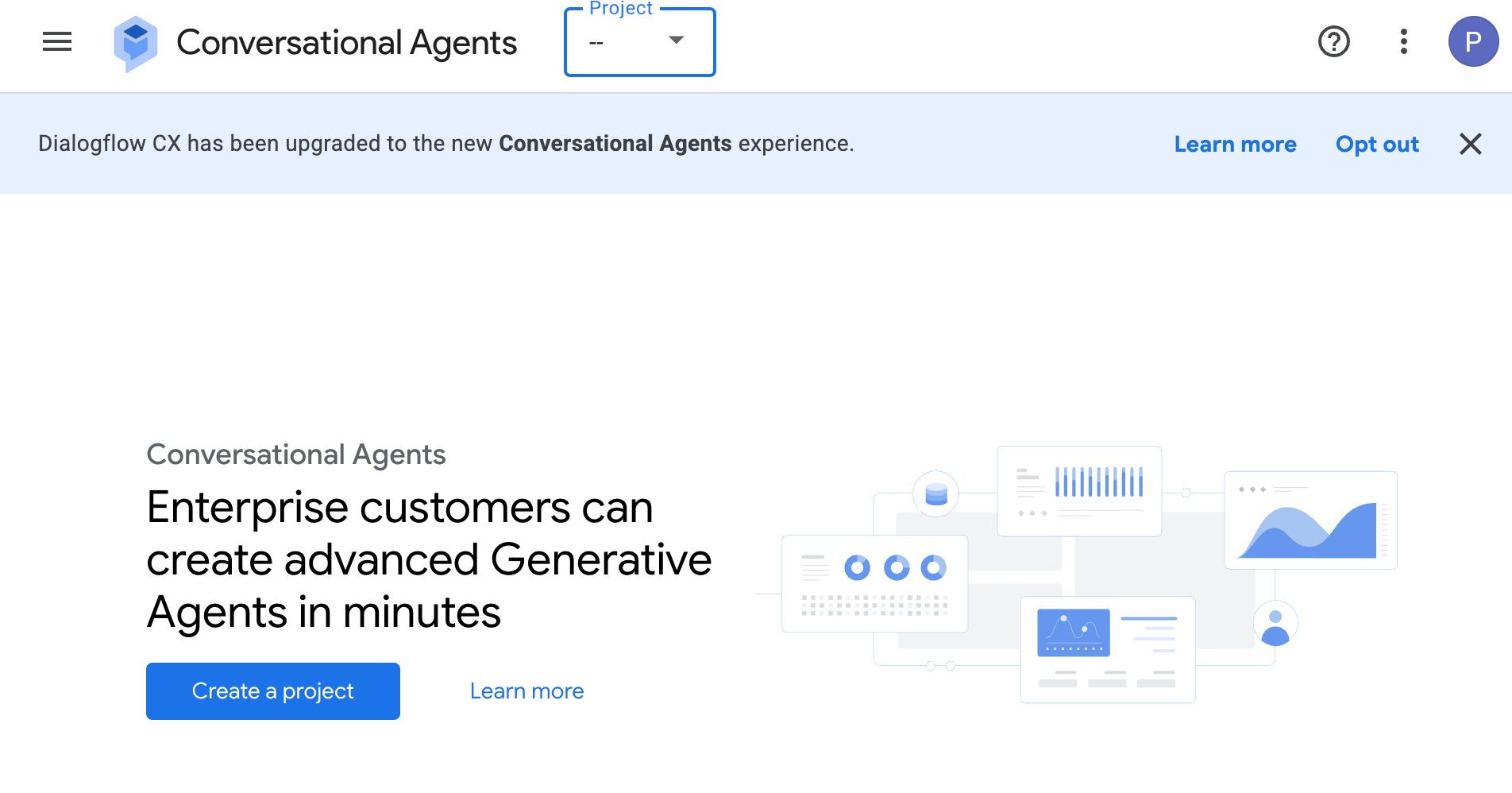
What it is: Dialogflow CX is Google's enterprise conversational AI platform. It uses visual flows to map out exactly how conversations should move. It runs across web chat, mobile, and phone, and handles text and voice in one place.
Who is it for: Built for engineers and architects at large enterprises, particularly teams already running on Google Cloud. If you're managing high-volume contact center deployments and need precise control over conversation design and phone integrations, this is the platform for you.
Dialogflow CX is definitely not the right fit for teams without dedicated AI engineering resources. I tried setting up a basic multi-turn voice flow, which took the better part of three days and required two Google Cloud services that the setup guide didn't mention upfront.
Key features
- State-based flow management: Organizes conversations into visual flows and pages. Every step is defined, so multi-turn interactions stay on track even when the conversation branches.
- Generative playbooks: Let agents follow structured goals while still responding naturally to what users say. You get flexibility without losing control over the conversation.
- Voice and chat on one platform: One agent handles both text and phone calls. No separate models needed for each channel.
- Native phone gateway: Built-in phone support with Twilio and Avaya integrations. Handles both keypad inputs and spoken responses out of the box.
- Prebuilt transactional components: Ready-made modules for common tasks like user verification, payments, and address collection. They cut build time on standard service flows.
Pricing
Pay-as-you-go. Flows start at $0.007/chat request; Playbooks at $0.012 per chat request. New users get free trial credits.
2. IBM watsonx Orchestrate: Best for enterprises managing AI agents at scale
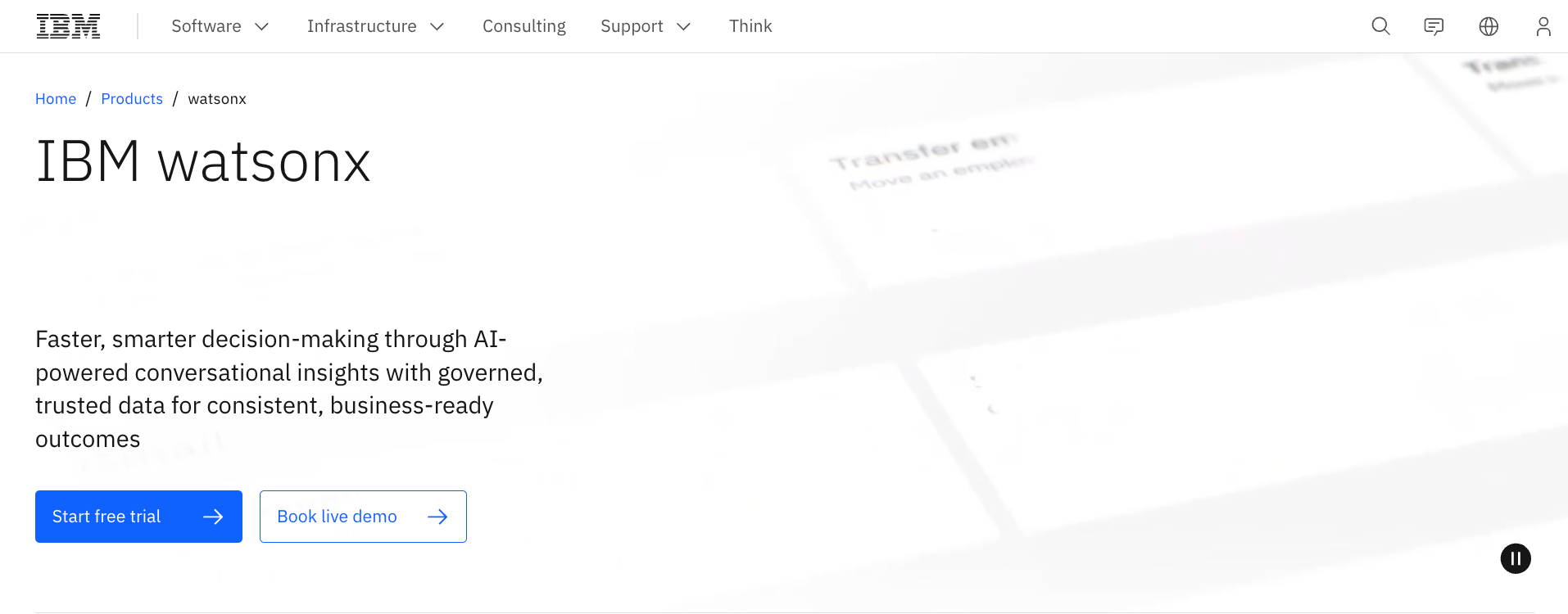
What it is: IBM watsonx Orchestrate is an enterprise platform for building, connecting, and managing AI agents across teams and systems. It comes with a no-code and pro-code agent builder, a unified gateway to connect models and tools, and built-in governance to manage agent activity at scale. It runs on IBM Cloud, AWS, or on-premises.
Who is it for: IT leaders and AI engineering teams at large enterprises, particularly in regulated industries. Built for organizations that need to deploy agents across multiple departments, maintain compliance, and keep full control over how those agents behave.
Key features
- Agent builder: Build agents with no-code or pro-code tools. You can also import agents from frameworks like LangFlow or LangGraph and run them without rebuilding from scratch.
- Cross-team orchestration: Coordinates agents, tools, and systems to complete multi-step work end-to-end. Shared context keeps every agent aligned across the process.
- Unified gateway: Provides every agent with consistent, secure access to models, data, and tools via APIs and MCP servers. No custom integrations needed for each connection.
- Agent governance: Monitors activity, enforces policies, and manages the full lifecycle of your agents. Enterprise-grade compliance is built in, not bolted on.
- Reusable agent library: Teams can find and reuse agents, tools, and templates across the organization. Access controls and usage tracking keep things manageable as the library grows.
- Multi-environment deployment: Runs as a managed service on IBM Cloud or AWS, or in your own on-premises environment. Useful for organizations with strict data residency requirements.
Pricing
Essentials starts at $530/month. Standard starts at $6,360/month. Premium pricing is available on request.
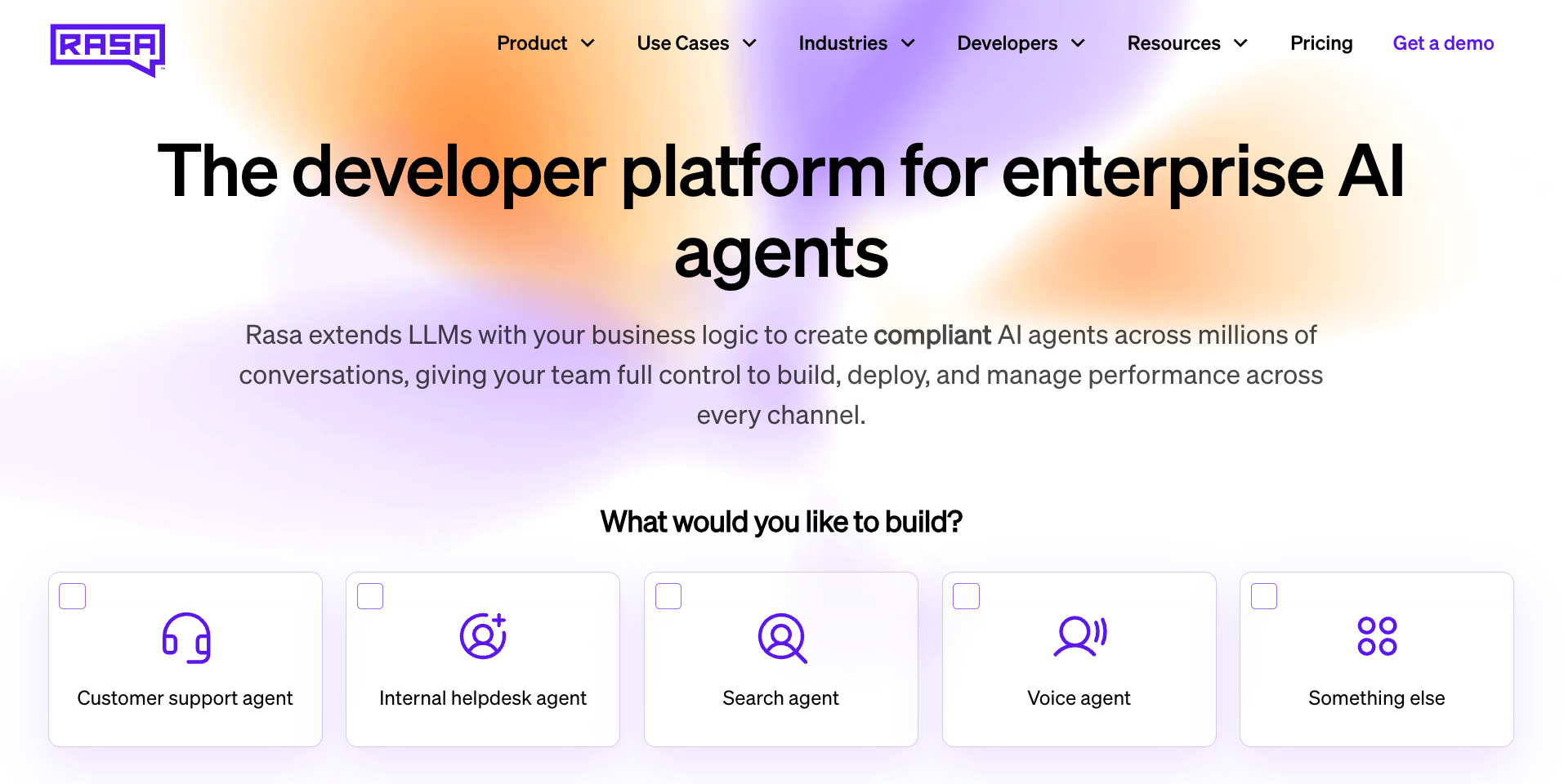
3. Rasa: Best for enterprises that need full on-premise AI control
What it is: Rasa is an open-source conversational AI platform built for developer teams. It layers structured conversation flows and rule-based logic on top of large language models. Developers get a code-first interface for complex logic. Design teams get Rasa Studio, a visual no-code environment, for everything else.
Who is it for: Developer and IT teams at banks, healthcare systems, and other regulated businesses. If your organization needs data kept on-premise and full visibility into every conversation, Rasa fits that requirement.
Key features
- CALM logic engine: Mixes LLM flexibility with rule-based logic. Assistants handle open-ended conversations without going off the rails. Your business rules are enforced at the system level.
- Enterprise knowledge retrieval: Connects agents to your internal data sources to pull accurate information in real time. Every answer is verifiable and drawn from your own documentation rather than the model's general knowledge.
- Code and no-code on one platform: Developers use a full-code interface for detailed conversational logic, while design teams use Rasa Studio, a visual no-code environment, to build and manage agent behavior without writing any code.
- Standardized API connections: Gives agents a consistent way to connect with external tools and services. Business logic stays independent of the underlying AI model, making the setup easier to update as better models become available.
- Real-time voice support: Built for high-volume contact center environments that need fast, reliable voice responses. Agents connect across multiple systems during live calls and recover from errors without losing the thread of the conversation.
Pricing
Free Developer Edition available for one bot, up to 1,000 external conversations per month. Enterprise pricing is custom; contact sales.
Vertical specialists
Vertical specialists are built for a single industry and a single use case. They come with domain knowledge and industry-specific compliance requirements preloaded, enabling faster deployment than general-purpose platforms. The integrations they offer are built around the systems that the industry already runs on.
On the downside, their coverage is a bit narrow. They outperform general-purpose platforms on the exact problem they were built for and cover almost nothing outside it. If your conversational AI needs to span more than one department, a vertical specialist will hit a wall fast. Even with these boundaries, deploying dedicated vertical ai agents can significantly boost productivity for targeted tasks.
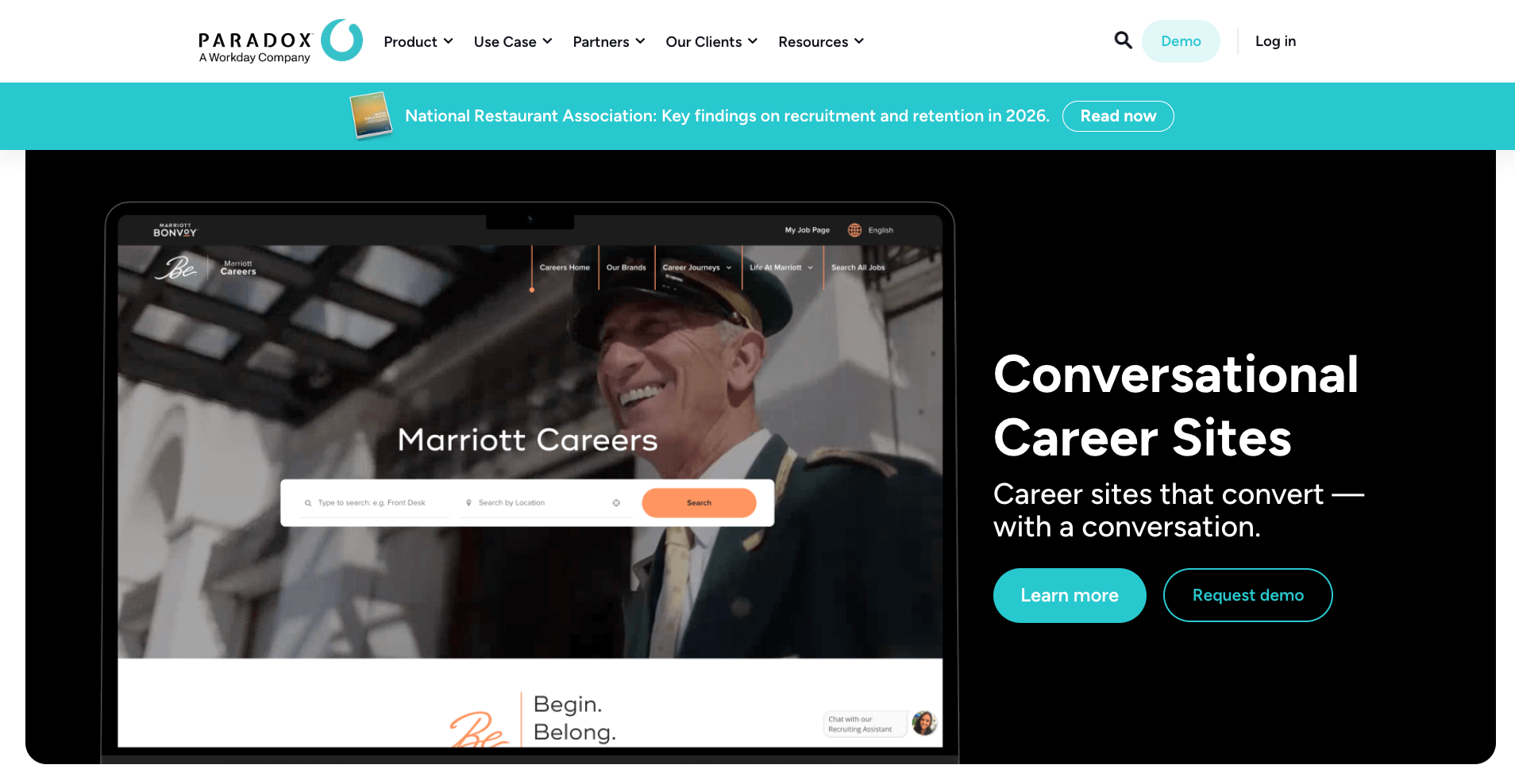
4. Paradox (Olivia): Best for high-volume recruiting teams
What it is: Olivia by Paradox handles the admin side of recruiting through text and chat. It screens candidates, schedules interviews, and sends offer letters. Olivia even guides the new hires through onboarding. It connects with Workday and SAP SuccessFactors to run these tasks without manual input.
Who is it for: Recruitment leads and hiring managers at mid-sized businesses, global enterprises, and franchise operations handling high-volume staffing. The best fit for teams spending too many hours on admin work between a candidate's first application and their first day on the job.
Key features
- Conversational candidate screening: Validates candidate qualifications through automated chat or text before a recruiter gets involved. Only qualified applicants move forward, saving the team hours of manual review on high-volume roles.
- Self-serve interview scheduling: Candidates pick their own interview time from available slots, with no back-and-forth coordination. Removes the calendar juggling that slows most recruiting teams down and significantly reduces time-to-schedule.
- Multilingual candidate communication: Automatically detects and responds to applicants in over 100 languages. Global organizations can reach candidates in their own language without hiring multilingual recruiters for each region.
- Offer letter generation: Creates and sends official offer letters to selected candidates as soon as a decision is made. Keeps the hiring process moving at the final stage when speed matters most.
- Pre-boarding document delivery: Sends required paperwork and training materials to new hires before their first day. Reduces administrative pressure on HR during orientation and ensures new employees arrive prepared.
Pricing
No public pricing. Contact Paradox for a demo.
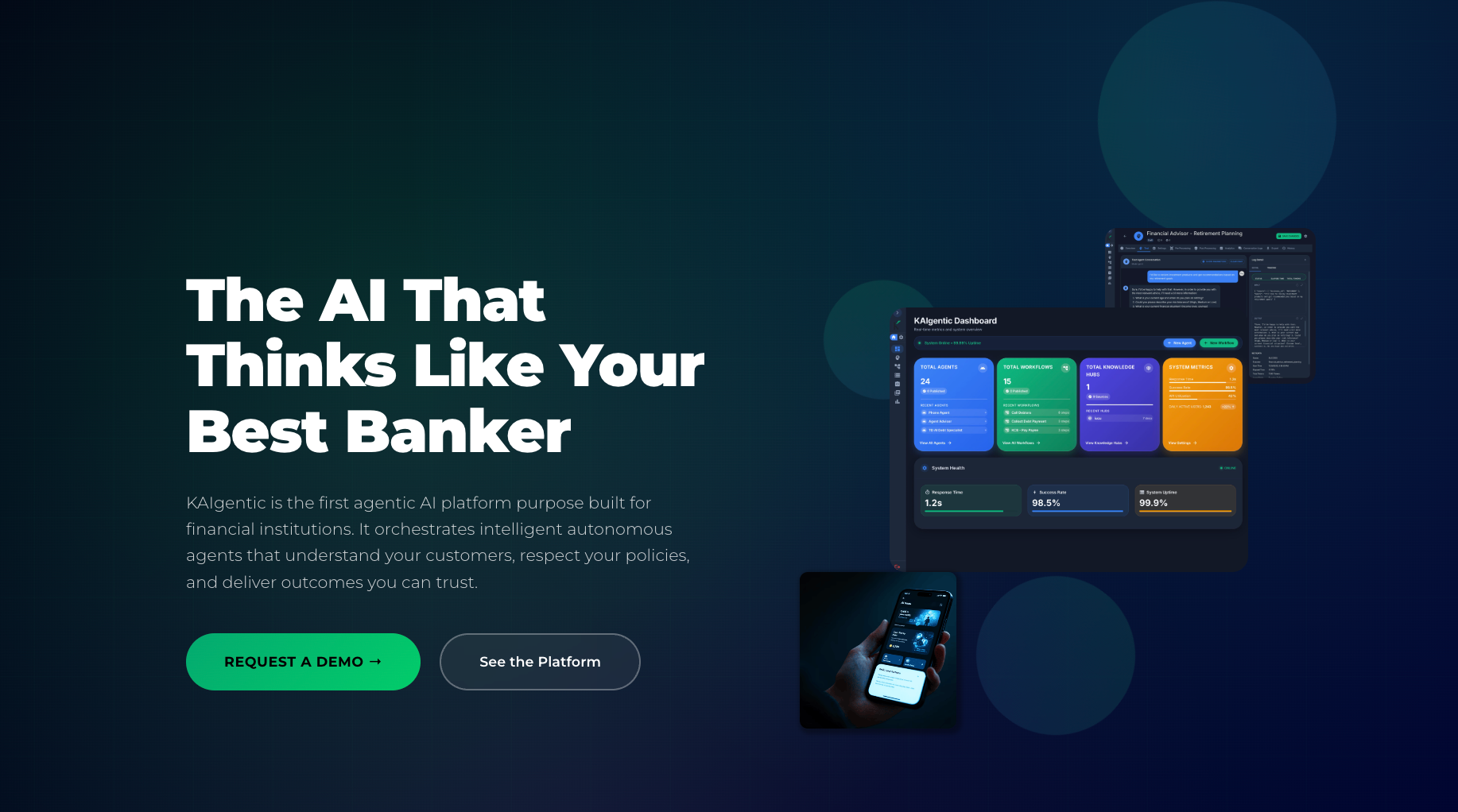
5. Kasisto (KAI): Best for banks and credit unions
What it is: KAI is a conversational AI platform built for banking and financial services. It uses a finance-specific language model called KAI-GPT to power digital assistants that can answer account questions, make financial recommendations, and handle customer interactions accurately. It connects with core banking systems to pull real-time data and deliver personalized responses.
Who is it for: IT directors and digital experience leaders at global and regional banks, as well as credit unions. Built for teams that need to automate high-trust financial conversations while keeping every AI response accurate, transparent, and within the compliance boundaries their industry requires.
Key features
- Finance-specific language model: Uses KAI-GPT, trained specifically on banking and financial content, to handle financial queries with the accuracy and compliance standards that general-purpose AI models cannot reliably match.
- Omnichannel banking assistant: Deploys the same assistant across web, mobile, and phone channels, ensuring customers receive consistent support and account access regardless of which channel they use to reach the bank.
- No-code content management: A central portal lets business teams draft, test, and publish assistant responses without writing code. Teams can update what the assistant says using their own files and documents.
- Core banking system connections: Connects with FIS, NCR, and other major banking providers out of the box. The assistant pulls live account data to give customers accurate answers in real time.
- Human handoff for complex issues: Connects with existing live chat and contact center tools to pass conversations to a human banker when needed. Context carries over, so customers don't have to repeat themselves.
Pricing
No public pricing. Contact Kasisto for pricing.
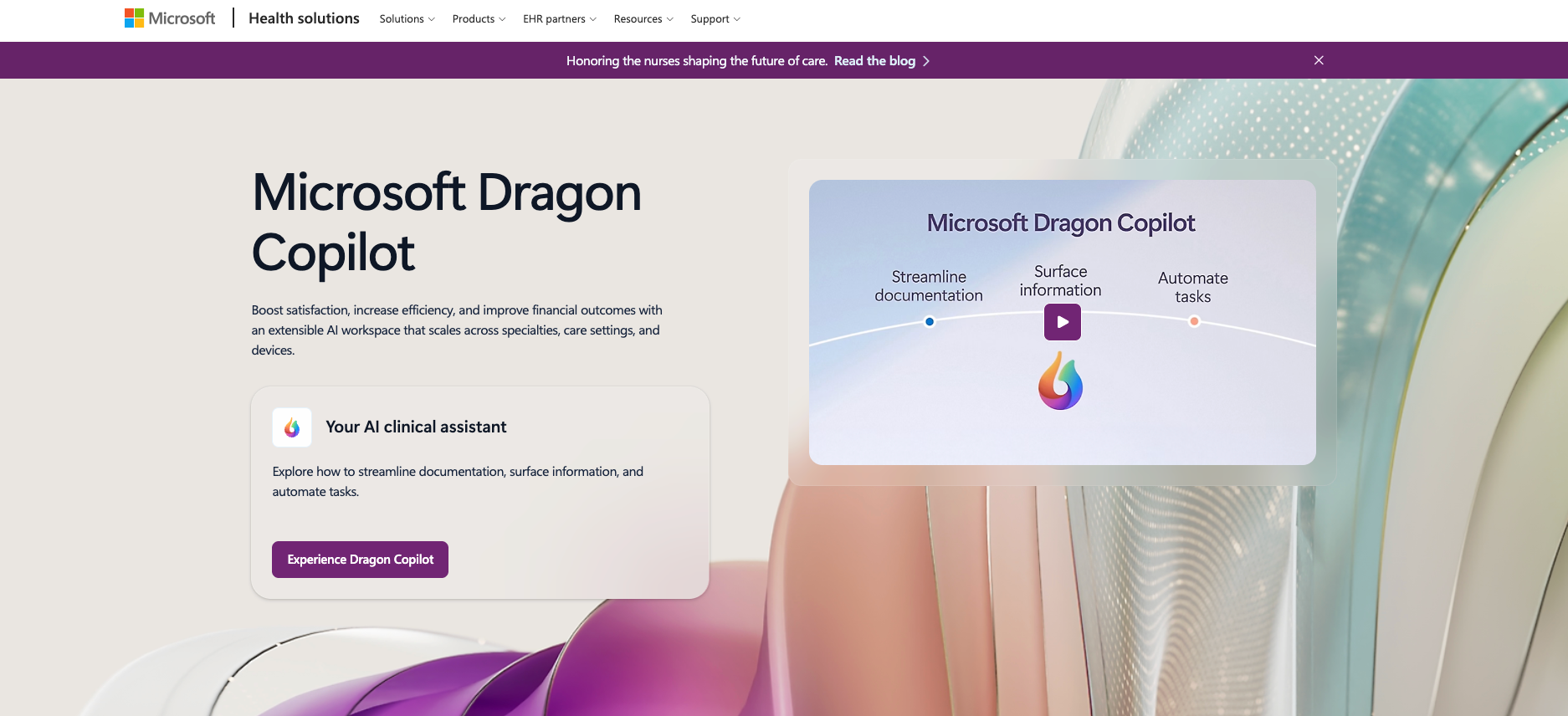
6. Dragon Copilot: Best for healthcare documentation teams
What it is: Microsoft Dragon Copilot turns doctor-patient conversations into medical notes. It records what is said during exams and writes it up. Dragon Copilot also handles coding suggestions, referral letters, and after-visit summaries.
Who is it for: Physicians, radiologists, and clinical administrators at healthcare systems looking to reduce time spent on documentation after every patient visit. Built for teams that need to cut clinician burnout without compromising data security, patient privacy, or EHR compliance standards.
When I tried Copilot, the transcription accuracy was strong in natural conversations, although heavily accented speech required a short adaptation period.
Key features
- Real-time clinical speech recognition: Captures and transcribes medical conversations during patient exams with high precision. Physicians speak naturally during visits instead of pausing to type, cutting documentation time after each appointment.
- Automated note generation: Converts captured conversations into structured medical notes without physician input after the visit. Reduces the post-appointment documentation burden and gives physicians more time for direct patient care.
- On-demand clinical information: Pulls answers from transcripts, notes, and trusted medical references directly inside the tool. Physicians get fast, cited responses without switching tabs or searching through separate systems.
- Task automation beyond notes: Generates coding suggestions, referral letters, and after-visit summaries automatically from the captured conversation. Clinicians get the administrative output without doing the administrative work.
- EHR integration: Pushes completed clinical notes directly into major electronic health record systems, including Epic, cutting the manual transfer step and reducing potential for errors after patient visits.
Pricing
Starts at $600/user/month ($7,200/user/year). Contact Microsoft for a professional services quote.
Mid-market SaaS platforms
Mid-market SaaS platforms are built for customer-facing teams that need conversational AI for support and sales. Pricing is published. Implementation takes days or weeks, not months. Most come with templates that get you to a working deployment faster.
The catch is scope. Strong on customer-facing use cases, limited outside of them. If your primary need is support or sales, these are worth serious evaluation. If you need AI coverage across HR, operations, or internal teams as well, you'll outgrow them fast.
7. Intercom (Fin AI): Best for high-volume customer support teams
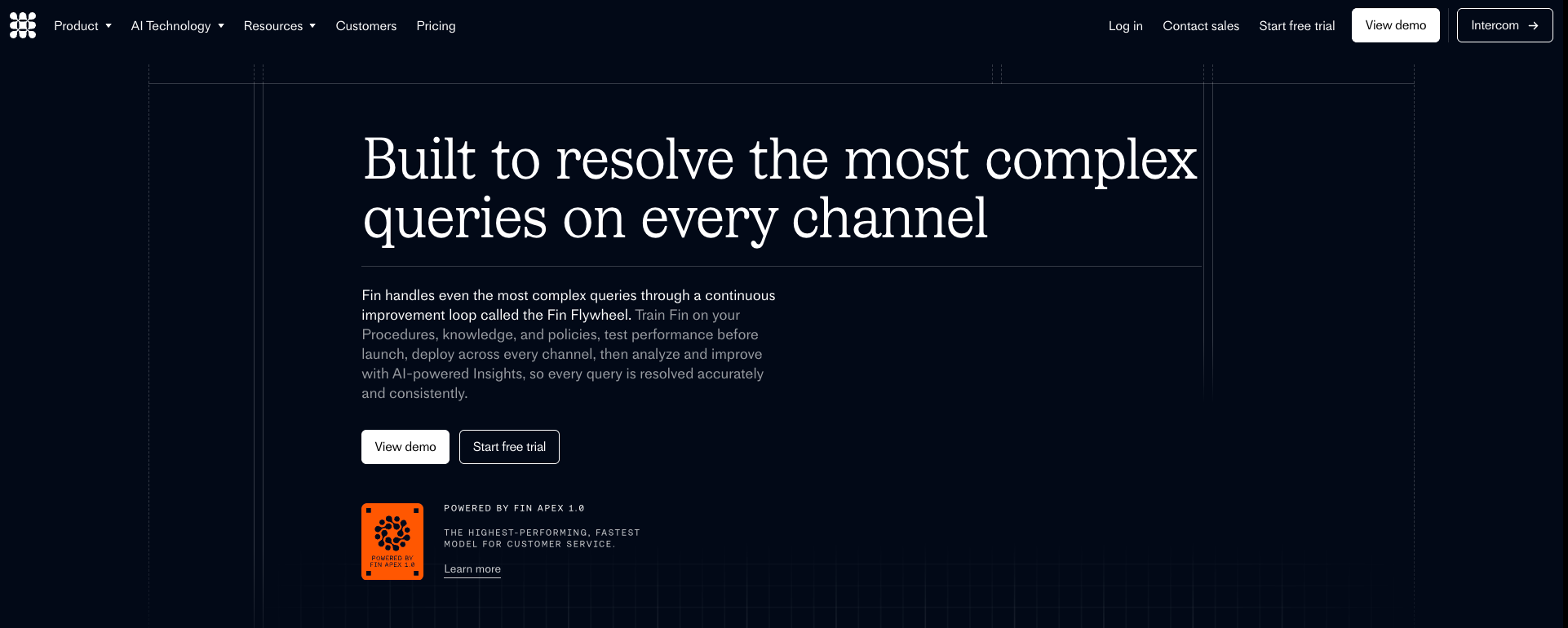
What it is: Fin AI by Intercom is a customer service agent built to resolve support queries without human involvement. It connects to your documentation and help center to generate accurate answers, handles multi-step service tasks like account updates and payment processing, and works across voice and chat. It runs on Intercom's own AI models, trained specifically for customer support.
Who is it for: Customer support leaders and support operations teams at high-growth companies and enterprises looking to reduce ticket volume without adding headcount. The best fit for teams already on Intercom or other major help desks that want to automate a meaningful share of incoming support conversations.
Key features
- Purpose-built AI models: Runs on Intercom's own Apex models, trained for speed and accuracy in customer support. Claims a resolution rate over 76% across voice and chat, with fewer instances of incorrect responses.
- Multi-step service tasks: Handles complex support workflows beyond answering questions. Developers define sequences of actions that allow the agent to update accounts, process payments, or troubleshoot issues within third-party tools without human involvement.
- Automatic content connection: Pulls answers directly from your existing documentation and help center articles. The agent generates verified responses based on your current content without requiring manual conversation design.
- Works with any helpdesk: Connects with Salesforce, HubSpot, and other major helpdesks through an API, so teams not on Intercom can deploy Fin without switching their entire support stack.
- Outcome-based pricing: Charges only for conversations that reach a resolution, not every interaction. Real-time reporting and configurable spending limits let teams control costs as support volume grows.
Pricing
$0.99/resolved outcome (minimum 50 outcomes/month). Fin with Intercom starts at $0.99/outcome plus $19/helpdesk seat/month.
8. Zendesk AI: Best for teams already on Zendesk
What it is: Zendesk AI is the automation layer built directly into Zendesk's support platform. It resolves customer queries by pulling from your help center articles and past ticket history, and handles routine support tasks across messaging, email, and voice without human involvement. It includes a no-code builder for setting up conversation paths without writing any code.
Who is it for: Customer service teams already running on Zendesk who want to scale support without adding agents. Best for organizations that have built up ticket history and help center content and want to put that data to work in automated customer interactions. Resolution quality improved noticeably once the help center had more than 30 articles. Below that threshold, answers were generic.
Key features
- Knowledge-driven resolutions: Resolves customer queries by combining your help center articles and historical ticket data. Every resolution draws from your organization's own content rather than general AI knowledge.
- No-code integration builder: Connects AI agents to external data sources and back-office systems without writing code. Lets administrators pull real-time information during live sessions to give customers accurate, personalized responses.
- Customer data profiles: Stores detailed customer histories including transaction records and product information, giving AI agents the context needed to personalize responses and maintain continuity across multiple support interactions.
- Multichannel automated support: Deploys AI agents natively across web chat, mobile apps, and social channels. Handles common requests, such as order validation and refund processing, without routing them to a human agent.
- Conversation branching logic: Defines how conversations branch based on user responses and data pulled from external systems. Keeps automated interactions on track without requiring every possible scenario to be hard-coded manually.
Pricing
Zendesk AI is included across all plans. Support Team starts at $19/agent/month, Suite Team at $55/agent/month, and Suite Professional at $115/agent/month.
9. Cognigy: Best for enterprises building complex voice and chat agents
What it is: Cognigy is an enterprise conversational AI platform for building and running chat and voice agents at scale. It works through a visual editor where teams arrange logic, data processing, and AI responses in sequence. The platform gives developers deep control over conversation design, supports on-premise installation, and connects with external channels and backend systems.
Who is it for: IT directors, developers, and business analysts at large organizations that need a highly scalable conversational AI platform with fine-grained control over conversation logic. Built for teams that require on-premise deployment and need to build complex, multi-turn voice and chat experiences at enterprise scale.
Key features
- Visual flow editor: A drag-and-drop interface for building conversation logic using nodes for actions, conditions, and responses. Both technical and non-technical team members can collaborate on complex voice and chat agent designs.
- Knowledge retrieval from documents: Connects to uploaded manuals and documentation to pull relevant information and generate context-aware answers. The system finds the right content and uses it to inform the agent's response.
- Command-line deployment tools: Offers a command-line interface for pushing changes, cloning projects, and running automated tests across agent configurations. Supports engineering teams working in modern software development processes.
- Human agent assist panel: A dedicated interface for support agents during live handovers, displaying real-time customer data and relevant knowledge tiles. Helps human agents respond faster using what the AI has already retrieved.
- Backend system connections: Lets developers write custom code to connect with legacy backend systems and external APIs, ensuring the platform fits into existing infrastructure without requiring those systems to be rebuilt.
Pricing
No public pricing. Contact Cognigy for a demo.
No-code AI assistants for cross-functional teams
No-code AI assistants for cross-functional teams are built for one kind of buyer: the team that needs AI covering sales, support, HR, and operations but doesn't have a dedicated AI engineer, an implementation partner, or six months to spare.
You connect to the tools you already use, pick from pre-built templates, and have something working inside a week. No custom code.
The limitation is coverage at the edges. These platforms trade customizability for speed. If your organization needs complex telephony at scale, multi-language support across global markets, or on-premise deployment for compliance reasons, this category won't get you there.
10. Lindy: Best for founders and small teams
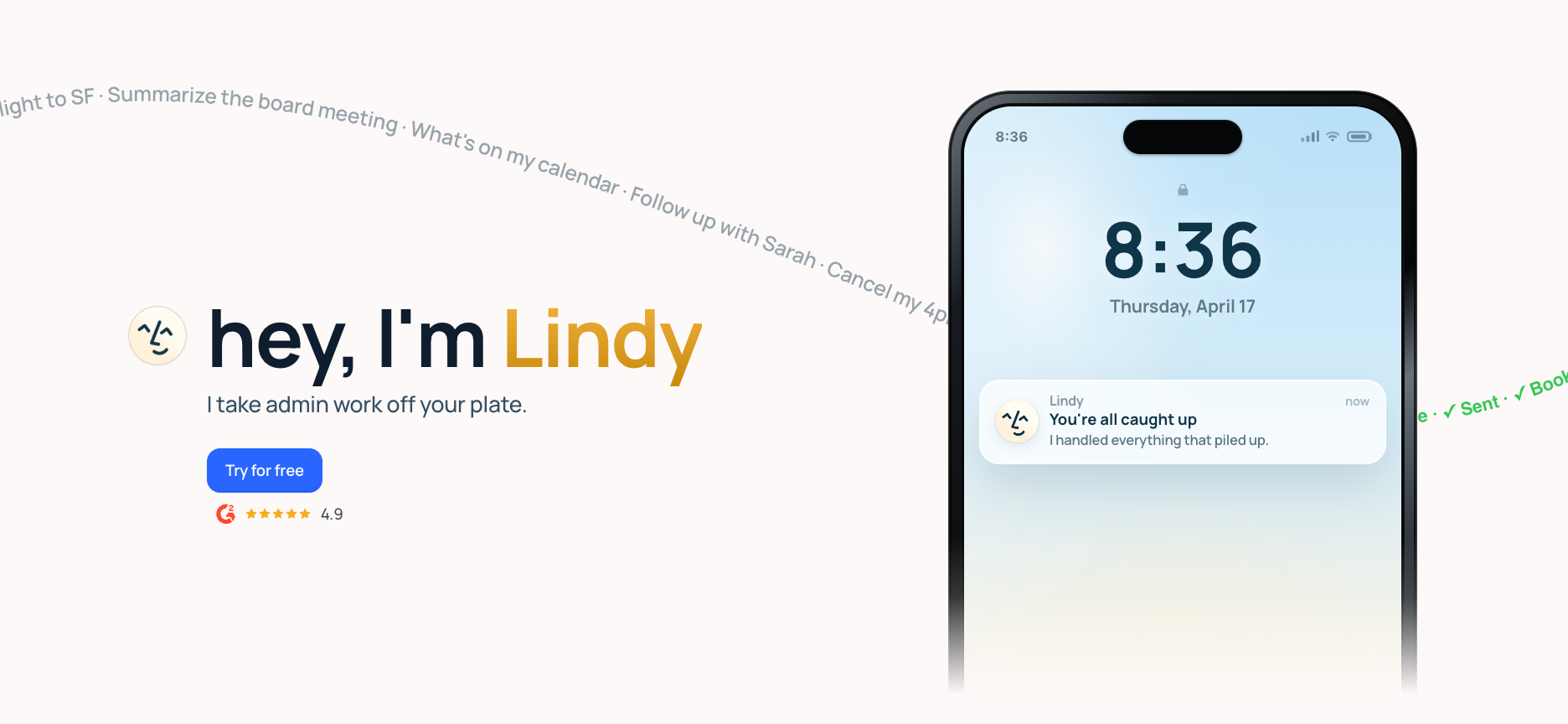
What it is: Lindy is an AI assistant you text to handle work across your inbox, calendar, CRM, and customer support. It reads your emails, joins your meetings, schedules your calls, and follows up after conversations. It connects to hundreds of apps, including Gmail, Slack, Salesforce, and HubSpot, and gets things done without you managing the steps yourself.
Who is it for: Founders, operators, and small teams spending hours each week on inbox management, meeting coordination, and follow-ups. The best fit for people who want a single assistant to handle multiple functions across their business, rather than managing several separate tools.
Key features
- Inbox triage and drafting: Reads incoming emails, sorts them by priority, and drafts replies in your voice for review. Text Lindy to handle your inbox; it takes care of sorting and responding automatically. For example: text Lindy "prep me for my 3 pm Acme call" and it pulls the last three email threads with that contact, then texts back a four-bullet brief before the call starts.
- Meeting notes and follow-ups: Joins your virtual meetings, records and summarizes the conversation, tracks action items, and sends follow-up emails to all attendees after the call. No manual note-taking required.
- Calendar scheduling: Parses natural-language requests to coordinate availability among multiple attendees and book time. Text Lindy to schedule a meeting, and it handles the back-and-forth for you.
- Text and iMessage delegation: Lets you delegate tasks directly from your phone via text or iMessage. Reschedule meetings, get call summaries, or ask Lindy for updates using plain conversational messages.
- Hundreds of integrations: Connects with Gmail, Google Calendar, Slack, Salesforce, HubSpot, and hundreds of other apps. Lindy pulls context from your existing tools and takes action across them without you switching between tabs.
Pricing
Lindy offers a 7-day free trial. The Plus plan starts at $49.99/month, the Pro plan at $99.99/month, and the Max plan at $199.99/month. Enterprise pricing is custom.
{{templates}}
11. ChatGPT: Best for general-purpose AI tasks
What it is: ChatGPT is OpenAI's general-purpose AI assistant built to answer questions, draft content, reason through complex problems, and run code. It works across text, image, and voice inputs and is available via a web interface, mobile app, and developer API. Businesses use it for content creation, research, customer-facing chatbots, and building AI features into their own products.
Who is it for: Individuals, developers, and business teams seeking a capable, general-purpose AI assistant. Best for knowledge workers who need help with drafting, research, and reasoning, and for technical teams building AI-powered features into their products using OpenAI's API.
Key features
- Multimodal conversations: Handles text, images, and voice in a single conversation. Users can describe problems using screenshots, talk to it hands-free, or work through documents and data without switching tools.
- Code generation and debugging: Writes, explains, and fixes code across most programming languages. Developers use it to speed up build time, review pull requests, and troubleshoot problems without leaving their workflow.
- Real-time web search: Searches the web during conversations to pull current information, recent news, and up-to-date data. Useful for research tasks that require information beyond what the model was trained on.
- Voice conversations: Supports natural, back-and-forth spoken conversations in real time. Useful for hands-free work, accessibility needs, language practice, or any situation where typing through a long task isn't practical.
- Developer API: Gives technical teams access to OpenAI's models to build AI features into their own products. Supports text, image, and voice applications with control over model behavior and outputs.
Pricing
ChatGPT has a free plan with a message cap and limited memory. Paid plans start at $8/month, with higher tiers adding more usage, longer memory, and deeper capabilities for teams and enterprises.
12. Claude: Best for complex reasoning and research
What it is: Claude is Anthropic's AI assistant built for complex reasoning, writing, research, and code. It works across long documents and extended conversations without losing track of earlier context, making it useful for tasks that require sustained focus over many exchanges. Available via a web interface, mobile app, and API for developers building AI-powered products.
Who is it for: Researchers, analysts, developers, and knowledge workers who need an AI assistant capable of handling nuanced, long-form tasks. Also a strong fit for technical teams building AI features into their products using Anthropic's API, particularly where safety and accuracy are priorities.
Key features
- Long document handling: Reads and reasons across very long documents, research papers, contracts, and codebases in a single session. Maintains context throughout, which makes it useful for working with large amounts of information at once.
- Complex reasoning: Works through multi-step problems, ambiguous questions, and nuanced analytical tasks more carefully than most general-purpose assistants. Useful for research, strategy, and tasks where getting the details right matters.
- Writing and editing: Drafts, edits, and refines long-form content including reports, essays, documentation, and marketing copy. Adapts tone and style based on instructions and maintains consistency across extended pieces of writing.
- Code generation and review: Writes and reviews code across major programming languages, explains what existing code does, and suggests improvements. Works well for technical documentation and translating requirements into working implementations.
- Developer API: Gives technical teams access to Claude's models to build AI features into their own products. Supports text and document inputs with control over model behavior, safety settings, and output format.
- External tool connections: Connects to external tools and data sources via a standardized protocol, allowing Claude to take actions, retrieve information, and complete tasks across systems rather than only generating text responses.
Pricing
Claude has a free plan covering web, iOS, Android, and desktop access. The Pro plan costs $20/month and includes higher usage limits, priority access during peak hours, and access to more advanced models.
How to run your own platform evaluation in 5 steps
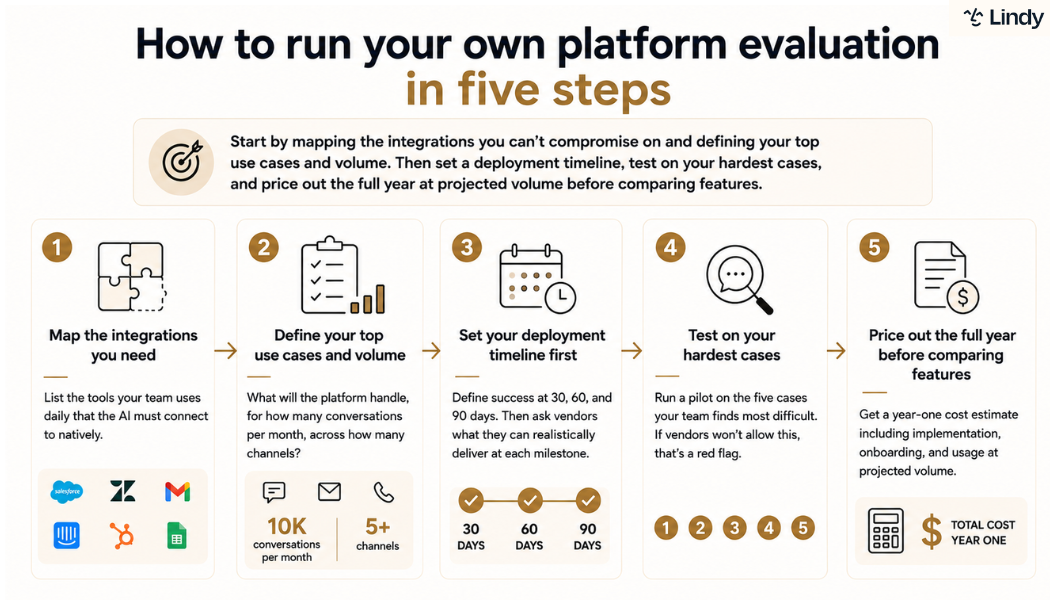
To evaluate a conversational AI platform, first identify the essential integrations and your top three use cases, along with their expected volume. Set a deployment timeline before reaching out to vendors. Test the platform with your toughest use cases rather than standard demos, and compare annual pricing based on your projected usage before reviewing the features.
Here is how to do each one:
- Map the integrations you need: Before looking at any platform, list the tools your team uses daily that the conversational AI must connect to natively. CRM, helpdesk, email, ticketing system. Any platform that requires custom middleware for more than one of those tools adds implementation complexity that compounds over time. Make this list before you open a browser tab.
- Define your top use cases and volume: What will the platform handle, for how many conversations per month, across how many channels? A platform designed for 10,000 daily support interactions is not the right fit for a team handling 200. Specificity here determines whether a platform is the right size for you, not whether it has impressive features.
- Set your deployment timeline first: Decide what a successful deployment looks like at 30, 60, and 90 days before any vendor conversations. Then ask each vendor what they can realistically deliver at each milestone. Their answer tells you more than any product demo.
- Test on your hardest cases: Request a pilot or proof of concept that runs against the five cases your team finds most difficult. Vendors that won't allow this are telling you something. Vendors that adjust the pilot to avoid your hard cases are telling you the same thing. This step is non-negotiable.
- Price out the full year before comparing features: Get a year-one cost estimate that includes implementation, onboarding, and consumption at projected volume. Compare that number across vendors before the feature comparison starts. A tool that costs twice as much to deploy is a budget decision.
After four months of testing, one category covered what the others didn't: cross-functional teams that need sales, support, HR, and operations from a single assistant without a lengthy setup. That's Lindy.
{{cta}}
Lindy: The conversational AI platform for teams that need cross-functional coverage
Text LindyAI platforms take months to deploy. Lindy takes a week. If you can describe the task, Lindy handles it. to handle work across your inbox, calendar, CRM, and customer support. It covers sales, support, HR, operations, and IT from one assistant. Most conversational
Here's what that looks like in practice:
- Get answers instantly: Text Lindy to pull information from your email, calendar, or CRM without digging through tabs.
- Send emails and follow-ups automatically: Ask Lindy to draft, personalize, and send outreach. Review before sending, or let it run automatically; it handles replies on the same thread.
- Take meeting notes and share summaries: Lindy joins meetings, writes structured notes, and follows up afterward.
- Update your CRM without manual entry: After a call, Lindy logs notes and automatically fills in missing fields.
- Find and qualify leads in minutes: Tell Lindy your ideal customer profile and get curated lead lists ready for outreach.
- Hundreds of app integrations: Lindy connects with the tools you already use across every part of your business, making it one of the few conversational AI platforms built for cross-functional teams out of the box.
Frequently asked questions
What is the difference between a conversational AI platform and a chatbot?
A conversational AI platform is the infrastructure layer businesses use to build, deploy, and manage AI-powered conversations at scale. A chatbot is a single-channel, rule-based tool that follows fixed conversation flows. Think of Google Dialogflow CX as the platform; the support bot on a company's website is the chatbot built on top of it. One is infrastructure. The other is a single deployment.
How long does it take to deploy a conversational AI platform?
Deployment time for a conversational AI platform ranges from a few days to several months, depending on platform type. No-code tools for cross-functional teams reach a working deployment within a week. Enterprise infrastructure platforms typically require three to six months, often with an outside implementation partner. The category you choose determines the timeline more than any other factor.
Can Lindy work as a full conversational AI platform for a small team?
Yes, Lindy can work as a full conversational AI platform for a small team. It covers sales, support, and operations with a single assistant. Text Lindy to handle tasks across your inbox, calendar, CRM, and customer support, and it connects to hundreds of apps without any developer setup.
Do I need a developer to set up a conversational AI platform?
No, not always. Many conversational AI platforms are designed for non-technical users, with no-code builders and templates that get you to a working deployment without writing any code. Enterprise platforms like Rasa and Google Dialogflow CX do require engineering resources, but no-code tools like Lindy are built for teams without a developer on staff.
Which conversational AI tool is best for small businesses?
The best conversational AI tool for small businesses deploys quickly without a dedicated engineering team. No-code tools like Lindy cover sales, support, and operations from day one. Enterprise platforms like IBM watsonx and Dialogflow CX require engineering resources that most small businesses don't have.










