How to Take Meeting Minutes in 9 Steps (+ Free Template)
Lindy walked through nine steps for taking meeting minutes, from pre-filling a template to capturing decisions and action items, then finalizing them the same day.


The meeting ends, and you look down at your notes. Half the sentences trail off, you can't remember which decision came first, and somewhere around the third agenda item you stopped writing just to follow the conversation. By the time you clean them up, you're piecing half the meeting together from memory.
I spent three years figuring out how to take meeting minutes without losing the conversation. I tried it across client reviews, board sessions, and team standups: transcript-style notes, recording everything, then typing it all up afterward.
Most approaches left me either behind on the discussion or overwriting things that didn't matter.
What worked was setting up the structure before the meeting started. Walk in with a template already shaped around the agenda, and you're filling in details. Walk in with a blank page, and you're building the document while the discussion moves on.
Here's how to do it well.
Meeting minutes vs. meeting notes
Meeting minutes are the formal, structured record of what a meeting decided and who's responsible for what happens next. Meeting notes are informal, personal, and don't follow a set format. Choosing notes instead of minutes can make decisions harder to track later, especially in board or governance settings where a formal record matters.
| Meeting minutes | Meeting notes |
|---|---|
| Formal, structured record | Informal, personal record |
| Often reviewed or approved | Never needs approval |
| Focuses on decisions and action items | Can include anything you want to remember |
| Shared with the full group | Usually just for yourself |
| Follows a consistent format every time | Format changes from meeting to meeting |
Before the meeting: How to set yourself up
Setting up before the meeting is the step most people skip when learning how to take meeting minutes. Most of the difficulty comes from trying to build a structure while also following the conversation. Set the structure up beforehand, and you arrive with a document that just needs filling in.
Here are 3 steps to do before the meeting starts:
- Get the agenda in advance: Use it to pre-label your template sections before you walk in. When each topic comes up, you already know where the notes go. You're organizing as you type instead of deciding on structure mid-discussion, which is one less thing competing for your attention.
- Learn attendee names: If you don't know everyone, find out their names and roles before the meeting. When a decision gets attributed to "the person from finance," you lose the accuracy that makes minutes useful. Knowing names beforehand means you capture attribution correctly without stopping to ask mid-meeting.
- Pre-fill the template: Add the date, attendees, and agenda items to your template before the meeting starts. During the meeting, you'll add notes under existing headers. This alone cuts the mental load enough to keep up with a fast-moving discussion.
How to take meeting minutes in real time
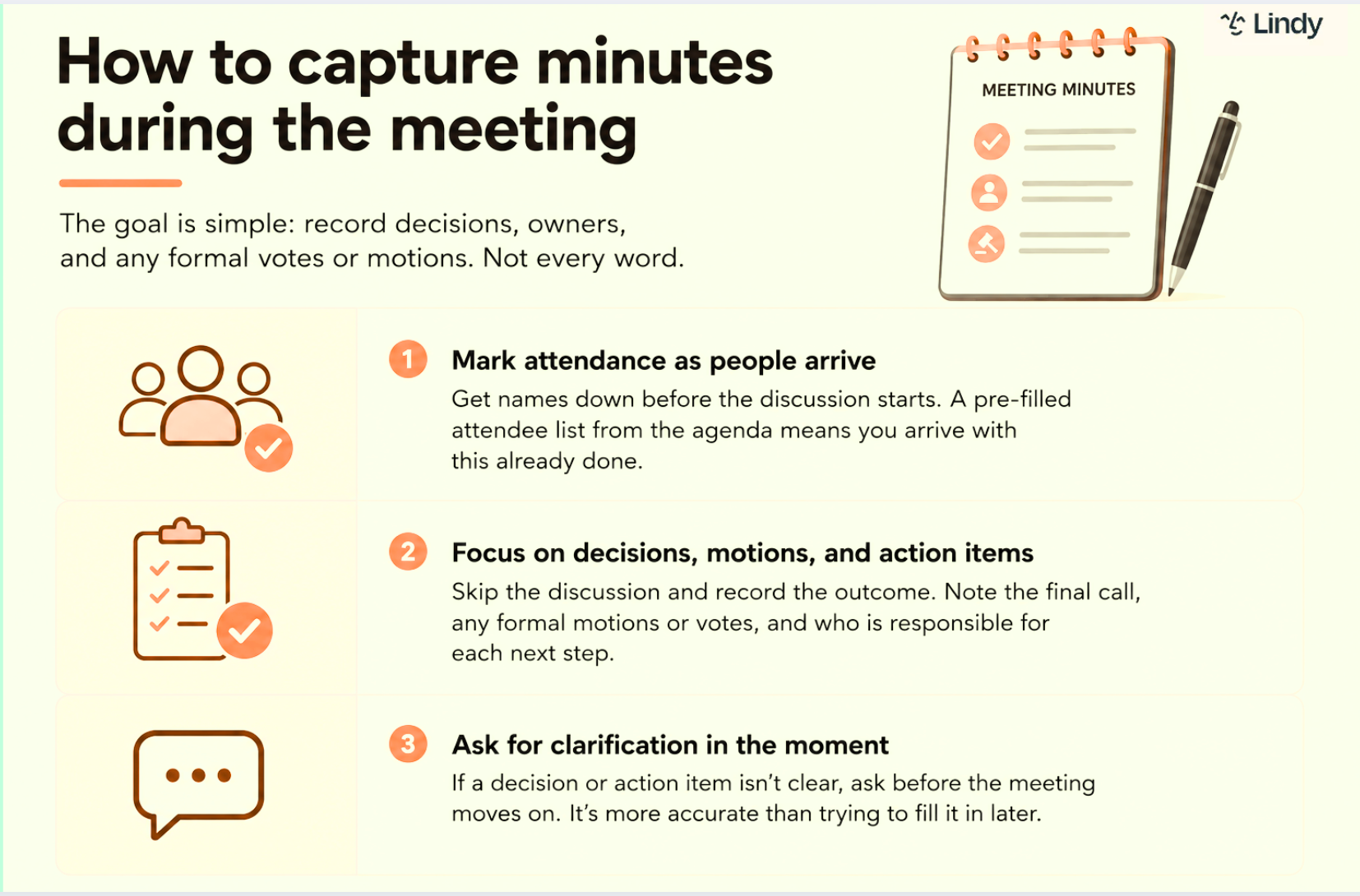
The hardest part of taking meeting minutes is knowing what to record and what to skip. Your job is to document what was decided, who owns each next step, and anything that needs a formal vote or motion. The back-and-forth that got the group there can stay out of the record.
Here are the next 3 steps to do in real time:
- Confirm who actually showed up: Your pre-filled list is a guess until the meeting starts. Tick off arrivals, add anyone who wasn't expected, and mark no-shows in the first two minutes. Minutes that list someone who wasn't in the room are the kind of error people catch months later, when it matters.
- Focus on decisions, motions, and action items: Skip the discussion that leads to a decision and record the outcome. Note the final call, any formal motions or votes, and who is responsible for each next step. The discussion itself rarely needs to be in the record.
- Ask for clarification in the moment: If a decision or action item isn't clear, ask before the meeting moves on. Once the conversation shifts to the next topic, filling in what you missed means relying on memory or asking someone afterward, which is less reliable than asking in the room.
What to include in a meeting minutes template
A good meeting minutes template does the structural thinking before the meeting starts. The sections below cover everything a complete set of minutes needs: attendance, agenda items, decisions, action items, and any formal motions or votes. Copy it into your notes app, fill in the agenda items beforehand, and you're ready to capture.
Meeting Minutes
Date:
Location / Platform:
Attendees:
Absent:
Agenda Item 1: [Topic]
- Discussion summary:
- Decision:
- Action item(s): [Owner] – [Deadline]
Agenda Item 2: [Topic]
- Discussion summary:
- Decision:
- Action item(s): [Owner] – [Deadline]
Motions (if applicable)
- Motion:
- Made by / Seconded by:
- Vote outcome:
Next meeting date:
Adjourned at:
Minutes recorded by:
A few habits that make minutes easier
The steps above cover what to capture.
These habits cover how to keep up while you're capturing it:
- Write decisions and action items the moment they're said: Don't rely on memory. As soon as a decision lands, write it down, then return your attention to the conversation.
- Use shorthand for recurring terms: If a project name, client, or phrase comes up often, shorten it after the first mention. Writing less is how you keep up.
- Ask when something's unclear: If a decision or action item isn't fully formed, ask before the meeting moves on. Reconstructing it afterward from memory is less reliable than a five-second question in the room.
After the meeting: Finalizing and sharing minutes
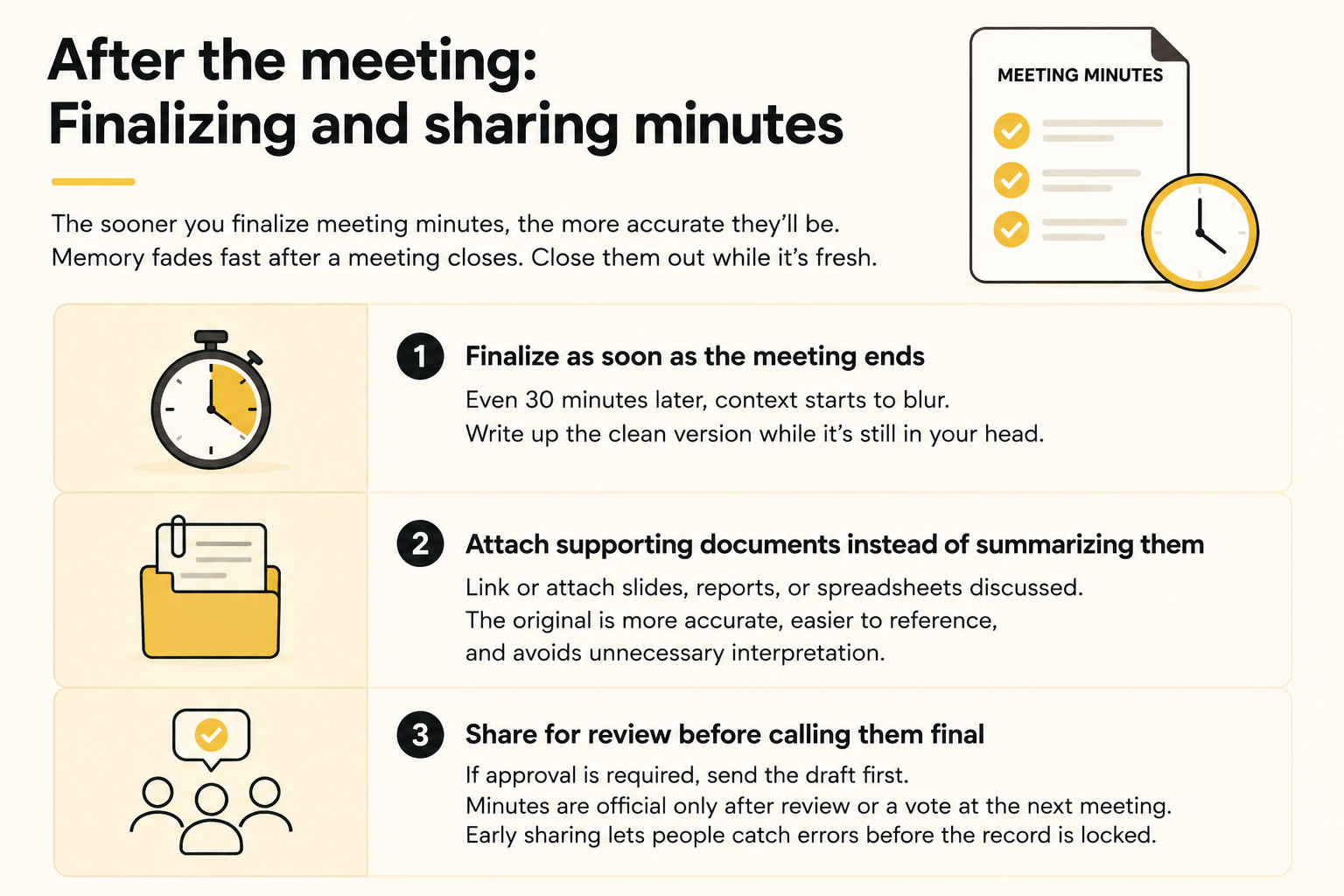
The sooner you finalize meeting minutes after the meeting ends, the more accurate they'll be. Memory fades fast after a meeting closes. Waiting until the next day means filling gaps from memory instead of from what was said.
Here are the final 3 steps to close them out properly:
- Finalize as soon as the meeting ends: Even 30 minutes later, the context behind a decision starts to blur. Write up the clean version while the meeting is still in your head. You'll spend less time reconstructing what was said and more time formatting what you already know.
- Attach supporting documents instead of summarizing them: If a slide deck, report, or spreadsheet was discussed, link or attach it to the minutes rather than rewriting its contents. The original document is more accurate than a summary and easier for attendees to reference later. The moment you summarize a deck, you add your own read of it, and your read is what people end up citing.
- Share for review before calling them final: If the meeting requires formal approval, send the draft to attendees first. Minutes become official only after review or a vote at the next meeting. Distributing them early gives people a chance to flag errors before the record is locked.
{{templates}}
Do AI tools help with meeting minutes? My take
AI tools are worth using for meeting minutes if you're in meetings regularly. Reviewing an AI-generated draft takes a few minutes. Writing the same thing from scratch takes far longer.
An AI notetaker joins the meeting, transcribes the conversation, and produces a first draft with decisions and action items already pulled out. The limitation is context. AI captures what was said but misses the implied meaning of who pushed back and why.
If you're taking minutes yourself, the habits above apply here too.
Lindy is an AI teammate that works where you already do, like in Slack, over text, or in your browser. Instead of splitting your attention between listening and writing, turn on meeting notes once, and Lindy joins the calls you choose on its own.
Lindy transcribes the conversation, extracts decisions and action items into structured meeting notes, and handles follow-ups after the meeting ends.
Review the output before sharing. AI can miss context or attribute a comment to the wrong person, but a quick check still beats writing from scratch.
That's how to take meeting minutes without falling behind the conversation: build the structure before you walk in, catch decisions the moment they land, and clean it up the same day.
{{cta}}
FAQs
Who should take meeting minutes?
Anyone except the person running the meeting should take the minutes. That's often a secretary for formal or board meetings, or a rotating team member for regular work meetings. Chairing and recording at once means one of the two slips, and it's usually the record.
How detailed should meeting minutes be?
Meeting minutes should be detailed enough to capture decisions, action items, and the reasoning behind them, but not a full transcript. Writing down every sentence wastes time and can even create risk in formal or legal settings, where overly detailed minutes get scrutinized more closely than concise ones.
Who should own an action item in the minutes?
A single named person should own every action item, never a team or department. Vague ownership is a common reason follow-ups from meetings quietly fail. If two people need to be involved, name one as the owner and the other as support.
What tense should meeting minutes be written in?
Meeting minutes should be written in the past tense, since they document what already happened. Write "the team approved the budget," and not "the team approves the budget." Keep verbs simple and consistent throughout, since switching tenses mid-document makes the minutes harder to read and cite later.
Can meeting minutes be used as legal evidence?
Yes. Meeting minutes can be used as legal evidence, especially in board or governance settings. Cornell Law School's definition of meeting minutes notes that in corporate law, once minutes are accepted at the next meeting, they become the official record of the previous one and can be used as prima facie evidence in legal matters.









