


14 Best Sales Rep Apps To Use in 2026: Tested & Reviewed
Jack tested 14 sales rep apps, including Salesforce, HubSpot, and Close CRM, weighing workflow usability, automation, and mobility across office, field, and remote sales teams.


Apps for sales reps have become essential for staying competitive. From prospecting and pipeline management to follow-ups and reporting, the right tools help you work faster and sell smarter. This guide breaks down the top apps for sales reps that make a difference on the ground in 2026.
What are Sales Rep Apps?
Sales Representative Apps are software tools designed to support sales professionals in managing their pipeline, automating routine tasks, and improving daily execution. These apps centralize activities like lead tracking, email outreach, calling, scheduling, and reporting, eliminating the need to juggle multiple tools.
Available on both desktop and mobile, they help individual reps and teams stay organized, responsive, and data-driven, whether in the office or out in the field. By streamlining repetitive work and providing real-time insights, the best sales rep apps boost productivity across every stage of the sales cycle.
14 Best Sales Rep Apps To Use in 2026: TL;DR
- Salesforce Sales Cloud: Best for enterprise CRM and customization
- HubSpot Sales Hub: Best for inbound sales and marketing integration
- Gong: Best for conversation analytics and sales coaching
- Chorus by ZoomInfo: Best for call recording and deal insights
- Zendesk Sell: Best for mobile CRM and workflow automation
- SalesRabbit: Best for field sales enablement and lead management
- Leadfeeder: Best for website visitor identification and lead generation
- Zoho CRM: Best for affordable, customizable CRM
- SPOTIO: Best for field sales tracking and team productivity
- UpLead: Best for B2B lead generation and data enrichment
- Aircall: Best for scalable cloud-based calling
- Ambition: Best for gamified sales performance management
- Close CRM: Best for built-in calling and pipeline automation
- PandaDoc: Best for digital contracts and e-signature workflows
14 Best Sales Rep Apps To Use in 2026
1. Salesforce Sales Cloud: Best for enterprise CRM and customization
What does it do? Salesforce Sales Cloud consolidates lead management, sales automation, and CRM customization at scale.
Who is it for? Built for mid-to-large enterprises needing advanced sales operations and CRM integration.

Salesforce Sales Cloud is built for large, process-driven teams that need full control over CRM workflows, data, and automation. It supports the entire sales cycle, from lead capture and qualification to forecasting and deal closure, all within a centralized system.
More than just a CRM, it works as a full-scale sales enablement platform. You can design custom workflows, automate multi-step sequences, and use AI features like Einstein Activity Capture and Buyer Assistant to uncover insights and improve timing. Managers get visibility into revenue performance with detailed analytics and milestone tracking.
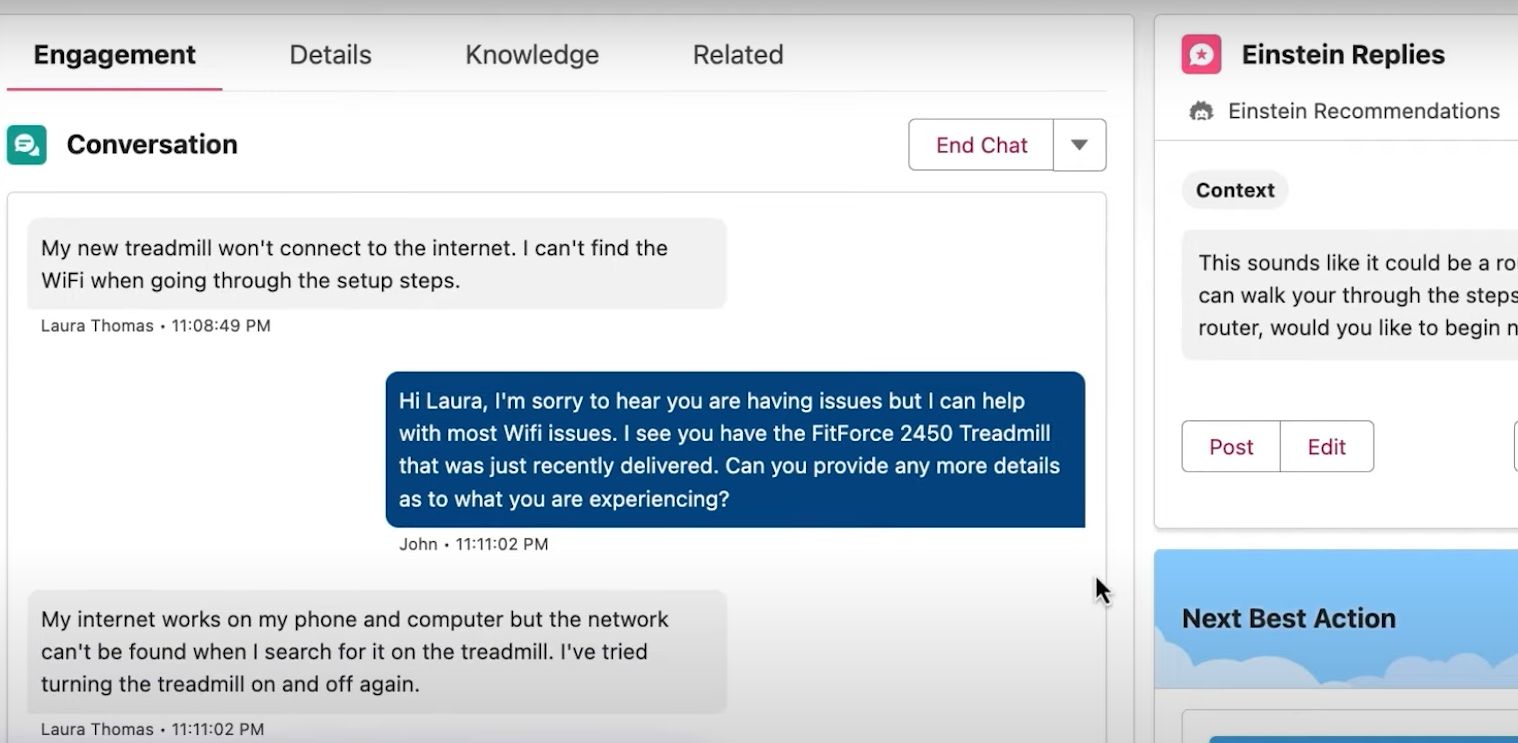
If you’re planning across multiple regions or business units, Salesforce gives you dedicated tools for territory mapping, segment allocation, and role-based permissions. These features make it well-suited for complex sales organizations with layered operations.
That said, the platform’s power comes with a learning curve. Setup and customization take time, especially if you’re new to enterprise CRMs or working without dedicated admin support. For smaller teams, it may be more system than you need.
Pros
- Advanced CRM customization options
- Built-in sales analytics and forecasting
- Flawless integrations with third-party apps
- Modular tools for planning and enablement
Cons
- Expensive for small businesses
- Steep learning curve for new users
Pricing
- Enterprise ($165/user/month): Advanced Pipeline Management, Deal Insights, Conversation Intelligence
2. HubSpot Sales Hub: Best for inbound sales and marketing integration
What does it do? HubSpot Sales Hub connects sales, CRM, and marketing into a unified pipeline for inbound-driven growth.
Who is it for? Ideal for B2B teams focused on lead nurturing, automation, and CRM-backed selling.

HubSpot Sales Hub helps you manage the full sales funnel, prospecting, nurturing, and closing, within a unified, easy-to-use system. Whether you're working inbound leads or running content campaigns, everything is connected across CRM, marketing, and sales tools.
The new Sales Workspace gives you a single dashboard to manage deals, contacts, and sequences without jumping tabs. You can quickly act on leads using guided actions, configurable tabs, and real-time activity feeds.
AI plays a growing role here. The Breeze Prospecting Agent helps you research accounts and personalize outreach automatically. Predictive Deal Scoring surfaces high-intent leads based on behavior and engagement.
And if you're doing deeper research, HubSpot now includes a ChatGPT-powered connector that lets you run queries and pull insights directly into your workspace.

Stripe integration is also built-in, so you can take payments right inside your CRM. Collaboration tools, shared dashboards, meeting links, and task routing make this especially useful for distributed teams. The biggest limitations? High-volume teams may find the credit-based model restrictive, and several advanced features (like custom objects or deal intelligence) are only available in upper-tier plans.
Pros
- Tools for multi-account management
- User-friendly interface with a free plan
- Analytics for pipeline health, deal velocity, and conversion rates
Cons
- Limited customization on low-end plans
- Not very ideal for large and complex teams
Pricing
- Sales Hub Professional ($90/month/seat): ABM tools and automation, Playbooks, Forecasting
- Sales Hub Enterprise ($150/month/seat): Custom objects, Advanced permissions, Conversation intelligence
3. Gong: Best for conversation analytics and sales coaching
What does it do? Gong analyzes sales calls and team interactions to improve deal outcomes and coaching.
Who is it for? Designed for revenue teams that rely on sales calls and want visibility into rep performance.

Gong gives you a full picture of every sales conversation, across calls, emails, and video, so you can spot risks early and coach more effectively. Instead of relying on rep notes or CRM entries, you get real-time analytics that flag things like pricing objections, competitor mentions, and talk-time imbalances.
You’ll be able to see exactly how deals are progressing through the pipeline and where conversations stall. Tools like sentiment and context analysis go beyond keywords to show how buyers feel, not just what they say. That helps you tailor follow-ups with more precision.

If you manage a team, Gong’s coaching features let you pinpoint habits, ramp reps faster, and create feedback loops based on actual conversations, not guesswork. You can even reduce ramp time by months using performance benchmarks and data-backed scorecards.
The platform integrates with over 250 tools, so your calls, messages, and deal data all live in one place. That means fewer manual updates and more time acting on insights. For midsize to enterprise teams focused on performance and scale, Gong delivers, but onboarding takes effort, and pricing is only available through sales.
Pros
- Real-time deal risk tracking
- Great for rep coaching and ramp-up
- Improves forecasting accuracy and email response rate
Cons
- Overwhelms users with data volume
- Limited customization for niche needs
Pricing
Custom pricing based on team size with per-user license + platform fee. Contact for exact quote.
4. Chorus by ZoomInfo: Best for call recording and deal insights
What does it do? Chorus by ZoomInfo records and analyzes sales calls to extract insights and track buyer signals.
Who is it for? Built for sales teams needing detailed call analytics and conversation-driven pipeline insights.

Chorus by ZoomInfo helps you break down real sales conversations to uncover what’s working, what’s not, and where deals are getting stuck. You can automatically record and analyze calls, then use AI-generated insights to adjust your messaging in real time, especially when pricing objections or competitor mentions come up.
One standout feature is the Low Active Contacts Signal, which flags deals with limited engagement and suggests new decision-makers to target. That’s especially useful in multi-threaded deals where outreach can go cold. You’ll also get Activity-Based Account Suggestions, which highlight overlooked opportunities based on your team's engagement history.

During calls, Real-Time Conversation Analysis gives you AI-backed coaching prompts so you can shift tactics mid-meeting. And with Advanced AI Insights, Chorus goes beyond transcription, analyzing sentiment, patterns, and buyer behavior to surface what drives conversions.
Since Chorus is built on ZoomInfo’s data engine, you get access to enriched firmographics, contact info, and intent signals right from your call recaps. That makes follow-ups more precise and faster to execute.
Chorus is best for teams with long sales cycles, multiple stakeholders, and a need for deep account context. But the feature set may be more than necessary if your sales motion is short and simple.
Pros
- Great for training and onboarding
- Connects call data to ZoomInfo CRM tools
- Tracks competitor mentions and buyer intent
- Strong call search and segmentation features
Cons
- Processing can be slow at times
- Occasional transcription inaccuracies
Pricing
Custom pricing (based on users and features). Contact for a detailed quote.
5. Zendesk Sell: Best for mobile CRM and workflow automation
What does it do? Zendesk Sell simplifies sales workflows and customer management with mobile-first CRM tools.
Who is it for? Suited for sales teams that rely on mobility, automation, and omnichannel communication.

Zendesk Sell is built for speed and mobility, ideal if you’re working from the field, across devices, or in low-connectivity areas. You can access your full pipeline, update contacts, log calls, and assign tasks right from your phone. And thanks to offline syncing, everything stays updated once you're back online.
The platform helps you reduce admin work with workflow automation, automating call logging, task follow-ups, and reminders based on triggers or sales sequences. You also get power dialer and bulk outreach tools to streamline outbound workflows without bouncing between systems.
What makes Zendesk Sell unique is how well it blends with customer service.
You get a full customer view by linking sales and support data, so your team sees the full context of every interaction. Plus, communication tracking keeps all emails, calls, and texts organized with automatic notifications and engagement templates.

Reports are easy to access through mobile dashboards, giving you forecasting and performance insights on the go. It’s a strong fit for fast-moving teams that don’t want to sacrifice visibility for flexibility. While Zendesk Sell excels in mobility and automation, its per-agent pricing model may not be necessary for teams looking for a simpler CRM setup.
Pros
- Full mobile CRM access
- Offline support for uninterrupted work
- Geolocation for efficient territory management
- Customizable dashboards and intelligent reports
Cons
- Higher tiers can get expensive
- Some features are complex for beginners
Pricing
- Support Team ($19/agent/month): Ticketing system, Email, Unified Agent Workspace across channels
- Suite Team ($55/agent/month): AI Agents, Customer and internal knowledge base, Google Analytics for help centre
- Suite Professional ($115/agent/month): Live and custom analytics, Skills-based routing, Side conversations
- Suite Enterprise (Custom pricing, contact sales)
6. SalesRabbit: Best for field sales enablement and lead management
What does it do? SalesRabbit equips field sales teams with digital canvassing, lead tracking, and route planning tools.
Who is it for? Ideal for door-to-door and territory-based sales teams managing onsite interactions.

SalesRabbit is purpose-built for field sales teams, offering tools for canvassing, territory planning, and on-the-go lead management. Reps can plan routes, log visits, and track outcomes directly from their mobile devices, enabling faster execution and better coordination in the field.
The platform is organized into three tiers: Team, Pro, and Enterprise, catering to different sales org sizes and complexity levels. The Pro plan adds lead file uploads, customer overlays, and gamified rep incentives through its Amplify module. Enterprise users get access to coaching tools, single sign-on, and SLA customization, making it a scalable solution for high-volume teams.

SalesRabbit functions as both a lead management and sales productivity app. It syncs field data to your CRM in real time, offers location-based insights, and provides managers with dashboards and rep performance tracking.
Visual tools like the sketch board allow teams to map out high-potential zones and assign coverage efficiently. However, since pricing is seat-based, the cost can rise quickly for growing teams, and the platform may not be necessary for non-field-based sales operations.
Pros
- Mobile-first interface for reps
- Territory and route planning tools
- Sketch board for visual lead mapping
- Custom gamification and coaching modules
Cons
- Costs increase with team size
- May not suit non-field sales teams
Pricing
- SalesRabbit Team ($59/user/month): For 1 to 5 users, Plan Routes, Rep Location Tracking, Digital Sales Tools
- SalesRabbit Pro ($49/user/month): For 1 to 50 users, Map Overlays, Customer Locator, Lead File Attachments
- SalesRabbit Enterprise (Contact sales for a quote): Amplify Coaching, Single Sign-On, Multiple Amplify Accounts
- RoofLink Pro ($120/user/month): Full Inspection Capabilities, Product Library Management, Basic Canvassing
7. Leadfeeder: Best for website visitor identification and lead generation
What does it do? Leadfeeder identifies companies visiting your website and turns anonymous traffic into actionable sales leads.
Who is it for? Ideal for B2B sales and marketing teams looking to convert inbound web traffic into qualified prospects.

Leadfeeder is a lead intelligence platform that turns anonymous website traffic into qualified sales leads, giving B2B reps visibility into buyer intent before a prospect ever fills out a form. By matching visitor IP addresses to company records via Google Analytics, it reveals which businesses are actively researching your product or service and exactly what they’re looking at.
For inbound sales teams, Leadfeeder acts as an early signal system. Reps use it daily to check which companies visited high-value pages like pricing, product tours, or case studies, and for how long.
Filters like visit duration, page path, and repeat frequency help reps distinguish between casual browsers and high-intent accounts. For example, if a prospect spends five minutes on a pricing page two days in a row, that contact gets bumped to the top of a rep’s call list.
Each identified session is enriched with firmographic data, industry, size, and location, along with known contacts pulled from verified databases. This enables fast qualification and allows reps to skip cold prospecting altogether.

Leadfeeder also supports tagging, lead routing, and automation, making it easier for SDRs and AEs to divide workload and follow consistent processes. Sales managers can track which companies are engaging most with the site, identify patterns, and guide outreach strategies accordingly.
Pros
- Great for uncovering high-intent inbound traffic
- Helps prioritize outreach based on buyer behavior
- Syncs leads automatically into pipelines and campaigns
Cons
- Not best for cold outreach
- May duplicate existing leads if filters aren't set carefully
Pricing
- Free: Limited to 7 days of data and 100 companies
- Paid ($99/month/user): Unlimited visits and data storage, Unlimited users
8. Zoho CRM: Best for affordable, customizable CRM
What does it do? Zoho CRM offers a modular CRM platform with customization and sales automation features.
Who is it for? Ideal for small to mid-sized businesses that want flexibility without high overhead costs.

Zoho CRM is a flexible, cost-effective sales app designed to give growing teams full control over their sales pipeline. It supports lead tracking, automation, forecasting, and multichannel engagement, all within a modular interface that adapts to your process.
Customization is a core strength. Teams can configure dashboards, build custom workflows, and modify modules to reflect how they sell. Real-time alerts from SalesSignals help reps respond instantly to customer interactions across email, chat, social, and phone.

The built-in AI assistant, Zia, offers lead scoring, deal predictions, and performance recommendations, making it easier to focus on deals with the highest closing probability.
Zoho CRM integrates with over 500 business tools, including Google Workspace, Slack, and Microsoft Teams. Advanced plans add capabilities like journey orchestration, territory management, and custom functions ideal for companies scaling their operations.
While the platform’s flexibility is a major advantage, it may require some initial setup effort, especially for teams without dedicated CRM admins. And its interface, while functional, can feel dense when fully configured.
Pros
- Affordable plans for startups
- Customizable workflows and fields
- Built-in AI assistant for sales forecasting
- Multichannel engagement and automation tools
Cons
- Some features need manual setup
- Interface can feel cluttered at times
Pricing
- Standard ($14/user/month): Scoring Rules, Workflows, Multiple Pipelines, Email Insights
- Professional ($23/user/month): SalesSignals, Blueprint, Inventory Management
- Enterprise ($40/user/month): Zia AI, CommandCenter, Multi-user Portals, Advanced Customization
- Ultimate ($52/user/month): Advanced BI bundled with Zoho Analytics, Enhanced Feature Limits
9. SPOTIO: Best for field sales tracking and team productivity
What does it do? SPOTIO supports outside sales teams with lead tracking, route planning, and activity management.
Who is it for? Designed for field sales reps and managers who need visibility into on-the-ground activity.

SPOTIO is built specifically for outside sales teams, giving reps and managers the tools to plan routes, track visits, and manage leads while on the move. With its mobile-first design, reps can log activity, update lead status, and access customer data directly from the field, cutting down on admin work and keeping information current.
The platform offers territory management, visit tracking, and automated activity capture, so managers get real-time visibility into what’s happening on the ground. SPOTIO also includes sales sequences, autoplays, and reporting tools that help teams stay consistent with follow-ups and outreach.

SPOTIO helps sales leaders identify which reps and territories are performing, using activity data and pipeline insights. It integrates with major CRMs like Salesforce and HubSpot, syncing field data automatically so your team avoids duplicate entry. For teams that live in the field, SPOTIO brings structure and accountability to an otherwise hard-to-track sales motion. That said, its focus on outside sales means it may not be the right fit for purely inside sales teams.
Pros
- Purpose-built for field sales
- Route planning and territory management
- Automated activity capture and reporting
- Integrates with major CRMs
Cons
- Not ideal for inside sales teams
- Pricing requires a custom quote
Pricing
Custom pricing based on team size and needs. Contact SPOTIO for a quote.
10. UpLead: Best for B2B lead generation and data enrichment
What does it do? UpLead provides verified B2B contact data and lead generation tools with real-time email verification.
Who is it for? Ideal for sales teams that need accurate contact data for outbound prospecting.

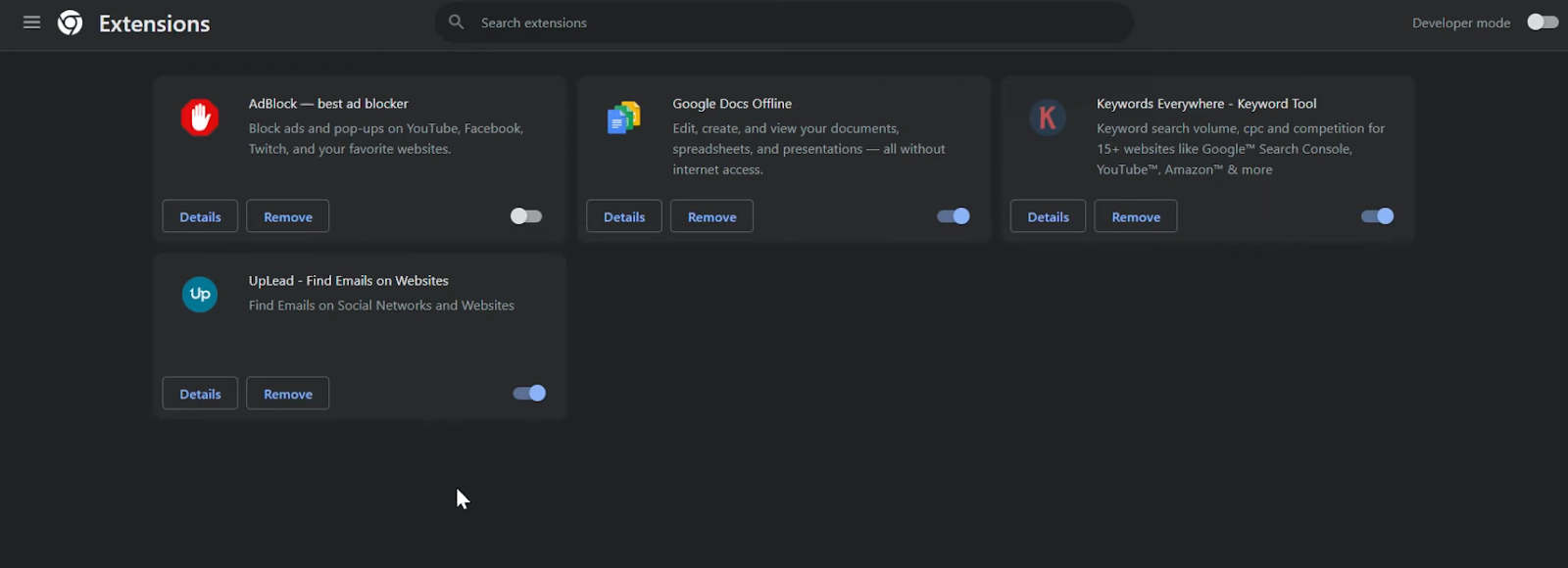
UpLead is a B2B prospecting platform that gives sales reps access to verified contact and company data, helping them build accurate lead lists fast. With real-time email verification, reps can trust that the contacts they reach are valid, reducing bounce rates and wasted outreach.
The platform offers advanced search filters, letting reps target prospects by industry, company size, location, job title, and more. UpLead also provides technographic data, showing what tools a company uses, so reps can tailor their pitch. Intent data helps identify companies actively researching solutions, giving teams a timing advantage.
UpLead integrates with popular CRMs like Salesforce, HubSpot, and Pipedrive, letting reps push leads directly into their pipeline. It also supports bulk list building and API access for teams that need to scale their data operations. For sales teams that depend on accurate, up-to-date contact data, UpLead delivers reliability, though its database is smaller than some enterprise-grade competitors.
Pros
- Verified, real-time contact data
- Advanced search and filtering options
- Technographic and intent data included
- Integrates with major CRMs
Cons
- Smaller database than some competitors
- Credits can run out quickly on lower plans
Pricing
- Essentials ($99/month): 170 credits/month, Email verification, Technographics
- Plus ($199/month): 400 credits/month, Data enrichment, Email pattern intelligence
- Professional (Contact sales for a quote): Advanced integrations, API access, Dedicated account manager
11. Aircall: Best for scalable cloud-based calling
What does it do? Aircall is a cloud-based phone system built for sales and support teams that need reliable calling at scale.
Who is it for? Ideal for sales teams that rely heavily on phone outreach and need CRM-integrated calling.

Aircall is a cloud-based phone system designed for sales and support teams that need dependable, scalable calling. It sets up in minutes and runs on desktop and mobile, so reps can make and receive calls from anywhere while staying connected to their CRM.
The platform includes call routing, IVR menus, and power dialing to help teams handle high call volumes efficiently. Features like call recording, live coaching, and analytics give managers visibility into rep performance and call quality.
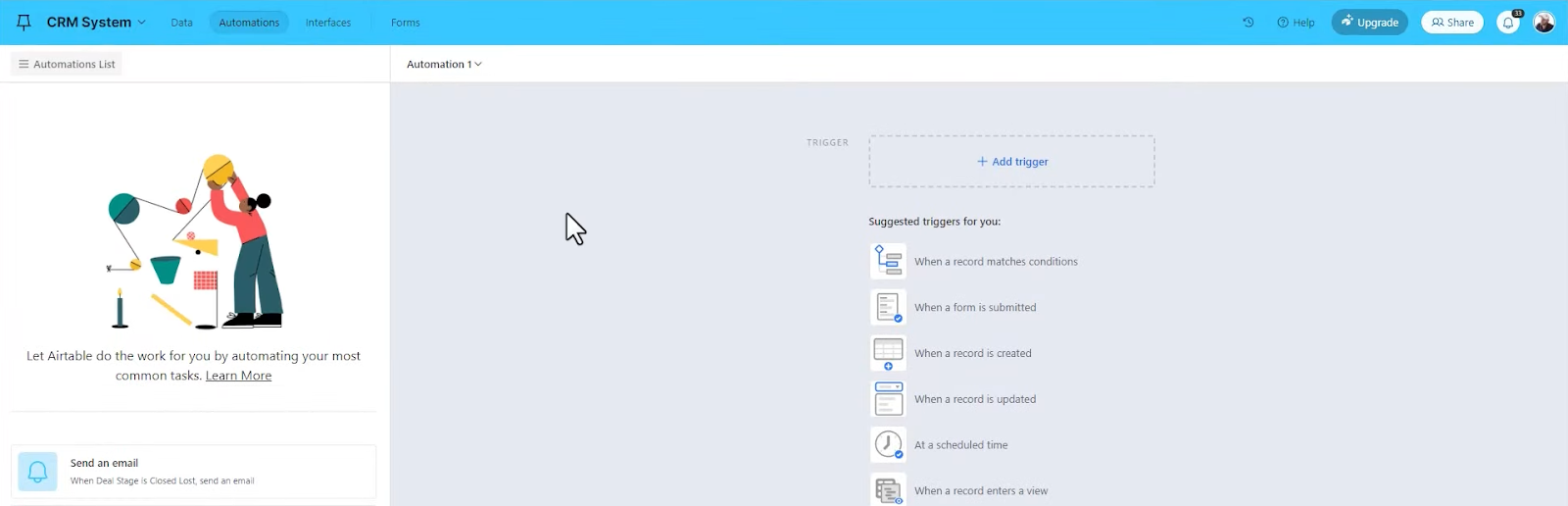
Aircall integrates with over 100 CRMs and helpdesk tools, including Salesforce, HubSpot, and Zendesk, automatically logging calls and syncing data. For sales teams that make phone outreach a core part of their motion, Aircall provides a reliable, scalable solution, though per-user pricing can add up for larger teams.
Pros
- Quick setup and easy to use
- Integrates with major CRMs
- Call routing and power dialing
- Live coaching and analytics
Cons
- Per-user pricing adds up
- Occasional call quality issues
Pricing
- Essentials ($30/user/month): Unlimited inbound calls, Click-to-dial, CRM integrations
- Professional ($50/user/month): Power dialer, Advanced analytics, Salesforce integration
- Custom (Contact sales): Custom onboarding, API access, Dedicated account manager
12. Ambition: Best for gamified sales performance management
What does it do? Ambition uses gamification, coaching, and analytics to boost sales team motivation and performance.
Who is it for? Ideal for sales managers who want to drive rep engagement through competition and coaching.
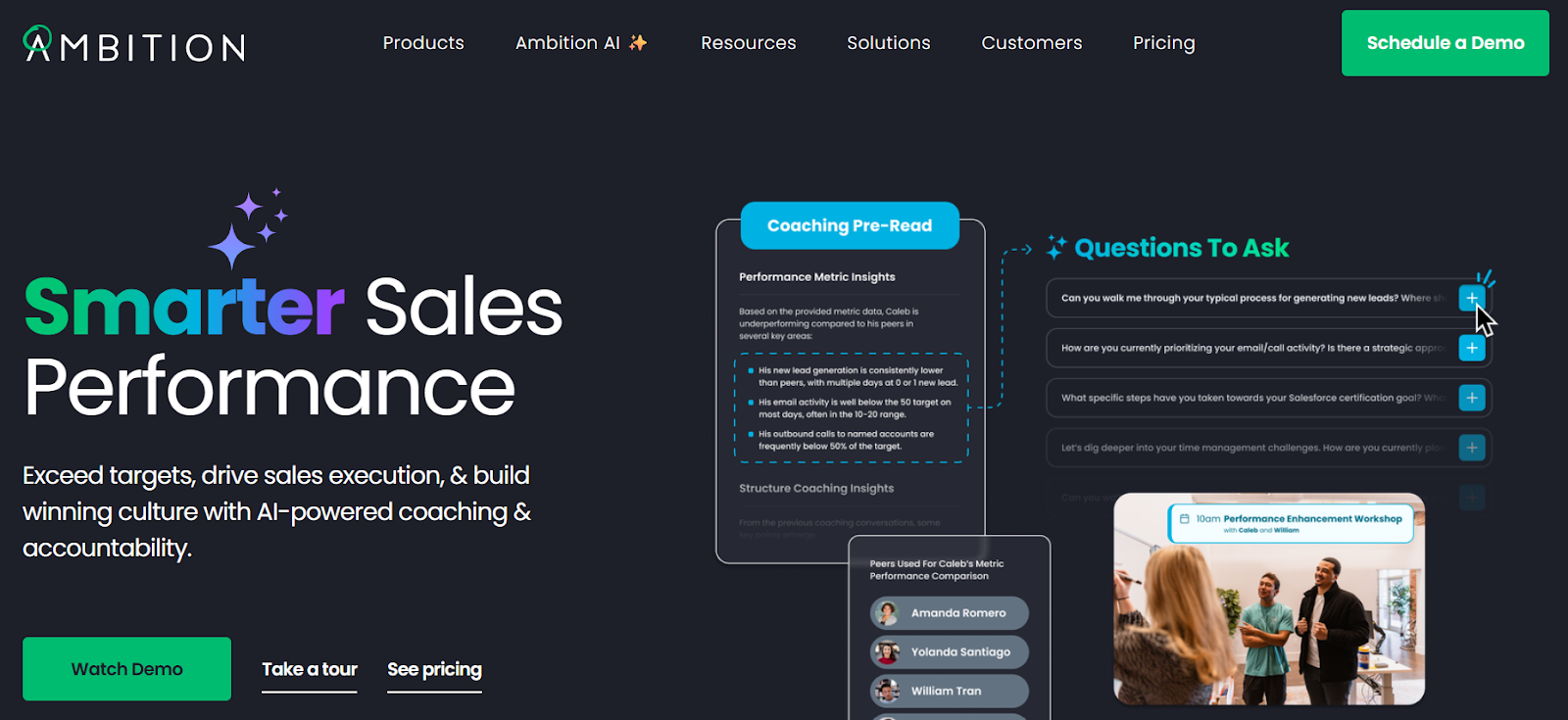
Ambition is a sales performance platform that uses gamification, coaching, and real-time analytics to keep sales teams motivated and on target. It turns sales metrics into competitions, leaderboards, and challenges, helping reps stay engaged and driven throughout the day.
Managers can set up custom scorecards, track KPIs, and run coaching programs that tie directly to performance data. TVs and dashboards display live rankings and achievements, creating a culture of friendly competition and recognition across the sales floor.

Ambition integrates with major CRMs and sales tools, pulling in data automatically to power its dashboards and gamification features. For sales organizations that want to boost motivation and reinforce good habits, Ambition delivers a proven framework, though it works best for larger teams that thrive on competition.
Pros
- Boosts rep motivation and engagement
- Custom scorecards and KPIs
- Live leaderboards and dashboards
- Integrates with major CRMs
Cons
- Best suited for larger teams
- Setup can take time to configure
Pricing
Custom pricing based on team size and features. Contact Ambition for a quote.
13. Close CRM: Best for built-in calling and pipeline automation
What does it do? Close CRM combines CRM, calling, and automation into one platform for high-velocity sales teams.
Who is it for? Designed for inside sales teams that rely on phone-based outreach and need pipeline visibility with minimal setup.
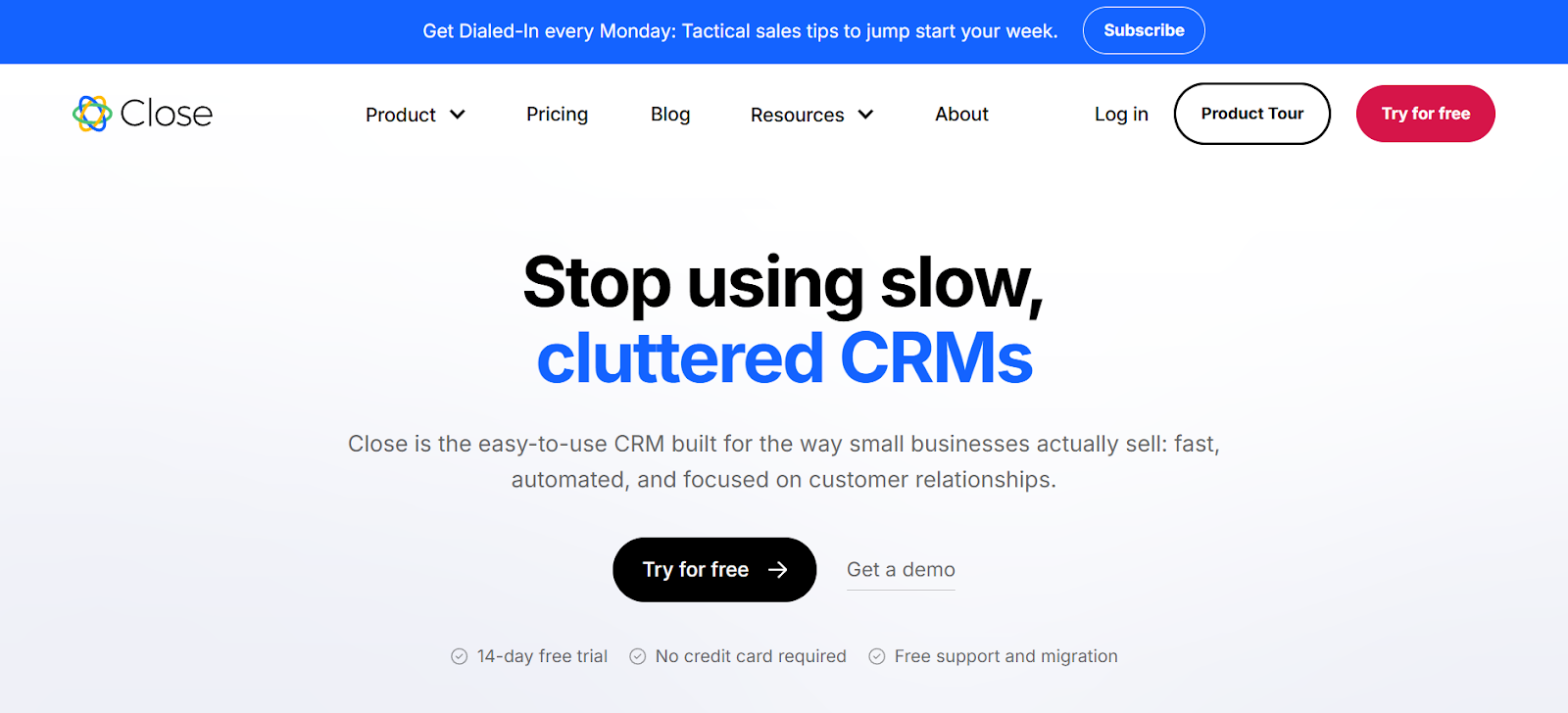
Close CRM is designed for reps who want to focus on selling, not shuffling tabs. It rolls calling, emailing, lead management, and workflow automation into a single, streamlined workspace. You can call leads directly using the built-in Power Dialer, log interactions automatically, and trigger follow-ups, all without ever leaving the app.
What stood out to me was how thoughtfully the newer features are built for speed. The AI-powered lead and email summaries help you pick up conversations without re-reading every thread. There’s also a Notetaker in public beta that auto-joins Zoom, Meet, or Teams calls, transcribes the meeting, and drops everything straight into Close, no manual input needed.
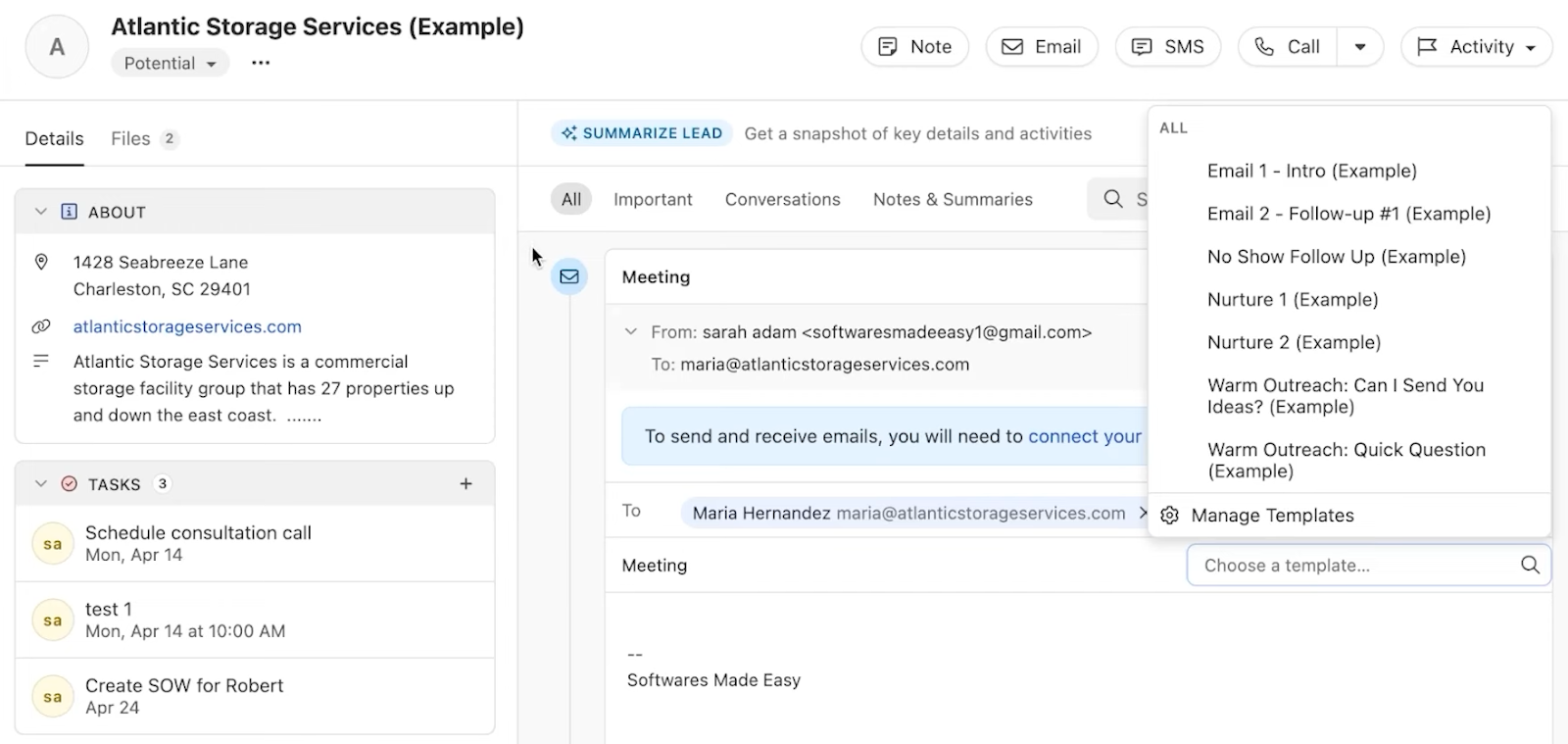
If you’re big on process, Close offers smart automation triggers tied to lead activity, time delays, or pipeline stages. I used it to auto-create tasks, send Slack alerts, and even assign follow-ups based on contact actions. It supports unlimited pipelines and integrates with over 50 CRMs via Import2, alongside Google Workspace, Calendly, and more.
The interface is clean and rep-friendly, but Close is intentionally lean; it skips out on deeper enterprise features like complex mobile reporting or compliance tooling. Still, for fast-moving, remote-friendly teams, it's a refreshingly efficient platform.
Pros
- Clutter-free interface
- MMS and multichannel communication
- Power/Predictive Dialer boosts call volume
- All-in-one interface for emails, calls, and tasks
Cons
- No mobile app customization
- Limited enterprise-level compliance features
Pricing
- Essentials ($49/user/month): Unlimited contacts & leads, Multiple pipelines, Advanced lead & activity filters
- Growth ($109/user/month): Everything in Essentials plus, Automated workflows, Power Dialer
- Scale ($149/user/month): Everything in Growth plus, Role-based access & permissions, Lead visibility rules
14. PandaDoc: Best for digital contracts and e-signature workflows
What does it do? PandaDoc enables fast creation, tracking, and e-signing of proposals, quotes, and contracts.
Who is it for? Best suited for sales teams needing automated document workflows and integrated deal tracking.

PandaDoc is a sales enablement platform built to streamline the most document-heavy parts of the sales cycle, including proposals, quotes, contracts, and internal approvals. It’s built for closing-focused sales teams that need to move fast without compromising the look, structure, or compliance of their paperwork. Whether you’re in B2B SaaS, professional services, or agency sales, PandaDoc takes the friction out of documentation so reps can stay focused on selling.
The platform’s drag-and-drop builder makes it easy to generate custom-branded templates with pricing tables, product details, embedded media, and dynamic fields. Reps can personalize documents on the fly or pull in CRM data directly from Salesforce, HubSpot, or Pipedrive, auto-filling deal variables to eliminate rework and errors.
Approval cycles are faster thanks to built-in collaboration tools. Commenting and smart content blocks let multiple stakeholders edit in parallel, while conditional workflows ensure quotes and contracts get routed to the right approvers based on deal value or type. Sales managers can set up multi-step sign-offs, track who’s reviewed what, and reduce bottlenecks without chasing people over email.

Its tracking feature sets it apart. Reps get real-time alerts when a document is opened, how long someone spends on each section, and whether they’ve viewed the pricing page. That makes follow-ups sharper and better-timed. Teams also benefit from content libraries and AI-driven content suggestions that keep messaging consistent across reps while cutting down prep time.
Pros
- CRM and CPQ integrations
- Built-in e-signature and payment support
- Branded templates and multimedia support
Cons
- Glitches may occur while syncing
- Some CRM integrations are gated to higher plans
Pricing
- Starter ($35/user/month): Unlimited document uploads and e‑Signatures, Real‑time tracking and notifications
- Business ($65/user/month): Custom quotes and sales agreements, CRM integrations
- Enterprise (Contact sales for quote): Workflow automation, Smart content
My Experience Testing These Sales Rep Apps
The best apps for sales reps in 2026 should do three things well. Firstly, help reps prospect, manage, and close deals without jumping between tools, and automate repetitive admin work like follow-ups, call logging, and CRM updates. It should also fit flawlessly into the way sales teams already work, whether that’s in the office, in the field, or fully remote.
To find out which tools delivered, I personally tested each one across a consistent set of criteria:
- Sales Workflow Integration & Usability: I looked at how well each app fit into a typical sales day. Could I manage contacts, move deals, and send emails without switching platforms? Was the interface clean enough to use at speed? Tools that buried essential actions or made me dig for lead data didn’t make the cut.
- Automation & Productivity Boost: Each app was tested on how much busywork it eliminated. I created workflows, assigned tasks, logged calls, and triggered follow-ups to see which tools truly saved time versus those that added more steps. CRM syncing, auto-tagging, power dialers, and AI-generated insights were major plus points.
- Flexibility, Mobility & Scalability: Sales isn’t one-size-fits-all. I tested tools across desktop and mobile to see which ones held up in the field, during travel, or in hybrid setups. I also looked at how well the tools scaled, whether they worked just as well for a solo rep as they did for a 50-person team with layered pipelines and multiple integrations.
After hands-on testing, it became clear that not all sales rep apps are built to support reps in the way they sell. Some are simple organizers. Others are full-blown sales engines. This guide sorts out which ones are worth your time.
How To Use Sales Rep Apps to Boost Your Performance?
The biggest gains come from consolidating your workflow. Pick one app that covers the parts of your day you touch most, like prospecting, pipeline management, follow-ups, and CRM updates, so you stop switching between disconnected tools. Connect it to your email, calendar, and CRM first, then let automation handle the repetitive admin like logging calls, sending follow-ups, and updating records.
From there, lean on the features that match how you sell. Field reps benefit from strong mobile apps and offline access, while inside sales teams get more from built-in calling, sequencing, and conversation analytics. Start with one workflow, measure the time it saves, and expand from there rather than turning on every feature at once.
Frequently Asked Questions
What are sales rep apps used for?
Sales rep apps are designed to help sales professionals manage leads, track interactions, automate repetitive tasks, and close deals more efficiently. They combine essential functions like CRM updates, follow-up reminders, call tracking, and meeting scheduling into a centralized platform. Whether you're working remotely, in the field, or from an office, these tools improve visibility, save time, and keep your sales process moving forward.
Do sales rep apps work with all CRMs?
Most sales rep apps are built to integrate with widely used CRMs such as Salesforce, HubSpot, Pipedrive, and Zoho. Some offer native integrations that work out of the box, while others connect through APIs or platforms like Zapier. It’s always a good idea to verify compatibility with your current system to ensure smooth syncing of contacts, activities, and deal data across platforms.
Can these tools automate follow-ups and emails?
Yes, nearly all modern sales rep tools include automation features that help streamline follow-ups, email outreach, and meeting reminders. Some platforms go beyond basic triggers and allow you to build full workflows. For example, some platforms let you automate complex sequences using plain-language instructions, which is especially helpful for reps looking to reduce busywork and stay focused on closing deals.
Are sales rep apps mobile-friendly?
Most sales rep apps today are optimized for mobile use, which is especially important for field reps or teams that work on the go. Mobile-friendly platforms like SalesRabbit and Zendesk Sell let you manage leads, log calls, and schedule meetings directly from your phone. Others offer seamless desktop-to-mobile transitions, making it easy to work from wherever you're most productive.
What kinds of sales teams benefit most from these tools?
Sales rep apps are helpful for a wide range of roles, including SDRs, account executives, customer success managers, and field reps. Whether you're in SaaS, B2B services, healthcare, or real estate, these tools help scale outreach, manage pipelines, and improve productivity. They’re especially useful for teams juggling high-volume tasks or needing better visibility into their sales performance.
Do these tools include calling or voice features?
Many sales rep apps come with built-in calling features such as Power Dialers, SMS, voicemail drop, and call logging. These capabilities allow reps to stay inside one platform while managing outreach. Apps like Close CRM and Aircall specialize in voice tools, while others support call handling and automatic logging as part of a broader sales automation workflow.
How much do sales rep apps cost?
Pricing for sales rep tools varies depending on features, usage limits, and team size. Entry-level plans often start around $30/user/month, while advanced platforms can exceed $150/seat/month. Some tools offer free plans with limited usage to help small teams get started, while scalable tiers provide higher capacity and premium features as your team grows.
Are these tools secure and compliant?
Top sales rep platforms take security seriously, with features like end-to-end encryption, role-based access controls, and compliance with standards like SOC 2. If you’re working with sensitive customer or financial data, it's important to review the provider’s security policies. Tools that serve enterprise clients typically follow strict data protection protocols to keep your information safe.











Blog
Related Articles


.png)

%20(1).png)

%20(1).png)
%20(1).png)
.png)
The AI assistant that runs your work life
Lindy saves you two hours a day by proactively managing your inbox, meetings, and calendar, so you can focus on what actually matters.
