


7 Best Document Parser Tools in 2026: Tested and Ranked
Everett tested 13 document parser tools, including Reducto, Docsumo, and Docparser, on messy PDFs and invoices, weighing accuracy, setup, and integrations.


After testing 13 document parser tools on messy PDFs, invoices, emails, and recurring business docs, I found the top 7 that stood out for accuracy, setup, and integrations. Here’s where each one fits best and which one I’d pick for different use cases.
What is a document parser?
A document parser is a software that extracts specific information from files and turns it into structured data your team can use.
For example, a document parser can read an invoice and pull out the vendor name, invoice number, due date, line items, tax amount, and total. It can do the same for contracts, forms, receipts, emails, shipping documents, medical records, and scanned PDFs.
In the past, the process took hours and was often inaccurate. Humans would open the document, find the right details, copy them into a spreadsheet or business app, then repeat the same thing hundreds of times.
A document parser does that work faster. It uses OCR, AI, rules, templates, or a mix of these methods to find the fields you care about and send that data somewhere useful, like your CRM, accounting tool, database, or spreadsheet.
What can a document parser extract?
A document parser can extract almost any repeatable field from a file. It can include:
- Names, addresses, phone numbers, and emails
- Invoice numbers, payment terms, totals, and tax amounts
- Dates, renewal terms, and contract clauses
- Tables, line items, SKUs, quantities, and prices
- Form responses, checkboxes, IDs, and signatures
- Shipping details, tracking numbers, and customs fields
These tools can also handle scanned files, email attachments, multi-page documents, and layouts that change from one vendor or customer to another.
Where do teams use document parsers?
Teams use document parsers in processes where manual data entry slows down work. The goal is to get the right data out of the document and into the place where work happens next.
Here are a few examples:
- Finance teams use them to process invoices and receipts
- Legal teams use them to pull terms from contracts
- Logistics teams use them for bills of lading, customs forms, and delivery paperwork.
- Sales and support teams use them to extract details from emails, forms, and customer documents
How I researched and tested these document parser tools
I tested how each one handles common business documents like invoices, contracts, email attachments, scanned PDFs, forms, and recurring operational docs. I then checked how user-friendly and value-for-money these tools are.
Here’s what I looked for:
- Accuracy: A document parser needs to pull names, dates, invoice numbers, totals, line items, tables, and key clauses without constant cleanup. I looked at how well each tool handled clean PDFs, messy scans, and documents with different layouts.
- Ease of setup: Some tools let you upload a document and define fields in minutes. Others need templates, schemas, API setup, or technical help. I gave more weight to tools that make setup easy for business users.
- Document type support: I checked whether each tool could handle PDFs, email bodies, attachments, invoices, receipts, contracts, forms, spreadsheets, and scanned files. A good parser should handle the formats your team already uses.
- Integrations: Extracted data only helps if it goes somewhere useful. I looked for native integrations, webhooks, APIs, spreadsheet exports, CRM connections, and support for tools like Zapier or Make.
- Speed, scalability, and value: A parser that works for five files can still struggle with 500. I looked at batch processing, credit limits, monthly costs, document volume, and how well each tool fits growing teams.
- Customization: Business documents rarely follow one perfect format. I looked for tools that support custom fields, templates, multi-layout parsing, human review, and flexible output formats.
- Security: Document parsing often involves sensitive data. I checked for encryption, access controls, data retention options, audit logs, and compliance support where available.
It helped me separate simple parsing tools from tools that can support daily business use without creating more cleanup work.
The 7 best document parser tools: TL;DR
Here’s a quick view of where each document parser fits best.
1. Reducto: Best for developer-grade document parsing APIs


What it does: Reducto helps teams parse, classify, split, and extract structured data from complex documents through APIs.
Best for: Developer and AI teams that need reliable document extraction inside products, internal tools, or large document pipelines.
Reducto is a technical document parser that suits teams that need high-quality extraction from complex PDFs, forms, scans, and layout-heavy documents, especially when that data needs to feed AI systems or internal applications.
Its biggest strength is document structure. Reducto can help parse documents, split multi-document files, and extract structured fields from messy inputs. It also positions itself around enterprise-scale performance, with support for parsing, classification, extraction, and other document tasks in one platform.
I’d choose Reducto when accuracy and developer control matter more than a simple no-code setup. For example, an engineering team could use it to turn scanned loan documents, insurance packets, or legal PDFs into structured JSON for downstream systems.
You need technical resources and skill to make Reducto work.
If your team wants an API layer for document processing, Reducto makes more sense.
Key features
- Document parsing API: Reducto converts PDFs, scans, forms, and other documents into structured outputs for downstream systems.
- Structured extraction: Teams can extract fields from complex documents with more control than basic OCR tools.
- Document splitting: Reducto can split long or bundled files into cleaner document units.
- Classification: The platform supports document classification, which helps teams route files before extraction.
- Enterprise readiness: Reducto’s pricing page mentions HIPAA and SOC 2 compliance support.
- Credit-based pricing: Reducto uses flexible credit-based pricing across Standard, Growth, and Enterprise plans.
Pros
- Strong for complex documents like PDFs, scans, forms, tables, and bundled files
- Developer-friendly with API-first approach for teams building document parsing into their own systems
- Useful for AI pipelines as it can prepare document data for AI search, extraction, and downstream applications
- Enterprise-focused with compliance support that makes it more practical for regulated teams
Cons
- Too technical for simple use cases
- Credit-based pricing needs volume planning as teams need to estimate document volume before choosing a plan
What users say
- “I’ve used Reducto a fair bit and honestly it’s one of the few “LLM-ready chunks” tools that actually feels real in a RAG pipeline.” — Reddit user
- “We tried Reducto and it didn’t work for us. But I think it is a good product that works for most people’s use cases. They solve edge cases around the tables and figures to improve the markdown output.” — Reddit user
Pricing
- Free to use up to your first 15,000 credits, then $0.015/credit
- Contact sales for custom paid plans
Bottom line
Choose Reducto if your team needs a technical document parsing API for complex files, AI pipelines, or product-level extraction. It is a strong extraction infrastructure, but it doesn’t suit non-technical and operations teams.
2. Sensible: Best for structured extraction from business documents


What it does: Sensible extracts structured data from PDFs, images, spreadsheets, and emails through an API-first document extraction platform.
Best for: Teams that process recurring business documents and need clean, auditable outputs they can send into internal tools, products, or review systems.
Sensible works well when your team knows exactly what data it needs from each document type. Instead of treating every document like a one-off upload, Sensible helps teams define what fields they want, validate the output, and keep an audit trail.
These capabilities make it useful for industries where document accuracy matters, like insurance, finance, healthcare, logistics, and legal ops.
I’d put Sensible in the same general bucket as Reducto, but more focused on field-level control and validation than raw API throughput. It feels best when teams want structured extraction with more control over fields, validation, and production reliability.
For example, an insurance team could use Sensible to extract policy numbers, claimant names, dates, coverage details, and totals from recurring forms. A finance team could use it to pull details from statements or invoices and send the output into internal systems.
Sensible is highly capable but requires time to set it up. It’s not the tool I’d pick for someone who wants to casually upload a PDF and ask questions about it. Sensible makes more sense when you need structured outputs at scale.
Key features
- Document extraction API: Sensible extracts structured data from PDFs, images, spreadsheets, and emails.
- Validated outputs: The platform focuses on data you can verify and audit, which helps when teams need reliable extraction.
- Multimodal extraction: Sensible’s multimodal engine can extract from images, charts, graphs, and handwriting inside documents.
- Email-driven extraction: Teams can forward document attachments to Sensible and extract structured data from them.
- API-first setup: Sensible supports product and internal tool integrations, including white-label document extraction.
- Processing speed: Sensible says document processing can take around 6 seconds to 1 minute, depending on OCR or LLM usage.
Pros
- Strong structured output for teams that need fields in a predictable format
- Good for recurring business documents like forms, statements, invoices, applications, and operational records
- Developer-friendly with API-first design that works well for internal systems and product teams
- Validated outputs and audit trails that help teams review extraction quality
Cons
- Setup takes planning and time, with document types, fields, and output needs upfront
- Less useful for casual document Q&A
- Not ideal if you only parse a few simple PDFs each month
What users say
- “We use the extraction tool on nearly every inspection we perform. Their pricing is fair compared to the time it saves us.” — Martin L, G2
- “At times, getting a document template set up correctly or revising on the error can take longer than expected and may require multiple rounds of back‑and‑forth to refine.” — Verified user, G2
Pricing
- No free plan, only a 14-day free trial
- Paid plans start from $499/month, billed monthly
Bottom line
Choose Sensible if you need structured extraction from recurring business documents and care about validation, audit trails, and API access.
Skip it if you want a lightweight parser or an assistant you can text for document summaries and follow-up work. Sensible works best when your team has a clear document process and needs reliable data output at scale.
3. Parsio: Best for customizable email and PDF parsing


What it does: Parsio extracts structured data from emails, PDFs, attachments, and scanned documents using OCR, templates, and AI-assisted parsing.
Best for: Small teams that need flexible parsing for email attachments, invoices, PDFs, and recurring document formats.
Parsio makes sense when your documents follow a pattern, but the pattern still needs some fine-tuning. You can use it to extract invoice numbers, dates, line items, sender details, contact information, and other fields from PDFs and emails.
It also supports OCR, so it can read scanned documents instead of only clean digital files.
The part I like most is the template control. You can create parsing rules for specific document types, then send the extracted data to tools like Google Sheets, Zapier, Make, or your own system through webhooks and API access.
That makes Parsio a good fit for finance, sales ops, recruiting, customer support, and small business admin teams.
For example, you could use it to pull order details from email confirmations, extract vendor details from invoices, or capture lead information from incoming emails.
Parsio also has a Chrome Signature Parser, which helps extract contact details from email signatures. That’s a small feature, but it can save time if your team gets a lot of inbound emails from prospects, vendors, or customers.
However, the advanced templates can take some testing time. But if you want a focused parser for recurring emails and PDFs, Parsio does the job well.
Key features
- Email parsing: Parsio can extract data from email bodies and attachments.
- PDF parsing: The tool can pull fields from invoices, receipts, contracts, and other PDFs.
- OCR support: Parsio reads scanned documents and image-based files.
- Custom templates: You can create parsing rules for recurring document layouts.
- Chrome Signature Parser: Parsio can pull names, roles, companies, phone numbers, and emails from signatures.
- Integrations: Parsio connects with Google Sheets, Zapier, Make, webhooks, and API workflows.
Pros
- Strong for parsing when documents arrive through email
- Flexible templates that you can adapt to fit recurring document formats
- Integrated with apps, so you can send parsed data into spreadsheets, CRMs, or other tools
- OCR support to handle scanned PDFs and image-based documents
Cons
- Custom templates may need testing before they work cleanly and need time
- Less useful for one-off document questions
- Not ideal for teams that prefer API-first extraction at scale for complex workflows
What users say
- “It lets you select what you want to parse from email instead of writing a complex set of rules to do the same like other competitors.” — Bhushan F, G2
- “Setting up complicated templates is not the easiest thing on earth.” — Philip F, G2
Pricing
- Free plan with 30 credits per month
- Paid plans start from $29/month, billed monthly
Bottom line
Choose Parsio if you need a flexible document parser for emails, attachments, and PDFs. It works best when you have recurring document formats and want control over extraction rules. Skip it if you need a developer-grade extraction API.
4. Airparser: Best for fast no-code document parsing


What it does: Airparser extracts structured data from emails, PDFs, scanned documents, invoices, receipts, contracts, and order confirmations.
Best for: Small teams that want a quick document parser without building detailed templates from scratch.
Airparser is the tool I’d pick when you want speed over control. You can describe the data you want to extract, upload or forward documents, and start pulling structured fields without spending hours configuring parsing rules.
That makes it useful for small businesses that need to process common documents like invoices, receipts, purchase orders, contracts, and customer emails.
The setup feels lighter than tools like Docparser or Sensible.
For example, an e-commerce team could use Airparser to pull customer names, order numbers, shipping details, and product information from confirmation emails. A finance team could use it to extract totals, vendors, and due dates from invoices.
Airparser also supports OCR, so it can handle scanned documents and image-based files. That’s important because many teams still receive PDFs that don’t behave like clean digital documents.
You may get frustrated with Airparser if you need advanced field logic, multi-layout parsing, or strict developer control. If your documents vary a lot or need production-grade extraction inside your product, Reducto or Sensible may fit better.
Key features
- Quick parser setup: Airparser lets you create parsers without a long configuration process.
- Email and PDF parsing: The tool can extract data from email bodies, attachments, PDFs, and scanned files.
- OCR support: Airparser reads scanned documents, images, and handwritten text in supported cases.
- Common document support: It works for invoices, receipts, contracts, purchase orders, and order confirmations.
- API and webhooks: Teams can send extracted data to other systems.
- Team access: Higher plans support unlimited team members, which helps growing teams share parsing work.
Pros
- Fast setup for teams that want to start parsing documents quickly
- Works well for common documents like invoices, receipts, orders, contracts, and basic business files
- OCR support to read scanned and image-based documents
- No complex or technical setup, helping small teams to get started easily
Cons
- Limited advanced customization for teams that need complex parsing logic and control
- May feel light for enterprise teams as they may need deeper audit, validation, or review features
What users say
- “The simplicity of creating the data capture fields. I also like the webhook feature so I can cut out Make and Zapier, simplifying and reducing the number of tools used for a workflow.” — Allen M, Capterra
- “The accuracy of data extraction might depend on the quality and complexity of the input documents.” — Haitham A, Capterra
Pricing
- Free plan with 30 non-renewable credits
- Paid plans from $39/month, billed monthly
Bottom line
Choose Airparser if you want a quick, no-code document parser for common files like invoices, receipts, contracts, and order emails. Skip it if you need advanced templates, developer-grade APIs, or strict control over complex document layouts.
5. Docsumo: Best for invoice and receipt parsing
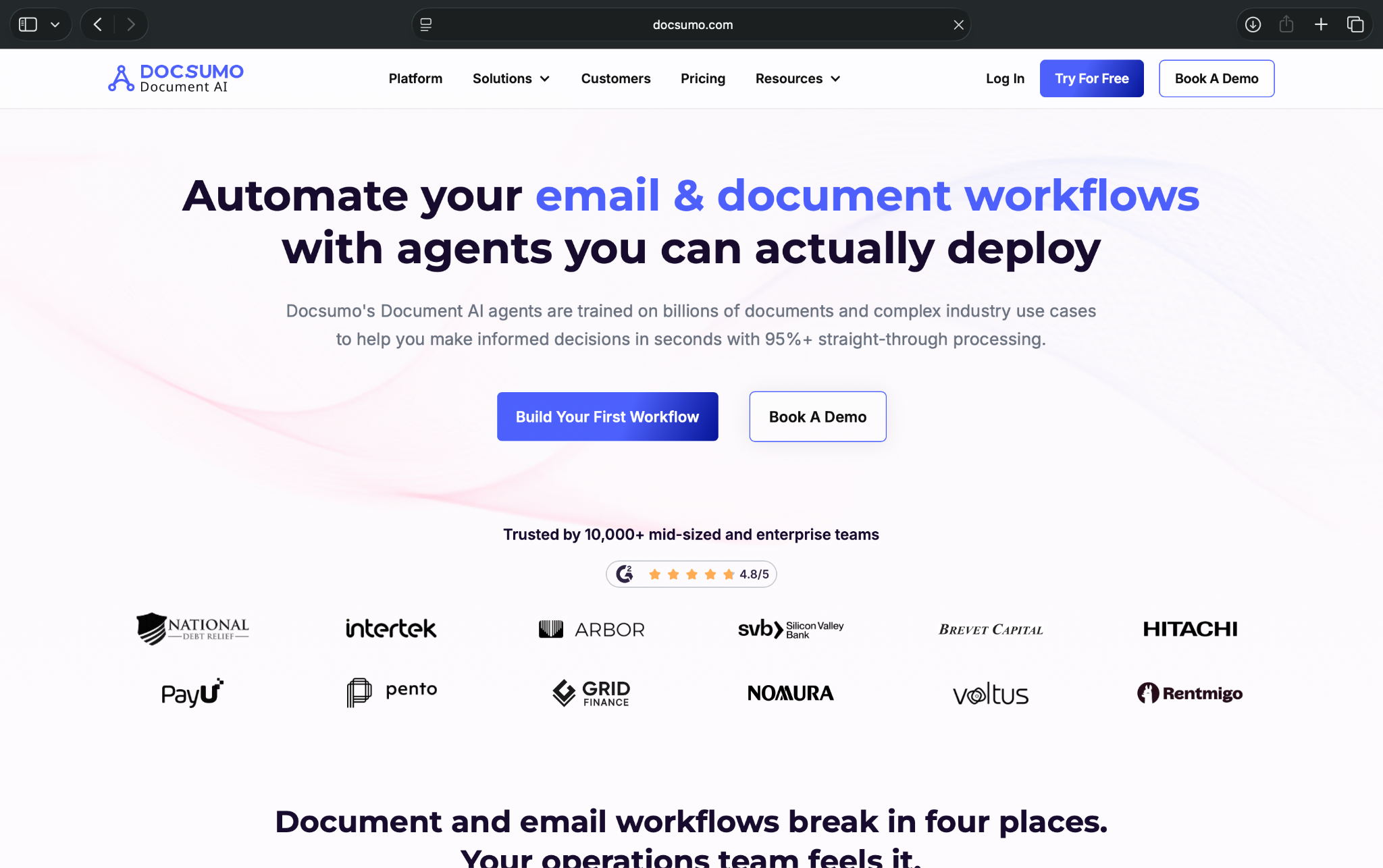

What it does: Docsumo extracts data from invoices, receipts, purchase orders, and other finance documents.
Best for: Finance teams, accounting firms, and operations teams that process high volumes of vendor documents.
Docsumo makes the most sense for finance teams. It focuses heavily on invoices, receipts, purchase orders, and financial documents.
It has an advantage over the more general-purpose document parser tools. When you need to pull vendor names, invoice numbers, due dates, line items, tax amounts, and totals from different formats, Docsumo works the best.
It works well for teams that want structured data tables from messy financial documents. It also supports pre-built models for common finance docs, which can reduce setup time compared with building every parser from scratch.
I’d look at Docsumo if your team still opens invoices manually, checks totals, copies details into spreadsheets, and uploads data into accounting tools. It can cut a lot of that repetitive work, especially when vendors send documents in different layouts.
Docsumo also gives teams more control than basic OCR tools. You get custom models, table extraction, exports, audit logs, search, and integrations. That helps when finance teams need traceability, not just fast extraction.
However, it may feel like too much if you only parse a few receipts or simple PDFs each month. For lighter use cases, Airparser or Parsio will feel easier. For assistant-style document help, like asking PDF questions or handling follow-up tasks, Lindy fits better.
Key features
- Invoice extraction: Docsumo pulls invoice numbers, vendor details, line items, tax, totals, and payment terms.
- Receipt parsing: The tool can extract structured fields from receipts and other expense documents.
- Pre-built finance models: Docsumo includes models for invoices, purchase orders, and receipts.
- Custom models: Teams can train extraction around their own document formats.
- Table extraction: Docsumo can pull line items and tabular data from financial documents.
- Audit logs: Finance teams can track document activity and review extraction history.
- Exports and integrations: Teams can send parsed data to CSV, Excel, APIs, webhooks, accounting tools, and ERPs.
Pros
- Strong finance focus and works well for invoices, receipts, purchase orders, and accounting documents
- Good for line items and can extract tables and itemized financial data
- Helpful audit logs that let teams track document history and review extraction steps
- Custom models and integrations for complex finance workflows
Cons
- Can feel heavy for small teams that only need a simple parsing tool
- Setup takes time and effort to configure models and review rules
What users say
- “It lets us upload batches, extract the key fields, and export everything into a CSV, which saves a huge amount of manual entry.” — Chesky G, G2
- “Certain advanced configuration options and custom training processes may demand a higher level of technical expertise, which could pose a challenge for teams with less technical experience.” — Akshay H, G2
Pricing
- No free plan, only a 14-day free trial with 1,000 free pages
- Paid plans start from $499/month, billed monthly, with custom plans for larger teams
Bottom line
Choose Docsumo if invoice and receipt parsing sit at the center of your document process. It works best for finance teams that need structured extraction, line-item parsing, audit logs, and integrations with accounting systems.
Skip it if you want a lightweight parser or an assistant you can ask to read, summarize, and help act on documents.
6. Mailparser: Best for recurring email parsing

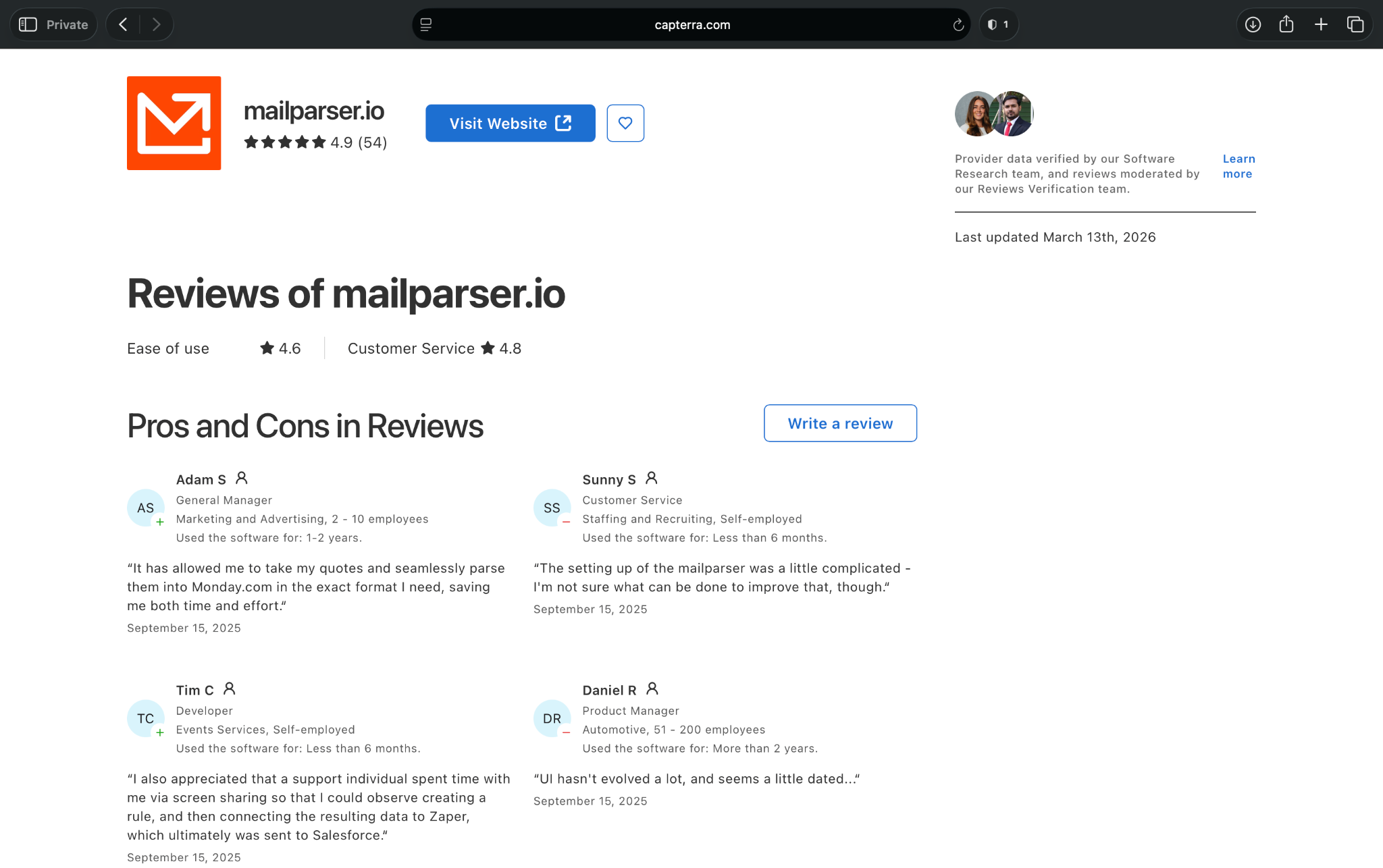
What it does: Mailparser extracts structured data from incoming emails and attachments, then sends that data to the tools your team already uses.
Best for: Teams that receive repeatable email formats, like order confirmations, lead notifications, support requests, booking emails, or invoice emails.
Mailparser focuses on a common business headache. Important data arrives by email, and someone has to copy it into a spreadsheet, CRM, database, or operations tool.
With Mailparser, you can create parsing rules for recurring emails and attachments.
For example, an e-commerce team could pull order numbers, customer names, product details, and shipping addresses from order emails. A sales team could capture lead details from form notification emails and send them to a CRM.
The setup can take some work if your emails vary a lot. But once you dial in the rules, Mailparser can save hours of repetitive inbox cleanup. It handles structured extraction from emails and attachments, supports multiple inboxes, detects duplicate emails, and forwards parsed data through webhooks and cloud app integrations.
But Mailparser only makes sense for email-first parsing. If you need to parse complex PDFs, scanned contracts, tables, or document packets, Docparser, Sensible, Reducto, or Docsumo may fit better.
Key features
- Email parsing: Mailparser extracts data from recurring email bodies.
- Attachment parsing: It can pull data from attached documents in supported formats.
- Custom parsing rules: Teams can define the fields they want to capture from repeatable emails.
- Multi-inbox support: Mailparser supports multiple inboxes, which helps teams separate workflows.
- Duplicate detection: The tool can detect duplicate emails and reduce messy records.
- Webhook support: Teams can send extracted data to other apps in near-real time.
- Cloud app integrations: Mailparser connects parsed data to CRMs, databases, spreadsheets, file storage tools, and sales or marketing apps.
Pros
- Works well when important data arrives in repeatable emails
- Good template library that lets teams launch workflows fast with common email parsing patterns
- Multi-inbox support for managing different parsing workflows without mixing data
- Webhooks and integrations make it easier to move extracted data into business tools
Cons
- Limited usability outside email parsing, as it won’t replace a dedicated PDF or scanned document parser
- Custom rules take testing time
- Less useful if you want to ask questions about a document or summarize it
What users say
- “The assortment of filters makes it possible to isolate almost any string inside an email. I've found the application to be very reliable.” — Tim C, Capterra
- “In my opinion, the pricing does not reflect the value provided. It seems to capitalize on the limitations of those without coding skills, as extracting the required data from a mailbox is often achievable with a straightforward regex command.” — Tobias B, Capterra
Pricing
- No free plan, only a 30-day free trial with 30 credits
- Paid plans from $29.95/month, billed monthly
Bottom line
Choose Mailparser if your team spends too much time copying details from recurring emails. It’s a focused, practical document parser for inbox-heavy workflows. Skip it if your main challenge involves complex PDFs, scanned files, or documents.
7. Docparser: Best for complex PDF parsing

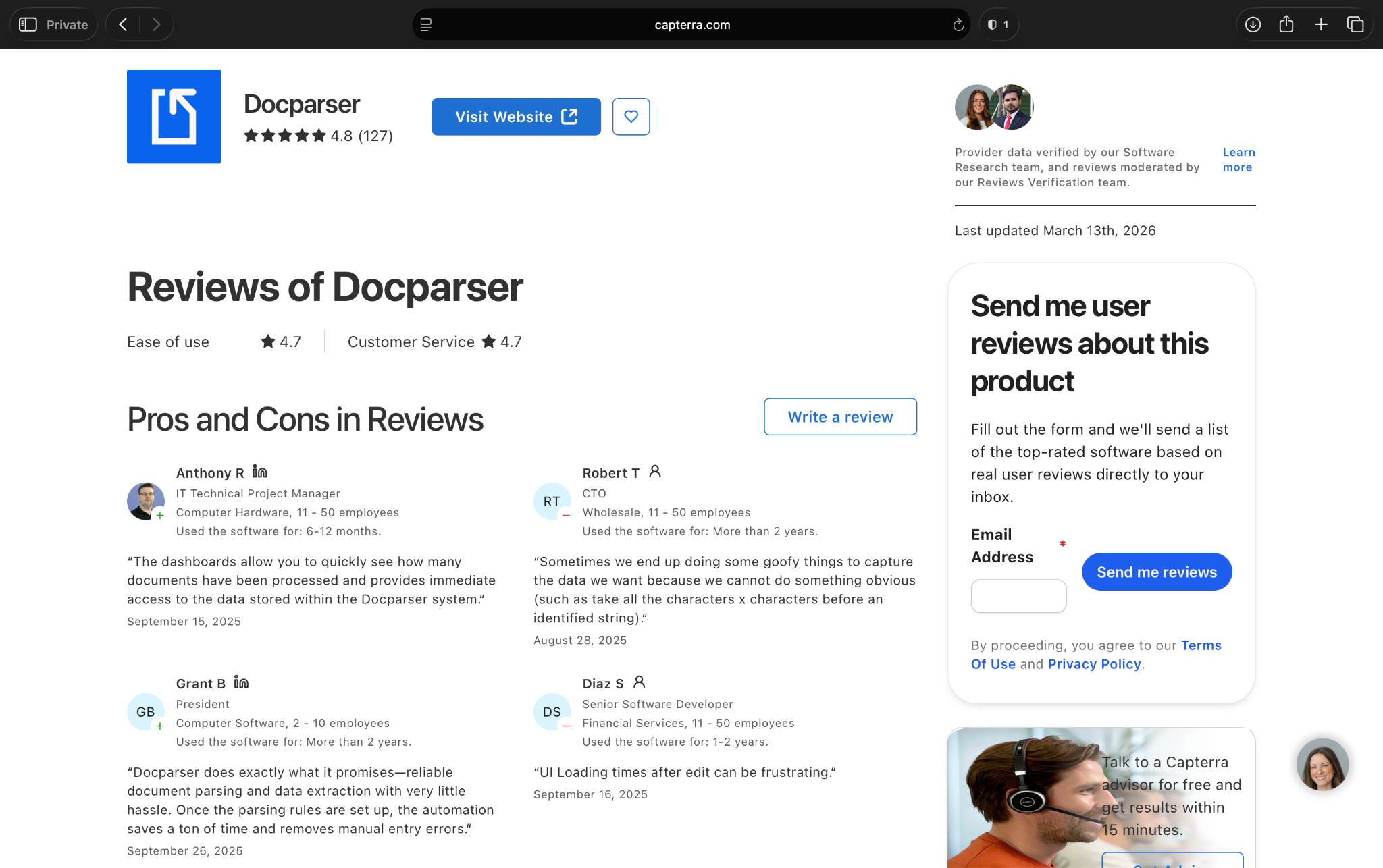
What it does: Docparser extracts structured data from PDFs, Word files, scanned documents, and image-based files.
Best for: Teams that process complex PDFs with repeatable layouts, tables, forms, or multi-page documents.
Docparser is the better fit when your PDF parsing needs more control than a lightweight tool. It helps you pull structured fields from PDFs, contracts, order forms, HR documents, shipping paperwork, legal files, and other business documents.
You can define parsing rules, extract tables, handle different layouts, and send the final data into spreadsheets, databases, or business apps.
Docparser works well for complex PDFs and structured exports. It helps teams that need cleaner data from messy documents and want to control how that data appears before it moves into another system.
For example, a logistics team could use Docparser to extract shipment details, addresses, tracking numbers, and delivery dates from recurring PDF documents. Or, a legal team could use it to pull parties, dates, contract values, and renewal terms from standard agreements.
You can also use Docparser for multi-layout parsing, which helps when documents follow a similar pattern but don’t look identical every time. That helps when different vendors, customers, or departments send files in slightly different formats.
The tradeoff is the learning curve. Docparser gives you more control, but you’ll need time to set up parsing rules and test them.
If you want a faster setup, Airparser may feel easier. If you want an API-first extraction layer, Reducto or Sensible may fit better.
Key features
- PDF parsing: Docparser extracts structured data from PDF documents.
- Table extraction: The tool can pull line items, rows, columns, and tabular data.
- Multi-layout parsing: Teams can handle document layouts that vary across senders or formats.
- Custom parsing rules: You can define the exact fields you want Docparser to capture.
- Parser version control: Teams can manage parser changes without losing earlier configurations.
- Google Sheets export: Docparser can send parsed data into spreadsheets.
- Integrations: The tool connects with thousands of apps through native options, Zapier, APIs, and webhooks.
Pros
- Handles complex and unstructured PDF extraction better than basic parsing tools
- Can pull line items and tabular data from documents
- Multi-layout parsing that lets teams manage similar documents that don’t follow one exact format
- Useful export options to move data into spreadsheets, databases, and business apps
Cons
- Setup takes time as you need to create and test parsing rules before the tool works well
- Less beginner-friendly, as users may struggle to understand how parsers and layouts work
What users say
- “One standout feature is the ability to not only extract data but also clean and format it to match specific needs—this flexibility has been a game-changer for our workflows.” — Pieter N, Capterra
- “It requires too much manual effort, is restricted on its AI capabilities, does not really assist with deriving the type of document before parsing and can be expensive.” — Colin R, Capterra
Pricing
- No free plan, only a 14-day free trial
- Paid plans from $39/month, billed monthly, with add-on costs for functionalities like multifactor authentication and version control
Bottom line
Choose Docparser if complex PDFs are the biggest pain point of your document parsing process. It works best when you need custom rules, table extraction, multi-layout parsing, and structured exports.
Which document parser tool should you choose?
Most document parsers can pull data from PDFs, emails, invoices, and forms reliably. The right tool depends on how complex your documents are and what needs to happen after extraction. Here’s how you can pick the right one:
Choose Reducto if:
- You have developers who need a document parsing API.
- You want to extract structured data from complex PDFs, tables, scans, and document packets.
- You need document parsing inside your own product, AI pipeline, or internal system.
- You care more about technical control than an assistant-style experience.
Choose Sensible if:
- You process recurring business documents and need structured, validated outputs.
- You want to define clear fields, schemas, and review rules.
- You need audit trails, API access, and production-grade extraction for documents like claims, financial forms, logistics paperwork, or compliance records.
- Your team can spend time planning the setup before scaling the process.
Choose Parsio if:
- Most of your documents arrive through email.
- You need flexible parsing templates for PDFs, email bodies, and attachments.
- You want to send extracted data into Google Sheets, Zapier, Make, CRMs, or webhooks.
- You’re okay testing templates until they match your document formats.
Choose Airparser if:
- You want a fast, no-code document parser for common files.
- You process invoices, receipts, purchase orders, contracts, order confirmations, or customer emails.
- You care more about quick setup than advanced customization.
- You don’t need strict developer control or complex document pipelines.
Choose Docsumo if:
- Your main use case is finance document processing.
- You need to extract invoice numbers, vendor details, line items, tax, totals, and payment terms.
- You want finance-focused models, audit logs, exports, and accounting or ERP integrations.
- You process enough invoices and receipts to justify a more involved tool.
Choose Mailparser if:
- Your parsing workflow starts in the inbox.
- You need to extract data from recurring emails like lead notifications, booking emails, order confirmations, support requests, or invoice emails.
- Your email formats stay fairly consistent.
- You don’t need advanced PDF parsing or document Q&A.
Choose Docparser if:
- You process complex PDFs with recurring layouts.
- You need custom parsing rules, table extraction, multi-layout parsing, and structured exports.
- You want more control than lightweight parsers offer.
- Your team can spend time setting up and testing parsing rules.
Skip document parser tools entirely if:
- You only process a few documents each month.
- Your documents change format every time and don’t follow any pattern.
- You need legal, medical, or financial judgment instead of data extraction.
- Your team has no clear place to send the extracted data.
- Manual review still costs less time than setting up and maintaining a parser.
Final verdict
I’d pick Airparser if I wanted the fastest path to a working document parser. You can describe the data you want to extract, upload or forward documents, and start pulling structured fields without spending hours on setup.
However, Airparser isn’t the right pick for everyone. The right tool for you depends on the workflow. If your team has plenty of technically skilled individuals, Reducto and Sensible make more sense for developer-led extraction systems.
Docsumo works better for finance-heavy document workflows. Parsio, Airparser, Mailparser, and Docparser fit teams that need focused parsing for emails, PDFs, and recurring document formats.
Here’s my honest recommendation: Choose based on what happens after extraction. If the data needs to move through other systems or apps, pick a tool that can help with the next step.
Frequently asked questions
What is the best document parser in 2026?
The best document parser in 2026 depends on your use case and what needs to happen after the extraction.
Reducto and Sensible work better for developer-led extraction. Docsumo fits finance teams, while Parsio, Airparser, Mailparser, and Docparser work well for focused email and PDF parsing.
Can document parsing software handle handwritten documents?
Yes, some document parsing software can handle handwritten documents using OCR and AI-assisted extraction. However, handwriting quality matters a lot. Clean, consistent handwriting works better than rushed notes, smudged scans, or low-quality images. For important records, keep a human review step.
How do document parsers improve compliance in regulated industries?
Document parsers improve compliance by reducing manual entry errors, standardizing extracted data, and creating audit trails. It helps teams in healthcare, finance, legal, and insurance track how documents move through a process. Look for encryption, access controls, retention settings, SOC 2, HIPAA, and audit logs if compliance matters.
What types of documents are most challenging for parsing software?
The hardest documents to parse usually have messy layouts, poor scan quality, complex tables, handwriting, checkboxes, or inconsistent formatting. These documents may need custom rules, AI review, or human approval.
How important is integration capability in choosing a document parser?
Integration capability is important for teams while choosing a document parser as it helps them send data into their CRM, spreadsheets, accounting tool, ERP, database, or email system. Without integrations, your team may still need to copy and paste the parsed data manually.
Can document parsing software handle real-time document processing?
Yes, many document parsing tools can handle real-time or near-real-time document processing.
It helps teams process inbound emails, order forms, invoices, support requests, or compliance documents quickly. However, the speed of processing depends on the tool, file size, OCR needs, and where the extracted data goes next.
What role does customization play in document parsing?
Customization helps a document parser match your documents, fields, and business rules.
It matters the most when you process documents with different layouts, industry-specific terms, or complex tables. The ability to customize fields, templates, schemas, review steps, and output rules can reduce cleanup work later.











Blog
Related Articles


.png)
%20(1).png)
%20(1).png)
%20(1).png)
.png)

The AI assistant that runs your work life
Lindy saves you two hours a day by proactively managing your inbox, meetings, and calendar, so you can focus on what actually matters.
