7 Fathom AI Alternatives Tested in 2026 (And My Pick)


Fathom AI makes meeting notes almost effortless, which is probably why replacing it is harder than it sounds.
The reason to look elsewhere usually comes down to what happens beyond the transcript. Maybe you need better team analytics, CRM automation, searchable meeting history, or an assistant that can turn conversations into actual follow-up work.
I tested the best Fathom AI alternatives with those needs in mind and narrowed the list to seven options worth considering in 2026.
- tl;dv: Best for teams that want shareable video clips instead of text highlights
- Read AI: Best for cross-channel meeting intelligence and speaker coaching
- Avoma: Best for revenue teams that want scheduling, notes, and coaching in one platform
- Otter.ai: Best for students, journalists, and anyone recording in person
- Fireflies.ai: Best for post-meeting automation into Slack, CRM, and task tools
- Grain: Best for sales teams that want bot-less capture and video highlights
- Granola: Best for client-facing calls where a visible bot changes the room
What is Fathom AI?
Fathom is an AI meeting assistant that joins Zoom, Google Meet, or Microsoft Teams calls, records and transcribes the conversation, then generates summaries, action items, and follow-up notes.
It’s also one of the most popular ways to use AI to take meeting notes, with a free plan that includes unlimited recording and storage.
Why look for an alternative to Fathom AI?
Fathom’s free plan is more generous than it used to be, with unlimited recordings, transcriptions, and instant AI summaries. The limits now show up around more advanced features, including AI action items, advanced summaries, account-wide AI search, and automation.
Teams may also want stronger CRM field syncing, coaching and analytics, deeper team collaboration, or more control over security and data retention. Those needs are where the best Fathom AI alternatives start to make more sense.
Types of Fathom AI alternatives
Once I started comparing these side by side, I realized they were solving very different parts of the meeting workflow.
- Transcription-first notetakers. Otter.ai and Fireflies.ai are the straightforward picks when you mainly want clean transcripts, searchable notes, and summaries you can come back to later.
- Revenue and sales platforms. Avoma and Grain add call scoring, coaching, deal insights, and CRM context, which makes them more useful when meetings feed directly into sales.
- Video-first sharing. tl;dv stood out when I wanted to pull out a specific moment from a call and share it without sending someone the full recording.
- Bot-free capture. Granola and Grain can record without dropping a visible bot into the meeting, which made client calls feel noticeably more natural.
The easiest way to choose is to focus on what you want those meeting notes to do once the call ends.
How I tested these Fathom AI alternatives
I’ve tried enough meeting assistants to know that a clean transcript and a polished demo summary don’t tell you much.
What matters to me is whether I still trust the app after a few real meetings, especially when people interrupt each other, topics jump around, or I need to find one decision later.
For this list, I ran the same mix of meetings through each option: an internal sync, a client call, a workshop, and a fast-moving sales conversation. I focused on:
- Summary quality: Did it capture decisions, objections, action items, and follow-ups?
- Messy conversation handling: Could it handle interruptions, speaker changes, and topic jumps?
- Bot behavior: Did a visible bot make client calls feel awkward?
- Search: Could I find a specific comment or decision later without having to dig?
- Post-meeting workflow: Could notes move into follow-ups, tasks, or a CRM?
- Pricing limits: At what point did the free plan start to feel restrictive?
I cared less about the number of features and more about whether the app saved me from having to reopen the recording later.
If the notes were accurate, easy to find, and useful after the meeting ended, that was a strong sign it belonged on this list.
How the 7 alternatives compare
| Tool | Best for | Key strength | Starting price |
|---|---|---|---|
| tl;dv | Teams that want shareable video clips instead of text highlights | Turns any meeting moment into a shareable clip instead of a quoted transcript line | $29/seat/month (free plan available) |
| Read AI | Cross-channel meeting intelligence and speaker coaching | Combines meetings, email, and messages into one searchable record | $19.75/user/month (free plan available) |
| Avoma | Revenue teams that want scheduling, notes, and coaching together | Bundles meeting assistant, conversation intelligence, and scheduling in one platform | $29/seat/month (no free plan) |
| Otter.ai | Students, journalists, and professionals who record in-person conversations | Mobile app strong enough to record lectures and conversations, not just calls | $16.99/user/month (free plan available) |
| Fireflies.ai | Teams that want meeting action items pushed automatically into their tools | Pushes action items straight into Slack, a CRM, or a task tool | $18/seat/month (free plan available) |
| Grain | Sales teams that want bot-less capture and video highlights | Bot-less desktop recording plus clip-based highlights for sales calls | $19/seat/month (free plan available) |
| Granola | Professionals on client-facing or sensitive calls where a visible bot changes the room | Captures device audio with no bot in the participant list | $14/user/month (free plan available) |
1. tl;dv
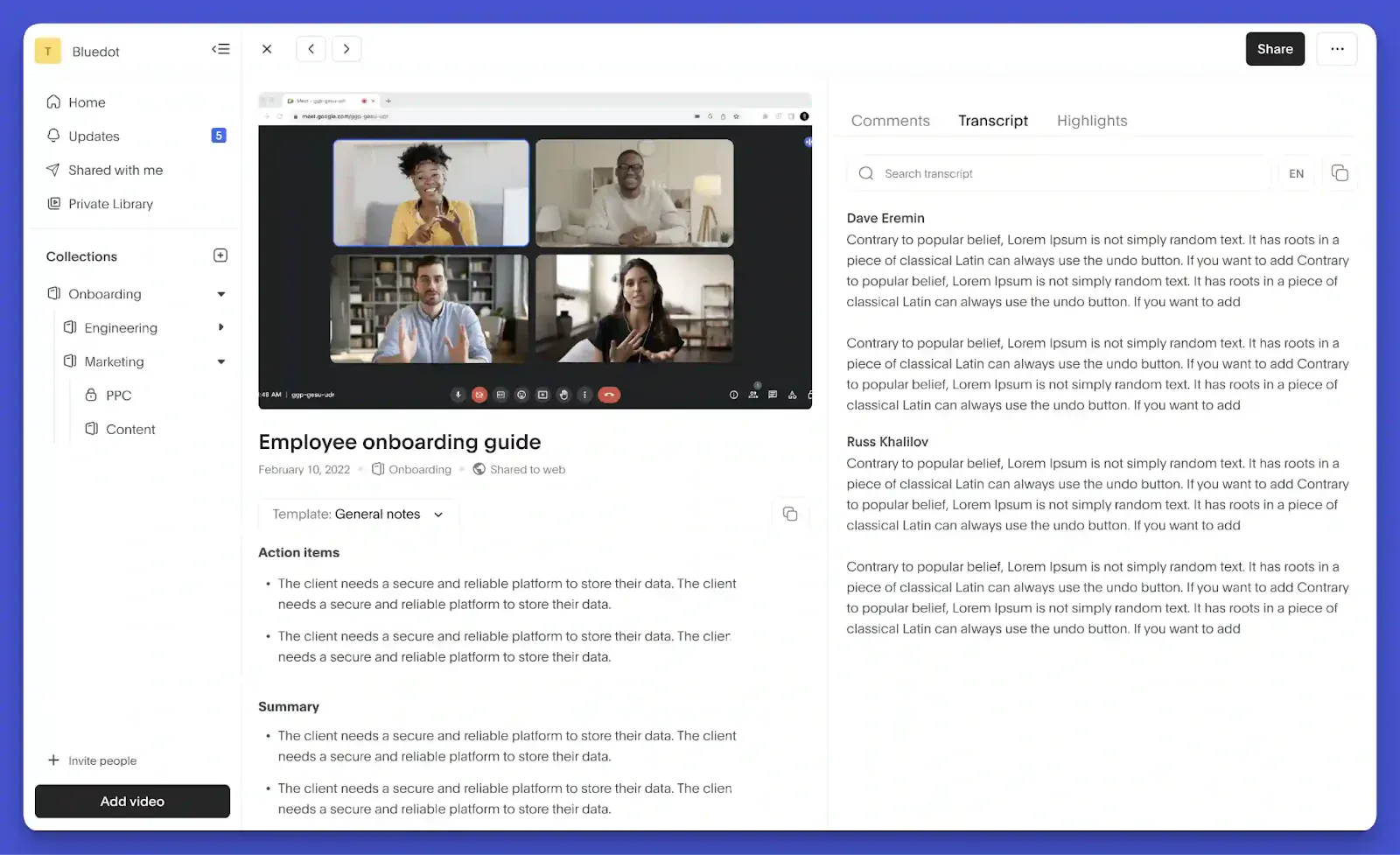
Best for: Teams that want shareable video clips instead of text highlights
How I use it: Clipping a specific moment from a sales call and dropping it straight into Slack instead of writing up a summary
tl;dv is the tool I reach for when a meeting needs to be shared with people who weren’t on the call. It joins Zoom, Google Meet, or Microsoft Teams, records and transcribes the conversation, then lets you turn key moments into shareable clips.
That clip feature is what keeps me coming back. If a customer explains a problem in their own words, I can pull out that 20-second clip and send it directly to the team, keeping the tone and context intact. I’ve also used clips for onboarding, since hearing a real customer describe a pain point can land much better than reading a summary.
On the Business plan, tl;dv adds AI coaching scorecards and talk-ratio analytics across team calls. Those features are more useful for sales teams reviewing rep performance, but they give the product room to scale beyond basic meeting notes.
What I liked about tl;dv:
- CRM field population for Salesforce and HubSpot, including deal stage and next steps
- AI coaching scorecards and talk-ratio analytics on the Business plan
- Multi-meeting reports that spot patterns across a team's calls
- Transcribes meetings in over 30 languages
What could be improved about tl;dv:
- Bot-free recording is desktop-only and captures audio, so you lose video, screen share, and chat
- The jump from Pro to Business is steep once a team wants coaching features
- Can feel like more of a tool than needed if all you want is a plain transcript
Overall, tl;dv is the one to reach for if sharing a meeting matters as much as capturing it.
tl;dv pricing
tl;dv starts at $29/seat/month for Pro (billed monthly), with Business at $39/seat/month for unlimited multi-meeting AI insights. Enterprise scales to custom pricing. A free plan is also available.
tl;dv reviews
- tl;dv holds a 4.7/5 rating on G2 from 531 reviews.
- On Product Hunt, tl;dv has a 4.1/5 rating based on 34 reviews.
2. Read AI
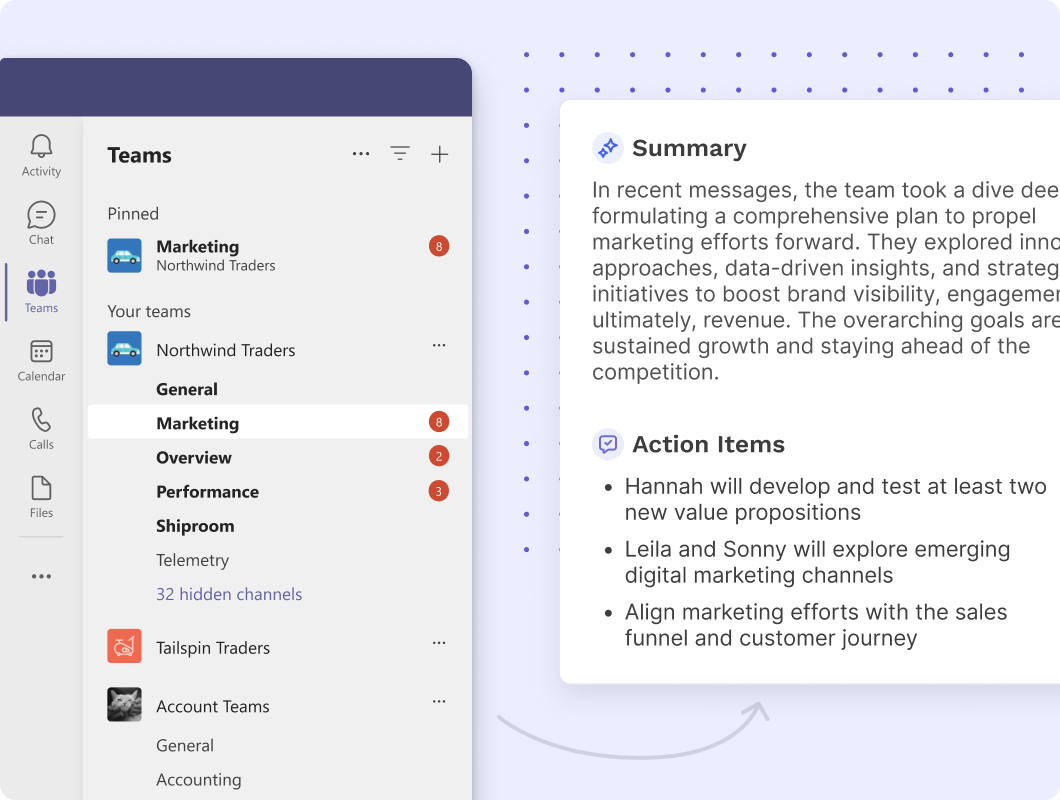
Best for: Cross-channel meeting intelligence and speaker coaching
How I use it: Searching a person's name to pull up every meeting, email, and message tied to them in one place
Read AI brings meetings, emails, and messages into one searchable workspace. It records and transcribes calls across Zoom, Google Meet, and Microsoft Teams, then connects those conversations with the rest of your communication history.
Cross-channel search was the feature I used most. Searching for a colleague’s name could surface related meetings, email threads, and messages, making it much faster to track down past context.
Read AI also includes Speaker Coach, which scores each participant on clarity, inclusion, and impact, plus talking speed and filler words. I found it most useful for sales coaching and structured call reviews, where those metrics give teams something concrete to work with.
What I liked about Read AI:
- Cross-channel search across meetings, email, and messages
- Speaker Coach scores on clarity, inclusion and impact, useful in a coaching context
- SOC 2 Type 2 across the whole product, with HIPAA support on Enterprise+ only
- Meeting Reports that go past a summary into a full conversation breakdown
What could be improved about Read AI:
- Joins as a visible bot on every major platform by default
- Free plan caps out at 5 meetings a month with a 1-hour limit per call
- Several users report it joining meetings via calendar sync without clear opt-in, which shows up as real frustration in reviews
Overall, Read AI is the strongest option here for connecting meetings to the rest of a person's communication, but it's worth setting expectations on the bot and the coaching layer before rolling it out to a team.
Read AI pricing
Read AI starts at $19.75/user/month for Pro, billed monthly, with Enterprise priced at $29.75/user/month for premium support, and Enterprise+ from $39.75/user/month for larger teams needing custom data retention. A free plan is also available.
Read AI reviews
- Read AI has a 4/5 rating on G2 based on 45 reviews
- Read AI holds a 4.9/5 rating on Google Play from 2.08K reviews
3. Avoma
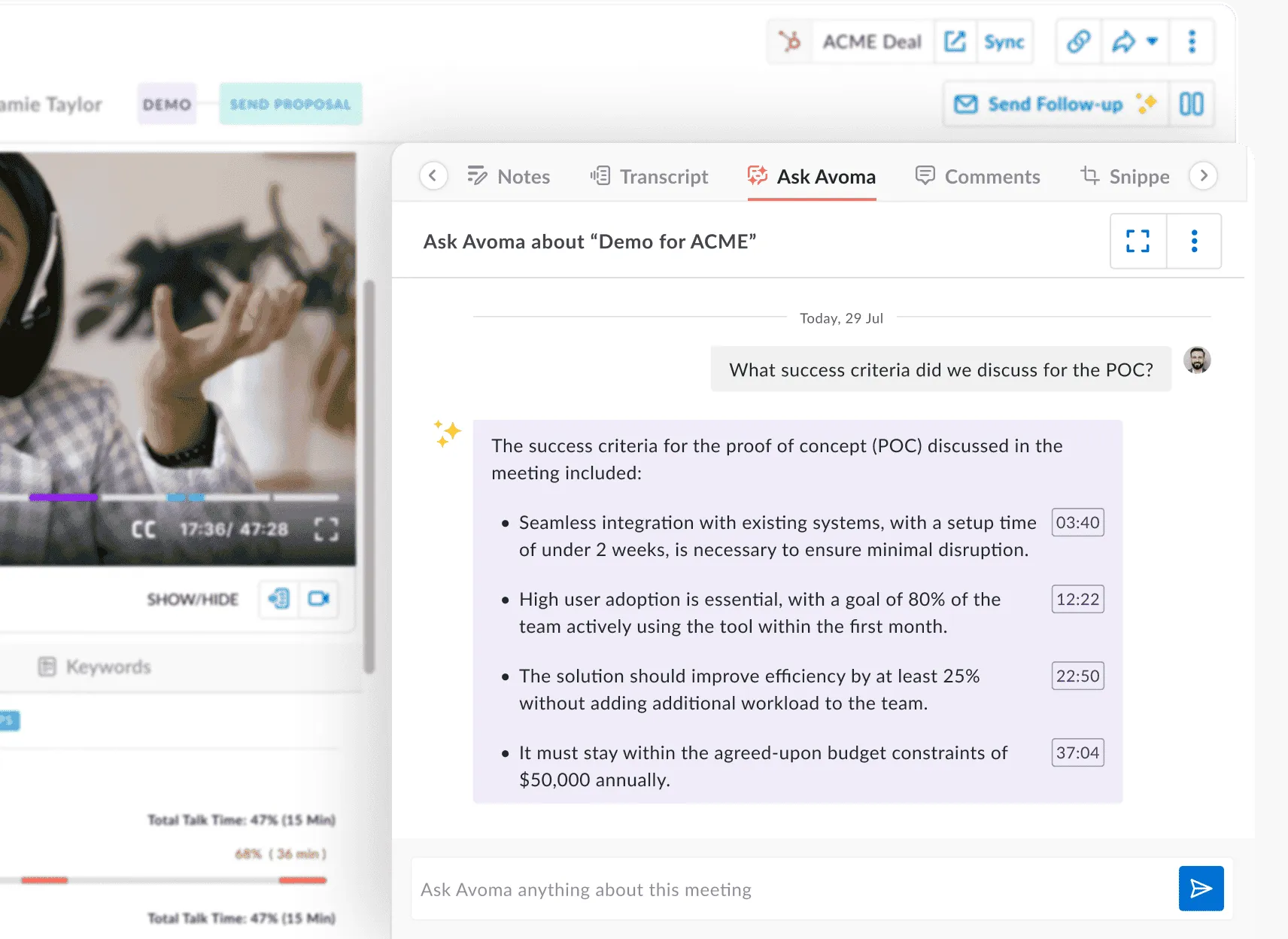
Best for: Revenue teams that want scheduling, notes, and coaching in one platform
How I use it: Running the built-in scheduler and meeting assistant together so a sales day doesn't need three separate logins
Avoma is built specifically for revenue teams, combining a meeting assistant, scheduler, call scoring, and deal-risk flagging into one platform instead of stitching separate tools together.
Having the scheduler, the notetaker, and deal intelligence under one login reduces the tool-switching that usually eats into a sales day. For a five-person team I tested it with, that consolidation alone replaced three separate logins.
The catch is that the real differentiators, call coaching and revenue forecasting, are $35/seat/month add-ons on top of the base plan.
What I liked about Avoma:
- Built-in scheduler alongside the meeting assistant, with Lead Router as a $25/seat add-on
- Unlimited recording and transcription in over 75 languages on every paid tier
- CRM auto-save to Salesforce, HubSpot, Zoho, Pipedrive, and Copper
- Call scoring against MEDDIC, SPICED, and BANT on the Conversation Intelligence add-on
What could be improved about Avoma:
- No free plan you can record on. After the 14-day trial, the account drops to free view-only access.
- Conversation Intelligence and Revenue Intelligence are separate $35/seat add-ons each (billed monthly)
- The entry price looks a lot cheaper than what most sales teams end up paying once add-ons are stacked in
Overall, Avoma makes the most sense for a revenue team that wants one platform instead of four, as long as the add-on math gets done upfront.
Avoma pricing
Avoma plans start at $29/seat/month (Startup, billed monthly), with Organization at $39/seat/month and Enterprise at $39/seat/month billed annually.
Avoma reviews
- Avoma is rated 4.6/5 on G2, based on 1,363 reviews
4. Otter.ai
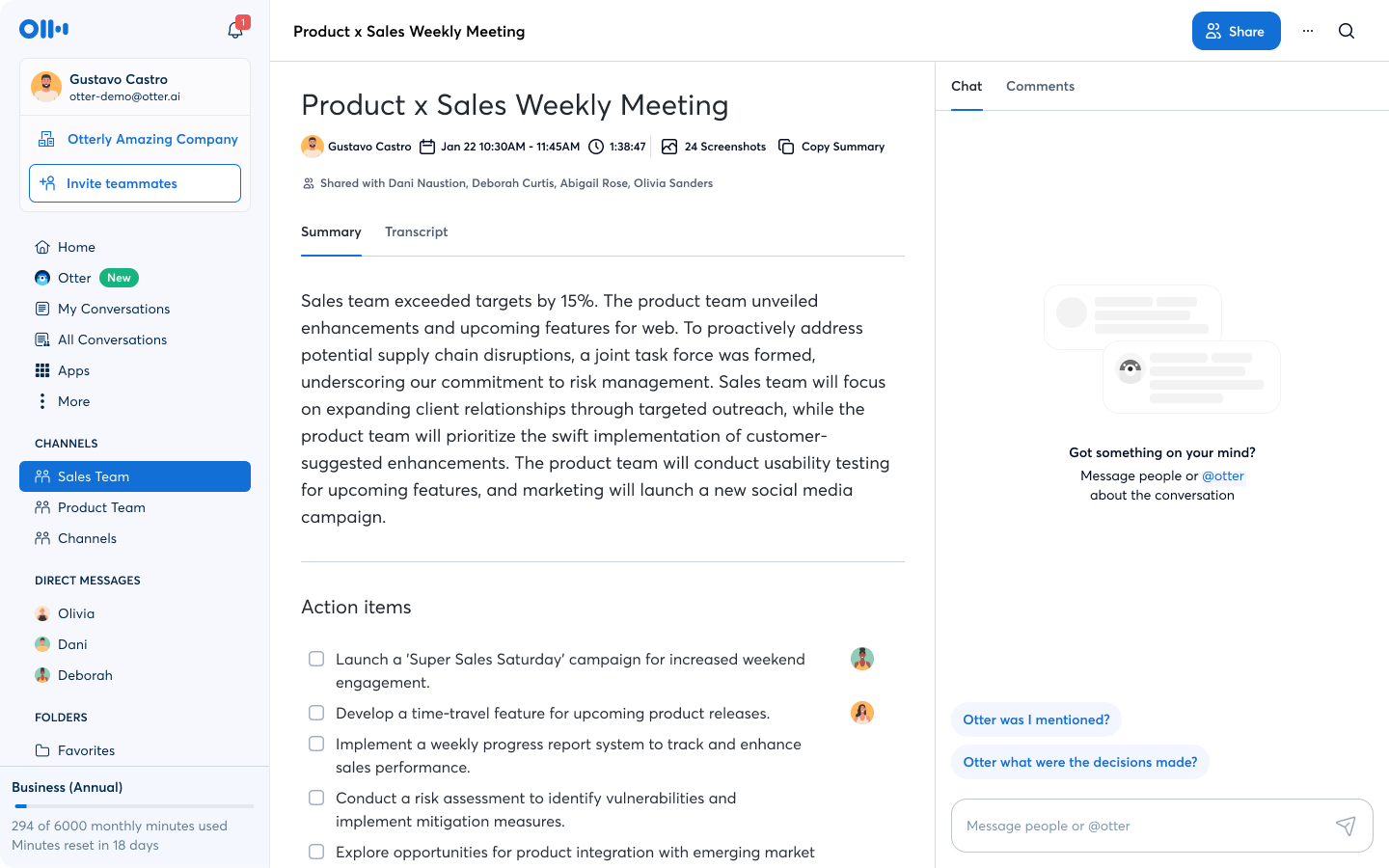
Best for: Students, journalists, and professionals who record in-person conversations and lectures
How I use it: Recording in-person conversations and lectures on my phone, beyond virtual meetings
Otter.ai is probably the name most people already know in this category, and it's held that position by being one of the few tools here with a mobile app worth using.
Being able to record an in-person conversation on my phone and get a usable transcript back afterward is something most of the other tools on this list, tied to virtual meeting platforms, simply don't do. That alone kept it on my phone even after I started using other tools for virtual calls.
The free plan is where Otter gets tight fast. A single hour-long meeting runs past the 30-minute per-conversation cap on its own, and the 300-minute monthly ceiling disappears in about two weeks of regular meetings.
What I liked about Otter.ai:
- One of the strongest mobile apps in this category for in-person recording
- Live transcription with speaker identification as the call happens
- Otter AI Chat for asking questions about a transcript, capped at 20 questions a month on Free and 50 on Pro
- Well-established brand with a long track record
What could be improved about Otter.ai:
- Free plan caps at 300 minutes a month and 30 minutes per conversation
- Business caps a workspace at 25 billed users
- Some users report transcription accuracy dropping in noisy environments
Overall, Otter earns its reputation for the mobile experience, even if the free plan's caps are hit sooner than expected.
Otter.ai pricing
Pricing for Otter starts at $16.99/user/month on the Pro plan, billed monthly, and increases to $30/user/month for Business. A free plan is also available.
Otter.ai reviews
- Otter.ai has a 4.4/5 rating on G2 based on 503 reviews
- Otter.ai holds a 3.7/5 rating on Trustpilot from 665 reviews
- Learn more about its features and limitations in our full Otter.ai review.
{{templates}}
5. Fireflies.ai
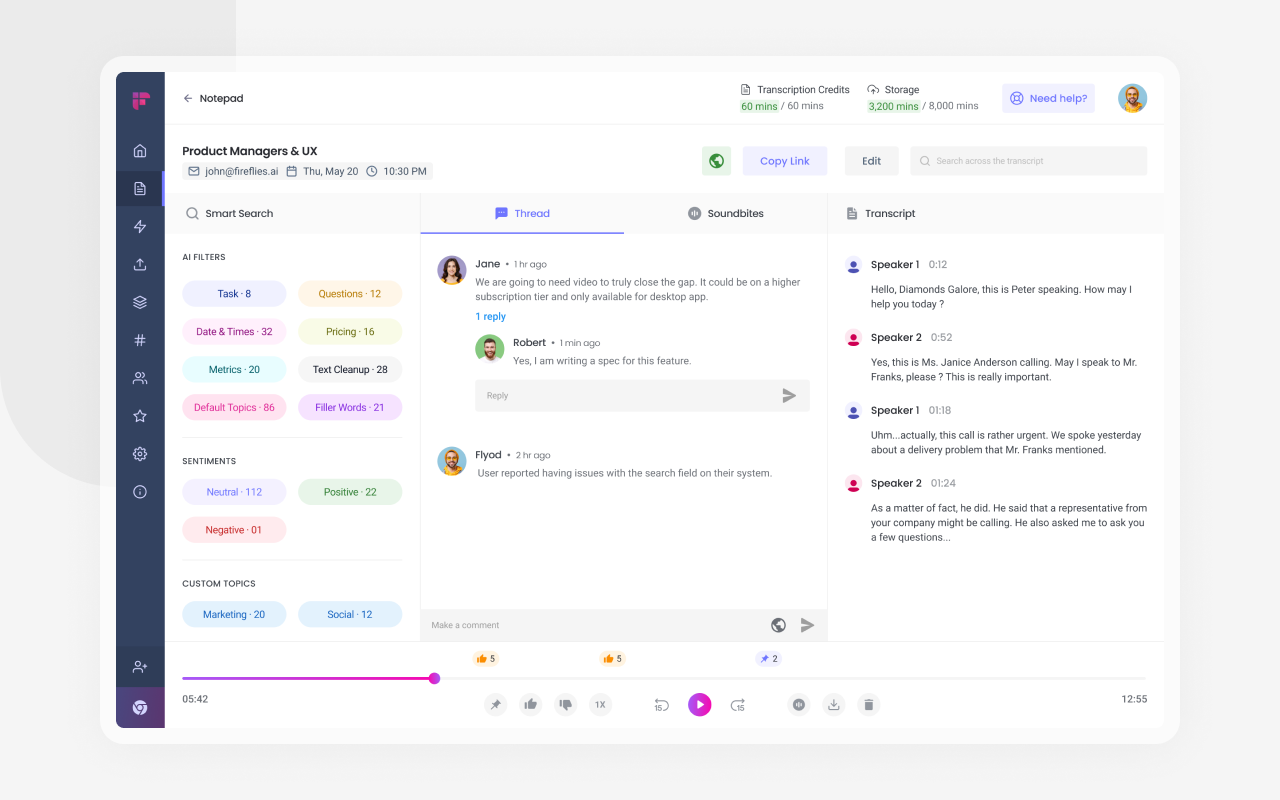
Best for: Teams that want meeting action items pushed automatically into Slack, a CRM, or a task tool
How I use it: Letting action items push straight into Asana instead of copying them out of a summary by hand
Fireflies.ai puts its weight on what happens to the transcript once the meeting ends. It records and summarizes meetings like the rest of this list, then pushes action items directly into Slack, a CRM, or a task tool through built-in automations.
That direct push into Asana closed a gap I kept running into with other tools. An action item showing up as an actual task, instead of a line in a summary someone has to copy over manually, is the difference between a meeting getting followed up on and getting forgotten by Thursday.
The part worth understanding upfront is the AI credit system. Summaries are unlimited from Pro up, and the advanced features draw from a credit pool on top of that.
What I liked about Fireflies.ai:
- AI Skills that push action items to Slack, CRM fields, or Asana and Jira tasks automatically
- Unlimited transcription and AI summaries from Pro up, with the Free plan capped on both
- AskFred, a chat interface for asking questions across past meetings
- Soundbites for pulling a specific moment out of a longer recording
What could be improved about Fireflies.ai:
- Advanced AI features run on a monthly credit pool that can run out faster than expected
- Free plan storage is capped at 400 minutes total, not per month
- Extra credits cost more on top of the seat price once the pool runs dry
Overall, Fireflies is the strongest pick here for a team that wants meeting notes to turn into tracked work, as long as the credit system gets checked before relying on the heavier features.
Fireflies.ai pricing
Pricing for Fireflies begins at $18/seat/month on the Pro plan, billed monthly, moving up to $29/seat/month for Business. Enterprise is $39/seat/month, annual billing only. A free plan is also available.
Fireflies.ai reviews
- Fireflies.ai is rated 4.7/5 on G2, based on 752 reviews
- It is rated 4.5/5 on Trustpilot, based on 804 reviews
6. Grain
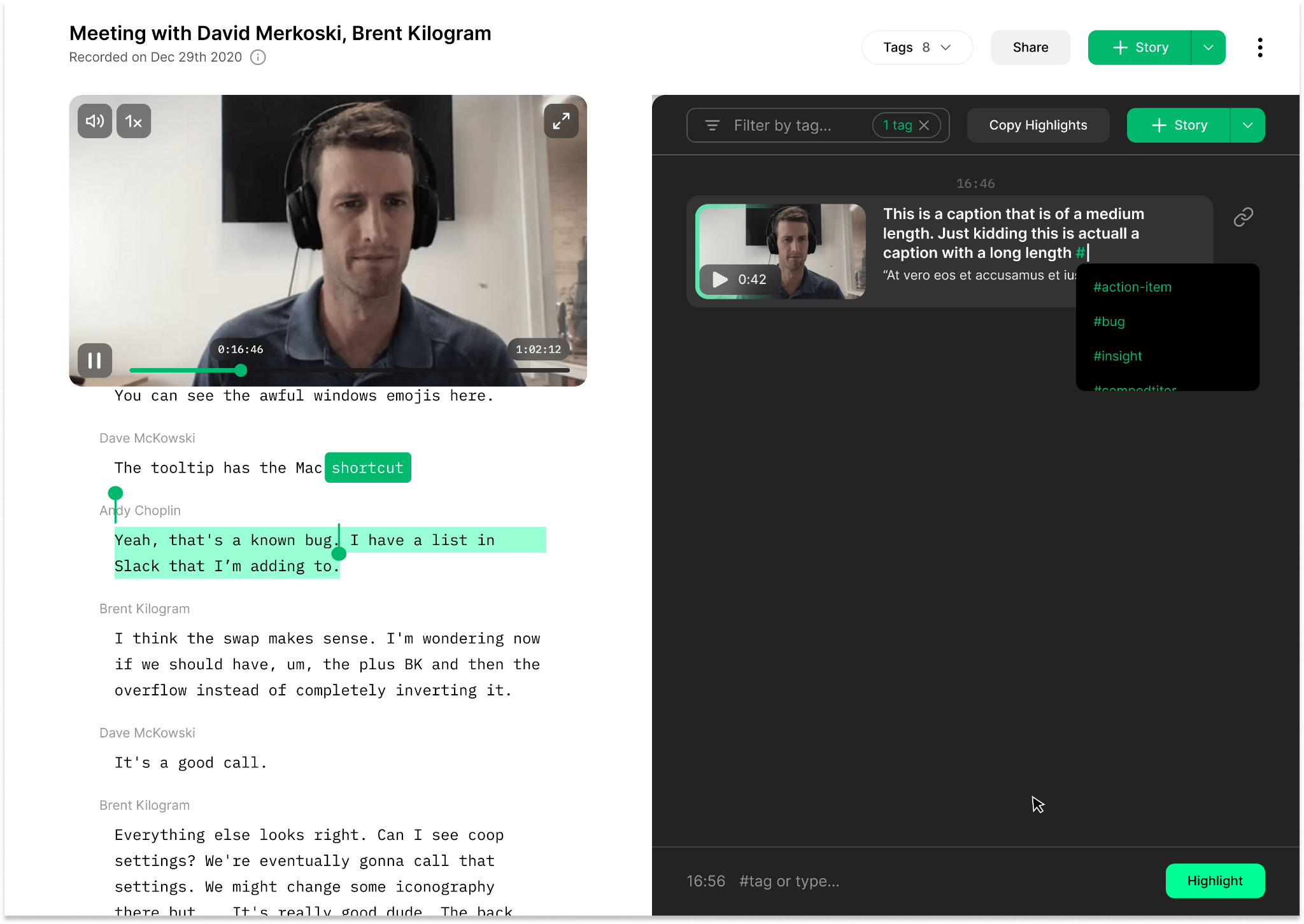
Best for: Sales teams that want bot-less capture and video highlights
How I use it: Clipping a customer describing their exact problem and sending it straight to the team instead of writing it up
Grain is built for turning meetings into short video moments you can share with the rest of the team.
It works across Zoom, Google Meet, and Microsoft Teams, and it can also capture device audio without adding a visible bot. From there, you can pull out clips and group them into playlists around a customer, topic, or project.
This was where Grain clicked for me. If a customer explained a pain point in a way that was hard to paraphrase, I could send the exact clip to the team and keep the wording, tone, and context intact. That made handoffs much clearer than a written summary.
The free plan starts to feel limited once you use highlights often. The free plan cuts each recording off at 45 minutes, while HubSpot and Salesforce sync sit two tiers up on Business.
What I liked about Grain:
- Bot-less desktop audio capture as an alternative to a visible meeting bot
- Video clip and playlist creation built for training libraries and customer testimonials
- Native HubSpot and Salesforce sync with automatic field enrichment
- Only recorder seats are billed; viewers stay free regardless of team size
What could be improved about Grain:
- Free plan cuts every meeting off at 45 minutes and keeps only 30 days of history
- HubSpot and Salesforce sync are locked to the Business plan at $39/seat/month
- Smaller integration ecosystem than some of the bigger names on this list
Overall, Grain is the pick for a sales or customer success team that wants moments from a call to actually get shared instead of archived.
Grain pricing
Grain plans start at $19/seat/month (Starter, billed monthly), with Business at $39/seat/month, plus custom Enterprise pricing. A free plan is also available.
Grain reviews
- Grain has a 4.7/5 rating on G2 based on 311 reviews
- Grain holds a 4.8/5 rating on Product Hunt from 16 reviews
7. Granola
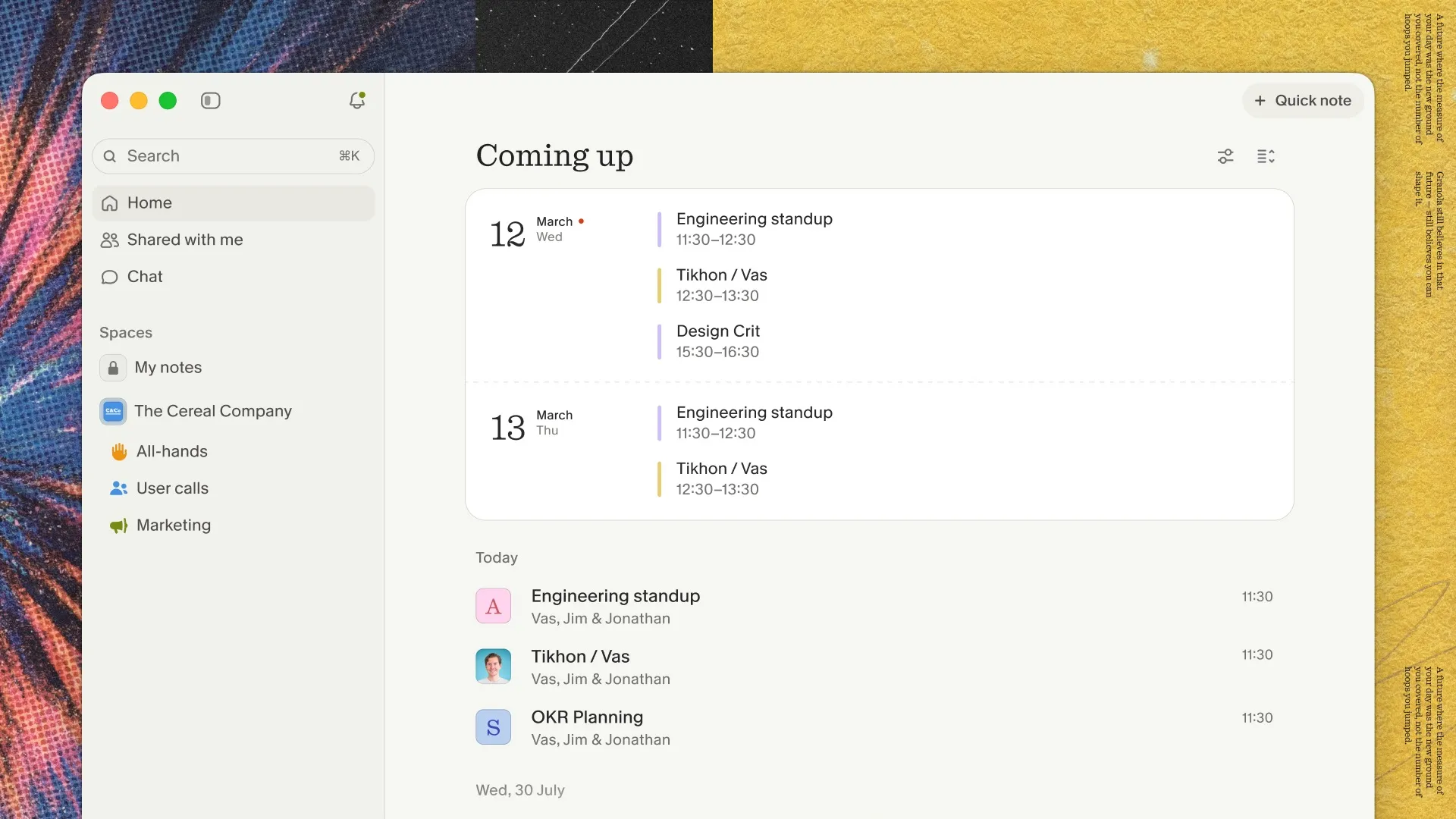
Best for: Professionals on client-facing or sensitive calls where a visible bot changes the room
How I use it: Taking my own live notes during investor and candidate calls and letting Granola fill in the rest afterward
Granola stood out for its bot-free capture. It records device audio directly, then combines your meeting notes with the full transcript to create a cleaner set of notes afterward.
I noticed the difference most on an investor call and a candidate interview. With no extra participants sitting in the call, both conversations felt more natural and open, which matters when the discussion is sensitive or personal.
Granola keeps its focus on the notes themselves, and the follow-up email, CRM, and task features all sit on a paid plan.
What I liked about Granola:
- No visible bot joins the call; audio is captured directly from the device
- AI enhancement builds on your own live notes instead of replacing them with a generic summary
- Native Mac, Windows, and iPhone apps
- Calendar sync with pre-meeting briefs before a call starts
What could be improved about Granola:
- Desktop app required for recording; a web interface exists only for viewing and editing past notes
- Follow-up emails, CRM sync, and task creation all need a paid plan
- Free plan limits meeting history to 30 days
Overall, Granola is worth it specifically for calls where a visible bot would change how people talk, but it's less of a fit as an all-in-one replacement for the rest of this list.
Granola pricing
Granola starts at $14/user/month for Business, billed monthly, with Enterprise priced at $35/user/month for org-wide admin controls and priority support. A free plan is also available.
Granola reviews
- Granola holds a 4.7/5 rating on G2 from 35 reviews
- On the App Store, Granola has a 5.0/5 rating based on 13K ratings
How to choose the right Fathom AI alternative
- Start with the reason you’re leaving Fathom. If you want stronger transcripts and searchable meeting history, Otter.ai or Fireflies.ai are the easiest places to start. For sales teams that need CRM updates, coaching, and deal context, Avoma or Grain make more sense. If a visible meeting bot is the problem, I’d look at Granola first.
- Think about what you need after the meeting ends. Granola works well when clean notes are enough. Fireflies.ai and Avoma can push meeting data into CRMs and other workflows, while tl;dv is especially useful for turning customer conversations into clips the rest of the team can watch.
- Price it against your real meeting volume. Free plans limit features such as recording time, AI features, storage, and integrations. I’d estimate how many meetings you have in a normal week, then check which paid tier you would realistically land on.
If I were narrowing the list quickly, I’d pick Granola for bot-free calls, tl;dv for sharing clips, Avoma for sales teams, Fireflies.ai for general meeting automation, and Otter.ai for straightforward transcription and search.
Fathom AI alternatives: Final verdict
Fathom still has one of the strongest free plans here, but the more useful AI features aren't fully free: advanced summaries are limited, and AI action items need a paid plan entirely.
Among the alternatives, Otter stands out for mobile use, though its 30-minute free call limit is restrictive. Read AI has strong cross-channel search, while bot-joining complaints may be a concern for client-facing calls.
Fireflies and Avoma offer more than just transcription, but credits and add-ons can increase costs. Grain is strong for sales clips, and Granola is a good fit for bot-free meetings.
For me, tl;dv is the strongest switch. Clip creation makes it easy to share key moments, while the Business plan adds coaching and multi-meeting reports for teams that want more depth.
It costs more than some options, and going bot-free means giving up the video. But if you want to do more with meeting content after the call ends, tl;dv is the one I would pick.
{{cta}}
Try Lindy: The AI teammate that keeps the work moving after the meeting
Lindy treats meeting notes as working context for the whole team. It lives in Slack, connects to approved company tools, and can use meeting history alongside sources like Gmail, Notion, Google Drive, Slack, and files to answer questions and carry work forward.
That means the value goes beyond getting a clean summary. After the call, Lindy can keep the context available, surface decisions or objections later, and support follow-up work that is usually split across several apps.
Here’s how Lindy helps:
- Capture and organize meetings: Team calls are recorded, summarized, and added to a shared meeting library with action items and follow-up context.
- Ask questions from Slack: @mention Lindy in a channel, and it can search connected meetings and tools, then answer with citations your team can verify.
- Carry context into the next step: Meeting history can feed follow-ups, recurring routines, and other team workflows without anyone having to rebuild the context each time.
- Reuse repeatable workflows: Teams can set recurring work in plain English and use reusable skills for jobs that happen again and again.
- Keep control over what it can do: Admins can set guardrails for each tool and action, including when approval is required.
For teams already spending too much time turning meetings into updates, follow-ups, and another round of searching later, Lindy gives the meeting a longer life after everyone leaves the call.
FAQs
1. Is Fathom AI actually free?
Yes, Fathom's free plan includes unlimited recordings, transcriptions, and storage, plus automated call summaries, all at no cost. The catch is in the more advanced AI features: advanced summaries are limited on the free plan, and AI action items aren't included at all; both require a paid plan.
2. What is the best Fathom alternative for sales teams?
Avoma and Grain are the strongest picks for sales teams specifically, since both add call scoring, deal-risk flags, and CRM sync on top of basic meeting notes. Avoma also bundles in a scheduler and sells lead routing as an add-on, while Grain leans more toward turning calls into shareable video clips for the team.
3. Does Fathom AI join meetings as a visible bot?
It depends on the platform. Fathom avoids a visible bot on Zoom through a native integration, but it still joins as a visible participant on Google Meet and Microsoft Teams.
4. tl;dv vs Fathom: which one is better?
tl;dv is the better pick if you want to share meeting moments as video, and Fathom is better if a strong free plan matters more than clips. Both sell coaching on their Business tiers, so that is not the thing that separates them.
5. Can I use an AI meeting assistant without a bot joining the call?
Yes, tools like Granola and Grain's desktop mode capture device audio directly instead of adding a bot to the participant list. That makes them a better fit for client calls, interviews, or sensitive conversations where a visible notetaker might change how people talk.









