Otter AI Review 2026: I Tested It on Real Meetings
Michelle reviewed Otter AI's live transcription, speaker identification, and AI summaries across Zoom and Google Meet, weighing accuracy against its $16.99 pricing.


Twenty minutes into a client call, I realized I hadn't written a single note. The conversation moved fast, someone raised a point I wanted to revisit, and I had no record of it. That's when I started using Otter.
Otter joins your meetings, transcribes everything in real time, and generates a summary once the call ends. This Otter review covers two weeks of testing the tool across one-on-one calls, team stand-ups, and a 90-minute product review session.
Here's what it gets right, where it falls short, and who it makes sense for.
Quick verdict
Otter reliably turns spoken meetings into searchable text. It handles live transcription on Zoom, Google Meet, and Microsoft Teams, generates AI summaries, and lets you search across your full conversation history. The free plan gives you 300 transcription minutes per month with a 30-minute cap per meeting.
Otter goes beyond transcription: it extracts action items, can draft follow-ups through AI Chat, and syncs meeting notes to Salesforce and HubSpot from Pro up. If you need broader follow-up work across several apps, check whether its integrations cover each step your team needs.
Pros
- Searchable notes and AI summaries.
- Salesforce and HubSpot sync from Pro.
- Clean transcripts on quiet, one-on-one calls.
Cons
- Speaker labels need cleanup with cross-talk.
- Basic caps each conversation at 30 minutes.
Key takeaways
- Overall rating: 4/5
- Best for: Students, journalists, solo professionals, and small teams that need accurate transcripts and searchable notes without a complex setup.
- Not for: Teams that need one assistant to coordinate follow-ups and handoffs across several apps beyond meeting notes and supported CRM sync.
- Starting price: Free (Basic plan) | $16.99/user/month (Pro, billed monthly)
How I tested Otter
I tested Otter on the Pro plan across two weeks of real meetings: one-on-one client calls, team stand-ups, and a two-hour product review session on Zoom and Google Meet.
Every meeting ran through the same three questions: how clean the transcript was on the first pass, how useful the summary was for post-meeting work, and where the tool stopped being useful and left work on my plate. The accuracy section is built from those observations.
What is Otter?
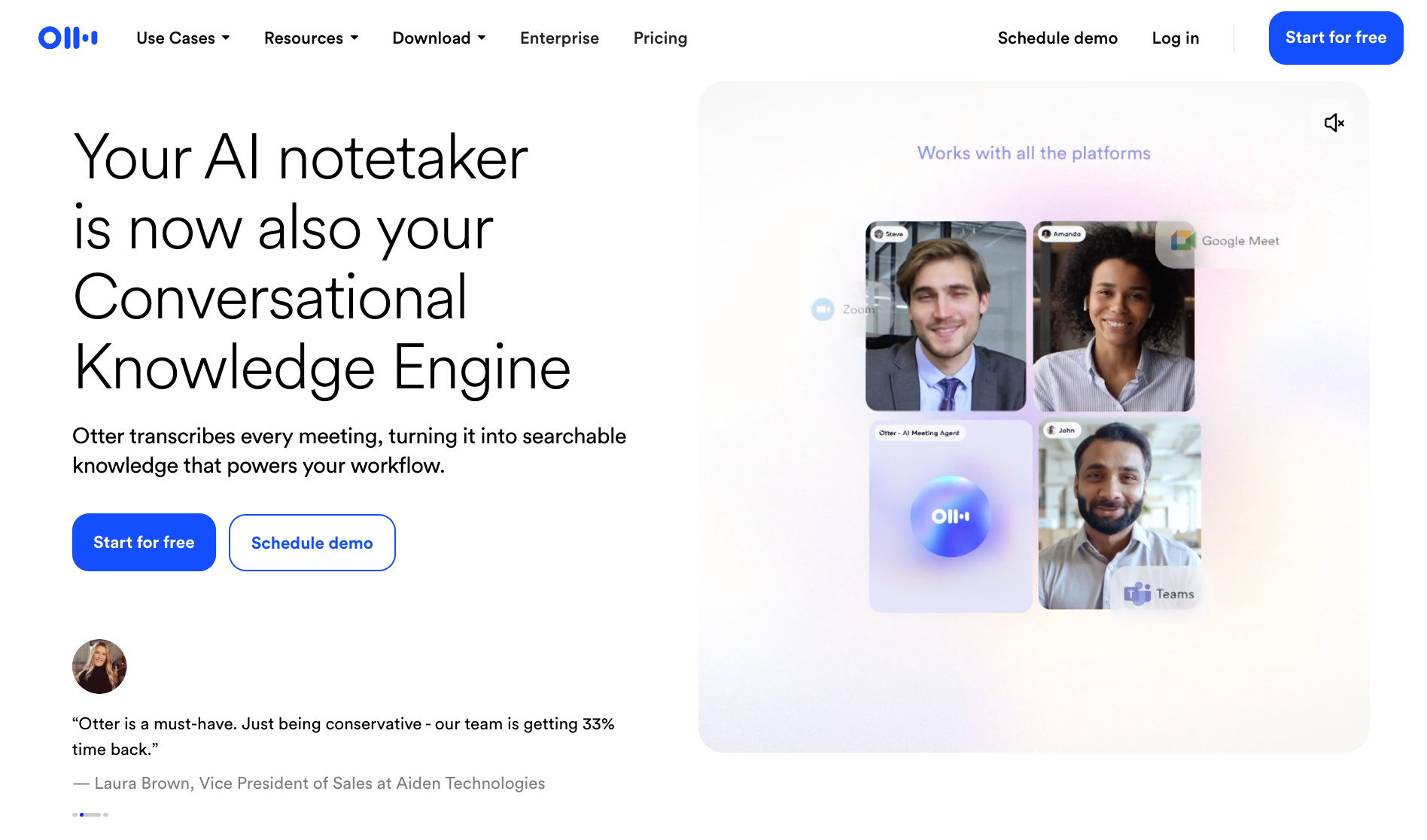
Otter is a meeting transcription and note-taking tool that turns spoken conversations into searchable text. It joins Zoom, Google Meet, and Microsoft Teams calls as a named participant, transcribes speech in real time, labels speakers, and generates summaries with action items once the call ends. You can also upload audio and video files for transcription outside of live meetings.
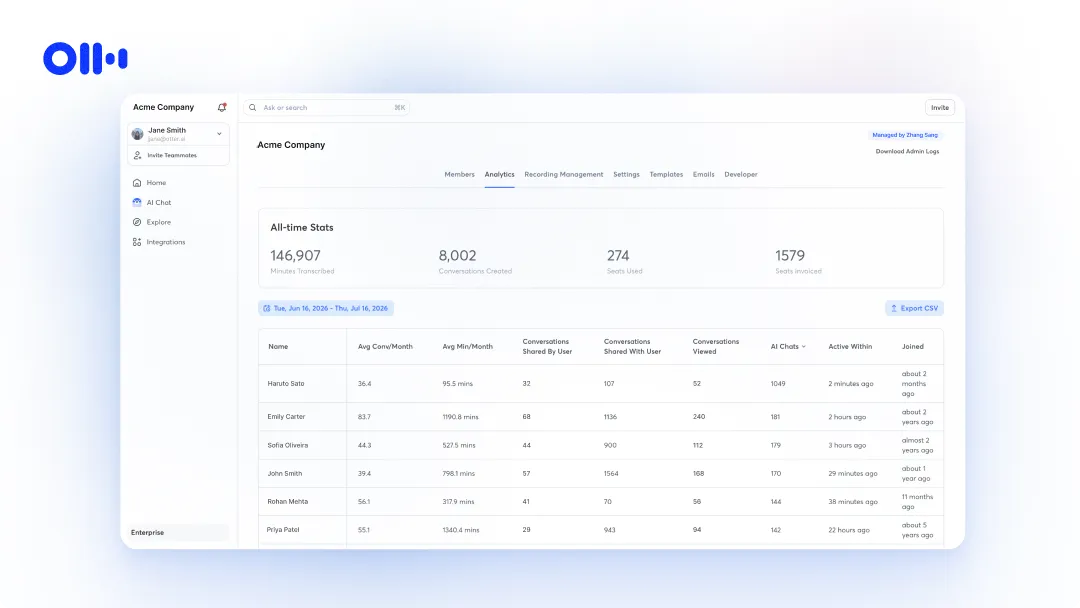
Sharing, folders, and comments work on every plan. Usage analytics and activity logs require Business or Enterprise. To compare what each tier includes, see the full Otter AI pricing breakdown.
What are Otter’s key features?
Otter’s key features include live transcription on Zoom, Google Meet, and Microsoft Teams, AI-generated meeting summaries, speaker identification, searchable conversation history, action item tracking, CRM sync with Salesforce and HubSpot, and integrations with tools like Slack, Google Docs, and Notion. It also supports MCP servers, letting tools like ChatGPT and Claude pull directly from your meeting history.
Here's what it does in practice:
- Live transcription: Otter joins your Zoom, Google Meet, or Teams call as a named participant and converts speech to text in real time, with speaker labels attached to each line. You can follow the transcript as the meeting runs or review it the moment the call ends. Accuracy holds up well in quiet one-on-one settings and drops noticeably when multiple people talk over each other.
- AI meeting summaries: At the end of each meeting, Otter generates a short summary that captures decisions, key points, and action items without you having to read the full transcript. The summaries are useful for quick catch-ups and briefing people who missed the call, though they stay fairly surface-level on complex or technical discussions.
- AI Chat: Otter's chat layer lets you ask questions across your entire meeting history. You can pull up what was said in a specific call, search by topic, or generate a draft follow-up based on meeting content. It also connects to Gmail, Google Drive, Notion, and Jira on the Enterprise plan, so your questions can draw from both meeting transcripts and connected documents.
- Action item tracking: Otter automatically pulls next steps from each meeting and assigns them based on what was said. These appear as a separate list after the call rather than buried in the transcript, so you can act on them without rereading everything.
- CRM sync: On Pro and Business plans, Otter pushes meeting notes and deal details to Salesforce and HubSpot after sales calls. On Pro, CRM sync is limited to one user. Business extends it to up to five users across the workspace.
- Integrations and MCP support: Otter connects to Slack, Google Calendar, Google Docs, Zoom, Asana, Jira, Notion, Dropbox, and others. It also supports MCP servers, which means tools like ChatGPT and Claude can pull from your Otter meeting history directly for deeper analysis across your knowledge base.
How much does Otter cost?
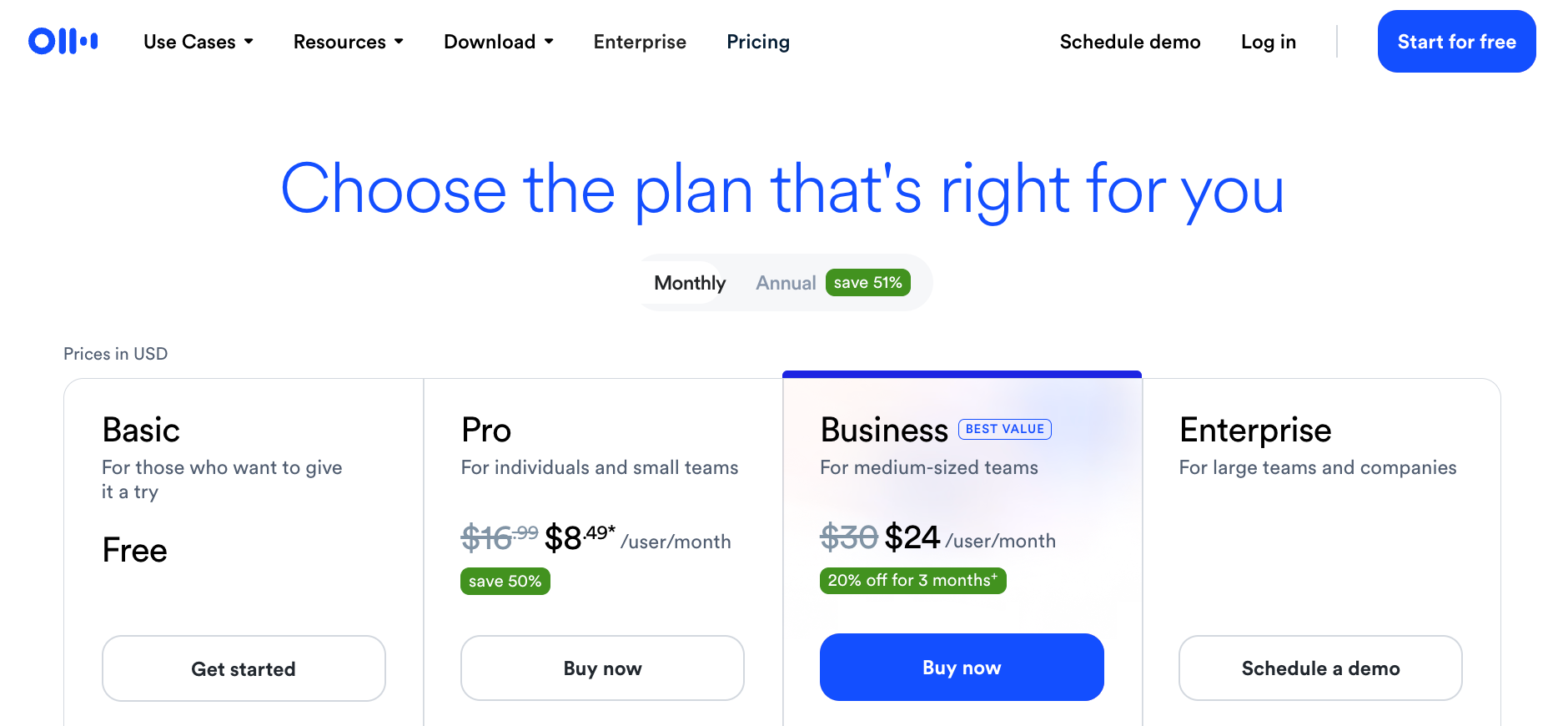
Otter costs start at free on the Basic plan. Pro is $16.99/user/month (billed monthly) or $8.33/user/month (billed annually). Business is $30/user/month (billed monthly) or $19.99/user/month (billed annually). Enterprise is custom-priced after a demo.
If you need more, here's how the paid tiers break down:
- Basic (free): Covers live transcription on Zoom, Google Meet, and Microsoft Teams, speaker identification, AI Chat, and MCP server access, all within 300 minutes per month and a 30-minute meeting cap. The three lifetime file imports never reset and pull from the same minute pool as live meetings.
- Pro ($16.99/user/month): Raises the limit to 1,200 minutes, extends meetings to 90 minutes, and adds unlimited conversation history, advanced AI workflows, and Salesforce, HubSpot, and Zapier integrations. CRM sync is limited to one user, and the workspace caps at five billed users before forcing a jump to Business.
- Business ($30/user/month): Removes meeting limits entirely, supports up to four hours per session and three concurrent meetings, and opens up 6,000 imported file minutes per user per month alongside admin controls and prioritized support. Workspaces cap at 25 users.
- Enterprise (custom): Adds the Sales Notetaker, API access and webhooks, SSO, SCIM, domain capture, and AI Chat with Gmail, Google Drive, Notion, and Jira. SSO and SCIM both require a minimum of 100 licenses, and HIPAA compliance is a paid add-on on top of the base price.
Two things to know: on Basic and Pro, live recordings and file imports pull from the same monthly minute pool. And the jump from Pro to Business is 77% per seat. A sixth team member on Pro triggers the full upgrade to Business.
How accurate is Otter over time?
Otter's accuracy holds up well in controlled conditions and degrades predictably in noisier ones. On clean audio with one or two speakers, transcripts had minimal errors, mostly proper nouns and industry-specific terms that needed a quick fix.
The drop-off came in group settings. On calls with four or more participants, speaker labels started mixing up when people talked over each other, or background noise crept in. The transcript stayed readable, but not clean enough to share externally without a manual pass.
Two limitations stood out in my tests: filler word removal is all-or-nothing, and speaker labels still needed cleanup on noisy group calls. Otter can learn tagged voices for future conversations, but that does not eliminate errors caused by cross-talk.
Otter reviews: What users have to say
Reviews often praise Otter's transcription and ease of setup. Reported drawbacks include speaker labeling on noisy calls, billing concerns, and limitations in editing summaries. Reviews reflect the product version and plan each person used, so compare older feedback with current features. Here's what different reviews say:
- G2 (4.4/5): Reviewers consistently praise Otter's AI summaries, real-time transcription, and ease of integration with Zoom and Google Meet. The most common criticism is speaker mislabeling in group calls and summaries that need manual cleanup before they're useful externally.
- Trustpilot (4.3/5, checked October 22, 2026): Reviews include praise for helpful support and time saved on meeting notes, alongside complaints about billing, cancellation, and recording behavior. The profile says Otter responds to all negative reviews and typically takes over a month to reply.
- Fresh Van Root: After six months of daily use across client calls and team meetings, the reviewer highlights Otter's real-time transcription, automatic action item lists, and the fact that meeting notes land in your inbox immediately after each call. The main gaps: limited editing inside the platform and no ability to format or restructure summaries without exporting to a third-party tool.
- Media Copilot: The reviewers tested Otter across a clean interview, a rough phone call, and a chaotic press gaggle. They praised its performance, mobile experience, and summary links that let readers jump to the relevant transcript passage, describing the linking feature as rare among competitors. They also flagged rigid filler word removal and concerns about recording consent and model training.
Otter complaints, privacy concerns, and trust
Otter is one of the most widely used meeting transcription tools, so its problems are well documented. Three themes come up consistently: billing friction, privacy concerns from non-consenting participants, and the ongoing lawsuit.
Billing and support
On Trustpilot, some users report unexpected charges and difficulty canceling subscriptions. Others describe positive support experiences. Read recent reviews and check the billing and cancellation terms before upgrading.
The standard approach: use monthly billing until you know the tool works for your workflow, and review cancellation terms in Otter's terms of service before upgrading.
Automatic joins and recording consent
Some users report Otter joining meetings through calendar integration without participants expecting it. When connected to a Google or Outlook calendar, Otter can join meetings automatically according to its auto-join settings. Check those settings before your first call and tell participants when recording is enabled.
People in the meeting who did not invite it often do not know it is recording. The friction is that other participants may not have agreed to be recorded.
The lawsuit
In August and September 2025, four proposed class actions were filed against Otter in the U.S. District Court for the Northern District of California, consolidated as In re Otter.AI Privacy Litigation. Plaintiffs allege that OtterPilot recorded meetings without all participants' consent, potentially violating federal wiretap law and California and Illinois state privacy laws.
On August 13, 2026, a federal judge granted part of Otter's motion to dismiss and denied the rest. Core claims under federal wiretap law and California and Illinois privacy laws survived that order. This was a ruling on whether claims could proceed, not a finding that Otter broke the law.
Is Otter trustworthy?
Otter is a legitimate product used by major organizations. Whether Otter is trustworthy depends on your context. For individual note-taking and personal recordings, the concerns above carry lower stakes.
Automatic bot joins present clear legal and compliance risks around unannounced recordings and current litigation. If your business operates in a regulated sector, review your internal requirements before enabling this feature at scale.
Otter vs. Fireflies: Which is better for meeting notes?
Otter and Fireflies both transcribe meetings, generate summaries, and offer CRM integrations from Pro. Otter gave me clean transcripts on quiet English-language calls and was easy to navigate. Fireflies supports more languages and offers conversation intelligence on Business.
For a deeper look at alternatives in this category, see our guide to the top Fireflies.ai alternatives.
{{templates}}
Which is better for meeting notes: Otter or ChatGPT?
Otter is a good fit if you want a dedicated meeting notes tool with automatic attendance on Zoom, Google Meet, and Microsoft Teams, speaker labels, and searchable transcripts. ChatGPT can also transcribe and summarize meetings through Record mode in its macOS desktop app on supported paid plans. The better choice depends on whether you want a dedicated meeting library or to work with meeting notes inside ChatGPT.
Setting up Otter is straightforward for most users
Create a free account, connect your calendar, and Otter will start joining meetings automatically. The one step most people miss is adjusting the auto-join setting before the first call, which controls whether Otter joins every meeting or only the ones you choose.
Here's how the setup works in practice:
- Create your account: Go to Otter and sign up with your email or Google account. No credit card needed for the free plan. The whole process takes under two minutes.
- Connect your calendar: Link your Google or Outlook calendar. This is what lets Otter see your upcoming meetings and join them automatically. Once connected, Zoom, Google Meet, and Microsoft Teams integrations work without any additional installation.
- Adjust auto-join settings: Go to Account Settings before your first meeting and set whether Otter should join every calendar event or only selected ones. The default is to join everything. Missing this step is the most common reason Otter shows up in calls where participants were not expecting it.
- Navigate the dashboard: Your transcripts appear as cards with the file name, date, length, and a first-line preview. Click any card to open the full view: timeline on the left, transcript in the center, AI summary on the right. Most users find what they need without reading any documentation.
Does Otter AI have customer support?
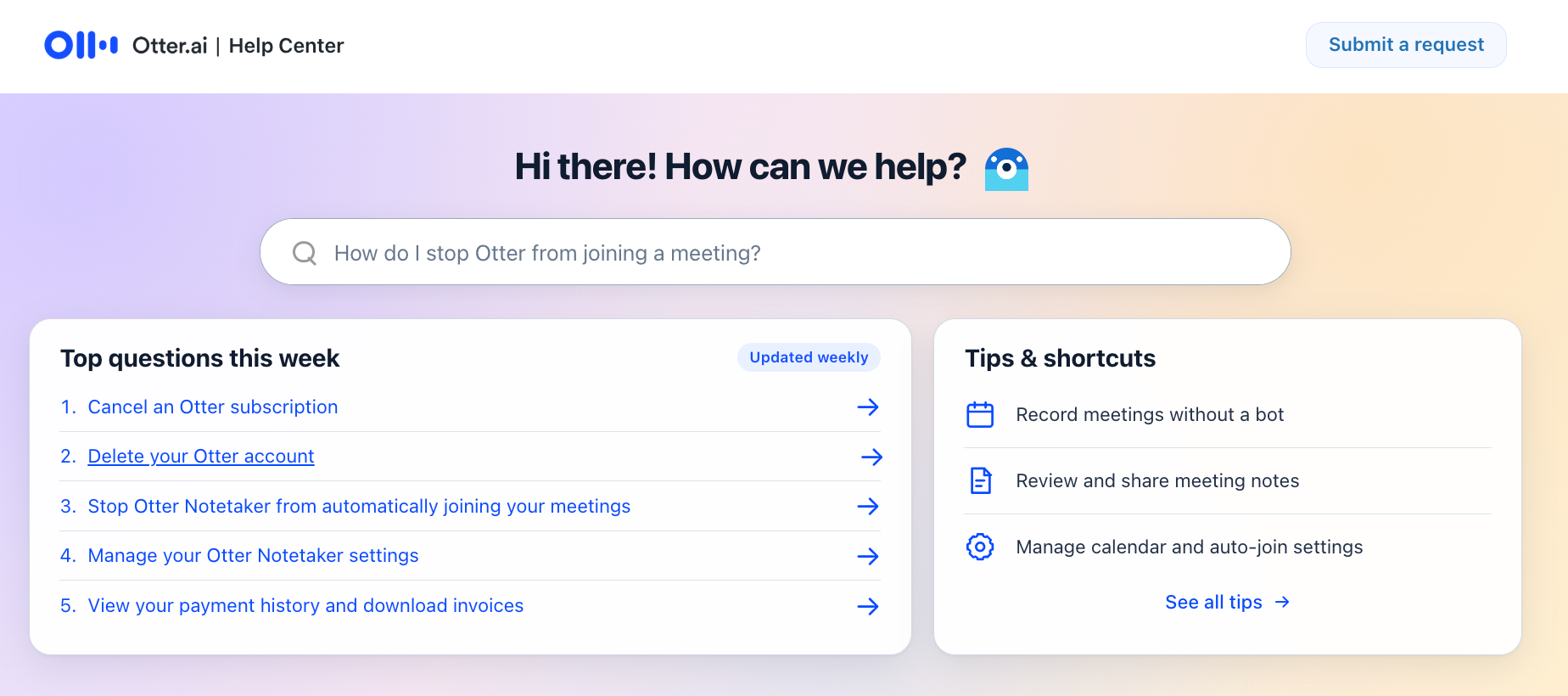
Otter AI offers customer support through its Help Center, which includes setup guides, troubleshooting articles, and topic-organized FAQs. You can submit a request directly from the Help Center. Business users get prioritized support, and Enterprise plans include a dedicated Customer Success Program.
Is Otter right for you? My take
Otter is right for you if you want to capture conversations clearly and revisit them later, with action items and supported CRM sync. If your team needs broader follow-up coordination across several apps, check whether its integrations cover that work.
I've been burned enough times by notes I never wrote to appreciate what Otter actually does well. You leave a call with a searchable transcript, a summary, and a record you can pull up six weeks later. For interviews and internal syncs, that alone is worth the setup time.
Otter makes sense if you
- Want a tool that works out of the box with minimal setup or configuration
- Prefer reading transcripts and summaries instead of rewatching recordings
- Work solo or in small teams where meetings do not trigger complex follow-ups
- Need searchable records of conversations for research, writing, or internal documentation
- Attend lectures, interviews, or structured meetings and want accurate transcripts without manual note-taking
Otter is not a great fit if you
- Regularly host large, noisy meetings with cross-talk and overlapping speakers
- Want one tool to handle documentation and execution without extra manual steps
- Need meeting notes to drive a sequence of follow-ups and handoffs across several apps
- Need flexible coordination across sales, customer success, or ops beyond supported CRM integrations
To see how Lindy compares to other meeting tools, read our guide to top Otter AI alternatives.
{{cta}}
Try Lindy, the Otter alternative for meeting notes and automation
Lindy is an AI teammate that works across Slack, iMessage, Gmail, and your browser, and goes further than meeting notes. @mention Lindy in Slack after a call, and it can draft the recap, update your CRM, and flag action items to the right people.
What Lindy does:
- AI meeting note taker: Turn on meeting notes once, and Lindy joins the calls you choose on its own. It records the conversation, creates transcripts, and files structured notes in your meeting library. After the meeting, Lindy can send Slack or email summaries with action items and trigger follow-up work across apps like HubSpot and Gmail.
- Just describe what you need: @mention Lindy in Slack and it handles the task, whether that's sending a follow-up, updating your CRM, or organizing notes from a meeting.
- Follow-up emails and team sync: Configure Lindy to send meeting recaps by email and choose who receives them. You can also give it follow-up instructions to update connected tools, create tasks, or share a handoff after relevant calls.
- Works across your tools: Lindy handles meeting notes, lead generation, inbox triage, and CRM updates across hundreds of integrations. If you are evaluating other tools for your team, read our detailed comparison of Gumloop vs Zapier.
Lindy starts at $49.99/month per user on the Team plan. Try Lindy free to see how it handles meetings and follow-up work.
Frequently asked questions
How accurate is Otter transcription?
Otter’s transcription is highly accurate in quiet, one-on-one settings. Accuracy drops in group calls with background noise, cross-talk, or unclear audio. Speaker mix-ups and missed context become more common in larger meetings.
How much does Otter cost?
Otter costs $16.99/user/month for Pro (billed monthly) and $30/user/month for Business (billed monthly). Annual billing reduces Pro to $8.33/user/month and Business to $19.99/user/month. Otter also offers a free Basic plan with 300 transcription minutes per month.
What's included in the free plan?
The Otter free Basic plan includes 300 transcription minutes per month, a 30-minute cap per conversation, AI Chat, and access to your 25 most recent conversations. It also includes searchable transcripts, synced audio playback, link sharing, and three lifetime audio or video file imports.
Can you share Otter meeting notes with the team?
Yes, you can share Otter meeting notes on any plan. Folders, comments, channels, and link sharing are available across plans. Recording controls and sharing permissions require Enterprise.
How does Otter compare to Lindy?
Otter focuses on transcription and documentation, while Lindy is an AI teammate that works across Slack, iMessage, Gmail, and your browser, handling transcription and taking action, updating CRMs, assigning tasks, and sending follow-ups across connected tools.
Is Otter good for remote meetings or hybrid teams?
Yes. Otter suits remote and hybrid teams that need transcripts, summaries, and searchable meeting records. It also offers action items and CRM sync on supported plans. For broader post-meeting coordination, compare its integrations with the steps your team needs.
Can Otter automatically take action on meeting notes?
Yes, for supported tasks. Otter extracts action items and, from Pro up, can automatically sync meeting notes to Salesforce or HubSpot after you connect the integration. AI Chat can also draft follow-ups when prompted. Check its available integrations against any broader sequence of tasks your team needs.
Does Otter offer a student discount?
Yes. Eligible students and teachers with a .edu email can get 20% off on Otter Pro monthly or annual plans. Basic is free with 300 transcription minutes per month, but its 30-minute conversation cap may cut off longer lectures or study sessions.
Does Otter work offline?
Partly. If your connection drops during a recording, Otter keeps capturing audio while live transcription pauses. It uploads and processes the recording once you reconnect. Keep the app or browser tab open until uploading finishes. Joining online meetings still requires a connection.









