8 Best Grok Alternatives for Chat, Research, and Video (Tested)


Grok packs a chatbot, a research assistant, and an image and video generator behind one login. Hit a usage limit on one, and that’s the only one you need to replace. If you're searching for a Grok alternative, you likely need a replacement for chat, live research, or image and video generation.
Over nine days, I ran two test briefs. Five chat and research tools got a research-and-writing brief, and three creative tools got an image-and-video brief. By the end, you'll know which one to reach for. The options include a familiar chat replacement, a research tool that cites its sources, and an image and video generator whose free tier includes video.
Grok alternative: TL;DR
- ChatGPT: Best for a familiar, all-around replacement.
- Claude: Best for long documents and careful writing.
- Gemini: Best for Google Workspace users.
- Perplexity: Best for live, cited research.
- DeepSeek: Best for the fastest free answer.
- FLUX.2 (via flux2.one): Best for photorealistic images with legible text.
- Kling: Best for turning an existing image into a short clip.
- Media.io: Best for all-in-one image and video editing.
What is Grok, and why look for a Grok alternative?
What Grok is and what it costs
Grok is xAI's chatbot, built into X and also available on its own, outside X. It answers questions, writes, and generates images and short videos through a feature called Imagine.
The product ships under xAI branding. Its free tier costs $0. SuperGrok Lite runs $10/month ($8.33/month, billed annually). SuperGrok runs $30/month ($25/month, billed annually). SuperGrok Plus runs $100/month ($83.33/month, billed annually), for 1080p video and heavier usage.
You sign in with an X account or an email account. SuperGrok is a subscription attached to that login.
The two reasons people leave
Imagine is the bigger reason people go looking for an AI like Grok. Grok puts image generation on the free plan and starts video at SuperGrok Lite, $10/month. Video then runs at 720p, up to 30 seconds on SuperGrok, with 1080p starting at SuperGrok Plus. Anyone who needs longer or sharper clips, or any video at all without paying, hits a ceiling quickly.
Moderation is the other reason. xAI’s acceptable use policy, in effect since August 14, 2026, bans nudifying real people, jailbreaking, and stripping watermarks. If those rules block work you need, that’s a reason to look elsewhere.
Grok is a chatbot tied to one platform's account system and bound by one company's rules. If you'd rather use a different provider's account system and policies, several alternatives below give you that option.
The three jobs a Grok alternative might need to do
Grok is three different tools behind one login. It's a general chatbot, a research assistant, and a creative image and video generator. Most competing tools only do one of those jobs well. That's why I've grouped these alternatives by the job each one handles best.
General chat and writing
This job covers what most people use Grok for day-to-day, like answering questions, drafting emails, and brainstorming. It also means holding a conversation that remembers what you said two messages ago. ChatGPT, Claude, and Gemini compete here. The best Grok alternative among them depends on what you're writing and how long it needs to be.
Live, cited research
Live, cited research is a narrower job. It means finding current information and showing exactly where it came from. That's the step a memory-only answer skips. Perplexity was built around this one job specifically. That shows in how it handles a source-heavy task compared to a general chat tool.
Image and video generation
This is where Grok's Imagine feature lives. It's also where the free tier is most restrictive. FLUX.2, Kling, and Media.io each approach this job differently.
FLUX.2 focuses on photorealistic stills with readable text baked in. Kling focuses on turning a still into motion. Media.io bundles stills and video into a single editing platform.
How I researched and tested these Grok alternatives
ChatGPT, Claude, Gemini, Perplexity, DeepSeek, FLUX.2, Kling, and Media.io are the final eight, the ones that made it through nine days of testing across the two briefs below.
The five general chat and research tools that ran the research brief all got the same wording. I told each one:
"I need a one-page competitive brief comparing meal-kit delivery services, the kind of quick internal reference our team pulls together before deciding what to write about next. Find the three most recently published comparisons of meal-kit delivery services from the last two weeks, and tell me which of the three was actually updated most recently, not just posted most recently. There's a difference, and I need the current one. Then open the most detailed of the three, find whatever source or methodology document it links to (a report, a data page, anything with real numbers behind it), and pull the specific criteria it says it used, not a paraphrase, the actual named criteria. Write this up in two parts: a client-ready paragraph, under 150 words, citing at least four of your sources by name with working links, that I could hand off as-is, and a separate, rougher internal note flagging anywhere one of your sources looked outdated or unreliable. I need to be able to export the whole thing as a clean document I can drop into our shared drive, not just read it back to me in the chat window. Keep the whole thing under two printed pages combined, since nobody on this team reads past that."
FLUX.2 and Media.io got a second, matching brief instead. I handed Kling FLUX.2's finished image for the video half. The second brief read:
"Generate one hero image for that same meal-kit brief: two people comparing delivery boxes on a kitchen counter, one holding a box up to read the label, illustrated, not a photo, styled clean and editorial enough to look at home on a slide, never a cartoon. The two people should read as coworkers doing a quick, five-minute comparison at their desks on a busy Tuesday afternoon, the same quick-decision energy as the research brief itself. Render the words 'Which kit fits your week?' legibly inside the image itself, not added afterward, because I want that exact wording locked into the artwork before it ever leaves your tool. I need it at a 16:9 ratio so it drops straight into a slide with no cropping. Then, from that exact same image, generate a 6-second looping video version, not a brand-new prompt starting over, because the whole point is watching that same illustrated scene come to life. If you can only do one of those two things, tell me plainly instead of finding a workaround, because I'd rather know the real limit up front than end up with something I can't drop straight into the same deck the research brief is already going into."
Both briefs were internal-only test exercises. Neither output was ever published, sent to a real reader, or put in front of anyone outside this test.
Tools on the research brief faced five criteria:
- Accuracy and live access: Whether the tool found a recent, correctly dated source, or defaulted to something plausible-sounding from its training data.
- Output usability: Whether the two-part output, a client-ready paragraph plus a rougher internal note, came back usable as delivered, or needed manual reassembly first.
- Free-tier headroom: Whether the free or entry tier held up for one real task without hitting a wall partway through.
- Ease for a non-technical user: Whether reaching the tool's capability took a simple, obvious entry point or a more technical detour.
- Honesty about limits: Whether the tool told me plainly when it couldn't do part of the ask, or faked a workaround and hoped I wouldn't notice.
Tools on the image brief faced four criteria of their own:
- Legible in-image text: Whether the words in the prompt rendered readably inside the image itself.
- Exact 16:9 ratio: Whether the frame dropped into a slide with no cropping.
- Still-to-video chain: Whether the same image became a matching six-second video without a fresh prompt.
- Free-tier export: Whether the free plan's output could go into a deck as-is or carried a watermark.
I also cut nine tools that didn't make the final eight.
Each cut had its own reason:
- Pi AI: It has no document upload, no file export, and no image or video generation, so it can't finish either brief.
- Meta AI: Its standalone web app won't answer a single prompt before you log into a Meta account, and its finished videos are built for sharing to Instagram and Facebook.
- Runway: Its free credits can't reach Gen-4.5, its current video model.
- Nano Banana: It's Gemini's image generator, and Gemini already has a full entry.
- Qwen Image: Its pitch is complex text rendering, the job FLUX.2 already covers here.
- Z-Image: It's open-weight files you download and run yourself, not a product you sign up for, so it doesn't fit the hosted tools tested here.
- BudgetPixel AI: It gives access to models already tested here directly, including Black Forest Labs' Flux and Kling, so it adds no new job.
- DALL-E: ChatGPT already offers image creation across its plans, so a separate slot would count that access point twice.
- Shiori AI: Signing in is unreliable, working on one attempt and failing on the next.
8 Grok alternatives: Quick comparison
How the eight stack up by job:
Best for general chat & writing
These four replace Grok's everyday chat function most directly, letting you ask a question, get a draft, or hold a conversation. You might want a deeper look at how two of them stack up: I've compared Claude and ChatGPT elsewhere.
1. ChatGPT: Best for a familiar, all-around replacement
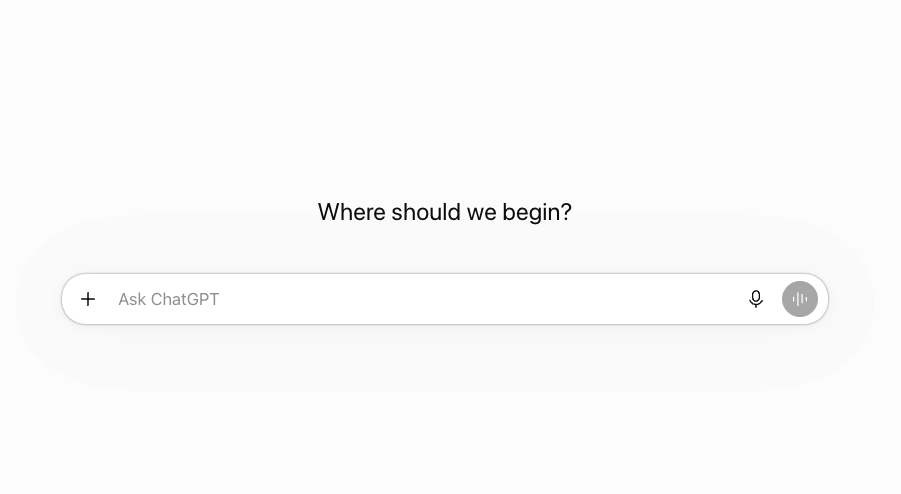
What it does: ChatGPT is OpenAI's general-purpose chatbot for conversation, writing, research, and agentic tasks like browsing and exporting documents.
Best for: Someone who wants a familiar Grok replacement with a short learning curve.
For this test, I gave ChatGPT a real research brief to look at a few similar write-ups and figure out which one had actually been updated most recently, not just posted most recently, then quote its source accurately. It nailed this on the first try, picking the right one and pulling the exact wording from its source without needing a follow-up question. The whole thing took 22 seconds.
It came back with five sources, one more than I needed, and the client paragraph came in at 128 words, inside the limit I'd set. The internal notes were rougher than the polished client paragraph, which is what I wanted, and ChatGPT flagged one source as outdated. I didn't hit any usage limit during this test.
Key features
- Source-backed drafts: Pulls citations while writing.
- Custom GPTs: Saves an instruction set, like this brief, as a reusable shortcut.
Pros and cons
Pros:
- ✅ Felt familiar from the first prompt, so the brief started straight away
- ✅ The Free plan lists unlimited text chats, subject to abuse guardrails
- ✅ Exported the paragraph and note as one document, with the halves kept separate
Cons:
- ❌ The $8/month Go plan may include ads
- ❌ The Free plan marks deep research and voice chats as Limited
What users say
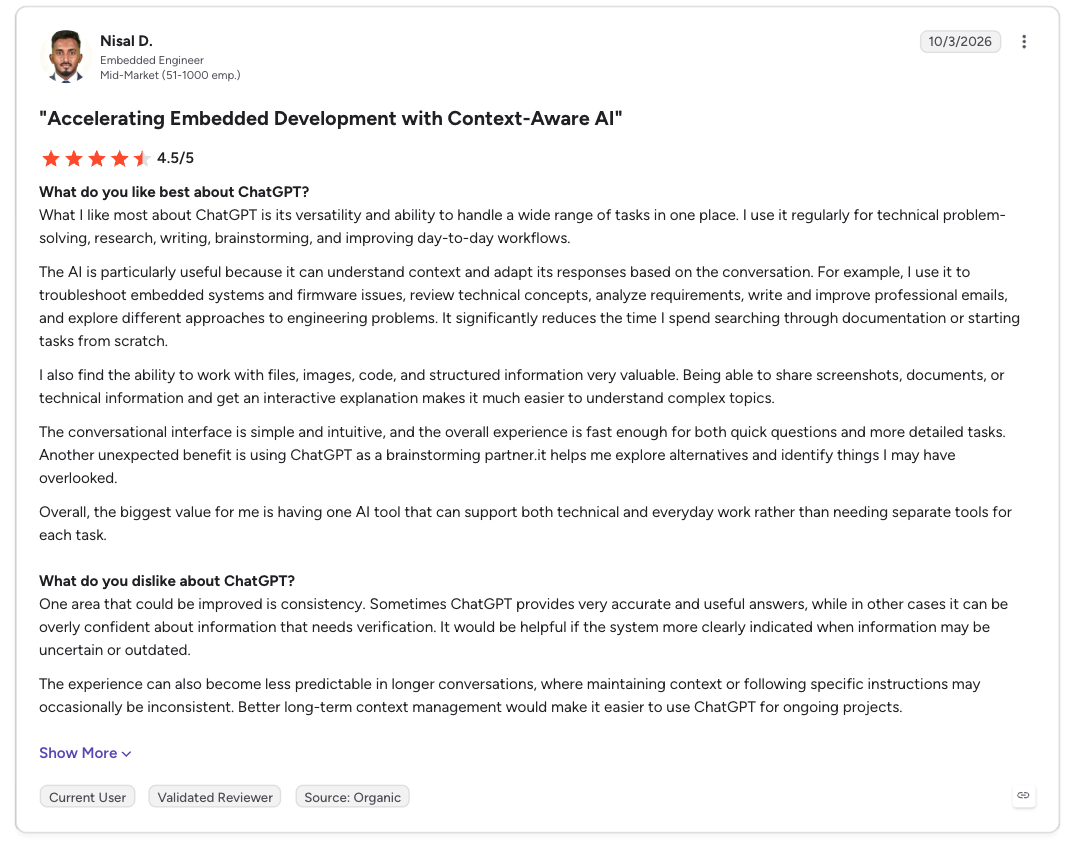
“What I like most about ChatGPT is its versatility and ability to handle a wide range of tasks in one place. I use it regularly for technical problem-solving, research, writing, brainstorming, and improving day-to-day workflows.” - Nisal D., G2
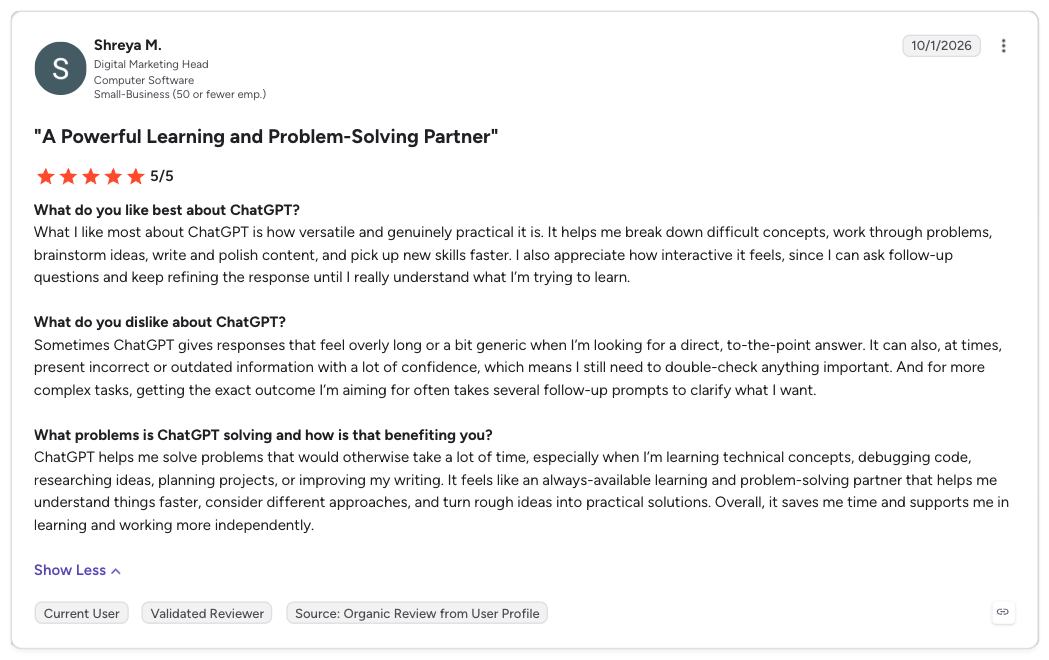
“Sometimes ChatGPT gives responses that feel overly long or a bit generic when I’m looking for a direct, to-the-point answer. It can also, at times, present incorrect or outdated information with a lot of confidence, which means I still need to double-check anything important.” - Shreya M., G2
Pricing
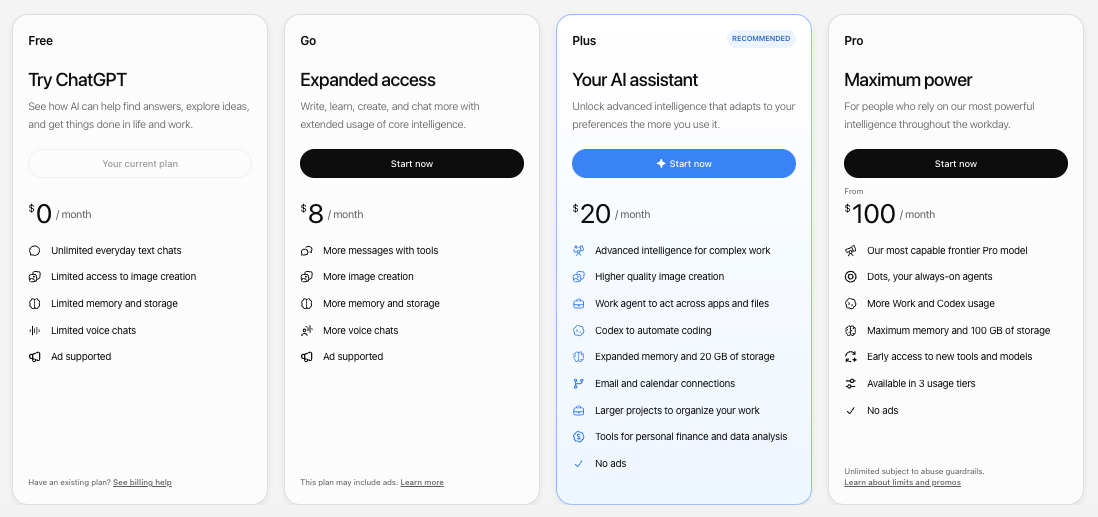
- Free: Text chats and limited image creation.
- Go: $8/month, no annual plan.
- Plus: $20/month, no annual plan.
- Pro: From $100/month, no annual plan.
Bottom line
ChatGPT is a safe first stop that needs little getting used to. Skip it only if you want live citations on every answer by default, which is Perplexity's job.
2. Claude: Best for long documents and careful writing
What it does: Claude is Anthropic's chat assistant, built for careful writing and long documents.
Best for: Someone who needs long contracts, transcripts, and reports summarized with the details intact.
Claude got the same research brief as ChatGPT. It had to review a few similar write-ups, figure out which one was most recently updated rather than just reposted, and quote its source correctly.
It got this right on the first pass and flagged one source as older than the rest, matching the real document's wording. The whole thing took 1 minute and 12 seconds, with four sources cited, the bare minimum I'd set.
Getting the client paragraph under my 150-word limit required a follow-up request, and partway through, Claude warned me I was close to hitting my usage limit. The final version came out clean at 139 words, within both the word count and page limits I'd set, and the whole thing exported as a ready-to-use document.
Key features
- Long-context handling: Tracks a full document or transcript from start to finish.
- Document export: Exports a finished brief as a downloadable file.
Pros and cons
Pros:
- ✅ The free plan can search the web, create files, and run code
- ✅ Pro adds Claude Code, more Claude models, and Claude for Microsoft 365, per its FAQ
- ✅ Sentences held together from the first paragraph to the last
Cons:
- ❌ Free-tier message limits exhaust quickly under repeated use
- ❌ Delivered the bare minimum of four sources, where ChatGPT, Gemini, and Perplexity delivered more
What users say
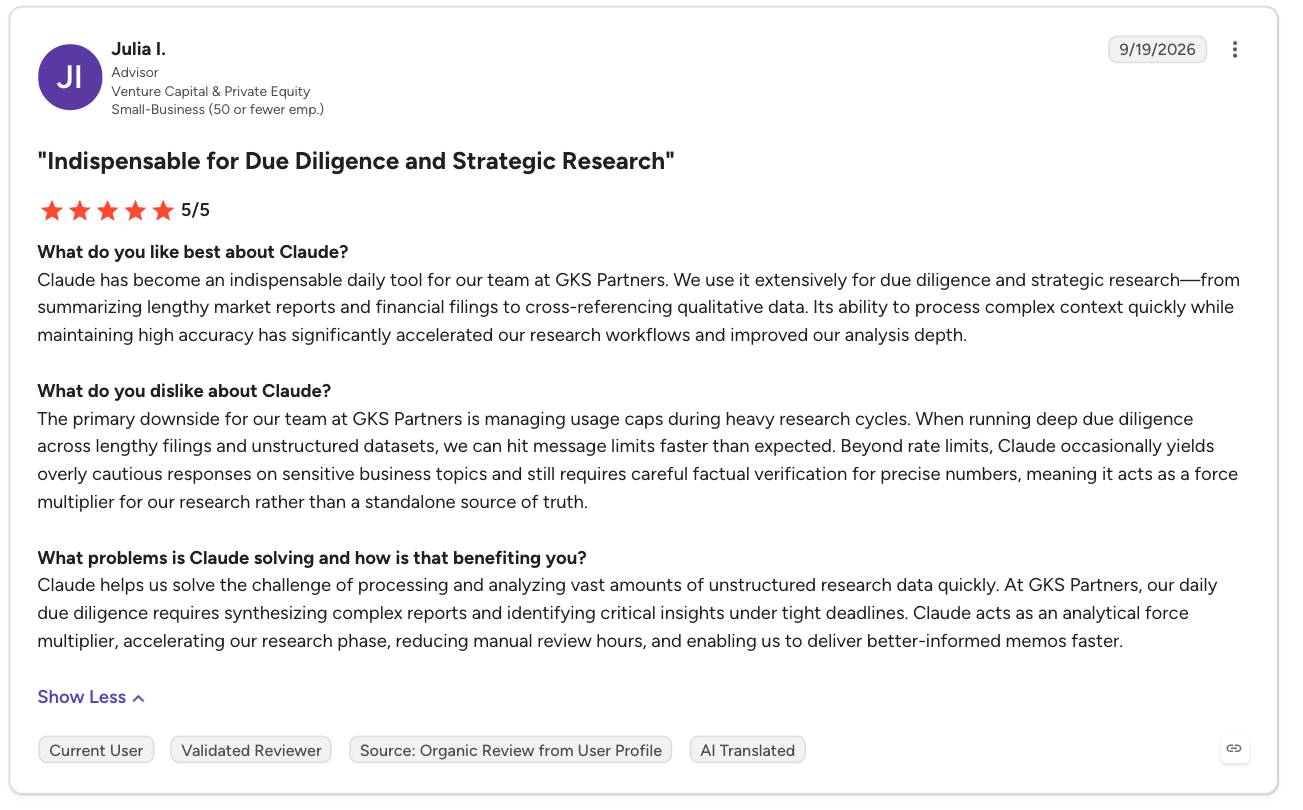
“Claude has become an indispensable daily tool for our team at GKS Partners. We use it extensively for due diligence and strategic research—from summarizing lengthy market reports and financial filings to cross-referencing qualitative data.” - Julia I., G2
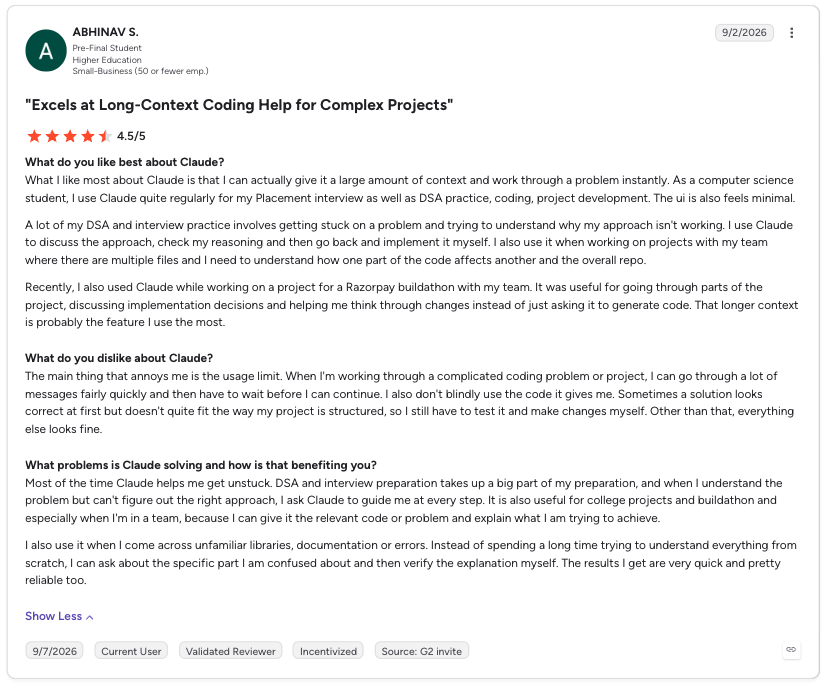
“The main thing that annoys me is the usage limit. When I'm working through a complicated coding problem or project, I can go through a lot of messages fairly quickly and then have to wait before I can continue.” - Abhinav S., G2
Pricing
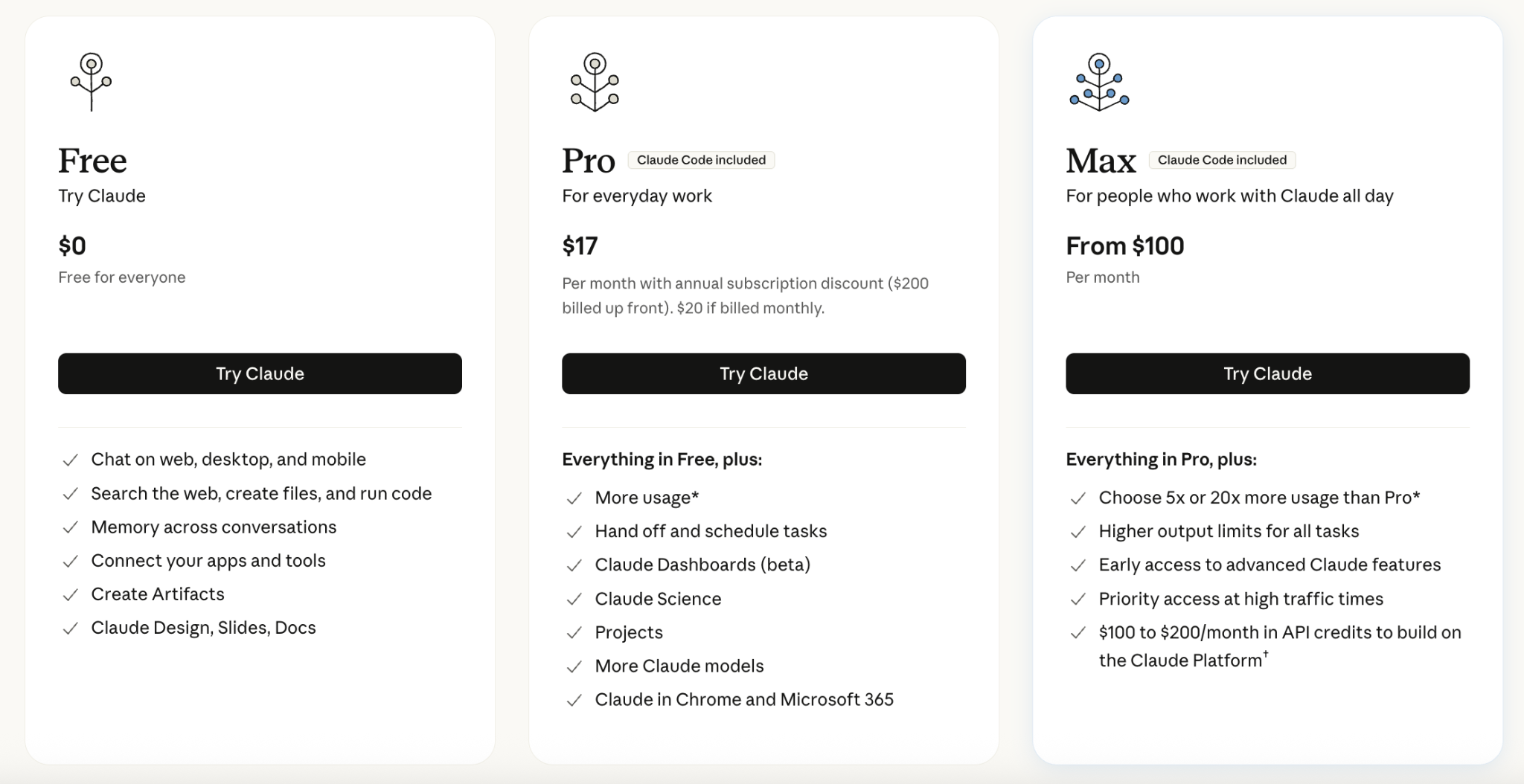
- Free: Limited usage that resets every five hours.
- Pro: $20/month ($17/month, billed annually).
- Max 5x: $100/month, billed monthly only, for 5x Pro's usage.
- Max 20x: $200/month, billed monthly only, for 20x Pro's usage.
Bottom line
Claude wrote the most careful brief of any chat or research tool I tested, at the cost of free-tier headroom. See other Claude alternatives for a wider field.
3. Gemini: Best for Google Workspace users
What it does: Gemini is Google's chat assistant, built into Search, Docs, and Workspace.
Best for: Someone already working inside Gmail, Docs, and Google Search.
Gemini ran the same brief as the others, finishing in 10 seconds, second only to DeepSeek. It correctly gave the real update apart from the repost, backed by live search results tied to what’s happening right now, and came back with six sources, two more than I needed.
At just 121 words, its write-up came back clean, with no stitching needed between the client paragraph and the internal note. Google says Gemini’s usage limit now refreshes every five hours up to a weekly cap, so heavy daily users should keep that in mind.
Key features
- Live Search grounding: Keeps answers tied to current events.
- Workspace integration: Reads and writes in Docs, Gmail, and Sheets.
Pros and cons
Pros:
- ✅ Its image model makes logos and posters with clear text, Google says
- ✅ AI Plus and Pro include family sharing with up to five others
- ✅ No stitching needed before export, unlike Perplexity's two separate answer cards
Cons:
- ❌ Docs Live, which turns spoken ideas into a formatted Google Doc, is rolling out on Android and iOS in the US only
- ❌ Gemini Spark, an agent that runs multi-step tasks like email and research in the background, is available to Google AI Pro and Ultra subscribers in select countries
What users say
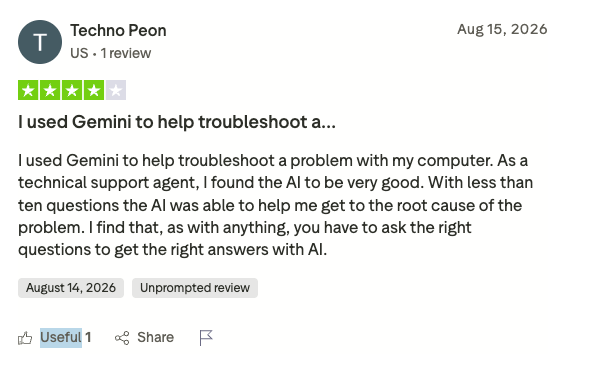
“I used Gemini to help troubleshoot a problem with my computer. As a technical support agent, I found the AI to be very good.” - Techno Peon, Trustpilot
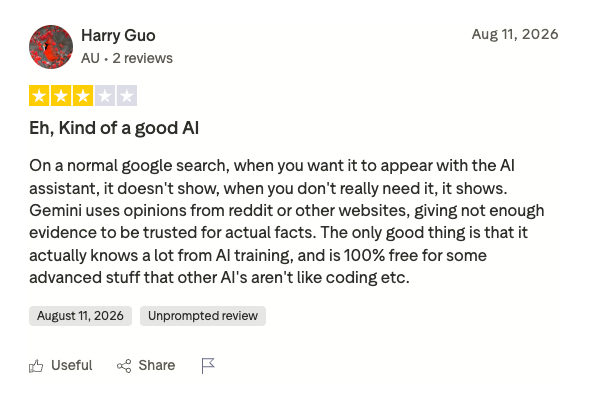
“Gemini uses opinions from Reddit or other websites, giving not enough evidence to be trusted for actual facts.” - Harry Guo, Trustpilot
Pricing
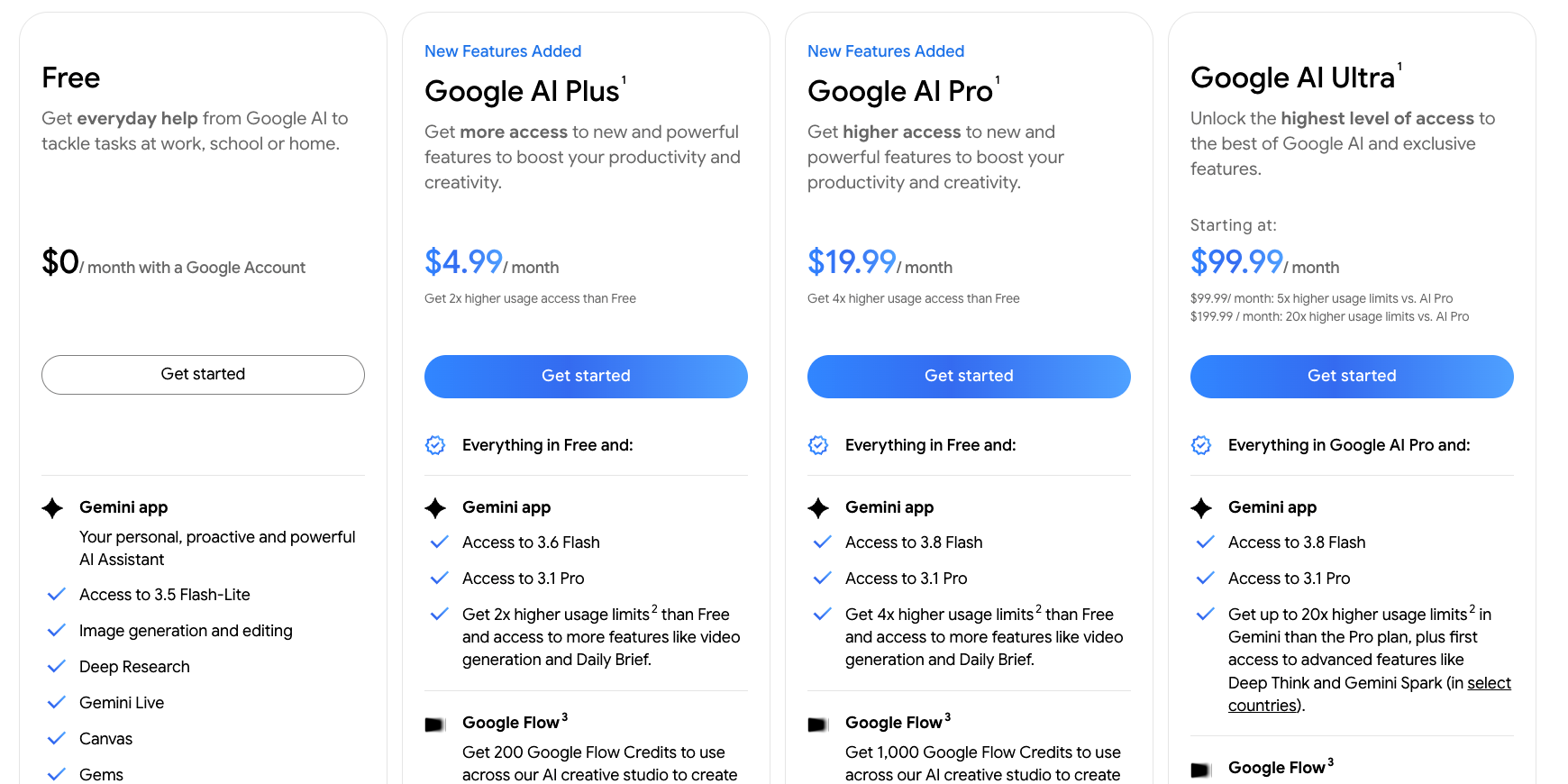
- Free: Standard access in the Gemini app.
- Google AI Plus: $4.99/month, with 400GB of storage.
- Google AI Pro: $19.99/month ($16.67/month, billed annually).
- Google AI Ultra: $99.99/month for 5x usage or $199.99/month for 20x, billed monthly only.
Bottom line
Gemini fits if your day runs through Gmail, Docs, and Search, since that integration is the whole selling point. It also returned the shortest finished brief I got back.
4. DeepSeek: Best for the fastest free answer
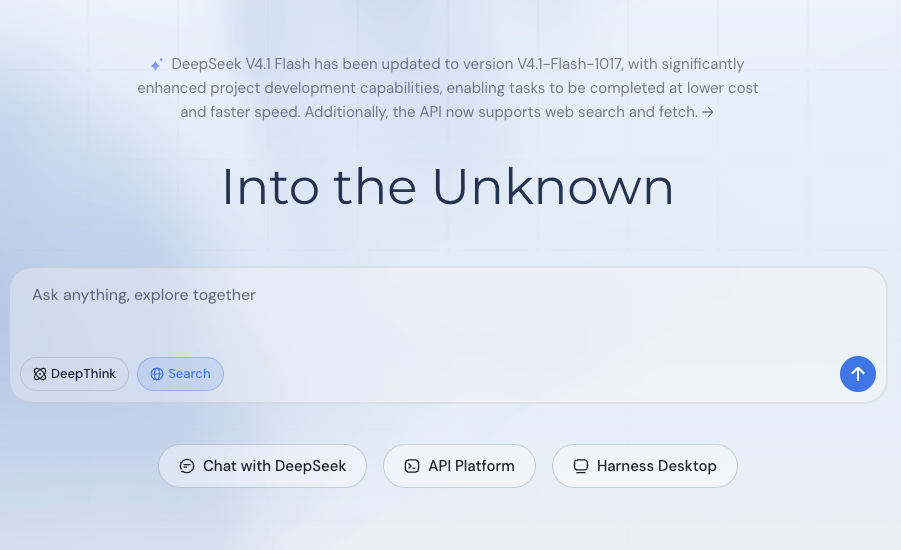
What it does: DeepSeek is a free chat assistant with built-in web search, built on DeepSeek’s own open-weight models that anyone can download and self-host.
Best for: Someone who wants the fastest possible free answer and is willing to verify its sources.
DeepSeek got the same brief as the other four chat tools, and speed is where it broke from the pack. It answered in 4 to 5 seconds, ahead of Gemini's 10, Perplexity's 19, ChatGPT's 22, and Claude's 1 minute and 12 seconds. It skipped the harder half of the brief, the updated-versus-reposted distinction, and didn't land on three genuine matches from the last two weeks.
On its first run, it invented a source with specific statistics. On a second run, it flagged one page as unverifiable instead of guessing. It also has no built-in export, so copying the output into another document is on you.
Key features
- Built-in web search: Toggles on for any question, with no separate paid research mode to unlock.
- Open-weight models: The same models behind the chat can be downloaded and self-hosted.
Pros and cons
Pros:
- ✅ Answered in 4 to 5 seconds, faster than every other tool tested
- ✅ Completely free, with no subscription tier or card required
- ✅ On its second run, flagged an unverifiable source instead of guessing
Cons:
- ❌ Invented a nonexistent source with specific statistics on its first run
- ❌ No built-in export; the output has to be copied into another document by hand
What users say
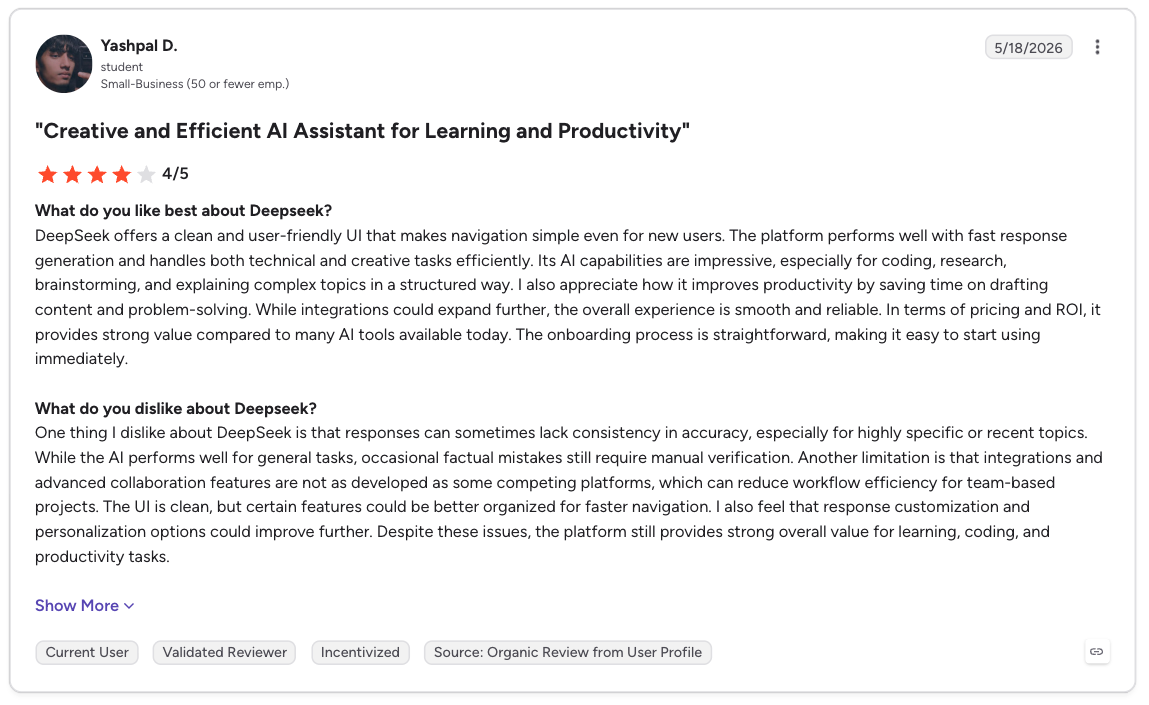
“DeepSeek offers a clean and user-friendly UI that makes navigation simple even for new users. The platform performs well with fast response generation and handles both technical and creative tasks efficiently.” - Yashpal D., G2
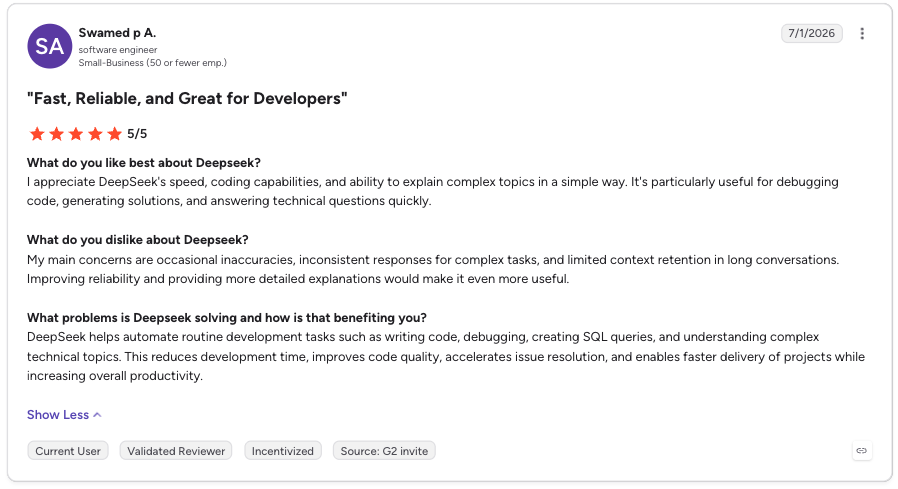
“My main concerns are occasional inaccuracies, inconsistent responses for complex tasks, and limited context retention in long conversations. Improving reliability and providing more detailed explanations would make it even more useful.” - Swamed P A., G2
Pricing
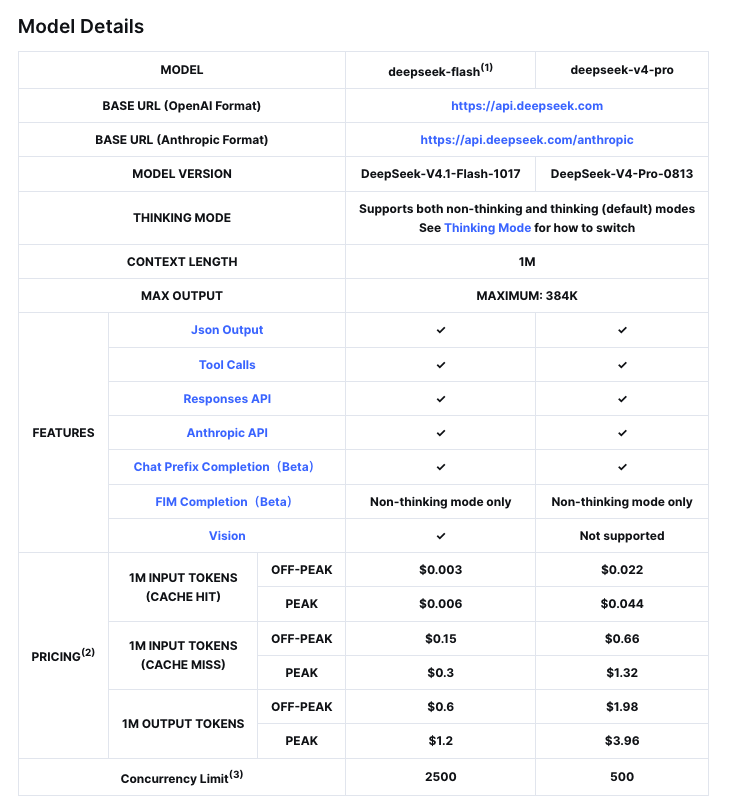
- Free: Unlimited web and mobile chat, no subscription tier or card required.
- API: Pay-per-token access for developers, priced separately from the chat.
Bottom line
DeepSeek is the fastest and only completely free tool I tested here. It also invented a source once during testing, so verify anything it cites before you use it.
Best for live, cited research
Perplexity puts cited search at the center of its product. The other chat tools here offer research alongside general chat.
{{templates}}
5. Perplexity: Best for live, cited research
What it does: Perplexity is a research-first AI tool, built to answer questions with live, cited sources.
Best for: Someone who wants sourced, verifiable answers first and chat a distant second.
Perplexity got the same brief as the others, and sourcing is where it stood out. It pulled seven sources, more than any other tool I tested, correctly spotted the real update instead of the repost, and opened the linked source document on its own.
The client paragraph came out at 146 words, but it struggled with turning that into one clean answer. The paragraph and the internal note came back as two separate cards I had to stitch together myself.
Key features
- Cited answers by default: Every response comes with sources behind it.
- Deep research: Runs a deeper, multi-step research pass.
Pros and cons
Pros:
- ✅ Quoted the named criteria from the methodology document on the first try
- ✅ Pro lets you select between AI models
- ✅ Pro includes the "Create polished documents & apps" feature
Cons:
- ❌ The free plan leaves out deep research
- ❌ Answers come back source-first, with little conversational back-and-forth
What users say
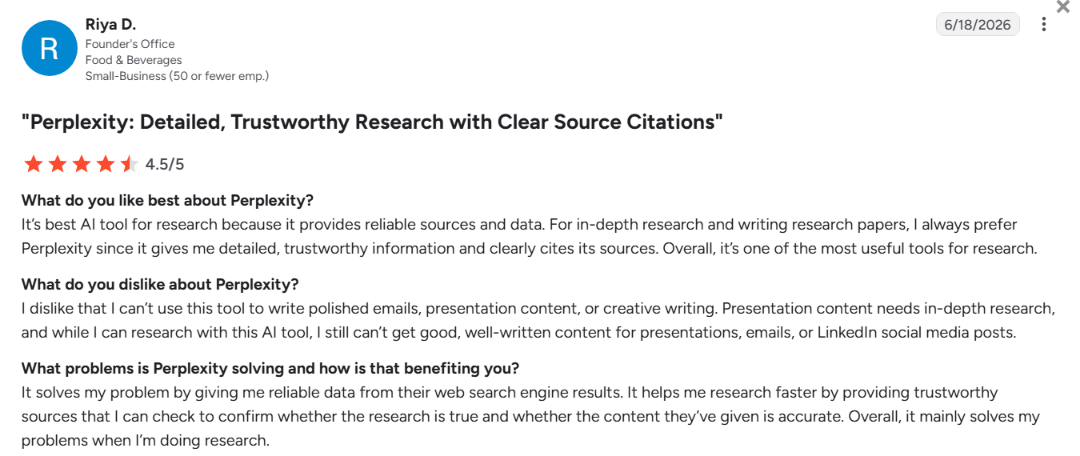
"It’s [the] best AI tool for research because it provides reliable sources and data." – Riya D., G2
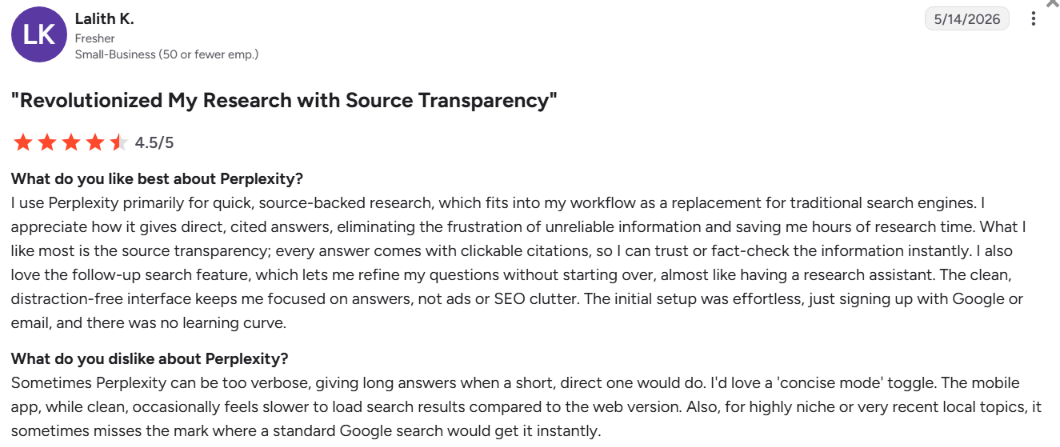
“Sometimes Perplexity can be too verbose, giving long answers.” – Lalith K., G2
Pricing
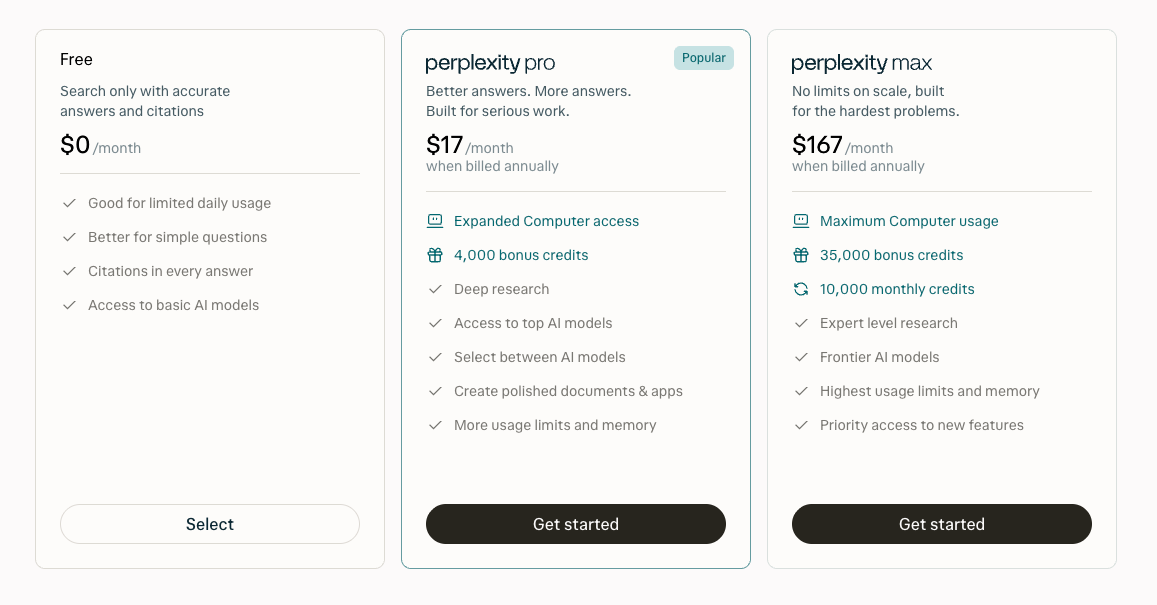
- Free: Search with citations and limited usage.
- Pro: $20/month ($17/month, billed annually).
- Max: $200/month ($167/month, billed annually).
- Enterprise Max: $271/seat/month, billed annually.
Bottom line
Perplexity is the pick when every claim needs a source behind it. I had to stitch its two answer cards together during my test, which pushed the brief past two printed pages.
Best for image and video generation
This section covers replacements for Grok's own Imagine feature. Three tools cover it here, and every one except FLUX.2 can take a finished still image to a matching video.
6. FLUX.2 (via flux2.one): Best for photorealistic images with legible text
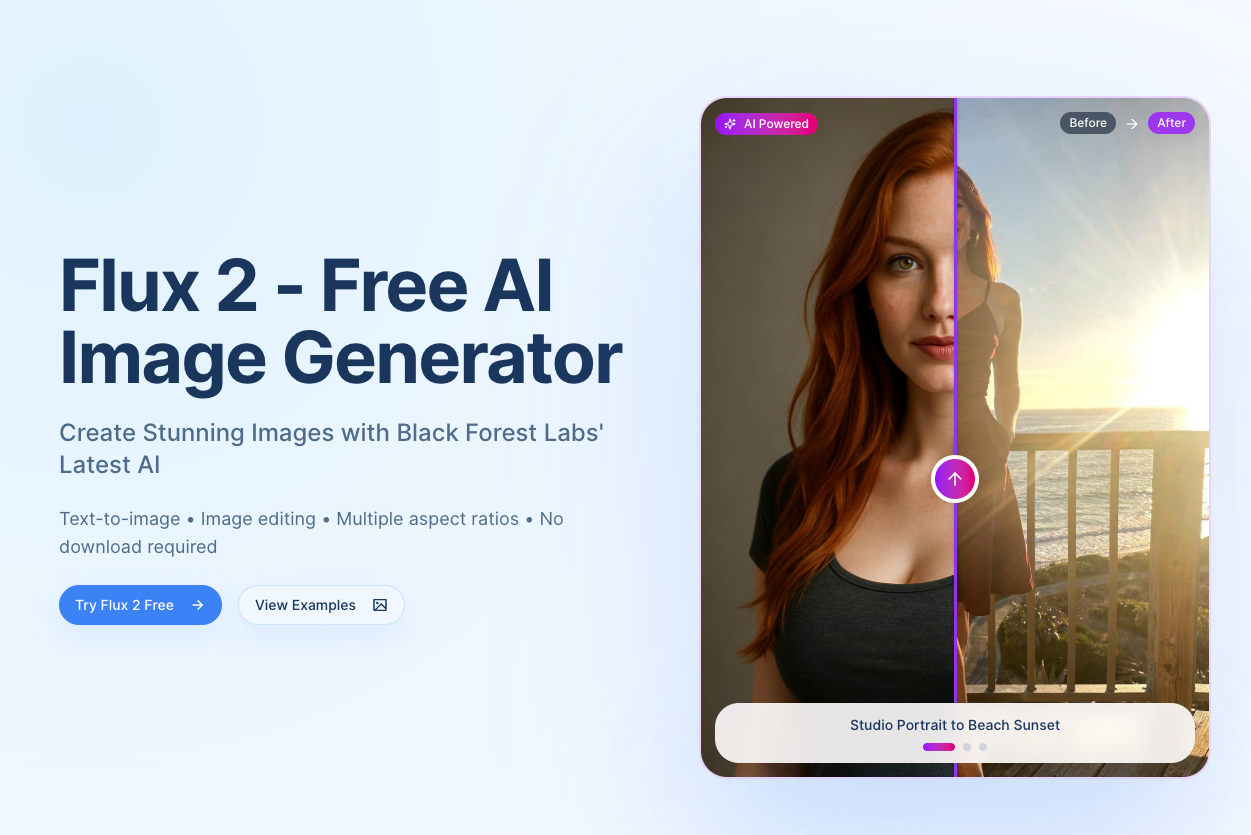
What it does: flux2.one lets you generate images with Black Forest Labs' FLUX.2 model, which supports photorealistic output and legible in-image text.
Best for: Someone who needs one sharp image with words baked in and no need for it to move.
For this test, FLUX.2 had to generate one illustrated hero image for a slide deck, with a specific line of text that needed to stay readable inside the image, at a 16:9 ratio. I ran it through flux2.one, a third-party entry point into the FLUX.2 model; the image came back in four minutes with zero retries, with the text sharp and fully readable on the first generation.
FLUX.2 has no native video mode, so turning that image into the brief's 6-second video meant handing it to Kling instead, the only one of the three to need a second platform to finish the brief. Black Forest Labs also runs an official playground as an alternative to flux2.one.
Key features
- In-image text rendering: Bakes readable words into the artwork itself.
- Photorealistic output: Holds up at a close, detailed look.
Pros and cons
Pros:
- ✅ Hit the exact 16:9 ratio, ready to drop into a slide with no cropping
- ✅ Free access through flux2.one with no credit card required
- ✅ Said plainly that it couldn’t generate video, as the brief asked
Cons:
- ❌ FLUX.2's Flex generation mode costs 40 credits, double Pro mode's 20 (separate from the Pro subscription plan)
- ❌ Basic's 100 credits/month cover about five Pro generations
What users say
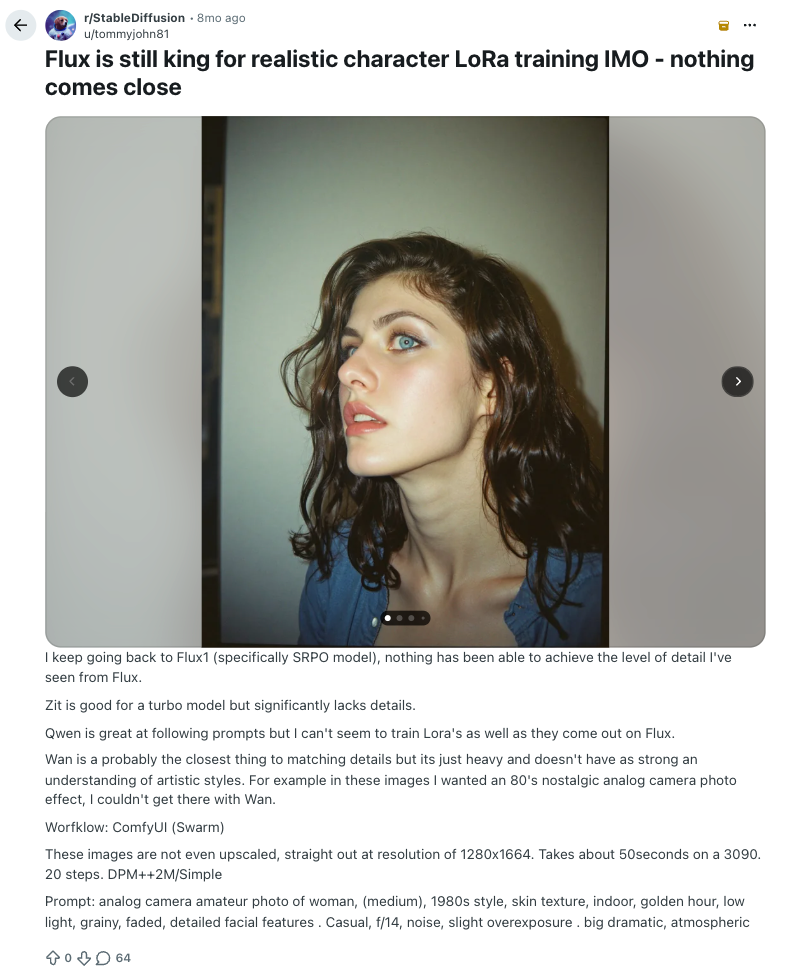
“Nothing has been able to achieve the level of detail I've seen from Flux.” - Tommyjohn81, Reddit
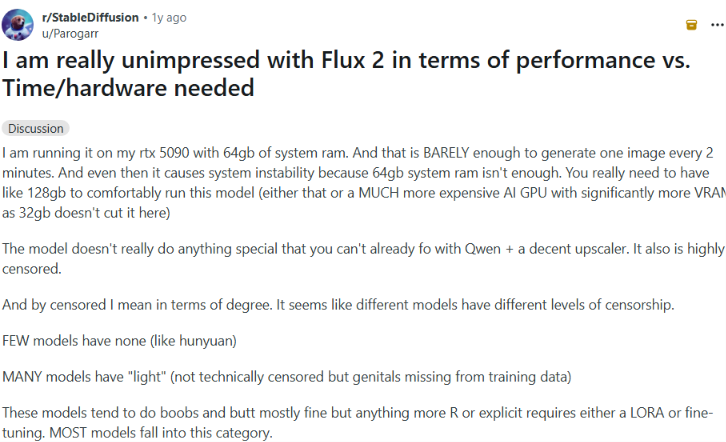
“The model doesn’t really do anything special that you can’t already do with Qwen + a decent upscaler. It also is highly censored.” - Parogarr, Reddit
Pricing
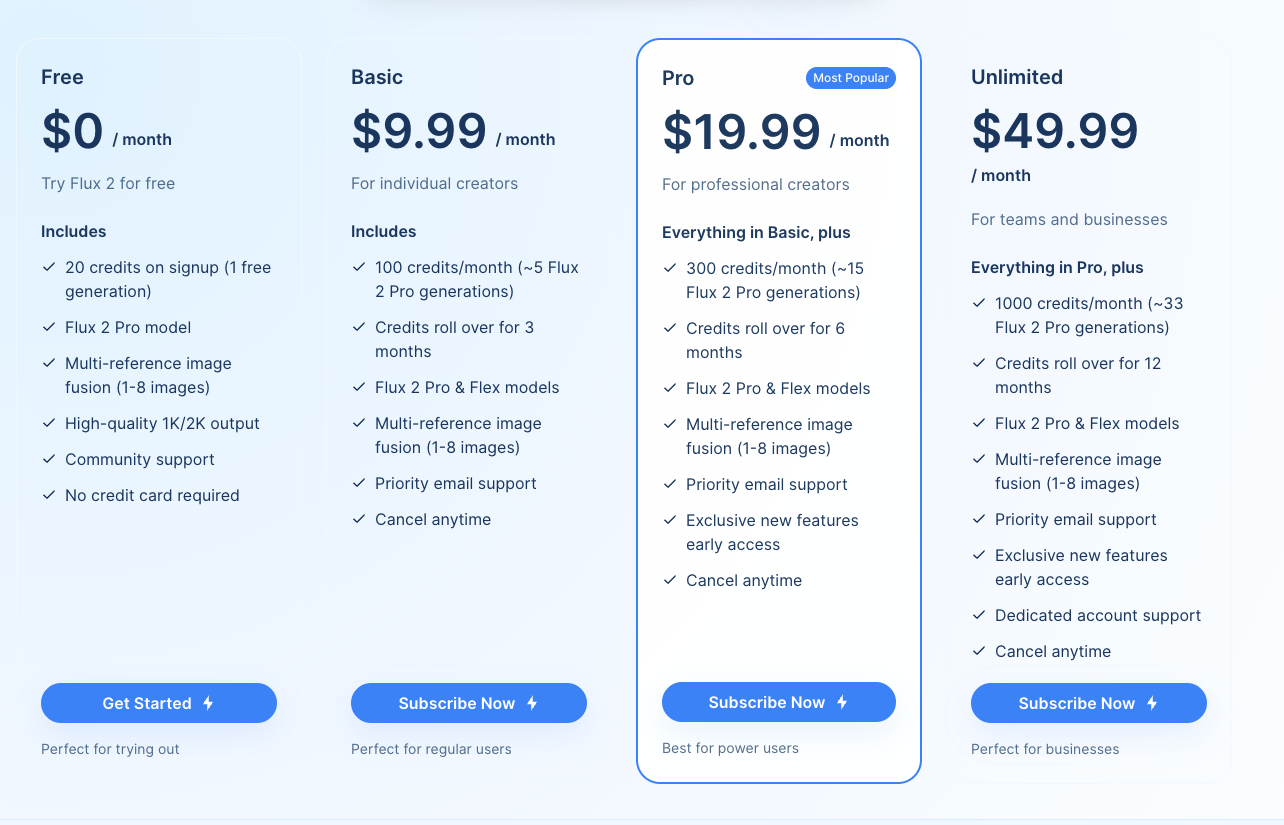
- Free: Signup (no credit card) grants 20 credits, enough for one generation.
- Basic: $9.99/month ($7.99/month, billed annually) for 100 monthly credits.
- Pro: $19.99/month ($15.99/month, billed annually) for 300 monthly credits.
- Unlimited: $49.99/month ($39.99/month, billed annually) for 1,000 monthly credits.
Bottom line
FLUX.2 rendered a sharp still with real text on the first try, so pick it when the image is the whole job and Kling when it needs to move.
7. Kling: Best for turning an existing image into a short clip
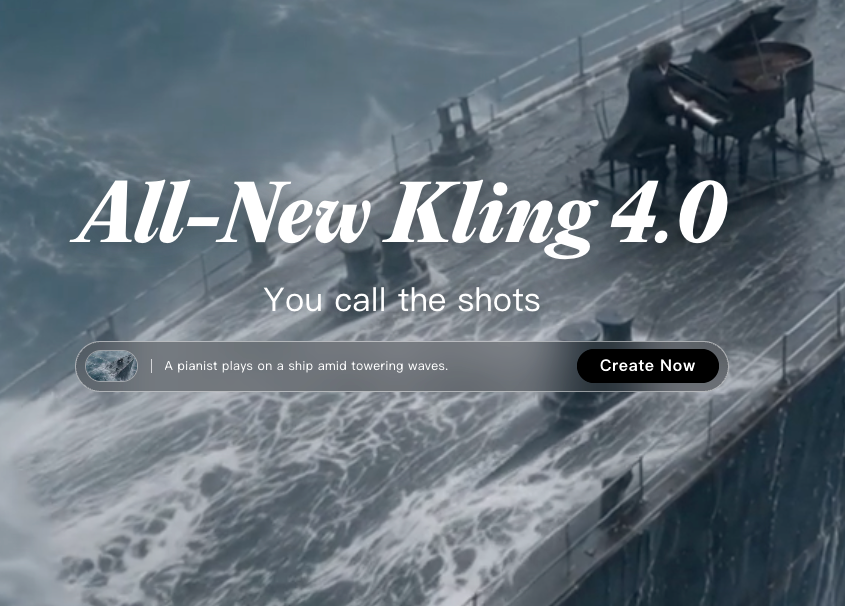
What it does: Kling is a video-generation tool that turns a still image or a text prompt into motion.
Best for: Someone who already has a still image and needs a short clip that carries straight on from it.
This test picked up where FLUX.2 left off. Kling had to turn that same hero image into a matching 6-second looping video, animating the existing scene rather than redrawing it. It worked on the first attempt, in three minutes, and the clip read as that same illustrated scene brought to life.
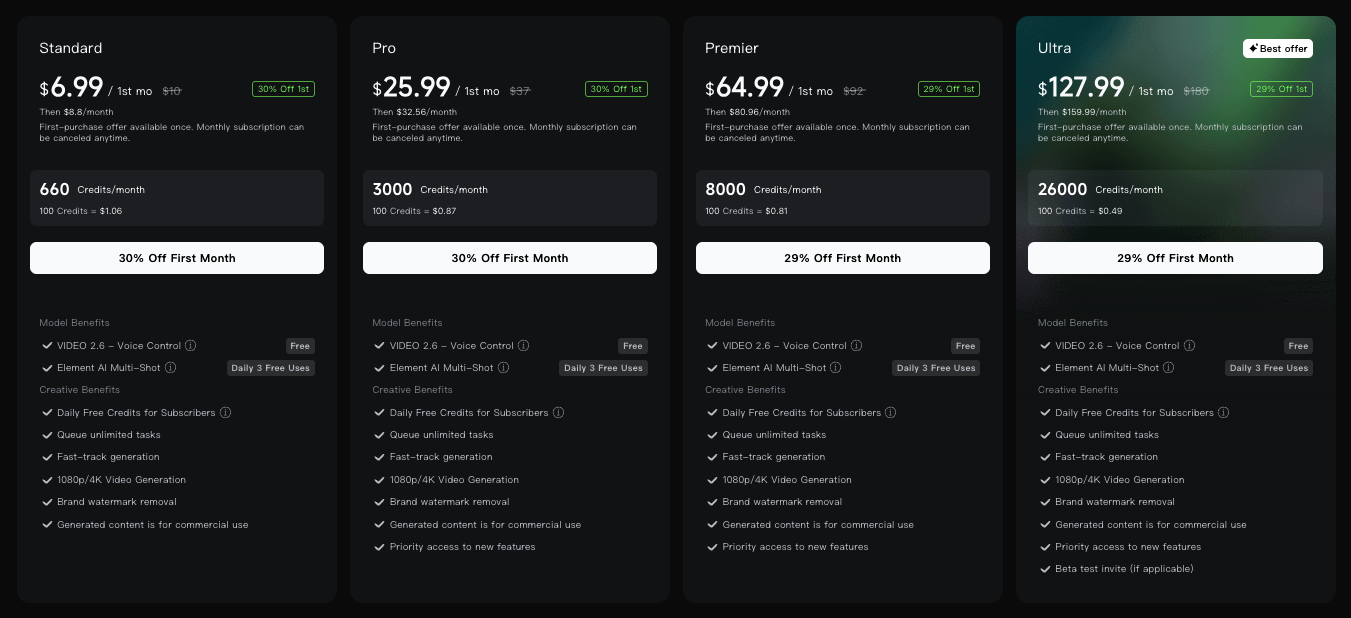
The free tier is the catch. Kling's export carries a watermark unless you pay, with a clean version costing $6.99 for the first month and $8.80 a month after that.
Key features
- Image-to-video chaining: Turns an existing still into a matching video.
- Text-prompt video: Generates a clip from a text prompt as well.
Pros and cons
Pros:
- ✅ Kept the 16:9 frame and the legible text through the animation
- ✅ The Standard card lists 1080p/4K video generation
- ✅ Standard covers commercial use of generated content
Cons:
- ❌ The free Basic tier returns one video per request, against four on Standard
- ❌ Standard costs the most per credit of any paid tier, about $1.33 per 100 credits at the regular $8.80 monthly price
What users say
“It follows detailed text prompts accurately without adding weird glitches, making content creation effortless and natural.” - Afreen K., G2
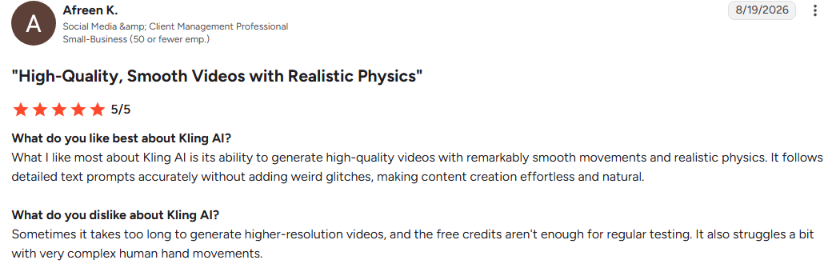
“If you’re using it for a multi-cut flow or a multi-dialogue flow, it’s honestly better to keep the sound off, because the native audio isn’t that good.” - Aditya B., G2
Pricing
- Basic: A free plan for basic video generation, with one video per request.
- Standard: $8.80/month ($6.60/month, billed annually) for 660 credits.
- Pro: $32.56/month ($24.42/month, billed annually) for 3,000 credits.
- Premier: $80.96/month ($60.72/month, billed annually) for 8,000 credits.
- Ultra: $159.99/month ($119.17/month, billed annually) for 26,000 credits.
Bottom line
Kling is the pick for turning a still into motion, as long as you budget for a paid plan to ship the clip watermark-free.
8. Media.io: Best for all-in-one image and video editing
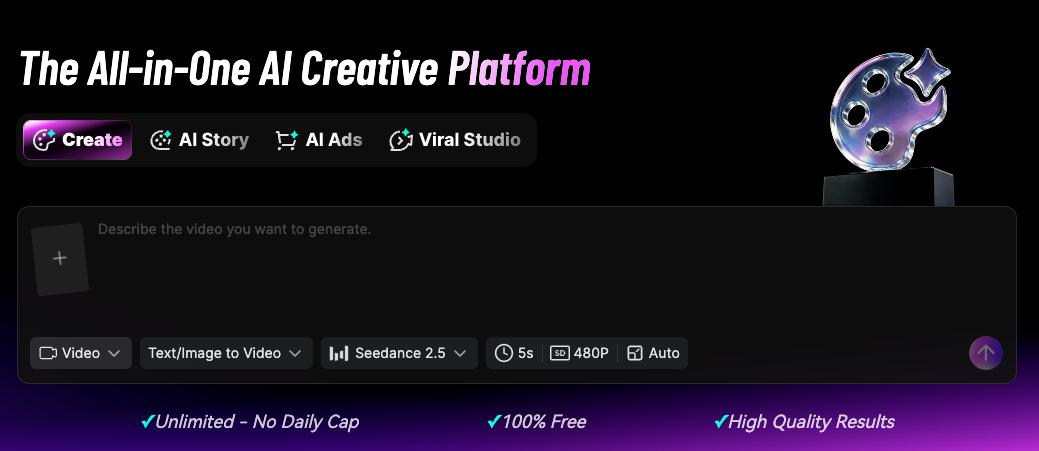
What it does: Media.io is a combined image and video editing platform that also generates both from a prompt.
Best for: Someone who wants the image and the video steps handled in one place.
For this test, Media.io had to produce the same hero image, its in-image text, and the chained 6-second video, all inside one platform rather than splitting the work across two tools. It finished both outputs in nine minutes, a bit slower than running FLUX.2 and Kling separately, and the video carried the still into motion without a fresh prompt.
The free plan is where it fell short. Both the image and the video came out with a visible watermark, so neither was ready to drop into a slide.
Key features
- Combined generation: Handles both outputs from the same prompt and window.
- Built-in editing: Trims, crops, and adjusts the output where it was generated.
- Text-to-speech: Converts a script into narration, with character caps that scale by plan.
Pros and cons
Pros:
- ✅ Hit the 16:9 ratio exactly, with no cropping needed
- ✅ Standard and Premium include subtitle translation, which the Free trial lacks
- ✅ Premium covers 60 videos a month, against 20 on Standard
Cons:
- ❌ The free trial covers one video generation
- ❌ Free text-to-speech caps at 2,000 characters, against 10,000 a month on Standard
What users say
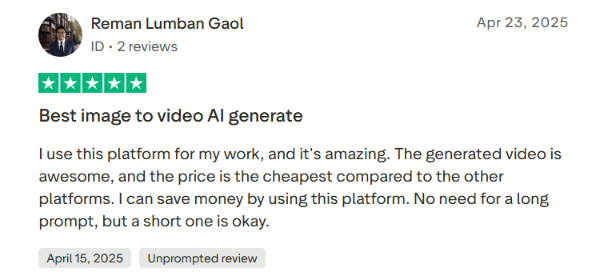
“I use this platform for my work, and it's amazing. The generated video is awesome, and the price is the cheapest compared to the other platforms.” - Reman Lumban Gaol, Trustpilot
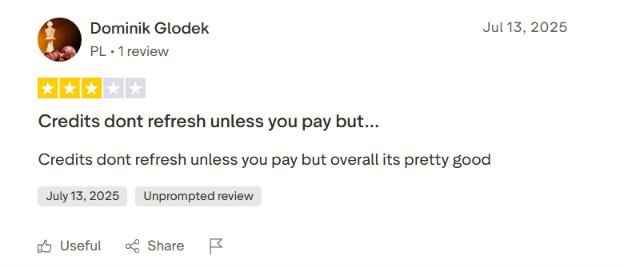
“Credits don't refresh unless you pay, but overall it's pretty good.” - Dominik Glodek, Trustpilot
Pricing
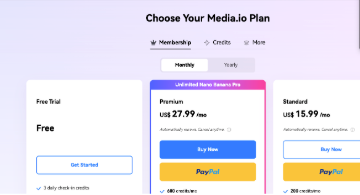
- Free: Images and video, with a watermark on every export.
- Standard: $15.99/month ($7.99/month, billed annually), which removes the watermark.
- Premium: $27.99/month ($13.99/month, billed annually) for turbo generation.
Bottom line
FLUX.2 and Kling split this job faster, at seven minutes against nine. Media.io's case is one platform, one login, and a watermark you'll pay to remove.
Free Grok alternatives: What each free plan covers
If you want Grok alternatives free of charge, the free plans are split by job.
Free plans by job:
- Chat and writing: ChatGPT’s free plan covers text chats and limited image creation. Claude, Gemini, Perplexity, and DeepSeek each have a free tier.
- Image generation: FLUX.2's free signup gives 20 credits, enough for one generation.
- Video: Kling’s free Basic plan covers basic video generation. Media.io’s free plan adds a watermark to every export.
Free video is the hard part. Only Kling and Media.io offer any, and both put a watermark on free exports.
{{cta}}
Which Grok alternative should you choose?
Your choice depends on which of Grok's three jobs you're replacing and whether you want one platform or a separate tool for each task.
Choose ChatGPT if you:
- Want a chat replacement you can start using right away, or you're curious about the wider field of AI tools like ChatGPT beyond this one
- Need one assistant that handles chat, research, and document drafting well enough on its own
Choose Claude if you:
- Work with long documents, contracts, or codebases where losing context halfway through costs you something
- Want a tool that warns you plainly the moment you're close to a usage limit
Choose Gemini if you:
- Already live inside Google Workspace
- Want an assistant that reads your Docs and Search results from day one
Choose Perplexity if you:
- Need a cited, sourced answer more than you need a conversation partner
- Can accept a colder, less chatty tone in exchange
Choose DeepSeek if you:
- Want the fastest possible answer and don’t mind double-checking its sources
Choose FLUX.2 if you:
- Need a still image with legible text baked in
- Don't need it to move
Choose Kling if you:
- Need that exact still image animated directly into a short, matching video clip
Choose Media.io if you:
- Want one platform that handles both the image and the video step
- Can live with a watermark until you pay to remove it
Skip every alternative here and stick with Grok if:
- You're already comfortable inside X and rarely hit Imagine's rate limits
- Grok’s content rules haven’t gotten in your way so far
Final verdict
If I had to point someone toward one Grok alternative per job, I'd start with ChatGPT for general chat and writing. Perplexity is the choice for anything that needs a citation. FLUX.2 and Kling handle the creative work together, since FLUX.2 rendered the still and Kling chained it into a matching clip without a hitch in my test. Kling's brand watermark removal comes on the paid plans.
You might want to look past Grok's replacements toward the wider field of AI tools. That's a reasonable next stop. For everyone else, match the tool to the specific job in front of you. Each one on this list covers a different piece of what Grok tries to do.
How Lindy helps once you've picked a Grok alternative
A Grok alternative from this list solves one problem. After you get a draft from one of these tools, there’s usually a next step.
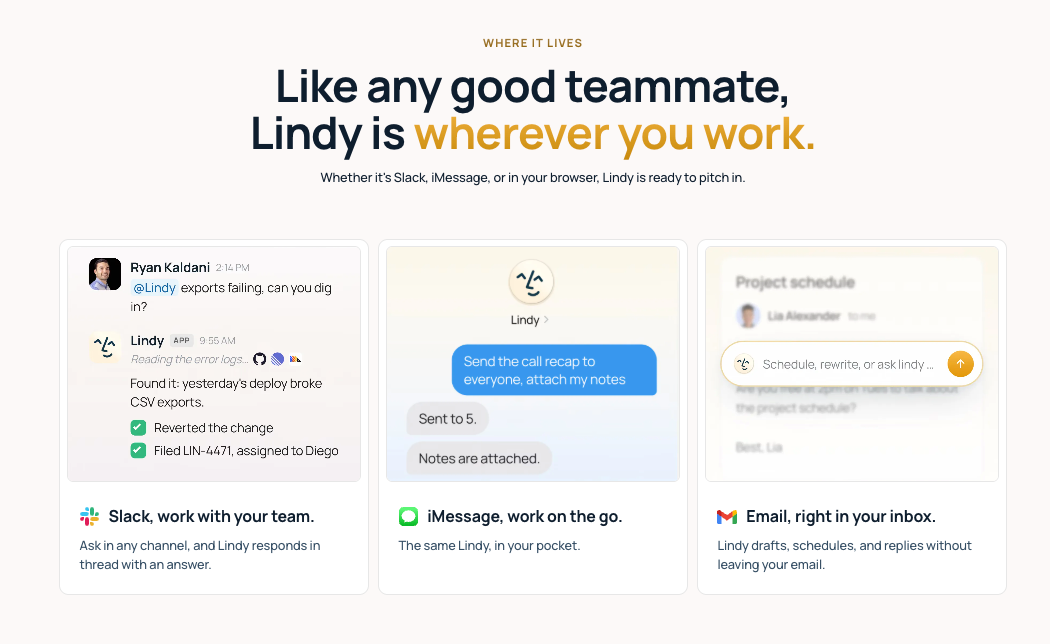
That's a different job, and it's the one Lindy is built for. Lindy helps you act on what those chat, research, or image tools produce. It’s an AI teammate that works in Slack, iMessage, or your browser, so there’s no extra chat window to keep open. You tell it what you need in your own words, and it manages your inbox and drafts replies in your voice.
Say you ran a research brief through Perplexity or Claude and got a usable, cited paragraph back. On its own, that paragraph still has to get somewhere. It might go into a shared doc, a Slack channel, or a draft someone else is waiting on.
You can text Lindy that paragraph and ask it to draft the follow-up email, file a summary, or update your team's tracker. Anything it would send waits for your approval first. You give Lindy the paragraph once, then use it for follow-up work without copying it between five different tools.
Where Lindy fits into what you already use
Lindy works with 1,500+ integrations. That means it can work alongside the tools you already use, like your inbox, your calendar, and your CRM. Once your chat or research tool produces something you want to share or file, Lindy can handle that next step using your existing apps. If the answer itself is all you need, you can skip Lindy.
Your team might also be weighing Microsoft Copilot against something more focused. If so, the Microsoft Copilot alternatives breakdown covers that comparison directly.
Try Lindy's free trial
Lindy’s seven-day trial, with $50 in credits, costs nothing and needs no card.
Frequently asked questions
Is there a free AI like Grok?
Yes. ChatGPT, Claude, Gemini, Perplexity, and DeepSeek all offer free plans for chat and research, and Kling and Media.io offer free, limited video generation.
Is there a better version of Grok, and what's Grok better at?
No, there's no single better version of Grok, because different tools beat it at different jobs. Grok's own strength is Imagine, with free image generation and video available on the paid SuperGrok Lite tier. Perplexity pulled more cited sources than any other tool in testing, and Kling and Media.io both turned a still image into video.
Is Grok AI uncensored?
No, Grok AI runs under written content rules. xAI's acceptable use policy bans nudifying real people, pornographic likenesses of real people, jailbreaking, and stripping watermarks.
Who are Grok's main competitors?
ChatGPT, Claude, Gemini, and DeepSeek cover general chat and writing. Perplexity covers live, cited research. FLUX.2, Kling, and Media.io cover image and video generation.
Is Grok better than Claude?
Yes, Grok is better for image and video generation, while Claude is better for long documents and careful writing. Grok handles images and video through its own Imagine feature, and Claude holds a long document together without losing the thread.
What are the best free Grok alternatives?
The best free Grok alternatives are Perplexity for sourced research and ChatGPT for everyday chat. Perplexity’s free plan leaves out deep research, and ChatGPT’s free plan covers text chats with limited image creation.