


12 Best Lead Enrichment Tools To Close More Clients in 2025


B2B sales today demand more than just names and emails. You need real context, company size, job titles, tech stack, and funding data. Lead enrichment tools pull this information automatically into your CRM, saving time and improving outreach. In this guide, I cover 12 of the best tools in 2025 to help you turn cold leads into warm conversations.
What is Lead Enrichment?
Lead enrichment is the process of enhancing incomplete or basic lead data with additional information to create more detailed and actionable profiles of potential customers. This process involves gathering firmographic, demographic, technographic, and behavioral data to better understand leads and improve sales and marketing efforts.
At its core, lead enrichment helps you understand who your lead is so you can tailor your message, improve your sales pitch, and increase your chances of conversion.
In the B2B space, this becomes even more important. That’s why B2B lead enrichment tools and B2B data enrichment tools are now a must for modern sales teams. They turn plain contact lists into complete, up-to-date profiles using automated workflows and integrations.
Many tools even use automated lead enrichment methods, updating records in real-time as new information becomes available. This is especially useful for outbound teams doing enrichment lead generation at scale or managing sales lead enrichment directly within their CRM.
12 Best Lead Enrichment Tools: TL;DR
- Lindy: Best for building custom AI lead enrichment agents with CRM automation
- Clay: Best for automated lead research using 100+ data sources
- Cognism: Best for GDPR-compliant global B2B contact data
- Apollo.io: Best for combining enrichment with AI-powered sales outreach
- HeyReach: Best for LinkedIn outreach automation and enrichment at scale
- RB2B: Best for enriching anonymous website traffic into actionable leads
- Enricher.io: Best for real-time social and demographic lead enrichment
- FullContact: Best for identity resolution across channels and segmentation
- Lusha: Best for fast access to direct dials and verified B2B emails
- Demandbase: Best for intent-driven B2B firmographic and technographic data
- Datanyze: Best for identifying prospect tech stacks and buying signals
- Leadfeeder: Best for uncovering decision-makers from website visits
Top Lead Enrichment Tools in 2025
1. Lindy: Best for Building Custom AI Lead Enrichment Agents with CRM Automation
What does it do? Lindy automates lead enrichment, outreach, and qualification using AI agents that connect with your tools.
Who is it for? Sales and marketing teams that want to cut down manual work and scale outreach fast.
At Lindy, we built our platform to eliminate the grunt work in lead enrichment. Instead of spending hours researching prospects or switching between tools, you can automate the entire process in just a few clicks. Upload a list through Google Sheets or your CRM, and tell Lindy what data you want to enrich: company size, job titles, LinkedIn URLs, funding history, and even tech stack.
Once enriched, your leads are ready for action. Lindy uses that data to draft personalized emails and follow-ups that sound human and can be sent via email, Slack, or voice, no copy-pasting required. You can manage it all from a central dashboard or let your CRM run it in the background.
With Lindy, you can easily qualify and score leads without code and build your own rules visually. For example, “If the lead works at a company with over 100 employees and holds a director-level title, mark it high priority.” The AI handles the logic and updates statuses automatically.
We also support full integration with Salesforce, HubSpot, Notion, Airtable, and Google Sheets. Everything stays in sync, and every action taken by an agent gets logged in real-time.
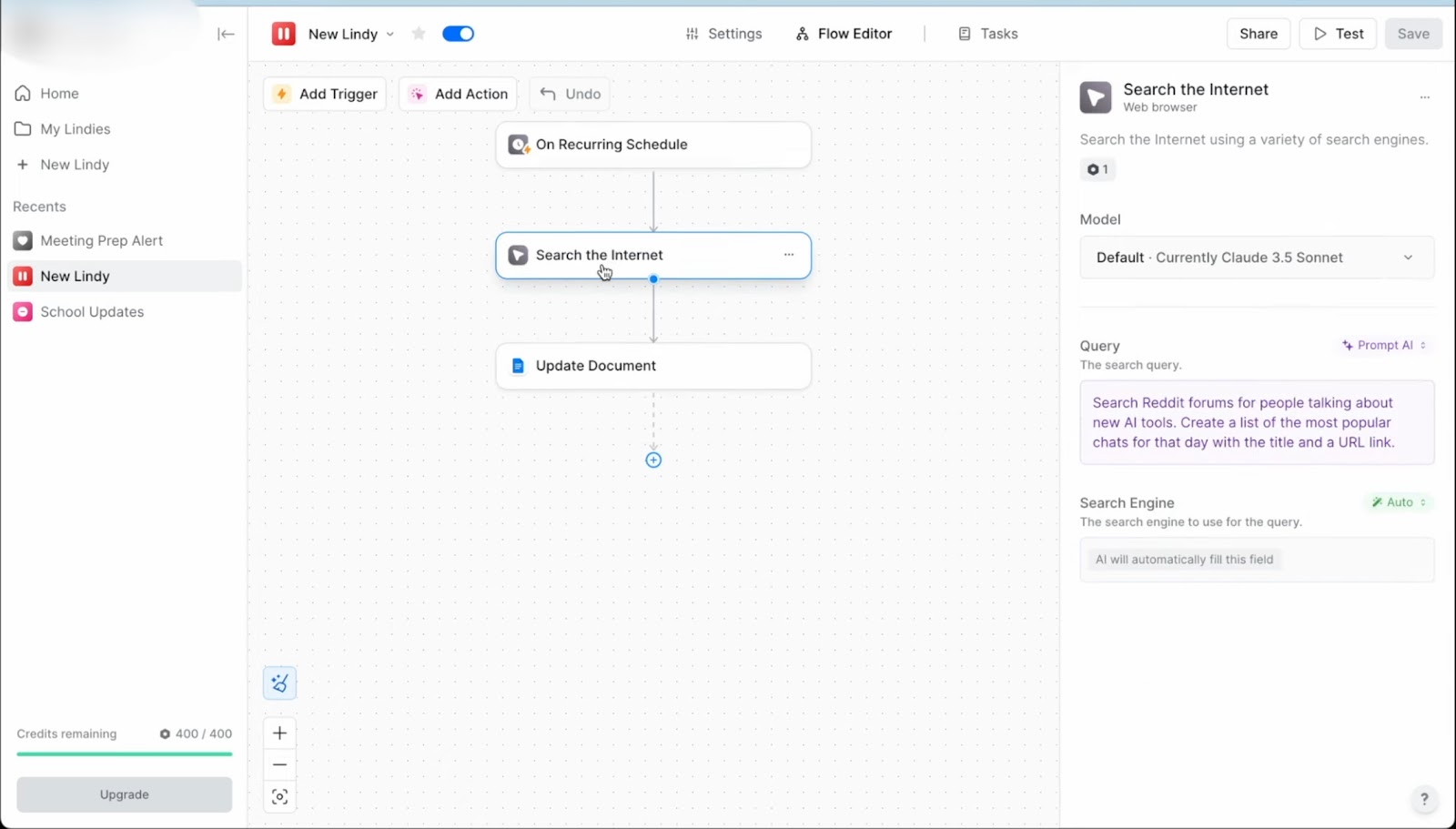
If you’re working on lead routing, scheduling meetings, or syncing across teams, you can group multiple AI agents. This lets them work together across stages, freeing up even more of your time. You don’t need to be technical to get started. Lindy comes with prebuilt templates so you can launch your first AI agent in minutes, not days.
Pros
- Lindy Academy for 24/7 access to guide
- Supports multi-language workflows for global teams
- Allows cloning and modifying existing agents for faster iteration
- Offers manual override options mid-flow without breaking the entire automation
Cons
- AI voice features need a separate setup and tuning
- Some workflows may take trial and error to perfect
Pricing
- Free: 400 tasks, 1M character knowledge base
- Pro ($49.99/month): 5,000 tasks, 20M characters, phone automation
- Business ($299.99/month): 30,000 tasks, advanced automation, priority support
{{templates}}
2. Clay: Best for Automated Lead Research Using 100+ Data Sources
What does it do? Clay helps you find, enrich, and manage B2B leads using real-time data from dozens of reliable sources.
Who is it for? Outbound sales teams and agencies that want to scale lead research and outreach.
Clay brings together everything you need for lead enrichment into one workspace. If you’ve ever used spreadsheets to manage prospects, Clay will feel familiar, but with a lot more power. You don’t need to jump between Apollo, LinkedIn, Clearbit, and Crunchbase. They are all connected inside Clay.
Once you upload a list of leads, it automatically extracts information like job titles, verified emails, company size, social profiles, tech stack, and recent funding rounds. If one source doesn’t return data, Clay checks another. This fallback system ensures your leads don’t come in half-baked.
Beyond just enrichment, Clay personalizes your outreach by using GPT-4 to write messages based on each lead’s profile. You can reference a job change, congratulate someone on a funding round, or highlight something from their social bio without typing manually. It’s a smart way to keep emails relevant without spending hours per lead.
You can also set up webhooks and workflows so leads move through your funnel automatically. Clay brings your data sources via API keys or creates your own rules for filtering and outreach. For example, you might set a rule to flag any VP-level lead from a Series B company in the U.S. and send them a custom sequence.
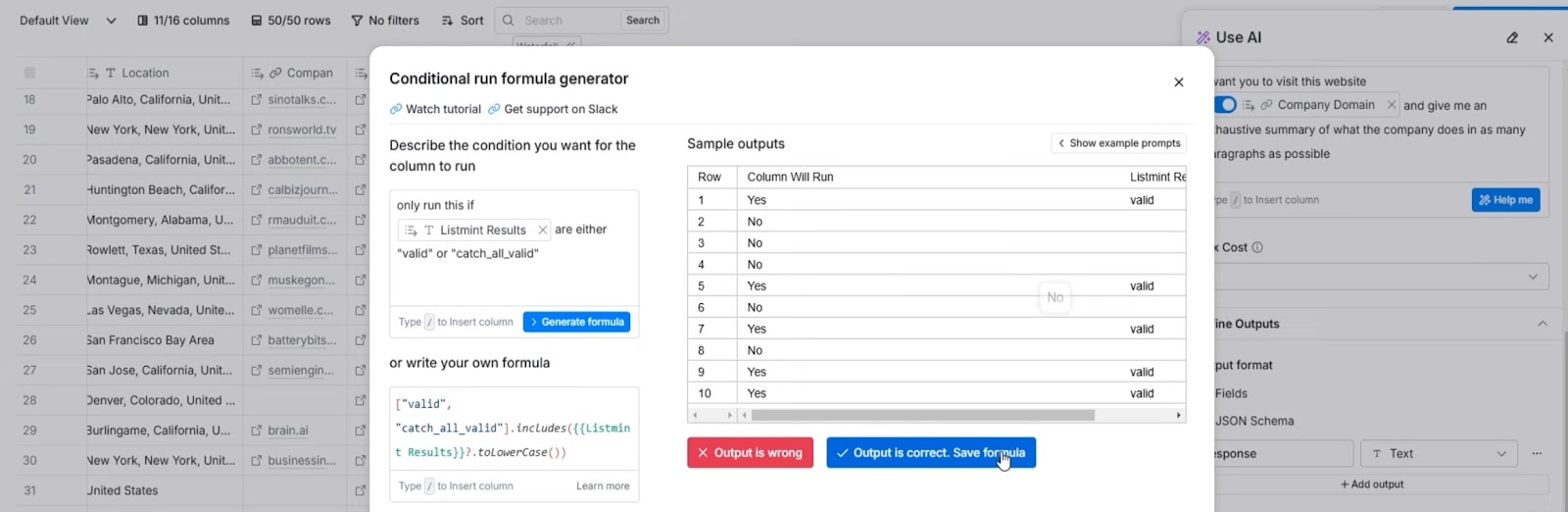
It’s flexible enough to handle advanced targeting without being overly technical. Compared to Leadfeeder, which focuses more on contact-level enrichment or reverse-IP data, Clay offers more control, customization, and cross-platform reach. It’s not just about finding leads but managing everything around them.
Pros
- Flags duplicate contacts automatically
- Supports role-based access control for teams
- Tracks relationship health using activity and tags
- Sends real-time Slack alerts on key contact changes
Cons
- Workflow builder can feel complex at first
- Credit usage may be hard to predict for small teams
Pricing
- Free Plan: Unlimited users, up to 100/search, exporting, rollover credits
- Starter ($134/month): 24K credits/year, up to 2,000/search, exporting, rollover credits, AI/ Claygent
- Explorer ($314/month): 120K credits/year, up to 10,000 searches, webhooks
- Pro ($720/month): 600K credits/year, up to 25,000/search, AI/Claygent, CRM integrations
3. Cognism: Best for GDPR-Compliant Global B2B Contact Data
What does it do? Cognism gives you access to accurate, compliant B2B contact data and enriches leads across global markets in real-time.
Who is it for? Mid-size and enterprise sales teams that need reliable data coverage across EMEA, North America, and APAC.

If your outreach depends on data accuracy and legal compliance, Cognism is for you. It’s designed to give you direct access to decision-makers without the guesswork or legal risk. One of its key strengths is Diamond Data. This phone-verified dataset includes mobile numbers and emails you can use. It supports higher match rates across contact lists and helps improve outreach.
You can use Cognism to enrich leads in multiple ways. There’s real-time enrichment for new inbound leads, scheduled updates for stale CRM records, and batch uploads if you want to enrich a whole list at once. It constantly cleans and updates this data, removing duplicates and syncing details like titles, industries, or phone numbers.
All of its data is checked against GDPR, CCPA, and do-not-call lists, making it a safe bet for companies working in highly regulated markets or dealing with cross-border outreach.
Sales Companion surfaces account suggestions and contact insights based on your territory or sales role. For those who prefer a more natural search, Cognism offers AI-powered prompts that work like chat. You just type what you’re looking for, and it returns matches.
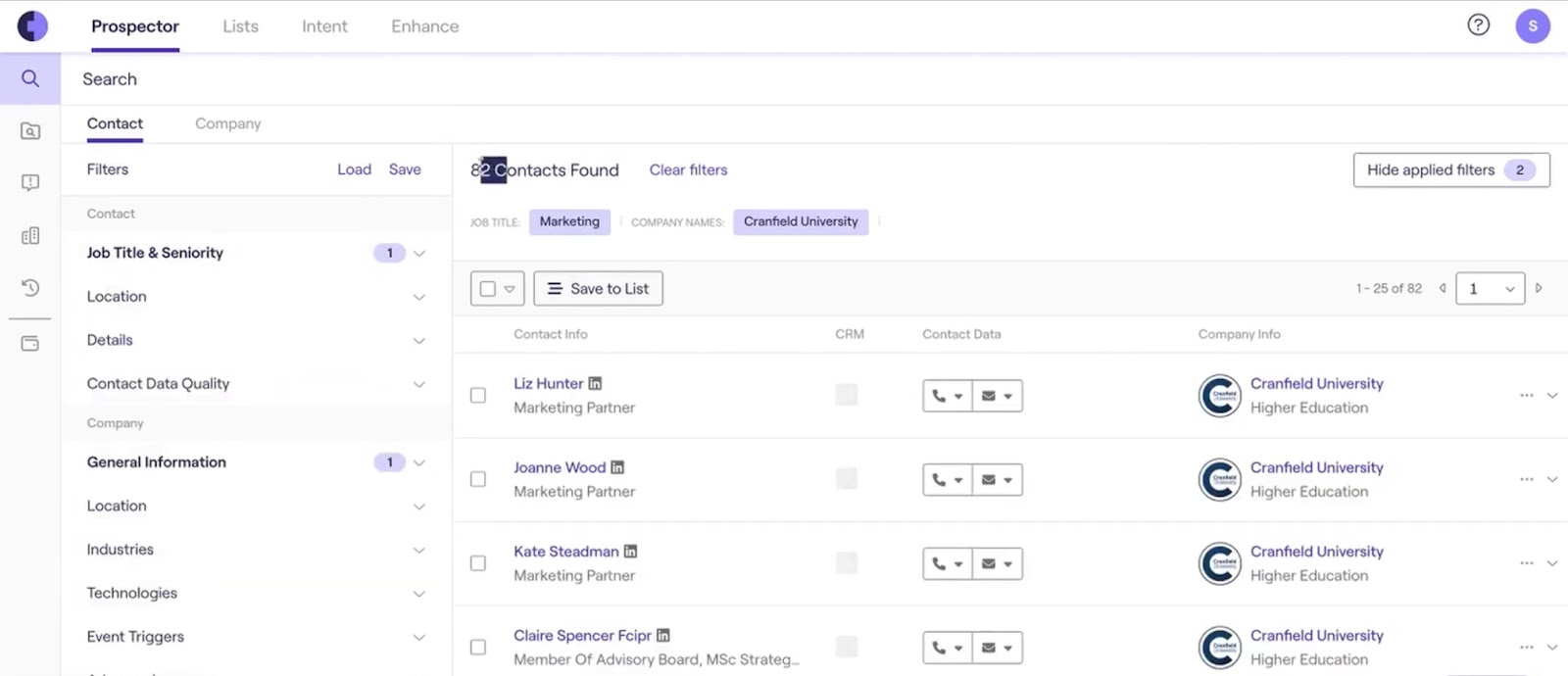
If you’re targeting accounts based on buying signals, it lets you layer in intent data powered by Bombora, which helps you identify companies that are actively researching solutions in your space, so you’re not just reaching out blindly. Cognism is not a plug-and-play experience, but the data quality and enterprise support make up for the added learning curve.
Pros
- Regular database refreshes to minimize stale leads
- Offers multi-user admin controls and permissions for the enterprise team
- Scheduled enrichment lets you automate CRM updates nightly or weekly
- Advanced analytics dashboards for pipeline health and outreach performance
Cons
- Voice-based search requires learning prompt phrasing
- Doesn’t natively integrate with email sequencing tools like Lemlist or Mailshake
Pricing
Official pricing is only available through sales.
4. Apollo.io: Best for Combining Enrichment with AI-Powered Sales Outreach
What does it do? Apollo.io helps you find verified B2B contacts, enrich your CRM, and automate multi-channel outreach.
Who is it for? SDRs, growth teams, and mid-sized sales organizations that want a complete outbound system.

If you’re tired of using different tools for each stage of the sales cycle, Apollo gives you an all-in-one alternative with built-in automation. You get access to a massive B2B database of over 210 million contacts and 35 million companies, which makes it easier to discover leads in nearly any industry or region, including GDPR-covered markets.
Once you’ve found the right contacts, Apollo can automatically enrich your CRM data by filling in details such as job titles, company info, phone numbers, and email addresses. Apollo blends enrichment with execution and allows you to build sequences, send emails, place calls, schedule meetings, and even record conversations directly inside it.
It also includes AI features to help personalize emails, score leads, and suggest the next-best action based on engagement or intent data. It lets you handle prospects and campaigns at scale from the same dashboard.
Apollo also offers a Chrome extension that lets you extract contact information while browsing LinkedIn or company websites, which helps you to build prospect lists on the go without logging into the main app.

While Clay focuses more on customizable workflows and lead research, Apollo is built for teams who want speed, structure, and less tool-switching. It also includes web visitor tracking, giving you insights into which companies are browsing your site.
Pros
- Built-in territory management tools
- Offers enrichment API for custom workflows
- Suppression lists to avoid duplicate outreach
- Auto-transcribes sales calls for review and coaching
Cons
- The mobile app lacks full features
- Time zone scheduling can be glitchy
Pricing
- Free: Basic filters, 2 sequences
- Basic ($49 user/month): 2 Sequences, advanced filters, CRM integrations, 6 Intent Filters
- Professional ($79/user/month): Advanced filters, unlimited sequences, US dialer, 5 mailboxes per user
- Organization ($119/user/month): 12 intent topics, 15 mailboxes per user, US dialer and international dialer, SSO
5. HeyReach: Best for LinkedIn Outreach Automation and Enrichment at Scale
What does it do? HeyReach automates LinkedIn lead generation by rotating between multiple accounts and managing outreach.
Who is it for? Agencies and sales teams that rely on LinkedIn for outbound campaigns and need high-volume outreach.
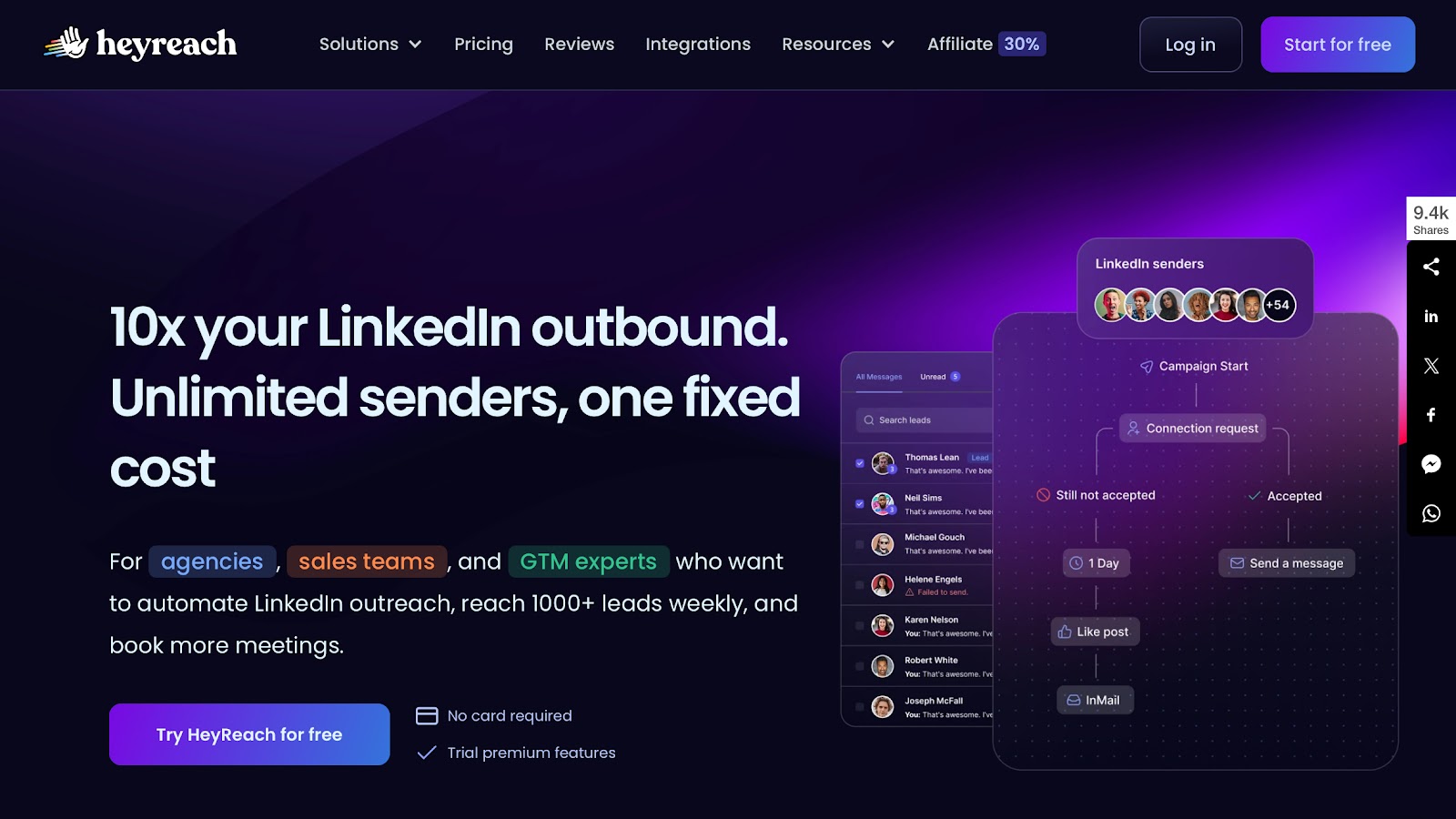
If your team manages multiple LinkedIn accounts or runs campaigns across several profiles, HeyReach can help you stay organized while minimizing the risk of triggering spam filters or hitting connection limits.
You can connect as many LinkedIn accounts as needed and rotate between them automatically. Each account runs its outreach and stays protected through the use of a residential proxy. This setup helps increase your reach and lowers the chances of being flagged or blocked.
All incoming and outgoing messages are collected in a single inbox, making it easier to follow up, assign conversations, or switch between client accounts. Whether you’re working solo or with a team, the experience stays consistent, and there’s no need to log into separate accounts or juggle different inboxes.

HeyReach also allows you to build message sequences that adapt to each lead’s job title, company, or location using dynamic fields. The follow-ups are also automated, so you decide the timing, conditions, and message content, and it handles the rest.
Compared to Apollo, which offers broader sales automation features, HeyReach focuses narrowly on LinkedIn and does it well. It doesn’t include phone or email outreach, but it goes deeper into platform-specific features like account rotation, white labeling, and sender-level control.
Pros
- Export reports and campaign data for external analysis
- The tag-based lead organization for better segmentation
- Supports A/B testing for connection requests and follow-ups
- Activity logs are available to monitor sender behavior and system events
Cons
- No mobile app for campaign management on the go
- Requires separate LinkedIn logins for each sender, which can slow the setup
Pricing
- Starter ($79/month/sender): Includes unified inbox, API/webhooks, proxy setup, import leads
- Agency ($999/month): Adds whitelabel, premium support, bring-your-own-proxy
- Unlimited ($1,999/month): Unlimited senders, multiple white labels, and dedicated support
6. RB2B: Best for Turning Anonymous Website Traffic into Actionable Leads
What does it do? RB2B identifies who’s visiting your website and turns that anonymous traffic into enriched leads.
Who is it for? B2B sales teams focused on inbound intent and lead routing, especially in the US market.
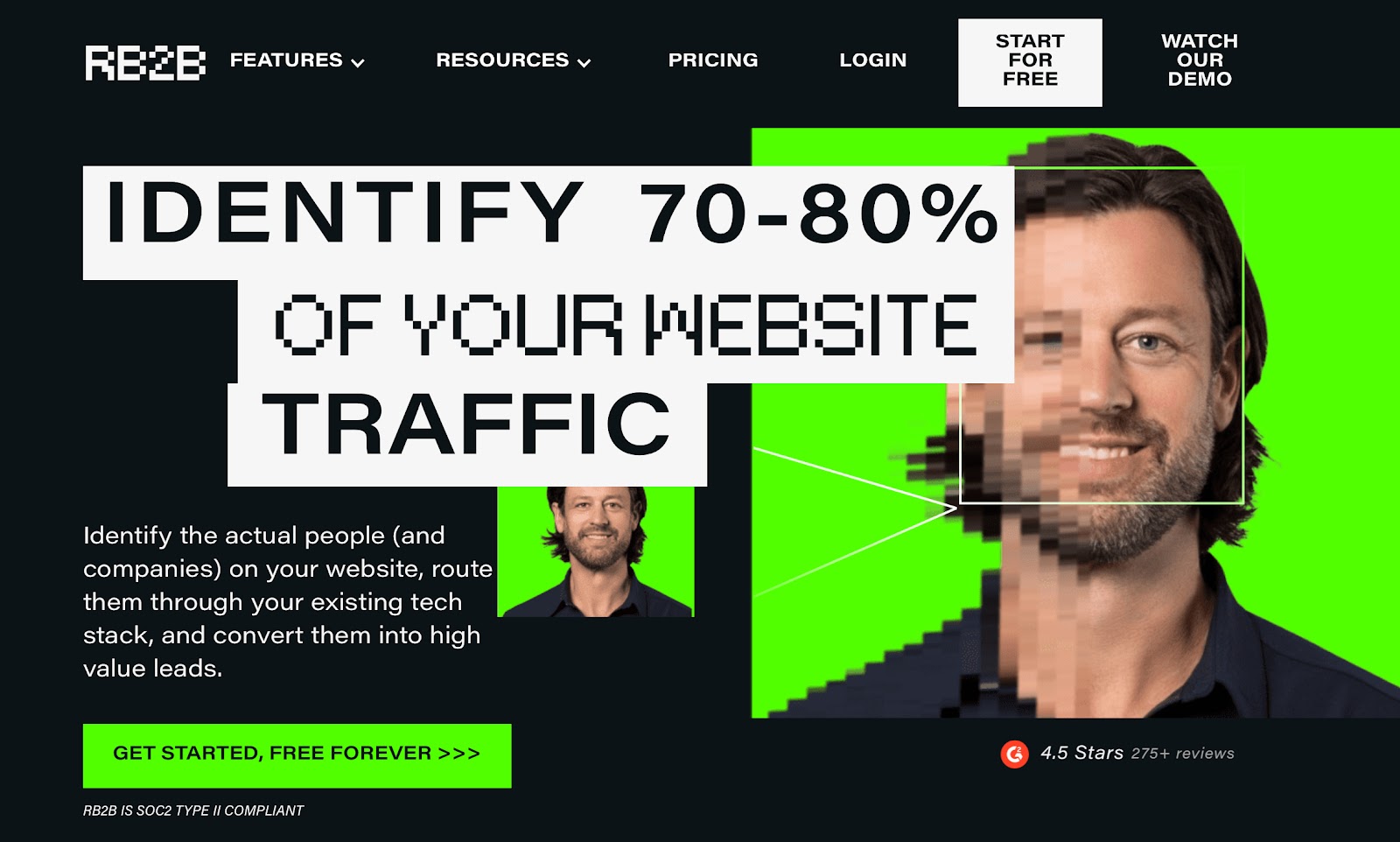
Most sales tools start after a lead fills out a form. RB2B moves further upstream by identifying who’s visiting your website, even if they don’t leave any contact info. It reveals both individual and company-level visitors in real-time, giving your team an early signal of interest before a prospect ever engages directly.
RB2B detects the majority of website traffic, and for US visitors, it can sometimes match individuals to LinkedIn profiles. You also get company-level insights globally, with key details like industry, size, and engagement behavior. These visitor details are automatically enriched and pushed into your CRM, Slack, or outreach tools so your reps can follow up immediately.
If we take HeyReach, which focuses on outbound activity, RB2B is all about intent signals from inbound traffic. It alerts your team when high-value accounts visit key pages, like pricing or demo pages, and uses filters to route those leads based on rules you define.
It integrates with over 50 apps, including HubSpot, Salesforce, Clay, Apollo, and Outreach. You can push leads directly into your CRM or sync them with existing outreach sequences. RB2B also includes an AI-powered support agent to help you troubleshoot or get setup assistance without waiting on a live rep.
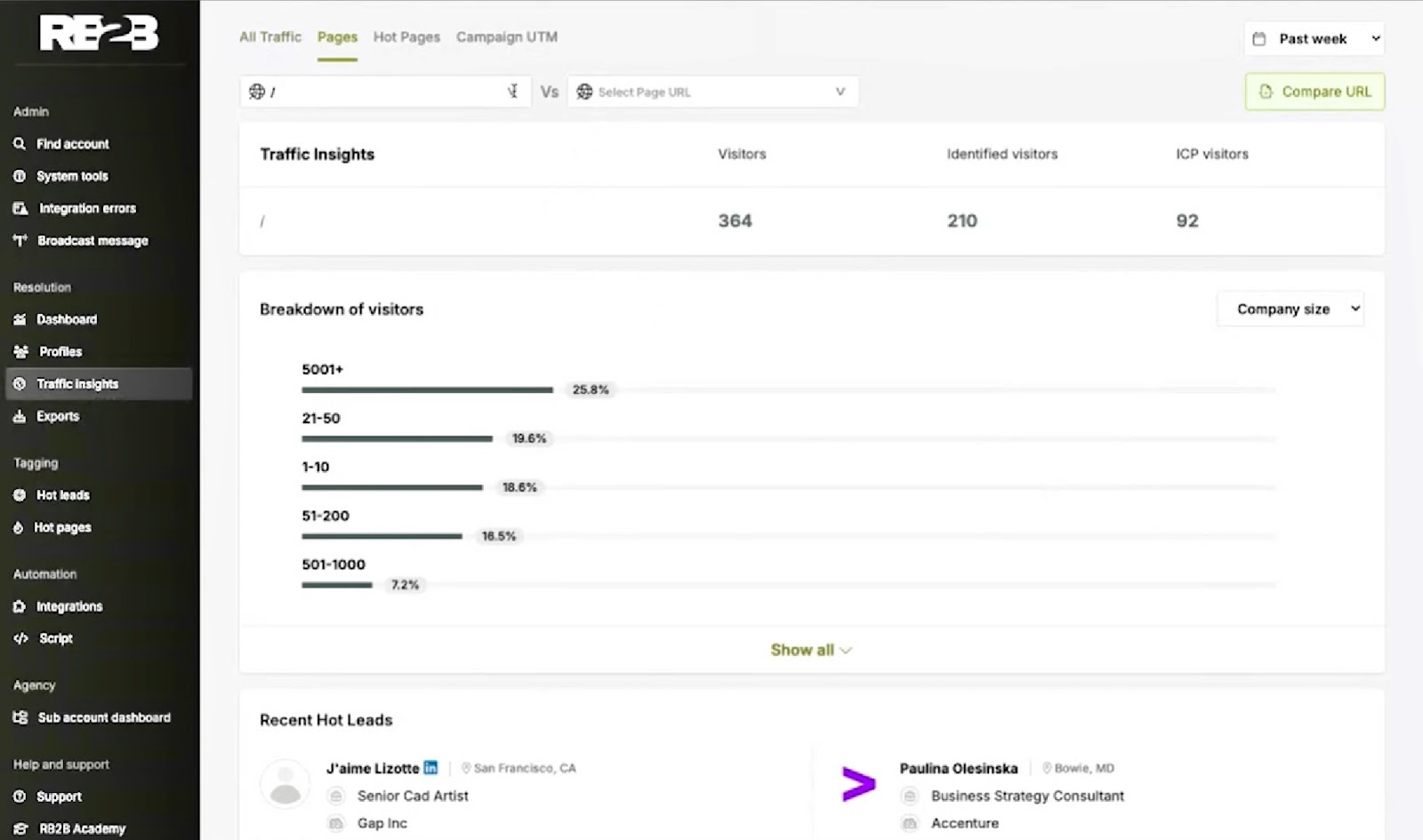
RB2B gives you a head start in your sales process, but it’s designed mainly around intent-based workflows. If your team relies heavily on outbound research or detailed prospect profiling, you might still need a second tool to fill in the gaps.
Pros
- Let's you exclude internal traffic by IP to improve lead quality
- Can prioritize leads based on intent intensity and visit recency
- Supports custom branding and domain white-labeling on higher tiers
- Offers lead journey timelines to understand repeat visits and behavior
Cons
- UI can feel a bit dated compared to newer platforms
- No mobile support or a dedicated app for on-the-go alerts
Pricing
- Free: 150 credits; basic visitor ID, Slack alerts, no emails
- Pro+ ($129/month): 3600 credits, traffic insights, URL exclusions, hot pages, hot leads (filtering)
7. Enricher.io: Best for Real-Time Social and Demographic Lead Enrichment
What does it do? Enricher.io lets you turn emails or domains into complete, up-to-date lead profiles enriched with personal, company, and social data.
Who is it for? Sales and marketing teams that rely on detailed, accurate contact intelligence to personalize outreach at scale.
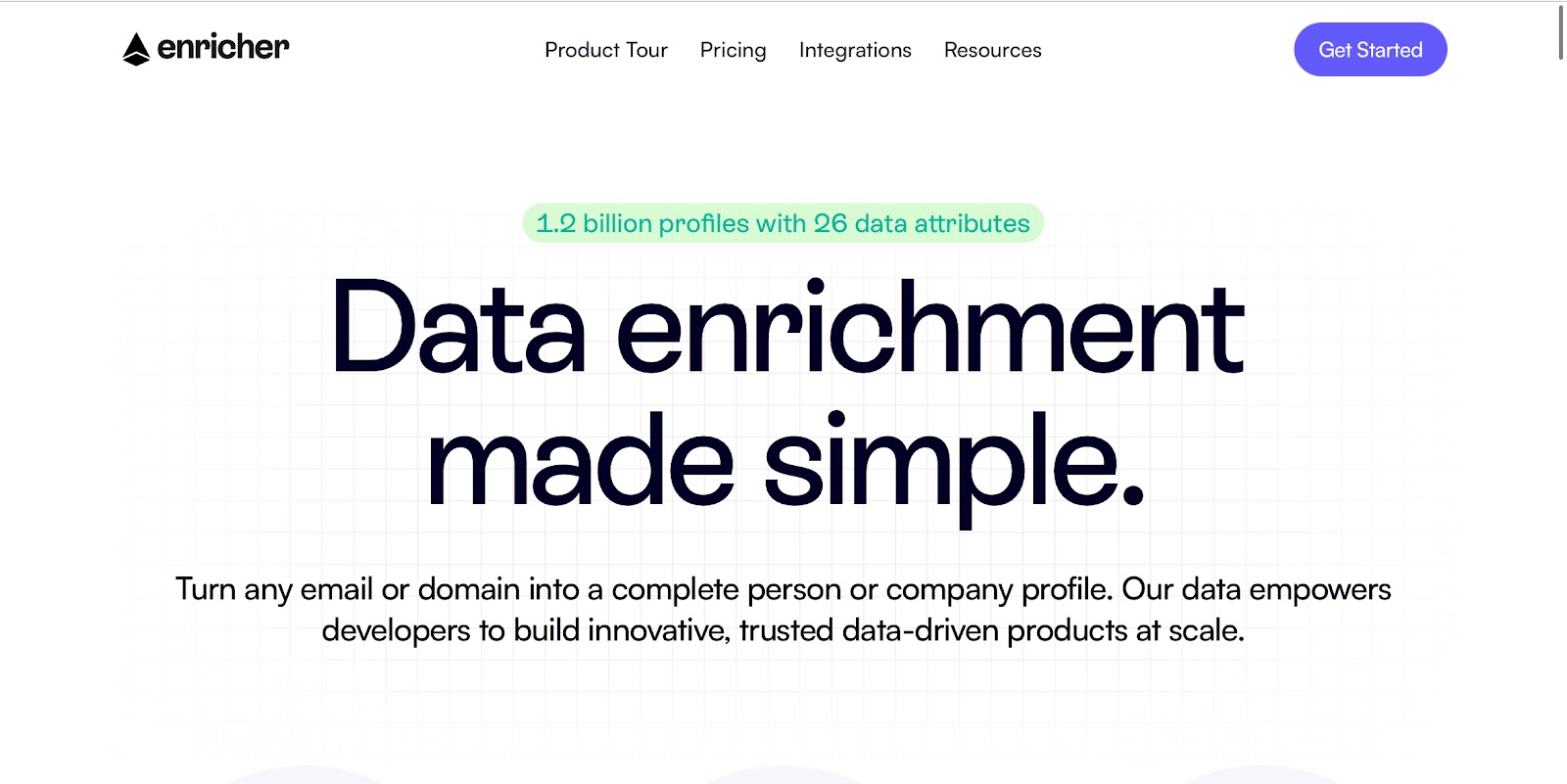
Enricher.io gives you the kind of context most sales tools miss. You can take something as simple as an email address and instantly convert it into a full profile with resume details, social links, job history, and even demographic data. This kind of depth helps you understand exactly who you’re reaching out to and how best to approach them.
With access to over 2.5 billion records, Enricher.io provides secondary and even tertiary details, giving you a more complete picture than basic enrichment tools that stop at title and company name. You can use this information to segment leads, prepare for discovery calls, or feed personalized campaigns.
Profiles are refreshed in real-time, so you’re not stuck working with stale information. It also verifies email addresses during the process, which helps maintain the sender's reputation and avoid bounce issues in outreach tools.
Enricher.io is better suited for enriching known contacts at scale. Its data set spans individuals and companies across industries, and the AI features help you analyze large lists to build tighter segments for marketing or outbound campaigns.
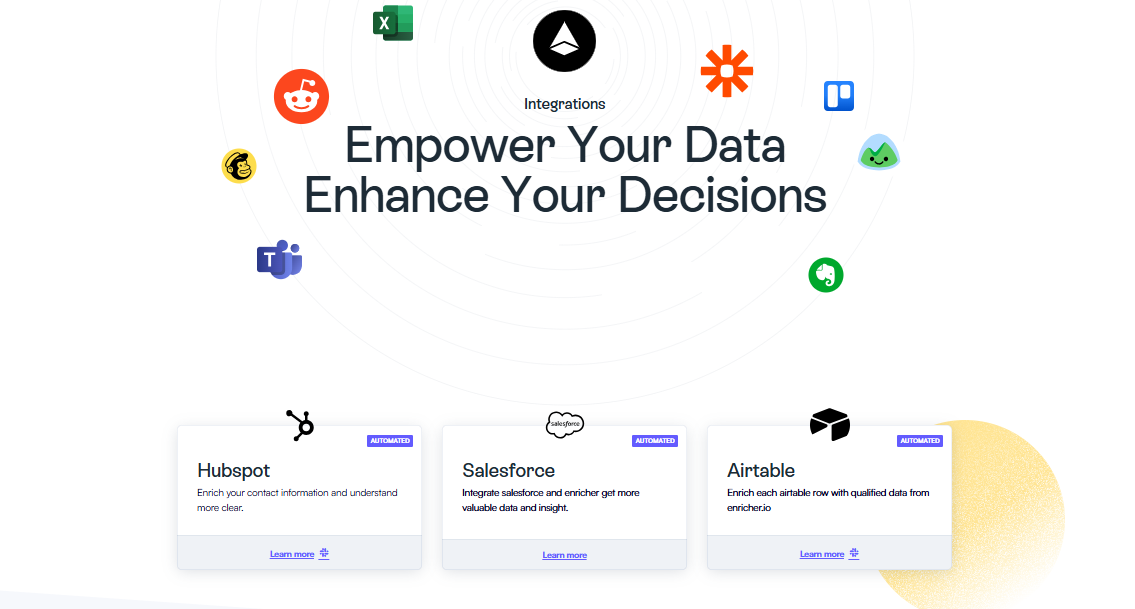
Setup is quick, and the dashboard is designed to be straightforward, even if you’re handling large volumes of data. For teams that already use Salesforce, HubSpot, or Klaviyo, Enricher.io fits right in through native integrations.
Pros
- Offers enrichment for both B2B and B2C datasets
- Includes browser-based enrichment widgets for quick lookups
- Supports bulk enrichment via CSV uploads with custom mapping options
- Allows field-level enrichment controls to avoid overwriting existing CRM data
Cons
- No direct LinkedIn integration for contact scraping
- Response times for high-volume enrichments can occasionally lag
Pricing
- Basic ($279/month): 10,000 credits, 1 user, 300+ templates, live chat support
- Pro ($879/month): 50,000 credits, 3 users, technical support, Make.com integration
8. FullContact: Best for Identity Resolution Across Channels and Segmentation
What does it do? FullContact connects fragmented data to real people and enriches leads with complete profiles across channels.
Who is it for? Teams that rely on unified customer profiles to drive personalization, outreach, and analytics.

When you need more than just names and emails, FullContact gives you depth. It connects bits of contact data such as emails, phone numbers, and device IDs, and resolves them into a single identity. This is especially useful when you’re working with partial records or trying to merge data from different platforms.
Using its proprietary PersonID system, FullContact links customer signals into one profile. Beyond identity resolution, it offers real-time lead enrichment, which means you can instantly pull in demographic, professional, social, and firmographic data for each lead. This helps your sales and marketing teams tailor messaging from the first touch.
The enrichment works through APIs or batch uploads and integrates directly with Salesforce, HubSpot, Shopify, and even helpdesk systems like Zendesk. Acumen, FullContact’s visitor identification tool, allows you to track anonymous site visitors and adds context in real-time.
So if someone visits your pricing page but doesn’t fill out a form, your team can still learn who they are and what they’re likely interested in.
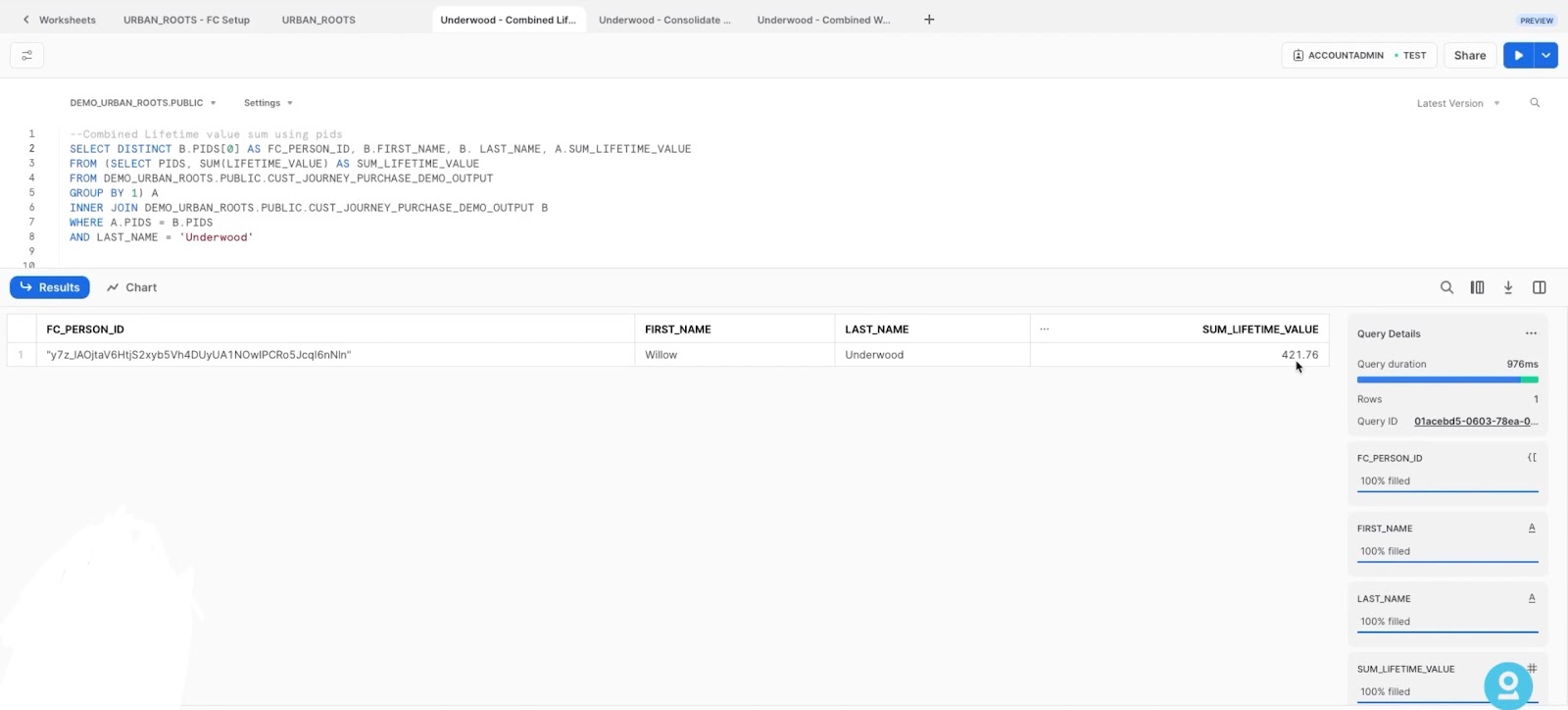
Once contacts are enriched, FullContact continues to track updates, making sure your CRM doesn’t fall out of date. While Enricher.io emphasizes volume and flexibility, FullContact’s strength lies in accuracy and unified identity. With a strong focus on data privacy, it never handles raw PII and uses permission-based data sources to stay compliant with GDPR and CCPA.
Pros
- Strong sandbox environment
- Supports multi-region identity sync for global workflows
- Offers custom onboarding with dedicated solution engineers
- Optional private cloud deployment for strict data residency needs
Cons
- Steep learning curve for API-based setups
- Complex to link PersonID across multiple CRMs and tools
Pricing
Pricing isn’t publicly listed.
9. Lusha: Best for Fast Access to Direct Dials and Verified B2B Emails
What does it do? Lusha finds and connects with the right prospects using verified contact data, AI-powered prospecting, and automated workflows.
Who is it for? Outbound sales teams rely on accurate phone numbers, emails, and CRM-ready lead lists.
Lusha gives you direct access to business emails and mobile numbers for millions of decision-makers without needing to dig through LinkedIn or chase down contact info manually. You can search by company, role, or specific attributes, and Lusha will return a list of verified contacts you can immediately reach out to.
Lusha builds on your activity over time. As you save leads, view profiles, or engage with contacts, Lusha’s AI starts recommending similar prospects based on your targeting behavior. These suggestions show up in what Lusha calls Playlists and Live Lists, which are dynamic lead lists that refresh automatically as new matches appear.
It also lets you automate everything, from data enrichment to CRM syncing and email outreach using Lusha’s built-in workflow tools. You can add contacts to Salesforce, push lists into Pipedrive, or sync with HubSpot with just a few clicks.
Unlike more expensive enterprise platforms that require onboarding or long setup times, Lusha is designed for speed. You can install the Chrome extension and start collecting verified contact data straight from LinkedIn or company websites right away.
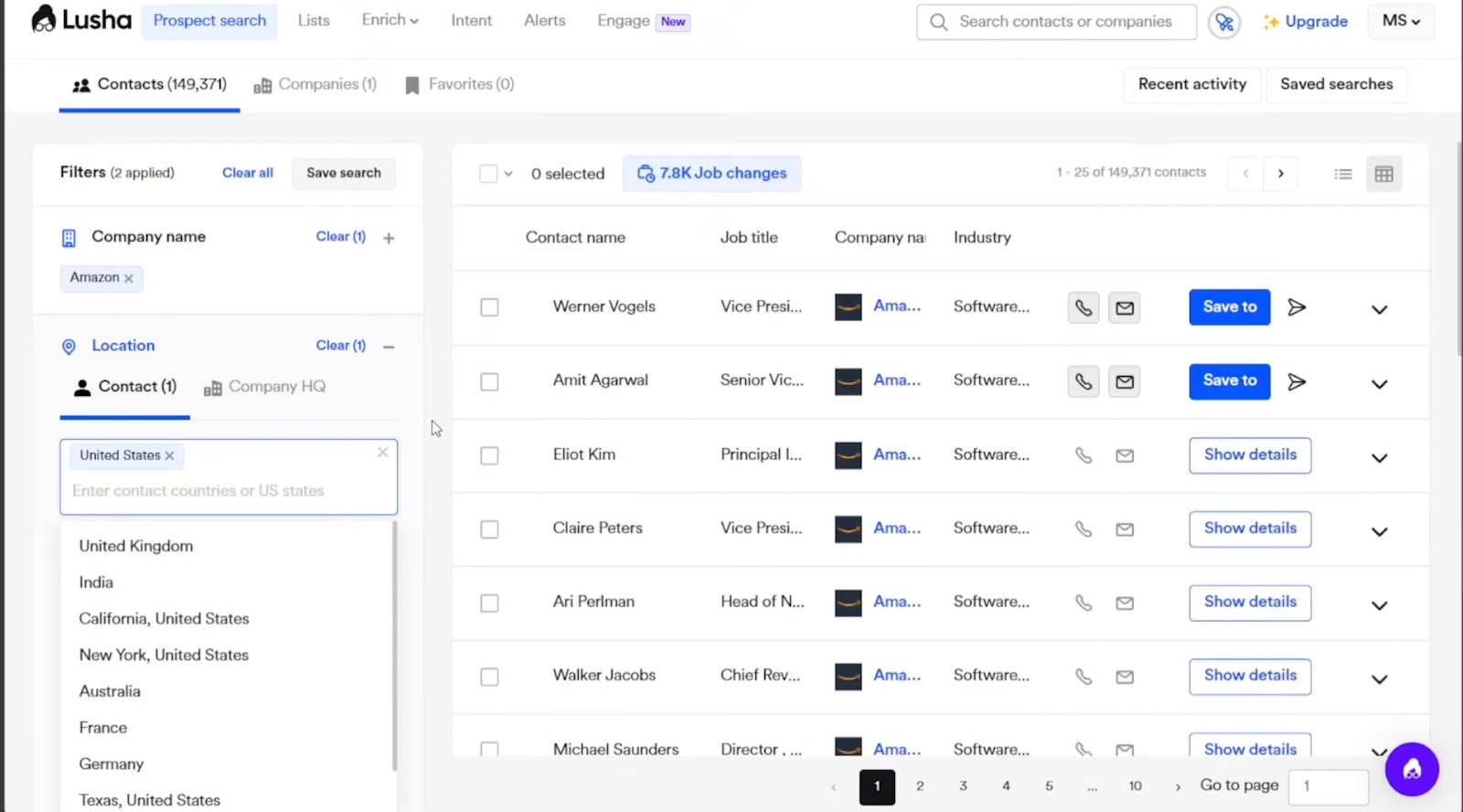
For teams that need fast, reliable lead data without the friction of complex tools or steep learning curves, Lusha keeps things simple but powerful enough to scale with your outbound efforts.
Pros
- Includes admin-level controls
- Built-in DNC (Do Not Call) flagging
- Provides a custom suppression list feature
- Supports webhooks for real-time sync into external systems and lead routing
Cons
- No built-in email sequencing or outreach tools
- Prospecting filters can feel restrictive unless you’re on the Scale plan
Pricing
- Free: 40 credits/month, 1 seat, 25 contacts, Lusha extension, AI playlists
- Premium ($69.90/month): 600 credits/month, 5 seats, 150 contacts, CSV enrichment, advanced usage analytics
10. Demandbase: Best for Intent-Driven B2B Firmographic and Technographic Data
What does it do? Demandbase identifies, prioritizes, and engages high-value B2B accounts using real-time intent data and AI-driven insights.
Who is it for? Mid-market to enterprise teams running coordinated sales and marketing programs.
Demandbase helps you stay focused on the right accounts at the right time in a B2B environment where long sales cycles and multi-stakeholder decisions are the norm. You don’t need to guess; you get access to trillions of buying signals that reveal which companies are actively researching your solution even before they reach out.
At the core is account intelligence, which lets you pull firmographic, technographic, and behavioral data together into a unified view so your sales and marketing teams are working from the same page. This allows you to target entire buying committees and personalize messaging based on where each account is in the journey.
Demandbase is built to support everything from ad targeting to website personalization. You can run intent-based ad campaigns that focus only on relevant accounts, cutting waste from your ad budget. You can also customize on-site experiences, email flows, as well as outreach messages, all triggered by account activity.
It connects with over 85 platforms, including Salesforce, Outreach, and Salesloft, so your team doesn’t need to overhaul existing workflows. There’s also API access to bring account-level data into internal tools or reporting dashboards.

While most lead enrichment tools give you contact details, Demandbase helps you act on buying signals and tells you when and why. If your team works on complex B2B deals with multiple decision-makers, this kind of timing and context can be the edge you need to close faster and smarter.
Pros
- Includes a native Chrome extension
- Weekly data health reports help maintain CRM hygiene automatically
- Supports custom scoring models to align with your internal ICP definitions
- Offers audience-based suppression to reduce redundancy in outbound campaigns
Cons
- The learning curve for smaller teams or first-time ABM users
Pricing
Pricing isn’t publicly listed.
11. Datanyze: Best for Identifying Prospect Tech Stacks and Buying Signals
What does it do? Datanyze gives you access to technographic and contact data so you can qualify leads based on what tools they use and who to reach out to.
Who is it for? Software sellers and tech-focused teams that rely on knowing a company’s stack before pitching.
Datanyze focuses on helping you sell smarter by showing you what technologies a company already uses. If you’re selling a SaaS tool or something that plugs into an existing setup, this type of data can make a big difference. You can filter prospects by platforms they use, industry, size, and region, then move straight into verified contact details such as job titles, phone numbers, email addresses, and even LinkedIn profiles.
While many enrichment tools help you identify basic firmographics, Datanyze helps you qualify leads based on specific software signals. This gives your outreach more context and makes it easier to craft relevant pitches. You can use the Chrome extension to grab contact info directly from LinkedIn or a company’s website, without switching tabs or running a separate search.
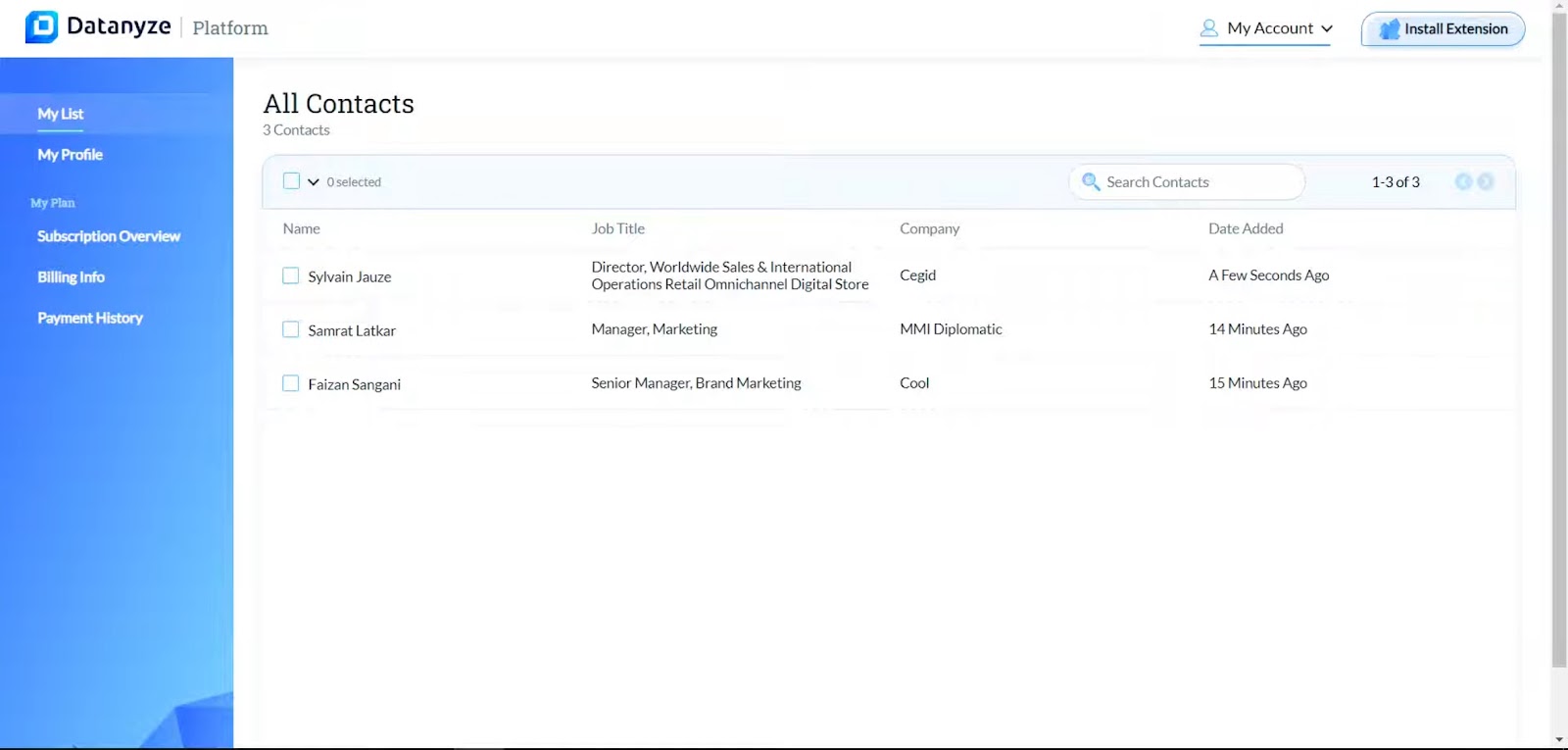
Once collected, your data can be exported via CSV and uploaded into whichever CRM or outreach tool you already use. It’s a simple setup; no complex workflows or API configurations are required.
There are larger platforms that offer visitor tracking or behavioral insights, but Datanyze leans toward tactical prospecting. It’s built for reps and small teams that need to quickly find and contact the right people with good data.
Pros
- Credits don’t expire on annual plans
- Focuses on technographics to guide smarter targeting
- GDPR and CCPA compliant with verified data accuracy
- Built-in suppression rules let you avoid duplicate data across exports
Cons
- Limited integrations beyond CSV export
- Customer support response times can vary
Pricing
- Nyze Lite: Free for 90 days with 10 credits/month
- Nyze Pro 1 ($21/month): 960 credits per year
- Nyze Pro 2 ($39/month): 1920 credits per year
12. Leadfeeder: Best for Uncovering Decision-Makers from Website Visits
What does it do? Leadfeeder helps you see which companies are visiting your website, how they found you, and what they’re interested in.
Who is it for? B2B sales and marketing teams that want to turn anonymous traffic into qualified leads.
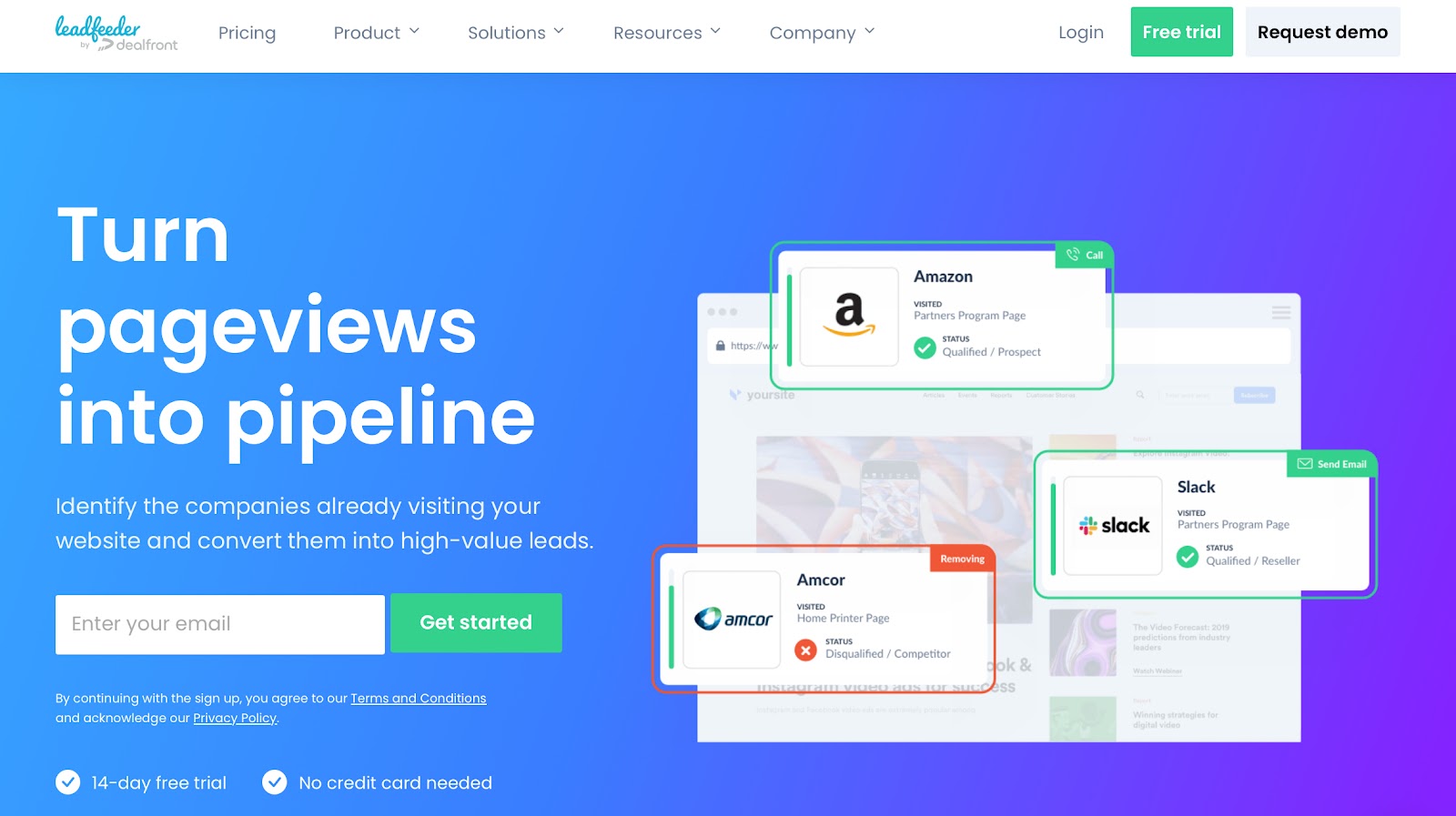
Leadfeeder gives you visibility into the invisible layer of your website traffic. While most tools focus on collecting data from forms or chatbots, this one works behind the scenes to identify companies that are browsing your site, tracking what pages they visit, how long they stay, and what source brought them there.
You won’t see individual names unless a visitor fills out a form, but you do get valuable context at the company level. Leadfeeder filters out bots, internet service providers, and irrelevant traffic, so you’re left with clean data on real organizations.
From there, you can segment and score leads based on behavior, prioritize follow-ups, and sync everything with your CRM. You can set up automated workflows, send alerts to reps when high-value accounts return to your site, or trigger email sequences based on browsing patterns.
With custom segmentation, you can define what a “hot lead” looks like, say, companies that viewed your pricing page twice within a week, and then have those leads flagged in real-time.
While Datanyze or Enricher.io are more enrichment-focused tools, Leadfeeder is less about contact-level detail and more about surfacing warm account-level opportunities.
Since it’s focused on account-level behavior rather than just raw contact data, it works best as a bridge between web analytics and sales outreach. If your inbound traffic is strong but you’re still unsure who’s showing intent, Leadfeeder helps you close that gap.
Pros
- Offers flexible data export options
- Sends weekly email summaries to highlight top-performing accounts
- Detects the source channel (organic, paid, referral) for each identified company
- Includes Google Data Studio integration for visualizing traffic and lead trends
Cons
- API access is limited on lower-tier plans
- Visitor identification accuracy can drop for mobile traffic
Pricing
A modular pricing model where you pay only for what you need.
Which is the Best Lead Enrichment Tool?
Lindy is one of the best lead enrichment tools if you want something that goes beyond data and moves leads through your pipeline. It doesn’t just pull contact details, it helps your team act on them right away.
You can enrich, qualify, and route leads directly inside your CRM. Lindy connects to your existing tools like Salesforce, HubSpot, and Slack, so there’s no need to bounce between platforms. It also makes collaboration across marketing and sales easier with real-time alerts and synced workflows.
What sets Lindy apart is how flexible it is. You get full control to build enrichment flows with no code, use prebuilt templates to get started fast, and even switch between different AI models depending on what your workflow needs. Whether you want to trigger follow-ups based on lead score or hand off qualified leads to reps, you can set it up visually in minutes.
If you're looking for a tool that fits into your workflow, keeps data fresh, and helps your team act faster, Lindy is built for that.
How to Choose the Right Lead Enrichment Tool for Your Business
Picking a lead enrichment tool wasn’t just about how many contacts it could find. I learned pretty quickly that it’s more about how well it fits into my sales workflow, how accurate the data is, and whether it can scale with my team.
Here’s what I looked at when choosing the right lead enrichment tool:
- How we sell, not how the tool works: The tool had to match our sales motion. Since a chunk of leads came from forms and landing pages, we needed B2B lead enrichment that kicked in the moment new contacts hit our CRM. The best fit was a tool that adapted to our workflow, not the other way around.
- Depth over volume: Big databases didn’t mean better outcomes. Tools promising millions of contacts often lacked context. What mattered more was reliable data, like job titles, company size, tech stack, revenue, and social profiles. The tools that delivered quality over quantity won out.
- Automation is a time-saver: Lead research shouldn’t be manual. We prioritized tools that enriched contacts automatically, whether syncing new records, updating stale ones, or enriching entire lists in the background. It helped our team spend more time selling, not searching.
- Fresh, real-time data: Data accuracy made all the difference. Too many tools failed to catch role changes or outdated emails. Real-time refresh cycles became a must for outreach campaigns that didn’t bounce or stall.
- Scalable pricing and full compliance: Tools that looked affordable upfront often ran out of credits fast. We compared per-lead pricing, checked for overage rules, and made sure GDPR and CCPA compliance were built in. Transparency and growth-friendly plans made the selection easier.
Choosing the right lead enrichment software isn’t about chasing features. It’s about how well it fits your real-life workflow. And for me, the best B2B lead enrichment tools were the ones that saved time, improved targeting, and scaled with the team without breaking the bank.
{{cta}}
Frequently Asked Questions (FAQs)
What types of data can enrichment tools provide about prospects?
The data you get depends on the tool, but most provide contact details (email, phone), firmographics (company size, industry, location), technographics (what tools or platforms a company uses), and social links. Some platforms even include behavioral data, like past purchases or website activity. This kind of deep profiling is especially helpful for B2B lead enrichment, where context matters a lot in the buying journey.
How do lead enrichment tools integrate with CRM and sales platforms?
Nearly all modern lead enrichment tools integrate directly with CRMs like Salesforce, HubSpot, Zoho, and Pipedrive. The data flows into your system automatically, so manual entry is required. Some tools use APIs for deeper integrations, while others connect through platforms like Zapier or Make. This allows you to sync enriched data across your sales funnel and improve workflows. For example, you can set up automated lead enrichment to trigger the moment a new contact is created in your CRM.
What are the main benefits of using lead enrichment tools for sales teams?
Sales teams benefit from better targeting, faster qualification, and more personalized outreach. Instead of chasing unqualified leads, reps can focus on prospects that match their ideal customer profile. This increases conversion rates and shortens sales cycles. Many lead enrichment services also support enrichment lead generation, meaning they help generate and enrich new leads in one go, saving time and money.
How do these tools ensure data accuracy and compliance with regulations like GDPR?
Top lead enrichment software providers follow strict compliance practices. They use ethically sourced data and provide opt-out options for users. Tools like Lusha, FullContact, and Enricher.io are fully compliant with GDPR, CCPA, and other global data protection laws. They also update their databases frequently and remove stale or outdated data. If you’re using B2B data enrichment tools, make sure they clearly state how they handle consent, privacy, and regional compliance.
What are the key features to look for in a lead enrichment tool?
Look for tools that offer real-time enrichment, multi-source data coverage, CRM integration, segmentation features, and support for custom fields. Advanced tools also include lead scoring, AI-based recommendations, and access to company firmographics and technographics. Some, like Lindy, offer visual editors and smart agents that can fully automate lead enrichment within your daily workflow.
Are lead enrichment tools suitable for small businesses as well as enterprises?
Yes, there are tools designed for every stage of business. Small teams can start with free or affordable plans that offer basic enrichment, while enterprises might go for platforms offering enriched B2B contact enrichment, AI workflows, and robust APIs. Whether you’re just starting or managing thousands of leads, there’s a lead enrichment solution tailored to your needs.
How often is the enriched data updated or refreshed?
Most automated lead enrichment tools refresh data regularly. The frequency depends on the provider, but real-time updates are increasingly common, especially for tools that rely on live public data or proprietary networks. Keeping your CRM current helps avoid bounces, misdirected outreach, and poor targeting, all of which can hurt your ROI.
What are the typical pricing models for lead enrichment tools?
Pricing usually falls into three categories: credit-based (pay per enriched contact), subscription-based (monthly or annual plans), or enterprise contracts (custom pricing). For instance, some platforms charge $0.10 per record, while others offer fixed plans that include 10,000+ enrichments per month. Larger companies might opt for custom enterprise plans with features like SLAs, onboarding support, or access to Lindy AI funding-grade data pipelines.
Can lead enrichment tools help with lead scoring and segmentation?
Yes, many tools now include AI-based lead scoring, which ranks your leads based on firmographic match, intent data, and engagement signals. Some also help you create dynamic segments for outreach, like grouping leads by industry or job title. This makes your marketing more relevant and your sales outreach sharper. Tools offering enrichment lead generation usually bundle scoring and segmentation into one automated system.











Blog
Related Articles
.png)

.png)
%20(1).png)
.avif)

%20(1).png)
.png)
The AI assistant that runs your work life
Lindy saves you two hours a day by proactively managing your inbox, meetings, and calendar, so you can focus on what actually matters.
