


Seamless Review for Sales Teams in 2026: Expert-Tested
Lindy tested Seamless.ai for B2B lead generation, evaluating contact data accuracy, pricing transparency, and CRM integrations against Salesforce and HubSpot workflows.
.avif)

I tested Seamless.ai to see how well it helps sales teams find B2B leads in 2026, where it works best, and where it falls short. This review also explains when Lindy, the AI sales assistant, is the better fit.
Seamless review: Quick verdict
What is Seamless.ai?
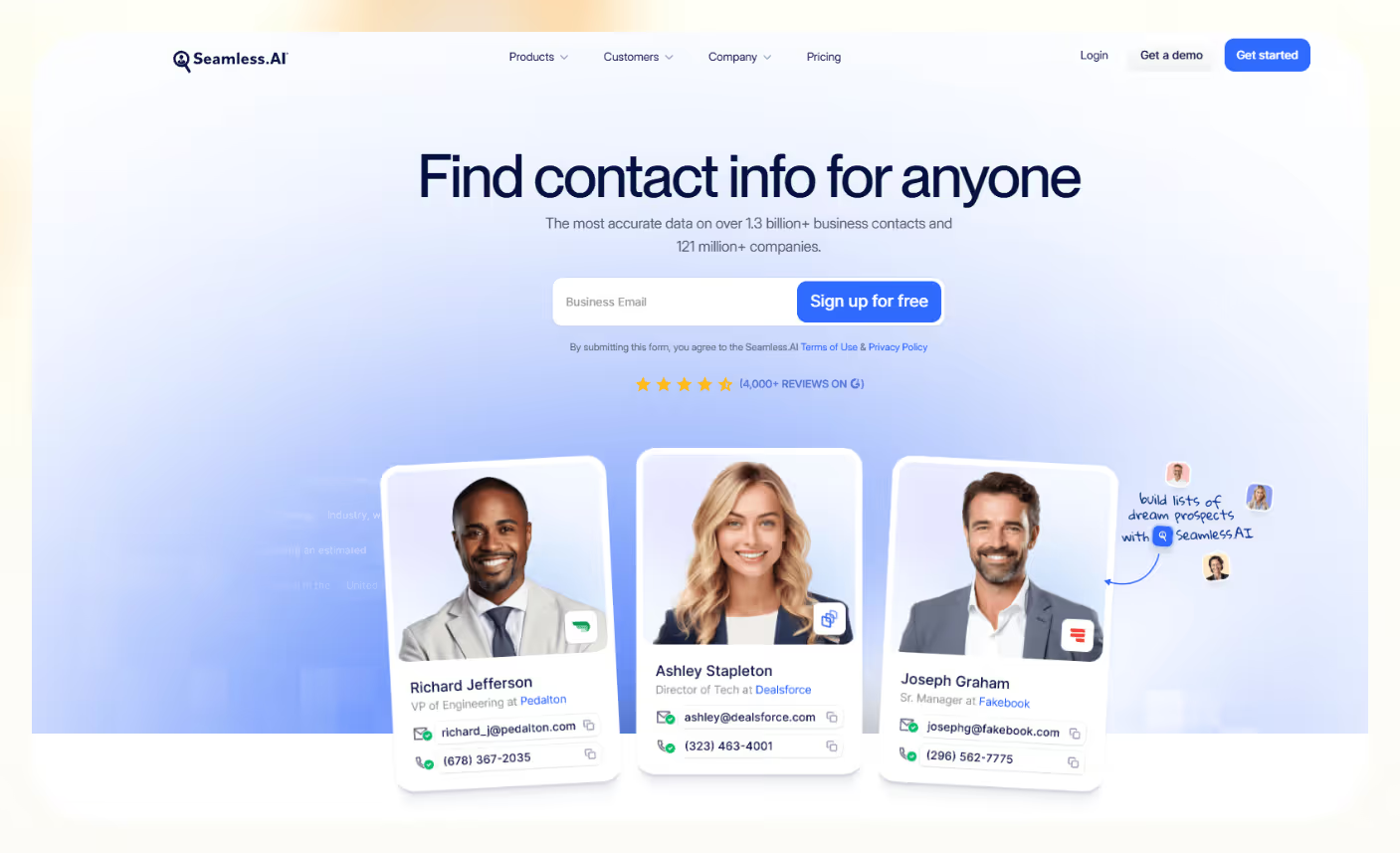
Seamless.ai is an AI-powered B2B sales prospecting tool built to help sales teams discover verified business contact information, such as emails, direct dials, and company details.
Though Seamless.ai streamlines outbound list building and contact enrichment, it is not a full sales and marketing automation system. Its main role is to help reps decide who to contact next, not to run outreach or manage the customer lifecycle end-to-end.
Outbound teams use Seamless.ai mainly for:
- Identifying new prospects to add to their sales pipeline
- Enriching existing lead data with updated contact and company details
- Finding verified B2B contact information, including emails and direct dials
- Building targeted outbound lists based on industry, title, company size, and other filters
In day-to-day use, Seamless.ai acts like a data layer in your sales stack. It helps you answer, “Who should we talk to next?” while your other tools handle messaging, sequences, and follow-up.
Seamless.ai key features
Lead generation and contact data accuracy
The main feature in Seamless.ai is Prospector. You set filters like job title, company size, industry, and location. It gives you a list of contacts with their email addresses and phone numbers.
In practice, this works best when targeting broad, well-covered roles and industries, such as sales leaders in SaaS companies. However, it’s important to manually test a sample against your ideal customer profile, as data accuracy can fluctuate notably by niche, region, or seniority.
Upsell automation and enrichment
Seamless.ai can also work on the data you already have. You can upload a list or connect your CRM, and it will try to fill in missing details like direct dials, emails, and company info.
This helps you spot upsell and cross-sell chances, because records are more complete and more current. It is most useful if you have clear rules on what “good” data looks like and how your team should use it.
AI deployment and onboarding
Getting started is usually about setting simple rules, not learning a complex tool.
Most teams begin by:
- connecting one CRM
- agreeing on a few standard search filters
- deciding who can use credits and how many
If you do this upfront, SDRs can start building lists quickly, and ops can keep some control over data quality.
App interface and usability
The interface focuses on search and list building. You choose filters, review the results, and add contacts to a list or export them.
This keeps the day-to-day flow simple for reps. The main risk is each rep using different filters and standards, which can lead to uneven lists. A short, shared playbook usually fixes that.
Integrations and workflows (CRM, sales tools)
Seamless.ai is built to sit next to tools you already use. A common setup is: build a list in Seamless, send contacts to Salesforce or HubSpot, then run outreach from tools like Outreach, Salesloft, or your email system.
You can also connect it through automation tools to run small workflows, like auto-assigning new contacts or tagging them by segment.
Limitations and feature gaps
Seamless.ai is strong as a data and list-building platform, but it stops there. It does not replace sales engagement tools, CRMs, or a full automation layer.
You will still need other tools for sequences, multi-step campaigns, and cross-team workflows. Data quality can also vary by region and role, so a quick test on your own ICP is important before you roll it out widely.
Seamless.ai reviews: What real users are saying
Public reviews for Seamless.ai are split. Some teams are very happy with it. Others are strongly unhappy, mainly around billing and data quality.
On Trustpilot: Strong complaints around contracts and billing
Recent 1-star reviews on Trustpilot highlight recurring concerns about:
- Difficulty canceling or downgrading
- Automatic renewals and contract terms
- Frustration with persistent sales follow-ups
- Being sent to collections after renewal disputes
For example, one reviewer warned that renewal terms were not clear enough during signup and said they felt surprised by an automatic renewal.
Another described receiving repeated outbound calls after declining interest and felt the overall sales experience was overly aggressive.
These reviews focus less on product features and more on billing practices and customer experience.
{{templates}}
On Reddit: Confusion around pricing transparency
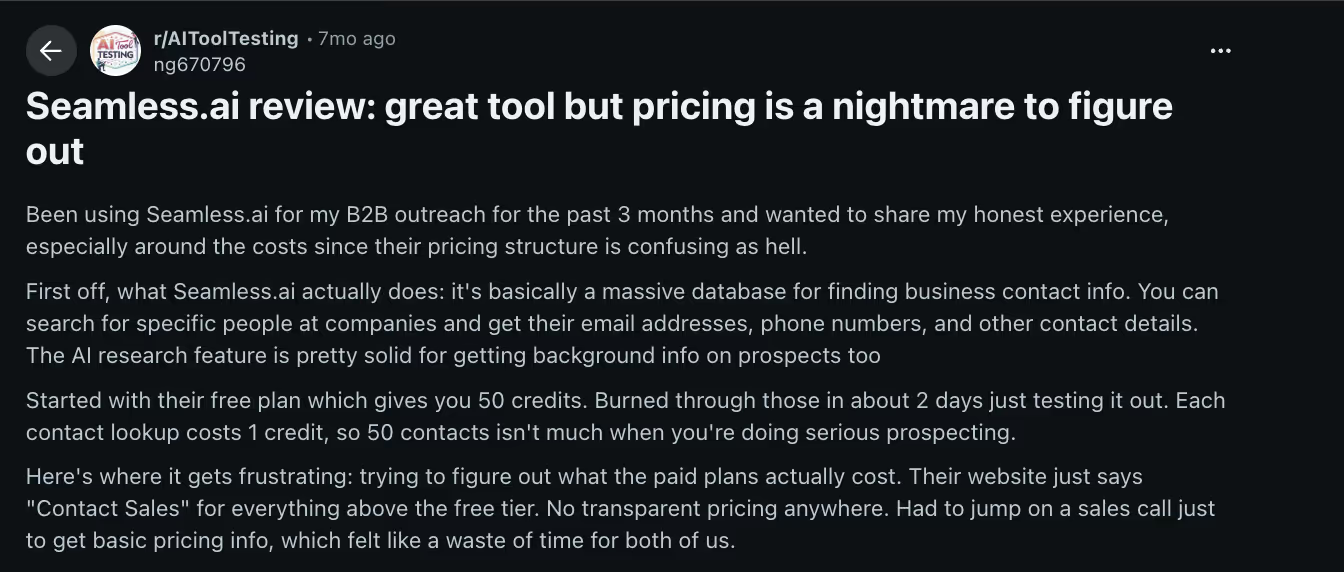
In a Reddit post discussing Seamless.ai’s pricing, one user shared that while the tool itself was useful, understanding the cost structure was frustrating.
The user mentioned:
- Using up free credits faster than expected
- Struggling to find clear, upfront pricing information
- Being directed to “Contact Sales” to get plan details
The same user acknowledged that the contact database and AI research features were valuable, but described pricing clarity as the main pain point.
On Capterra: Strong for outbound speed, mixed on data quality
Capterra reviews present a more balanced picture. Many positive reviews highlight how quickly reps can find leads and contact details, the convenience of the Chrome extension, and the time saved compared to manual research.
For outbound sales teams focused on building lists at scale, that speed is often the biggest benefit.
At the same time, even 4 to 5-star reviews mention areas for improvement, including:
- Occasional data inaccuracies
- Minor bugs or performance issues
- Subscription details that could be clearer
- Customer support responsiveness varies
- Pricing that may feel high for smaller teams
Overall, the pattern is consistent. Teams value the core prospecting functionality and database size, but recurring themes include pricing clarity and consistency of data quality.
My personal take on Seamless.ai
What feels strong to me
In my view, Seamless.ai works best as a fast list-building tool. Once your ideal customer is clear, it gives reps a simple way to pull contacts and send them into the CRM. For outbound teams that care about volume and need to keep sequences full, this is their main strength.
Where it feels weaker than expected
It looks, at first, like a full “AI sales platform.” But in real use, it behaves more like a data source with some smart helpers. You still need other tools for outreach, follow-ups, and deeper automation. Data quality also seems to change by region and role, so I wouldn’t rely on it as your only source of truth.
If you expect very clean data everywhere and full flexibility on contracts, it may not match that expectation.
How does that line up with real user reviews?
This view is close to what many users report: It’s good for time savings on list building, mixed results on accuracy, and some strong complaints about billing and renewals.
So, my honest take is simple. Seamless.ai can be useful if you test it on your exact audience, set clear rules for how to use it, and connect it to a clear follow-up process. It is a helpful part of a sales stack, not a full solution on its own.
The best Seamless.ai alternative: Lindy
Seamless.ai helps you find leads. But many teams struggle with what happens next. Lindy is an AI assistant you can text to make sure every lead gets more attention.
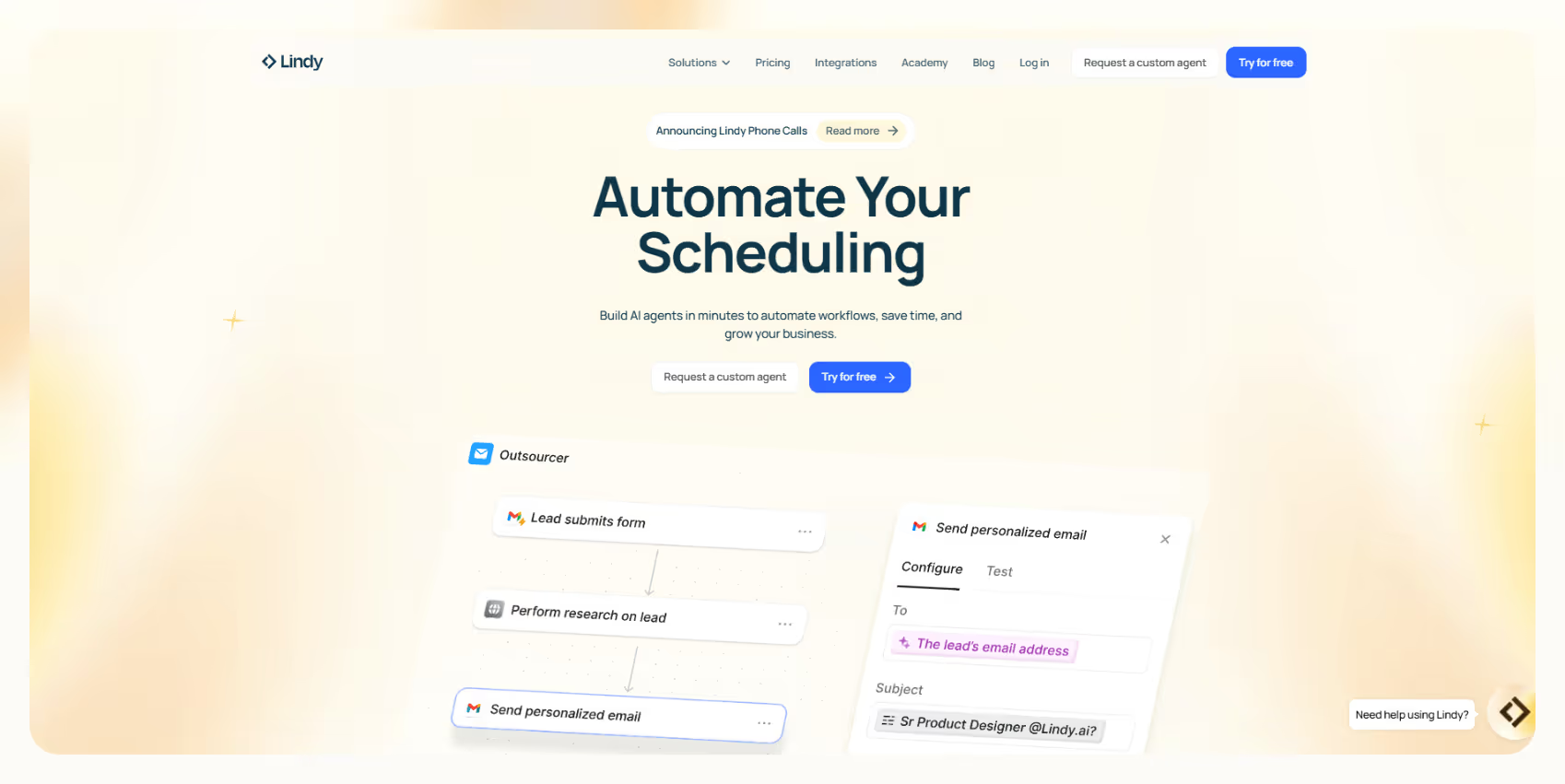
Instead of just adding contacts to your CRM, you can tell Lindy:
- “Follow up with every new inbound lead within 5 minutes.”
- “Assign this deal to the right rep and send a meeting link.”
- “Summarize this sales call and update HubSpot.”
Lindy handles the follow-ups, updates the CRM, books meetings, and keeps your pipeline moving across 4,000+ integrations. You’re not managing automations. You’re texting an assistant to get the work done.
Bottom line: If you need more verified B2B contacts, Seamless.ai works. But if you want every lead routed, followed up with, and updated automatically without manual effort, Lindy is the better choice.
Try Lindy free and see what happens when every lead gets handled automatically.
{{cta}}
FAQ
1. What is Seamless.ai used for?
Seamless.ai is used for B2B lead generation and sales intelligence. Sales teams use it to find business contacts, get emails and phone numbers, and send that data into CRMs and sales tools for outbound campaigns.
2. Is Seamless.ai accurate for B2B lead generation?
Seamless.ai can be accurate for B2B lead generation in some roles, regions, and industries, but data quality is not always consistent. The safest way to judge Seamless.ai's accuracy is to test it on your exact ICP, track bounce rates, and review a sample of contacts before scaling up.
3. How much does Seamless.ai cost in 2026?
Seamless.ai does not publicly list its full pricing. Plans are tailored based on team size and usage needs, so you’ll need to contact their sales team to get current pricing details. A trial option is available for new users; all contracts are quote-based.
4. Is Seamless.ai good for small sales teams?
Seamless.ai can be good for small sales teams that need more leads for outbound and can make steady use of the tool. Smaller teams should look closely at Seamless.ai contract terms, renewal rules, and total annual cost before committing.
5. What is the best Seamless.ai alternative?
The best Seamless.ai alternative depends on your main problem. If you want another data tool, you might look at other sales intelligence platforms; if you want better workflows and automation around leads, a tool like Lindy is a stronger Seamless.ai alternative.
6. Can Lindy integrate with Seamless.ai?
Lindy can work with Seamless.ai through your CRM and automation tools. A common setup is Seamless.ai sending leads into Salesforce or HubSpot, and Lindy then picking up those Seamless.ai leads to route, tag, and trigger follow-up workflows.











Blog
Related Articles
.png)
.png)
%20(1).png)
.avif)

%20(1).png)
.png)
The AI assistant that runs your work life
Lindy saves you two hours a day by proactively managing your inbox, meetings, and calendar, so you can focus on what actually matters.
