ZoomInfo Review 2026: Pros, Cons, & Features [Tried & Tested]
Jack tested ZoomInfo hands-on, evaluating its B2B contact database accuracy, integrations, and enterprise-heavy pricing to gauge fit for mid-sized sales and recruiting teams.


ZoomInfo is one of the most popular B2B data platforms. It gives sales reps, recruiters, and marketers access to over 320 million professional contacts and 100 million company profiles.
The platform suits scaling businesses and enterprises, but small and medium-sized companies may find it too expensive. Our ZoomInfo review will cover the following:
- What ZoomInfo is and some of the platform’s key features
- A step-by-step guide to getting started with ZoomInfo
- User reviews about ZoomInfo’s accuracy
- ZoomInfo’s integrations
- Who should (and shouldn’t) use ZoomInfo
- How ZoomInfo compares to Lindy
What is ZoomInfo? The 30-second answer
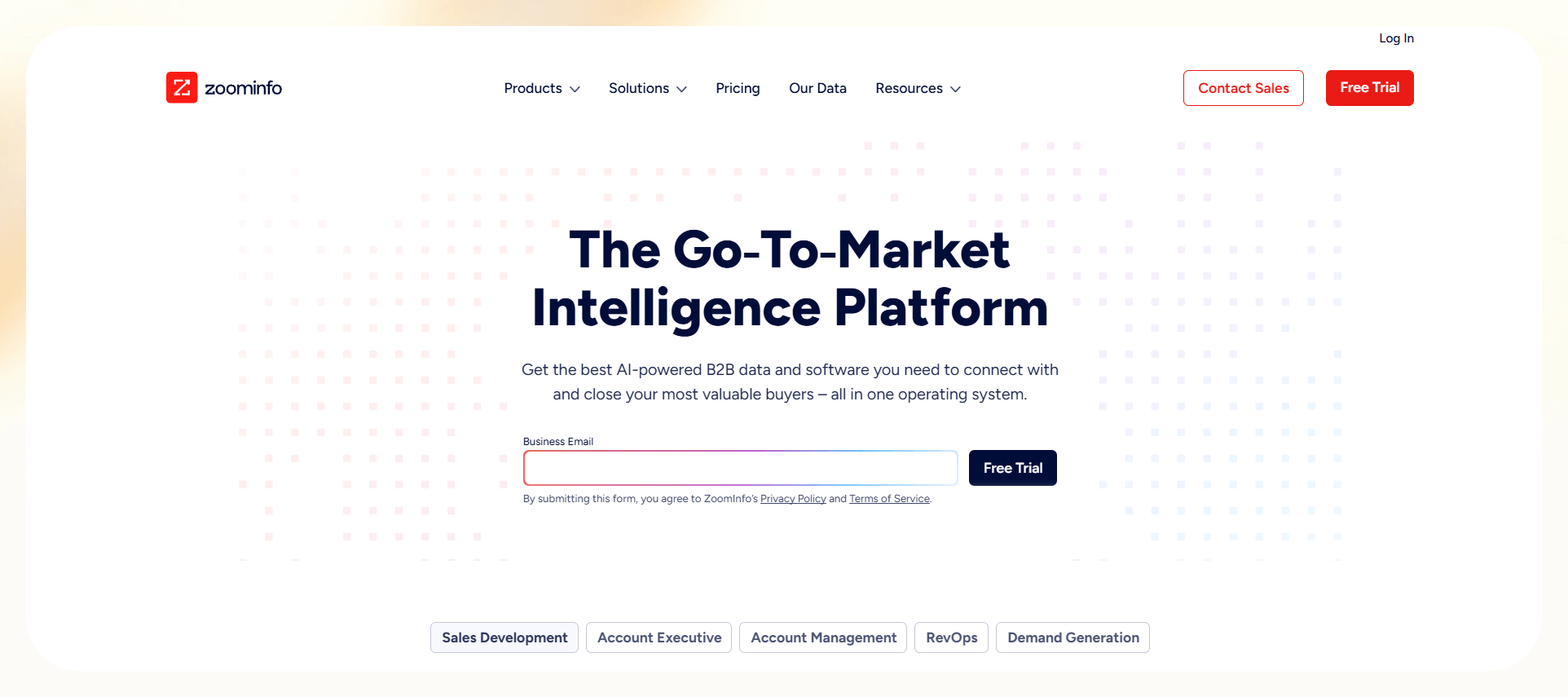
ZoomInfo provides business contact and company data. Sales reps, recruiters, and marketers use it to reach decision makers. Its database lists phone numbers, verified emails, and firmographic insights. Users run targeted searches, build lead lists, and integrate ZoomInfo into Salesforce or HubSpot.
Key features
ZoomInfo’s key features include contact data, company insights, and workflow integrations. These tools help sales and recruiting teams scale outreach. For example, recruiters filter by job title, industry, and location. They export verified emails and phone numbers into systems like Salesforce or HubSpot.
Here are ZoomInfo’s flagship features:
Database and coverage
The ZoomInfo database includes over 320 million professional contacts and 100 million company profiles. This coverage gives sales, marketing, and recruiting teams verified access to decision-makers worldwide. The platform prioritizes North America, where its coverage is strongest.
ZoomInfo collects business data such as company names, work emails, phone numbers, office locations, job titles, and reporting structures. Sources include public records, proprietary contributors, web crawlers, partnerships, and third-party vendors.
The platform focuses on professional data for business communication, not consumer or lifestyle information. It processes professional identifiers like names and direct contacts. Teams use this to map hierarchies and highlight key roles. This information accelerates decision-maker identification and reduces manual prospecting.
Outreach and engagement
ZoomInfo’s outreach tools center on the Engage platform. Users create email sequences, assign call tasks, and schedule automated follow-ups. This platform manages outreach in one system and replaces multiple engagement tools.
Engage also includes workflow automation and playbooks that standardize outreach and enforce consistent messaging. These tools keep teams aligned.
When prospects respond by phone, email, or video, Chorus AI analyzes engagement. It transcribes conversations, identifies themes, and delivers coaching insights that improve rep performance.
Analytics and intelligence
ZoomInfo’s analytics tools track campaign metrics in detail. They include open rates, click-through rates, and reply percentages across email sequences. Teams connect engagement data with buyer intent signals to spot high-interest accounts and prioritize them.
Chorus AI conversation intelligence records and analyzes calls and meetings. It identifies conversational patterns and delivers sales coaching insights. Sales managers use these insights to replicate success, and reps gain feedback that sharpens strategy and boosts win rates.
Platform structure and scalability
The ZoomInfo platform includes modular solutions like SalesOS, MarketingOS, and TalentOS. These give organizations the flexibility to activate only needed features.
This modular design supports growth and lets teams add functions without replacing existing systems.
ZoomInfo scales across sales, marketing, and recruiting teams, making it suitable for mid-market and enterprise companies. Larger organizations centralize data across sales, marketing, and human resources departments. Smaller teams use the sales and marketing modules to reach new clients.
Pricing and add-ons
ZoomInfo operates on annual contracts with automatic renewal, requiring businesses to commit for a minimum of one year. The company offers customized pricing, which depends on the specific plan (SalesOS, MarketingOS, or TalentOS), user count, and feature mix. To explore more flexible platforms, read our best zoominfo vs apollo breakdown for key differences.
For example, we found a client who paid $17,500 for the Sales Plan advanced package.
ZoomInfo uses a credit-based system, where exporting one record consumes one credit. Contract terms include a set number of credits, and customers can purchase additional credits as needed. We did some digging and found that each plan has 3 tiers:
- Professional: 5,000 credits/year, AI-generated emails, 3+ seats
- Advanced: 10,000 credits/year, AI-generated emails and buying signals, 3+ seats
- Enterprise: 15,000 credits/year, Copilot chat, AI-generated ideal-customer profiles
Although ZoomInfo doesn’t offer an official free trial, a user reported negotiating a limited-use, 3-5 day license.
Copilot
ZoomInfo Copilot is an AI chat assistant that’s embedded into the account interface. It provides sales teams with visibility into company updates and earnings summaries, enabling better outreach timing. Copilot enables sales teams to close deals faster by pinpointing high-intent buyers through personalized outreach.
The tool highlights key decision-makers and gives reps insights to reach the right people faster. Sales teams use Copilot’s conversational interface to access data fast. Representatives ask questions in natural language, and the tool retrieves the requested information.
How does ZoomInfo work?
ZoomInfo works by collecting, verifying, and enriching company and contact data. It delivers this information through its platform and integrations. For example, a SaaS sales rep can search for decision-makers in a target industry, pull verified phone numbers and emails, and push them directly into Salesforce or HubSpot.
Here’s a step-by-step process that demonstrates how ZoomInfo onboarding works for a SaaS company:
Sign up and define your Ideal Customer Profile (ICP)
When you start with ZoomInfo, you set up your account with a verified company email tied to your business identity. You complete full onboarding after purchasing a plan by meeting with ZoomInfo’s sales team.
As you configure the platform, define your ideal customer profile (ICP) with filters like industry, company size, geography, and role type. This targeting helps searches and prospect lists focus on contacts most likely to convert.
Integrate ZoomInfo into your SaaS stack
ZoomInfo connects with leading platforms, including Salesforce, HubSpot, Outreach, Pipedrive, Gmail, and the full Microsoft ecosystem. These integrations keep prospect data synchronized across your sales and marketing systems.
Enrich your existing prospect data
ZoomInfo allows you to upload prospect lists from LinkedIn, Crunchbase, or pre-existing databases. The platform uses the sources you upload to automatically fill in missing contact information or revenue data.
This process also transforms incomplete records into actionable data that sales teams can use immediately. You can then integrate enriched data into your CRM or third-party apps.
Install the Chrome extension for LinkedIn prospecting
The ZoomInfo Chrome extension (ReachOut) shows enriched contact and company data while you browse LinkedIn, Sales Navigator, or company sites. As you review potential buyers, the extension displays contact details and company insights in real time.
The extension strengthens account-based marketing by combining LinkedIn research with ZoomInfo enrichment data. Sales reps can quickly identify decision-makers and export accurate contact details into the CRM or outreach platform.
Build targeted lead lists
ZoomInfo’s advanced search identifies companies that match your ICP. Users apply filters like industry, employee count, funding stage, location, revenue, and tech stack to find high-value prospects.
SaaS teams gain from filtering by technology usage, since integration often drives adoption. For example, if your product connects with Salesforce, HubSpot, or Zendesk, target companies already using those platforms.
Identify key decision makers
Teams tag target companies in ZoomInfo and switch to the contacts tab to find key stakeholders. Filters by title, seniority, and department uncover team leads responsible for software decisions.
Once identified, export contacts into a CSV or transfer them into your CRM using ZoomInfo’s integration or a custom-made AI agent platform. This creates a structured outreach list your team can use immediately.
**Pro tip: Prioritize targeting recent purchasing or procurement hires because these new team members often seek new tools to make an impact.
Use intent data to target companies actively researching solutions
ZoomInfo’s intent data feature (available in Advanced Plans) helps teams identify companies researching software solutions. The platform tracks buyer intent through online behavior, content consumption, and keyword searches.
For example, if you sell workflow automation software, you can see which companies are searching for terms like “workflow tools” or “automation platforms.” This enables your team to focus outreach on warm prospects who are already in a buying mindset.
Use web traffic insights for account-based management
The platform’s Websites feature shows which companies visit your SaaS site and what actions they take, helping you gauge buyer interest. For instance, it shows session details, pages viewed, company revenue, and employee count.
ZoomInfo’s WebSights snippet uncovers companies visiting your site by sending visitor IPs to its database to identify the likely company. Although not 100% accurate, it creates outreach opportunities that often go undetected.
ZoomInfo: The bottom line
ZoomInfo helps outreach teams find, qualify, and close B2B customers. It combines ICP-driven searches, buyer intent signals, LinkedIn enrichment, and CRM integrations. These features help teams target high-value accounts or individuals, allowing companies to scale.
How accurate is ZoomInfo’s data in 2026?
ZoomInfo guarantees that at least 95% of contact records match a person’s company affiliation. If over 5% of contacts are misaligned, customers can notify ZoomInfo. The company then has 30 days to fix the data.
If accuracy still falls short, customers can terminate their agreement and receive a prorated refund for the unused subscription.
We analyzed ZoomInfo customer reviews from sites like TrustPilot and Reddit. Overall, users have reported mixed results about ZoomInfo’s data accuracy:
Positive ZoomInfo reviews:
- Decent for phone numbers: One user noted ZoomInfo provides solid phone numbers, and its email quality is slightly better than competitors.
- Strong global data and fair pricing: A user praised ZoomInfo for accurate B2B data and go-to-market intelligence. The platform’s accuracy, advanced tools, and reliable coverage helped their team save time and expand internationally. (July 2026)
Negative ZoomInfo reviews:
- Useless data and auto-renewal felt deceptive: One reviewer said the company delivered worthless data and then forced an auto-renewal without notice. (July 2026)
- Poor results: A reviewer said ZoomInfo overpromised results but delivered faulty data and no leads after three months. (July 2026)
Although ZoomInfo offers a 95% company-affiliation accuracy guarantee, customers report mixed experiences.
The takeaway: ZoomInfo is powerful, but buyers should test data and weigh costs against ROI. We suggest negotiating a trial period so you can test the system before investing a large sum of cash.
{{templates}}
ZoomInfo integrations: What’s possible
ZoomInfo integrations connect the platform with leading CRMs, communication, and business tools to help teams push data directly into existing workflows. Here’s an overview of ZoomInfo’s integration capabilities:
- CRM integrations: The platform integrates with Salesforce, HubSpot, and Microsoft Dynamics to keep prospect data accurate in sales systems. Reps can export a list of tech companies from ZoomInfo directly into Salesforce and enrich contacts.
- Sales engagement platforms: ZoomInfo connects with Outreach and SalesLoft to move contacts into pre-built cadences without manual uploads. For example, a business development manager can push a new lead list into Outreach and trigger automated email and call sequences.
- Email and communication tools: Recruiters can connect ZoomInfo to Gmail and Outlook to sync contact details and track communication. The integration exports candidate data and creates a unified outreach history.
- Marketing automation platforms: Marketing managers can send company data from ZoomInfo to Marketo, Pardot, or HubSpot. They can then build campaigns targeting buyers in specific industries.
- Data services and APIs: ZoomInfo’s APIs let teams build custom workflows. Your team can connect the API to a premade dashboard that automatically updates enriched lead data.
How Lindy stacks up
ZoomInfo’s integrations connect to CRMs, marketing platforms, and sales tools, but Lindy’s integrations connect to over 4,000 third-party applications for a wide range of workflows. Lindy actually executes manual tasks within your third-party applications, unlike ZoomInfo.
Here’s how Lindy handles tasks:
- CRM integrations: Instead of just syncing contacts, Lindy enriches CRM records with context from emails, calls, PDFs, and web searches.
- Automate lead qualification: Lindy conducts lead qualification with minimal effort from your outreach team. It reaches out to leads, asks qualifying questions by email or phone, and moves only sales-ready leads into Salesforce or HubSpot.
- Sales engagement: By routing enriched lead data into connected tools like Outreach or through APIs, Lindy automatically drafts follow-up emails based on prior interactions. It sequences outreach, books meetings with human sales reps by syncing with calendars, and updates your team in Slack.
- Automated document workflows and reporting: Lindy merges ZoomInfo data with contracts, intake forms, or faxes to route tasks in industries such as healthcare or law. It can simultaneously log actions of exported ZoomInfo data into Google Sheets, Slack, or dashboards so teams can track pipeline updates with full context.
The bottom line: Although ZoomInfo can provide you with lead information and business insights, Lindy can organize it, send out messages, and enrich it, so you don’t have to do any manual work.
ZoomInfo vs. Lindy: Differences at a glance
| Feature | ZoomInfo | Lindy |
|---|---|---|
| Best For | Enterprise sales, marketing, and recruiting teams | SMBs and startups needing automation |
| Pricing | Custom pricing for every customer, most likely starting at over $12,000/year | Starts at $49.99/month |
| Integrations | CRM, email, marketing, APIs | 4,000+ apps with task execution |
| Accuracy | 320 million+ contacts, 95% guarantee | Enriches data with live context |
| Scalability | Enterprise modules for large organizations | Credits available for large-scale enterprise automations |
ZoomInfo Pros and Cons
ZoomInfo is a popular B2B data platform that provides teams with access to hundreds of millions of contacts and company profiles. It stands out for its integrations, enrichment tools, and sales intelligence features. Buyers should weigh these pros and cons before purchasing:
Pros
- Large database: ZoomInfo offers access to more than 320 million professional contacts and 100 million company profiles worldwide. It gives sales, marketing, and recruiting opportunities to expand operations and scale.
- Intent data to identify prospects: The platform provides buyer intent signals by analyzing company activity across publishers, content engagement, and keyword searches.
- Integrations: ZoomInfo integrates with Salesforce, HubSpot, and the Microsoft ecosystem to keep records current across sales and marketing platforms.
Cons
- Steep learning curve: Although ZoomInfo offers many features, modules, and add-ons, new users often face an overwhelming learning curve. This complexity delays adoption and requires ongoing support from ZoomInfo’s customer success team.
- High and often opaque pricing: ZoomInfo pricing starts above $12,000 per year and requires custom quotes. Onboarding is not plug-and-play. Businesses must take the time to contact sales reps, attend sales meetings, and negotiate to start using the service.
Should you use ZoomInfo? My take
Whether or not you should use ZoomInfo depends on your goals, budget, and team size. My ZoomInfo review shows the platform provides access to millions of B2B contacts and company profiles. But it’s not for everyone. Here’s how to determine if ZoomInfo is legit for your business:
ZoomInfo is perfect for:
- B2B sales reps: ZoomInfo gives verified company and contact data, including decision-makers’ emails, phone numbers, and job titles. This helps them identify high-quality leads faster.
- Marketing and demand generation teams: Marketing teams use ZoomInfo for audience segmentation and account-based marketing (ABM). It offers intent data to find companies researching relevant solutions and builds targeted email lists for campaigns.
- Talent acquisition and recruitment specialists: Recruiters use ZoomInfo to access verified professional profiles and company org charts. It helps them identify candidates who aren’t visible on LinkedIn or job boards to speed up sourcing for specialized roles.
Skip ZoomInfo if you are:
- A B2C sales rep: ZoomInfo is purpose-built for B2B sales and recruiting, so it’s a poor fit for professionals selling directly to consumers. The platform doesn’t provide consumer databases or personal contact details.
- A freelancer or small business owner on a budget: ZoomInfo’s plans are costly and designed for scaling teams, not solo professionals. A freelance copywriter or a small agency with a few clients will struggle to maximize its features.
ZoomInfo user tips
Save time on ZoomInfo by saving your searches, tagging competitors to avoid unnecessary outreach, and merging intent and website traffic. If you’re new to ZoomInfo, follow these pointers:
- Save your searches: Build a library of ICP-based filters and refresh them every two to three days. ZoomInfo updates these searches with new matches, such as funding milestones. This gives you a steady, up-to-date pipeline.
- Tag and exclude competitors and clients: Tagging prevents wasting credits on irrelevant records and keeps outreach focused on real opportunities.
- Combine intent and web traffic insights: When a company appears in both intent data and WebSights visitor tracking, prioritize it. This overlap yields higher response rates.
- Use the Chrome extension daily: ReachOut shows enriched contact data on LinkedIn, Sales Navigator, and websites. This info lets reps engage prospects instantly without switching tools.
Mistakes to avoid:
- Relying only on job titles: Add seniority and tenure filters to target decision-makers. Titles alone can mislead. Recent hires stay receptive because they seek tools to prove impact.
- Exporting without checking contact info filters: Always filter for verified emails and phone numbers before exporting. Each export uses credits, and unverified contacts cause bounces and wasted dials. Verified data preserves credits, boosts deliverability, and increases campaign ROI.
- Treating ZoomInfo like a static list tool: Don’t just download CSVs. Keep your CRM synced, enrich lists daily, and use Copilot (if it’s in your plan) so your database evolves with current, accurate data.
{{cta}}
Why Lindy is the smarter ZoomInfo alternative for 2026
Lindy is the smarter ZoomInfo alternative for 2026 because it goes beyond static databases. Instead of only giving you contact lists, Lindy acts as an AI assistant that:
- Enriches business intelligence data with context from emails, calls, PDFs, and web searches. You can connect it to pre-existing databases like Airtable or Google Sheets, or feed it data directly from third-party sources such as People Data Labs and Crunchbase, both of which Lindy integrates with.
- Qualifies leads and serves as an outreach specialist because Lindy qualifies leads automatically by sending screening questions over email or phone. It drafts personalized outreach emails in Gmail or Outlook, sequences communication history in HubSpot and Salesforce, and keeps follow-ups aligned across the sales team.
- Offer budget-friendly pricing, with Lindy’s pricing starting at only $49.99/month.
Lindy combines enrichment, qualification, and outreach automation in one tool. Its lower pricing attracts lean teams, while ZoomInfo delivers broad contact and company coverage. Many companies use them together: ZoomInfo supplies accurate data, and Lindy automates workflows to turn contacts into meetings and deals.
My verdict on ZoomInfo
The platform offers strong B2B data with 320 million+ contacts, CRM integrations, and enrichment tools for sales, marketing, and recruiting. It fits mid-market and enterprise teams needing reliable data to reach new customers.
However, Lindy fits SMBs and startups that automate workflows, qualify leads, and run outreach without manual effort. Companies with their own business intelligence pipelines, People Data Labs, or Crunchbase subscriptions can use Lindy to improve outreach and remove manual work.
Lindy and ZoomInfo can work together. Teams use ZoomInfo for data, while Lindy handles outreach and reporting automatically.
Need more than business intelligence? Try Lindy
Is ZoomInfo too expensive and unable to support the business operations you need? Try Lindy. We built it to create customized AI agents for nearly any task, from email triage to meeting note-taking. Here’s why Lindy is our favorite AI agent platform:
- Tailor-made AI agents in seconds: Using a simple prompt, Lindy’s Agent Builder lets anyone create and launch custom AI agents in minutes, no coding required.
- Integrates with business tools: From Salesforce to People Data Labs, Lindy connects with business apps you use daily. It sends data automatically, so you can focus on building client relationships.
- Affordability: Lindy’s free version lets you automate up to 40 tasks monthly. Upgrade to the Pro plan, which offers more value than competitors, and automate up to 1,500 tasks.
Frequently asked questions
How accurate is ZoomInfo’s contact database?
ZoomInfo guarantees 95% accuracy for contact company affiliations in its database, but individual user reviews show results can vary. It’s best to validate the data with small tests first.
Does ZoomInfo offer a free trial?
No, ZoomInfo does not offer a free trial in 2026. Instead, the company only offers annual contracts, and clients must schedule a sales demo to learn pricing. If you want to evaluate ZoomInfo, request a pilot contract or short-term proof of concept.
Can Lindy integrate with ZoomInfo for automated workflows?
No, Lindy can’t integrate directly with ZoomInfo for automated workflows. But you can connect Lindy with ZoomInfo’s exported contact data. Send ZoomInfo’s prospect data to apps that Lindy integrates with, like HubSpot, Airtable, or Google Sheets. Use Lindy to handle operational tasks like outreach and pipeline updates.









![ZoomInfo Review 2026: Pros, Cons, & Features [Tried & Tested]](https://cdn.prod.website-files.com/63e15df811f9df22b231e58f/6a7be012c8a145aa439fc449_blog-sidebar-teammate.avif)