AI Email Responder
Automate email replies with AI. Manage your inbox efficiently.
AI Email Responder


Stop staring at a blank screen. Tell Lindy the context, the tone, and the goal and get a ready-to-send email in seconds, every time.










Do more with Lindy
Lindy's AI Email Writer goes beyond a blank prompt box. It reads the context of your inbox, calendar, and past replies, then drafts emails in your own voice. Tell Lindy the goal and the tone, and get an email that's ready to send, not a generic draft you have to rewrite.
Tone match
Lindy learns from your real emails, so drafts come back in your voice, not a robotic one. Want it warmer, shorter, or more formal? Just say so and Lindy adjusts.
EMAIL TRIAGEr
Lindy comes out of the box with intelligent AI triaging. Want something done different? Just chat with Lindy in plain english and Lindy will remember your preferences.
Try for freeEMAIL Drafter
Wake up to an inbox with drafts ready for your review, written in your voice.
Try for freeEmail Context
Your Lindy assistant proactively researches the senders in your inbox, so you have all the information you need to send the perfect reply.
Try for freeMeeting Scheduler
Add Lindy to threads, like a human assistant, and watch it send availabilities from your calendar and schedule meetings for you effortlessly.
Try for freeAn AI email writer helps you draft and rewrite emails faster, especially when you send similar messages often. It saves time on follow-ups, outreach, and support replies, but the final message still needs a human check.
An AI email writer is a tool that uses large language models to automatically draft, rewrite, personalize, and improve emails. Instead of writing every message from scratch, you give the tool a prompt, a goal, or a rough draft, and it generates email copy based on that input.
This is especially useful when you write the same types of emails again and again, like sales outreach, follow-ups, support replies, recruiting emails, or client updates. It helps you move faster, improve clarity, and reduce the time spent staring at a blank compose window.
An AI email writer works by taking your prompt and turning it into a draft. You describe the email you want, add details like tone, audience, or key points, and the tool generates a message you can review, edit, or regenerate.
From the user’s side, the process is simple. You describe what you want, add any useful context, and the tool generates a message you can edit, refine, or send.
Here’s what the process typically looks like:
Example scenario: Imagine you need to send cold outreach emails to startup founders about a new analytics product. Instead of drafting each email manually, you enter a short prompt with your value proposition and target audience. The AI generates a first draft you can review, personalize, and send much faster.
An AI email writer helps with drafting, rewriting, personalization, and subject lines, which makes them useful across many kinds of email workflows.
One of the biggest reasons people use an AI email writer is speed. Instead of building an email line by line, you can give the tool a short prompt and get a complete draft in seconds. For example, you might type: “Write a follow-up email after a sales demo.” The tool can generate a subject line, opening, body copy, and call to action without you starting from scratch.
Example: A sales rep needs to send 20 follow-up emails after product demos. Rather than writing each message manually, they use an AI email writer to create a first draft for each one. That saves time and keeps the language consistent.
A client update may need to sound professional and calm, while a networking email may need to sound warmer and more conversational. Most AI email writers let you switch between tones like professional, friendly, formal, or persuasive. This helps you match the email to the person reading it.
Example: You write a blunt support reply in a hurry. The AI rewrites it in a more helpful and polished tone before you send it to the customer.
AI email writers can also personalize emails using details like a person’s name, company, role, or recent activity. This is especially useful when you need to send similar emails to many people. Instead of sending the same generic message to everyone, you can create variations that feel more relevant to each recipient.
Example: A recruiter reaches out to 50 candidates for different roles. The AI email writer adds the candidate’s name, role type, and company context to each version, making the emails feel more tailored without requiring 50 separate drafts.
Writing the email is only part of the job. The subject line also matters because it affects whether the email gets opened at all. Many AI email writers generate multiple subject line options based on the purpose of the message. This helps you test different angles and choose the strongest one.
Example: A marketer drafts a webinar invite and asks the AI tool for five subject line options. Instead of using the first idea that comes to mind, they can choose the one that feels clearer and more compelling.
Sometimes the hardest part is not writing a brand-new email. It’s improving a weak draft. AI email writers often include a rewrite mode that helps tighten structure, improve clarity, shorten long sentences, or make the message more persuasive. This feature is useful when you already know what you want to say but want the final version to sound cleaner.
Example: You write a long proposal email that feels repetitive. The AI shortens it, removes filler, and makes the call to action clearer without changing the main message.
AI email writers are not all built for the same job. Some are fine for quick one-off drafts, while others help inside your inbox, support outreach at scale, or act more like an assistant you can text when the email is part of a bigger task.
Free AI email writers are usually the easiest place to start. They work best when you need a quick draft, do not want much setup, and just want help getting words on the page. These tools are useful for simple one-off emails, but the output can feel generic, and the personalization is often limited.
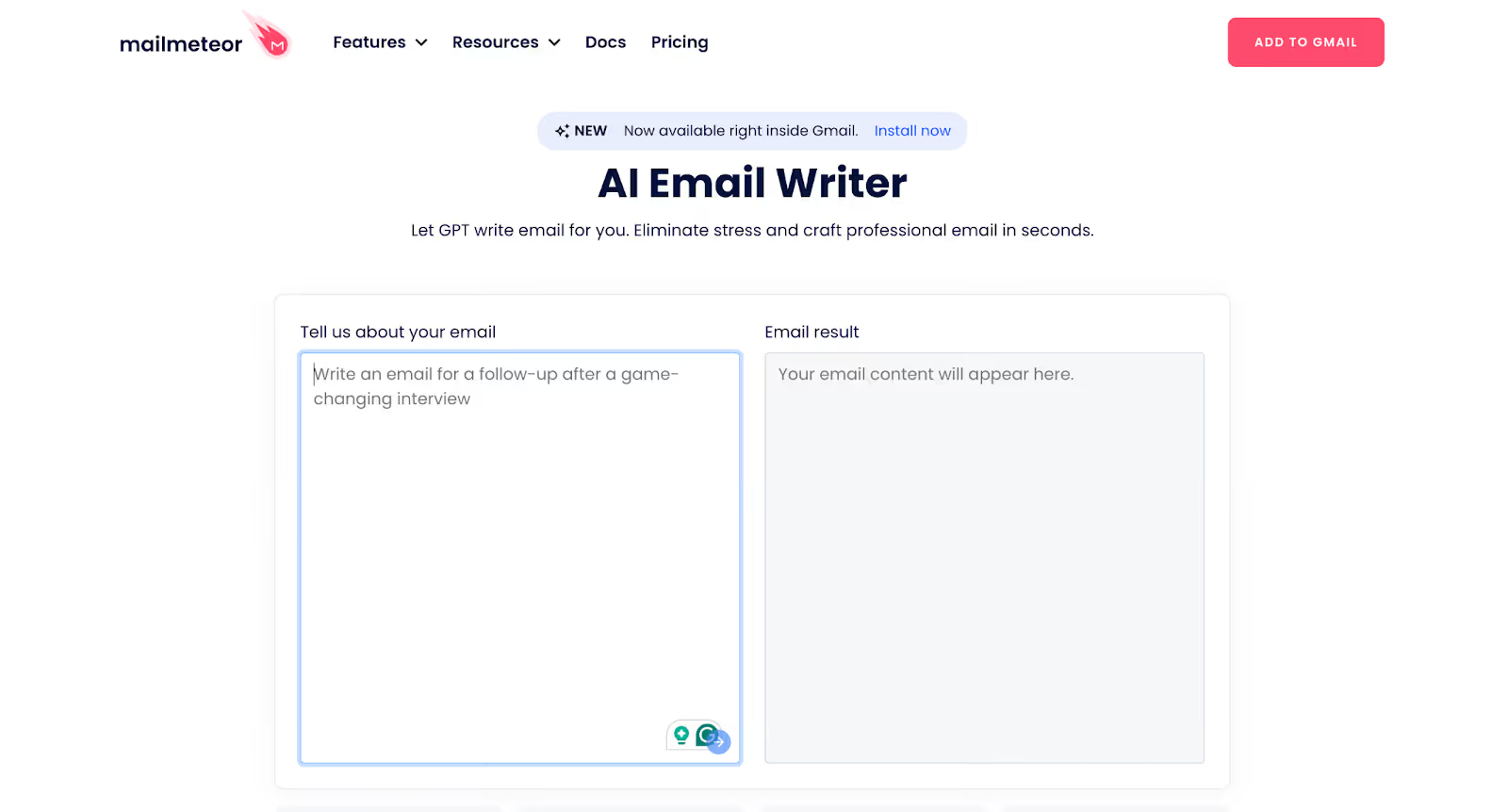
Example: Mailmeteor is a great example because it offers a dedicated free AI Email Writer, rather than a general-purpose chatbot with a free tier. On its site, Mailmeteor lists “AI Email Writer” under free tools and describes it as a tool for quickly creating AI-generated emails.
This type makes the most sense when you already spend your day in Gmail or Outlook and want writing help without switching tabs. It fits naturally into your workflow and usually helps with replies, rewrites, and tone fixes in real time. These tools are convenient because they support the writing process right where the email happens.
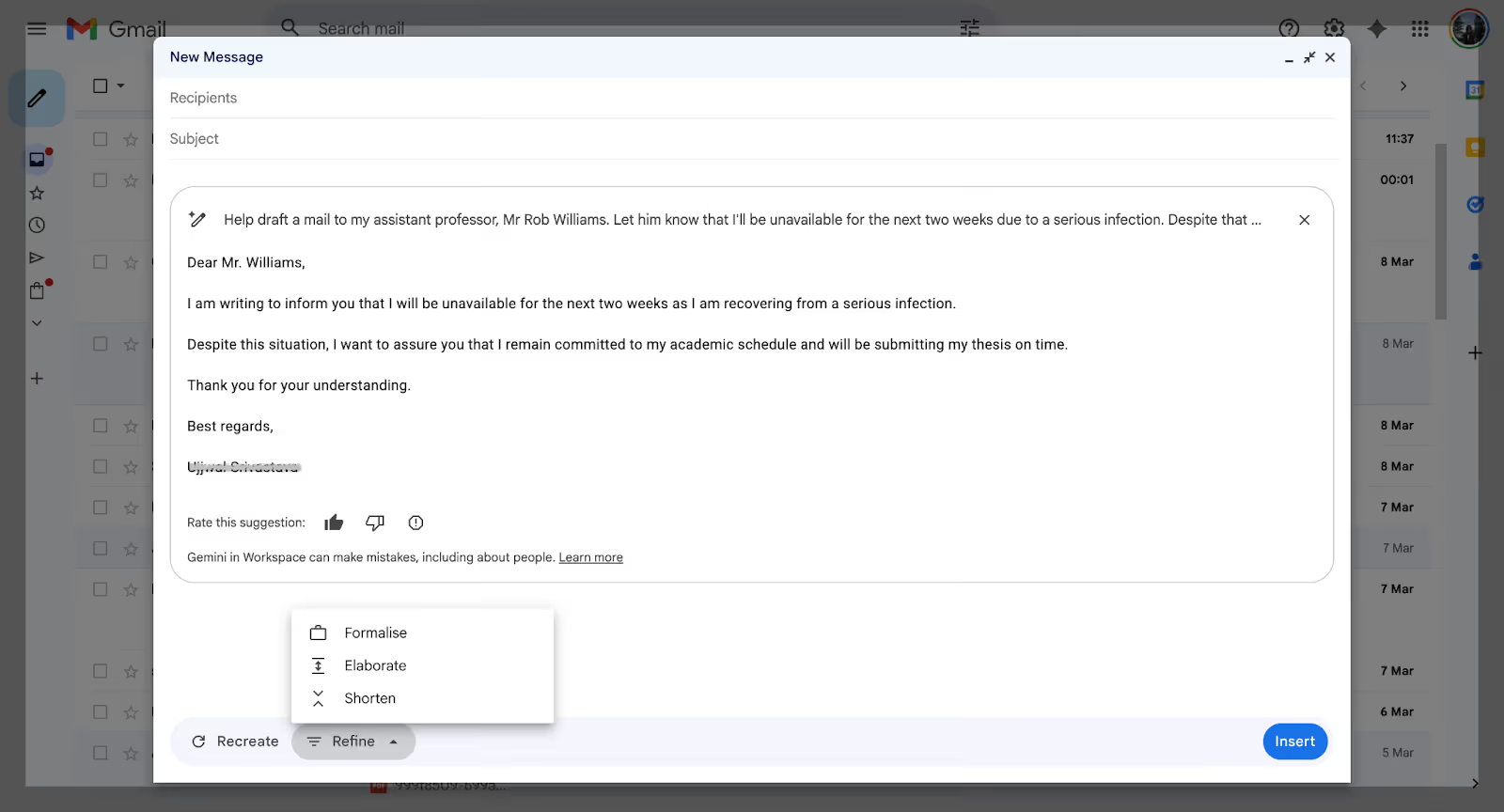
Example: Gemini in Gmail fits this category well. Google lets you use “Help me write” inside Gmail to generate a new draft and refine tone or clarity while you’re already in your inbox. That makes it useful for support reps, account managers, or anyone who wants faster replies without switching tools.
Sales-focused AI email writers are built for teams sending high volumes of outbound emails. They usually do more than draft. They also help with personalization, subject line testing, sequencing, and CRM sync. This category is better suited to structured outreach than everyday email writing.
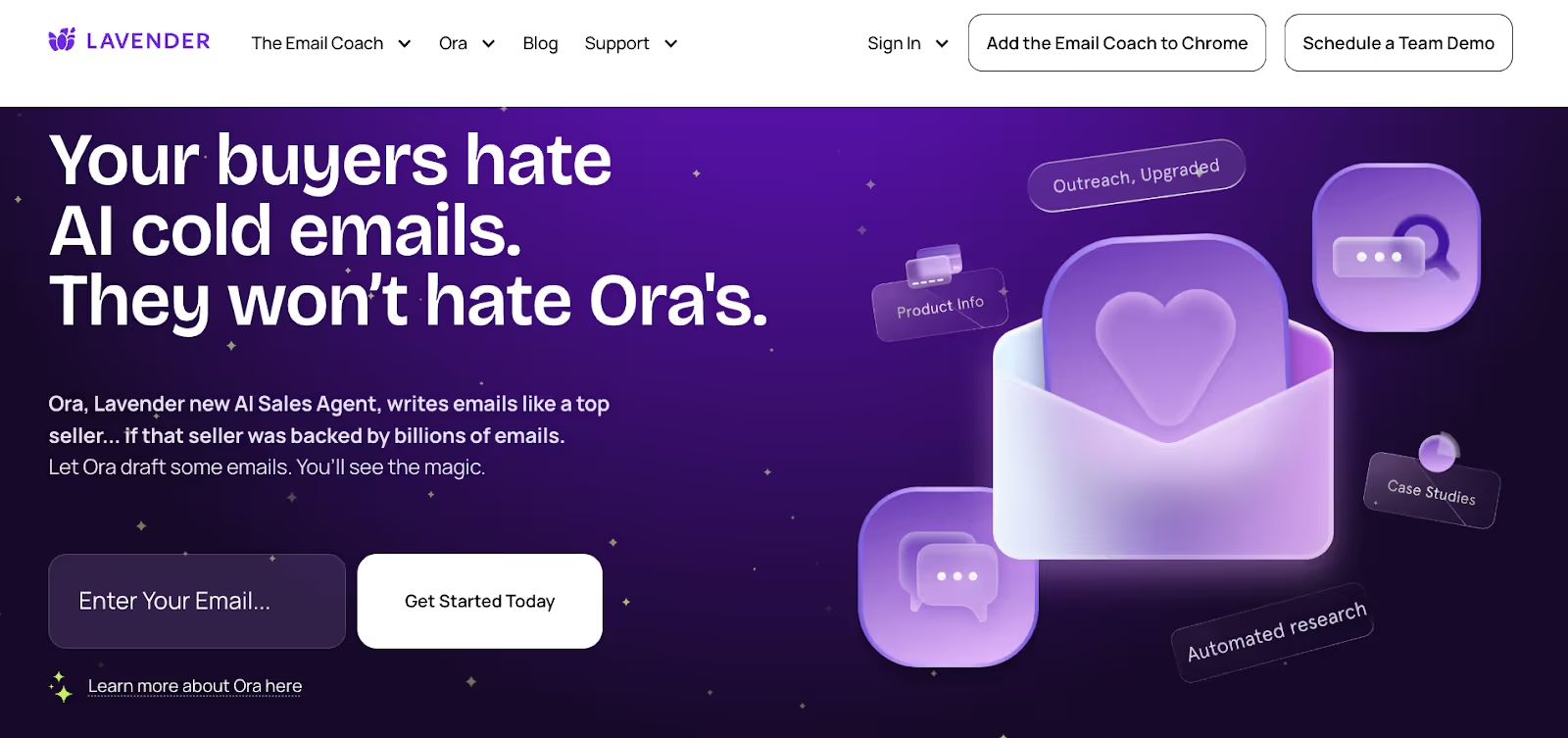
Example: Lavender is a good fit here. A sales rep can use it to improve cold emails, tighten subject lines, and write more personalized outreach without starting every message from scratch.
This is the best fit when writing the email is only one part of the job. Instead of just generating text, these tools help with the surrounding work too, like drafting the message, following up, updating records, or coordinating next steps. This category feels less like using a generator and more like texting an assistant.
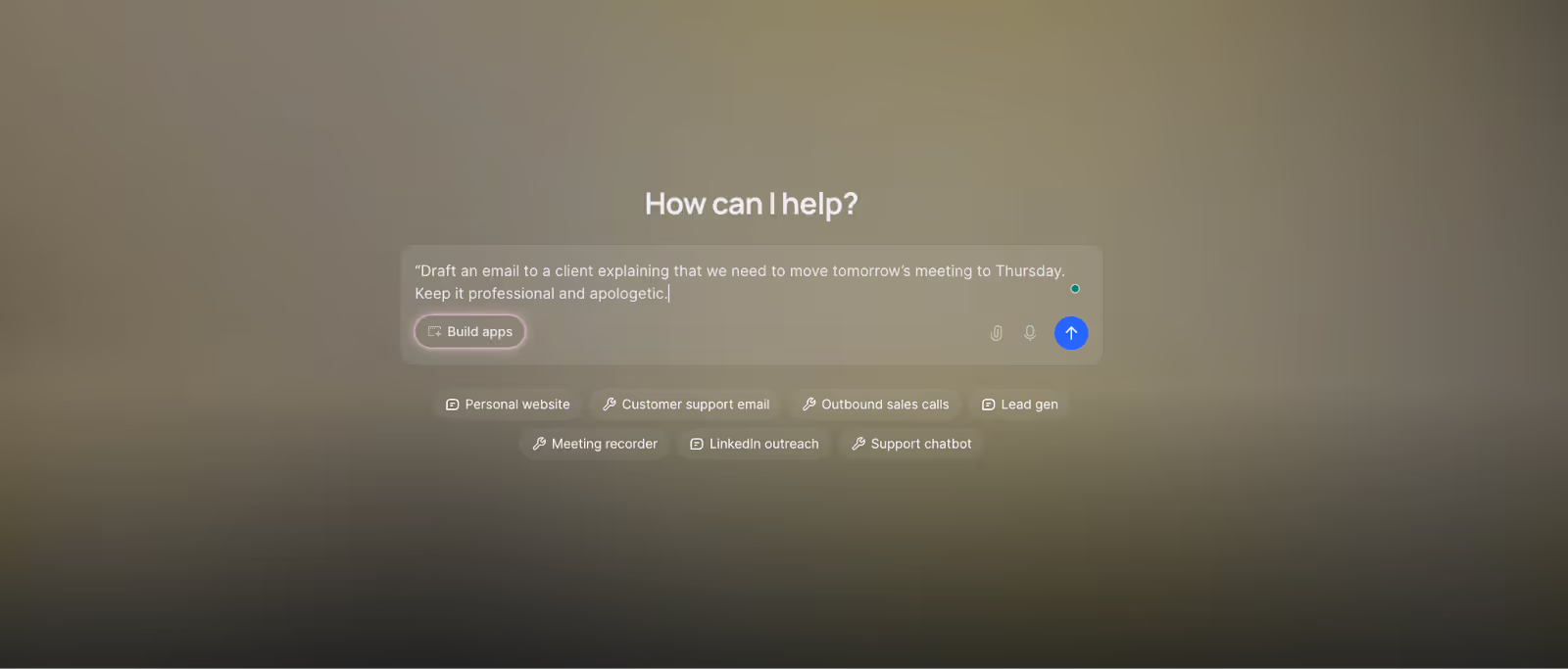
Example: Lindy fits this category best. You can text it like an assistant: “Draft an email to a client explaining that we need to move tomorrow’s meeting to Thursday. Keep it professional and apologetic.” It writes the draft quickly, and you can refine it with a few follow-up prompts.
AI email writers are more effective than templates when you need flexibility and personalization in your emails, especially if tone or content changes with each recipient.
Here’s a quick look at how they differ:
| Criteria | AI Email Writer | Templates |
|---|---|---|
| Personalization | Content can adapt to the recipient, context, and prompt. | Personalization is usually manual. |
| Speed | Drafts can be generated almost instantly. | Faster than writing from scratch, but still requires editing. |
| Scalability | Works well for large volumes of outreach or repetitive emails. | Becomes harder to manage at scale. |
| Flexibility | Can rewrite, shorten, expand, or change tone on demand. | Follows a fixed structure unless you rewrite it yourself. |
| Best for | Outreach, support, follow-ups, and email-heavy workflows. | Basic recurring emails with the same format. |
An AI email writer is most useful when email is a big part of your day, and you need to move faster without starting from scratch each time. It can save time, improve rough drafts, and make repetitive writing easier, but it still works best when a human shapes the final message.
What an AI email writer does well:
Where an AI email writer still needs backup:
AI email writers are a strong fit when you send a high volume of emails and want help with consistency, speed, and first drafts. They tend to be especially useful for sales outreach, customer support, recruiting, follow-ups, and recurring client communication.
AI email writers work best when you treat them like a drafting partner. The biggest difference usually comes from a few smart habits, like giving better context, editing the output, and making sure the email still sounds like you.
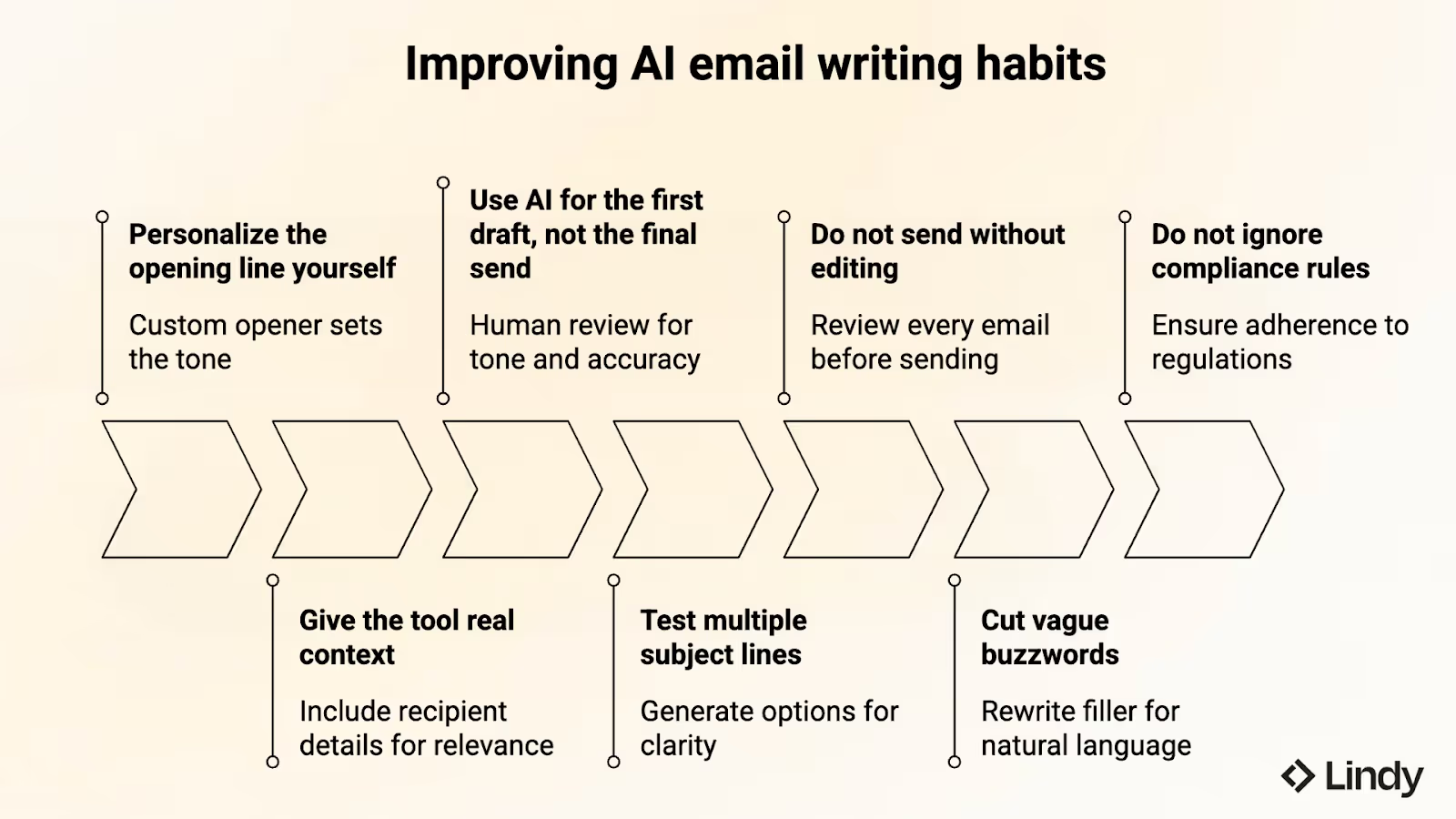
Here’s what helps most when you want AI-written emails to feel sharper, more personal, and more trustworthy:
Getting started with an AI email writer is easiest when you begin with one repeatable task, like follow-ups or support replies, instead of trying to change your whole workflow at once. I’d pick one use case, test a tool there, and build from that if it actually saves time.
Here’s how the process typically works:
Pro tip: The better your input, the better the email. A short generic prompt often produces generic output. A prompt with audience, tone, and context usually produces a much stronger draft.
Lindy is an AI assistant you can text to help with email work and the follow-up tasks around it. Text Lindy what you need in plain English, whether it’s a follow-up, outreach email, support reply, or client update.
Lindy drafts your message in seconds and helps you stay on top of the next steps, all from a single conversation
Here’s what that looks like in practice:
The best AI email writer depends on the kind of email work you do most. Grammarly now offers AI-powered assistance for drafting and editing emails, making it strong for everyday writing improvement and clarity. For sales outreach, Lavender is more specialized, while Lindy excels when you need an assistant to handle drafting, follow-ups, and related tasks all in one workflow.
A free AI email writer does exist, and there are quite a few options depending on what you need. Hiver offers a free GPT-4-powered email writer, Mailmeteor has a free AI email writer, QuillBot is better for rewriting and paraphrasing, and Rytr has a free plan. Free tools are useful for testing the workflow before moving to something more advanced.
AI can write professional emails quite well, especially for follow-ups, support replies, proposals, and outreach. It helps create a cleaner first draft faster, but the strongest results still come from reviewing the tone, checking accuracy, and making small edits before sending the final version.
AI email writers can be safe to use when you choose reputable tools and avoid pasting highly sensitive or confidential information into prompts. Safety depends on the product, its privacy practices, and how you use it, so it is still worth reviewing policies before relying on it for serious communication.
AI email writers can improve open rates by helping you generate clearer subject lines, stronger openings, and more relevant copy. But better writing alone does not guarantee more opens. Timing, audience fit, sender reputation, and whether the email actually matters to the recipient still make a big difference.
AI can personalize emails automatically by using details like names, companies, job titles, and other context in the draft. That can save a lot of time when sending similar emails at scale, but the quality still depends on the data you provide and how specific your prompt is.
Lindy connects to your Gmail or Outlook inbox and uses the context of your existing threads, calendar, and connected apps to draft replies in your voice. You describe what you want to say, and Lindy handles the writing. You can review and send, or let Lindy send automatically.
Lindy handles most work and personal scenarios: cold outreach and sales emails, follow-ups and meeting requests, customer support replies, internal updates, introductions, thank-you notes, and recruiter outreach. Because it's connected to your inbox and calendar, it can also reply to existing threads with full context, not just write from a blank prompt.
Yes. Tell Lindy the tone you want (warm, direct, formal) and the length, and it adjusts. You can also ask it to rewrite a draft to sound more professional or more casual. Lindy writes fluently in English, Dutch, French, German, Spanish, and most major languages, drafting natively rather than translating.
You can try Lindy free with a 7-day trial, set up in about a minute. After that, Lindy runs on a paid plan because it does far more than generate a single draft: it connects to your inbox, triages, follows up, and acts on your behalf across your tools.
ChatGPT is a general writing tool. You paste in context, it writes something generic. Lindy is connected to your actual inbox, calendar, and work apps, so it drafts emails using real context: the thread history, who you're talking to, what was discussed in your last meeting. The result reads like you wrote it, not like AI output.
No, and that's the difference. Most AI email writers ask you to describe what you want and generate something generic. Lindy is connected to your actual inbox, calendar, meetings, and apps like HubSpot and Slack. So when it drafts an email, it already knows the thread history, what was discussed in your last meeting, and what tone you use. You get emails that are ready to send, not drafts you have to rewrite from scratch.
Yes. After a call, Lindy can turn your meeting notes into a follow-up email, send it to the right people, and even remind you if someone doesn't reply. You don't have to write anything from scratch. Lindy has the context from the meeting and handles the follow-through.
Yes. Lindy works in a human-in-the-loop mode where it drafts the email and waits for your approval before sending. You can edit the draft, adjust the tone, or send as-is. For recurring workflows like follow-ups, you can also set Lindy to send automatically once you're comfortable with how it writes.
Yes. Lindy works in any modern mobile browser, and since it drafts inside Gmail and Outlook, your replies are ready wherever you check email. You can review, edit, and send from your phone.
AI-written emails aren't flagged as spam on their own. Deliverability comes down to your sender reputation, authentication (SPF, DKIM, DMARC), and content. Because Lindy writes in a natural, human voice rather than generic templated text, its drafts tend to read like real personal emails, which helps.
No. Lindy does not use your email data to train its models. Your data is encrypted and never sold. Lindy is SOC 2 Type II and HIPAA compliant, which makes it suitable for teams handling sensitive communications.

Trusted by 400,000+ professionals
Lindy saves you two hours a day by proactively managing your inbox, meetings, and calendar, so you can focus on what actually matters.