Top 9 AI To-Do List Apps for Better Task Management [2026]
Marvin compared Todoist, Motion, and ClickUp among nine AI to-do list apps, splitting them into personal task managers, auto-schedulers, and team tools.


As your day fills up with meetings, emails, Slack messages, and new requests, you start deprioritizing your to-do list. You move deadlines and spend more time reorganizing your list than working through it.
That's where AI to-do list apps can help. Some automatically schedule tasks around your calendar. Others prioritize your workload, break large projects into smaller steps, or turn notes and conversations into actionable tasks.
If you're managing work across a team, a few of these tools can assign tasks, summarize updates, and keep projects moving without constant check-ins.
However, an app that's great for planning your day may not be the right choice for managing cross-functional projects. And at the same time, a task manager may feel like overkill if you just want a smarter personal to-do list.
To help you find the right fit, I’ve shortlisted 9 of the best AI to-do list apps across three categories:
- AI planners and auto-schedulers
- AI-powered personal to-do lists
- AI task management for teams
If you already use task management apps like Asana, ClickUp, or Todoist but want a quicker way to interact with them, I’ve also mentioned how AI assistant tools like Lindy can help.
Let's start with the list of AI to-do list apps I’ll cover in this guide.
Top 9 AI to-do list apps: TL;DR
| App | What it does | Best for | Starting price (billed monthly) |
|---|---|---|---|
| Todoist | Breaks down, organizes, and refines tasks with AI | Personal to-do lists | $7/user/month |
| Saner.AI | Turns notes, emails, and brain dumps into organized tasks | Knowledge workers and people with ADHD | $12/month |
| Akiflow | Collects tasks from different apps and helps plan the day | Professionals with scattered tasks | $34/month |
| Motion | Automatically schedules and reschedules tasks | Busy professionals and teams | $49/month |
| FlowSavvy | Turns tasks into an adaptive calendar plan | Simple automatic time-blocking | $14/month |
| SkedPal | Schedules tasks around priorities and preferred work hours | Flexible, rules-based planning | $14.95/month |
| Asana | Creates, assigns, summarizes, and tracks team tasks | Cross-functional teams | $13.49/user/month |
| Wrike | Prioritizes work, generates task content, and automates project workflows | Mid-sized and enterprise teams | $10/user/month (billed yearly) |
| ClickUp | Creates tasks, summarizes work, and supports project workflows | Teams needing customizable task management | $10/user/month |
Next, let’s explore these tools in detail.
AI to-do list apps for personal use
1. Todoist: Smarter personal task management
Todoist is one of the most popular to-do list apps, and now it has added AI capabilities. It helps you get through your tasks faster by breaking large goals into smaller steps, rewriting vague tasks into actionable ones, and suggesting ways to organize your workload.
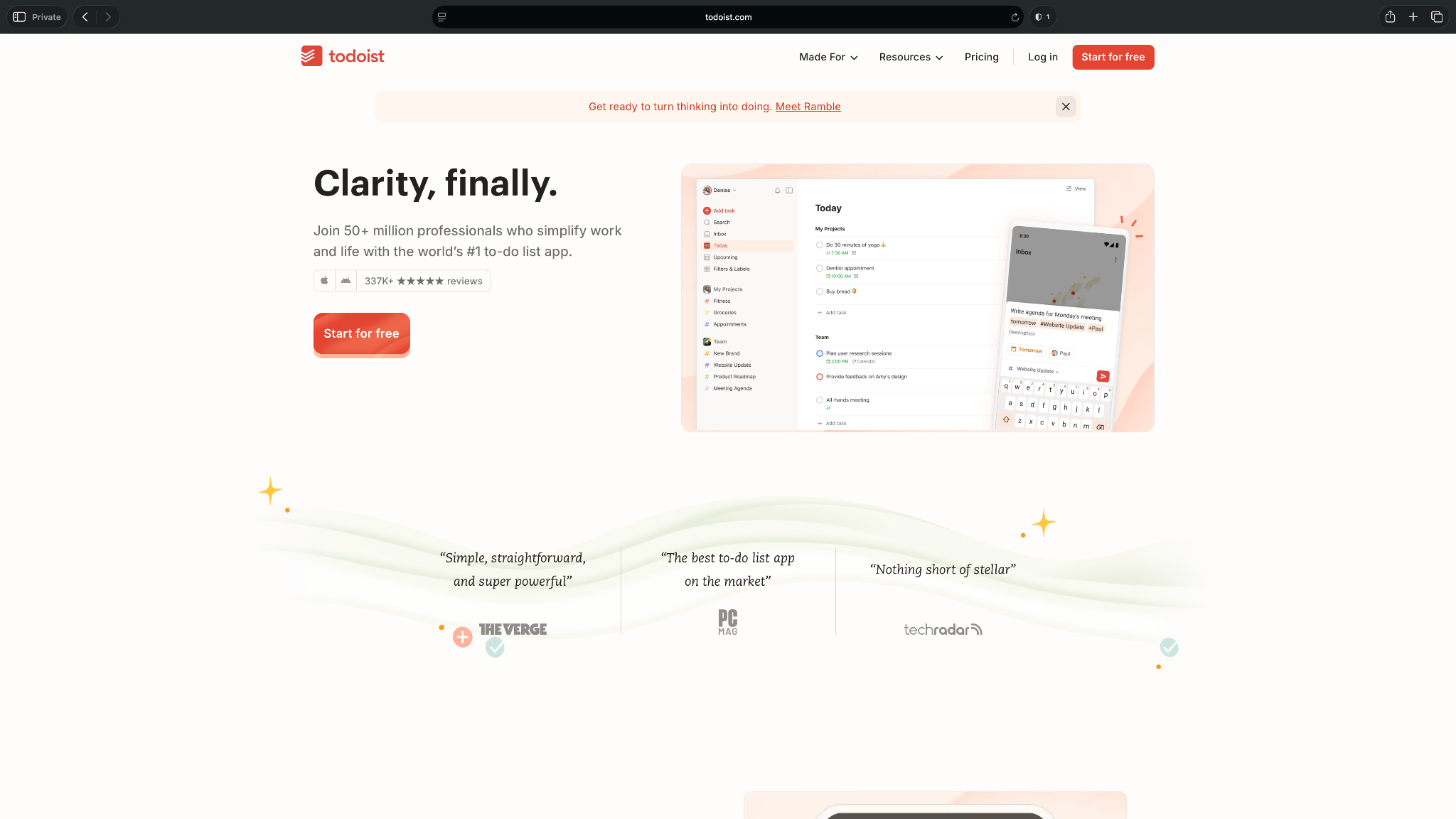
There's very little learning curve. If you're already comfortable with traditional to-do lists but want help planning and organizing your work, Todoist strikes a good balance between simplicity and automation.
Who it's for
Todoist Assist is a good fit for individuals and small teams that want AI to simplify task planning without switching to a more complex project management platform.
Key features
- Breaks large or vague tasks into smaller, actionable subtasks using AI
- Rewrites task descriptions to make them clearer and easier to complete
- Supports natural language task creation for due dates, recurring tasks, and reminders
- Organizes tasks with projects, labels, priorities, filters, and shared workspaces
Pros
- The clean interface makes it one of the easiest AI to-do list apps to start using
- Works well for both personal and shared task lists without overwhelming users with unnecessary features
- Available across web, desktop, and mobile, with reliable syncing between devices
Cons
- No automatic calendar scheduling, as the AI focuses only on improving and organizing tasks
- Lightweight collaboration features mean teams managing complex projects may outgrow it quickly
What users say
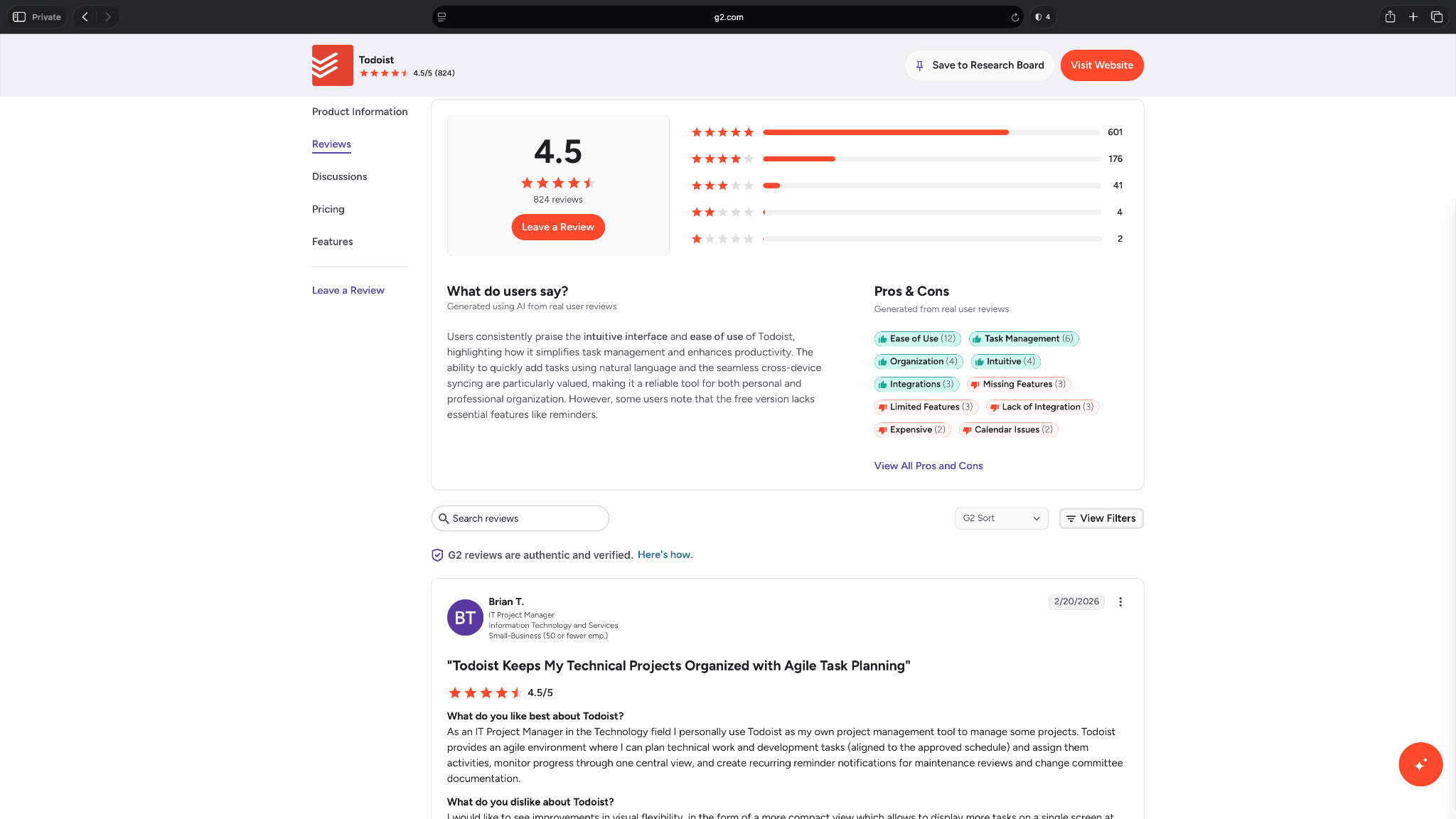
Todoist has a 4.5-star rating on G2 from more than 800 reviews. Users consistently highlight its clean interface, intuitive task organization, and the ability to quickly capture tasks using natural language. It reliably syncs across devices, making it easy to manage both personal and work-related tasks.
Some reviewers, however, note that features like reminders, AI capabilities, and advanced collaboration are locked behind paid plans, which can make the free version feel limiting.
Pricing
- Free plan with 5 personal projects
- Paid plans start from $7/user/month, billed monthly
2. Saner.AI: Turn notes and ideas into actionable tasks
Saner.AI combines note-taking, task management, and AI assistance in one workspace. With Saner, you don’t have to manually organize ideas, meeting notes, emails, and reminders. It uses AI to extract tasks, group related information, and surface what needs your attention.
This way, you spend less time organizing information and more time acting on it.
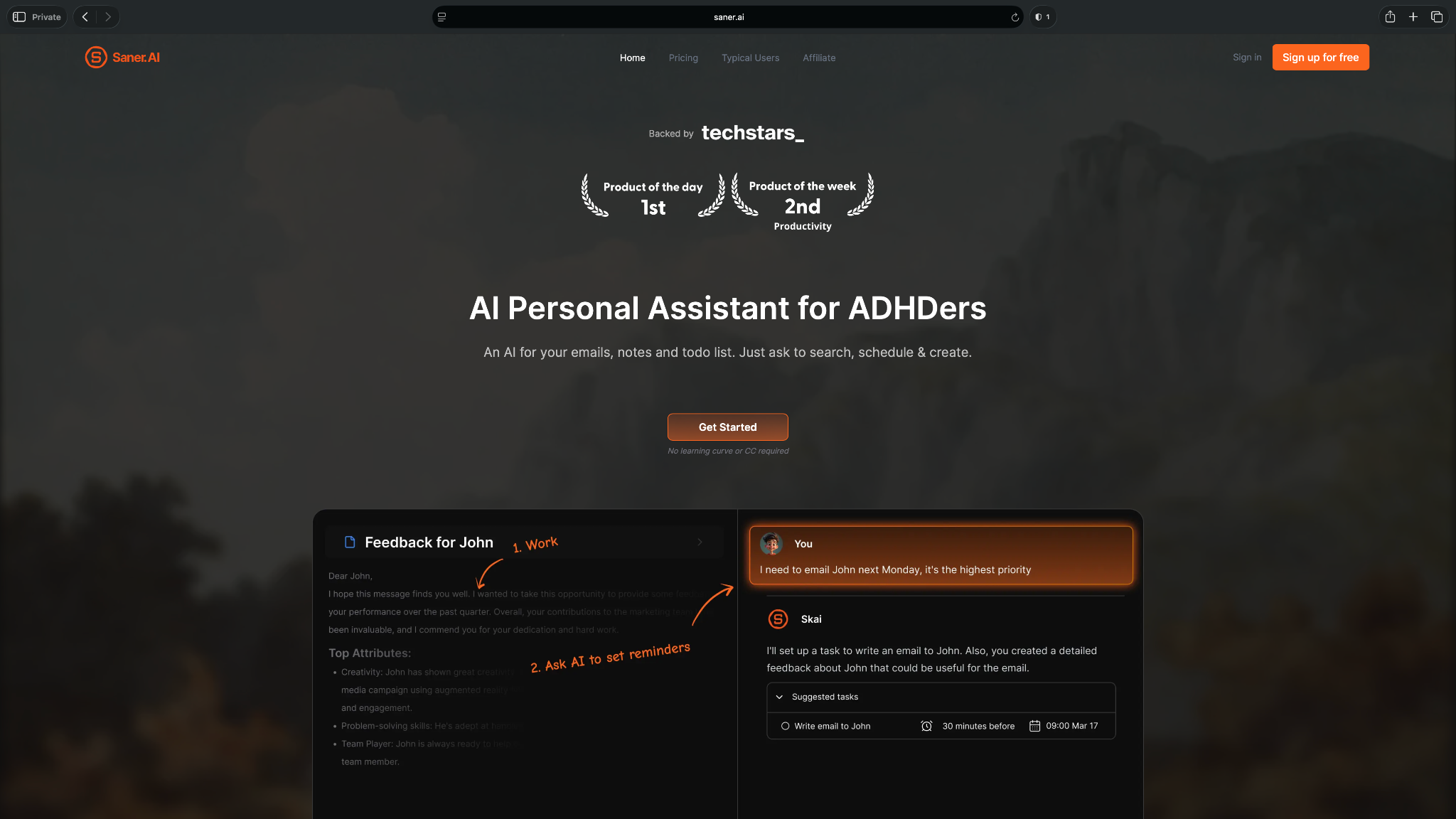
Traditional to-do list apps start with a blank checklist and don’t suit users whose work often begins as scattered thoughts, research, conversations, or documents. Saner fixes that. It helps them capture information and turn it into an actionable plan.
Who it's for
Saner.AI is ideal for entrepreneurs, knowledge workers, researchers, content creators, and people with ADHD who want AI to organize information and create tasks without relying on rigid folders or manual categorization.
Key features
- Extracts tasks from notes, emails, and brain dumps using AI
- A conversational AI assistant that lets you create, organize, and manage tasks
- Combines notes, tasks, calendar events, and documents in a unified workspace
- Connects with Google Calendar, Gmail, and other productivity tools to keep work in sync
Pros
- Reduces context switching by bringing notes, tasks, and scheduling into a single workspace
- Makes it easy to capture ideas first and organize them later, instead of interrupting your workflow to structure everything immediately
- Search works across your notes, tasks, and documents, making it easier to find information without digging through multiple apps
Cons
- Too simple for users looking for advanced project management features like Gantt charts, workload planning, or detailed team reporting
- Not ideal for users who prefer keeping those workflows separate, as Saner is of value only when you centralize your notes and task management
What users say
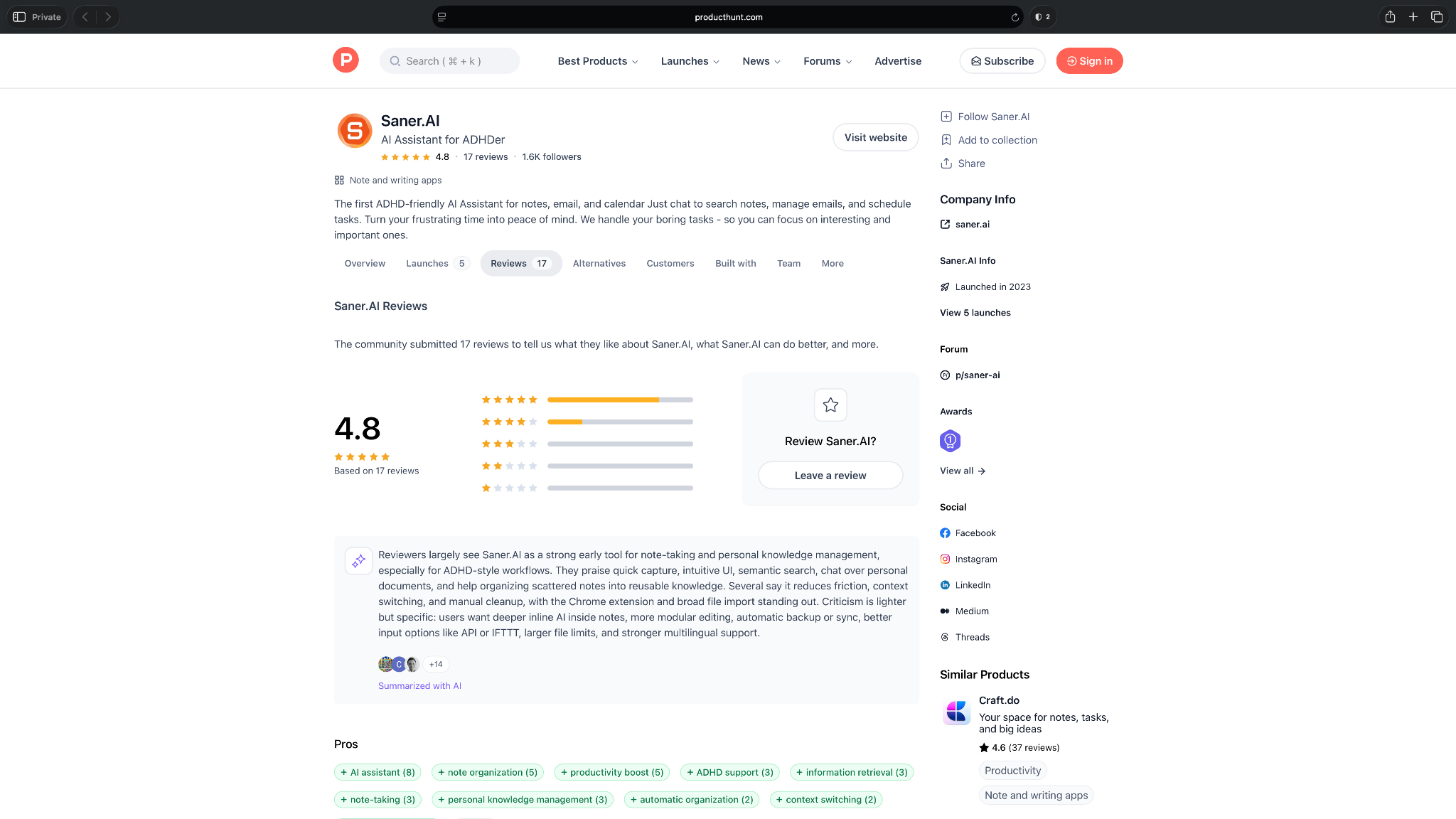
Reviewers often describe Saner.AI as a helpful way to reduce mental clutter, especially when notes and tasks are spread across different places. Its quick capture, semantic search, and ADHD-friendly workflow stand out most.
On Product Hunt, it scores 4.8 stars from 17 reviews, though users still want better mobile editing, backups, and broader input support.
Pricing
- Free plan with 100 notes
- Paid plans start from $12/month, billed monthly
3. Akiflow: Consolidate tasks from multiple apps
Akiflow brings together tasks from your email, calendar, Slack, Notion, Jira, Todoist, and other workplace apps into a single inbox. You can then review everything in one place, organize your priorities, and drag tasks directly onto your calendar without switching between apps.
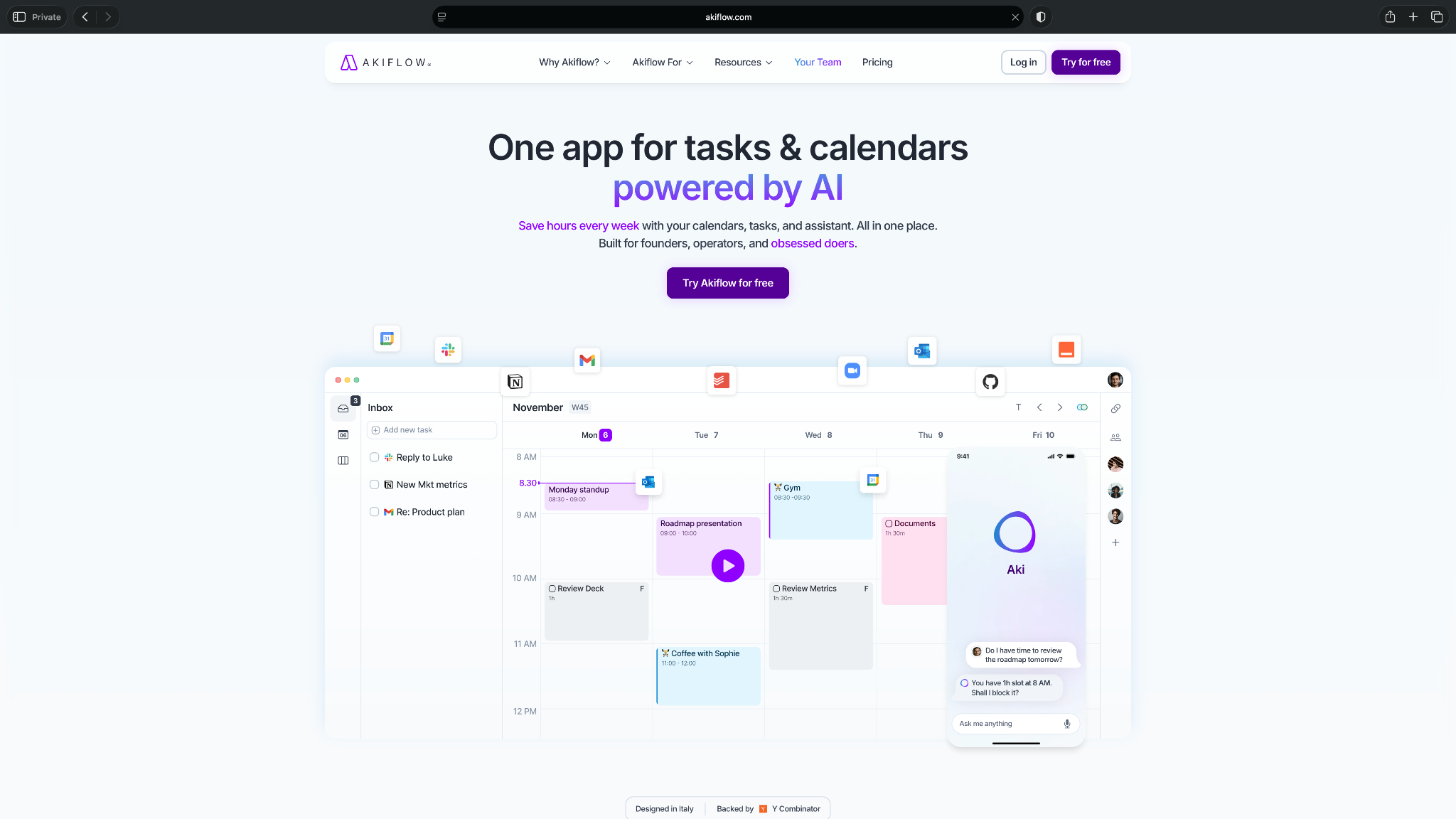
Its AI assistant, Aki, also helps create tasks, plan your day, and answer questions about your schedule.
Who it's for
Akiflow is ideal for professionals who manage work across several apps and want a single place to capture, organize, and schedule their tasks.
Key features
- Imports tasks from Gmail, Slack, Notion, Jira, Asana, Todoist, and other connected apps into one inbox
- Uses Aki, its AI assistant, to create tasks, organize priorities, and help plan your day
- Supports drag-and-drop time blocking directly from your task list to your calendar
- Syncs with Google Calendar and Outlook to keep tasks and events aligned
Pros
- Eliminates the need to manually check multiple apps for new tasks throughout the day
- Keyboard shortcuts and quick capture tools make it easy to process large numbers of tasks efficiently
- Fits well into existing workflows without requiring teams to migrate away from the tools they already use
Cons
- The monthly subscription is significantly more expensive than most personal AI to-do list apps
- Not a dedicated note-taking or knowledge management tool, but focuses more on task aggregation and planning
What users say
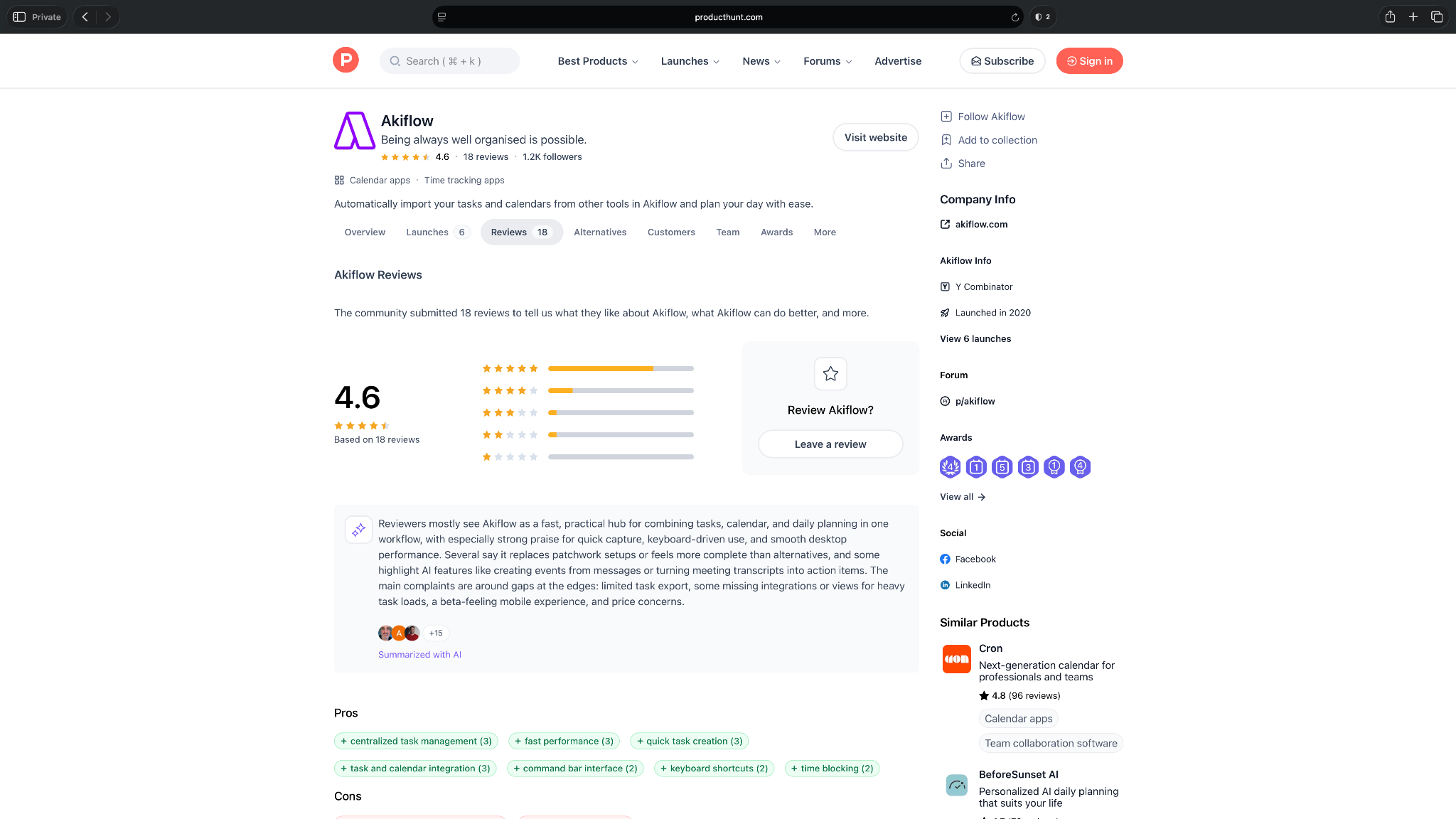
Akiflow earns 4.6 stars on Product Hunt from 18 reviews. Users say its biggest strength is bringing tasks, calendars, and daily planning into one place, with many highlighting its keyboard-first experience and fast task capture.
Some reviewers feel it can take time to adapt to the workflow, while others would like to see more integrations and a more polished mobile app.
Pricing
- No free plan, only a 7-day free trial
- Paid plans start from $34/month, billed monthly
AI planners and auto-schedulers
4. Motion: AI-planning for your daily tasks
Motion combines an AI to-do list, calendar, and project management tool into a single workspace. It automatically schedules tasks based on your deadlines, priorities, estimated effort, meetings, and availability.
If your schedule changes, Motion reshuffles your remaining work so your plan stays realistic.
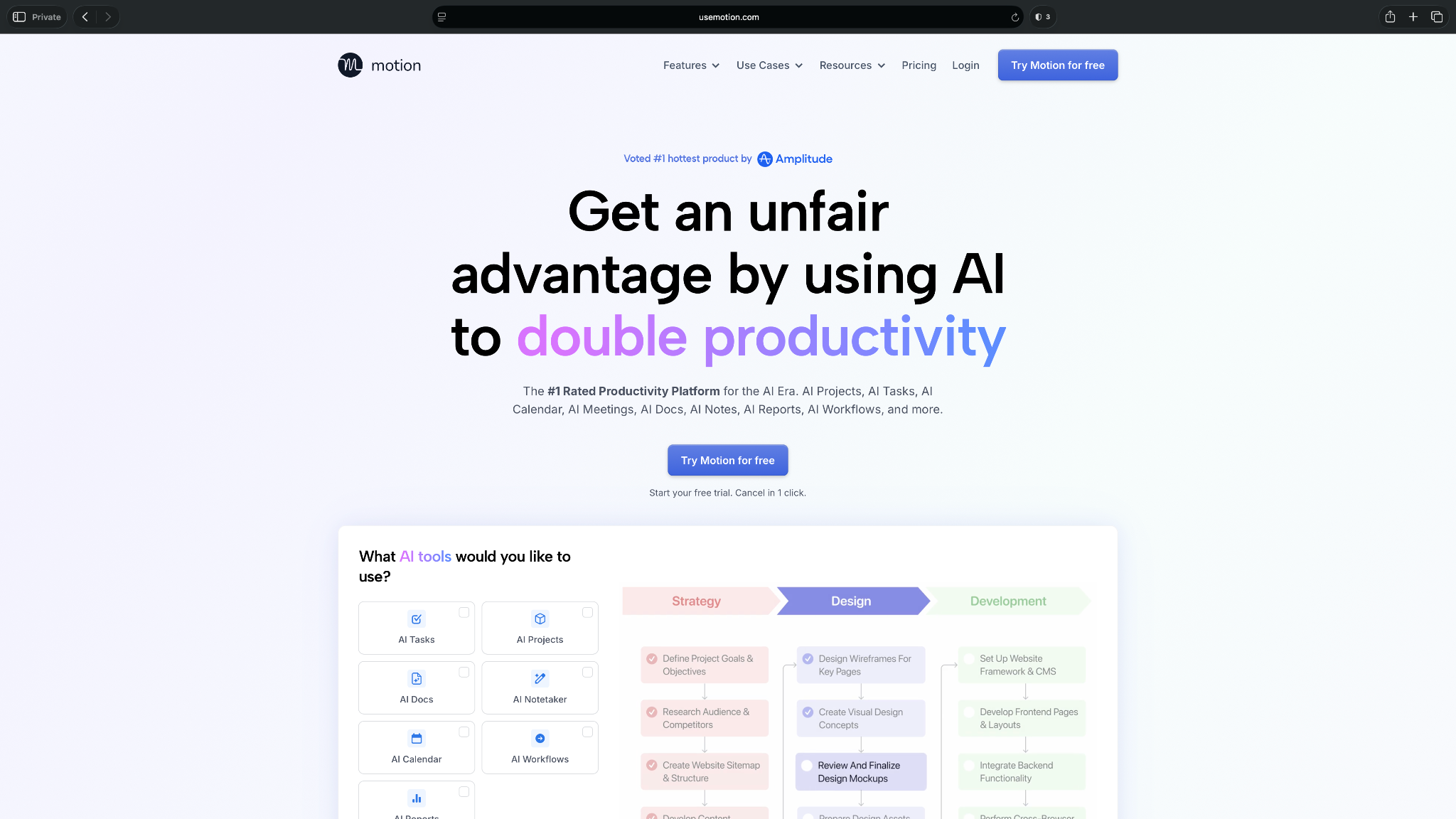
Motion also supports team planning. You can organize work into projects, assign tasks, track dependencies, and see workloads across your team, making it a good fit for both individual productivity and collaborative work.
Who it's for
Motion is best suited for professionals and teams with busy, unpredictable schedules. It's particularly useful if you spend too much time planning your day manually or frequently need to reshuffle work around meetings and changing priorities.
Key features
- AI automatically schedules tasks into your calendar based on deadlines, priorities, dependencies, and availability
- Continuously reschedules unfinished work when meetings change or new tasks are added
- Supports recurring tasks, project management, task dependencies, and workload planning
- Integrates with Google Calendar, Outlook, Gmail, Slack, Zoom, and other productivity tools
Pros
- Reduces manual planning throughout the day by continuously maintaining your schedule
- Less app switching as it combines task management, calendar scheduling, meeting booking, and project planning into a single platform
- Gives managers better visibility into workloads and task progress without constant follow-ups
Cons
- Works best only when you fully commit to planning your work inside the platform
- Higher pricing than other personal to-do list apps, which may be difficult to justify if you mainly need a simple task manager
What users say
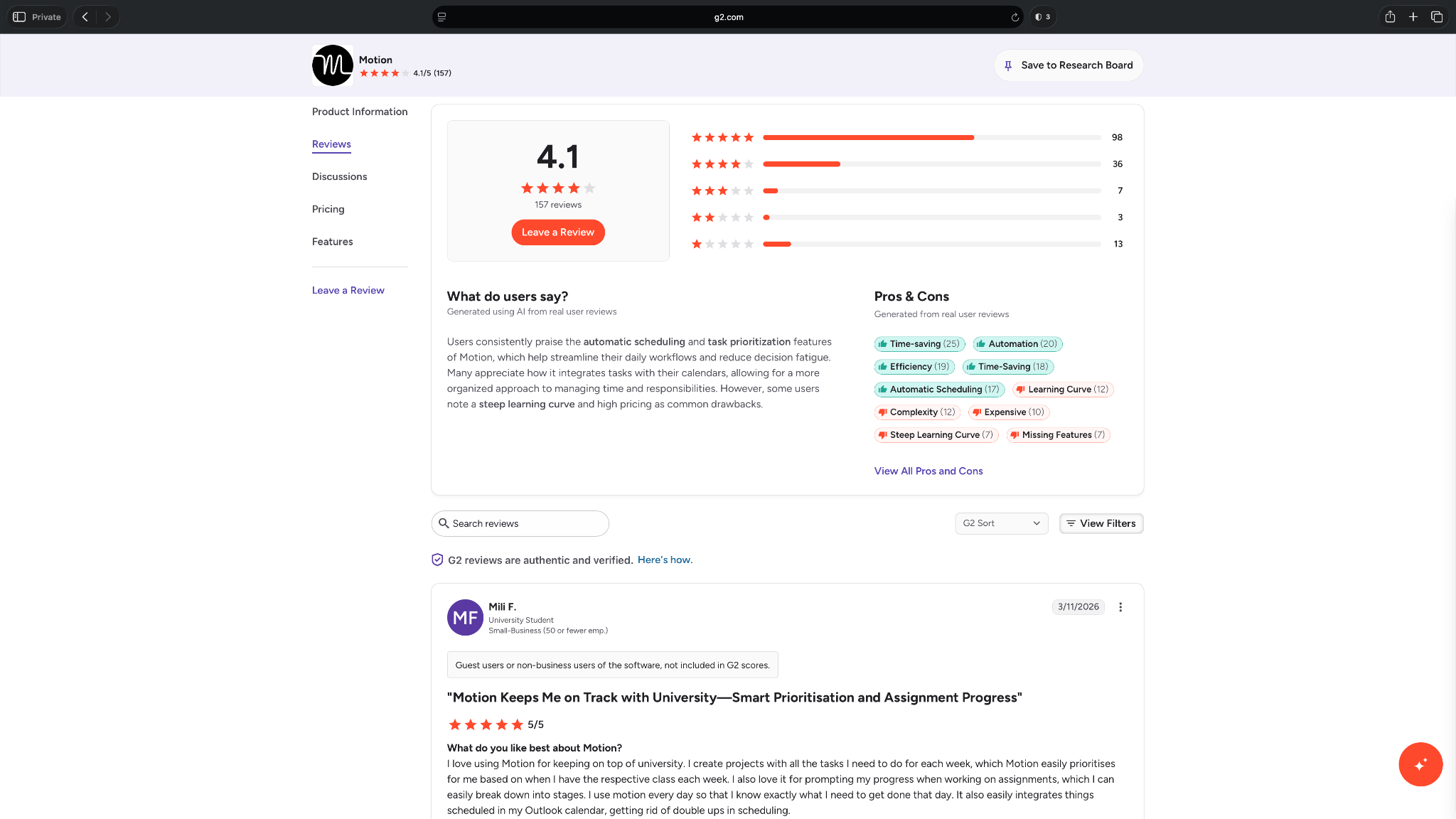
Motion has a 4.1-star rating on G2 from over 150 reviews. Users frequently credit it with reducing the time spent planning their day, thanks to its automatic scheduling and task prioritization.
The most common trade-offs are the learning curve and pricing, with some users saying it takes time to adapt to Motion's way of organizing work.
Pricing
- No free plan, only a free trial
- Paid plans start from $49/month, billed monthly
- For teams, the plans start from $29/user/month, billed monthly
5. FlowSavvy: Automatically fit tasks into your calendar
FlowSavvy is an AI planner that schedules your tasks around your existing calendar. You add your tasks, deadlines, priorities, and availability, and the app builds a schedule that updates throughout the day.
If something takes longer than expected or a new meeting comes up, FlowSavvy reschedules your remaining work automatically.
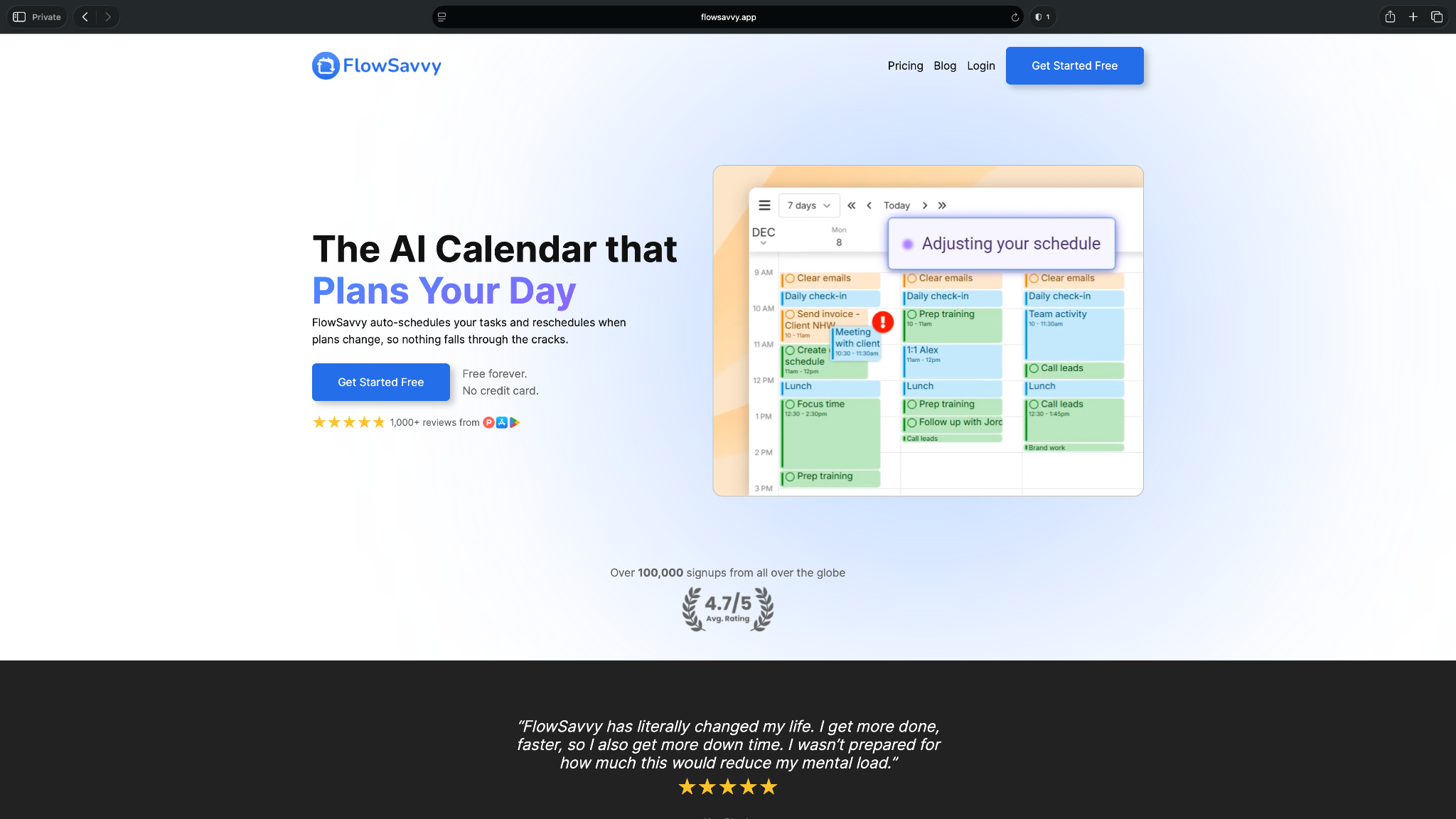
FlowSavvy focuses on personal productivity. It doesn't try to replace your existing task management workflow with extensive project features, making it a good choice if your main goal is to spend less time planning your day.
Who it's for
FlowSavvy is ideal for individuals, students, freelancers, and professionals who want their calendar and to-do list to work together without manually time-blocking every task.
Key features
- Automatically schedules tasks based on deadlines, priorities, estimated duration, and calendar availability
- Continuously adjusts your schedule when meetings change or tasks are completed later than planned
- Supports recurring tasks, flexible deadlines, and daily work-hour preferences
- Syncs with Google Calendar, Outlook Calendar, and Apple Calendar
Pros
- The interface is simple and easy to learn, making it approachable for users moving from traditional to-do list apps
- Offers useful scheduling automation without requiring the complexity of a full project management platform
- Includes a generous free plan that's sufficient for many personal productivity workflows
Cons
- Collaboration features are limited, so it's not designed for managing work across larger teams
- It focuses on scheduling existing tasks rather than using AI to generate subtasks, summarize projects, or automate broader workflows
What users say
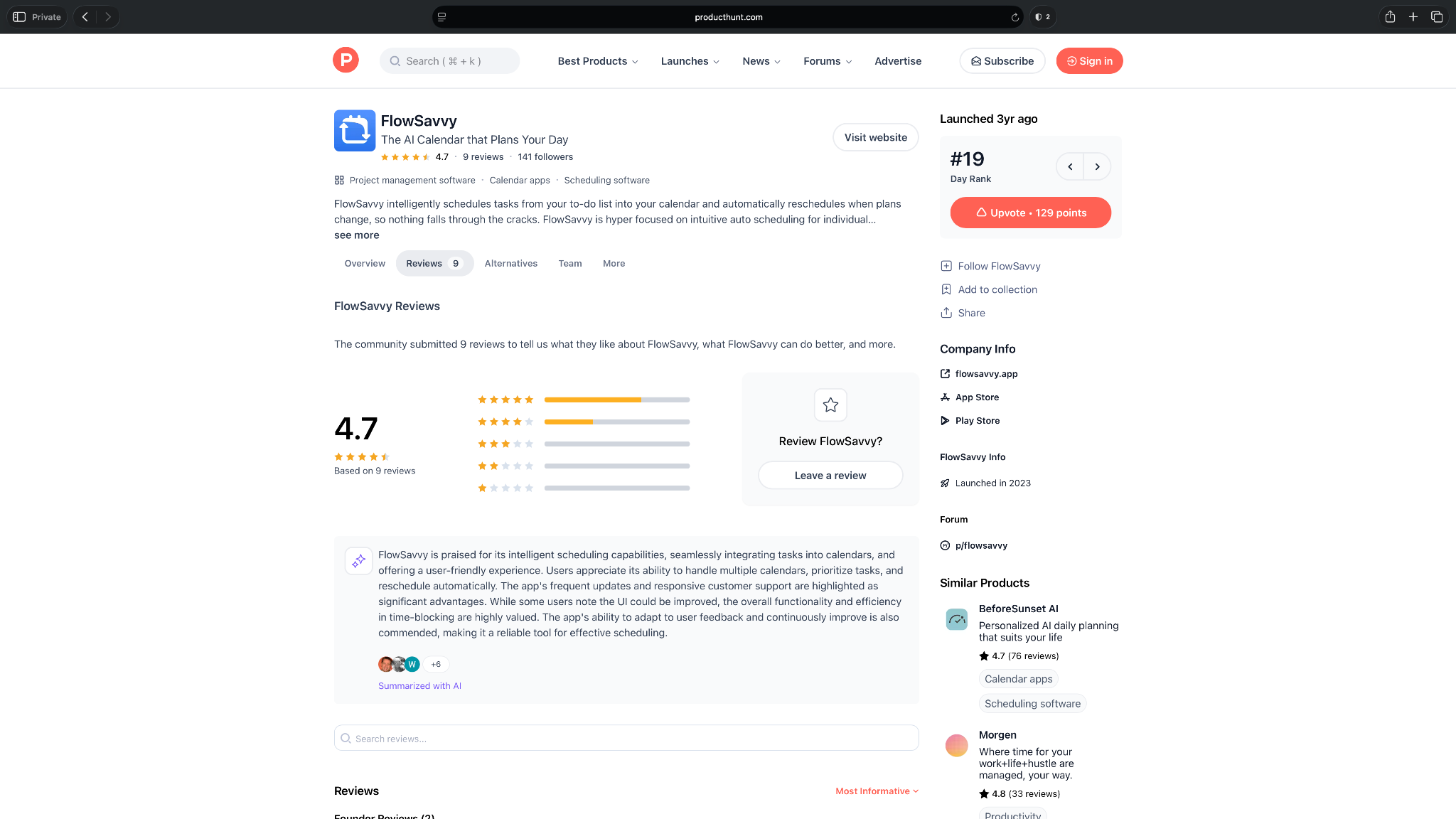
Users mainly value FlowSavvy for removing the manual work from time-blocking. They like that it places tasks around existing calendar events, recalculates the day when plans change, and keeps the experience easy to follow.
Its 4.7-star Product Hunt rating from 9 reviews also reflects praise for responsive support, though some users still want more integrations and stronger AI features.
Pricing
- Free plan with auto-schedule up to 2 weeks
- Pro plan costs $14/month, billed monthly
{{templates}}
6. SkedPal: Flexible AI scheduling around your priorities
SkedPal is an AI task planner that schedules your work based on your priorities, deadlines, available time, and preferred working hours. You don't have to assign every task to a fixed time slot. Define your scheduling rules, like when you prefer to do deep work or personal tasks, and SkedPal builds a schedule that adapts as your calendar changes.
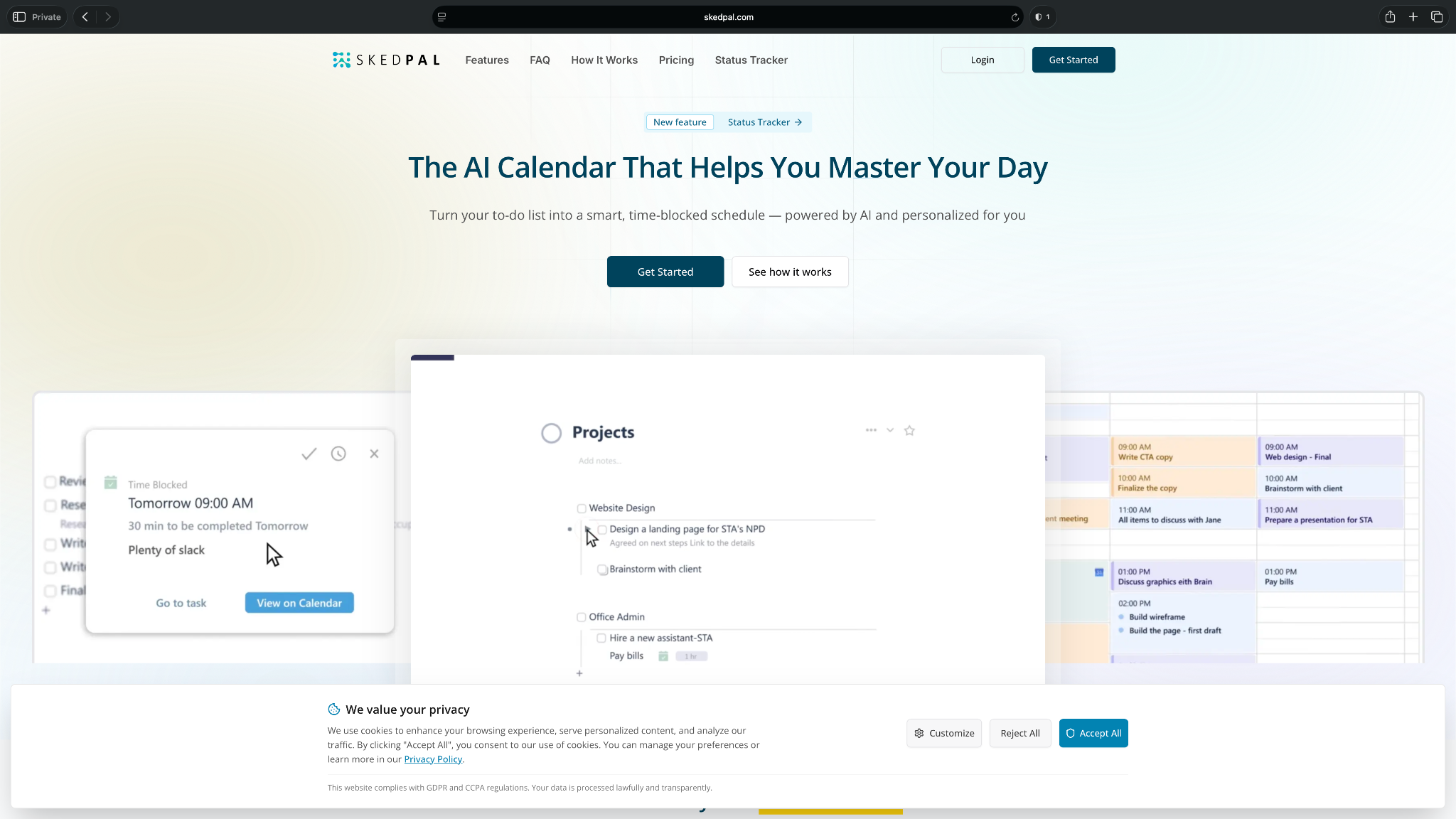
Its biggest strength is flexibility. Compared to simpler AI schedulers, SkedPal gives you more control over how your time is allocated, making it a good option for people juggling multiple projects with competing priorities.
Who it's for
SkedPal is ideal for professionals, freelancers, and entrepreneurs who manage multiple projects and want more control over how AI schedules their workload.
Key features
- Schedules tasks based on deadlines, priorities, available time, and scheduling preferences
- Lets you create custom time maps to reserve different parts of your day for specific types of work
- Supports recurring tasks, task dependencies, subtasks, and project organization
- Syncs with Google Calendar and Outlook Calendar to keep your schedule up to date
Pros
- Offers far more scheduling flexibility than most AI planners by letting you customize when different categories of work should happen
- Works well for people balancing long-term projects instead of only planning day-to-day tasks
- Helps prevent overbooking by continuously balancing your workload against available time
Cons
- The number of scheduling options and customization settings can feel overwhelming for first-time users
- The interface feels more functional than modern, especially compared to newer AI productivity apps
What users say
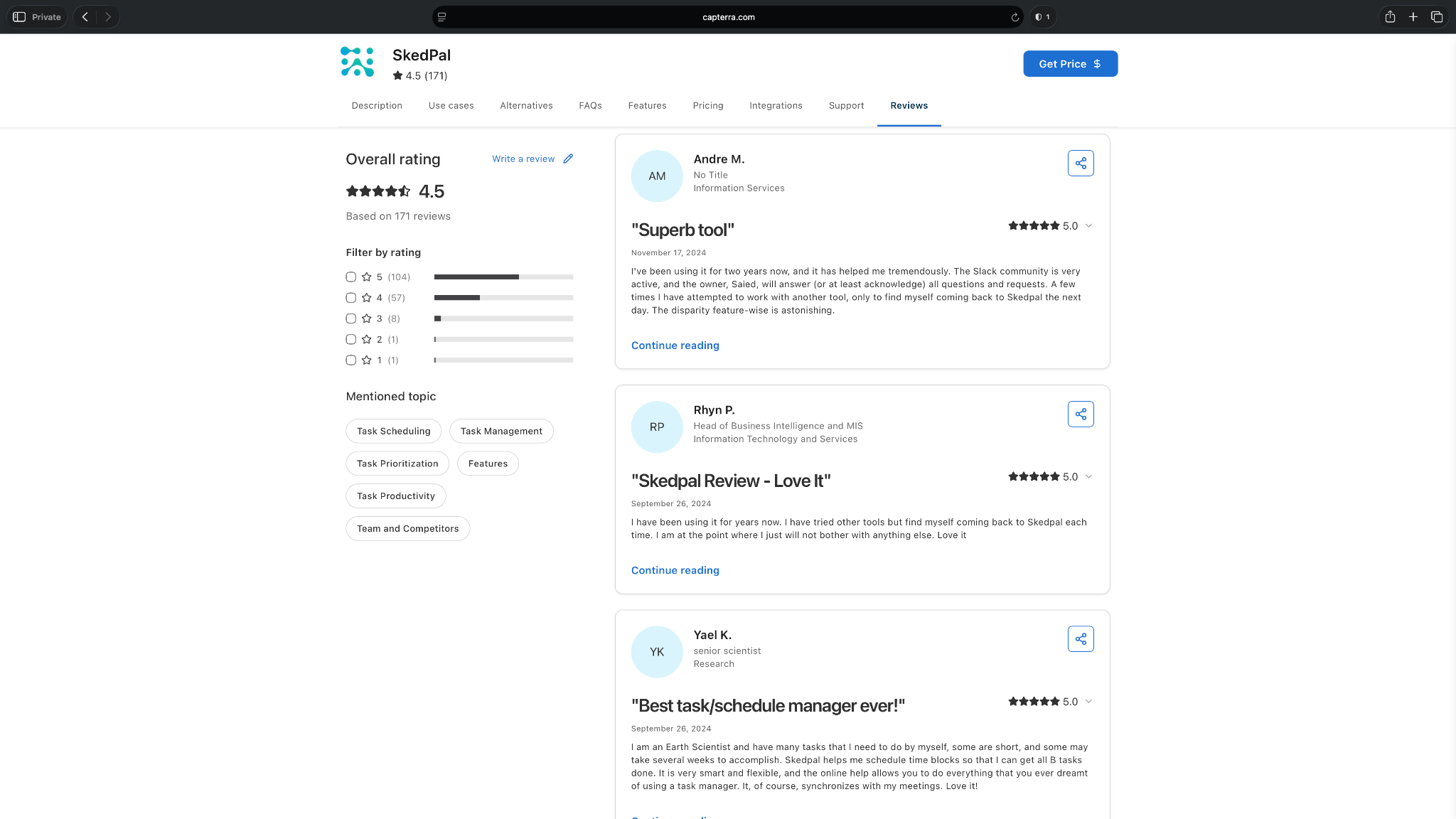
SkedPal has a 4.5-star rating on Capterra from more than 170 reviews. Long-time users say its AI scheduling becomes difficult to replace once it's part of their routine, especially for balancing multiple projects and priorities.
The biggest criticism is that the initial setup and interface can feel more complex than simpler planning apps, particularly for first-time users.
Pricing
- No free plan, only a 14-day free trial
- Paid plans start from $14.95/month, billed monthly
AI task managers for teams
7. Asana: Manage team tasks at scale
Asana is one of the most widely used project management platforms. Its AI features help teams create tasks from conversations, summarize projects, identify blockers, and automate routine work. Asana gives teams a more efficient way to manage work without rebuilding their existing processes.
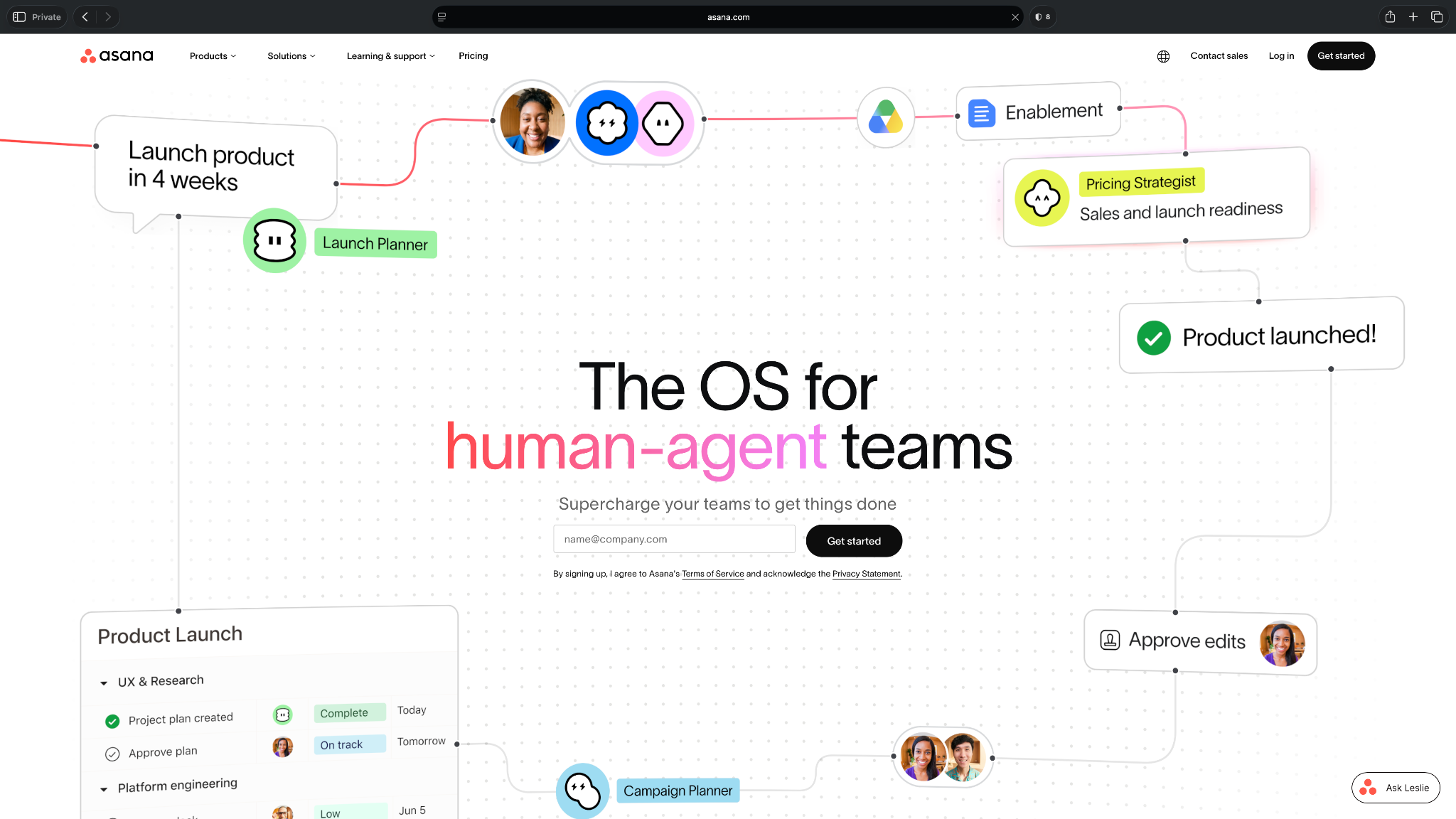
It focuses on collaborative work. With AI, teams can use Asana to coordinate projects, reduce manual updates, and keep work moving across departments.
Who it's for
Asana Intelligence is best suited for growing teams and organizations that need AI to simplify project coordination, task management, and cross-functional collaboration.
Key features
- Generates tasks, summaries, and project updates using AI
- Automates workflows, approvals, and recurring processes across projects
- Supports multiple project views, including lists, boards, timelines, calendars, and Gantt charts
- Connects with hundreds of business tools, including Slack, Microsoft Teams, Google Workspace, Salesforce, and Zoom
Pros
- Scales well from small teams to enterprise organizations without requiring separate project management tools
- Makes it easier for managers to monitor project progress and identify risks across multiple teams
- Offers flexible workflows that can be customized for different departments and business processes
Cons
- Includes features beyond task management, which can make onboarding slower for new users
- Most AI capabilities are only available on higher-tier paid plans, making the total cost higher than many AI to-do list apps
What users say
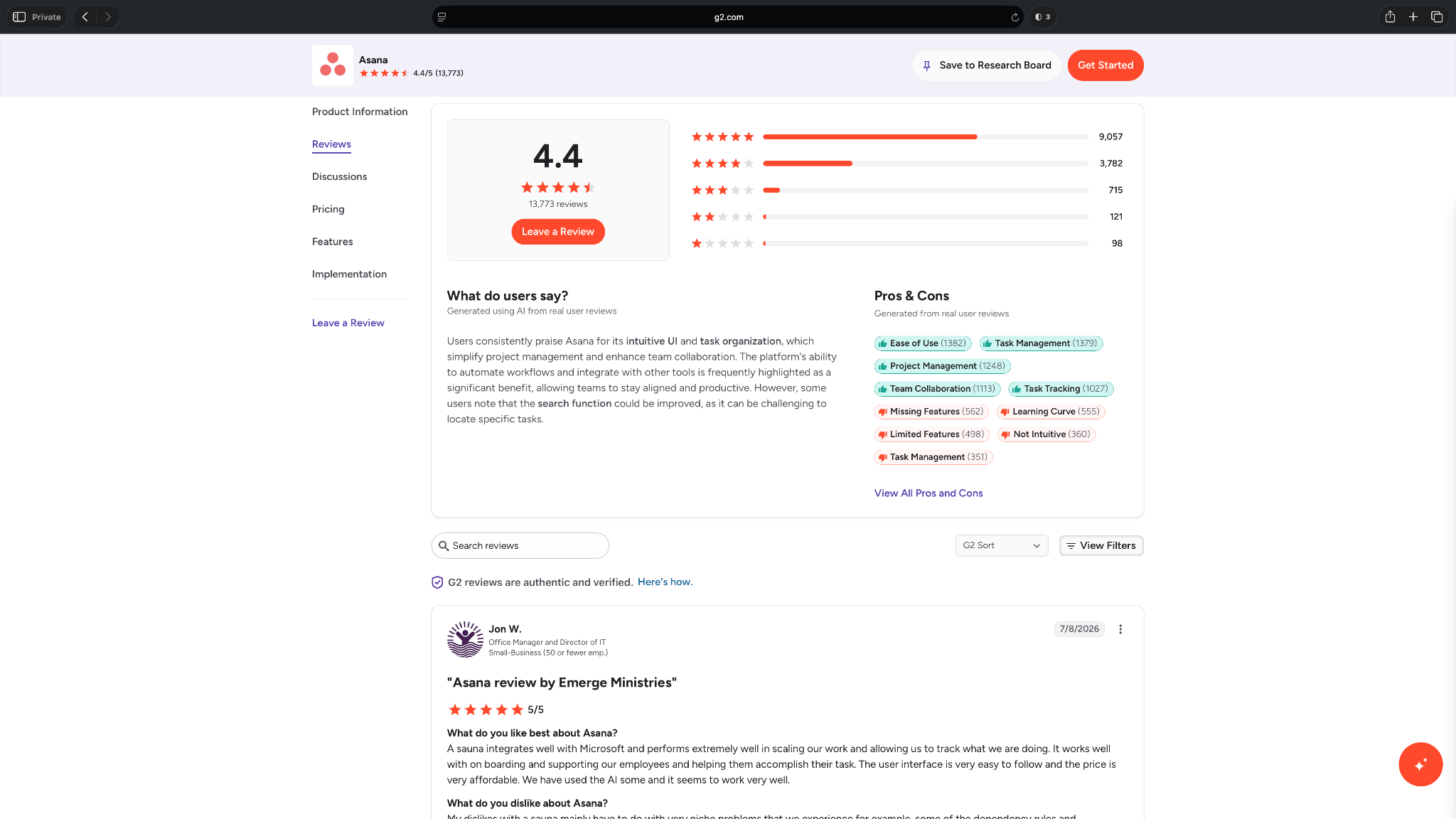
Asana is one of the most widely reviewed tools on this list, with a 4.4-star rating on G2 from nearly 14,000 reviews. Users consistently praise its intuitive interface, project organization, and collaboration features, especially for managing work across teams.
On the flip side, some reviewers mention that finding information can become difficult as projects grow, and that certain advanced features require higher-tier plans.
Pricing
- Free plan with a maximum of 2 users
- Paid plans start from $13.49/user/month, billed monthly
8. Wrike: Complex team workloads that need AI assistance
Wrike is a project and task management platform. Its AI features focus on reducing administrative work while helping project managers keep large, fast-moving initiatives on track. It helps teams generate task descriptions, summarize project updates, identify risks, recommend next steps, and automate repetitive work.
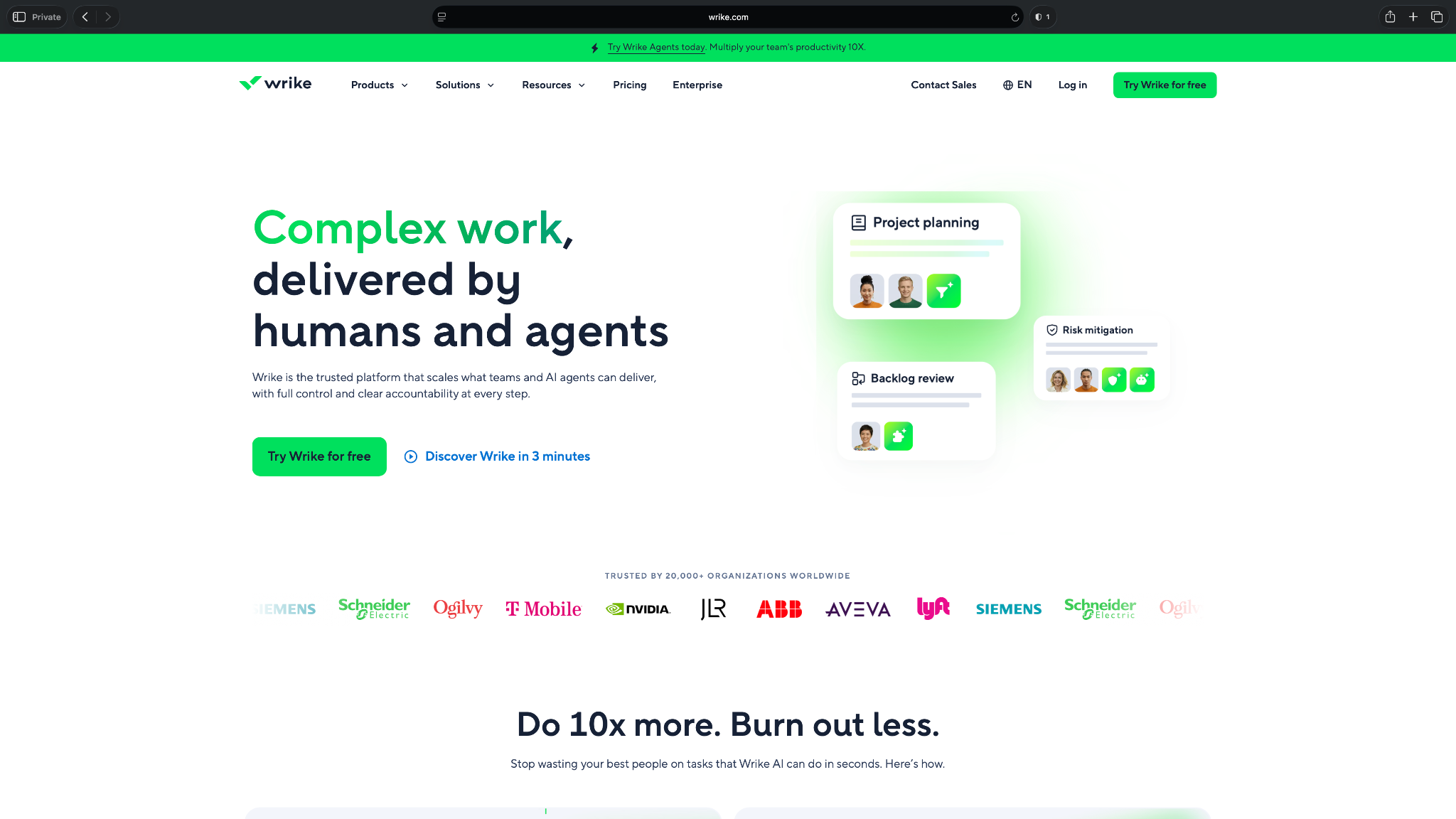
Combined with Wrike's dashboards, request forms, and workload management features, it gives teams better visibility into projects without relying on constant manual updates.
Who it's for
Wrike is best suited for mid-sized businesses and enterprise teams that manage complex projects across multiple departments and need AI to improve planning, reporting, and task management.
Key features
- Uses AI to generate task descriptions, project summaries, and meeting notes
- Prioritizes work by identifying potential project risks and bottlenecks
- Automates recurring workflows, approvals, and request management
- Supports multiple project views, including lists, boards, Gantt charts, calendars, and dashboards
Pros
- Strong workload management tools make it easier to balance work across large teams
- Well-suited for agencies and enterprises managing multiple clients or business units
- Offers detailed reporting and analytics that help managers monitor project performance
Cons
- The interface can feel overwhelming for users who only need a lightweight task manager
- Many of the AI and advanced workflow capabilities are reserved for higher-tier plans
What users say
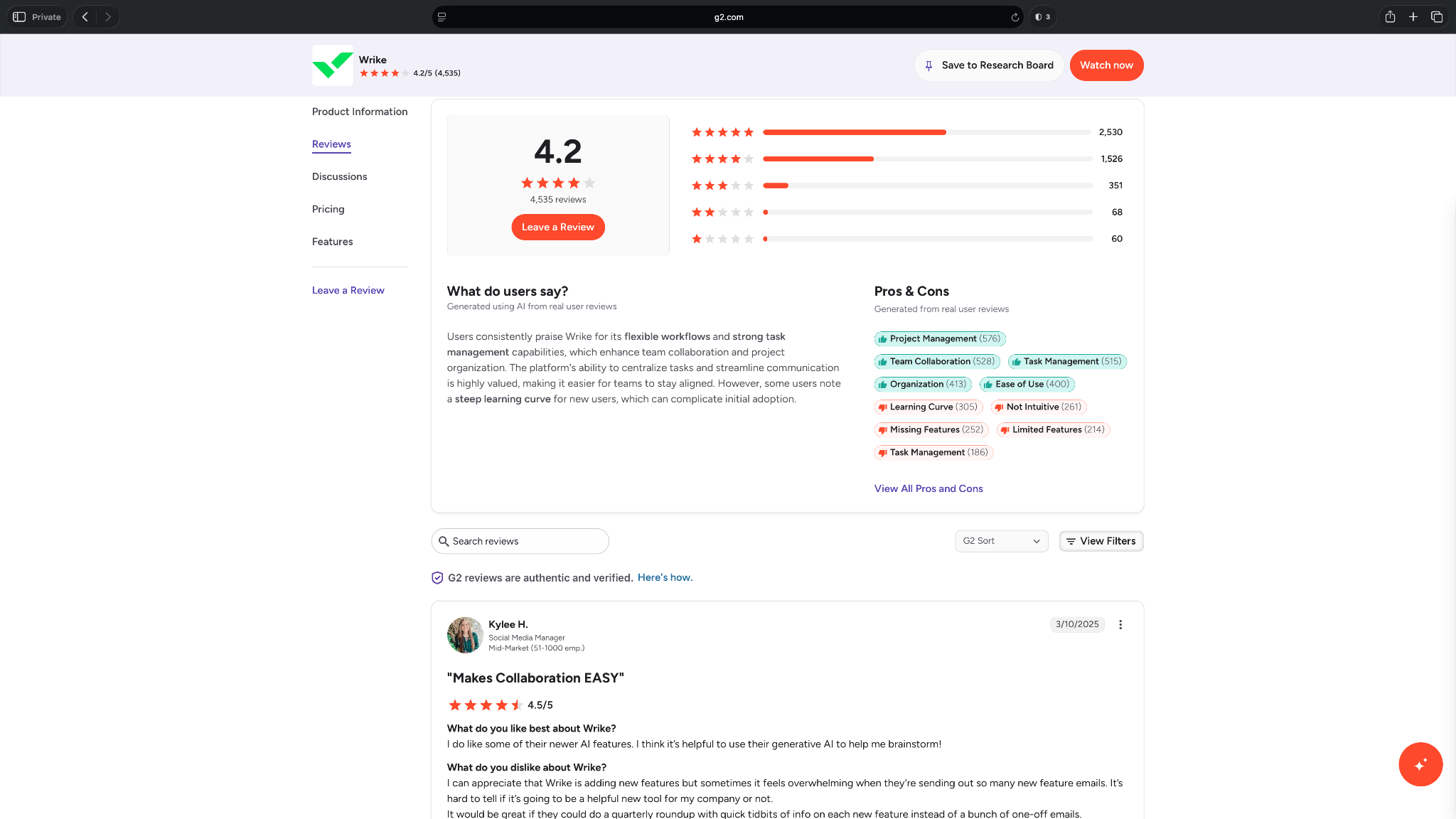
Wrike has earned a 4.2-star rating on G2 from more than 4,500 reviews. Users often mention its flexibility, saying it adapts well to different team workflows and makes cross-functional collaboration easier.
The main drawback is that its broad feature set comes with a learning curve, especially for teams adopting the platform for the first time.
Pricing
- Free plan with limited features
- Paid plans start from $10/user/month, billed yearly
9. ClickUp: Customizable AI task management
ClickUp has now added AI assistance to its project management platform. That helps teams create tasks, summarize discussions, answer questions about projects, and automate routine work.
Combined with the highly customizable workspaces, it gives teams a central place to manage tasks, documents, goals, and workflows.
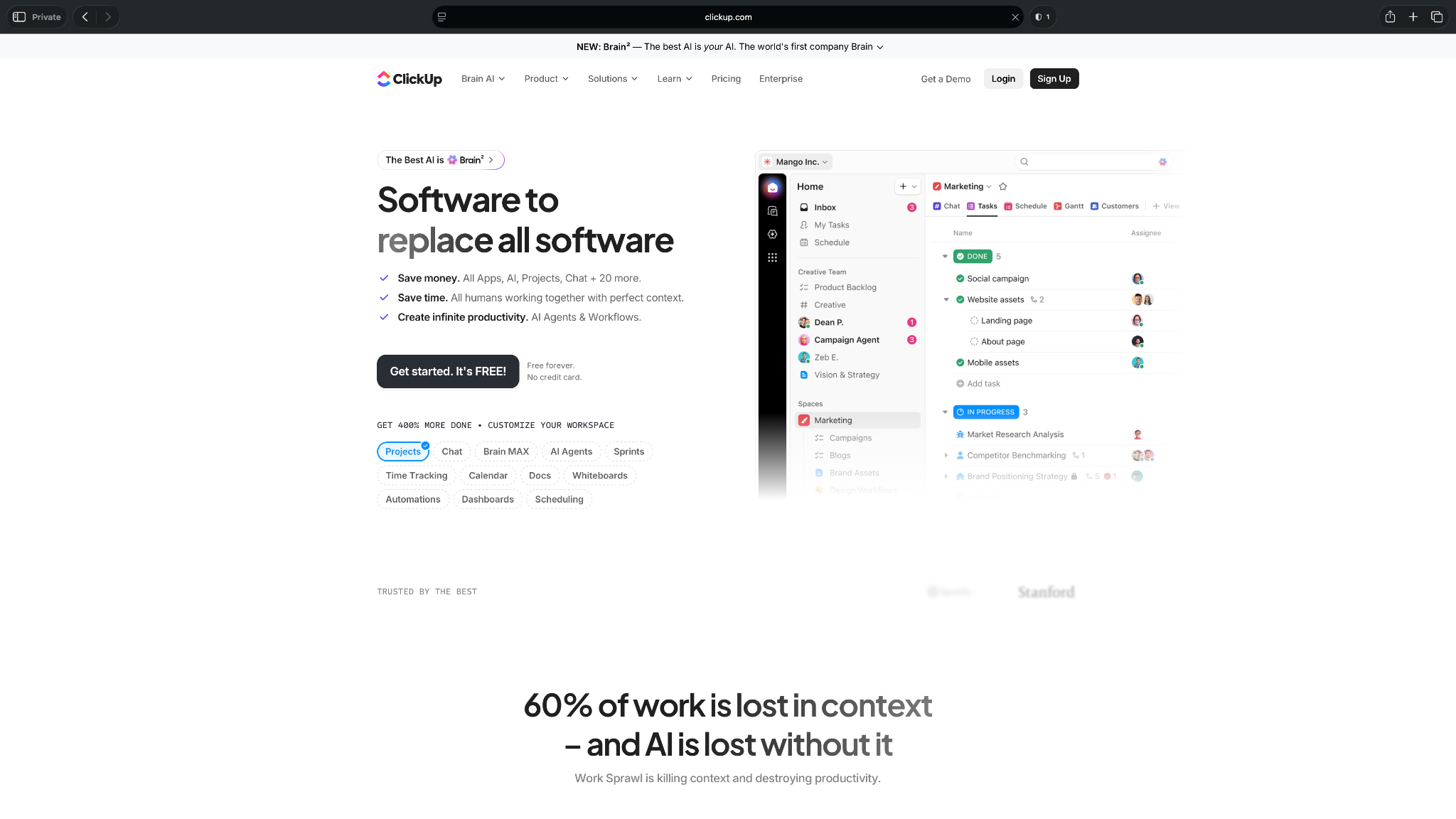
ClickUp suits teams that manage multiple projects at once. Its AI features help reduce manual work, while the customization options allow different departments to set up the platform to their own processes.
Who it's for
ClickUp Brain is ideal for growing teams and organizations that want AI task management alongside customizable project workflows, documentation, and collaboration tools.
Key features
- Uses AI to generate tasks, project summaries, and documentation
- Answers questions across tasks, docs, chats, and knowledge stored in your workspace
- Supports multiple project views, including lists, Kanban boards, calendars, Gantt charts, timelines, and dashboards
- Automates repetitive workflows and integrates with popular tools like Slack, Google Workspace, Microsoft Teams, GitHub, and Zoom
Pros
- Highly customizable, making it suitable for different teams, departments, and business processes
- Combines task management, documentation, goals, whiteboards, and collaboration in a single platform
- Scales well from small teams to large organizations without requiring additional project management software
Cons
- Extensive customization options mean it can feel overwhelming for new users who only need a simple task manager
- AI features require a paid add-on or higher-tier plans, increasing the overall cost compared to standalone AI to-do list apps
What users say
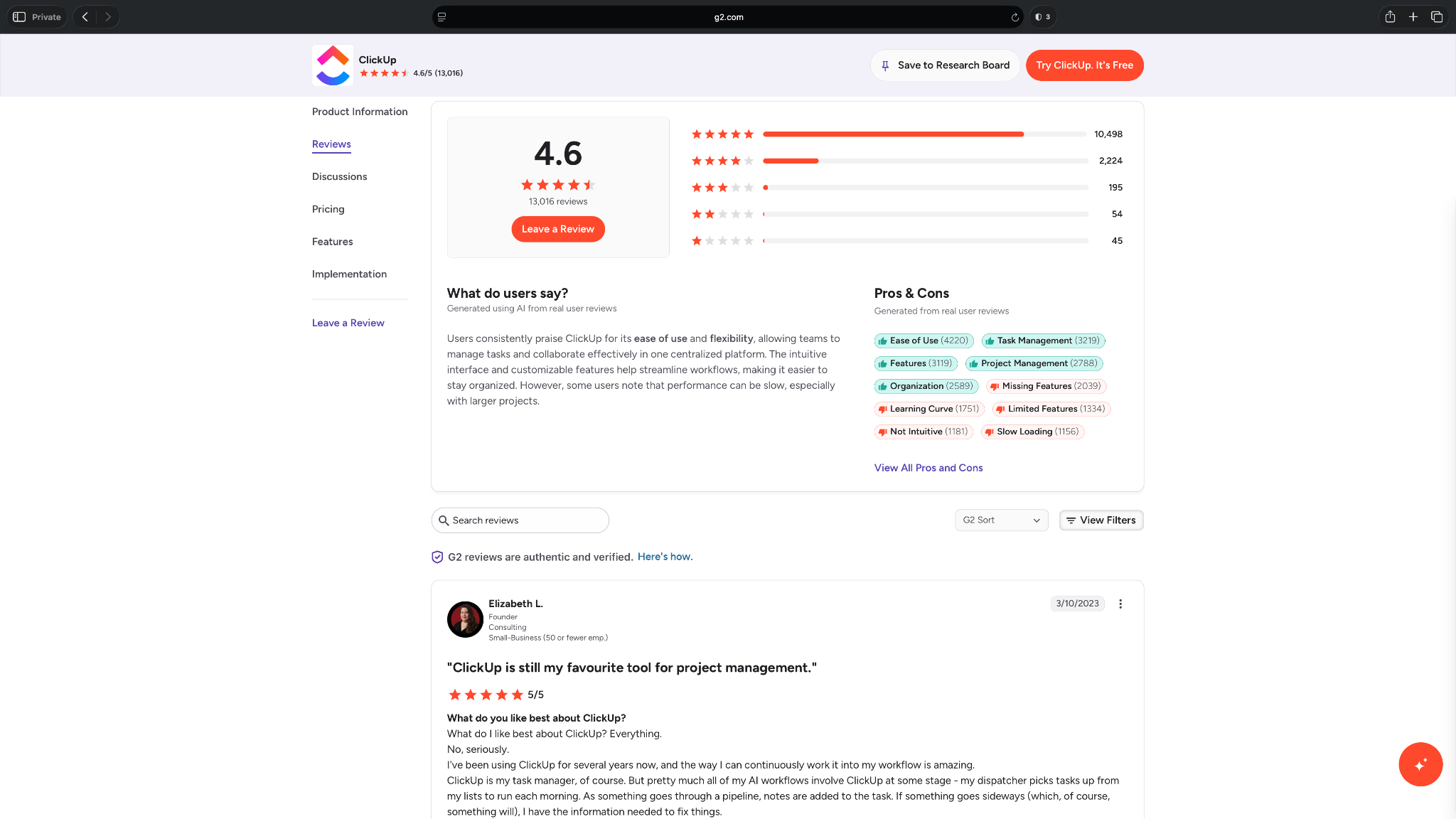
ClickUp has a 4.6-star rating on G2 from over 13,000 reviews. Users like how much they can customize the platform, from task views and dashboards to automations and workflows, making it suitable for a wide range of teams.
Some reviewers say that flexibility comes at the cost of a steeper learning curve, and larger workspaces can occasionally feel slower to navigate.
Pricing
- Free plan with 60 MB of storage
- Paid plans start from $10/user/month, billed monthly
- Brain AI is an add-on and starts from $14/user/month, billed monthly
{{cta}}
How to pick the right AI to-do list app
The best AI to-do list app is the one that fits how you already plan your work. Some apps automatically schedule your day. Others help you organize tasks, while team-focused platforms combine task management with collaboration and project tracking.
Before you compare pricing or AI capabilities, these are the factors I'd consider:
Choose a tool that matches how you work
Start by identifying your biggest productivity bottleneck. If you spend too much time deciding what to work on next, an AI scheduler like Motion, FlowSavvy, or SkedPal can automatically build your day around meetings, deadlines, and priorities.
If your biggest challenge is organizing ideas, emails, and personal tasks, Todoist Assist, Saner.AI, or Akiflow will likely be a better fit.
And if you're managing work across multiple people, platforms like Asana, Wrike, and ClickUp provide AI features for team collaboration.
Decide how much automation you want
Some apps simply help you create better task lists by breaking projects into smaller steps or suggesting priorities. Others make decisions for you by automatically scheduling and rescheduling your work whenever your calendar changes.
If you enjoy planning your own day, lightweight AI assistance may be enough. If you'd rather spend less time organizing your schedule, look for tools with automatic scheduling.
Check your existing integrations
Look for integrations with the tools you already use, whether that's Google Calendar, Outlook, Slack, Gmail, Microsoft Teams, Notion, Jira, or your project management platform. The fewer tasks you have to copy manually, the more valuable the app becomes over time.
If your team already relies on multiple productivity apps, you can also use an AI assistant tool like Lindy to create tasks, assign work, update deadlines, and interact with your task management tools through simple chat commands instead of switching between apps.
Don't pay for features you won't use
Many AI productivity platforms include documents, chat, whiteboards, dashboards, CRM features, and workflow automation alongside task management. Those capabilities are useful for some teams, but they also increase cost and complexity.
If you mainly want a smarter to-do list, you'll probably get more value from a focused task manager than an all-in-one workspace.
Make sure the app is easy to use every day
A feature-rich platform isn't helpful if creating a task takes longer than writing it on paper. Look for an interface that makes it easy to capture ideas, organize work, and find your next priority without adding unnecessary steps.
Many of the tools in this list offer free plans or trials, so it's worth testing two or three before committing to one.
How Lindy helps by connecting with your AI to-do list apps
Most AI to-do list apps help you organize work by creating tasks, prioritizing them, scheduling your day, or improving team collaboration.
Lindy complements those tools by connecting with the work apps you already use. It’s an AI assistant you can text in natural language to create tasks, assign work, shift deadlines, add notes, or update your calendar.
For example, instead of opening Asana to assign work, Todoist to add a task, and Google Calendar to reschedule a meeting, you can do it in a single conversation with Lindy.
It can also help by:
- Creating tasks from emails, Slack messages, or meeting notes
- Assigning due dates and priorities
- Scheduling or rescheduling calendar events
- Turning action items into tasks
- Sending reminders before important deadlines
Because it integrates with hundreds of work applications, including Asana, ClickUp, Todoist, Google Calendar, Outlook Calendar, Slack, Gmail, Notion, HubSpot, and Salesforce, it works alongside your existing productivity stack instead of replacing it.
It also includes ready-to-use skills for common workflows, which you can customize as your processes evolve. If you're new to the platform, Lindy Docs provides step-by-step guides for everyday automations. It also supports SOC 2 Type II, HIPAA, GDPR, and PIPEDA compliance for teams with stricter security requirements.
If your goal is simply to organize personal tasks, an AI to-do list app is probably all you need. But if you want to manage tasks, calendars, and updates across multiple apps from one place, Lindy can help reduce context switching without changing your existing workflow.
Try the Lindy free trial and see how many task-management chores it can take off your plate.
Which AI to-do list app should you choose?
The right AI to-do list app depends on what hampers your productivity the most. Pick an app depending on whether you need a simple task list or you need AI to organize your ideas and schedule for you.
And if you're managing projects across a team, you'll benefit more from a collaborative task management platform. Use these scenarios to narrow down your options:
Choose Todoist if you:
- Want a familiar to-do list app with practical AI features.
- Need help breaking large tasks into smaller, actionable steps.
- Prefer a lightweight task manager over a full project management platform.
Choose Saner.AI if you:
- Capture ideas, notes, emails, and research before turning them into tasks.
- Want AI to organize scattered information automatically.
- Prefer managing notes and tasks in the same workspace.
Choose Akiflow if you:
- Already manage tasks across Gmail, Slack, Notion, Jira, and other workplace apps.
- Want one inbox for all your tasks instead of switching between multiple tools.
- Prefer planning your day around an integrated calendar.
Choose Motion if you:
- Want AI to schedule and reprioritize your day.
- Frequently juggle meetings, deadlines, and changing priorities.
- Need a single place for your calendar, tasks, and projects.
Choose FlowSavvy if you:
- Want automatic time-blocking without the complexity of a project management platform.
- Primarily manage your own work instead of collaborating with a team.
- Prefer a simple interface that's easy to learn.
Choose SkedPal if you:
- Want more control over how AI schedules your work.
- Balance multiple long-term projects with competing priorities.
- Like customizing when different types of work should happen.
Choose Asana if you:
- Manage projects across multiple teams or departments.
- Need AI to summarize work, automate routine processes, and track project progress.
- Want a scalable project management platform.
Choose Wrike if you:
- Manage projects across multiple departments or clients.
- Need AI to reduce manual project updates and administrative work.
- Want advanced reporting, workload management, and workflow automation alongside task management.
Choose ClickUp if you:
- Want a highly customizable workspace for managing tasks, projects, and documentation.
- Need AI to help organize large amounts of work across teams.
- Don't mind spending time configuring workflows to match your processes.
Consider using Lindy if you:
- Already use one or more of these task management tools but want a simpler way to interact with them.
- Want to create tasks, assign work, reprioritize deadlines, or update projects by chatting with AI instead of opening multiple apps.
- Need an AI assistant that connects your task management tools with your email, calendar, Slack, and other business apps.
Skip AI to-do list apps if you:
- Already have a task management system that you consistently use and don't struggle to maintain.
- Only need a simple checklist or reminder app without AI features.
- Expect AI to manage your workload without putting in any time to set up tasks, priorities, and integrations.
Frequently asked questions
What is an AI to-do list app?
An AI to-do list app uses artificial intelligence to help you manage tasks more efficiently. Depending on the tool, it can prioritize your workload, break large tasks into smaller steps, automatically schedule work on your calendar, or create tasks from emails, notes, and meetings.
What is the best AI to-do list app?
The best AI to-do list app depends on how you work and your use case, with Todoist being the ideal app for creating simple to-do lists. Motion works well for automatic scheduling, Saner helps with organizing notes into tasks, and Asana is a better choice for teams managing complex projects.
What is the 1/3/5 rule for tasks?
The 1/3/5 rule is a simple productivity method where you plan one large task, three medium tasks, and five small tasks each day. It helps you focus on your highest priorities without creating an unrealistic to-do list. The goal of this rule is to help you make steady progress instead of trying to complete everything at once.
What is the best way to create a daily to-do list?
The best way to create a daily to-do list is by listing everything you need to do. Then identify the most important tasks for the day, break larger projects into smaller actions, estimate how long they'll take, and avoid adding more work than you can realistically finish. AI to-do list apps can also help you prioritize and schedule your tasks.
What is the best daily to-do list app?
Todoist, Motion, Saner, and FlowSavvy are some of the best daily to-do list apps, depending on how you plan your day. Todoist works well for managing personal tasks, while Saner is ideal if you want to capture ideas and notes and let AI organize them. Motion works if you want AI to build your schedule automatically, and FlowSavvy is great for simple time-blocking.
If you already use one of these tools and don’t want to switch apps, Lindy can be a great addition to help you execute tasks across your work apps.
What is the best AI to-do list and task management tool for large teams?
Asana, ClickUp, and Wrike are the best AI to-do list and task management tools for large teams. They combine AI with project management, collaboration, workflow automation, and reporting, making them ideal for coordinating work across multiple people and departments.
What's an alternative to to-do lists?
Time-blocking, Kanban boards, digital calendars, AI assistants like Lindy, project management tools, or the 1/3/5 productivity method are alternatives to to-do lists. Many AI productivity apps also combine these approaches by automatically organizing and scheduling tasks instead of relying on a static checklist.










![Top 9 AI To-Do List Apps for Better Task Management [2026]](https://cdn.prod.website-files.com/63e15df811f9df22b231e58f/6a7be012c8a145aa439fc449_blog-sidebar-teammate.avif)