Akiflow Pricing in 2026: Plans, Discounts, and What You Pay


I went to the Akiflow pricing page expecting the usual mess: a grid of three tiers, a table full of checkmarks, and a feature buried on the highest plan. Instead, I found one plan, Pro, with a handful of payment options depending on how far ahead you want to commit.
Billed monthly, Pro costs $34 per month. Billed yearly, it comes to $19 per month, charged as $228 once a year. Akiflow says that saves you 44% compared to monthly. The longer Believer commitments cut the effective monthly rate further.
There is no free plan. Akiflow offers a 7-day free trial, but it requires a card to start, and your subscription begins automatically when the trial ends unless you cancel first.
I spent time with the tool and reviewed the pricing page in detail to map every payment option, every discount, and the one add-on that significantly changes the monthly cost.
Here is what the numbers look like.
Akiflow pricing plans at a glance
Akiflow sells one plan with one feature set. The only decision is how long you want to pay in advance.
Prices verified at Akiflow’s pricing, October 2026. Always check the live page before purchasing.
The Believer tiers give you the same Pro features for a longer commitment and a lower monthly rate. Team pricing is not published as a self-serve rate, so if you need Akiflow across a team, you contact sales directly.
What you get with Pro
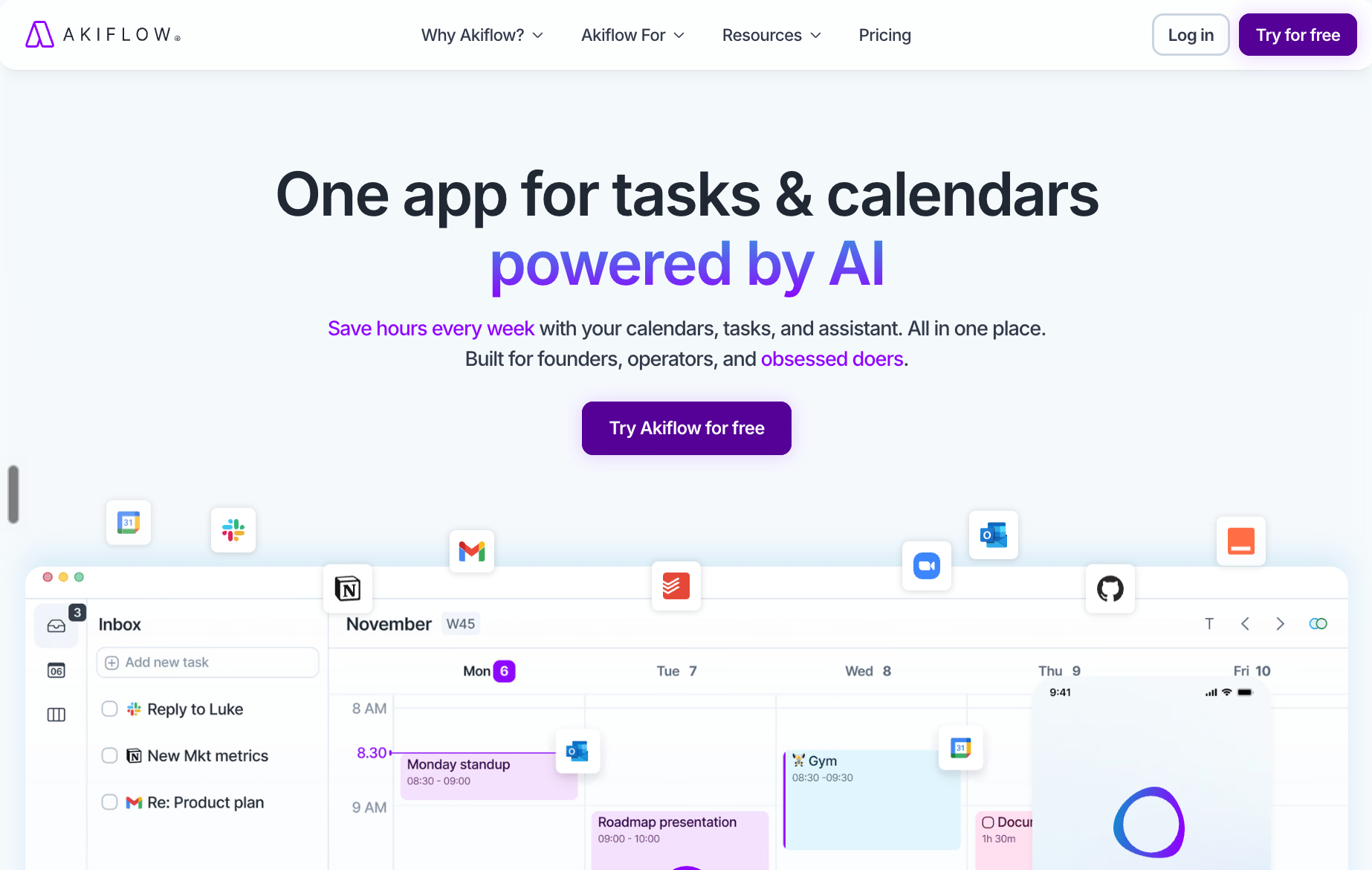
Akiflow Pro is Akiflow’s main paid plan. It helps busy professionals organize tasks, plan their day, block time for important work, and manage multiple calendars in one place. Every commitment length, from monthly to the five-year Believer plan, gives you identical access.
Here is everything included:
- Calendar and time blocking: Full calendar view with Google Calendar and Outlook sync, time blocking, availability sharing, and 2-way sync across all connected accounts. You can block focus time, share booking links, and see your day and week in one place.
- Tasks and subtasks: Create tasks with due dates, priorities, labels, tags, and recurring schedules. Break larger tasks into subtasks and track progress without switching to a separate project tool.
- Quick capture and daily planning ritual: Capture tasks instantly from any surface using keyboard shortcuts or the command bar. The daily planning ritual walks you through reviewing and scheduling your day each morning.
- Lists, categories, and productivity analytics: Organize work into lists and categories, then review how your time was spent using the built-in productivity analytics.
- Desktop app, mobile app, and Apple Watch: Akiflow runs natively on desktop and mobile, with an Apple Watch app for quick capture and task review from your wrist.
- Emails into tasks and Zapier and IFTTT automations: Turn incoming emails into tasks directly, and connect Akiflow to your wider tool stack through Zapier and IFTTT.
- MCP Connector and Aki AI assistant: The MCP Connector lets AI tools like Claude and ChatGPT read your schedule and manage tasks on your behalf. Aki is Akiflow’s built-in AI executive assistant that handles scheduling requests, reschedules conflicts, and sends proactive nudges when your day gets overloaded.
- Team collaboration: View team members’ calendars, share availability, and coordinate scheduling without leaving the app.
If you are looking for tools that go beyond task management and can build your schedule around your priorities automatically, this guide to the best free and paid AI schedule generators covers the options worth considering in 2026.
{{templates}}
What are Akiflow's hidden and extra costs?
Akiflow's main hidden cost is the AI Meeting Assistant, a separate $19/month add-on that covers recording, transcripts, summaries, and action items. It is not included in Pro. The 7-day free trial also requires a credit card, and your subscription starts automatically when it ends unless you cancel first.
Akiflow may also apply local purchasing-power pricing in selected countries, so the price shown at checkout for your location is the one that applies. Team pricing is not published as a self-serve rate. You need to contact sales directly for a quote.
If you are on an annual plan, set your own calendar alert a week before your renewal date so the charge doesn’t catch you off guard.
Does Akiflow offer a student discount?
Yes. Eligible university students and researchers can receive 40% off Pro Yearly for life. The discount can also apply to Believer plans. The discount applies after academic email verification. Email support@akiflow.com to apply.
Is Akiflow worth the price?
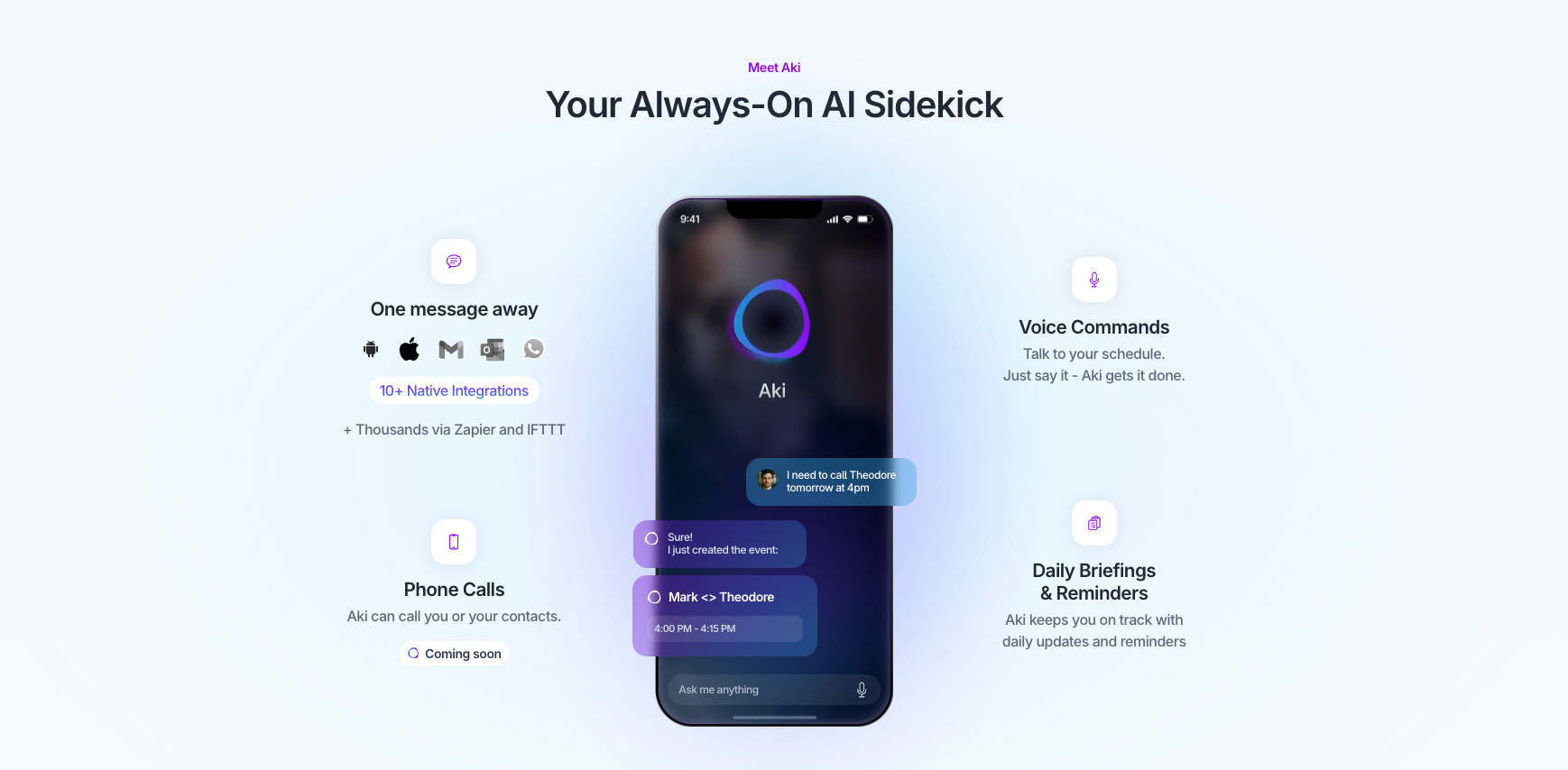
Yes, Akiflow is worth it if you need a combination of time blocking, daily planning rituals, a focus timer, daily goals, offline mode, keyboard shortcuts, and an AI assistant all in one place. The cost is the main concern, and it is a real one at the monthly rate.
Who it is for:
- People who live in their calendar and want tasks and scheduling in one place
- Professionals who time-block their day and need a tool built around that habit
- Anyone who wants an AI assistant that can manage their schedule through natural language or through connected tools like Claude
- Users who switch between multiple project tools and want a single inbox that pulls everything together
Who should skip it:
- People who only need basic task management and would not use the calendar or AI features
- Anyone who needs a free plan long-term, since there is no free tier and the trial lasts only 7 days
- Teams that need shared task management rather than individual scheduling, since Akiflow is built around personal productivity rather than collaborative project work
- Budget-conscious users who want to try the full feature set before committing, since the card-required trial makes that harder than it should be
Can you use Akiflow for free?
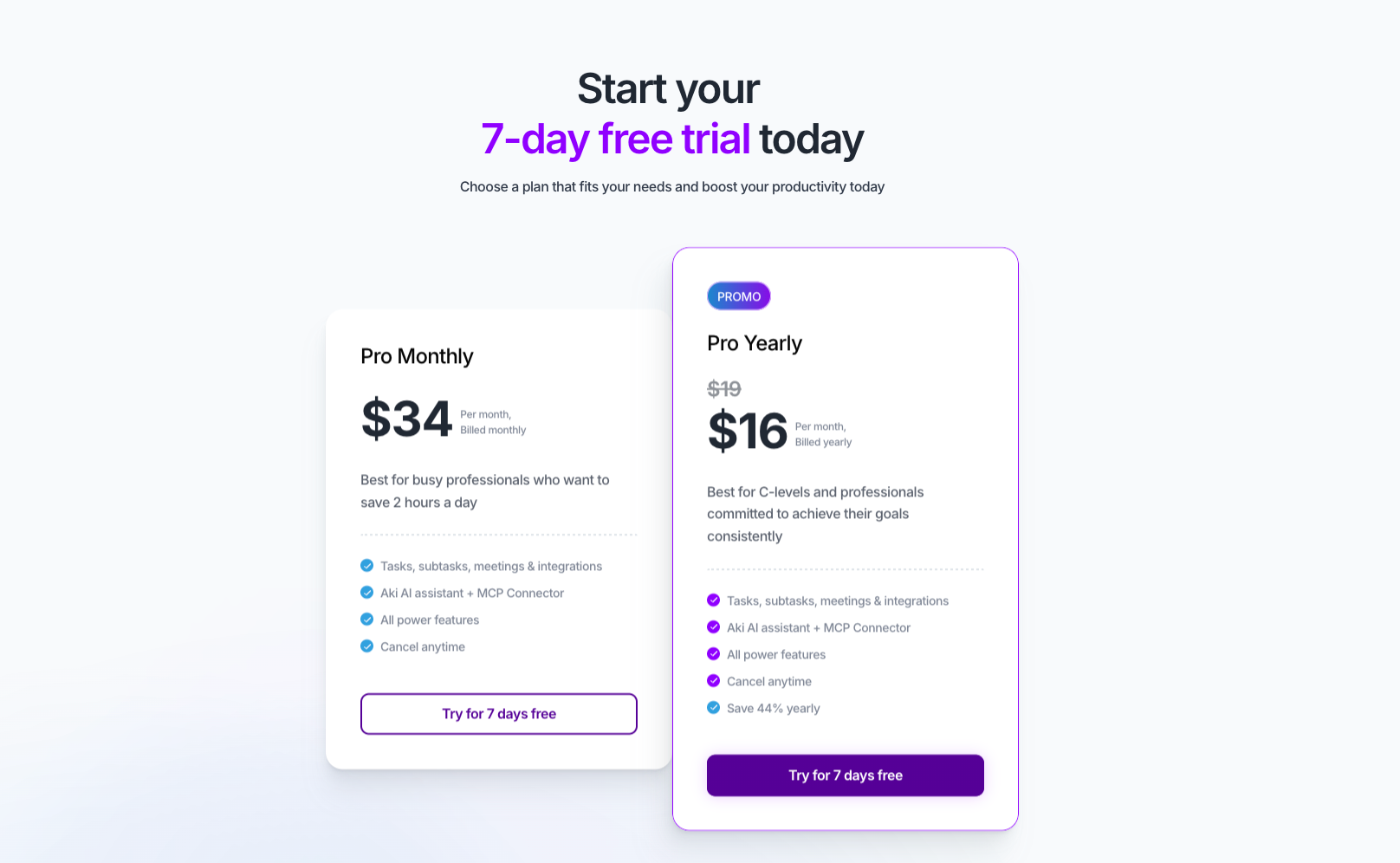
No. Akiflow has no free plan. New customers get a 7-day full-access trial, but it requires a card to start, and the subscription begins automatically when the trial ends unless you cancel first.
If the price is the sticking point, a few alternatives are worth considering:
- Motion: Automatically schedules your tasks into your calendar based on priority and deadlines. Motion has pricing plans for both individuals and teams, so it works at either scale. Better suited to people who want the scheduling done for them rather than doing it manually.
- Todoist: Has a genuine free tier that covers basic task management with no time limit, making it a solid starting point if you want to try structured task management before paying for anything.
- Morgen: No free plan, but a 14-day trial with no credit card. It covers much of the same calendar-plus-tasks ground as Akiflow at $30/month, or $15/month billed yearly.
- Reclaim AI: Focuses on habit scheduling and meeting protection alongside tasks. A good option if protecting focused work time is the main priority. To see how it stacks up against similar tools, check this roundup of Reclaim AI alternatives.
- Sunsama: No free plan, but offers a similar daily planning workflow to Akiflow. Worth considering if the structured daily ritual is what you are after.
If you want an AI assistant that handles scheduling, email, and calendar tasks across your whole team rather than just your personal workflow, Lindy is worth a look. It starts at $49.99/month per active user on the Team plan and works across Slack, iMessage, Gmail, and your browser.
{{cta}}
Frequently asked questions
How much does Akiflow cost per month?
Akiflow pricing starts at $34 per month when billed monthly. Billed yearly, the Pro plan costs $19 per month, charged as $228 once a year. Longer Believer commitments drop the effective monthly rate further, to $14.90 per month on the two-year plan and around $11.65 per month on the five-year plan.
Does Akiflow offer a student discount?
Yes. Eligible university students and researchers can receive 40% off Pro Yearly for life. The discount can also apply to Believer plans. To verify eligibility and apply, email support@akiflow.com. Akiflow handles the process directly, not through an automated flow.
Does Akiflow have a free plan?
No. Akiflow has no free plan. New customers get a 7-day full-access trial, but you need a card to start. The selected subscription begins automatically when the trial ends unless you cancel before it does.
What is Akiflow's team pricing?
Team pricing is not published as a self-serve per-seat rate. Akiflow handles it directly through their sales team. Contact them at akiflow.com to discuss pricing and setup for your organization.
How do I cancel my Akiflow subscription?
To cancel your Akiflow subscription, go to Settings, then Account, then Manage Account, then Billing, and click Cancel subscription below your plan details. If you are on an annual plan, set a reminder before your renewal date so you have time to cancel.
Does Akiflow’s pricing fit your budget?
Akiflow's pricing fits best when you use the full feature set. At $34/month billed monthly, it is harder to justify for basic task management alone. The yearly plan at $19/month is where the value improves, and the Believer plans drop it further for anyone ready to commit long-term. If the monthly rate is too high, the alternatives section above covers tools that cover similar ground at a lower entry point.









