7 Best Automated Meeting Scheduling Tools I Tested in 2026


I once spent 47 minutes scheduling a 30-minute call. One prospect, two time zones, six emails, and a "just to confirm, is this 3 PM your time?" message that arrived after the invite was already sent.
That afternoon, I decided to stop letting scheduling eat into my day and start treating it as a problem I could actually fix.
I tested 12 automated meeting scheduling tools over several weeks, ran them through real scheduling scenarios, and paid attention to what happened not just when things went smoothly.
What follows is the shortlist. Here are seven tools that made my scheduling problem smaller.
7 best automated meeting scheduling tools: Side-by-side comparison
How I tested these automated meeting scheduling tools
I connected real calendars, ran live scheduling workflows, and tested each tool in the moments where scheduling usually breaks down, including new booking requests, email back-and-forth, last-minute reschedules, and CRM updates after the meeting.
I focused on four things:
- Automation depth: Does the tool handle the full loop from booking to confirmation to follow-up, or does the work come back to you?
- Integration fit: Does it connect to the calendar, CRM, and inbox you already use, or does it force you to change your workflow?
- Speed to value: How quickly does it become useful without a week of setup?
- Real-world limits: Where does the experience break down, whether that means a paywall, a missing integration, or an edge case the tool cannot handle?
What is automated meeting scheduling?
Automated meeting scheduling software handles the coordination work around booking meetings. It finds available times, sends invites, manages confirmations, and may handle follow-ups without manual back-and-forth.
The category ranges from simple booking links to AI assistants that read email threads, coordinate calendars, update CRMs, and send meeting prep briefs. Both count as scheduling tools, but they solve different problems.
A sales rep handling inbound demo requests may only need a booking link. A founder managing email, calendar, and CRM handoffs needs a tool with more automation depth.
1. Lindy: Best for automating the full meeting lifecycle

What it does: Lindy is an AI assistant you can text to schedule meetings and handle the work around them. You tell Lindy what needs to happen, and it coordinates across your email, calendar, CRM, and connected apps to book the meeting, prep you before the call, capture notes, and handle follow-ups afterward.
Who it's best for: Founders, executives, chiefs of staff, and operators who need more than a booking link. Lindy is best when scheduling is tied to email threads, meeting context, CRM updates, and post-call follow-through.
Key features
- Smart scheduling via iMessage, SMS, or email: text Lindy who you need to meet, and it finds the time, sends the invite, and confirms the booking.
- Meeting prep briefs delivered before each call with attendee backgrounds, past conversation history, and agenda items.
- Automatic meeting notes on Zoom, Google Meet, and Teams with summaries, action items, and full transcripts.
- Proactive follow-up drafting after every call, with nothing sent without your approval.
- CRM updates are logged automatically after calls without manual entry.
- Hundreds of integrations, including Gmail, Salesforce, HubSpot, Slack, and Google Calendar.
- SOC 2 Type II certified, HIPAA compliant, GDPR compliant.
What stood out for me
The thing that separates Lindy from every other tool on this list is what happens after the meeting books.
On a Wednesday, a prospect emailed asking to connect. Lindy replied with three available times before I had seen the email, confirmed the booking once the prospect picked a slot, added it to my calendar, and logged her details.
Ten minutes before the call, a prep brief arrived with her last three emails and relevant background. After the call, Lindy drafted the follow-up and updated the CRM record. I reviewed and approved. That was the entire process, and I was present for about four minutes of it.
What could improve
The iMessage integration is iPhone-only, so Android users work through the web app instead. It also takes some upfront configuration to calibrate what Lindy should draft for review versus send autonomously, and that configuration matters before you let it run at full speed.
Pricing
Lindy starts at $49.99/month on the Plus plan, which includes inbox management, meeting scheduling, note-taking, and meeting prep. A 7-day free trial is available.
Pro costs $99.99/month with 3x more usage, while Max costs $199.99/month with 7x more usage. Enterprise plans add team controls, security features, and custom pricing.
{{templates}}
2. Calendly: Best for inbound booking and team scheduling
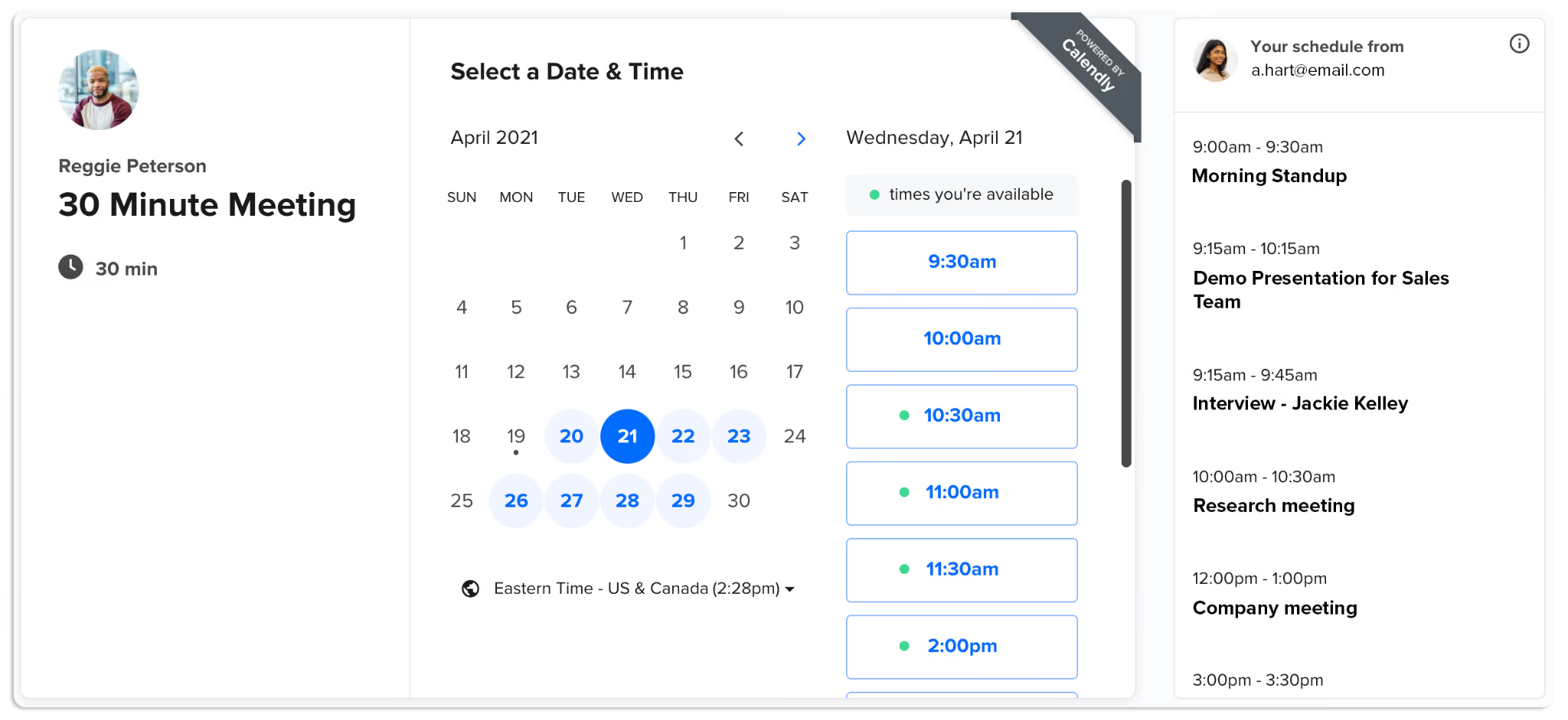
What it does: Calendly generates booking pages that let external contacts pick from your available times, handles time zone detection, sends confirmation and reminder emails, and integrates with your calendar to display accurate availability at all times.
Who it's best for: Sales teams, recruiters, consultants, and anyone who fields a high volume of inbound meeting requests and wants to eliminate the back-and-forth entirely.
Key features
- Booking pages for any meeting type with customizable availability rules.
- Time zone auto-detection and calendar conflict prevention.
- Round-robin and collective scheduling for teams.
- Routing forms that qualify inbound leads and direct them to the right person.
- Confirmation and reminder emails are sent automatically.
- Integrations with Zoom, Google Meet, Salesforce, HubSpot, and more.
- Embeddable booking widgets for websites and email signatures.
What stood out for me
I was testing Calendly for external scheduling during a period when I had several investor and partner calls to coordinate. Setting up a 30-minute booking link, connecting my Google Calendar, blocking my focus windows, and having a shareable link took about five minutes.
Both external contacts booked without a single follow-up email from me. The time zone handling is my favorite part of Calendly. It detected where each person was automatically, the video conferencing link appeared without any setup, and the meetings landed in my calendar immediately.
What could improve
Calendly is purely inbound. It waits for someone to use the link and does nothing on your behalf for outbound coordination.
It only handles the booking flow, so inbox triage, meeting notes, and follow-ups still need a separate tool. The free plan also limits you to one event type, which most professionals find limiting fairly quickly.
Pricing
Calendly paid plans start at $10/seat/month (Standard) and $16/seat/month (Teams), both billed annually. Enterprise pricing starts at $15K/year, with custom features and support for larger organizations.
3. Cal.com: Best for developer teams and open-source flexibility
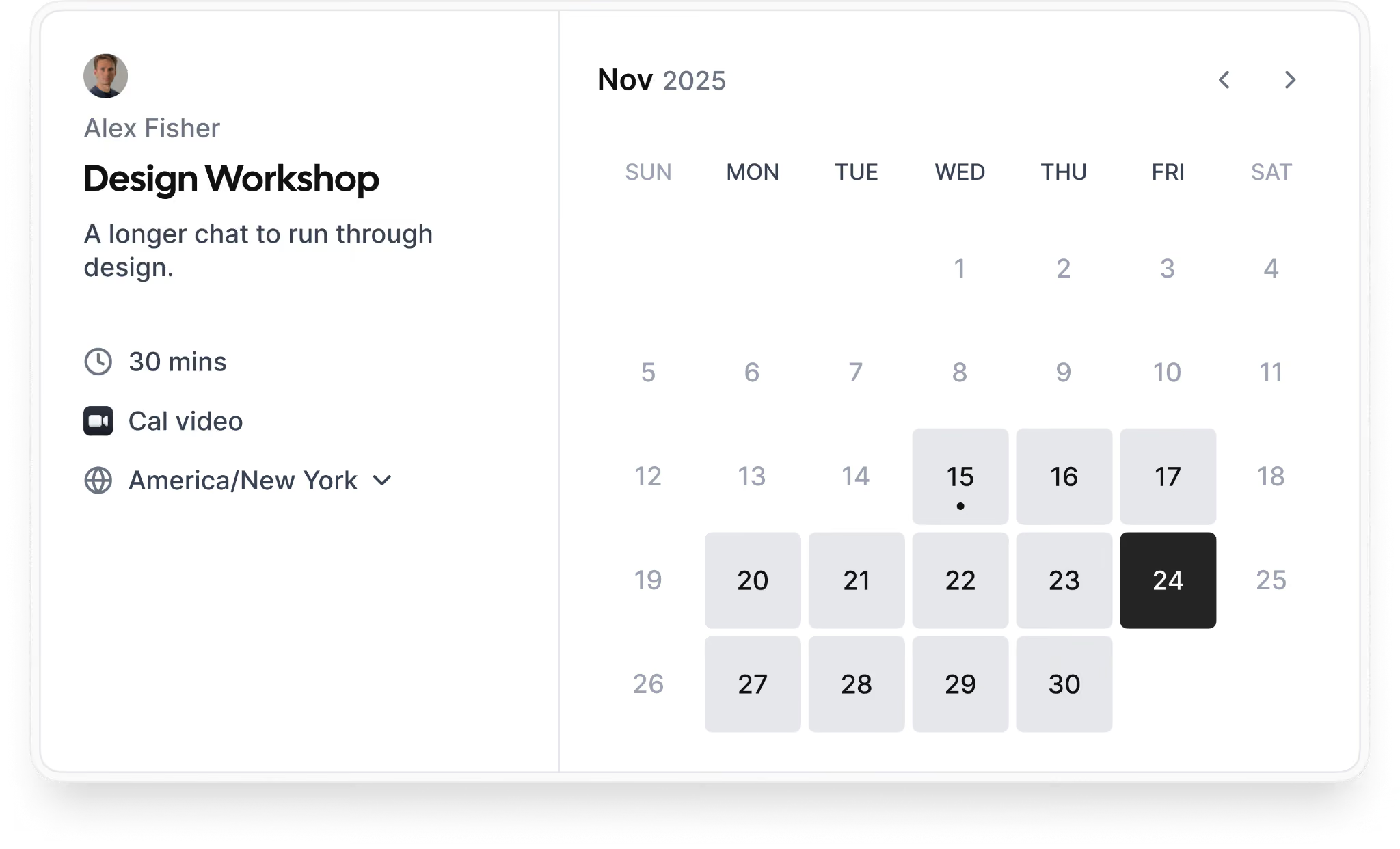
What it does: Cal.com is a scheduling platform with a generous free tier and deep customization options, built on an open-source foundation that lets developer teams embed scheduling directly into their own products or self-host the entire stack.
Who it's best for: Technical teams, developers building scheduling into their own products, and organizations that want routing and workflow automation without the pricing ceiling of Calendly's higher tiers.
Key features
- Unlimited event types and unlimited bookings on the free plan.
- Round-robin scheduling with weighted distribution across team members.
- Routing forms that qualify prospects and direct them to the right person.
- Cal Video is built in with no separate Zoom subscription required for basic video meetings.
- Workflow automation for reminders and follow-ups on all plans.
- Stripe integration for accepting payments on bookings.
What stood out for me
The free plan is what surprised me most. Unlimited bookings, unlimited event types, automated workflows, and Stripe payments, all without a paid subscription.
For individual professionals or small teams that need a reliable booking page, it is hard to justify paying for Calendly when Cal.com covers the same ground at no cost.
The round-robin implementation is also more sophisticated than most competitors, with a weighted distribution that lets you account for team members with different availability rather than splitting bookings evenly regardless of capacity.
What could improve
Cal.com's depth comes with more complexity than most scheduling tools. The interface takes longer to navigate for non-technical users, and the routing and SSO features that many teams actually need sit behind the Organizations plan at $28/user/month annually, which narrows the cost advantage over Calendly.
The hosted version also routes through US-based infrastructure, so teams with EU data residency requirements either need to self-host or look elsewhere.
Pricing
Cal.com plans start at $12/user/month (Teams) and $28/user/month (Organizations), both billed annually. Enterprise uses custom annual pricing for organizations that need dedicated support and advanced security features.
4. Reclaim.ai: Best for protecting focus time and auto-scheduling tasks
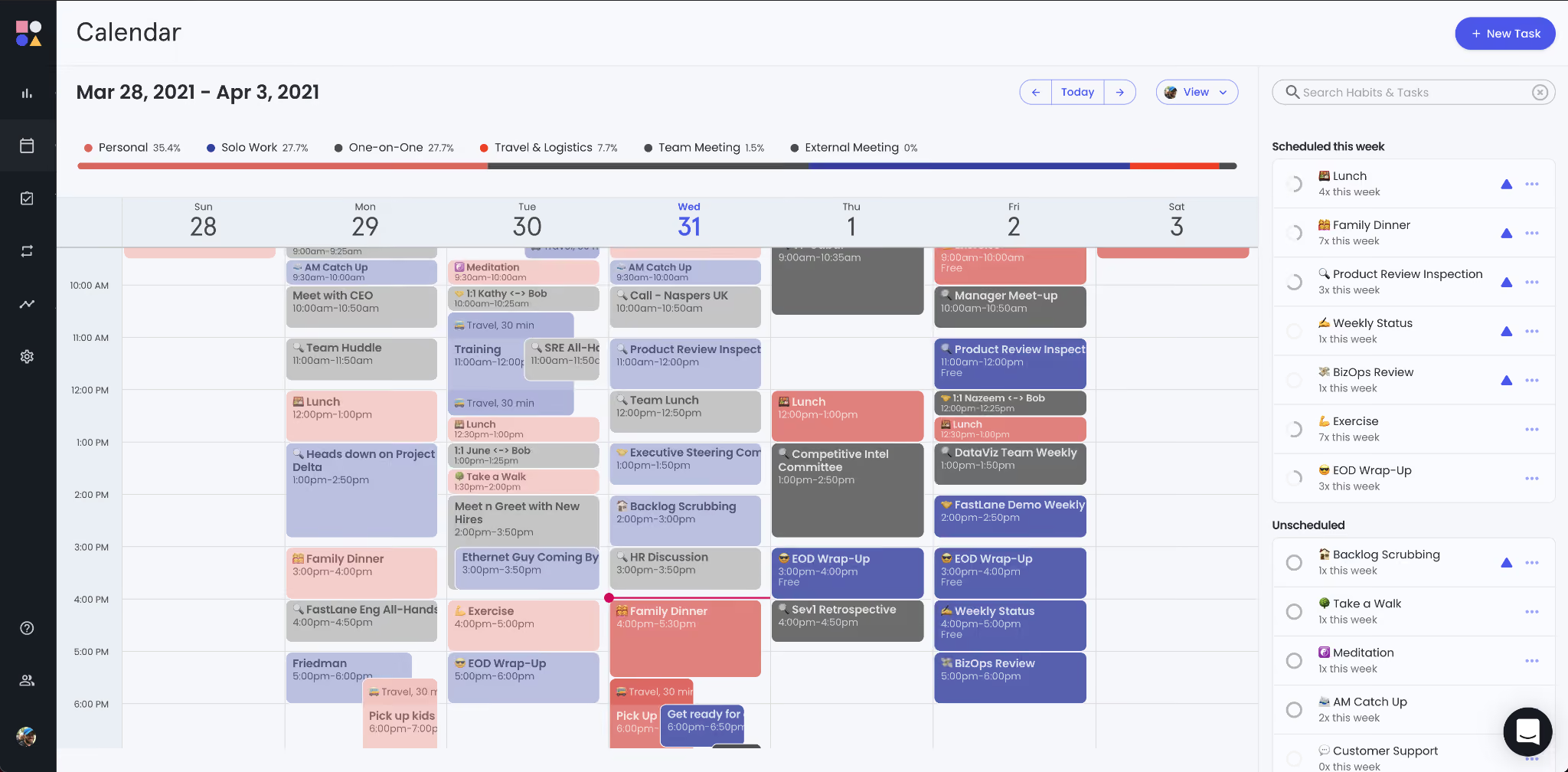
What it does: Reclaim protects your calendar by automatically blocking time for focus work, habits, and tasks, then reschedules those blocks dynamically when conflicts arise rather than letting them disappear.
Who it's best for: Professionals whose main scheduling problem is not inbound booking requests but a calendar that never reflects their actual priorities, where focus time evaporates to meetings and important work keeps getting pushed.
Key features
- Auto-scheduling for focus time, habits, and recurring tasks.
- Dynamic rescheduling that moves protected blocks when meetings land on top of them.
- Task integration with Asana, Todoist, Jira, and Linear.
- Slack status sync that reflects your real-time calendar state automatically.
- Smart scheduling links that account for your focus blocks and existing tasks.
- Buffer time settings between meetings.
- Team scheduling to find group availability without back-and-forth.
What stood out for me
I had two deep work blocks set for a Thursday: 9 to 11 and 2 to 4. By Wednesday afternoon, three meeting requests had landed for those exact windows.
Other tools I tested either flagged the conflict and waited for me to resolve it or quietly gave up the focus time. Reclaim moved both blocks to the remaining gaps in the week and kept them intact. I did not notice until I opened my calendar Thursday morning and saw that focus time had shifted to Friday with the deadline still safe.
That single behavior, defending the work rather than logging the conflict, is what earns Reclaim its place on this list.
What could improve
Reclaim is calendar-only and does not touch your inbox, meeting notes, or post-call follow-ups. Outlook support is limited, and Apple Calendar is not supported. If your scheduling problem extends beyond calendar chaos into the full meeting lifecycle, you will hit the edges of what Reclaim can do fairly quickly.
Pricing
Reclaim AI plans start at $10/seat/month (Starter), $15/seat/month (Business), and $22/seat/month (Enterprise), all billed yearly.
5. Motion: Best for auto-planning tasks around your calendar
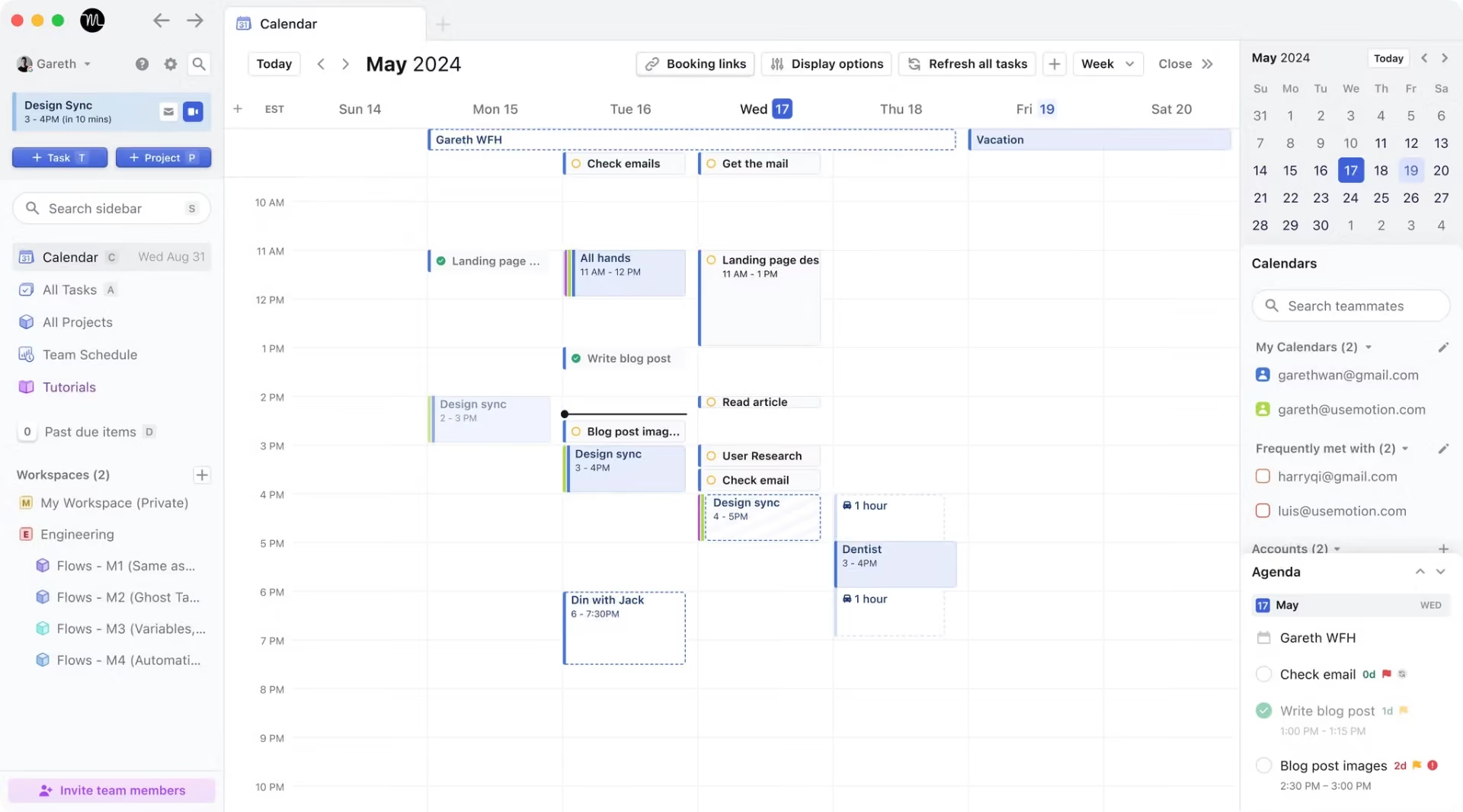
What it does: Motion builds your daily schedule automatically by fitting tasks and deadlines into the gaps between your meetings, then rebuilds the plan dynamically whenever something changes.
Who it's best for: Professionals who struggle with task prioritization and want their day planned automatically around meetings and deadlines rather than rebuilding the schedule by hand every morning.
Key features
- Automatic daily schedule built around your calendar and task list.
- Dynamic rescheduling when meetings move or deadlines change.
- AI Meeting Notetaker that joins calls and delivers action items afterward.
- Booking links for external scheduling with focus time protection.
- Project management with deadlines and priority settings.
- Integrations with Google Calendar, Zoom, Gmail, and Outlook.
- Team scheduling across shared calendars.
What stood out for me
The thing that clicked for me with Motion was what happens when a meeting gets added at the last minute. I had three tasks planned for a Tuesday afternoon. A call was added for 2 PM with 30 minutes' notice.
Motion reshuffled the tasks around the new meeting immediately: two moved to open slots in the afternoon, one pushed to Wednesday with the deadline still safe. I had not touched anything.
Once I stopped fighting the auto-scheduling and let Motion own the plan, I stopped spending mental energy deciding when to do things and just did them.
What could improve
Motion only works well when your tasks actually live inside it. I found that once I was juggling work across Linear, Notion, and email simultaneously, the auto-scheduling started to feel more like a chore to maintain than a time saver. If you are willing to consolidate, it clicks. If you are not, the setup cost adds up fast.
Pricing
Motion plans start at $19/seat/month (Pro AI for teams) or $29/month (Pro AI for individuals), all billed annually.
6. Clara: Best for email-native scheduling coordination
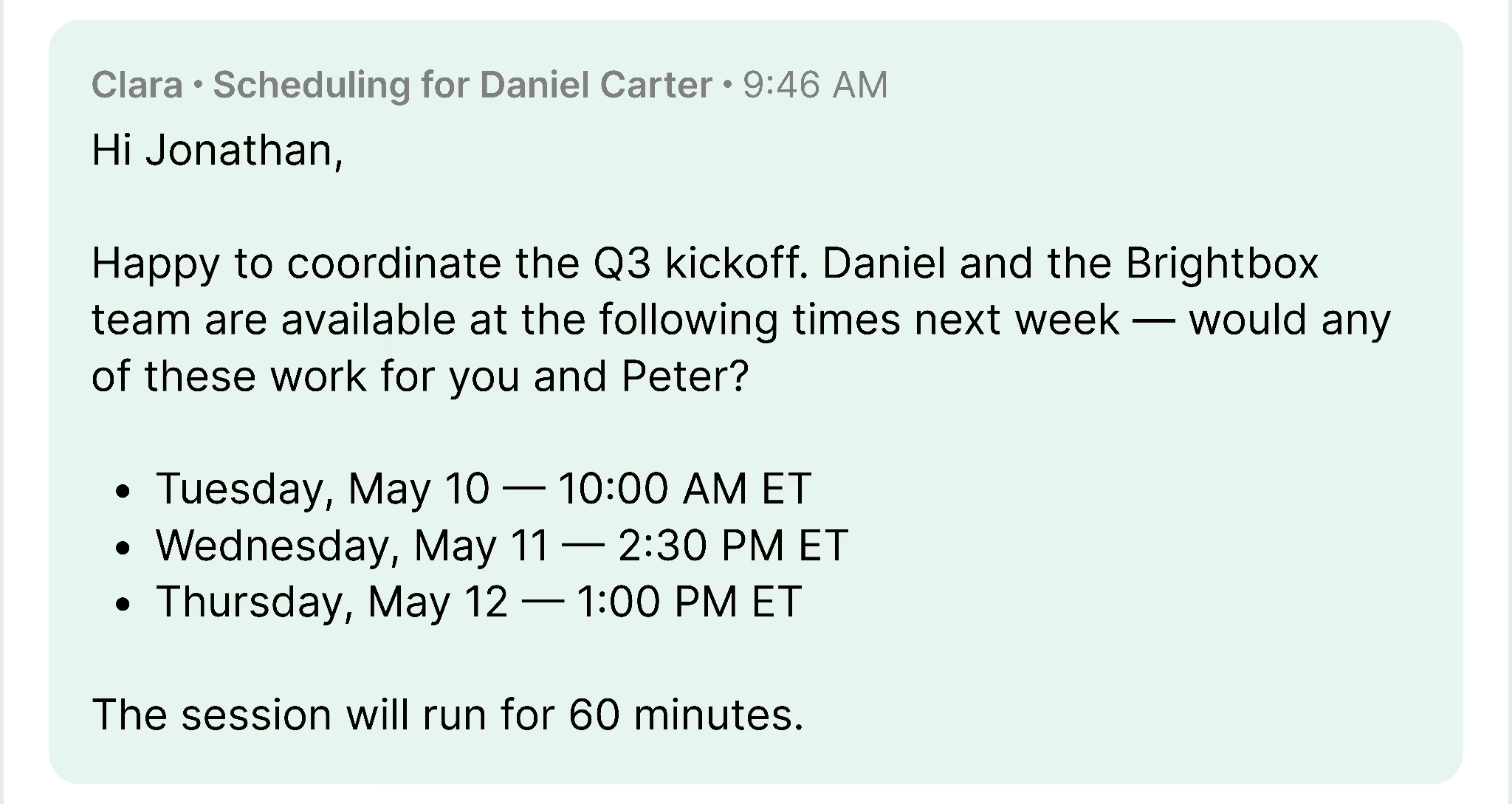
What it does: Clara operates entirely through email, where you CC it on a thread, and it handles the scheduling coordination from there, reading the conversation, proposing times, following up if the other party goes quiet, and booking the meeting once confirmed.
Who it's best for: People who do a lot of outbound scheduling where a booking link would feel impersonal or premature, including investors, BD professionals, and founders doing partnership conversations where the relationship context matters.
Key features
- Email-native scheduling that operates entirely within your existing inbox threads.
- Natural language coordination with external contacts written as a human assistant.
- Time zone detection and buffer time rules.
- Automatic follow-up handling if the other party goes quiet.
- Rescheduling handling without you re-entering the thread.
- Integrations with Zoom, Google Meet, and Teams for conferencing links.
What stood out for me
Clara handles the one scheduling scenario where a booking link does not work. When you are emailing someone who would find a Calendly link impersonal, such as an investor, a senior executive, or a potential partner, you CC clara@claralabs.com, add a brief note, and Clara takes over.
The scheduling happens inside the email thread, using natural language instead of booking links. For outbound meetings where tone and relationship matter, it feels closer to a real assistant than a standard scheduling tool.
What could improve
Clara works entirely over email, which means it moves at the pace of an inbox. For urgent scheduling, that latency is a real limitation. It also has no memory of past conversations, so every new thread starts from scratch without context from previous exchanges.
And because everything runs through email, there is no dashboard, no visibility into what is pending, and no quick way to check the status of an open scheduling thread without digging through your inbox.
Pricing
Clara plans start at $80/month (Standard) for individual schedulers. Enterprise uses custom pricing for teams and high-volume scheduling needs.
7. Chili Piper: Best for revenue teams routing inbound leads to meetings
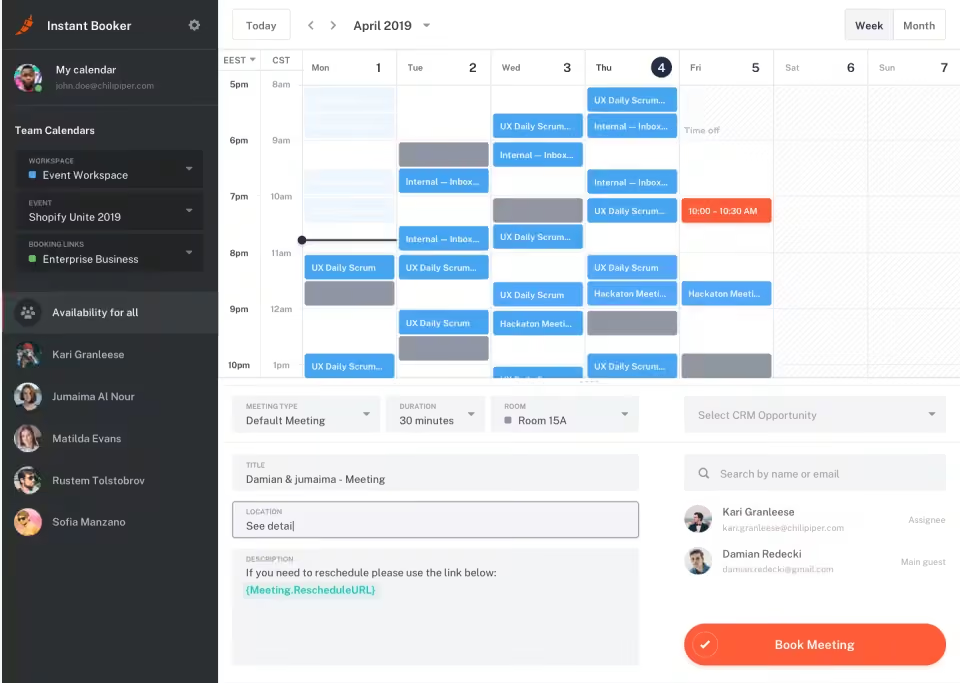
What it does: Chili Piper routes inbound leads from web forms directly to the right sales rep's calendar in real time, books the meeting before the prospect leaves the page, and logs everything to your CRM automatically.
Who it's best for: Mid-market and enterprise revenue teams with meaningful inbound volume who need to convert form submissions to booked meetings instantly and route leads to the right rep without manual intervention.
Key features
- Form Concierge routes inbound leads from web forms directly to a booking page in real time.
- Round-robin distribution with CRM-based routing logic.
- Lead qualification and routing based on form responses, enrichment data, and CRM ownership.
- Salesforce and HubSpot integration with automatic CRM logging.
- Handoff product for SDR-to-AE meeting coordination without manual scheduling.
- An AI spam checker to filter form submissions before they enter the routing queue.
- Meeting prep and CRM sync after each call.
What stood out for me
Chili Piper solves a specific problem that no other tool on this list addresses as directly: what happens in the seconds after a high-intent lead fills out a demo request form.
Most teams send an automated email and hope the rep follows up within a few hours. Chili Piper books the meeting before the prospect closes the tab.
For teams where speed-to-lead is a meaningful metric, that difference is measurable in revenue. One customer on Chili Piper's site reports reaching an 80%+ lead-to-intro rate within a year of implementation.
What could improve
The pricing was the first thing that gave me pause. Annual contracts, no free trial, and an entry cost that would make most finance teams flinch.
For a 10-person team, it is a serious commitment before you have seen it work in your environment. If you are still building out your inbound motion, I would start with something lighter and come back to Chili Piper once the volume actually justifies it.
Pricing
Chili Piper plans start at $1,250/month for up to 15 seats (Routing & Scheduling) and $3,500/month for up to 30 seats (Experiences), with additional per-seat fees beyond those limits.
{{cta}}
How to choose the right automated meeting scheduling tool
Not every scheduling tool solves the same problem, and picking the wrong one means paying for something that doesn't fit how you actually work. Here's what to think through before committing.
What kind of scheduling problem do you actually have?
Inbound requests from external people, a calendar that never reflects your priorities, and a booking process that spans email, CRM, and follow-ups are three different problems.
Booking tools like Calendly handle inbound requests. Calendar optimizers like Reclaim handle priority management. AI assistants like Lindy handle all three and the handoffs between them.
Getting this wrong means paying for a tool that solves the wrong problem.
Does the automation stop at booking, or does it keep going?
Most scheduling tools automate the booking. The best ones automate everything that follows: the prep brief before the call, the notes during it, the follow-up email after, and the CRM update that should happen but usually doesn't.
Ask whether the tool hands the work back to you after booking, or whether it keeps running through the rest of the meeting lifecycle.
What tools does it need to connect to?
A scheduling tool that sits outside your existing stack creates more work than it saves. Before committing to any tool, check whether it connects natively to your calendar, CRM, inbox, and video conferencing setup.
Lindy, for example, connects to Gmail, Google Calendar, Salesforce, HubSpot, Slack, Zoom, and hundreds more, which means scheduling updates flow into the rest of your workflow automatically.
Are you optimizing for inbound or outbound?
Calendly and Chili Piper are built for inbound, where someone reaches out, and you want to convert that interest into a booked meeting quickly. Clara and Lindy are built for outbound, where you are initiating the scheduling, coordinating across email threads, and want the process to run without constant oversight.
Most teams need both, which is worth thinking about before picking one tool and discovering it only covers half your workflow.
What happens when things change?
Meetings get rescheduled, prospects go quiet, and calls run over. A scheduling tool that only works under ideal conditions is not actually saving you time. When I tested each tool, I deliberately created edge cases: moving meetings last-minute, leaving emails unanswered, letting calls overrun, to see what happened.
The tools that handled change gracefully without asking me to intervene are the ones that made the shortlist.
Ways to use automated meeting scheduling tools
Automated meeting scheduling tools are useful beyond basic booking links. The right setup can reduce email back-and-forth, protect focus time, speed up sales handoffs, and connect meetings to the work that happens before and after the call.
Replace the scheduling email chain entirely
The most immediate use case is replacing the "when are you free?" thread entirely. Calendly, Cal.com, and Lindy all handle this: share a link, the other person picks a time, and the meeting appears on both calendars.
Convert inbound interest before it fades
For sales teams, the gap between a prospect filling out a demo form and getting a meeting booked is where deals die. Chili Piper handles this by routing form submissions to a booking page in real time, before the prospect's interest fades.
Defend your focus time from meeting creep
Reclaim and Motion are the right tools here. They block time and fight for it, rescheduling protected blocks automatically when meetings try to take them over rather than letting the blocks disappear quietly.
Automate the full meeting lifecycle
For professionals who want scheduling to connect to prep, notes, follow-ups, and CRM updates, Lindy is the only tool on this list that handles the full loop. You text it who you need to meet, and it manages everything from the booking to the post-call summary.
Handle outbound scheduling without a booking link
For outreach where a link would feel impersonal, such as investor meetings, partnership conversations, or senior executive calls, Clara handles the coordination inside the email thread in natural language.
Keep multi-timezone scheduling accurate
Every tool on this list handles time zone detection automatically. What separates them is how gracefully they handle edge cases: late reschedules, attendees in unusual time zones, or calendar apps that do not sync cleanly across providers.
Try Lindy: One tool for scheduling, prep, and follow-up
Most scheduling tools stop at the booking. The prep brief, meeting notes, follow-up email, and CRM update still need to happen. Lindy handles each of those steps so you are not stitching them together across different tools.
Lindy turns automated meeting scheduling into a full meeting workflow. Ask Lindy to schedule the meeting, and Lindy can find the time, book the call, send a prep brief before it starts, take notes during the meeting, draft the follow-up, and update your CRM afterward.
Here is what that looks like in practice:
- Handle reschedules without the back-and-forth: When a meeting needs to be rescheduled, Lindy reads the request, finds a new time that works, deletes the old event, and sends an updated invite without you having to open the thread.
- Book across time zones without the conversion math: Lindy checks availability across time zones and formats times correctly for each person in the thread automatically.
- Avoid double-bookings before they happen: Lindy checks across your connected calendars before confirming any meeting, so conflicts get caught before the invite goes out.
- Delegate scheduling on the go: Text Lindy between meetings, and it handles the booking, confirmation, and any follow-up before you get back to your desk.
- Run the full meeting lifecycle in one place: From booking to prep brief to notes to follow-up, each step connects automatically so nothing falls through after the call ends.
FAQs
1. What is the best automated meeting scheduling tool in 2026?
Lindy is the best fit for professionals who want one tool to handle scheduling, prep, notes, and follow-ups end-to-end. Calendly is the best pick for inbound booking volume. Chili Piper leads for revenue teams, routing inbound leads from web forms. For calendar defense and focus time protection, Reclaim is the strongest option.
2. Can automated scheduling tools replace a human assistant for meeting coordination?
Not fully. These tools handle structured, high-volume tasks like booking links, confirmations, and rescheduling well. Human judgment still plays a role in sensitive timing, relationship context, and tone. The best setup uses tools like Lindy for routine coordination and reserves a human EA for decisions that require discretion.
3. Do automated scheduling tools work with both Google Calendar and Outlook?
Yes, most tools on this list support both. Lindy, Calendly, Cal.com, Reclaim, Motion, and Chili Piper all integrate with both calendars. Always verify integration depth on the vendor's documentation before committing, as feature parity varies even when both are technically supported.
4. What is the difference between Calendly and Lindy for scheduling?
The main difference between Calendly and Lindy is scope. Calendly handles one job, letting someone pick a time from your calendar. Lindy handles the full meeting lifecycle, including booking, prep, notes, follow-ups, and CRM updates across your email, calendar, and connected tools.
5. Is automated scheduling software safe for sensitive work?
Yes, but it depends on the tool. For healthcare, legal, or finance work, look for SOC 2 Type II certification and HIPAA compliance. Lindy holds both, with Enterprise plans including a signed HIPAA Business Associate Agreement. Most single-purpose scheduling tools do not publish compliance certifications.









