Fyxer vs Copilot vs Lindy: I Tested All Three (2026)
Everett tested Fyxer, Microsoft Copilot, and Lindy across a real mixed stack for three weeks, comparing email management, meeting intelligence, and cross-tool automation.


The search that brought most people here started with a simple question: Fyxer vs Copilot, which one is worth it? I asked the same thing six months ago. I spent a full morning trying to get Copilot to organize my Outlook inbox the way I'd seen Fyxer do in a demo, and it didn't come close.
What followed was three weeks of testing all three tools across a real mixed stack, Gmail, Slack, HubSpot, Notion, and Zoom, and what surprised me was how rarely the three tools do the same job. For most teams, the real question is which combination fits.
Each tool is built for a different job. Copilot extends AI across the Microsoft apps you're already paying for, Fyxer specializes in taking the weight off your inbox, and Lindy handles the work that crosses everything else.
For most teams, the right answer is a combination.
How Fyxer, Copilot, and Lindy compare on the features that matter
How the three stack up at a glance:
| Feature | Fyxer | Microsoft Copilot | Lindy |
|---|---|---|---|
| Works inside your inbox | Yes (Gmail and Outlook, native) | Yes (Outlook, native) | Yes (Gmail and Outlook) |
| Primary focus | Inbox and meeting admin | AI across the Microsoft 365 suite | Cross-tool assistant across your entire stack |
| Inbox organization | Yes, categorizes every email automatically | No | Yes, sorts by priority |
| Draft replies in your voice | Yes, learns your style over time | No, generic tone only | Yes, based on the instructions you set |
| Learns your style | Yes, deep learning over 2 to 3 months | No | Yes, faster with explicit instructions |
| Schedules meetings | Yes | Yes, within M365 | Yes, across any calendar |
| Meeting notes and actions | Yes, with a follow-up draft | Yes, Teams calls only | Yes, across Zoom, Meet, and Teams |
| Follow-up emails | Yes, auto-drafted before you close your laptop | No | Yes, triggered automatically after the call |
| Cross-tool automation | Limited (HubSpot on Professional plan) | M365 and select third-party tools | Yes, hundreds of integrations |
| Pricing model | Per user/month | Per user/month plus a required M365 plan | Per account/month, not per seat |
- Choose Fyxer: if email volume is your biggest daily drain and you want an assistant who handles triage and drafting before you open your inbox. If you are also evaluating speed-focused inbox tools, compare superhuman email vs fyxer to see which fits best.
- Choose Copilot: if your team runs entirely inside Microsoft 365 and you want AI built into the apps you're already paying for.
- Choose Lindy: if your work spans tools and you want one assistant to handle email, meetings, and automation across your entire stack without per-seat pricing. If you need broader capabilities, exploring dedicated microsoft copilot alternatives can help you find the right tool for your workflow.
Fyxer vs Copilot vs Lindy: What they do and how they differ

Fyxer is a specialist that lives inside your inbox and calendar, designed to handle the communication admin that eats into executive time. Copilot is Microsoft's AI layer built into the apps you're already paying for: Word, Excel, Outlook, and Teams. Lindy is an assistant you text to get work done across your entire stack, regardless of which apps you use. If you want to see how Fyxer compares to other speed-focused email clients, read our guide on the best fyxer vs superhuman features.
All three tools use AI to reduce the manual work that fills up a knowledge worker's day. That's where the common ground ends.
Email management
I ran all three tools through the same inbox: 80+ unread messages, a mix of leads, vendor requests, internal threads, and newsletters. The test was simple. Which tool makes decisions before you do, and how many of those decisions hold up without correction? Here's what happened across each one.
Fyxer
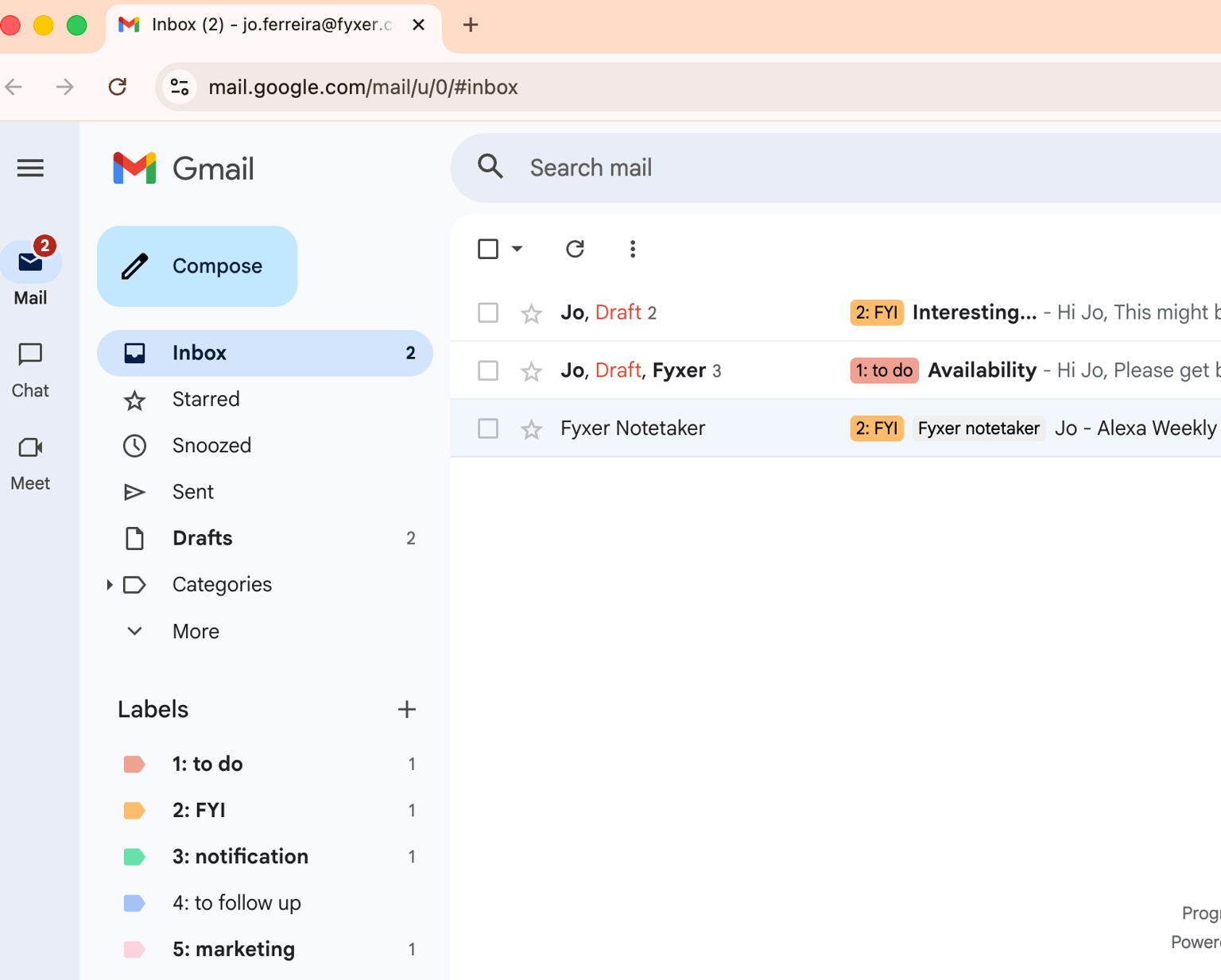
By the time you open the app, the inbox is already sorted. Messages that need a reply are flagged, informational threads are categorized, and the noise is filtered out. Draft replies are waiting, written in a voice close to your own.
Usually, when I tried it, drafts needed editing early on, but by week three, most went out with minimal changes. A vendor's email requesting a call included a proposed time. A thread I was CC'd on was filed away without me touching it. Fyxer made those calls before I sat down.
Copilot
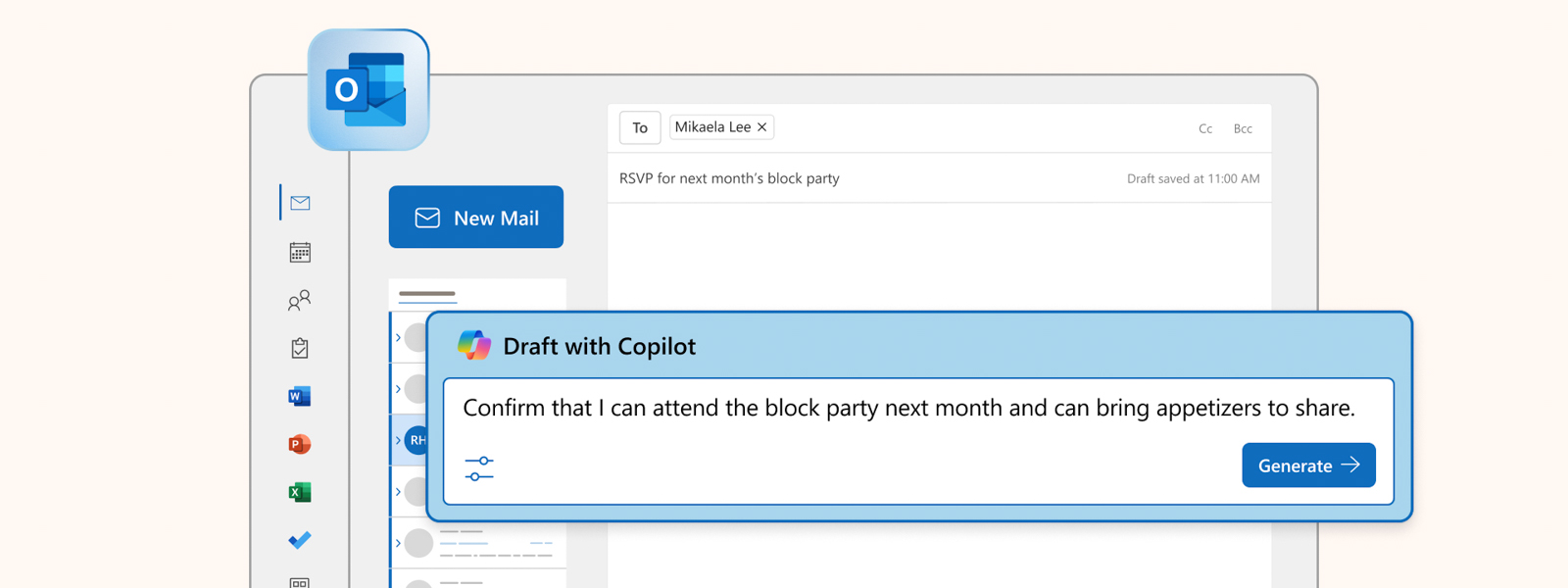
Copilot doesn't touch your inbox until you ask it to. Open Outlook, and the inbox looks exactly as it did before you opened the app.
On request, Copilot can summarize a long thread fast, which is useful for catching up on a 40-message chain without reading every reply. But it makes no decisions on its own; every draft starts with you opening a prompt, and the voice it writes in is polished and generic rather than yours.
For anyone dealing with serious volume, Copilot points in the right direction without going far enough.
Lindy
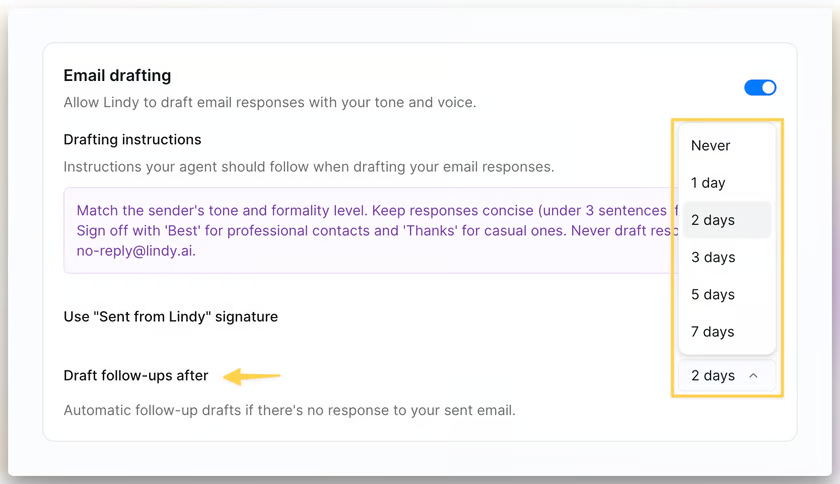
Lindy monitors your inbox without prompting, sorts by priority, and drafts replies based on instructions you set once. Where it separates from Fyxer is in what happens after the email. Lindy can track an unanswered thread and trigger a follow-up after a set window, alert you when a specific contact writes in, or route an inbound lead straight into your CRM.
The email layer inside Lindy is one part of a larger assistant, and that's by design. Early drafts run generic until the tool has enough signal, which means you shape the inbox experience by setting and refining instructions, rather than expecting it to be polished on day one.
My take
Go for Fyxer if you need pure inbox management. It was built for exactly this problem and operates at a depth that the others don't match here. Lindyfyxer alternatives. is the better choice when email is the start of a workflow rather than its end. If you want to evaluate other tools in this space, explore our guide on the best
Meeting intelligence
I ran the same one-hour call through all three tools, a mix of a client discovery call and an internal sync, with three action items and a follow-up email due by the end of the day. The question wasn't just what each tool produced, but where that output went and how much work remained on my end afterward.
Fyxer

Fyxer joins Meet and Teams calls as a participant, produces structured notes with key decisions and action items, and lands a pre-drafted follow-up email in your inbox before you've had a chance to close your laptop. That last part is where Fyxer pulls ahead in this category.
The follow-up drafts reference the actual conversation rather than pulling from a template. When I was working on a client follow-up after a discovery call, the draft was in my inbox before I had closed my notes. The output is inbox-first, which suits anyone whose post-call process begins and ends with email.
Copilot
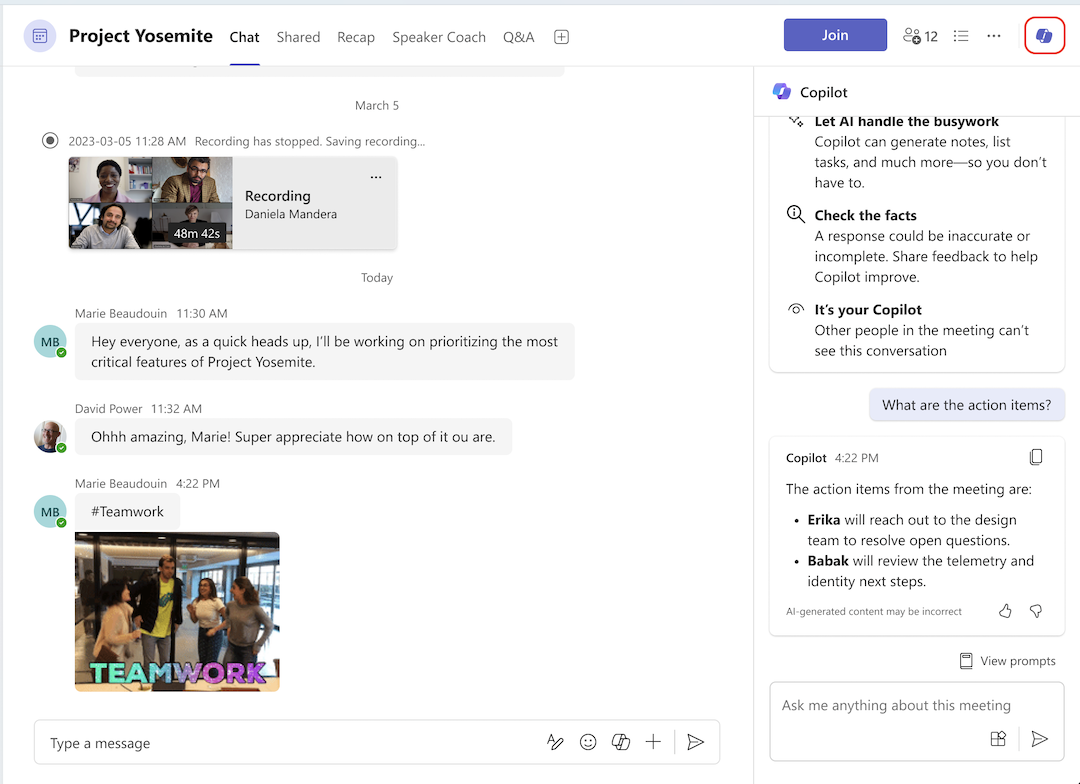
The recap that lands inside Teams after a call is well-built. I like how Copilot indexes by speaker, surfaces the moments when you were mentioned, pulls action items, and makes missed meetings searchable.
If your org runs entirely on Teams and someone asks you to catch up on a call you weren't on, Copilot handles that well. The limitation is that the output stays inside Teams. There's no follow-up email drafted, CRM updated, and output routed to anyone outside the Microsoft environment.
For a call that took place entirely in Teams, it works. For anything that crosses into Gmail, HubSpot, or Slack afterward, it stops at the recap tab.
Lindy
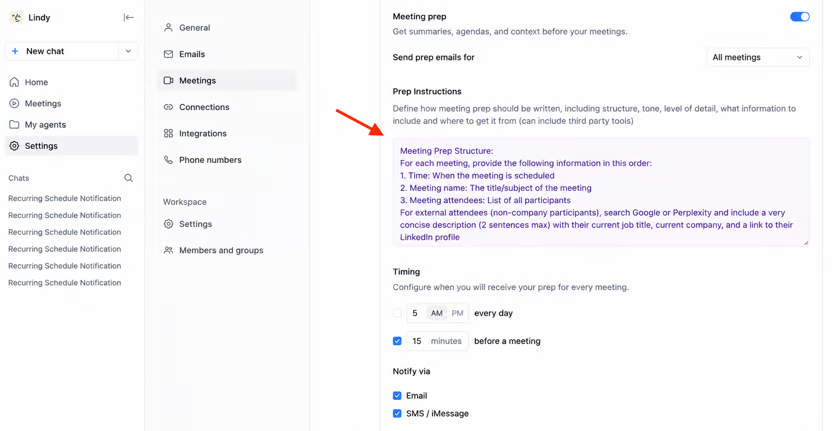
Lindy covers the widest range of platforms, joining Zoom, Meet, and Teams calls as a named participant. What sets it apart isn't the transcript or the summary, both of which are solid, but where the output goes.
After a call ends, Lindy can push a structured summary to Google Docs, send action items to you via Slack, update a CRM record in HubSpot or Salesforce directly, and send a follow-up email to all attendees without you having to touch any of it.
If your post-call process spans multiple tools, Lindy is the only option that handles the full chain.
My take
Lindy for cross-platform coverage and post-call automation across tools. Fyxer wins in follow-up email quality and speed for teams whose work lives in the inbox. Only consider Copilot if your meetings run exclusively inside Teams.
Cross-tool automation
Most tools can handle a task within a single app. The real test is what happens when a single trigger needs to move across four of them.
I set up the same scenario for all three tools. An inbound deal email arrives. A CRM record needs updating. A task has to be entered into the project management tool. The sales lead gets a Slack notification. One trigger, four outcomes, no manual steps in between.
People running a lean team across multiple tools, this is where an assistant either shows its credibility or breaks apart.
Fyxer
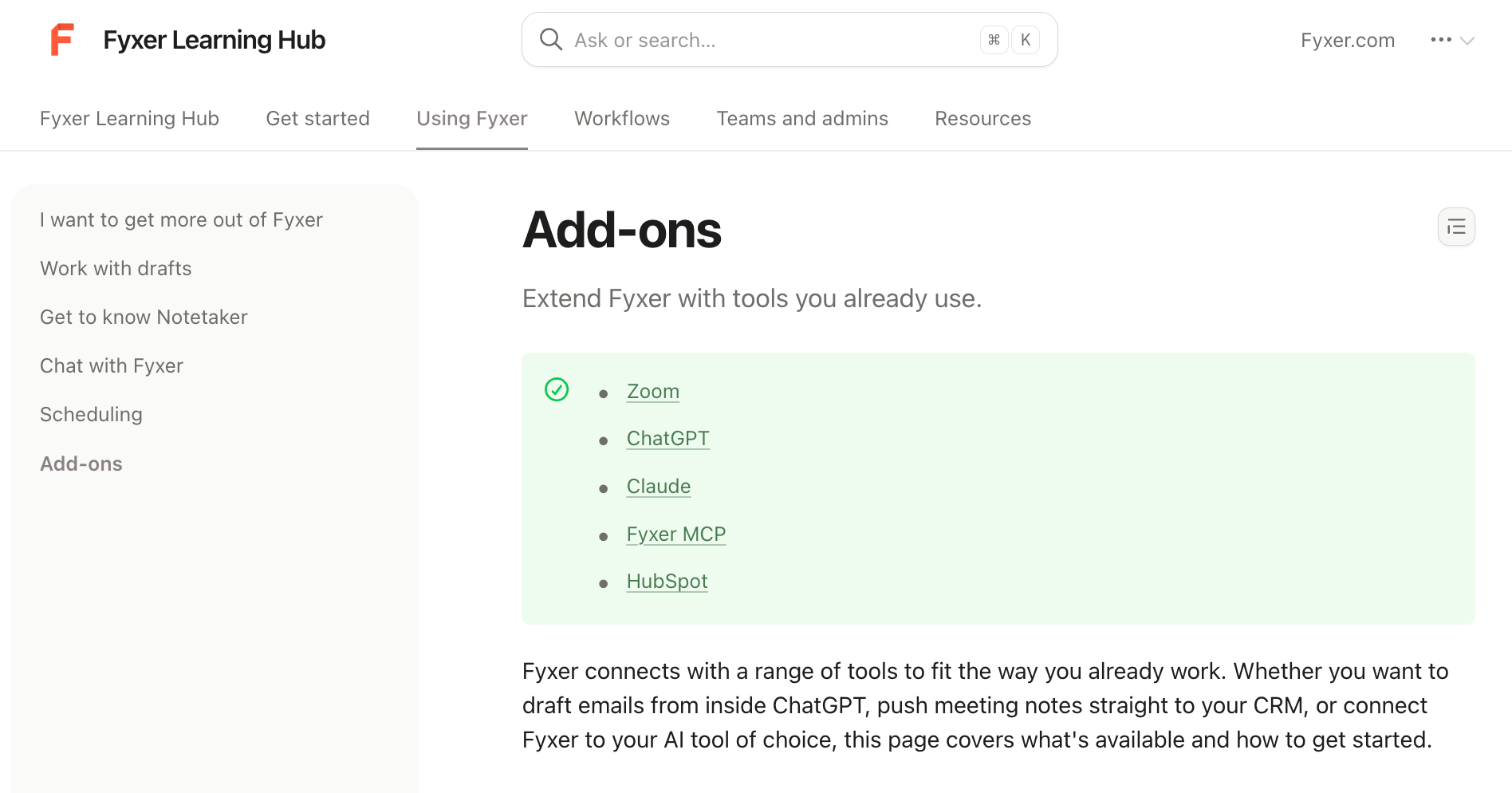
Fyxer connects meetings to your inbox and your inbox to HubSpot on the Pro plan. That integration goes further than a basic connection. After every recorded meeting, Fyxer automatically pushes a note to the relevant contact, deal, or company record in HubSpot, matched by email address or domain, with no manual input required.
Fyxer also connects to ChatGPT and Claude via MCP, giving those tools access to your emails, meeting notes, and transcripts as context. What it doesn't do is run sequences across tools. Routing output to Notion, triggering a Slack message, or chaining actions across four different apps sits outside what Fyxer was built for.
Copilot

Copilot can run multi-step workflows across M365 apps through Copilot Cowork, sending emails, scheduling meetings, creating documents, and posting in Teams in sequence. The connectivity extends beyond Microsoft, too, with support for tools like Jira, Asana, and Shopify. The constraint is that it typically waits for a prompt before starting.
It functions as a smart layer across the apps you're already using rather than an autonomous operator watching for triggers on your behalf. If the workflow stays inside or adjacent to M365, Copilot handles it well. If it crosses into Gmail, HubSpot, or Slack, the reach becomes limited.
Lindy
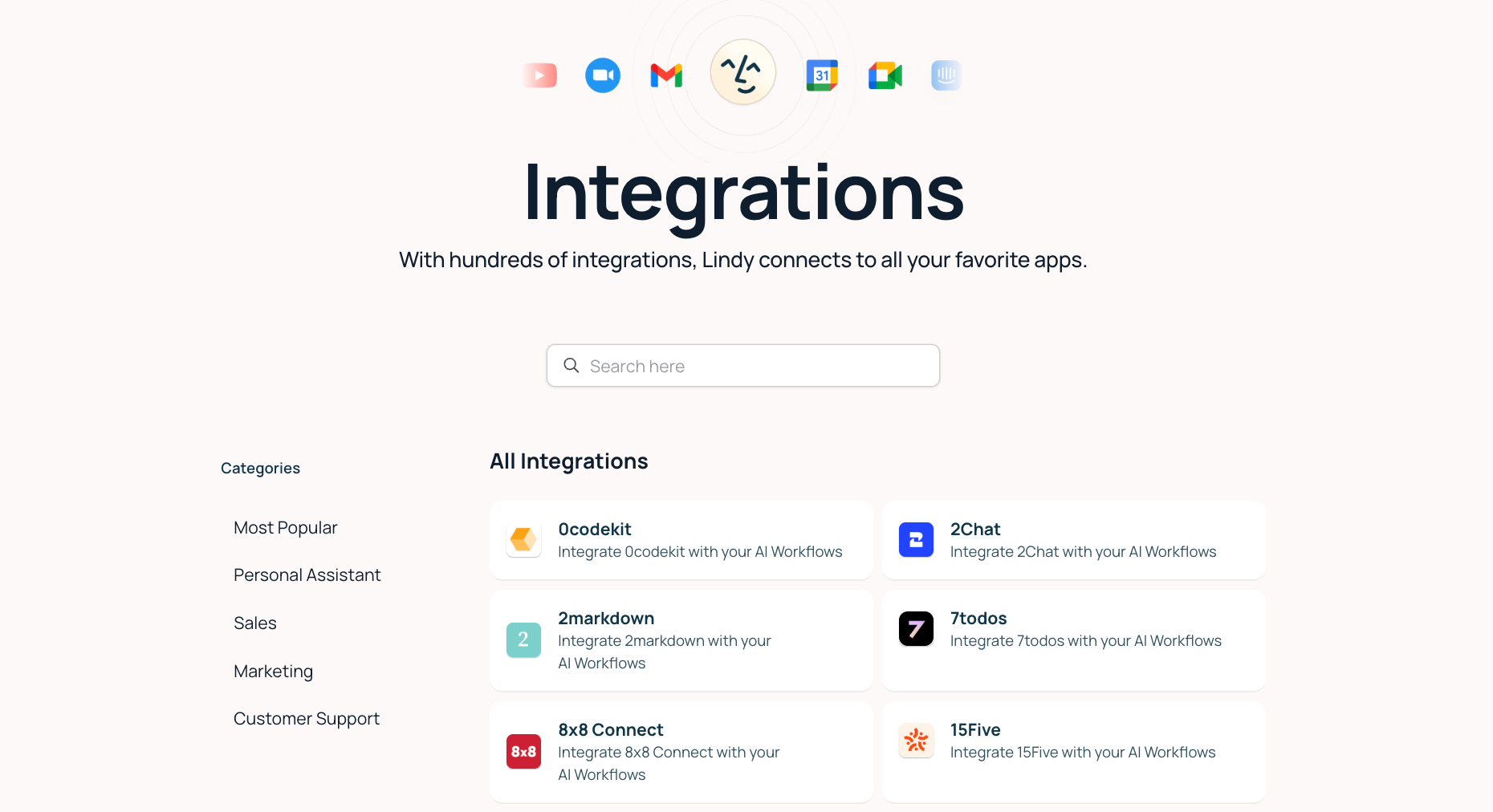
Lindy connects across hundreds of tools, including Gmail, Slack, HubSpot, Salesforce, Notion, and Google Drive, and can hit custom APIs when a pre-built integration doesn't exist. You describe the sequence in simple language, and Lindy runs it without supervision.
Say a new lead emails you. Lindy logs the contact in HubSpot, creates a follow-up task in Notion, and sends a Slack message to your sales lead, all before you've opened the email yourself.
My take
Fyxer doesn't operate at this level by design, and that's not a criticism. It was built for a different problem. Copilot gets close within the Microsoft environment but waits for a prompt, where Lindy acts on its own. For work that crosses tools and runs without supervision, Lindy is the only option in this comparison that handles the full chain.
Personalization and learning
The gap between a tool that feels like yours and one that feels borrowed shows up fastest in writing. I looked at how long each tool took to stop sounding like a capable stranger and start sounding like me, and what it actually took to get there.
{{templates}}
Fyxer
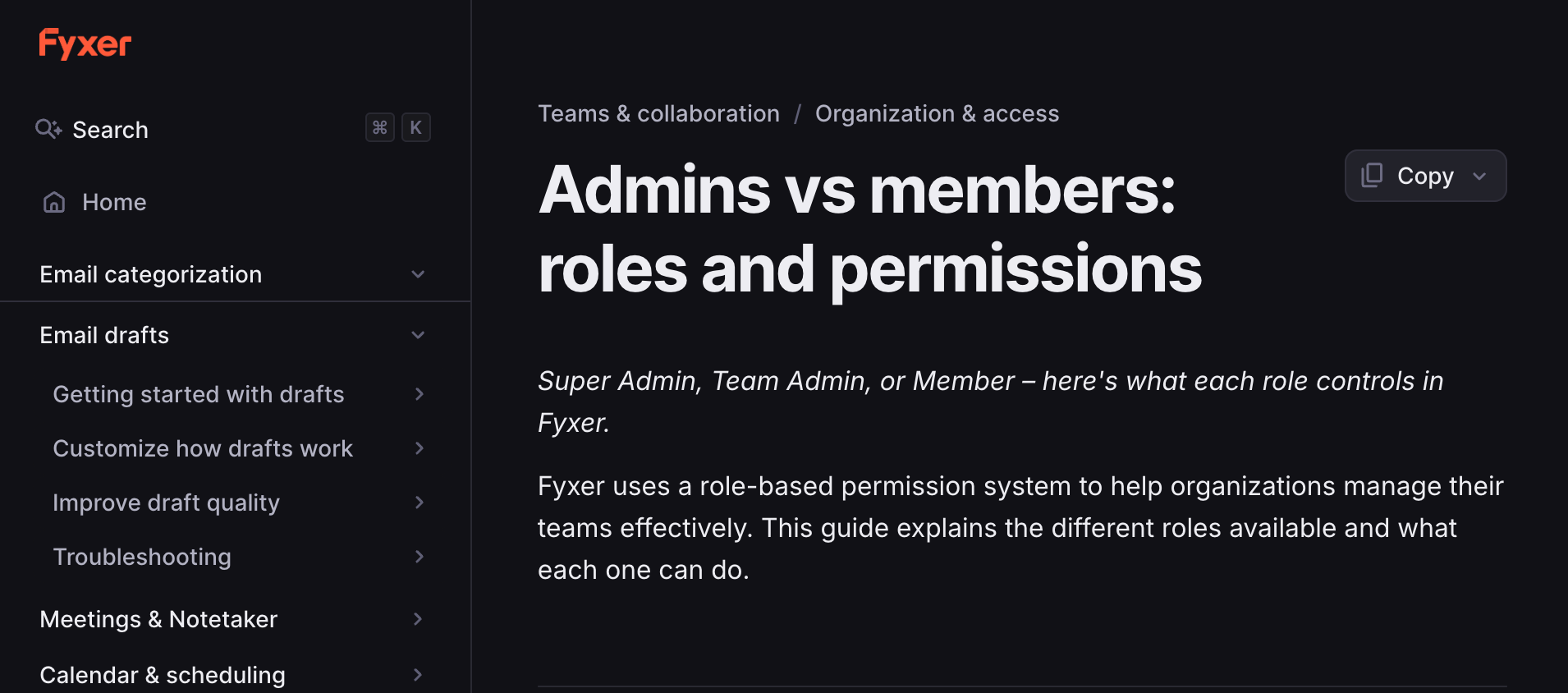
Fyxer studies your sent emails over time, picking up your formality level, your phrasing patterns, and how you communicate differently across audiences.
But be prepared to edit your early drafts. In practice, users report it can take two to three months of consistent use before drafts feel like a polished version of you rather than an approximation. That timeline is worth knowing upfront. The payoff is real, but it arrives gradually rather than immediately.
Copilot
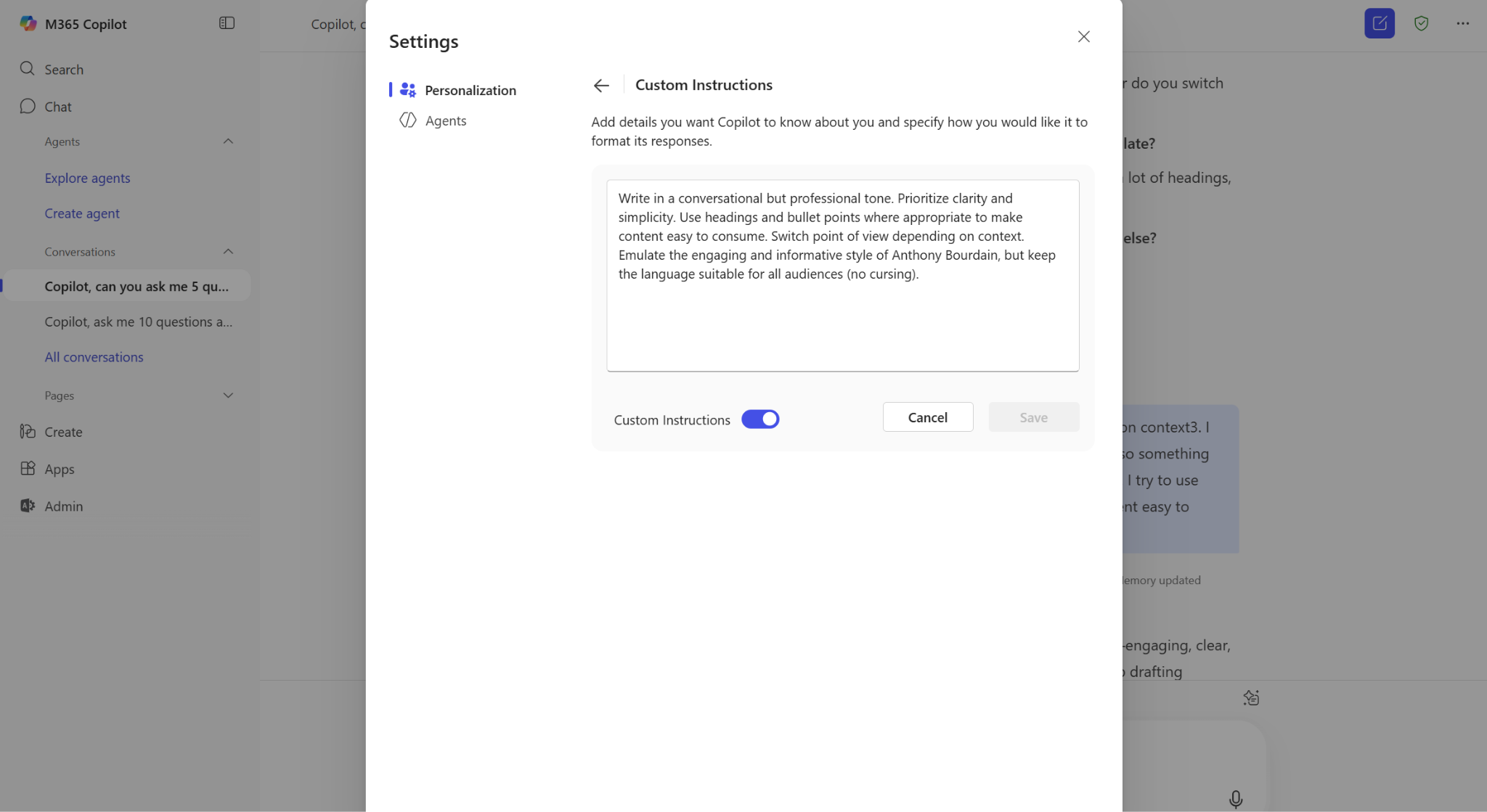
Copilot feels personalized on day one, but for a different reason. Because it's natively connected to your M365 environment, it already knows your files, calendar, email threads, and active projects. That organizational context makes it useful immediately.
What it doesn't do is learn how you write. The drafts it produces are polished and professional in a way that belongs to no one in particular. You can give it tone instructions, but it won't pick up your sign-offs, your humor, or the difference between how you write to a client and how you write to a colleague. The personalization is wide on data and thin on voice.
Lindy
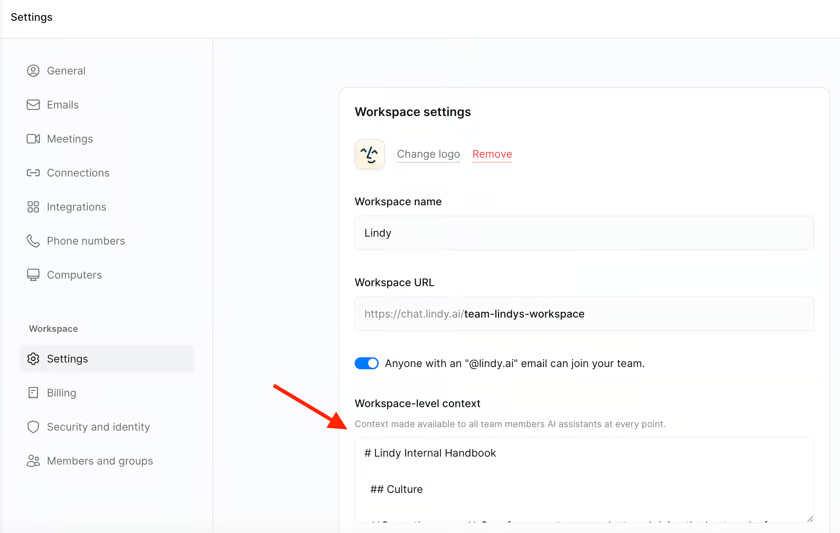
Lindy starts with explicit drafting instructions you set yourself, then refines from there as you edit its output. The initial drafts can feel generic, which is honest, but the feedback loop is faster than Fyxer's because you're actively shaping it rather than waiting for it to observe enough behavior.
Beyond writing style, Lindy retains context across every interaction, pulling from past emails, meetings, and connected tools to answer questions like what a specific person said on a call last week or flag a thread that needs a response based on what's already happened.
My take
Choose Fyxer specifically for writing voice, given the depth of style learning it offers over time. Lindy is the stronger choice when personalization means the assistant knowing your context across tools. Copilot lags when the measure is individual voice, though it leads on organizational data awareness from day one.
Pricing and total cost
These tools sit in a similar price range on paper. The structures underneath are different enough that the headline numbers don't tell the full story.
Fyxer starts at $30/user/month, so that same five-person team pays $150/month before reaching the Professional tier.
Copilot requires Copilot Business at $25.20/seat/month, on top of a required M365 plan ($9.99 to $19.99 each), which comes to roughly $176 to $226/month all-in for a five-person team on monthly billing.
Lindy bills $49.99 for the whole account regardless of team size.
Fyxer
- Starter ($30/user/month): One inbox and calendar, draft replies in your voice, and Notetaker for meetings. 7-day free trial. 25% off on annual billing.
- Professional ($50/user/month): Multiple inboxes and calendars, HubSpot integration, scheduling across teams and time zones, file uploads to train Fyxer. 7-day free trial.
- Enterprise (Custom): Dedicated account manager, SSO, SCIM, customized onboarding.
Microsoft 365 Copilot
- Copilot Chat (Included): Available at no extra cost with an eligible M365 subscription. Covers AI chat and select M365 apps.
- Microsoft 365 Personal ($9.99/month): Copilot is included across Word, PowerPoint, and Outlook desktop apps for one person.
- Microsoft 365 Family ($12.99/month): Everything in Personal, for up to 6 people.
- Microsoft 365 Premium ($19.99/month): Everything in Family, plus AI agents for complex tasks, extensive Copilot features, and visual AI assistance.
- Copilot Business ($25.20/user/month): Full AI layer across Teams, Outlook, Word, PowerPoint, and Excel. Requires a separate qualifying M365 subscription.
- Enterprise (Custom): Advanced security, compliance, and admin controls at organizational scale.
Lindy
- Plus ($49.99/month): Up to 2 inboxes, email drafting, meeting scheduling and notes, chat via iMessage and SMS, 100+ integrations.
- Pro ($99.99/month): Up to 3 inboxes, 3x more usage than Plus, computer use, and a live onboarding session.
- Max ($199.99/month): Up to 5 inboxes, 7x more usage than Plus, built for the heaviest workloads.
- Enterprise (Custom): SSO, SCIM, audit logs, HIPAA compliance, dedicated support.
{{cta}}
What real users are saying
Across G2, Trustpilot, and X, each tool draws a recognizable kind of fan. Fyxer users talk about time saved and inbox control. Copilot users appreciate the M365 integration but run into its edges fast. Lindy's loudest advocates tend to be operators who've connected it across their stack and never looked back.
Fyxer
- Ron H. describes the experience as getting his day back. The tool surfaces only the messages that need attention and handles the rest on its own.
- Erin M. points to strong ROI and compliance-friendly communication practices, though she flags a learning curve in the early weeks.
- Misty Dawn writes that after a year of use, most of her reclaimed time came from no longer drafting emails from scratch, and adds that a billing issue was resolved in under two hours.
Microsoft Copilot
- Ravindra N. praises the cross-app integration across Word, Excel, Outlook, and Teams, but flags consistency issues and notes that Copilot struggles with organization-specific terminology without additional context.
- Abdul H. echoes the productivity gains for daily M365 tasks while pointing out that responses are generic for complex queries.
- The recurring theme in lower-rated reviews is that Copilot performs well within a narrow set of use cases and falls short outside it.
Lindy
- Deedy Das writes about using Lindy across multiple tasks that save him hours and high costs, citing scheduling via CC and content repurposing as specific examples.
- Linus Ekenstam frames it as an AI assistant that gives you access to all your apps, covering email, calendar, prospecting, and meeting summaries in one place.
- The common thread: users who get the most from Lindy are those who connect it across multiple tools rather than use it for a single task.
When to use Fyxer, Copilot, Lindy, or more than one: My take
The honest answer for most teams isn't picking one. These tools operate at different layers, and the scenarios in which they overlap are fewer than marketing comparisons suggest. Here's where each one makes sense on its own, and where combining them actually holds up.
Use Fyxer if
- Inbox overload is your primary bottleneck, and you want a specialist who handles the weight of email admin before you sit down in the morning.
- You need drafts that sound like you, not like a capable but generic assistant, and you're willing to give it a few weeks of use to get there.
- You want a hands-off experience where triage, scheduling, and follow-up drafts are handled 24/7 without requiring you to prompt anything.
Use Copilot if
- Your team lives inside Microsoft 365, and cross-application tasks, like turning a document into a presentation or pulling data across company files, are a regular part of the job.
- You need a tool that works within your organization's existing security and governance boundaries, grounding AI responses in enterprise data rather than external sources.
- Your meetings run on Teams, and you want a built-in recap layer without adding another tool to the stack.
Use Lindy if
- You want an assistant you can text via iMessage or SMS to handle work across your inbox, calendar, CRM, and other tools without switching between apps.
- Your work crosses multiple platforms, and you need something that acts on its own rather than waiting to be asked.
- You want to replace a fragmented set of separate tools for email, meetings, and scheduling with a single assistant that connects them.
Consider using more than one if
- You're MS 365-first but want deeper inbox automation: Copilot handles the broad data and document layer, Fyxer adds the proactive inbox depth that Copilot doesn't cover in Outlook.
- You need both cross-tool automation and email mastery: Lindy runs the multi-step routines across Salesforce, Notion, Slack, and beyond, while Fyxer manages the executive email layer with the kind of voice accuracy Lindy is still building toward.
- You're running a larger organization with a mixed stack: Copilot serves as the baseline intelligence layer across the organization, Fyxer protects the time of communication-heavy leaders, and Lindy runs autonomous routines for sales, support, and operations teams.
Tested Fyxer and Copilot? Here's why most teams add Lindy to the mix
If the comparison above showed anything, it's that most teams dealing with a mixed stack like Gmail, Slack, HubSpot, and Zoom need something that works across the whole stack rather than mastering one corner. That's the gap Lindy fills.
You don't configure triggers or build anything. You text Lindy what you need, and it handles the work across the tools you're already using.
Here's what Lindy handles across your stack:
- Get answers instantly: Text Lindy to pull information from your email, calendar, or CRM without digging through tabs.
- Send emails and follow-ups automatically: Ask Lindy to draft, personalize, and send outreach and handle replies.
- Take meeting notes and share summaries: Lindy joins meetings, writes structured notes, and follows up afterward.
- Update your CRM without manual entry: After a call, Lindy logs notes and automatically fills in missing fields.
- Find and qualify leads in minutes: Tell Lindy who your ideal customer is. It builds the outreach list, the grunt work that used to eat up my afternoons.
- Hundreds of app integrations: Lindy connects with the tools you already use, so everything stays in sync.
Frequently asked questions
Is Lindy better than Microsoft Copilot?
Lindy is the better choice if your work crosses multiple tools outside the Microsoft environment. Copilot is stronger if your team runs entirely on M365 and needs AI built into Word, Excel, and Teams. They solve different problems, and the better tool depends entirely on which stack you're working in.
Can Lindy replace Fyxer?
Yes, Lindy can replace Fyxer if your inbox is one part of a larger set of tasks you need automated. Where Fyxer still leads is writing voice accuracy and inbox depth built up over weeks of use. If email is your only pain point, Fyxer is the cleaner choice.
Does Fyxer work with Microsoft 365?
Yes, Fyxer works with Microsoft 365 through a native Outlook integration. It adds proactive inbox triage and voice-matched drafting that Copilot doesn't cover in Outlook. The Professional plan also includes a HubSpot integration. It won't replace Copilot's document AI in Word or Excel, but it fills a gap Copilot leaves in the inbox.
Can you use Copilot and Lindy together?
Yes, you can use Copilot and Lindy together, and they don't overlap much. Copilot handles the Microsoft-native layer across Word, Excel, and Teams. Lindy handles the work that crosses into Gmail, HubSpot, Slack, and other tools. For organizations already committed to M365, running both means neither tool is doing the other's job.
Which is best for founders and small teams?
Lindy is the best tool for founders and small teams who need a single assistant to handle work across multiple tools, without per-seat pricing that scales with headcount. Founders dealing with high email volume should consider adding Fyxer. Copilot makes more sense in larger orgs where Microsoft 365 is already the organizational standard.









