The 7 Best Email Clients for Mac in 2026


The contract was due at noon. I found the client's email at 12:08, buried under newsletters in Apple Mail, with nothing to tell me it was urgent. That was the last week I left my inbox on default settings.
Finding the best email client for Mac turned out to be harder than it looked. I tested 11 options over several weeks, running each one as my only inbox against a Gmail account carrying more than 20,000 messages and a second iCloud account for contrast.
I checked launch speed, search, AI drafting, and whether each app actually felt built for macOS or just installed on it. Seven made the final cut.
This guide covers what sets them apart, who each one fits, and where each falls short. If you're not tied to a Mac, our guide to the best email clients overall covers 14 picks across every platform.
What makes the best email client for Mac?
The best email client for Mac feels like part of the operating system itself, running natively rather than loading in a browser wrapper. It handles Gmail or IMAP without forcing you into one provider, manages your inbox rather than just displaying it, and charges a price that reflects what you actually get.
Here's what separates a good Mac email client from a mediocre one:
- Native performance: A true Mac app runs directly on Apple Silicon rather than wrapping a browser engine, as in Electron. That difference shows up in battery life and launch speed, especially with multiple accounts and thousands of messages in your inbox.
- Provider flexibility: Most people don't use a single email account with a single provider. A client that supports Gmail and IMAP together covers Google, iCloud, and work accounts in a single inbox, without forcing a second app into the mix.
- Inbox management: Snooze, send later, and smart sorting turn an inbox from a dumping ground into something you can actually work through. Without these tools, you're back to manually re-reading the same messages every day just to remember what's still open.
- Privacy model: Some clients process your mail on their own servers to power features like notifications. Others keep everything on your device. Neither approach is automatically wrong, but you should know which one you're using before your inbox holds anything sensitive.
- Pricing honesty: A free tier should mean real features you can use daily, rather than a time-limited trial dressed up as free. Some apps restrict core functions like multiple accounts until you pay, which is a different promise than what "free" is supposed to mean.
How I tested these email clients for Mac
I tested 11 email apps in total, each one running as my daily driver for at least a week. Every app connected to the same Gmail account, over 20,000 messages deep, plus a second iCloud account for contrast. All testing was done on an Apple Silicon Mac, since performance differences are barely noticeable on older Intel hardware.
For each app, I checked launch speed, search speed, and how inbox management actually felt during a busy week. I also tested the AI features for real usefulness rather than novelty, read through each app's privacy policy line by line, and weighed pricing against what you actually get.
A few apps looked strong in the marketing copy and fell apart the moment search took four seconds to return a result I needed immediately.
Four apps didn't make the final list:
- Thunderbird felt dated the moment I opened it next to anything built for modern macOS, with menus and window behavior that never quite matched the rest of my system.
- Superhuman Mail is fast, but its $30/member/month price is hard to justify once you've used Spark or Canary Mail for free. If price is the dealbreaker, our Superhuman alternatives guide covers seven cheaper options in more depth.
- Edison Mail raised real concerns during the privacy check. Its parent company was named in a 2020 investigation into email apps selling user data, and that history was enough to rule it out here.
- HEY isn't a client in the way this list needs. It's a mail service, not an app you point at the Gmail or iCloud accounts you already have.
What was left after cutting those four is the seven apps below.
Best email clients for Mac at a glance
| Email client | Best for | Standout feature |
|---|---|---|
| Apple Mail | Free and built-in | Apple Intelligence summaries |
| Mimestream | Gmail users on Mac | Built on the Gmail API |
| Spark Mail | Taming a chaotic inbox | Smart Inbox plus a genuinely usable free plan |
| Canary Mail | Privacy-first email | On-device AI, no server-side scanning |
| Airmail | Power users who customize everything | Deepest rules engine and third-party integrations |
| Mailspring | Free and open source | Fastest local search of any client tested |
| Microsoft Outlook | Microsoft 365 and Exchange users | Deepest Exchange integration of any client here |
1. Apple Mail: Best for Mac users who want zero setup
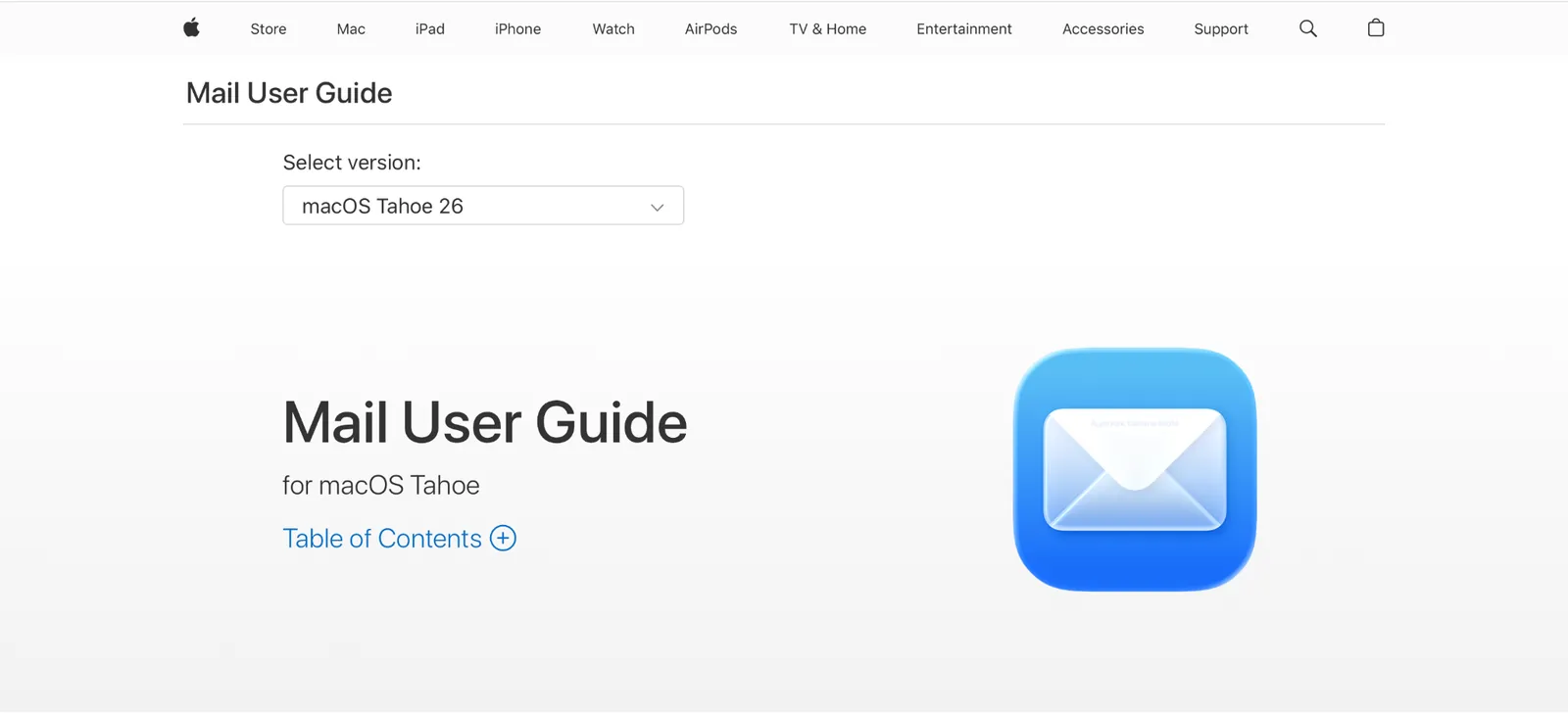
What is it? Apple Mail is Apple's built-in email client for Mac. It connects to Gmail, iCloud, Exchange, and IMAP accounts out of the box, runs natively on Apple Silicon, and in 2026 includes Apple Intelligence summaries, smart categorization, and Mail Privacy Protection at no cost.
Why I picked it
I ran it as my primary client for two weeks on an Apple Silicon MacBook, alongside six paid alternatives. It opened in under a second every time, with zero setup beyond signing into an existing account.
Apple Intelligence handled things I expected to need a third-party app for. I've tested AI email summaries with half a dozen paid clients, and Apple Mail's version held up against tools that charge $10 a month for the same feature.
Key features
- Apple Intelligence summaries: Replaces preview text with an AI-generated summary
- Smart Mailboxes: Saved-search folders that stay live across every account automatically
- Priority messages and categories: Auto-sorts mail into Primary, Transactions, Updates, and Promotions
- Mail privacy protection: Blocks tracking pixels and hides your IP address, on by default once you accept the one-time setup prompt
Limitations
Siri-based drafting still lags behind dedicated AI tools, and read receipts are missing entirely. It's best suited to a manageable inbox. If you need rules, automation, or serious inbox triage, you'll outgrow it fast.
Pricing
Apple Mail is free and comes included with every Mac, with no paid tier at all.
2. Mimestream: Best email client for Gmail users on Mac
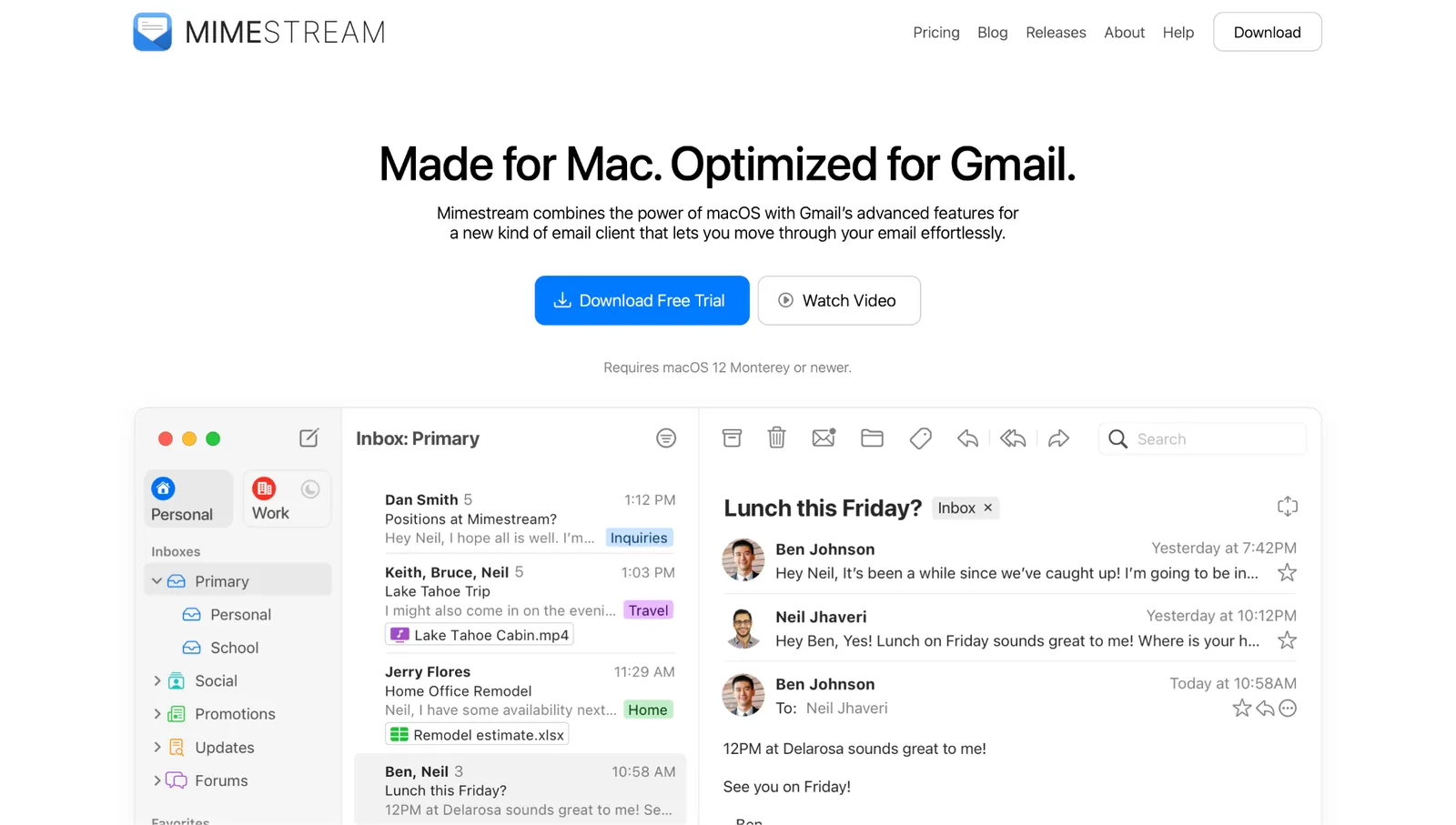
What is it? Mimestream is the closest thing to a native Gmail app for Mac. It's built in Swift and SwiftUI by a former Apple Mail engineer. Instead of using generic IMAP, it communicates with Gmail via Google's own API. That distinction shows up fast. Labels stay real Gmail labels instead of getting flattened into IMAP folders.
Why I picked it
Mimestream ran as my daily driver for two weeks against a Gmail account carrying more than 20,000 messages, tested side by side with five other clients. It opened almost instantly every time. Activity Monitor never showed it pulling meaningful memory, even with three accounts syncing at once. Search stayed just as fast on day fourteen as it was on day one.
Category inboxes match Gmail's Primary, Social, and Promotions tabs exactly, and keyboard shortcuts mirror Gmail's web app, command by command.
Key features
- Gmail API: Real labels and categories, true Gmail behavior
- Siri integration: Dictate messages and trigger actions through system-level Siri
- Matching keyboard shortcuts: Switch from Gmail's web app with zero relearning
- Apple Intelligence writing tools: Rewrite and proofread drafts, available on macOS 15.1+
Limitations
Mimestream is limited to Google Workspace only. There's no iCloud or IMAP support, so if you run a second non-Google account, you'll need a second app alongside it. Snooze and scheduled send also behave differently from Gmail's web version, since the Gmail API doesn't expose those features the same way. And since Mimestream isn't in the App Store, purchases go directly through their site.
Pricing
Mimestream costs $4.99/user/month or $49.99/user/year, with a 14-day free trial that doesn't require a credit card. The Individual plan includes family sharing for your household. It's one of the cheapest paid plans here, though it's also the only one with no free tier.
3. Spark Mail: Best for taming a chaotic inbox
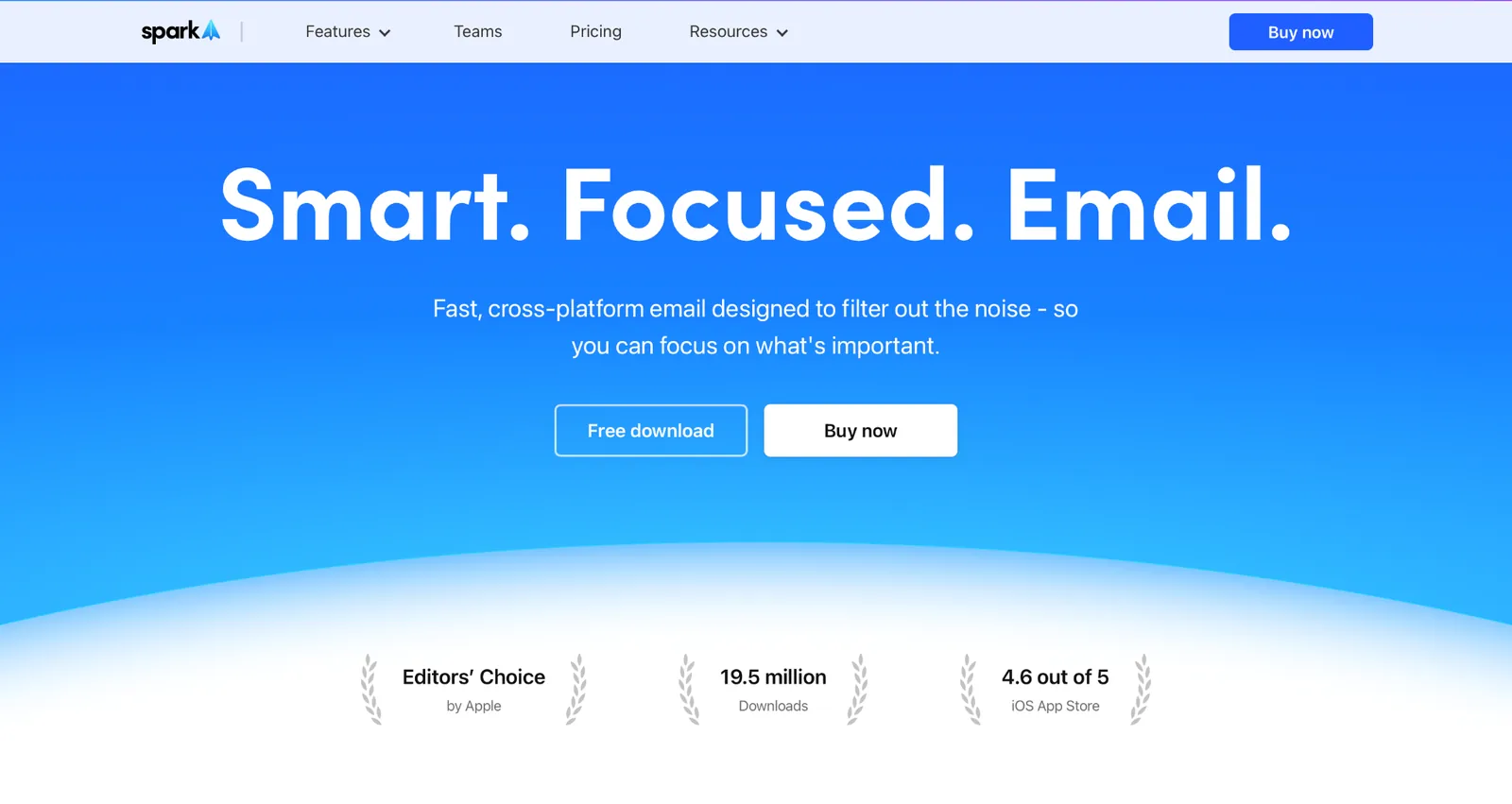
What is it? Spark Mail is a cross-platform email client built around inbox control. Its Smart Inbox splits people-mail from notifications and newsletters the moment you connect an account. The Plus plan layers in AI for compose assist, thread summaries, meeting notes, and quick replies. A single subscription covers macOS, iOS, Android, and Windows.
Why I picked it
I ran Spark as my daily driver for two weeks against a Gmail account carrying over 20,000 messages. Two features pulled ahead of everything else.
Gatekeeper screens anyone who emails you for the first time and queues them until you approve or block them. Cold outreach stopped reaching my inbox entirely. Reminders handled the follow-up problem: flag a sent email, set a time, and Spark moves the thread back to the top of your inbox, marked unread, if no reply comes.
Reminders is a free plan feature. Gatekeeper sits on Plus and above, which is worth knowing before you download the free version expecting it.
Key features
- Home Screen: Hides your inbox completely between set hours
- Gatekeeper (Plus): Screens unknown senders before they reach your inbox
- Spark AI (Plus): Compose assist, thread summaries, meeting notes, quick replies
- Smart Inbox: Auto-separates people, notifications, and newsletters on first launch
Limitations
Server-side processing for notifications and AI is a real privacy tradeoff worth understanding before you connect a sensitive inbox. Spark syncs your subject line and part of each message to its servers to power notifications, encrypts it, and deletes it four hours later.
The best AI features also sit behind the Plus or Pro tier, and the free plan limits both collaboration and AI usage in ways you'll notice quickly.
Pricing
Spark has a free plan with no time limit, and a 7-day trial on both paid tiers. Plus runs $10/user/month or $120/user/year, and Pro runs $20/user/month or $240/user/year.
4. Canary Mail: Best for privacy-first email on Mac
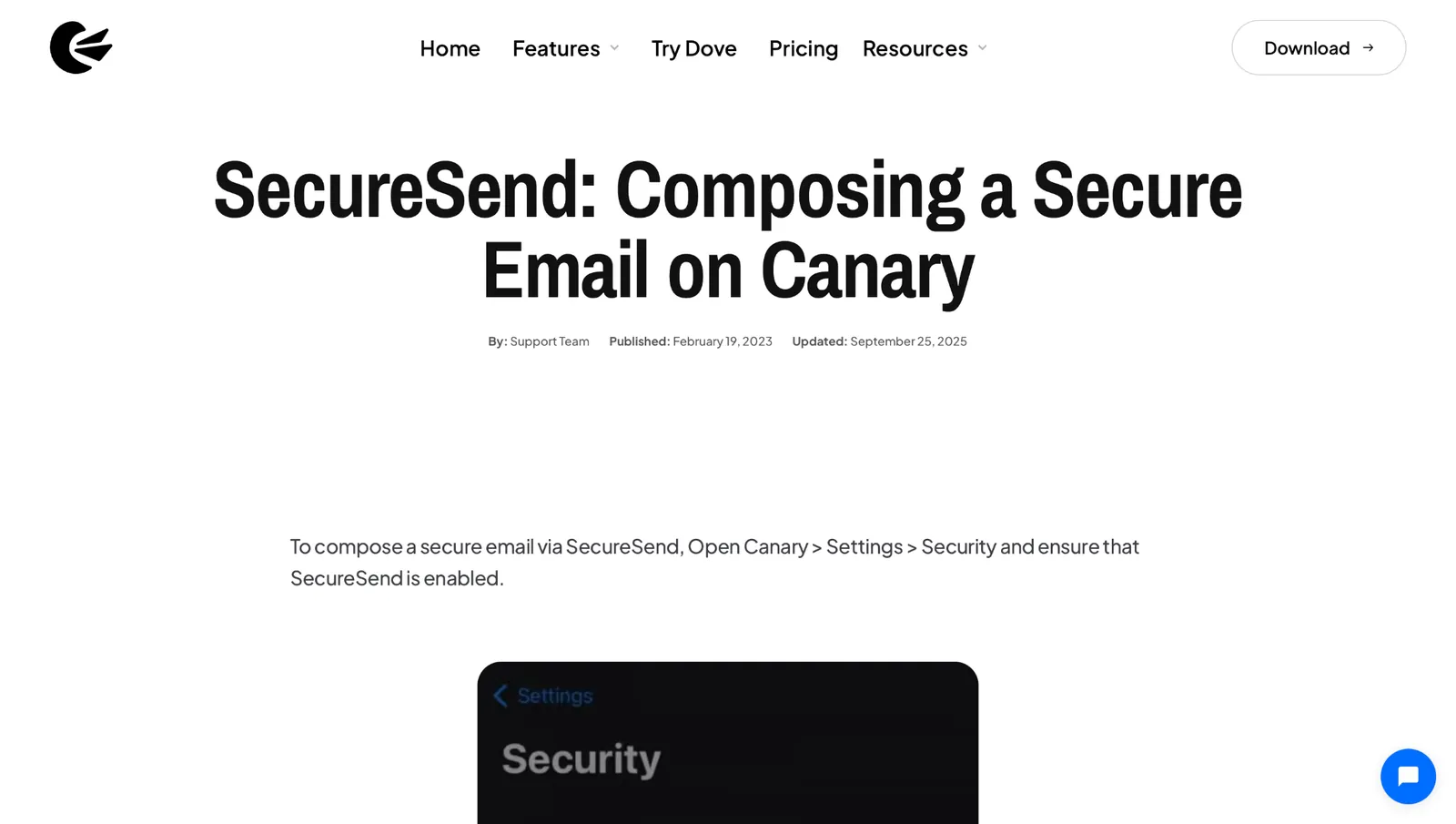
What is it? Canary Mail is a privacy-focused email client for Mac with built-in PGP encryption. Every message can be locked so only the recipient can read it. SecureSend goes further, letting you send encrypted messages to anyone, regardless of whether they use Canary. Its AI Copilot processes drafts and summaries entirely on-device, so your email content never reaches an external server.
Why I picked it
That on-device model is the opposite of Spark's, and it's the reason to pick Canary if your inbox genuinely can't leave your device. Cleanup runs locally too, alongside drafts. I also liked how the bulk cleaner cleared 30 newsletters in a single pass. Shared email templates cut the time I spent rewriting the same replies from scratch every week.
Key features
- PGP encryption (Pro+): Only the recipient can read your messages
- Unified inbox: Gmail, iCloud, Outlook, IMAP, and Exchange in one place
- SecureSend (Pro+): Encrypted messages to anyone, no Canary account required
- On-device AI Copilot (Growth and up): Drafts and cleanup processed locally, never server-side
Limitations
The AI features feel less polished than Spark's during real use, and the interface trails Mimestream and Airmail on Mac-native feel. The free plan covers only core inbox features. Encryption and on-device AI both stay locked to paid tiers, so the privacy benefits that make Canary worth considering don't kick in until you upgrade.
Pricing
Canary Mail has a free plan that covers core inbox features with no time limit. Paid plans are annual only. Growth runs $36/year ($3/month equivalent), and Pro+ runs $100/year ($8.33/month equivalent). Lifetime purchase options are available for both tiers if you'd rather pay once.
{{templates}}
5. Airmail: Best email client for Mac power users
What is it? Airmail is a Mac email client built for people who read every settings menu twice, and almost everything in it can be rearranged: custom swipe actions, triggers, notification sounds, and shortcuts.
Why I picked it
The rules engine is where that depth pays off. Set a condition, and Airmail can automatically move, label, reply to, or forward a message, with settings synced across devices through iCloud. Nothing else here goes that deep, and the integration and account lists below show the range.

Key features
- Rules engine: Auto-move, label, reply, or forward, synced via iCloud
- Deep customization: Custom swipe actions, shortcuts, per-account notification sounds
- Multi-account inbox: iCloud, Exchange, Gmail, Google Apps, IMAP, POP3, Yahoo, AOL
- Productivity integrations: OmniFocus, Things, Todoist, Fantastical, BusyCal, Notion, Evernote
Limitations
The free version limits you to a single account, which rules it out immediately if you manage multiple inboxes. Grammarly, Slack, and Salesforce integrations are also missing despite long-standing demand, something Airmail's own FAQ confirmed as of March 2026. Bug reports surface occasionally too, so it's worth checking recent App Store reviews before committing.
Pricing
Pro runs $5.99/month or $229.99/year through the Mac App Store and removes that limit entirely.
6. Mailspring: Best free email client for Mac
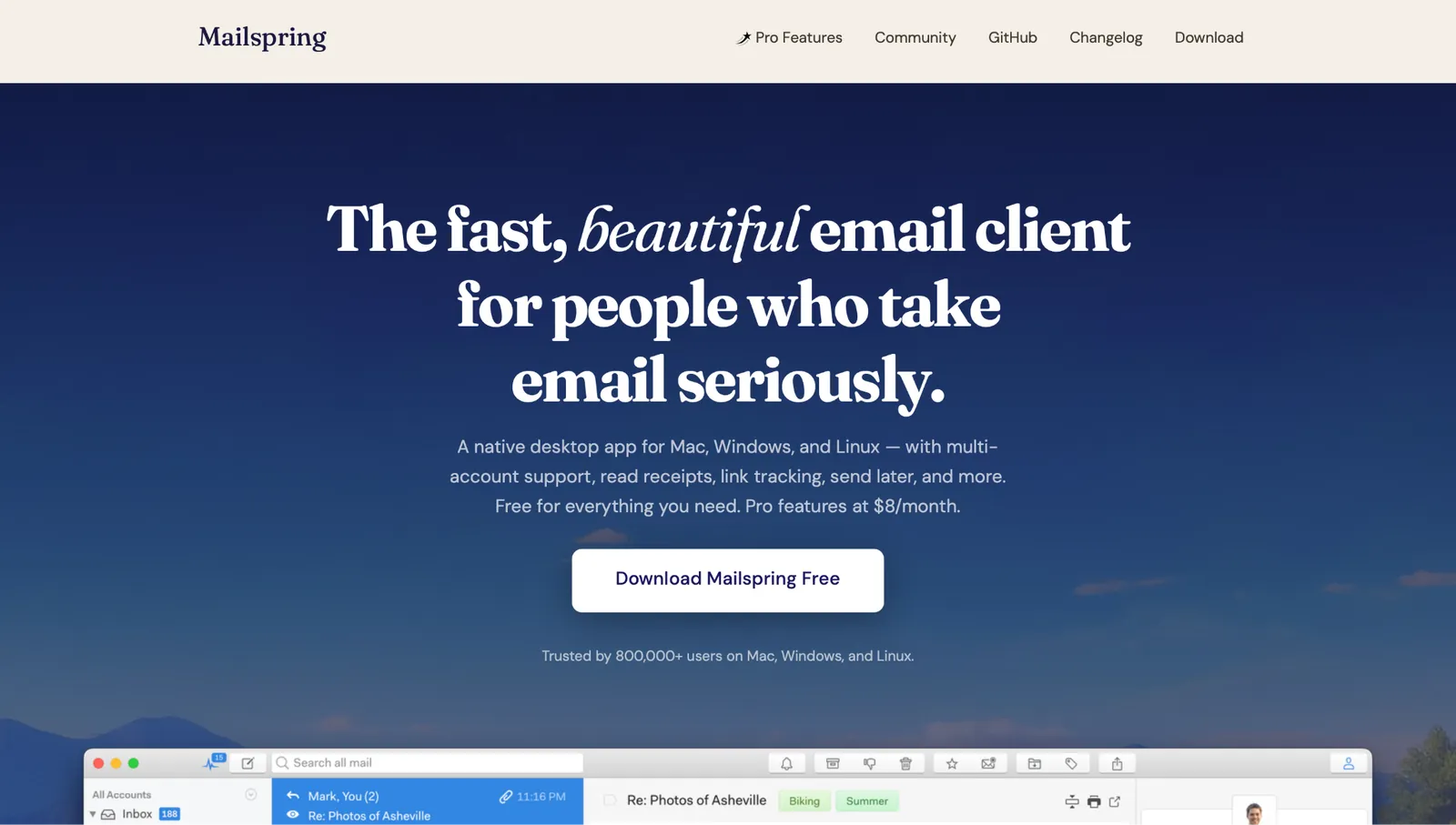
What is it? Mailspring is a free, open-source client trusted by more than 800,000 users. Your mail syncs over IMAP straight from your provider to your machine, without passing through Mailspring's servers. Pro's read receipts and link tracking are the exception; those run through Mailspring.
Why I picked it
Search is what made it stand out. Results came back as fast as searching inside Gmail itself, even on an inbox going back several years. For a free, open-source client, that's not a given. Most free tools in this category feel abandoned after a year or two.
Mailspring has kept shipping updates, including PDF attachment previews and native Apple Silicon builds, which is the kind of maintenance that earns long-term trust.
Key features
- Local search: Gmail-style query syntax, indexed locally, fast across accounts
- Cross-platform: Native on macOS, Windows, and Linux with the same feature set
- IMAP-direct sync: Mail moves from provider to machine, no Mailspring server involved
- Grammar and language support: Built-in grammar and spell-checking in the composer, with the interface translated into 8 languages
Limitations
The visual design is basic, and it shows when you switch from Mimestream or Airmail. Read receipts and follow-up reminders are both behind the Pro tier, which stings a little, given that some free clients include them. At $8/month, the Pro upgrade is reasonable, but it's worth knowing what you're paying for before assuming the free version covers everything.
Pricing
Mailspring is free, with Pro at $8/month.
7. Microsoft Outlook: Best email client for Microsoft 365 users on Mac
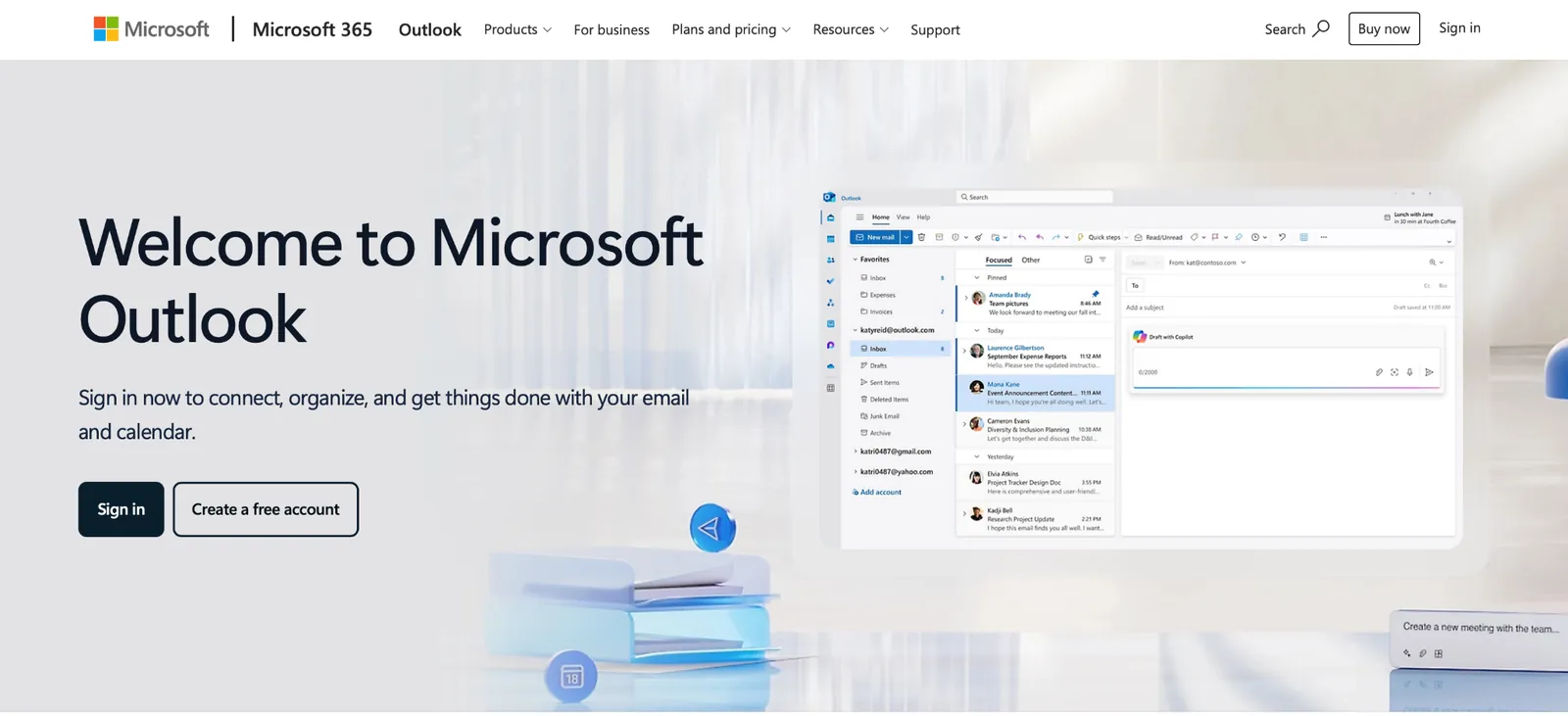
What is it? Outlook for Mac is now free for personal use across Gmail, iCloud, Yahoo, and Outlook.com accounts. That free tier is ad-supported. Microsoft built Exchange, so no other client here integrates with it as deeply. Profiles keep work, personal, and school accounts cleanly separated, alongside a built-in calendar and task manager.
Why I picked it
Focused Inbox automatically splits incoming mail into Focused and Other tabs, similar to Gmail's Primary and Updates split. Copilot adds AI drafting, summaries, and thread catch-up on top of that.
Copilot now comes through Microsoft 365. The $19.99/month Premium plan includes the advanced Copilot features; the standalone Copilot Pro subscription has been retired for new customers. If Copilot is the reason you're considering Outlook, our Outlook AI email assistants guide compares 14 tools built specifically for that job.
Key features
- Profiles: Keeps work, personal, and school accounts cleanly separated
- Focused Inbox: Auto-splits mail into Focused and Other, Gmail-style
- Copilot AI: Drafts, summaries, and thread catch-up, subscription required
- Exchange integration: Deepest of any client here, since Microsoft built Exchange
Limitations
The free tier is ad-supported, which is a real downside for personal use when cleaner free options exist. Copilot AI adds cost on top of an already paid Microsoft 365 subscription, so the full experience gets expensive fast. Outlook also carries a corporate weight that lighter clients like Apple Mail and Mimestream simply don't, and that shows up in how it feels to use daily.
Pricing
Microsoft 365 Basic removes ads for $1.99/month or $19.99/year. Microsoft 365 Personal adds full desktop Office apps for $9.99/month or $99.99/year. Microsoft 365 Premium bundles advanced Copilot features for $19.99/month or $199.99/year.
{{cta}}
Which email client for Mac should you choose?
The right email client for Mac depends less on features and more on how your inbox actually causes you pain. A chaotic inbox full of newsletters needs different tools than a Gmail-heavy work setup or a privacy-sensitive legal practice. Match the problem first, then pick the app.
Here's how to find your fit:
- Apple Mail: Best if your inbox is manageable and you want something free that runs natively on your Mac without any setup. It handles Gmail and iCloud well and now includes Apple Intelligence summaries at no cost.
- Mimestream: Best if you live in Gmail or Google Workspace and want native Mac performance. It connects through Gmail's own API, so labels, categories, and keyboard shortcuts behave exactly like Gmail itself.
- Spark: Best if your inbox is out of control and you want automatic sorting without having to build rules yourself. Gatekeeper and Smart Inbox do most of the heavy lifting on day one. Smart Inbox is free; Gatekeeper needs Plus.
- Canary Mail: Best if you handle sensitive email and need real encryption. Pro+ adds PGP and SecureSend. Growth gives you on-device AI without the encryption layer.
- Airmail: Best if you want deep customization and connect to several third-party apps like OmniFocus, Notion, or Fantastical. The rules engine is the deepest among the clients here.
- Mailspring: Best if you want a capable free client with fast local search and cross-platform support across Mac, Windows, and Linux.
- Outlook: Best if your work already runs on Microsoft 365 or Exchange. No other client here integrates with either as deeply.
- Lindy: Best if you want an AI teammate that handles the tasks your email creates. @mention Lindy in Slack with something like "sort today's inbox and flag anything from a customer," and it triages the threads, drafts replies for you to approve, and updates the CRM record.
FAQs
What is the best free email client for Mac?
The best free email client for Mac is Apple Mail, since it's already installed and includes Apple Intelligence summaries, Priority Messages, and Mail Privacy Protection at no cost. Mailspring is the best free third-party email client for Mac, open source with fast local search. Read receipts and follow-up reminders require Pro at $8/month. Spark's free plan is generous too, though its best AI features stay paid.
Is Apple Mail good enough, or do I need a third-party client?
Apple Mail is good enough for most people with a manageable inbox on iCloud or Gmail. It now includes Apple Intelligence summaries and smart categorization, which closes most of the gap with third-party clients. You need a third-party client once you want rules, automation, or a real triage system.
What is the best email client for Gmail on Mac?
Mimestream is the best email client for Gmail on Mac, since it connects via Gmail's own API rather than generic IMAP. Labels, categories, and keyboard shortcuts all behave exactly like Gmail itself inside a native Mac app. Mimestream works with Gmail and Google Workspace only, so it won't help if you also need iCloud or Outlook.
Is Spark Mail safe to use?
Yes. Spark Mail is safe to use for most personal and business email. Spark's privacy policy confirms that it routes push notifications and some AI features through its servers, meaning Spark syncs subject lines and partial message content to its servers for notifications, encrypts it, and deletes it four hours later. If you handle sensitive legal, health, or client email, Canary Mail's on-device model is the safer choice.
What is the most private email client for Mac?
The most private email client for Mac is Canary Mail on its Pro+ tier. Pro+ adds PGP end-to-end encryption and SecureSend on top of the AI Copilot, which already runs on-device. Growth gives you the AI Copilot without the encryption layer. Free gets basic AI inbox sorting only.
Can AI manage my inbox on a Mac?
Yes. AI can manage your inbox on a Mac. @mention Lindy in Slack with something like "sort today's inbox and flag anything from a customer," and it triages the threads, drafts replies for you to approve, and updates the CRM record. Apple Mail, Spark, and Canary Mail include built-in AI for summaries and drafting, though none of them touch work outside the inbox.









