


Best Task Management Software in 2026 (10 Tools I Tested)
Marvin tested ClickUp, Asana, and Monday.com among ten task tools, evaluating setup speed, daily usability, and per-seat pricing for growing teams.


Every team I've worked with has had the same conversation at some point. Someone asks, "Wait, who owns this?" in a meeting that should have answered that question three weeks ago. A task gets created, then buried under six other tasks, then becomes someone's problem again the day it's due.
Most teams pick a task manager the way they pick a group chat app: whatever's free, whatever a teammate used somewhere else, whatever came up first in a search.
That works fine until the team grows past four people or a project gets more than one moving part, and suddenly the tool everyone agreed was "good enough" is the reason nothing has an owner.
I put 10 task management tools through the kind of use that actually breaks one. Real projects, real deadlines, more than one person touching the same list.
These are my top 10 picks for 2026, each solving a different problem:
- ClickUp: Best all-in-one platform for tasks, docs, and goals
- Asana: Best for structured project tracking and approvals
- Monday.com: Best for visual, customizable team workflows
- Lindy: Best for teams who want an assistant handling the task, start to finish
- Notion: Best for teams that want tasks connected to docs and knowledge
- Trello: Best for simple, visual task tracking
- Wrike: Best for cross-functional teams that need resource planning
- Smartsheet: Best for ops-heavy teams that think in spreadsheets
- Teamwork: Best for agencies managing multiple client projects
- Todoist: Best for individuals who want a clean, fast task list
What is task management software?
Task management software helps individuals and teams capture, assign, prioritize, and track work through to completion, typically using a combination of lists, boards, timelines, and automation.
The category spans a wide range. On one end, simple to-do apps are built for a single person's daily list. On the other end, full project management platforms handle Gantt charts, resource planning, and portfolio-level reporting for teams running dozens of projects at once.
Types of task management software
Before comparing individual tools, it helps to know which category actually matches your problem.
Personal task managers are built around one person's list. Simple capture, natural language input, and enough structure to keep a day organized without any team overhead.
Todoist is the clearest example on this list.
Team project management platforms provide the structure a group needs to work on the same thing: assignees, due dates, dependencies, status views, and cross-project reporting.
ClickUp, Asana, Monday.com, Trello, Wrike, Smartsheet, and Teamwork all fall here, and the differences between them come down to how much structure they impose and how steep the setup curve is.
Workspace tools with built-in tasks treat task management as one layer of a broader system that also holds docs, notes, and knowledge.
Notion is the main example here. The appeal is fewer tools overall; the trade-off is that task management, specifically, isn't as deep as a dedicated PM platform.
AI assistants that act on tasks are a newer category. An assistant like this handles the follow-through itself by drafting the follow-up email, updating the record, and preparing you for the meeting tied to the task.
It's a different job than the other three categories, closer to delegating than to organizing. Lindy is the one built specifically for this.
None of these is objectively better. A five-person agency juggling client deliverables needs something different than a solo consultant who just needs their day not to fall apart by 11 am.
How I evaluated these tools
I compared these tools against how task management actually breaks down on a real team: a task gets created somewhere other than the tool itself (a meeting, an email, a Slack message), someone needs to own it, and someone else eventually needs to know whether it got done without asking.
For each tool, I looked at:
- Setup and time to value: How long it takes to go from signup to a task list your team will use in day-to-day work.
- Daily usability: Whether adding, assigning, and updating a task takes seconds or feels like filling out a form.
- Team visibility: How easily someone outside a task can tell what's happening with it, without pinging the person responsible.
- Depth vs. complexity tradeoff: Whether the tool's power is worth the setup and training time it demands.
- Pricing at real team size: What a plan actually costs once you're past the smallest tier, since per-seat pricing changes the calculus fast as a team grows.
I also weighed publicly documented user feedback (G2 and vendor changelogs) alongside each tool's own pricing pages, since task management pricing structures change often enough that a number from even a few months ago can be wrong.
Every price below reflects what's currently published. Confirm anything time-sensitive against the vendor's pricing page before you commit.
10 best task management tools: Quick reference
1. ClickUp
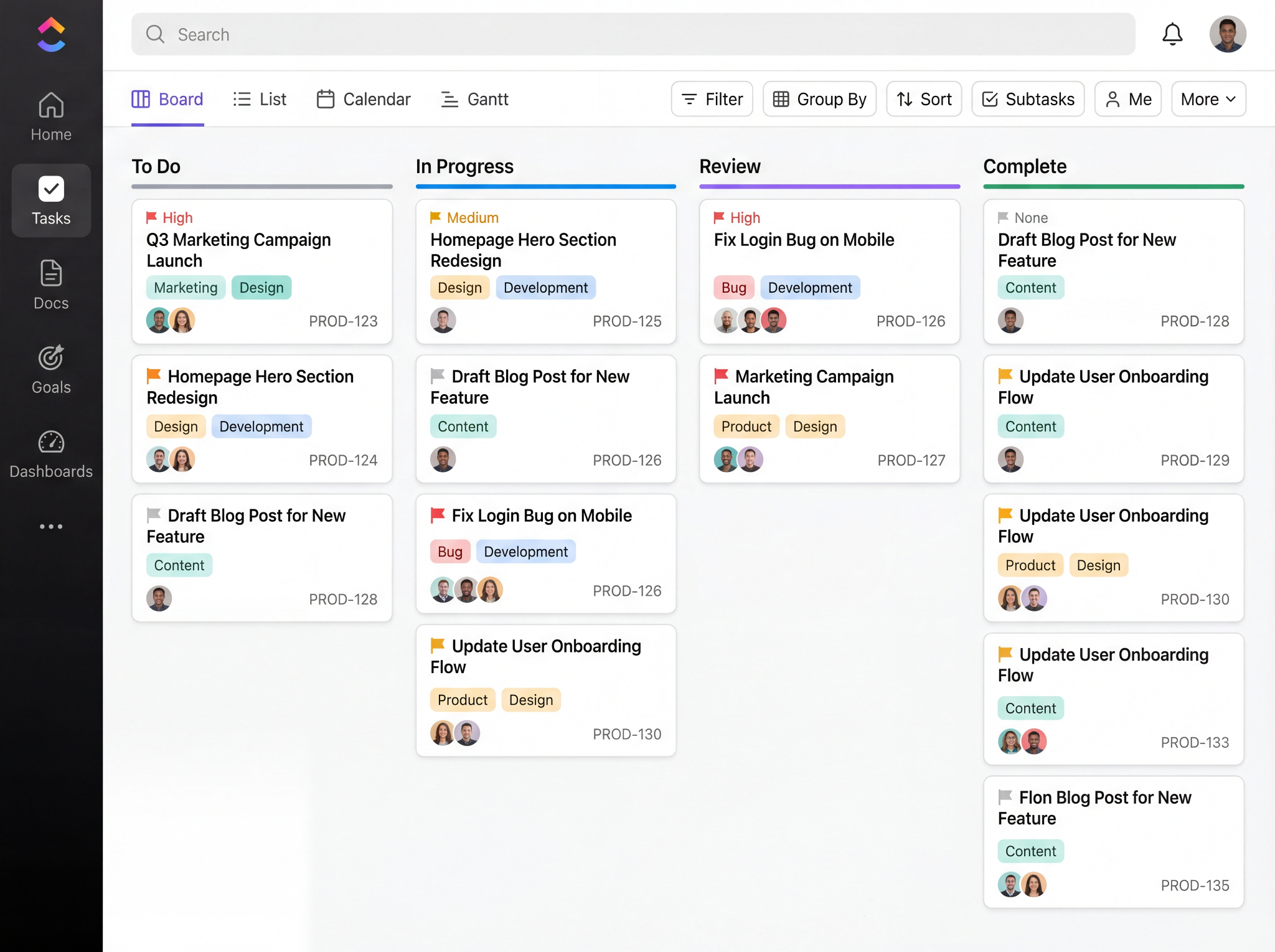
What it is: ClickUp is a project management platform that bundles tasks, docs, goals, dashboards, and an AI layer (ClickUp Brain2) into one workspace, built to replace several separate tools at once.
Best for: Teams of five or more who want a single platform for tasks, docs, and reporting, and are willing to spend real setup time to get it configured correctly.
Key features
- Switch between list, board, Gantt, calendar, and timeline views without changing the underlying data
- ClickUp Brain2 generates tasks from prompts, summarizes docs, and answers questions across the workspace
- Custom automations triggered by status changes, due dates, or field updates
- Goals and portfolio views that link team OKRs directly to the tasks driving them
- 1,000+ integrations, including Slack, GitHub, HubSpot, and Google Drive
What works well
Once I got past the setup, ClickUp's flexibility genuinely changed how I worked. As a visual person, I found that switching between a board for daily work and a timeline for anything with dependencies made the difference between guessing what was next and actually seeing it.
The automations made the biggest difference. Fields that I expected to update manually after every status change just updated themselves, and by the end of the week, I realized how much small admin work had quietly disappeared.
What to watch for
ClickUp isn't intuitive out of the gate. A lot of what makes it powerful isn't visible on day one, and it takes consistent, regular use before you start finding where things actually live and how the pieces fit together. The capability is there; it just takes time to uncover.
What users say
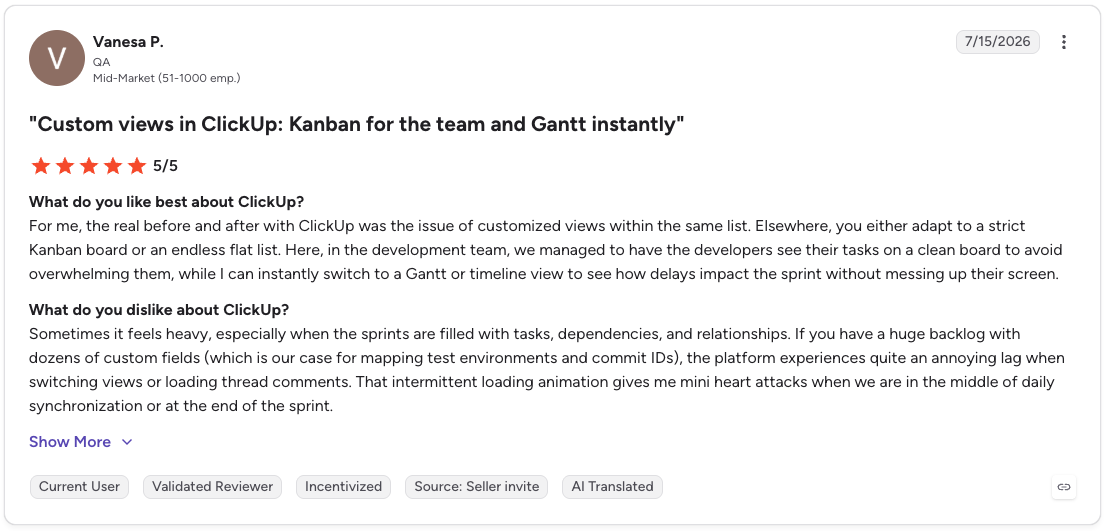
Pro: “For me, the real before and after with ClickUp was the issue of customized views within the same list. Elsewhere, you either adapt to a strict Kanban board or an endless flat list.”
Con: “Sometimes it feels heavy, especially when the sprints are filled with tasks, dependencies, and relationships. If you have a huge backlog with dozens of custom fields (which is our case for mapping test environments and commit IDs), the platform experiences quite an annoying lag when switching views or loading thread comments.” - Vanesa P., G2 Review (July 15, 2026)
Pricing
$10/user/month gets you into ClickUp's Unlimited plan (billed monthly), with Business at $19/user/month and custom Enterprise pricing above that. A free plan is also available.
2. Asana
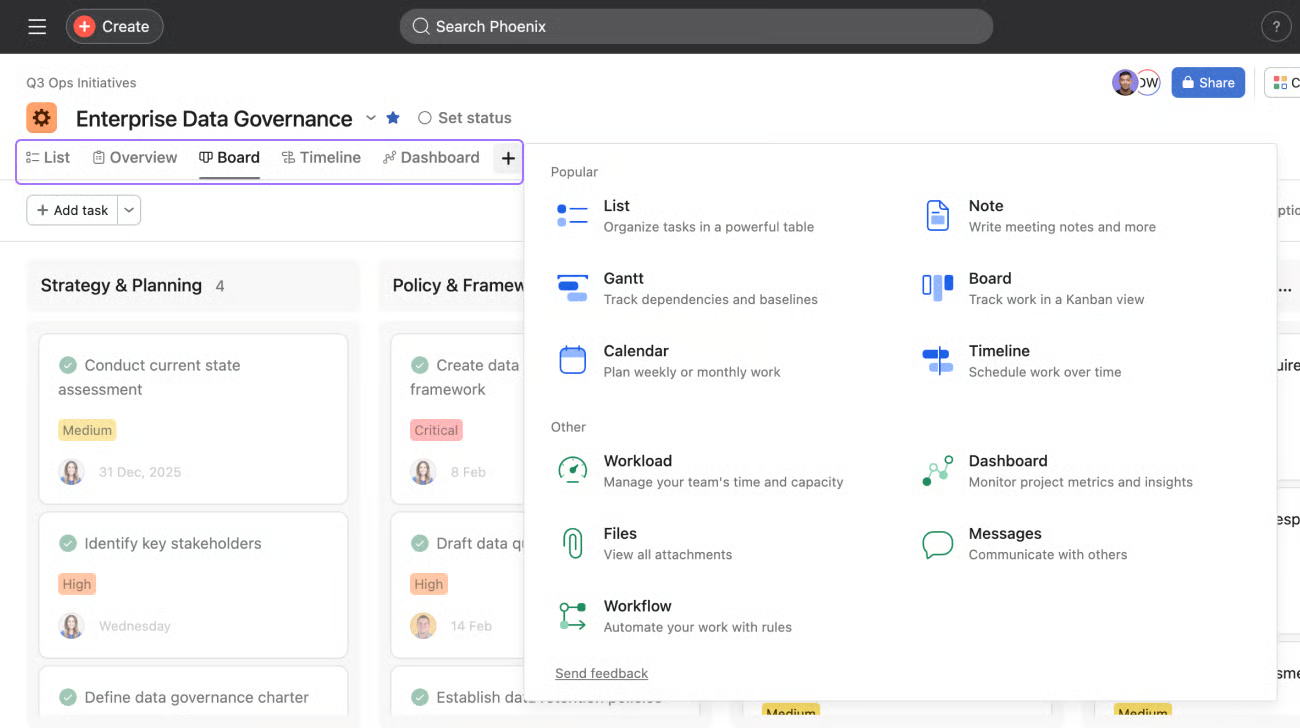
What it is: Asana is a project management platform built around structured task tracking, approvals, and cross-project visibility for growing teams.
Best for: Teams of five or more across marketing, operations, and project management who need clear ownership and sign-off flows without a steep setup process.
Key features
- Subtasks, dependencies, and approval flows so nothing moves forward without the right sign-off
- List, board, timeline, and Gantt views over the same underlying project data
- Workflow automations that trigger actions on status changes or approaching deadlines
- Portfolio and goal tracking for visibility across multiple projects at once
- 200+ integrations, including Slack, Gmail, Salesforce, and Microsoft Teams
What works well
Asana is the reason I stopped keeping track of every task and half-formed thought across different notepads. The ChatGPT integration was the biggest upgrade for me, and deadlines started getting met because everything lived in one place across tasks, notes, and follow-ups.
What to watch for
Search is the weak point. I found this out the hard way hunting for a task from a few weeks back. I couldn't remember the exact title or which project it lived under, and it took longer than it should have to track down. The AI search helps a little, but for a tool built to cut down on chaos, this is one area where friction remains.
What users say
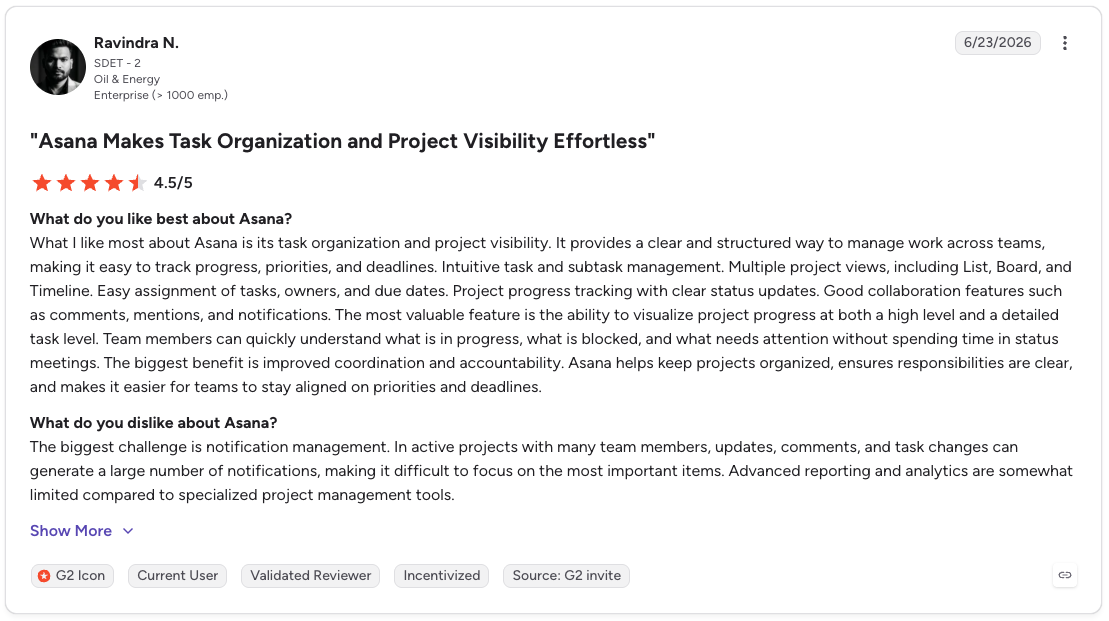
Pro: “The most valuable feature is the ability to visualize project progress at both a high level and a detailed task level. Team members can quickly understand what is in progress, what is blocked, and what needs attention without spending time in status meetings.”
Con: “The biggest challenge is notification management. In active projects with many team members, updates, comments, and task changes can generate a large number of notifications, making it difficult to focus on the most important items. Advanced reporting and analytics are somewhat limited compared to specialized project management tools.” - Ravindra N., G2 Review (June 23, 2026)
Pricing
Asana plans start at $13.49/user/month (Starter, billed monthly), with Advanced at $30.49/user/month, plus custom Enterprise pricing. A free plan is also available.
3. Monday.com
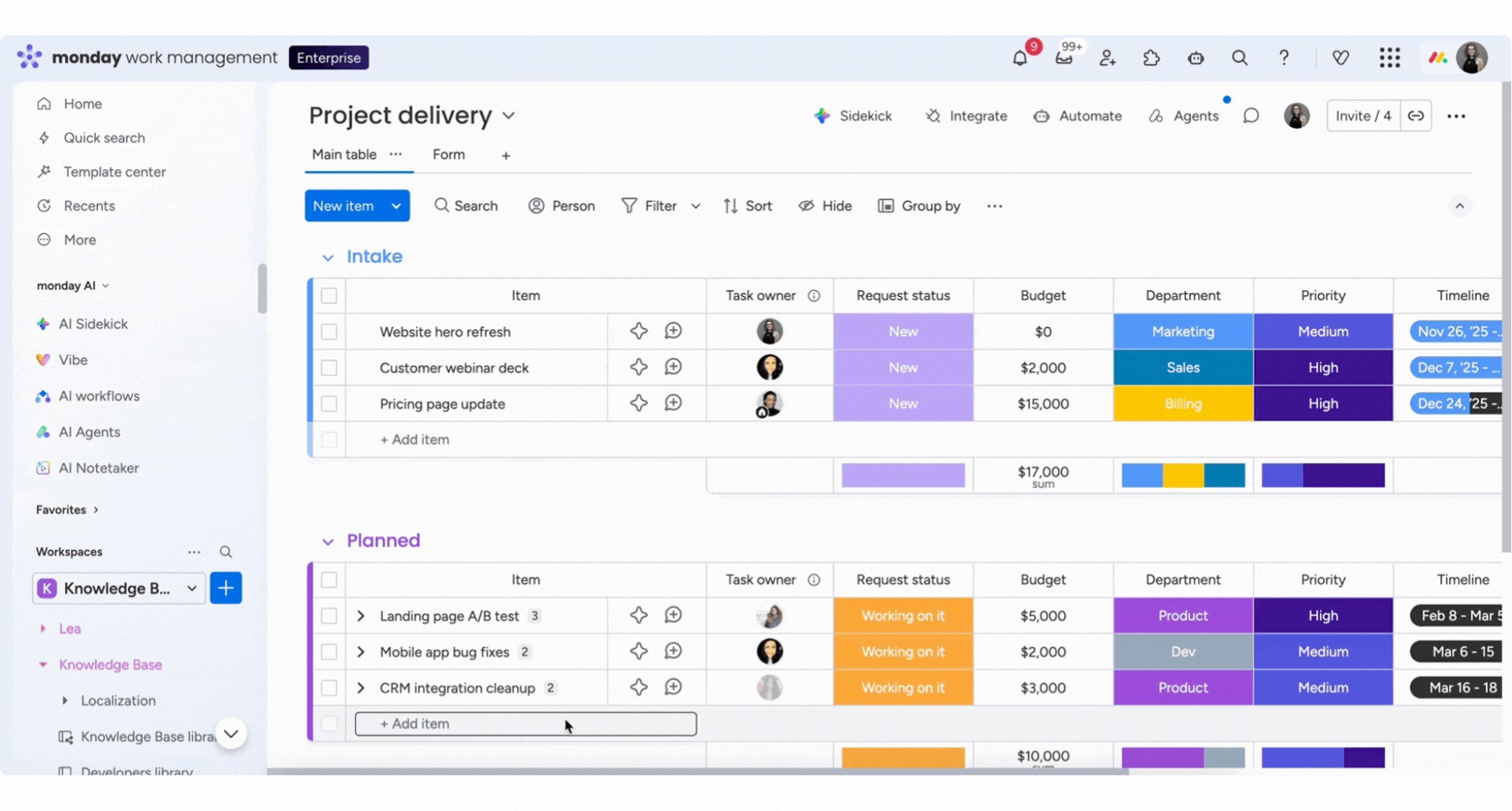
What it is: Monday.com is a visual work management platform built around colorful, customizable boards that teams across departments tend to adopt quickly.
Best for: Teams that want a highly visual, easy-to-customize workflow and don't need the deepest possible feature set to get there.
Key features
- Color-coded boards with custom columns for status, priority, owner, and any other field a team wants to track
- Automations that move items, notify people, or update fields based on triggers
- Dashboards that roll up data across multiple boards into one view
- Native time tracking, forms, and workload views on higher tiers
- 850+ integrations and apps that bring work into one place for faster collaboration across teams
What works well
I didn’t expect the gamification to matter much, but it made routine updates feel a little less like admin work. Since changing a status was quick, I found myself keeping the board current more consistently. The flexibility helped too, because I could adjust each board to match the workflow.
What to watch for
The platform can adapt to almost any workflow, but that also means it will only stay organized if someone owns the structure.
I would set clear rules for how boards, statuses, and automations should be used before rolling them out across a team. A few advanced features took longer to click than I'd have guessed from the interface.
What users say
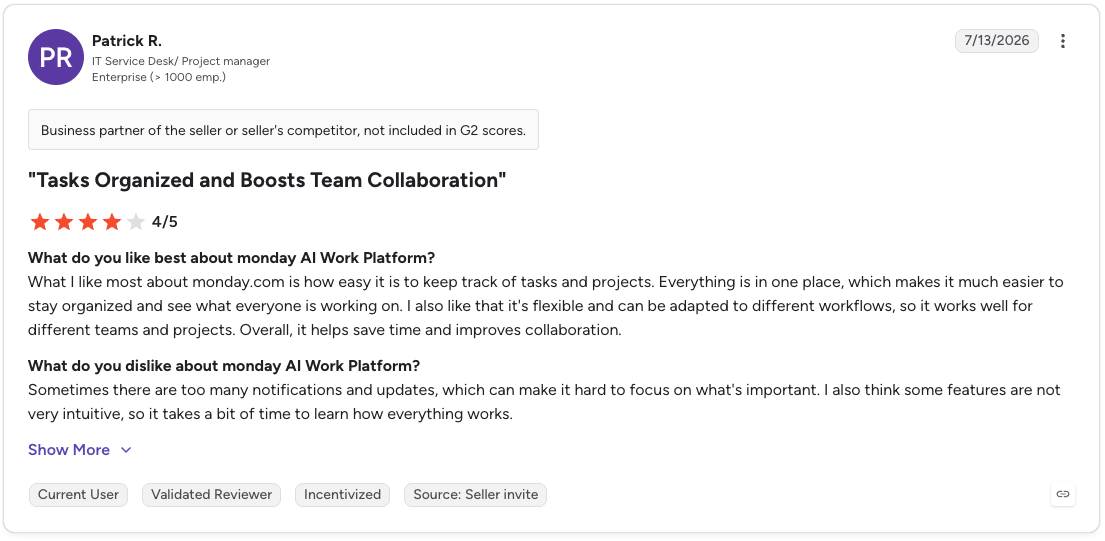
Pro: “What I like most about monday.com is how easy it is to keep track of tasks and projects. Everything is in one place, which makes it much easier to stay organized and see what everyone is working on.”
Con: “Sometimes there are too many notifications and updates, which can make it hard to focus on what's important. I also think some features are not very intuitive, so it takes a bit of time to learn how everything works.” - Patrick R., G2 Review (July 13, 2026)
Pricing
Monday.com plans start at $12/seat/month (Basic, billed monthly), with Standard at $14/seat/month and Pro at $24/seat/month, based on a 3-seat team.
Seat counts are adjustable from 3 to 200+, plus custom Enterprise pricing, and a free plan is available for up to 2 seats.
4. Lindy

What it is: Lindy is an AI assistant you text to run the work behind your tasks. It handles your inbox, preps you for meetings, drafts follow-ups, and updates your CRM, so tasks that would normally sit on a board get done without you having to manage each step.
Best for: Founders and small teams buried in follow-through more than they need another task list. If your list is mostly "follow up with X" and "update Y" piling up, Lindy closes that loop directly.
Lindy doesn't replace a structured PM platform for a team running dozens of concurrent projects with dependencies and approvals; those teams still need one underneath. It sits alongside it, handling the operational follow-through a board can't do on its own.
Key features
- Sorts incoming email by priority and drafts replies in your voice, so responding to clients is one approval away instead of a blank page.
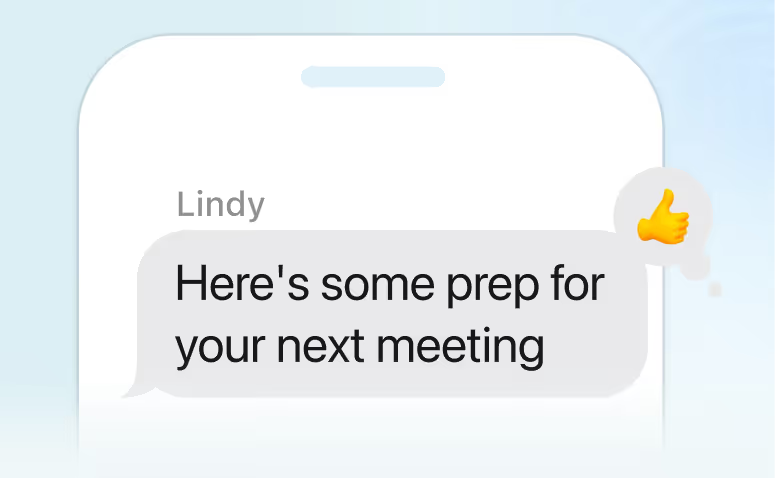
- Sends a briefing before every call and captures action items automatically after, without needing to be manually re-entered as a task.
- Drafts and sends follow-ups after meetings and unanswered emails, with nothing going out until you approve it.
- Books, reschedules, and confirms meetings without you opening a calendar.
- Connects to hundreds of tools, including Gmail, Google Calendar, Slack, Salesforce, and HubSpot, pulling context from what you already use.
What works well
I expected follow-up to stay on my plate, even with Lindy handling the rest. Then the post-call draft showed up for review, and approving it took one tap. The recap was already written, the next steps were clear, and I didn’t have to restart the thread myself.
Meeting prep worked the same way. Before a call, I didn’t have to dig through old notes or email threads to remember what we had covered last time. The context was already waiting for me. Follow-through no longer depended on me remembering to move the next step forward.
What to watch for
Getting your preferences, working hours, and communication style set up takes a few days upfront, though it's a one-time process with very little ongoing adjustment.
iMessage is also iPhone-only, so Android users need to use the web app. Getting the approval settings right also takes some upfront setup before you let it run on its own.
It also isn't built for project tracking, dependencies, Gantt views, and cross-project reporting; it still needs a dedicated PM platform.
What users say
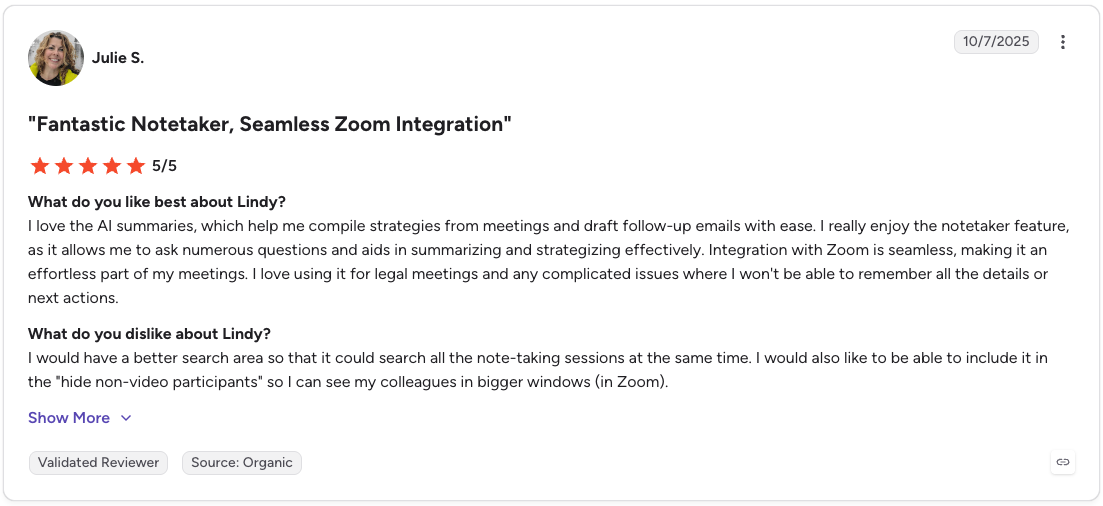
Pro: "I love the AI summaries, which help me compile strategies from meetings and draft follow-up emails with ease. I really enjoy the notetaker feature, as it allows me to ask numerous questions and aids in summarizing and strategizing effectively. Integration with Zoom is seamless, making it an effortless part of my meetings."
Con: "I would have a better search area so that it could search all the note-taking sessions at the same time. I would also like to be able to include it in the 'hide non-video participants' so I can see my colleagues in bigger windows in Zoom." - Julie S., G2 Review (October 7, 2025)
Pricing
Lindy plans start at $49.99/month (Plus, 2 connected inboxes), with Pro at $99.99/month and Max at $199.99/month for heavier use. A 7-day free trial is available on all plans.
{{templates}}
5. Notion

What it is: Notion is an all-in-one workspace that combines docs, databases, and tasks, with an AI layer that can turn meeting notes into structured task lists.
Best for: Teams and individuals who want tasks, project docs, and team knowledge in one place.
Key features
- Notion AI writes, summarizes, and extracts action items from meeting notes or long documents
- Databases with multiple views (table, board, calendar, gallery) built on the same underlying data
- Custom AI agents that can route tickets, send status updates, or answer questions from a team wiki
- Wikis and project pages with backlinks and mentions to keep related work connected
What works well
What stood out to me is how everything in Notion connects. Docs, meeting notes, project pages, and tasks all link back to each other, so finding something later means following one link without guessing which app it landed in.
The templates and page structure are flexible enough that I could build it around how I naturally organize things and shape each workspace to fit my process.
What to watch for
Performance is the thing that catches up with you. Large pages and databases start to feel sluggish once they get big enough, and with as many features as Notion packs in, there's a real learning curve before you're using more than a fraction of what's there.
Getting a workspace properly organized was more of a project than the clean interface suggested. None of it was a huge dealbreaker, just more of a climb than the clean interface suggests up front.
What users say
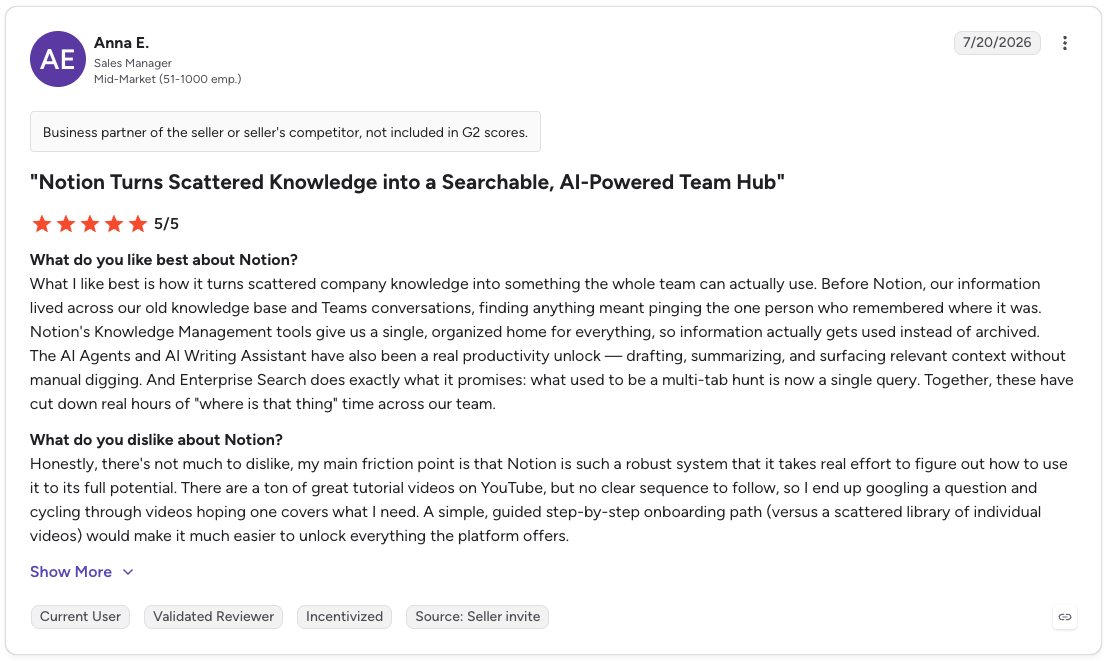
Pro: “What I like best is how it turns scattered company knowledge into something the whole team can actually use. Before Notion, our information lived across our old knowledge base and Teams conversations, finding anything meant pinging the one person who remembered where it was.”
Con: “My main friction point is that Notion is such a robust system that it takes real effort to figure out how to use it to its full potential. There are a ton of great tutorial videos on YouTube, but no clear sequence to follow, so I end up googling a question and cycling through videos hoping one covers what I need.” - Anna E., G2 Review (July 20, 2026)
Pricing
Notion's Plus plan runs $12/member/month (billed monthly), with a free plan available for individuals organizing personal projects
6. Trello
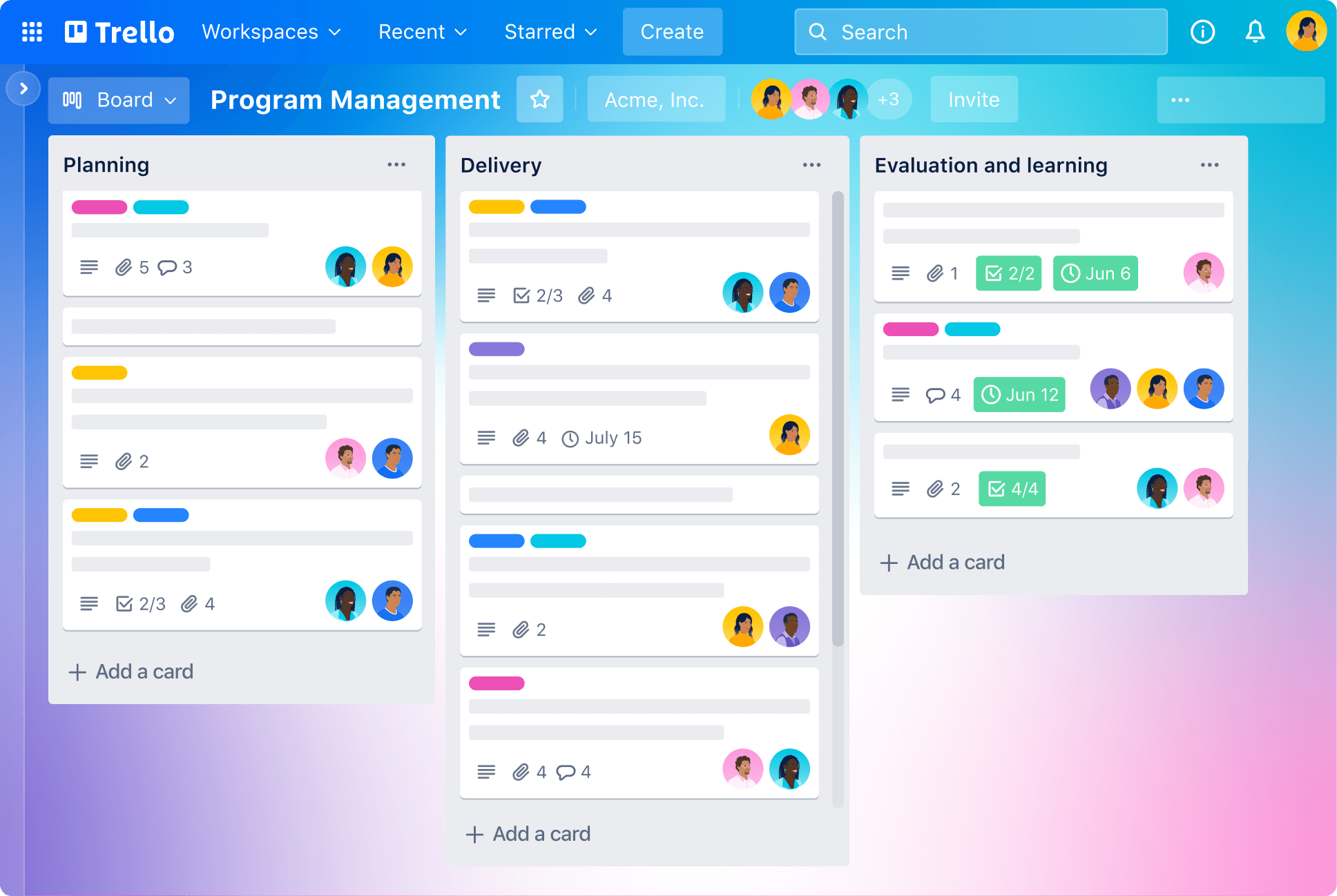
What it is: Trello starts with a simple kanban board and builds real automation and integrations on top of it.
Best for: Small teams and individuals who want the fastest possible path from signup to a usable board, without a learning curve.
Key features
- Kanban boards with drag-and-drop cards across custom columns
- Butler automation for recurring actions without any code
- Unlimited Power-Ups for calendar views, custom fields, and integrations
- AI-powered quick capture that turns notes into structured cards on paid tiers
- Works across desktop, mobile, and browser with real-time sync
What works well
I was moving cards around within minutes of signing up. The interface worked the way I expected a board to work, so I didn’t need much onboarding.
The tool also stayed fast as boards got busier. Larger boards loaded quickly, updates appeared right away, and I never felt like Trello was getting in the way of the work.
What to watch for
Trello can start to feel crowded once a project grows. Too many cards on a single board make it harder to see what matters, and more advanced workflows often require paid power-ups.
I also wouldn’t choose it for complex projects with task dependencies, since that is where Trello starts to feel too lightweight.
What users say
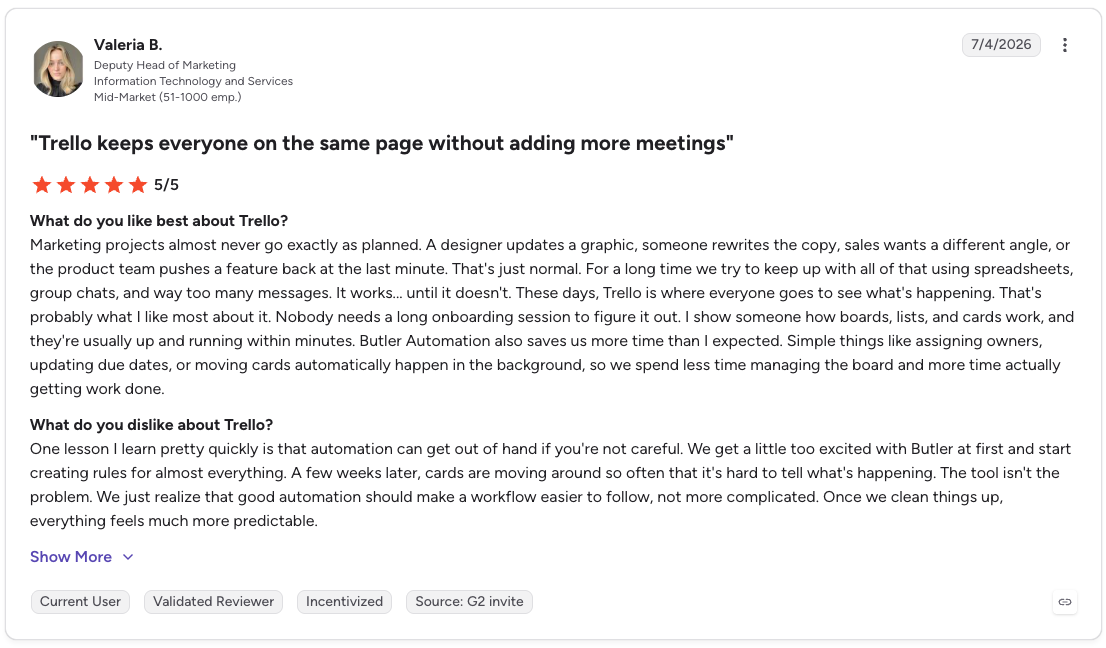
Pro: “Trello is where everyone goes to see what's happening. That's probably what I like most about it. Nobody needs a long onboarding session to figure it out. I show someone how boards, lists, and cards work, and they're usually up and running within minutes. Butler Automation also saves us more time than I expected.”
Con: “One lesson I learn pretty quickly is that automation can get out of hand if you're not careful. We get a little too excited with Butler at first and start creating rules for almost everything. A few weeks later, cards are moving around so often that it's hard to tell what's happening.” - Valeria B., G2 Review (July 4, 2026)
Pricing
Trello plans start at $6/user/month (Standard, billed monthly), with Premium at $12.50/user/month, and Enterprise at $17.50/user/month (billed annually, based on 50 users). A free plan is also available for up to 10 collaborators per workspace.
7. Wrike
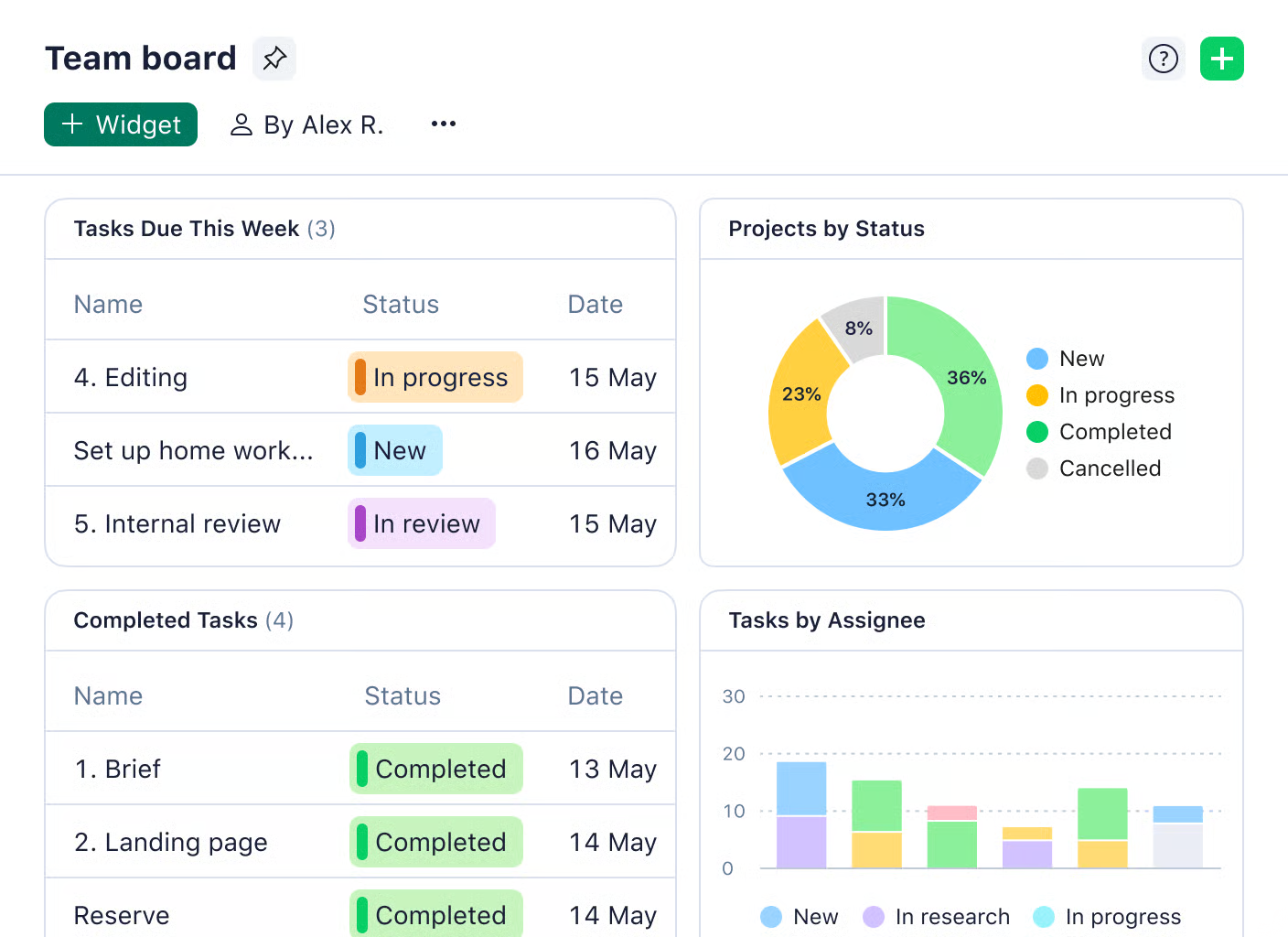
What it is: Wrike is a work management platform built for cross-functional teams that need resource planning and portfolio-level visibility alongside standard task tracking.
Best for: Mid-market and larger teams juggling multiple concurrent projects who need to see capacity and workload across the whole team, not just status on individual tasks.
Key features
- Resource and workload views that show who's overbooked before it becomes a problem
- Gantt charts and project hierarchy for portfolio-level planning
- Proofing and approval tools built directly into task workflows
- Custom request forms that turn incoming asks into structured, trackable tasks
- AI features (Wrike AI Elite) for task generation and risk prediction on higher tiers
What works well
Wrike worked well when I needed more structure than a simple board could give me. The custom workflows, dashboards, and task layouts helped me organize complex projects without losing visibility into what was moving, blocked, or waiting on someone.
What to watch for
I had to spend more time learning Wrike than I did with simpler project management tools. Some settings and workflow options were tucked away in places I wouldn't have guessed. It is worth planning for a bit of onboarding before rolling it out to a full team.
What users say
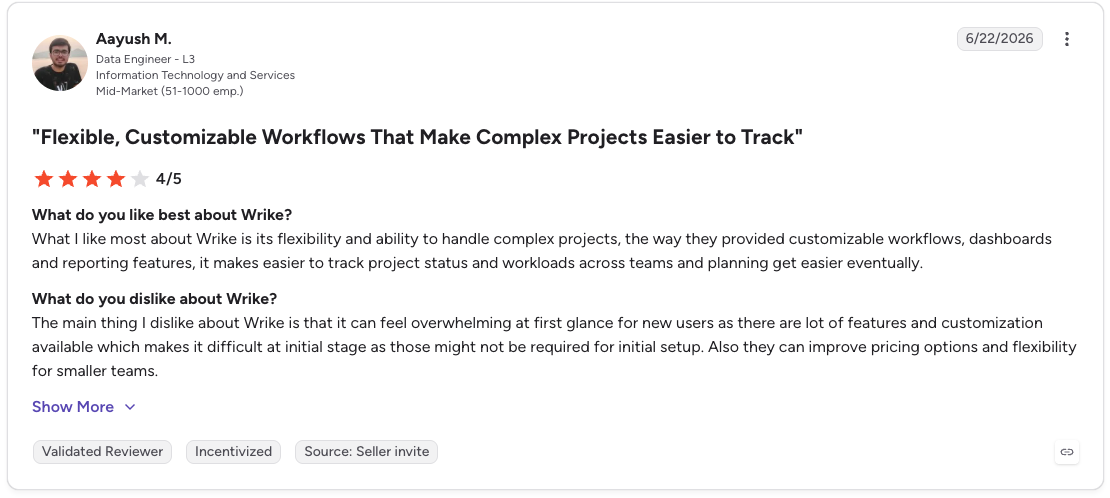
Pro: “What I like most about Wrike is its flexibility and ability to handle complex projects, the way they provided customizable workflows, dashboards and reporting features, it makes easier to track project status and workloads across teams and planning get easier eventually.”
Con: “The main thing I dislike about Wrike is that it can feel overwhelming at first glance for new users as there are lot of features and customization available which makes it difficult at initial stage as those might not be required for initial setup. Also they can improve pricing options and flexibility for smaller teams.” - Aayush M., G2 Review (June 22, 2026)
Pricing
Wrike's Team plan starts at $10/user/month (billed annually), stepping up to $25/user/month for Business, plus custom pricing for Pinnacle and Apex tiers. A free plan and a 14-day free trial are both available.
8. Smartsheet
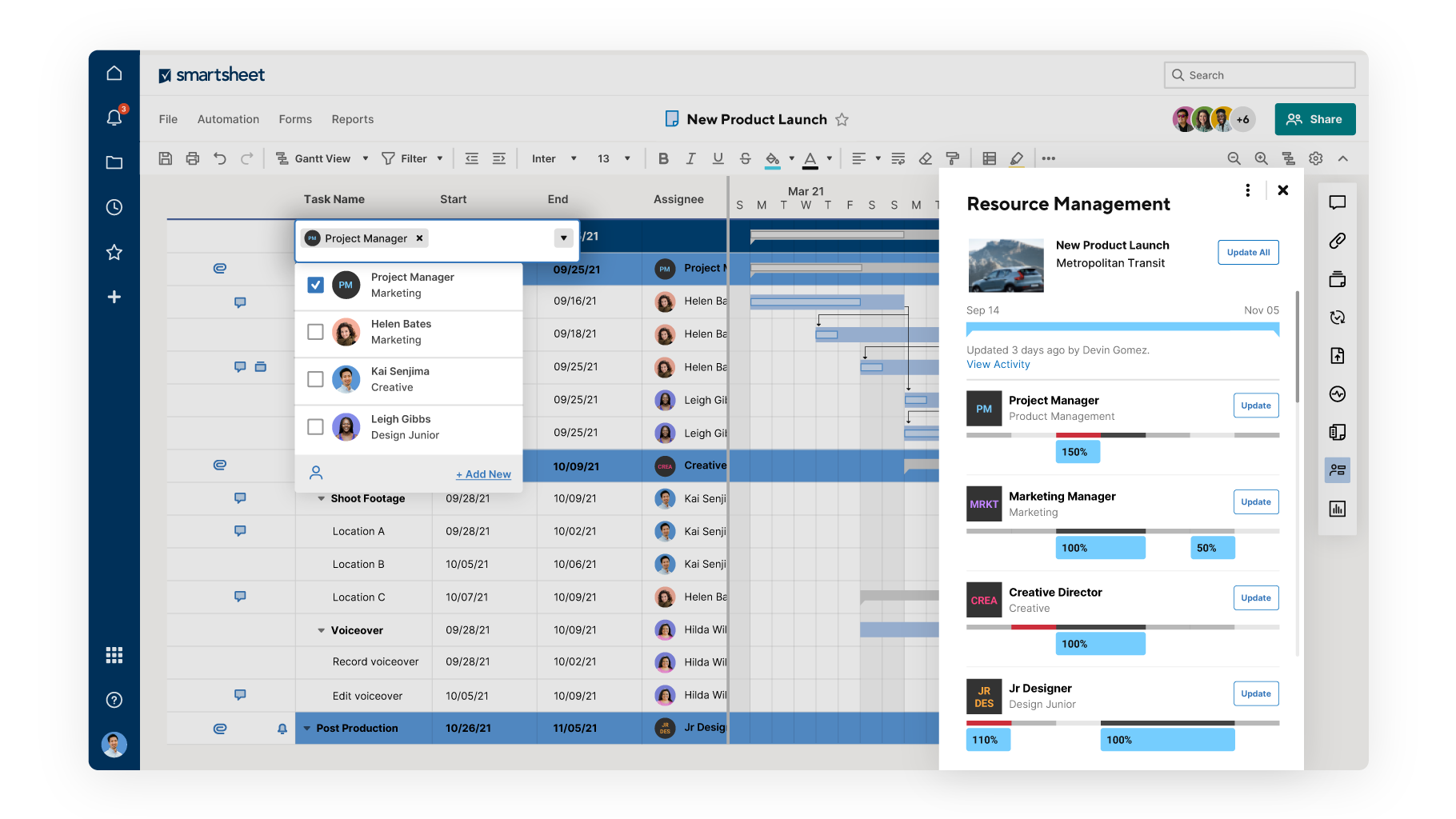
What it is: Smartsheet is a work management platform built around a spreadsheet-style interface, with automation, dashboards, and reporting layered on top for teams that think in rows and columns.
Best for: Operations, finance, and IT teams that are comfortable in spreadsheets and want project management features without switching to an unfamiliar visual metaphor.
Key features
- Grid, Gantt, card, and calendar views built on the same sheet-based data
- Automated workflows that handle approvals, notifications, and routine updates without manual follow-up
- Portfolio-level dashboards that roll multiple projects into one real-time view
- Smartsheet AI that generates formulas, summarizes project data, and surfaces trends without manual analysis (on higher-tier plans)
- Secure request forms that route incoming requests to the right person automatically
What works well
I liked how Smartsheet let me manage shared work without giving everyone access to the same information. Different users could see different views, which made the platform useful for tasks, training workflows, invoicing, and client or subcontractor schedules. The learning curve was gentler than I'd braced for going in.
What to watch for
Smartsheet works best when the data is clean and the setup is intentional. Once sheets get crowded or people use fields differently, the tool can become hard to manage.
More advanced workflows needed extra configuration, so bigger projects took more setup than the clean grid view implies.
What users say

Pro: “The flexibility to control an entire project in one space. To be able to control back end spreadsheet style workflow with intergrated forms that I can send to end users is brilliant. To be able to populate entirely spreadsheets from external data this easily is a dream and to then be able to easily present that date in different formats.”
Con: “The learning curve is steep, the university courses do help with this but figuring out all the things the program is capable of and how to best intergrate that into my work flow has taken a lot of time, largely due to just how much you can actually do with it.” - Seth T., G2 Review (July 10, 2026)
Pricing
Pro Plan starts at $12/member/month (billed monthly, 1–10 members), with Business at $24/member/month, plus custom pricing for Enterprise and Advanced Work Management tiers. A free trial is available
9. Teamwork
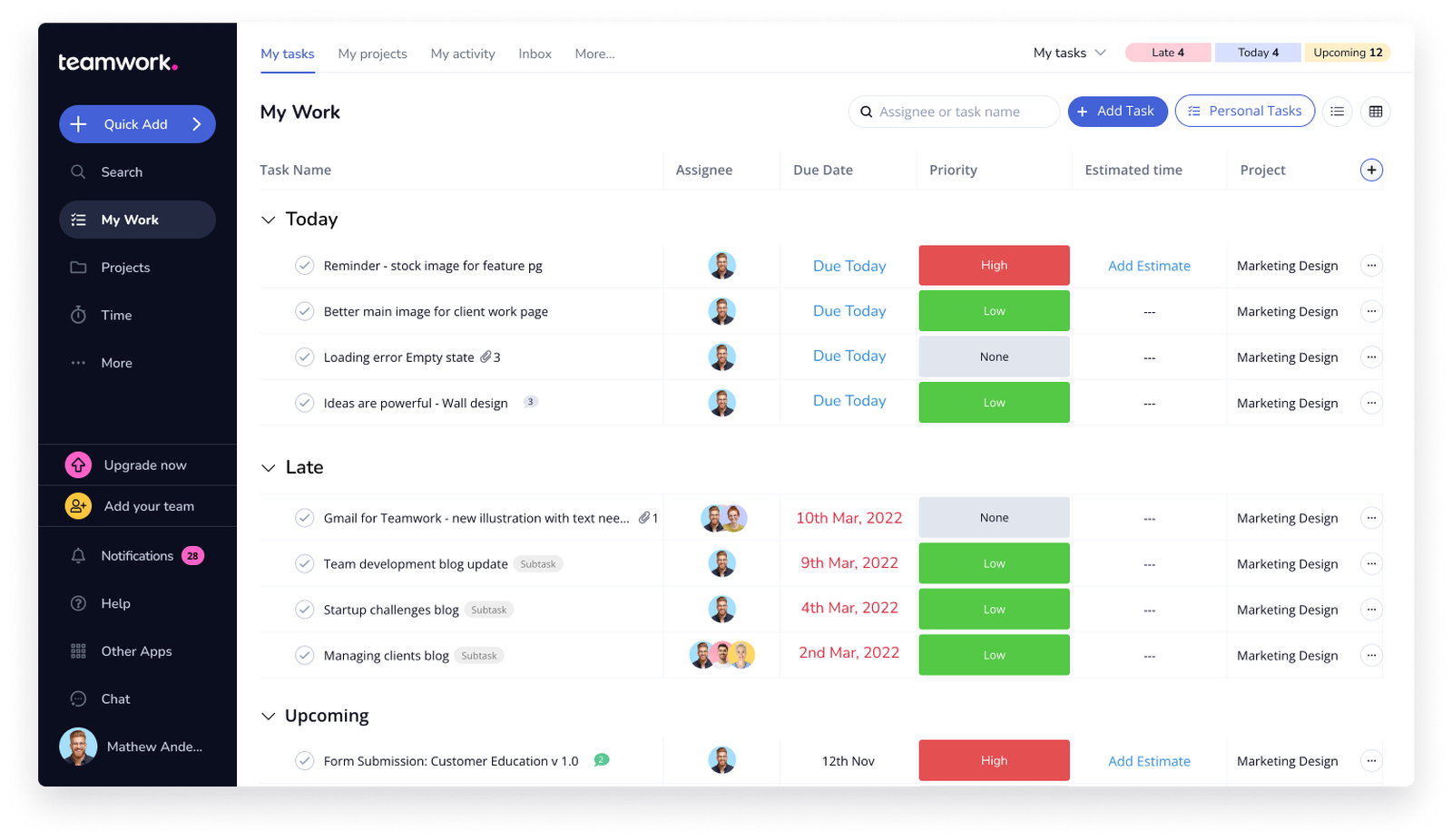
What it is: Teamwork is a project management platform built specifically for agencies and client-facing teams that need to track tasks, time, and budgets against client deliverables in one place.
Best for: Agencies and consultancies managing multiple client projects simultaneously, where profitability tracking matters as much as task completion.
Key features
- The AI Project Wizard builds out a project plan from a prompt, cutting setup time on new client work
- AI Comment Summarization turns long threads into a quick catch-up, cutting down the time it takes to get up to speed
- Forms capture client requests and convert them straight into tasks
- Teamwork Desk turns support tickets into trackable projects and tasks
- Client-level permissions and a Unified Client View keep every project and stakeholder visible in one place
What works well
For projects with a lot of moving parts, the ticket setup felt practical. I could assign more than one person, keep the necessary details attached, and use custom fields to make tasks easier to sort and review later.
What to watch for
Teamwork can feel click-heavy when you are trying to find specific tasks quickly. I found myself moving between My Work, My Projects, and the inbox to track down where an asset or description lived.
What users say

Pro: “Teamwork feels like it was built for teams that work with clients, not just for moving tasks from one column to another. Time tracking, budgets, workload planning, and profitability are all part of the daily workflow instead of feeling like features that were bolted on later.”
Con: “One thing I learn pretty quickly is that Teamwork works best when everyone follows the same structure. We rush through the initial setup, and after a few months every project manager is using different statuses, tags, and templates. Nothing breaks, but comparing projects or finding information starts taking longer than it should.” - Omar S., G2 Review (July 2, 2026)
Pricing
Teamwork plans start at $13.99/user/month (Basics, billed monthly), with Accelerate at $29.99/user/month, plus custom pricing for Optimize and Enterprise tiers. A 30-day free trial is available on the Basics and Accelerate plans.
10. Todoist
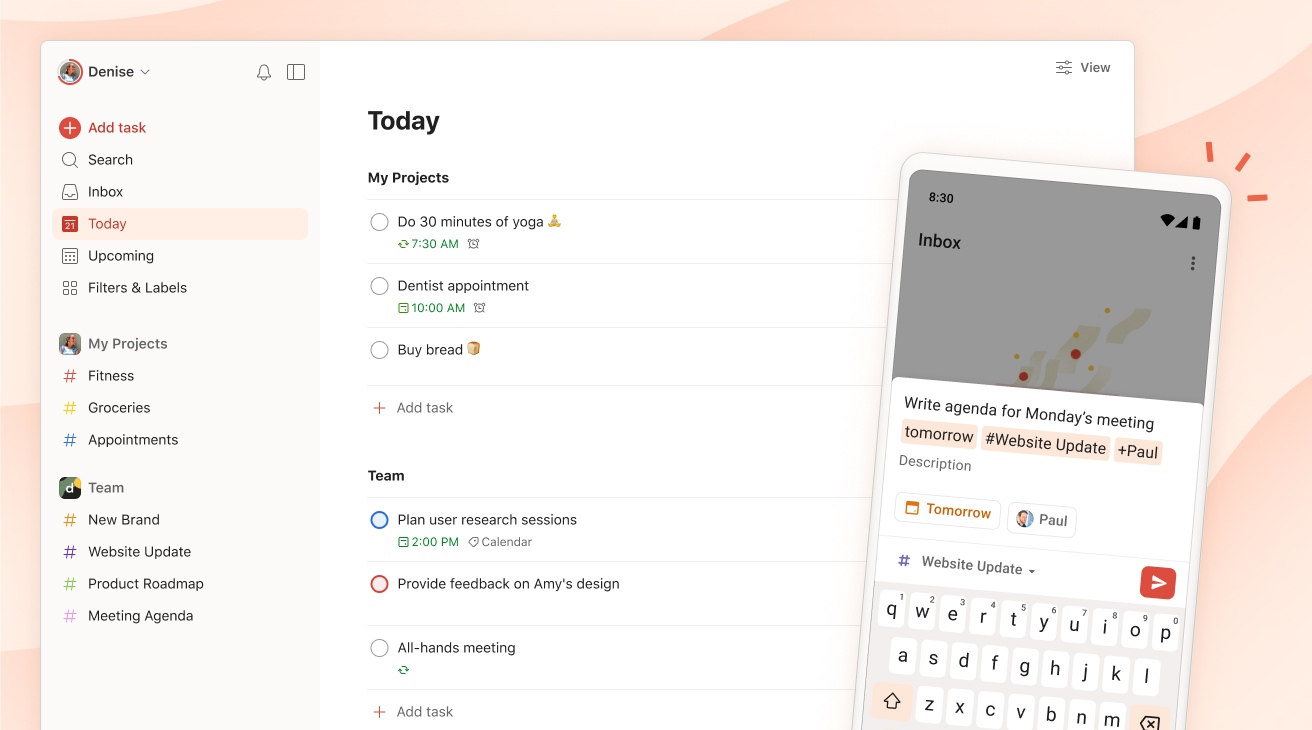
What it is: Todoist is a clean, fast personal task manager built around typing tasks the way you'd say them out loud, with the app handling dates, recurrence, and priority automatically.
Best for: Individuals, freelancers, and small teams who want a reliable, low-friction task list without the setup overhead of a full project management platform.
Key features
- Ramble turns spoken words into a fully structured task, details and all, without typing anything
- Recurring due dates handle awkward, irregular schedules just as easily as simple weekly repeats
- Custom filters split personal and team projects apart, or roll them into one combined view
- Location-based reminders and a daily digest keep tasks surfacing at the right moment, not just the right day
- Syncs in real time across desktop, mobile, wearables, and browser extensions, so a task added on your phone shows up everywhere else instantly
What works well
Todoist worked best for quick capture. I could type tasks in plain language, add priorities, break work into subtasks, and organize everything into projects without slowing down. The cross-device sync also made it easy to keep deadlines visible throughout the day.
What to watch for
Todoist starts to feel limited once the work gets more complex across a larger team. Heavy labeling, filtering, and shared task management get clunky faster than the interface lets on, and the per-seat pricing adds up quickly as more people join.
What users say

Pro: “What I like best about Todoist is how simple it is to use while still being powerful enough to manage complex work. Tasks are quick to create, organize, and prioritize. It works well across devices, so nothing falls through the cracks.”
Con: “Reporting and productivity insights are fairly basic. Managing very complex workflows can require workarounds with labels and filters. Collaboration features are functional but limited for larger teams or more detailed task dependencies.” - Evan L., G2 Review (January 31, 2026)
Pricing
Todoist's Pro plan is $7/user/month (billed monthly), with Business at $10/user/month plus local tax. A free plan is also available for individuals getting started.
{{cta}}
How to choose the right task management software
Start by identifying where the actual bottleneck is:
- How many people need visibility into the same work? A solo user or a pair is fine with something like Todoist. Once a team needs to see status without asking, a structured platform like ClickUp, Asana, or Monday.com earns its setup cost.
- Is the bottleneck tracking the work, or actually doing it? Most tools on this list help you see what needs to happen. An AI assistant takes the next step by completing follow-up emails, meeting prep, and CRM updates that would otherwise stay unfinished.
- How much setup time can your team actually spend? ClickUp and Wrike reward the investment with depth; Trello and Todoist reward you with speed. Be honest about which one your team will actually finish setting up.
- Does the tool need to connect to time and budget tracking? If client billing or profitability reporting matters, Teamwork and Smartsheet are built with that layer in mind; most general task managers treat it as an afterthought or a paid add-on.
- What does pricing look like at your headcount a year from now, rather than today's? Per-seat pricing that looks reasonable at 5 people can double or triple by 20. Price out where the team is headed, before it gets there.
Which task management tool is right for you?
Choose ClickUp if you want the deepest feature set and are willing to spend real time on setup to get there.
Choose Asana if approval workflows and cross-project portfolio visibility matter more to you than raw feature count.
Choose Monday.com if your team is more visual than technical and you want a tool people will actually open without training.
Choose Lindy if your task list is full of follow-up work that keeps piling up, and you want an assistant that completes those tasks for you.
Choose Notion if your real problem is scattered docs and notes as much as scattered tasks.
Choose Trello if you want the fastest possible path to a usable board with the least setup.
Choose Wrike if resource planning and workload visibility across projects matter as much as individual task tracking.
Choose Smartsheet if your team already lives in spreadsheets and you don't want to ask them to learn a new interface.
Choose Teamwork if you run an agency and need time and budget tracking built into the same system as your tasks.
Choose Todoist if you're an individual or small team that just wants a fast, clean list without the overhead of a full platform.
If none of these feels like an exact match, start with the free tier or trial of whichever tool fits your team's size and complexity, and upgrade only once your team reaches a clear limit.
FAQs
1. What is the best task management software for teams in 2026?
The best task management software depends on your team's size and how much structure you need. ClickUp and Asana are strong picks for teams that want deep customization and clear approval flows. Monday.com works well for visual, less technical teams.
2. What's the difference between task management software and project management software?
Task management software focuses on individual tasks, capturing, assigning, and tracking them to completion. Project management software adds timelines, dependencies, resource planning, and portfolio reporting across multiple projects at once.
Trello and Todoist lean toward task management. Wrike and Smartsheet lean toward full project management. Most tools on this list sit somewhere in between.
3. Is there a free task management tool that's actually usable for a team?
Yes, with limits. ClickUp's free plan supports unlimited tasks and members, which makes it one of the more generous free tiers for a small team.
Trello, Teamwork, and Wrike also offer usable free tiers for very small teams, though most cap either user count or automation volume in ways that push growing teams toward a paid plan.
4. Can AI actually do task management, or just help organize tasks?
Both, depending on the tool. Most AI features in this category, like ClickUp Brain2 or Notion AI, help organize: generating tasks from notes, summarizing status, or answering questions about a project.
5. What should a small team look for in task management software?
Small teams generally do better prioritizing fast setup and low per-seat cost over feature depth, since the tool needs to get adopted quickly to be worth anything. Monday.com, Trello, and ClickUp's free and entry tiers are built with that kind of adoption curve in mind.










Blog
Related Articles
.png)
%20(1).png)

%20(1).png)
%20(1).png)
.png)

.png)
The AI assistant that runs your work life
Lindy saves you two hours a day by proactively managing your inbox, meetings, and calendar, so you can focus on what actually matters.
