8 Best WorkFlowy Alternatives I Tested (2026)
Marvin tested eight WorkFlowy alternatives, including Dynalist, Logseq, and Notion, running real migrations, team sharing, and portability checks to weigh setup and collaboration.


WorkFlowy is genuinely good at what it does: fast capture, infinite nesting, and clean zoom. But I've also run into its limits. No backlinks between notes, a 100-node monthly cap that cuts you off mid-week, and no real way to assign work to a team.
That's fine when you're taking quick personal notes. It's a problem when you're building a knowledge base, collaborating with others, or trying to keep files off someone else's servers permanently.
I spent three weeks running eight note-taking tools through the same scenarios I use for real work: migrating a 300-node WorkFlowy outline, building a research project from scratch, setting up shared collaboration for a team of three, and exporting everything out to test portability.
I also tested Amplenote and Workona, both cut for reasons I'll explain below.
By the end of this article, you'll know which WorkFlowy alternative fits your specific situation, whether that's a direct swap with no learning curve, a full knowledge graph with automatic backlinks, or a workspace your whole team can use without rebuilding how you think.
8 Best WorkFlowy alternatives: TL;DR
- Dynalist: Best for Switching Without Relearning
- Logseq: Best for Free, Open-Source Journaling
- Tana Outliner: Best for Bullets With Database Structure
- Roam Research: Best for Networked Thinking and Block References
- Notion: Best for Team Databases and Wikis
- Obsidian: Best for Offline Notes You Fully Own
- Superlist: Best for Turning Notes Into Team Tasks
- Heptabase: Best for Visual, Canvas-Based Research
Why look for workflowy alternatives?
WorkFlowy earns its reputation. Infinite nesting, fast keyboard shortcuts, and clean zoom behavior. For daily list-takers who need to capture ideas quickly, it holds up. The problems show up the moment you need it to do something else.
The problems show up at the edges:
- There are no connections between notes. WorkFlowy has no backlinks, no page references, and no graph view. Every note is an island. If you're building a knowledge base where ideas need to reference each other across documents, WorkFlowy can't handle that.
- Collaboration is limited. Sharing a WorkFlowy list is possible, and you can set view or edit permissions per bullet. What's missing is any native task assignment. There's no way to formally assign an item to a person or track who's responsible for what. Teams that need that layer end up rigging it with tags.
- Export works, but the data stays on servers. WorkFlowy exports to Markdown, OPML, and plain text. The limitation is that there's no local file storage. Your notes live on WorkFlowy's servers, not on your device. If the product changes or shuts down, migration requires deliberate planning.
- The free plan has a hard cap. With daily use, most people hit WorkFlowy's 100-node monthly limit inside two weeks, with no warning before it cuts off. Upgrading removes the cap, but the feature set stays the same.
Which WorkFlowy alternative should you choose?
Choose Dynalist if the node cap is your only real frustration and you want to keep working the same way. It's the closest swap available, with no relearning required.
Choose Logseq if local file ownership matters more than convenience and zero cost is non-negotiable. Not a fit if you want to be up and running on day one without any technical setup.
Choose Tana Outliner if your notes have started demanding fields, statuses, and filterable properties. Setup takes real time. Worth it for power users; frustrating for anyone who wants to open and get started.
Choose Roam Research if you're after a long-term, interconnected knowledge graph and you're already familiar with Zettelkasten or networked note-taking methods.
Choose Notion if your team requires databases, shared projects, and a wiki in one place. Solo users who just want a fast outliner rarely get full value from it.
Choose Obsidian if your notes need to outlast any specific application or vendor and you want offline-first with complete file ownership.
Choose Superlist if notes and tasks have to live in the same tool and you work with a small team that assigns shared to-dos.
Choose Heptabase if you're building a research knowledge base and want to see connections between ideas on a spatial canvas.
Stick with WorkFlowy if the free tier fits your usage, you need nothing beyond a fast vertical outliner, and keeping notes on vendor servers rather than local files isn't a concern.
Several tools on this list add power at the cost of simplicity. If speed and minimal interface are what you need, none of these match WorkFlowy for pure capture.
8 Best WorkFlowy alternatives: At a glance
| 💻 Tool | 🎯 Best For | 💰 Starting Price |
|---|---|---|
| Dynalist | Switching without relearning | $9.99/month |
| Logseq | Free, open-source journaling | Free |
| Tana Outliner | Bullets with database structure | $10/month |
| Roam Research | Networked thinking and block references | $15/month |
| Notion | Team databases and wikis | $12/member/month |
| Obsidian | Offline notes you fully own | $5/user/month |
| Superlist | Turning notes into team tasks | $6/user/month |
| Heptabase | Visual, canvas-based research | $11.99/month |
Pricing correct as of October 2026. Verify with the vendor before purchasing.
How I tested these WorkFlowy alternatives
Two tools didn't make the cut before I even finished. Amplenote has strong task management, but the outliner feels secondary. In Amplenote, notes feel bolted onto a to-do app rather than being the main event. Workona organizes browser tabs and projects, not nested thoughts.
Here's what I evaluated across all eight:
- Nesting and zoom: Whether the tool replicates WorkFlowy's infinite zoom or forces a fundamentally different mental model
- Free plan usability: How far you get without paying, and where the wall is
- File portability: What formats your notes export to, and whether you can leave cleanly
- Learning curve: How long before you're productive, and how much ramp-up time it takes
- Collaboration: Whether sharing and assigning work is available on free or entry plans
- Best-fit use case: Who the tool serves in practice, beyond the marketing copy
This process showed me which tools work under daily use and which ones only look good on a features comparison page.
Best WorkFlowy alternative for switching without relearning
Dynalist
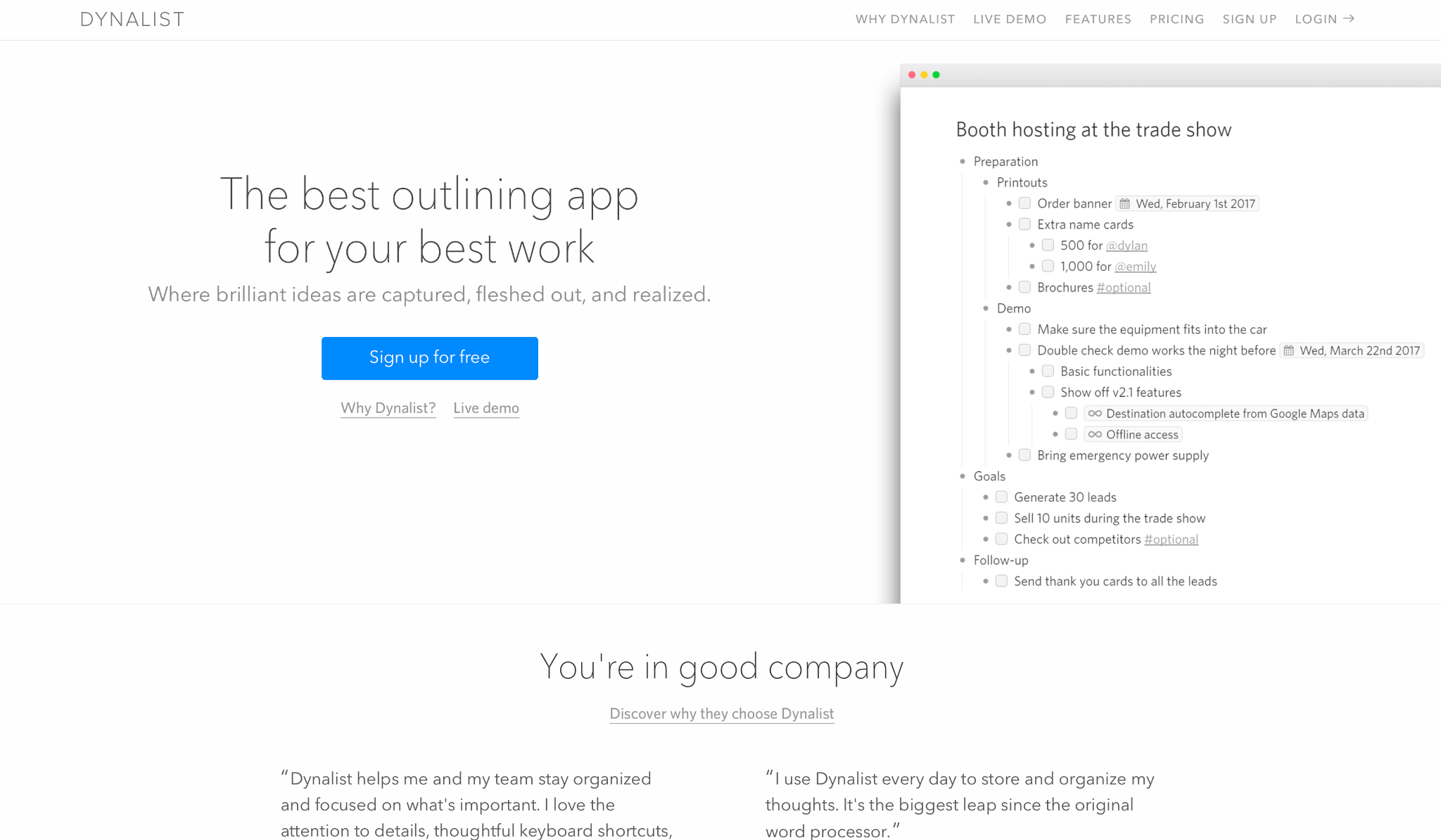
Dynalist is the most faithful WorkFlowy replacement on this list, built on the same nested bullet logic and keyboard shortcuts, with no monthly node cap.
I migrated a 300-node WorkFlowy outline using the dedicated importer. Two minutes, and every shortcut I reached for worked.
Beyond the cap removal, it adds tags that filter the whole outline in one step, cross-links that can show backlinks under each linked item, and daily backups to Dropbox or Google Drive.
Where it falls short is in everything else: the design is aging, there's no AI, no calendar, and nothing has changed visually since 2018. If all you need is that outliner without a node ceiling, that's fine.
"It's the best note-taking application, in my opinion. I love Dynalist and have been using it extensively for the last 10 months." — Rishi G., G2
Key Features
- Unlimited free plan: No node cap at any tier, unlike WorkFlowy's 100-node monthly limit
- Google Calendar sync: Syncs dated items to Google Calendar on the Pro plan
- Familiar keyboard shortcuts: Tab, Shift+Tab, Ctrl+Enter, and zoom behavior mirror WorkFlowy closely enough that migration takes minutes
- Flexible exports: OPML, plain text, and formatted text on every plan, no upgrade required
- Color tags and filters: Tag any bullet and filter your entire workspace with one click
Pros
✅ Free plan includes unlimited items and documents with no expiration
✅ OPML import preserves WorkFlowy's complete nesting structure without reformatting
✅ Daily backups to Dropbox and Google Drive on Pro plan protect against data loss
Cons
❌ Visual design feels dated next to Tana or Heptabase
❌ No native AI, no calendar view, and no graph view of linked notes
Pricing
Dynalist offers a free plan with unlimited items. Pro costs $9.99/month, billed monthly. A 14-day Pro trial is available after completing onboarding.
Best WorkFlowy alternative for free, open-source journaling
Logseq
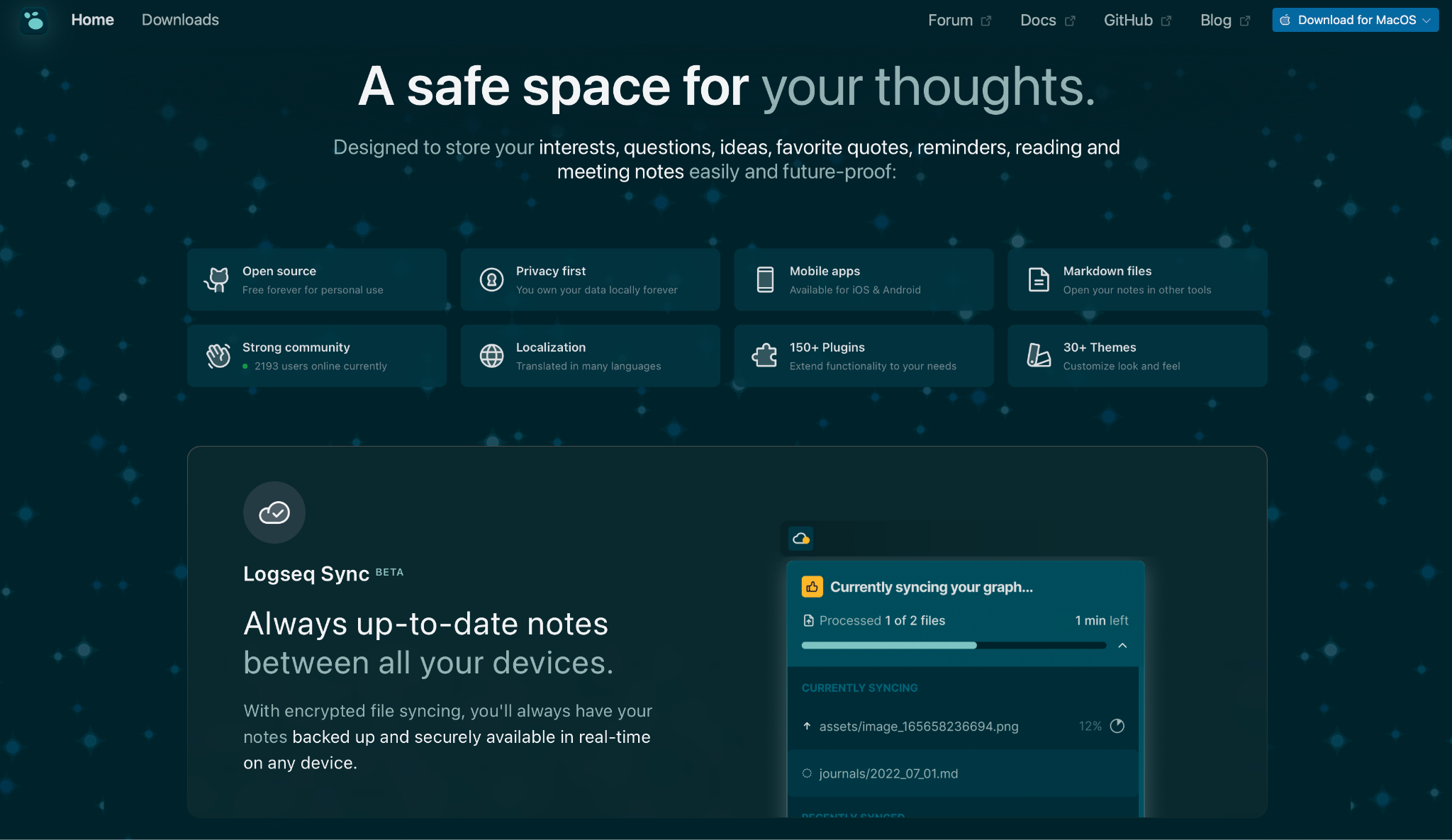
Logseq stores every note as a plain file on your device, with no server and no sync dependency. It organizes blocks with bidirectional links and builds a knowledge graph as you write.
I ran Logseq for two weeks as my main capture tool, dumping everything from meeting notes to half-finished article ideas into the daily journal. By day four, I'd stopped deciding where things belonged.
By week two, the graph had surfaced a link between a product research note and a pricing conversation I'd written three days earlier, a connection I hadn't noticed at the time.
Getting to that point, though, takes work. The setup is non-trivial. Logseq expects you to understand blocks, queries, and plugins before it feels smooth, and cross-device sync requires manual git setup or a third-party service.
"I was skeptical about the daily journal approach at first, but using it to track my workday and link it to my knowledge and tasks has been amazing!" — Filipe Silva, Product Hunt
Key Features
- Local Markdown files: Every note is a plain text file on your disk, editable in any text editor
- Automatic backlinks: Mentioning any page name anywhere creates a two-way link automatically, with no manual setup
- Journals: Auto-creates a dated page each day as the default capture point
- Queries: Search across your notes using native logic to surface tasks, links, or tagged content
- Open source: No paid tier, no feature limits, no vendor lock-in
Pros
✅ Completely free, permanently, with no usage caps or paywalls
✅ Plain Markdown files stay readable and editable outside Logseq forever
✅ Block-level linking lets you reference specific paragraphs across pages
✅ Active plugin ecosystem adds features the core app doesn't include
Cons
❌ The learning curve is steep for anyone coming from a simple outliner
❌ The mobile app is rougher than the desktop, especially on Android
❌ Cross-device sync needs manual setup through Git, iCloud, or a third-party service
Pricing
Logseq has no paid plans. It's open source with no feature limits.
Best WorkFlowy alternative for bullets with database structure
Tana Outliner
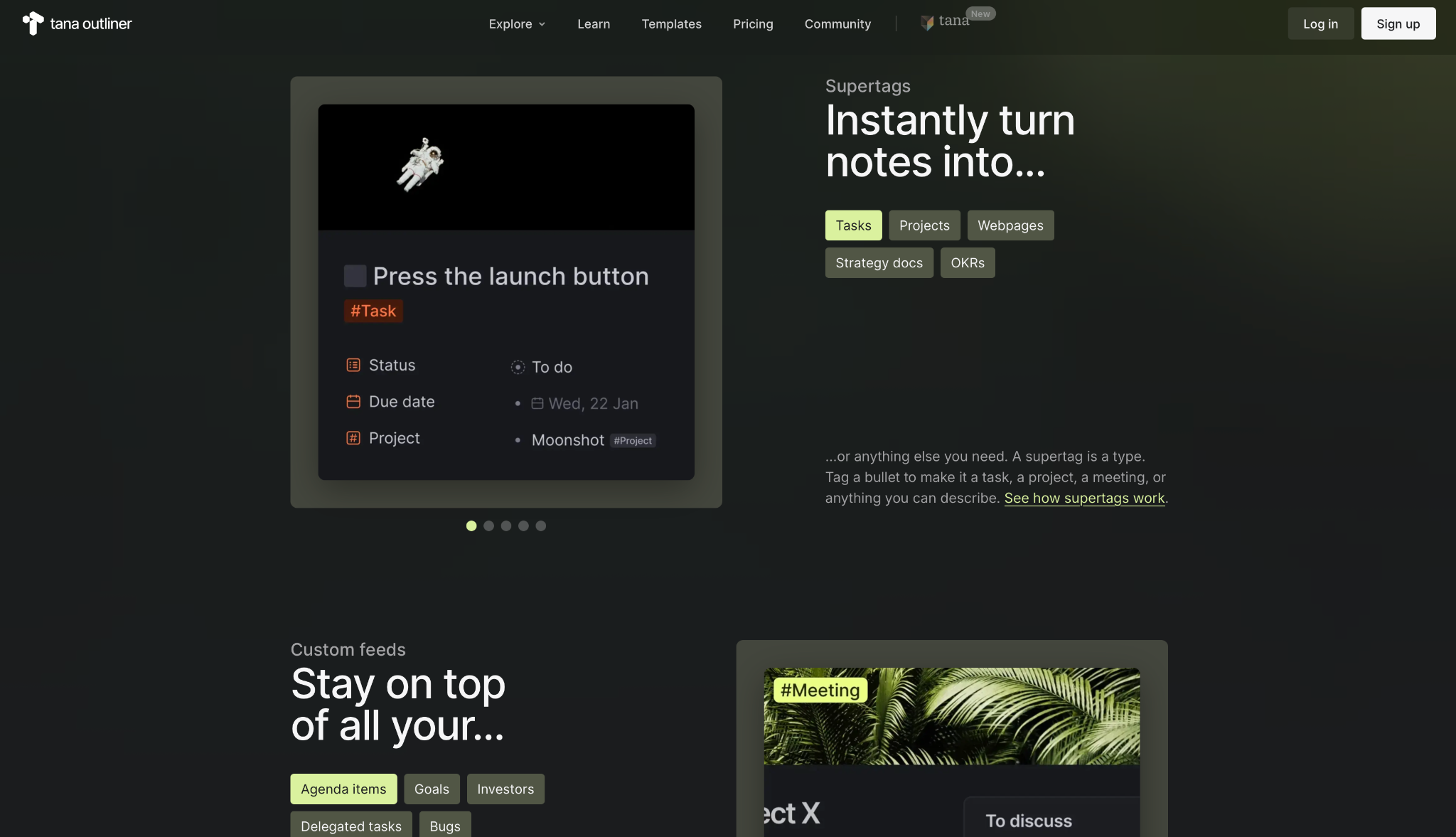
Tana Outliner runs on a supertag system that turns any bullet into a structured object with custom fields. The writing experience looks like a standard outliner, while the data underneath has the structure of a database.
I built a contacts database using only supertags in Tana. I tagged a node as "person," added fields for role, company, and last contact date, and got a filterable table I could query across my entire workspace. All without leaving what looks like a regular outline.
That power comes with a configuration cost. Tana takes longer to set up than WorkFlowy, and the supertag model is foreign to anyone coming from a flat outliner. The free plan caps AI credits at 500 a month and file storage at 0.5 GB, ceilings that show up fast with daily use.
"I've used it for almost 3 years now. Tana has incredible value if used properly." — Verified User, Reddit
Key Features
- Supertags: Turn any bullet into a typed record with custom fields, status, due dates, or any property you define
- Views: Filter and group nodes by property across your workspace as you type
- AI commands: Summarize, rewrite, or extract information from any node without leaving the outline
- Universal Search: One search bar reaches every workspace simultaneously
- Google Calendar sync: Available on Plus and Pro plans for scheduling alongside your outline
Pros
✅ The only tool on this list that combines outliner speed with database structure
✅ AI features built directly into the outliner, no separate app or sidebar
✅ Voice memos on mobile can be transcribed into structured nodes
Cons
❌ Free plan limits AI credits, workspaces, and file storage, which matters quickly for daily users
❌ Supertag configuration takes serious time before it clicks
❌ Harder to pick up for users who just want a clean, fast outliner
Pricing
Tana Outliner offers a free plan with 500 AI credits/month. Plus is $10/month, billed monthly ($8/month billed yearly). Students and educators receive a 50% discount.
Best WorkFlowy alternative for networked thinking and block references
Roam Research
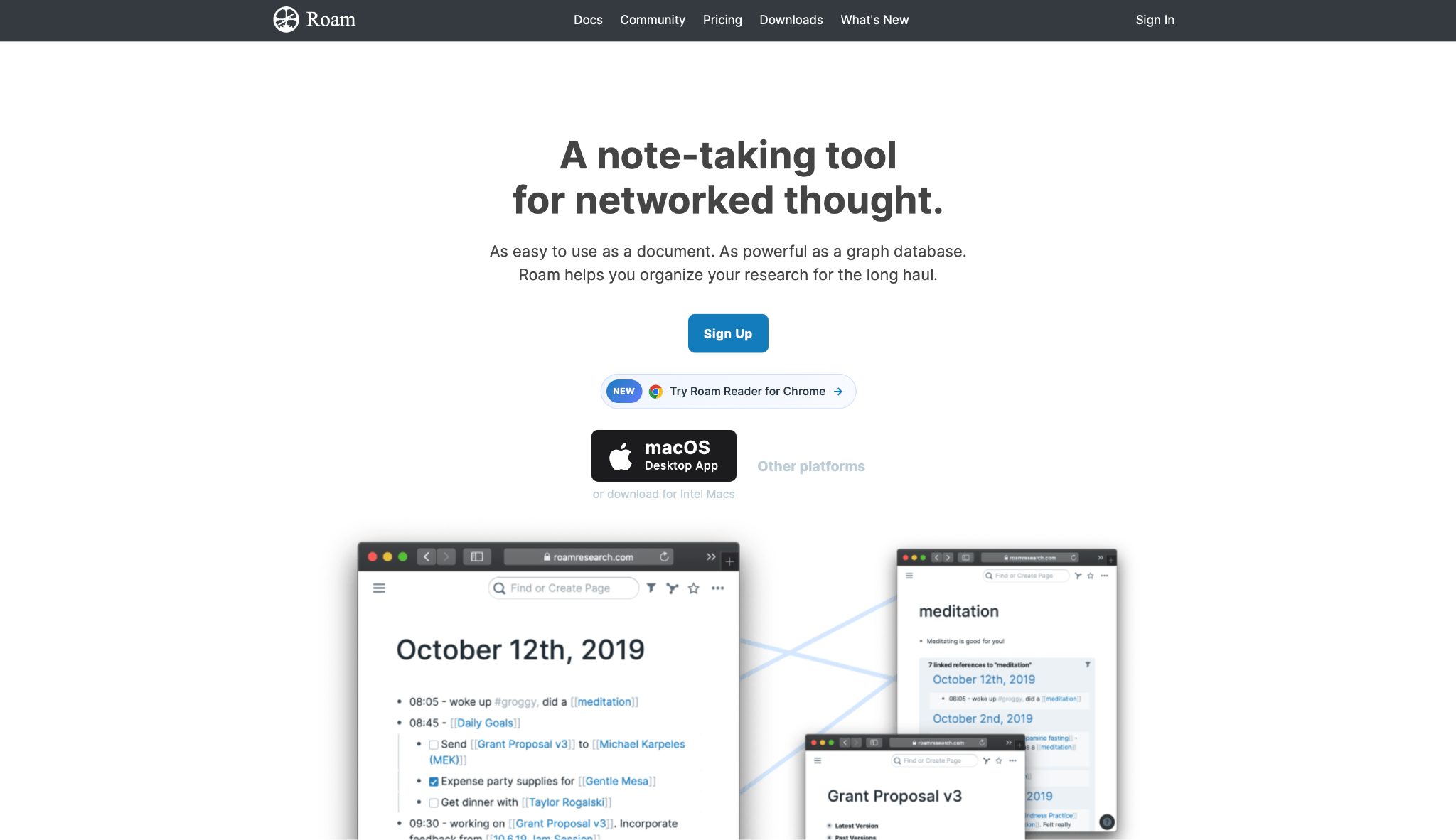
Roam Research connects notes through automatic bidirectional links and a visual graph, so any mention of a page creates a mutual connection without any manual effort.
I used Roam for a long-form research piece with four source documents. Block references let me drop the same source paragraph into three working docs at once. Editing the original updated all three instantly.
Roam works best for people already committed to a structured knowledge-building practice. The $15/month cost with no free tier is a harder sell for casual use, and the community has noted fewer product updates since 2023.
"Roam just has no marketing or like any distribution efforts anymore. But it still has active development, and there's nothing else like it." — Verified User, Reddit
Key Features
- Automatic backlinks: Every page mention creates a reciprocal link with no tagging or configuration required
- Block references: Embed any specific paragraph inside other pages, and updates to the original propagate everywhere
- Graph view: Visual map of every connection across your entire knowledge base, filterable by page and tag
- Daily Notes: Auto-generated dated pages as the default daily entry point
- Multiplayer: Live collaboration on shared graphs on any plan
Pros
✅ The longest-running bidirectional linking implementation on this list, pioneering the model in 2020
✅ Block-level referencing solves the duplication problem better than any other tool here
✅ A 31-day free trial gives enough time to evaluate whether the workflow fits before committing
Cons
❌ No free plan after the trial ends. Thirty-one days, then it's paid
❌ Users have noted fewer product updates since 2023 compared to Logseq and Obsidian
❌ Steep learning curve for users not already familiar with Zettelkasten or networked note systems
Pricing
Roam Research Pro costs $15/month or $180/year. The Believer plan is a $500 one-time payment covering five years. A 31-day free trial is available on Pro; Believer is charged up front.
{{templates}}
Best WorkFlowy alternative for team databases and wikis
Notion
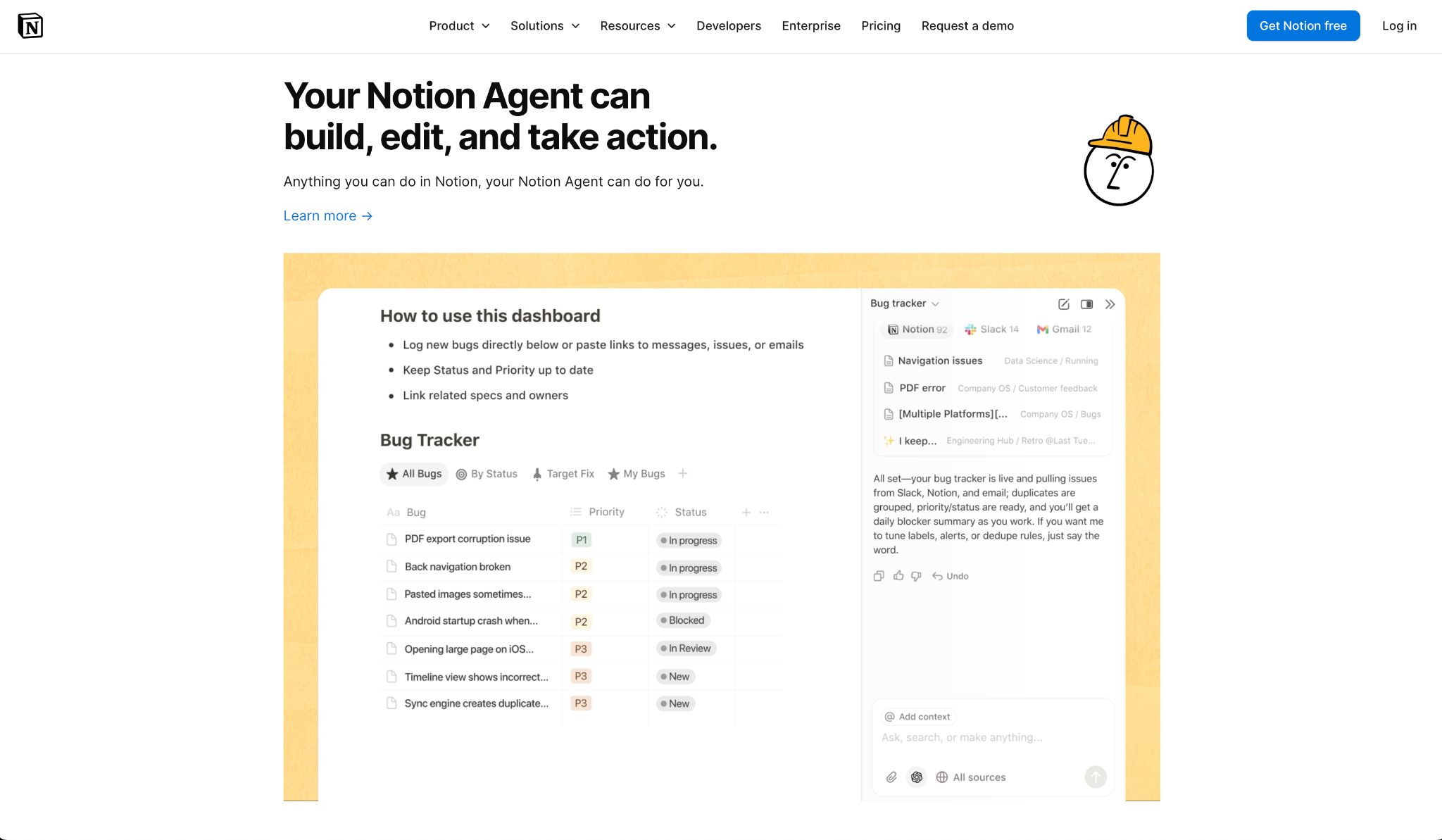
Notion combines nested outliner pages with relational databases, kanban boards, calendars, and live collaboration in a single workspace.
I migrated a WorkFlowy hierarchy into a Notion page. I immediately had access to views WorkFlowy doesn't offer, including database filtering, linked properties between projects and tasks, and a shared sidebar the whole team could see.
The setup took longer than Dynalist, though the result was worth it. Note capture is slower than WorkFlowy, a tool designed from day one around speed and a minimal interface, and the complete AI suite requires the Business plan at $20/month per user, billed annually ($24 billed monthly).
"I like how customizable Notion is, along with all the connectors and add-ons it has." — Declan J., G2
Key Features
- Relational databases: Connect tasks, projects, notes, and contacts with proper relationships across your workspace
- Multiple views: Switch any database between table, kanban, calendar, timeline, and gallery views
- Live collaboration: Multiple people can edit the same page at the same time with live cursors
- Template library: Thousands of community-built templates for common workflows ready to use immediately
- Notion AI: Included in Business plans, summarizes notes, autofills database properties, and handles meeting notes
Pros
✅ Free plan includes unlimited blocks for individual users with no time limit
✅ Replaces several separate tools at once for teams using it as a primary workspace
✅ Guest access is unlimited on all paid plans
Cons
❌ Pure outlining and note capture is slower than WorkFlowy or Dynalist
❌ The complete AI suite requires the Business plan at $20/month per user, billed annually ($24 billed monthly)
❌ Performance can slow on databases with thousands of records
Pricing
The free tier includes unlimited personal blocks. Notion Plus starts at $12/member/month ($10 billed annually). Business at $24/member/month ($20 billed annually) unlocks the full AI suite, including Notion Agent and AI Meeting Notes.
Best WorkFlowy alternative for offline notes you fully own
Obsidian
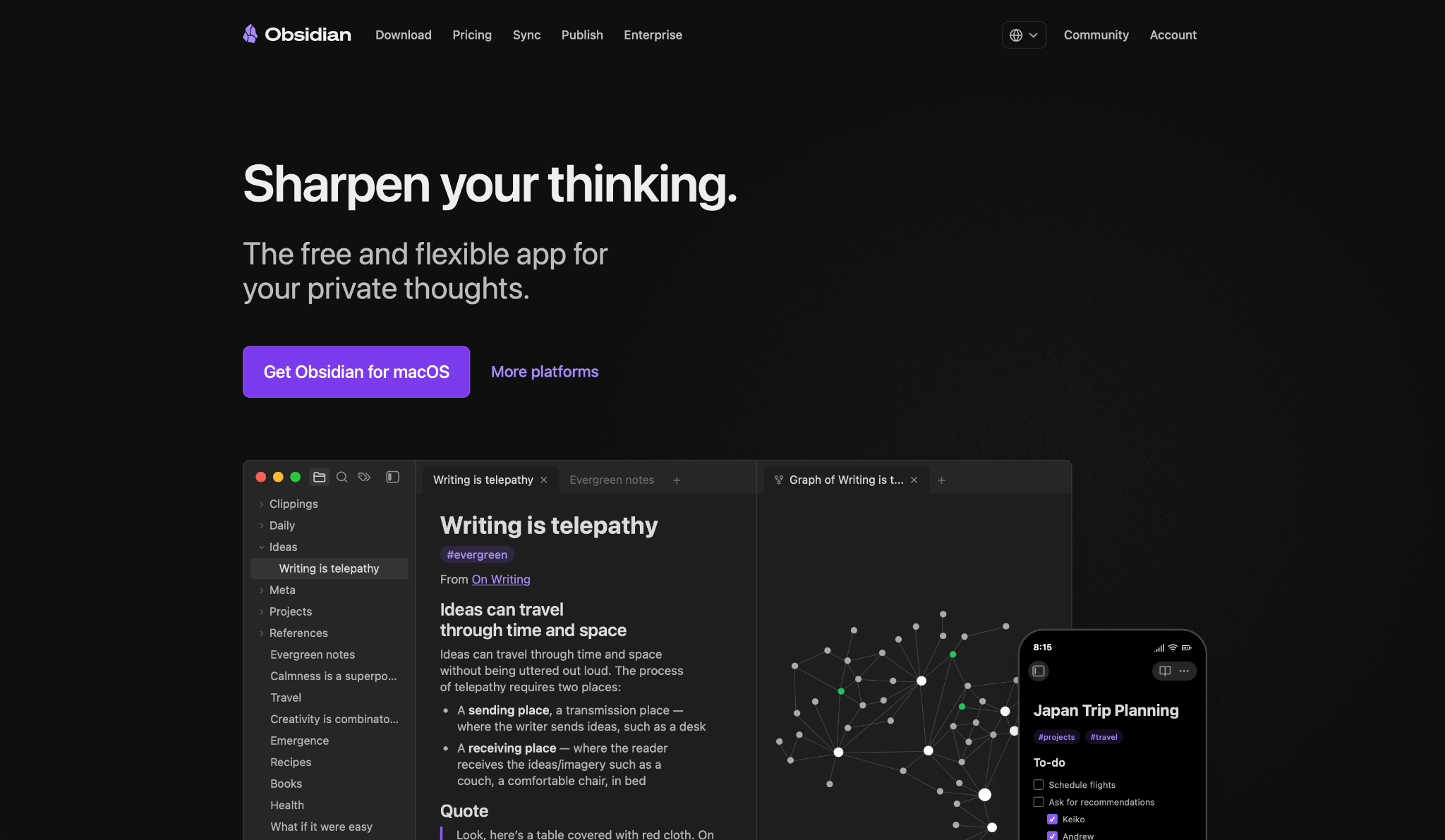
Obsidian stores every note as an independent Markdown file on your device, with a Graph view, 1,000+ community plugins, and no server dependency for the core app.
I ran Obsidian fully offline for a week. No internet, no sync account. Every note opened, every link resolved. The files themselves opened in TextEdit as readable Markdown. Nothing proprietary, nothing locked.
That offline freedom comes with a tradeoff: cross-device access requires Obsidian Sync ($5/month), iCloud, or Dropbox. The plugin ecosystem is where the real depth is, and getting it configured takes serious research time.
"The combination of local-first Markdown storage and the powerful graph view is unmatched." — Simone B., G2
Key Features
- Plain Markdown files: Notes are stored as .md files in a folder on your device, readable by any text editor without Obsidian
- Offline-first: Every feature works with no internet connection, no account required
- Graph view: Visual map showing how your local notes link to each other
- Community plugins: Over 1,000 plugins extend the app into tasks, calendars, databases, and more
- Commercial use included: The free core app allows commercial use without a paid license
Pros
✅ Core app is permanently free with no usage limits or feature walls
✅ Files are plain Markdown, readable decades from now without Obsidian
✅ Works completely offline with no account or internet connection required
✅ AES-256 end-to-end encryption on Obsidian Sync if you use the paid service
Cons
❌ Cross-device sync requires Obsidian Sync ($5/month, or $4/month billed annually) or a manual iCloud/Dropbox setup
❌ Getting the complete feature set requires significant plugin research and configuration time
Pricing
The core app is free forever. Obsidian Sync costs $5/user/month, billed monthly. Obsidian Publish costs $8/month per site, billed annually ($10/month, billed monthly). A commercial license is optional at $50/user/year.
Best WorkFlowy alternative for turning notes into team tasks
Superlist
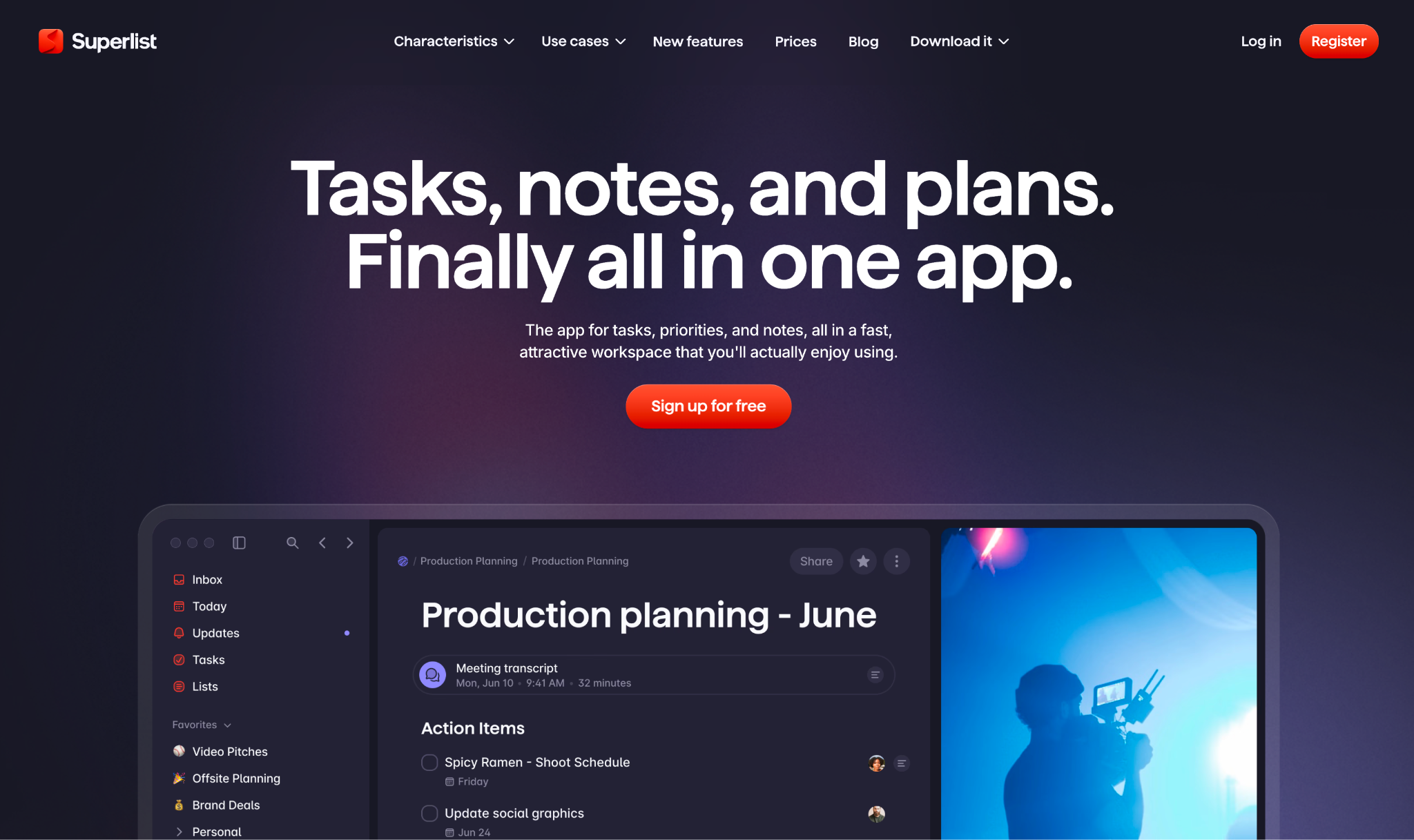
Superlist blends outliner-style notes with collaborative task management so any line in a document can become a shared, assignable task with one tap.
During testing, I wrote a meeting debrief in Superlist and converted three bullet points into tasks for different team members in a single session. The conversion happened without copying or pasting anything. The note content became the task description, was assigned a due date, and was made visible to the team.
The friction shows up at the free tier: you're limited to five private and shared lists, which fill up fast for anyone doing serious personal organization, and AI features like email summarization are available only on the Super plan.
"I've been on their Pro plan for the past 12 months and just renewed for another year of Pro. It's a love/hate relationship." — Verified User, Reddit
Key Features
- Note-to-task conversion: Any text line becomes an assignable task in one tap, with the note content preserved as a description
- Voice AI: Dictate tasks directly, included in the Basic plan
- All-platform parity: Same feature set on macOS, iOS, Android, and web with no platform-specific limitations
- Integrations: Connects to Gmail, Google Calendar, Linear, and Slack, available from the Basic plan
- MCP support: Connects to Claude and other AI tools via Model Context Protocol
Pros
✅ Merges notes and tasks better than any pure outliner on this list
✅ Cross-platform experience is consistent, with no features missing on mobile
✅ Basic plan includes all integrations with no upgrade required to connect them
Cons
❌ Free plan caps you at five private and shared lists, which limits personal use quickly
❌ AI Meeting Notes and advanced AI features require the Super plan
Pricing
The free tier covers up to five lists and five people per shared list. Basic is $6/user/month (billed monthly; $59/year) and includes all integrations plus Voice AI. AI Meeting Notes and advanced AI are on the Super plan.
Best WorkFlowy alternative for visual, canvas-based research
Heptabase
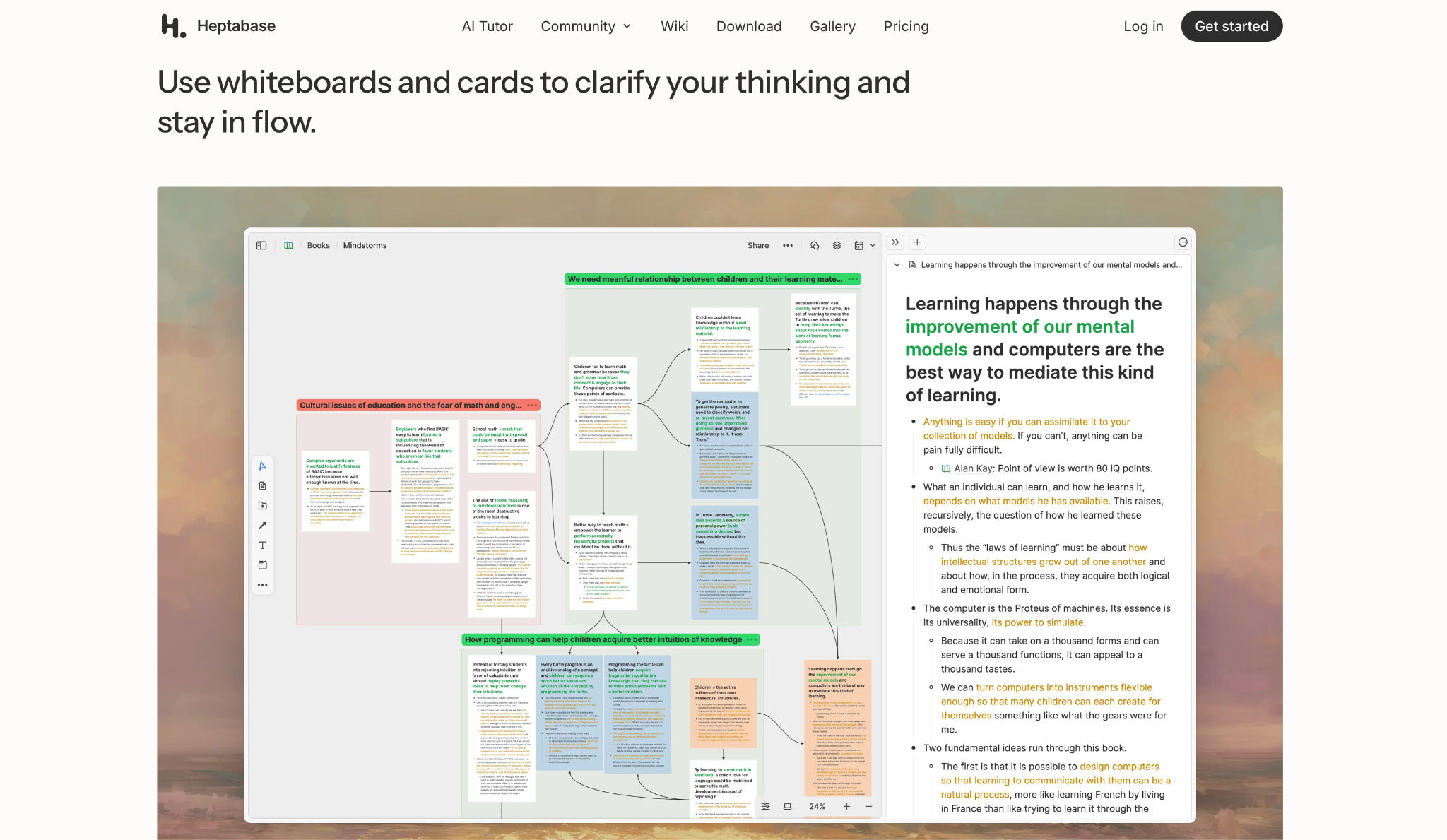
Heptabase organizes notes as cards on a visual canvas, letting you place, move, and link note cards across the canvas and draw explicit relationships between them.
I moved note cards freely across the Heptabase canvas and connected them with arrows to show relationships among arguments. You place cards wherever they make sense visually, free from a fixed top-to-bottom order.
When I needed to see that content as a traditional outline, the hierarchy view was still there. That flexibility, moving between spatial and linear views on the same content, is something no other tool on this list offers.
The trade-off is that Heptabase is overkill for quick personal note-taking, and the Premium tiers for heavy AI use cost $23.99 and $71.99/month.
"I have been an alpha and beta tester since the very beginning. The developers are responsive, listen to their users, and have made hundreds of improvements since they started." — Haberjr, Product Hunt
Key Features
- Visual canvas: Place note cards anywhere on the canvas and draw directional connections between them
- Dual view modes: Switch between canvas and traditional hierarchical outline view for identical content
- PDF and web cards: Annotate PDFs and save web pages as cards directly on your whiteboard
- AI Tutor: Interactive AI available on Premium plans that works alongside your notes
- Offline support: Web cards are available offline after saving
Pros
✅ The only tool on this list with two-dimensional spatial organization
✅ Traditional hierarchy view is still available when you need a linear structure
✅ PDF annotation and highlight cards integrate directly into your canvas
Cons
❌ No standalone free plan; paid tiers only (a limited free trial is the way to test it)
❌ Canvas workflow is excessive for quick, disposable notes or simple to-do lists
Pricing
Heptabase Pro is $11.99/month, billed monthly ($8.99/month billed yearly). Premium is $23.99/month, billed monthly, with 1,800 AI credits and unlimited PDF parsing. Premium+ is $71.99/month, billed monthly, with 8,100 AI credits.
{{cta}}
How to evaluate WorkFlowy alternatives
Data ownership and portability. Before switching, check what the tool exports. WorkFlowy, Dynalist, and most tools here support Markdown, OPML, and plain text. The more meaningful question is where the files live.
Tools like Logseq and Obsidian store notes as local files on your device. Everything else remains on vendor servers, creating a migration risk if the product changes or shuts down.
The free plan ceiling. WorkFlowy's 100-node monthly cap is what drives most people to look here. Several alternatives have their own limits. Tana's free plan caps AI credits and file storage, and Heptabase has no free plan at all. Test the free tier seriously before committing to the paid plan.
Learning curve vs. power tradeoff. Dynalist and Logseq are both free, but one takes two minutes to set up, and the other takes two weeks. Pick the tool whose setup effort matches how you really work day-to-day, rather than the most powerful option you might grow into.
Collaboration depth. If a team is involved, check whether the alternative supports task assignment, commenting, and permission levels, and whether those features are on the free or paid plan. Notion and Superlist both handle this well at no cost.
The connection question. If you've ever wanted to reference one note from inside another, or see a map of how your ideas relate, WorkFlowy won't let you. Roam, Logseq, and Obsidian all handle bidirectional linking differently. Test at least one before deciding it's not for you.
Execution vs. capture. Every tool on this list stops at the same point: a note that needs to become an action. None of them triage your inbox, schedule your meetings, or follow up on what you wrote. Once you know which outliner fits your capture and organization habits, the question shifts to what happens after.
Does the tool stop at answering questions, or can something else handle the work without you having to manage it?
Your notes are organized. Now what?
Every outliner here captures and structures ideas well, but none turns a written note into a finished task on its own.
Full disclosure: Lindy is our product. If you're looking for an AI assistant that picks up where your outliner stops, sorting your inbox, prepping your calendar, and following up on action items from notes you've written in Dynalist or Notion, try Lindy free for 7 days.
It connects to the tools you're already using and handles the admin that piles up after every note you write.
Frequently asked questions
What is the best free WorkFlowy alternative?
Logseq is the strongest free WorkFlowy alternative because it's fully open-source, with no node caps, no paywalls, and no vendor dependencies. Dynalist is the better option if you want a free plan that mirrors WorkFlowy's interface and shortcuts, with no technical setup.
Does WorkFlowy have a free plan limit?
Yes. WorkFlowy's free plan caps users at 100 new nodes per month. Active daily users typically reach this limit within 1 to 2 weeks of regular use.
Which WorkFlowy alternative is best for teams?
Notion and Superlist both offer live collaboration and shared workspaces starting on their free plans. Notion offers more structural depth with databases, while Superlist is faster to set up and better suited to shared task lists.
Is there a WorkFlowy alternative with automatic backlinks?
Yes. Roam Research and Logseq both create automatic bidirectional links between notes any time a page is mentioned. Neither requires manual tagging or linking to create those connections.
What should I look for in a WorkFlowy alternative?
Start with data portability and the free plan ceiling, then match the tool to the specific limitation WorkFlowy creates for you. A power-user feature set you won't use daily is a liability, not a benefit.
Can an AI assistant replace an outliner like WorkFlowy?
No. An AI assistant can't replace an outliner for capturing and structuring ideas. The two tools serve different jobs: outliners organize your thinking, and AI assistants execute on what you've organized.










