1. Add Lindy to Slack
One click from the Slack marketplace. The whole team gets Lindy at once.



Connect Amazon SES and start asking Lindy to take work off your plate. No workflows to build, just tell Lindy what you need in plain language.
Actions
Explore all the actions Lindy can perform in Amazon SES. Just describe what you need in plain language, and Lindy handles the rest.
Create a reusable email template in Amazon SES for sending personalized messages.
Retrieve details of a specific Amazon SES email template.
Send emails to recipients using Amazon SES.
Send templated emails to recipients using Amazon SES email templates.
Update the content and settings of an existing Amazon SES email template.













Easy as one, two, three
One click from the Slack marketplace. The whole team gets Lindy at once.
Lindy works with 1,500+ apps and any MCP server.
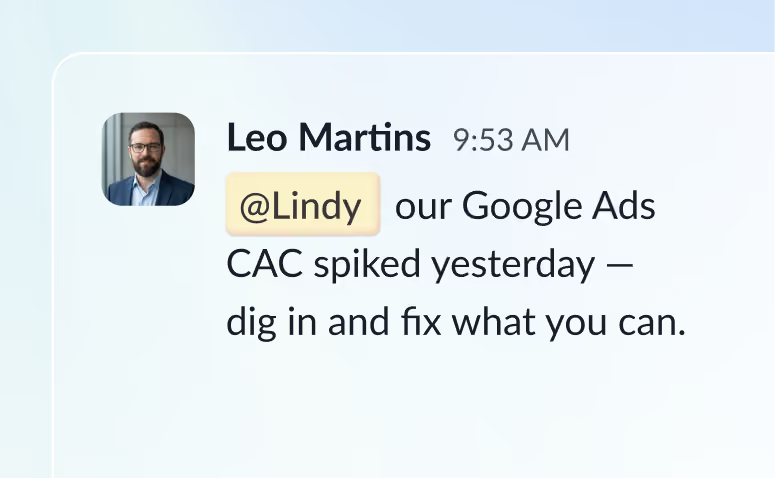
@mention Lindy in any channel and it starts working. Minutes, not a weekend.
Blog
Lindy is an AI assistant that lives in your Slack. Connect your apps, ask for what you need in plain language, and Lindy takes the work off your plate.
Sign up to Lindy, ask Lindy to connect to Amazon SES, and approve the connection when prompted. From then on you can ask Lindy to do things in Amazon SES whenever you need.
No. There's nothing to build or configure. You ask Lindy in Slack the same way you'd ask a colleague, and Lindy handles the rest.
Yes. Ask once and tell Lindy when to repeat it, like every Monday at 9am, and it becomes a routine that runs without you.
Read and act on data in Amazon SES, and trigger workflows when something changes there. Tell Lindy the outcome you want and it handles the rest.
Yes. Lindy connects to 1,500+ apps and any MCP server, so you can ask for tasks that span Amazon SES and the rest of your stack in a single request.