1. Add Lindy to Slack
One click from the Slack marketplace. The whole team gets Lindy at once.



Connect AWS and start asking Lindy to take work off your plate. No workflows to build, just tell Lindy what you need in plain language.
Actions
Explore all the actions Lindy can perform in AWS. Just describe what you need in plain language, and Lindy handles the rest.
Send a log event to an AWS CloudWatch log stream.
Create a new DynamoDB table with specified partition key and optional sort key.
Execute a PartiQL statement on Amazon DynamoDB tables.
Retrieve a single item from a DynamoDB table.
Add a new item to a DynamoDB table.
Query data from an Amazon DynamoDB table using key conditions.
Scan and retrieve items from a DynamoDB table with optional filtering and attributes.
Update items in a DynamoDB table with specified attributes and values.
Update settings and configurations for an existing DynamoDB table.
Send custom events to an AWS EventBridge event bus.
Create a new AWS Lambda function with specified code and configuration settings.
Invoke an AWS Lambda function with optional event data.
Download a file from AWS S3 to a temporary directory.
Generate a temporary URL to access a file in an S3 bucket.
Stream and upload a file from a URL to an AWS S3 bucket.
Upload a base64-encoded file to an AWS S3 bucket.
Upload files or folders from /tmp directory to an AWS S3 bucket.
Upload a file to AWS S3 from a URL.
Send a message to an Amazon SNS topic.
Send a message to an Amazon SQS queue.













Easy as one, two, three
One click from the Slack marketplace. The whole team gets Lindy at once.
Lindy works with 1,500+ apps and any MCP server.
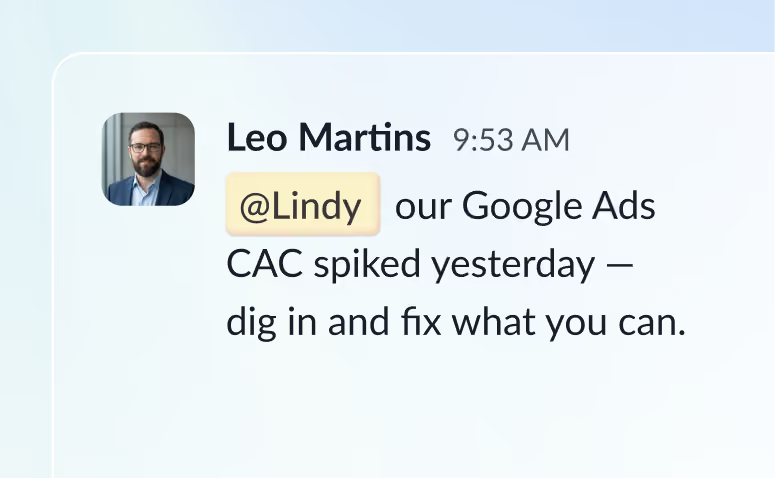
@mention Lindy in any channel and it starts working. Minutes, not a weekend.
Blog
Lindy is an AI assistant that lives in your Slack. Connect your apps, ask for what you need in plain language, and Lindy takes the work off your plate.
Sign up to Lindy, ask Lindy to connect to AWS, and approve the connection when prompted. From then on you can ask Lindy to do things in AWS whenever you need.
No. There's nothing to build or configure. You ask Lindy in Slack the same way you'd ask a colleague, and Lindy handles the rest.
Yes. Ask once and tell Lindy when to repeat it, like every Monday at 9am, and it becomes a routine that runs without you.
Read and act on data in AWS, and trigger workflows when something changes there. Tell Lindy the outcome you want and it handles the rest.
Yes. Lindy connects to 1,500+ apps and any MCP server, so you can ask for tasks that span AWS and the rest of your stack in a single request.