10 Best AI App Builders for 2026: Tested & Ranked
Lindy tested AI app builders like Emergent, Lovable, and Bolt.new, ranking which ones actually ship working apps, handle workflows, and scale beyond simple demos.


I spent weeks testing over 20 AI app builders to narrow down the 10 that actually hold up. If you’ve ever wished app development felt less tedious and time-consuming, this list is for you.
TL;DR: Best AI app builders at a glance
| Tool | Best for | Key strengths | Pricing (starts at) |
|---|---|---|---|
| Emergent | Deployable web and mobile apps | Multi-agent builds, exportable code, and managed hosting | Standard $20/month |
| Lindy | Working alongside an AI teammate | Creates complete apps from your prompt, tests them automatically, and connects to your tools to keep everything in sync | Free; Team $29.99/user/month |
| NxCode | No-code backends and data logic | Executes real backend code in Docker containers with predictable, production-grade behavior | $5/mo Lite, $20/mo Pro |
| Lovable | Fast MVPs and demos | Turns ideas into full-stack apps quickly while keeping the code editable and GitHub-ready | Free, Pro $25/month |
| Bolt.new | Prompt-to-app builds with code control | Builds apps with strong context retention, live editing, and direct code access | Free, Pro $25/month |
| Replit Agent | Autonomous full-stack development | Builds, runs, tests, fixes, and deploys apps with minimal supervision | Free, Core $20/month |
| Zite | Internal tools and business software | Full stack business apps with built-in authentication, database, and permissions | Free; Pro $25/month |
| Cursor | Code-first teams and large repos | Deeply understands existing codebases inside a real IDE for refactoring and long-running builds | Free, Pro $20/month |
| OpenAI Agent Builder | Agentic workflows | Visual control over multi-step agent logic, routing, memory, and safety | Free to design, usage-based |
| v0 (Vercel) | UI-first frontend development | Generates production-ready React and deploys instantly on Vercel’s edge | Free, Plus $30/user/month |
What kind of apps can you build with AI app builders?
AI app builders are no longer just for quick demos. If you pick the right tool, you can cover a surprisingly wide range of real-world applications. The key difference is whether the builder supports real execution, data, and deployment instead of stopping at UI generation. For broader productivity tools beyond software development, explore our roundup of the best ai apps currently available.
Here’s all that an app builder can do for you:
- Internal business tools and dashboards: AI app builders work especially well for internal tools like admin panels, reporting dashboards, and ops utilities. You can connect databases, APIs, and auth quickly, then iterate based on team feedback without rebuilding from scratch.
- Customer-facing web apps: You can build customer-facing apps like signup flows, portals, and lightweight SaaS products, as long as the builder outputs real, deployable code. Tools that integrate hosting, auth, and databases make it easier to handle real users without duct-taping infrastructure together later.
- MVPs and startup prototypes: AI app builders are a strong fit for MVPs. You can validate ideas quickly using real user flows, real data, and production-like behavior. This lets teams test assumptions with something that already resembles a shippable product.
- AI agents and workflow-driven apps: Some builders go beyond apps and let you design agents that route tasks, call tools, and make decisions across steps. These are useful for support bots, content pipelines, internal automations, or AI copilots where logic, memory, and guardrails matter more than UI polish. If you want to create one for free, review our guide on the best how to make your own ai assistant. Many of these automated workflows power modern productivity systems, similar to how the best note taking apps organize and process daily information.
- CRUD apps backed by databases: Classic CRUD(Create, Read, Update, and Delete) apps are a strong fit. You can generate forms, tables, filters, and database logic quickly, then refine permissions and validations over time. When the builder supports real databases and migrations, these apps behave like traditionally built systems, just faster to set up.
- Frontend-heavy interfaces with real logic: UI-first builders are ideal for marketing sites, dashboards, and design-driven products where layout and interaction matter. The best tools generate real frontend frameworks like React or Next.js, so routing, data loading, and state management work as expected.
The real constraint isn’t what AI app builders can create, but which parts of the stack they’re willing to own. Tools that stop at UI are best for demos, while builders that handle execution, data, and deployment can support real products. Choosing the right category upfront saves time, rewrites, and architectural debt later.
How I tested these AI app builders
Before testing any tools, I did what most people do. I ended up deep in Reddit threads where the same question kept coming up: What’s the best AI app builder you’ve actually used and would recommend? The answers were all over the place.
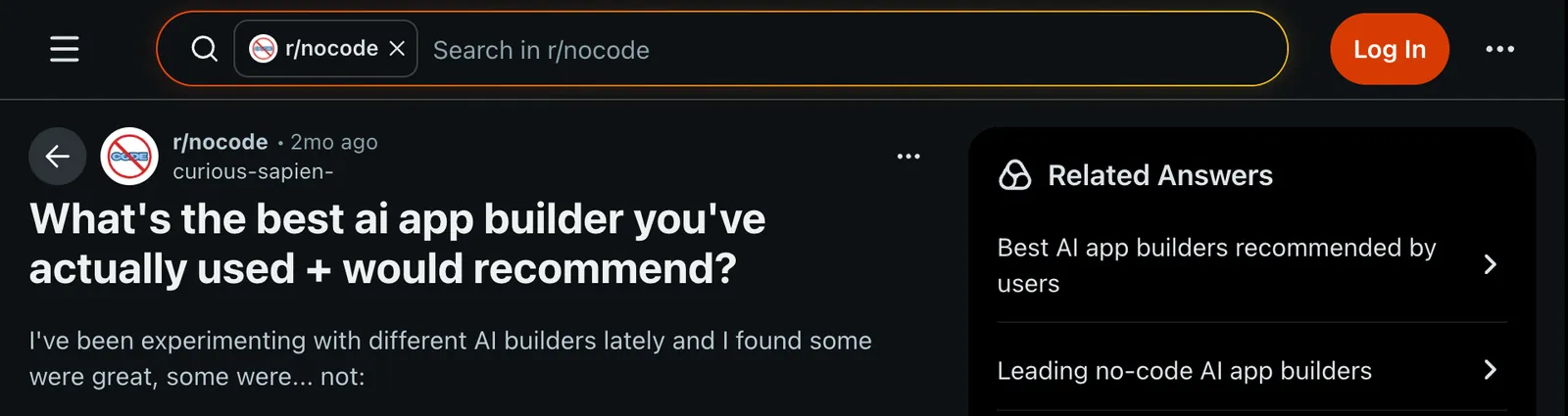
Some builders were praised as the best, others were seen as pretty useless.
A big reason for that disconnect is context. A senior developer evaluating an AI builder will judge it very differently from a founder or marketer trying to ship something without a full engineering team. For developers who prefer writing and refactoring software directly, explore our overview of the best ai for coding.
I also kept seeing a second question pop up: Are AI app builders a waste of time? After testing them against the right criteria, my answer is no.
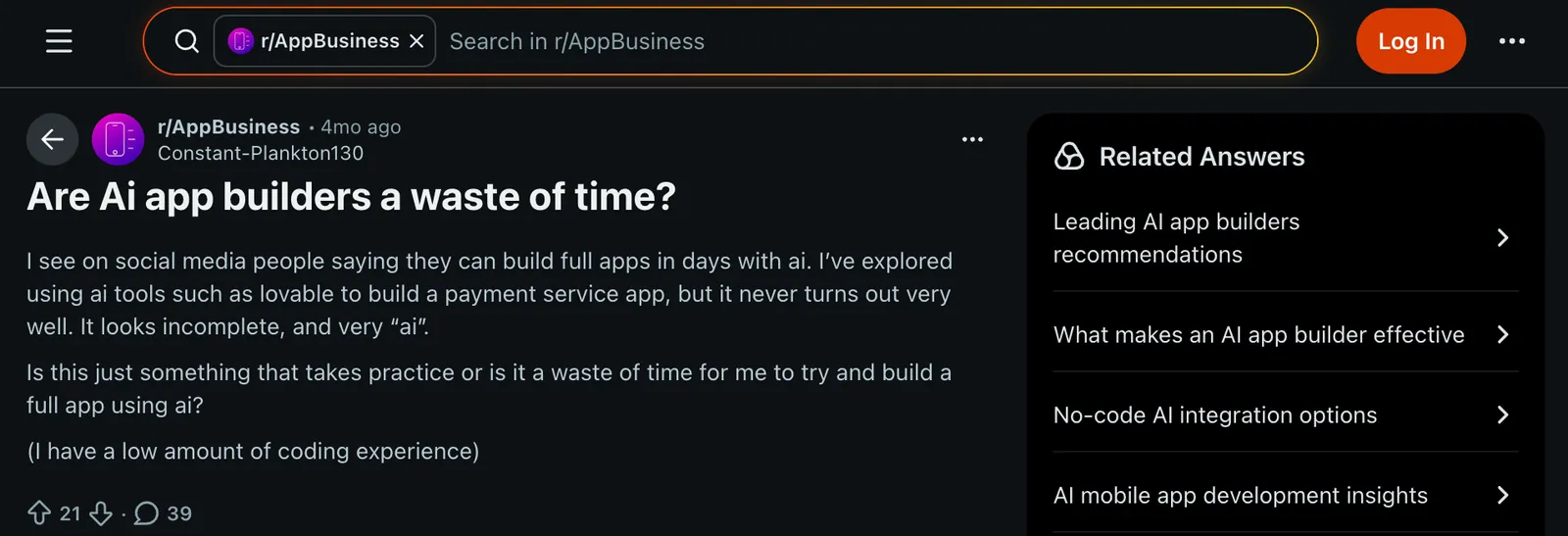
To keep things objective, I tested every tool using the same set of metrics:
- Built at least one real app or workflow per tool, not just a demo prompt, to see how far I could go before hitting limits or needing manual intervention.
- Measured prompt-to-output quality and iteration speed, focusing on how often the first result was usable and how quickly changes could be applied without breaking earlier work.
- Checked how much control remained after generation, including access to code, logic, configurations, and whether edits stayed stable as the project grew.
- Evaluated integrations, deployment paths, and production readiness, looking at databases, auth, hosting, environments, and how close the output felt to something I could actually ship.
- Noted friction points and failure cases, such as context loss, broken iterations, credit burn, debugging dead ends, or places where the tool quietly stopped being helpful.
This approach helped separate tools that only look good in demos from the ones that hold up when you try to build something real.
1. Best AI App Builder for Deployable Web and Mobile Apps
Emergent: What is it?
Why I picked Emergent: Emergent was the builder that took me furthest from a prompt to something I could actually ship. You describe the app in plain English, and a system of specialized agents handles the design, logic, data, testing, and deployment, then hands you a live URL and the code behind it.
Ideal for: Founders and small teams who want a real, deployable web or mobile app, not just a prototype, and who want to keep the code so they can take it further later.
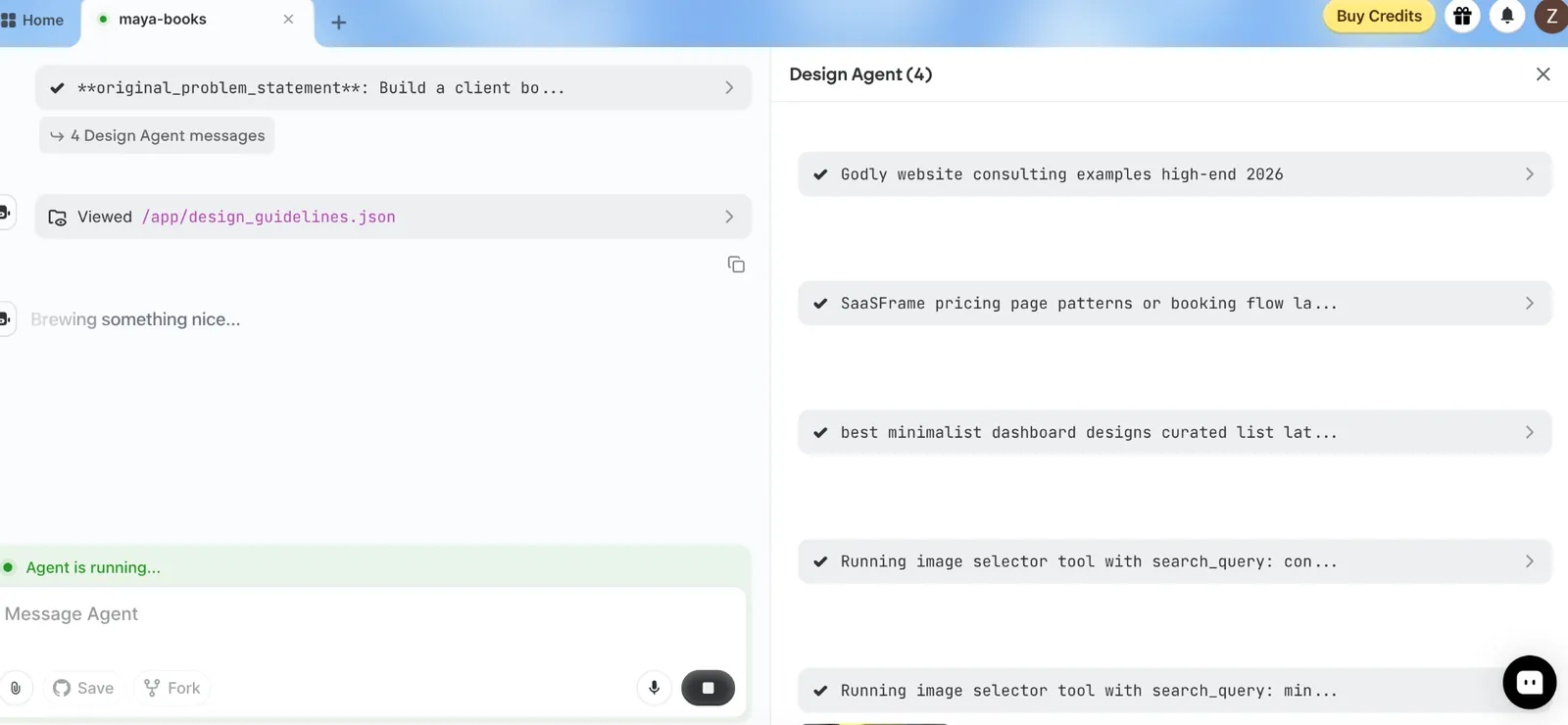
What stood out is how much of the build runs without you babysitting it. Instead of one model trying to do everything, different agents take on different parts of the work, so the app gets designed, wired up, and tested before you ever see it. That coordination is the real difference from single-pass tools that generate a screen and stop.
I tested Emergent by asking it to build a small client booking app, the kind of thing a solo consultant needs day to day, with sign-in, a calendar, and email confirmations. It scoped the build first, generated a working version, and deployed it to a live URL I could share right away.
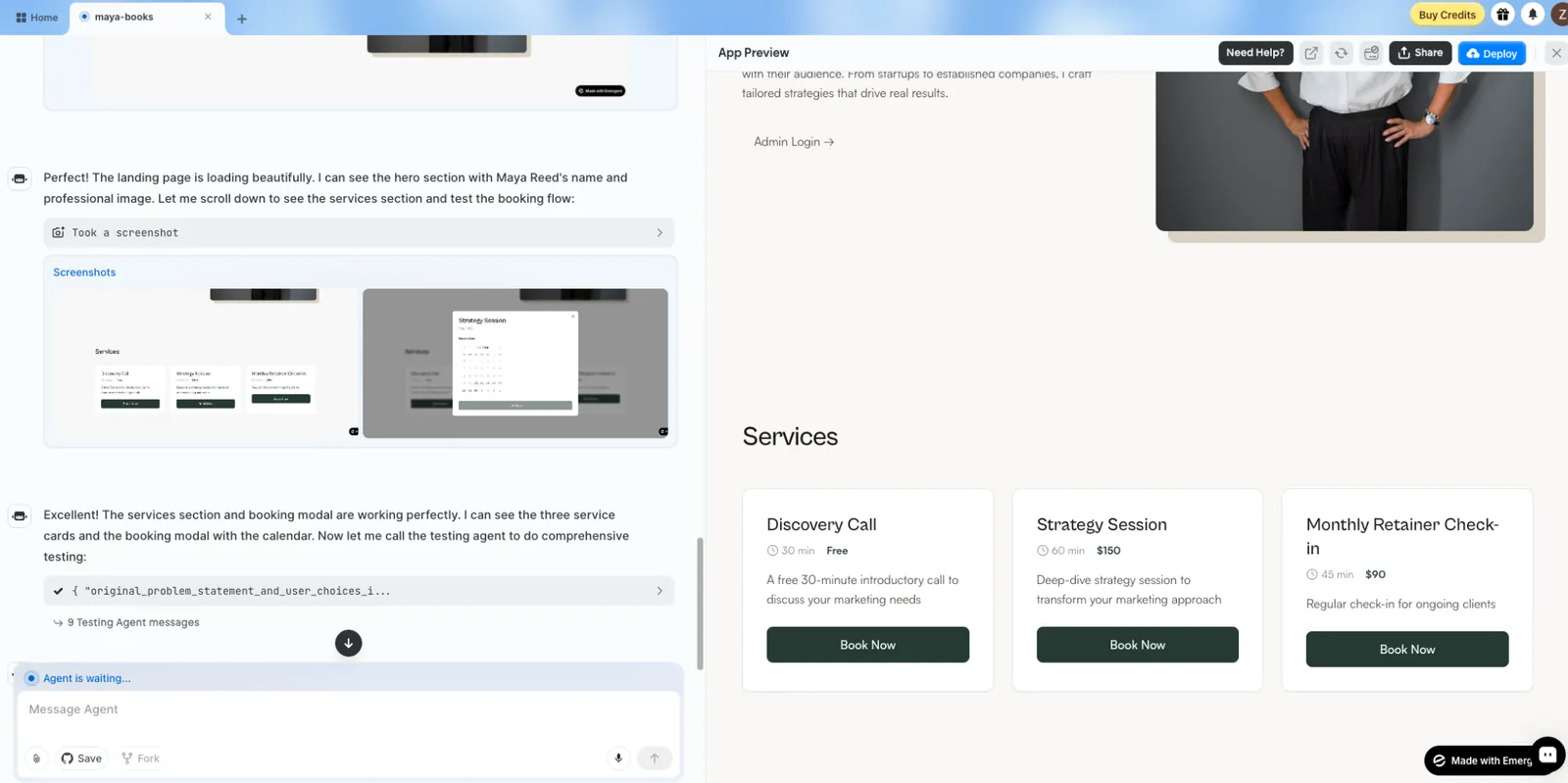
A couple of features needed a follow-up prompt or two, but the app held together, and when something looked off I could open the code instead of being stuck re-prompting.
It also goes past the web.
Emergent builds mobile apps with React Native and Expo that you can publish to the App Store and Google Play, and it handles the parts people usually dread, like sign-in, hosting, and connecting payments.
For anyone who has outgrown quick prototypes and wants the app to actually run in production, that combination is hard to match.
Pros
- It gets you from a prompt to a live app fast, because a team of agents builds and checks the work before you see it.
- The code stays yours to export, push to GitHub, or tweak in VS Code, so you are never locked in.
- It handles the parts people dread, like sign-in, hosting, and wiring up payments, and ships mobile through React Native too.
- Security holds up for real use, with SOC 2, ISO 27001, SSO, and audit logging.
Cons
- Credits can go quickly once you are iterating on something big.
- The data model can wander after a bunch of deploys, so give complex schemas a second look.
- It is not the pick for slick PDFs or anything game-shaped.
Pricing
Emergent has a free plan with 10 credits to try it. Paid plans start at $20/month for 100 credits, with a Pro plan at $200/month for 750 credits, billed monthly, and custom enterprise pricing. Because it is credit-based, what you actually pay depends on what you build, so a simple landing page and a data-heavy app can cost very differently.
2. Best AI App Builder for Working Alongside an AI Teammate
Lindy: What is it?
Why I picked Lindy: Lindy is an AI teammate that lives in your company's Slack, and its app builder, Lindy Build, does not just generate code. It creates full-stack apps and then tests them automatically with built-in QA. Instead of handing you a rough draft, it keeps refining the app until it actually works.
Ideal for: Founders and small teams who want to launch working apps fast without worrying about servers, databases, or infrastructure.
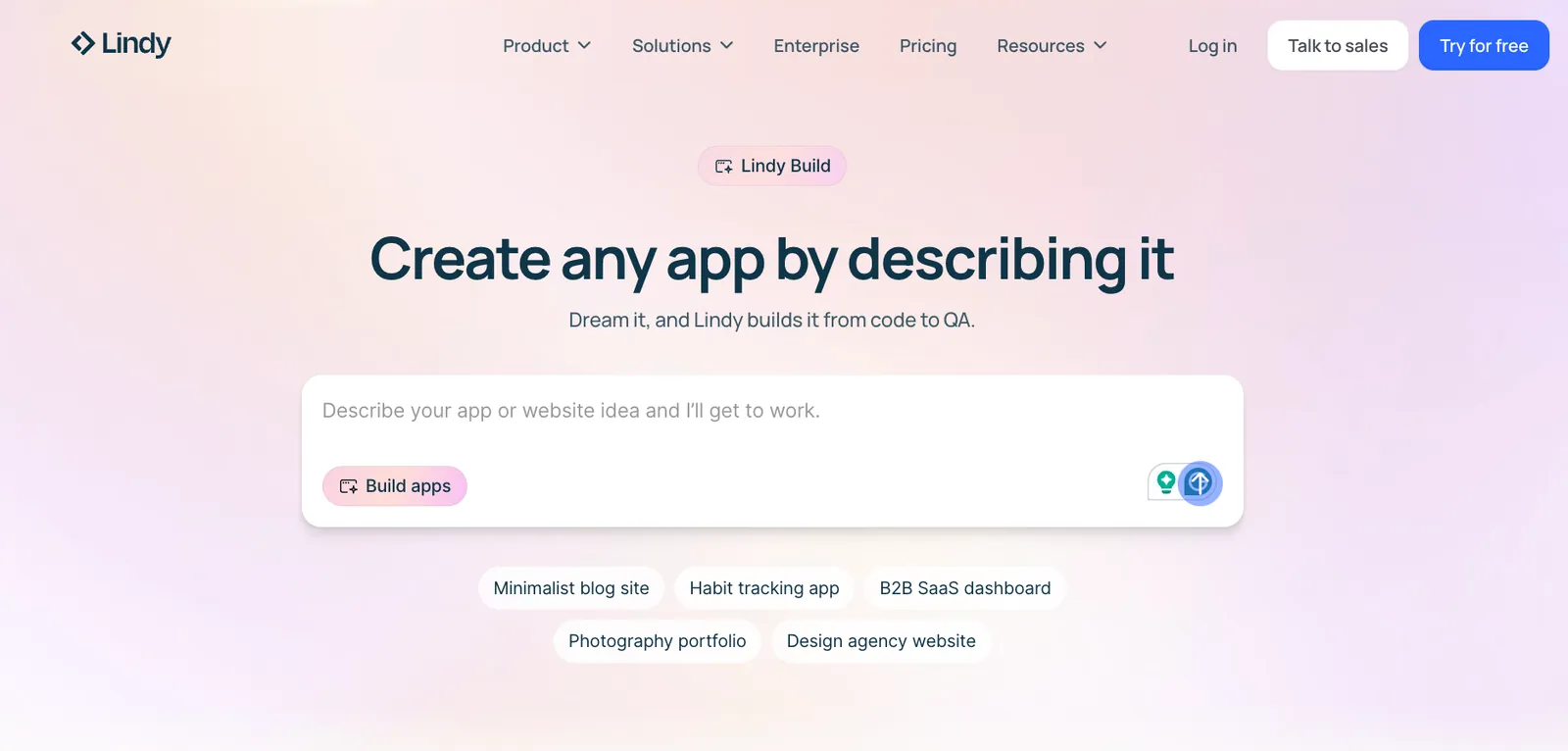
Lindy Build is an AI assistant that turns your app idea into a working product. You start with a simple description of what you want to build, such as an internal tool, a customer-facing app, or an automated workflow, and Lindy handles the messy middle that most platforms ignore.
Databases, backend logic, integrations, and frontend all come together as one working system.
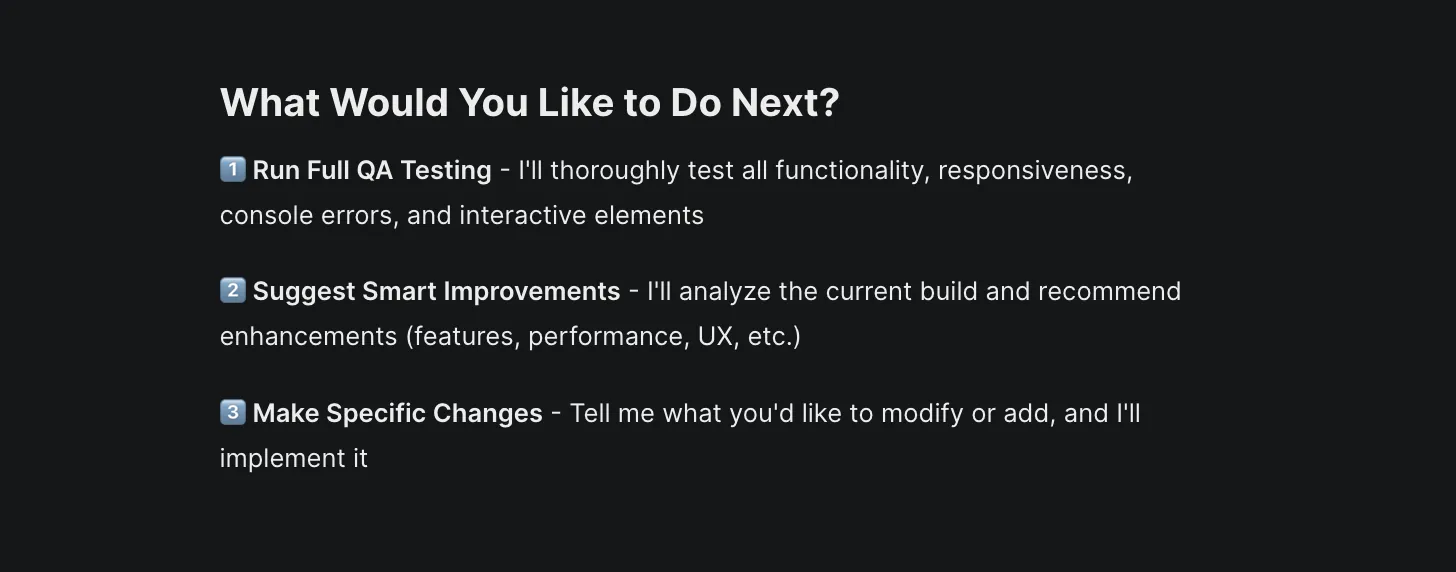
Instead of stopping once an app is created, Lindy runs automated quality checks that behave like a human tester. It clicks through forms, tries flows, and looks for things that break before you ever see them.
Lindy can work across tools like email, CRMs, spreadsheets, calendars, and internal dashboards.
A single prompt can turn into an app that runs outreach, updates records, and reports results without constant supervision.
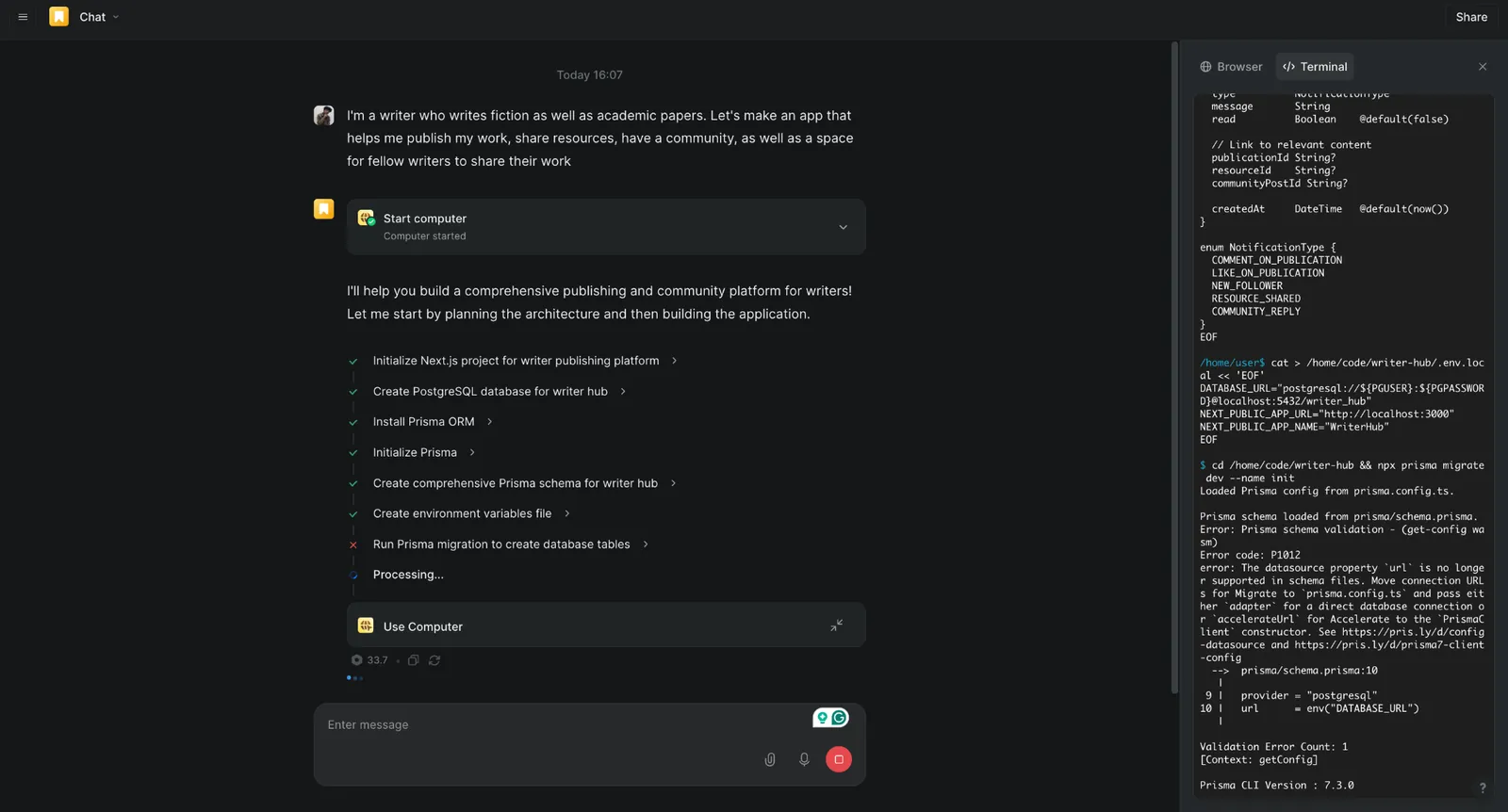
The building flow stays approachable throughout. You describe what you want, set basic rules around design or behavior, and the AI assistant builds it step by step. If something feels off, you adjust it without restarting.
Once your app is live, you can update workflows, add new features, or adjust how it behaves by entering new prompts.
You don’t have to rebuild it from scratch each time.
Even non-technical users can refine flows, adjust behavior, and extend functionality with help from the built-in AI assistant.
You can also connect Stripe to accept payments, sync your code with GitHub, or enable Google login for your team. Lindy sets up the integrations, configures authentication, and connects the APIs for you, so you don’t have to manage the technical setup yourself.
You can check out the Lindy docs for more help, including a use-case library organized by role.
Pros
- Prebuilt templates to automate everyday tasks
- Built-in compliance includes HIPAA and SOC 2 Type II, with a signed BAA on Enterprise
- Fast execution from idea to a working full-stack app
- 1,000+ integrations, plus any hosted MCP server
- Natural-language flow lowers the barrier for non-developers
Cons
- May take some time to set up complex automations
- Generated apps may need polishing for complex UX or edge cases.
Pricing
Lindy has a Free plan with $50 in credits that last 7 days, no credit card required. The Team plan starts at $29.99 per user per month for 3,000 credits, with larger credit tiers available and credits pooled across the team. Enterprise pricing is available by contacting sales.
Build an App from Scratch Using Lindy (Step-by-Step)
{{templates}}
3. Best AI App Builder for No-Code Backends and Data Logic
NxCode: What is it?
Why I picked NxCode: NxCode runs backend logic through real code execution and containerized builds, which makes production behavior predictable.
Ideal for: Founders and builders who need serious backend logic, APIs, and databases without managing servers or writing boilerplate code.
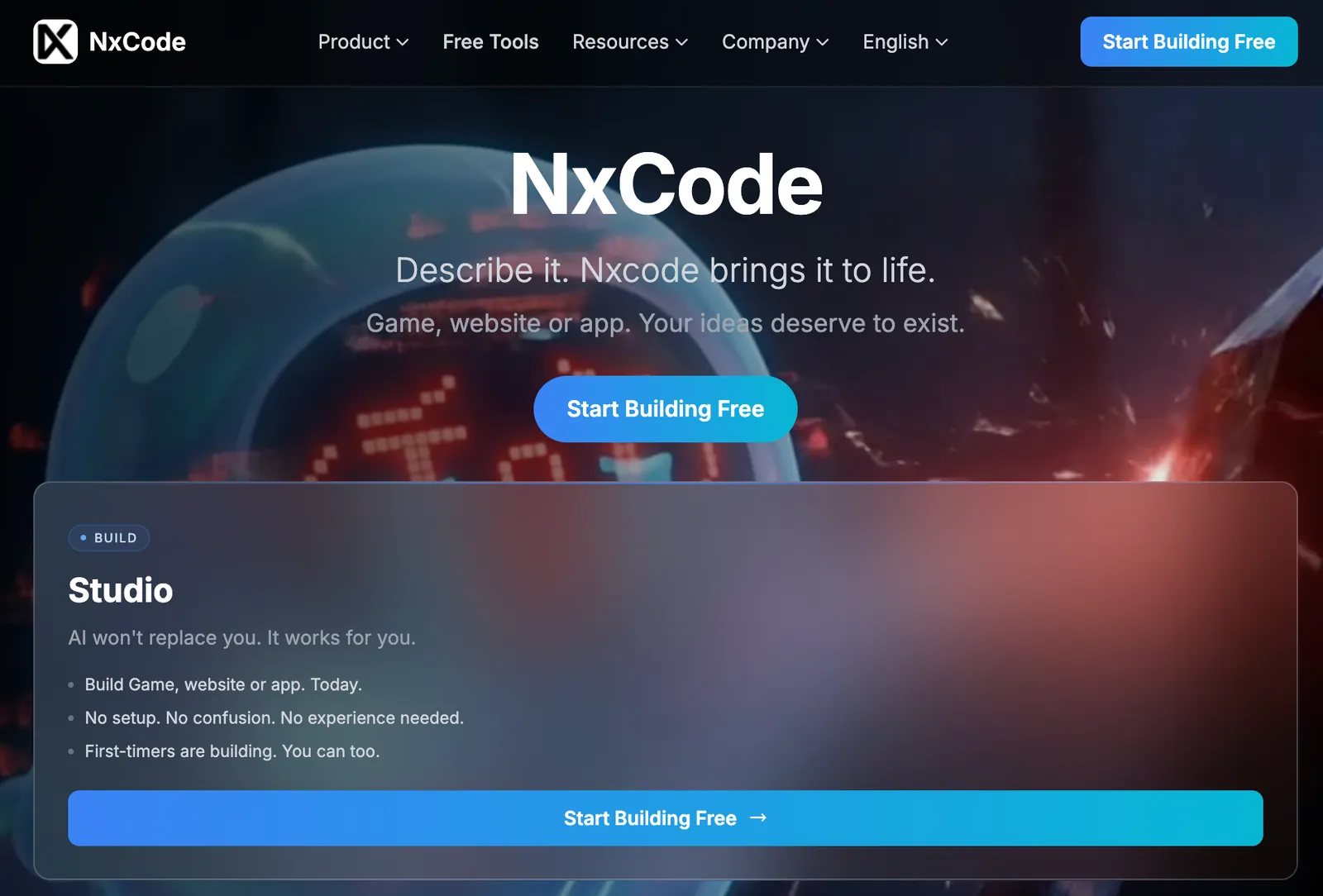
No, I didn’t pick NxCode because it has a flashy landing page. Most AI app builders do. They look impressive right up until you ask them to handle anything backend-heavy.
NxCode doesn’t simulate execution in a browser sandbox. It runs your app inside isolated Docker containers, installs real packages, and builds the same way production does.
The workflow starts with a plain-language description of what you want to build, but instead of jumping straight into code, NxCode slows down.
Its Conductor agent acts like a product manager, asking clarifying questions and breaking your idea into tasks with clear acceptance criteria. In practice, this keeps the initial plan tight enough that features don’t trip over each other later.
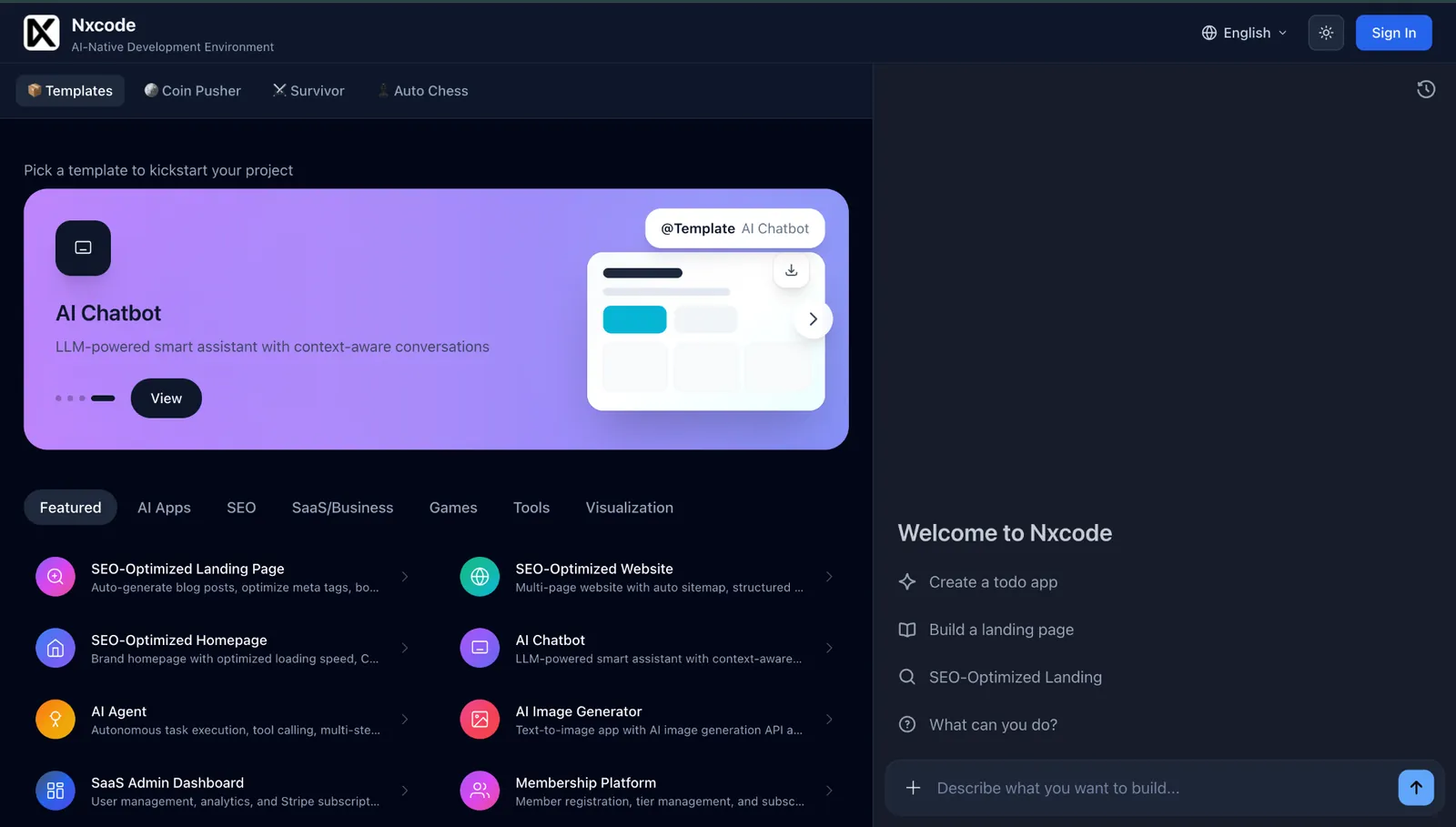
Once the plan is locked, the Virtuoso agent takes over execution.
This is the point where NxCode no longer feels like a no-code tool. You’re essentially working with a real backend setup, just without having to manage it yourself. For creators seeking to assemble custom autonomous workflows, leveraging a no code ai agent builder offers an intuitive alternative.
It spins up a container, generates backend services, wires up authentication, manages database migrations, and handles dependencies automatically.
In fact, when I built a simple Snakes and Ladders demo, I could watch the app come together in a live preview and request changes through chat, without touching local setup or config files.
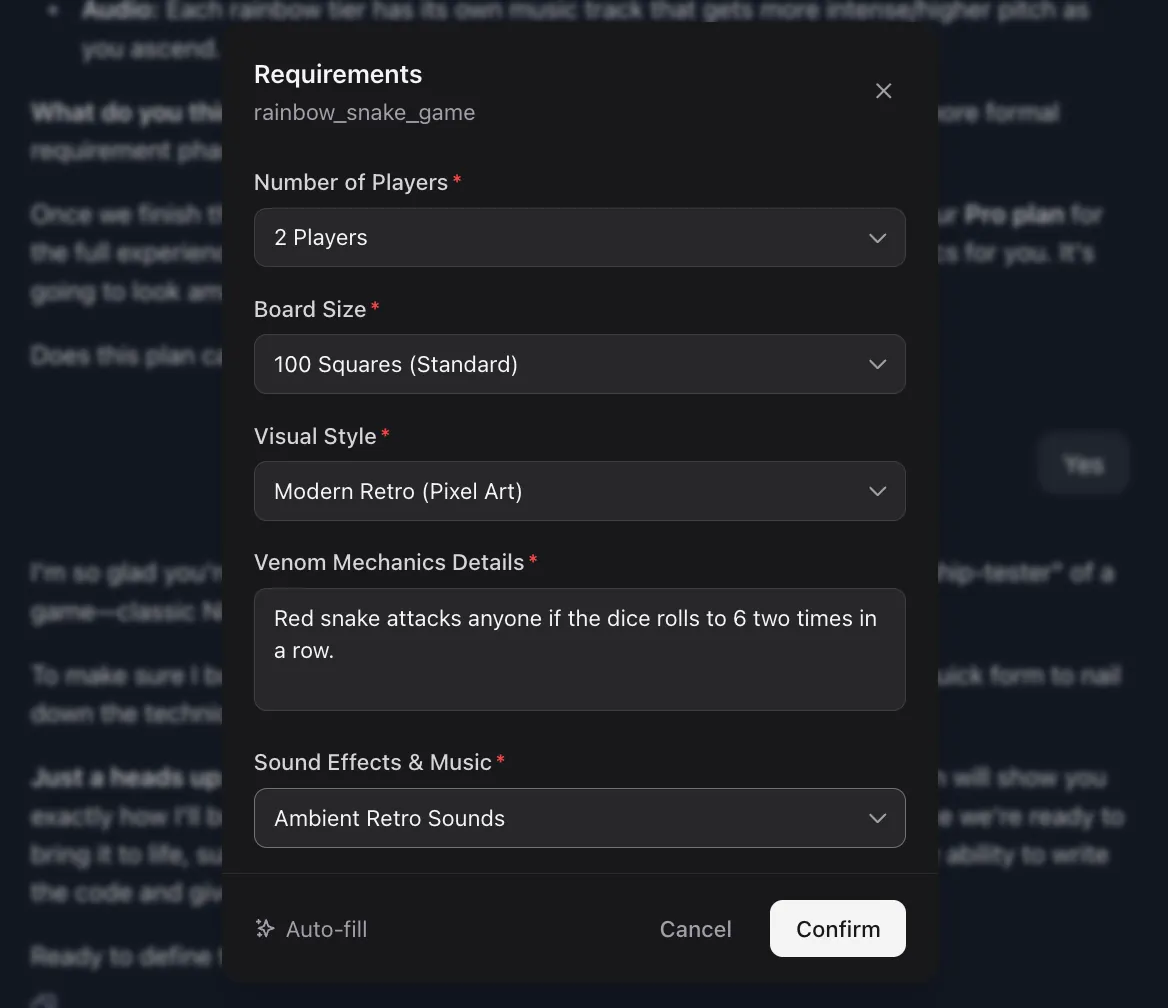
Instead of exporting something fragile and hoping it survives production, NxCode pushes the same build to platforms like Vercel, AWS, or Cloudflare. Environment variables, SSL certificates, CI/CD pipelines, and build checks are handled in the background.
For you, that means going from ‘this works in preview’ to a live app without stopping to learn DevOps along the way.
As projects grow, NxCode’s AI generates unit, integration, and end-to-end tests, fixes errors through multiple self-healing passes, and updates documentation as the code evolves.
You can also get a feel for how NxCode works by testing its free planning tools. From database schema designers to startup cost calculators, they help you think through an idea before you ever hit build.
Pros
- Pro plans let you export the full project code
- Creators keep 70% of all generated revenue
- First purchase includes generous bonus credits
- Pro supports up to three active Docker containers
- Well-documented tutorials alongside Discord and GitHub communities
Cons
- Lite plan apps include watermarks
- Every AI action consumes project credits
- Lite users only get community-level support
Pricing
NxCode starts at $5/month for the Lite plan, which includes 200 credits and basic deployments. The Pro plan costs $20/month, unlocks code export, removes watermarks, and supports multiple Docker containers. Enterprise pricing is available for teams with custom infrastructure needs.
4. Best AI App Builder for Fast MVPs and Demos
Lovable: What is it?
Why I picked Lovable: Lovable makes it easy to go from a vague idea to a working full-stack app, and then you can keep refining it without losing control of the underlying code.
Ideal for: Founders, indie hackers, and small teams who want to ship real web apps quickly while keeping ownership of their codebase.
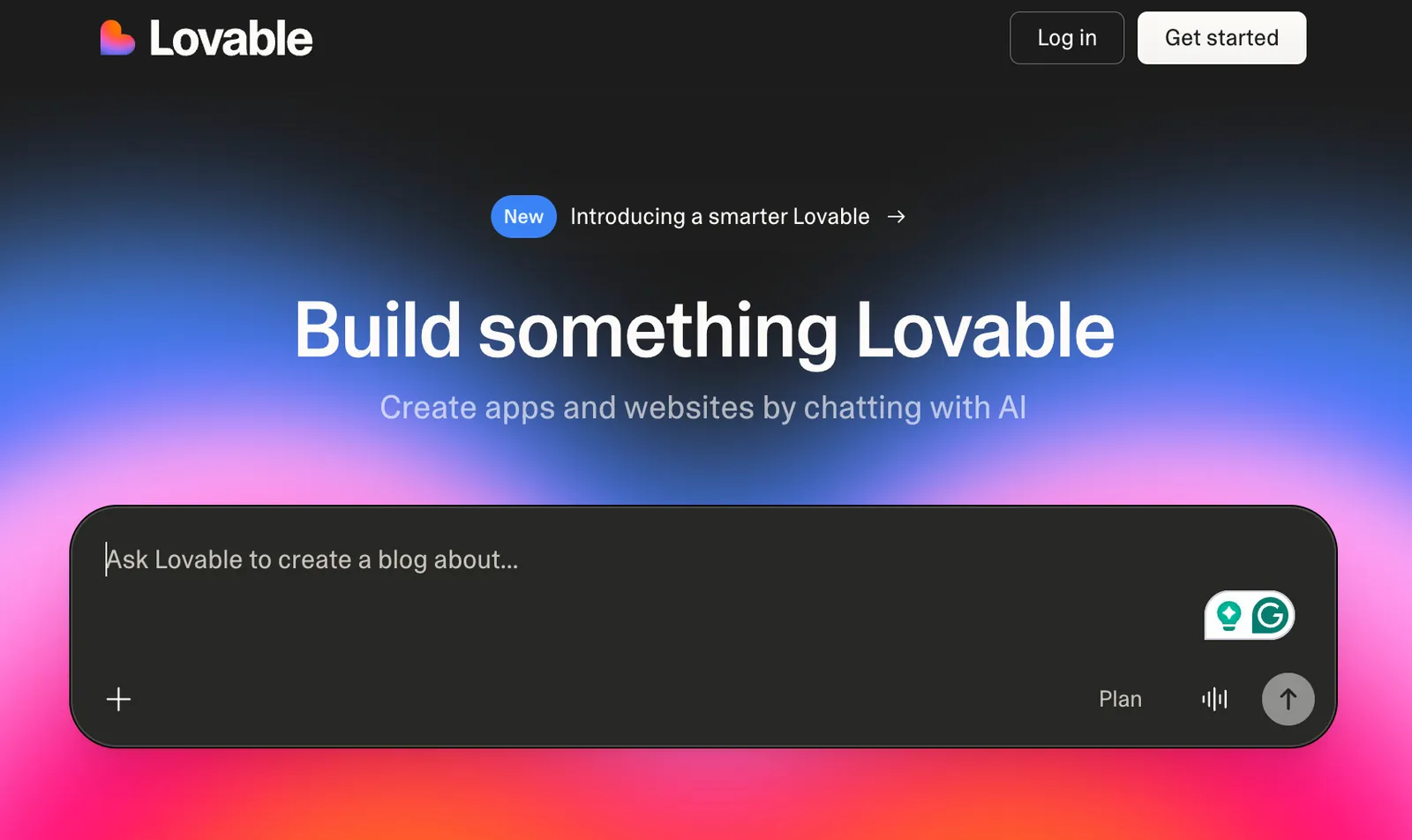
With Lovable, you describe what you want to build the same way you’d explain it to a teammate. Pages, features, colors, and layout quirks. The moment you hit enter, it starts generating a working app.
Frontend, backend, database, and authentication all come together at once, and you can watch it happen through a live preview as the code is written.
Thanks to its iteration feature, you refine the app by talking to it.
It’s pretty similar to ChatGPT’s voice mode. Ask for a new page, adjust a layout, add authentication, or connect payments, and the AI updates the app while keeping the existing structure intact.
Lovable generates real code that you can actually take with you. You can sync the project to GitHub, make changes manually, or let a developer pick it up later without rebuilding everything from scratch.
I tested this with a real project. My brother, who spends most evenings playing Hendrix and John Mayer riffs, wanted to build The Backyard Guitarist. A simple website and app for custom guitar gear.
We dropped the idea into Lovable, described the vibe, and it immediately started shaping a usable product.
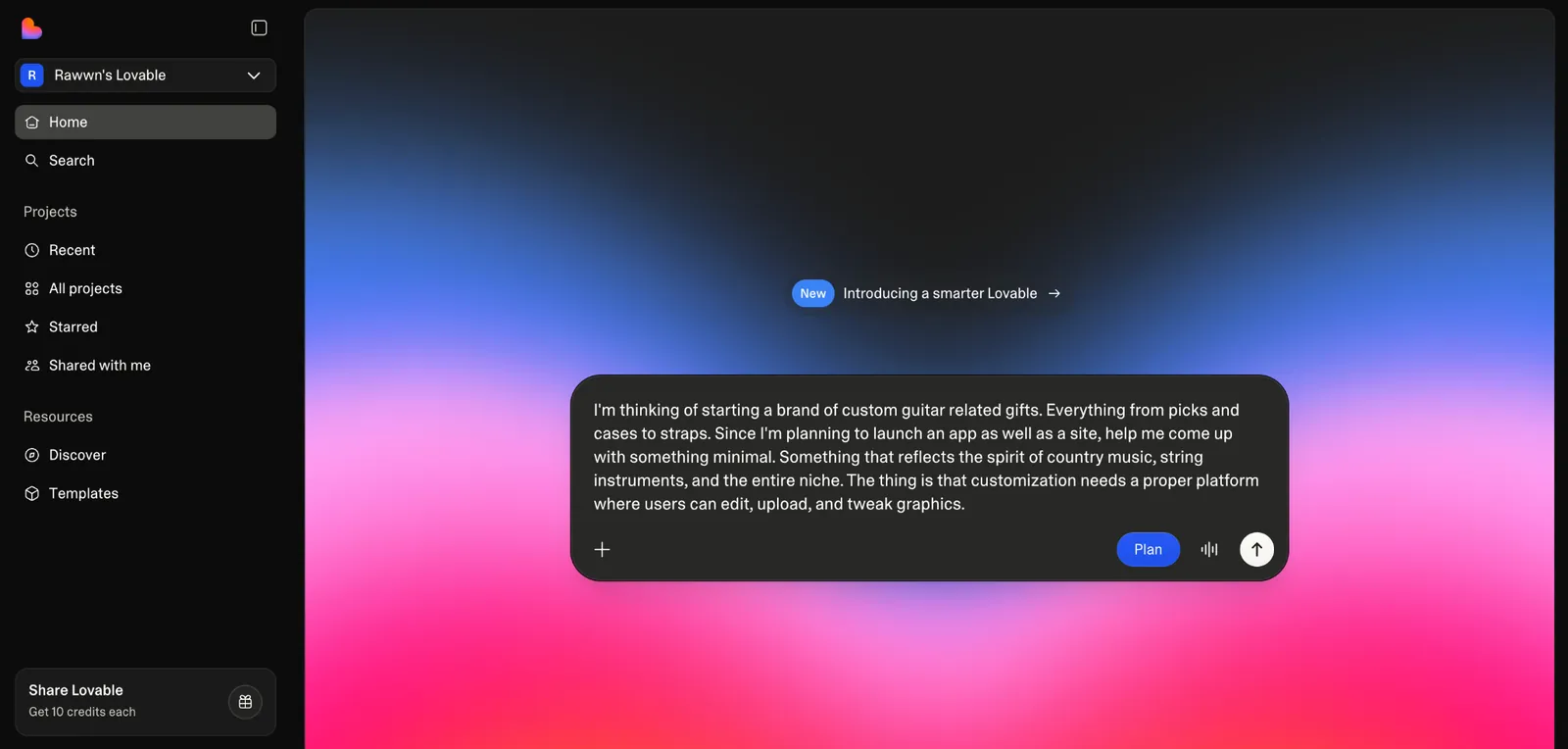
As you work through an idea, Lovable pauses to ask concrete follow-up questions, things like how detailed a customization flow should be or what users are actually allowed to edit. It inspects the project, suggests approaches, and waits. Nothing changes until you’re comfortable with the direction.
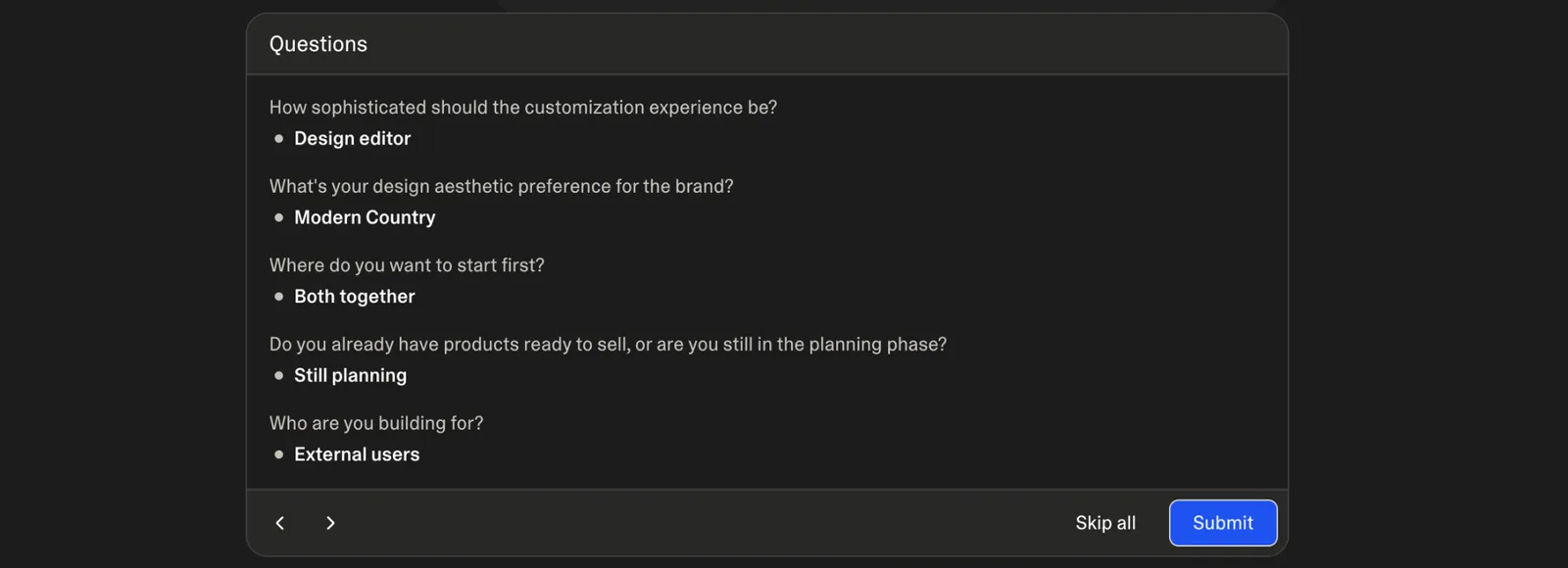
Once it’s clear what should be built, you switch to Agent mode and let it implement those decisions.
Keeping planning and execution separate helps avoid situations where a small change wipes out an existing layout, breaks a flow, or rewrites code you didn’t mean to touch.
If your project is ready to deploy, you can mostly take a backseat. Lovable runs security scans before publishing, and you can roll back to an older version if you’re still in trial-and-error mode.
Pros
- Stripe sandbox mode for testing payments
- Students get up to 50% off with verification
- Secure API key handling through Lovable Cloud
- Built-in connectors for Stripe, Supabase, and Shopify
- Pre-built templates for landing pages, apps, and common layouts
Cons
- Plan mode messages consume credits
- Some prompts cost more credits than others
- Stripe checkout testing requires opening real URLs
Pricing
Lovable offers a free plan to get started. Paid plans begin at $25/month for Pro, with a $50/month Business tier for teams that need collaboration, access controls, and security features. Enterprise pricing is custom.
Lovable AI Review - 2026 | I Tested Their AI Website Builder - Worth the Hype?
5. Best AI App Builder for Prompt-to-App Builds With Code Control
Bolt.new: What is it?
Why I picked Bolt.new: Bolt.new feels built for people who want to stay close to the code while still letting AI handle the complex work.
Ideal for: Founders, product teams, and developers who want to ship real apps fast without giving up visibility or control over the codebase.
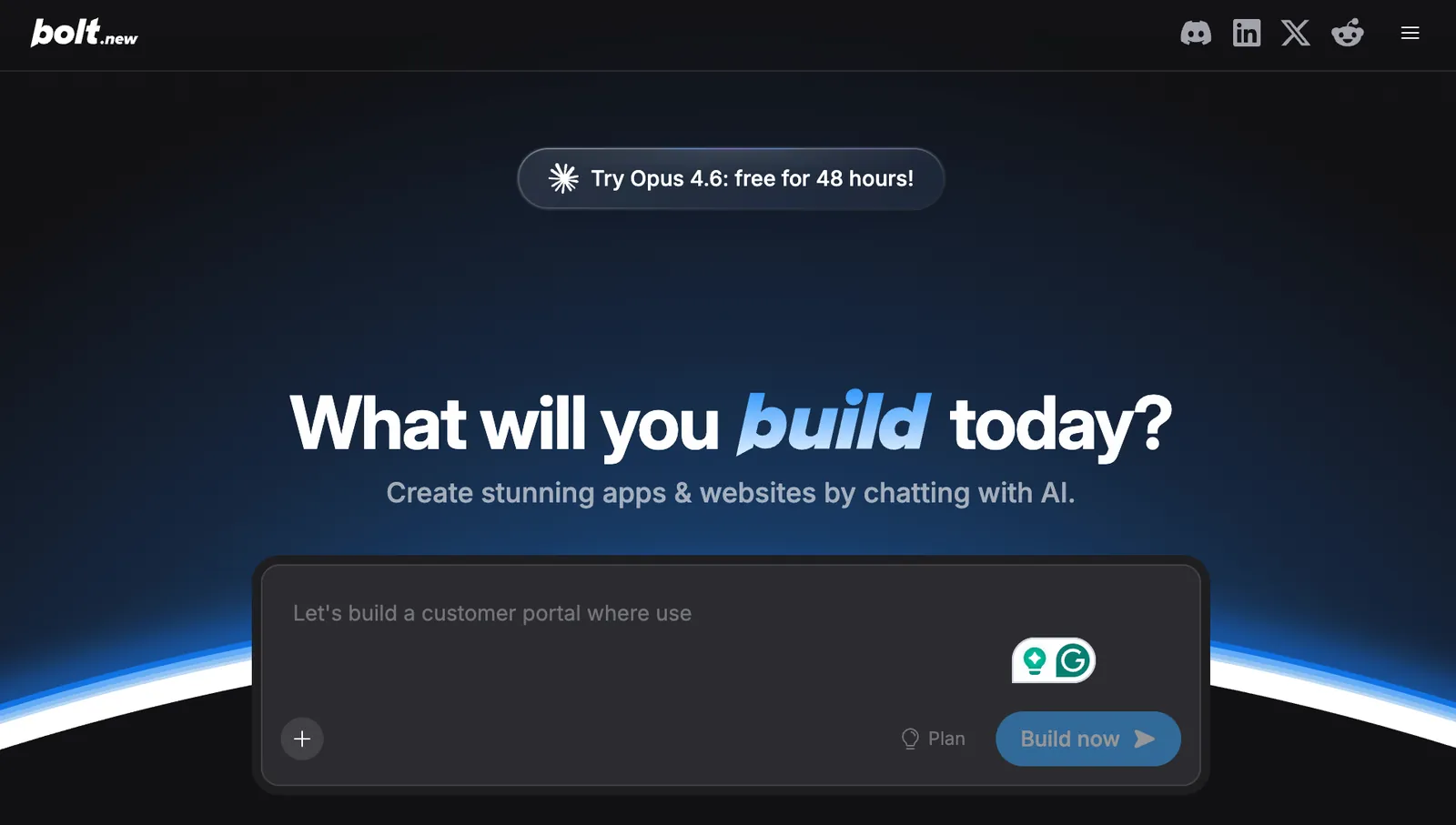
Bolt.new sits in an interesting middle ground. It doesn’t try to hide the code from you, and it doesn’t expect you to manage everything yourself either. You work inside a familiar visual interface, but agents like Claude Code and OpenAI models handle most of the execution.
After getting started, you can click directly on UI elements and ask for changes through chat, or drop into the code view and make manual edits yourself. Both paths work, and neither feels like you’re fighting the system.
Publishing is handled for you too, with hosting and a live URL baked in.
And I know the headache of AI builders losing context halfway through a project. You add a feature, tweak a flow, and suddenly something you fixed ten prompts ago breaks again.
With Bolt.new, that problem shows up far less often.
Say you’re building an internal tool and the conversation keeps growing: auth logic, database changes, and a few UI tweaks layered on top. Bolt.new keeps track of what’s already there, tests changes as it goes, and refactors code when things start getting tangled.
I tested this by sketching out a small internal dashboard, the kind of project that usually turns into glue code fast. Bolt.new handled database setup, API integrations, and basic analytics with very little prompting.
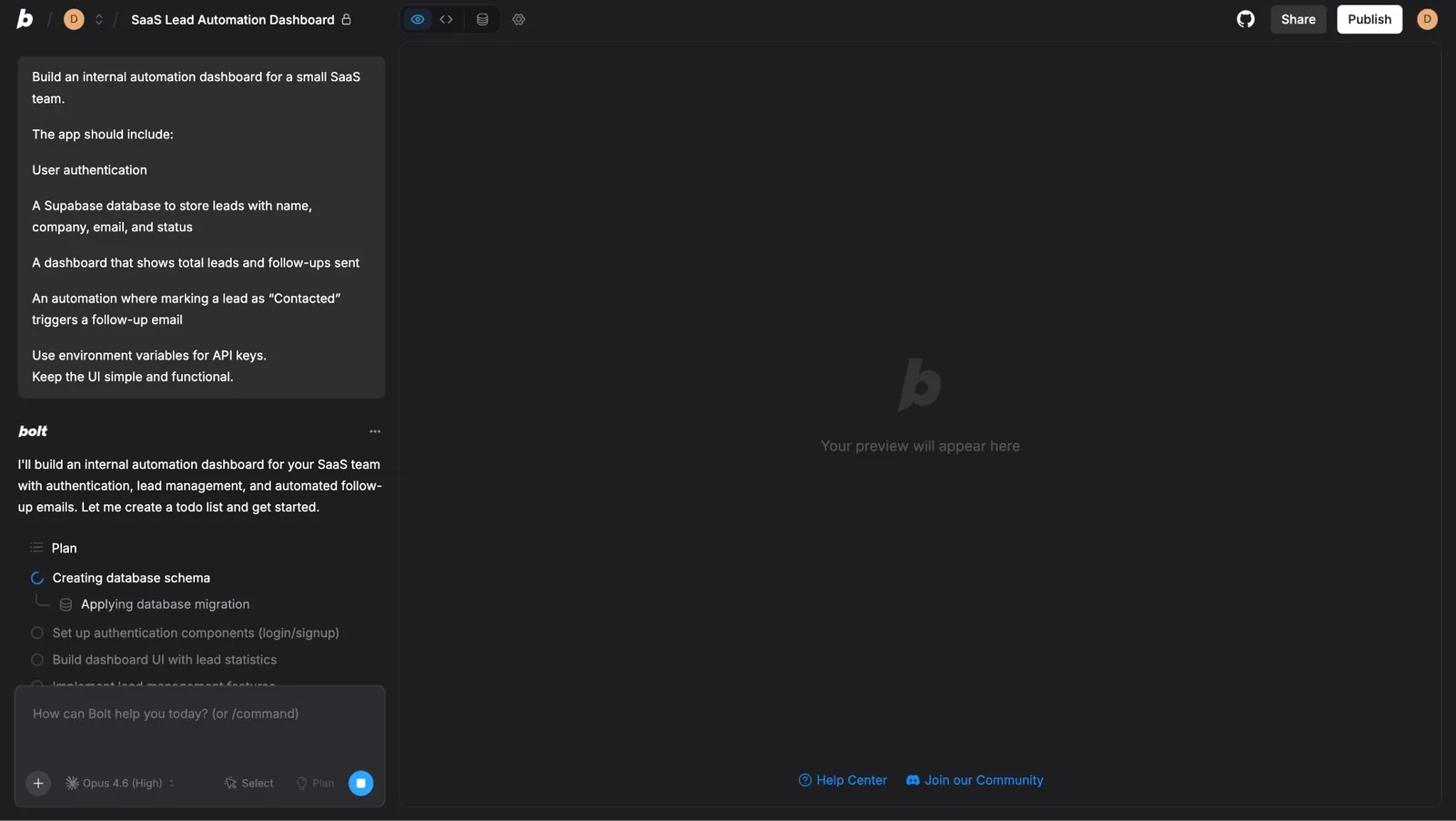
API keys and environment variables were managed in one place. Even connecting to Supabase didn’t need jumping between docs or configuration screens. The time savings show up quickly.
Instead of wiring things together, you get to customize how the app behaves.
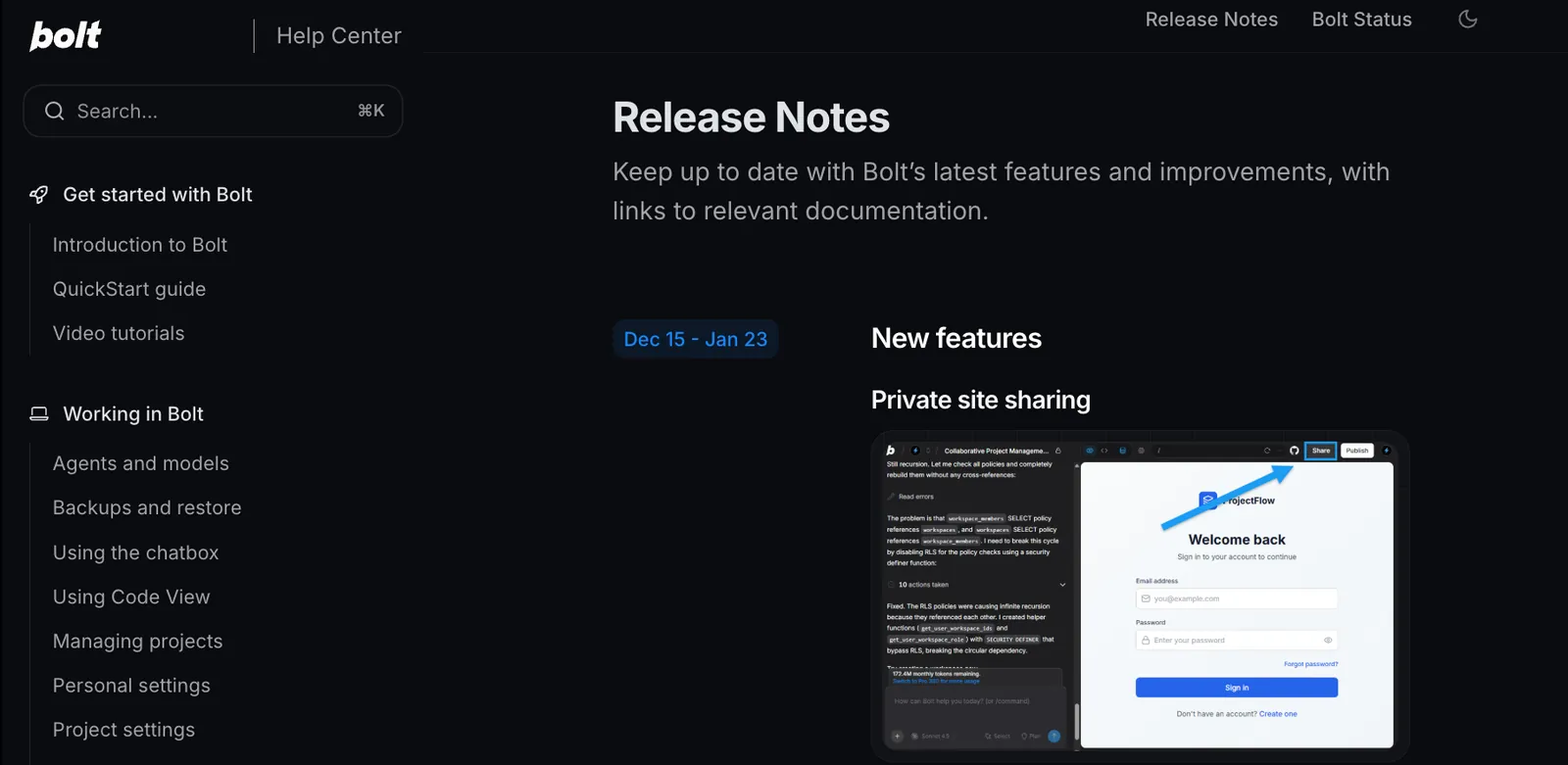
I like that Bolt.new publishes clear release notes. That’s how I noticed the recent updates that added more depth to the platform. Like, Bolt V2 brought built-in databases, authentication, server functions, and analytics, along with private sharing links for testing prototypes quietly.
Pros
- Strong context handling for long, complex builds
- Built-in hosting with private and public sharing options
- Click-to-edit UI elements alongside direct code access
- Two-way GitHub sync for professional code management
- Bolt V2 includes chat-based image editing and flexible AI model selection
Cons
- Clearing chat history requires deleting the project
- Free projects include a visible “Made in Bolt” badge
- Version history doesn’t track manual code view changes
Pricing
Bolt.new offers a free plan to get started. Pro plans begin at $25/month, with a $30/member/month Teams plan for collaboration and admin controls. Enterprise pricing is custom.
Bolt.new V2 Is Here: The Future of Building
6. Best AI App Builder for Autonomous Full-Stack Development
Replit Agent: What is it?
Why I picked Replit AI: Replit’s Agent generates code as well as runs, tests, fixes, and deploys apps on its own for long stretches without constant supervision.
Ideal for: Founders, marketers, and small teams who want to turn a rough idea into a working app quickly, without managing infrastructure or babysitting every step.
A few weeks ago, I heard a colleague mention that Replit Agent 3 had become a bit of a hot topic on Reddit. Some threads were people trying to use it better, others were looking for honest reviews, and quite a few were worried about how quickly it burns through credits.
That mix of excitement and frustration usually means a tool is popular, but not yet obvious to use well. So I decided to see where it actually holds up and where it doesn’t.

Say you’re a solo founder or marketer who wants a lead tracker with authentication, a database, and basic UI. You describe what you need, and Replit Agent builds the app end-to-end.
If a button doesn’t work or an API call fails, the agent notices, fixes it, and retries without waiting for you to intervene. That self-checking loop is what makes it feel less fragile than most prompt-to-app tools. This autonomous capability helps position Replit among the best ai agent builders for creating software applications.
But I think Replit’s advantage rather comes from vertical integration.
The agent catches things like broken frontend interactions, backend errors, or file handling issues the same way a human would notice them in a browser. That makes multi-file debugging far more reliable, especially as projects grow beyond a single screen.
But again, I wanted to test the waters myself, so I started with a rough idea for a Strava-style running app.
Nothing too detailed. Just the core flows, tracking runs, weekly plans, and a bit of gamification. I didn’t spend time thinking about fonts, layout, or polish. I wanted to see how far Replit Agent would go before I had to step in.
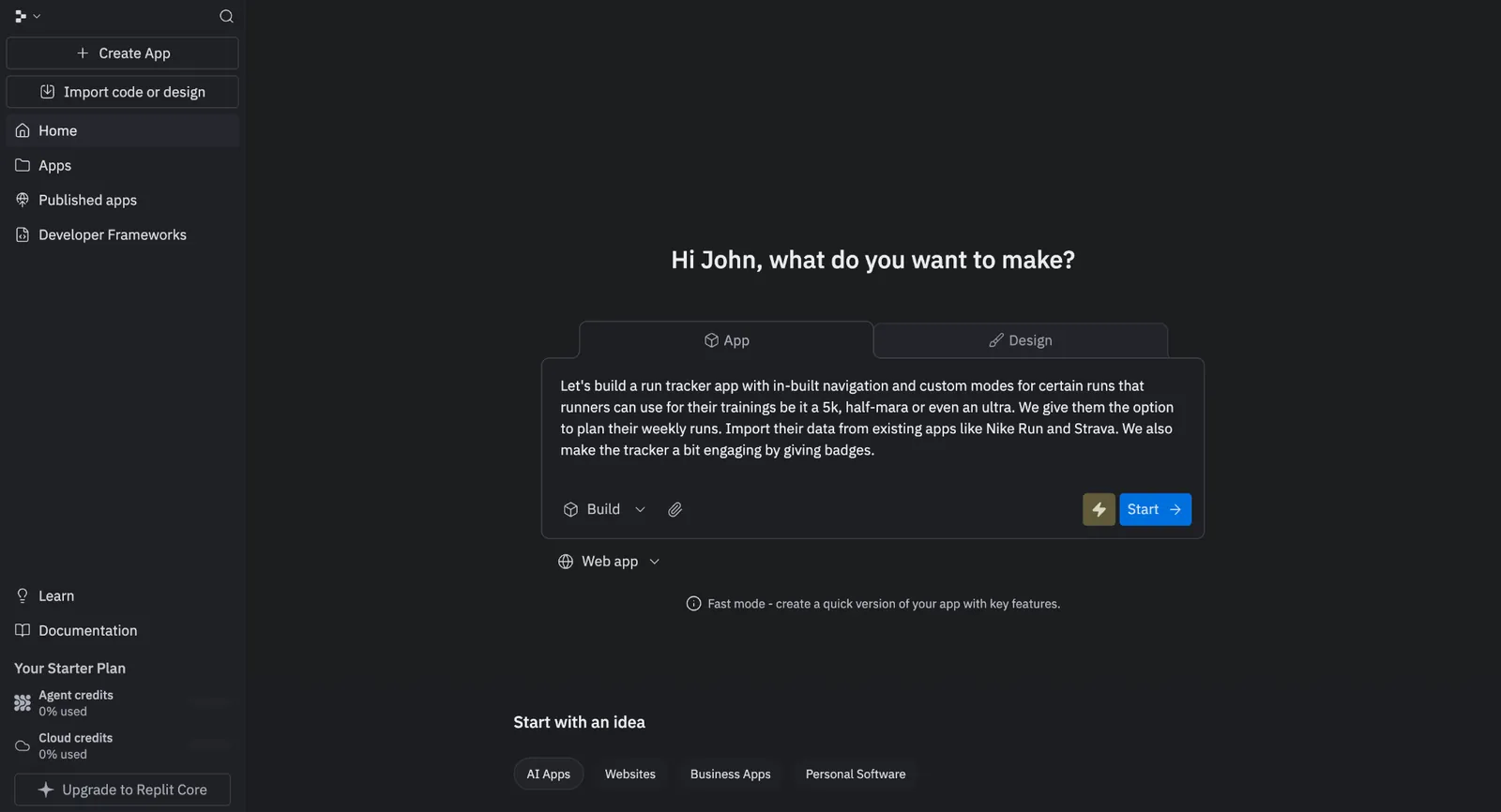
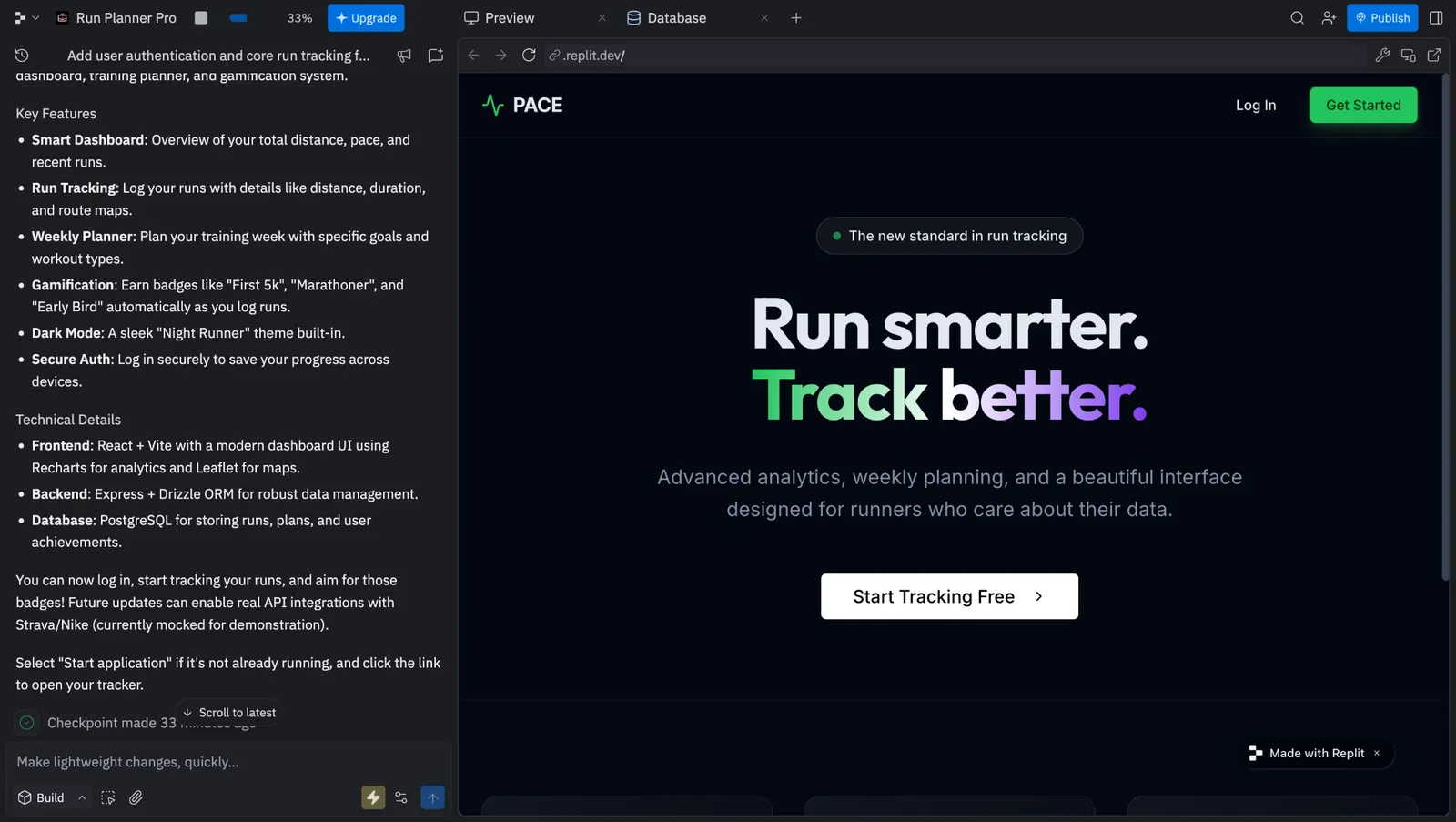
The first pass felt more complete than I expected.
With a basic prompt, the app already had dynamic typography, a solid dashboard, and features I thought I’d need to add later. The core structure was there, which meant I wasn’t fixing basics, just refining a working product.
The platform also removes a lot of early friction by handling basics natively. But when it works, Replit AI feels like the closest thing to delegating an entire build, and not just asking for help.
If you ever get stuck, Replit’s YouTube channel is genuinely useful. It has 280+ videos, including focused playlists that walk through specific problems step-by-step.
Pros
- Clear credit usage visibility for each task
- Native database, authentication, and one-click deployment
- Live preview and validation in a production-like environment
- Enterprise-grade security options and expert support available
- An autonomous agent builds, tests, and fixes apps without constant input
Cons
- Starting new chats can interrupt existing plans
- File uploads are often capped at around 500 MB
- High Power credits are consumed even if tasks fail
Pricing
Replit has a free starter plan to try things out, but serious builds start at $20/month with Replit Core, billed monthly. The Pro plan costs $100/month (billed monthly) and adds up to 15 collaborators, and enterprise pricing is custom if you need deeper security and controls.
7. Best AI App Builder for Internal Tools and Business Software
Zite: What is it?
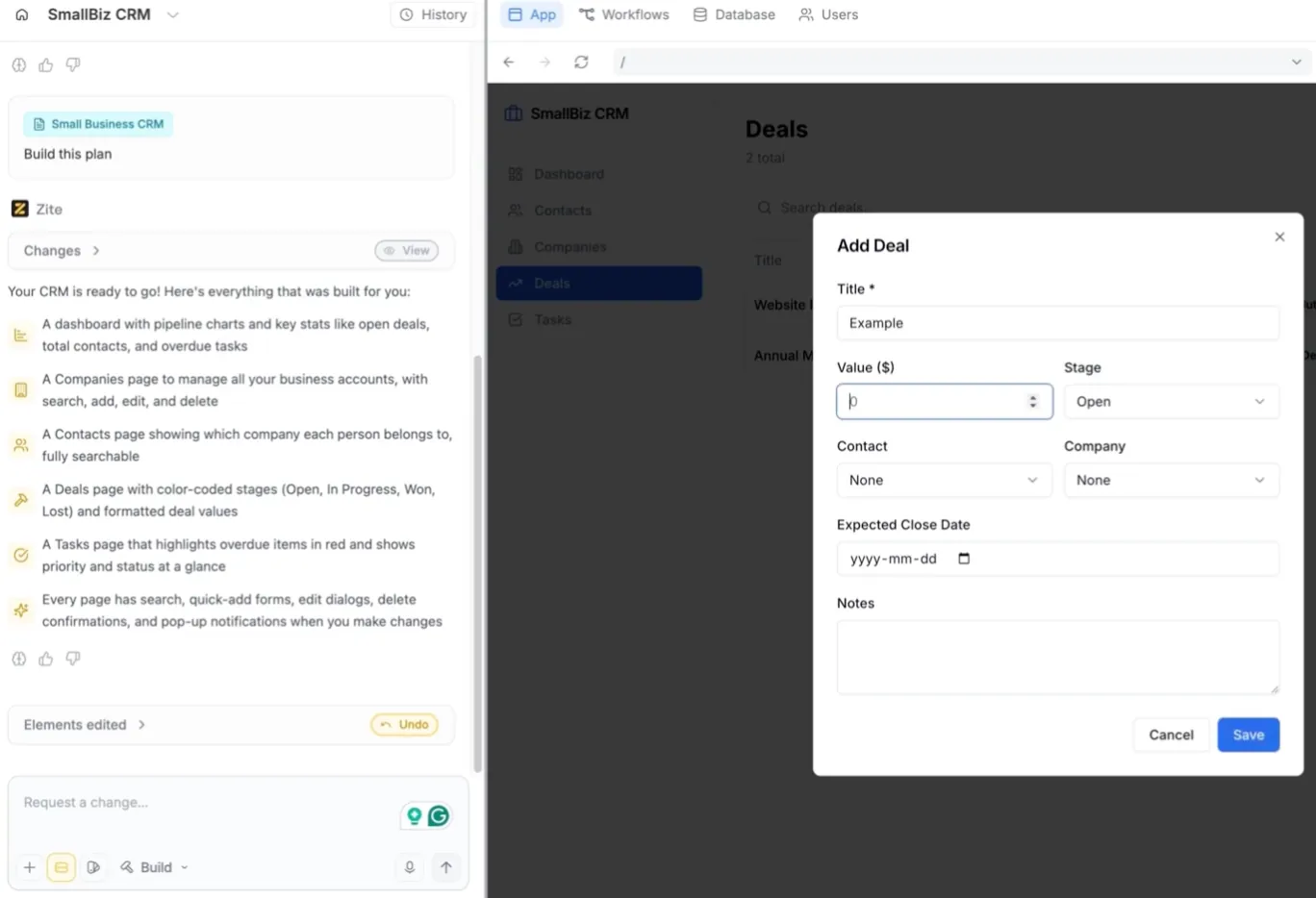
Why I picked Zite: Zite was the only builder I tested that felt ready for real use straight away. It handled the UI, authentication, roles, and database setup in one flow, so the app already felt live instead of half-finished.
Ideal for: Software-savvy operations and support professionals who need smart internal tools, portals, or dashboards without hiring an engineering team.
The build flow starts with Plan Mode. Before anything gets generated, the AI asks what you're actually trying to build. Not in a vague, open-ended way. It asks about specific screens, what data needs to persist, who should have access to what. You end up approving a plan with wireframes and a database schema before a single component is written.
I've used other builders where the first output looks great and the fifth prompt breaks something from the second. Plan Mode exists to stop that. It surfaces the assumptions early instead of letting them pile up.
I tested Zite by building a CRM dashboard connected to Google Sheets. I described what I needed, connected my Google account, and Zite pulled in the column structure automatically. Names, emails, statuses. I didn't map anything manually. Within five minutes I had a live interface reading and writing back to the spreadsheet.
I wasn't expecting the workflow editor to be this good. Most no-code platforms hide the backend logic. You configure triggers and hope the right thing happens. Zite draws it out as a flowchart.
Every step is visible. I could see exactly where data was moving, where a condition branched, and where something would fail if the input was wrong. Adjusting the logic meant dragging a node, not deciphering a config panel.
I did try pushing it toward something more design-heavy toward the end. Custom spacing, a cleaner layout, something that felt less like a dashboard and more like a product page. Zite got me close, but you can feel where its priorities are. It thinks in rows, columns, and data relationships.
That's not a flaw so much as a focus. If the goal is a polished internal tool, it holds up. If you want a pixel-perfect landing page, you're better off starting in v0.
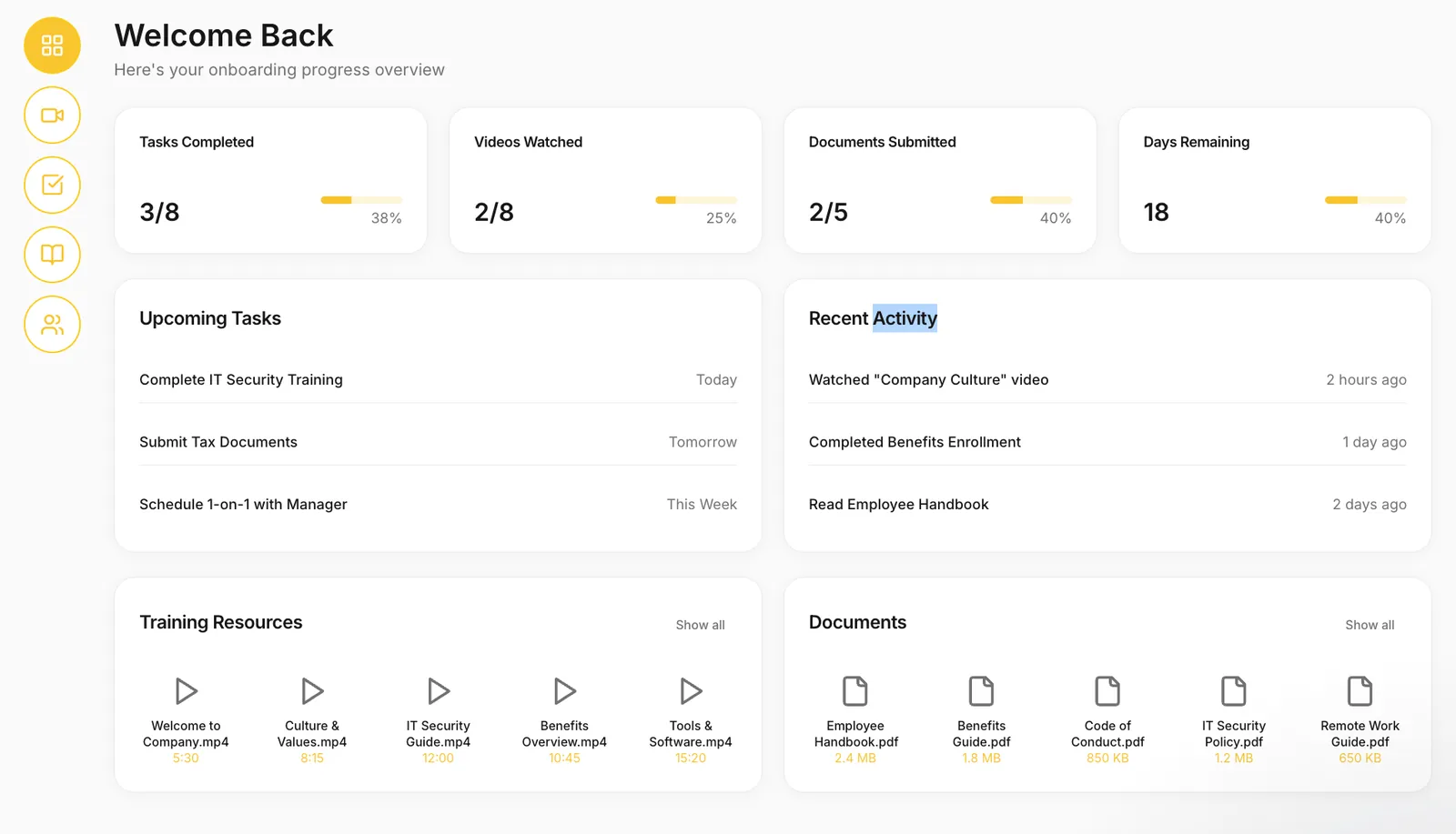
Last but not least, the template library makes it easy to skip the blank canvas entirely. I tried the Employee Onboarding Hub template when I was short on time hiring at Mindtones. The structure was already there. I just swapped in our details and adjusted a few flows. What would have taken a full afternoon was done in under an hour.
Pros
- Unlimited apps and users even on Free plan
- SOC 2 Type II compliance built in from day one, not bolted on later
- "Fix It For Me" resolves errors without consuming your monthly AI credits
- Unified environment where the database, hosting, and logic stay in one place
- No per-user fees, so you can scale to your entire team without a growing bill
Cons
- Not designed for consumer SaaS or complex mobile-first applications
- Complex multi-step workflows still require an ops-minded understanding of data flow
Pricing
Zite has a free plan to get started. Pro is $25/month billed monthly ($20/month billed annually), which removes Zite branding, adds a custom domain, and bumps you to 5,000 workflow runs. Business is $89/month billed monthly ($75/month billed annually) and unlocks advanced AI models, white-label emails, and 50,000 workflow runs. A Team bundle is available at $300/month with unlimited seats across Zite Apps, Fillout Forms, and Zite Databases. Enterprise pricing is custom.
BEST AI App Builder (Nobody's Talking About) | Zite Review
8. Best AI App Builder for Code-First Teams and Large Repos
Cursor: What is it?
Why I picked Cursor: Cursor feels like an AI that actually understands your codebase before touching it, which makes it far more reliable once projects get large or messy.
Ideal for: Developers and teams who want AI assistance inside a real IDE, especially when working with large repos, complex logic, or long-running builds.
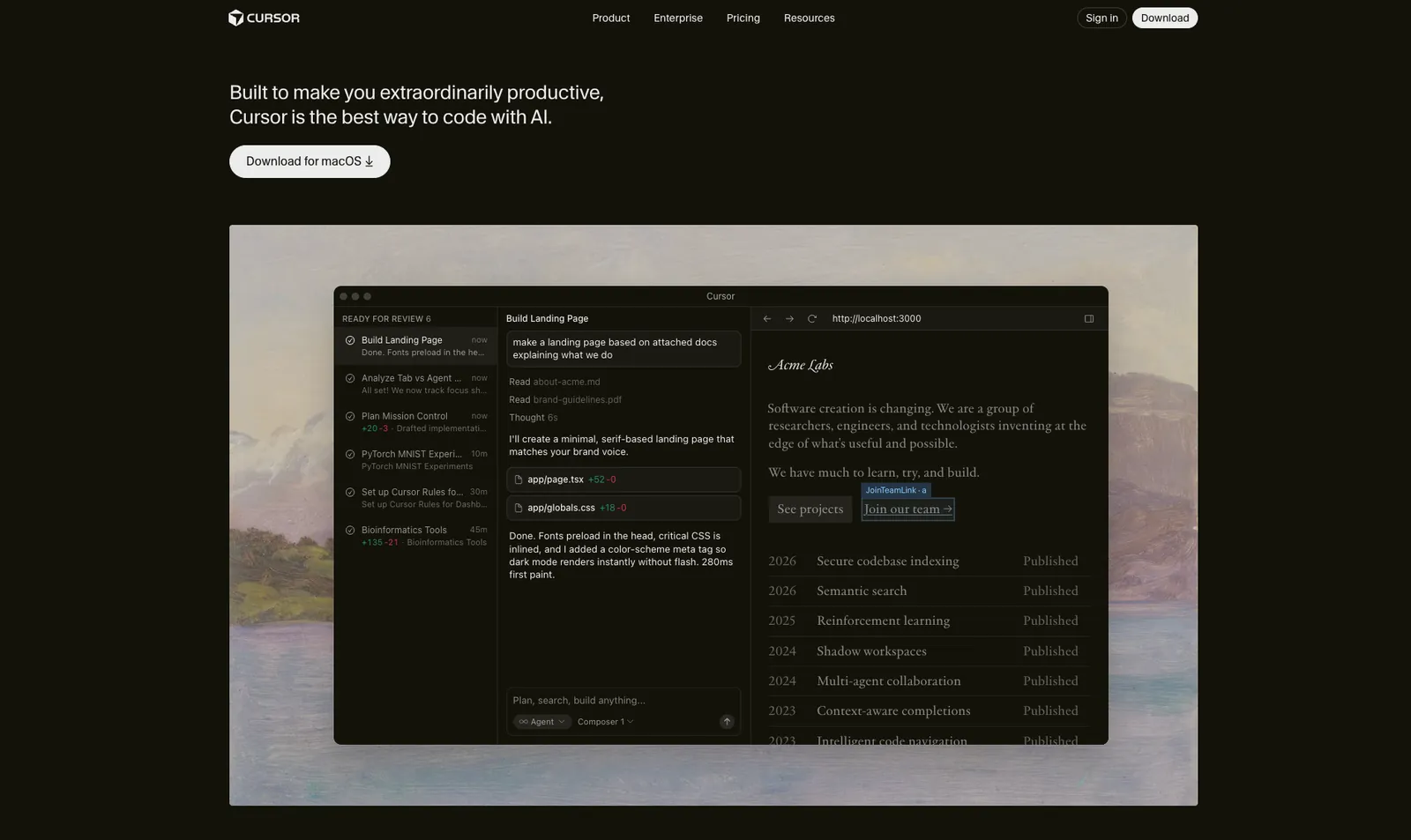
Imagine you’re planning to build a real product. There’s an existing codebase, shared conventions, half-documented decisions, and a few sharp edges no one wants to touch. This is where Cursor comes into play.
Instead of treating your project like a blank prompt, Cursor indexes the entire repository first. It understands how files relate to each other, how patterns repeat, and what the code is already trying to do.
So when you ask it to add a feature or refactor a flow, it’s not guessing in isolation. It’s working with context.
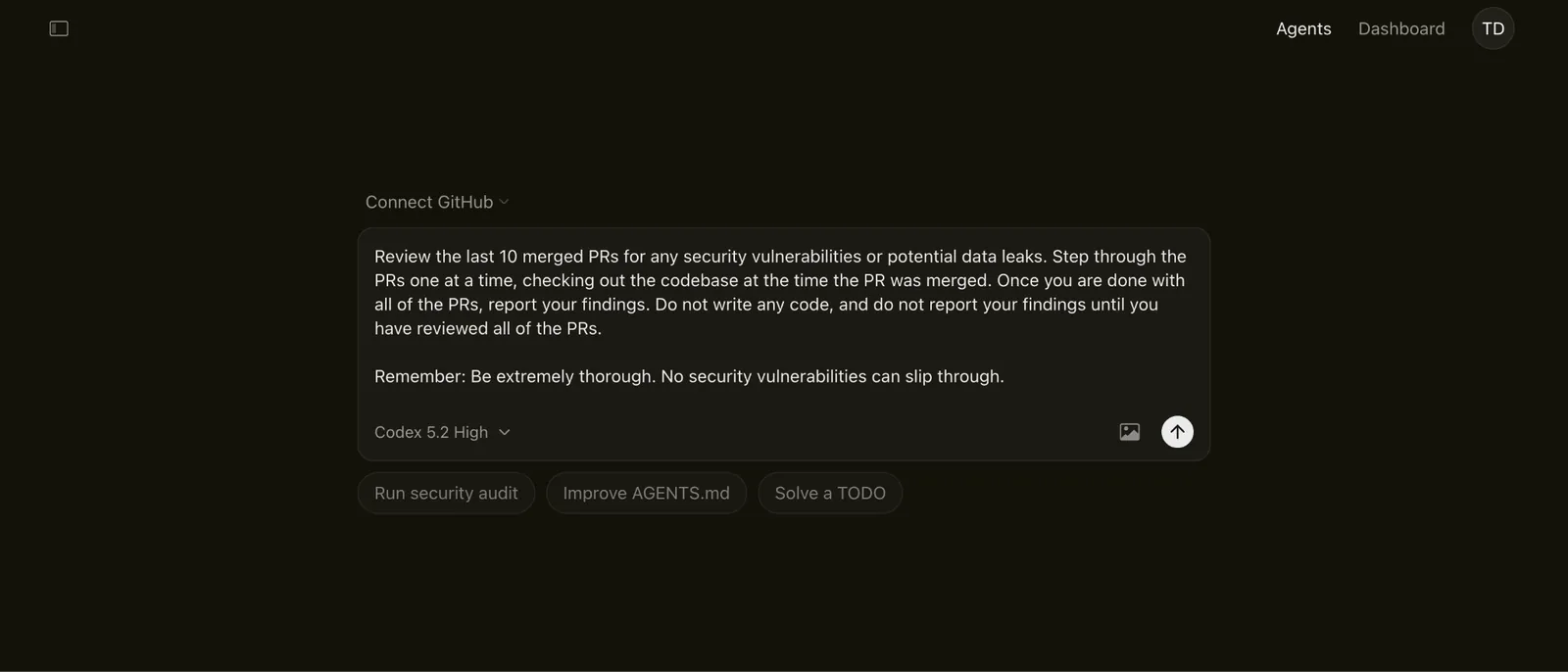
Cursor also works differently from browser-based builders because it lives inside a native desktop IDE. You have full access to local files, a real terminal, and version control. Under the hood, parallel subagents handle different parts of the job at the same time.
One agent explores the codebase, another runs commands, and another writes tests. You’re not waiting on a single linear response, which is exactly what you need for complex projects.
That setup really pays off when things break.
There are times when app developers start refactoring one file and quickly realize the change touches half the codebase. I think that’s where Cursor Tab helps. It carries the edit forward, updating related functions, imports, and references as you go, so the refactor stays intact instead of spiraling.
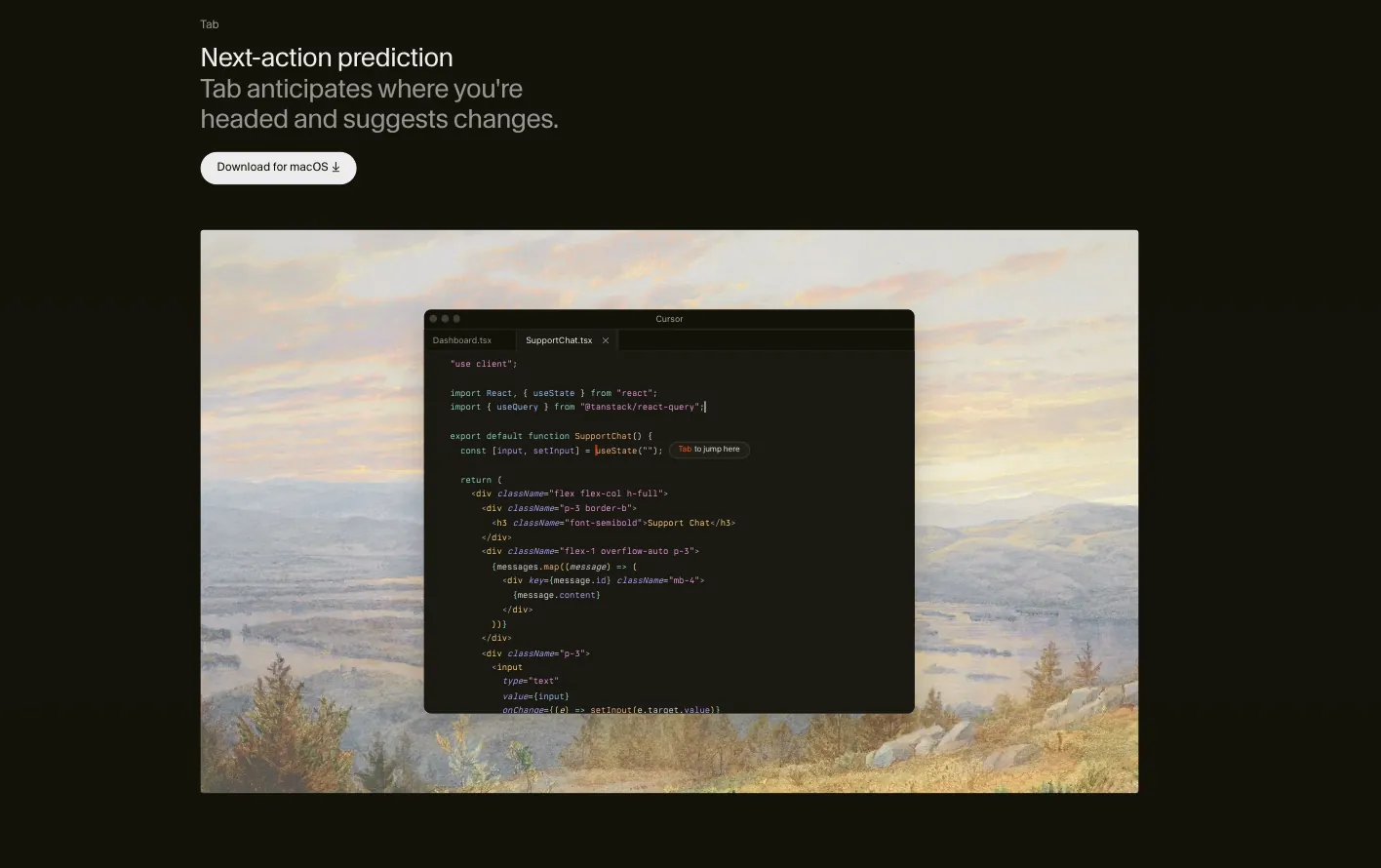
Cursor instruments the code, watches real execution, and uses that data to pinpoint logic bugs you’d normally have to debug by hand.
Issues like stale closures or subtle state problems surface faster because the AI is observing how the app behaves.
Though not an advantage for a solo user, for teams, the value compounds.
Cursor scales well across large repos and shared workflows, which is why it’s been adopted heavily inside companies like eBay. New engineers ramp up faster, migrations move quicker, and routine fixes don’t bottleneck senior developers anymore.
Pros
- SOC 2 certified for enterprise-grade data security
- Code changes link directly to AI chat explanations
- SKILL.md files enable domain-specific AI workflows
- Community plugins connect tools like Slack and Figma
- Optimized training infrastructure for high-performance workloads
Cons
- Requires local Git and Node setup
- AI attribution features are enterprise-only
- The agent pauses when clarification is needed
Pricing
Cursor has a free Hobby plan to get started. Pro plans begin at $20/month, with higher tiers for heavier usage and enterprise features.
Cursor AI Tutorial for Beginners: Build App with AI (2026)
9. Best AI App Builder for Agentic Workflows
OpenAI Agent Builder: What is it?
Why I picked OpenAI Agent Builder: OpenAI Agent Builder gives you explicit control over how agents think, route data, and act, which makes it far better suited for multi-step workflows than prompt-only tools.
Ideal for: Teams and builders designing complex agent flows, customer-facing AI experiences, or internal automations that need structure, safety, and observability.
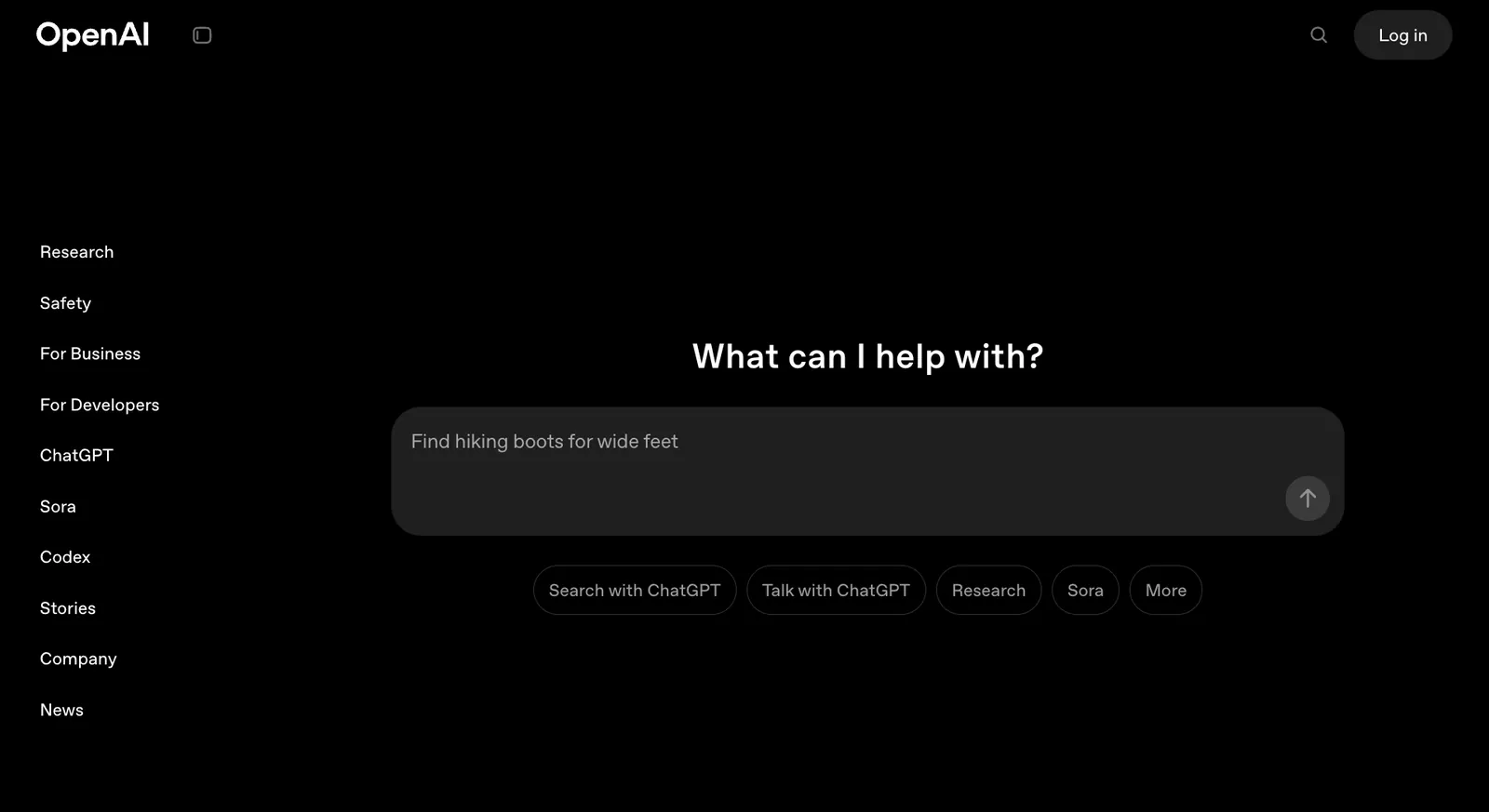
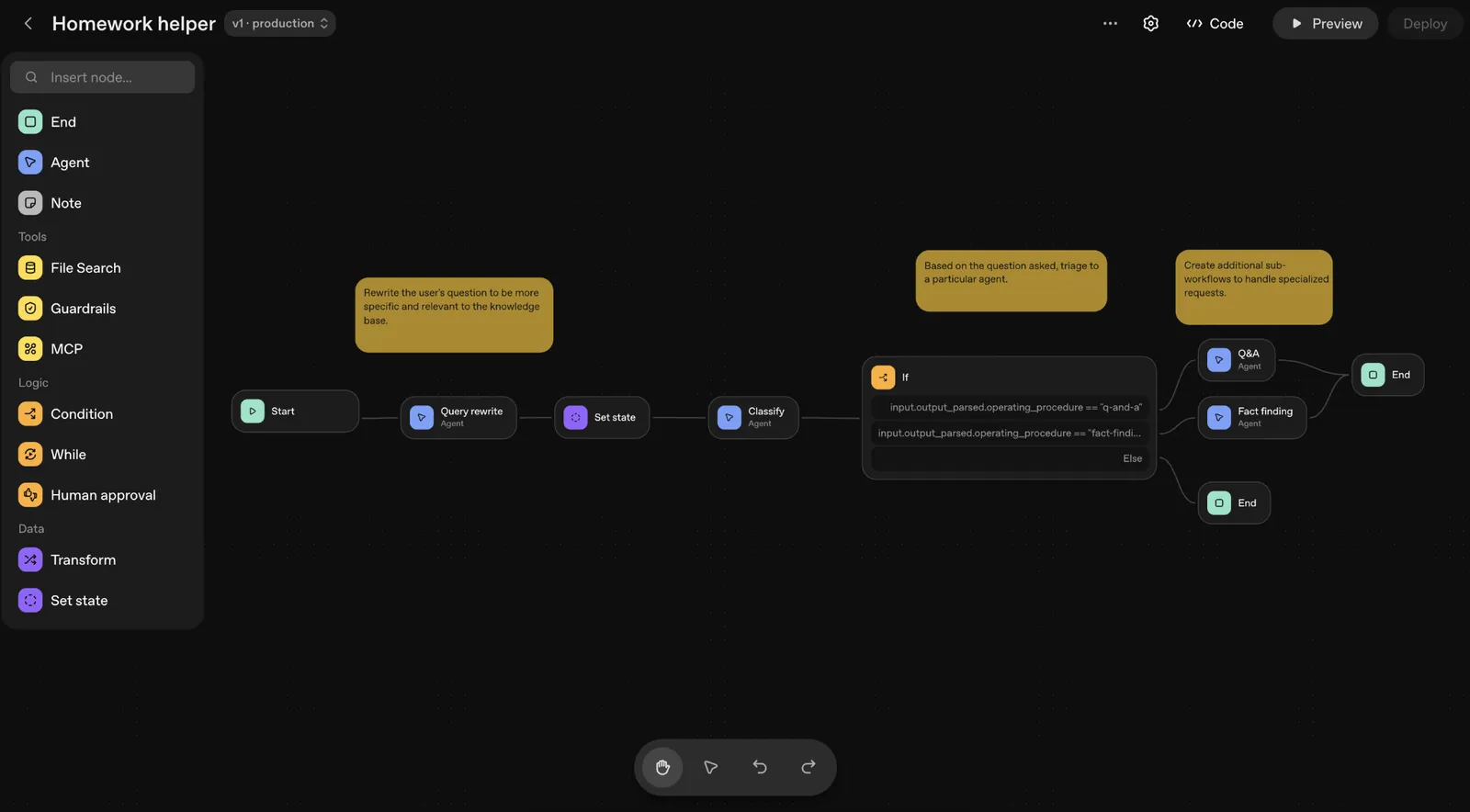
If you’re planning to build something agentic rather than just an app, OpenAI’s Agent Builder feels like it’s playing a different game.
Instead of asking an AI to “figure it out” through text, you lay out the logic explicitly on a visual canvas. Each step is a node. Each decision point is visible. You can see how data moves, where it branches, and what each agent expects before the workflow ever runs.
Agents built here can remember things across runs, like a user’s name, preferences, or prior actions, and adjust behavior over time. It’s similar to how ChatGPT keeps a brief memory instead of resetting every conversation.
That makes it possible to design interactions that persist across sessions instead of restarting from scratch each time.
Guardrail nodes also live directly in the flow, so content gets checked for safety, hallucinations, or policy issues before it reaches downstream steps.
For me, the Builder worked best once workflows got layered.
You might have one agent searching the web, another structuring results into JSON, and a third presenting them through ChatKit widgets like forms, tables, or calendars.
Because the logic is visual, it’s much easier to spot where something breaks or where assumptions don’t line up between steps.
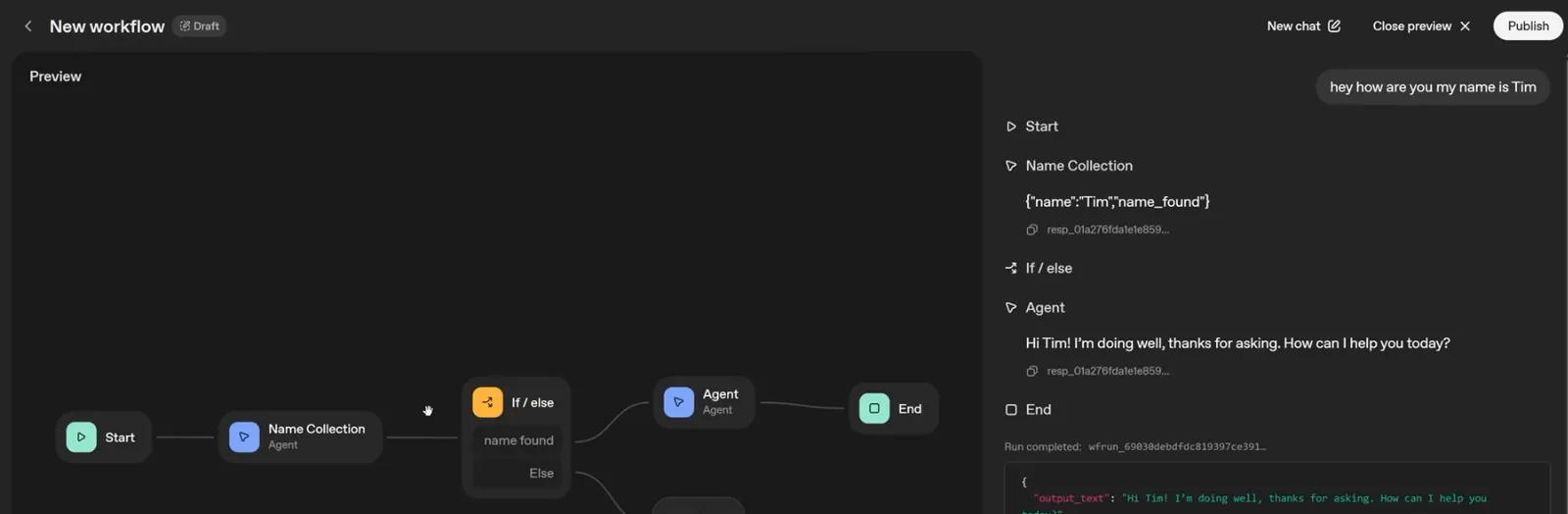
Writing code is only part of the problem once workflows get complex. Routing and handoffs start to matter just as much. Tools like Cursor and Replit are excellent for writing and fixing code, but Agent Builder is designed around control flow and interaction design.
You get to define how specialized agents cooperate, what data contracts they follow, and when humans stay in the loop.
If you’re ready to deploy, you can ship directly using ChatKit for a managed chat experience. Or you can export the workflow via the Agents SDK and run it on your own infrastructure. Each publish creates a versioned snapshot, so you can update logic without breaking production clients that depend on an older version.
Pros
- Native state persistence across runs
- User-friendly interface with OpenAI’s familiarity
- Strong safety controls with dedicated guardrail nodes
- Built-in evaluators and graders for testing agent quality
Cons
- MCP connector access tokens expire quickly
- Developer documentation can be inconsistent
- Widget interactions often require manual backend code
Pricing
Agent Builder is free to design and iterate, with no charges until you actually run workflows. Pricing is usage-based, mainly around ChatKit storage beyond the free 1 GB tier, plus standard model token costs when agents are live.
OpenAI’s New Agent Builder is Insane - Full Tutorial
10. Best AI App Builder for UI-First Frontend Development
v0: What is it?
Why I picked v0: v0 turns prompts and designs directly into production-ready React code, then ships it on Vercel without forcing you to think about infrastructure or deployment details.
Ideal for: Design engineers, frontend developers, and product teams who care most about shipping polished UI fast and want code that’s ready for real traffic from day one.
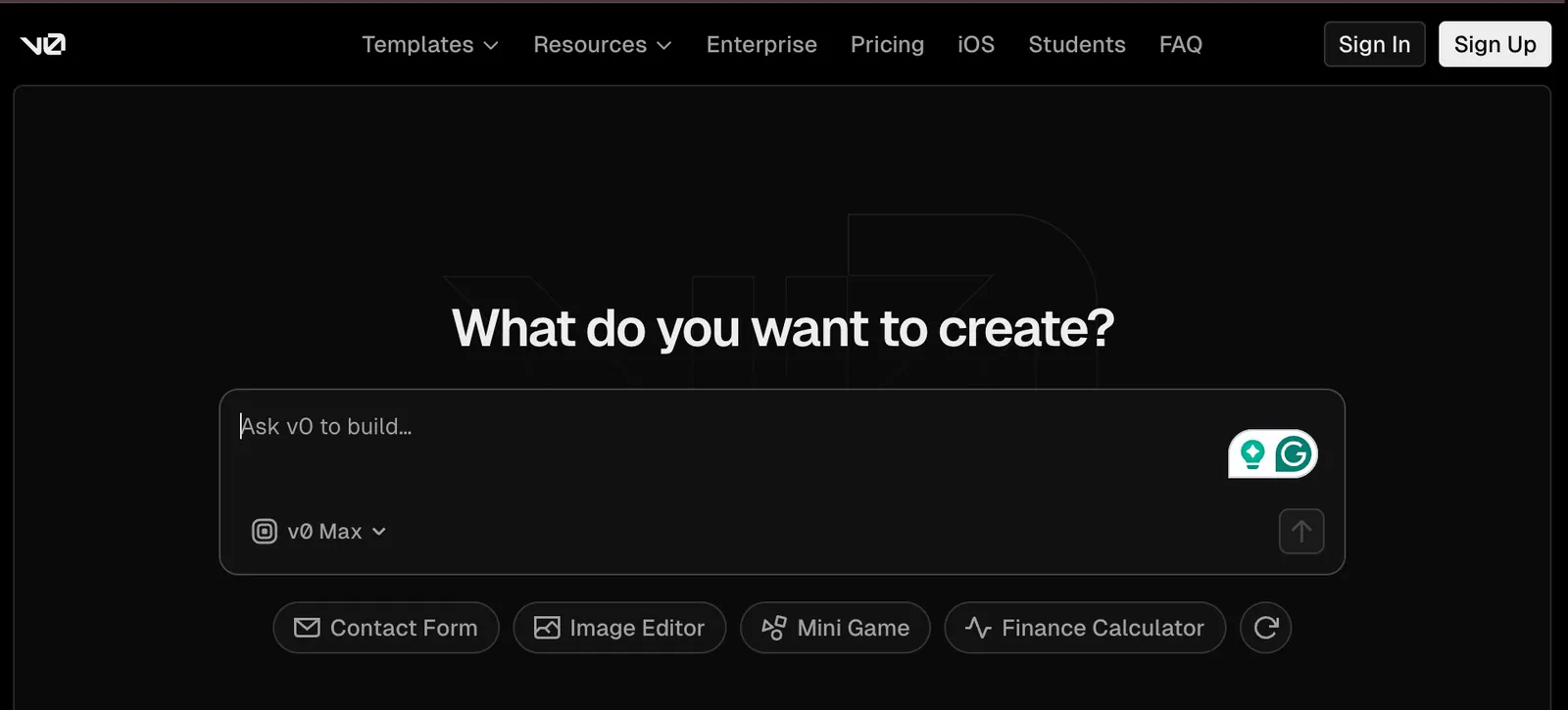
Imagine you’re a day out from a launch and the landing page still isn’t right. You paste a rough prompt for the hero, pricing section, and signup flow into v0. It renders real React immediately, wired into a live preview.
A layout bug shows up, gets fixed, and you keep iterating. By the time it looks right, it’s already deployable.
I usually notice it when I’m rebuilding a marketing page or lifting layout ideas from an existing site. I drop sections into v0, tweak spacing, swap copy, and click through the preview.
Links work, layouts hold, and when something breaks, it’s fixed right there. I’m adjusting a page that’s already ready to go live.
You add a new page, tweak a component, and link it into the navigation. Routing works the way you expect, data loads cleanly, and the layout holds across pages. It feels like editing a real Next.js app. When it’s ready, you deploy the same setup without changes.
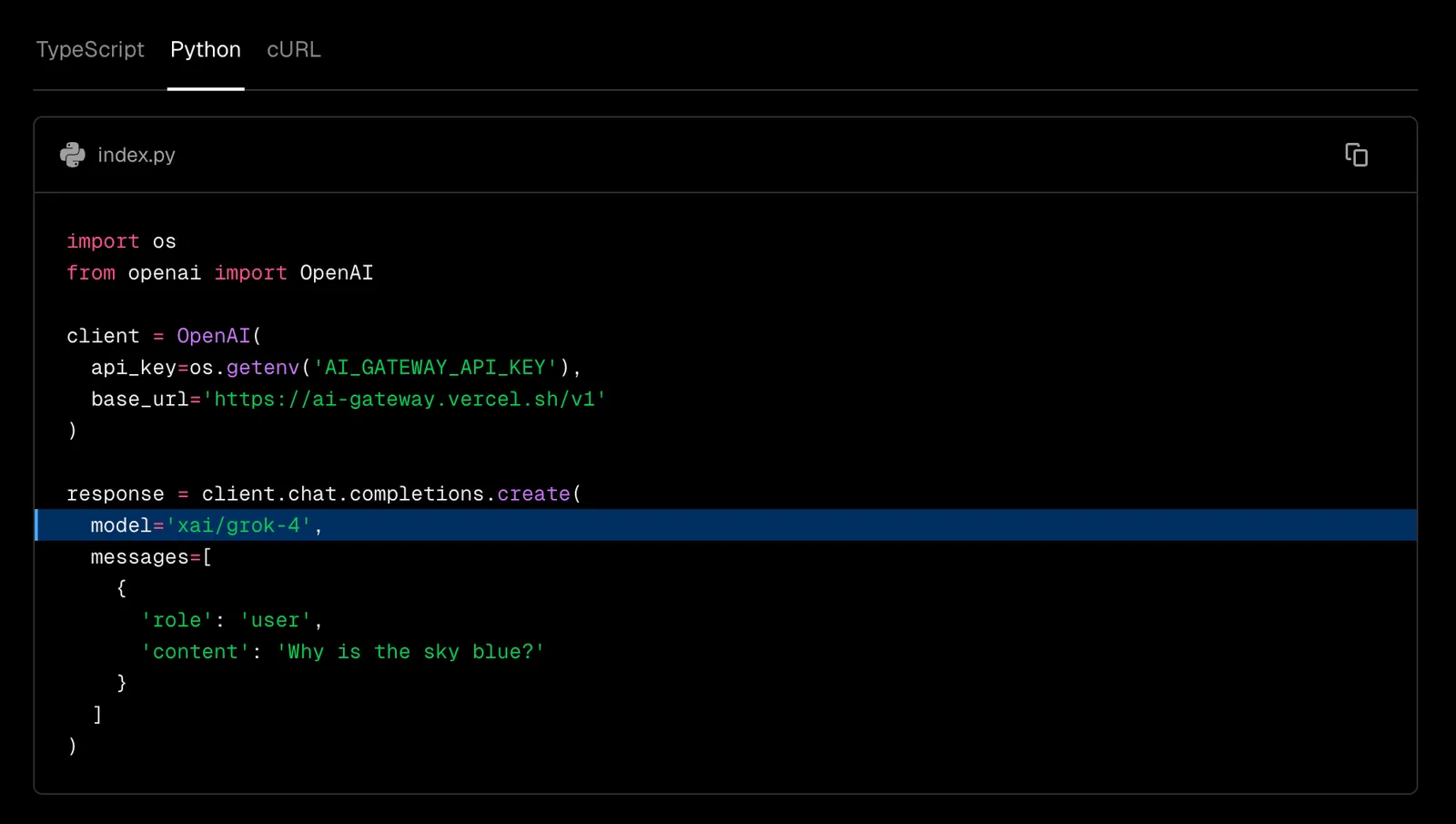
There are also times when you’re building an AI-heavy frontend and don’t want to hardwire your app to a single model.
Vercel’s AI Gateway sits in front of your models as a single API.
You route all AI requests through one endpoint, set spending limits, track usage, balance traffic across providers like OpenAI and Anthropic, and define fallbacks when something fails.
Failures, keys, and retries are handled behind the scenes while your UI keeps working.
Later, when costs spike or quality shifts, you switch models without touching your frontend code. Usage, budgets, and traffic live in one place, which makes multi-model features feel like an infrastructure choice, not just a rewrite.
Pros
- Built-in fix-it loop catches runtime issues early
- Strong support for UI-heavy workflows and design iteration
- Tight integration with Vercel for fast previews and global deployment
- Large template ecosystem for dashboards, AI apps, and marketing sites
- Generates clean, production-ready React components from prompts or designs
Cons
- Complex AI workflows can drive up token usage
- Enterprise features require higher-tier Vercel plans
- Primarily focused on JavaScript and frontend frameworks
Pricing
v0 includes a free tier for experimentation (7 messages a day), with a Plus plan at $30/user/month that adds access to all models and $30 of monthly credits per user. Business is $100/user/month, and Enterprise pricing is custom.
How to build any website you want in v0
How to choose the best AI app builder
Honestly, the best AI app builder is the one that matches how you actually build. If you just need something to look good fast, go UI-first. If it needs to run reliably, handle data, and ship, prioritize real execution and deployment.
And don’t judge tools by demos. Instead, pick the one that still feels solid once things get messy.
Here’s what to consider:
- Decide whether you need generation or execution: Some tools are great at generating UI or code from prompts, but struggle once the app needs to actually run, recover from errors, or handle real users. If your project goes beyond a demo, execution matters more than first impressions.
- Be honest about no-code vs code-first: No-code builders feel fast early, but can become limiting as logic grows. Code-first tools require more comfort upfront, but scale better and are easier to debug. Choose based on how far you expect the project to go.
- Think about deployment early: Shipping shouldn’t be an afterthought. Tools that bake in previews, environments, and versioned deployments tend to save time once you move past experimentation.
- Avoid optimizing just for demos: Many AI builders look impressive for a single screen, then fall apart when you add auth, data, or multiple flows. Favor tools that stay stable as complexity increases.
- Pick tools that match how you actually work: Whether you think visually, prefer structured workflows, or live inside an IDE, the best builder is the one that fits your natural workflow instead of forcing you to adapt.
- Check how much ownership you retain: Make sure you can export code, data, and configurations if needed. Tools that lock you into proprietary formats can feel fine early, but become risky once the app starts to matter.
At the end of the day, there’s no universally “best” AI app builder. The right choice depends on whether you’re optimizing for speed, control, or long-term reliability. Tools that align with how you already think and work tend to hold up far better once the project moves past its first few screens.
Final thoughts
The gap between a good demo and a usable product is still very real, and most of the disappointment around AI builders comes from mismatched expectations. Used well, these tools are genuinely powerful. Used blindly, they feel like toys.
The builders who hold up are the ones who respect how real software gets built and run. Lindy is the best pick for automation and operations.
Zite is the right pick when the goal is a working internal tool, and not a demo. Cursor and Replit work well when code and execution matter. v0 wins when UI speed is the priority. The right choice isn’t about hype. It’s about picking the tool that fits how you actually work and ship.
Let Lindy be your no-code AI app builder
Lindy Build is an AI app builder that handles app creation without requiring code. It can even debug your code and make it publish-ready.
If you prefer building the front end with tools like v0, Lovable, or Bolt.new, Lindy can help you add backend logic, AI interactions, and multi-platform delivery.
Here’s how Lindy helps:
- Embed AI modules anywhere: Lindy adds AI to your website or mobile-web chatbot in minutes. Just paste the code snippet into your header, and you’ve got a live, interactive app component.
- Embed Window SDK: Use it to pass user data (name, email, custom attributes) straight into your UI modules for hyper-personalized experiences.
- Expose backend logic and return structured data for front-end consumption: Lindy can create webhook endpoints your frontend can call. Your app sends input. Lindy processes it and returns clean JSON data. You can use that data in React, Flutter, or any other framework.
- Easy visual setup: Handle your data from form submission to database updates and third-party API calls without provisioning servers.
- Scale and iterate instantly: Every change you make in your Flow Editor is live the second you hit “Save.” No CI/CD or DevOps.
FAQs
1. Can I build production apps with AI app builders?
Yes, production apps are possible if the tool supports real code execution, testing, and deployment. Builders like Emergent, Cursor, Replit, and v0 generate deployable code, handle infrastructure, and integrate with real hosting. The key is avoiding tools that stop at demos or previews.
2. Which AI app builder is best for beginners?
Lindy is the best AI app builder for beginners. Usually, you need tools with strong defaults and minimal setup work best. UI-first builders like v0 or no-code-friendly platforms also reduce friction early. That said, beginners who plan to scale should still choose tools that expose real code.
3. Are AI-built apps scalable?
Yes, AI-built apps can be scalable if they run on proper infrastructure. Scalability depends less on AI and more on deployment targets like Vercel, AWS, or managed databases. Apps built with production frameworks scale similarly to traditionally written ones.
4. Do I still need developers?
You still need developers once projects grow beyond simple flows. AI builders accelerate setup, UI, and wiring, but humans are needed for architecture decisions, edge cases, performance tuning, and long-term maintenance. AI reduces workload, but it is wrong to assume that it will replace engineering judgment.
5. How do AI app generators work?
AI app generators work by turning your text prompt or selection of options into functional app components instantly. Some use AI to suggest components, while others generate complete code. A few also offer built-in workflows to handle logic, integrations, and deployment.
6. Do AI app builders support integrations like Stripe or Zapier?
Yes, most AI app builders support popular integrations like Stripe and Zapier, either natively or through APIs and webhooks. Some tools, like Lindy, Zite, Glide, and Bubble, offer native Stripe support, while others rely on services like Zapier or Make for external connections.
7. How much control do I have over the generated code?
Control over code depends heavily on the tool. Code-first builders like Cursor, Replit, Bolt, NxCode, and Emergent expose full source code and Git workflows. No-code tools abstract more, which speeds early builds but can limit customization later. Though the tradeoffs become obvious beyond simple prototype builds.
8. What are the biggest limitations of AI app builders today?
Limitations of AI app builders usually show up in edge cases. Complex business logic, unusual UX flows, or strict compliance needs still require human oversight. AI speeds up scaffolding and iteration, but it struggles with ambiguity, long-term architecture, and nuanced product decisions.
9. Are AI app builders secure enough for real businesses?
Security of AI app builders depends heavily on the platform. Tools like Lindy, Cursor, Zite, Replit, and Emergent offer SOC 2 compliance, access controls, and auditability suited for production use. UI-only or demo-focused builders often lack enterprise-grade security, which becomes a risk once real user data is involved.
10. How predictable are costs with AI app builders?
Costs with AI app builders vary widely and are usually usage-based. Platforms like v0, Replit, and OpenAI Agent Builder charge based on tokens, runs, or storage, while Lindy and NxCode offer clearer credit-based limits. Tools with usage dashboards and caps are easier to manage at scale.









