AI Employees: What They Are and the 10 Best in 2026
Lindy tested 13 AI employee platforms, including Perplexity Computer, Marblism, and Claude, across real workflows, weighing ease of setup, integration depth, and value for money.


I've hired and fired more AI employees than I'd like to admit to my accountant. One receptionist kept confusing calls meant for a real employee named Rachel, while an outreach bot emailed the same lead four times in one afternoon. My CRM still has a "Test" contact with 47 logged activities from a demo I ran months ago.
None of that is a good look. But somewhere between the third canceled subscription and the fourth awkward apology email, I stopped collecting AI employees and started comparing them against each other instead.
Over the next eight weeks, I worked through 15 AI employee platforms. I tested the ones I could get my hands on with real sales, support, inbox, and ops tasks, then researched the rest through product docs, trials, and reviews.
Some earned a permanent spot on my card. Others got canceled before the trial period ended. This guide covers what AI employees actually are, how they work, and the 10 platforms that made the cut for 2026.
Here's the list if you're short on time. I go deeper on each one below, including where each one falls short.
10 Best AI Employees in 2026: TL;DR
- Perplexity Computer: Best for multi-agent research and projects
- Marblism: Best for solo founders building out a full team
- Teammates.ai: Best for support, sales, and hiring in one place
- CellCog: Best for hiring a role you define yourself
- Claude: Best for advanced reasoning and coding
- Motion: Best for scheduling and task management
- Manus AI: Best for large research and multi-step projects
- Eesel AI: Best for enterprise support teams
- Sintra: Best for lean, multi-role teams
- Supervity: Best for large, regulated enterprises
Let's get into the details.
What is an AI employee?
An AI employee is a software-based assistant that can take on a role and complete work with limited supervision. It can handle multi-step tasks, make decisions, use context from your business, and take actions across the tools your team already uses.
Think of a chatbot as something you ask for help. An AI employee is something you give work to.
AI Employee vs. AI Agent vs. Chatbot: What's the difference?
A chatbot answers when you prompt it, typically one question at a time. An AI agent can plan and take multiple actions toward a goal, often across different tools. The broader category includes everything from custom-built agents to the best AI agent tools teams use to create their own workflows.
An AI employee is an agent built around an ongoing role. It has a defined job, access to the context it needs, memory, and triggers that let it start work when something happens. That makes it closer to an AI coworker you can delegate recurring work to.
Give it a role like handling inbound support tickets or researching and reaching out to new leads, and it can pick up work as it arrives. A support ticket comes in at 2 a.m., for example. It reads the request, checks your knowledge base, drafts or sends the appropriate response, and escalates cases that need a person.
A good AI employee can take on work such as:
- Email triage and drafting
- Research and reporting
- Multi-step workflows
- Meeting scheduling and prep
- Customer support and ticket routing
- Outbound prospecting and follow-up
Human judgment still plays an important role in ambiguous situations, relationship-heavy work, and tasks that call for original thinking. A good AI employee needs clear boundaries for what it can handle and when it should hand work to a person.
The 10 best AI employees at a glance
How I tested these AI employees
I started with hands-on testing wherever I could get direct access, giving those platforms real work I needed done, from sales and support tasks to everyday ops.
For the rest, I worked through product docs, available trials, and published product information. The setup process counted as part of the evaluation because creating an AI employee should be practical for the team expected to use it.
Then I checked Reddit and G2 reviews for problems that appeared after longer use. Repeated complaints about reliability, pricing, or support carried more weight than a single bad review.
Every tool went through the same criteria, which made it easier to compare where each one performed well and where it fell short.
A few tools missed the cut. Beam AI required more hands-on onboarding than I wanted. AgentGPT struggled with consistent multi-step execution. Relevance AI required significant technical setup, while Adept still felt unfinished. Zapier Agents handled simple triggers well but became less convincing when workflows required judgment across several steps.
Here’s what I weighed for each tool:
- Features: Whether it can execute the core job in practice
- Usability: How much work setup and daily use require
- Integrations: How well it connects with existing tools
- Pricing: What typical usage is likely to cost
- Use cases: How well it handles sales, support, and operations workflows
The final list reflects how these tools held up once I gave them actual work. A strong demo or long feature list carried less weight than reliable execution, manageable setup, and a clear role on a real team.
How does an AI employee work?
An AI employee works by connecting to your tools, following the rules you give it, and acting when work comes in. It pulls the context it needs from your business and carries tasks across apps without waiting for a new prompt each time.
Here’s how that works in practice:
- Connect your tools: Give the AI employee access to the systems it needs, such as your inbox, CRM, calendar, Slack, or support platform. The right AI employee platform can connect these systems and carry work between them.
- Define the role and rules: Treat this like onboarding. Tell it what it owns, what it can do on its own, and when a person needs to step in. You can also set approvals for sensitive actions, such as sending an email or moving a candidate forward.
- Set the triggers: A lead fills out a form. An urgent support ticket arrives. A deal sits untouched for five days. These events can start the workflow automatically, without someone checking for them first.
- Let it do the work: Once triggered, the AI employee can research, draft, send, schedule, update records, route requests, or escalate the task. One trigger can kick off an entire multi-step workflow across several tools.
- Refine it over time: Feedback, corrections, and saved context help the AI employee follow your preferences more closely. As you learn where it performs reliably, you can adjust its instructions, approvals, and level of autonomy.
You define the job and its boundaries upfront. From there, the AI employee can keep picking up recurring work as it arrives, with a person stepping in where judgment or approval is needed.
1. Perplexity Computer: Best for multi-agent projects and research
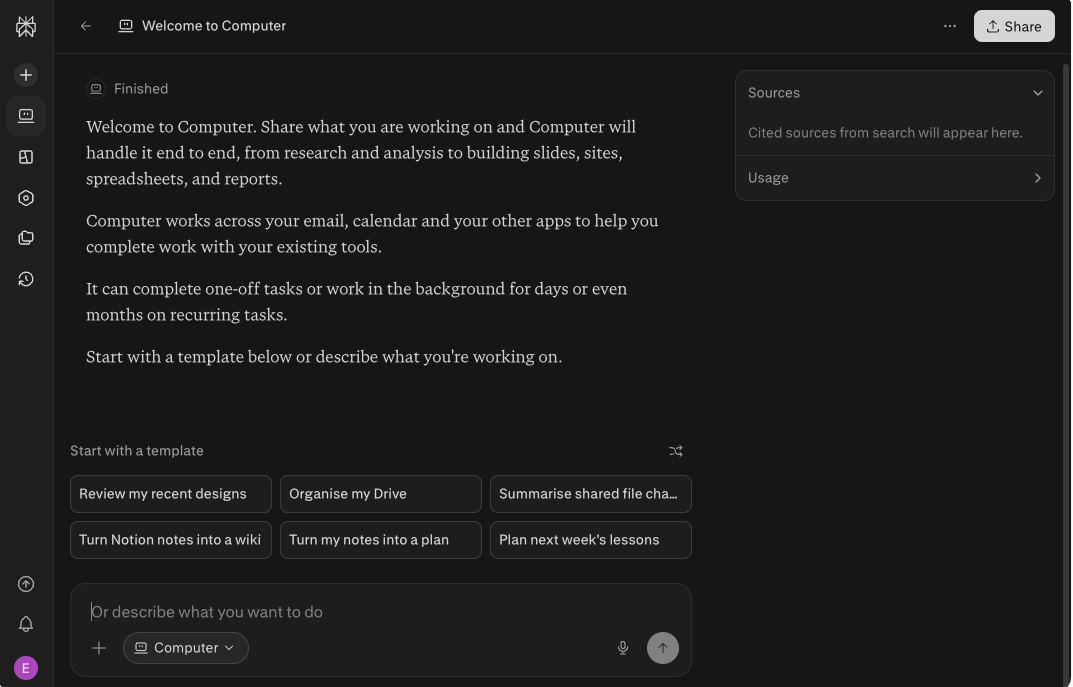
What it is: Perplexity Computer is a cloud-based digital worker that can research, browse, code, create files, and run multi-step workflows in the background. It breaks a project into subtasks, sends them to specialized agents, and brings the work back together.
Best for: Research-heavy teams and professionals creating competitive analyses, reports, dashboards, presentations, and other projects that pull from several sources.
Pricing: Perplexity plans start at $20/month for Pro, with Max at $200/month. Pro includes 4,000 bonus Computer credits, while Max includes 10,000 monthly credits plus 35,000 bonus credits; a free plan is also available.
Features
- Splits complex projects into parallel subtasks and coordinates the results
- Routes work across 20+ AI models based on the task
- Connects to 400+ apps, including Gmail, Slack, Notion, Salesforce, Snowflake, HubSpot, and Google Drive
- Browses the web and extracts data as part of a larger workflow
- Runs background tasks, recurring workflows, and ongoing monitoring without keeping the tab open
- Creates finished outputs such as reports, spreadsheets, presentations, dashboards, websites, and apps
- Carries context forward with Brain, so later tasks can build on earlier research and project files
- Works across web, mobile, Slack, Microsoft 365, and desktop
Why I picked it
I’ve lost plenty of hours building competitive analyses the slow way. Open a pile of tabs, pull numbers into a doc, check every source, then repeat half the work when something changes.
Perplexity Computer handles that kind of multi-part project well. Research, data analysis, coding, and asset creation can run in parallel, with Computer pulling the pieces together at the end.
I also like that it can keep working on longer projects over days or weeks. That makes it more useful for work that evolves over time, rather than something you need finished in one sitting.
The research trail is another strong point. Perplexity keeps citations attached to its answers, which makes the evidence easier to check before using the output elsewhere.
When I ran a competitive analysis through it, Computer flagged two sources it couldn’t verify. That gave me a clear place to check manually before using the findings.
Limitations
Credit usage is the biggest drawback. Complex research, large datasets, and multi-step builds can burn through credits quickly, which makes heavier workloads harder to budget for.
You also need to give Computer a clear brief. Something like “pull churn data from these three sources and summarize the top three causes” gives it much better direction than “help me understand churn.” Vague prompts can mean more corrections and more credits spent getting the project back on track.
Local-heavy workflows can also take more setup, especially when most of your work sits outside connected cloud apps.
Bottom line
Perplexity Computer makes the most sense when one project spans research, data, files, and several tools. Pro gives you enough credits to see how it fits your workflow. Max starts making more sense once Computer becomes something you use regularly and the one-time Pro allowance stops being enough.
2. Marblism: Best for solo founders who want a ready-made AI team
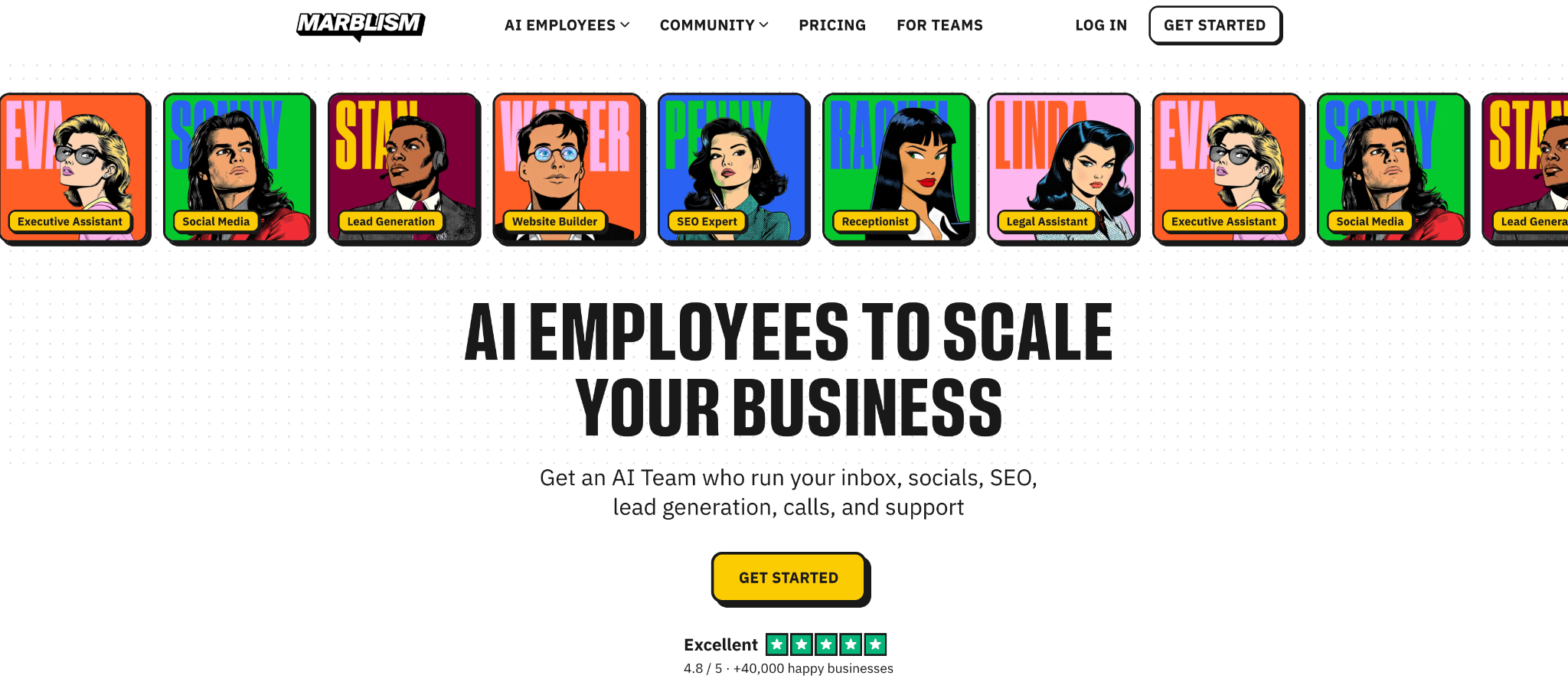
What it is: Marblism is a YC-backed platform that gives you role-specific AI employees for email, sales, social media, SEO, phone calls, websites, and contract work. Each role comes preconfigured for its job, which keeps setup fairly light.
Best for: Solo founders and small teams that want several business functions covered in one subscription without building each agent from scratch.
Pricing: Marblism starts at $44/month on monthly billing with 50 shared hours of AI work. The same plan costs $33/month when billed quarterly or $24/month when billed annually.
Features
- AI inbox and calendar management with drafted replies, meeting notes, reminders, and scheduling
- Lead sourcing and outbound sales using a 700M+ lead database with automated follow-ups
- AI phone answering with call transfers, appointment booking, and call summaries
- SEO content creation with keyword research, article writing, and CMS publishing
- Social media management for creating, scheduling, and publishing posts across major platforms
- Contract drafting and review with clause analysis and risk flagging
- AI website building from plain-language prompts
- Cross-agent collaboration for handing work between roles on multi-step projects
Why I picked it
When you’re running a small business alone, the problem is often volume. The inbox needs attention, leads need follow-ups, the blog needs another post, and someone still has to answer the phone.
Marblism gives each of those jobs its own owner. Eva can take the inbox while Stan works on outreach and Rachel handles calls. Penny and Sonny cover content, Walter builds the website, and Linda deals with contract drafts and reviews.
That structure is what I like most. I don’t have to spend much time designing an agent from scratch or figuring out which prompt should run which workflow. I tell each employee about the business, give feedback on the output, and work from there.
Marblism also lets its AI employees collaborate, which helps when a project crosses roles. For a solo founder, that feels much closer to delegating a list of recurring jobs than opening six separate AI tools.
Limitations
The 50-hour monthly allowance is shared across the whole AI team. Marblism assigns fixed hour values to completed tasks, including five minutes for an email draft, 30 minutes for a social post, and one hour for a blog post or legal document. Heavy outreach or content workloads can eat into that pool quickly.
Team controls are also fairly simple. Marblism currently documents two workspace roles, Owner and Member, which gives smaller teams basic separation but leaves fewer permission levels for larger organizations.
I’d also keep a human review step for customer-facing work and anything legal. Marblism itself routes external actions through approvals, and its terms say AI-generated output comes without guarantees of accuracy.
Bottom line
Marblism makes the most sense for founders who have several recurring jobs to delegate and want those roles ready from day one. The $44 monthly plan covers a broad mix of work, but the shared 50-hour pool matters once several employees are busy at the same time.
3. Teammates.ai: Best for support, sales, and hiring in one place
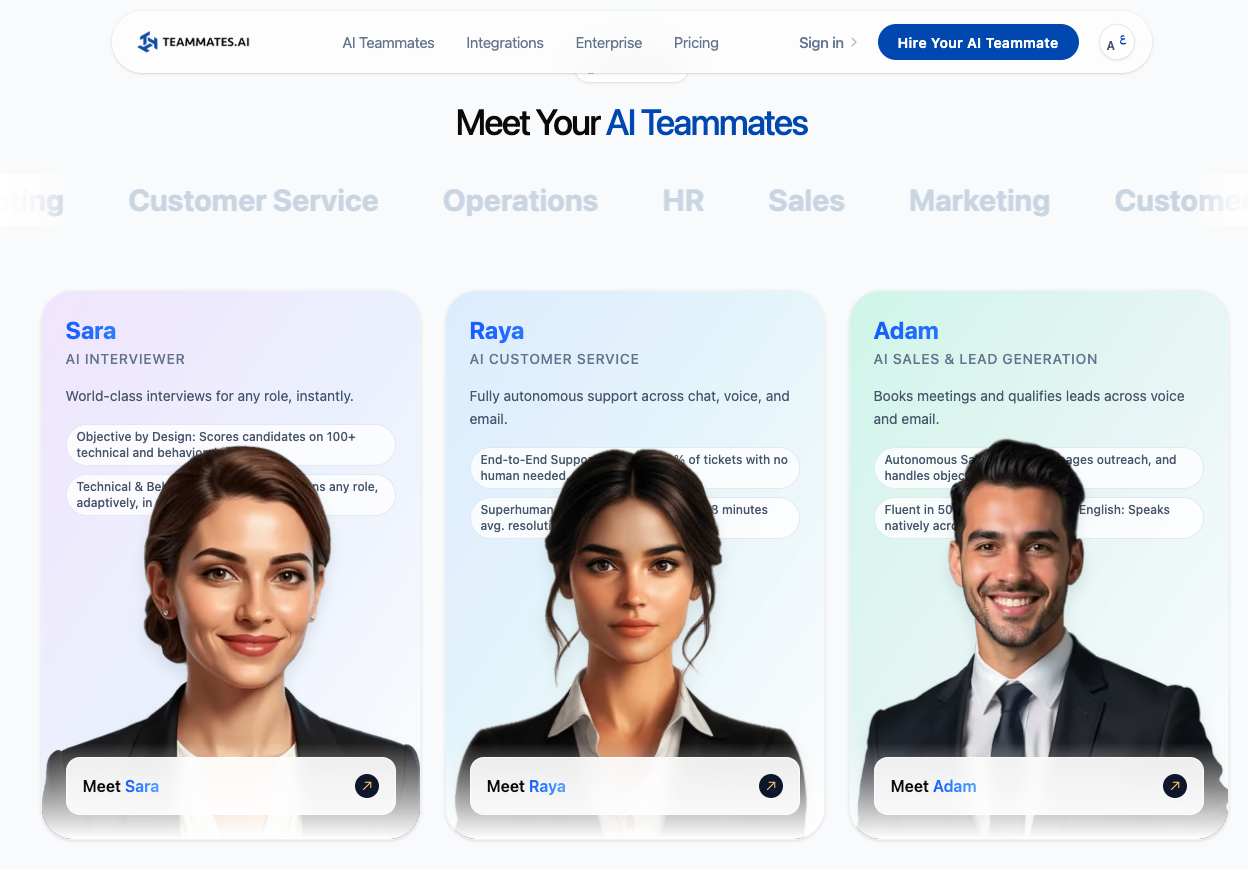
What it is: Teammates.ai gives you three specialized AI teammates: Raya for customer support, Adam for sales, and Sara for recruiting. They share context across the platform, which means information picked up in one function can carry into another.
Best for: Small teams that want support, outbound sales, and candidate screening covered in one system.
Pricing: Teammates.ai plans start at $25/month for Pro with 50 shared credits, followed by Business at $50/month with 100 credits and Scale at $100/month with 200 credits. A free plan with 10 credits is also available, with no credit card required.
Features
- Three role-based teammates: Raya for support, Adam for sales, and Sara for recruiting
- Shared memory and handoffs across all three roles
- Works across email, chat, voice, SMS, WhatsApp, Instagram, and Facebook
- 40+ native integrations, including HubSpot, Salesforce, and Zendesk
- Supports 50+ languages, including 20+ Arabic dialects
- Sara runs live video interviews and scores candidates against structured criteria
- Shared credits can be used across support responses, sales calls, and interviews
Why I picked it
The part I find most interesting is how the three roles share context. Raya can pick up something during a support conversation and pass that context to Adam for sales. Those cross-functional handoffs happen in real time, which gives the platform more continuity than running three separate AI tools.
Setup was quick for me too. Each teammate can be deployed in under 10 minutes, and the free plan gives you enough credit to test Raya, Adam, or Sara before paying. Ten free credits cover 100 Raya responses, 30 minutes of Adam voice calls, or one Sara interview.
Sara was the one I found most useful. You give her the role and hiring criteria, and she runs a live video interview, scores the candidate, and returns a report with transcripts and evidence behind the scoring.
I’d still keep a person involved in the final hiring decision, but for first-round screening, it can take a lot of repetitive work off the team.
Limitations
Scope gets tight once you move outside support, sales, and recruiting. Those are the three roles Teammates.ai is built around, which means broader teams may end up pairing it with other tools.
Credits are the second thing to watch. Raya uses 1 credit per 10 responses, Adam uses 10 credits per 30 minutes of calls, and Sara uses 10 credits per interview. The same monthly pool can disappear much faster during a busy support period or hiring cycle.
Team size also depends on the plan. Free and Pro allow one member, Business and Scale allow up to five, and Enterprise allows unlimited members.
Bottom line
Teammates.ai fits teams whose biggest recurring workloads are support, sales, and hiring. The shared context is the part that makes the three roles feel connected, and the free plan gives you enough room to test whether that actually helps before moving to a paid tier.
4. CellCog: Best for hiring an AI employee for a role you define
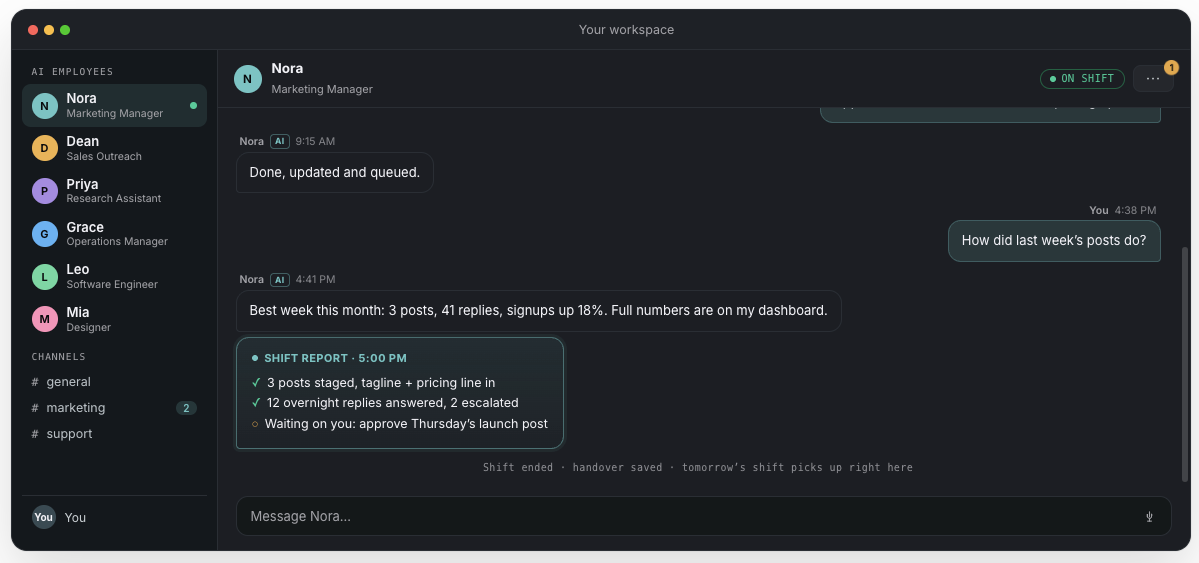
What it is: CellCog lets you create an AI employee around almost any role you describe, from research and marketing to sales, operations, support, and engineering. Each employee gets persistent memory, its own inbox, access to a shared task board, and the tools you approve.
Best for: Founders and small teams that have a specific job in mind and want to shape the AI around that role.
Pricing: CellCog plans start at $8/month for Starter, billed monthly, with Basic at $20/month, Pro at $40/month, and Nitro at $500/month. Plans include 800, 2,000, 4,000, and 50,000 credits per month, respectively.
Features
- Create employees for almost any role using a plain-language job description
- Gives each employee persistent memory, an inbox, and ongoing shifts
- Connects to 1,300+ tools, including Gmail, Slack, HubSpot, Notion, Stripe, Shopify, and Google Drive
- Cowork on my PC lets employees read and edit local files or run approved terminal commands
- Browse my Chrome lets them work inside sites where you’re already logged in
- Gives every AI employee its own persistent cloud browser for work that continues while your computer is off
- Uses approval controls per tool and action for higher-risk work
- Lets multiple AI employees delegate tasks and work together through a shared task board
Why I picked it
CellCog gives you more freedom over who you’re hiring. I tested it with roles like “research assistant” and “marketing manager,” and the setup starts from the job description you give it. You don’t have to find the closest matching character from a fixed list.
I also liked how little agent-building was involved. For one test, I set up a receptionist and gave it old support tickets to work from. It drafted email replies and turned those tickets into an FAQ document from the role description and context I’d provided.
The computer access makes CellCog feel different too. Cowork can work with files on your machine, while Browse can use your actual Chrome session. AI employees also get their own cloud browser, which gives them a separate identity and lets longer-running work continue after your laptop closes.
Its pricing follows the same idea. Hiring the employee itself costs nothing. You spend credits when it works, with CellCog estimating a typical Flash session at under $5 and deeper Max reasoning at up to about $25 for a comparable session.
Limitations
You have to define the job well. A pre-built role gives you more guidance on day one, while CellCog asks you to decide what this employee owns, which tools it can touch, and where you want approvals.
Costs can also move around from month to month. Every AI operation consumes credits, and heavier work such as deep research, document creation, images, video, or longer employee sessions uses more. Extra credits currently cost 90 credits per $1.
Computer access comes with a few practical requirements too. Cowork and Browse require the CellCog desktop app; Browse also needs a Chrome extension, and Browse needs your computer running when the employee is acting inside your personal Chrome session.
Its separate cloud browser handles autonomous web work without that dependency.
Bottom line
CellCog fits teams that already know the job they want to hand off. You get more freedom over the role, tools, and permissions than platforms built around a fixed roster, but that flexibility means spending a little more time defining the employee upfront.
5. Claude: Best for advanced reasoning and coding
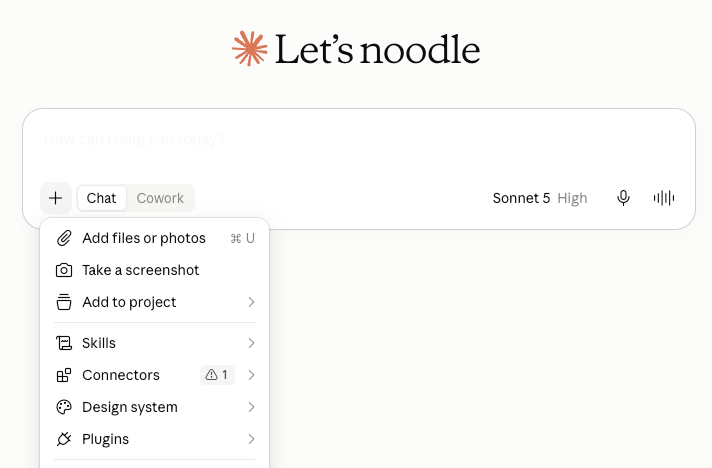
What it is: Claude is an AI assistant built for complex reasoning, coding, and longer multi-step work. Its agentic work mode can plan a project, split it into parallel tasks, work across files and connected apps, run code, and return finished deliverables.
Best for: Developers, operators, and knowledge workers who want one AI for code, document-heavy projects, research, and work that spans several apps or files.
Pricing: Claude plans start at $20/month for Pro, with Max at $100/month for 5x Pro usage or $200/month for 20x; Team starts at $25/seat/month, with Premium seats at $125/month. A free plan is also available.
Features
- Runs code and shell commands in an isolated cloud environment
- Schedules recurring work such as daily briefings, weekly reports, and research checks
- Keeps project-specific files, instructions, context, and memory together
- Connects to tools such as Gmail, Google Drive, Slack, Microsoft 365, and Notion
- Can use your browser and desktop apps when a connector isn’t available
- Creates finished spreadsheets, presentations, documents, research reports, and code
- Cloud tasks can keep running after you close your laptop
Why I picked it
Claude is the tool I reach for when a project starts spreading across documents, spreadsheets, code, and several rounds of reasoning. I can give it the outcome, let it map out the work, and come back to something much closer to a finished deliverable.
Local file access is a big part of that. I can point Claude at a folder and have it read documents, update a spreadsheet, organize files, or save new work back into the same place. For coding tasks, it can also run commands and test what it builds instead of stopping at a code block.
I’ve also found Projects useful for recurring work. Each one keeps its own files, instructions, context, and memory, which makes it easier to return to a long-running project without rebuilding the setup every time.
One workflow I’d use often is a morning digest. Claude can pull from connected email, Slack, calendar data, and project files, then run that same brief on a schedule. Scheduled cloud tasks keep running even when the computer is asleep, which makes them much more useful as recurring work than the old desktop-only setup.
Limitations
Agentic tasks use more of your allowance than normal chat. Every step Claude takes, including file work, code execution, connectors, and browser actions, consumes tokens, which means long jobs can hit usage limits faster.
Anthropic notes that multi-step tasks use more of your allowance than a quick question, and suggests checking your usage if you hit limits often.
Local work also has one important dependency. Claude can keep cloud tasks running with your laptop closed, but access to local files, your browser, or desktop apps still depends on Claude Desktop being open on that computer.
Computer use is still in beta too. Anthropic notes that screen-based tasks can be slower and less reliable than direct connectors, especially on more complex workflows.
Bottom line
Claude is strongest when the work itself is complex, especially coding, research, document-heavy projects, and tasks that need several tools working together. Pro gives you the core agentic features, while Max mainly becomes relevant once those longer tasks start eating through your regular usage.
{{templates}}
6. Motion: Best for scheduling and task management
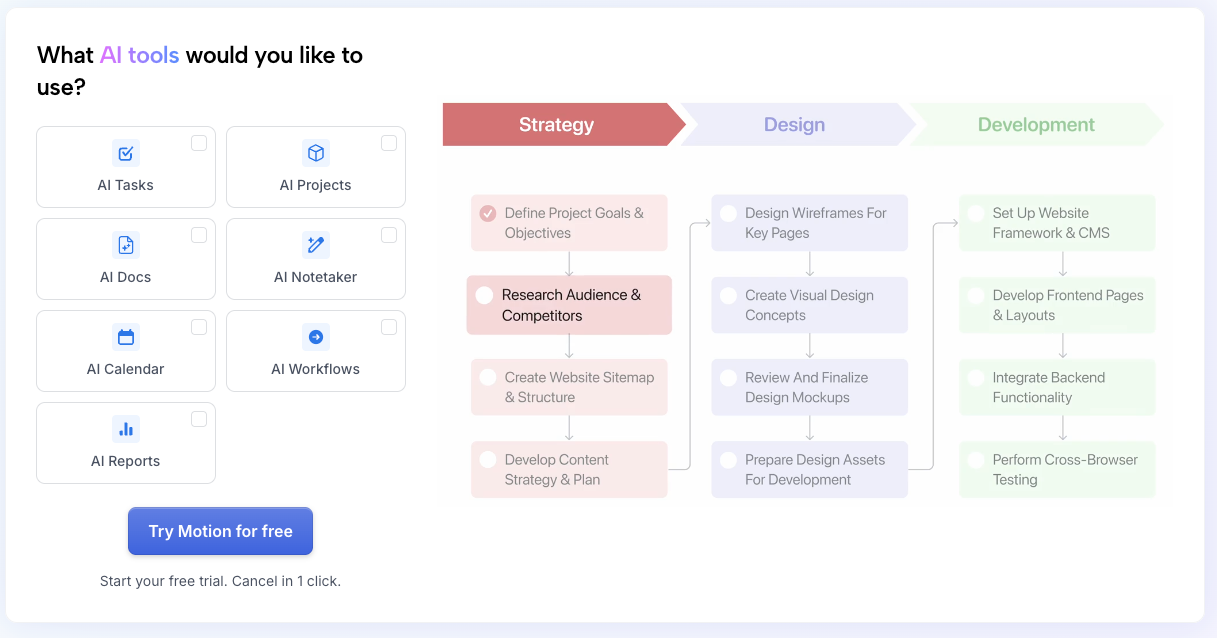
What it is: Motion combines AI scheduling, project management, meetings, docs, and role-based AI employees in one workspace. Its core scheduler automatically places tasks on your calendar and reshuffles the plan when priorities or deadlines change.
Best for: Agencies, service businesses, and busy teams that want project planning, calendars, recurring workflows, and AI employees working from the same system.
Pricing: Motion plans start at $49/month for Pro AI, with Business AI at $29/seat/month for teams. A free trial is also available.
Features
- AI task scheduling that places work on your calendar based on priority, deadlines, and availability
- Automatic replanning when meetings move, deadlines change, or new work comes in
- Project forecasting with predicted completion dates, workload balancing, and risk alerts
- AI meeting management for agendas, notes, summaries, rescheduling, and follow-up tasks
- AI recruiting workflows for candidate screening, outreach, scheduling, and assessments
- AI Workflows for recurring processes, SOPs, and multi-step tasks
- Team capacity planning across projects, deadlines, and individual workloads
- Native integrations with Google Calendar, Outlook, Gmail, Zoom, Teams, and iCloud, plus thousands more through Zapier
Why I picked it
What makes Motion interesting is how closely the AI sits beside the actual work. Tasks, deadlines, projects, and calendars already live in the same system, which gives the agents useful context from the start.
The scheduling engine is still the part I’d use most. Add a task with a deadline and priority, and Motion finds a place for it on the calendar. When plans change, the schedule adjusts with them.
Millie extends that across the team by turning briefs into project plans, assigning work, forecasting delivery dates, and flagging projects that may slip. The other AI employees cover sales, meetings, marketing, recruiting, support, and research, while custom roles give teams room to go beyond the built-in options.
It works best when scheduling and execution need to stay tightly connected.
Limitations
Motion takes more setup than a simple calendar or task app because projects, workflows, docs, scheduling, and AI employees all need some structure upfront.
The customer-facing agents also deserve closer review. Support replies, recruiting decisions, and outbound messages carry more risk than internal scheduling or project forecasts, especially early on.
Usage is another thing to watch. Pro includes 7,500 AI credits per month, and Business includes 15,000, so teams running heavier agent workflows may burn through their allowance faster.
Bottom line
Motion makes the most sense when scheduling and project coordination already take up too much of the day. Its AI employees add useful coverage around that core, especially for teams that want sales, meetings, research, and admin work tied directly to the same projects and calendar.
7. Manus AI: Best for large research and multi-step projects
What it is: Manus is an autonomous AI agent that can research, browse the web, analyze data, run code, work with files, and turn the results into finished deliverables. It runs each task in its own cloud environment and can split larger jobs across parallel agents.
Best for: Researchers, analysts, content teams, and technical operators working on large research projects, recurring reports, presentations, or other jobs with several steps and sources.
Pricing: Manus plans start at $20/month with 4,000 monthly credits, with higher tiers from $40/month for 8,000 credits and $200/month for 40,000 credits. A free plan is also available with daily refresh credits.
Features
- Wide Research splits large jobs into parallel subtasks, tested up to 250 items at once
- Cloud browser automation can navigate websites, use saved logins, and complete web-based work
- Take Over lets you step in for logins, CAPTCHAs, or other browser actions that need you
- Local computer access can read and edit files, run terminal commands, and launch apps through Manus Desktop
- Scheduled tasks can refresh reports, dashboards, research, and other recurring work automatically
- Presentation generation turns research, documents, or raw data into complete slide decks with charts and speaker notes
- Spreadsheet and data analysis handles CSV and Excel files, including formulas, pivot tables, scoring models, and visualizations
- Connectors pull context from tools such as Slack, Google Drive, Notion, Gmail, HubSpot, and GitHub
Why I picked it
Manus is the one I’d reach for when the job gets too wide for one long AI conversation.
Let’s say I need to research 100 companies. A normal agent has to keep carrying more and more context as it moves through the list. Wide Research handles that differently. It breaks the list into separate jobs and gives each sub-agent its own context, then brings the findings back together.
That opens up some useful workflows. A competitive analysis can become a spreadsheet, report, and presentation in the same project. Manus can research the companies, structure the findings, analyze uploaded data, and build the final deck without me moving everything between separate tools.
Scheduled work makes it more useful beyond one-off research. I could ask it to refresh a competitor tracker every Monday or update the same customer-feedback report each morning, and Manus keeps future runs attached to that task or Project.
I also like having a way to step in when browser automation hits something sensitive. If a site asks for a CAPTCHA or login, I can take control, finish that part myself, and hand the browser back.
Limitations
Credits make the monthly cost harder to predict. Manus charges based on the work happening behind a task, including model usage, cloud computing, browser automation, and third-party services. Longer or more complex projects naturally use more.
A failed result can still cost credits in some cases. Manus refunds credits when it verifies a platform bug or technical failure, while unclear instructions, third-party problems, hitting task limits, or subjective dissatisfaction generally don’t qualify.
Wide Research also fits some jobs better than others. It works well when a project can be divided into independent pieces, such as researching companies or comparing products. Deeply sequential work, where every step depends on the previous one, gets less benefit from parallel agents.
Bottom line
Manus fits large projects that can be broken into research, analysis, browsing, and finished deliverables. Its parallel research and browser automation give it more range than a standard chat assistant, but the credit system deserves attention if you plan to run heavy workflows every day.
8. Eesel AI: Best for enterprise support teams
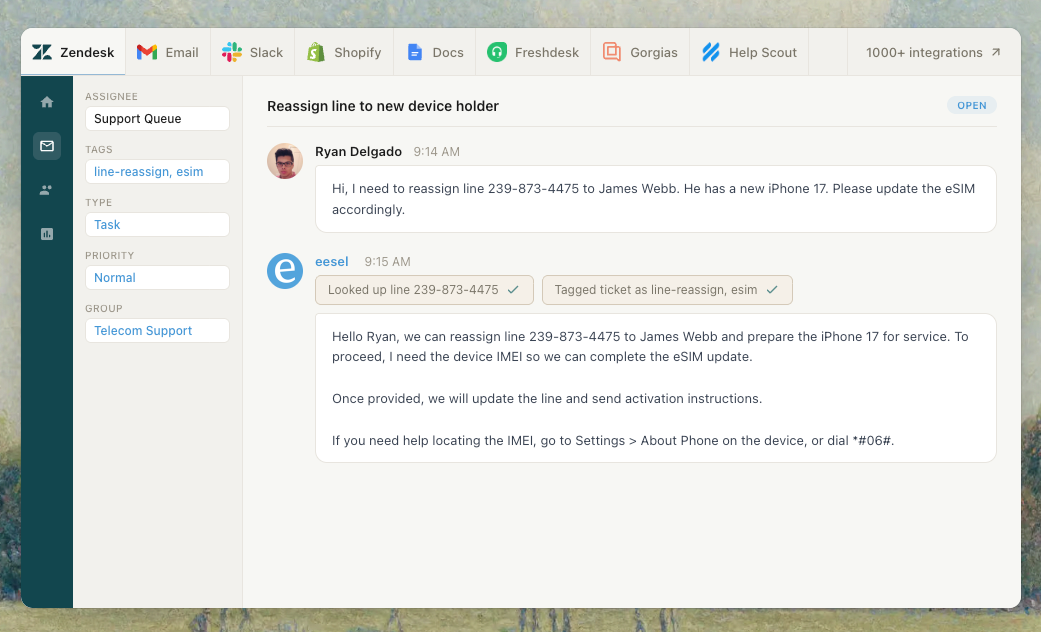
What it is: Eesel AI adds AI teammates to the helpdesk and knowledge tools a company already uses. Its main roles cover customer support, e-commerce, and long-form content, with support agents working inside tools such as Zendesk, Freshdesk, Gorgias, Front, and HubSpot.
Best for: Support teams handling large ticket volumes, e-commerce brands that need product and order help, and companies that want to test AI against real historical tickets before giving it customer-facing work.
Pricing: Eesel uses usage-based pricing at $0.40 per support ticket or chat session, while heavier tasks such as blog drafts cost $4 each. Enterprise adds a $1,000/month platform fee on top of usage, and new accounts get $50 of free usage plus two blog generations with no card required.
Features
- AI helpdesk automation for drafting replies, resolving tickets, tagging, routing, and escalation
- Copilot and autonomous modes so teams can move from human-reviewed drafts to automatic responses over time
- Historical ticket simulation that tests the agent on past conversations before launch and shows where it may struggle
- Confidence-based routing that sends uncertain cases to a human
- Knowledge base gap detection with tools that can draft new help content from resolved conversations
- 80+ language support from the same agent setup
- 100+ integrations across helpdesks, knowledge tools, Slack, and other business apps
- Custom AI models on Enterprise, including fine-tuned models or alternatives such as Claude and Gemini
Why I picked it
The simulation step is what makes Eesel interesting to me. Before the agent answers a live customer, you can run it across historical tickets and see how it would have responded. That gives you a projected resolution rate, surfaces weak topics, and lets you read the actual answers privately.
That feels much safer than testing an autonomous support agent in production. I can start with draft mode, review what it produces, then open up automation only for the ticket types it handles well. Low-confidence cases can stay with a human.
Setup also starts with information the support team already has. Eesel can learn from past tickets, help-center articles, macros, and connected docs, which saves you from rebuilding the company’s knowledge inside another system.
For international teams, the same agent can reply across 80+ languages without setting up a separate bot for each market. That’s useful for a queue where the same product or order questions arrive in several languages every day.
Limitations
Eesel is much more specialized than the general-purpose employee platforms above it. Its current roster centers on support, e-commerce, and blog writing, so teams looking for sales prospecting, recruiting, finance, or project management will need another tool.
Pricing also moves directly with usage. One support ticket costs $0.40 whether the interaction takes one reply or several, which keeps the unit easy to understand, but a sudden jump in support volume still raises the bill.
Enterprise features come with another cost layer. SSO, HIPAA support, higher knowledge limits, and a dedicated account team sit behind a $1,000 monthly platform fee plus usage.
Bottom line
Eesel makes the most sense when you already have a support stack and want to add AI without replacing it. The strongest part is the ability to test against your own ticket history first, then increase autonomy as the agent proves where it can handle the queue reliably.
9. Sintra: Best for lean, multi-role teams
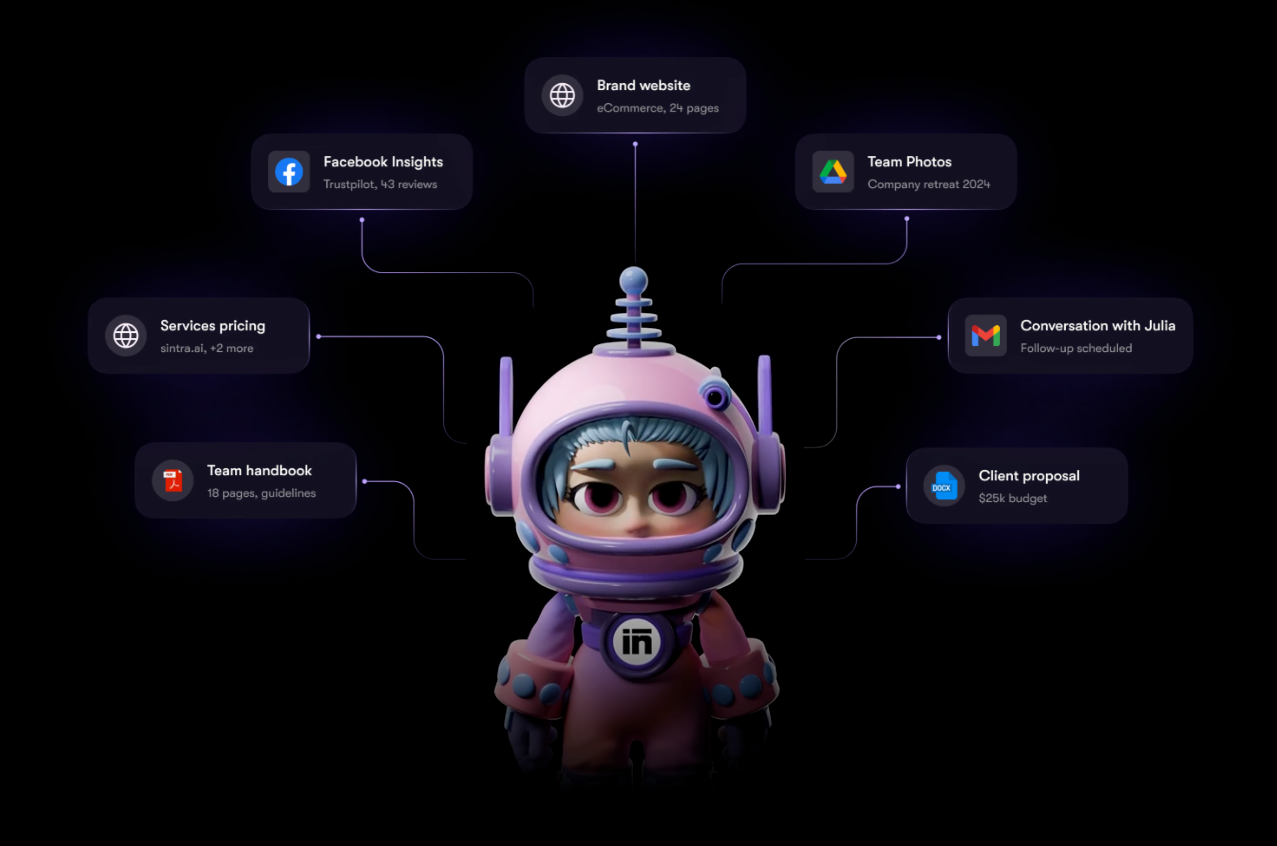
What it is: Sintra AI gives you 12 specialized AI employees for areas like sales, support, SEO, social media, data analysis, and business development. They all pull from Brain AI, Sintra’s shared knowledge base for your files, brand voice, business details, and past conversations.
Best for: Solopreneurs and small teams that need help across several business functions and want those roles working from the same company context.
Pricing: Sintra plans start at $48.50/month on the 1-month plan, including all 12 AI employees and 250 monthly credits. A 14-day money-back guarantee is also available.
Features
- 12 specialized AI employees covering sales, support, SEO, social media, business development, and more
- Brain AI stores brand guidelines, files, business data, and long-term context for every employee
- Team Chat can split one request between multiple specialists and combine their work
- Custom AI employees let you create new roles with your own rules, skills, and persona
- Background automations handle recurring work outside the chat
- 1,000+ integrations across Gmail, Slack, Notion, Stripe, QuickBooks, LinkedIn, Shopify, and other apps
- 100+ supported languages for conversations and generated work
- Separate workspaces keep different brands or projects from sharing context
Why I picked it
Sintra works well when your week keeps bouncing between completely different jobs. One minute you need a sales follow-up, then an SEO brief, then customer support copy.
Brain AI keeps those roles working from the same source material. Add your brand voice, product details, files, and other business context once, and the employees can draw from it across future tasks. That saves a lot of repeating yourself when you move from one role to another.
I also like the way Team Chat handles broader requests. You can give the whole team a project, and Sintra’s Team Leader assigns pieces to different specialists before pulling the results together. You can still work directly with one employee when the job is more focused.
The platform has expanded beyond the original 12 roles too. Custom employees and the Marketplace give you more room to build around a specific business, which makes Sintra less rigid than its original roster of AI employees suggests.
Limitations
The 250-credit allowance is the main thing I’d watch. Credits power chats, generated work, research, images, and scheduled tasks, and heavier workflows can use them quickly. A complex scheduled task can use 5 to 20+ credits, while some custom-agent tasks can climb much higher.
Unused credits also reset each billing cycle and don’t roll over. You can buy recurring credit top-ups, but that pushes the monthly cost above the headline subscription price.
There’s also some setup involved in Brain AI. The employees become more useful once you’ve added enough company context, which means the first few sessions can take more guidance while you build out that knowledge base.
Bottom line
Sintra fits small teams that need broad role coverage from one platform. The shared Brain AI and cross-employee collaboration are the strongest parts, while the 250-credit cap is the number I’d keep an eye on once several employees are working regularly.
10. Supervity: Best for large, regulated enterprises
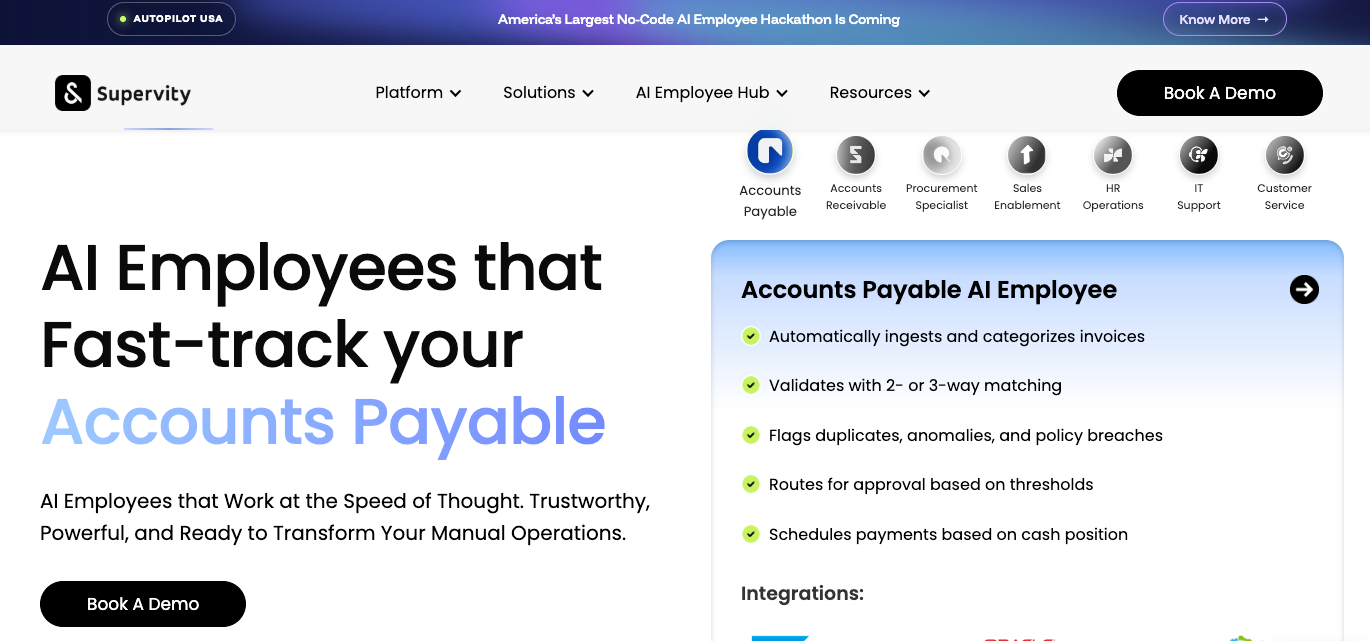
What it is: Supervity is an enterprise AI employee platform for running operational work across finance, HR, IT, procurement, sales, and support. It combines multi-agent workflows with governance, audit controls, and deployment options for companies with stricter security requirements.
Best for: Large enterprises and shared service teams in banking, insurance, healthcare, government, and other regulated industries.
Pricing: Supervity lists Auto Pro at $99/month with 2,000 Auto Miles and Auto Teams at $999/month with 25,000 Auto Miles and unlimited users. A free plan includes 100 monthly Auto Miles, while Enterprise uses custom pricing. Supervity labels these prices as illustrative, so confirm them before budgeting.
Features
- Multi-agent workflows that coordinate AI employees across complete business processes
- Prebuilt AI employees for accounts payable, procurement, HR, IT support, recruiting, sales, and customer service
- Agentic RAG with source citations and role-based access to enterprise knowledge
- Agentic OCR for invoices, forms, handwriting, tables, and multilingual documents
- AI chat and voice for customer and employee workflows, with voice working in 100+ languages
- Co-browsing agents that guide employees through existing business applications
- 100+ integrations across enterprise systems and functions
- Enterprise governance with audit trails, SSO, SLAs, and cloud, VPC, or on-prem deployment
Why I picked it
Supervity feels built for a different problem than most tools here. The focus is running controlled business processes at enterprise scale, where an AI action may touch payroll, invoices, employee access, or customer records.
The governance layer is a big part of that. In HR, for example, Supervity can run onboarding, payroll changes, employee support, and offboarding under company-defined policies. Exceptions go back to a person with the relevant context and policy attached, while every action is logged for audit.
I also like the source trail built into its knowledge workflows. Agentic RAG can search company documents and systems, apply role-based access, and attach sources to its answers. That gives teams somewhere concrete to check when an answer matters.
Deployment is another reason it belongs here. Enterprise customers can run Supervity in their own cloud or on-premises, with their chosen models and enterprise controls. That matters more once company policy limits where data and AI workloads can live.
Limitations
Supervity gets expensive quickly once you move beyond individual use. Auto Teams costs $999/month, and the sovereign Enterprise tier requires a custom contract.
The product also comes with far more governance and workflow infrastructure than a small company is likely to need. Setting up cross-system operations, policies, permissions, and exception handling takes more planning than choosing a prebuilt assistant and giving it a job.
And while Supervity markets its RAG around highly accurate, source-grounded responses, I’d still keep human review around high-impact financial, HR, healthcare, and compliance decisions.
Bottom line
Supervity makes the most sense when AI needs to operate inside regulated, auditable business processes. Its governance, source tracing, and sovereign deployment options fit large organizations well, while smaller teams will get more value from lighter tools higher on this list.
{{cta}}
How much does an AI employee cost?
AI employee software starts at about $8/month, though the pricing model varies a lot. Some tools charge a flat subscription, while others meter credits, tasks, tickets, or AI work on top.
Here’s what each platform on this list currently costs to get started on monthly billing:
- CellCog: Starts at $8/month for Starter, with Basic at $20/month, Pro at $40/month, and Nitro at $500/month. AI work consumes credits.
- Marblism: Starts at $44/month for 50 shared hours of AI work. Higher monthly allowances start at $60 for 70 hours.
- Claude: Starts at $20/month for Pro, with Max at $100/month for 5x usage or $200/month for 20x.
- Manus AI: Starts at $20/month for 4,000 credits, with a $40/month Pro option offering 8,000 credits. A free plan includes 300 daily refresh credits.
- Teammates.ai: Starts at $25/month for Pro with 50 shared credits, followed by Business at $50/month and Scale at $100/month. A free plan includes 10 credits.
- Motion: Starts at $49/month for Pro AI, with Business AI at $29/seat/month for teams.
- Eesel AI: Charges $0.40 per support ticket or chat session, while heavier tasks such as blog drafts cost $4. New accounts get $50 of free usage.
- Perplexity Computer: Available from $20/month with Pro, which currently includes 4,000 one-time bonus Computer credits. Max costs $200/month and includes 10,000 Computer credits each month.
- Sintra: Currently starts at $48.50/month on its one-month plan with 250 monthly credits.
- Supervity: Auto Pro starts at $99/month with 2,000 Auto Miles, while Auto Teams costs $999/month with unlimited users and 25,000 Auto Miles. A free plan includes 100 Auto Miles per month.
For individual and light business use, many self-serve options start around $20 to $50/month. Costs can climb quickly once you add heavier AI usage, more credits, team seats, or enterprise controls.
Who should use an AI employee?
AI employees make the most sense when repeatable work is taking up too much of your week. Think inbox triage, lead research, customer support, scheduling, reporting, and CRM updates.
They tend to fit a few types of teams especially well:
- Solo founders and operators: Hand off recurring sales, support, research, or admin work while keeping the team lean.
- Small teams and startups: Give one clearly defined function to AI when everyone is already covering several roles.
- Co-founders: Assign work such as lead research, inbox triage, or CRM updates to one consistent owner.
- Growing businesses: Handle higher volumes of repeatable work without adding headcount for every increase in demand.
The best starting point is one job with clear inputs, clear outputs, and enough volume to make the time savings obvious.
How to choose the right AI employee platform
Start with the job you want the AI employee to own. From there, look at how much setup it needs, what it can access, how much oversight you want, and what the workload will cost.
I’d ask five questions before choosing one:
- What should it own first? Pick one recurring function such as support, sales outreach, research, or inbox management.
- How much setup can your team handle? Some platforms give you ready-made roles, while others expect you to define workflows, tools, and permissions yourself.
- Where should humans approve work? Customer messages, hiring decisions, payments, and other sensitive actions may need review before anything happens.
- Does it connect to the tools that matter? Check your inbox, CRM, calendar, helpdesk, files, and any systems the role depends on.
- How does pricing grow with usage? Seats, credits, tasks, tickets, and compute can produce very different bills once usage increases.
I’d start with the narrowest useful workflow, run it for a few weeks, and measure hours saved, work completed, and how often a person had to step in.
Final verdict
The right pick depends on the job you want AI to own. Sintra and Marblism give small teams broad role coverage, while Teammates.ai, Eesel AI, and Motion are easier to place when support, hiring, or scheduling is already the problem you need to solve.
CellCog gives you more freedom to define the role yourself. For research-heavy and technical work, I’d look first at Claude, Perplexity Computer, or Manus AI, depending on how much autonomy and parallel work you need. Supervity fits larger organizations where governance and auditability carry more weight.
I’d start with the function eating the most time today, test one platform against that workload, and expand only once the results justify it.
Use Lindy to handle work across your existing apps
Lindy acts as your company’s brain inside Slack. It connects to the tools and information your team already uses, answers questions with sources attached, and can take action from the same context.
Here’s what that looks like in practice:
- Ask about your company: Mention Lindy in Slack to search meetings, Gmail, Notion, Drive, and Slack, with sources attached.
- Turn meetings into shared knowledge: Record meetings, create summaries, pull action items, and answer follow-up questions.
- Handle personal work in DMs: Use Lindy privately for email, calendar, and personal context.
- Create finished work: Process company data, run code, and produce reports, models, and other files.
- Run recurring routines: Schedule jobs in plain English, like a weekly pipeline brief.
- Control sensitive actions: Set approvals and permissions for what Lindy can do, with actions logged for audit.
The setup is designed to stay inside the tools people already use. One admin connects the company sources, then teammates can work with Lindy by mentioning it in a Slack channel or sending it a DM.
FAQs
1. What is an AI employee?
An AI employee is software built to take ownership of an ongoing role or recurring workload. It can use company context, work across connected tools, complete multi-step tasks, and hand work to a person when approval or judgment is needed.
2. Which is the best AI employee?
The best AI employee depends on the job you want it to handle. Sintra and Marblism cover several business roles; Teammates.ai focuses on support, sales, and recruiting; CellCog lets you define your own role, and Eesel AI specializes in customer support.
General-purpose tools such as Claude, Perplexity Computer, and Manus AI fit broader research and project work.
3. Where can I find AI employees for hire?
You can hire AI employees through platforms such as Marblism, Sintra, Teammates.ai, CellCog, Motion, Eesel AI, and Supervity. Some offer prebuilt employees for specific jobs, while others let you create a role around your own instructions, tools, and permissions.
4. How much does an AI employee cost?
AI employee software on this list starts at about $8/month, while other platforms charge $20 to $100+ per month or use credits, tasks, and ticket-based pricing. Enterprise platforms can cost considerably more once you add team access, security controls, and higher usage.
5. What's the difference between an AI employee and an AI agent?
An AI agent can plan and complete tasks toward a goal. An AI employee applies that capability to an ongoing job, with a defined role, business context, connected tools, recurring triggers, and rules for when a person should step in.









