


Top 4 AI Progress Note Tools: Tested & Reviewed for 2026
Marvin tested 20+ AI progress-note tools, including Noterro, Augmedix, and DeepScribe, across therapy, rehab, and primary care workflows, weighing accuracy, compliance, and pricing.


After testing 20+ tools that generate AI progress notes across therapy, rehab, and primary care workflows, these are the top 4 that consistently saved me the most time. If you want accurate, compliant notes without the admin load, start with this shortlist.
Disclaimer: The information in this article, including software, features, prices, and other figures, is subject to change. While we strive to keep our content current and accurate, we recommend always consulting official sources or qualified professionals for the most up-to-date and authoritative information before making important decisions.
The 4 best tools for AI progress notes: At a glance
| Tool | Best for | Starting price (billed monthly) | Key strength |
|---|---|---|---|
| Noterro | Best for mental health & multidisciplinary clinics | $33/month | Full clinic management with flexible and customizable note templates |
| Augmedix | Best for real-time clinical note-taking with EHR sync | Custom pricing | ASR + specialty-tuned NLP with self-service, hybrid, and full-service models |
| DeepScribe | Best for specialty-focused ambient AI notes | Custom pricing | Ambient AI scribing with compliance and template customization |
| Microsoft Dragon Copilot | Best for voice-driven documentation workflows | Custom enterprise pricing | Cross-device dictation + AI suggestions inside clinical workflows |
Let me first give you a quick overview of the tools that stood out in testing. Here’s how they compare in terms of strength and pricing:
Terms To Understand AI Progress Notes
You’ll come across several medical and technical abbreviations as you read along. Here’s a list to help you understand them better:
- EMR (Electronic Medical Record): A digital version of a patient’s chart used during treatment.
- SOAP (Subjective, Objective, Assessment, Plan): A standard format for writing clinical notes after patient visits.
- DAP (Data, Assessment, Plan): A shorter version of SOAP notes, commonly used in therapy.
- EHR (Electronic Health Record): A complete digital record that follows a patient across providers.
- ASR (Automatic Speech Recognition): Technology that converts spoken words into text.
- NLP (Natural Language Processing): AI that understands and organizes human language.
- LLM (Large Language Model): AI trained on large datasets to generate human-like text.
- HCC (Hierarchical Condition Category): A coding system used to assess patient health severity.
- MEAT (Monitor, Evaluate, Assess, Treat): A method used to document health conditions properly.
- HIPAA (Health Insurance Portability and Accountability Act): U.S. law that protects sensitive patient health information.
- PIPEDA (Personal Information Protection and Electronic Documents Act): Canadian law that protects personal health data.
- SOC 2 (System and Organization Control 2): An independent audit report attesting to a company's controls for data security and privacy.
Next, let’s explore the tools in detail.
1. Noterro: Best for mental health and multidisciplinary clinics
What does it do? Noterro is a clinic management platform that brings progress notes, scheduling, billing, and patient records together, making it easier to manage your workflow.
Who is it for? Mental health providers, physical therapists, massage therapists, chiropractors, and multidisciplinary clinics that want one system for notes, scheduling, billing, and insurance tasks.
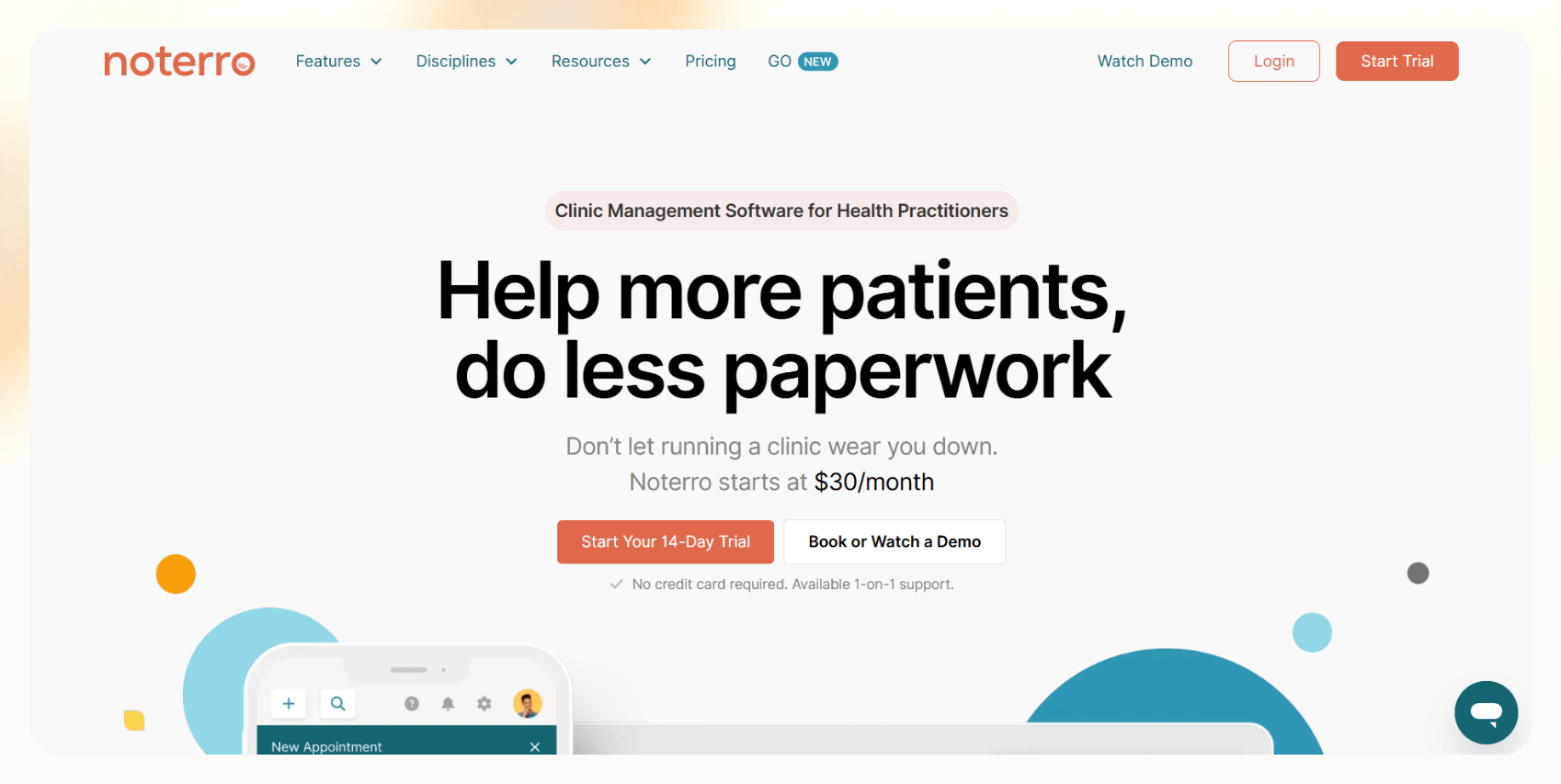
During my testing, I liked the flexible templates. I could build notes from defaults or rearrange sections and widgets to match specific clinical needs. This helped me create layouts for mental health, physical therapy, and rehab sessions without bouncing between different tools.
Once I used a template, Noterro locked it for compliance, which kept my documentation consistent and protected from accidental edits.
The dashboard UI is clean. I could open a patient profile, start a note, and jump back to scheduling without tab overload. Noterro’s AI summaries also helped shorten long intake forms into clear points, which saved time on cases with complex paperwork.
Noterro handles billing, reminders, and insurance tasks too. This makes sense for clinics that want one system for admin and documentation.
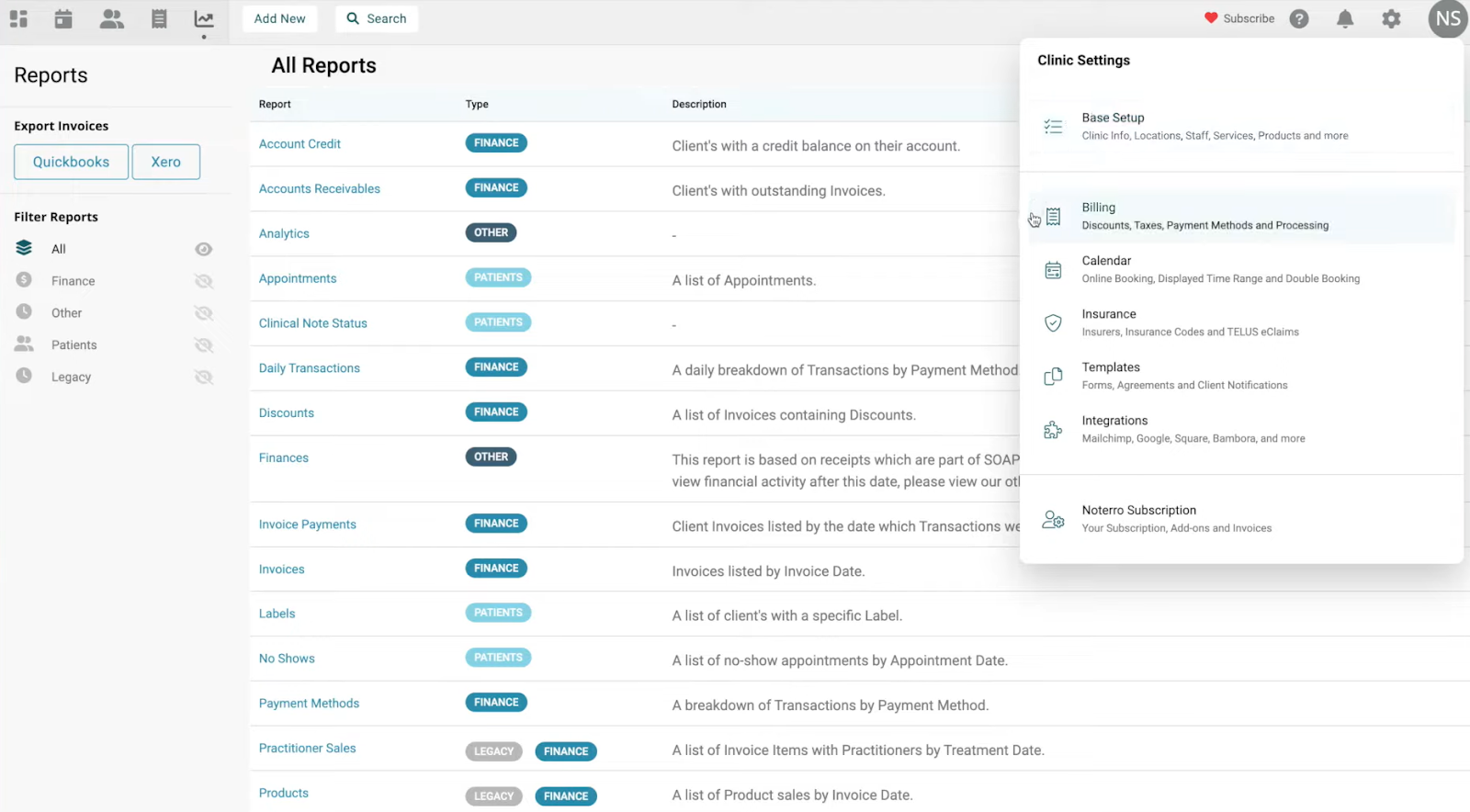
The only drawback is the learning curve, so it fits better for teams that want an all-in-one practice hub.
Key features
- Customizable clinical templates with flexible widgets
- AI summaries for forms and progress notes
- Scheduling, billing, and insurance tools
- Multi-location and assistant management
- Notes tied directly to appointments and patient profiles
Pros
- Helpful for clinics that want integrated billing
- Clean dashboard for navigation
- An all-in-one platform for teams that don’t want multiple tools
Cons
- Limited offline access
- Can feel complex for solo practitioners
Pricing
- No free plan
- Paid plans from $33/month, billed monthly, with $13.20/seat/month for additional seats
Bottom line
Noterro works best for clinicians who need documentation, scheduling, and billing in one system. It supports mental health and multidisciplinary settings with flexible templates and useful AI summaries.
2. Augmedix: Best for real-time clinical note-taking with EHR sync
What does it do? Augmedix is a clinical documentation tool that records patient-provider conversations and turns them into structured progress notes. It uses speech recognition and medical-focused NLP to organize each encounter.
Who is it for? Clinicians who want real-time documentation with accurate EHR syncing and the option to add human review when needed.
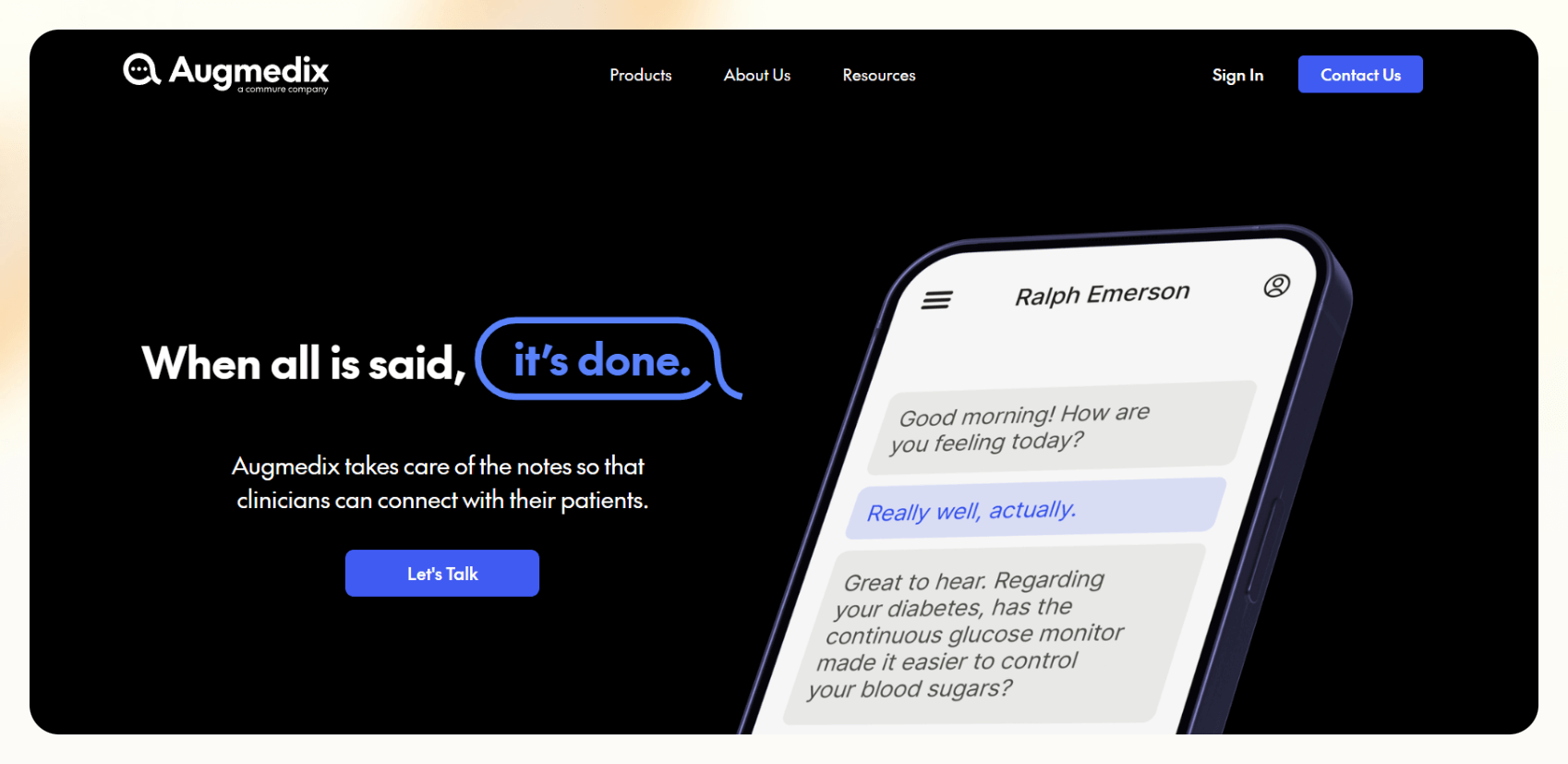
I tested Augmedix using mock visit transcripts and scripted clinical scenarios to see how it handles conversation patterns and medical phrasing. It captured dialogue clearly and shaped it into notes that matched the structure used in primary care and mental health documentation.
The layered NLP models handled clinical terminology well, so I didn’t need to adjust the core structure of the drafts during testing. I also tested how the tool behaves inside an EHR workflow using sample patient charts and test records.
I could review charts and update notes in the same interface without switching screens, which showed how it supports busy clinical environments.
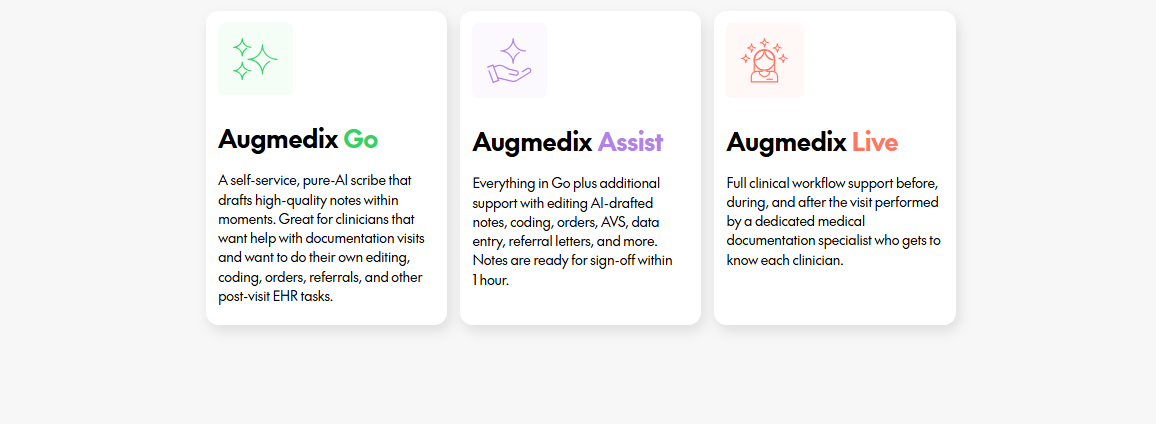
Augmedix sells three levels of support. Go creates notes with AI only. Assist adds a quick human review. Live gives you a dedicated scribe throughout the visit. During testing, each tier kept the workflow stable, and the EHR sync with Epic and Cerner stayed reliable.
Pricing can be higher for small teams, and some users mention inconsistent support. But the quality of documentation was consistent in my tests.
Key features
- Real-time speech capture with medical NLP
- AI-only, hybrid, or full-service scribing
- Bi-directional EHR syncing
- Secure, with HITRUST certification
Pros
- Accurate specialty-aligned drafts
- Saves time with EHR sync
- Flexible service levels
Cons
- Higher cost for full-service
- Mixed feedback on long-term support
Pricing
- No free plan or public pricing
- Need to schedule a demo for a detailed quote
Bottom line
Augmedix fits clinicians who want accurate, real-time documentation with dependable EHR syncing and the option to scale support.
3. DeepScribe: Best for specialty-focused ambient AI notes
What does it do? DeepScribe is an ambient AI progress notes tool that listens during patient visits and turns the conversation into structured clinical documentation. It supports specialty workflows with templates that match MEAT and HCC requirements.
Who is it for? Clinics that want ambient AI notes with specialty customization and built-in compliance prompts.
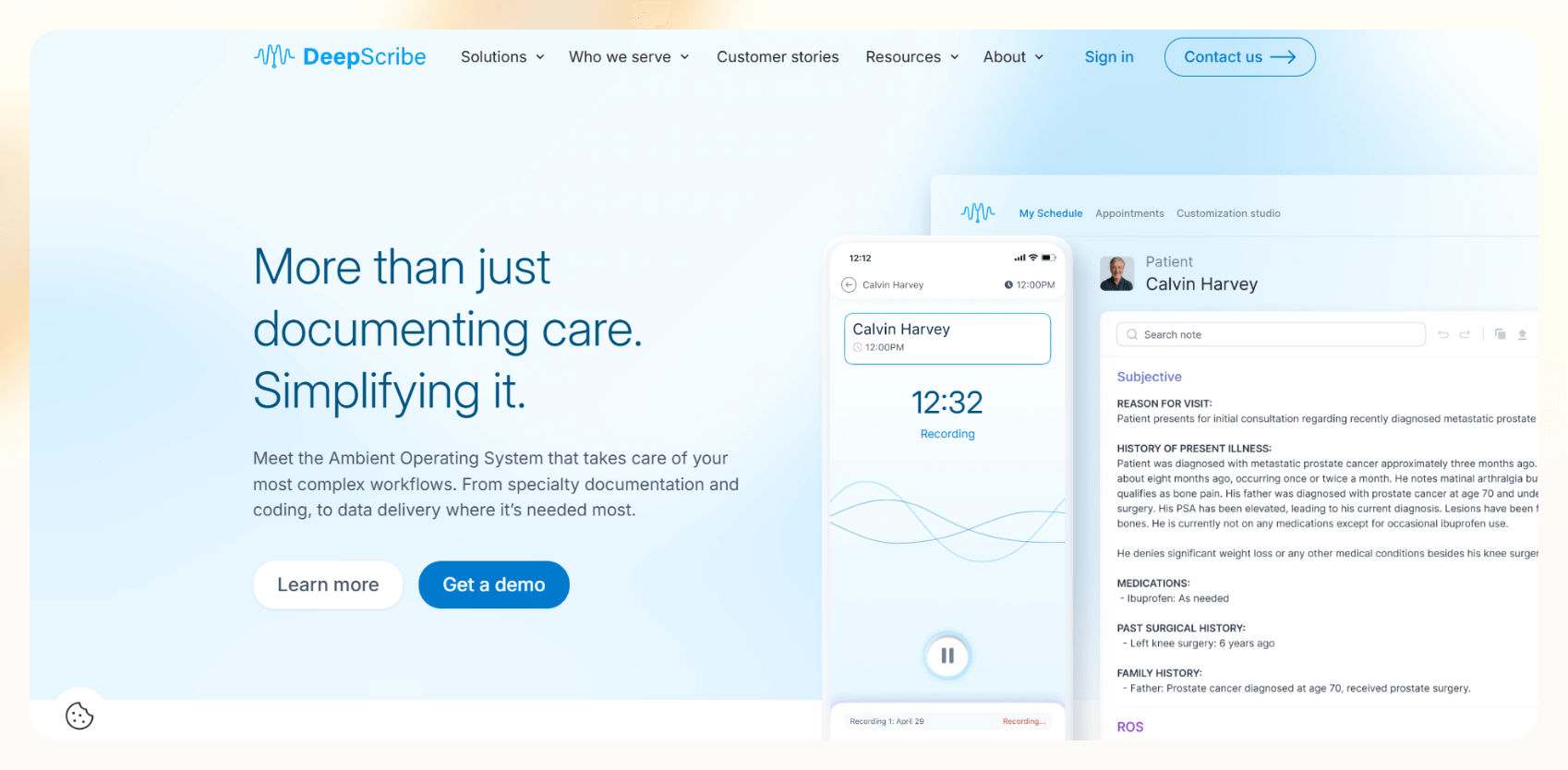
I tested DeepScribe in mock specialty visits, and it started capturing details the moment the session began and organized them without interrupting the flow. It’d show the relevant HCC codes during examinations and prompt me if I missed parts of the required documentation.
The Customization Studio also gave me control over note structure, phrasing, and detail level. I tested more than 50 adjustable settings using made-up data, and each one shaped the output in a predictable way.
DeepScribe is HIPAA-compliant, and uses encryption and de-identified data handling. It works best for clinicians who want structured specialty notes with minimal editing.
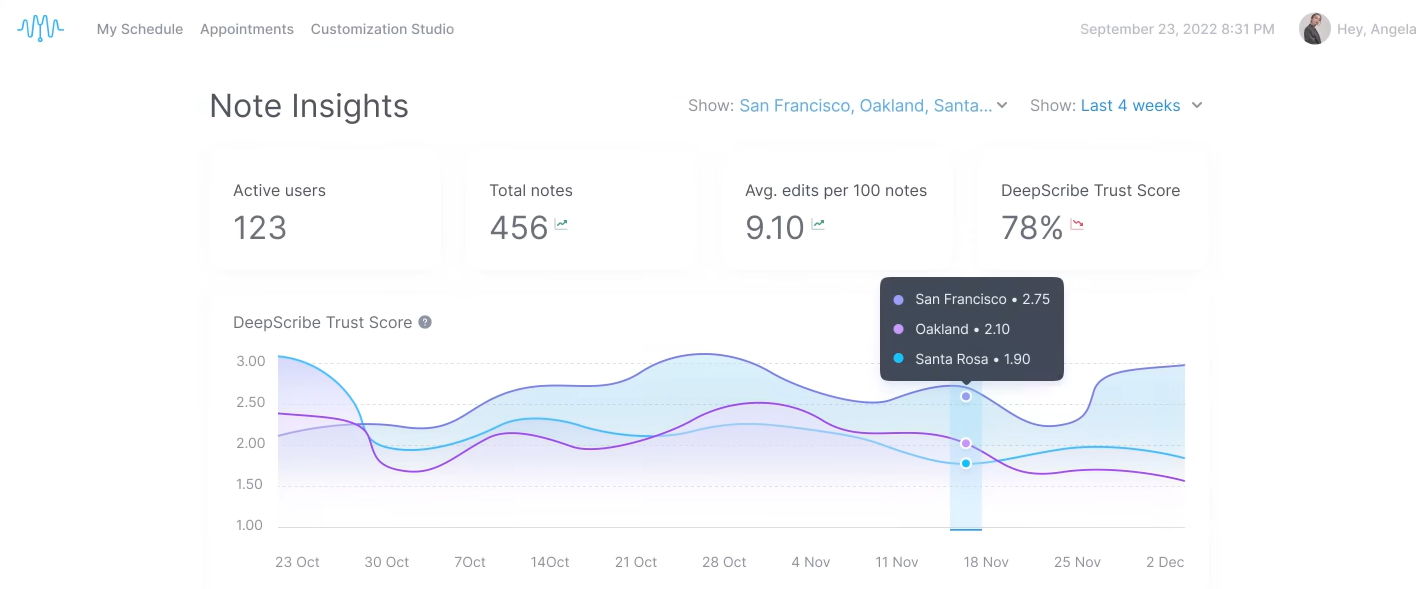
It delivers accurate notes for primary care and commonly requested specialties, though less common fields may require manual review.
Key features
- MEAT and HCC alignment
- 50+ customization controls
- Compliance prompts during visits
- HIPAA-compliant architecture
Pros
- Accurate notes for specialties
- Helpful compliance cues
- EHR integrations
- Automate pre-visit, during-visit, and post-visit tasks
Cons
- Pricing not public
- Occasional review needed for niche cases
Pricing
- Custom plans based on clinic size and needs
Bottom line
DeepScribe fits clinics that want ambient documentation with specialty-level accuracy and strong compliance support.
4. Microsoft Dragon Copilot: Best for voice-driven clinical workflows
What does it do? Microsoft Dragon Copilot is a voice-first clinical documentation tool that turns spoken notes into structured progress notes. It works across devices and connects to EHR systems to support full clinical workflows.
Who is it for? Healthcare teams who prefer voice-driven documentation and want cross-device note creation inside Microsoft-based environments.
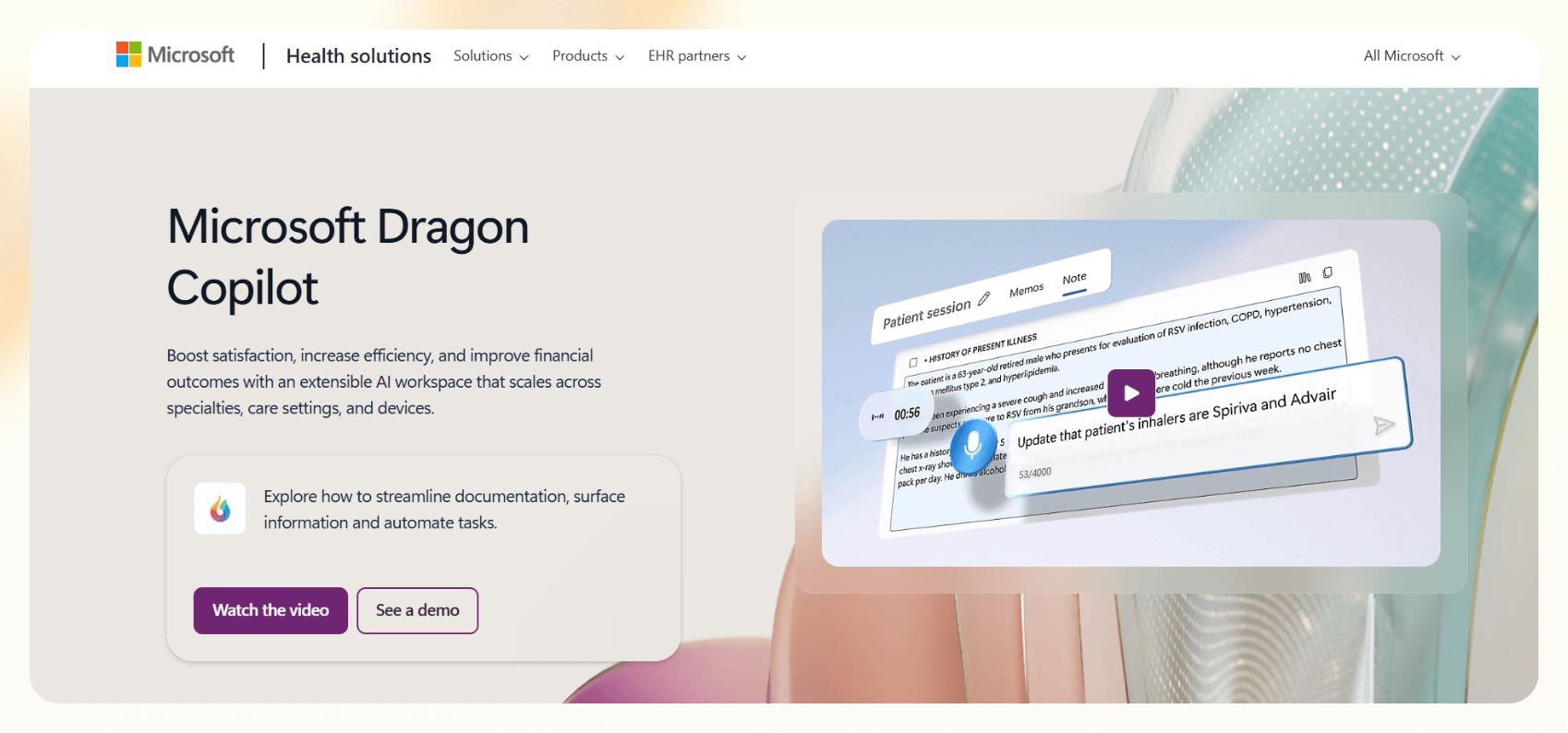
I tested Dragon Copilot in clinical workflows using made-up patient data and scripted dictation prompts to see how well it handles real-time speech input and documentation. It responded quickly to natural speech and shaped my input into clear clinical notes without extra steps.
The system also flagged missing details like family history or vitals when I left them out of test dictations. This makes it easier for clinicians to complete patient encounters without going back to edit notes later.
I switched between desktop, mobile, and web during testing, and each platform kept the same note structure and context.
During testing, I used it to create referral letters, after-visit summaries, and patient instructions. It kept everything inside the workflow, which reduced the need for window switching.
The tool also runs on the Microsoft security stack with HIPAA compliance and strong access controls. It performs best inside organizations that already use Microsoft services.
Key features
- Real-time dictation
- Cross-device workflows
- Structured clinical notes
- Smart prompts for missing details
- Built on Microsoft’s security stack
Pros
- Works well for voice workflows
- Broad clinical task support
- Secure architecture
- Multilingual system with translation support
Cons
- Works best for Microsoft-heavy teams
- Smaller teams may not need the full set of features
Pricing
- No free plan
- Custom enterprise pricing
Bottom line
Dragon Copilot fits clinicians who want fast, voice-driven clinical documentation supported by Microsoft’s security and ecosystem.
How I tested AI progress note tools
I’ve worked with clinicians and therapists to help them automate their notes and other workflows. I tested each AI progress notes tool in mock scenarios that resemble real sessions. I used generated transcripts and sample progress notes to understand how each tool handles documentation tasks in realistic settings.
Here are the criteria I used during testing:
- Transcription accuracy: I fed each tool scripted conversations and dictated sample notes to see how quickly it captured speech and recognized common clinical terms without correction.
- Clinical structure: I tested SOAP, DAP, and custom formats to see how well each system built structured notes.
- Editing time: I reviewed each generated note to measure how much cleanup it needed before it looked ready for clinician review.
- Workflow fit: I measured how many steps it took to start a note, attach it to a patient, and move between scheduling, EHR tasks, and documentation.
- Session compatibility: I tested each tool during mock therapy sessions, telehealth visits, and primary care encounters.
- Integrations: I checked how easily the tools connected with calendars, video platforms, and EHR systems.
- Security: I reviewed compliance, encryption standards, data handling, and whether recordings were stored anywhere.
- Customization depth: I adjusted templates, prompts, and specialty settings to see how well each tool adapts to different documentation needs with accuracy.
Which therapy notes software should you choose?
The right AI progress note tool depends on your workflow, specialty, and how much control you want during documentation. Use these scenarios and applications to decide:
Choose other tools:
- Noterro if you want one system for notes, scheduling, billing, and insurance
- Augmedix if you need strong EHR syncing during live visits and human review
- DeepScribe if you want ambient specialty notes with MEAT and HCC support
- Dragon Copilot if you document mostly through voice and use Microsoft systems across your clinic
Avoid these tools if you:
- Want complete control over manual note writing
- Prefer offline documentation
- Work in a setting with limited tech adoption
- Have strict workflows that cannot support real-time audio capture
My verdict
After testing popular tools for AI progress notes, the right pick comes down to how your clinic documents.
Noterro works well for clinics that want documentation tied to billing and scheduling, and DeepScribe fits specialty workflows that need compliance prompts. Augmedix and Dragon Copilot help teams that prefer real-time or voice-driven workflows.
Each tool has a clear place. For most solo clinicians and small practices, Noterro is the strongest starting point, while specialty and larger teams should look at DeepScribe or Augmedix first.
Frequently asked questions
What is an AI progress note generator?
An AI progress note generator creates structured clinical notes from your voice, text, or session audio. It listens to the visit, identifies key clinical details, and formats everything into SOAP, DAP, or specialty templates.
What is the best AI for SOAP notes?
DeepScribe and Augmedix are strong picks for SOAP notes in clinical settings. Both recognize clinical language, follow structured templates, and create notes that need minimal editing, with human review available on Augmedix. General-purpose assistants like Lindy can also draft SOAP notes from session recordings if you want documentation and workflow automation in one place.
How do you write mental health progress notes?
You write mental health progress notes by following a clear format like SOAP or DAP. Start with the client’s reported experience, add your observations, record your clinical assessment, and outline the next steps. You keep the language specific and avoid vague terms.
Does AI therapy work?
Yes, AI therapy tools work by supporting clinicians and handling note-taking, screening tasks, summaries, and basic conversation checks. They do not replace licensed professionals, but they reduce documentation pressure and help clinicians focus on the treatment.
What are the three basic types of progress notes?
SOAP, DAP, and narrative notes are the three basic types of progress notes. SOAP follows a structured four-part layout. DAP simplifies the structure into data, assessment, and plan. Narrative notes allow more freedom and work well for clinicians who prefer paragraph-style documentation.
What is the difference between progress notes and clinical notes?
Progress notes track how a patient responds to treatment over time, while clinical notes include many record types such as history and physicals, consult reports, and discharge summaries. Progress notes fall under the broad category of clinical notes.
What types of progress notes do research trials use?
Research trials use progress notes that track participant status, protocol steps, and any unexpected events. These include source documents, visit notes, and deviation reports. Each note helps teams verify data, support compliance, and create a clear audit trail for regulators.











Blog
Related Articles
.png)
.png)
.png)

.png)
%20(1).png)
.avif)

The AI assistant that runs your work life
Lindy saves you two hours a day by proactively managing your inbox, meetings, and calendar, so you can focus on what actually matters.
