Salesforce Agentforce Review 2026: Is It Good and Worth It?
Michelle reviewed Salesforce Agentforce over several weeks, examining the Atlas Reasoning Engine, Agent Builder, Command Center, and Conversations versus Flex pricing models.


Three weeks into testing Agentforce inside a live Salesforce sandbox, I watched an agent close a support case, log the notes, and hand it back for review without me touching a single field. That's the moment I understood the hype. That same week, I also lost two days just cleaning up CRM data so the agent would stop pulling the wrong account name.
The honest answer to whether Agentforce is good: It's strong for enterprise Salesforce teams with clean CRM data, and it struggles for smaller teams without that setup. Reviews on G2 and Gartner reflect exactly that divide.
I spent weeks testing Agentforce across Salesforce workflows to see how it holds up on complex data and everyday business tasks beyond the demo.
Here's a clear breakdown of how it works, what it costs, and when it's worth choosing over other AI tools.
What is Agentforce?
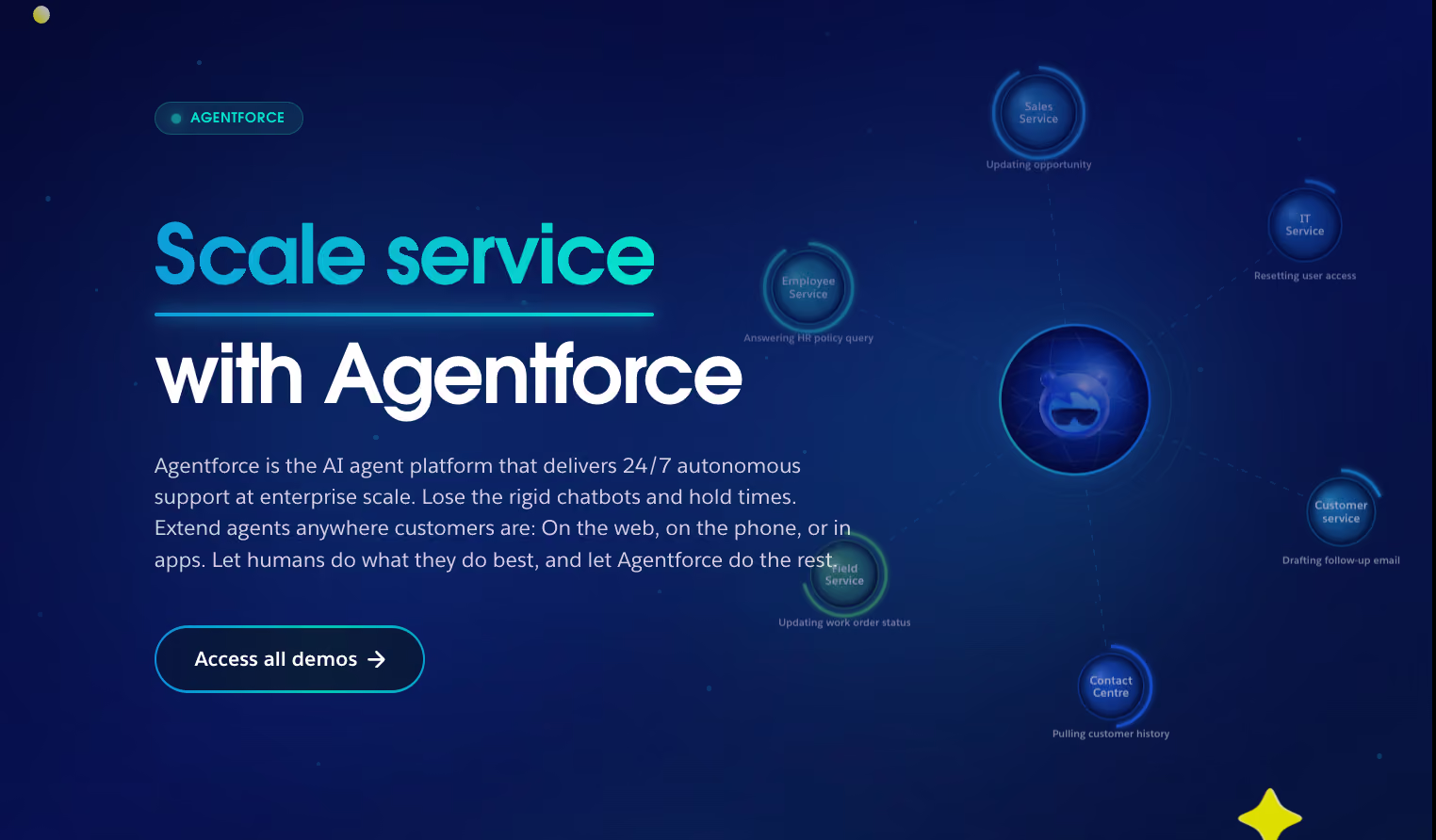
Agentforce is Salesforce's AI agent platform that helps teams handle service and sales tasks. It builds on CRM and Data 360 data to let agents understand requests, decide on actions, and complete tasks inside Salesforce or connected systems.
Businesses use it to replace manual steps like case updates or appointment scheduling with guided, auditable automation.
Agentforce is part of the Salesforce ecosystem. It works on top of Data 360 (formerly Data Cloud) to ground agents in live CRM records. It works alongside Agentforce Assistant (formerly Einstein Copilot).
Agentforce Assistant handles in-app, quick-task help for employees. Agentforce runs the heavier, end-to-end tasks across Salesforce and connected systems. Together, they give teams conversational support with full task completion under one platform.
What are the key features of Agentforce?
Agentforce combines reasoning, task execution, and governance into one platform, covering everything from building a task to running it in production. Here's what each core piece actually does, based on Salesforce's own documentation for each.
The features that matter most for evaluating Agentforce:
- Agent Development Lifecycle: The five-phase system Salesforce built around Agentforce, covering design and build, test and evaluate, deploy and experiment, observe and monitor, and control and orchestrate. It's now API and CLI-first so that teams can move through each phase from their own tools instead of only the Salesforce UI.
- Agentforce Builder: The low-code workspace for creating agents with natural language, prebuilt templates like Service Agent and SDR Agent, and a simulator that shows exactly how an agent will respond before it goes live.
- Agent Script: The scripting language behind Agentforce Builder. It lets teams define conditions, loops, and variable logic when natural language alone isn't precise enough, combining low-code speed with pro-code control.
- Agentforce Voice: Extends the same agents built in Agentforce Builder to phone, web, and mobile with natural, low-latency conversations grounded in live CRM data.
- MCP Support: Connects Agentforce to external tools and data through the Model Context Protocol, an open standard that works like a universal adapter between agents and outside systems.
- Observability: A single dashboard for tracking session-level performance, error rates, latency, and credit consumption across every deployed agent.
- Multi-Agent Orchestration: Lets a primary agent route requests to specialized secondary agents behind the scenes, so the customer deals with one consistent point of contact instead of switching between bots.
These features work together to move a task from idea to production and keep it monitored once it's live. Here's how that actually plays out in a single request.
How does Agentforce work?
Agentforce works by taking a request, reasoning through what it means, and completing it using Salesforce data and connected systems. The Atlas Reasoning Engine sits at the center of that process, matching a request to a topic and deciding which actions to run.
Here's what happens at each step of a typical request:
- Request comes in: A user enters a question or task in Salesforce, Slack, web chat, or voice.
- Atlas interprets intent: The reasoning engine reads the request and maps it to a defined topic and the actions available to that agent.
- Data gets pulled or updated: The agent reads or writes to CRM and Data 360 records to ground its response in real data.
- Actions execute: Flows, MuleSoft, APIs, or Apex carry out the actual task, whether that's updating a case or scheduling an appointment.
- Admins monitor the result: Agentforce Observability logs the session, tracks quality scores, and flags errors for review.
For example, a support agent receives a request to update a case, one of many real-world agent use cases this kind of setup handles well. Agentforce verifies the customer, retrieves the case, and adds a comment automatically. That flow uses three actions, which Salesforce estimates at about 60 credits, or $0.30, under the Flex pricing model.
Agentforce Assistant works differently. It handles quick, in-app help for one employee at a time, while Agentforce runs multi-step tasks across different Salesforce apps and connected systems.
Agentforce pricing: What it costs
Agentforce runs on four pricing tracks, plus optional per-user add-ons layered on top. There's no single flat rate, so the real cost depends on which track fits how your team plans to use it.
What is the difference between Salesforce Copilot and Agentforce?
Copilot, now renamed Agentforce Assistant, is a quick-task helper triggered by one employee at a time inside a single app. Agentforce builds and runs multi-step tasks that act on their own across CRM, Data 360, and connected systems. Agentforce and Copilot both work inside Salesforce, but they solve different problems.
Here's how the two break down by function:
Both tools can complement each other. Copilot focuses on in-app productivity, while Agentforce completes end-to-end tasks.
What users say about Agentforce
Positive Salesforce Agentforce reviews highlight how much users love its automation capabilities. Still, getting it configured well enough to trust remains a constant hurdle.
What reviewers say:
- On G2 (4.3/5 from 1,694 reviews), the praise centers on CRM integration and ease of use. Tridib C., Senior Specialist, Cloud Services and Software, Enterprise, said Agentforce "simplifies day-to-day work" by summarizing interactions and recommending next steps. The recurring caveat: real setup and fine-tuning are needed before results stay consistent.
- On Gartner Peer Insights (4.4/5 from 416 ratings), reviews split by role. A Head of Customer Service and Support, Finance, rated it 4/5, calling it "powerful automation and integration" offset by a steep learning curve. A Data Automation Lead in education flagged integration and training demands as the main friction.
- On Capterra (5.0/5, but from just 1 review), Chiara, who works in Health, Wellness & Fitness, called setup fast, saying it took "3 minutes to set it up." She flagged price as her only open question, giving Agentforce a 10/10 recommendation despite the small sample size here.
Common issues and limitations
Most Agentforce complaints come down to one thing. It only performs as well as its setup, which takes more work than a Salesforce admin might expect.
The clearest gap shows up in who can actually configure it. Noel P., a mid-market reviewer on G2, rated Agentforce 5/5 for lead qualification, then noted in the same review that nontechnical staff struggled with initial setup, and that his team relies on one Salesforce architect covering three companies just to keep it running.
Here, the issue is that Agentforce assumes admin bandwidth most smaller teams don't have.
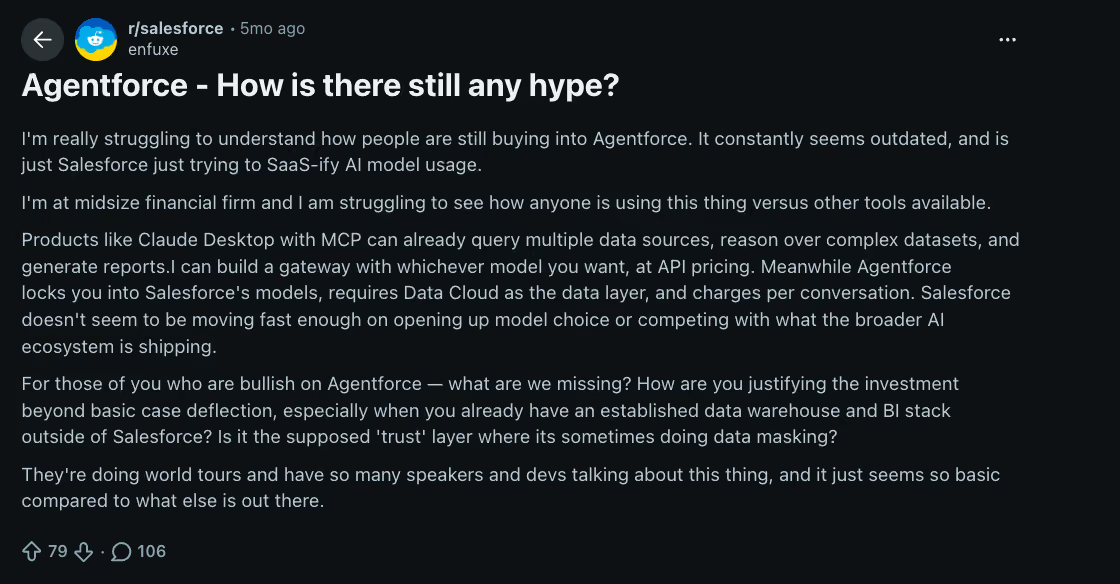
The second gap is model and platform lock-in. On Reddit's r/salesforce, a thread questioning Agentforce's hype pointed out that tools like Claude Desktop with MCP can already query multiple data sources and reason over complex datasets at flat API pricing. At the same time, Agentforce leans on Salesforce's own data layer, and reading unstructured documents means adding Data 360. Costs run on credits or conversations rather than a flat rate.
For teams already running an independent data stack, that's a real cost and flexibility trade-off worth weighing before buying in.
Both patterns point in the same direction: Agentforce rewards teams that are already deep in the Salesforce ecosystem, and asks more of everyone else.
Is Agentforce worth it? My take
Agentforce is worth it if you're an enterprise team that already runs Salesforce. With large datasets and structured workflows, the platform reduces handling time, improves service outcomes, and scales digital labor.
For SMBs or companies not using Salesforce, it may not be worth it. Setup demands, pricing complexity, and the need for clean data are the barriers you'll have to overcome. In those cases, you'll be better off with an alternative.
Who Agentforce is right for
Agentforce fits teams that have already invested in Salesforce and have the CRM data to back it up. That's a narrower group than the marketing suggests, but within it, the fit is strong.
Here’s when to choose Agentforce:
- Enterprise sales and service teams already running Salesforce day-to-day, with the admin resources to configure and maintain agents.
- Companies with clean, structured CRM data and large-scale workflows, since Agentforce's accuracy depends directly on data quality.
- Organizations building an end-to-end Salesforce ecosystem, using Data 360, Flows, and MuleSoft together rather than as separate tools.
Who should consider alternatives?
If you're outside that core group, the setup cost and pricing complexity tend to outweigh what Agentforce delivers. It's worth comparing Agentforce against the best AI agents built for teams outside the Salesforce ecosystem before committing.
Consider another route if you:
- Need lightweight, flexible tools that work across multiple platforms, not just inside Salesforce.
- Want predictable, lower-cost pricing without managing credits, conversations, or per-user add-ons.
- Prefer a standalone option that doesn't require a Salesforce architect to keep running, since G2 reviews already flag this as a real bottleneck for smaller teams.
If that's your team, Agentforce is the right call. If it isn't, there's a lighter route.
{{templates}}
When you don't need to build an agent at all
If you're not locked into Salesforce, Lindy is worth a look. Lindy is an AI teammate that lives in your Slack, connects 1,000+ integrations, and handles work across email, calendar, and CRM without any agent-building step.
What Lindy does:
- Drafts replies to inbox messages in your voice
- Runs on scheduled routines you set once, in plain English
- Updates CRM fields in Salesforce and HubSpot without manual entry
- Joins meetings, records, and drafts the follow-up email for you to approve and send
Lindy starts at $29.99/month per user on the Plus plan. No free plan, but there's a 7-day free trial for teams joining through Slack. If your team is already on Slack and you want AI that does work rather than an agent setup you configure, it's worth testing.
The limitation? Lindy logs every action and lets you set per-tool approvals, but those controls live in Lindy and Slack rather than inside the Salesforce record. Audit logs are Enterprise-only, and guardrails cover writes. If you need agent actions logged and controlled inside Salesforce itself, with guardrails tied directly to your CRM data, Agentforce is the right tool.
Try Lindy free and see how it handles your first week.
{{cta}}
Frequently asked questions
Is Agentforce good?
Agentforce is good for enterprise teams already running Salesforce with clean CRM data. On G2, it holds a 4.3 out of 5 rating from 1,694 reviews, and on Gartner Peer Insights, Agentforce Service holds a 4.4 out of 5 rating from 416 ratings. Reviewers cite CRM integration and speed as strengths, and setup complexity as the main complaint.
Is Agentforce a CRM tool?
No, Agentforce is not a CRM tool. Agentforce is an AI agent platform built on top of Salesforce's CRM and Data 360 data, using that information to power agents rather than storing or managing customer records the way a CRM does.
Is Agentforce the same as Copilot?
No, Agentforce is not the same as Copilot. Agentforce is the platform for running AI-powered tasks. Copilot, now called Agentforce Assistant, is the in-app helper for quick employee tasks inside Salesforce.
What are the pros of Agentforce?
Agentforce's pros start with deep CRM integration, since agent actions run directly on live Salesforce records rather than a separate system. Agentforce also offers solid lifecycle tooling through Agentforce Builder and Observability, plus MCP Support for connecting outside tools, all reasons G2 and Gartner reviewers rate it highly.
What are the cons of Agentforce?
Agentforce's cons center on its learning curve and Salesforce lock-in, since results depend on admin setup and clean CRM data going in. Agentforce pricing adds friction too: choosing between Conversations, Flex Credits, Resolutions, and per-user editions makes total cost harder to predict than a flat monthly subscription.
Is Agentforce profitable?
Agentforce is profitable for large enterprises with structured CRM data. Smaller teams face setup costs and usage fees that make profitability harder to reach.
How to set up Agentforce?
Setting up Agentforce starts with confirming your Salesforce edition and choosing between Conversations and Flex Credit pricing. From there, request access through your account executive, connect CRM and Data 360 records so agents are grounded in real data, and pilot one use case, like sales support, before rolling out further.
What is the best alternative to Agentforce?
Lindy, CrewAI, and n8n are some of the best alternatives to Agentforce. Lindy is an AI teammate that works across CRMs, email, calendar, and Slack without any building step. n8n is source-available and developer-focused. CrewAI supports multi-step systems for technical teams.









