Botpress vs Voiceflow (2026): I Built the Same Bot on Both
Marvin compared Botpress, Voiceflow, and Lindy across setup effort, developer control, customization depth, and workflow automation to show which AI agent platform fits different teams.


I kept seeing the same two names come up whenever a support team wanted a bot to handle repetitive customer questions: Botpress and Voiceflow. Botpress is a developer-first platform with a built-in database and code-level control. Voiceflow is a visual canvas built for product and CX teams who ship bots without engineering help.
I went in skeptical and built the same bot on both: a simple order-status lookup that pulls a customer’s order details and answers delivery questions. I tested each platform across the builder, the AI, channels, integrations, and security.
Voiceflow is the better pick for most support and CX teams because non-technical builders can design, test, and launch chat and voice bots on their own. Botpress is the better pick for developer teams that want code-level control, built-in data storage, and AI usage bundled into the plan price.
Botpress vs Voiceflow: main differences
To compare other bot platforms, this list of Botpress alternatives and this guide to Voiceflow alternatives cover where each tool fits and where it falls short.
What is Botpress?
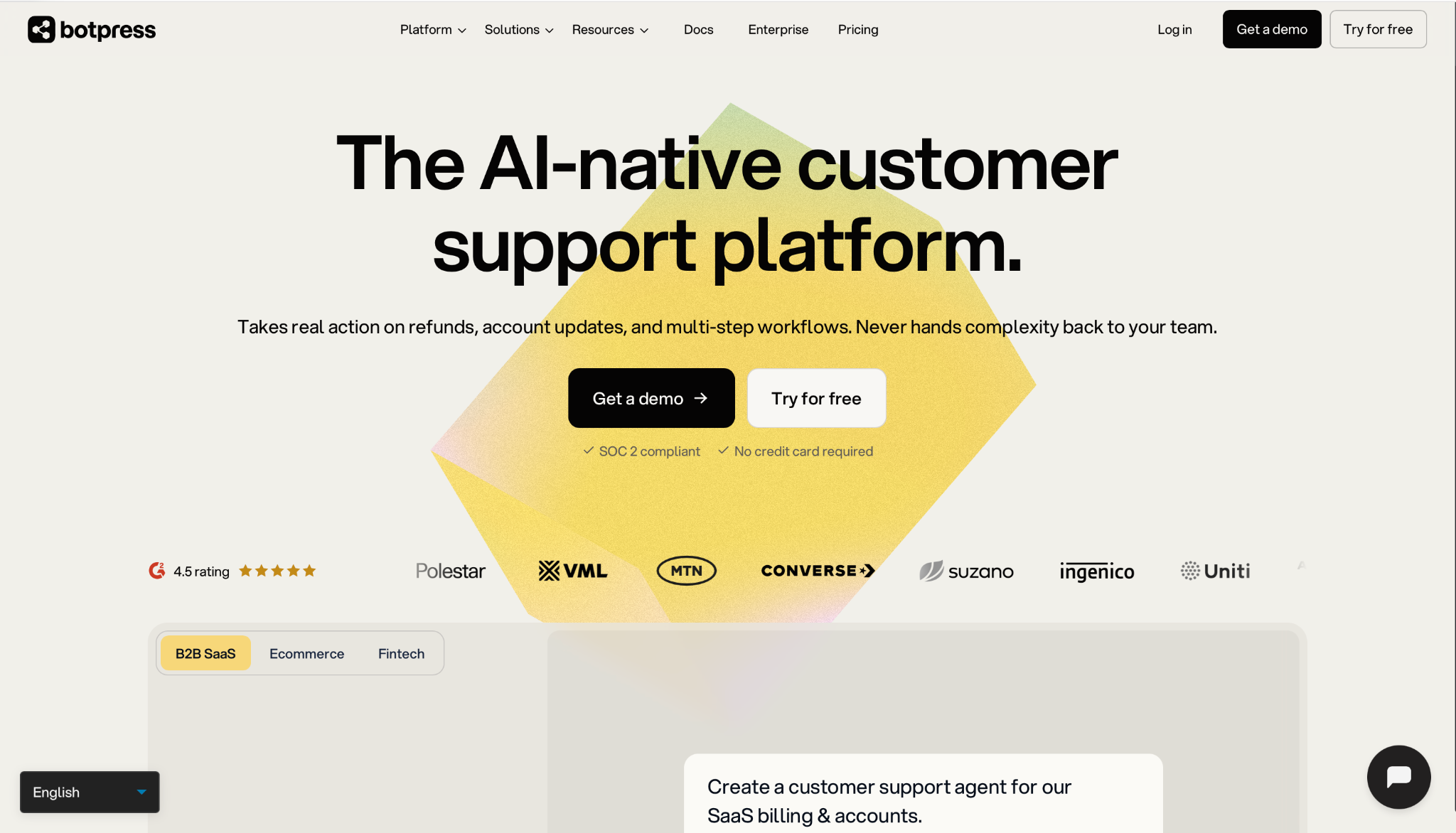
Botpress is a platform for building AI support bots that answer customers and complete tasks. It is now described as an AI-native customer support platform. A team can build a bot in a visual editor, describe it in natural language through Botpress Viber, or add custom code when a task needs more control.
The bot answers from company content and can take actions such as issuing refunds or updating accounts. Botpress also sells Botpress Desk, a help desk that runs on its own or connects to Zendesk and Intercom. Botpress is designed for support teams and developers who want close control over how a bot reasons and acts.
Key features Botpress covers:
- Agent Studio: A drag-and-drop canvas where the bot's conversation logic, actions, and integrations are laid out visually. A built-in emulator lets builders test replies and fix errors before the bot goes live. Developers can switch to custom code at any step, integrate external APIs, and choose which LLM handles each task.
- Autonomous Engine: The LLM layer that runs on LLMz, Botpress’s own agent framework. It reads the bot's instructions, tracks the chat, selects which tool to use, and executes code as needed. Teams can mix this open reasoning with fixed, step-by-step flows, so the bot stays flexible in normal chats and predictable in sensitive ones.
- Tables: A built-in database for structured records such as user details, tickets, or orders. Data stays available across sessions, so the bot can recall and update a customer's details when they return. Developers can also add, update, and query rows through the Botpress API, which keeps Tables in sync with other systems.
- Knowledge Bases: Uploaded documents, text files, and web pages serve as the bot's source material. The bot answers using your company’s content, keeping replies on-brand and accurate. Storage grows by plan, from 100MB on Free to 5GB on Team.
- Botpress Hub: The library of channels, integrations, and LLM providers in one place. Integrations include HubSpot, Salesforce, Zendesk, and Intercom, and LLM options include OpenAI and Anthropic. With these connected, the bot can look up and change records in other tools during a conversation.
- Channels: Bots deploy to webchat, WhatsApp, Slack, Messenger, and Instagram from a single build. Customers can reach the same bot on multiple platforms, and you don't need to rebuild the logic for each one. The Plus plan and above can remove Botpress branding from webchat.
- Hot handoff: When a ticket needs a person, the bot passes it to a team member along with the chat history, account details, and steps it already tried. A shared inbox holds all cases, and on the Team plan, routing rules send each to the right person. Teams can use Botpress Desk on its own or connect it to Zendesk or Intercom.
What stood out during testing
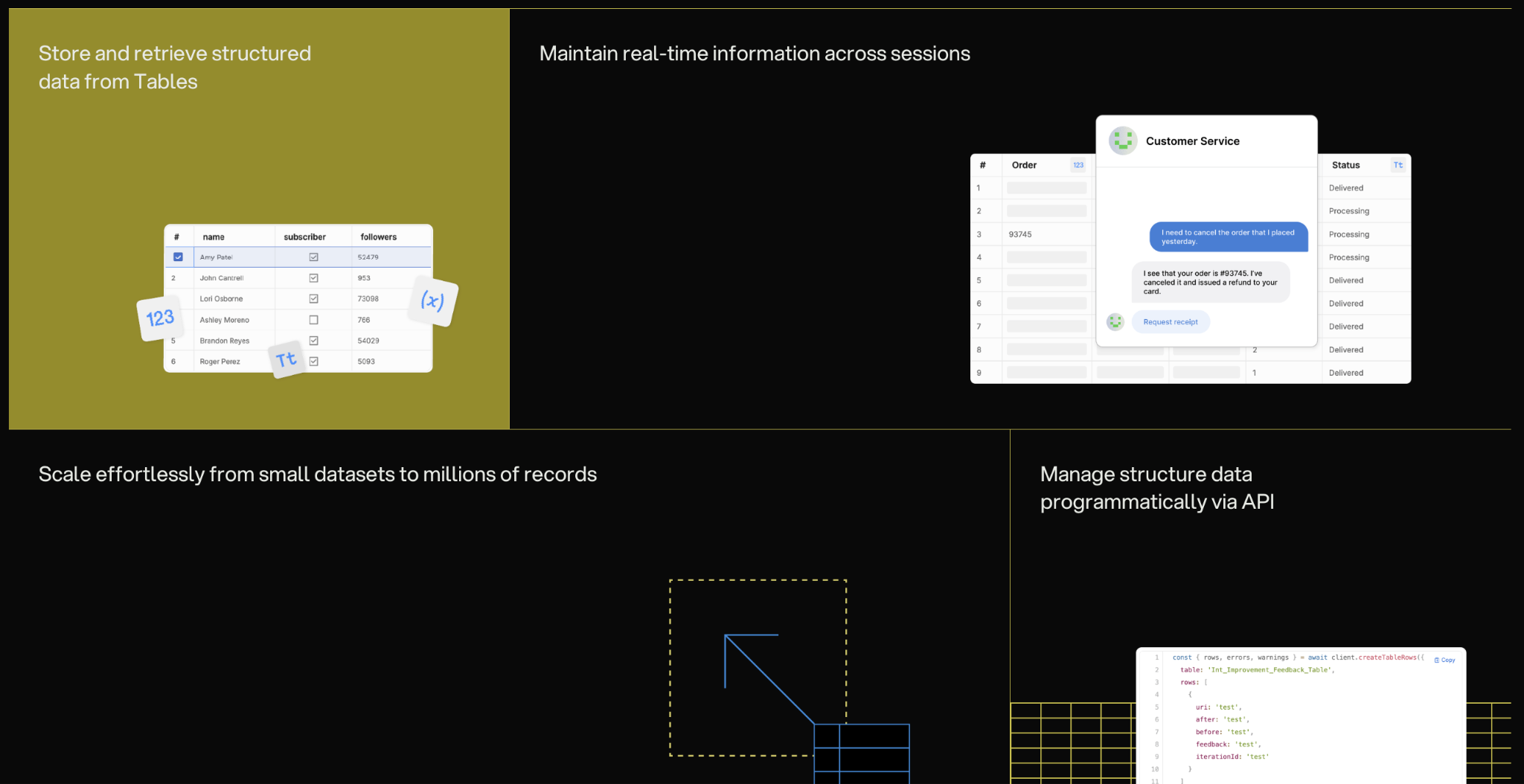
Tables gave Botpress an edge over Voiceflow in my testing. A bot saved an order number in one session, and it read that record back when the same user returned. Most chat builders treat each conversation as new, so this memory made the bot feel closer to a support system.
The handoff was also stronger than I expected. When the bot escalated a ticket, the human agent saw the full history and the troubleshooting steps that had already been attempted. The agent could pick up from there, and the customer was never asked to explain the issue again.
What could improve
The learning curve is steep for anyone outside engineering. Agent Studio is visual, but useful bots still depend on API calls, custom code, and careful rules for the Autonomous Engine. A small team without a developer should expect slow progress after the first simple bot.
Voice support is a clear gap for most buyers, as it is available only on the Enterprise plan. Self-hosting also carries less weight than older reviews suggest, because v12 has not been updated since April 2025.
Botpress automatically adds a pack of 100 conversations once a plan reaches 95% of its quota, at $65 on Plus or $50 on Team. This cannot be switched off, so budget-conscious teams should track usage closely. Unused conversations in a pack expire at month-end. AI usage credit grants work differently: unused AI spend carries over for up to 12 months.
Pricing
Botpress prices every plan per workspace, with no per-seat charge. The Free plan includes 100 conversations, 3 seats, and 3 bots each month. Plus is $189/month with 250 conversations and unlimited AI agents. Team is $939/month with 1,500 conversations and unlimited seats. Enterprise pricing is custom and adds dedicated support, an uptime SLA, and the voice channel.
What is Voiceflow?
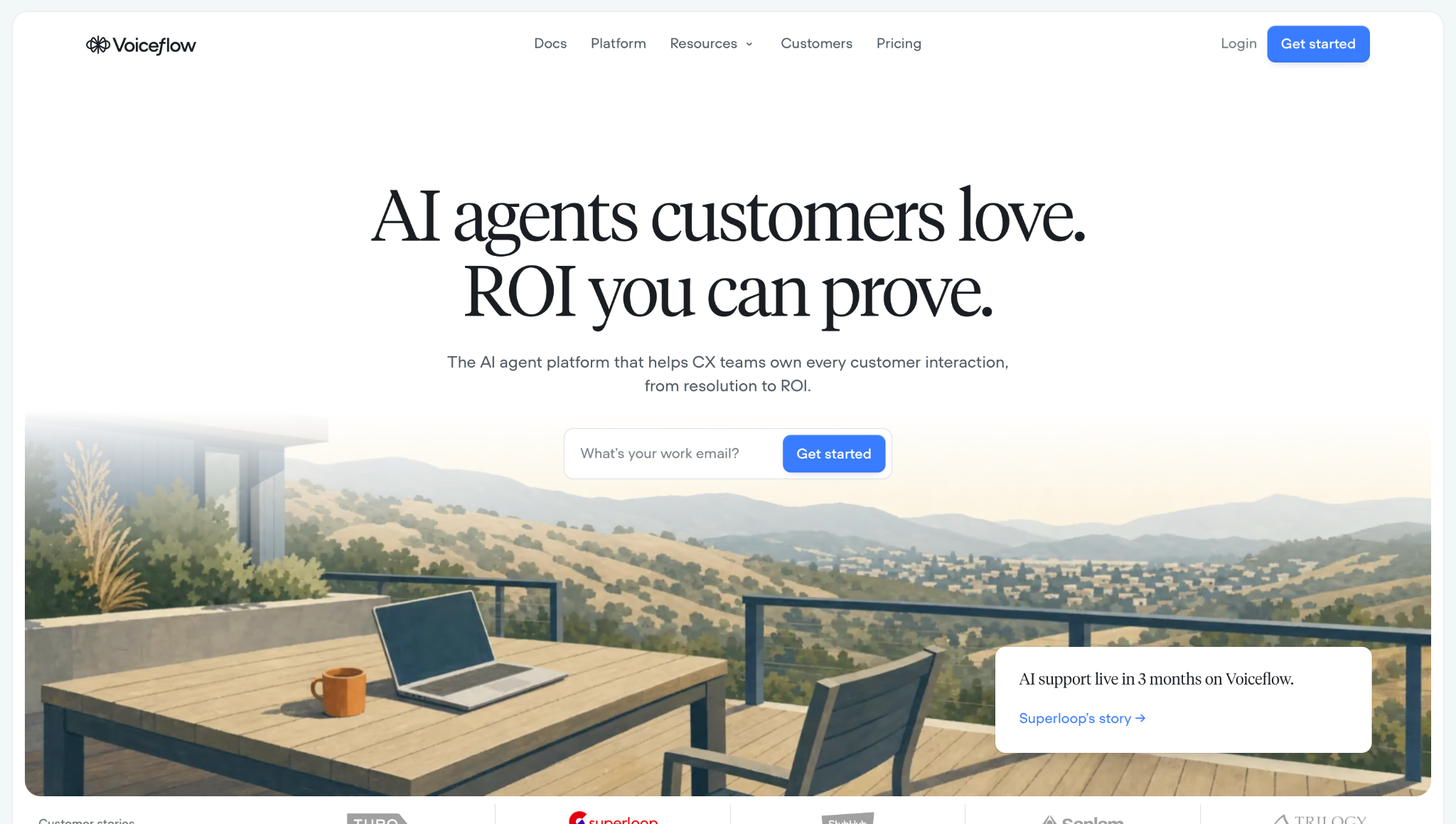
Voiceflow is a cloud platform for building chat and voice bots for customer support. Teams design each bot on a shared visual canvas, mixing AI-led conversations with fixed, step-by-step flows. The bot answers questions from a knowledge base and integrates with tools like Zendesk, Salesforce, and Shopify. One build can run on a website, in an app, or on a phone line.
Voiceflow is designed for product, design, and CX teams that build bots together.
Key features Voiceflow covers:
- Playbooks: Goal-based conversations where the AI decides the next step and calls tools when needed. A global prompt and guardrails keep the bot on topic, allowing it to handle open requests such as refunds or account changes. Teams can pick from major LLM providers or bring their own model.
- Workflows: Fixed, multi-step processes built from steps like messages, buttons, conditions, API calls, and code. A workflow can run with or without AI, so sensitive tasks, like identity checks, follow the same path every time. A live agent handoff step transfers the chat to a person when the bot cannot complete it.
- Knowledge base: Help articles, documents, and websites are imported as data sources, along with content from Zendesk and Shopify. The bot pulls answers from your company's content, so replies match what the support team already tells customers.
- Tools and integrations: Native tools connect to Zendesk, Salesforce, HubSpot, Shopify, Twilio, Airtable, Make, Gmail, and Google Sheets. Engineers can add API, functions, and MCP tools for anything else. With these in place, the bot can read and update records during a conversation.
- Channels: One bot deploys to a website chat widget, a mobile app, and a phone line for inbound calls. Each workspace includes one phone number, and outbound calls run through Twilio, Vonage, or Telnyx, and SMS through Twilio is in beta. Custom interfaces connect through the Conversations API.
- Collaboration: Shared workspaces with team roles and permissions. Paid plans include some editor seats, and viewers are free and unlimited on every plan. Editors can be limited to certain projects, so large teams can review work without risking changes to live bots.
- Observability: Every conversation is saved with full transcripts and call recordings. Evaluations score chats on resolution rate, CSAT, or custom metrics, and tests run sample conversations before launch. Analytics track response times, credit usage, and conversation volume.
What stood out during testing
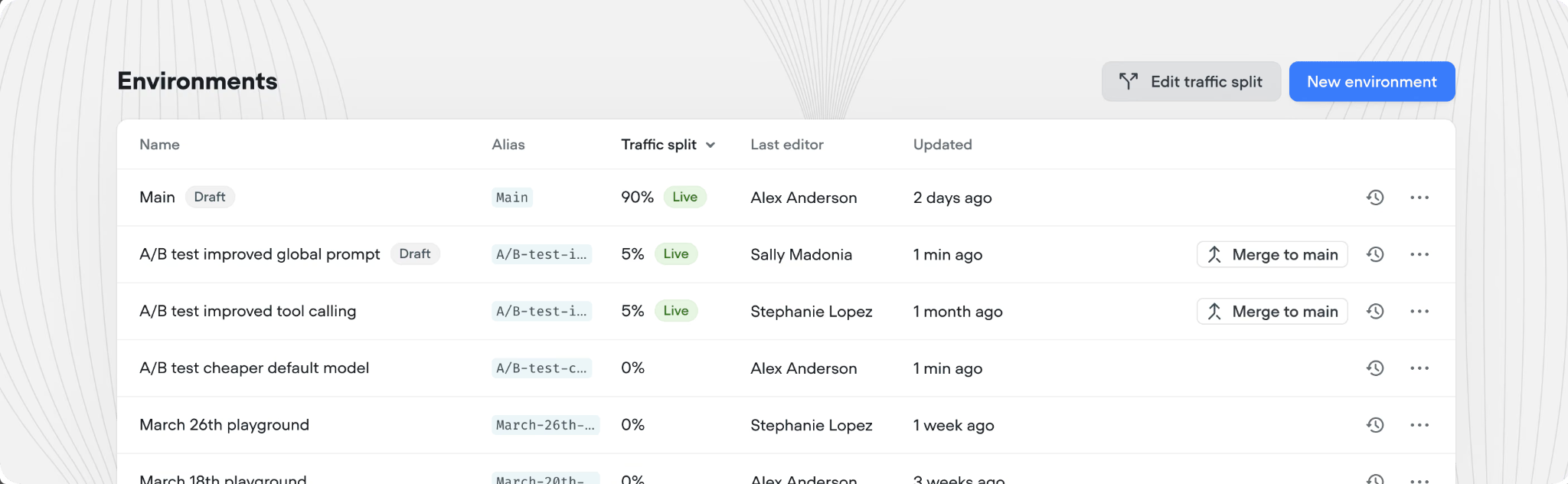
Environments were the clearest difference from Botpress. I made changes in a development version, ran tests, and pushed them to production only after they passed. The A/B split let me send part of the traffic to a new version and compare results before a full rollout.
Voice support was also easier to reach. The workspace came with a phone number, and the same bot that answered website chats took calls without a separate telephony setup. On Botpress, the voice channel is available on the Enterprise plan.
What could improve
Pricing is hard to plan around. The public pricing page lists no prices, so plan costs are only shown after sign-up or during a sales demo. Usage is billed in credits for AI replies and phone calls, and each plan caps the number of concurrent calls unless a team buys an add-on.
Teams with strict data rules have fewer options. Voiceflow has no open-source or self-hosted version, and private cloud hosting is limited to Enterprise. SMS is still in beta, so text support is less mature than chat and voice.
Pricing
Voiceflow does not list prices on its pricing page. The page shows two options. Agencies and partners get a free trial with no credit card and pay based on usage. Businesses book a demo to get a price. Voiceflow's billing docs name four plans: Free for testing, Pro for single builders, Business for growing teams, and Enterprise with SSO and private cloud hosting.
Botpress vs Voiceflow: feature-by-feature comparison
Botpress and Voiceflow both build AI support bots, but they lean in different directions. Botpress gives developers more control over logic, data, and AI costs. Voiceflow is stronger on voice and team design work.
Builder and ease of use
Both tools have a visual editor, so the real split is who finishes the bot. A product manager can build a Voiceflow bot that handles refunds, lookups, and edge cases. The same bot on Botpress usually needs a developer to finish the logic with JavaScript and API calls. With a developer on the team, Botpress offers more control. Without one, that extra control goes unused.
Winner: Voiceflow for product and CX teams without much engineering help. Botpress for developers who want full control over how the bot behaves.
LLM and AI capabilities
Both tools let teams choose major LLMs or bring their own model, so the split is cost and uptime. Botpress bundles AI usage into each paid plan up to a set amount, which makes the monthly bill easier to forecast. Voiceflow draws every AI reply and call from a credit balance, so costs grow with traffic. In return, its Business plan adds fallback models that keep the bot answering if one provider goes down.
Winner: Botpress for teams that want AI usage bundled into the plan price. Voiceflow for teams that cannot afford downtime from a single model provider.
Channels
The split here is voice. On Voiceflow, a team can test a phone bot on day one with the number included in each workspace. On Botpress, phone support requires an Enterprise contract and a sales call. For teams that only need chat channels, both tools deploy from a single build.
Winner: Voiceflow. Any team that needs a phone bot can start right away, while Botpress keeps voice behind Enterprise pricing.
Integrations
The split depends on where tickets and orders already live. A team that wants to keep Zendesk or Intercom can place Botpress Desk on top through OAuth, with nothing to migrate. An online store gets more from Voiceflow, because its native Shopify tool lets the bot look up orders and delivery status on its own. Both tools accept custom API connections for anything else.
Winner: Voiceflow for e-commerce teams and wider native coverage. Botpress for support teams that want to keep their current helpdesk.
Security and compliance
The split is between certifications and hosting control. Both list SOC 2 Type II, GDPR, and HIPAA-eligible with a signed BAA. Voiceflow adds ISO 27001, and Botpress adds CCPA and DORA. On Enterprise, Botpress lets teams set custom data retention and residency policies.
Self-hosting exists only through Botpress's older open-source v12, which has not been updated since April 2025 and lacks the Autonomous Engine, Tables, and Botpress Desk.
Winner: Close to a tie on certifications. Voiceflow if you need ISO 27001 or private cloud hosting. Botpress only if self-hosting is a hard requirement and the v12 trade-offs are acceptable.
{{templates}}
Botpress vs Voiceflow pricing
Botpress lists every plan price on its website, while Voiceflow doesn't publish prices, so teams only see them after signing up or booking a demo.
What a five-person team pays
If a five-person support team used Botpress for a website chatbot that handles 2,000 conversations a month, it would cost roughly $1,239/month. The Plus plan allows only 3 seats, so the team would need the Team plan at $939/month. The extra 500 conversations add six packs at $50 each.
If the same team used Voiceflow, the bill would combine the plan fee, extra editor seats, and credits for 2,000 conversations. Voiceflow does not publish these numbers, so you’ll need to sign up or book a demo to get an exact figure.
What users say about Botpress and Voiceflow
Botpress reviews focus on flexibility and channel integrations, and the most common complaints are about the learning curve and documentation. Voiceflow reviews focus on how easy the builder is to use, and the complaints center on credits, pricing, and missing integrations.
Botpress users on G2
Botpress has 4.5/5 from 514 reviews on G2, which is more than four times Voiceflow's review count. That volume makes the score more stable, since it reflects a wider range of use cases and team sizes. Most users compliment Botpress for its ease of use, flexible flows, and simple integrations with WhatsApp and Slack. Several reviewers say they built a working bot in a day or two without writing code.
The most common complaint is a steep learning curve once a bot moves past the basics. Reviewers also point to thin documentation, weak tools for managing live conversations, and AI usage costs that are hard to predict.
Voiceflow users on G2
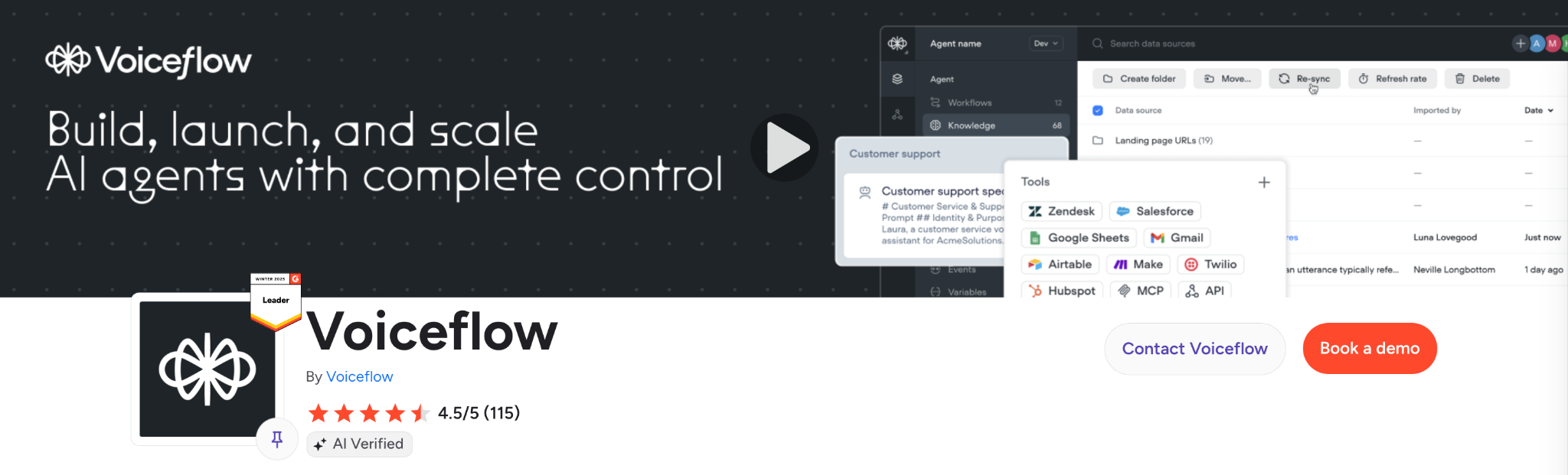
Voiceflow has 4.5/5 from 115 reviews on G2. Users praise its no-code builder, easy integrations, and responsive support team. Many reviewers are agencies that use Voiceflow to build bots for several clients.
Complaints center on usage limits tied to AI credits and pricing that feels high as the team grows. Some reviewers want more native integrations, especially for social channels, and a few say the voice quality trails tools built only for phone calls. A small number of European users also note the lack of EU hosting.
Which one should you choose: Botpress or Voiceflow?
Botpress is the better choice when developers build and own the bot, and Voiceflow is the better choice when product and CX teams need to launch one without heavy engineering help. Botpress gives engineers code-level control, a built-in database, and AI costs bundled into the plan price. Voiceflow pairs a shared visual canvas with strong voice support.
Choose Botpress if:
- A developer will own the bot: Botpress allows code at every step of the conversation. That person can decide how the bot reasons, which LLM handles each task, and what it does when the AI is unsure. Without that person, most of these controls go unused.
- Customer data must stay in one region: Botpress Enterprise lets teams set custom data retention and residency rules. Teams with stricter rules can self-host the older open-source v12, but they lose the newer cloud features.
- The bot must finish tasks on its own: The Autonomous Engine runs multi-step jobs such as refunds, order changes, and account updates. Tables keep details like order numbers across sessions, so a returning customer does not start over.
- Your team audits software before approval: The open-source v12 code is public, so developers can inspect, change, and run it without usage limits. The audit covers v12 only, which is older than the hosted product.
- Predictable AI costs matter: Paid plans include AI usage, at $25 on Plus and $150 on Team. Extra conversations are added in packs of 100 once a plan reaches 95% of its quota, and this cannot be switched off.
Choose Voiceflow if:
- Your builders are product, design, or CX staff: They can design flows, write instructions, and connect tools on the canvas without code. Engineers can add API and code steps later, so the bot keeps moving when a developer is busy.
- Several people review each change: Viewers are free and unlimited on every plan, so managers and support leads can test a bot without a paid seat. Development, staging, and production versions let the team approve changes before customers see them.
- Customers reach you by phone as well as chat: Each workspace includes a phone number for inbound calls, and outbound calls run through Twilio, Vonage, or Telnyx. The same bot runs in a website chat widget or mobile app, and phone support starts below the Enterprise tier.
- You run an online store or a support desk: Native tools for Shopify, Zendesk, Salesforce, and HubSpot let the bot check orders, update tickets, and pull customer records. The team then needs less custom integration work.
- Your team wants no hosting work: Voiceflow runs everything in its own cloud and lists SOC 2 Type II, ISO 27001, GDPR, and HIPAA-eligible with a signed BAA on its security page. Teams that need a self-hosted option will not find one.
{{cta}}
What's better than Botpress or Voiceflow?
Lindy is better than Botpress or Voiceflow when your team needs AI for its own daily work. For a bot that talks to customers, Botpress and Voiceflow are two of the strongest options. Both focus on the conversation between a customer and your bot. Neither one handles the internal work around it, such as inbox triage, meeting notes, follow-ups, or CRM updates.
Lindy is an AI teammate that works for your team across Slack, iMessage, Gmail, and your meetings. Lindy connects to over 1,000 tools, including Gmail, Slack, HubSpot, Salesforce, Google Calendar, and Zoom. @mention Lindy in Slack with what you need, and it handles the task across your tools.
Here is what that looks like in practice:
- Inbox triage: Lindy sorts incoming email, flags what needs a reply, and drafts responses in your voice, so you see what matters first.
- Meeting notes: Lindy joins Google Meet, Zoom, and Microsoft Teams calls, records them, and files the notes in shared folders, so anyone on the team can ask what was decided.
- Follow-ups and CRM updates: @mention Lindy in Slack to log a call. Lindy updates HubSpot or Salesforce and drafts the follow-up email, so the CRM stays current after every call.
- Scheduling on the go: Text Lindy over iMessage to book a meeting. Lindy checks your calendar, finds a time, and shows you the invite before sending it.
- Built-in approvals: Anything with an external impact, like sending an email or updating a ticket, waits for your approval so you stay in control.
Lindy has a free plan, and paid plans start at $49.99/month per user.
Frequently asked questions
What is better than Botpress?
Voiceflow is better than Botpress for teams without developers. Bots are designed on a no-code canvas, and a phone number is included with every workspace, allowing voice bots to be launched without an Enterprise contract. For internal team work like inbox triage, meeting notes, and CRM updates, Lindy, an AI teammate, is the better pick.
Who are Voiceflow's main competitors?
Botpress, Fin, and Kore.ai are Voiceflow's main competitors. Botpress is chosen by developer teams that want code-level control. Fin is used by support teams already running Intercom. Kore.ai is picked by large enterprises with complex contact centers.
Is Botpress free?
Yes. Botpress has a Free plan, which includes 100 conversations, 3 seats, and 3 AI agents. No top-ups or overages are allowed on this plan. Paid plans start at $189/month for Plus, which includes 250 conversations and $25 of AI usage. Most production support bots are moved to a paid plan.
Is Voiceflow free?
Yes. Voiceflow offers a Free plan with a one-time credit for testing. The credits do not renew, so the plan is not meant for live bots. Agencies and partners also get a free trial with no credit card. Prices for the paid Pro, Business, and Enterprise plans are shown only after sign-up or a demo.
Which is easier to use, Botpress or Voiceflow?
Voiceflow is easier to use than Botpress for non-technical teams. Bots are built on a no-code canvas, and changes are tested in separate development and staging versions before launch. Botpress also has a visual editor, but most useful Botpress bots are finished with custom code and API calls, so a developer is usually needed.
Is Botpress open source?
Yes. Botpress v12 is open source and can be self-hosted, but it has not been updated since April 2025. The current product, Botpress Cloud, is a hosted platform, and its newer AI features are missing from v12. Most teams use Botpress Cloud instead, which includes the Autonomous Engine, Tables, and Botpress Desk.
Can Voiceflow make phone calls?
Yes. Voiceflow handles inbound phone calls with the number included in each workspace. More numbers can be added for a fee. Outbound calls run through Twilio, Vonage, or Telnyx. The same bot can answer website chats and phone calls from a single build. Each plan caps the number of calls that can run at once, and you can add higher limits as an add-on.










