
I compared ChatGPT and Gemini on six key tasks in 2026, including writing, coding, research, files, images, and video, plus pricing and what real users report.
You've got both ChatGPT and Gemini sitting on your phone, and you only use one of those out of habit every time. That habit formed back when one of them was clearly ahead of the other. The gap between ChatGPT and Gemini has shifted a lot recently, and most people never go back to check who’s ahead.
I spent five days going through both tools, in terms of their usage, plans, features, and user reviews. OpenAI and Google both changed their offerings, and a lot of comparison articles still floating around online haven't caught up.
This piece covers what each tool is built on, which one wins specific tasks like writing or coding, and which one fits how you already work.
ChatGPT vs Gemini: TL;DR
- Neither tool wins everything: ChatGPT tends to win on writing and coding. Gemini tends to win on real-time research, long documents, video generation, and anything tied to your Google account. Image generation stays close to a tie.
- Gemini's paid plans start lower: ChatGPT's cheapest paid plan is $8/month (Go), with no annual option. Gemini's cheapest is $4.99/month on Google AI Plus, and both offer usable free tiers.
- Gemini's context window is far bigger: Its higher tiers advertise windows up to 1 million tokens, large enough to process a long document in one conversation. ChatGPT's context window varies by plan and falls well short of that.
- ChatGPT reaches outside Google: Gemini plugs directly into Gmail, Docs, and Drive. ChatGPT also connects to Google Drive, Docs, and Sheets, and leans on a browser agent and Microsoft's apps as well.
- Only Gemini has a built-in video generator: ChatGPT retired its video generator, Sora, in 2026 and hasn’t replaced it.
ChatGPT vs Gemini: Compared at a glance
Here's how the two compare, feature by feature:
| Feature | ChatGPT | Gemini |
|---|---|---|
| Company | OpenAI | |
| Current flagship models | GPT-6 | Gemini 4 Argon, Gemini 4 Carbon |
| Free-tier model | GPT-6 Luna | Gemini Flash-Lite |
| Context window | Varies by plan | Up to 1 million tokens |
| Image generation | Yes, one by default, more on paid plans | Yes, Nano Banana 2 (Nano Banana 2.1 on paid plans) |
| Video generation | No (Sora retired in 2026) | Yes, Omni Flash |
| Music generation | No | Yes, Lyria 3.5 |
| Memory | Yes | Yes, personal Google accounts only |
| Voice mode | Yes | Yes, Gemini Live |
| Agents | ChatGPT Work (agent tasks, browser) | Tasks in Gemini (Pro and Ultra, most countries), Gemini Agent (Ultra, US) |
| Ecosystem | Codex, Microsoft apps, plugins | Gmail, Docs, Drive |
| Custom mini-chatbots | Retiring by Dec 11, 2026 (migrating to plugins) | Gems (every plan, including Free) |
| Best for | Writing, coding, and deep reasoning | Google Workspace, research, and long documents |
| Cheapest paid plan | $8/month (no annual option) | $4.99/month |
What is ChatGPT?
ChatGPT is OpenAI's chatbot, and for a lot of people it's still the default pick when they're deciding which AI to use. It runs on OpenAI's GPT models. The lineup recently advanced to a new generation.
Plus ($20/month) is the first plan that includes GPT-6 Sol, from OpenAI's newest model family. Pro ($100/month) and up get the fullest access to its top mode, GPT-6 Astra. Free and Go users get GPT-6 Luna, the lineup's lighter model.
What's included at every tier:
- A chat window for everyday conversations
- Image generation
- File uploads
- Voice mode (limited access on Free)
Your plan determines how much of each you get, and which model answers you.
ChatGPT can also remember details across sessions, so it can recall a project from weeks ago without you repeating the context. ChatGPT's Projects feature groups related chats and files under one heading, so a work thread doesn't get lost in your everyday conversation history.
Voice mode lets you talk back and forth in real time and takes interruptions mid-sentence, so a conversation can change direction without restarting the exchange.
Where GPT-6 Sol starts:
- Free ($0/month) and Go ($8/month): GPT-6 Luna only, no GPT-6 Sol
- Plus ($20/month) and up: The first tier that includes GPT-6 Sol. Pro and higher also get GPT-6 Astra in chat
Go's $8/month is enough for everyday chat, but anyone using ChatGPT for daily work should skip straight to Plus. Go never gives you GPT-6 Sol, so it never shows you ChatGPT at its best.
For a closer look at what paying for each tier is like, see this breakdown of every ChatGPT plan, from Free through Pro.
What is Gemini?
Gemini is Google's chatbot, built differently from the ground up. Google designed it to handle text, images, video, and audio in the same system from day one, skipping the later step of adding that kind of support onto a text-only model.
Google’s most capable model is Gemini 4 Carbon, available on Google AI Ultra (from $99.99/month). Google AI Pro ($19.99/month) gets Gemini 4 Argon, its faster Gemini 4 model. AI Plus adds the Flash model on top of Flash-Lite. The free tier runs on Auto mode, which handles most prompts with Flash-Lite but can route harder ones to Flash.
You notice Gemini's biggest advantage the moment you type "@Gmail" or "@Drive" into a chat. Gemini can also remember details across sessions, though the feature isn't available to everyone and requires a personal Google account.
What each command pulls in:
- @Gmail summarizes a thread from your inbox
- @Drive pulls a file straight out of your Drive
Either way, you get the information without leaving the conversation. The free tier runs on Gemini's lighter models, like Flash-Lite, which covers more than people expect before you ever hit a paywall.
Pro adds five TB of storage on top of Gemini 4 Argon, a big jump for anyone who's already filling up a free Google account. Pro also carries that same 1-million-token window into Gemini's own research and document tools. If your whole day already runs through Gmail and Drive, Gemini's model-quality gap with ChatGPT stops being the deciding factor.
Gemini Live adds a real-time voice mode of its own, letting you talk through a problem out loud while it looks at your camera feed or a shared screen.
Skills let you save a set of instructions that Gemini runs whenever you ask for that task. Google includes them on every tier, from Free up to Ultra, and is moving existing Gems into skills.
ChatGPT vs Gemini: What's the difference?
The real difference is where each one does its best work. ChatGPT pulls ahead on writing, coding, and hard reasoning. Gemini pulls ahead inside Gmail, Docs, and Drive, and on anything that needs fresh search results.
Choose ChatGPT if:
- You write or code a lot and want the model that reasons through a hard problem most thoroughly
- You use a mix of apps outside Google (Slack, Notion, GitHub) and want an assistant that connects to each one directly
- You want a free account that never asks for a Google login
Choose Gemini if:
- Your work already lives inside Gmail, Docs, Drive, or Sheets
- You want video and music generation in addition to still images
- You want more usage for less money at the entry-level paid tier
ChatGPT vs Gemini: Task-by-task winners
Writing: ChatGPT vs Gemini
ChatGPT generally wins here. Its sentences come out more varied. It also holds a consistent voice across a long piece better than Gemini does, especially on longer pieces that approach ChatGPT's context limit. Gemini's writing comes out more organized and factual, but flatter.
The gap narrows on Go and the free tier, since neither one gets GPT-6 Sol. ChatGPT Plus, at $20/month, is the cheapest plan that puts GPT-6 Sol to work on your writing.
I'd pick ChatGPT for anything that has to sound like a person wrote it, though you'll want to adjust its tone with custom instructions first.
ChatGPT also takes custom instructions more consistently across a long writing project. Once you set a specific tone or structure, it holds that style through later messages in the same chat. Gemini leans toward bullet-point-heavy outputs even for straight prose requests, which breaks the flow of the piece and forces a lot of writers to explicitly ask it to answer in full paragraphs instead.
Gemini's bullet-point default fits research summaries and structured reports well, but it works against anyone drafting an essay or a story that needs connected sentences. ChatGPT also handles longer editing requests with less repetition, catching redundant phrasing left over from earlier drafts and cutting it on a second pass. For anyone polishing an already-written piece, a steady tone is the advantage.
Winner: ChatGPT
Coding: ChatGPT vs Gemini
ChatGPT wins on coding, mainly because of GPT-6 Astra. On the pricier Pro plans, the comparison centers on GPT-6 Astra, ChatGPT’s high-effort mode built for harder reasoning and longer coding tasks. GPT-6 also ships in faster, cheaper variants for simpler code questions, so you're not always paying for the most expensive model.
Gemini holds up fine for straightforward code. Its best work happens inside Google's own coding tools, Antigravity and Jules. Antigravity manages multiple files and terminal commands in one workspace, while Jules runs a task in the background and hands back a finished change for review.
Gemini's plain chat interface lags a step behind ChatGPT for coding, and developers who've used both describe the same gap. Gemini's dedicated coding tools close most of that gap: Antigravity handles multi-file edits directly, and Jules runs tasks in the background, though neither fully closes it.
I'd still turn to ChatGPT first on a hard bug. I'd switch to Gemini on a project that already lives inside Google Cloud, since billing and deployment stay in one place.
Google's newer Gemini 4 Argon model, released in October, also handles complex coding work well and scores above GPT-6 Astra on the Vals Index, a major benchmark covering finance, coding, legal, and tax work, though I haven't tested it head-to-head yet.
Winner: ChatGPT
Real-time web research: Gemini vs ChatGPT
Gemini has the edge here because it runs on top of Google Search itself. Ask it something tied to current events, and it pulls from Search directly, often faster than ChatGPT does with its own browsing tool.
Deep Research is Gemini’s dedicated research mode. It’s available even on the free tier. Plus, at $4.99/month, gives 2x the usage of the free tier. That climbs to 4x usage on the $19.99/month Pro plan.
ChatGPT's web search works well too. Gemini wins on speed and freshness. ChatGPT’s the one I favor when the answer has to hold up, even if it loads a beat slower.
ChatGPT also ships its own Deep Research mode. It takes several minutes to compile a long, cited report before answering.
Where the Deep Research reports differ:
- Gemini's Deep Research report tends to run longer and link out to more individual sources per topic
- ChatGPT's Deep Research report stays tighter and faster to skim
Both tools show inline citations with links back to the original page, so a reader can check a claim against its source without running a separate search. Gemini's advantage is clearest on anything tied to current events, sports scores, or stock prices, where it answers from a live index in seconds.
ChatGPT's web search still covers breaking news, but it occasionally summarizes a page's older cached version, a gap most visible when a story is still developing.
Winner: Gemini
File and document analysis: ChatGPT vs Gemini
Both tools handle lengthy files, spreadsheets, and PDFs, though how large a file each can hold in one conversation depends on your plan.
Gemini’s large context window is the more consistently useful one, since Google built it to work natively across text, tables, and scanned documents. On Plus, 400GB of storage means a file pulled from Drive stays where Gemini analyzed it.
ChatGPT reads documents well too, though it sometimes loses track of earlier parts of a long file. Test either tool yourself before trusting it with your longest documents.
For a spreadsheet, the two tools take different routes to the same live Google Sheet.
How each tool handles a spreadsheet:
- ChatGPT can run code against an uploaded spreadsheet, or work directly inside a live Google Sheet through its own sidebar add-in
- Gemini runs the same analysis directly on a live Google Sheet, without needing you to export or upload anything first
Gemini can read a scanned PDF and pull text directly out of an image. ChatGPT also reads both the text and the images in a PDF, including charts and diagrams, though OpenAI suggests uploading a key chart as its own image if ChatGPT misses it.
The difference between ChatGPT and Gemini shows up on long spreadsheets and documents. Both tools eventually switch to summarizing instead of reading every row, but Gemini's larger context window delays that point, so it stays accurate on bigger files longer than ChatGPT does.
Winner: Gemini
Image generation: ChatGPT vs Gemini
Both tools produce real, usable images now, so this one comes down to the details: how many images you get per prompt, how well edits hold up, and how cleanly text renders inside the image.
ChatGPT generates one image per prompt by default, and paid plans can return several at once. Gemini, through its Nano Banana 2 model, generates a set of images per prompt and gives free users a higher daily image quota, with Ultra plans adding 4K image upscaling inside Flow.
When you edit an existing image, Gemini tends to preserve the original photo's color and detail more accurately. ChatGPT's edits push the contrast and saturation up noticeably, sometimes past the point of looking natural. It's close enough that I'd call this one a tie, with a slight edge to Gemini for anyone who edits more than they generate.
Both models now put legible words on a poster or sign, where older models produced a smear of fake letters.
Character consistency has improved on both sides too. Ask either tool to keep the same character or product across several images, and it holds the pose, face, and color scheme consistent across the whole set, a clear jump from how early image models handled the same request.
Winner: Tie
Video generation: Gemini vs ChatGPT
Gemini produces video through its Omni Flash model, available on every paid Google AI plan. ChatGPT can’t. Google’s separate Flow tool adds more editing control if you want it. Flow comes with 200 Flow credits a month on the $4.99/month Plus plan, scaling up to 25,000 Flow credits a month on Ultra’s top tier.
ChatGPT has no built-in video generator. OpenAI shut down Sora, its video generator, in 2026, and no replacement has shipped since.
Flow goes beyond a single generated clip, running entirely in the browser with nothing extra to install.
What Gemini’s Flow adds beyond a single clip:
- Control how the camera moves within the clip
- Extend an existing clip by a few more seconds without starting over
- Feed in a reference photo so a new scene keeps the same character or product in it
Flow also lets you assemble several separate clips into one longer sequence, so a short video doesn't have to stay a single unbroken shot. Google gives Flow its own monthly credit allowance for video, on top of the usual chat and image usage limits.
Sora, when it existed, ran on its own site and app, outside the regular ChatGPT chat window. OpenAI hasn't said whether a replacement is coming. Nothing on its current pricing pages mentions video in any form either.
If video is any part of what you need an AI chatbot for, Gemini is the only one of the two with a built-in video generator.
Winner: Gemini
Other factors to compare: ChatGPT vs Gemini
Beyond the core tasks above, a few other differences are worth weighing before you pick one.
Where they differ:
- Gemini has a much larger context window: Its top tiers advertise 1 million tokens, but Free runs on just 32,000 and Plus on 128,000, per Google's current support documentation. ChatGPT's window also varies by plan, and real conversations on either tool often fall short of their headline numbers.
- Gemini stays inside Google's apps, while ChatGPT reaches further outside them: Gemini plugs directly into Gmail, Drive, Docs, and Sheets for Google Workspace users. ChatGPT, on the other hand, connects to plugins, a browser agent, and built-in Microsoft connections (SharePoint, Outlook, Teams). If you want one AI teammate your whole team can @mention in Slack, that’s closer to what Lindy does.
- Gemini has cheaper API pricing: GPT-6 Astra runs $10 per million input tokens and $50 per million output tokens, while Gemini 4 Carbon and Gemini 4 Argon both run $2 per million input and $10 per million output, rising to $4 and $20 on Dec 1, 2026. Both APIs need their own billing, separate from your consumer subscription.
ChatGPT vs Gemini pricing: Every plan compared
For the full breakdown of Google AI plans, I also keep a separate Gemini pricing guide.
Here's where the two tools diverge the most. ChatGPT splits into five self-serve tiers, plus Enterprise, and Gemini splits into four. The cheapest paid tier on each side gets you a noticeably different amount.
ChatGPT's plans:
- Free: $0/month. GPT-6 Luna only, limited images and file uploads.
- Go: $8/month. Higher image, file, and data-analysis limits than Free, still no GPT-6 Sol. No annual option.
- Plus: $20/month. The first tier with GPT-6 Sol, plus more usage and image generation than Go. No annual option.
- Pro: $100/month, $200/month, or $500/month depending on the usage tier you pick. All three include GPT-6 Pro, the top reasoning mode powered by GPT-6 Astra. Only the $500 tier adds a faster "Ultrafast" speed mode for Work and Codex. No annual option.
- Business: $25/month ($20/month, billed annually) per standard seat, or $125/month ($100/month, billed annually) per premium seat, with a two-seat minimum (so the real starting cost is $40-$50/month).
Read our full ChatGPT pricing breakdown for a closer look at each tier.
Gemini's plans:
- Free: Runs on Flash-Lite by default, with limited usage.
- Plus: $4.99/month, includes 400GB of storage, 2x usage limits, and access to Gemini 3.6 Flash and Deep Research.
- Pro: $19.99/month ($16.67/month, billed annually). Includes five TB of storage, 4x usage limits, plus Tasks in Gemini (the agent Google first launched as Gemini Spark) and expanded limits in the coding tools Antigravity and Jules.
- Ultra: $99.99/month for 5x Pro’s usage limits, or $199.99/month for 20x Pro’s limits. No annual option. Both add Deep Think, a dedicated reasoning model, and Gemini Agent, which Google limits to the US in English.
The two cheapest paid tiers, ChatGPT Go and Google AI Plus, cost $8 and $4.99 but don't compare evenly. ChatGPT Go only extends ChatGPT's existing free experience. It never includes GPT-6 Sol, the model that is better at reasoning.
Google AI Plus upgrades your model outright, layering on the fuller Gemini 3.6 Flash access and extra storage. Between the two $5-to-$8 plans, AI Plus gives you more intelligence for your money.
What real users say
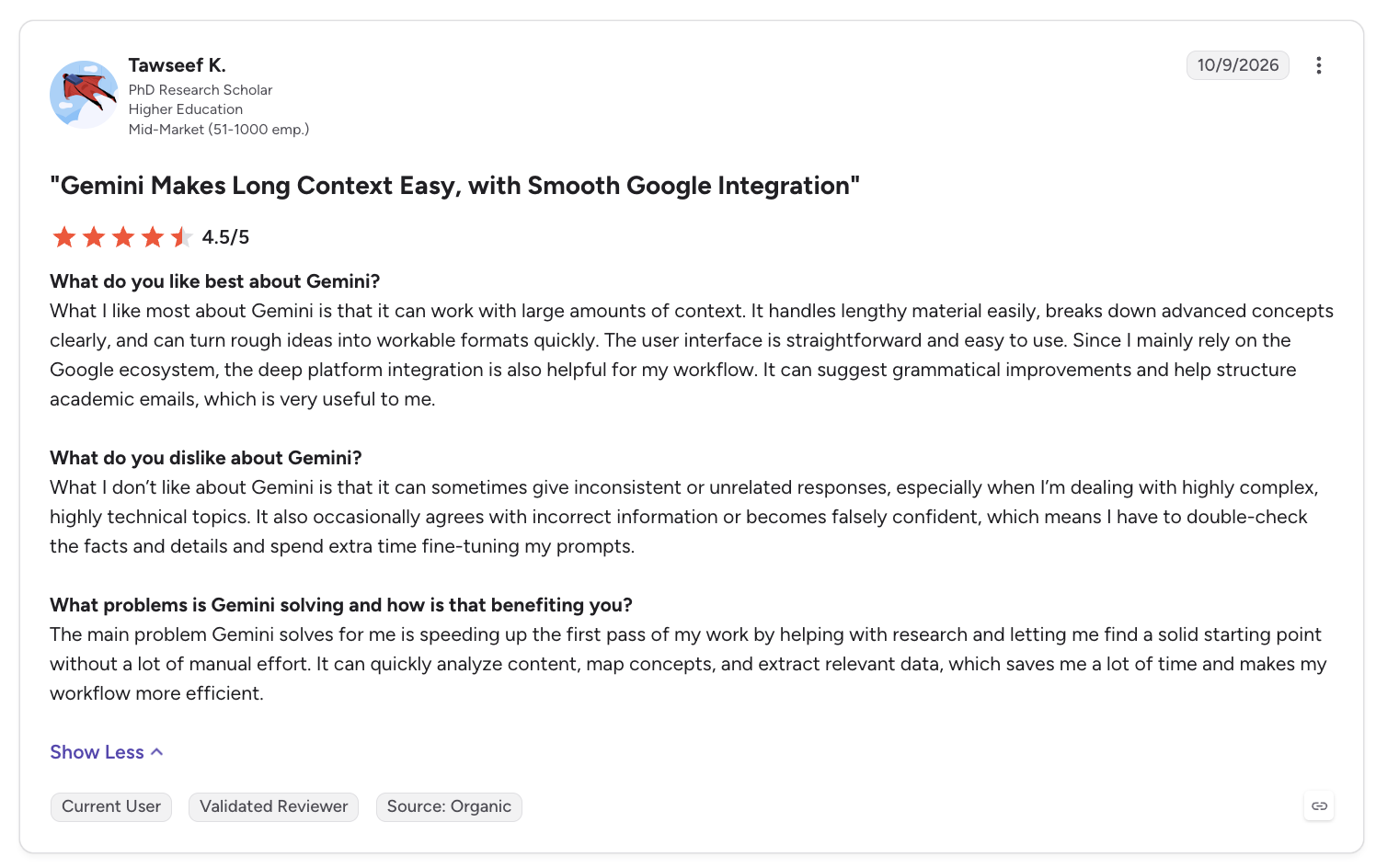
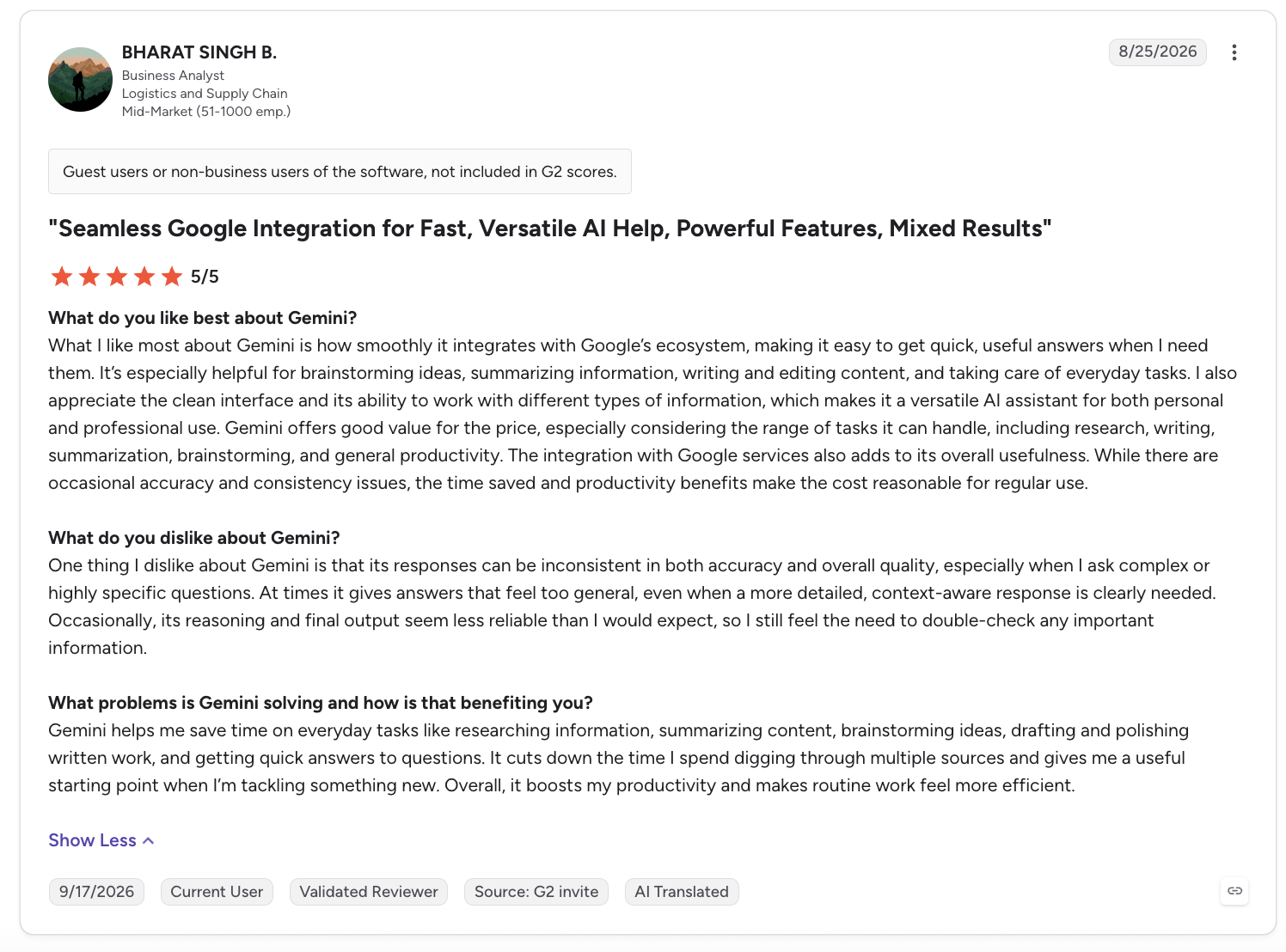
ChatGPT holds a 4.6/5 rating from 4,864 G2 reviews, while Gemini sits at 4.4/5 from 2,190 G2 reviews.
ChatGPT
"Features like conversation history and memory make it easy for me to pick up where I left off without having to repeat context." - Himanshi Thakur S., G2
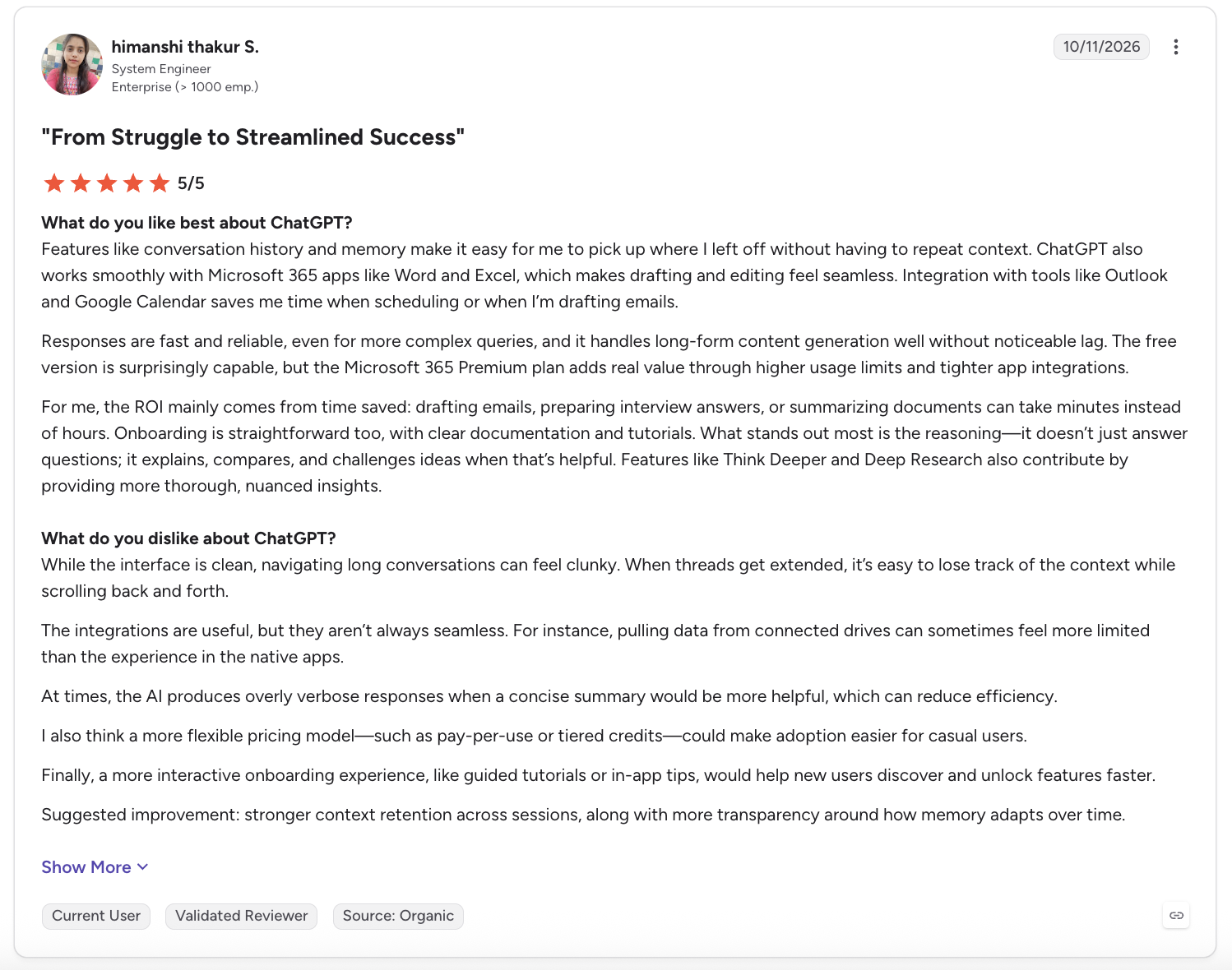
"While ChatGPT is excellent for quick drafts, it occasionally requires significant prompt tweaking and fact-checking to get the tone and details exactly right." - Maria R., G2
Gemini
"What I like most about Gemini is that it can work with large amounts of context. It handles lengthy material easily, breaks down advanced concepts clearly, and can turn rough ideas into workable formats quickly." - Tawseef K., G2
"One thing I dislike about Gemini is that its responses can be inconsistent in both accuracy and overall quality, especially when I ask complex or highly specific questions." - Bharat Singh B., G2
How to choose between ChatGPT and Gemini
ChatGPT pulls ahead on writing and coding, and Gemini pulls ahead on research, long documents, and video. Use the breakdown below to match your own most common tasks to the tool that fits them.
ChatGPT is better for
- Writing that needs a real, distinct voice
- Coding on a hard problem, especially with GPT-6 Astra
- Direct connections to a wider mix of apps outside Google, plus Microsoft ties
Gemini is better for
- Already a Google Workspace customer with Gemini access built into your plan
- Every generation type in one tool, including video and music
- Long documents, spreadsheets, and research-heavy questions
My verdict
I lean on ChatGPT more when I'm writing in general, especially anything that needs its own voice, or working through a problem that takes several steps to reason through. I open Gemini when I'm already working inside Google Docs, or need a fast answer pulled straight from a search.
If you had to pick one, let what's already living on your phone and in your browser decide for you. A workday that already runs through Gmail and Drive gets more out of Gemini than ChatGPT's writing edge could make up for. For someone who writes or codes for a living and barely touches Google Workspace, that math flips entirely.
Before you pick one, do this test
Both ChatGPT and Gemini offer a real free tier. The cheapest way to settle this for yourself is to run a week of your own daily tasks through each one before paying for either. Open the same email, the same document, or the same quick question in both apps and see which answer you trust first. That one test will tell you more than any comparison, including this one.
Frequently asked questions
Is Gemini better than ChatGPT?
It depends on the task. Gemini wins on video generation, long documents, and tasks tied to Google Workspace. ChatGPT still wins on writing quality and harder coding and logic problems, and image generation runs close to even.
What are the disadvantages of Gemini AI?
Gemini Agent only works in the US, and only in English. Its long-form creative writing also tends to drift in tone and pacing over a long piece, something ChatGPT holds steadier on. Its free tier runs on a 32,000-token context window, far below the 1 million tokens Google advertises on its top tiers.
Which is better, ChatGPT Go or Google AI Plus?
Google AI Plus beats ChatGPT Go for less money. AI Plus gives you a stronger Gemini model plus 400GB of storage. Go only extends ChatGPT's free experience without ever including its stronger reasoning models.
Do ChatGPT and Gemini use my conversations to train their AI?
Yes, but only on the personal plans, free and paid, unless you turn that off in your account's privacy settings. Both companies exclude Business, Enterprise, and most higher workspace-tier accounts from model training by default. A paid team plan is the more private option on either side.
Can I use both ChatGPT and Gemini?
Yes, you can run both and switch based on the task, which is exactly what plenty of real users already do. If you want to see how a third model stacks up, this comparison runs Claude against ChatGPT across nine factors.
About the editorial team

Everett is Head of Marketing at Lindy. He’s focused on building a world class brand for Lindy and driving awareness, growth and affinity for our products.

Marvin is a Growth Engineer at Lindy focused on AI agents, automation, and product-led growth.
