
I ran Grok Bot and Lindy on the same Friday brief. Grok Bot was stronger on websites and code. Lindy was stronger when the work depended on what the team had already said in meetings, Slack, and email.
Grok Bot is getting a lot of attention right now, so I wanted to know how it holds up against an AI teammate like Lindy. I gave both the same Friday assignment: check three competitor pricing pages, including one behind a login, update my pricing tracker, and pull the week’s product decisions and action items from meetings and Slack.
I compared Grok Bot vs Lindy on website access, research accuracy, team collaboration, and pricing. By the end, I knew which tool I’d trust with competitor research, which worked better for team follow-ups, and where each fell short.
Grok Bot vs Lindy: The quick verdict
I’d choose Grok Bot for work that happens on websites and in code, and Lindy for work that depends on what your team has already said in meetings, Slack, and email.
Here’s how each did on the same Friday assignment:
- Pick Grok Bot for websites and coding: It checked all three competitor pricing pages, including one behind a login, caught a $10 price increase, and updated my tracker. Its persistent computer and Cursor integration also suit longer coding projects. It couldn’t pull decisions from a meeting app I hadn’t connected, so I finished that list myself.
- Pick Lindy for team work built on company knowledge: It found every decision and action item from meetings and Slack, with owners and source links, and posted them in the team channel for my coworker’s follow-ups. It also runs recurring reports and holds actions for approval. It couldn’t open the third pricing page without a login.
Grok Bot is cheaper to start. Grok Bot costs $30/user/month on Premium, while Lindy Team starts at $49.99/user/month for 5,000 credits.
I’d base the decision on which tasks your team needs completed most often, especially what happens when a coworker needs to review or continue the work.
Grok Bot vs Lindy comparison
Here's how they compare:
| Comparison | Grok Bot | Lindy |
|---|---|---|
| Best for | Website automation, coding, and tasks that need several Bots | Recurring team work that draws on meetings, Slack, and company tools |
| Where you use it | Desktop, mobile, Slack, and X | Slack, iMessage, email, and web |
| Computer access | Persistent cloud browser, terminal, and file storage | Computer and browser tools, plus connected apps |
| Automation | Parallel Bots that delegate tasks, plus skills and scheduled routines | Reusable skills and scheduled routines |
| Team collaboration | Share Bots; each teammate has a private chat | Share results and follow-ups in Slack threads |
| Memory | Bot instructions, preferences, files, and previous sessions | Shared company memory and private user memory |
| Integrations | App connectors, website access, and Cursor | Thousands of integrations and MCP |
| Approvals | Users approve requested actions | Admins set which actions require approval |
| Starting price | $30/user/month (Premium) | $49.99/user/month (Team) |
| Usage limits | Weekly allowance shared across Grok, Grok Bot, and eligible Cursor use | 5,000 monthly credits per user, combined into a team pool |
Check the usage-limits row before you commit, because the two work differently. Grok Bot draws from one weekly allowance shared with Grok and Cursor, while Lindy pools monthly credits from every seat and doesn’t roll them over.
What is Grok Bot?
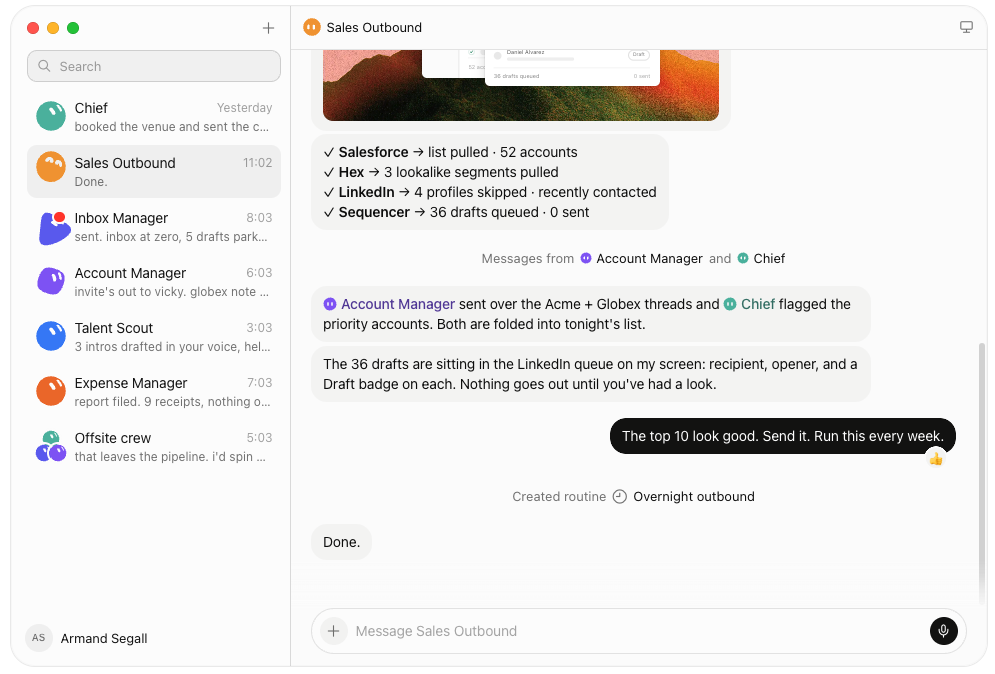
Grok Bot is an AI agent platform that lets you create Bots for research, coding, and everyday work. Each Bot runs on a persistent cloud computer with a browser, terminal, and file system, allowing it to complete tasks across websites and connected tools.
The computer keeps its files and browser sessions between assignments. You can ask a Bot to investigate a competitor today, return to the findings tomorrow, and continue working without rebuilding the setup. Our Grok Bot guide covers its features and plans in more detail.
Grok Bot also supports multiple Bots working in parallel. One could research competitors while another reviews product updates, with the Bots exchanging information and delegating tasks when needed.
Other capabilities include:
- Persistent memory: Bots retain preferences, instructions, and previous work so they can continue recurring assignments.
- Skills and scheduled routines: Demonstrate a process once, save it as a skill, and schedule future runs.
- Cursor integration: Bots can delegate coding tasks to Cursor Cloud Agents that work in separate development environments.
- Built-in approvals: Sensitive actions need your OK before the Bot continues, and it hands sign-in steps like passkeys back to you.
- Desktop and mobile access: You can assign tasks and check progress from supported desktop and mobile devices.
- Tasks through X: In supported regions, tagging @bot in a post or reply can send an assignment to your main Bot.
Grok Bot for teams
Teams can share configured Bots without exposing individual conversations. An owner can invite selected coworkers or make a Bot available across the organization. Collaborators can use the shared Bot, while Managers can update its instructions, skills, memory, and connected tools.
For example, a product team could create one Bot to monitor competitor releases. Everyone could request updates from the same Bot without setting up separate instructions or website connections.
Team collaboration includes:
- Shared Bots and permissions: Owners control who can use or manage a Bot, while individual chats remain private.
- Slack integration: Teammates can request work in Slack after the workspace admin approves the app and users connect their accounts.
- Individual action approvals: The person requesting an action reviews and approves it, including when the request starts in a shared Slack thread.
- Enterprise controls: Larger organizations can add SSO, SCIM, network policies, and action recording.
One detail matters for teams sharing credentials and files. Each user's cloud computer is isolated from other users, while Bots belonging to the same user can share resources within that person's environment.
In my test, my coworker accessed the Friday Brief Bot from her own Grok Premium account and received the results privately. Slack access required admin approval, but we could use the same configured Bot without sharing our conversations.
What is Lindy?
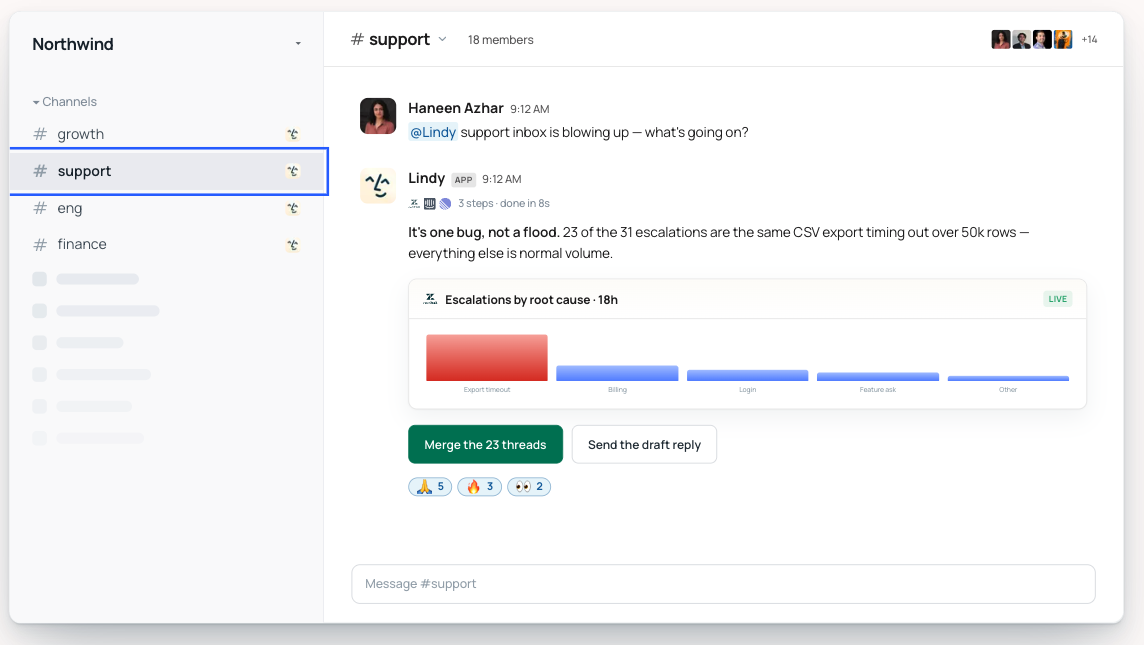
Lindy is an AI teammate that helps employees find company information and complete work across Slack, meetings, email, and connected business tools.
It searches shared knowledge to answer questions with citations and can carry out tasks such as preparing reports, updating CRM records, drafting emails, and creating presentations or dashboards.
Lindy supports 3,000+ integrations and MCP connections, so teams can work with information from Slack, Google Drive, Gmail, Notion, HubSpot, and other approved sources.
You can @mention Lindy in a Slack channel for a shared task or message it privately for work involving your own email, calendar, and personal memory.
Other capabilities include:
- Shared meeting library: It records and summarizes meetings, tracks decisions and action items, and lets coworkers ask questions about previous discussions.
- Scheduled routines: Teams can automate weekly briefs, follow-ups, and recurring tasks using plain-English instructions.
- Reusable skills: Lindy includes preinstalled skills and lets teams save processes that coworkers can use again.
- Shared memory: Lindy keeps relevant company context in editable files while separating personal information from shared conversations.
- Finished deliverables: Lindy saves its reports, dashboards, and presentations in shared team folders that coworkers can open.
Lindy for teams
Lindy gives coworkers a shared place to ask questions and continue work in Slack. One admin connects approved tools, and teammates can use the same company information without sharing personal accounts.
For example, a product manager could ask Lindy to review customer calls and summarize feature requests in #product. A coworker could then ask which customers requested a feature, review the cited conversations, and assign follow-ups.
Lindy also lets admins manage tool permissions, approval requirements, and shared credit allocations. They can allow specific actions automatically, require a review, or disable them entirely.
Lindy is SOC 2 Type II certified and GDPR compliant across all plans. For larger organizations, Enterprise adds SSO, SCIM, audit logs, and HIPAA support with a signed BAA.
The team setup still needs planning. Admins must approve the right data sources and decide which actions employees can delegate. Missing connections can limit the information Lindy retrieves.
Where Grok Bot wins
I'd choose Grok Bot for work that requires a persistent computer, multiple agents, or direct interaction with websites and development tools.
During my Friday test, Grok Bot visited all three competitor pricing pages, including one behind a login. It caught a Pro plan increase from $49 to $59, updated my tracker, and saved page captures.
I could inspect the evidence without reopening each page. The saved browser sessions also gave the Bot a starting point for the next pricing check.
Grok Bot has several advantages beyond the assignment I tested:
1. Longer projects can continue across sessions
Grok Bot's persistent computer becomes useful when you're working on something that takes more than one session. It keeps browser logins, research files, and previous work available, so you don't have to set everything up again.
For example, if you're tracking 20 competitors, you can return to the same pricing pages, compare changes against previous captures, and update your tracker throughout the month.
I saw a smaller version of that during my Friday test. Grok Bot saved all three page captures alongside the updated tracker, giving me something concrete to check the following week.
2. Parallel Bots can handle different parts of a project
Grok Bot lets multiple Bots work simultaneously and pass tasks between one another. I'd find this useful for a product launch, where competitor research, technical documentation, and launch materials often need attention at the same time.
You could assign those jobs to separate Bots and review their progress without waiting for one to finish before starting another.
The catch is that your Bots share one cloud computer and usage allowance. Running several at once may help organize the work, but it doesn't give you additional computing capacity or credits.
3. Cursor connects research with coding work
Grok Bot's Cursor integration is worth a closer look if your team already uses AI coding agents.
Say a Bot finds a broken API example while reviewing competitor documentation. It can delegate a coding task to Cursor Cloud Agents, which work in their own development environments.
I'd see the most value here for engineering teams that regularly move from investigating an issue to changing code. The integration gives them a way to coordinate those steps, although developers still need to review the resulting changes.
Where Grok Bot falls short
Shared usage limits are worth watching, especially if your team uses Cursor heavily. Grok Bot, Grok, and eligible Cursor activity draw from the same weekly allowance, so coding tasks could leave fewer resources for research and automation.
Missing integrations can also leave work unfinished. Grok Bot accessed the login-protected competitor page in my test, but it couldn’t retrieve decisions from a meeting app I hadn’t connected. I had to review those recordings and complete the list myself.
Where Lindy wins
I’d pick Lindy for recurring work that depends on company knowledge and involves several teammates. Its shared meeting library, citations, and Slack conversations were particularly useful during the Friday brief.
Lindy found every decision and action item from the recorded meetings and Slack threads, with nothing left for me to chase down. Each finding included an owner and a link to the original discussion.
My coworker could review the list, check a source, and ask follow-up questions without sending the task back to me. Three advantages stood out:
1. Lindy connects information across company conversations
Customer issues often come up more than once. A complaint might start in an email, get discussed during a meeting, and eventually become an action item in Slack.
Lindy can trace those conversations across connected sources, helping teams find what was discussed, who made a decision, and what still needs attention.
I'd find this particularly useful for support and product teams. If a customer follows up on an unresolved issue, employees can check previous discussions before responding, without asking the customer to repeat everything.
2. Coworkers can pick up where someone else left off
During my test, Lindy posted the decisions list in #product with owners and source links. My coworker could ask follow-up questions in the same thread and check the original discussions herself.
I liked how little explanation the handoff required. She could review the findings and investigate a decision without asking me to forward files or walk her through the research.
Shared access matters most when reports lead to more work. Product managers can check decisions, support leads can investigate customer issues, and teammates can follow up on their assigned actions.
3. Lindy can handle recurring work for the whole team
A weekly report becomes tedious when someone has to collect the same information, organize it, and post the findings every Friday. Lindy can schedule those steps as a routine and use shared skills to follow the same process across reporting cycles.
For example, a sales manager could schedule a Monday pipeline brief using connected CRM records and meeting notes. Lindy could post the report in Slack, where managers can review the numbers and ask about specific deals.
I'd find this useful for teams that rely on regular updates. One scheduled report gives everyone the same starting information, and coworkers can investigate the details without preparing separate versions.
Where Lindy falls short
Lindy needs access to the right sources to complete a task. In my test, it checked two competitor pricing pages but couldn't open the third without additional login access. I had to provide the missing information before it could finish the tracker.
Initial setup also requires some admin work. Someone needs to connect company tools and decide which actions Lindy can perform automatically or hold for approval. Teams with several systems may need to adjust those permissions as they start using it.
I'd also watch how quickly the shared credit pool runs down. A simple question costs fewer credits than a detailed research report or dashboard, and monthly credits don't roll over. I'd start with one recurring workflow to see how much it consumes before rolling Lindy out to the whole team.
Grok Bot vs Lindy pricing
Grok Bot comes with Grok’s paid seats, while Lindy charges per active user and pools credits across the team. Here’s what each plan costs and includes:
| Plan | Price per user/month | Usage limit |
|---|---|---|
| Grok Premium | $30 ($25 billed annually) | 4x the weekly usage of Grok’s Plus plan |
| Grok Super | $100 | 15x the weekly usage of Plus |
| Grok Ultra | $200 | 50x the weekly usage of Plus |
| Lindy Team | From $49.99* | 5,000 monthly credits per user, pooled across the team |
Lindy’s prices may differ by location.
Grok’s Free and Plus plans don’t include Grok Bot. Every Grok Bot seat draws from one weekly allowance shared with Grok and eligible Cursor use, while Lindy’s credits reset monthly and don’t roll over. Check Grok’s pricing page and Lindy’s pricing page for current prices.
How Grok Bot and Lindy compare to Meta Muse, ChatGPT dots, and Claude Duet
Grok Bot is one of several personal AI agents launching right now. Meta Muse, OpenAI’s ChatGPT dots, and Anthropic’s Claude Duet all work on one person’s behalf across their connected apps, which puts them closer to Grok Bot’s individual use than to a team tool.
Our ChatGPT dots vs Lindy comparison shows how an always-on personal agent compares with Lindy for shared work, and Claude Tag brings Claude into Slack when the work is shared.
Final verdict
I’d choose Lindy for team work built on company knowledge, like weekly briefs and customer follow-ups, and Grok Bot for work on websites and in code, like competitor research and coding projects.
Grok Bot impressed me with how independently it worked. It got into a pricing page behind a login, caught a $10 price increase, and updated my tracker with page captures as evidence. I’d trust it with recurring competitor research across several websites or coding tasks through Cursor.
Lindy won on what happened after the research was done. It pulled the decisions and action items from meetings and Slack into one list with owners and source links, and my coworker followed up in the same thread without asking me to explain anything. For a team, that handoff matters more than how independently a tool finishes its first task.
If you’re looking for a Grok Bot alternative for work that runs through Slack, I’d start with Lindy on a recurring report built from your team’s real meetings and tools. If your biggest workload is navigating websites or coordinating coding tasks, Grok Bot is the stronger choice.
FAQs
1. What is the main difference between Grok Bot and Lindy?
The main difference between Grok Bot and Lindy is how they handle work and collaboration. Grok Bot uses a persistent cloud computer to navigate websites and complete tasks, while Lindy works in Slack using shared company knowledge, meetings, and connected apps.
2. Is Lindy a good Grok Bot alternative?
Yes, Lindy is a strong Grok Bot alternative for teams using Slack. It answers questions using shared company information, cites its sources, and keeps follow-up discussions visible to teammates. Grok Bot is better suited to tasks requiring browser navigation and signed-in websites.
3. Can Grok Bot work for teams?
Yes, Grok Bot supports team collaboration through Premium, Super, and Ultra seats priced at $30, $100, and $200 per user per month. Owners can share Bots with selected teammates or an entire team, while individual conversations remain private.
4. Can Grok Bot work in Slack?
Yes, Grok Bot can work in Slack after an owner connects the Bot and a workspace admin approves the app. Each teammate links their account, and only the person requesting an action can approve it through the Bot's approval card.
5. Can I use Grok Bot and Lindy together?
Yes, Grok Bot and Lindy can handle different parts of a workflow. Grok Bot can check login-protected competitor pricing pages and update trackers, while Lindy can collect meeting decisions, cite sources, and share action items in Slack.
6. Is Grok Bot cheaper than Lindy?
Yes, Grok Bot has the lower starting price. Grok Premium costs $30 per user per month ($25 with annual billing), while Lindy Team starts at $49.99 per user per month. Their included features and usage allowances differ.
7. Is Grok Bot free?
No, Grok Bot requires a paid subscription. It's included with Grok Premium ($30/month), Super ($100/month), and Ultra ($200/month). Grok's Free and Plus plans don't include Grok Bot.
About the editorial team

Lindy leads GTM at Lindy and is the team’s most prolific automation builder. She publishes weekly educational videos and articles on building AI assistants – And yes, she’s a real person!

Flo Crivello is the founder and CEO of Lindy. Before that, he founded Teamflow and was a product manager at Uber. He writes about technology, startups, and the future of work on his blog.
