
I spent two weeks testing 11 Hermes Agent alternatives on the same bar: hold context across sessions, ask before acting, and check in on their own after being told once.
Hermes Agent's two memory files, about 3,600 characters combined, fill up fast, and that's one reason to look at Hermes Agent alternatives.
Keeping it always-on means running your own server, and giving it that much access to your messages, computer, and other apps is another reason.
I cut 20 tools and ran the remaining 11 through the same two-week test. Each had to hold onto context across sessions. It also had to ask before acting and check in on its own after being told once.
11 Hermes Agent alternatives: TL;DR
- Lindy: Best for assistant-style delegation without a governance platform or a raw framework.
- ChatGPT: Best for a solo operator who wants one assistant for research, drafting, and light automation.
- Claude Cowork: Best for a team already in Claude that wants background, connector-driven work.
- Manus: Best for credit-metered, self-contained research-and-build tasks.
- Claude Code: Best for developers who want an agent that writes and runs code in a real project.
- Cursor: Best for an editor-based coding agent with model choice.
- OpenAI Codex: Best for ChatGPT-native teams who want coding in the same subscription.
- n8n: Best for teams that want to own the exact logic and self-host it.
- OpenClaw: Best for staying self-hosted, since it's Hermes' closest peer.
- LangGraph: Best for developers who want to hand-build the exact agent graph.
- CrewAI: Best for a visual way into a multi-agent crew.
What is Hermes Agent?
Nous Research built Hermes Agent as a self-hosted AI agent, free under the MIT license to use, copy, modify, and run yourself.
You can reach it through Telegram, Discord, Slack, WhatsApp, Signal, or Email, with more platforms added regularly, or use a CLI to stay in the terminal. It ships with a cron scheduler (a timer that runs tasks on a set schedule) and subagents.
Why people look for Hermes Agent alternatives
People look for Hermes Agent alternatives because giving one piece of software this much reach can tip into what security frameworks call excessive agency.
Hermes Agent can read your messages, run commands on your computer, and reach out to other services on its own. That's far more power than a chatbot in a browser tab has.
That kind of reach is what OWASP's LLM06:2025 Excessive Agency risk warns about. It names three causes: excessive functionality, excessive permissions, and excessive autonomy.
In plain terms, that's more features, more access, or more freedom to act alone than the job needs. A self-hosted agent with full command-line access can end up with all three at once, and for a lot of people, that's reason enough to look elsewhere.
Hermes already limits some of this risk: it asks for approval before risky commands, checks who's allowed to use it, and can run its commands inside a container walled off from the rest of your system. But those safeguards don't cover every job, which is why people still look at alternatives built around memory, permissions, or the server itself.
How I researched and tested these agent alternatives
All tools ran the same two-week brief, quoted below:
"Here's a two-week, fictional product-launch scenario to test how you handle a real multi-step job. Nothing here goes out to anyone real.
Step one: research three named competitors launching something similar this quarter, and give me a one-page brief comparing their pricing and their launch channels, with a source for every fact.
Step two: at least a day later, in a fresh session, without me re-pasting the brief or naming the first three again, I'll name a fourth competitor on the spot, and you fold it into the same brief using what you already remember, not a re-explanation from me.
Step three: draft a launch-day email to my list, but don't send it, or trigger anything that leaves the draft stage, until I explicitly say go, and tell me plainly you're waiting on that.
Step four: set yourself to check in every Monday morning and surface anything from this project that’s still open, without me having to ask again or scroll back through everything we've done.
Do all of this inside one normal month of your cheapest paid plan, no mid-test upgrade to push past a wall. If you hit a real limit, like a rate cap or a missing feature, tell me honestly instead of quietly shrinking the answer.
At the end, give me one place to see what's done, what's waiting on me, and what never ran."
What Hermes alternatives got cut
Other tools came up during my research and got cut before testing began. 8 came close enough to name individually:
- Coding agents: I tested Cursor, Claude Code, and OpenAI Codex instead of Aider, Cline, and OpenHands because all three already do the same job. Aider pitches terminal pair programming, and Cline and OpenHands call themselves open agentic-development platforms.
- Terminal and cloud coding agents: OpenCode is an open-source terminal agent for multiple model providers, but Claude Code and Codex CLI already do that job as first-party tools. Devin is Cognition's ticket-work agent, hosted or local, overlapping with the hosted agent in OpenAI Codex.
- Hosted assistants: AutoGPT, Vellum, and Copilot Cowork overlap with the lane Lindy, ChatGPT, and Claude Cowork already fill. AutoGPT pitches a team of AI experts, Copilot Cowork handles email and scheduling for Microsoft, and Vellum's hosted platform began shutting down on November 7, 2026.
How I Scored the Top Hermes Alternatives
Here are the five things I scored for every tool:
- Sourced research: Whether the tool built the three-competitor brief with every fact sourced.
- Memory: Whether the tool itself recalled a detail from an earlier session, the promise behind Hermes' learning loop.
- Approval behavior: Whether the tool paused before an irreversible action.
- Self-scheduling: Whether the tool could check in on its own after you tell it once.
- Status visibility: Whether you could see what's done, waiting, or never ran without scrolling through chat.
11 Hermes Agent alternatives: Quick comparison
| 💻 Tool | 🎯 Category | ⚡ Strengths | 💰 Starting Monthly Price |
|---|---|---|---|
| Lindy | Assistant | Describes the outcome you want, then holds irreversible steps for your go-ahead. | $49.99/user/month |
| ChatGPT | General agent | One assistant across research, drafting, and scheduling | $8/month |
| Claude Cowork | General agent | Background, connector-driven sessions on your existing Claude plan | $20/month |
| Manus | General agent | Self-contained, credit-metered research and builds | $20/month |
| Claude Code | Coding agent | Writes and runs code inside a real project | $20/month |
| Cursor | Coding agent | Editor-based, with model choice | $8/month |
| OpenAI Codex | Coding agent | Coding folded into a ChatGPT subscription | $8/month |
| n8n | Workflow automation | Deterministic logic you own and can self-host | $24/month |
| OpenClaw | Open-source, self-hosted | Hermes' closest self-hosted peer | No paid plan; MIT-licensed |
| LangGraph | Open-source, self-hosted | Full control over a custom agent graph | LangSmith $39/seat/month, monthly only |
| CrewAI | Open-source, self-hosted | Visual editor for multi-agent crews | Free; Enterprise contact sales |
How to pick an alternative, by what you need it to do
No single alternative below does Hermes' whole job, because Hermes bundles a learning agent, a scheduler, and approval controls into one self-hosted setup. Each of the four groups covers a different piece of it.
The four groups below are split by what each one replaces Hermes for:
- General agents and personal assistants replace Hermes' day-to-day delegation: research, drafting, scheduling, unprompted check-ins. ChatGPT, Claude Cowork, and Manus round out this group.
- Coding agents replace Hermes when the job is writing and running code inside a real project.
- Workflow automation replaces Hermes' scheduling and multi-step logic with an automation platform. With n8n, I gave up some adaptability for logic that did exactly what I wired it to do. That trade suits jobs where a step can't be skipped.
- Open-source and self-hosted tools replace Hermes on its own terms, since they're free to run and yours to change. Start here if owning and running the whole thing yourself is what drew you to Hermes.
Read More: What is an AI Teammate? A Simple Guide for 2026
General agents and personal assistants
1. Lindy: Best for assistant-style delegation without a framework or a governance platform
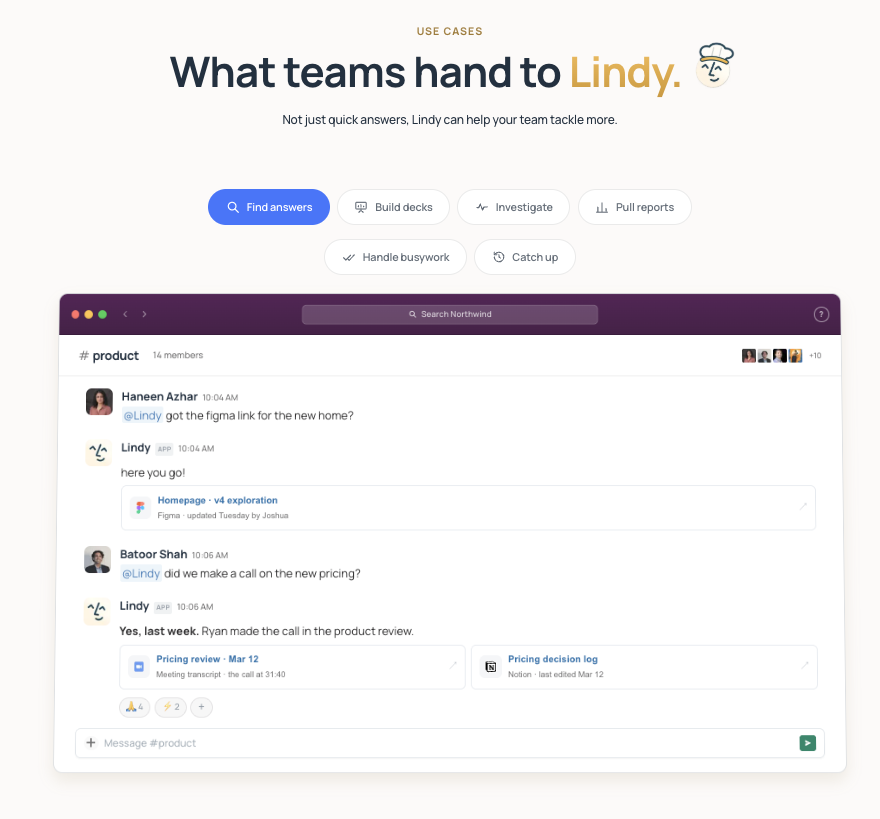
What it does: Lindy is an AI assistant you message, in Slack or iMessage, and it handles a task once you describe the result.
Best for: Teams that want Hermes-style delegation without a framework or governance platform.
Lindy ran the same two-week brief as every tool here. It built the brief with sources, remembered the brief and the first three competitors in a fresh session, and never sent anything without my approval.
It also scheduled its own Monday check-in and pulled together everything still waiting on me into one place, so there was no digging through old chats. That's the hands-off delegation Hermes is built for, minus the server.
Key features
- Integrations: 1,500+ integrations, plus MCP support, so almost any other tool can plug in.
- Model choice: You pick the model for each task.
- Connected inboxes: Two to five, depending on plan.
- Skills: A library of ready-made Skills, Lindy's name for templates, built for jobs like research, data analysis, decks, and dashboards.
- Languages: Works in 85 languages, so a team isn't limited to English-only workflows.
Pros and cons
Pros:
- ✅ Actions with outside impact, such as sending an email, wait for approval.
- ✅ Admins can cap each seat's draw on the shared credit pool.
- ✅ Teams can buy extra credits instead of hitting a hard wall mid-project.
Cons:
- ❌ It isn't built for product engineering work.
- ❌ The free trial lasts seven days with $50 in credits, once per teammate.
What users say
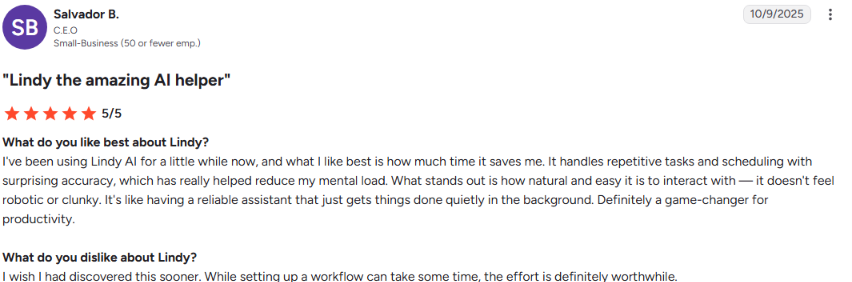
“I've been using Lindy AI for a little while now, and what I like best is how much time it saves me. It handles repetitive tasks and scheduling with surprising accuracy, which has really helped reduce my mental load.” - Salvador B., G2
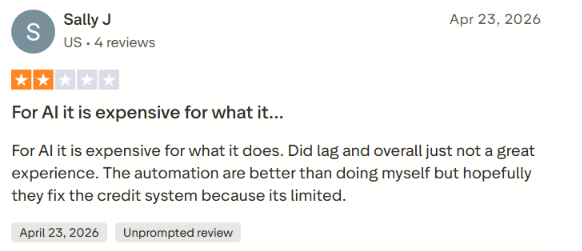
“For AI, it is expensive for what it does. [It] did lag, and overall [it was] just not a great experience. The automation [is] better than doing [it] myself, but hopefully they fix the credit system because [it's] limited.” - Sally J., Trustpilot
Pricing
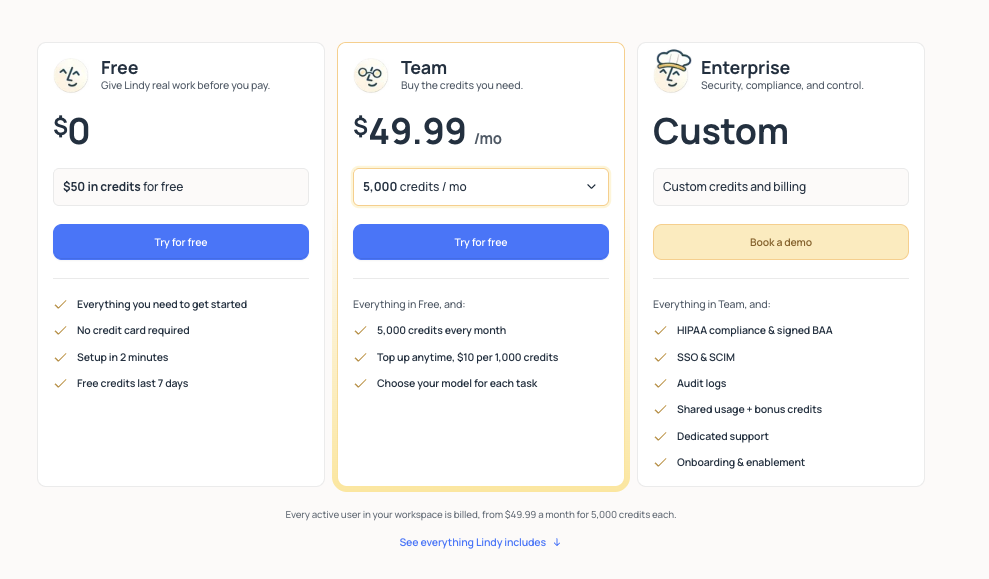
Free includes $50 in credits with no card required, though those credits expire after seven days. Team costs $49.99 per user per month and includes 5,000 pooled credits per user, with top-ups available at $10 per 1,000 credits. Enterprise adds HIPAA compliance, audit logs, and dedicated support, but has no public price.
Bottom line
Lindy held the launch email as a draft and scheduled its own Monday check-in. It also needs no server of your own.
2. ChatGPT: Best for a solo operator who wants one assistant for research and drafting
What it does: ChatGPT is OpenAI's chat assistant, with scheduled tasks, memory, and ChatGPT Work built in.
Best for: One person who wants research, drafting, and light automation in a single tool.
ChatGPT faced the identical two-week brief.
It sourced every claim in the brief and remembered the earlier competitors' days later, with no recap needed.
It also held the launch email as a draft and told me it was waiting for my go-ahead. A scheduled task fired off the Monday check-in by itself.
The one miss was the progress report. Its task list shows what's coming up, but there's no single place to see what's done, waiting, or hasn't run yet.
For longer jobs, OpenAI's newer Work mode goes further: it can propose a plan, break the job into steps, and ask questions before it goes ahead. This test didn't touch ChatGPT's coding side, which Codex covers below.
Key features
- Memory: Remembers details and context from earlier conversations automatically, so you don't have to re-explain yourself in a new session.
- Scheduled tasks: Set one-off or recurring tasks, like a weekly status check, that run and notify you without a new prompt each time.
- Web search: Searches the live web and cites sources during a conversation instead of relying only on training data.
- Model choice: GPT-6 models on Plus, and GPT-6.1 Sol and GPT-6 Luna in Work and Codex; Plus also gets new features early.
Pros and cons
Pros:
- ✅ Plus includes expanded deep research, memory, and context.
- ✅ Plus also includes Projects and custom GPTs.
- ✅ One subscription covers research, drafting, coding, and scheduling, so you’re not juggling separate tools.
Cons:
- ❌ Plus usage resets every five hours, and weekly limits may also apply.
- ❌ Go may include ads.
What users say
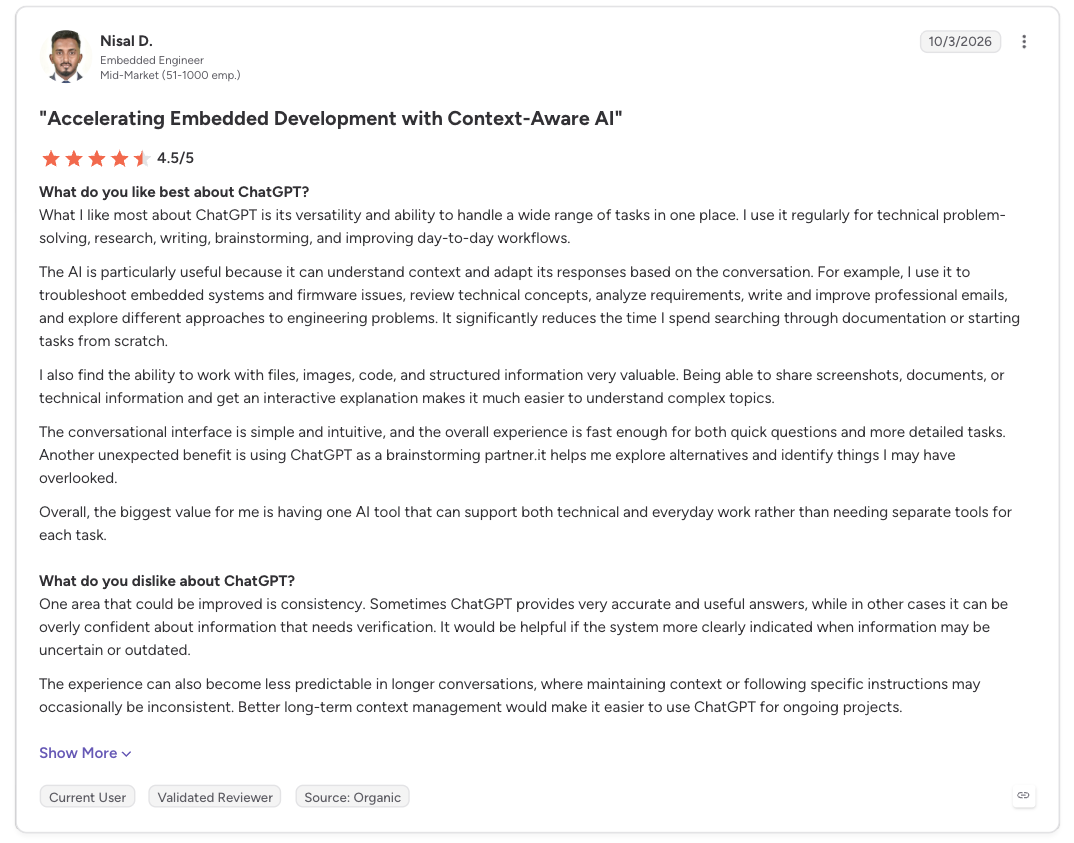
“What I like most about ChatGPT is its versatility and ability to handle a wide range of tasks in one place. I use it regularly for technical problem-solving, research, writing, brainstorming, and improving day-to-day workflows.” - Nisal D., G2
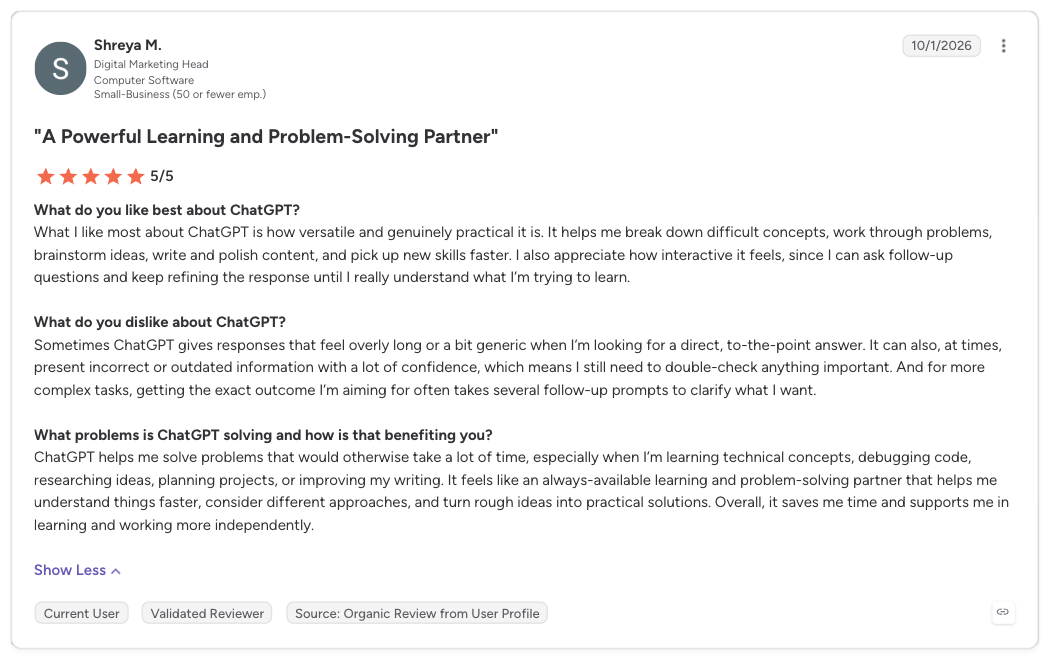
“Sometimes ChatGPT gives responses that feel overly long or a bit generic when I’m looking for a direct, to-the-point answer. It can also, at times, present incorrect or outdated information with a lot of confidence, which means I still need to double-check anything important.” - Shreya M., G2
Pricing
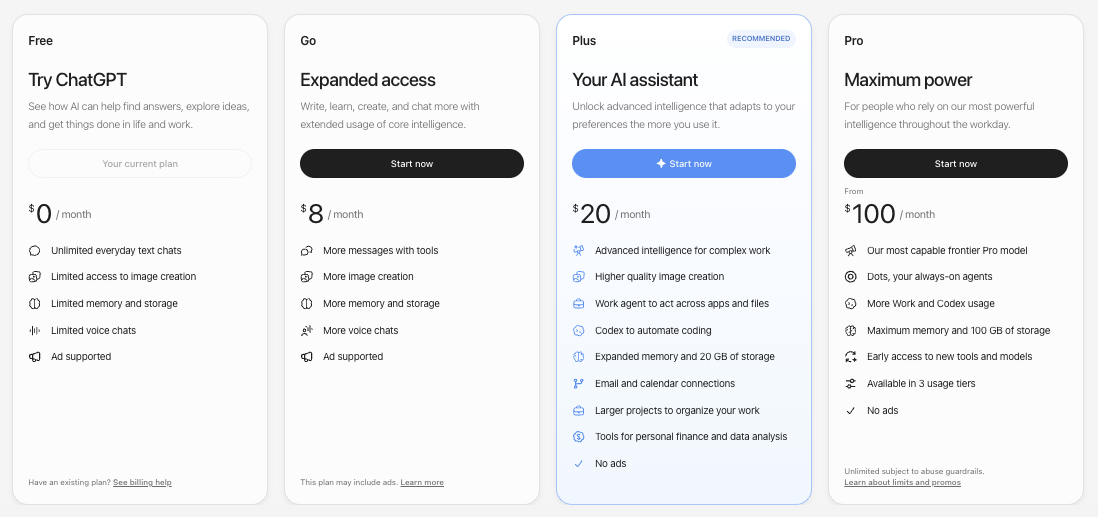
- Free: Unlimited text chats, with limited uploads, tools, and memory.
- Go, $8/month: Adds messages, uploads, and memory.
- Plus: $20/month.
- Pro: Starts at $100 per month, with longer sessions.
- Business: Standard costs $25 per seat per month. Premium costs $125 per seat per month and includes more usage than Standard, with no 5-hour limit.
- Enterprise: No public price; contact sales.
Bottom line
ChatGPT's only miss was status, which never came together on one screen. For coding-first work, pick one of the coding agents below.
3. Claude Cowork: Best for a team that already lives in Claude
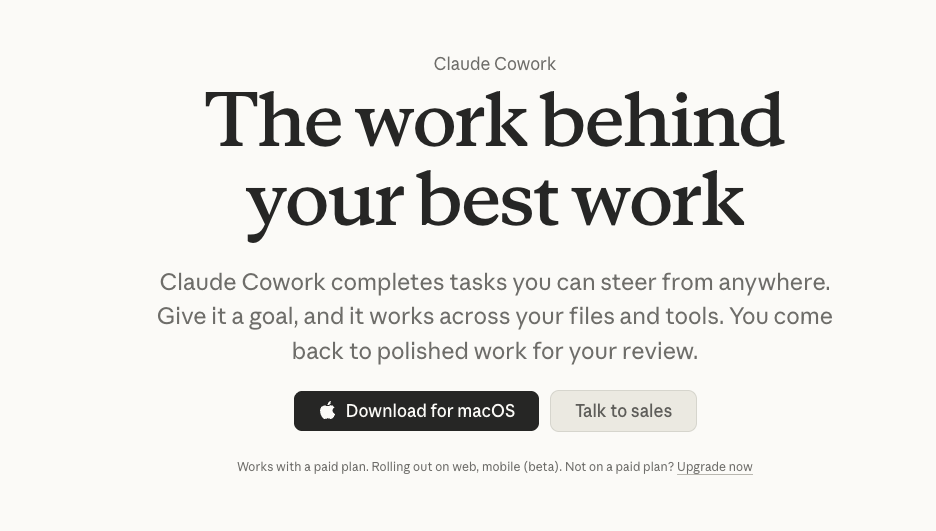
What it does: Claude Cowork runs background tasks across the folders and connectors you grant it, such as Google Drive.
Best for: Teams already using Claude who want to hand off longer background jobs to an AI coworker.
Claude Cowork remembered the brief and the first three competitors in a fresh session and cited its sources, with the brief saved straight to Google Drive.
I switched Claude to “Manually approve,” so it asked before acting. The launch email sat untouched in Microsoft 365 until I approved it (my IT admin had already turned on write tools; without that, Claude can only read Microsoft 365, not draft into it).
It scheduled the Monday check-in as a background job, and everything surfaced in one workspace I could check anytime.
The whole test took about 40 minutes of my attention, with no extra charge on top of your Claude bill.
Anthropic is also folding Cowork into the main Claude app, starting with Pro, Max, and Ultra plans.
Key features
- Browser side panel: Its own browser for web tasks, leaving your tabs and logins alone.
- Projects: Workspaces with their own files, instructions, and memory.
Pros and cons
Pros:
- ✅ Cloud sessions follow your account across devices.
- ✅ Claude asks before permanently deleting any files.
- ✅ It takes over your screen only when needed.
Cons:
- ❌ Your network egress settings apply to Cowork's code sandbox, so a strict allowlist can stop scripts from reaching outside sites.
- ❌ The first session needs folder and connector access set up.
What users say
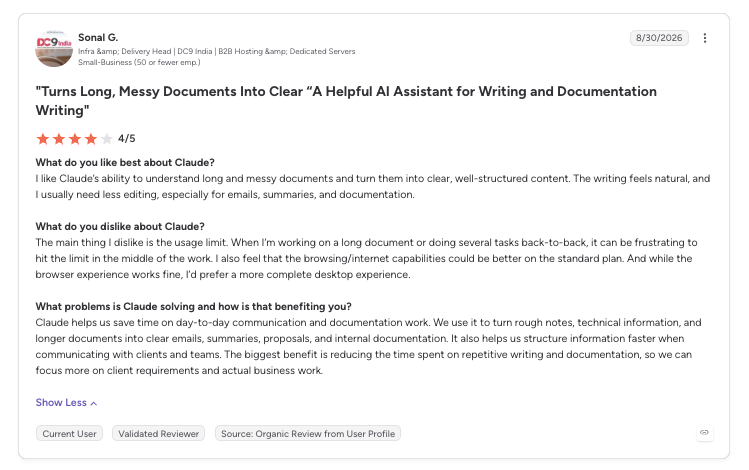
“I like Claude’s ability to understand long and messy documents and turn them into clear, well-structured content. The writing feels natural, and I usually need less editing, especially for emails, summaries, and documentation.” - Sonal G., G2
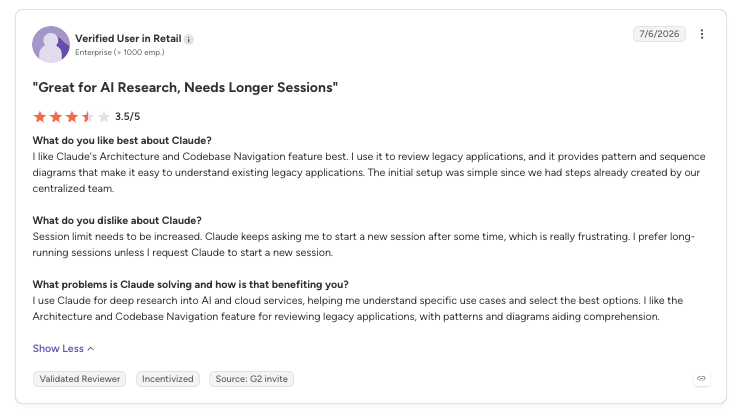
“Session limit needs to be increased. Claude keeps asking me to start a new session after some time, which is really frustrating. I prefer long-running sessions unless I request Claude to start a new session.” - Verified User in Retail, G2
Pricing
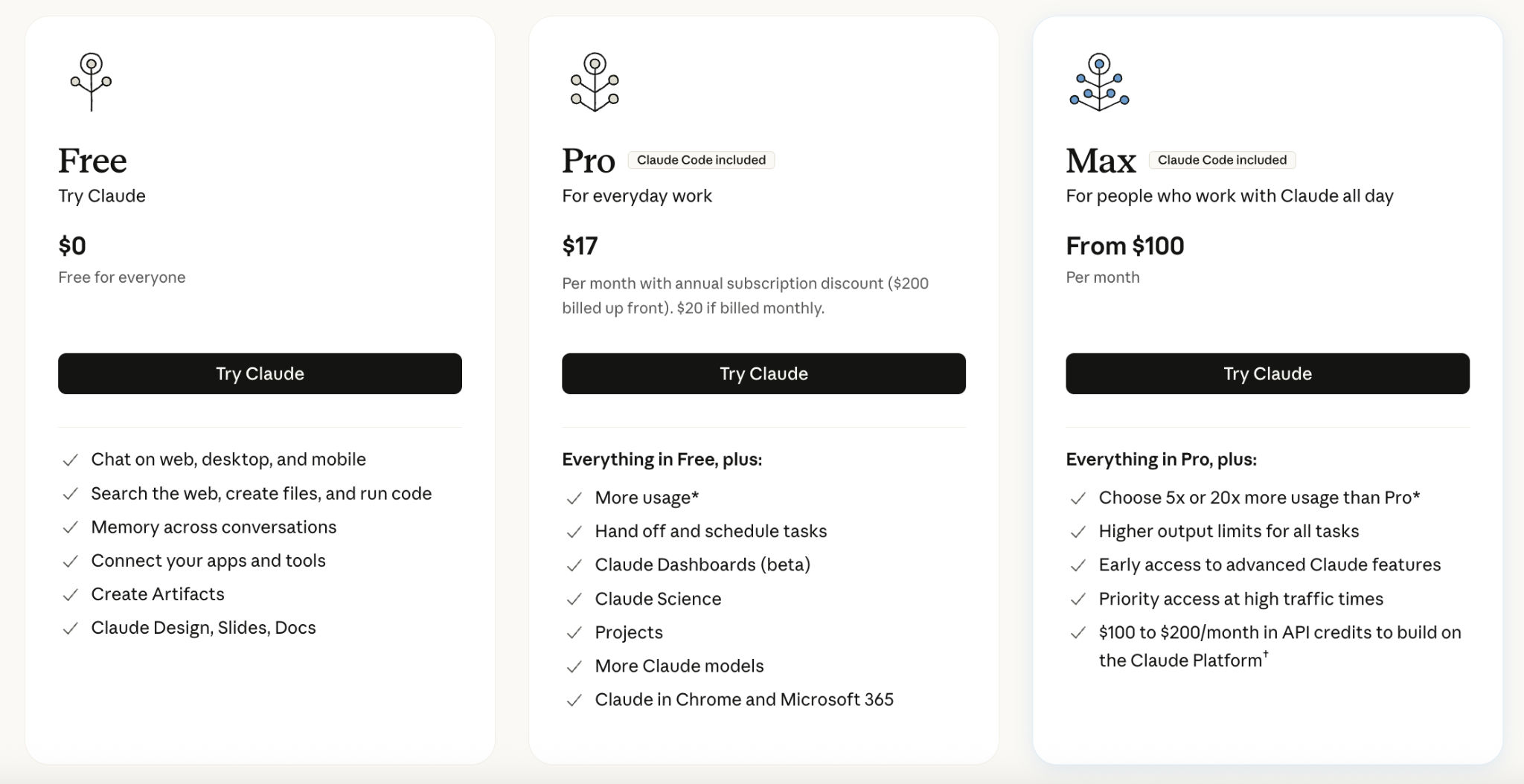
The Free plan leaves Cowork out, since it runs on Pro, Max, Ultra, Team, and Enterprise. Pro, $20/month, is the entry tier. Max is $100/month, and Ultra is $200/month, both billed monthly.
Team, for two to 150 seats, runs $25/seat/month for Standard and $125/seat/month for Premium.
Enterprise is $20/seat/month, with a 20-seat minimum, plus usage. Past a paid plan's limit, usage credits bill at API rates.
Bottom line
Anyone without Claude needs a subscription first. Teams on a Claude plan get everything the test asked for, though on a work Microsoft 365 account, an IT admin has to turn on write tools first.
4. Manus: Best for credit-metered, self-contained research and build tasks
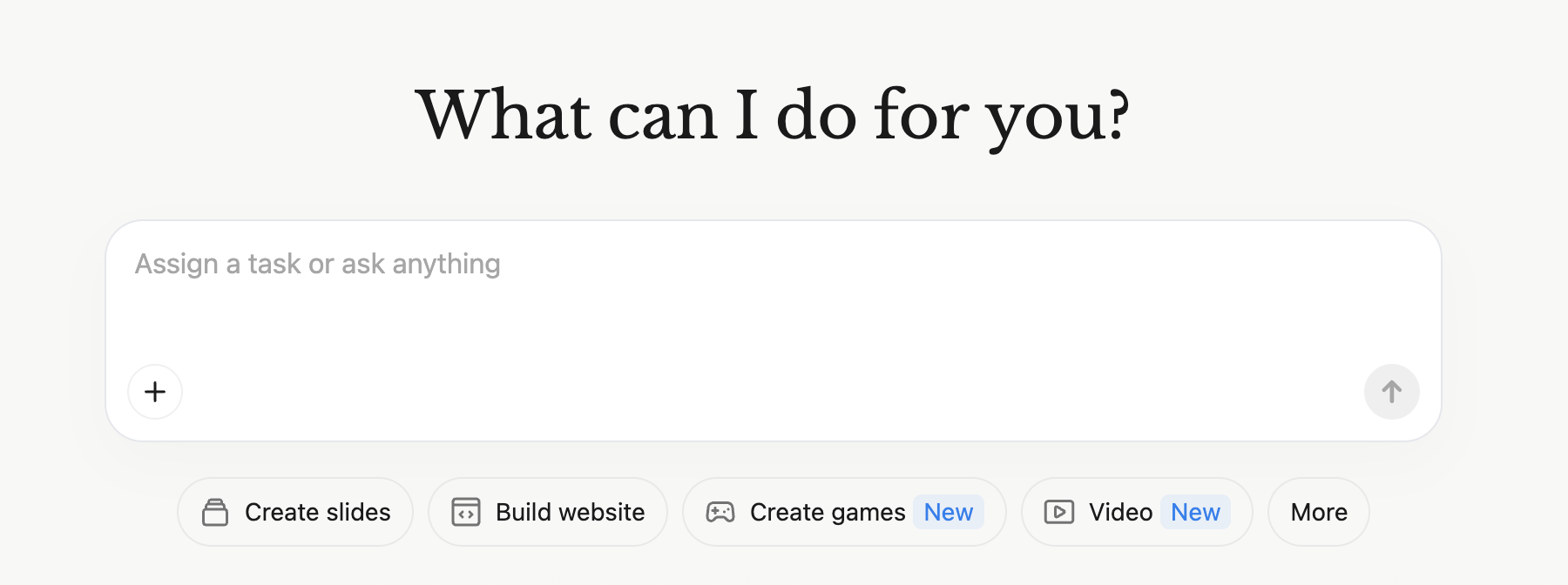
What it does: Manus is a credit-metered agent that researches and builds in its own sandbox.
Best for: Self-contained tasks paid for by the credit.
Manus built a sourced brief and ran the Monday check-in by itself, but that's where it stopped winning.
Memory was the biggest gap. Each new task starts from scratch, so I had to re-paste the original brief and the first three competitors before Manus could add the fourth.
I didn't connect Gmail, so the draft stayed in chat and Manus never said it was waiting on me. Its Gmail connector does hold drafts for approval, but that's a separate setup step I didn't take. Its task list also doesn't show the full picture of what's done or waiting.
Manus was also briefly owned by Meta before that deal unwound in 2026. Starting August 23, 2026, Manus deleted data some users created between December 29, 2025, and August 23, 2026. If you used Manus then, check whether your account was affected.
Key features
- Scheduling: Up to 20 scheduled tasks and 20 concurrent tasks on every paid plan.
- Skills: Slash-command instructions you can save from a successful task.
Pros and cons
Pros:
- ✅ Projects keep saved instructions and files you can reuse across tasks.
- ✅ Every plan gets 300 refresh credits a day on top of the monthly allowance.
- ✅ In its default mode, the Manus Studio desktop app asks before risky local actions.
- ✅ Team credits pool across seats, so one person’s heavy week doesn’t leave teammates rationed.
Cons:
- ❌ Unused monthly credits expire.
- ❌ Purchased add-on credits only carry over while you keep an active paid subscription.
- ❌ Free accounts are capped at one task running at a time.
What users say
“It’s the top dog. Hands down. It designed a website with all the fix’ns in no time flat.” - Ok_Understanding2004, Reddit

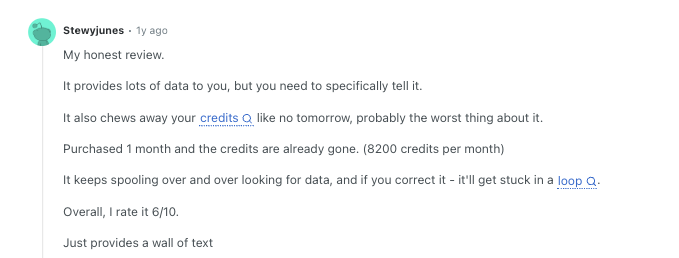
“It also chews away your credits like no tomorrow, probably the worst thing about it.” - Stewyjunes, Reddit
Pricing
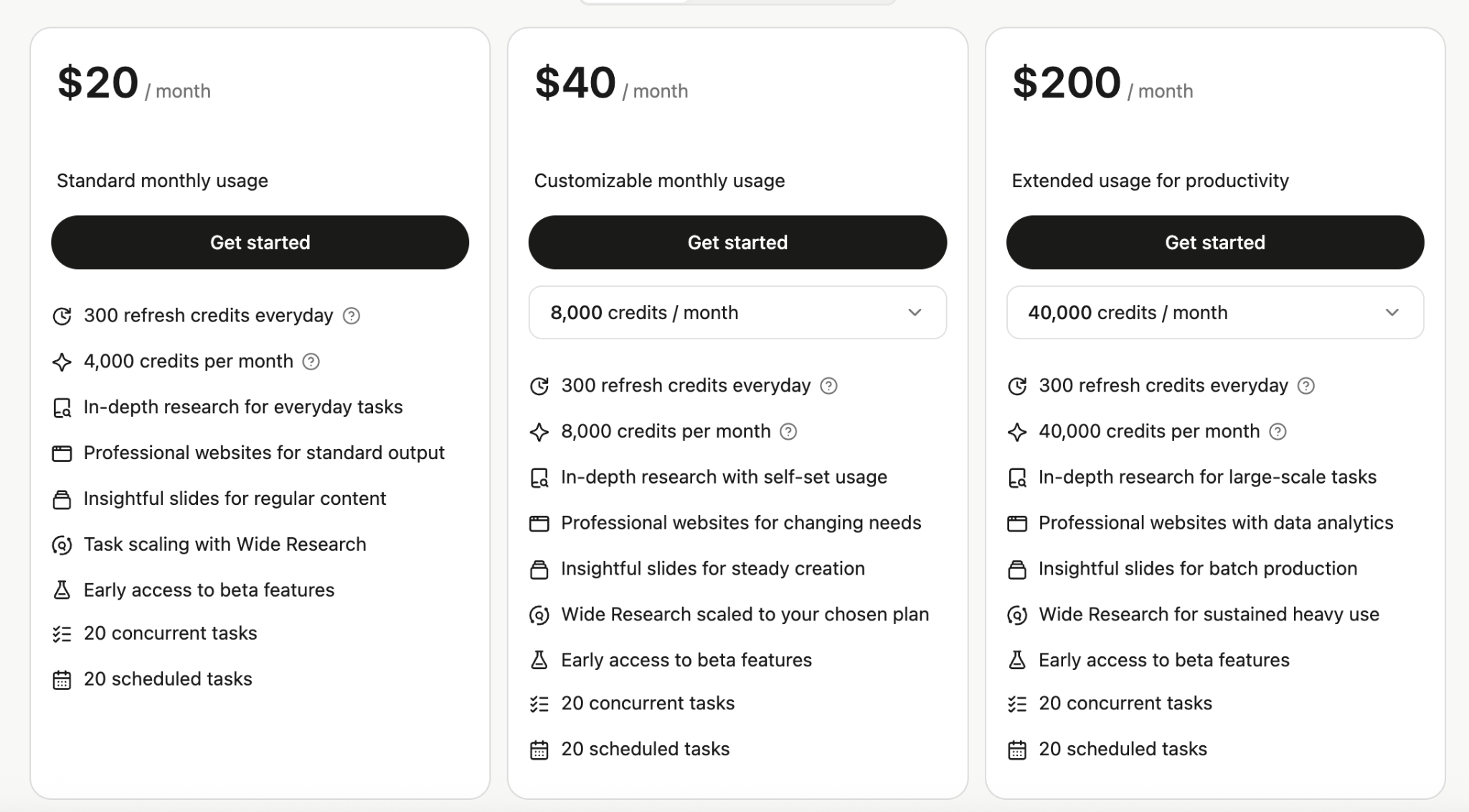
Free includes 300 daily refresh credits and one concurrent task. Pro, $20/month, includes 4,000 credits.
The higher plans default to 8,000 credits for $40/month and 40,000 credits for $200/month.
Team needs two seats and starts at $20/seat/month for 4,000 pooled credits per seat, or $40/seat/month for 8,000.
Bottom line
Manus only holds a draft for approval once you connect Gmail, a step I skipped. Context also crossed sessions only through a Project's saved files. Skip it if you need built-in approval steps or a lot of running context.
Read More: Manus AI alternatives, compared on four real jobs
Coding agents
The three AI coding agents each came back with a different mix of strengths and gaps. The brief had no coding step, so I didn't test any of the three on a large repo job. Any code in these runs came from the tool under test.
5. Claude Code: Best for developers who want an agent inside a real project
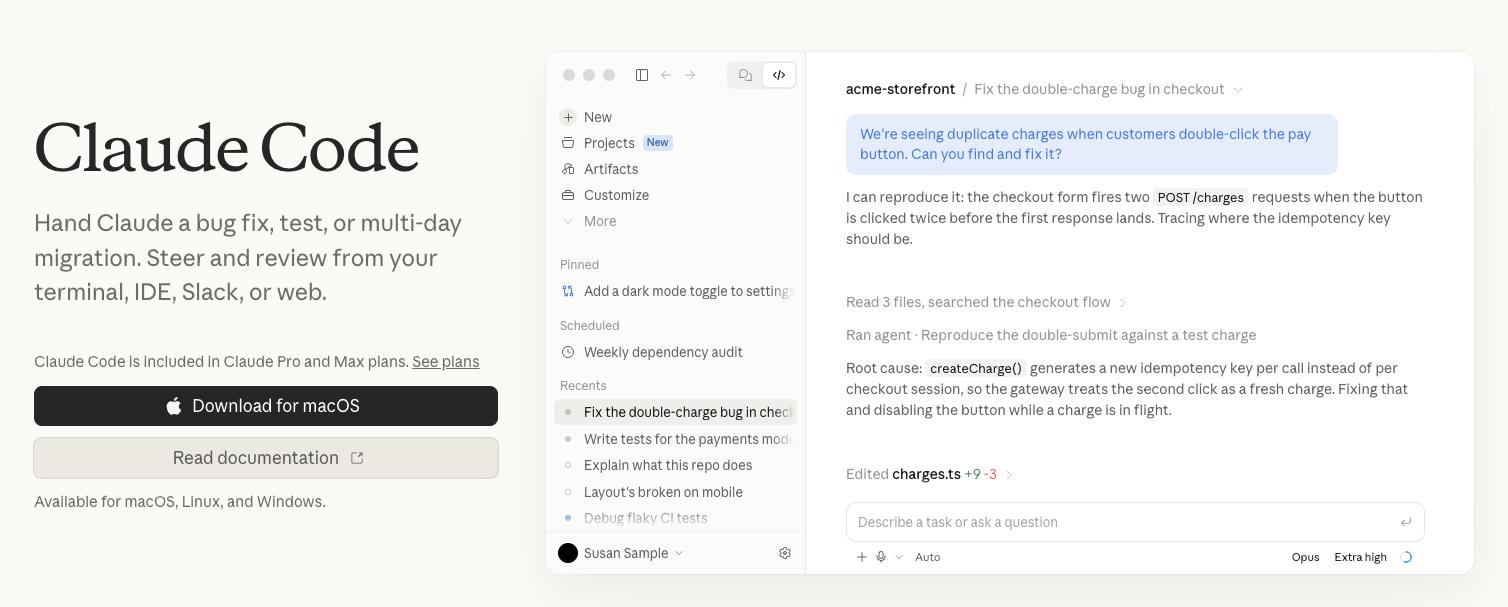
What it does: Claude Code is Anthropic's coding agent for the terminal and IDEs.
Best for: Developers who want coding help inside an existing project's files.
Claude Code cited a source for every fact in the brief, and its built-in memory remembered the brief and the first three competitors in a later session with no recap needed.
A permission prompt kept the launch email as a draft file, exactly as the test asked. I kept the tracker as a file in the repo rather than in local auto memory.
That way, its scheduled tasks could read a fresh copy and fire off the Monday check-in on its own, even with my laptop closed.
The only miss was status. Finding an answer meant scrolling through a long log of everything the tool had done, rather than seeing it all in one place.
Key features
- Approval by tool type: Shell commands, file edits, and web requests ask first, apart from read-only commands and preapproved docs sites.
- Skills: Instruction files loaded when relevant or by slash command.
Pros and cons
Pros:
- ✅ One paid Claude plan covers both Claude Code and Claude Cowork.
- ✅ Scheduled tasks (formerly routines) run on Pro, the entry plan.
- ✅ Skills load automatically when relevant, or by slash command.
Cons:
- ❌ A scheduled task’s repeat schedule can’t run more often than once an hour.
- ❌ Some scheduled-task artifact actions still wait for approval.
What users say
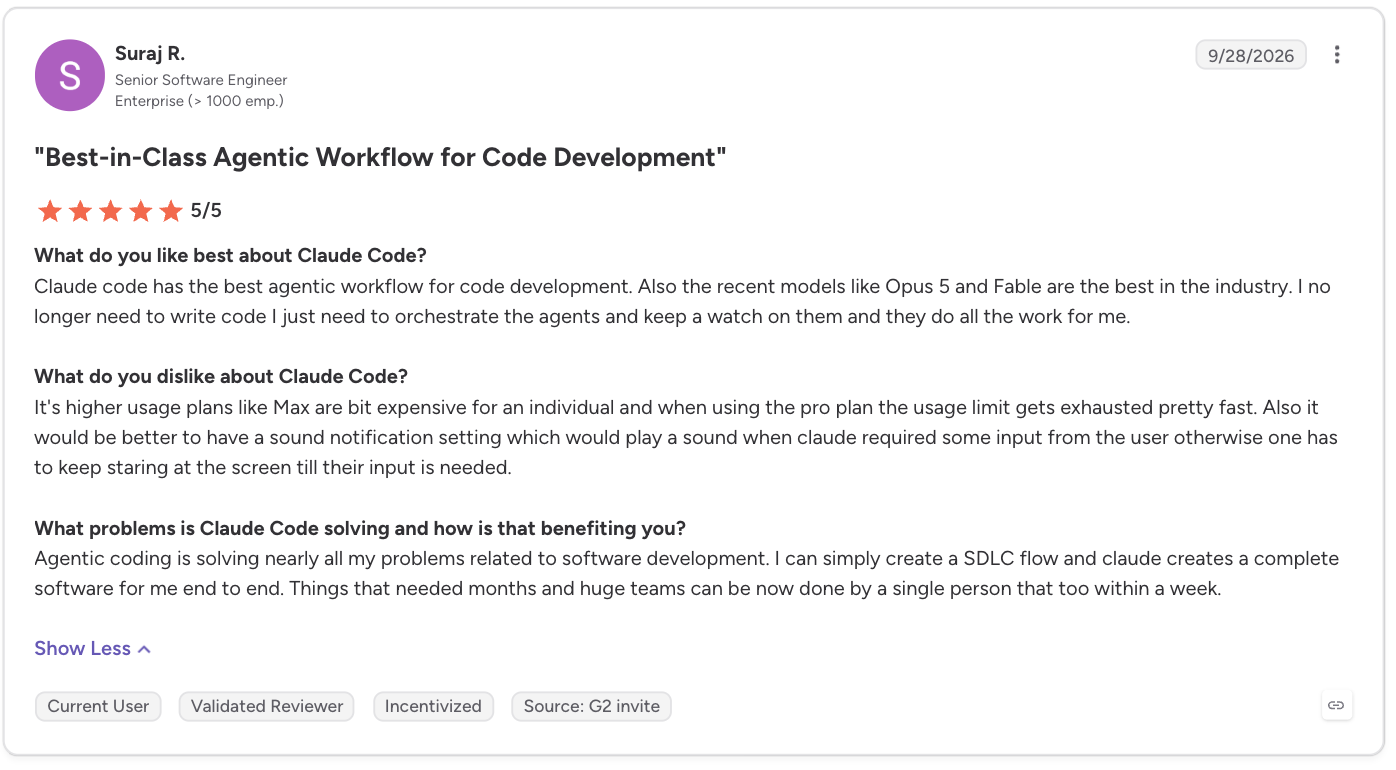
“Claude [C]ode has the best agentic workflow for code development. Also, the recent models like Opus 5 and Fable are the best in the industry. I no longer need to write code I just need to orchestrate the agents and keep a watch on them and they do all the work for me.” - Suraj R., G2
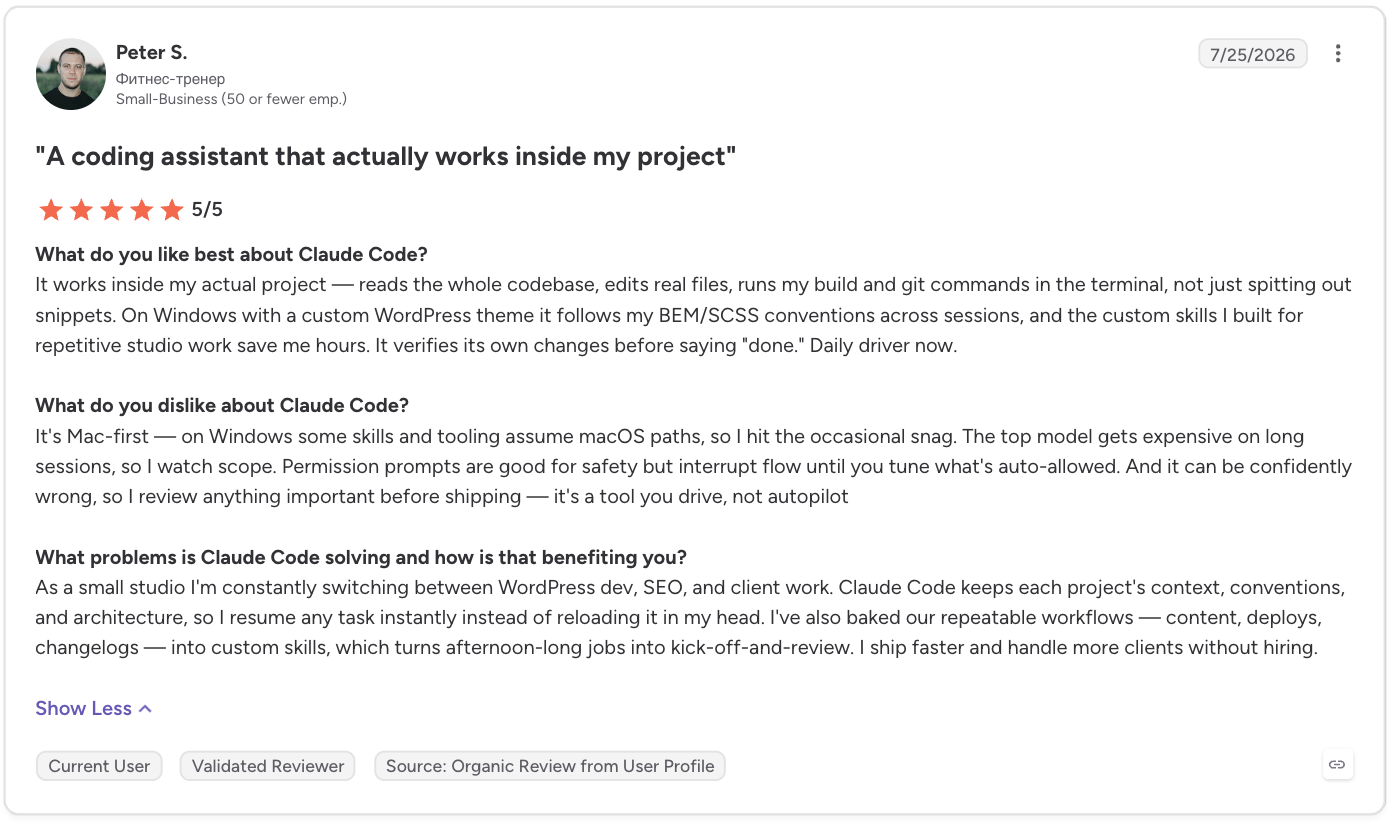
“It's Mac-first — on Windows some skills and tooling assume macOS paths, so I hit the occasional snag.” - Peter S., G2
Pricing
Claude Code isn't on the Free plan. Pro costs $20/month. Max costs $100/month and Ultra costs $200/month, billed monthly, sharing one usage pool with the chat apps.
Team Standard is $25/seat/month, and Team Premium is $125/seat/month, for two to 150 seats. Enterprise costs $20/seat/month, with a 20-seat minimum, plus usage.
Bottom line
Claude Code's auto memory carried context into a new session. A permission prompt also held the draft. Pick it for coding work in a repo you already have. I've also tested a wider field of coding agents on a real codebase.
6. Cursor: Best for an editor-based coding agent with model choice
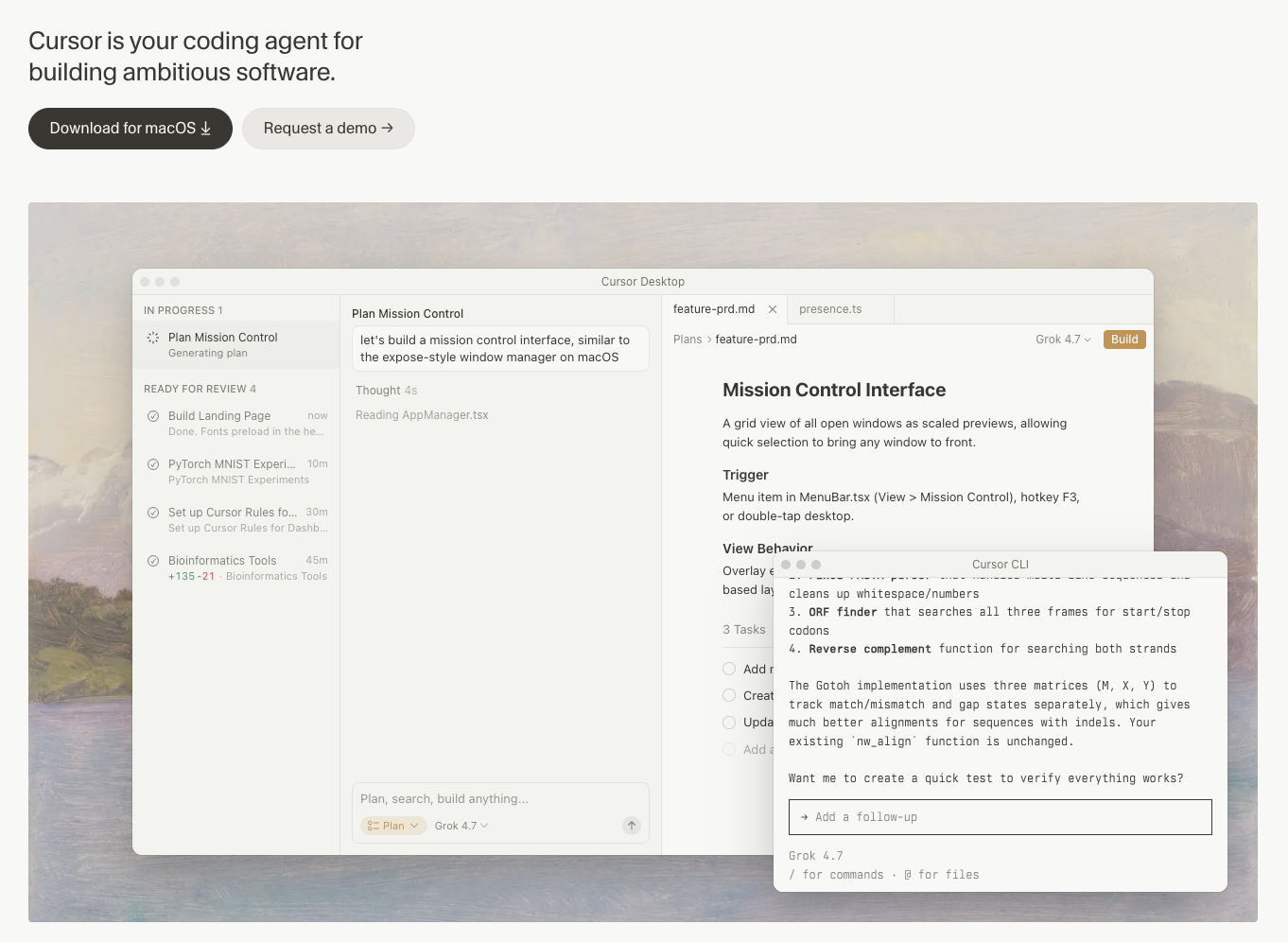
What it does: Cursor is a desktop code editor with an agent that searches your code locally.
Best for: Editor-based coding with the model chosen per task.
Cursor took on the same brief, with the launch email held as a draft file in the project.
Its 'Automations' feature fired the weekly check-in by itself. Permission prompts showed up before any real action. The brief came back fully sourced.
Memory was the weak spot. The brief and the first three competitors only carried over after I saved them to a project note myself, not automatically.
Status was also a partial miss. Cursor shows a timeline of what ran and what's waiting, but that alone wasn't enough to count as a full pass.
Key features
- Instant Grep: A fast way for the agent to search your code for specific terms or names.
- Plan Mode: Agent researches, asks questions, and writes an editable plan before coding.
Pros and cons
Pros:
- ✅ Premium adds cloud agents, automations, and third-party models at API list price.
- ✅ Scheduled triggers accept cron expressions for precise timing.
- ✅ Automations also fire on GitHub, GitLab, Slack, webhook, and Linear events.
Cons:
- ❌ On personal accounts, automations bill as cloud agent usage, drawing on the same pools.
- ❌ Memory doesn’t carry across sessions unless you save it to a project note.
What users say
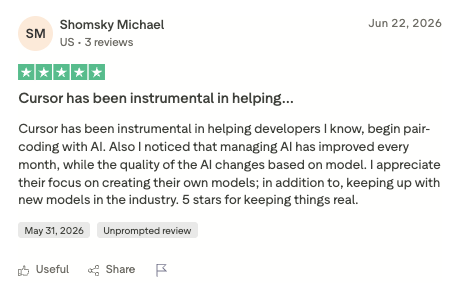
“Cursor has been instrumental in helping developers I know, begin pair-coding with AI.” - Shomsky Michael, Trustpilot
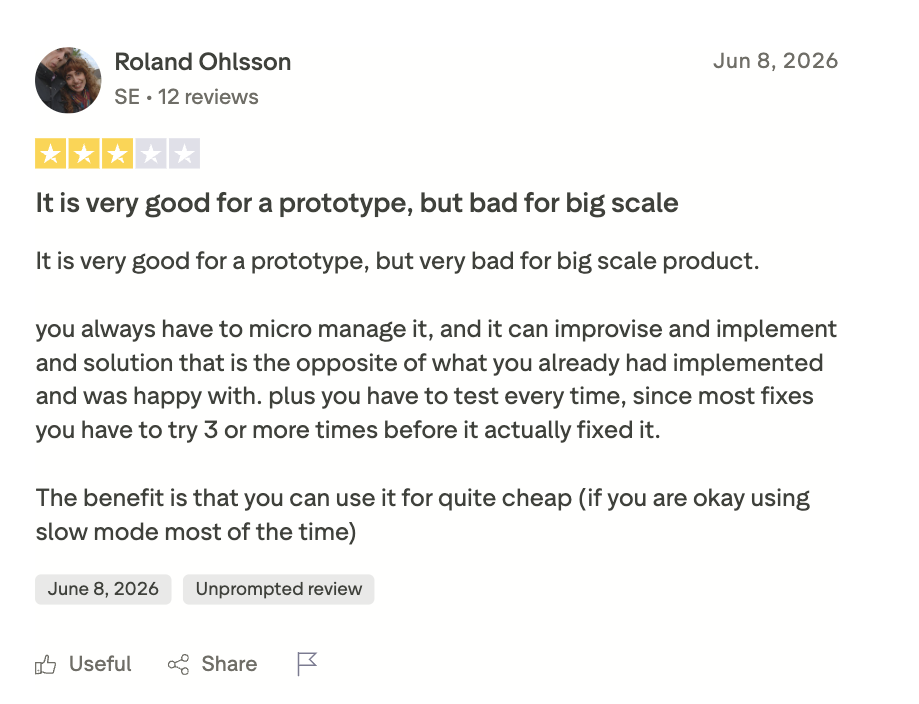
“You always have to micro-manage it, and it can improvise and implement a solution that is the opposite of what you already had implemented and [were] happy with.” - Roland Ohlsson, Trustpilot
Pricing
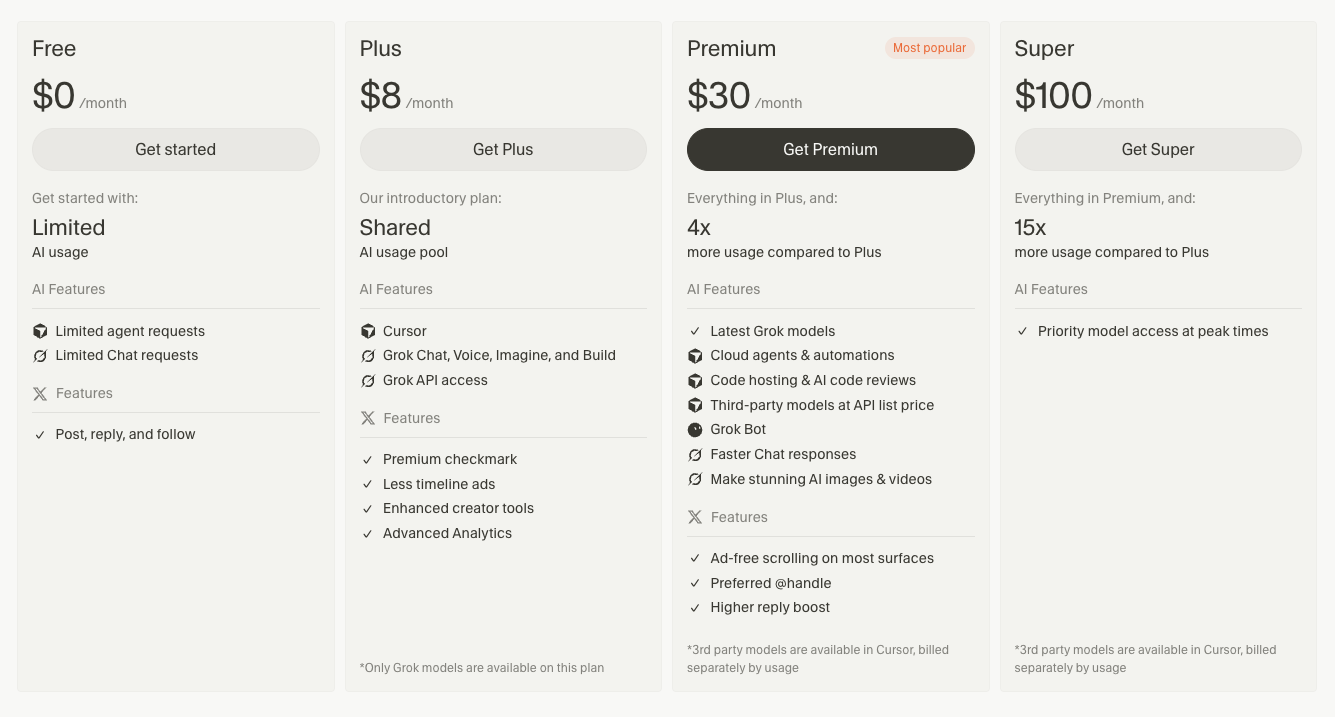
Cursor is sold through The X Subscription: Free, Plus at $8/month (Grok models only), Premium at $30/month, Super at $100/month, and Ultra at $200/month.
A legacy Pro plan ($20/month) is still available to existing subscribers; new signups no longer get Hobby or Pro.
Team seats use the same Premium, Super, and Ultra prices, starting at $30/seat/month. Enterprise: No public price; contact sales.
Bottom line
In Cursor, memory needed a saved note. Status also only partly cleared. Budget for the new plan structure too, where third-party models bill separately at API list price.
7. OpenAI Codex: Best for ChatGPT-native teams who want coding in the same subscription
What it does: OpenAI Codex is a coding agent bundled into ChatGPT's subscription tiers.
Best for: ChatGPT subscribers who want coding included.
The Codex test held the launch email as a draft file too.
It sourced the brief fully and always paused for my review before committing any change, letting me look everything over first.
A scheduled task running in the cloud handled the Monday check-in on its own. The gaps were memory and status.
Codex's memory setting is off by default, and I didn't turn it on, so each task started fresh, and I had to fully re-explain the brief and the first three competitors. Status also lives on a separate page instead of one combined view.
Key features
- Auto-review: A separate reviewer can approve or deny eligible actions that would otherwise need your approval. Some actions still require manual review.
- Open-source CLI: Runs in your terminal under Apache-2.0.
Pros and cons
Pros:
- ✅ Plus covers Codex on web, CLI, IDE, and iOS.
- ✅ Automatic code review and Slack integrations come with Plus.
- ✅ Built-in Git tools and worktrees are included with Plus.
Cons:
- ❌ Codex limits Memories to specific regions.
- ❌ Weekly limits may apply. Cloud tasks use more of that allowance.
What users say
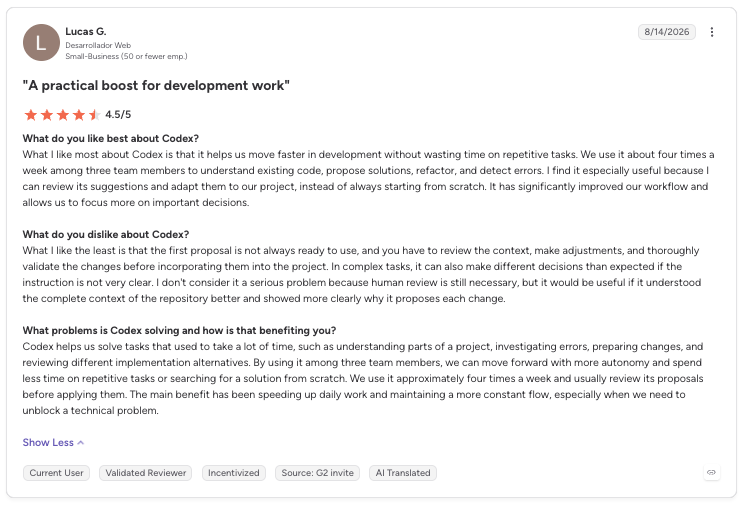
“What I like most about Codex is that it helps us move faster in development without wasting time on repetitive tasks.” - Lucas G., G2
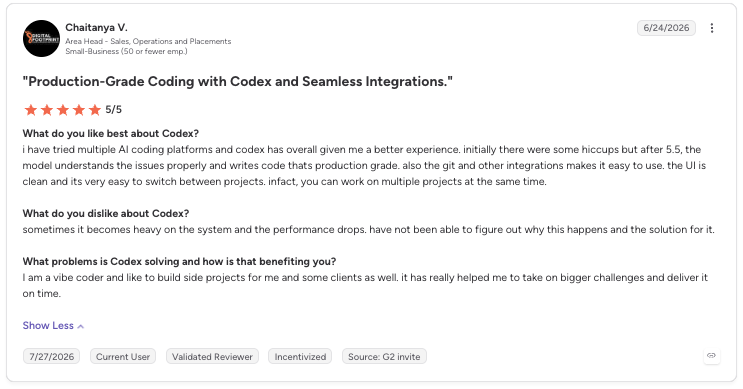
“Sometimes it becomes heavy on the system and the performance drops. [I] have not been able to figure out why this happens and the solution for it.” - Chaitanya V., G2
Pricing
Free and Go ($8/month) get limited Codex access. Plus is $20/month. Pro, from $100/month, adds longer sessions. Plus and Pro can buy extra credits.
Business runs $25/seat/month with a two-seat minimum. Enterprise has no public price, so you contact sales.
Bottom line
Codex comes with the ChatGPT bill you already pay, and changed files wait for inspection before you commit.
Workflow automation
n8n is the only entry in this group: an automation platform for logic you wire yourself, rather than hand off to an agent.
8. n8n: Best for teams that want to own the exact logic and self-host it
What it does: n8n is a self-hostable, node-based workflow platform that runs the same steps every time.
Best for: Teams that want to control every step's logic and run it on their own server.
n8n works differently from the rest. Instead of giving it one instruction, I had to wire together every step myself, including the research and the citations.
Its execution history showed exactly what ran, was waiting, or never ran. A scheduled trigger also fired the Monday check-in without me lifting a finger. A 'Wait' step held the launch email as a draft, exactly as the test asked.
The gaps were sourcing and memory. Since I built the research steps myself, the research nodes returned facts without a source for each one, so the brief didn't meet the sourcing bar, and n8n didn't carry what it learned from one run into the next.
Key features
- Execution log: Starter keeps seven days of up to 2,500 executions.
- Error workflows: A failed run can trigger an alert workflow.
Pros and cons
Pros:
- ✅ Starter includes AI agents, ready-made building blocks for connecting other AI tools, and AI models you can use without your own API keys, paid from a prepaid credit balance.
- ✅ Every plan includes unlimited users and workflows, plus every integration.
- ✅ You’re only billed when a workflow actually runs start to finish, not per step or per user.
Cons:
- ❌ You build each step yourself, including research and sources.
- ❌ Starter's preview Assistant allowance is 1,600 credits a month; Pro's is 9,600.
What users say
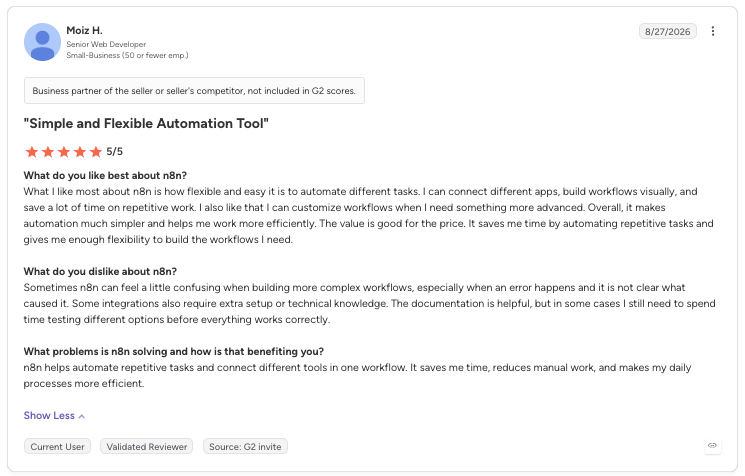
“What I like most about n8n is how flexible and easy it is to automate different tasks. I can connect different apps, build workflows visually, and save a lot of time on repetitive work.” - Moiz H., G2

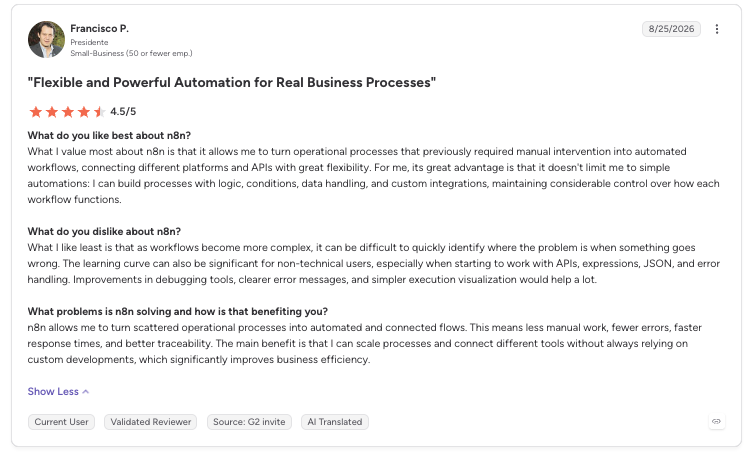
“What I like least is that as workflows become more complex, it can be difficult to quickly identify where the problem is when something goes wrong.” - Francisco P., G2
Pricing
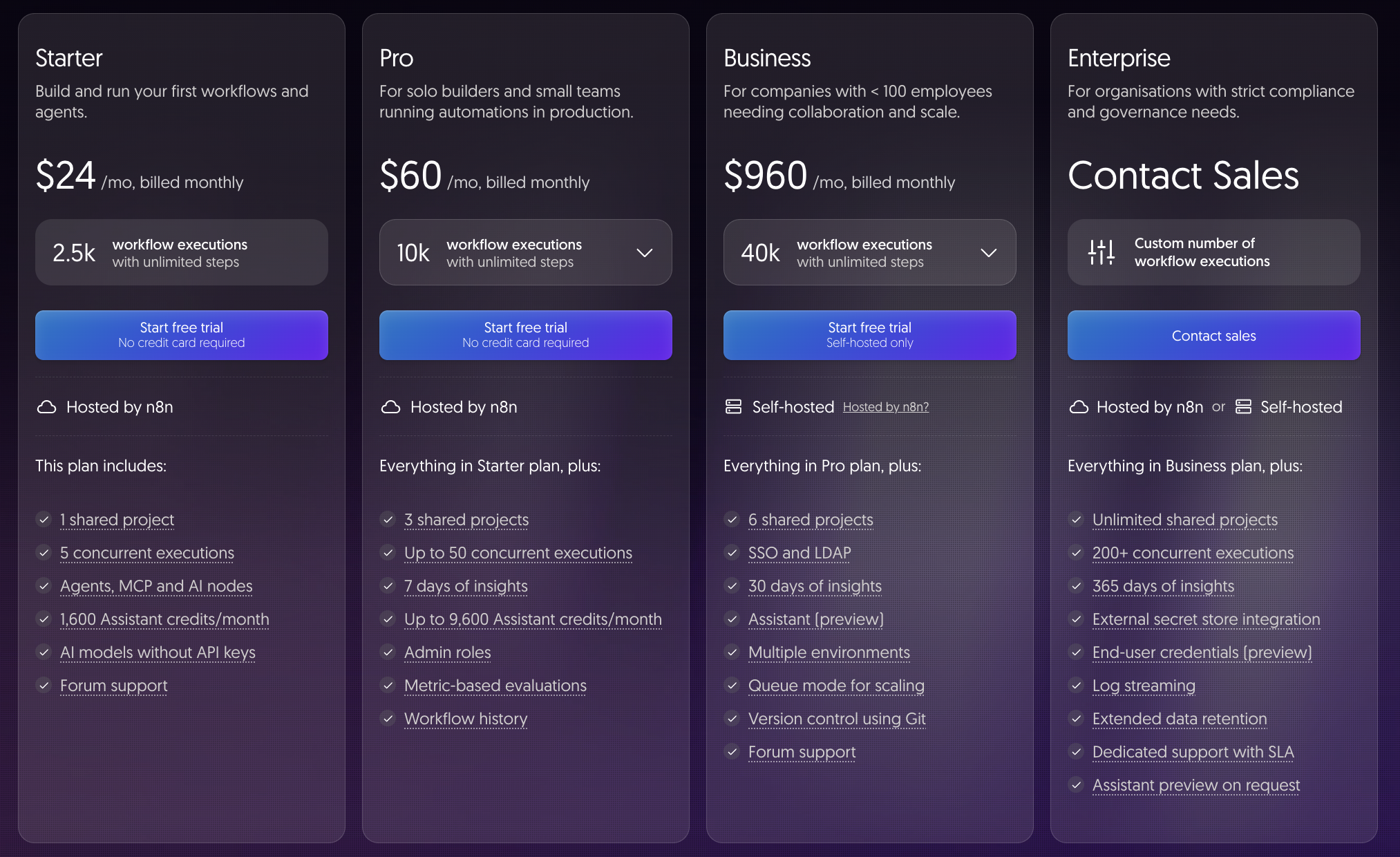
Starter costs $24/month for 2,500 executions. Pro is $60/month for 10,000 executions. Business is $960/month for 40,000 executions, self-hosted only.
Business overage costs $4,800 per 300,000 extra executions. Enterprise has custom executions and 200-plus concurrent runs. No public price; contact sales.
Bottom line
n8n held the draft, fired the Monday check-in, and logged every run, but sourcing and memory missed. Per-execution billing keeps step-heavy workflows cheap.
I've also compared n8n against other agentic AI tools for teams weighing the same trade-off.
Open-source and self-hosted alternatives
These three are the self-hosted-first picks among open-source Hermes Agent alternatives. All three are MIT-licensed, the same license Hermes uses.
9. OpenClaw: Best for teams that want to stay self-hosted, as Hermes' closest peer
What it does: OpenClaw is a free, MIT-licensed, self-hosted AI agent.
Best for: Self-hosters who want Hermes' shape and can vet an open skill registry.
OpenClaw worked through the identical two-week brief.
Setup and the whole test took about 50 minutes. OpenClaw is the tool here closest to Hermes itself, since you run and host it yourself the same way.
It sourced the brief and remembered the brief and the first three competitors through its own saved notes. Its built-in scheduler also fired the Monday check-in automatically.
Its bundled Workboard plugin, which is off by default, gave it a clean view of what's done and waiting.
The one miss was approval. OpenClaw held the draft only because the model followed my instruction, and no built-in approval step stopped the send.
OpenClaw also runs commands directly on your machine unless you set up sandboxing yourself. That sandboxing is off by default.
Key features
- Hermes import: Shows you a full preview of everything it would bring over from Hermes, then copies it across once you approve.
- Multi-channel gateway: One process serves every channel you connect.
Pros and cons
Pros:
- ✅ Companion apps add voice, camera, screen, and device-local actions.
- ✅ Automations also take webhooks and Gmail PubSub triggers.
- ✅ The only ongoing cost is the server and model usage you already control.
Cons:
- ❌ Anyone with an old enough GitHub account can publish to the ClawHub skill registry, so inspect skills first.
- ❌ Its memory can store an instruction like “hold for approval,” but out of the box nothing enforces it. Approval prompts are off by default.
What users say
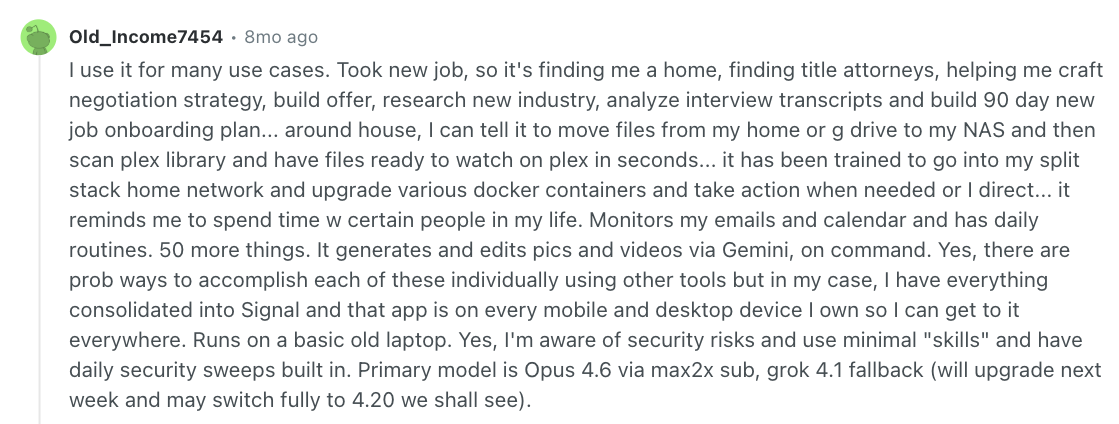
“I can tell it to move files from My Home or G drive to my NAS and then scan [the] [P]lex library and have files ready to watch on [P]lex in seconds... It has been trained to go into my split stack home network and upgrade various [D]ocker containers and take action when needed or [when] I direct.” - Old_Income7454, Reddit
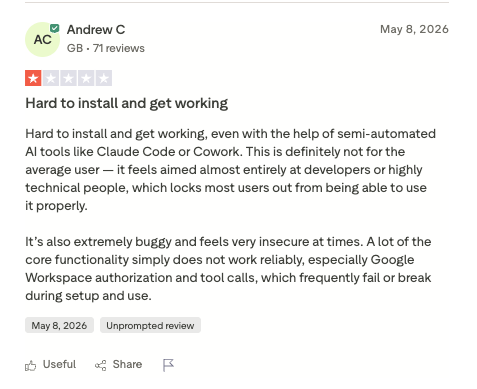
“[It’s] hard to install and get working, even with the help of semi-automated AI tools like Claude Code or Cowork.” - Andrew C., Trustpilot
Pricing
OpenClaw is free and self-hosted, with no paid tier. You pay for the server and model usage.
Bottom line
OpenClaw shares some of Hermes' security exposure, so set up sandboxing first. For Hermes' own architecture, it's the closest swap.
10. LangGraph: Best for developers who want to hand-build the exact agent graph they need
What it does: LangGraph is a low-level Python and JavaScript framework for stateful agent workflows, which remember progress between steps.
Best for: Developers who want full control of the agent graph.
LangGraph is a framework for building your own agent, so I had Claude Code assemble the pieces before running it through the same test.
The one part it did well in the test came from how it's built. It can pause and wait indefinitely for your approval.
But memory, sourcing, scheduling, and status all had to be bolted on separately. Reusing the same saved session just resumes the same thread, which isn't the same as remembering across a fresh one. Nothing in the scaffold reached for a long-term store instead.
Key features
- Persistent memory: Short-term and long-term memory, built in.
- Streaming: Built in, along with the ability to recover and keep running if something fails partway through.
Pros and cons
Pros:
- ✅ Interrupts can go anywhere in your graph.
- ✅ One graph can mix hand-coded logic with AI-made decisions.
- ✅ Free under MIT with no vendor lock-in. You bring and pay for whichever model provider you choose.
Cons:
- ❌ Nothing runs until a Python or JavaScript project exists.
- ❌ Resuming needs a checkpointer and the same thread ID, so the approval gate depends on your persistence setup.
What users say
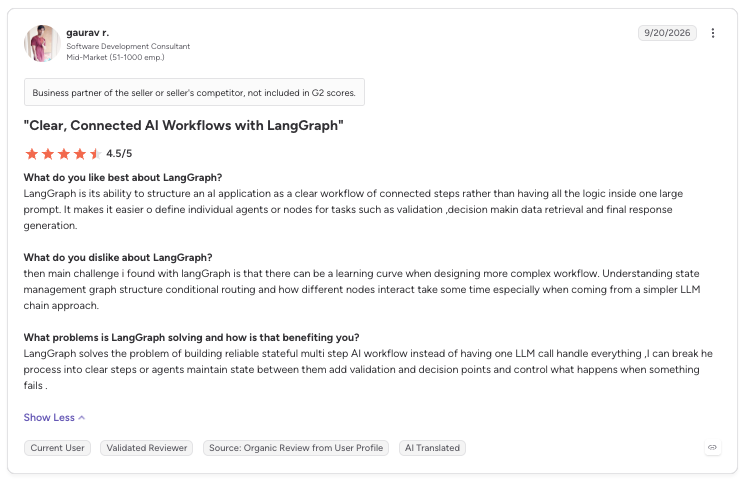
“It makes it easier to define individual agents or nodes for tasks such as validation, decision-making, data retrieval, and final response generation.” - Gaurav R., G2
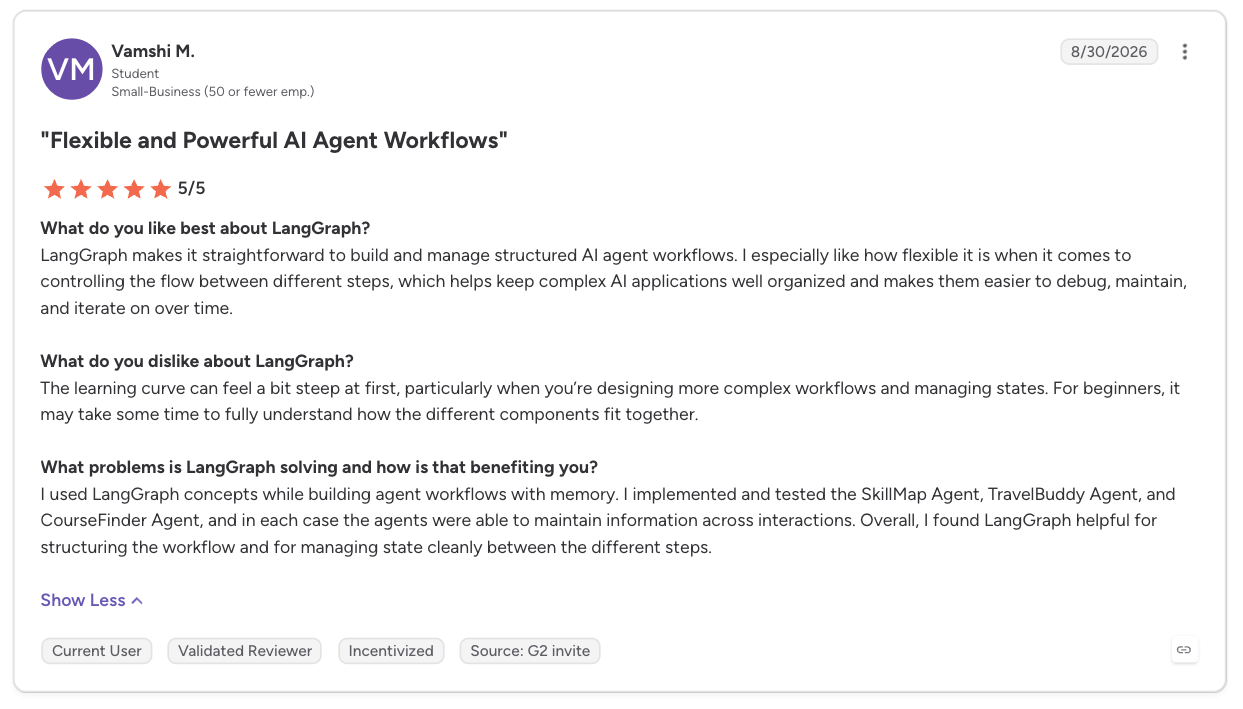
“The learning curve can feel a bit steep at first, particularly when you’re designing more complex workflows and managing states.” - Vamshi M., G2
Pricing
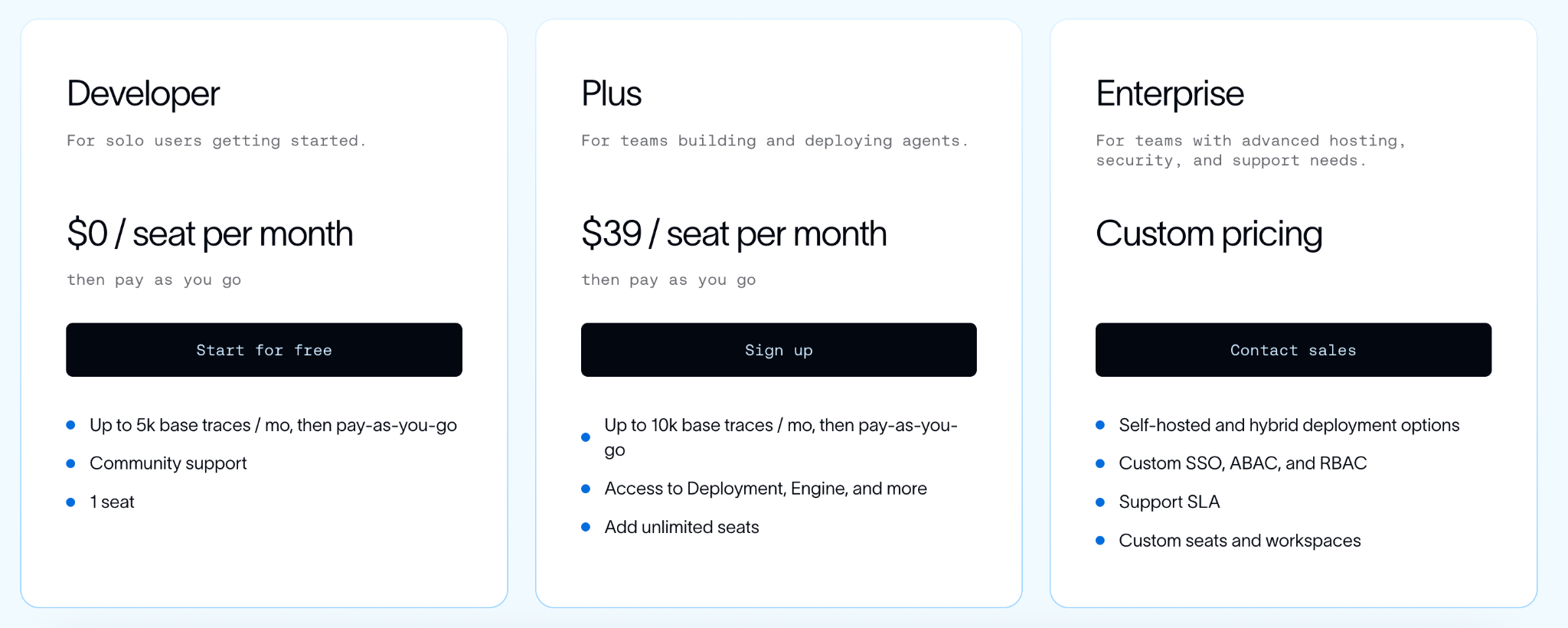
LangGraph is free under MIT, and model usage is billed through your provider. LangSmith, the optional tracing and deployment platform, offers Plus, $39/seat/month, with a small serverless deployment and cron scheduling.
Developer is free for one seat, with pay-as-you-go usage on both. Enterprise has no public price, so you contact sales.
Bottom line
LangGraph handled approval in code you own. Memory, sourcing, scheduling, and status all needed extra pieces, like a coding agent, a scheduled job, and LangSmith.
11. CrewAI: Best for a visual way into a multi-agent crew
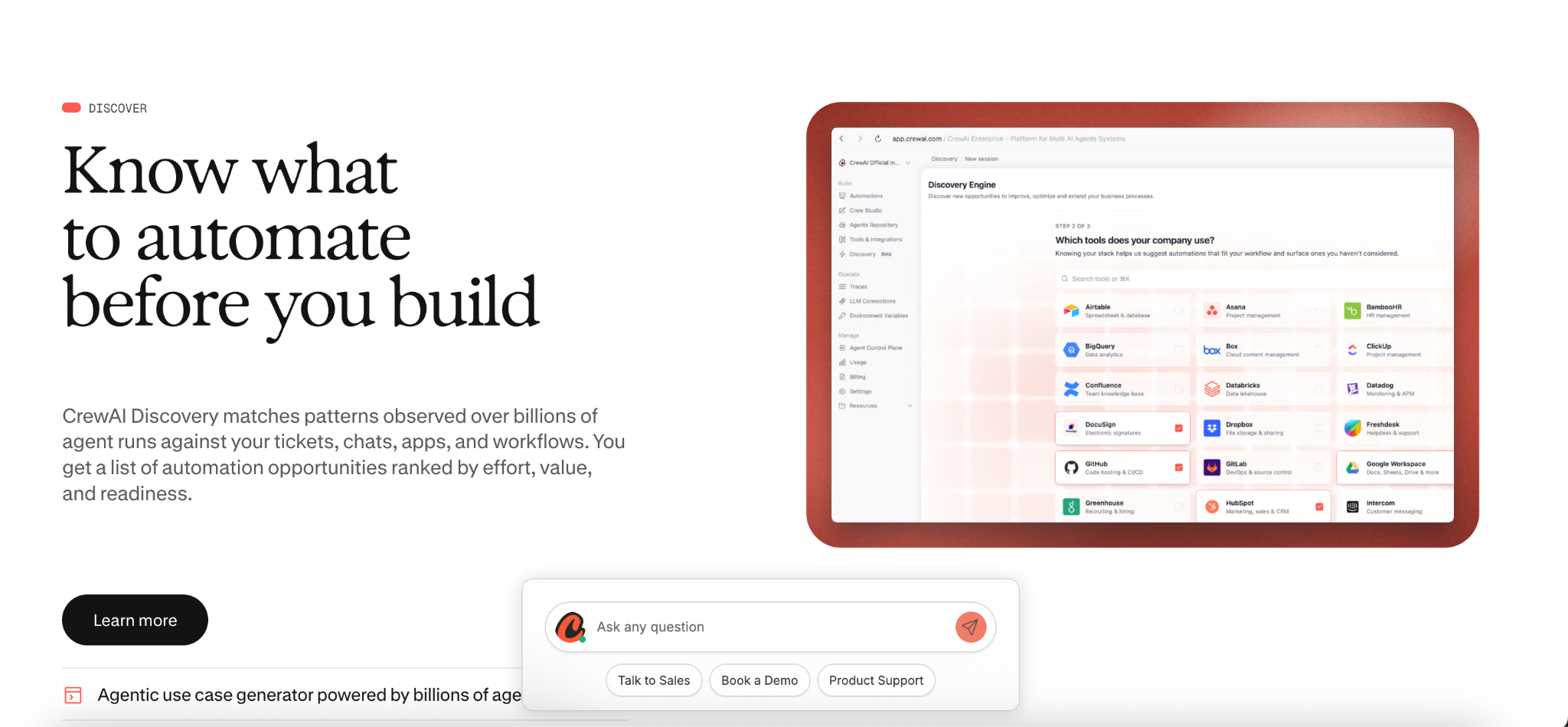
What it does: CrewAI is an open-source multi-agent framework. Its visual editor, Studio, builds a crew from a plain-language description.
Best for: A multi-agent setup without the orchestration code LangGraph needs.
I ran CrewAI through the same brief as the rest.
A built-in approval step held the launch email as a draft, cron scheduling handled the Monday check-in, and built-in tracking showed what ran and what didn't, all without extra setup.
Memory was the gap on this tier. In Studio, the brief and the first three competitors didn’t carry over until I connected an outside database myself. CrewAI’s open-source framework has built-in memory, but that means building the crew in code.
Getting fully sourced citations also took some hands-on prompting; it didn't happen on its own.
Key features
- Testing and training: AI testing, agent training, and detailed performance tracking on Basic.
- Flows: Event-driven workflows that chain crews and share state.
Pros and cons
Pros:
- ✅ You can chat with a published crew or export it as a ready-made UI component.
- ✅ You can also connect it to other AI tools directly.
- ✅ Basic includes guardrails, Slack and Teams workflow chat, and token counts.
- ✅ Enterprise includes 45-day onboarding.
Cons:
- ❌ Some connectors are Enterprise-only.
- ❌ Higher execution limits require Enterprise.
- ❌ Long-term memory takes extra setup, and citations need hands-on prompting.
What users say
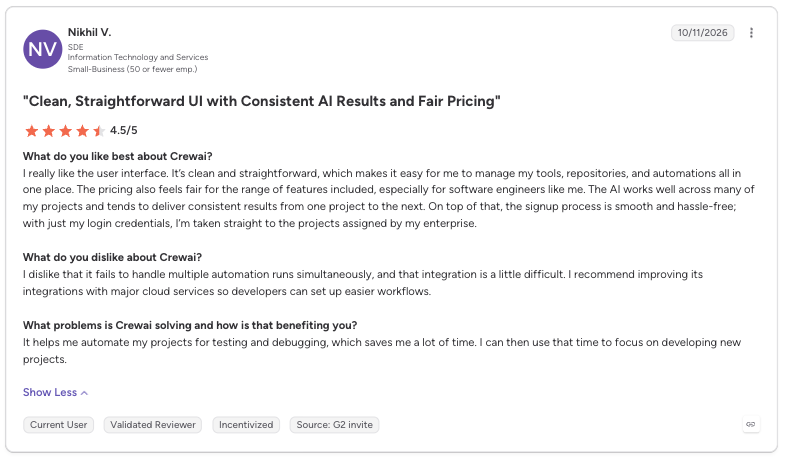
“I really like the user interface. It’s clean and straightforward, which makes it easy for me to manage my tools, repositories, and automations all in one place.” - Nikhil V., G2
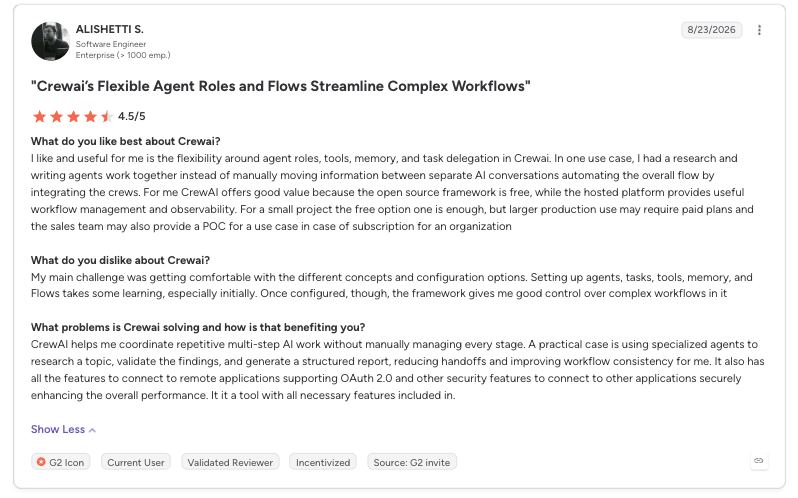
“Setting up agents, tasks, tools, memory, and Flows takes some learning, especially initially.” - AliShetti S., G2
Pricing
The Free plan comes with Studio, an AI copilot, GitHub integration, two automations, and 50 workflow executions a month.
Enterprise is custom-priced, with executions sized per workflow, overage, SSO, RBAC (role-based access control), and PII redaction. It deploys on CrewAI cloud, your VPC, or your own infrastructure. No public price; contact sales.
Bottom line
CrewAI's free Basic tier covered approval, scheduling, and status, while memory and citations took extra work.
Which Hermes Agent alternative should you choose?
Choose Lindy if you:
- Want the delegation behavior Hermes promised.
- Need a stop-and-ask step before anything irreversible.
Choose ChatGPT if you:
- Want one subscription for research, drafting, and scheduling.
- Can use scheduled tasks as your status view.
Choose Claude Cowork if you:
- Already pay for Claude and want background, connector-driven work.
- Can set up folder and connector access before the first background session.
Choose Manus if you:
- Have a self-contained research or build job you can scope tightly and pay for by the credit.
- Are willing to connect Gmail if you want drafts held for your approval.
Choose Claude Code if you:
- Are handing off coding work.
- Already have a repo and want the agent to write code in it.
Choose Cursor if you:
- Work inside an editor and want to pick the model per task.
- Can budget for on-demand usage.
Choose OpenAI Codex if you:
- Already pay for ChatGPT and want coding folded into that bill.
- Want to inspect changes before you commit.
Choose n8n if you:
- Want deterministic logic you own, with an execution history as your status view.
- Are willing to hand-build the research-and-citation steps.
Choose OpenClaw if you:
- Want Hermes' self-hosted shape and MIT license with different gaps.
- Will set up sandboxing yourself before you expose it.
Choose LangGraph if you:
- Are a developer who wants the approval gate as code you place yourself, since real cross-session memory needs a long-term store you'd build separately.
- Have engineering time to write the research, scheduling, and status layers.
Choose CrewAI if you:
- Want a multi-agent crew that Studio builds from a plain-language description.
- Are comfortable with the free Basic tier's execution limits.
Stick with Hermes if you:
- Want the learning loop that writes its own skills, not just runs the ones it's given.
- Want the scheduler and approval controls bundled into a server you run yourself.
Final verdict
Of the 11 Hermes Agent alternatives I tested, only Lindy and Claude Cowork cleared all five criteria, from sourced research and memory to approval, self-scheduling, and status.
Lindy's Free plan gives you $50 in credits that last seven days. OpenClaw is the pick if you want to keep running your own server.
Frequently asked questions
Is Hermes Agent still the best, or is there anything better?
Hermes Agent is still the best fit if the job is a self-hosted agent that learns from its own experience. For assistant-style delegation, Lindy needs no server of your own.
Is there a free Hermes Agent alternative?
Yes, there are several free Hermes Agent alternatives. OpenClaw and LangGraph are free software, and CrewAI's Basic tier is free. Any model provider you connect still bills separately.
Is there an open source Hermes Agent alternative?
Yes, four tools on this list are open-source Hermes Agent alternatives. OpenClaw, LangGraph, and CrewAI share Hermes' MIT license. The Codex CLI is Apache-2.0. n8n is source-available under its Sustainable Use License.
What's the cheapest way to host Hermes Agent?
The cheapest way to host Hermes Agent is on a computer you already own, through the free desktop app. For always-on use, Hermes offers a $5 VPS, and DigitalOcean lists Basic Droplets from $4/month. Model usage is a separate cost.
Hermes Agent vs. OpenClaw: what's the difference?
The main difference between Hermes Agent and OpenClaw is that Hermes centers on a learning loop that writes skills. Hermes also offers optional Nous Portal hosting.
OpenClaw ships native apps for macOS, iOS, Android, Windows, and Linux and has no paid tier or hosted service. Hermes has its own free desktop app too, for macOS, Windows, and Linux. Both are MIT-licensed and self-hosted.
About the editorial team

Marvin is a Growth Engineer at Lindy focused on AI agents, automation, and product-led growth.

Lindy leads GTM at Lindy and is the team’s most prolific automation builder. She publishes weekly educational videos and articles on building AI assistants – And yes, she’s a real person!
