Motion vs Reclaim: Which AI Calendar Fits How You Work?
Ryan spent three weeks testing Motion and Reclaim in real calendar workflows, comparing scheduling control, task management, setup, pricing, and how each tool handles a constantly changing workday.


I spent three weeks with an AI calendar that rescheduled my entire day whenever someone booked a 30-minute call. Three weeks of watching my task list reshuffle like a deck of cards, my work blocks sliding to new times, and that low-grade anxiety of never quite knowing what my afternoon looked like until noon.
By the time I switched tools, I had a pretty strong opinion on what kind of AI calendar automation is useful and what kind just replaces one problem with another.
That tool was Motion. The one I switched to was Reclaim. Both promise to fix your calendar, but they go after very different problems.
Here's the short answer: Reclaim is better for most people. It's cheaper, takes fifteen minutes to set up, and protects your focus time without taking over your schedule. Motion earns its price if you have a high volume of competing tasks, hard deadlines, and want AI to decide what you work on and when, without you touching it. If that's not you, Reclaim is the smarter starting point.
Here's my full Motion vs Reclaim comparison, based on three weeks of running both against a real calendar.
Motion vs Reclaim: Main differences
If you're still early in your research and want to see what else is available beyond these two, our guide to the best AI calendar tools covers the full field.
What is Motion?
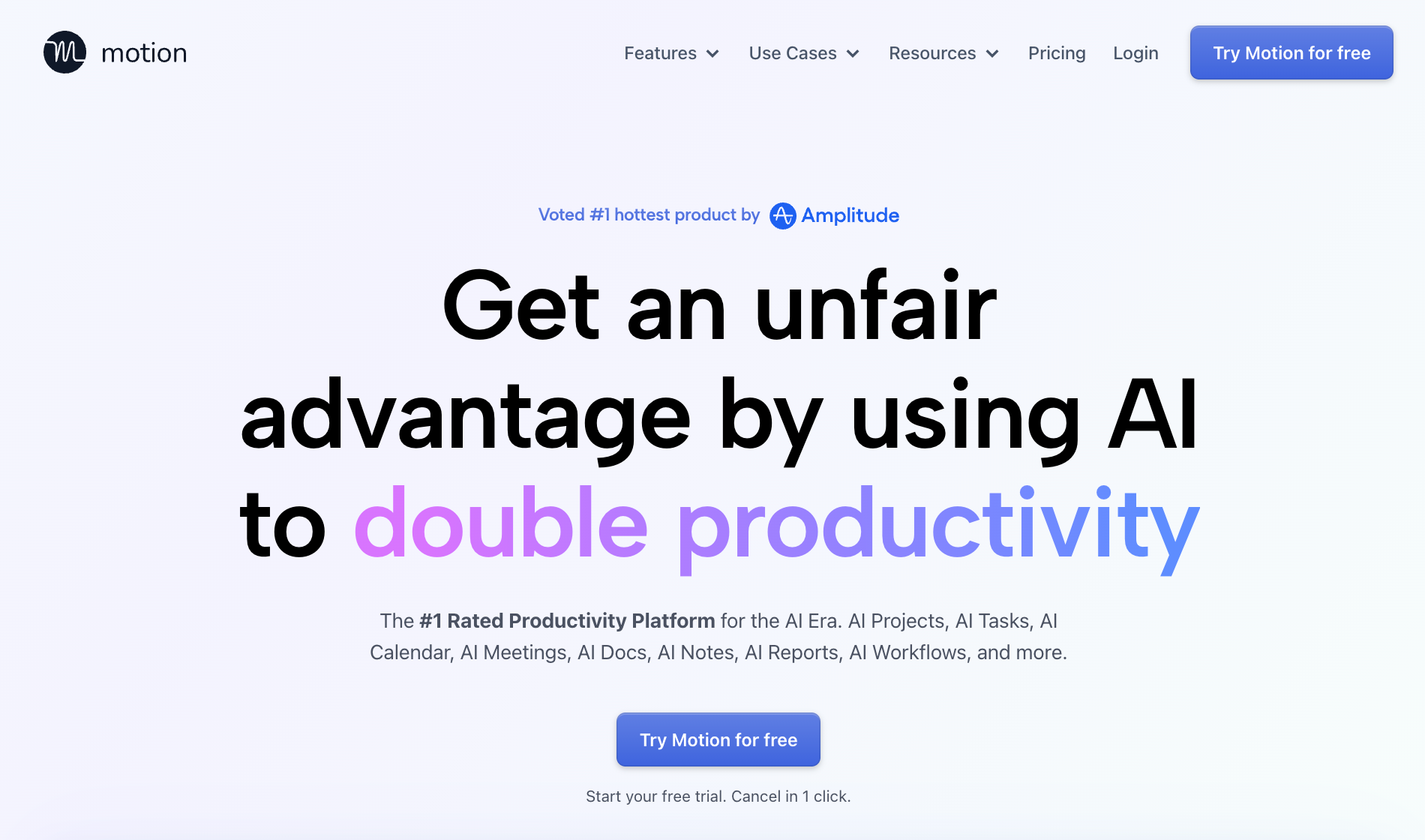
Motion is an all-in-one AI productivity workspace that combines calendar management, task scheduling, project tracking, and meeting notes into a single platform. It automatically builds your daily schedule from scratch, placing tasks into available slots based on deadlines and priorities, and rebuilds the whole plan in seconds whenever a meeting shifts or a task runs long.
Motion is designed for individuals and teams who want AI to manage the scheduling decisions.
Key features Motion covers:
- AI Calendar: Builds and rebuilds your workday automatically. When meetings move or tasks run over, the schedule reshuffles in real time around everything else.
- AI Task Manager: Auto-schedules to-dos based on deadline, estimated duration, and priority. Operates on a "Do Date vs Due Date" model, flagging tasks at risk of missing a deadline days in advance.
- AI Project Manager: Advances project stages as tasks are completed and predicts exact completion dates based on team capacity. It flags bottlenecks before they cause delays.
- AI Meeting Assistant: Lets you set preferred meeting hours, cap daily meeting totals, and block meeting-free days. Generates booking links with automatic video conference links for Google Calendar, Outlook, and iCloud.
- AI Meeting Notetaker: Joins Zoom, Google Meet, and Microsoft Teams calls automatically, records, transcribes, and delivers a summary in under 30 seconds. Extracts decisions, creates follow-up tasks, and assigns them with priorities to team members.
- Unified workspace and integrations: Connects Google Calendar, Outlook, and iCloud in one view. Integrates with Slack, Teams, Zoom, Gmail, Zapier, Salesforce, and HubSpot.
What stood out during testing
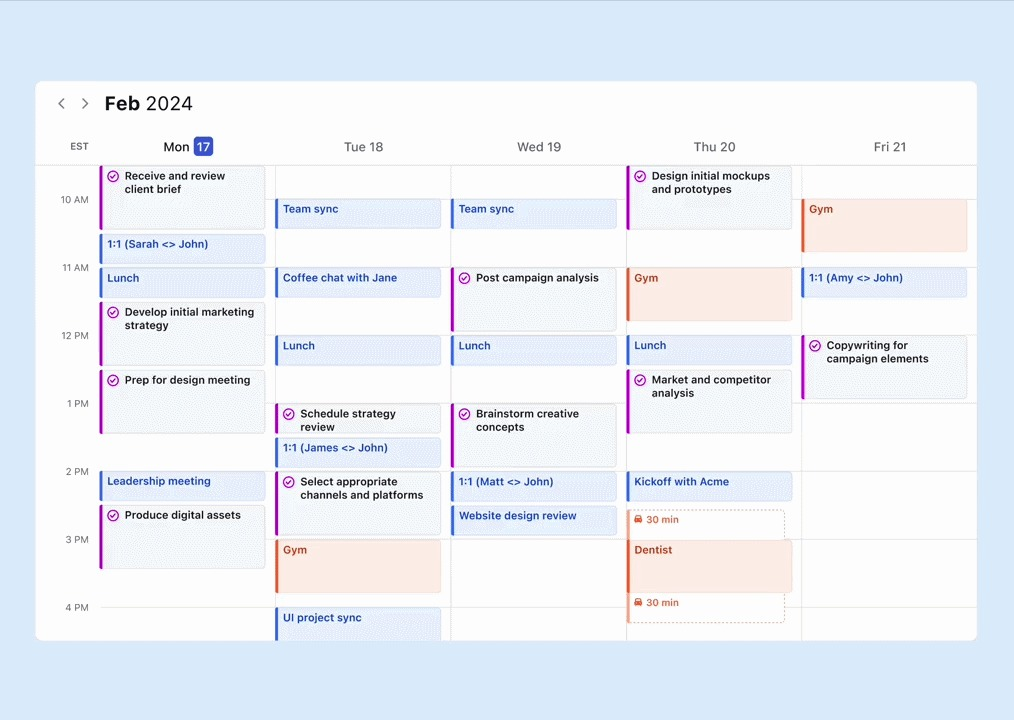
The rebuild speed was the genuine surprise. When a meeting moved, Motion restructured the rest of the day in seconds. No intervention required. For anyone managing projects with hard deadlines and multiple dependencies, that kind of automatic recovery around calendar conflicts is a real time-saver.
The project management layer was deeper than I expected. Task dependencies, subtasks, capacity planning, and team workflows are all inside the same tool that manages your calendar. If you're evaluating a project management upgrade at the same time, Motion covers both with one subscription.
What could improve
Motion schedules tasks into the first available slot regardless of context. When I had a full out-of-office block, it still pushed tasks into that window rather than recognizing those days were off limits. Context awareness like that is missing.
The learning curve is real. Finding a system within Motion that matched how I work took the better part of a week, and the 7-day trial is tight for a tool this complex.
Pricing
Motion has no free plan. A 7-day free trial is available on both plans; a card is required. Teams pricing runs $29/seat/month (Pro AI) and $49/seat/month (Business AI), billed monthly. Individuals pay $49 and $69 for the same tiers. Annual billing saves roughly a third on each. Here’s more on Motion’s pricing.
What is Reclaim?
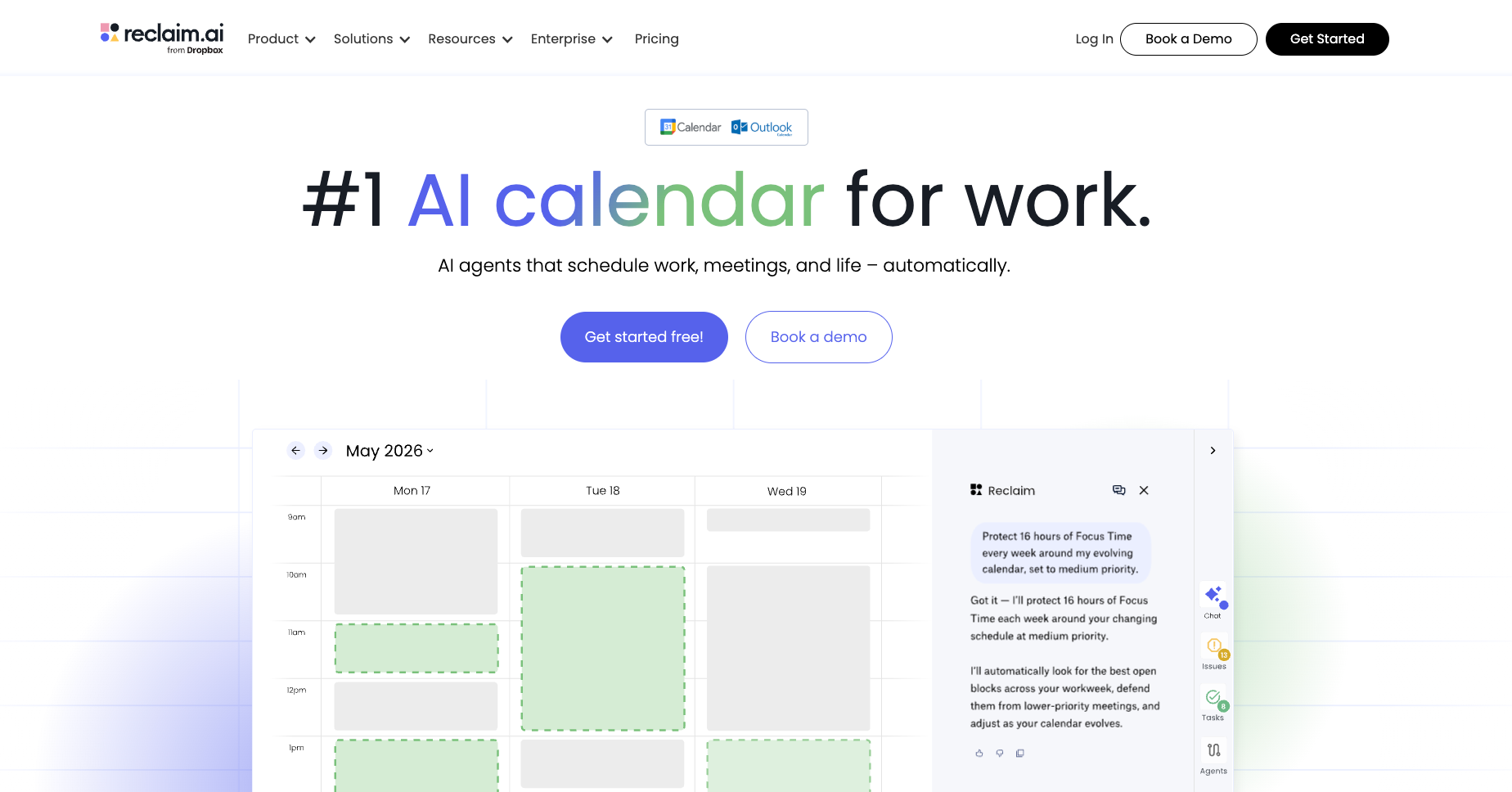
Reclaim is an AI scheduling tool that sits on top of Google Calendar or Outlook and automatically protects time for the things that matter most. It reads your existing schedule and finds space for focus work, recurring habits, tasks, and team meetings, rescheduling any of those blocks automatically when conflicts arise.
Reclaim is built for individuals and teams who want smarter time blocking without handing control of their day to a machine.
Key features Reclaim covers:
- AI Focus Time: Sets a weekly focus target and defends uninterrupted work blocks on your calendar. If a meeting takes that slot, it finds another window to protect.
- Smart Meetings: Automates scheduling for recurring 1-on-1s and team calls by evaluating time zones, working hours, and attendee priorities. It reschedules automatically when something conflicts.
- AI Habits: Finds and holds recurring time for personal and professional routines, from exercise to admin blocks, adjusting daily based on what else is on your calendar.
- Task scheduling: Syncs directly with Asana, Jira, ClickUp, Todoist, Linear, and Google Tasks and schedules time for those tasks automatically, no copy-paste required.
- AI Scheduling Links: Booking links that show availability based on your actual priorities. Lower-priority events flex to surface more availability when needed.
- AI Calendar Sync: Real-time two-way sync across multiple Google and Outlook calendars, with privacy controls to show events as busy, personal, or work commitments.
- AI Assistant (with MCP): A natural-language chat interface for scheduling queries and conflict resolution, with integrations inside ChatGPT and Claude. Calendar changes require human approval before anything updates.
- Time tracking and workforce analytics: Tracks how time is split across meetings, tasks, focus work, and habits. Managers get analytics on team capacity, meeting load, and burnout risk.
What stood out during testing
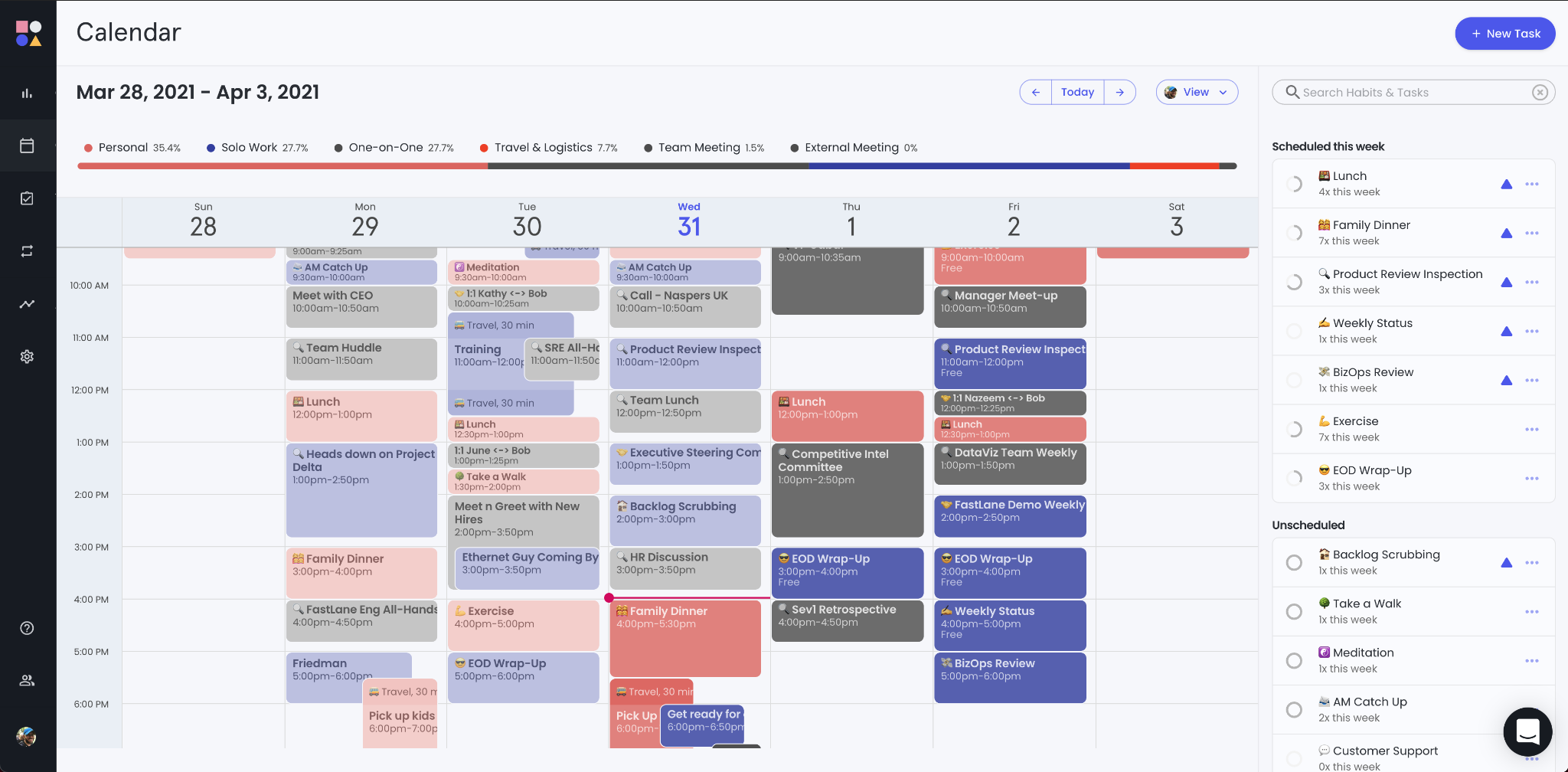
Setup took fifteen minutes. Connect your calendar, create two or three habits, set priority levels, and Reclaim starts working. No onboarding session, no week-long ramp-up.
The habit and focus time protection is the most battle-tested feature. It holds time blocks across your week and keeps them intact. When meetings stack up, Reclaim finds the gaps rather than cascading changes through your entire task list. That quiet reliability is what kept me on it after I switched away from Motion.
What could improve
Reclaim has no native mobile app. You can add its web app to your home screen, and its blocks show in your Google Calendar or Outlook app. If you plan your day from your phone, that's still a step down from Motion.
Task management is limited by design. Reclaim schedules tasks you create in it or pull in from other tools, but it isn't a project manager. If you need dependencies, subtasks, or project hierarchies, you still need a separate tool. iCloud is not supported. Apple Calendar users need a workaround or a different tool.
Pricing
Reclaim starts at $12/seat/month (Starter, billed monthly), with Business at $18/seat/month. Annual billing saves 20%, bringing Starter to $10/seat/month and Business to $15. A free Lite plan is available with limited scheduling features. Enterprise is annual only at $22/seat/month.
{{templates}}
Motion vs Reclaim: Feature-by-feature comparison
Motion and Reclaim overlap on AI scheduling and integrations, but diverge sharply everywhere else. Motion bundles task management, project tracking, and team coordination into one workspace. Reclaim connects to the tools you already use and protects time within the calendar you already have.
AI scheduling
- Motion: Auto-builds and rebuilds your full daily schedule around tasks and deadlines. When meetings shift or run long, everything reshuffles in seconds with no input from you. You set the tasks and priorities; the AI decides when and in what order things happen.
- Reclaim: Finds available slots for habits, focus time, and tasks around your existing meetings. Higher-priority blocks automatically push out lower-priority ones when conflicts arise. You retain full oversight of your schedule, and Reclaim adjusts around it.
Winner: Motion for full hands-off automation. Reclaim for users who want intelligent time defense without giving up control.
Task and project management
- Motion: Built-in task and project manager with dependencies, subtasks, and custom time windows. On Business AI, Gantt charts and capacity planning flag bottlenecks before they cause delays. Meeting notes automatically convert into scheduled tasks and assign them to team members.
- Reclaim: No built-in project management. Syncs tasks from Asana, Jira, ClickUp, Todoist, Linear, and Google Tasks, then schedules dedicated time for them. Your existing project stack stays intact; Reclaim just makes sure the work gets time on the calendar.
Winner: Motion for teams looking to consolidate tools into one workspace. Reclaim for teams that want to keep their current project management setup.
Integrations
- Motion: Connects to Google Calendar, Outlook, iCloud, Zoom, Google Meet, Microsoft Teams, Gmail, Slack, Salesforce, HubSpot, and Zapier. The AI Meeting Notetaker joins calls, transcribes them, and creates follow-up tasks directly in team calendars.
- Reclaim: Connects to Google Calendar and Outlook (no iCloud). Deep native sync with Asana, Jira, ClickUp, Todoist, Linear, Google Tasks, and Slack. MCP connectors for ChatGPT and Claude let users manage scheduling through natural language inside those tools, with human approval before any calendar change goes through.
Winner: Motion for broader calendar and CRM ecosystem support. Reclaim for deep task-manager sync and conversational AI scheduling.
Mobile app
Both tools work on desktop and web. Motion also ships a full native mobile app. Reclaim does not. For anyone who manages their day from their phone, that gap matters. Here is how they stack up.
- Motion: Full native apps on iOS and Android. Auto-scheduled agendas, task management, booking links, and real-time schedule updates are all available on mobile. Siri integration lets you capture tasks or check your schedule hands-free.
- Reclaim: No standalone mobile app. Smart scheduling, habit blocks, and task allocations appear inside your existing Google Calendar or Outlook mobile apps. Changing settings or modifying habits requires the web interface.
Winner: Motion, clearly. Reclaim has no native app, so phone-first users get a web app and their calendar app instead.
Team features
Both tools support team use. Motion covers the full project coordination layer. Reclaim focuses on shared scheduling visibility and time protection. Here is how they stack up.
- Motion: Central project dashboards, plus Gantt charts and real-time capacity planning on Business AI, and automated task handoffs between team members. The AI Meeting Notetaker transcribes calls across Zoom, Google Meet, and Microsoft Teams, extracts action items, and assigns them with priorities directly to team calendars.
- Reclaim: Smart Meetings find the best slot for 1-on-1s and group calls across all attendee schedules. Team scheduling links, shared out-of-office calendars, and workforce analytics give managers visibility into meeting load, capacity trends, and focus time targets.
Winner: Motion for cross-functional project execution. Reclaim for teams that want shared calendar visibility and meeting load management without the overhead.
Which is easier to set up: Motion or Reclaim?
Reclaim is easier to set up. It takes around fifteen minutes to connect your calendars, create a few habits, and sync your task tools. Motion requires a few days to get used to. The AI only plans well once your full task list, priorities, dependencies, and working hours are loaded in, and the 7-day trial is tight for a tool that complex.
Here is where each one lands:
- Motion: Steep learning curve. Task parameters, custom working hours, dependencies, and team workflows all need configuring before the AI produces a useful schedule. Most users don't see the value until several days in.
- Reclaim: Minimal setup. Because it sits on top of your existing calendar rather than replacing it, there is almost no operational change for the rest of your team.
Winner: Reclaim for fast time-to-value. Motion rewards the upfront investment, but it requires it first.
What real users say about Motion and Reclaim
Recent G2 reviews for both tools follow a consistent pattern. Motion users tend to split along one fault line: those who invest the time to configure it properly rate it highly; those who don't find it complex and overpriced for what they get out of the box. Reclaim users are generally more positive across the board, with most complaints landing on feature gating and the occasional misfired focus block rather than the core product.
Motion users on G2
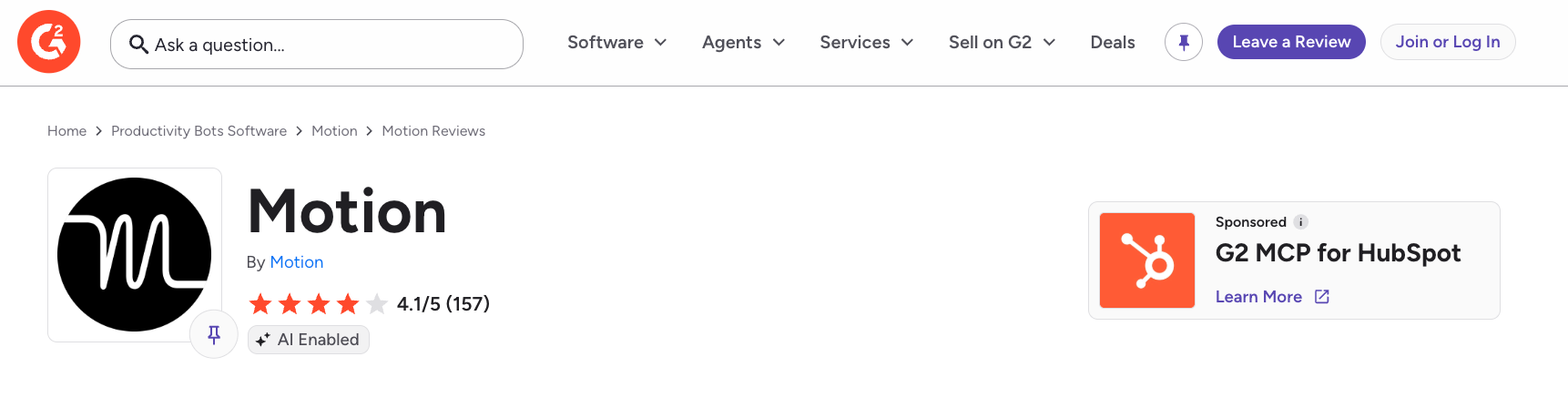
Motion has a rating of 4.1/5. Reviews split sharply depending on how much setup time users invested. Those who configured it fully tend to rate it highly; those who didn't find the complexity hard to justify against the price.
Reclaim users on G2

Reclaim has a rating of 4.8/5. Users appreciate its quiet adaptation when schedules shift and how it makes time management feel proactive rather than reactive. Most criticism points to advanced features sitting behind higher-tier plans and task deadlines not always surfacing with strong enough alerts.
{{cta}}
Which one should you choose? My verdict
Motion and Reclaim solve the same problem from opposite directions. The right pick depends on your relationship with control.
If you want AI to make the scheduling decisions and you're willing to consolidate your task management into one tool, Motion earns its price. If you already have a stack you like and just want your calendar to protect the time that matters, Reclaim does that with less setup and less friction.
Choose Motion if
- You want AI to completely own your task scheduling, and you're willing to trust it fully
- You have a high volume of tasks across multiple projects, and the scheduling complexity alone takes meaningful time
- You want a combined task manager and calendar scheduler in one app rather than syncing between separate tools
- You're comfortable with dynamic rescheduling and don't need to know exactly when each task will happen in advance
- You need a full-featured mobile experience
Choose Reclaim if
- You want to protect deep work, habits, and focus time from meeting creep while keeping control of your schedule
- You have an existing project management stack (Asana, Jira, ClickUp, etc.) and want AI scheduling that works alongside it
- You're cost-conscious and want meaningful AI scheduling without the premium price
- You prefer a lighter setup with a low learning curve
- Mobile access isn't a priority for how you manage your day
But neither one handles the work that happens around the calendar itself. If your problem is planning rather than scheduling, our guide to the best AI planners is worth a look before you commit.
What’s better than Motion or Reclaim?
Motion and Reclaim cover the scheduling layer well. Whether something is "better" depends on what you need beyond the calendar. Both tools manage when things happen. Neither one preps you before a meeting, updates your CRM, or works through your inbox.
For a full look at alternatives in this space, our guide to the best Reclaim AI alternatives and our AI scheduling assistant breakdown cover what each tool category handles and where each falls short.
For most people, Reclaim is the honest recommendation. Motion is the better choice for a specific kind of heavy user. Neither one handles the prep, the CRM updates, and the inbox work around your meetings. That's where Lindy comes in.
Try Lindy: Everything your calendar app doesn't do
Motion and Reclaim manage when things get done. Lindy handles everything that happens before, during, and after the meeting itself.
Lindy connects to 1,500+ apps, including Gmail, Slack, Salesforce, Google Calendar, Zoom, HubSpot, and more. @mention Lindy in Slack with what you need, and it executes across all your tools.
Here's what that looks like in practice:
- Prep brief before every call: Lindy pulls attendee backgrounds, past conversation history, and relevant context and delivers it before the meeting starts, with no manual research on your end.
- Follow-up email drafted after every call: Lindy generates a structured summary with action items and drafts the follow-up in your voice, ready for your approval before anything goes out.
- CRM updated without opening the CRM: After every call, Lindy logs notes and fills in contact records. Nothing gets lost between the conversation and the system.
- Inbox triaged while you are in meetings: Incoming email gets sorted and flagged so you know what needs attention when you come up for air.
- Scheduling handled end-to-end: Lindy reads scheduling requests in email threads, proposes times, and sends you the invite to confirm. No manual back-and-forth on your end.
- Delegate from anywhere: Text Lindy between meetings by iMessage or SMS and it handles the next step before you get back to your desk.
FAQs
1. What is the main difference between Motion and Reclaim?
Motion owns your entire schedule and makes the decisions for you, while Reclaim works within the calendar you already have and keeps the decisions with you. One replaces how you plan, while the other improves it.
2. Does Reclaim have a mobile app?
No. Reclaim has no native iOS or Android app. You can add its web app to your phone's home screen, and its events show up in your Google Calendar or Outlook app. Motion has a mobile app on both iOS and Android.
3. Which is better for teams: Motion or Reclaim?
Motion (Business AI, Teams track) is stronger for teams that want to consolidate task management and scheduling and are willing to learn a more complex product, while Reclaim is better for teams with existing project management tools who want AI-assisted time protection without replacing their current stack.
4. Does either tool handle email or meeting follow-ups?
Only partly. Motion's AI Meeting Notetaker sends a recap email with notes and action items after a call. Reclaim doesn't handle email or follow-ups. Neither one preps you before a meeting or updates your CRM. For that layer, a separate AI assistant like Lindy covers it.
5. Is the Motion app worth it?
Yes, the Motion app is worth it if scheduling is your main bottleneck. Motion's AI builds and rebuilds your day around deadlines and competing priorities, so you stop losing time to manual time-blocking. It's a good pick for anyone managing a high volume of tasks across multiple projects. It's weak if you want to keep your existing calendar structure and just protect focus time. Reclaim handles that at a lower price.
6. How good is Reclaim AI?
Reclaim is good at defending focus time, scheduling habits, and protecting your calendar from meeting creep, all with a setup that takes about fifteen minutes. It connects to Asana, Jira, ClickUp, Todoist, and other task tools, so it works alongside your existing stack rather than replacing it. It doesn't have a native mobile app, built-in project management, or iCloud support.