n8n Pricing and Plans 2026: What Executions Really Cost
Everett broke down n8n pricing across self-hosted, Starter, Pro, and Enterprise plans, weighing workflow executions, self-hosting control, and per-step billing against Zapier.


I was midway through setting up a client's lead enrichment workflow in n8n when I hit the limit. The Starter plan's 2,500 executions were gone before the month ended, and I had not even turned on the three other workflows I had planned.
The pricing page had looked simple enough: $24/month, unlimited workflows. But the unlimited workflows figure is not the number that decides your bill.
That is the thing about n8n pricing. The headline number is not the number that matters. The execution count is. I spent time breaking down every plan, testing the execution model across different workflows, and comparing the total cost of cloud vs. self-hosting.
Here is what you need to know before you sign up.
n8n pricing at a glance
What is n8n?
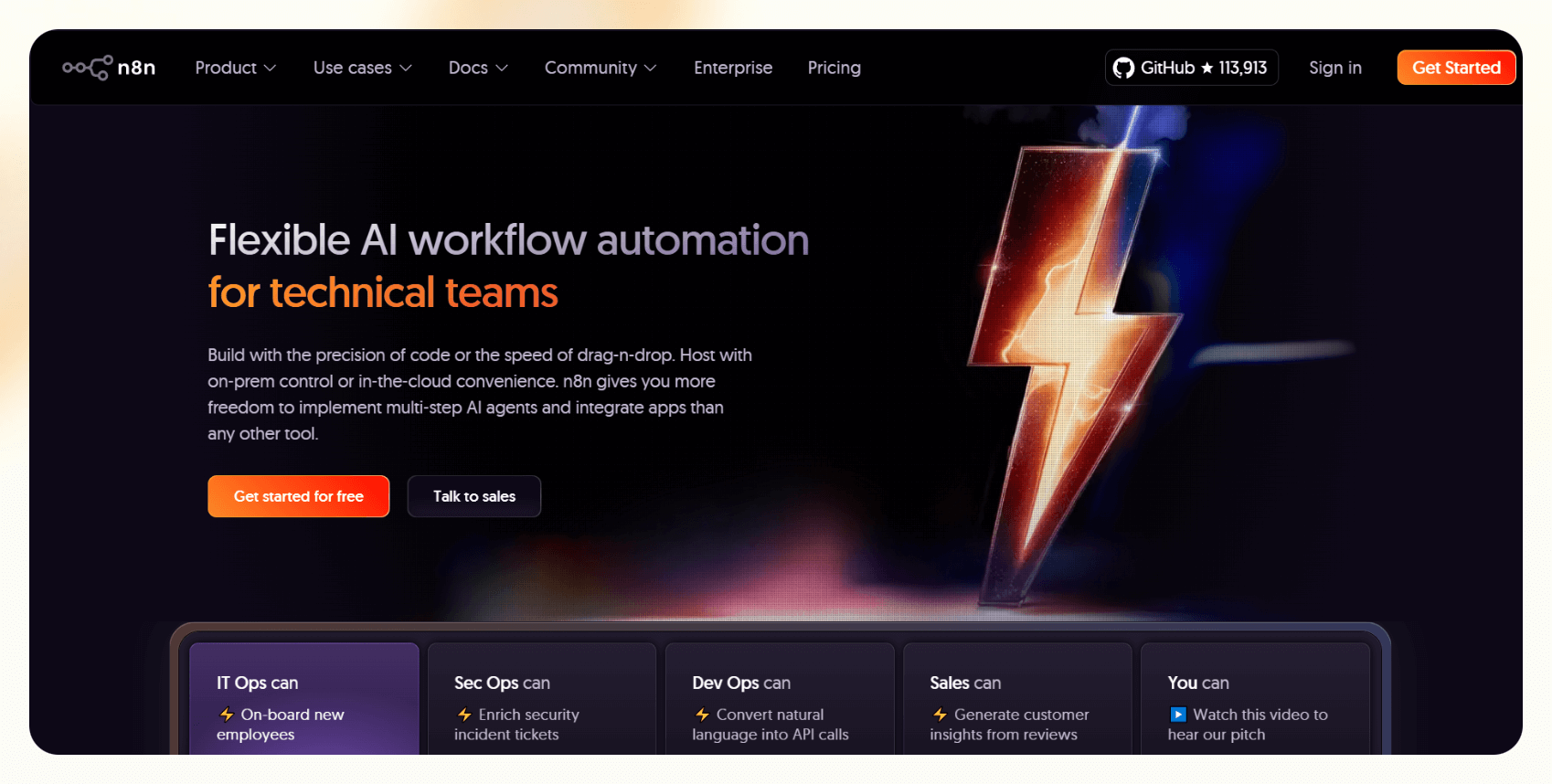
n8n is a workflow automation tool that lets you connect apps and run automated processes without writing full code. It has a node-based visual editor where you chain together triggers, actions, and logic to move data between tools.
The product splits into two paths. The Community Edition is fair-code and self-hosted, where you run it on your own server, pay nothing to n8n, and handle all the infrastructure yourself. The cloud plans are managed by n8n and billed by the number of times your workflows run each month.
n8n's core audience is developers and technical ops teams. You do not need to be a full-stack engineer to use it. Still, you will need to be comfortable with things like environment variables, webhook setup, and occasionally digging through execution logs when something breaks.
For a deeper look at what n8n does and whether it's worth learning, see our full n8n review.
n8n pricing plans
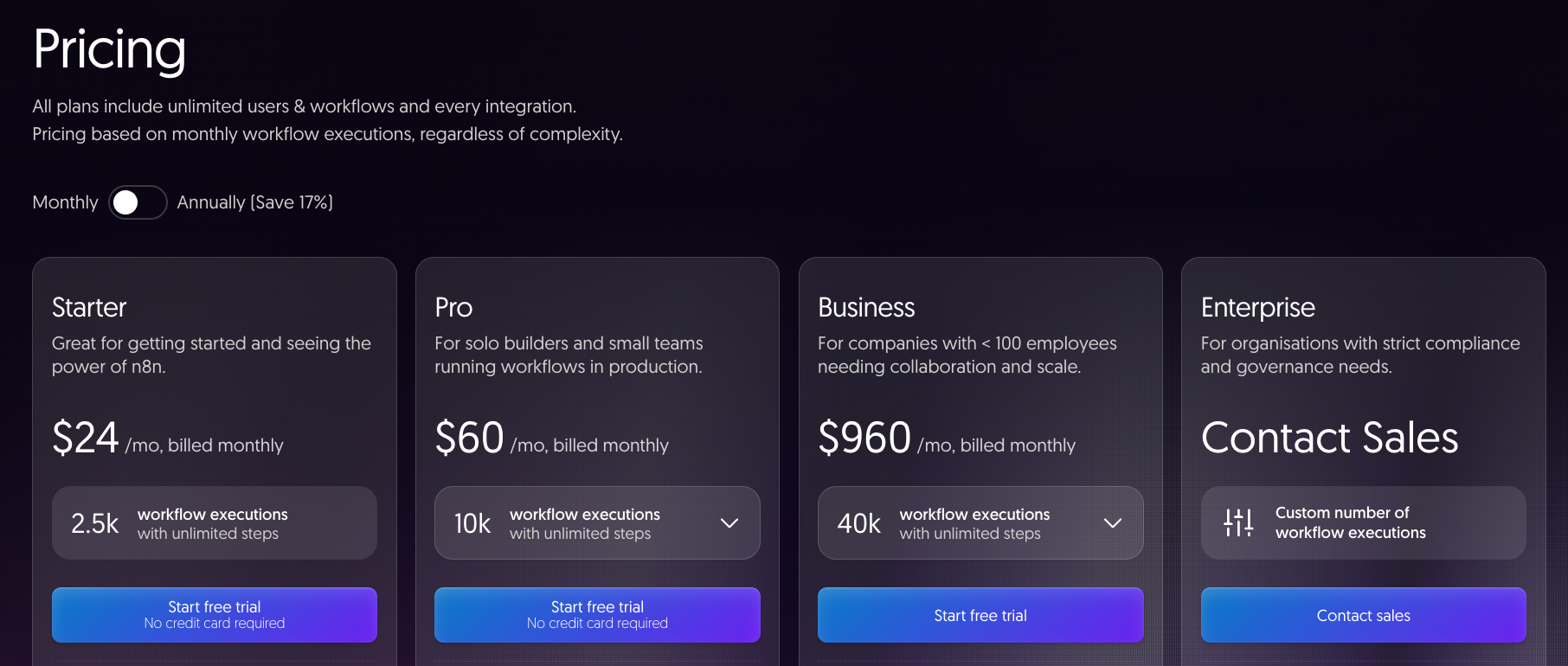
n8n publishes four main pricing tiers, plus a discounted Start-up plan and a free Community Edition. Starter and Pro are cloud-hosted. Business, Start-up, and the Community Edition are self-hosted. Enterprise runs either way, at custom pricing.
Starter plan: $24/month (or $20/month billed annually)
- Best for: solo users and anyone who wants to try n8n Cloud without touching a server.
- What’s included: You get n8n's full integration library, the visual editor, and managed hosting with no setup required. The plan comes with one shared project, five concurrent executions, unlimited users, 2,300 AI Assistant credits per month, and forum support. A 14-day free trial is included and requires no credit card, so you can run real workflows before committing to anything.
- Limitation: 2,500 executions per month disappear faster than it looks. A Slack status monitor built on a schedule trigger fires 8,640 times monthly, and every one of those counts, which is more than three times the plan limit. If any of your workflows poll on a schedule, run the math before you commit.
Pro plan: $60/month (or $50/month billed annually)
- Best for: small teams running workflows in production who need proper access controls and visibility into what's running.
- What’s included: Everything in Starter carries over, and Pro adds the features that make shared workflows manageable: admin roles, global variables, workflow history, execution search, three shared projects, and 20 concurrent executions. You also get seven days of execution insights and up to 13,700 AI Assistant credits per month, roughly six times Starter's 2,300.
- Limitation: 10,000 executions go further than Starter, but teams with several active polling workflows can still approach the ceiling faster than expected. There is no dedicated support on Pro, so when something breaks in production, you are working through the community forum.
Business plan: $960/month (or $800/month billed annually)
- Best for: companies under 100 employees that need SSO, Git version control, and multiple environments, and already have the DevOps capacity to run their own infrastructure.
- What’s included: Business is self-hosted only, meaning you apply a license key to your own n8n instance and manage the server yourself. For that, you get SSO with SAML and LDAP, Git-based version control, separate dev and production environments, 30 days of execution insights, AI Assistant in preview, and scaling options for high-volume setups.
- Limitation: After 40,000 executions, your workflows keep running, and n8n's sales team reaches out before anything is charged. If nothing changes, overage is invoiced 45 days later in blocks of 300,000 executions at €4,000 a block, so the next step up is a large one. You also get forum support only, which matters when something breaks in a production environment.
Enterprise plan: Custom pricing
- Best for: large organizations with strict compliance requirements, high execution volumes, and a need for dedicated support with guaranteed response times.
- What’s included: Enterprise builds on everything in Business and adds the features that regulated or large-scale teams typically require: a custom execution count, 200-plus concurrent executions, 365 days of insights, log streaming to external tools like Datadog, external secret store integration, extended data retention, and invoice billing. It runs as cloud-hosted or self-hosted, whichever fits your infrastructure.
- Limitation: Pricing is not published and requires a sales conversation, so there is no way to self-serve or estimate cost without engaging the team directly.
Start-up plan: $400/month (or $333/month billed annually)
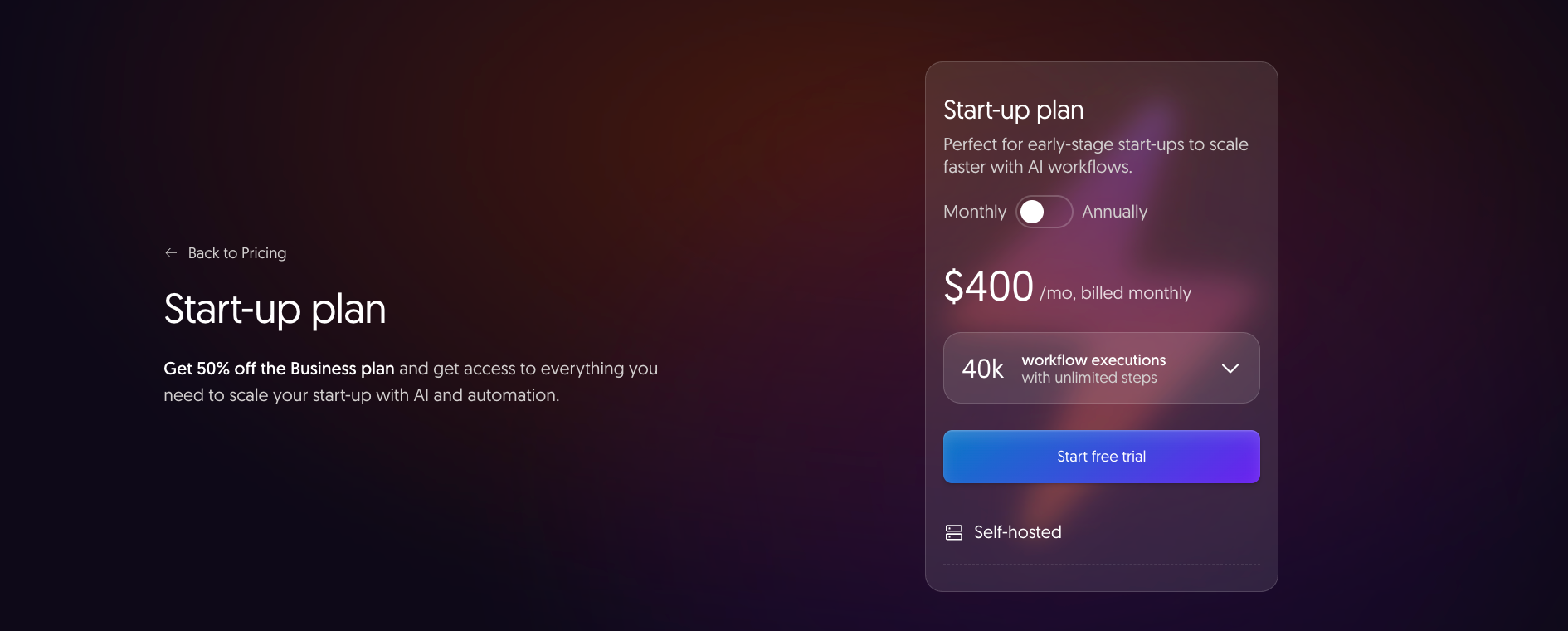
- Best for: early-stage startups that need Business-tier features but cannot justify the full Business price yet.
- What’s included: This is the most overlooked plan on n8n's pricing page. If your company has fewer than 20 employees and less than €5M in total funding, n8n gives you 50% off Business: the same 40,000 executions, SSO, Git version control, multiple environments, and all the rest. The discount runs for one year, or longer if you still meet the requirements, and you apply on n8n's Start-up plan page.
- Limitation: It is self-hosted only, so you still need the infrastructure and technical capacity to run your own instance. Eligible teams that do not check for this plan before signing up for Business pay well over twice as much for the same thing.
Community Edition: Free
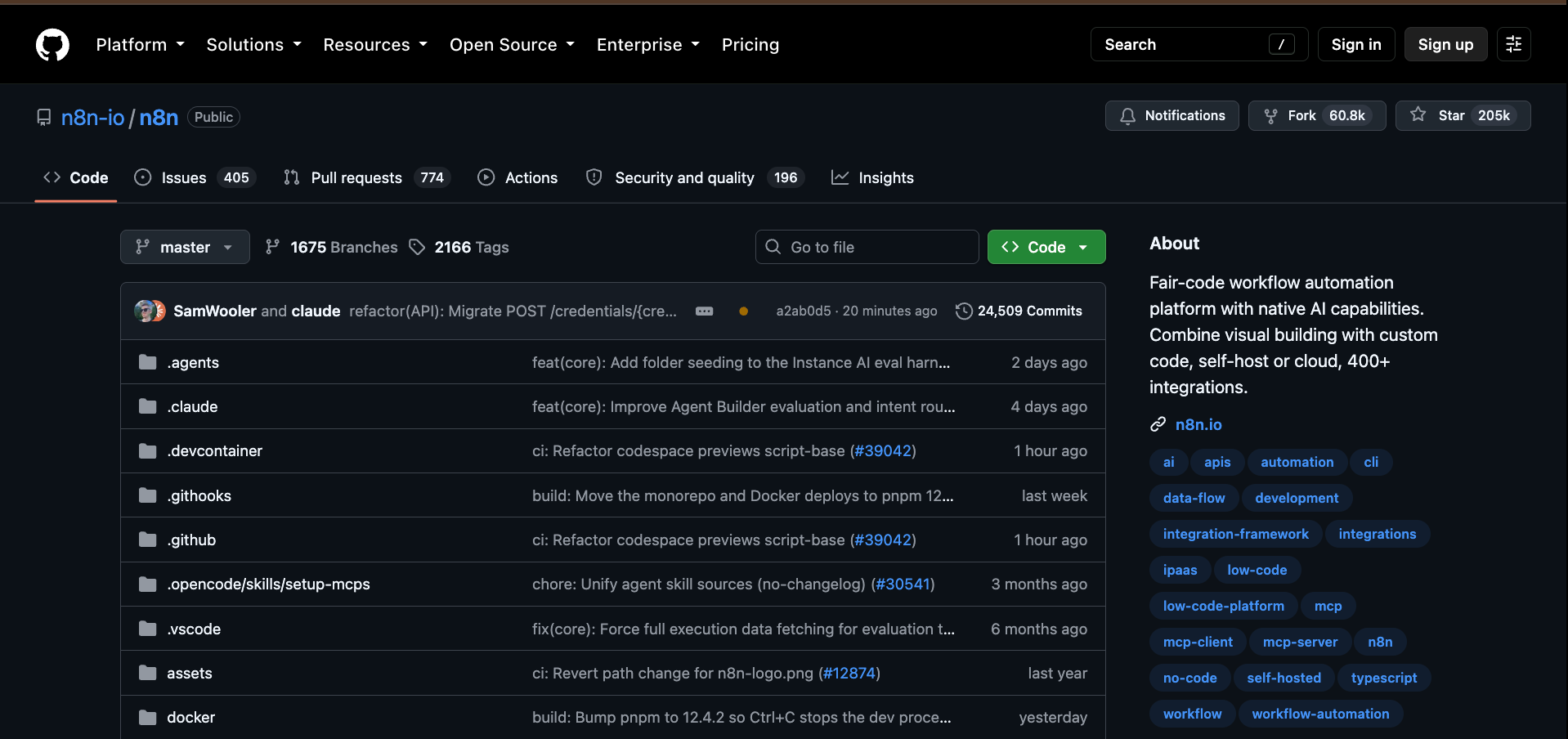
- Best for: developers who want unlimited executions, full control over their data, and do not mind managing their own server.
- What’s included: The Community Edition is n8n's source-available build, published on GitHub under the Sustainable Use License. You run it on your own infrastructure, pay n8n nothing, and get unlimited workflows and executions with no feature gating on the core automation engine. It is a legitimate long-term option for developers building internal tools, personal automations, or client projects where they already have server infrastructure in place and someone capable of maintaining it.
- Limitation: There is no SSO, Projects, multi-environment support, or Git version control. Backups, security patches, version updates, and uptime are entirely your responsibility, and the only support available is the community forum.
How n8n executions work
In n8n, one execution is equivalent to one complete workflow run, regardless of how many steps are inside it. A 50-node pipeline that fires once uses one execution. A two-step workflow that fires 2,000 times uses 2,000 executions.
Only how often a workflow runs drives your count. This is different from Zapier, which charges per task: every action step in every run burns a separate task, though the trigger itself is free.
For complex workflows, n8n's model is almost always cheaper on a per-run basis. Two things trip people up, though: sub-workflows and failed runs. Sub-workflows are free: when your main workflow calls another one with the Execute Sub-workflow node, only the parent run counts.
And if a scheduled workflow fails midway through, you have still used one execution. A schedule trigger counts every time it fires, whatever the result.
How to estimate your monthly execution count
To estimate your monthly execution count in n8n, work out how often each workflow fires and multiply by 30. Trigger type is what changes the answer. Webhook workflows only fire when an event occurs, so they are far cheaper to run. Add up all your active workflows to get a realistic monthly total before choosing a plan.
The math is straightforward once you know your trigger type:
- Polling workflows (the most common source of surprise): count how often the schedule fires in a month. A workflow checking Gmail every 10 minutes polls 4,320 times a month. n8n bills only the polls that return new mail, so a busy inbox can still pass Starter's 2,500 cap inside three weeks.
- Webhook workflows are much cheaper to run: the workflow only fires when the triggering event happens, so a Stripe payment workflow runs once per payment. If your use case supports webhooks, use them.
- For Scheduled workflows, multiply the daily run count by 30. A workflow that runs once a day = 30 executions per month. One that runs every 5 minutes = roughly 8,600.
Run that math across all your active workflows before picking a plan. The total is almost always higher than your first estimate.
Cloud vs. self-hosted: What you pay
n8n's cloud plans trade money for convenience. Self-hosting trades your time for a lower bill. Self-hosting is not free once you factor in a server, maintenance, backups, and monitoring.
For most teams, the real monthly cost of a properly run self-hosted instance lands between $50 and $150 a month (server hosting, managed backups, and monitoring) before anyone's time is counted.
Teams that self-host specifically to avoid paying n8n, but then find they need Business-tier features like SSO or multiple environments, end up paying $960/month for the license, or $800/month billed annually, plus server costs on top. At that point, Pro Cloud at $60/month would have been the cheaper path.
Does n8n have a free plan?
n8n does not have a free cloud plan, but there are three ways to use it without paying full price. The Community Edition gives you unlimited executions on your own server at no cost, and cloud plans include a 14-day free trial with no credit card required for Starter and Pro. If you are an early-stage startup, there is a discounted route worth checking before you commit to a paid plan.
Here is what each free or reduced-cost option includes:
- 14-day free trial (cloud): Starter and Pro trials require no credit card and give you Pro-level features, including the Insights dashboard and 14-day history. Trial limits apply: 1,000 executions, 5 concurrent executions, and a 180-second execution timeout. Business trials require a credit card and unlock full Business feature access for 14 days.
- Community Edition: The fair-code self-hosted build with unlimited executions and no expiry. This is the long-term free route for developers who are comfortable running their own server. Download from GitHub.
- Start-up plan: Not free, but 50% off the Business plan for companies with fewer than 20 employees and less than €5M in funding. Worth checking eligibility before signing up for Business at full price.
Why is n8n expensive? Hidden costs to know
n8n is not expensive for what it offers. But the pricing model has specific pressure points that other automation tools do not have in the same way.
Here is where costs tend to surprise people:
- Polling workflows burn executions fast: As shown above, a single polling workflow can consume an entire Starter plan. Teams migrating from Zapier plan around step counts. In n8n, the number that matters is how often each workflow fires, and a schedule trigger fires far more often than most people expect.
- Business plan overage fees: Past 40,000 executions a month, n8n sells more capacity only in blocks of 300,000 at €4,000 each. Going slightly over costs nothing, but the first real step up is a big bill.
- No per-user pricing, but no per-user ceiling either: n8n charges per execution. This is good for large teams. It is less good if you are a solo user who set up a webhook that turns out to fire 15,000 times a month because a third-party API sends more events than you expected.
{{templates}}
n8n vs. Lindy: Different tools for different problems
Lindy and n8n solve different problems, and the choice usually comes down to one question: do you want to build the automation, or do you want to describe what you need and have it handled?
Lindy is an AI teammate that lives in your Slack. @mention Lindy in any channel and it searches your meetings, tools, and files to answer in a thread. DM it, and it handles email triage, calendar management, follow-ups, and meeting prep. No workflow to configure or node to wire up.
n8n is a workflow builder. You design the automation, chain the nodes together, define the logic, and manage the infrastructure. The ceiling of what you can do is as high as your technical skill.
The practical difference shows up in setup time and ongoing maintenance. An n8n workflow that routes leads from a web form into HubSpot, sends a Slack notification, and creates a Notion doc requires you to build and maintain each connection. Lindy handles that kind of multi-step work without a builder. You describe the outcome once.
- Use n8n if you need backend automations, want to self-host for data control, or are building infrastructure-level integrations that touch internal systems or databases.
- Use Lindy if you want your team to delegate work in Slack instead of building and maintaining automations.
Lindy starts at $29.99/user/month on the Team plan. New users start with $50 in free credits; no credit card required. Credits last 7 days. If your team is already in Slack and wants to stop configuring automations and start delegating work, that is where Lindy fits.
{{cta}}
n8n pricing: Frequently asked questions
How much does n8n cost?
n8n Cloud starts at $24/month billed monthly (or $20/month billed annually) for the Starter plan, which includes 2,500 workflow executions per month. Pro costs $60/month billed monthly or $50/month billed annually for 10,000 executions. Business is $960/month billed monthly or $800/month billed annually for 40,000 executions, but it is self-hosted only. Enterprise pricing is custom. The Community Edition is free if you self-host.
Is n8n free?
n8n is free to self-host using the fair-code Community Edition, which has no execution limits. Cloud plans are not free, though Starter and Pro both offer 14-day free trials with no credit card required. There is no free cloud tier.
What are n8n workflow executions?
An execution is one complete run of a workflow, regardless of how many steps it contains. A 40-node workflow that triggers once uses one execution. This is different from Zapier, which bills per task, and Make, which bills per credit: each action step in a run costs separately.
Which n8n plan is best for developers?
The Community Edition is best for developers who want full control and unlimited executions at no licensing cost. You manage your own server, but you can build and run anything. For developers who want managed hosting without the infrastructure overhead, Starter or Pro Cloud is the practical choice.
Does n8n have a free trial?
Yes. Starter and Pro have a 14-day free trial with no credit card required. Trial limits apply: 1,000 executions, 5 concurrent executions, and a 180-second execution timeout. Business has a 14-day trial that requires a credit card and gives full Business feature access.
How does n8n compare to Zapier on price?
For simple, low-step workflows, Zapier can be cheaper. For complex workflows with many nodes, n8n is almost always cheaper because it charges per workflow run. A 10-step Zapier workflow costs up to 9 tasks per run, because the trigger is free and built-in tools like filters and formatters cost nothing. The same workflow in n8n costs one execution. The break-even point depends on your workflow complexity and volume.
Is n8n good for agencies?
n8n works well for agencies with a technical team member who can manage instances and build flows. The Community Edition's unlimited executions make it attractive for client work at scale. Without someone who can handle the technical layer (debugging, maintenance, credential management), it adds overhead that often exceeds the cost of a managed alternative.
What happens when I run out of executions?
It depends on your plan. On Starter and Pro Cloud, workflows stop at the limit until your plan resets or you upgrade. On the self-hosted Business and Enterprise plans, your workflows keep running, and n8n’s sales team contacts you before billing any overage. On the Community Edition, there is no limit.
Can I cancel my n8n plan anytime?
Yes. Business plans cancel at the end of the billing cycle, monthly or annual, and n8n does not offer pro-rata refunds.
Is there a free alternative to n8n?
The n8n Community Edition is itself a free alternative if you self-host. For teams that want a managed tool without building workflows, see our full comparison of n8n alternatives, including tools that range from free tiers to managed plans at various price points.









