


8 Best Doodle Alternatives in 2026


A few months back, I tried to set up a five-person planning call using Doodle, the way I'd done for years. I made the poll, sent the link, and waited. Three of the five people texted back asking why they saw a mattress ad before they could even vote.
One guy couldn't find the confirm button at all. It was buried under a banner. That poll took four days to close. Four days, for something that used to take four minutes.
That was the moment I stopped complaining and started looking for Doodle alternatives.
I spent five weeks testing 14 scheduling tools. The way I see it, "Doodle alternative" really means two different things: a group poll where everyone votes on a time, and a booking link where someone just grabs an open slot. Doodle used to own the first job.
Now it half-does both, badly. These 8 tools do it better.
The 8 best Doodle alternatives: At a glance
What is Doodle?

Doodle is a group scheduling tool that lets you propose a set of dates and times, share a link, and collect availability votes from multiple people without any back-and-forth emails. It was one of the first tools to make group scheduling feel effortless.
For a long time, that was enough. Doodle became the default way to schedule anything involving more than two people. Over time, the product expanded to include one-on-one booking links and added paid tiers, while the free experience became progressively harder to use.
Ads now appear before participants can vote, the mobile apps were discontinued in 2025, and the free plan has been scaled back to the point where most regular users hit its limits quickly. That's why most people searching for Doodle alternatives aren't looking for something dramatically different. They just want what Doodle used to be.
How I tested these Doodle alternatives
I put every tool through the same two tests. First, a 6-person group poll for a recurring meeting. Second, a real one-on-one booking flow with a paid consultation attached. I tested each tool with my own Google and Outlook calendars.
That's the easiest way to catch things like sync delays and double bookings. I wanted to see how they handled the issues people run into, like double bookings, delayed calendar syncs, and time zone mix-ups.

Here's what I paid attention to:
- Setup speed: How long did it take me to get from signup to a link I could send someone? If I needed a tutorial video before sending my first invite, that tool lost points right away.
- The other person's experience: This is where Doodle fails hardest. It's not the organizer side that's broken, but what your invitee sees. So for every tool, I judged the page a stranger sees when they click your link.
- Whether the calendar sync works: Double-booked myself on purpose across two calendars just to see if the tool caught it before confirming a meeting.
- Whether "free" really means free: Some tools limit you to one poll, one calendar, or a certain number of bookings each month. Those limits aren't always obvious, so I wanted to see what happened once I reached them.
- Whether the price on the homepage is the real price: Some tools show you the annual rate up front and only mention monthly billing in small print. I checked both every time.
I also spent a good chunk of time reading scheduling complaints on r/smallbusiness and r/productivity. The same issues came up again and again. Most people still liked the idea of Doodle. What they didn't like was the ads, the shrinking free plan, and the loss of the mobile apps.
I tested 14 scheduling tools, but some couldn't make it.
Here's why:
- Microsoft Bookings works well if your team already uses Microsoft 365 and Outlook every day. Outside that ecosystem, it feels like a bolted-on feature rather than a tool I'd choose on its own.
- OnceHub does the basics well enough, but nothing stood out during testing. I kept going back to YouCanBookMe and Acuity instead, and its pricing page was harder to understand than it needed to be.
- TidyCal is decent for solo users, but the booking page customization was too limited compared to YouCanBookMe at a similar price.
- Chili Piper is built for sales teams routing inbound leads, not general scheduling. Too narrow for what most people need a Doodle replacement to do.
- HubSpot Meetings works well inside HubSpot. Outside that ecosystem, it's hard to justify over Calendly or Cal.com.
- SimplyBook.me is feature-rich for service businesses, but setup took longer than Acuity and the interface was harder to navigate without a tutorial.
The remaining 8 held up across both tests.
1. Calendly: Best all-round Doodle alternative
What it is: Calendly is built around a personal booking link. You set your open hours once, share the link, and the other person just grabs a slot. It also has a Meeting Polls feature that works close enough to Doodle's original idea to cover both jobs if you need it to.
Who it's for: Consultants, salespeople, and recruiters who send booking links to people they've never met. When your invitee doesn't know you well enough to trust a random link, landing on a page they recognize does half the work for you.

Key features
- Meeting Polls: Calendly's group scheduling feature works like a cleaner version of Doodle. You propose times, people vote, and once enough responses come in, Calendly automatically creates the calendar event without you having to close the poll.
- 100+ native integrations: Calendly connects directly to Salesforce, HubSpot, Zoom, Stripe, and PayPal without a third-party connector. This matters if you want follow-up actions to be triggered the moment a meeting is booked.
- Round-robin and collective scheduling: Available on the Teams plan, these options let multiple people share a single booking link. Round-robin distributes meetings evenly across a team; collective scheduling requires every listed member to be free before a slot appears.
- Real mobile apps: Calendly has iOS and Android apps that work properly. Worth noting specifically because Doodle discontinued its mobile apps in 2025, leaving a gap that Calendly has filled with little fanfare.
- Automated reminders and follow-ups: Calendly sends confirmation emails and reminders to both parties without any separate automation tool. You set the timing once, and it runs on its own.
Why I picked it
I gave the same Calendly link to five different people during testing, and not one of them asked how to use it. That sounds like a small thing until you compare it to some of the lesser-known tools on this list, where at least one person per tool messaged me asking if the link was even real.
Calendly has the kind of brand recognition that removes friction before the conversation even starts. I also ran a 6-person poll for a quarterly review, and as soon as the votes settled, Calendly booked the event on its own. Doodle still makes you do that part manually, which feels dated in 2026.
What could improve
The free plan limits you to one event type and one calendar connection, which feels stingy for a tool this established. The jump from Standard to Teams goes from $12 to $20 per seat, a gap that small teams tend to feel immediately.
Pricing
Free plan available with one event type. Standard runs $12/seat/month, while Teams runs $20 per seat per month.
2. Cal.com: Best self-hosted Doodle alternative
What it is: Cal.com works like Calendly on the surface, but it also offers a self-hosted option for teams that want full control over their scheduling setup. It has a powerful API for developers building scheduling directly into their own products.
Who it's for: Technical founders, developers, and privacy-conscious teams who want to own their scheduling infrastructure rather than rent it indefinitely. If the words "self-hosted" and "open source" mean something to you, this is your tool.

Key features
- Self-hosting: You can run Cal.com on your own server, so your scheduling data never touches Cal.com's infrastructure unless you want it to. This isn't just a checkbox feature. The platform actively supports self-hosted deployments with documentation and a dedicated open-source community.
- Unlimited bookings on the free plan: Most free plans cap you at one event type or a set number of monthly bookings. Cal.com's free tier has no such ceiling for individual users, making it one of the most generous free plans in this category.
- Routing forms: Before someone even sees your calendar, Cal.com can qualify them via a short form and automatically route them to the right meeting type or team member. Useful for anyone who gets a mix of inbound booking requests that don't all belong with the same person.
- Round-robin scheduling: Available on the Teams plan, this distributes incoming bookings evenly across multiple team members. Standard for sales and support teams that share a single inbound booking link.
- Developer API: Cal.com's API is priced based on booking volume rather than seats, which makes it practical for startups to embed scheduling directly into their own product without paying per user.
Why I picked it
The self-hosting claim was the first thing I wanted to pressure-test. Many tools use "open source" as a marketing label without making it usable. I spun up the self-hosted version on a small server, and it took about twenty minutes to get a working setup with calendar sync included. That's not something Calendly, Acuity, or Setmore can offer at any price.
Even if you never touch the self-hosted option, the free plan alone is strong enough to justify trying Cal.com before spending money on anything else on this list.
What could improve
Cal.ai, Cal.com's AI phone feature, adds usage-based costs on top of your subscription at around 29 cents per minute. Self-hosting is free under the license, but you're responsible for keeping the server online and secure, which adds ongoing maintenance that most non-technical users won't want to handle.
Pricing
Free for individuals with unlimited bookings. Teams runs $16 per user per month. Organizations plan costs $37 per user per month.
3. Lindy: Best AI assistant for scheduling and beyond
What it is: Lindy is an AI assistant you text to help with scheduling and everything else on your plate. Where every other tool on this list does one job, Lindy handles the before, during, and after of every meeting: finding times, joining calls, taking notes, and sending follow-ups, all from a single text.
Who it's for: Lindy is for founders, operators, and small team leads who are tired of stitching together a scheduling tool, a note-taker, a follow-up reminder, and a CRM updater just to get through a single meeting. If scheduling is one part of a larger problem, Lindy handles the whole thing.

Key features
- Meeting scheduling: Text Lindy to find a time with someone, and it checks your calendar, proposes slots, sends the invite once you confirm, and flags a conflict with a new time if one comes up.
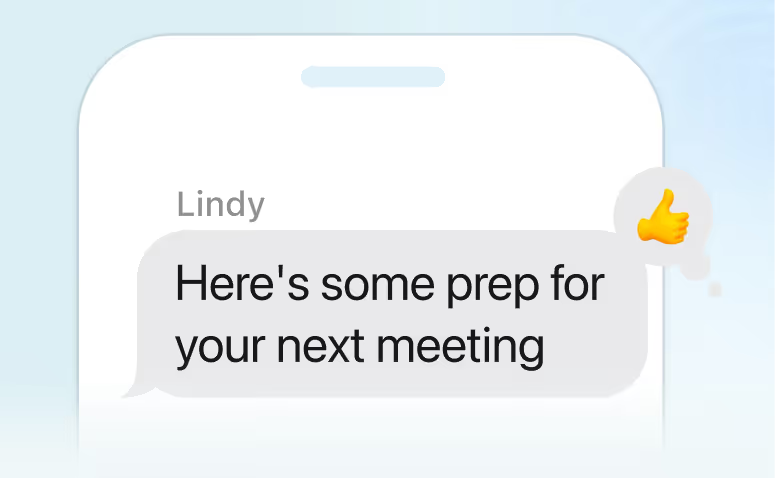
- Meeting prep: Ten minutes before a call, Lindy pulls together everything relevant: past emails with that person, previous meeting notes, and any open action items. It texts you a summary so you walk in prepared without spending time digging through your inbox.
- Meeting notes and summaries: Lindy joins your calls, transcribes the conversation, and pulls out key decisions and next steps. After the call, it sends a structured summary to everyone on the invite without you writing a single line.
- Follow-up handling: You tell Lindy to follow up, and it drafts the outreach off your earlier thread, sends it once you're happy, and tracks the reply.
- Hundreds of integrations: Lindy connects with Gmail, Google Calendar, Outlook, Salesforce, HubSpot, Slack, and hundreds of other tools. It pulls context from the apps you already use, so nothing needs to be entered manually.
Why I picked it
The other tools stop at the booking link. Lindy stood out for handling everything around the meeting, from the prep brief before to notes during and follow-ups after.
If you run back-to-back client calls, you know the feeling of arriving unprepared and leaving with a list of follow-ups you'll inevitably forget. Lindy handles the prep brief before each call, takes notes during the call, and sends follow-up emails after, all without you touching anything between calls.
If your problem is just finding a time, Calendly does that cleanly. If your problem is everything that surrounds the meeting, Lindy is the better answer.
What could improve
Lindy is broader than the other tools here, which means it takes a day or two to figure out where scheduling fits inside everything else it can do. If all you need is a booking link, the setup feels like more than the job requires.
Pricing
Lindy starts at $49.99 per month on the Plus plan. The Pro plan runs $99.99 per month, and the Max plan runs $199.99 per month. A free trial is available before committing to any plan.
{{templates}}
4. YouCanBookMe: Best for a branded booking page
What it is: YouCanBookMe, often shortened to YCBM, is a booking page tool built around one idea: your scheduling link should look like it belongs to you, not to a third-party platform. It's been around since 2011 and has spent that time building one of the more customizable client-facing booking experiences in this category.
Who it's for: Solo consultants, freelancers, and small service businesses that regularly send booking links to clients and want those links to feel like a natural extension of their own website. If the generic look of a Calendly page bothers you, this is the tool that fixes it.

Key features
- Real page customization: YouCanBookMe gives you control over layout, colors, fonts, and branding at a level Calendly doesn't match at a comparable price. The result is a booking page that feels built for your business rather than stamped out of a template.
- Multiple calendar connections per plan: On its solo plans, YouCanBookMe is priced per calendar connection rather than per seat, so a solo user juggling a work and personal calendar pays less than an extra Calendly seat would cost. (Teams still bills per member.)
- Custom workflows: Starting from the Professional tier, you can set up automated reminders, follow-up messages, and no-show handling. These run without any separate automation tool bolted on.
- Stripe and Apple Pay support: Clients can pay at the moment of booking without being sent to a separate checkout page. This matters for coaches, consultants, and anyone charging for their time upfront.
- Zapier access on Professional: Opens up thousands of indirect integrations for anyone who doesn't need every connection built in natively. Useful if your stack is a little unusual.
Why I picked it
I handed my YouCanBookMe booking page to a client who had never heard of the tool and asked her to grab a slot for a call. She assumed it was a custom page built into my own website. That reaction is the whole point of this tool. It doesn't look like a scheduling tool, but like part of your brand.
The per-calendar pricing model also rewards simplicity in a way that most tools don't. A solo user checking one calendar pays less than a full Calendly seat, and someone managing three calendars pays more, but fairly, without buying unused team features to get there.
What could improve
Calendar sync can feel slow, meaning you'll want to double-check for conflicts rather than trusting it blindly. Some customization options are buried deep enough that finding them takes longer than it should, and parts of the interface feel dated compared to newer tools on this list.
Pricing
Free plan with one calendar and one page. Individual runs $9 per month. Professional runs $13 per month. Teams runs $18 per member per month. Annual and two-year plans lower all of these.
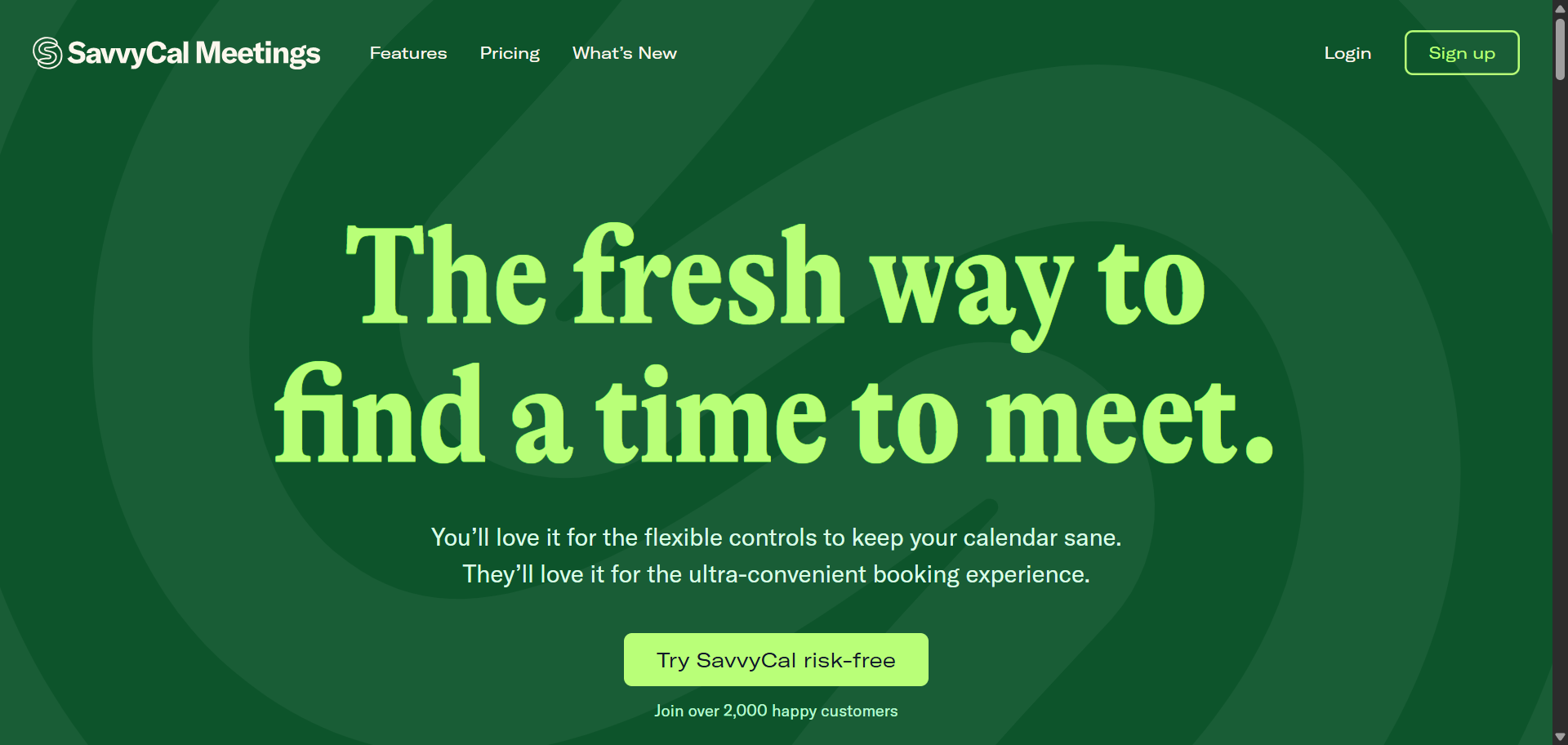
5. SavvyCal: Best for a two-sided scheduling feel
What it is: SavvyCal was built around a single complaint most scheduling tools ignore: when someone receives your booking link, they can only see your availability. They have no idea if the times you're offering work for them without switching back to their own calendar. SavvyCal fixes that by letting the person booking overlay their own calendar directly on top of yours before picking a slot.
Who it's for: For consultants, podcasters, and salespeople who send scheduling links to people they don't know well. If you want the booking experience to feel collaborative rather than one-sided, this is the tool built specifically for that.
Key features
- Calendar overlay: The person booking can connect their own calendar and see it displayed alongside your available slots. They no longer have to guess whether Tuesday at 2 pm works for them. This single feature removes more back-and-forth than any reminder or automation could.
- Ranked availability: You can signal which slots you'd prefer without fully blocking off the others. It's a subtle way to protect your deep work time while still appearing available, without turning your calendar into a fortress.
- Meeting polls: SavvyCal has a built-in group vote feature that works like a cleaner version of Doodle. You get both one-on-one booking links and group scheduling from the same tool, so you're not managing two separate platforms.
- Frequency limits: You can cap the number of meetings that land on your calendar per day, week, or month. Small feature, but it quietly prevents the kind of over-booking that turns a productive week into a grind.
- Personalized links: You can send a scheduling link that already includes the recipient's name and some context. It's a small touch that makes cold outreach feel warmer and more considered than a generic link.
Why I picked it
SavvyCal is built around what the booking experience feels like on the other end. Most tools hand the other person a list of open slots and leave them to figure out whether any of them actually work. The ranked availability feature stood out in particular. You can hint at preferred slots without hard-blocking the rest, so mornings stay protected without you ever having to explain your calendar to anyone.
What could improve
There's no free plan, just a trial and a money-back guarantee. A few things you'd expect at the entry level, like Zapier, webhooks, and paid bookings, are locked behind the $20 per month Premium tier rather than included in the $12 Basic plan.
Pricing
No free plan, but a 14-day trial and a 30-day money-back guarantee. Basic runs $12 per user per month, and Premium runs $20 per user per month.
6. Rallly: Best self-hosted, ad-free Doodle twin
What it is: Rallly is an open-source group polling tool that does almost exactly what Doodle did before the ads and paywalls arrived. You propose a set of dates, share a link, and people vote on what works. Nobody needs an account to participate, which removes the single biggest friction point in group scheduling.
Who it's for: Privacy-conscious teams, IT administrators who prefer to control their own data, and anyone who just wants the original Doodle experience back without the clutter. If you run recurring team polls and find yourself annoyed every time Doodle interrupts the process with an upsell, this is the straightforward replacement.

Key features
- No login needed to vote: Anyone with the link can mark their availability without creating an account. This matters more than it sounds. Every extra step between receiving a poll link and voting on it is a place where people drop off, delay, or ignore the request entirely.
- Self-hosting with Docker: Rallly deploys cleanly to your own server, so your poll data never touches a third party unless you want it to. For teams with data privacy requirements or IT policies around third-party tools, this option alone makes Rallly worth considering.
- Spaces: Added in version 4, Spaces give teams a shared workspace where multiple polls can be managed together. Instead of everyone creating separate polls that no one else can see, a team can run all their scheduling polls from a single shared hub.
- Comment threads on polls: Participants can explain availability constraints directly on the poll itself. Someone who's free after 2 pm on the 15th can say so right there, without kicking off a separate email thread that half the group misses.
- AGPLv3 open-source license: The code is fully open, publicly audited, and not locked to any company's roadmap. If Rallly ever shuts down or pivots, self-hosted users keep their setup running without disruption.
Why I picked it
The self-hosting test was what sold me. I spun up Rallly on a $5-per-month server specifically to see whether the open-source claim held up in practice or just looked good on a features page. Fifteen minutes later, I had a fully working group poll. No ads interrupted the vote, participants didn't need accounts, and the whole thing ran without a subscription.
For a team that runs the same type of availability poll week after week, that setup cost pays for itself almost immediately.
What could improve
The hosted free tier at rallly.co is more limited than running it yourself. If server setup isn't something you're comfortable with, the self-hosting advantage disappears quickly, and you're left paying for the hosted Pro plan like any other tool.
Pricing
The Hobby plan is free forever and covers core features. Pro costs $7 per month and keeps polls indefinitely, unlocks all features, and includes early access to new releases.
7. Acuity Scheduling: Best for service businesses taking payment
What it is: Acuity Scheduling, now owned by Squarespace, is built for appointments where money changes hands. Think coaching sessions, therapy intakes, fitness classes, and salon bookings. The scheduling is almost secondary to the payment and intake infrastructure built around it.
Who it's for: Solo practitioners, wellness businesses, consultants selling packaged services, and healthcare providers who need HIPAA-compliant intake forms will find more here than in any other tool on this list. If your bookings involve waivers, prepayment, or collecting client information before the first appointment, Acuity was built for exactly that.

Key features
- Packages, memberships, and subscriptions: Instead of billing after each appointment, Acuity lets clients purchase a bundle of sessions upfront. A personal trainer selling a 10-session package or a coach offering a monthly retainer can set this up natively without a separate payment tool or manual invoicing.
- Intake forms: Clients fill out a customized form before their first appointment. You can collect health history, consent, preferences, or any other information you'd otherwise have to chase down via email. The form is tied directly to the booking, so nothing gets lost between the calendar and your inbox.
- Group classes: Multiple people can book into the same time slot with a capacity limit set by you. This works for fitness studios, workshops, group coaching sessions, or any format in which a single appointment serves several clients at once.
- HIPAA compliance on Premium: Acuity will sign a Business Associate Agreement on the Premium plan, making it a viable option for medical and therapy practices that need to handle protected health information within their scheduling setup.
- Up to 36 calendars on Premium: For businesses with multiple staff members or locations, Acuity lets you manage everyone's availability from a single dashboard without buying separate accounts.
Why I picked it
I set up a fake consulting package during testing: three sessions, paid upfront, with a required intake form before the first call. It took less time than I expected, and the entire flow from booking to payment to form submission worked without any external tools.
What separates Acuity is that it lets you sell the package first and then schedule against it, which matters if your business runs on retainers or session bundles.
What could improve
There's no free plan, just a 7-day trial, and the starting price is higher than Calendly or Cal.com for what is still essentially a single-calendar setup. Video conferencing isn't built in either. You'll need to bring your own Zoom account regardless of which tier you're on.
Pricing
No free plan, just a 7-day trial. Starter is $20 per month, Standard is $34 per month, and Premium is $61 per month. Paying annually takes roughly 20 percent off each tier.
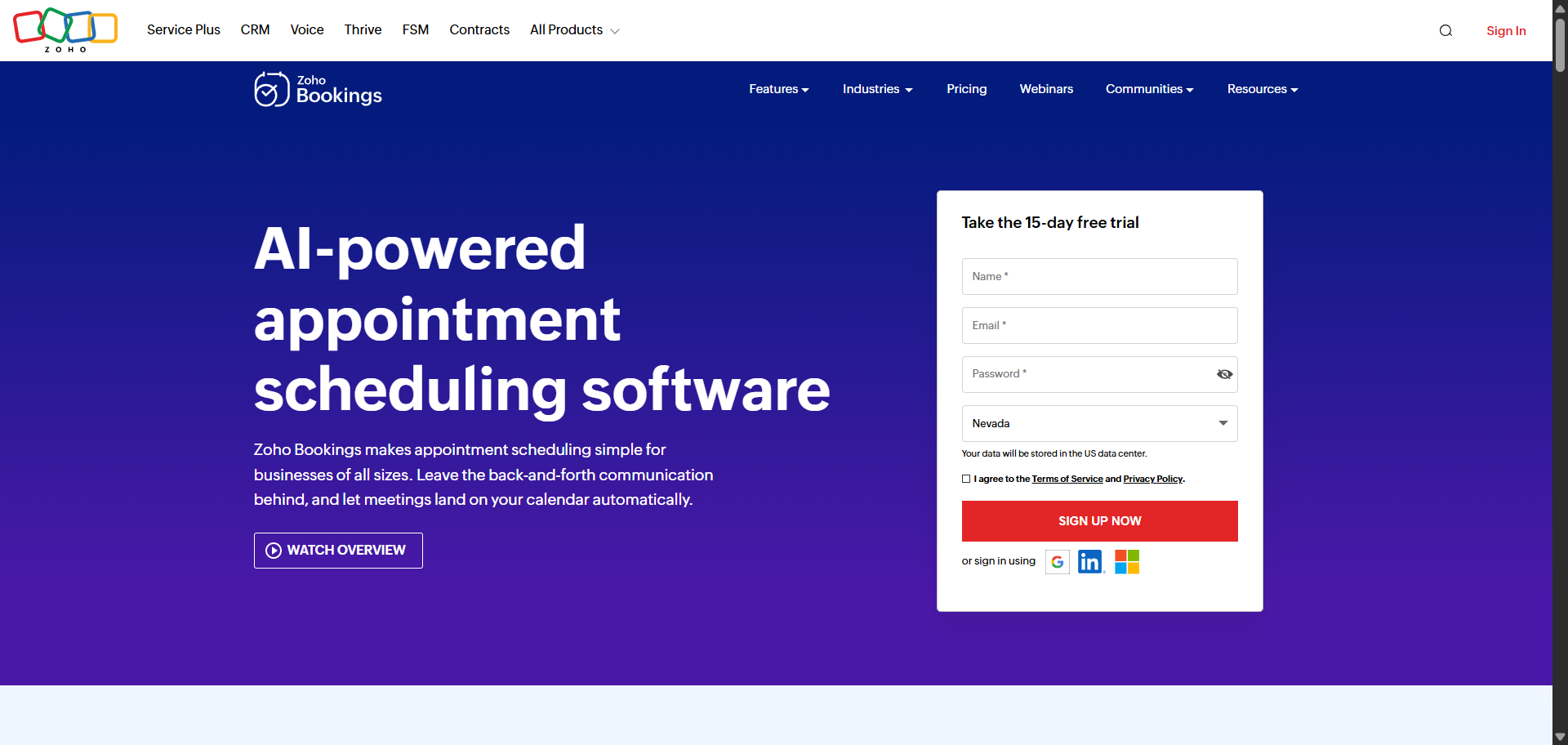
8. Zoho Bookings: Best for teams already in a CRM workflow
What it is: Zoho Bookings is the scheduling layer inside the much larger Zoho product suite. On its own, it's a solid and affordable booking tool. Connected to Zoho CRM and the rest of Zoho One, it becomes part of a much bigger operational picture, where every booked call automatically becomes a logged activity in your CRM.
Who it's for: Businesses already running on Zoho and anyone on a tight budget who wants a real feature set without high per-seat costs. If you're paying for Zoho CRM and still using Calendly for scheduling, you're likely doubling up on tools you don't need to.
Key features
- Zoho CRM integration: When someone books a meeting, the appointment syncs directly into their CRM contact record. The call automatically becomes a logged activity, with no manual entry required. For sales teams tracking every touchpoint, this removes a consistent gap between what happens and what gets recorded.
- Revenue reports: Zoho Bookings tracks booking income directly inside the scheduling tool. You can see which services generate the most revenue and which time slots fill fastest without exporting data to a spreadsheet or pulling a separate report.
- Resource booking: In addition to people, you can reserve a room, a piece of equipment, or any shared asset alongside a staff member. Clinics booking exam rooms, co-working spaces managing desks, and studios managing gear will find this useful in a way most scheduling tools don't address.
- Multiple workspaces: Different departments or locations can have separate booking setups, each with its own availability rules, services, and staff, all managed under one account. Useful for businesses with distinct service lines that shouldn't share a single booking page.
- Custom domain and branding removal on Premium: Your booking page can live on your own web address with Zoho's branding removed entirely. At this price point, that's not a given on most tools.
Why I picked it
Zoho Bookings treats a booked call as a starting point rather than the finish line. I tested a scenario where a booked call triggered a contact update, logged a CRM activity, and fed into a revenue report, all without any manual intervention after the booking was confirmed.
For a sales team that already lives inside Zoho, that chain of events happens invisibly in the background every single time. That's a different category of usefulness than a cleaner booking page or a prettier interface.
What could improve
The interface feels dated compared to Cal.com or SavvyCal. Most of the real value here lies in using other Zoho products. As a fully standalone tool with no existing Zoho relationship, it's capable but not particularly memorable.
Pricing
Zoho Bookings has a free plan with no credit card required. Basic runs $8 per user per month, and Premium runs $12 per user per month. Annual billing saves over 25 percent on both tiers. Local taxes apply on top of the listed prices.
{{cta}}
How to choose the right Doodle alternative
The best Doodle alternative depends on how you use it. If you mainly send booking links to clients, you'll want something very different from what someone needs who's trying to find a meeting time for six coworkers.
Here's a quick way to narrow it down:
- Need group polls without ads or account friction? Rallly is the closest thing to early Doodle. It's open-source, free to use, and no one needs an account to vote.
- Need a booking link people already recognize? Calendly is the default choice. The brand recognition alone reduces drop-off when you're sending links to strangers.
- Want scheduling handled as part of something bigger? Lindy goes beyond booking links. Text it to schedule, prep, take notes, and send follow-ups across every meeting without switching tools.
- Want full control over your data? Cal.com's self-hosted option lets you run everything on your own server. Nothing touches a third party unless you want it to.
- Need your booking page to look like your own website? YouCanBookMe gives you more layout and branding control than Calendly at a comparable price.
- Want scheduling to feel less one-sided? SavvyCal lets the other person overlay their own calendar before picking a slot, which reduces back-and-forth more than any reminder feature could.
- Taking payment at the time of booking? Acuity handles packages, intake forms, and prepayment in a single workflow. It's built for service businesses, not just calendar management.
- Already inside Zoho? Zoho Bookings connects directly to your CRM so every booked call logs itself automatically. If you're paying for Zoho CRM and still using a separate scheduling tool, you're doubling up.
No single tool is the best for everyone. Pick the one that matches your schedule today, instead of paying for features you'll probably never use.
Try Lindy: Best Doodle alternative you can text to get work done
Lindy is an AI assistant you text to handle everything a scheduling tool can't. Book the meeting, prep for it, take notes during it, and send follow-ups after, all without switching between apps.
Whether you're managing back-to-back client calls or chasing down a reply that fell through the cracks, Lindy handles it.
Here’s what that looks like in practice:
- Get answers instantly: Text Lindy to pull information from your email, calendar, or CRM without digging through tabs.
- Send emails and follow-ups automatically: Ask Lindy to draft and personalize outreach, send once you approve, and track replies.
- Take meeting notes and share summaries: Lindy joins meetings, writes structured notes, and follows up afterward.
- Update your CRM without manual entry: After a call, Lindy logs notes and automatically fills in missing fields.
- Find and qualify leads in minutes: Tell Lindy your ideal customer profile and get curated lead lists ready for outreach.
- Hundreds of app integrations: Lindy connects with the tools you already use, so everything stays in sync.
Frequently asked questions
What is the best free Doodle alternative?
The best free Doodle alternative depends on what you need the free plan to do. For group polling, Rallly's Hobby plan is free forever and requires no participant accounts. For booking links, Cal.com's free tier covers unlimited event types and unlimited bookings for individual users, which is more generous than almost any other tool in this category.
What's the best Doodle alternative for group polls?
Rallly is the strongest like-for-like replacement for Doodle's original group polling feature. Nobody needs an account to vote, there are no ads interrupting the process, and you can self-host it entirely if data privacy matters to your team. If you want group polling built into the same tool as your one-on-one booking links, SavvyCal and Calendly both have meeting poll features that handle the job without a separate platform.
What's the best Doodle alternative for small businesses?
For small businesses, the answer depends on whether you're scheduling client appointments or internal team meetings. Acuity Scheduling is the strongest choice for client-facing appointment booking, especially if payment or intake forms are involved. YouCanBookMe works well for service businesses that want a branded booking page without paying for features they won't use.
Can Calendly replace Doodle?
Yes. Calendly covers both jobs Doodle is known for. Its Meeting Polls feature handles group scheduling the same way Doodle's polls do, and once enough people vote, Calendly automatically creates the calendar event without you having to close the poll. The one-on-one booking link side is where Calendly is strongest, and it's the more polished experience of the two.
Is Cal.com's free plan really free?
Yes. Cal.com's free plan covers unlimited bookings, unlimited event types, and over 100 integrations for individual users with no monthly cap. There's no time limit and no booking ceiling that triggers an upgrade prompt. The one caveat is Cal.ai, the platform's AI phone feature, which runs on a credit system and charges around $0.29 per minute once your included credits run out.










Blog
Related Articles
%20(1).png)
%20(1).png)
%20(1).png)

%20(1).png)
%20(1).png)
%20(1).png)
The AI assistant that runs your work life
Lindy saves you two hours a day by proactively managing your inbox, meetings, and calendar, so you can focus on what actually matters.
