


Do I Need a Virtual Assistant? 3 Signs to Check First


It took a month of logging every task I kept putting off before I could honestly answer: do I need a virtual assistant? The signals that came back were more specific than "I'm busy."
They pointed to admin hours, recurring obligations, and the dollar cost of handling them myself. That's what the self-assessment below tracks. The five options at the end are the ones I tested once the answer came back yes.
Do you need a virtual assistant? TL;DR
You likely need a virtual assistant if admin eats 10+ hours of your week, the same low-judgment tasks keep resurfacing, and your hourly value outweighs a ~$50/month subscription. If only one of those is true, a narrower tool covers it. The three signals below show you how to check.
The quick self-assessment
I ran this against a month of my own calendar before writing a single word here, because the pattern only shows up in real scheduling data, not in how you remember your week. Once I broke it into three separate signals instead of one gut feeling, the picture got clearer fast.
Signal 1: How many hours a week are you losing to admin?
Every email, calendar shuffle, and follow-up I handled outside actual client work was logged over those same weeks. The total surprised me: it was over eight hours once I counted the meeting requests and reschedules alone.
Lindy's pricing page anchors the comparison against a human assistant at roughly $5,500–$10,000/month. That benchmark only helps once you know how many hours you're personally burning on requests that don't need your judgment. If the log lands under five hours a week, the fix is probably a better system for handling the load yourself.
Signal 2: What kinds of tasks are sitting untouched?
The items I kept postponing were all recurring and low-judgment: scheduling, inbox triage, data entry.
The distinction matters because tools built for recurring operational work are set up completely differently from the ones that help you think through a one-time problem. A crunch clears itself once the sprint ends; an obligation that lands on the same day every week, with the same effort attached, is the kind of thing worth handing off.
Signal 3: What is it costing you to keep doing it yourself?
Pricing my own hours against what the work was worth moved the needle more than any subscription comparison did. If an hour of your time is worth $150 and you're spending six hours a week on inbox triage, a $50 subscription starts to look like a reasonable trade. That number only means something once you know what your own hours are worth.
What your answers mean
If all three signals fired (admin over ten hours, recurring low-judgment items, and a cost-per-hour that outweighs a $50 subscription), the answer to whether I need a virtual assistant is a clear yes.
If only one signal fires, the answer is narrower than that of a full assistant. A stacked calendar with everything else under control points to Motion or Reclaim, not Lindy. A pile of scattered files and research points to Claude for on-demand document work. The five options below map to that split.
Which option should you choose?
Choose Lindy if the admin piling up is spread across a team rather than sitting in one person's inbox. Lindy works from inside Slack, connects to the tools your team already uses, and handles inbox triage, meeting prep, scheduling, and follow-ups on its own. Because it draws on shared team context, answers come back with the source attached.
It's not designed for line-by-line document editing, so if your queue is primarily research and file work, it's not the right pick.
Choose ChatGPT if your need is occasional rather than daily. It's strong at drafting, summarizing, and fielding one-off questions the moment you open it, with no setup required. The tradeoff is that it waits for a prompt every time, so it won't surface something that needs attention unless you think to ask.
Choose Claude if the work piling up is buried in documents, meeting notes, and scattered files rather than sitting in your email queue. Claude Cowork runs on the desktop app and can navigate local files and applications to synthesize sources and return a finished output. It's not a match if your flow is entirely browser-based.
Choose Motion if a stacked, constantly shifting calendar is the specific problem and you want it to rearrange itself automatically around deadlines and new meetings rather than waiting for you to adjust manually. Motion doesn't touch your inbox or do research, so it solves one problem well without covering the rest.
Choose Reclaim if calendar protection and habit scheduling are what you need, and you want to try it for free before committing to a paid plan. Its free Lite plan includes Focus Time, Habits, Buffer Time, and Smart Meetings with no credit card required. It covers time blocking, not correspondence or file work.
Stick with a human VA if your plate includes client relationship management or anything that demands judgment an AI tool can't replicate, though for structured calls, Lindy's AI call assistant covers more than you'd expect.
5 Smarter options at a glance
I ran the same backlog of real admin tasks through all five over two weeks. Here's how they compare at a glance.
Pricing correct as of July 2026. Verify current rates with each vendor before buying.
1. Lindy

I spent a week putting Lindy through the same tasks from the log above: inbox triage, meeting prep, and follow-ups. None of them required me to open a new app in the morning.
The reason is straightforward: Lindy doesn't wait for a prompt, and it doesn't sit in a separate window. It lives in Slack, where the requests are already being made. You connect your email and calendar, @mention it in a channel or DM it directly, and it handles the request from there, the same way a dedicated AI virtual assistant would. I had inbox triage, meeting scheduling, and post-call follow-ups running inside the first two days without coordinating a single step myself.
"I love that Lindy is super easy to set up, which made transitioning from n8n smooth and hassle-free." — Tony L., G2
Key features
- Works from inside Slack: @mention it in a channel and it answers with team context, or DM it and it acts as your personal assistant with your email, calendar, and private memory
- Answers come with citations attached, drawn from the sources your team approves (Slack history, Notion, Google Drive, Gmail, meetings, and files). When it doesn't know, it says so
- Records, summarizes, and follows up on team meetings automatically, building a shared library you can chat with afterward. Personal meetings stay private to you
- Writes and runs code to process data and build reports, dashboards, and financial models, delivering finished files rather than instructions
- Recurring work is set up in plain English ("every Monday at 9, send the pipeline brief"), and a background agent turns recent work into durable team memory
- Connects across Gmail, Outlook, Google Calendar, Slack, Notion, HubSpot, Salesforce, Zoom, and more
Pros
✅ Acts without being prompted, which for most people is what separates a VA from a smarter search bar
✅ Works where your team already talks, so there's no new interface to learn on day one
✅ SOC 2, GDPR, and PIPEDA compliant, with HIPAA support and a BAA available on the Enterprise plan — worth checking if the items piling up touch client or patient data
✅ Admins set guardrails per tool and action (always allow, require approval, or don't offer), enforced on every action and fully audited
Cons
❌ Getting a workflow to match exactly how you operate takes trial and error in the first week
❌ Covers business admin well but stops short of line-by-line document editing, so it won't replace every task a human VA fields
❌ Built around Slack, so a team that doesn't run on Slack loses the part that makes it work
Best for
- Founders and operators who want inbox triage and meeting prep processed each morning automatically
- Teams whose biggest time drain is recurring communication across email, calendar, and Slack at once
- Professionals who travel or work across time zones and need follow-ups sent without being at their desk
Pricing
- Paid plans start from $49.99/month (Plus), billed monthly, with standard usage and up to 2 connected inboxes
- No free tier. A 7-day trial gives full Plus access with no credit card required
{{templates}}
2. ChatGPT
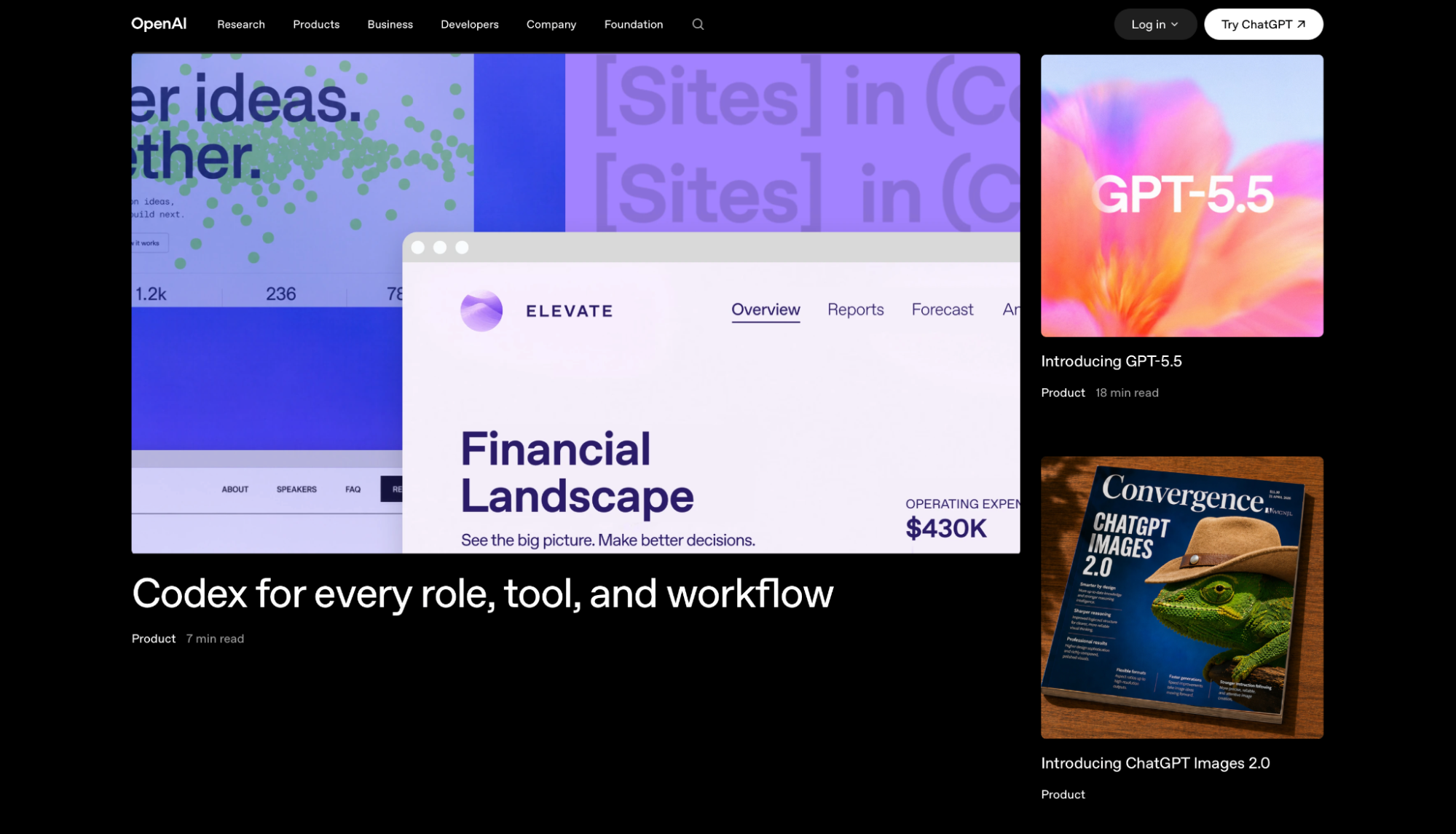
I opened ChatGPT cold, no integrations, no setup, and pointed it at the backlog: three pending emails and a stack of disorganized notes. Both were done in under ten minutes.
That speed comes from how it's built. You ask, it answers immediately. There's no onboarding standing between you and the first result. The tradeoff is that it waits for you every time. It won't check your inbox or surface something that needs attention unless you think to ask first.
If the self-assessment pointed you toward occasional help rather than a standing assistant running in the background, that's the version of AI help ChatGPT covers well.
"I've been using ChatGPT for both work and personal projects, and it's become one of the tools I rely on the most." — Juan Carlos M., G2
Key features
- Connectors pull live context from Google Drive, SharePoint, GitHub, and Notion directly into a chat, so answers are grounded in your actual documents
- Deep Research runs a multi-step investigation across the web and returns a structured, sourced report
- GPTs let you build and save custom versions of ChatGPT tuned to a specific recurring request
- Agent Mode executes multi-step jobs across connected platforms autonomously when given a clear goal
Pros
✅ Ready the moment you open it, with no onboarding period and no configuration before you can run your first task
✅ Good for one-off requests, useful if you're still figuring out whether a standing assistant is worth the monthly cost
✅ Deep Research and Agent Mode are included in Plus ($20/month), not gated behind a higher tier
Cons
❌ Waits for a prompt every time, so it won't flag something that needs attention unless you remember to ask
❌ The Go plan ($8/month) caps usage at 160 messages every 3 hours; Deep Research and Agent Mode require Plus at $20/month
Best for
- Writers, researchers, and operators who need occasional drafting, summarizing, or investigation without daily automation
- Anyone who wants to test whether an AI assistant fits before committing to $20/month
- Teams already using Google Drive, Notion, or SharePoint who want an assistant that draws context from those sources directly
Pricing
- From $8/month; Plus at $20/month adds the full model, Deep Research, and Agent Mode
3. Claude

I handed Claude six scattered meeting notes and one instruction: sort these and pull out what I need to act on. It worked through the folder in a single Cowork session, returned a structured summary with sources cited, and moved to the next file without me directing it.
Cowork runs on the desktop app, moving between local files and applications to return a finished document rather than a single answer. Forty scattered files that need to become one coherent summary is a different job than what a chat window handles. Cowork is built for that scope.
"What I like best about Claude is how well it handles messy, multi-layered problems that don't have clean answers." — Beck W., G2
Key features
- Cowork handles multi-step file and document work on the desktop, moving through local folders and applications without you directing each step
- Projects groups documents, instructions, and context into one persistent workspace so you're not re-uploading the same material every session
- MCP connectors link Claude directly to Microsoft 365, Slack, and Google Workspace, pulling live context instead of copy-pasted text
- The 1M-token context window holds an entire long document or research set in memory at once, cutting down on the gaps between what you ask and what Claude can see
Pros
✅ Processes buried, repetitive file work end to end, which makes it the right call if your queue is document-heavy rather than inbox-heavy
✅ Runs multiple jobs in parallel, so sorting one folder doesn't block a research summary from going on at the same time
✅ Cowork is included on all paid plans, including Pro, with no separate tier required
Cons
❌ Cowork runs on the desktop app and local files, so an all-browser workflow misses the part that does the heavy lifting
❌ Built for document and file work, so it won't handle inbox triage, calendar management, or the standing background tasks Lindy covers
Best for
- Consultants, researchers, and operators with document-heavy queues (meeting notes, client reports, research files) that need synthesizing into one coherent output
- Anyone who spends significant time each week reorganizing, cross-referencing, or condensing material across multiple folders
- Teams working heavily inside Microsoft 365 or Google Workspace who want an assistant that plugs directly into those sources
Pricing
- Paid plans start from $20/month ($17 billed annually), which includes Claude Cowork
- A free tier exists with daily usage limits, but doesn't include Cowork or Projects
4. Motion
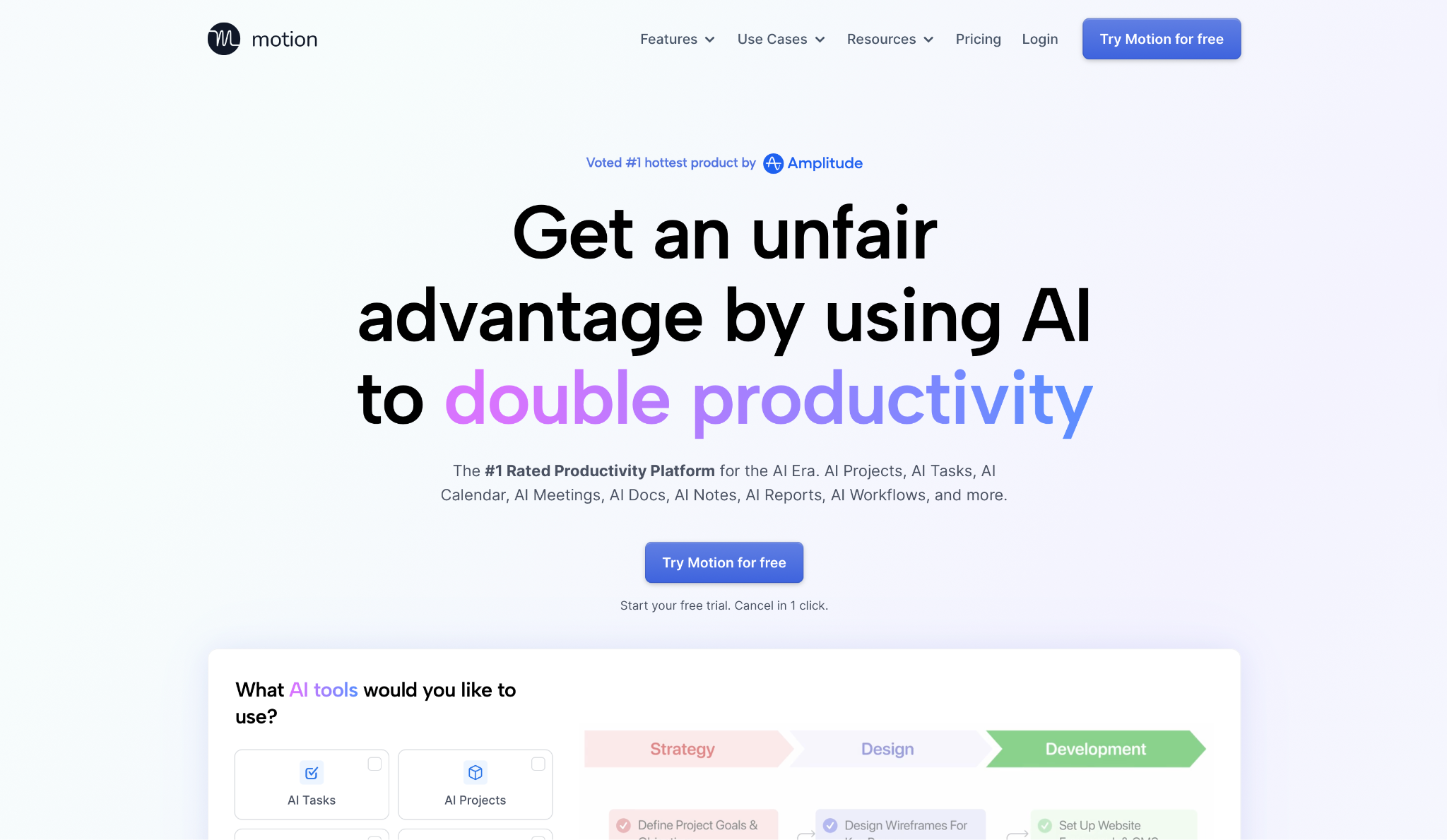
If your biggest daily friction is a task list that never gets scheduled and a calendar that keeps shifting around it, Motion is worth a look before you hire anyone to manage it. It takes your full task list, maps it to available time, and automatically reshuffles the plan when a new meeting or deadline lands.
Motion's Task Planner took my running to-do list and slotted it into open calendar blocks on its own, adjusting automatically once a meeting landed mid-week. I added a deadline on Tuesday afternoon that should have derailed the rest of the schedule. Motion reshuffled four items within two minutes without touching the meetings; the day sorted itself out while I was on the next call.
"I like Motion because I can see everything in one place, and then see things in different formats depending on how my brain is working that day." — Megan G., G2
Key features
- AI Task Planner automatically prioritizes items, schedules meetings, and resolves calendar conflicts as they come up, rebalancing the plan hundreds of times a day
- AI Calendar & Meetings books and adjusts meetings around your existing commitments without manual rescheduling
- AI Meeting Notetaker records calls, captures summaries and action items, and syncs them back to the relevant project
- AI Docs, Wiki, & Notes keep project documentation alongside tasks and meetings, so context doesn't get scattered across separate platforms
Pros
✅ Addresses calendar overload directly. If your self-assessment pointed at scheduling rather than inbox or research, this is where to start
✅ Unlimited storage and cross-platform apps on both plans, so the same seat covers desktop, iOS, and Android without upgrading
Cons
❌ Manages tasks and scheduling only, so it won't cover inbox triage, research synthesis, or the full range a human VA or Lindy does
❌ AI credits are metered on top of the seat price; Pro AI includes 7,500 credits per seat, and overages run $0.25 per 100 credits
Best for
- Solo professionals and small teams whose biggest daily friction is a to-do list that never gets scheduled and a day that keeps overrunning
- Founders and operators juggling several projects who need one view that accounts for both deliverables and meetings
- Anyone who's tried manual time-blocking and abandoned it because new meetings kept knocking the slots off
Pricing
- Paid plans start from $19/seat/month (Pro AI, billed annually)
- No permanent free plan; a free trial is available before committing
5. Reclaim.ai
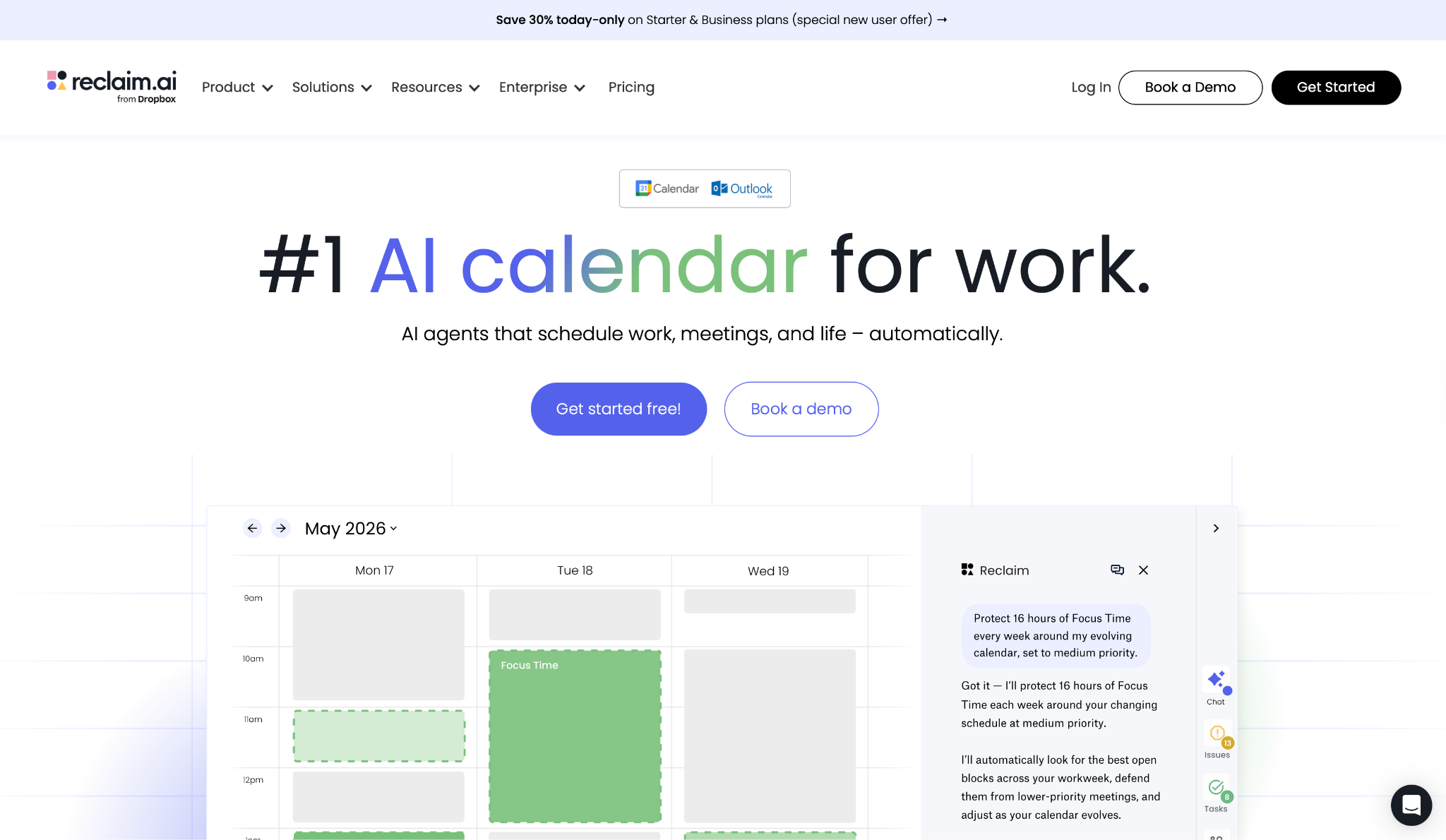
Reclaim.ai sits at the narrower end of this list. It works on your calendar alone, leaving your inbox and files untouched. That focused scope is also why the free plan is worth trying before you decide whether you need anything heavier.
To test the core claim, I set a Focus Time goal of ten hours a week and added four new meeting requests over two days, all of which would've overwritten those slots without calendar protection in place. Reclaim.ai defended all four, rescheduling the focus blocks to earlier windows rather than dropping them. That's the test I ran, and it held.
"The thing I like most about Reclaim.ai is its ease of use and intuitive design, which just makes everything smoother." — Jonathan O., G2
Key features
- Focus Time automatically reserves and defends deep work sessions, moving them only when a hard conflict forces it
- Habits schedules recurring personal or team routines around existing commitments instead of locking them to fixed slots that meetings overwrite
- Smart Meetings converts recurring meetings to intelligent scheduling that monitors conflicts and resolves them automatically across all attendees
- Buffer Time adds breathing room between back-to-back calls automatically, including pre-meeting prep windows and post-meeting reset time
- The AI Assistant is a chat-based planning interface that lets you review your schedule, resolve conflicts, and configure agents that run on your behalf
Pros
✅ The free Lite plan includes Focus Time, Habits, Buffer Time, and Smart Meetings with 5 AI agents per seat, enough to assess whether it solves your problem before you pay
✅ Focused on calendar protection, which answers the narrow version of do I need a virtual assistant without overcommitting to something heavier
Cons
❌ Covers time blocking and meeting coordination, not active inbox triage or file work. It can carve out calendar time for email via Habits, but it doesn't read, sort, or draft messages the way Lindy does
❌ Scheduling range is limited to one week on the free Lite plan and eight weeks on Starter; the full twelve-week horizon requires Business at $15/seat/month
Best for
- Knowledge workers who lose focus time to meeting creep and want it defended automatically without rebuilding their week every Monday
- Small teams that need visibility into who has capacity and when, without paying for a full project management platform
- Anyone assessing whether an AI calendar tool fits their workflow before spending money, since the free Lite plan is permanent
Pricing
- Paid plans start from $12/user/month
- A free Lite plan is available with Focus Time, Habits, Buffer Time, Smart Meetings, and 5 AI agents per seat
{{cta}}
How to evaluate these options
Start with what's actually sitting untouched. If you can't name the three items that reappear every week without getting done, run the signals above before you compare products. Buying a feature set built for someone else's problem is an easy way to spend $50/month and still feel stretched.
Background vs. prompt-dependent matters more than any feature list. Lindy and Reclaim operate without you initiating each session. ChatGPT, Claude, and Motion all need you to open them and direct the effort.
In practice, that distinction determines how much of your admin actually gets offloaded versus how much stays on your plate.
Size the pick to your actual volume. A weekly research summary doesn't justify a standing assistant. If the log from Signal 1 shows consistent daily drain rather than occasional spikes, a paid subscription closes fast. Spikes point to a lighter, on-demand option instead.
Past the base plan, costs can shift fast. Motion meters AI credits on top of the seat price. Lindy's usage is credit-based, with no published limits on the Plus plan. Both can push the monthly figure above what the pricing page quotes at high volume. Reclaim and Claude Pro are more predictable at the entry tier.
Verify coverage where the effort actually lives. Claude Cowork needs the desktop app and local files. Reclaim only touches the calendar. Lindy is built around Slack. None of those is a dealbreaker unless you're buying on the assumption that turns out to be false.
Which option actually fits you
Paying for the wrong product won't free up time. It just adds a monthly bill to the same admin pile.
If your self-assessment pointed to an inbox and follow-ups piling up daily, Lindy is worth testing for that use case. The 7-day free trial gives full Plus plan access with no credit card required, and Lindy says setup takes about 60 seconds, enough time to see whether it fits before you commit.
Frequently asked questions
How do I know if I need a virtual assistant?
You likely need one if admin eats more than ten hours of your week, the same low-judgment items keep resurfacing daily, and the cost of your own time outweighs what it would cost to delegate. If only one of those conditions is true, a narrower option like Reclaim.ai for scheduling or Claude for document work will cover it for less.
What tasks should I give to a virtual assistant first?
Start with recurring, low-judgment items: inbox triage, calendar scheduling, follow-up emails. These accumulate fastest and need the least context to hand off. Once those flow reliably, add anything else that surfaces on the same day every week without a judgment call attached.
Is an AI virtual assistant as good as a human one?
No, not across the full range. An AI assistant like Lindy handles inbox triage, scheduling, and follow-ups well, but a human VA still owns phone calls, relationship management, and anything that needs someone to read the room.
How much does a virtual assistant cost?
AI virtual assistants like Lindy start at $49.99/month, while a human executive assistant typically runs $5,500 to $10,000 per month. Narrower products like Reclaim or Motion cost less but only address scheduling, not inbox or research.
The subscription price is rarely the most useful number to compare. What your own hours are worth against what the platform offloads tends to be more telling.
Can a virtual assistant replace a full-time employee?
No. A virtual assistant handles specific recurring tasks like scheduling, inbox management, and follow-ups, but it doesn't replace the judgment, strategy, or relationship-building that a full-time employee brings. These products offload operational volume. They don't make the judgment calls that only someone inside the org can carry.











Blog
Related Articles
%20(1).png)
%20(1).png)
%20(1).png)

%20(1).png)
%20(1).png)
%20(1).png)
The AI assistant that runs your work life
Lindy saves you two hours a day by proactively managing your inbox, meetings, and calendar, so you can focus on what actually matters.
