


What Is an Enterprise AI Assistant? A Guide by Team and Industry


Three years ago, at a 40-person agency, a Monday standup opened with the ops lead spending fifteen minutes reading out everything that had slipped since Friday.
Cold leads had gone untouched, client emails were still waiting, and one onboarding step had stalled. Nobody was lazy. The team had more moving pieces than one person could track, and the shared inbox, half-updated CRM, and unprepped calendar could only hold part of the workflow.
An enterprise AI assistant is built for that kind of operational drag. It handles the connective work between departments, where follow-ups, handoffs, updates, and next steps often fall through.
What is an enterprise AI assistant?
An enterprise AI assistant is software that acts on behalf of employees across a business, reading and responding to email, prepping for and following up on meetings, updating internal systems like a CRM, and handling recurring administrative work, without needing a person to manually trigger each step.
The "enterprise" part matters for three reasons that don't apply to a personal AI assistant:
- Scale: A personal assistant tool needs to work for one person's inbox and calendar. An enterprise assistant needs to work the same way across a support team, a sales team, an ops team, and everyone in between, each with different tools, different workflows, and different data they're allowed to see.
- Security and compliance: These deployments often touch client data, financial records, and protected health information. SOC 2 Type II, GDPR compliance, and HIPAA compliance with a signed business associate agreement are baseline requirements in regulated industries.
- Governance: A personal assistant can act on your behalf with no one else watching. An enterprise assistant needs approval steps, audit logs, and role-based permissions, because what it does affects more than one person's day.
The simplest way to think about it: a personal AI assistant handles your day. An enterprise AI assistant handles the connective tissue between everyone's day, across a whole team or company, without exposing data to the wrong people or acting without anyone's sign-off.
How enterprise AI assistants work across your business
Strip away the industry-specific use cases for a second, and most enterprise AI assistants are built around the same handful of core capabilities. Here's what that looks like:
Inbox and communication management
Reading incoming email or messages, sorting them by priority, and drafting responses in a consistent voice, so a person reviews and approves instead of writing from scratch every time.
Meeting intelligence
Joining calls, producing notes and summaries, and turning what was said into action items that don't just sit in a transcript nobody rereads.
Cross-tool follow-through
Taking what happened in an email thread or a meeting and pushing it into the tools where it needs to live, like a CRM record, a project tracker, or a shared doc, without someone manually copying information between systems.
Scheduling and coordination
Finding times that work across multiple calendars, sending invites, and handling the back-and-forth that used to take five emails to resolve.
Custom workflows for repeatable jobs
For work that happens the same way every time (a new lead comes in, a support ticket needs triage, an invoice needs processing), an assistant can be told once how to handle it and then run that process on its own going forward, with a human still able to step in and review before anything final happens.
{{templates}}
How teams put this to work
The building blocks stay the same, but each team feels the pain differently. Sales may prioritize follow-up speed, support may prioritize ticket triage, and healthcare may prioritize compliance.
Sales and revenue operations
The pain point: Leads go cold because nobody follows up fast enough, and CRM records go stale because updating them after every call feels like busywork nobody has time for.
How it plays out: A rep finishes a discovery call, and instead of spending the next twenty minutes writing up notes and updating the CRM by hand, a draft summary and next-step email are already waiting for one tap of approval, with the CRM record updated to match.
What to watch for: This works best when the CRM is already the team's single source of truth. If reps are tracking deals in spreadsheets on the side, an assistant updating the "official" CRM won't fix the underlying data fragmentation.
Customer support
The pain point: Support volume spikes unevenly. Simple, repetitive tickets like password resets, order status, and basic how-to questions eat up time that should go to complex cases.
How it plays out: An assistant reads incoming support requests, answers straightforward questions from a knowledge base, and escalates uncertain cases to a human agent with the full context already attached.
What to watch for: The quality of the automated answers is only as good as the knowledge base behind them. A team that hasn't documented its own answers well will get inconsistent results no matter which assistant they use.
Human resources
The pain point: Onboarding and recurring HR questions, like PTO balances, benefits enrollment, and policy lookups, take up disproportionate time from a small HR team, especially at companies growing faster than their HR headcount.
How it plays out: New hires and existing employees can ask routine questions directly to an assistant and get an instant, accurate answer pulled from company policy docs. Sensitive or ambiguous questions are routed to an HR person.
What to watch for: Anything involving personal medical information or legally sensitive HR matters should be routed to a human by default, not handled end-to-end by an assistant, regardless of how capable it is.
Finance and operations
The pain point: Invoice processing, expense approvals, and vendor follow-ups are high-volume, low-complexity work that still requires someone to manually extract data and route it for approval.
How it plays out: An assistant can read an incoming invoice, extract vendor details and amounts, check them against a purchase order, and route it for approval based on the amount, cutting the manual data-entry step out entirely while keeping a human in the loop for sign-off.
What to watch for: Financial workflows need an approval step before anything is finalized. Look for tools that include human review as part of the workflow by default.
Healthcare and other regulated industries
The pain point: Administrative overhead, like faxes, intake forms, and scheduling, eats into time that should go to patient care, and the tools handling that overhead need to meet a much higher compliance bar than a typical office tool.
How it plays out: A clinic can use an assistant to read incoming faxes and referrals, extract the relevant information, and generate a summary with action items for staff, without a human retyping every document by hand. This is the kind of use case where compliance credentials matter more than almost anything else on the feature list.
What to watch for: HIPAA compliance requires a signed business associate agreement, which is typically available only on enterprise plans. Confirm this before connecting any tool to protected health information. General SOC 2 certification does not cover this requirement.
Agencies and professional services
The pain point: Managing multiple clients' projects, communications, and deadlines simultaneously means constant context-switching, and details that live in one client's inbox rarely make it into the shared project tracker everyone else needs to see.
How it plays out: An assistant can watch each client's email thread, extract deadlines and deliverables, and keep a shared project view updated automatically, so account managers stop being the single point of failure for "did anyone tell the design team about that change?"
What to watch for: Agencies juggling many small clients often have inconsistent processes between accounts. An assistant works best once there's at least a loose standard for how each client relationship is tracked; it can't invent structure that doesn't exist anywhere yet.
Choosing an enterprise AI assistant: A buyer's checklist
Whichever team you're on, the same handful of questions separate a tool that will actually get adopted from one that ends up as shelfware. Here's what to ask before you buy:
- What security and compliance certifications does it actually have, on which plan? SOC 2 Type II and GDPR compliance are common baselines. HIPAA compliance with a signed BAA is a separate, higher bar that's often limited to enterprise-tier plans specifically, so confirm it applies to the plan you'd actually be buying.
- How deep are the integrations? “Connects to hundreds of apps” sounds good on a pricing page, but depth matters more than the total count. Check how well the tool works with the systems your team relies on, including your CRM, ticketing platform, and calendar.
- Does it keep a human in the loop by default? Approval steps before anything sends, draft modes instead of auto-send, and clear escalation paths for anything the assistant isn't confident about are the difference between a tool people trust and one they turn off after the first mistake.
- What does setup actually require? Some tools work the moment you connect an account; others need weeks of workflow configuration before they're useful. Neither is wrong, but know which one you're signing up for before you commit a team's time to it.
- Can you start small? A short free trial or an entry-tier plan lets a team pilot the assistant on one workflow, a single support queue, one rep's follow-up process, before rolling it out company-wide.
Try Lindy: Built for the enterprise layer of the work
Everything above describes what an enterprise AI assistant does in general. The part that's harder to see from a features list is what happens when something goes wrong: an email that shouldn't have been sent, a record updated with the wrong context.
Lindy is built with the enterprise layer in mind at every step. Here's how:
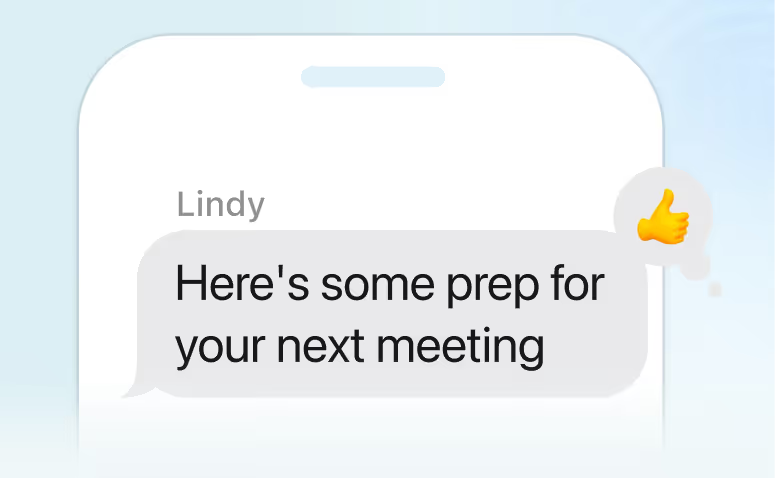
- Delegate by text: Text Lindy to ask a question, assign a task, or approve a next step from your phone, without opening a dashboard.
- Approval built in: Emails, CRM updates, and other changes can be held for review, so a human approves the action before Lindy completes it.
- Shared context across the team: Admins add company details, key contacts, and internal processes once, and every team member's assistant already knows them.
- Custom workflows across departments: Sales, support, HR, and ops can each set up recurring processes, such as routing a new lead, triaging a support ticket, or processing an invoice, without a developer.
- A full history of every task: Every run shows the steps it took and what changed, giving teams a clear record they can review later.
{{cta}}
FAQs
1. How much does an enterprise AI assistant cost?
Pricing usually scales with usage and the number of connected accounts instead of a flat enterprise fee. Lindy, for example, starts at $49.99/month after a 7-day free trial, with higher tiers adding more connected inboxes, usage capacity, and enterprise-specific security features.
2. How is an enterprise AI assistant different from RPA (robotic process automation)?
RPA follows fixed rules and breaks when a process changes. An AI assistant reads context and plain-English instructions, which lets it handle variation, like an email that does not match a template or a request phrased in a new way, without needing to be rebuilt.
3. Do employees need training to use one?
Yes, but only minimally. Most of the interaction is asking questions or giving instructions the way you'd talk to a colleague, texting or emailing the assistant rather than learning a new interface or dashboard.
4. Can an enterprise AI assistant work across multiple departments at once?
Yes. Sales, support, HR, and finance can each set up recurring processes on the same assistant because the core capabilities apply across departments. Inbox handling, meeting notes, approvals, and cross-tool updates all adapt to different workflows.
5. Does an enterprise AI assistant integrate with the software our company already uses?
Most enterprise assistants connect to common business tools, including email, calendar, CRM, and chat, so companies can keep the systems they already use. What matters is the depth of each connection. A long integration list means little if the assistant cannot read the right context, take action, and keep records updated day to day.










Blog
Related Articles
.avif)
.png)
.png)
.png)
.png)

.png)
The AI assistant that runs your work life
Lindy saves you two hours a day by proactively managing your inbox, meetings, and calendar, so you can focus on what actually matters.
