


How to Create AI Agents: 5 Easy Steps + Top Tools for 2026
Lindy built and tested AI agents for email, CRM, and scheduling, then broke down the five-step process of defining, connecting, testing, and deploying an agent.
.avif)

After building and testing AI agents for email, CRM, and scheduling workflows, I created a clear, step-by-step breakdown on how to create AI agents. I’ve also covered what an AI agent is, the prerequisites to creating one, and the top tools to build them in 2026.
How to create an AI agent in 30 seconds
You can create an AI agent by describing the job you want done in natural language on a no-code platform. You then connect the tools the agent needs, test it on a simple task, and tweak it to match the use case.
The setup has become fast, but the basic process is still the same. These five steps are essential:
- Define your agent’s job: Write one clear sentence describing the outcome you want.
- Choose your platform: Pick a no-code or prompt-first tool that fits your use case.
- Connect context and tools: Give the agent the data, apps, and rules it needs.
- Test it: Run a few realistic examples and fix weak spots.
- Deploy it: Put it into a live workflow and monitor how it performs.
Tools and skills you need before creating an AI agent
You can build useful AI agents without technical skills. You mainly need clear goals, the right platform, and a willingness to test and refine as you go. Most AI platforms are no-code, which means you use visual builders and simple setup steps instead of writing code.
Many no-code tools can take a natural-language description from you and create an agent without any complex setup, so you can focus on what the agent should do. Here are a few basics to ease your AI agent creation process:
- Basic API knowledge: APIs let different tools share data. You don’t need to build APIs yourself. But it helps to understand what they do when you’re connecting agents to tools like HubSpot or Google Sheets.
- CRMs and workflow tools: Platforms like Airtable, Notion, Trello, and Salesforce organize data and tasks in a structured way. AI agents often read from or write to these tools, updating records, moving tasks, or triggering follow-ups as part of a workflow.
- Prompt and task clarity: Clear instructions lead to better results. If you’ve used tools like ChatGPT or Gemini, you already have a head start. Simple directions like “Send a follow-up email after three days” or “Qualify this lead using LinkedIn data” help agents know exactly what to do.
- Testing and iteration: Most platforms include testing environments where you can see how an agent behaves before using it live. Running test scenarios, fixing mistakes, and adjusting logic helps ensure the agent works reliably once it’s handling real tasks.
How to create an AI agent in 5 steps
To create an AI agent, you can start with simple use cases, use no-code tools, and expand as your needs grow. Follow this five-step process for building an AI agent using a no-code platform:
Step 1: Define your agent’s job
First, decide exactly what you want your AI agent to do. Is it sending a one-time follow-up email, or handling a recurring task like qualifying inbound leads every day? Write down the specific actions the agent should complete, from start to finish.
Give each agent a clear job. Single-task agents work best with short, focused instructions. Agents that run multi-step workflows need shared context, and sometimes memory, so they can handle changes over time.
Knowing the difference helps you design an agent that fits your goal, whether that’s speed, reliability, or workflow automation.
Step 2: Choose your platform or framework
No-code platforms like Rivet or Make let you build AI agents using visual builders instead of code. These tools work well for freelancers, small teams, and operations roles that need results without engineering support. Most include built-in integrations, ready-to-use templates, and workflow components.
If you need more control, code-based frameworks such as LangChain or CrewAI offer advanced logic and customization. These options require Python, infrastructure setup, and familiarity with how agent systems work, making them better suited for developers and technical teams.
| Feature | No-code | Code-based |
|---|---|---|
| Setup time | Fast | Slow to moderate |
| Customization | Moderate | High |
| Ideal for | Non-technical ops teams, SMBs, marketers | Developers, technical teams |
| Use cases | Lead enrichment, CRM updates | Custom data workflows |
Step 3: Set up triggers, context, and integrations
Every AI agent needs a starting point, called the trigger. A trigger could be a new email, a Stripe payment, or the creation of a CRM record. That trigger kicks off the agent’s decision-making process.
Next, define what information the agent should remember. This context can include user details, past actions, or progress toward a goal. Clear instructions around tone, task limits, and fallback behavior help the agent stay consistent.
Finally, connect the tools your agent needs to act, like Google Sheets, HubSpot, Slack, or internal databases. These allow the agent to update records, send messages, and move workflows forward without manual effort.
Step 4: Build a test loop
Before going live, test your agent using realistic examples. Run sample leads, support requests, or data events through the workflow and watch how the agent responds. If it stalls or behaves unexpectedly, trace the issue back to the trigger, context, or instructions.
Logging errors and outcomes makes it easier to adjust prompts, memory settings, or tool access. Testing reduces mistakes and helps ensure the agent performs consistently in real scenarios.
Step 5: Evaluate and deploy
Once your agent completes test tasks reliably, you can move it into production. Review how it handles edge cases, unclear inputs, and incomplete data.
Then decide how people will interact with it. Some agents run entirely in the background. Others work through chat, email, or manual triggers. Choosing the right interaction model helps the agent blend into daily workflows and deliver value without friction.
Top 9 tools to create AI agents: At a glance
Some platforms focus on speed and simplicity, while others give developers complete control. I selected the ones that cover both ends of that spectrum, from no-code builders for business teams to frameworks designed for custom, code-driven agents.
Here are the 9 best platforms for creating AI agents today:
| Tool | Best for | Code or no-code | Starting price (billed monthly) | Key features |
|---|---|---|---|---|
| Relevance AI | Modular AI workflows for teams | Low-code | $349/month | Node-based builder, flexible logic blocks, API support, analytics-focused agents |
| LangChain | Custom agent logic and advanced workflows | Code | $39/month | Agent orchestration, tool chaining, memory handling, large developer ecosystem |
| Botpress | Conversational and support agents | Code/low-code | $189/month + AI spend | Agent SDK, conversation orchestration, memory controls, channel integrations |
| OpenAI Assistants API | App-embedded AI agents | Code | Usage-based | Persistent threads, tool calling, deep OpenAI model integration |
| Beam | Multi-agent coordination | Code | Custom pricing | Parallel agent execution, role-based agents, Python SDK |
| Make | Visual automation with AI steps | No-code | $12/month | Drag-and-drop workflows, strong app integrations, flexible data routing |
| CrewAI | Role-based multi-agent systems | Code | Free; custom pricing | Defined agent roles, shared memory, collaborative task execution |
| Vertex AI Agent Builder | Enterprise conversational agents | Low-code | Usage-based | Google Cloud integration, data grounding, IAM controls |
| Zapier | Simple cross-app automations | No-code | $29.99/month | 8,000+ integrations, fast setup, trigger-based AI actions |
1. Relevance AI: Modular agent building for custom workflows

Relevance AI is a low-code platform for teams that want more control over how their AI agents behave. It’s commonly used for business-specific workflows in areas like e-commerce, customer support, and analytics.
Instead of rigid templates, Relevance AI lets you build agents by connecting logic blocks, tools, and models into modular workflows. Typical use cases include customer feedback analysis, chat-based support agents, and agents that track or report on KPIs.
Pros
- Node-based builder that allows you to chain logic, tools, and models into custom workflows
- Strong flexibility for tailoring agents to specific business processes
- Low-code customization with API access for deeper integrations
- Works well for analytics-driven and data-heavy use cases
Cons
- Steeper learning curve compared to no-code platforms
- Advanced features often require understanding LLM concepts and basic Python or JavaScript
Pricing
- Free plan with 200 actions/month
- Paid plans from $349/month, billed monthly
Verdict
Relevance AI suits teams that want customizable AI agents without having a fully code-first setup. It’s a good fit if you need flexible logic and data-driven workflows and are comfortable trading simplicity for control.
2. LangChain: Best for developers building custom agent logic

LangChain is an open-source framework that developers use to build AI agents and LLM apps. It’s built for people who want hands-on control over how an agent thinks, calls tools, and completes steps in a workflow.
With LangChain, you define the logic behind autonomous agents, including research tasks, document parsing, and multi-step decision-making. It’s powerful, but it assumes comfort with code and agent architecture.
Pros
- Fine-grained control over agent behavior, prompts, tools, and execution flow
- Supports multi-agent setups and complex logic routing
- Works with multiple models and custom tools
- Large open-source community with active development and strong documentation
Cons
- Not beginner-friendly and unsuitable for non-technical users
- Requires a good understanding of Python, LLM concepts, and agent design
Pricing
- Free plan with limited use
- Paid plans start from $39/month, billed monthly
Verdict
LangChain is ideal for developers who need complete flexibility and control over AI agents. It works best for custom applications where off-the-shelf builders fall short, and engineering resources are available.
3. Botpress: Best for conversational agents with structured control

Botpress helps you build chat-based AI agents with a visual builder and code when you need it. It’s used by support and product teams, plus developers, who want agents that can handle longer back-and-forth conversations without falling apart.
With Botpress, you can create support bots that escalate issues, scheduling agents that sync with calendars, and sales agents that pull and reference CRM data during conversations.
Pros
- Powerful SDK that allows detailed control over agent behavior and logic
- Easy integration with third-party tools and business systems
- Built-in orchestration with memory, logic flows, and guardrails
- Supports multi-turn conversations and recovery from failed actions
Cons
- Less flexible for non-conversational or background workflow agents
- Best results require technical setup and familiarity with agent design
Pricing
- Pay-as-you-go plan
- Paid plans start from $189/month + AI spend, billed monthly
Verdict
Botpress is for teams building conversational AI agents that need structure and reliability. It’s best suited for chat- and voice-first use cases where controlled dialogue and escalation paths matter more than background automation.
4. OpenAI Assistants API: Best for app-embedded AI agents

The OpenAI Assistants API is for teams that want an AI agent inside their own app. Instead of sending users to ChatGPT, you can build an agent into your product or internal tool. It can keep track of the conversation, use files, and take actions through tools you connect, like looking up info or updating a record.
So why not just use ChatGPT? ChatGPT is great for testing ideas and working in a chat window. You can create custom GPTs and connect them to other apps. But those still run inside ChatGPT. If you need the agent to act inside your software, you’ll want the API.
Pros
- Native support for persistent threads and multi-step tasks
- Built-in tool calling for actions like retrieval and function execution
- Tight integration with OpenAI models and updates
- Strong reliability, security controls, and rate limiting
Cons
- Requires development work and backend setup
- Locked into OpenAI’s ecosystem and pricing model
Pricing
- No free tier for production use
- Usage-based pricing, billed monthly based on model and token consumption
Verdict
The OpenAI Assistants API is best for teams building AI agents directly into products or internal tools. It’s a good fit when you need deep model integration and structured control, and you already have engineering resources in place.
5. Beam: Best for coordinating multiple AI agents
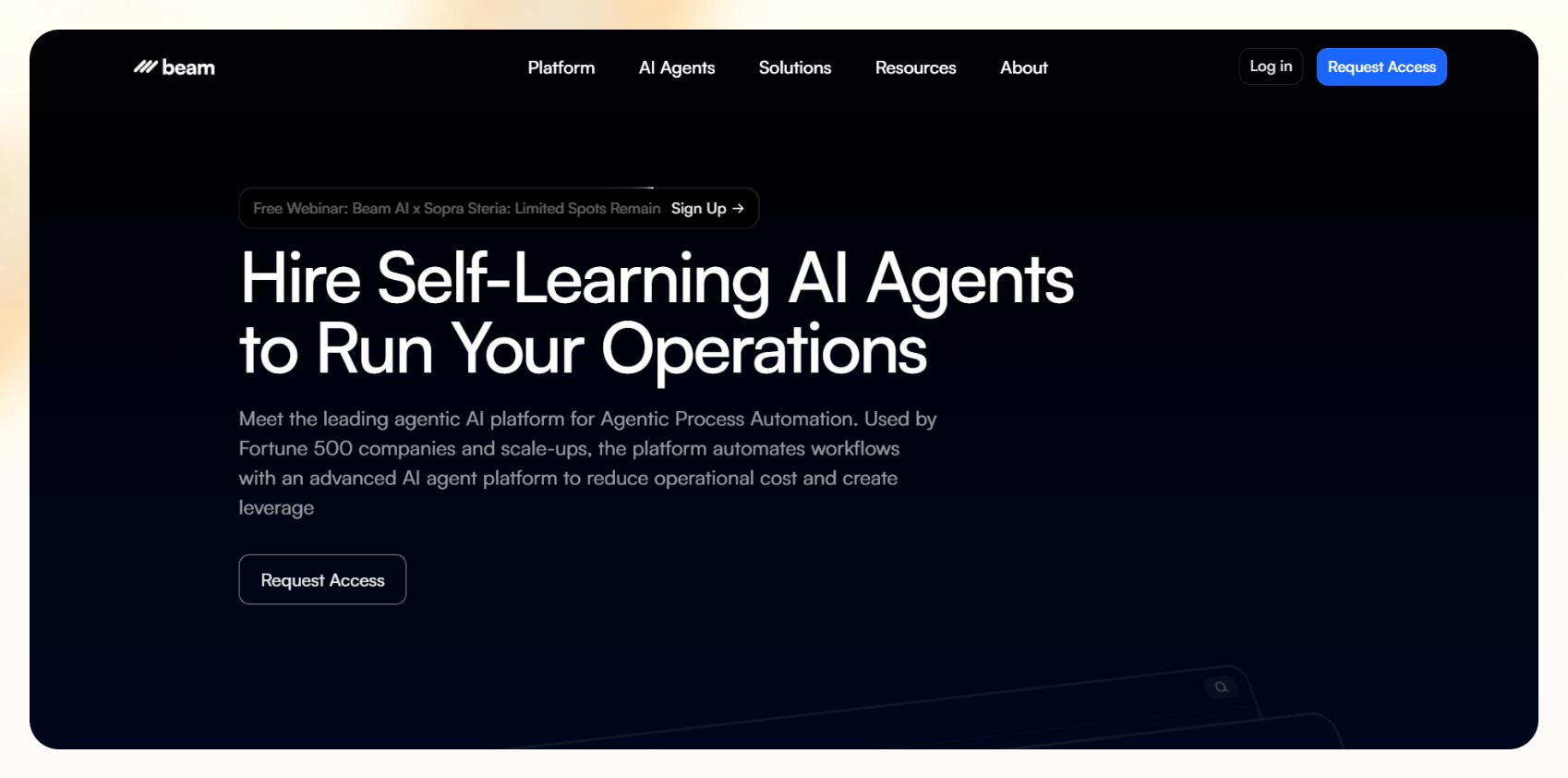
Beam lets technical teams create AI agents that work together on complex tasks. It works well for logistics, research, and product operations, where different agents need to specialize, share work, and coordinate outcomes.
Instead of relying on a single agent, Beam lets you design systems where agents research, verify, and execute tasks in parallel or hand work off to each other based on defined rules.
Pros
- Built specifically for multi-agent coordination and collaboration
- Supports role-based agents that handle different parts of a workflow
- Enables parallel execution to speed up complex tasks
- Python SDK allows deep customization and control
Cons
- Requires technical expertise and coding experience
- Smaller ecosystem and fewer learning resources than more established frameworks
Pricing
- No free plan or trial available
- Need to schedule a demo for custom pricing, depending on your needs
Verdict
Beam suits engineering teams that need multiple AI agents working together on complex processes. It’s an ideal option when task coordination and parallel execution matter more than ease of setup.
6. Make: Best for visual automation with AI steps

Make is a no-code automation platform that lets you build AI workflows using a visual, drag-and-drop interface. It’s popular with teams in e-commerce, SaaS, finance, and creative services that want flexible automations without writing code.
You can now add AI agents to your automation workflows with Make. It works well for creating workflows that combine AI actions with app-based automation, such as scoring leads, generating content drafts, or syncing data across tools.
Pros
- Visual builder that makes complex workflows easy to map and understand
- Good control over data routing, transformation, and logic
- Large library of app integrations across business tools
- Affordable entry point compared to many agent platforms
Cons
- Not designed for multi-agent systems or agent collaboration
- Limited memory and reasoning compared to agent-first platforms
Pricing
- Free plan with 1,000 credits/month
- Paid plans start from $12/month, billed monthly
Verdict
Make is a good fit for teams that want visual automation and AI agents in the same platform. You can connect different AI models, plug them into app workflows, and keep more control over how the agent works.
7. CrewAI: Best for role-based multi-agent systems

CrewAI is a Python-based framework built for creating teams of AI agents with defined roles and responsibilities. It’s aimed at technical product teams and AI engineers who want agents to collaborate, delegate tasks, and work toward a shared objective.
Instead of one agent doing everything, CrewAI lets you assign roles such as researcher, writer, or reviewer. Each agent handles its part of the workflow and passes work to the next, making it ideal for structured, multi-step processes like content pipelines or research tasks.
Pros
- Clear role-based structure that mirrors how human teams work
- Supports collaboration and task handoffs between agents
- Long-term memory and access to external tools like APIs and databases
- Well-suited for repeatable, multi-step workflows
Cons
- Requires Python knowledge and technical setup
- No built-in UI for monitoring or managing agents in production
Pricing
- Free to use with the open-source license
- Enterprise plans use custom pricing
Verdict
CrewAI works best for technical teams that want multiple AI agents collaborating on defined tasks. It’s a strong option when workflows benefit from clear roles and structured handoffs, and engineering resources are available.
8. Vertex AI Agent Builder: Best for enterprise AI agents on Google Cloud

Vertex AI Agent Builder is Google Cloud’s platform for building and running AI agents. It’s a good fit for teams already using Google Cloud that want agents connected to company data, user permissions, and larger systems.
Teams commonly use it for customer support agents, internal assistants, and workflow agents that need to reference private datasets such as knowledge bases, policies, or transaction records.
Pros
- Native integration with Google Cloud services like BigQuery, Firebase, and Cloud Storage
- Strong data grounding and access controls through Google’s IAM system
- Low-code interface for defining goals, flows, and data sources
- Suitable for large-scale, enterprise deployments
Cons
- Requires understanding of the Google Cloud ecosystem
- Not built for coordinating multiple agents with shared roles
Pricing
- No free plan to test the platform
- Usage-based pricing through Google Cloud, billed monthly
Verdict
Vertex AI Agent Builder is for enterprises that already run on Google Cloud. It works best when data security, internal data access, and scalability are higher priorities than ease of setup or experimentation.
9. Zapier: Best for simple, cross-app AI automations

Zapier is a no-code automation platform with 8,000+ app integrations. It also has AI agents, so users can build agents that connect tools, take actions, and move work forward across those apps.
It works well for simple use cases like routing leads, responding to form submissions, updating CRMs, or enriching data, especially when speed and app coverage matter more than complex agent logic.
Pros
- Access to over 8,000 app integrations
- Fast setup with minimal configuration
- Large library of prebuilt automation templates
- Easy entry point for non-technical users
Cons
- Limited control over agent reasoning and memory
- Better suited for single-step or linear workflows
Pricing
- Free plan with only 2-step Zaps
- Paid plans start from $29.99/month, billed monthly
Verdict
Zapier works well for teams that want quick, reliable automation across many tools. It’s best for simple AI-powered workflows where ease of use and integration breadth matter more than autonomy or advanced agent behavior.
What is an AI agent?
An AI agent is software that uses artificial intelligence to complete tasks for you without constant instructions. You give it a goal, like handling new leads or managing emails, set up the workflow, integrate your tools, and it can complete the task on its own.
AI agents vs chatbots vs LLMs
AI agents are different from chatbots, scripts, and LLMs. Chatbots usually handle single-turn or guided conversations. They answer questions and pass control to a human when things get complicated.
Scripts, like rule-based chat widgets or order trackers, follow fixed logic paths and rarely adapt when conditions change.
AI agents also differ from LLMs. LLMs such as ChatGPT generate text, voice, or visual responses but do not take action. Here’s how they compare:
| System type | Examples | Reactive, text-based output | Goal-driven | Uses 3rd-party apps | Acts autonomously |
|---|---|---|---|---|---|
| AI Agents | CrewAI extracting invoice data or Zapier routing inbound leads | Yes | Yes | Yes | Yes |
| Chatbots and Scripts | Intercom FAQ bot or Shopify order and tracking widget | Yes | No | No | No |
| LLMs | ChatGPT answering a math question or Claude summarizing an article | Yes | Yes | No | No |
How do AI agents work?
AI agents seem complicated, but they work in a general 3-step loop. They take in information, decide what to do, and then act. The cycle repeats as long as there’s work to complete, which allows agents to handle tasks without constant human input. Here’s how each step works:
Take in information
The agent starts by collecting information from its environment. This could be a new email, a CRM update, or a message from a user. It also looks at relevant background information it already has, such as previous conversations, task history, or data stored in documents and databases.
Reason
After gathering the information, the agent decides what needs to happen next. It interprets the request, chooses the right action, and plans the steps required to complete the task. Here’s where large language models (LLMs) help the agent understand intent and turn instructions into clear actions, even when the input is not perfectly detailed.
Act
Once the agent makes a decision, it takes action. It might send an email, update a spreadsheet, trigger an integration, or hand work off to another agent. After acting, it can review the result, save a record, and determine whether it needs to take another action before repeating the loop.
Here’s an example: a tool like Lindy can watch your calendar and inbox, notice that a meeting changed, and handle the next steps for you. It can notify your team, update the calendar invite, reschedule the Zoom call, and log the change in your CRM.
Common pitfalls to avoid
Many teams run into problems when building AI agents by adding unnecessary complexity or skipping basic security guidelines. These are the most common issues to watch for:
- Too many tools, no clear goal: Using multiple platforms without a specific outcome leads to unfocused agents. Start with one clear problem and pick only the tools needed to solve it.
- Overcomplicated prompts: Long or vague instructions confuse agents and increase failure rates. Use short, action-focused directions that describe what should happen, not how a human would think about it.
- Agents without fallback mechanisms: When an agent fails without a backup plan, workflows stall. Always include retries, alternative steps, or a handoff to a human when something goes wrong.
- No user input validation: Agents can act on incomplete or incorrect data if inputs aren’t checked. Simple validation prevents errors, wasted actions, and poor user experiences.
- Agents without a clear end state: Agents that don’t know when to stop can loop or freeze. Define success conditions, timeouts, or exit rules so the agent knows when its job is done.
You can easily avoid these pitfalls with clear goals, simple design, and consistent testing. This way, you can have AI agents that run smoothly and handle work at scale.
What makes a great AI agent? Four key features
AI agents can respond to inputs, execute tasks, and adapt as conditions change. Here are four traits that separate basic bots from good AI agents:
- Acts according to the goal: Give AI agents a clear outcome or a goal. Instead of reacting to each message in isolation, they follow the workflow to set up to reach a specific goal.
- Operates autonomously with supervision: Good agents work on their own but still allow human oversight. Review checkpoints, approvals, or confidence-based handoffs to keep things accurate without constant monitoring.
- Has memory or persistent context: Agents with memory can reference past actions, user details, or previous instructions. It helps them stay consistent across multi-step workflows.
- Handles exceptions or escalates when needed: Reliable agents don’t break when something unexpected happens. They validate inputs, retry failed actions, and know when to pass control to another agent or a human.
How safe and reliable are AI agents?
AI agents are safe and reliable when you create them the right way with security in mind. These features help ensure agents behave predictably:
- Output validation: Validation checks make sure responses follow the right format, logic, or content rules. This step catches errors before results reach users or downstream systems.
- Clear logs: Logging records every decision, tool call, and outcome during execution. These records make it easier to debug issues, review behavior, and improve workflows over time.
- Tool permissioning: Restricted permissions limit what an agent can access or change. This reduces the risk of data loss, unauthorized actions, or privacy issues.
- Fallbacks and escalation paths: When an agent hits uncertainty or failure, fallback logic or a handoff to a human keeps the workflow moving instead of breaking.
AI agent examples and use cases
AI agents already handle tedious work across teams by automating repetitive tasks and running goal-driven workflows. These examples show how businesses use agents in everyday scenarios:
Ticket triage and summaries
Using Zapier with GPT, agents can read incoming Zendesk or Gmail tickets, identify the topic, draft a response, and save a summary to Airtable. This setup works well for support teams that want automation without changing their existing tools.
Calendar coordination and follow-up
Rivet enables agents to manage webinars and events end-to-end. One agent syncs schedules with Google Calendar, another sends reminders, and a third drafts follow-up emails based on attendance or engagement. These agents can also function as personal assistants for daily scheduling.
Automated blog writing crew
With CrewAI, teams can create agents with defined roles, such as researcher, writer, and editor. These agents collaborate to produce, refine, and publish SEO-focused content as part of a structured workflow.
Frequently asked questions
What’s the easiest way to create an AI agent?
The easiest way to create an AI agent is to use a no-code platform like Zapier or Make. These tools provide templates and guided workflows so you can define tasks, connect your apps, and launch an agent in minutes.
Can I build AI agents without coding?
Yes, you can build AI agents without coding. No-code platforms use visual builders, prompt builders, and prebuilt templates, which allow you to create agents through a drag-and-drop interface instead of writing code.
How do AI agents differ from chatbots or plugins?
AI agents complete tasks without much human oversight based on the goal you assign and how you configure them. Chatbots respond to messages, while plugins run specific commands.











Blog
Related Articles
%20(1).png)
.png)

.png)
.png)
.png)
%20(1).png)
The AI assistant that runs your work life
Lindy saves you two hours a day by proactively managing your inbox, meetings, and calendar, so you can focus on what actually matters.
