Pabbly Connect Review 2026: Pricing, Features, Pros & Cons
Marvin reviewed Pabbly Connect's workflow automation, testing its drag-and-drop builder, email parser, and lifetime pricing tiers against Zapier and Make.


I’ve used Pabbly Connect for automating basic workflows across forms, CRMs, and email tools.
It’s affordable and gets the job done. But after using it for a while, I started asking:
↳ Is it reliable enough for mission-critical workflows?
↳ Can it handle complex logic without breaking?
↳ And are there smarter, more flexible tools built for scale?
In this review, I’ll cover what Pabbly Connect does well, where it struggles, and why I eventually switched to Lindy for deeper automation and a more seamless experience.
What Is Pabbly Connect?
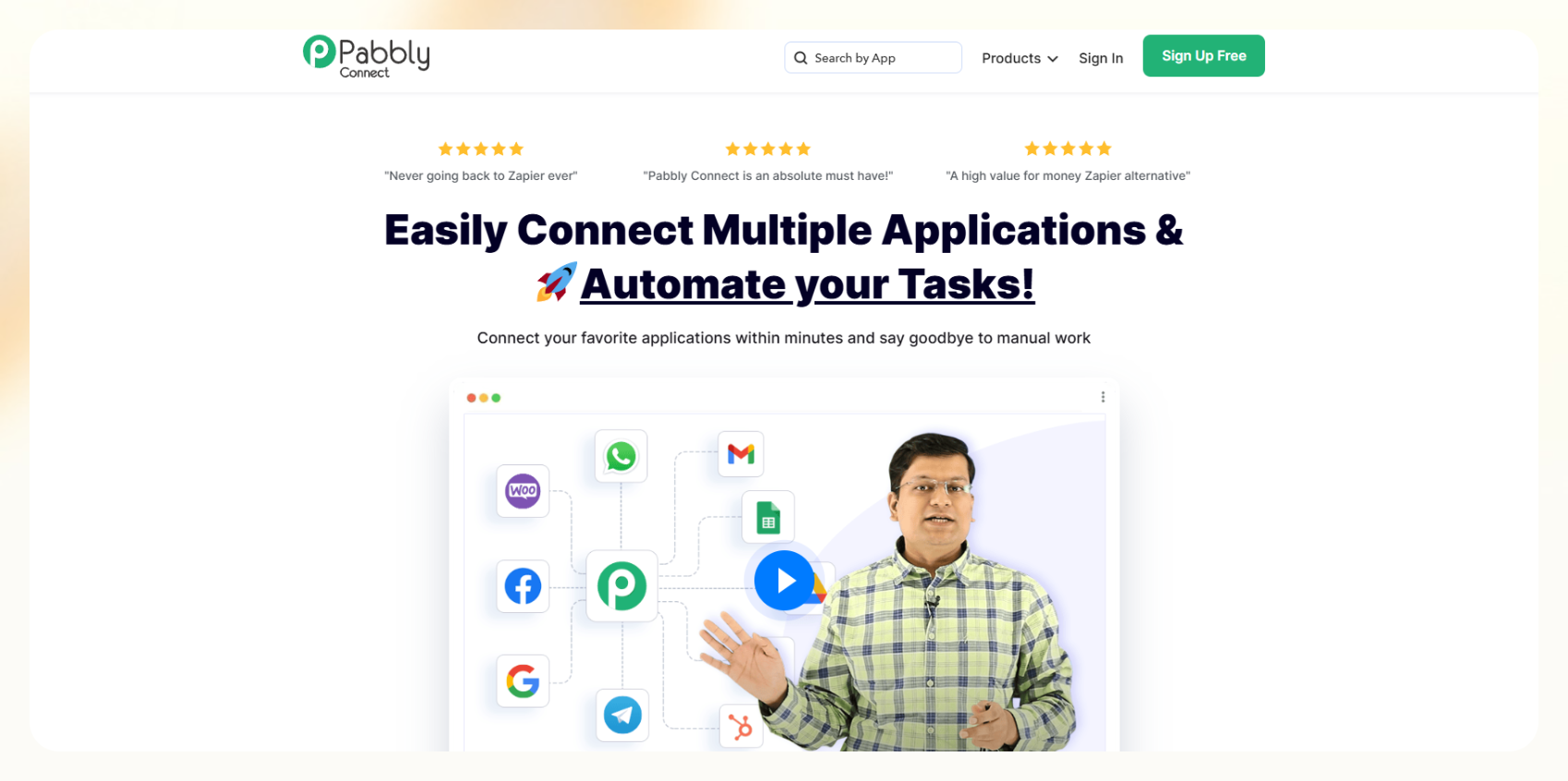
Pabbly Connect helps you automate workflows between 2,000+ tools like Google Sheets, Slack, HubSpot, Shopify, Gmail, and more. You can build workflows with triggers and actions, like “When a new order is placed in Shopify, send an invoice via Gmail and log the data in a Google Sheet.”
You don’t need technical skills. Everything works through a clean drag-and-drop interface.
It supports:
- Multi-step workflows
- Webhooks
- Delays and scheduling
- Email parsing
- App integrations with CRMs, marketing tools, e-commerce platforms, and more
But it doesn’t support AI. You can’t build automations with plain English or decision-making logic. Everything is rule-based and pre-defined. If you want to see how other platforms combine AI with automation, look at modern zapier ai features.
What I Like About Pabbly Connect
1. You Get a Lot of Automations for a Low Price
Most automation tools charge you more as your usage increases. Pabbly stands out by offering 10,000 tasks per month for just $16/month (when billed yearly). That’s enough to cover daily workflows for most small businesses without worrying about hitting a limit.
For example, I set up a workflow where every time someone fills out my Typeform, their details are sent to Google Sheets and a Slack message is sent to my team. This runs a few hundred times each month, and I’ve never had to worry about hitting my task limit.
If you're a freelancer or a startup trying to automate repetitive work without spending too much, this generous task allowance makes a real difference.
2. You Can Pay Once and Use It Forever
Pabbly offers a lifetime pricing option, a rare find in the automation space. Instead of paying every month, you can make a one-time payment (e.g., $249, $499, or $699, depending on the plan), and use it forever with a fixed number of monthly tasks.
I personally went for the Ultimate lifetime plan at $699. I use it daily for syncing leads, updating CRMs, sending notifications, and more. Over time, this deal saved me hundreds compared to tools like Zapier or Make.
This is ideal if you already know your automation needs and want to avoid recurring costs, but keep in mind that only the highest lifetime tier includes advanced features like delays and email parsing.
3. The Workflow Builder Is Simple and Visual
Pabbly Connect uses a drag-and-drop editor that anyone can use. You pick a trigger (like a new row in a spreadsheet), add actions (like sending an email or posting in Slack), and the automation runs smoothly.
I created a 3-step automation where leads from Facebook Ads go into my CRM, send a thank-you email via Gmail, and then notify my sales team. I didn’t need to write a single line of code. To further score and prioritize incoming leads, teams often integrate the best predictive sales ai solutions alongside these automated workflows.
If you’ve never used an automation tool before, Pabbly is beginner-friendly. It also gives you options to add filters, format data, and even use custom code (JavaScript/Python) if you're more technical.
4. The Email Parser Saves Manual Work
Pabbly’s email parser is helpful when you need to extract data from emails. For example, many online tools send you lead info in plain-text email format. Pabbly can pull out names, emails, phone numbers, and send them anywhere you want: CRMs, spreadsheets, databases.
I use this to extract leads from an inbox that gets submission emails. Without this, I’d have to manually copy each email’s contents into a CRM. It runs automatically now.
This is especially useful for form tools that don’t have direct integrations. While it’s not true AI, it does exactly what’s needed when emails follow a consistent format.
{{templates}}
What Could Pabbly Connect Improve?
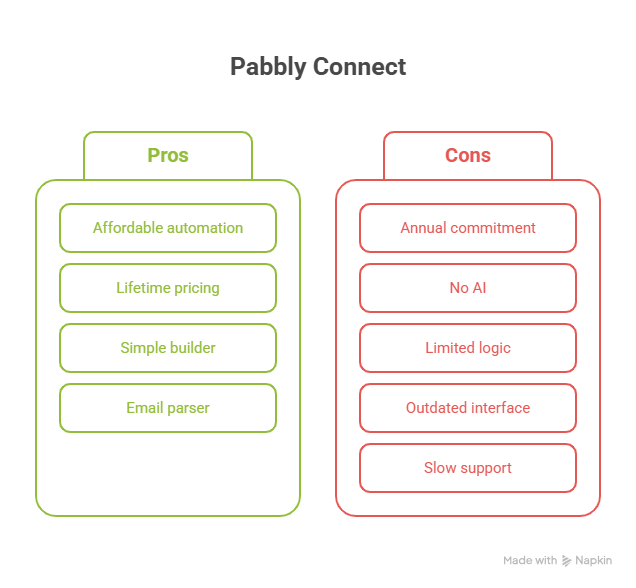
1. You Have to Pay for a Whole Year Upfront
Pabbly does not offer monthly pricing, which means you can’t test it for just a month. The cheapest plan is $192/year. If you change your mind after 2 months, there’s no refund or downgrade.
When I first tried it, I hesitated because I wasn’t sure how much I’d use it. But I had to pay the full year upfront to try the real features.
This makes it risky for early-stage users, hobbyists, or people who just want to experiment before committing long-term. Most other tools like Zapier offer month-to-month billing, which is more flexible.
2. No Smart AI, Just Rule-Based Workflows
Pabbly doesn’t include any AI or natural language processing like Lindy. You can’t type “email all leads who didn’t reply in 3 days” and let the tool figure it out. You have to manually set up the logic step by step.
I tried creating a follow-up workflow that adjusts based on whether a lead opened an email, but couldn’t. Pabbly doesn’t support behavior-based flows.
By contrast, I’ve used Lindy to set up similar workflows using simple text commands. Pabbly is a powerful automation tool, but it doesn’t “think” or “understand” like an AI assistant. If you want smart automation that adapts, Pabbly won’t get you there. For those evaluating automated calling or conversational AI platforms, reading air.ai reviews software provides further insight into AI capabilities.
3. Workflows Can’t Handle Complex Logic
Pabbly workflows follow a straight path. There are no branches or if/else rules to guide different leads through different journeys based on conditions.
For example, I wanted to send different onboarding emails depending on the plan a customer chose. But with Pabbly, I had to build separate workflows for each condition. This becomes hard to manage as you scale.
gumloop provide a much more flexible alternative for complex workflows.Most modern automation tools let you build dynamic flows that adapt based on user behavior or data inputs. Pabbly is fine for linear workflows, but if you need more flexibility or logic, it’s going to feel limiting. For teams looking to build sophisticated AI-driven logic, platforms like
4. Interface Feels Old, and Support Is Limited
Pabbly works, but the user interface feels dated. It lacks simple things like dark mode, smoother navigation, or a way to organize large numbers of workflows easily.
Also, support is slow unless you’re on the Ultimate plan. On lower plans, you only get email support. I once had an issue with a webhook not triggering, and it took over 36 hours to get a reply.
If your automations are business-critical, and you need quick help, this could be a problem. There’s no live chat, and documentation is limited compared to competitors.
Pabbly Connect Pricing Breakdown (2026)
Pabbly Connect has two pricing options: Annual Plans and Lifetime Deals. Both include all features, the only difference is the number of monthly tasks you get.
There’s no free trial, only a free forever plan with limited usage (100 tasks/month). You’ll need to upgrade quickly if you’re running more than a few workflows.
Annual Plans (Billed Once Per Year)
| Plan | Price (Per Year) | Monthly Tasks | Best For |
|---|---|---|---|
| Free | $0 | $100 | Testing the tool only |
| Standard | $192 ($16/month) | $10,000 | Small teams or freelancers |
| Pro | $396 ($33/month) | $20,000 | Growing businesses |
| Ultimate | $804 ($67/month) | 50,000+ | Agencies or high-volume users |
All paid plans offer the same features. You just get more monthly task credits as you go up.
I personally started with the Pro Plan. It gave me enough room to test multiple workflows, automate lead handoffs, and handle 5+ clients’ CRMs. You’ll rarely need more unless you’re running very high volume. If you want to integrate AI chatbots into these workflows, our comprehensive chatbase review covers another tool worth exploring.
Lifetime Deals (One-Time Payment)
| Plan | One-Time Price | Monthly Tasks | Good For |
|---|---|---|---|
| Standard | $249 | $3,000 | Freelancers and basic workflows |
| Pro | $499 | $6,000 | Small businesses with regular needs |
| Ultimate | $699 | $10,000 | Teams that need scale and support |
The lifetime plans reset monthly, so you don’t lose any features, just get a set number of tasks to use each month, forever.
I went with the Ultimate lifetime deal, and after 6 months, I already saved more than what I would’ve spent on monthly Zapier fees.
Important note: The lower lifetime plans (Standard and Pro) don’t include:
- Email Parser
- Delayed/scheduled workflows
- Auto re-executions
- Complex workflows with custom variables
You need the Ultimate plan if you want the full range of functionality.
What Doesn't Pabbly Offer?
- No monthly billing — You must pay annually or make a lifetime commitment.
- No usage-based pricing — You can't scale up or down month-to-month based on your workflow volume.
- No partial refunds — Once you pay, you're locked in.
This pricing model is great for those who already know they’ll stick with Pabbly. But for cautious users, it’s a bit of a risk.
Who Should Use Pabbly Connect?
Pabbly Connect is a great fit for:
- Freelancers or solopreneurs who need to automate recurring tasks without paying monthly
- SMBs that need thousands of task runs but don’t want Zapier-level pricing
- Non-technical users looking for an easy interface for integrations between marketing, CRM, e-comm, and project tools
It’s not ideal if you:
- Want smart, AI-powered workflows
- Need NLP or decision-based routing
- Prefer flexible monthly billing
- Automations need deep logic or fallback paths
If you want automations that learn and adapt, Pabbly will fall short.
Pabbly Connect Vs Its Top Competitors
Here’s how Pabbly connect stacks up against some of its top alternatives: Comparing features across different platforms helps businesses evaluate the most suitable pabbly alternatives for their automation needs.
| Feature / Tool | Pabbly Connect | Lindy | Zapier | Make (Integromat) | Integrately |
|---|---|---|---|---|---|
| Best For | Budget automation | AI-first workflows and agents | Massive integrations | Visual, logic-heavy workflows | One-click automations |
| AI Features | No (only email parser) | Yes (AI agents, smart workflows) | Basic (chatbots, AI tools) | No | No |
| No-Code Builder | Yes | Yes (drag-and-drop + templates) | Yes | Yes (flowchart-style) | Yes |
| Integrations | 2,000+ | 2,500+ via Pipedream, Apify | 7,000+ | 1,000+ | 1,000+ |
| Multi-Step Workflows | Yes | Yes | Yes | Yes | Yes |
| Free Plan | Yes (100 tasks/month) | Yes (limited credits) | Yes | Yes | Yes |
| Paid Plan Starts At | $16/month (annual only) | $49/month | $19.99/month | $9/month | $19/month |
| Lifetime Deal Available | Yes | No | No | No | Occasionally via AppSumo |
| AI Agents (Autonomous) | No | Yes | No | No | No |
| Ease of Use | High | High | Medium | Medium | High |
| Best For Scaling with AI | Not ideal | Ideal | Limited | Not AI-focused | Limited |
Learn more about Pabbly Alternatives.
Why is Lindy the Best Alternative to Pabbly Connect?

Lindy is built for AI-first automation. While Pabbly sticks to manual, rule-based workflows, Lindy gives you intelligent agents that act based on intent, content, and context.
With Lindy, you can build:
- AI sales reps that write, send, and follow up on emails
- Voice agents that call leads and schedule meetings
- Support agents that answer questions using your knowledge base
- Automated scrapers that find and qualify prospects online
You don’t have to build it step-by-step. Just say what you want in plain English and Lindy takes care of the rest.
{{cta}}
Frequently Asked Questions
1. Is Pabbly Connect free?
Yes, Pabbly Connect offers a free plan with 100 tasks per month. It’s enough for testing basic automations, but serious users will need a paid plan. There’s no free trial for premium features, and you’ll have to commit to annual billing if you upgrade.
2. Is Pabbly Connect safe?
Pabbly Connect is safe to use for business automation. It follows standard security practices and is SOC 2 compliant. However, it's not HIPAA compliant, so it’s not suitable for handling sensitive healthcare data. For general use cases like CRM updates or email syncing, it's a secure platform.
3. Is Pabbly the best tool for online business?
Pabbly is a good fit for online businesses that want basic automations at a lower cost. It’s best for startups and small teams. But if you need AI features, deep customization, or monthly billing, tools like Lindy or Make might suit you better.
4. What is Pabbly used for?
Pabbly Connect is used to automate tasks between apps like CRMs, email tools, forms, and spreadsheets. You can build workflows to sync leads, send follow-up emails, update databases, and more. It works well for businesses that need no-code automation without AI functionality.
5. Can I cancel my Pabbly Connect subscription anytime?
No, Pabbly Connect doesn’t offer month-to-month plans. If you purchase an annual or lifetime plan, you’re locked in for that term. There’s no partial refund if you cancel early, so make sure it fits your use case before upgrading.
6. Does Pabbly Connect have mobile app support?
No, Pabbly Connect doesn’t have a dedicated mobile app. All automations and workflows need to be created and managed via the desktop web interface. For mobile-first automation or monitoring, you’ll need to use third-party tools or alternatives like Zapier.
7.Can Pabbly Connect handle large-scale workflows?
Yes, but with limitations. While you can scale to over 3 million tasks per month on higher-tier plans, complex workflows may require workarounds due to the platform's limited logic-building options. It’s better suited for straightforward automations than enterprise-grade orchestration.
8. Does Pabbly Connect support conditional logic?
Basic conditional logic is available using filters and routers, but it’s not as advanced as Make or Zapier. You won’t get nested conditions, dynamic branches, or AI-based triggers. For more complex scenarios, you'll need to build multiple workflows or switch tools.
9. Can I integrate AI tools like ChatGPT with Pabbly Connect?
Yes, but indirectly. You can connect with third-party AI APIs like OpenAI or Success.ai using webhooks. However, there’s no built-in natural language processing or AI interface within Pabbly itself. For native AI workflows, consider platforms like Lindy.










