Seamless.AI Pricing 2026: What I Saw After Signing Up
Marvin broke down Seamless.AI's pricing after signing up, detailing the Free, Basic, Pro, and Enterprise plans, credit limits, and value against Apollo and ZoomInfo.


I tested Seamless.AI and found that its $147/month Basic plan only appears after you create an account. So, I signed up to test the tool and see how the credit system works. Here’s the complete breakdown of Seamless pricing, plans, features, and when it makes sense to upgrade.
How much does Seamless cost? Pricing and plans
Seamless.AI costs $147/month for the Basic plan when you pay yearly. The Pro and Enterprise plans require a sales quote because credit limits and team size change the price. You also get a free plan that gives you 50 lifetime credits.
Pro and Enterprise require a sales quote because credits, integrations, and admin controls vary by team size. Here is a quick look at how each plan compares:
| Plan | Price | Credits | Best for | Key features |
|---|---|---|---|---|
| Free | $0 | 50 lifetime credits | Solo users or small teams testing the tool | Email and phone reveals, and real-time search |
| Basic | $147/month (yearly billing) | 3,000 credits per year | Solo reps or early teams | Email and phone reveals + basic integrations |
| Pro | Contact sales | Daily credit refresh | Growing teams | Pitch Intelligence, unlimited integrations, and an admin seat |
| Enterprise | Contact sales | Custom credits | Larger organizations | Advanced org management, priority support, and more |
Seamless.AI pricing plans breakdown
Seamless.AI only offers one plan, the Basic plan, with clear pricing. The other plans offer more features but require contacting sales. Let’s see what they offer in detail, along with their ideal users:
Free plan — $0
- What’s included: 50 lifetime credits, email addresses and phone numbers, real-time search engine, export download, basic integrations, and self-serve knowledge base and email support
- Best for: People who want to test data accuracy or evaluate contact quality before committing to a paid plan. If you are comparing lightweight options, you can also check sintra ai pricing to see how other tools handle cost structures.
- Pros:
- Zero-cost way to test the platform
- Access to real-time search and exports
- Simple entry point for new users
- Cons:
- Only 50 lifetime credits
- Not enough volume for real prospecting
Basic plan — $147/month (billed yearly)
- What’s included: 3,000 credits per year, email addresses and phone numbers, real-time search engine, basic integrations, export download, self-serve knowledge base and email support, and live training webinar
- Best for: Solo sales reps or small teams that run targeted outreach and want predictable yearly credit limits.
- Pros:
- Steady credit availability for light to moderate outreach
- Affordable entry for consistent prospecting
- Full access to email and phone reveals
- Cons:
- Credits run out quickly for high-volume teams
- Lacks advanced features like Pitch Intelligence and unlimited integrations
Pro plan — contact sales
- What’s included: Daily credit refresh, Pitch Intelligence, advanced organization management, unlimited integrations, free admin seat, Autopilot and Data Enrichment (Premium), priority support queue, and live chat support
- Best for: Sales teams that pull contacts throughout the day, run extensive outbound sequences, or rely on advanced research features.
- Pros:
- Daily credit refresh supports high-volume workflows
- Unlimited integrations improve data flow
- Pitch Intelligence and enrichment tools add context to outreach
- Cons:
- Pricing requires a custom quote
- Higher cost for teams that do not need advanced features
Enterprise plan — contact sales
- What’s included: Custom credit amounts, Pitch Intelligence, advanced organization management, unlimited integrations, free admin seat, Autopilot and Data Enrichment (Premium), priority support queue, onboarding specialist, and live chat support
- Best for: Large teams that need central controls, structured credit distribution, and top-tier support. Teams managing broader tech budgets alongside sales tools may also want to evaluate fireflies ai pricing for meeting automation.
- Pros:
- Custom credit packages scale with large teams
- Complete access to advanced admin controls and support
- Cons:
- Requires custom pricing and contracts
- Too heavy for small organizations
Which Seamless.AI plan should you choose?
Choosing the right Seamless plan depends on how often you pull contacts and how much structure your team needs. Credits refresh differently in each tier, so the best choice comes down to volume and workflow.
Here’s how you can decide the right plan:
Choose the Free plan if:
- You want to test data accuracy
- You only need a few contacts to validate quality
Choose the Basic plan if:
- You run light prospecting and prefer predictable yearly credits
- You work alone or in a small team with simple outreach needs
Choose the Pro plan if:
- You pull new contacts throughout the day
- You want Pitch Intelligence, enrichment, and unlimited integrations
- You manage a growing team that needs shared admin controls
Choose the Enterprise plan if:
- You manage multiple reps and need centralized oversight
- You want custom credit buckets and priority support
- You rely on advanced organizational structure and onboarding resources
This distinction will help you keep the decision simple and make the credit model easier to match with your expected outreach volume. Teams comparing automated workflows and credit costs across AI platforms can also review manus ai pricing to guide their budget.
{{templates}}
Is Seamless.AI worth the cost?
Seamless.AI is worth the cost when your team depends on a constant flow of new contacts. The platform is useful when you pull fresh data every day and run active outreach sequences that need steady list growth. Here’s when to consider or skip Seamless.AI:
Seamless.AI is worth it if you:
- Run high-volume outbound and refresh lead lists often
- Need fast access to emails, phone numbers, and real-time company data
- Work in a sales or recruiting role that relies on varied targeting criteria
Skip Seamless.AI if you:
- Need strict accuracy or niche industry coverage where data can be thin
- Want predictable monthly credit usage and dislike variable consumption
- Prefer tools that pair contact data with built-in engagement features, such as Apollo or other platforms that combine prospecting with sequencing
Seamless works best when your outreach volume is high, and your team needs fast access to contact data. It doesn’t suit users who only send a few emails each week because the credit limits start to outweigh the benefit.
Seamless.AI alternatives and pricing comparison
Tools like Apollo, Lusha, ZoomInfo, and Lindy compete with Seamless.AI, and they approach prospecting, data accuracy, and pricing differently. Here’s how they compare side-by-side: Teams also assessing cloud machine learning costs alongside sales platforms can review vertex ai pricing to compare budget needs.
| Tool | Starting price (billed monthly) | Best for | Key advantage |
|---|---|---|---|
| Lindy | $49.99/month | Teams that want AI agents to automate outreach workflows | Multi-step automation across email, CRM, and tasks |
| Apollo | $59/user/month | Teams that want prospecting plus sequences | Contact data paired with built-in outreach |
| Lusha | $49.90/month | Reps who need simple data pulls with fewer features | Easy credit model and fast lookups |
| ZoomInfo | Custom pricing | Large companies with strict data needs | Broader dataset and advanced firmographics |
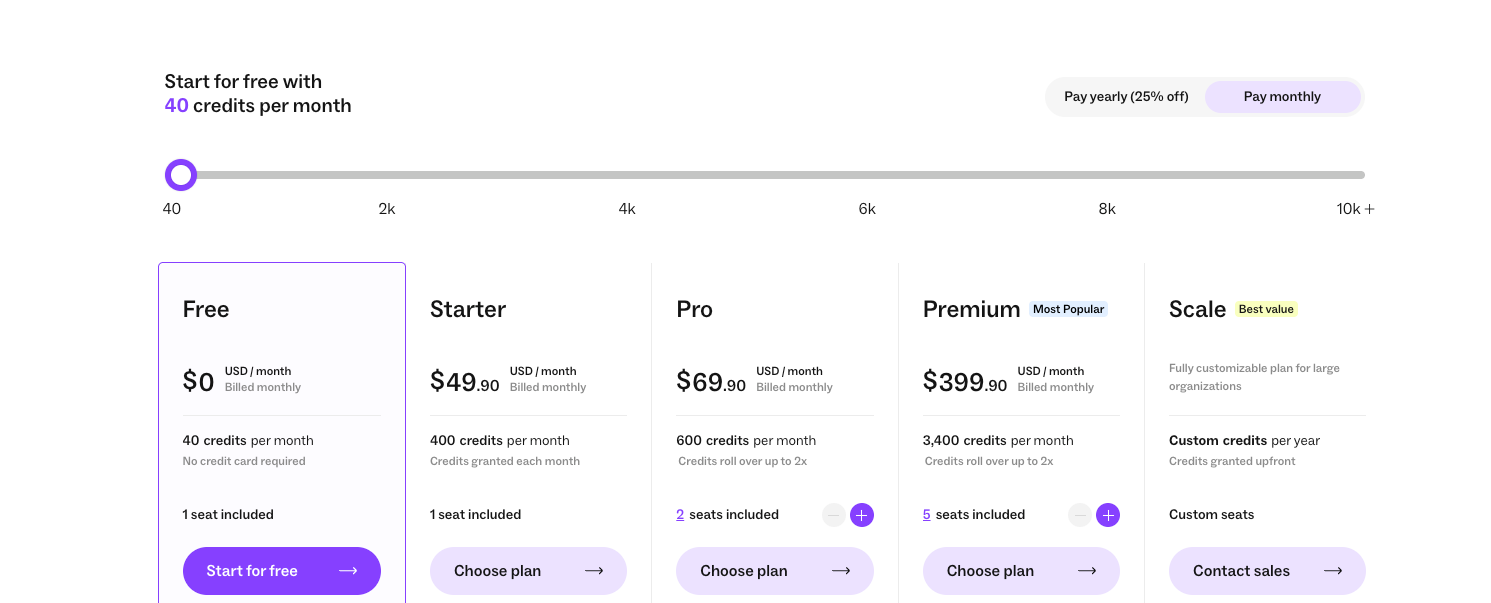
Apollo fits teams that want an all-in-one stack. Lusha works for quick data checks. ZoomInfo serves enterprise teams that need depth. Lindy helps teams create AI agents to automate prospecting and tasks around it, like follow-ups, enrichment, and admin work. If you are also evaluating multi-agent automation frameworks, reviewing crew ai pricing can help you compare platform costs.
Lindy vs Seamless.AI: Which one should you choose?
Seamless.AI delivers contact data through real-time search, while Lindy lets you automate lead generation and the work that happens after you find a lead. Both tools serve different needs, so the right choice depends on how your team handles outreach.
Here are a few scenarios or use cases to help you decide:
Choose Seamless.AI if you:
- Need a steady stream of emails and phone numbers
- Build lists across multiple industries or roles
- Want a simple way to find contacts without setting up workflows
Choose Lindy if you:
- Want AI agents that handle lead generation, outreach, follow-ups, enrichment, routing, and admin tasks
- Need automation across email, CRM, and scheduling
- Prefer a no-code builder that supports multi-step workflows
- Belong to a regulated industry and want SOC 2 and HIPAA compliance
Seamless works best as a data source. Lindy fits teams that want to automate lead generation and surrounding workflows. Many teams use both together because each tool solves a different part of the process.
My bottom line on Seamless pricing
Seamless.AI delivers good value when your workflow depends on constant list building. The credit model works well for teams that pull fresh contacts every day and need quick access to phone numbers and emails.
Costs rise when daily searches spike or accuracy varies, so the tool feels strongest in high-volume sales environments. Custom pricing also adds to the unpredictability.
If your team needs predictable budgets or wants more than raw contact data, Seamless may feel limited. For steady outbound at scale, the pricing makes sense. For lighter prospecting and workflow automation, tools like Lindy often fit better.
{{cta}}
Why Lindy beats Seamless pricing and capabilities
Seamless pricing starts from $147/month, which is almost $100 more than Lindy’s paid plan. However, Lindy offers more features and capabilities, and lets you create AI agents to automate lead generation, sales training, outreach, and CRM updates.
You also get prebuilt and customizable templates and 4,000+ integrations to launch workflows quickly.
Here’s why you should pick Lindy over Seamless.AI:
- Drag-and-drop workflow builder for non-coders: You don’t need any technical skills to build workflows with Lindy. It offers a drag-and-drop visual workflow builder.
- Create AI agents for your use cases: You can give them instructions in everyday language and automate repetitive tasks. For instance, create an assistant to find leads from websites and sources like People Data Labs. Create another agent that sends emails to each lead and schedules meetings with members of your sales team.
- Generate and qualify leads in minutes: With Lindy’s Lead Generator, find and qualify leads in minutes. It delivers curated lead lists, updates your CRM, and even handles follow-ups, so your team can focus on building relationships, not spreadsheets.
- Personalized email outreach and replies: Lindy’s Lead Outreacher crafts personalized outreach and manages replies autonomously. Your team can send professional replies without hours of manual effort.
- Lead enrichment: You can configure Lindy to use a prospecting API to research prospects and to provide sales teams with richer insights before outreach.
- Supports tasks across different domains: Lindy also handles meeting notes, website chat, lead generation, and content creation. You can create AI agents that help reduce manual work in training, content, and CRM updates.
- Affordability: Build your first few automations with Lindy’s free version and get up to 40 tasks. With the Pro plan, you can automate up to 1,500 tasks, which offers much more value than Lindy’s competitors.
Try Lindy free and automate your first 40 sales tasks.
Frequently asked questions
Can I cancel my Seamless subscription anytime?
You can cancel your Seamless subscription anytime, but it’ll take effect once your billing cycle ends. Seamless.AI uses annual billing for most paid plans, but some users may see monthly options depending on promotions or their account type.
What is Seamless.AI?
Seamless.AI is a sales intelligence tool that helps you find emails, phone numbers, and company information for B2B outreach. It works through a real-time search engine that delivers contact data based on filters you set.
What does Seamless.AI do?
Seamless.AI finds verified contact details, helps you build lead lists, and provides company and job title information for B2B prospecting. It also supports integrations with CRMs and outreach tools, making it easier to move contact data into your sales workflow.










