


ZoomInfo vs. UpLead vs. Lindy: Features & Pricing
Jack compared ZoomInfo, UpLead, and Lindy for B2B prospecting, weighing data accuracy, sales automation, CRM integrations, and pricing for enterprise versus SMB teams.


I’ve used ZoomInfo, UpLead, and Lindy to fuel outbound campaigns and build lead lists – and each one plays a different role.
↳ ZoomInfo has the deepest database, but it’s expensive and often overkill.
↳ UpLead is more affordable, but with limited automation and data coverage.
↳ Lindy goes beyond just data – it finds leads, qualifies them, and even handles outreach with real AI assistance.
In this guide, I’ll break down ZoomInfo vs. UpLead vs. Lindy by data quality, features, pricing, and workflow impact, and show you which one actually helps you close more deals in 2025.
ZoomInfo vs UpLead vs Lindy: At a Glance
Now, let’s take a look at all three of these in detail:
1. ZoomInfo: Enterprise-Grade B2B Intelligence
What does it do?
ZoomInfo is a B2B intelligence platform that provides access to a vast contact and company database, layered with tools for lead generation, sales automation, and recruitment outreach.
Who is it for?
It’s built for sales, marketing, and recruiting professionals at mid-to-large companies that need accurate data, intent insights, and automation tools to drive outbound strategies and scale prospecting.
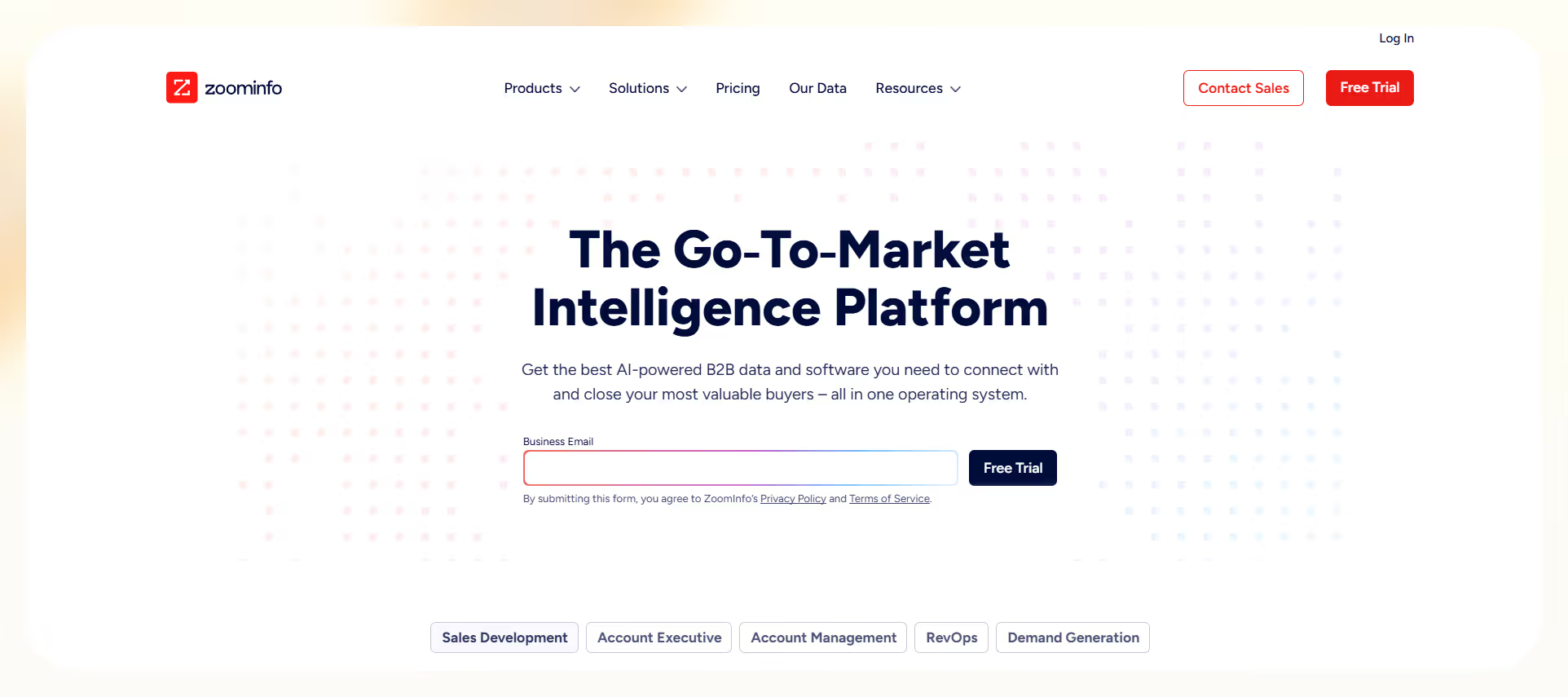
ZoomInfo, as an UpLead alternative, offers a comprehensive contact database, which gives you millions of verified business profiles enriched with firmographics, technographics, job functions, and buying intent.
Its SalesOS offers organizational charts, verified emails, phone numbers, and signals like recent funding or job changes. This makes prospecting easier and more targeted.
Plus, its Engage module lets you automate outreach, so your sales team can build cadences directly in-platform.
If you’re a marketer, you’ll love MarketingOS for its WebSights (for de-anonymizing site visitors), advanced audience segmentation, and campaign syncing with marketing platforms. Whereas, recruiters can use TalentOS to find candidates, automate outreach, and track job changes.
ZoomInfo’s Chorus even lets you record and analyze calls for insights, coaching, and deal reviews.
I love how ZoomInfo brings all these tools together in one place, making it a central platform for go-to-market operations.
But it’s not plug-and-play. I had to spend time understanding the data layers and configuring workflows to get real value. It’s not intuitive for beginners, and some features feel complex.
The user interface isn’t perfect either. While powerful, some parts of the platform feel dated or clunky, especially when dealing with multiple modules.
So, if you’re new, expect a learning curve, especially if you manage campaigns across SalesOS, MarketingOS, and TalentOS.
Then there’s the pricing. ZoomInfo doesn’t display it publicly, and actual costs can vary depending on features, seats, and credit packs. Based on user reports, you’re looking at about $14,995/year for the base plan and over $39,995/year for full access. Plus additional charges for extra users and data credits.
Contracts can be another problem. You have to sign up for at least a year, sometimes even two, and there aren’t many ways to try it out without a big commitment. If you’re not sure about a long-term plan, this could be a major drawback.
Still, for mature teams with complex pipelines and a need for aligned GTM strategy, ZoomInfo can be just the right platform. It centralizes prospecting, data, automation, and analytics in one place, something most of its competitors can’t match.
Pros
- Extensive B2B database
- Powerful automation tools
- Integrated GTM platform
Cons
- High pricing tiers
- Long-term contracts
- Steep learning curve
- Custom pricing, need to contact their sales team
- Add-ons for users and data credits
- Typically requires annual contracts
ZoomInfo delivers enterprise-level data, automation, and scale, but at a premium. It’s a top-tier platform for teams that can afford the price and invest time in setup and learning.
2. UpLead: Accurate, Affordable Prospecting
What does it do?
UpLead is a B2B lead generation and sales intelligence platform that helps businesses discover, verify, and connect with leads. It offers real-time email verification, a 95% data accuracy rate, and built-in tools for data enrichment and outreach.
Who is it for?
UpLead is ideal for sales, marketing, and recruiting teams that want reliable contact data without enterprise-level pricing. It works well for small to mid-sized businesses that need better list quality and seamless CRM integration.
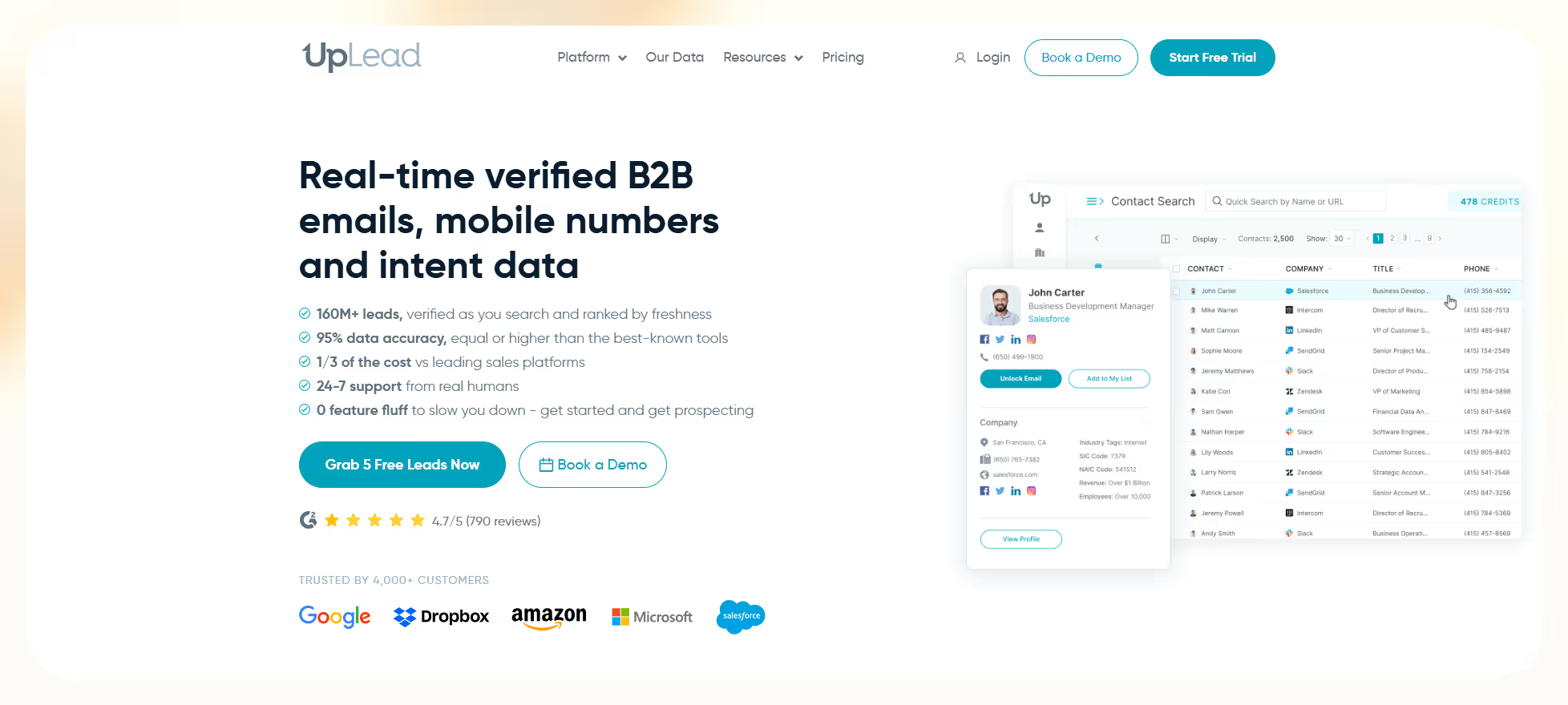
UpLead’s Prospector Tool gives you granular filters to target leads by industry, revenue, employee count, technologies used, and buyer intent. It also enriches your contact lists with verified phone numbers, emails, job titles, and social profiles so your outbound personalization improves.
Plus, its real-time email verification helps reduce bounce rates and keeps domain reputation intact.
UpLead works great if you’re targeting companies that use specific tools (e.g., Salesforce, Shopify). It lets you track intent data to see who’s actively researching solutions in your category.
The Competitor Intelligence tab also lets you monitor other players’ customer bases and find accounts that might be ready to switch.
You can use the Chrome Extension while browsing LinkedIn or company websites to quickly save leads into your account. And with CRM integrations for Salesforce, HubSpot, Pipedrive, and Zoho, syncing your data is seamless.
I personally found the interface clean, fast, and easy to work with, even during the free trial.
That said, there are trade-offs. The free trial only includes 5 credits, which isn’t enough to fully test the tool. And while the data is accurate, the overall volume may feel limited compared to tools like ZoomInfo. Also, if you scale usage, buying extra credits can push up the cost quickly.
Unlike some UpLead competitors, it offers transparent pricing, flexible plans, and solid performance for the price. It’s particularly useful for businesses that need fewer contacts but want every one of them to be verified, compliant, and up-to-date.
Pros
- 95% accurate data
- Easy-to-use interface
- Built-in email verification
- Flexible pricing plans
- Good CRM integrations
Cons
- Very limited free trial
- Smaller database size
- Extra credits cost more
Pricing
- Free Trial: $0 for 5 credits
- Essentials: $74/month (170 credits/month)
- Plus: $149/month (400 credits/month)
- Professional: Custom pricing, includes all features
- Additional credits available for purchase
UpLead delivers verified data, user-friendly tools, and fair pricing — a great choice for teams that prioritize accuracy and value without overpaying for bloated features.
3. Lindy: No-Code AI Automation
What does it do?
Lindy is a no-code automation platform that lets users build custom AI agents (called “Lindies”) to handle tasks like drafting emails, updating CRMs, scheduling meetings, and syncing data across tools like HubSpot, Gmail, and Slack.
Who is it for?
Lindy is ideal for sales, marketing, recruiting, and operations teams looking to replace repetitive workflows with intelligent automation. It’s designed for both solo professionals and growing businesses that want scalable, AI-powered execution.

At Lindy, we built the platform so users could create agents without coding. You simply type what you want in plain English, and Lindy builds the automation. Whether it’s enriching contact data, writing follow-up emails, or syncing with HubSpot, the setup is fast and feels like talking to an assistant.
You also get access to over 100 pre-built templates, from scheduling meetings to summarizing conversations. Real-time email verification and enrichment features help you improve deliverability and personalization.
If you’re a recruiter, Lindy can scan LinkedIn, verify roles, and auto-draft outreach messages, all in the background.
Lindy works with tools like Salesforce, Notion, Gmail, and Zoho. We’ve seen users create entire sales workflows (from lead capture to CRM updates) without switching tabs.
Security is also a priority. Lindy is SOC 2, HIPAA, and PIPEDA compliant, which makes it usable even in healthcare and enterprise settings. You won’t need extra onboarding to understand how it works. It’s as easy as using a chatbot.
But there is a learning curve once you try building more complex workflows, especially if you need advanced logic or branching.
Still, Lindy gives you an affordable way to replace multiple tools with one AI engine. You’re not just stitching apps together, you’re building smart, automated agents that actually do the work. For startups and teams that want intelligent automation without code, it gives you a serious productivity boost.
Pros
- Easy to set up
- Wide integration coverage
- Strong data enrichment
- Secure and compliant
- Great for scaling workflows
Cons
- Takes time to master advanced logic
- Credit consumption can vary
- May need tweaks for complex chains
Pricing
- Free Plan: 400 credits/month
- Pro Plan: $49.99/month (5,000 credits)
- Business Plan: $299.99/month (30,000 credits)
- Extra credits: $0.08 per credit
Lindy delivers powerful automation, no-code customization, and unmatched flexibility. This is ideal for anyone who wants to offload repetitive tasks and build smart agents that scale with your team.
{{templates}}
ZoomInfo vs. UpLead vs. Lindy Pricing
Here’s how these 3 tools stack up against each other in terms of pricing and value for money.
It’s clear that Lindy gives you the best value because it combines lead generation, data enrichment, automation, and CRM updates into one platform. You get powerful features without high costs, long contracts, or the need to manage multiple platforms.
Here are the two final sections you requested, written in the same clear, direct format and tone as the examples you provided:
Which One is the Right Tool for You?
Choose ZoomInfo if you:
- Have a large enterprise running aggressive ABM or outbound campaigns
- Need access to deep B2B contact data, buyer intent signals, and detailed org charts
- Already rely on Salesforce, Outreach, or HubSpot and have the budget for long-term contracts
Choose UpLead if you:
- Want a reliable, cost-effective lead database with high data accuracy
- Have a small to mid-sized sales or marketing team focused on quality over volume
- Need real-time email verification and flexible monthly pricing
Choose Lindy if you:
- Want to automate your entire sales, marketing, or support workflow, not just find contacts
- Are looking to replace multiple tools with one flexible, AI-powered system
- Need affordable, scalable automation that executes tasks, writes emails, and updates CRMs for you
Why Lindy Wins
Lindy doesn’t just give you data, it takes action. While other tools stop at contact info, Lindy handles the full workflow from lead to outcome, making it the best value for teams that want execution, not just insights.
Here’s what makes Lindy stand out:
- Automates the entire process: From automating emails to updating CRMs, Lindy handles it all through AI agents.
- Built for teams, not headcount: No per-user fees. Run 5,000 tasks a month for just $49.99.
- Replaces multiple tools: Sales, ops, recruiting, support – you can automate cross-functional workflows in one place.
- Fast to launch: Build your first AI agent in minutes with natural language instructions.
- Flexible and scalable: No contracts. Pay-as-you-grow with a simple credit-based model.
Try Lindy for free and experience what real AI-powered execution looks like.
{{cta}}
Frequently Asked Questions
1. UpLead vs Zoominfo: What’s the main difference?
ZoomInfo offers enterprise-grade B2B data with automation, intent signals, and sales tools, which is ideal for large teams. In contrast, UpLead focuses on high-accuracy contact data with flexible pricing, better suited for small to mid-sized teams needing a lightweight, cost-effective lead database without locking into long-term contracts or high-volume features.
2. Which tool is best for small businesses?
Lindy offers better long-term value, but UpLead is also a great choice for small businesses needing affordable, verified contact data. If you're looking to automate full workflows without hiring more people or buying multiple tools, Lindy provides increased value over the long term by combining lead generation, enrichment, and execution into one flexible platform for under $50 a month.
3. Is ZoomInfo worth its high cost?
ZoomInfo is worth it only if you're a large sales org running high-volume ABM campaigns and can use features like Engage and Chorus at scale. Otherwise, its steep pricing, annual contracts, and learning curve make it a risky investment for smaller or less mature teams with simpler needs.
4. How does Lindy handle lead generation compared to ZoomInfo and UpLead?
Lindy lets you create AI agents that can search, extract, and enrich leads directly from sources like LinkedIn or websites. While ZoomInfo and UpLead provide static lists, Lindy actively finds leads in real time and pushes them to your CRM, giving you full control over sourcing and execution.
5. Can I integrate Lindy with LinkedIn for prospecting workflows?
Yes. Lindy’s LinkedIn integration lets you build agents that scrape profile data, verify emails, enrich contact info, and trigger follow-up sequences. It helps you automate personalized prospecting on LinkedIn without copying data manually or using third-party scrapers.
6. What kind of tasks can Lindy’s AI agents fully automate that the other tools can’t?
Lindy agents can automate complete workflows. It can write personalized emails, schedule meetings, update your CRM, follow up after a set number of days, or send summaries to Slack. Unlike ZoomInfo or UpLead, which stop at data delivery, Lindy performs actions across multiple apps based on logic you define in plain English.
7. How does credit consumption work in Lindy, and what does one credit typically cover?
One credit generally covers one basic task, like sending an email, verifying a contact, or updating a CRM record. More complex tasks like multi-step workflows or AI-generated content use more. You get full transparency inside the dashboard to track usage and forecast monthly needs easily.
8. Does Lindy support multi-step workflows like if-this-then-that logic?
Yes. Lindy supports conditional workflows using natural language commands. You can create rules like “If a lead opens an email and doesn’t reply in 3 days, send a follow-up and update the CRM.” It handles logic branching, delays, and multi-step flows without needing code or external builders.
9. What kind of support does Lindy offer for onboarding or setup?
Lindy offers in-app tutorials, pre-built templates, and a knowledge base to help you get started fast. For Pro and Business plans, you also get priority chat support and onboarding guidance. It’s a balanced experience, not hand-holding, but not do-it-yourself-only either.
10. Can Lindy be used by non-technical teams without any training?
Absolutely. Lindy is built for non-technical users. You can create agents just by describing what you want them to do in plain English. Marketing, support, and ops teams regularly use Lindy without ever needing to learn coding, APIs, or complex workflow builders.
11. How secure is Lindy for industries like healthcare or finance?
Lindy is SOC 2, HIPAA, and PIPEDA compliant, making it suitable for sensitive industries like healthcare, legal, and finance. It uses encryption, secure storage, and role-based access to meet compliance standards. You can safely automate workflows involving client data without worrying about legal or privacy risks.
12. Are there examples or templates for specific workflows like recruiting or support automation?
Yes. Lindy offers over 100 pre-built templates across functions like recruiting, support, marketing, and sales. You can launch workflows like resume screening, candidate follow-up, ticket triaging, or FAQ auto-replies instantly, and customize them further using natural language instructions.
13. What are some real-life examples of teams replacing ZoomInfo or UpLead with Lindy?
Sales teams have replaced ZoomInfo’s Engage with Lindy agents that find leads, send emails, and push data into CRMs for a fraction of the cost. SMBs using UpLead switched to Lindy to reduce manual list building and automate outreach, saving time and tool costs with one flexible platform.











Blog
Related Articles
.png)

.png)
%20(1).png)
.avif)

%20(1).png)
.png)
The AI assistant that runs your work life
Lindy saves you two hours a day by proactively managing your inbox, meetings, and calendar, so you can focus on what actually matters.
