
Compare 11 LinkedIn automation tools for outreach, lead generation, and posting. Explore features, pricing, pros, cons, and account risks.
You open LinkedIn to reach out to a few prospects. But first, you need to find the right profiles, send connection requests, reply to messages, and follow up with leads from last week. By the time you're done, you've barely made progress on finding new prospects.
That’s the pain LinkedIn automation tools solve. They can handle repetitive tasks like prospecting, follow-ups, and scheduling posts. Some tools force you to upgrade to expensive plans for essential features, while others may get your LinkedIn account restricted.
I researched 11 LinkedIn automation tools and compared their features, ease of use, integrations, pricing, and limitations. Here's what stood out, what you get for your money, and which tools are worth considering.
The 11 best LinkedIn automation tools: TL;DR
- Expandi: Best for advanced LinkedIn outreach
- Dripify: Best for small sales teams
- HeyReach: Best for multi-account outreach
- Waalaxy: Best for affordable LinkedIn prospecting
- La Growth Machine: Best for multichannel outreach
- Skylead: Best for LinkedIn and email sequences
- Dux-Soup: Best for desktop and cloud automation
- Lemlist: Best for email-first outreach
- PhantomBuster: Best for LinkedIn data extraction
- Taplio: Best for AI-powered LinkedIn content
- AuthoredUp: Best for LinkedIn writing and scheduling
How I researched and evaluated these LinkedIn automation tools
I reviewed official product websites, pricing pages, documentation, and independent user reviews to compare these 11 tools. I focused on five aspects:
- Automation features: I looked at what each tool can automate, from connection requests and follow-ups to lead extraction and content scheduling.
- Ease of use: I considered the setup process, campaign builders, and learning curves based on product documentation and user feedback.
- Integrations: I checked how well each tool connects with email platforms, CRMs, LinkedIn Sales Navigator, and other sales tools.
- Pricing: I compared monthly and annual plans, per-user costs, and features that require an upgrade.
- Account risks: I looked at how each tool operates on LinkedIn, its advertised safeguards, and potential account restrictions.
Quick comparison: 11 best LinkedIn automation tools
I've compared all 11 tools by their main use cases, deployment methods, multichannel capabilities, and starting prices. Here’s how they stack up side-by-side:
| Tool | Best for | Cloud or extension | LinkedIn + email | Starting price (billed monthly) |
|---|---|---|---|---|
| Expandi | Advanced outreach | Cloud | Yes | $99/month per LinkedIn account |
| Dripify | Small sales teams | Cloud | Yes | $79/user/month |
| HeyReach | Multi-account outreach | Cloud | Via integrations | $79/sender/mo |
| Waalaxy | Affordable prospecting | Cloud + extension | Business plan | $19/user/month |
| La Growth Machine | Multichannel outreach | Cloud | Yes | $69/identity/month |
| Skylead | LinkedIn + email sequences | Cloud | Yes | $100/seat/mo |
| Dux-Soup | Desktop automation | Desktop or cloud | No native email sequences | $55/seat/month |
| Lemlist | Email-first outreach | Cloud | Multichannel plan | $109/user/month |
| PhantomBuster | Lead data extraction | Cloud | No native email sequences | $69/month |
| Taplio | AI content creation | Web + extension | No | $39/month |
| AuthoredUp | Writing and scheduling | Web + extension | No | $19.95/month |
Let’s now understand each one in detail.
LinkedIn outreach automation tools
These tools help sales teams find prospects, send connection requests, and manage follow-ups. Based on their outreach features, ease of use, and pricing, they suit different team sizes.
Best LinkedIn automation tool for advanced LinkedIn outreach
Expandi
Expandi is a cloud-based LinkedIn automation tool that lets you build personalized outreach campaigns using connection requests, messages, InMails, and email follow-ups.
Its conditional sequence builder excited me. You can create different follow-up paths based on how prospects interact with your campaign.
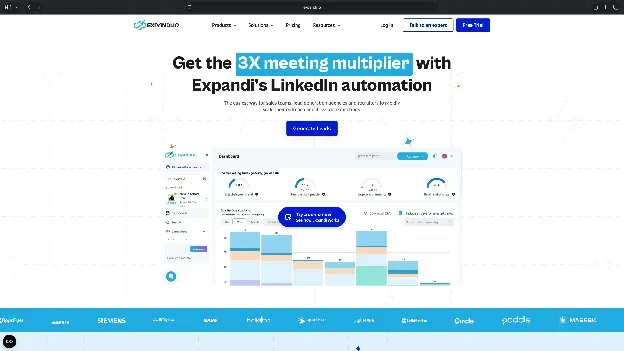
For example, if someone accepts your connection request, you can schedule a follow-up message. If they don't, you can use a different sequence.
Key features
- Conditional sequences: Build campaigns with different actions and follow-ups based on prospect engagement
- Multichannel outreach: Combine LinkedIn connection requests, messages, and email follow-ups in one campaign
- Campaign management: Run unlimited campaigns, prioritize important ones, and track responses with step-by-step analytics
- Personalization: Use dynamic placeholders, plus personalized images or GIFs as a paid add-on
Pros
- Supports complex campaigns with conditional follow-ups and multiple outreach channels
- Cloud-based campaigns run without keeping your computer switched on
- Offers detailed campaign analytics and multiple personalization options
Cons
- Advanced sequences can take time to configure, especially for beginners
- Image, GIF, and video personalization services may cost extra
Pricing
- 7-day free trial with access to all features
- Paid plans start from $99/month per LinkedIn account, billed monthly, with custom agency pricing for 10+ seats
What users say
Expandi has a 4.3/5 rating on G2 from 166 reviews.
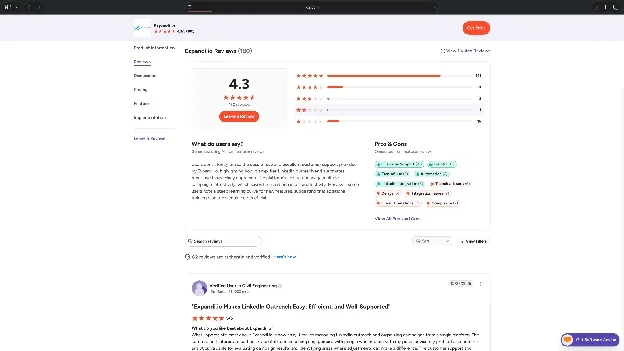
Users generally appreciate its flexible campaign builder, automated follow-ups, and ability to manage multiple campaigns. However, some mention difficulties with the initial setup and learning curve. One reviewer also reported that their LinkedIn account got restricted after using the tool.
My take
I'd consider Expandi for teams that need detailed control over outreach sequences. If you're only sending connection requests and simple follow-ups, a cheaper tool like Dripify or Waalaxy may be enough.
Best LinkedIn automation tool for small sales teams
Dripify
Dripify is a cloud-based LinkedIn outreach tool that helps you create automated campaigns without spending much time configuring them.
Its visual campaign builder lets you put together connection requests, messages, and email follow-ups. You can import prospects from LinkedIn searches or Sales Navigator and track campaign performance from the dashboard.
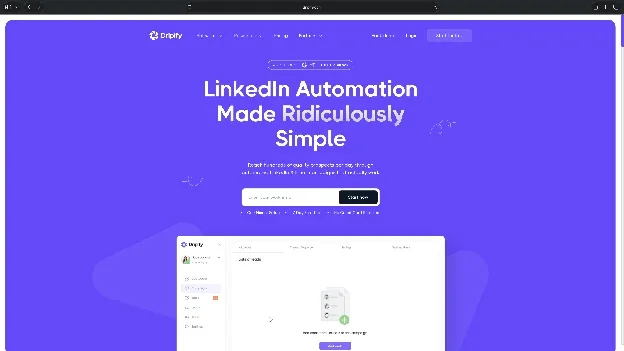
I like that Dripify offers LinkedIn and email sequences even on its entry-level plan. Even the Pro plan includes unlimited drip campaigns, so you can target several audiences at once.
Key features
- Visual campaign builder: Create outreach sequences using ready-made templates and automated follow-ups
- LinkedIn and email outreach: Reach prospects across both channels and use email-finding credits
- Campaign analytics: Track connection acceptance, replies, and campaign performance
- CRM integrations: Connect with tools like HubSpot and use webhooks to transfer lead information on supported plans
Pros
- Beginner-friendly campaign builder with ready-made templates
- LinkedIn and email sequences are available across all paid plans
- Offers campaign analytics and CRM integrations on supported plans
Cons
- Campaign customization is less flexible for complex branching
- Advanced features like A/B testing and team management require higher-tier plans
Pricing
- 7-day free trial with access to Advanced features, no credit card required
- Paid plans start from $79/user/month, billed monthly
What users say
Dripify has a 4.5/5 rating on G2 from 354 reviews.
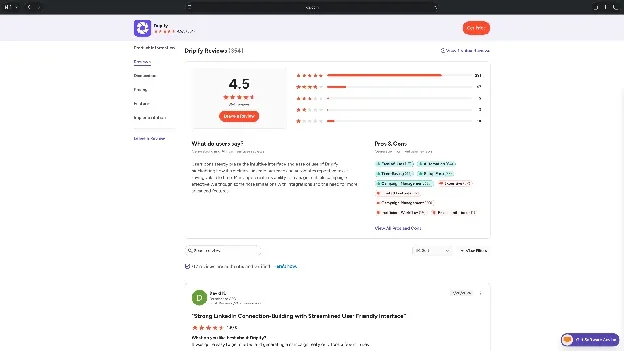
Users frequently praise its intuitive interface, quick campaign setup, and time-saving automation. However, some find the pricing expensive, especially for individual users. Others mention limited personalization and inflexible campaign logic when building complex sequences.
My take
Dripify is a practical choice for getting started with LinkedIn outreach. I'd lean toward Advanced for teams that need A/B testing and team management, since Pro already covers unlimited campaigns.
Best LinkedIn automation tool for agencies managing multiple LinkedIn accounts
HeyReach
HeyReach is a cloud-based LinkedIn automation tool designed for agencies and sales teams managing outreach across several LinkedIn accounts.
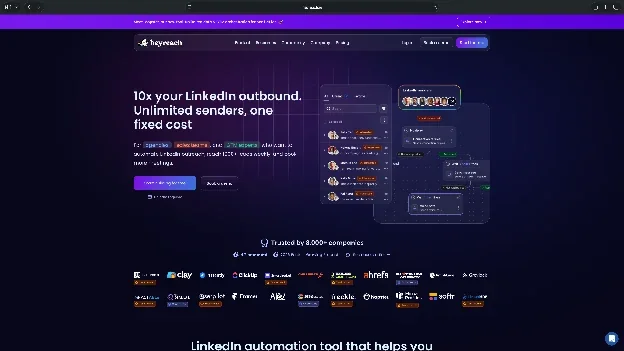
Its biggest advantage is multi-account management. You can run campaigns using multiple LinkedIn profiles, manage conversations from a unified inbox, and organize client accounts into separate workspaces.
I also like that HeyReach charges for LinkedIn senders rather than additional team members. This makes it easier for agencies to give account managers and clients access without paying for every user.
Key features
- Multi-sender campaigns: Run outreach campaigns across multiple LinkedIn accounts from one dashboard
- Unified inbox: Manage replies from different LinkedIn accounts without switching profiles
- Agency workspaces: Organize client campaigns, sender accounts, and team permissions separately
- Multichannel integrations: Connect with Instantly and Smartlead for coordinated LinkedIn and email outreach
Pros
- Centralized management of multiple LinkedIn accounts and client campaigns
- Unlimited campaigns with a unified inbox for managing conversations
- Charges per sender rather than per team member
Cons
- Native email sending requires integrations with external platforms
- Starting price is relatively high for individual users
Pricing
- 14-day free trial, no credit card required
- Paid plans start from $79/sender/month, billed monthly
What users say
HeyReach has a 4.6/5 rating on G2 from 74 reviews.
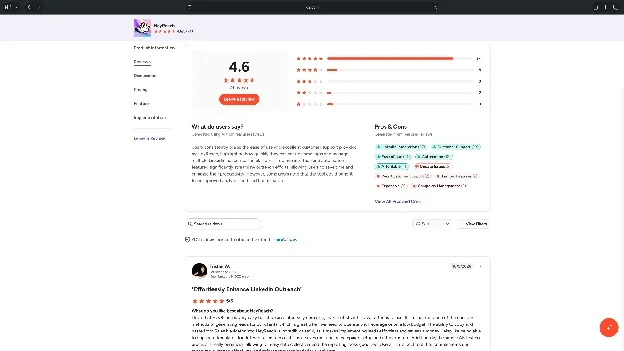
Users generally appreciate its intuitive interface, multi-account management, and responsive customer support. However, some mention limited analytics and occasional setup issues. One reviewer reported difficulties connecting their LinkedIn account and delays in getting support.
My take
I'd recommend HeyReach for agencies managing outreach across several client accounts. The shared inbox and sender-based pricing make it useful for larger teams. For a single LinkedIn account, Dripify or Waalaxy may offer better value.
Best LinkedIn automation tool for affordable LinkedIn outreach
Waalaxy
Waalaxy is a LinkedIn automation tool that helps you find prospects, send connection requests, and manage follow-ups using prebuilt campaigns.
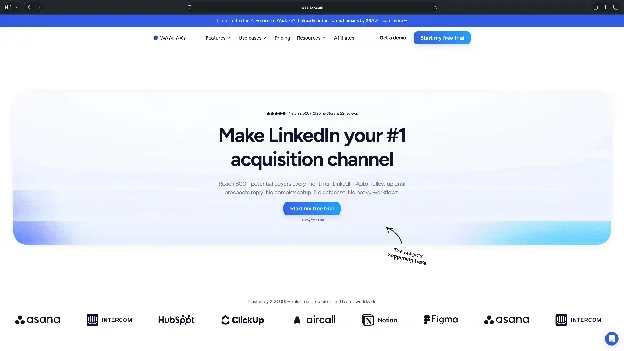
What stood out to me was its pricing. The entry-level plan costs $19/user/month and includes unlimited campaigns, making it one of the more affordable tools on this list.
Waalaxy also lets you import prospects from LinkedIn searches and Sales Navigator. However, you'll need the Business plan if you want to combine LinkedIn and email outreach.
Key features
- Prebuilt sequences: Create outreach campaigns using ready-made templates and automated follow-ups
- Lead imports: Import prospects from LinkedIn searches, Sales Navigator, and Recruiter Lite
- Multichannel campaigns: Combine LinkedIn messages and cold emails on the Business plan
- CRM synchronization: Connect prospect data with other sales tools and manage campaign responses
Pros
- Affordable starting price compared with most outreach tools
- Beginner-friendly campaign templates and prospect imports
- Supports LinkedIn and email outreach on higher-tier plans
Cons
- Prebuilt sequences offer less flexibility for complex campaigns
- Advanced reporting and customization are relatively limited
Pricing
- 14-day free trial to explore the platform
- Paid plans start from $19/user/month, billed monthly
What users say
Waalaxy has a 4.5/5 rating on G2 from more than 1,700 reviews.
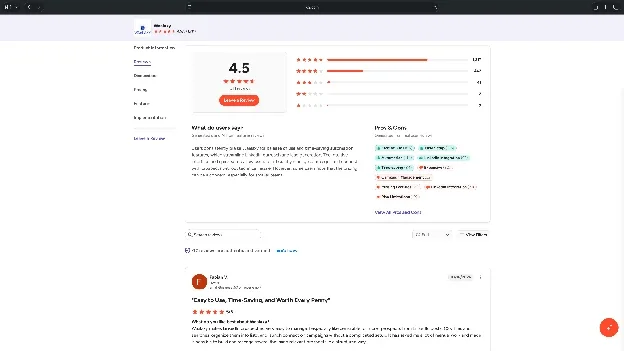
Users frequently praise its simple interface, ready-made sequences, and ability to save time on prospecting. However, some mention limited campaign customization and basic analytics. One reviewer also noted that the email-finding credit system makes costs harder to predict.
My take
Waalaxy is worth considering if you're new to LinkedIn automation and want to keep costs low. I'd start with Pro for basic outreach and consider Business only if email campaigns are part of your prospecting strategy.
Best LinkedIn automation tool for LinkedIn-led multichannel outreach
La Growth Machine
La Growth Machine is a multichannel outreach platform that combines LinkedIn and email, with call steps on the Pro plan and above, into coordinated prospecting campaigns.
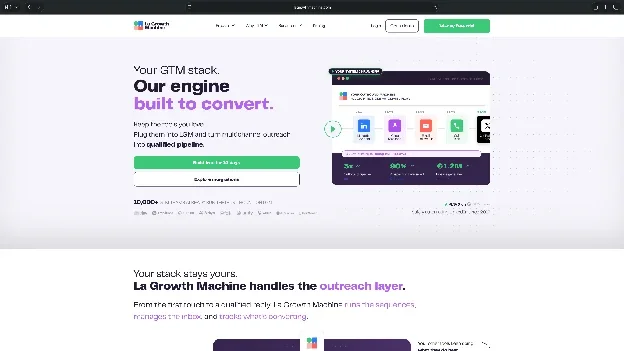
I found its identity-based pricing model interesting. An identity represents the profile and connected sending accounts used to run campaigns. You pay for these identities while other team members can help manage campaigns without requiring additional sending licenses.
The platform also offers lead enrichment, with inbox rotation and conditional workflows on the Pro plan and above. These features make it useful for teams reaching out to prospects across different channels.
Key features
- Multichannel sequences: Combine LinkedIn messages and emails, with call steps on the Pro plan and above
- Lead enrichment: Find verified business emails and enrich prospect records
- Conditional workflows: Customize outreach based on prospect activity and responses on supported plans
- Unified inbox: Manage LinkedIn and email conversations from one place on higher-tier plans
Pros
- Combines multiple outreach channels in coordinated campaigns
- Includes lead enrichment and email-finding capabilities
- Allows team members to collaborate without purchasing separate sending identities
Cons
- Advanced workflows and CRM integrations require higher-tier plans
- Managing complex sequences demands a learning curve
Pricing
- 14-day free trial to explore the platform
- Paid plans start from $69/identity/month, billed monthly
What users say
La Growth Machine has a 4.6/5 rating on G2 from 56 reviews.
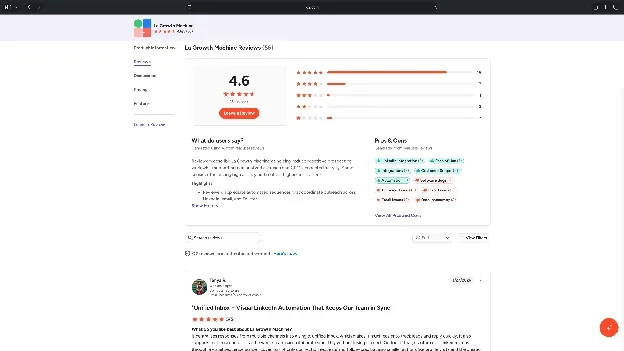
Users appreciate its LinkedIn and email integration, workflow customization, and responsive support. However, some reviewers report occasional bugs, synchronization errors, and difficulties managing complex campaigns. A few also mention problems with inaccurate lead data.
My take
I'd consider La Growth Machine if LinkedIn is one part of a broader outreach strategy. Its enrichment and multichannel features are useful, but the per-identity pricing can become expensive as your team grows.
Best LinkedIn automation tool for advanced LinkedIn and email sequences
Skylead
Skylead is a cloud-based outreach platform that combines LinkedIn automation, email campaigns, lead enrichment, and personalization.
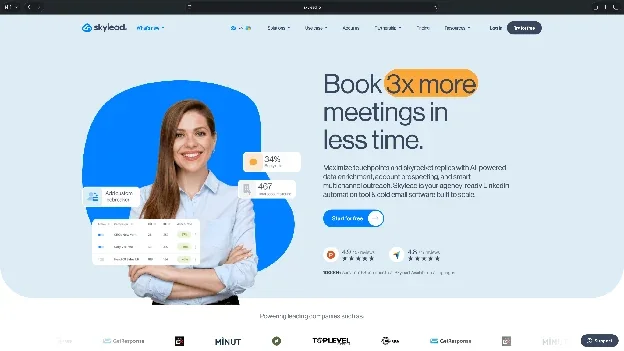
Its Smart Sequences feature lets you build conditional campaigns that switch between LinkedIn and email based on prospect interactions.
Skylead also includes unlimited connected email accounts, email warm-up, and email verification in its All-in-one plan. This can reduce the number of separate tools your sales team needs for outbound campaigns.
Key features
- Smart Sequences: Build conditional LinkedIn and email workflows based on prospect activity
- Email automation: Connect unlimited email accounts and manage automated email campaigns
- Email verification: Find and verify prospect email addresses before starting outreach
- Personalization: Add dynamic text, images, and GIFs to outreach messages
Pros
- Combines LinkedIn and email outreach in one platform
- Includes unlimited email accounts and email warm-up
- Supports conditional sequences and personalized campaigns
Cons
- Advanced AI SDR and enrichment features may require additional credits
- Some users report data synchronization and CRM integration limitations
Pricing
- 7-day free trial to test the platform
- Paid plans start from $100/seat/month, billed monthly
What users say
Skylead has a 4.5/5 rating on G2 from 127 reviews.
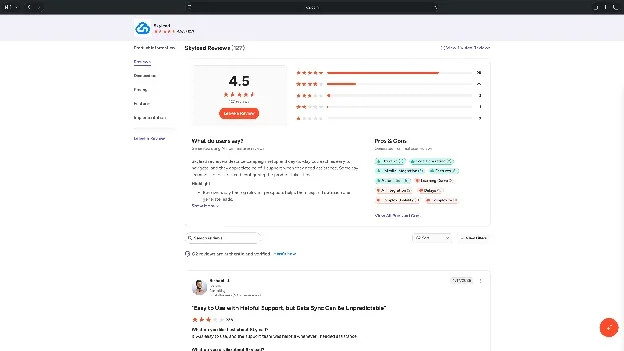
Users generally praise its multichannel sequences, email personalization, and responsive customer support. One reviewer appreciated the unlimited email accounts and built-in verification. However, other users mention unpredictable data synchronization and limited native CRM connections.
My take
Skylead makes sense for teams that need LinkedIn outreach and email infrastructure together. I'd compare it closely with La Growth Machine before purchasing, especially if CRM integrations and enrichment are important to your workflow.
Best LinkedIn automation tool for desktop and cloud automation
Dux-Soup STACKED
Dux-Soup offers LinkedIn outreach automation through its newer STACKED platform, which replaces its older Chrome-extension products.
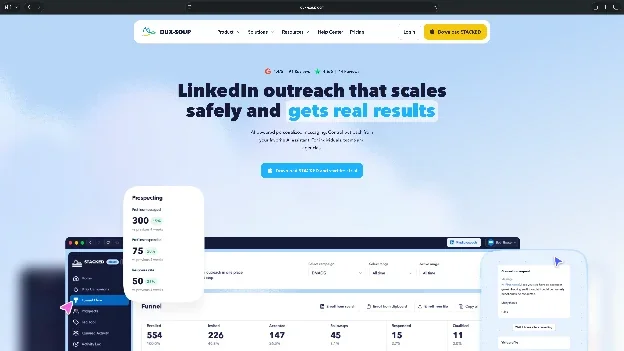
STACKED comes in two deployment options. The local version runs campaigns on your computer, while the cloud version handles automation remotely.
I found this flexibility useful because some teams prefer local control, while others need campaigns to continue running even when their computers are switched off.
Key features
- Drip campaigns: Create automated outreach campaigns with personalized messages and follow-ups
- Deployment options: Choose between local execution and cloud-hosted automation
- Lead management: Organize prospects, export contacts, and track campaign statistics
- Integrations: Connect outreach workflows with Salesforce, Slack, Zapier, and Make
Pros
- Offers both local and cloud-based automation
- Supports unlimited concurrent campaigns on STACKED plans
- Includes lead management and campaign reporting
Cons
- Cloud automation costs considerably more than the local plan
- A dated interface and setup complexity
Pricing
- 14-day free trial for STACKED local
- Paid plans start from $55/seat/month, billed monthly
What users say
Dux-Soup has a 4.4/5 rating on G2 from 91 reviews.
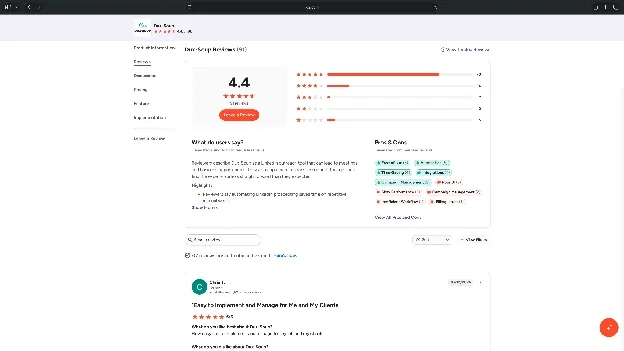
Users appreciate its consistent outreach automation, prospect tagging, and customer support. However, some mention an outdated interface and a learning curve when configuring campaigns. These reviews largely reflect the older Dux-Soup experience, so they may not fully represent the newer STACKED platform.
My take
I'd consider Dux-Soup if deployment flexibility is important to you. STACKED local is more affordable, but I'd choose cloud if I needed campaigns running independently of my computer.
Best LinkedIn automation tool for email-first multichannel outreach
Lemlist
Lemlist is an outbound sales platform that combines cold email, LinkedIn outreach, calls, and prospect enrichment.
Unlike dedicated LinkedIn automation tools, Lemlist places more emphasis on email outreach. You can use LinkedIn actions within larger sequences that include personalized emails, follow-ups, and call tasks.
I like that its multichannel plan includes email warm-up, lead enrichment, and a unified inbox. However, LinkedIn automation isn't included in its cheaper Email plan.
Key features
- Multichannel sequences: Combine LinkedIn actions, emails, and calls in coordinated outreach campaigns
- Email personalization: Customize messages using prospect data and dynamic content
- Lead database: Find prospects and enrich contact information before launching campaigns
- Email warm-up: Use built-in deliverability tools to support email campaigns
Pros
- Combines email, LinkedIn, and calling workflows in one platform
- Includes email warm-up and prospect enrichment
- Offers personalization and conditional outreach sequences
Cons
- LinkedIn automation requires the more expensive Multichannel plan
- Advanced features introduce a learning curve for new users
Pricing
- 14-day free trial to explore the platform
- Paid plans start from $109/user/month for Multichannel with LinkedIn automation, billed monthly
What users say
Lemlist has a 4.6/5 rating on G2 from more than 2,600 reviews.
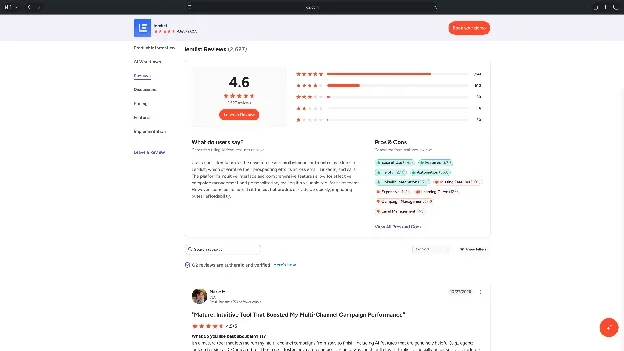
Users frequently praise its personalization, multichannel outreach, and campaign management features. However, some mention expensive enrichment credits and occasional workflow limitations. One reviewer noted that editing a campaign step could pause the campaign, requiring manual intervention to restart it.
My take
I'd recommend Lemlist for teams that already rely heavily on cold email and want to add LinkedIn touchpoints. If LinkedIn is your primary outreach channel, Expandi or Dripify may be a more focused option.
LinkedIn automation tool for data extraction
Outreach campaigns need accurate prospect information. PhantomBuster focuses on collecting and organizing lead data, making it useful for teams that need more control over prospect research.
Best LinkedIn automation tool for LinkedIn data extraction
PhantomBuster
PhantomBuster is a cloud-based automation platform that extracts prospect information from LinkedIn, Sales Navigator, and other online sources.
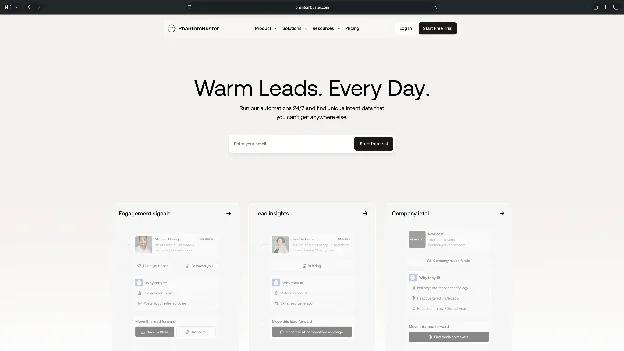
Instead of relying on one fixed prospecting workflow, you can choose from prebuilt automations called Phantoms. These can collect LinkedIn profiles, export search results, and gather information about people engaging with relevant posts.
I like that PhantomBuster lets you schedule these workflows and connect the results with other sales tools. However, its execution-based pricing takes some planning.
Key features
- LinkedIn data extraction: Collect profile information, search results, and other prospect data
- Prebuilt Phantoms: Use ready-made automations for LinkedIn, Sales Navigator, and other platforms
- Scheduled workflows: Run data collection tasks automatically at configured intervals
- Integrations: Export prospect information to spreadsheets, CRMs, and other sales tools
Pros
- Offers flexible data extraction across multiple platforms
- Provides prebuilt automations for common prospecting tasks
- Supports scheduled workflows and integrations
Cons
- Execution hours and automation slots limit usage
- Complex workflows require more configuration and troubleshooting
Pricing
- 14-day free trial with 2 execution hours and exports limited to 10 rows
- Paid plans start from $69/month, billed monthly
What users say
PhantomBuster has a 4.4/5 rating on G2 from approximately 138 reviews.
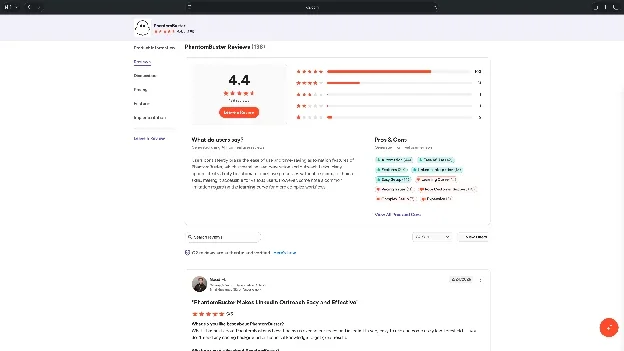
Users appreciate its time-saving automation, flexible data extraction, and LinkedIn integrations. However, some mention a learning curve for advanced workflows, pricing concerns, and slow support responses when automations stop working.
My take
PhantomBuster is useful if you need prospect data from LinkedIn and other platforms. I'd choose a dedicated outreach or lead generation tool if your priority is managing connection requests and follow-up conversations.
LinkedIn automation tools for content and posting
The final two tools focus on LinkedIn content rather than sales outreach. They're useful for professionals who want to publish consistently, manage posts, and understand what performs well.
Best LinkedIn automation tool for AI-assisted LinkedIn content creation
Taplio
Taplio is an AI-powered LinkedIn content platform that helps you generate post ideas, write content, schedule posts, and track engagement.

Its content inspiration library caught my attention. You can browse successful LinkedIn posts, find ideas relevant to your audience, and use AI to develop drafts.
Taplio also includes post analytics and audience engagement features. However, its cheaper Starter plan focuses on scheduling and analytics. You'll need Growth for AI writing and Pro for advanced outreach features.
Key features
- AI writing assistant: Generate post ideas and drafts using AI on supported plans
- Content inspiration: Explore a library of high-performing LinkedIn posts
- Post scheduling: Plan and publish LinkedIn content from a calendar
- Analytics: Track post performance, audience growth, and engagement metrics
Pros
- Combines content inspiration, AI writing, and scheduling
- Offers LinkedIn analytics and audience engagement tools
- Includes content planning features for consistent posting
Cons
- Advanced lead outreach requires the expensive Pro plan
- Some users report occasional extension issues and account reconnections
Pricing
- 7-day free trial with access to Pro features
- Paid plans start from $39/month, billed monthly, with AI writing available from $69/month
What users say
Taplio has a 4.1/5 rating on G2 from 9 reviews.
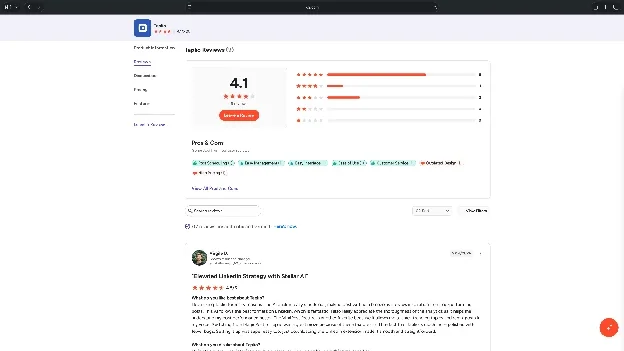
Users appreciate its AI writing tools, content inspiration, and detailed analytics. However, some mention its relatively high pricing, occasional browser-extension problems, and limitations in content customization.
The small review sample makes it difficult to draw broad conclusions about customer satisfaction.
My take
I'd consider Taplio if you're publishing frequently on LinkedIn and want AI assistance with content creation. For basic writing, formatting, and scheduling, AuthoredUp offers a cheaper alternative.
Best LinkedIn automation tool for LinkedIn writing and scheduling
AuthoredUp
AuthoredUp is a LinkedIn content editor that helps you write, format, schedule, and analyze posts.
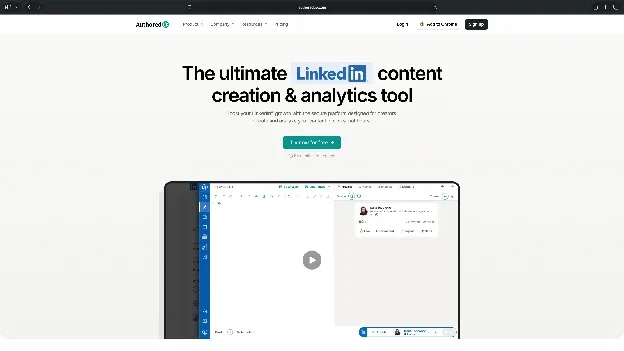
What I like most is its focus on the writing experience. You can preview how a post will appear on desktop and mobile, experiment with formatting, and save drafts for later.
It also includes reusable snippets, post templates, and analytics. Unlike Taplio, AuthoredUp primarily focuses on helping you prepare and manage your own content.
Key features
- LinkedIn editor: Format posts with text styling, bullet points, and readability checks
- Post previews: See how content appears on desktop and mobile before publishing
- Content management: Save drafts, reuse snippets, and organize posts using a calendar
- Analytics: Review post performance and audience engagement over time
Pros
- Offers detailed formatting and post preview tools
- Includes unlimited drafts, reusable snippets, and analytics
- More affordable than most AI-powered LinkedIn content platforms
Cons
- Requires a compatible browser extension for parts of the publishing workflow
- AI writing capabilities remain limited compared to Taplio
Pricing
- Free trial without requiring a credit card
- Paid plans start from $19.95/month, billed monthly
What users say
AuthoredUp has a 4.7/5 rating on the Chrome Web Store from 70 ratings.
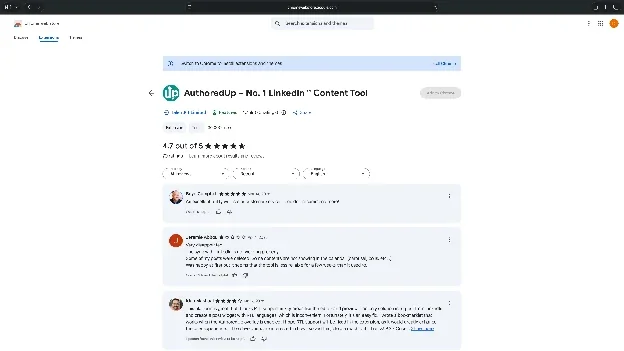
Its rating suggests favorable reception, although detailed independent reviews are limited. One Trustpilot reviewer reported losing text formatting when transferring content to LinkedIn. That complaint comes from a single review, so it isn't enough to establish a widespread issue.
My take
AuthoredUp makes sense if you prefer writing your own LinkedIn posts and need better editing, scheduling, and analytics. I'd choose Taplio instead if AI content generation is a priority.







How to choose a LinkedIn automation tool
The best LinkedIn automation tool depends on how you prospect, how many accounts you manage, and which tasks you want to automate.
I'd consider these four factors before purchasing a subscription:
1. Choose between cloud and desktop or browser-based tools
Cloud-based tools like Expandi and Dripify run campaigns on remote servers. Your computer doesn't need to stay switched on, making them convenient for ongoing outreach.
Desktop tools like Dux-Soup STACKED local give you more control over where campaigns run, but your computer must remain active.
Browser extensions work inside your browser and can be easier to set up. However, deployment methods differ in maintenance requirements and how they interact with LinkedIn.
No deployment method removes the risks of unauthorized automation.
2. Consider how many LinkedIn accounts you manage
If you're managing one account, tools like Dripify and Waalaxy may be enough. For agencies, I'd look at HeyReach or Skylead. They offer multi-account management, shared inboxes, and team collaboration features.
Check whether the platform charges per user, sender, or connected LinkedIn account before subscribing.
3. Decide whether you need LinkedIn-only or multichannel outreach
Some teams only need connection requests and follow-ups. Others run campaigns across LinkedIn, email, and calls. For multichannel outreach, I'd consider Lemlist, La Growth Machine, or Skylead.
You can also explore other AI outreach tools or outbound sales tools if email and other channels are part of your prospecting strategy.
4. Calculate the total cost per sender
A $79/month subscription sounds manageable until you're paying for five accounts. For example, five Dripify Pro subscriptions cost $395/month, while five Expandi Business accounts cost $495/month, based on monthly billing.
I'd also check email credits, CRM integrations, and advanced campaign features. These can increase your spending beyond the advertised starting price.
Is LinkedIn automation safe?
LinkedIn automation carries a risk of account restrictions. Some tools advertise dedicated IPs, activity limits, and randomized sending intervals, but these features don't make prohibited automation compliant with LinkedIn's rules.
Here's what I'd check before using any automation tool:
What does LinkedIn say about automation?
LinkedIn warns that accounts using prohibited automation software may be temporarily restricted or permanently shut down. LinkedIn's official policy states:
“We don't permit the use of any third-party software, including 'crawlers', bots, browser plug-ins, or browser extensions.”
This prohibition applies to software that scrapes information, changes the website's appearance, or automates activity.
Are there safe daily limits for LinkedIn automation?
LinkedIn doesn't publish a universal daily invitation limit. It also doesn't guarantee that staying below a particular number will protect your account.
However, here’s what I’d recommend:
- About 80–100 connection requests per week, spread across the week
I'd treat this as an unofficial reference point. LinkedIn considers other signals, including unwanted invitations, spam reports, and suspected automation.
Does warming up a LinkedIn account prevent restrictions?
Some outreach providers recommend spending two to three weeks building normal account activity before using automation. It typically includes completing your profile, publishing relevant content, interacting with connections, and sending thoughtful manual invitations.
However, warming up an account doesn't make prohibited automation acceptable. If protecting your account is the priority, I'd stick to manual outreach and LinkedIn's permitted features and integrations.
Which LinkedIn automation tool should you choose?
You’d be happy with any tool from this LinkedIn automation tools list I’ve shared. I'd ask you to pick one based on the work you want to automate.
Expandi is my top pick for advanced outreach sequences, while Dripify is a more accessible option for individual SDRs and small sales teams.
For agencies managing multiple LinkedIn accounts, I'd consider HeyReach. Waalaxy is worth exploring if you're starting with a smaller budget.
If your campaigns involve email and other channels, Lemlist and La Growth Machine offer broader outreach capabilities.
For lead data extraction, I'd choose PhantomBuster. And if you're focusing on LinkedIn content, Taplio offers AI-assisted writing, while AuthoredUp is a more affordable choice for editing and scheduling.
Before committing to any LinkedIn automation tool, compare the features included in its starting plan and understand the account restrictions that may apply.
Try Lindy if you need help with the work around LinkedIn
LinkedIn outreach also involves prospect research, content preparation, CRM updates, and follow-ups across your other apps. And Lindy can take up these tasks for you.
It’s an AI teammate that lives inside Slack. You can @mention it, assign tasks in plain English, and have it work across connected apps. It supports models from OpenAI, Claude, and Gemini, so you can choose the preferred AI model for each task.
Its ready-to-hire Sales Development Rep can help with prospect research and sales follow-ups, while the Social Media Manager prepares content calendars, drafts posts, and manages approvals.
You can explore these roles or describe your own task to get started. Try it for free and see what LinkedIn tasks you can offload.
Frequently asked questions
What are LinkedIn automation tools?
LinkedIn automation tools are software applications that automate repetitive tasks like finding prospects, sending connection requests, following up with leads, and scheduling posts. However, unauthorized automation can violate LinkedIn's policies and put your account at risk.
Are there any free LinkedIn automation tools?
It’s difficult to find free-forever LinkedIn automation tools, as most offer free trials instead of permanent free plans. Dripify and Expandi offer seven-day trials, while Waalaxy provides a 14-day trial. PhantomBuster also offers a limited free trial to explore its automation features.
What are the best LinkedIn automation tools for lead generation?
Expandi, Dripify, HeyReach, and PhantomBuster are among the best LinkedIn automation tools for lead generation. Expandi and Dripify focus on outreach sequences. HeyReach supports agencies managing multiple LinkedIn accounts, while PhantomBuster specializes in collecting prospect data.
Is LinkedIn automation allowed?
LinkedIn doesn't allow third-party software that scrapes data or automates activity on its website. This includes bots, browser extensions, and other tools that perform automated actions. Using prohibited software can result in temporary or permanent account restrictions.
Can LinkedIn automation tools send messages and connection requests?
Yes, tools like Expandi, Dripify, and Waalaxy offer automated connection requests, messages, and follow-up sequences.
You can configure campaigns and schedule actions based on prospect responses. However, these capabilities may violate LinkedIn's rules against unauthorized automation, regardless of the activity limits you configure.
Do you need LinkedIn Sales Navigator to use automation tools?
No, you don’t need Sales Navigator as several sales automation tools work with standard LinkedIn accounts. However, Sales Navigator provides additional prospecting features, including advanced search filters for job titles, seniority, company size, and location.
What is the 4-1-1 rule on LinkedIn?
The 4-1-1 rule is a content-sharing guideline that recommends publishing four useful pieces of third-party content, one relevant reshare, and one promotional post. For example, you could share four industry insights, reshare a useful post from another creator, and publish one post about your product.
It's a guideline for balancing promotional and educational content, unrelated to LinkedIn's invitation limits or automation policies.
About the editorial team

Marvin is a Growth Engineer at Lindy focused on AI agents, automation, and product-led growth.

Lindy leads GTM at Lindy and is the team’s most prolific automation builder. She publishes weekly educational videos and articles on building AI assistants – And yes, she’s a real person!
